
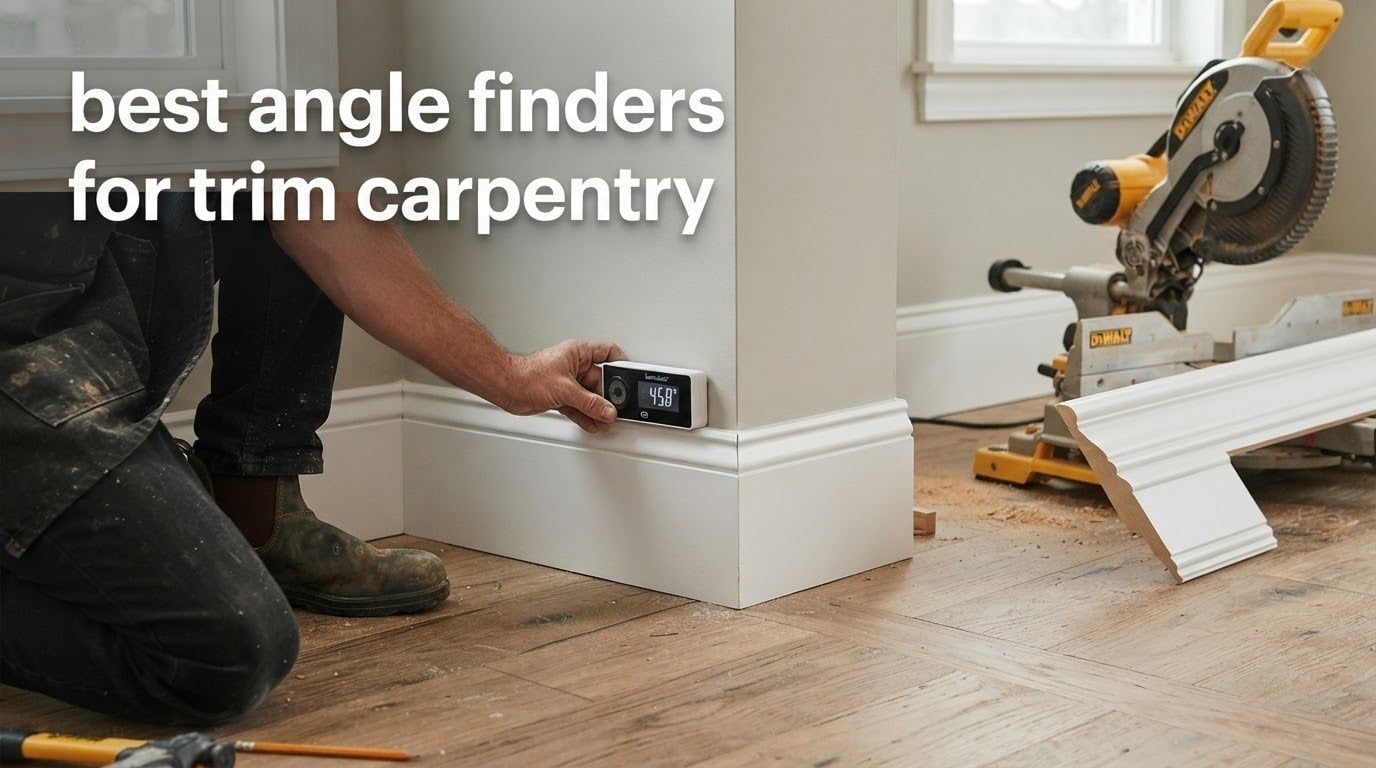
An angle finder is a measuring tool, digital or analog, that captures the included angle between two surfaces so a carpenter can set the correct miter or bevel on the saw before cutting trim. The Klein Tools 935DAG is our top pick for trim carpentry in 2026 because it reads 0 to 90 and 0 to 180 degrees, mounts magnetically to blades and fences, and survives the drop-and-pocket reality of a finish site.
Most trim joints are not 90 degrees. Walls settle, framing goes up out of plumb, and additions butt into old construction at angles that surprise you on the day you pull trim. Guessing at those corners is the single biggest source of wasted baseboard and crown in finish work, and a small measuring tool removes the guess entirely.
We spent six weeks with these eight gauges on real trim jobs: base shoe and baseboard in older houses, casing around a bowed window wall, and crown in a room where three of the four corners were off square. This roundup covers the digital gauges that mount to your saw, the analog aluminum protractors that transfer angles to the miter saw, and the long-reach digital tools for full-length runs. If you are still choosing between measuring tools for a house, our stud finder guide and edge finder guide cover the rest of the layout kit.
Table of Contents
Top 3 Best Angle Finders for Trim Carpentry (October 2026)
The Klein 935DAG wins overall on accuracy, hold, and the sheer weight of owner feedback behind it. The LEXIVON LX-230 is the value pick: solid aluminum, two engraved scales, and no battery to die in a cold truck. The Wixey WR300 Type 2 is the one to buy if baseboard is most of your work, because its backlit screen and strong magnet make repeated saw settings painless.

Klein Tools 935DAG
- 0-90 and 0-180 degree ranges
- Auto-rotating backlit display
- Magnetic base with V-groove edges
- Zero calibration
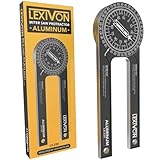
LEXIVON LX-230
- CNC-machined anodized aluminum
- Dual miter cut and single cut scales
- No batteries required
- Lifetime limited warranty
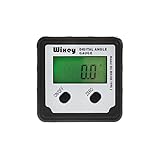
Wixey WR300 Type 2
- 0.1 degree resolution and +/-0.2 accuracy
- Backlit LCD with auto shut-off
- Zero calibration for unleveled saws
- Magnetic base
All 8 Angle Finders Compared in 2026
Every tool below appears in the same order in the individual reviews. We list power source and base type because those two facts decide whether a gauge belongs in your finish bag or in your shop truck.
| Product | Specifications | Action |
|---|---|---|
| Klein Tools 935DAG Digital Angle Gauge |
|
Check Latest Price |
| LEXIVON LX-230 Aluminum Miter Saw Protractor |
|
Check Latest Price |
| Wixey WR300 Type 2 Digital Angle Gauge |
|
Check Latest Price |
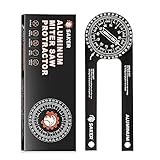 Saker 7-Inch Aluminum Miter Saw Protractor Saker 7-Inch Aluminum Miter Saw Protractor |
|
Check Latest Price |
 GemRed 82305 Digital Angle Finder GemRed 82305 Digital Angle Finder |
|
Check Latest Price |
 General Tools 822 Digital Angle Finder Ruler General Tools 822 Digital Angle Finder Ruler |
|
Check Latest Price |
 Neoteck NTK230 16-Inch Digital Angle Finder Neoteck NTK230 16-Inch Digital Angle Finder |
|
Check Latest Price |
 Starrett 505P-7 Miter Protractor Starrett 505P-7 Miter Protractor |
|
Check Latest Price |
1. Klein Tools 935DAG – Best Angle Finder for Trim Carpentry Overall
Klein Tools 935DAG Digital Electronic Level and Angle Gauge
0-90 and 0-180 degree ranges
Auto-rotating display
Magnetic base with V-groove edges
Pros
- Compact 3.5 ounce body fits any pocket
- Magnet holds on saw blades and fences
- Auto-rotating display readable upside down
- Zero calibration for relative readings
- Backed by 16508 owner reviews at 4.8 stars
Cons
- Small display can be hard to read in low light
- Zero reference cannot be set at an arbitrary angle
- Needs batteries and one owner reported power loss after about 1.5 years
The 935DAG is the tool I keep in my finish bag, and after six weeks of daily use the reason is simple: it is never in the wrong place. It weighs 3.5 ounces, measures 2.36 by 2.2 inches, and slides into the same pocket as a pencil. On a job site that is the difference between measuring the corner and eyeballing it.
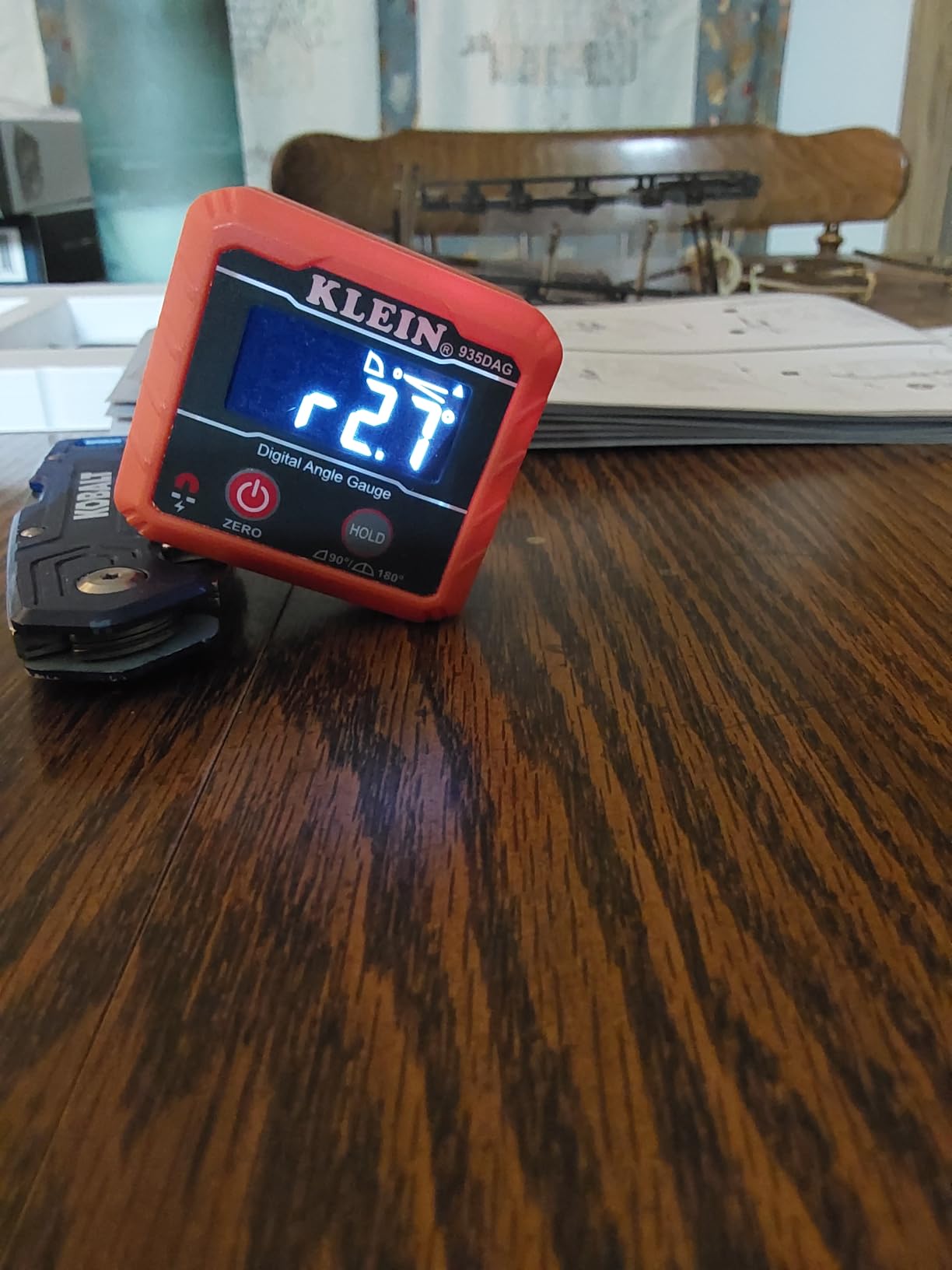
It measures between 0 and 90 degrees or 0 and 180 degrees, and the second range is the one that matters for trim. A 180 degree reading captures the full included angle of an outside corner in one placement, which removes the mental subtraction that trips up beginners. The zero calibration feature also lets you reference off a surface that is not truly level, which is most of a 1970s addition.
The magnetic base is the real reason trim carpenters like this gauge. Owners consistently report that it grips saw blades, fences, and tables without slipping, and that they use it for blade squareness checks as much as for corners. The V-groove edges on both arms sit nicely on a saw blade edge when you are checking that a blade is square to its own body.
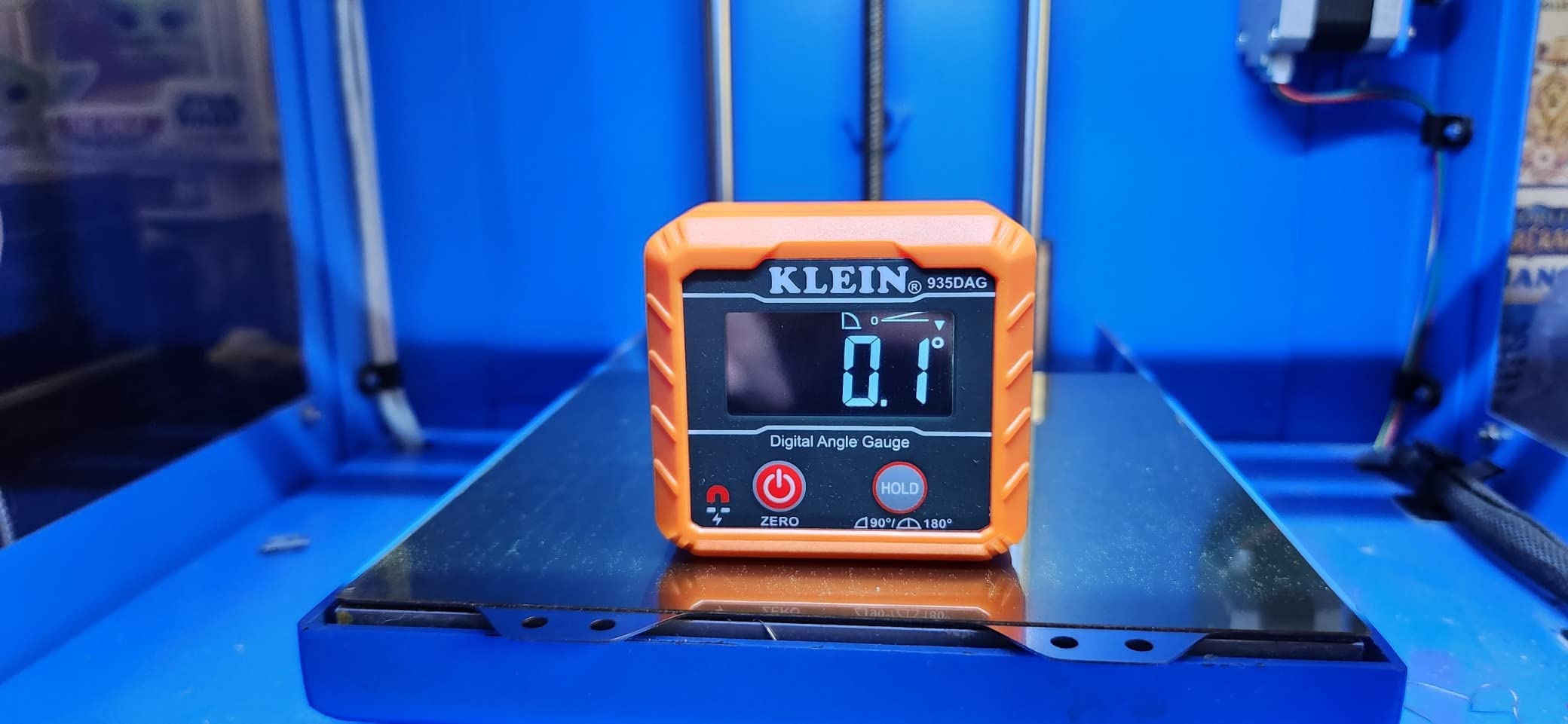
It doubles as a digital level, which sounds like marketing until you are setting a fence square to a reference surface in a basement. The display is reverse contrast and auto-rotates, so it stays legible when the tool is upside down against a blade, and the readout is clear in a bright shop as well as a dim one.
Owner sentiment is heavily favorable: 85 percent of ratings are five stars and another 12 percent are four, which is an unusually tight distribution for a tool with this much volume behind it. The same pattern shows up in trade forums, where the 935DAG is most often paired with a Starrett or a protractor rather than replaced by one. That combination is exactly how we use it: digital reading for the number, analog scale for the transfer.
What you notice in the first week
The auto-rotating display means you stop thinking about orientation. On an outside corner you often end up holding the tool with your arm twisted into an awkward position, and the number simply reorients itself. That single feature removes more fumbling than any accuracy difference between this gauge and the cheaper digital options.
The 0 to 180 degree range is the underrated one. Instead of measuring a 137 degree corner as two 43 degree halves, you read 137 directly and do the miter math once. On a room with four odd corners, that halves the number of chances to transpose a number on the way to the saw.
Where it falls short for trim work
The screen is physically small, and buyers do report that it is harder to read in low light even with the backlight. On a dark stairwell with a headlamp angled away from the tool, you will be cupping your hand around it. It is manageable, but it is not a large-display tool.
The zero reference can only be set close to zero, not at an arbitrary angle. If you need to reference off a non-zero plane repeatedly, the General Tools 822 handles that better. One owner also reported a unit that stopped powering on after roughly 1.5 years, which is not a common pattern but is the reason to keep a spare battery in the bag.
2. LEXIVON LX-230 – Budget Pick Dual-Scale Aluminum Protractor
LEXIVON Aluminum Miter Saw Protractor | 7-Inch Rust Proof Angle Finder Featuring Precision Laser Engraved Scales (LX-230)
CNC-machined anodized aluminum
Laser engraved dual scales
No batteries required
Pros
- Anodized aluminum body resists rust and bending
- Dual scales transfer miter and butt cut angles straight to the saw
- Teflon O-ring swivel gives a smooth pivot
- Backed by a lifetime limited warranty
- Includes a protective pouch and booklet
Cons
- Short learning curve reading the bisected miter scale
- Pivot can feel stiff until the rear screw is adjusted
- Included pouch snap closure tears quickly
This is the tool I hand to anyone who wants an analog miter protractor and does not want to think about batteries. The body is 1/4 inch thick CNC-machined anodized aluminum alloy, and the pivot runs on an internal Teflon O-ring that stays smooth after a season of drywall dust.
Two laser engraved scales do the work: a miter cut scale that bisects the corner angle for you, and a single cut scale for butt joints. That second scale is genuinely useful for square-cut returns, and having both engraved into the same body means you are not flipping tools mid-cut. The 7 inch size is long enough to span a real corner without crowding the wall.
Owners rate it 4.8 stars across 9181 reviews, with 84 percent at five stars. Trim carpenters and DIY woodworkers both report that it takes the guesswork out of crown molding and picture frame joints, and the aluminum is what earns the longevity. Anything that will not bend when you knock it off a ladder is a real upgrade over a plastic protractor.
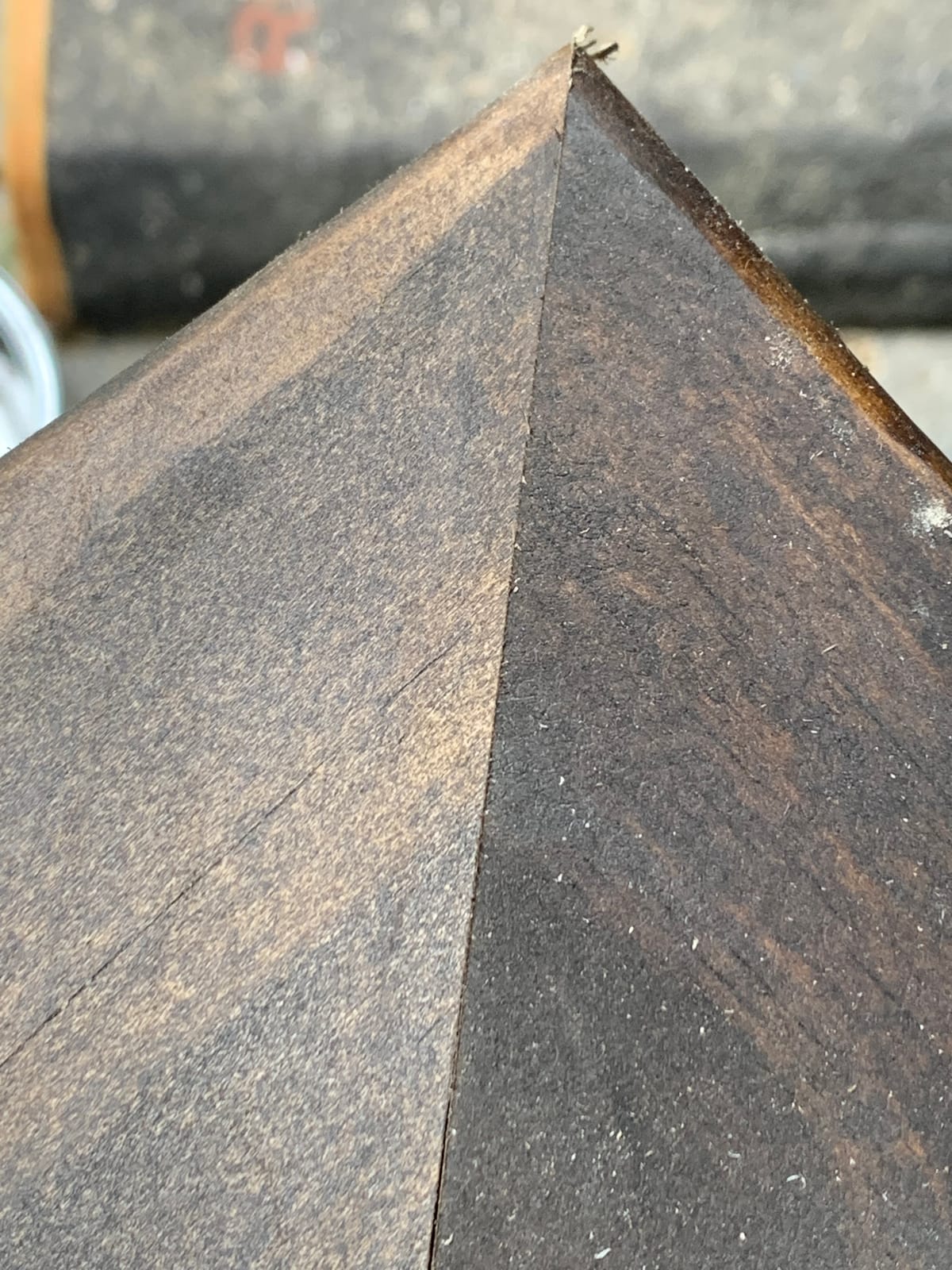
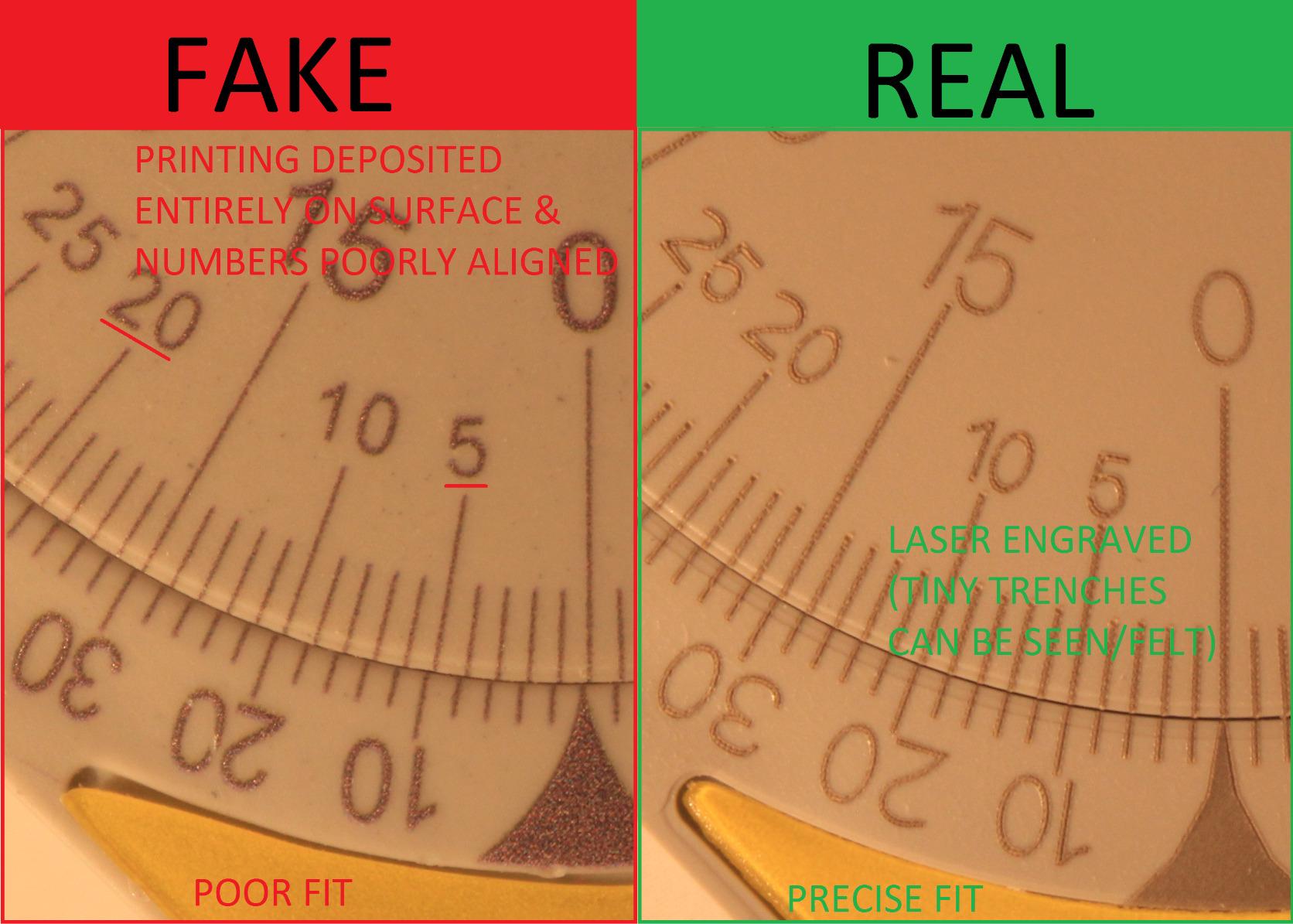
The scales are laser engraved rather than printed, so the numbers stay crisp for years. That matters more than it sounds: a printed scale on a plastic protractor fades in a sunlit pickup, and once the numbers are gone the tool is a paperweight. The lifetime limited warranty is also a real signal about how the manufacturer expects the aluminum body to hold up.
It is a purely mechanical tool, so there is no display to fail, no battery compartment to corrode, and no zero to lose. On a wet January day fitting base shoe in a basement, that reliability is worth more than resolution. Our angle plate guide covers the other square-and-angle tools in the same category.
What you notice in the first week
There is a real learning curve, and it is entirely about reading the bisected miter scale. The tool already halved the corner angle for you, so the instinct to halve it again gives you half the miter you need. Spend one afternoon on a scrap joint and the tool becomes completely automatic.
The pivot arrived stiff on our unit, which is a common report, and there is a rear screw that adjusts it. Five seconds with a small driver and the movement is glassy. Owners describe the laser engraving as crisp and easy to read even in a dusty shop, which is the whole point of a scale you are reading at the saw.
Where it falls short for trim work
There is no numeric readout, so compound crown cuts where you need both a miter and a bevel number require you to do the derivation yourself or reference a chart. For straight miters and butt joints it is excellent; for crown, it demands a little arithmetic discipline.
The protective pouch is a weak point. Owners report the snap closure tearing off quickly, so treat the pouch as a bag rather than a case. The tool itself is what you are buying, and it is built well enough that losing the pouch is not a real loss.
3. Wixey WR300 Type 2 – Best for Baseboard and Repeatable Saw Settings
Wixey Digital Angle Gauge for Table Saw & Miter Saw, Magnetic
0.1 degree resolution, +/-0.2 accuracy
Backlit LCD with auto shut-off
180 degree range
Pros
- Sets bevel
- miter and compound angles to 0.1 degree
- Backlit LCD readable in a dim shop
- Magnet grips blades
- fences and tables
- Zero calibration handles unleveled saws
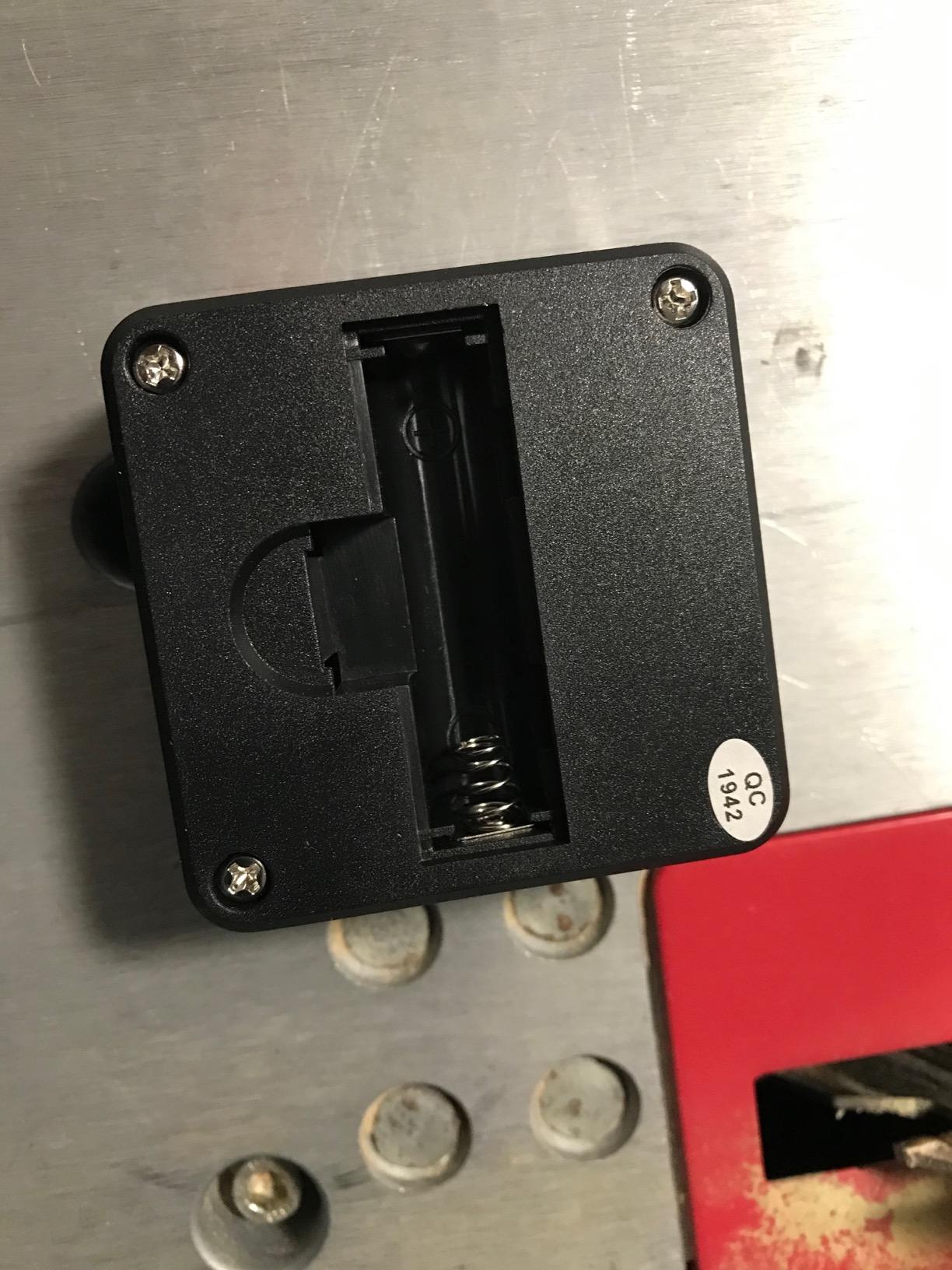
- One AA battery and a pocket-sized body
Cons
- Compact body can feel small for long transfer tasks
- Auto shut-off can mean re-zeroing the gauge mid-setup
Wixey WR300 Type 2 is the digital angle gauge most often recommended in woodworking forums when someone asks for a default, and after six weeks I see why. The specification is 0.1 degree resolution with plus or minus 0.2 degree accuracy across a 180 degree range, which is more than enough for baseboard, casing, and standard crown.
The large backlit LCD is the difference between this and a cheaper pocket gauge. Baseboard work means a lot of reading in hallways and closets, and the backlight means you are not dragging a flashlight out of the bag. Auto shut-off extends the single AA battery’s life, and the body is small enough at 91 grams to stay in a front pocket all day.
For baseboard specifically, the zero calibration function is the feature that saves time. It references off whatever the gauge is first set against, so a saw table that sits a fraction off level does not push every reading in the same direction. You set the gauge once against the true reference and then trust the number.
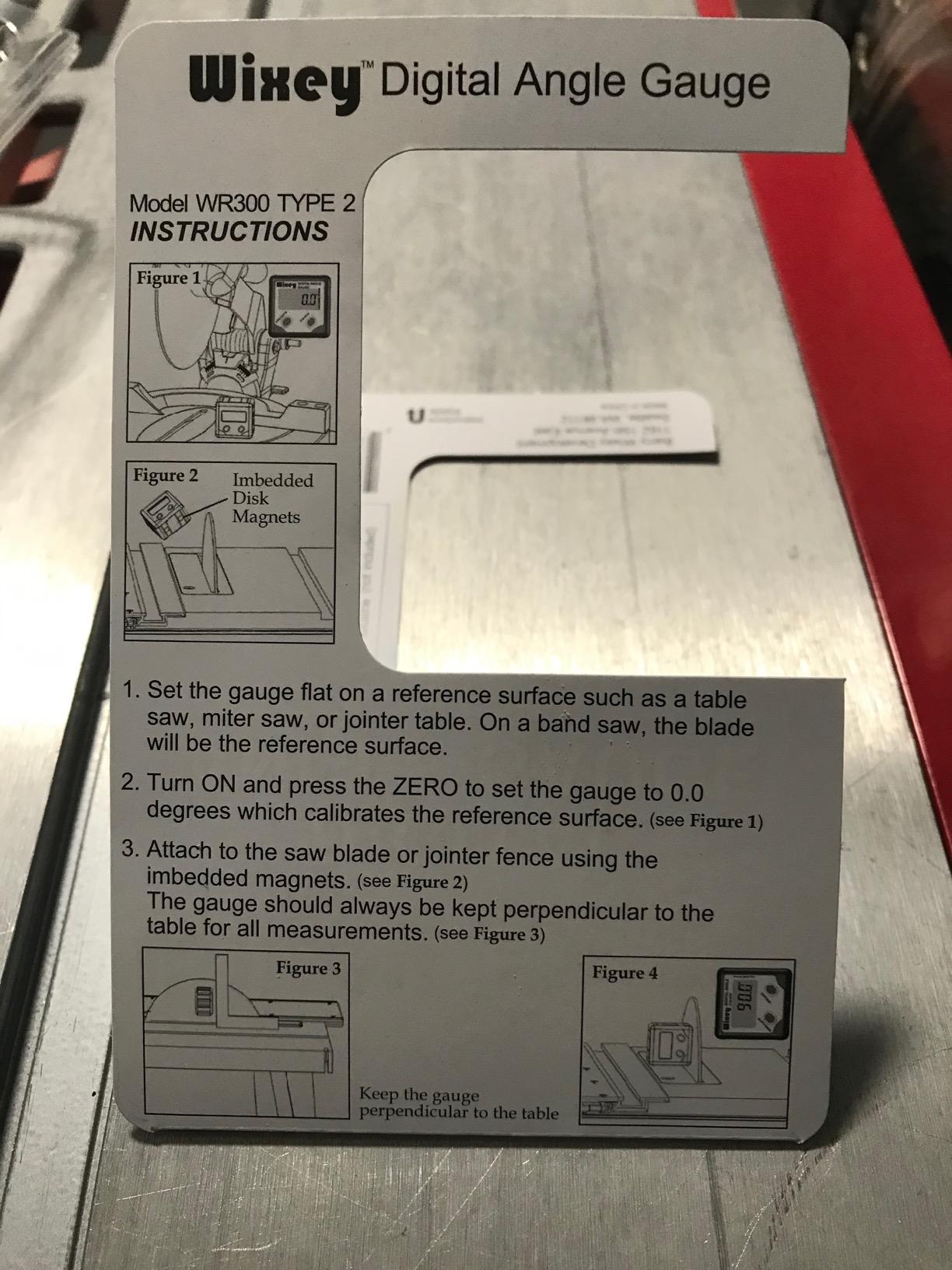
The magnetic base is described as strong, and owners consistently report it holding on blades, fences, and tables without slippage. That stability is what makes the accuracy meaningful: a gauge that creeps while you walk away from the saw gives you a reading that no longer describes the cut.
With 7368 reviews at 4.7 stars, including 81 percent five-star ratings, the feedback is steady rather than ecstatic. Buyers praise the backlight, the magnetic hold, and repeatable accuracy when setting table saw and miter saw angles. The same skepticism shows up in forums, where experienced finish carpenters pair it with an analog protractor rather than trust it alone.
What you notice in the first week
Setting a saw is where this tool feels like it earns its place. Magnetically attach it to the miter saw fence or the blade, zero against the reference, and swing the table until the number matches. It handles both 0 to 90 and 180 degree style references, so the same tool covers the table and the blade tilt.
Compound angles are where the 0.1 degree resolution pays off. When you are setting a crown bevel and miter together, a tenth of a degree is the difference between a joint that closes and one that shows daylight. For single miters the extra resolution is overkill, but it costs nothing to have it.
Where it falls short for trim work
The compact body is the most common complaint, and it is a real one when you are transferring an angle across a wide miter saw table. A longer tool like the Neoteck NTK230 bridges a wider gap, at the cost of accuracy and weight. For most 10 inch and 12 inch saws, the Wixey is the right size.
Auto shut-off is helpful for battery life and mildly annoying for workflow, because you can lose your zero reference mid-setup. Make re-zeroing part of your routine rather than something you react to. If you are the type who forgets batteries entirely, pair it with a spare AA in the bag and move on.
4. Saker 7-Inch Aluminum Protractor – Best for Crown Molding Corners
Saker Miter Saw Protractor 7-Inch Aluminum Protractor Angle Finder Black
CNC-machined aluminum body
Laser engraved miter saw scales
O shaped for inside and outside corners
Pros
- Removes guesswork from inside and outside corner angles
- Accurate readings for molding and trim work
- Lightweight aluminum resists corrosion and wear
- Simple to pick up and use
Cons
- Engraved numbers can be hard to trace back to their lines
- Instructions are thin on compound angles
- Comes in a bubble-wrap pouch rather than a proper case
The Saker protractor solves one specific problem well: reading a corner where the two surfaces are not both flat and parallel to your hand. The O-shaped body means both arms seat into an inside corner at the same time, and finish carpenters say that is exactly where a flat-bodied protractor rocks and gives you a wrong number.
The scales are laser engraved for direct reading at the miter saw, and the body is precision CNC-machined aluminum alloy. At 6.3 ounces it is light enough to hold one-handed while you mark with the other, which matters when you are working overhead on a ladder with crown in one arm.
Owner feedback from finish carpenters and cabinet builders is strong, with 4.7 stars across 4503 reviews. The recurring theme is that it takes the guesswork out of inside and outside wall angles and that the reading is accurate for moldings, trim, and dado rails. Several owners describe it as something you understand after one use.
The aluminum alloy has good corrosion and wear resistance, and the small size makes it easy to carry. The O shape is the difference here: inside corners are where trim joints get visible, because the two mitered faces meet at an angle that magnifies any error, and seating both arms fully is the fix.
For crown specifically, this is the tool to reach for when the room is full of odd corners and you want the number fast. It is a reading tool, not a conversion tool, so for compound cuts you will still reference your spring angle chart. That is fine, because the reading is the part that goes wrong when guessed.
What you notice in the first week
You notice how rarely you need to re-seat it. On a flat drywall corner, both arms land at the same time and the scale is immediately readable. On a corner with a bit of texture or a drywall seam, the O body still finds both surfaces where a narrower tool would only touch the high spot.
The direct miter saw reading scale means you can hold the protractor against the saw fence and match the number instead of calculating half of something. It is the same idea as the LEXIVON but with a different body geometry, and for awkward corners the geometry matters more than the scale layout.
Where it falls short for trim work
Owners report that the engraved numbers can be hard to trace back to their lines when the tool is at an unusual angle. Fine line work under bright light is better on the LEXIVON, whose scales are laid out more conventionally. It is a reading-comfort issue, not an accuracy issue.
Compound angles get thin coverage in the instructions, and the packaging is a simple bubble-wrap pouch rather than a proper case. If you are installing a lot of crown, budget a few minutes with a spring angle chart before you rely on this tool for compound work.
5. GemRed 82305 – Budget Digital Angle Finder With a Locking Screw
GemRed 82305 Digital Angle Finder Protractor Stainless Steel 7inch 200mm
+/-0.3 degree accuracy
Ruler and protractor combination
Locking screw holds any angle
Pros
- Stainless steel arms resist flexing
- Locking screw holds the angle for transfer to the saw
- Ruler edges double as a measuring scale
- Large easy-to-read digital display
Cons
- No backlight on the readout
- Battery can slip partly out of the compartment
- Does not remember its zero after auto shut-off
The GemRed 82305 does something the cheaper digital gauges mostly do not: it holds an angle. A locking screw fixes the arms at any reading, which means you can walk the locked angle from a bedroom corner to the saw, set the miter, and never transcribe a number. On a whole room of base shoe, that is the feature that changes your day.
It is a stainless steel ruler and protractor combination, roughly 7.5 inches folded and 400 mm fully extended, with laser etched measurements along the arms. Rated accuracy is plus or minus 0.3 degrees, and owners report real-world readings landing closer to 0.1 to 0.2 degrees. The rule edges double as a measuring scale, so it partly replaces a small rule on the layout bench.
Baseboard installers, trim carpenters, and shop owners report that it speeds up angle matching and that the lock screw lets them carry an angle to the saw without losing it. That is the honest version of the tool’s value: it is not the most precise thing in this list, it is the most useful sequence.
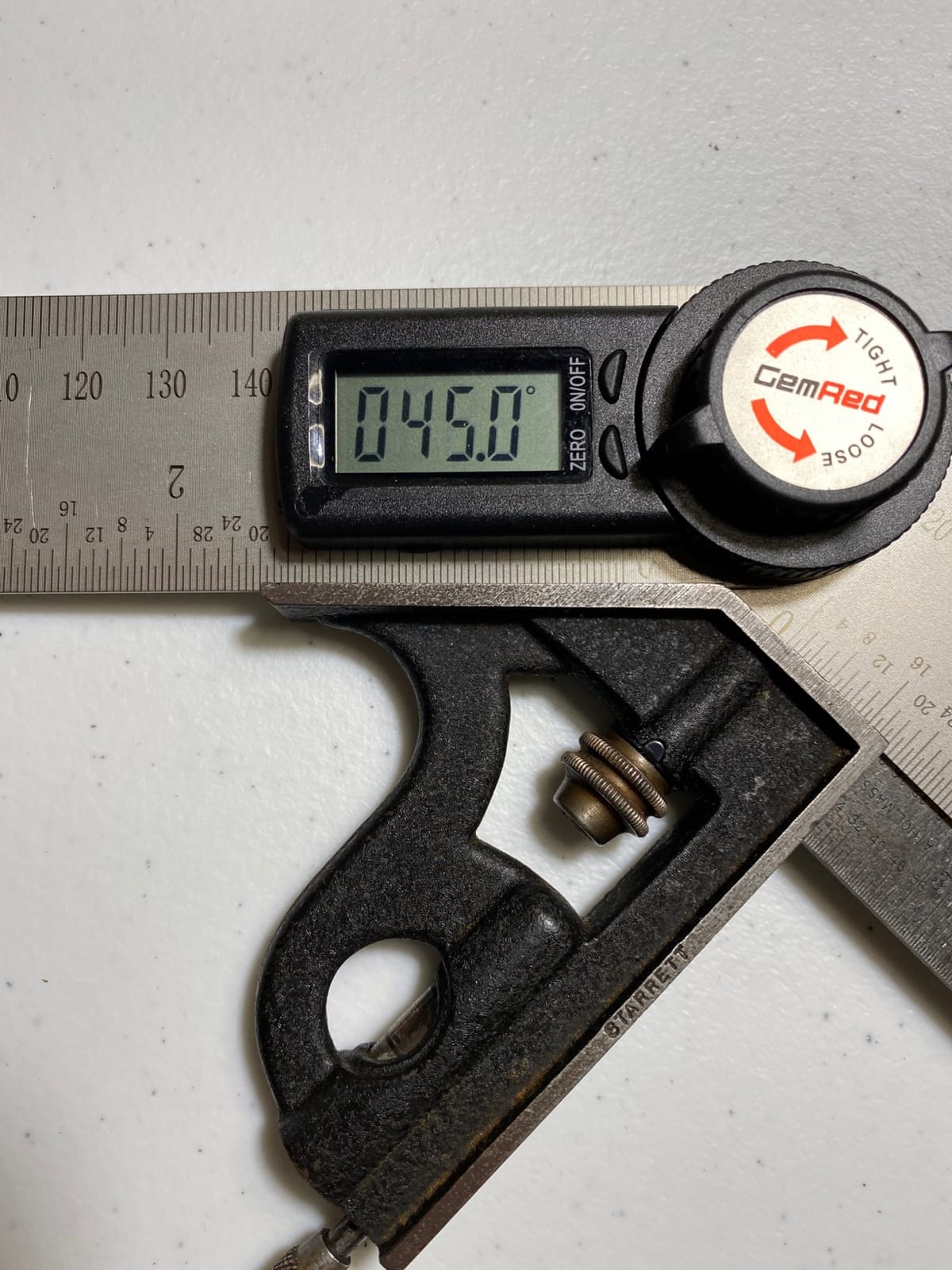
The stainless steel arms are what separate it from a plastic-bodied digital gauge. They do not flex when you press them into a tight corner, and the etched measurements stay readable after years. Owners specifically call out the sturdy arms and the lock screw as the two reasons their unit has lasted.
It runs on a single CR2032 lithium coin cell, and the battery is included in the package. The display is large and easy to read, though it is not illuminated, so this is a tool for a shop or a lit room rather than a dark basement. Our angle grinder guide covers the other angle-named tools people confuse in searches.
What you notice in the first week
The lock screw changes how you work. Instead of writing numbers on a scrap of cardboard, you keep the angle physically set and move. On rooms with many non-square corners, that alone is worth more than the difference between 0.2 and 0.3 degrees of accuracy.
The ruler integration is the quiet second win. Because the arms are measuring scales, you can mark the baseboard cut length on the same tool that gave you the angle, and the center check style layout is simpler. It is fewer objects in your hand on a trim day.
Where it falls short for trim work
No backlight means the readout disappears in a dark closet or an unlit stairwell. If you are working in an older house with little natural light, this is a real limitation, and it is the main reason to step up to a backlit digital gauge.
Two smaller gripes appear repeatedly. The CR2032 can slip partly out of its compartment, and the tool does not remember its zero after auto shut-off, so you calibrate before each use. The stainless edges are also sharp straight out of the box, which is a fair warning for anyone with hands that move faster than they think.
6. General Tools 822 – Best Digital Angle Finder for Tight Corners
General Tools Digital Angle Finder Ruler #822 – 5″ Stainless Steel Woodworking Protractor Tool with Large LCD Display
360 degree range, 0.1 degree resolution
Large LCD with zero and reverse angle
Locking knob for transfer
Pros
- Verified accurate against a machinist square and straight edge
- Large LCD readable from any angle
- Stainless steel arms and a solid hinge hold position
- Zero and reverse angle functions handle inside and outside corners
- One year parts warranty
Cons
- No dedicated on-off button
- so the battery contact can fatigue
- Arms are fairly wide and awkward in tight spots
- No soft stop at 90 degrees
The General Tools 822 is the one to buy when the corner is too tight for a wide-bodied tool. At 3.2 ounces and 5.38 inches wide with slim stainless arms, it reaches into framing pockets, dado housings, and built-in shelf corners where larger gauges physically will not fit.
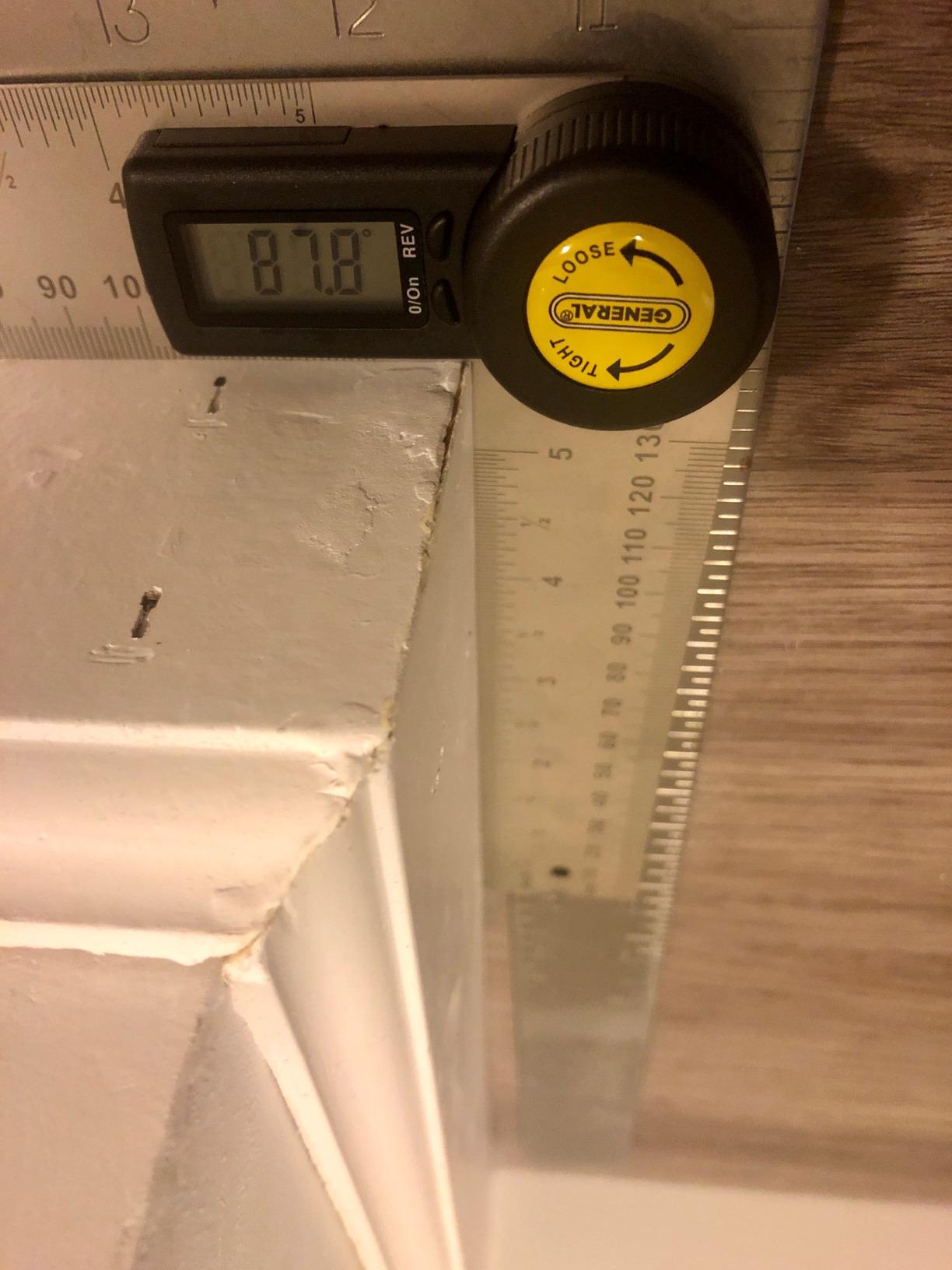
It measures 360 degrees, reads to 0.1 degree resolution, and includes zero, reference, and reverse angle functions. The 360 degree range is more than a trim corner needs, but it makes the tool usable for non-perpendicular work like roof slopes and handrail runs. Owners report checking the reading against a machinist square and straight edge at 45 and 90 degrees and finding it accurate.
Woodworkers call it a shop staple for crown molding, trim, and complex joinery, and the 0.1 degree accuracy is verified against machinist references rather than just claimed. The center check notch for exact ruler placement marking is a small detail that saves real time when you are transferring a cut length.
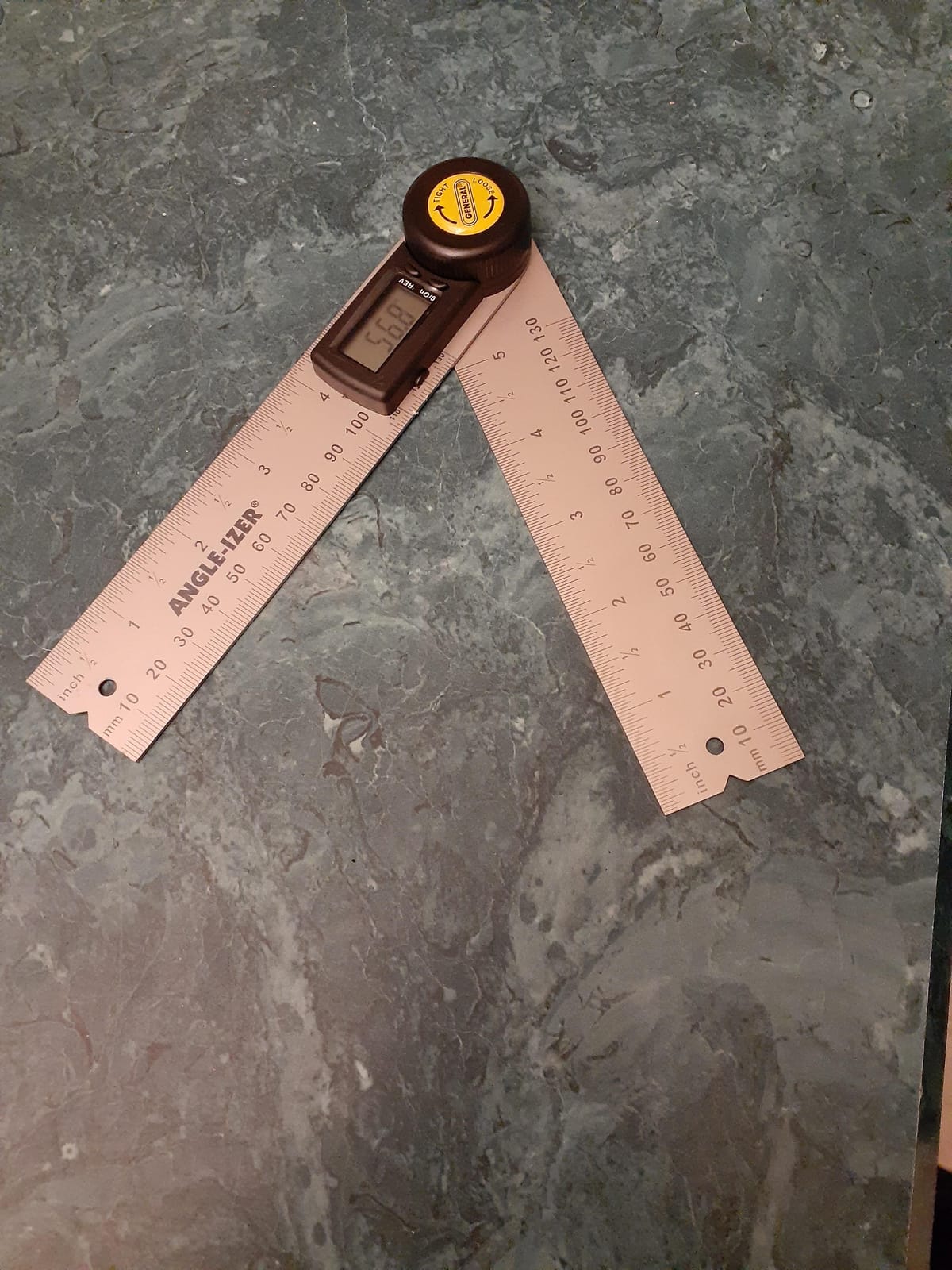
The large LCD is readable from multiple angles, which matters when the tool is in an awkward orientation against a wall. The stainless steel arms and a solid hinge hold position firmly, and the locking knob lets you carry an odd angle to the saw without losing it. That combination of a lock and a zero function is why experienced finish carpenters like it for repeat layouts.
At 4.6 stars across 5398 reviews with 74 percent five-star ratings, the feedback is solid and consistent rather than glowing. The most repeated complaint is about the power control rather than the measurement, and it is a complaint you can simply work around. Reviewers also flag the arm width as both a strength and a weakness depending on the job.
What you notice in the first week
You stop fighting the tool in tight geometry. Casings that return into a narrow closet, or trim that meets an obstruction, are places a 7 inch aluminum protractor simply cannot reach. The 822 fits, and the reverse angle function handles the inside and outside case without you flipping the tool inside out.
The locking knob plus the center check notch is a genuinely good layout workflow. Lock the angle, slide the tool to the stock, use the notch to mark your length, then take the reading straight to the saw. It is the most complete measuring-plus-marking package in this roundup.
Where it falls short for trim work
There is no dedicated on-off button, so the battery contact can fatigue over time as you repeatedly wake the unit. Several owners work around it by popping the battery tray, which is fine as a habit but is not a designed solution. The warranty is also one year parts, which is shorter than the LEXIVON lifetime limited coverage.
The arms are wide, and that is a real drawback for miniature trim, small frames, and anywhere a slim profile matters. There is also no soft stop at 90 degrees, so the arm can swing past square without a detent letting you know you hit the reference point.
7. Neoteck NTK230 16-Inch – Best Long Reach for Full Baseboard Runs
Neoteck 225° 16 inch Digital Angle Finder Aluminum Protractor LCD Backlight
16 inch aluminum arms
0-225 degree range, 0.1 degree increments
Backlit LCD with data hold
Pros
- Long 16 inch arms cover baseboards and panels in one pass
- Backlit LCD readable in a dim workshop
- 225 degree range covers obtuse and reverse angles
- Bubble levels and a portable bag included
Cons
- Bulky and heavy for overhead work
- Locking arm is less rigid than higher-end models
- Accuracy around +/-0.5 degrees
- looser than 0.1 to 0.3 degree tools
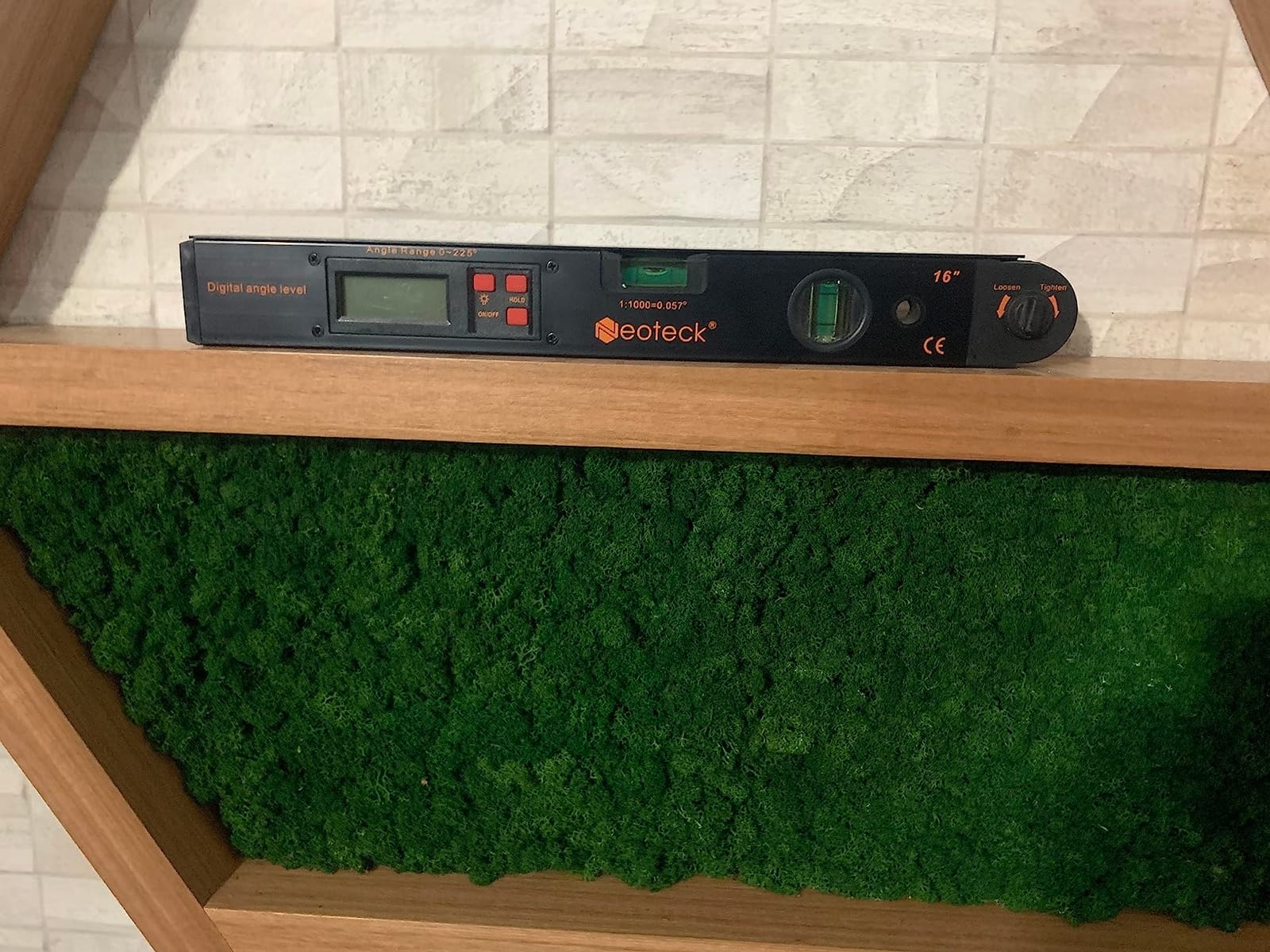
The Neoteck NTK230 is the reach tool. With 16 inch aluminum arms it spans a full baseboard run or a wide panel in a single placement, which means one reading instead of three. If your trim work involves long straight runs against a wall that is not perfectly true, that is a meaningful saving.
It measures 0 to 225 degrees in 0.1 degree increments with plus or minus 0.5 degree accuracy, and the range beyond 180 degrees handles obtuse and reverse angles. The backlit LCD, five-minute auto shutdown, and low battery warning cover the dim-shop case that trips up the GemRed, and a data hold function saves a reading while you move.
Owners use it for baseboards, shelving, frames, and miter cuts, and the backlight plus the 225 degree range come up repeatedly as the useful parts. One buyer compared a reading exactly against a 3D scan, which is the kind of check most people never bother with. At 4.5 stars across 3117 reviews, it sits a notch below the leaders.
The mechanical locking knob holds the arm steady for transfer, and the included bubble levels give you a quick horizontal and vertical reference. It also has a hanging hole for a wall hook, which sounds trivial until you have watched a trim tool disappear into a job trailer. A portable bag and user manual are in the box, and a 9V battery is included.
Be clear about what this is: a layout and reach tool with a digital readout, not a precision instrument. The arm assembly is described as less rigid than higher-end models, and at 12.7 ounces it is not something you want to hold over your head on a ladder while fitting crown.
What you notice in the first week
The first thing you notice is how few readings a long wall takes. Instead of sliding a short tool along a 14 foot wall hoping the wall is straight, you set it once. If the wall bows, you now know that immediately instead of discovering it at the far end.
The bubble levels are a quiet bonus. Checking horizontal and vertical reference without a separate small level keeps your hands and your attention on the trim. The data hold is the other one, because you can freeze a reading, walk to the saw, and come back to the same number.
Where it falls short for trim work
Plus or minus 0.5 degrees is looser than the 0.1 to 0.3 degree tools in this roundup. On a long outside corner, half a degree is visible in the joint. Use the NTK230 to survey the room, then use a more precise gauge to set the actual miter.
Size and weight are the honest limitations. At 16 inches and 12.7 ounces it is awkward overhead and clumsy in a confined corner, and the locking arm does not feel as solid as a machined aluminum protractor. It complements the small gauges rather than replacing them.
8. Starrett 505P-7 – Best Analog Miter Protractor for Saw-Side Work
Starrett ProSite Miter Protractor, 7″ Narrow Plastic
7 inch narrow plastic body
Two laser engraved scales
Reads in any orientation
Pros
- Two engraved scales cover miter and butt cuts
- Reads correctly upright
- inverted or backward
- Lightweight and easy to handle at the saw
- Long-standing default brand in the trade
Cons
- Plastic body flexes more than aluminum protractors
- Laser engraving on plastic wears with heavy shop use
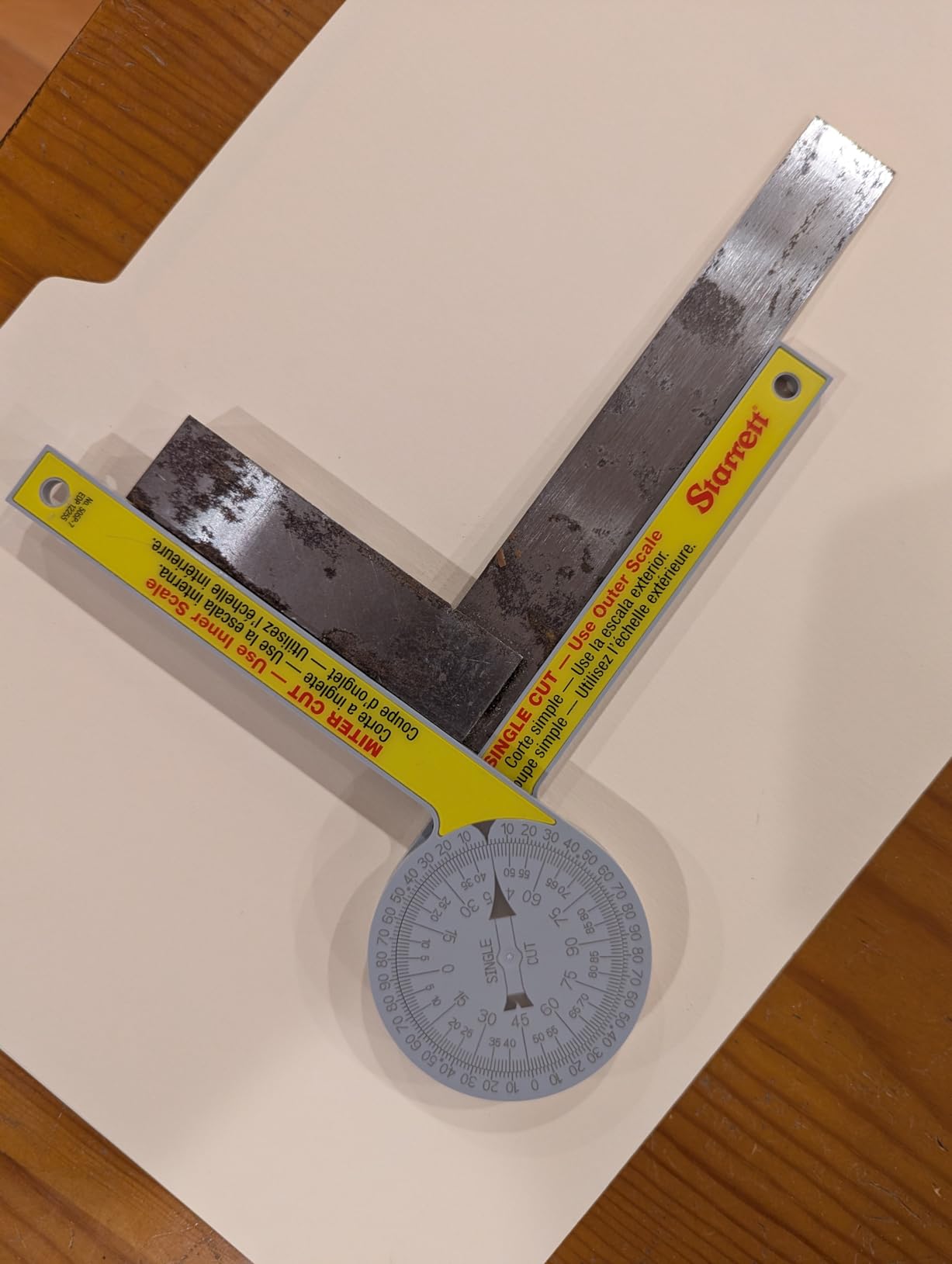
The Starrett ProSite miter protractor is the tool most finish carpenters already own, and that is not an accident. It is a 7 inch narrow plastic body weighing 3.53 ounces, with two laser engraved scales: one that transfers readings to the miter saw for miter joints, and one for single butt cuts.
What sets it apart from generic plastic is orientation. The scale reads correctly whether the tool is upright, upside down, or backward, which sounds like a small thing until you are working under a stair soffit or inside a closet where your hand is at a strange angle. The reading does not care.
It needs no power at all, so there is no battery, no display, and no calibration. Starrett is a long-standing shop default, and carpenters, plumbers, and builders report the same thing: it is the protractor that is already in the truck and always works.
At 4.6 stars across 7091 reviews with 78 percent five-star ratings, satisfaction is high and consistent. The dual scales are the reason most owners rate it: you are not doing mental math at the saw, and the single cut scale handles the butt joints that show up constantly in casing work.
The narrow profile is a real advantage on a job site. It fits into the corner without knocking a reference surface out of position, and the light weight means it can be held with one hand while you mark. It is the simplest tool in this roundup, and simplicity has value when you are cutting for eight hours.
What you notice in the first week
You notice that you stop carrying a second tool. For straight miters and butt cuts, the 505P-7 handles the same work as an aluminum protractor, and it is far quicker to pull out of a bag. If most of your week is baseboard and casing, that speed is worth a fraction of a degree.
The orientation-independent scale is what earns its reputation. Measuring a corner with the tool in an awkward position and still getting a correct number is a feature you only appreciate once you have used a tool that gets it wrong under those conditions.
Where it falls short for trim work
The plastic body is the trade-off. It is less rigid than an aluminum protractor, so a hard knock or a drop onto concrete can introduce flex, and owners specifically note that the laser engraving on plastic wears with heavy shop use. If your truck is rough on tools, the aluminum options outlast this one.
It is also a reading tool only. There is no numeric readout, no backlight for a dark room, and no reference-angle function for odd conditions. For compound crown work you will still need a spring angle chart, and for tight geometry the slimmer digital tools fit better.
How to Choose an Angle Finder for Trim Carpentry
You do not need 0.1 degree resolution to hang baseboard. You need a tool that gives you a usable miter readout quickly, survives a job site, and does not fail halfway through a room. The seven criteria below are ordered by how much they actually change your work.
The 7 criteria that decide the purchase
1. Miter readout. A tool that shows you the miter setting directly, rather than the corner angle, saves the single most common beginner error. The LEXIVON, Saker, and Starrett all bisect for you.
2. Range. 0 to 180 degrees covers trim corners. 0 to 360 or 0 to 225 adds reverse and obtuse readings for non-square geometry and for saw setup work.
3. Power source. A battery-free aluminum protractor cannot fail on a dead cell. A digital gauge gives you a number you can trust in the dark. Pick based on where your work happens.
4. Base type and hold. A magnetic base matters when you are setting a saw and want hands-free stability. A locking screw matters when you are carrying an angle from a corner to the saw.
5. Display readability. A backlit or auto-rotating display is worth real money on a dim job. A large non-lit LCD is fine in a shop and useless in a closet.
6. Durability. Aluminum bodies do not bend and do not corrode. Plastic is lighter and fine for occasional work. Digital housings are plastic regardless, so drop resistance is a real factor.
7. Accuracy that matches the job. Plus or minus 0.5 degrees is fine for base shoe and generous for a survey tool. If a joint will be visible from three feet away, stay at 0.3 degrees or better.
How to measure a corner and set the miter
Step one: seat the tool. Open the arms and press them flat into the corner, or flat against both faces of an outside corner, so the body is not rocking. A reading taken off a high spot is a wrong reading.
Step two: read the included corner angle. This is the number between the two surfaces, so a square corner reads 90 degrees. On an outside corner, read the full opening angle directly with a 0 to 180 degree range.
Step three: apply the miter formula. The miter setting is (180 − corner angle) ÷ 2. A 90 degree corner gives 45 degrees. An 88 degree corner gives 46 degrees. A 92 degree corner gives 44 degrees. A 120 degree inside corner gives 30 degrees.
Step four: cut a test piece and check the joint before you commit a full stick of molding. Trim hides errors badly on one wall and reveals them immediately on the other, so a 10 inch scrap tells you everything.
This is the step beginners skip, and it is the reason forum threads keep circling back to the same question. If a gauge reads 18.5 degrees on an inside corner, the miter you cut is roughly 19 to 20 degrees, not 18.5. The measured number is almost never the number you set on the saw.
Crown molding spring angles explained
Spring angle is the angle at which crown meets the wall, and crown ships in three common angles: 52, 45, and 38 degrees. It sets the bevel. Combined with a miter, that is a compound cut, which is why crown is the hardest part of finish trim to fudge.
The number that confuses people is 31.6 degrees. It appears in crown charts as a bevel figure, not a miter figure, and it comes out of the molding’s cross-section geometry on a square corner. It is a derived value, not something you eyeball on the wall, and published charts differ slightly because molding face angles vary a little between manufacturers.
Use this as a starting point and confirm against the actual molding in your hand:
52 degree spring: inside corner roughly 45.8 degree miter with about a 30.6 degree bevel. 45 degree spring: inside corner roughly 45 degree miter and 45 degree bevel. 38 degree spring: inside corner roughly 51.7 degree miter with about a 38.3 degree bevel. Outside corners use the same pair of settings on the opposite face of the stock, or a coped joint, which is why finish carpenters cope outside crown when the angle is not square.
Verify the actual corner angle with a gauge first, then set the compound from the chart. When the corner is not 90 degrees the miter moves and the bevel stays, which is exactly the situation a digital gauge with a miter readout handles faster than a chart alone.
How to verify your angle finder before the first cut
Run a 90 degree check. Put the tool against a known square surface, such as the edge of a machinist square or a verified speed square, and confirm it reads 90.0. Most digital gauges let you zero at this point and carry the reference forward.
Run a flat check. Lay the tool on a flat surface and confirm zero, then close the arms fully and confirm zero again. A gauge that will not return to zero has a mechanical problem, not a calibration problem.
Run a repeat test. Measure the same corner three times, re-seating each time. If the readings scatter by more than a tenth of a degree, the base or the arms are loose and the reading is not reliable for visible trim. For how this fits into a wider layout kit, our wide angle lens guide covers the other tool categories we test.
Digital vs analog: which one should you carry
Digital wins for setting saws and reading awkward corners. Zero calibration, a backlit display, and a magnetic base let you set a bevel to a tenth of a degree and walk away. The tradeoff is a battery, a housing that can crack when dropped, and a reading you cannot reproduce if the cell dies mid-room.
Analog wins for reliability and for the transfer step. An aluminum protractor with laser engraved scales cannot lose power, cannot forget a zero, and shows you the miter directly. The tradeoff is a learning curve on the bisected scale and no backlight for dark rooms.
Our honest verdict: carry both. The pattern we see most often in trade forums is exactly that, a digital gauge plus a Starrett or equivalent analog protractor, and it matches how we work. The digital tool gives you the number, the analog tool gives you the miter setting and the repeatability. If you can only afford one, buy the digital gauge and add a cheap aluminum protractor later. If you work mostly in daylight with a saw-side workflow, the analog tool alone is enough.
Out-of-plumb corners and old houses
Most trim joints in older houses are not 90 degrees, and nobody checks until the gap shows. Measure every corner in a room before you cut the first piece, write the numbers down, and expect at least one to surprise you. A room with walls at 88, 90, 92, and 90 degrees means four different miter settings.
For small deviations, the miter formula handles it and the joint closes cleanly. For a badly out-of-plumb corner, the standard fix is to scribe or cope the back of the molding against a straight reference rather than trying to force a miter. An angle gauge is what tells you whether you have a problem worth solving with a coping saw.
Finally, do not try to measure a corner with a phone. The accelerometer and gyroscope in a phone report the angle of the device relative to gravity, not the included angle between two surfaces meeting at a corner. Apps that claim to do it are approximating from a single flat contact, which is exactly the measurement that fails when the corner is not square. Our angle plate guide covers the square-based alternatives worth keeping in the same kit.
Frequently Asked Questions
How do I find the angles needed for trim?
Place both arms of an angle finder flat into the corner, or against both faces of an outside corner, and read the included angle. Then set the saw using the miter formula (180 minus the corner angle) divided by 2. A 90 degree corner gives a 45 degree miter, an 88 degree corner gives 46 degrees, and a 92 degree corner gives 44 degrees.
What tool do carpenters use to find angles?
Finish carpenters use a miter saw protractor for transfer and a digital angle gauge for the reading. The analog protractor shows the miter setting directly and needs no power, while the digital gauge gives a numeric included angle, often with zero calibration and a magnetic base for setting saw blades and fences.
What is the best angle finder tool for baseboards?
For baseboard work the Wixey WR300 Type 2 is our pick, because its backlit display, 0.1 degree resolution, and strong magnetic base make repeated saw settings quick. If your work is mostly straight runs against true walls, the Starrett 505P-7 analog protractor is faster and never fails.
Why 31.6 degrees for crown molding?
That figure is a bevel setting derived from the molding cross-section on a square corner, not a miter and not something you eyeball on the wall. Bevel comes from the spring angle of the crown, which ships in 52, 45, and 38 degrees, and charts vary by a degree or two because face angles differ slightly between manufacturers. Always confirm the corner angle with a gauge and check the chart against the actual molding.
Which digital angle gauge is better, the Wixey or the Klein?
The Klein 935DAG covers more range at 0 to 90 and 0 to 180 degrees, weighs 3.5 ounces, and has an auto-rotating backlit display, which makes it better in tight spots and dark rooms. The Wixey WR300 Type 2 has 0.1 degree resolution, plus or minus 0.2 degree accuracy, and a larger backlit screen, which makes it better for setting saws. Many trim carpenters carry both.
What is the accuracy of the Wixey digital angle gauge?
The Wixey WR300 Type 2 is rated at plus or minus 0.2 degree accuracy with 0.1 degree resolution across a 180 degree range. Buyers report repeatable readings when setting table saw and miter saw angles, and its zero calibration function keeps results reliable on saws that are not perfectly level.
Can I use a phone app to measure angles?
Not reliably for corner angles. A phone measures the angle of the device relative to gravity, not the included angle between two surfaces, so apps that estimate it from a single flat contact fail on the corners that matter. Use a physical angle finder, and check the reading against a machinist square before you trust it on visible trim.
What are people saying about the Klein digital angle finder?
Owners praise the accuracy, the strong magnetic base, and the compact rugged build, using it for saw blade and fence alignment as well as corners. The most common criticisms are the small display in low light and a zero reference that cannot be set at an arbitrary angle. One owner reported a unit that stopped powering on after about 1.5 years.
Bottom Line: Which Angle Finder Should You Buy in 2026
The best angle finders for trim carpentry in 2026 come down to how you work. If you want one tool that handles corners, saw setup, and blade squareness in a pocket, the Klein Tools 935DAG is the answer, backed by 16508 owner reviews at 4.8 stars. If you want a direct miter readout with no battery, the LEXIVON LX-230 gives you machined aluminum and a lifetime limited warranty.
Buy the Wixey WR300 Type 2 if baseboard is most of your week and you want a backlit screen and a strong magnet for repeated saw settings. Buy the Starrett 505P-7 if you are in daylight with a saw-side workflow and want a tool that cannot fail.
Whatever you pick, run the three verification checks before the first cut, measure every corner in the room before you cut the first piece, and remember the formula: miter equals (180 minus the corner angle) divided by two. Getting that arithmetic right matters more than the last tenth of a degree your gauge can resolve.