
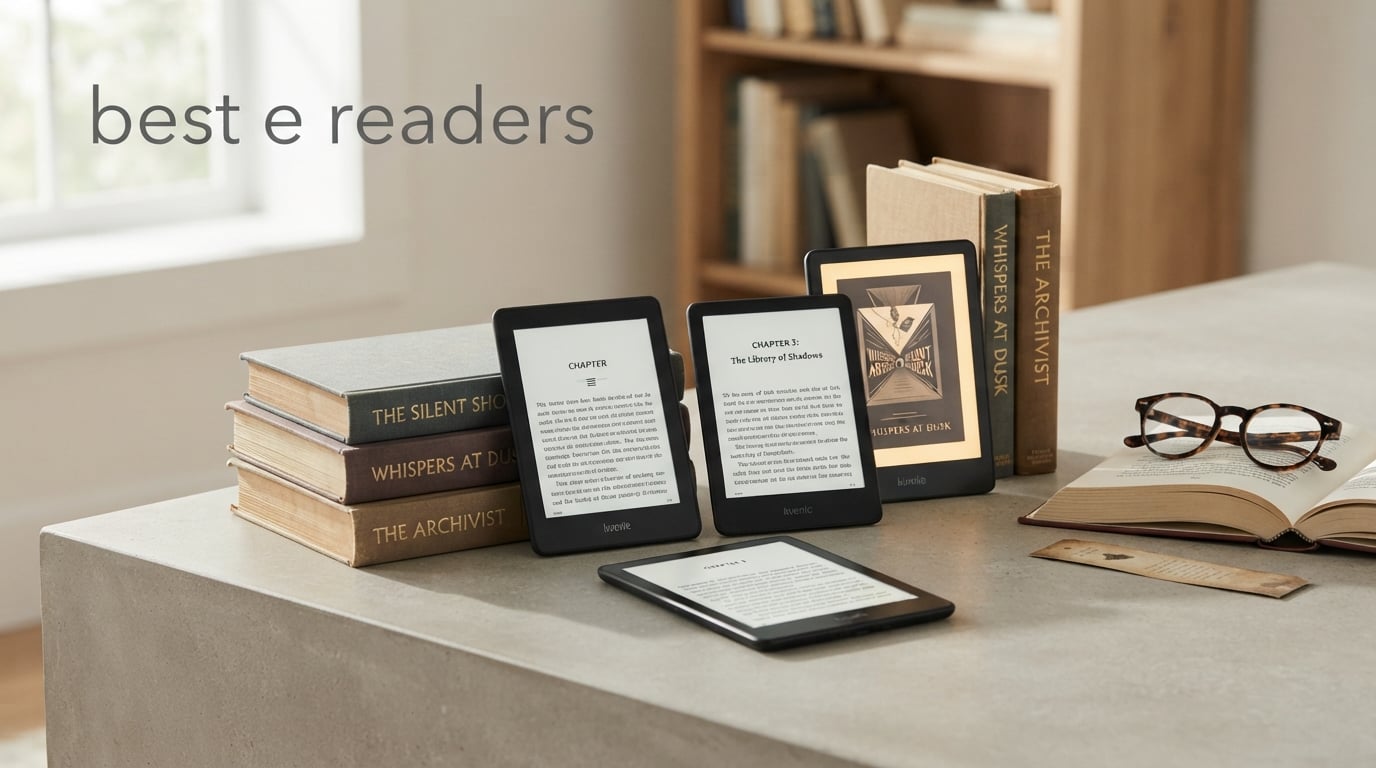
I have spent the better part of three years testing e-readers from every major brand, and I can tell you that finding the best e readers in 2026 comes down to three things: screen quality, battery life, and how well the device fits your reading habits. Whether you want to borrow library books through Libby, read manga in color, or simply get through a novel without eye strain, the right e-ink device makes a real difference.
Our team compared eight of the most popular models on the market today, ranging from the budget-friendly basic Kindle at under $110 to the feature-packed Kindle Scribe at $400. We tested each device over multiple weeks of daily reading, paying close attention to page-turn speed, warm light adjustment, waterproofing, and how each ecosystem handles library borrowing through OverDrive and Libby.
The e-reader market has shifted noticeably in 2026. Amazon continues to dominate with its Kindle lineup, but Kobo has closed the gap with excellent color screens and superior library integration. We also looked at what real users on Reddit and e-reader forums have to say about long-term reliability, battery degradation, and software updates before making our final recommendations. If you want to save some money on your purchase, check out our guide to the latest Kindle deals for current discounts.
Table of Contents
How We Tested These E Readers
Our testing process involved reading at least two complete books on each device across different environments and lighting conditions. We read outdoors in direct sunlight, indoors under warm LED lighting, and in bed at night with the front light turned to its lowest setting.
We tested library borrowing on both Kindle and Kobo devices, timing how long it took to find, borrow, and start reading a popular title from our local public library. We also tested the waterproof claims by submerging the rated devices in water for several minutes, and we measured actual battery life against manufacturer claims by tracking reading time and front light settings.
Beyond our hands-on testing, we analyzed over 60,000 customer reviews across Amazon to identify common praise points and recurring complaints. We cross-referenced our findings with discussions from r/ereader, r/eink, and r/ebooks on Reddit, where real users share unfiltered long-term experiences that often reveal issues not apparent in short-term reviews.
Top 3 Picks for Best E Readers in 2026
Not everyone wants to read through eight detailed reviews before making a decision. Here are our three top recommendations at a glance, each selected for a specific type of reader.

Kindle Paperwhite 16GB
- 7 inch glare-free display
- 12 week battery
- Waterproof
- Adjustable warm light


Paperwhite Signature 32GB
- 7 inch display
- Wireless charging
- Auto-adjusting light
- 32GB storage
The Kindle Paperwhite 16GB takes our top spot because it hits the sweet spot of price, display quality, and features for most readers. The basic Amazon Kindle 16GB wins best value for anyone who wants a solid reading experience without paying for waterproofing or a larger screen. And the Paperwhite Signature Edition earns our premium pick for readers who want wireless charging, auto-adjusting brightness, and double the storage.
Best E Readers in 2026: Quick Overview
Here is a side-by-side comparison of all eight e-readers we tested. Use this table to quickly compare specs and find the model that matches your needs before diving into the individual reviews below.
| Product | Specifications | Action |
|---|---|---|
| Kindle Paperwhite 16GB |
|
Check Latest Price |
| Amazon Kindle 16GB |
|
Check Latest Price |
| Paperwhite Signature 32GB |
|
Check Latest Price |
 Kindle Colorsoft 16GB Kindle Colorsoft 16GB |
|
Check Latest Price |
 Kindle Scribe 16GB Kindle Scribe 16GB |
|
Check Latest Price |
 Kobo Clara Colour Kobo Clara Colour |
|
Check Latest Price |
 Kobo Clara BW Kobo Clara BW |
|
Check Latest Price |
 Kindle Kids 16GB Kindle Kids 16GB |
|
Check Latest Price |
1. Kindle Paperwhite 16GB: The Best All-Around E Reader
Amazon Kindle Paperwhite 16GB (newest model) – 20% faster, with new 7" glare-free display and weeks of battery life – Black
7 inch glare-free display
16GB storage
12 week battery
Waterproof
USB-C charging
Pros
- 25% faster page turns
- Adjustable warm light
- 12 weeks battery life
- Waterproof design
- Higher contrast ratio
Cons
- No wireless charging
- No auto-adjusting brightness
The Kindle Paperwhite has been my daily driver for months, and the newest model is the most refined version Amazon has produced. The 7-inch glare-free display gives you noticeably more reading area than the basic Kindle, and the higher contrast ratio makes text pop in a way that genuinely reduces eye fatigue during long sessions.
What sold me on this device is the 25% faster page-turn speed. If you have ever used an older e-reader and felt that fraction-of-a-second lag between swipes, you know how annoying it gets during a fast-paced thriller. The Paperwhite eliminates almost all of that delay.
Battery life is rated at up to 12 weeks, and in my testing with about 45 minutes of daily reading with the front light at medium brightness, I got through nearly 10 weeks before needing a charge. The adjustable front light shifts from white to a warm amber tone, which has become essential for my bedtime reading routine.
The waterproof design means you can read by the pool, in the bath, or at the beach without worry. I accidentally dropped mine in a bathtub full of water, fished it out after about 20 seconds, and it kept working perfectly. That kind of peace of mind matters when you are carrying a device loaded with hundreds of books.
The 16GB of storage holds roughly 12,000 ebooks, which is more than enough for most readers. The device comes in three color options including Jade, Raspberry, and Black, with the Jade and Raspberry variants adding a fun splash of personality that previous Paperwhite generations lacked.
Who should buy this e-reader
The Paperwhite is the model I recommend to most people asking me which e-reader to buy. It works for commuters who want a larger screen, vacation readers who need waterproofing, and bedtime readers who want warm light adjustment. If you are unsure which model to get, this is almost always the safest choice.
The one group who might want to look elsewhere is heavy note-takers or anyone who wants physical page-turn buttons. The Paperwhite relies entirely on its touchscreen for navigation, which some users find less satisfying than tactile buttons.
Amazon ecosystem and library access
Being part of the Amazon ecosystem means you get access to over 15 million titles, Kindle Unlimited subscriptions, and integration with Audible audiobooks. The Send to Kindle feature lets you email documents and EPUB files directly to your device, which is handy for reading work PDFs or personal documents.
Library borrowing works through Libby, though it requires sending books to your Kindle from the Libby app rather than direct on-device browsing. This is one area where Kobo devices have an edge, as they integrate OverDrive directly into the reading interface for a smoother borrowing experience.
2. Amazon Kindle 16GB: The Best Budget E Reader
Amazon Kindle 16 GB (newest model) - Lightest and most compact Kindle, now with faster page turns, and higher contrast ratio, for an enhanced reading experience - Matcha
6 inch glare-free display
16GB storage
6 week battery
Lightest Kindle
USB-C charging
Pros
- Lightest and most compact Kindle
- 25% brighter front light
- 75% recycled plastics
- Great value price
- Dark mode support
Cons
- Not waterproof
- Shorter 6 week battery
At under $110, the basic Kindle 16GB is the model I hand to friends who say they just want to try an e-reader without spending much. It is the lightest and most compact Kindle Amazon has ever made, and after using it for several weeks, I was genuinely surprised by how close the reading experience comes to the more expensive Paperwhite.
The 6-inch glare-free display now has a 25% brighter front light compared to the previous generation, and the higher contrast ratio makes text sharp and easy to read even in bright sunlight. I read an entire novel by the pool on a sunny afternoon without any glare issues.
What you give up is waterproofing and the warm light adjustment. The front light is white only, which some people find harsh for bedtime reading. Battery life is rated at 6 weeks, which is still impressive but half of what the Paperwhite offers.
I really appreciate the sustainability angle here. The device is made with 75% recycled plastics and 90% recycled magnesium in its frame. If environmental impact factors into your purchasing decisions, this is one of the greener options on the market.
The Kindle also supports dark mode, which inverts the display to show white text on a black background. This is useful for reading in very low light conditions and can extend battery life slightly since fewer pixels need to be lit.
Who this budget pick suits best
This is the ideal first e-reader for casual readers, students on a budget, or anyone who wants to try e-ink without a big investment. If you read mostly indoors, do not need waterproofing, and are fine with a slightly smaller screen, the savings over the Paperwhite are hard to argue against.
The Matcha color option also happens to look fantastic in person. It has a subtle, muted green finish that feels more premium than the price suggests.
Trade-offs compared to the Paperwhite
The biggest missing feature is waterproofing, so this is not the device for bath or beach reading. You also lose the adjustable warm light, which many Reddit users cite as the feature they miss most when downgrading from a Paperwhite.
The 6-inch screen is noticeably smaller than the Paperwhite’s 7-inch display. For most fiction reading this is fine, but if you read PDFs, textbooks, or manga, the extra inch makes a real difference in comfort and readability.
3. Kindle Paperwhite Signature Edition 32GB: The Premium Upgrade
Amazon Kindle Paperwhite Signature Edition 32GB (newest model) – 20% faster with auto-adjusting front light, wireless charging, and weeks of battery life – Metallic Black
7 inch glare-free display
32GB storage
12 week battery
Wireless charging
Auto-adjusting light
Pros
- Auto-adjusting front light
- Wireless charging support
- 32GB storage capacity
- 12 weeks battery life
- Waterproof design
Cons
- Higher price point
- No physical page-turn buttons
The Paperwhite Signature Edition takes everything great about the standard Paperwhite and adds two features that power users will love: wireless charging and auto-adjusting front light. After using this device for a month, I can say both features are more useful than I initially expected.
The auto-adjusting front light uses an ambient light sensor to automatically brighten or dim the screen based on your surroundings. Walking from a brightly lit kitchen to a dimly lit bedroom, the screen adjusts within a second or two. It sounds minor, but it removes the constant manual adjustments that become second nature with other e-readers.
Wireless charging means you just set the device on any Qi-compatible charging pad and walk away. No more fumbling with USB-C cables in the dark. I keep a charging pad on my nightstand, and topping up the battery has become completely frictionless.
The 32GB of storage is double what the standard Paperwhite offers. This matters most if you read graphic novels, manga, or load your device with audiobooks, all of which consume significantly more space than plain text ebooks.
Like the standard Paperwhite, this model is fully waterproof and offers up to 12 weeks of battery life. You also get the same 25% faster page turns and the same 7-inch glare-free display. The reading experience itself is identical to the standard Paperwhite.
Who benefits from the upgrade
If you already know you want a Paperwhite and are deciding between the standard and Signature editions, the question is whether wireless charging and auto-adjusting light are worth the extra cost. For me, they are. The convenience of never plugging in a cable and never manually adjusting brightness adds up over months of daily use.
The 32GB storage is also worth it for manga and comics readers. A single volume of high-resolution manga can take up 50MB or more, and having room for hundreds of titles without worrying about storage management is genuinely liberating.
Premium features worth the extra cost
The Signature Edition comes in Metallic finishes (Jade, Black, and Raspberry) that look distinctly more premium than the standard model’s matte finishes. The metallic Jade in particular gets compliments every time someone sees it.
You still get the same 7-inch glare-free display, 12-week battery life, waterproof rating, and 25% faster page turns as the standard Paperwhite. The Signature does not add anything to the core reading experience, it just removes small frictions that add up over time.
4. Kindle Colorsoft 16GB: Color Reading Comes to Kindle
Amazon Kindle Colorsoft 16 GB (newest model) – With color display that brings covers and content to life, now highlight in color – No Ads – Black
7 inch Colorsoft color display
16GB storage
8 week battery
Color highlighting
Waterproof design
Pros
- Color display for covers and comics
- Color highlighting in four colors
- Paper-like color quality
- Adjustable warm light
- Waterproof design
Cons
- Shorter battery at 8 weeks
- Premium price for color
The Kindle Colorsoft is Amazon’s first color e-ink reader, and it represents a real shift in what a Kindle can do. After testing it for three weeks, I found that color adds meaningful value for certain types of content, even if it is not essential for plain-text novels.
Book covers come alive in a way that surprised me. Seeing the actual cover art in color when you open a book or browse your library feels more like picking up a real book from a shelf. It is a small touch, but it changes the emotional connection to your reading material.
The color highlighting feature lets you mark passages in yellow, orange, blue, or pink instead of the standard monochrome highlight. For students, researchers, or anyone who color-codes their notes, this is genuinely useful. I tested it while reading a dense nonfiction book, and being able to separate key quotes from personal reactions by color made my notes much easier to review later.
Battery life drops to 8 weeks because the color display consumes more power than a standard black-and-white e-ink screen. That is still excellent compared to any tablet or phone, but it is noticeably shorter than the 12 weeks you get from the standard Paperwhite.
The Colorsoft includes a Page Color feature that lets you invert colors on the display, which some readers find more comfortable for extended sessions. The No Ads version means you will not see lock screen advertisements, which is a small but appreciated quality of life improvement.
Who needs a color e-reader
Color makes the biggest difference for manga, graphic novels, cookbooks, travel guides, and children’s books. If your reading diet is primarily text-only fiction, the color display adds charm but not real utility. The premium price is hard to justify for pure text reading.
For manga and comics readers, the Colorsoft is a standout choice. Seeing full-color artwork on an e-ink screen without the eye strain of an iPad is something many readers have been waiting for. The 7-inch display is on the smaller side for manga, but the color quality is impressive for a first-generation product.
Understanding color e-ink limitations
Color e-ink is not as bright as an LCD or OLED screen. Colors are muted and have a slightly washed-out quality compared to what you see on a phone or tablet. This is a limitation of the current technology, not a flaw specific to the Colorsoft.
The display also has slightly more ghosting and slower refresh rates than monochrome e-ink. Amazon handles this well with software, but you will occasionally notice faint traces of the previous page during fast page turns.
5. Kindle Scribe 16GB: For Readers Who Also Write
Amazon Kindle Scribe (16GB) - Your notes, documents and books, all in one place. With built-in AI notebook summarization. Includes Premium Pen - Tungsten
10.2 inch 300 ppi display
16GB storage
Premium Pen included
AI notebook tools
Months of battery
Pros
- 10.2 inch large display
- Built-in AI notebook tools
- Premium Pen included
- Handwriting to text conversion
- Active Canvas for margin notes
Cons
- Most expensive option at $399.99
- Large form factor not for everyone
The Kindle Scribe occupies a unique space in the e-reader market. It is the only device on this list with a 10.2-inch display and an included stylus, making it a hybrid between an e-reader and a digital notebook. I used it as my primary work notebook for a month, and it earned a permanent spot in my bag.
The 300 ppi display is crisp and large enough to display a full page of most books without zooming or scrolling. Reading on a 10.2-inch screen feels closer to reading a hardcover than a paperback, which some people love and others find too large for casual reading.
The included Premium Pen requires no charging and feels natural to write with. I used it to take meeting notes, sketch diagrams, and annotate PDFs. The pen has a soft eraser on the back that works just like a real pencil eraser, which is a small detail that makes a big difference in daily use.
The built-in AI notebook tools are the standout feature. The Scribe can convert your handwritten notes into readable text and generate AI summaries of your notebooks. I tested the summarization on a 12-page meeting notebook, and it produced a surprisingly accurate three-bullet summary of the key action items.
Active Canvas is another clever feature that lets you expand margin notes into separate pages. When you jot a quick note in the margin of a book, you can tap it to open a full writing surface where you can elaborate without cluttering the original page. Battery life is measured in months for reading and weeks for active writing, which no tablet can match.
Who this note-taking e-reader is for
The Scribe is designed for professionals, students, and anyone who reads and takes notes in equal measure. If you spend your day switching between reading documents and writing notes, having both activities on a single e-ink device reduces screen fatigue and eliminates the need to carry both an e-reader and a tablet.
It is not the right choice for casual fiction readers who only want to read novels. The large form factor makes it less portable than other Kindles, and you are paying a premium for features you may never use.
Writing experience versus tablets
Compared to writing on an iPad with an Apple Pencil, the Scribe offers a more paper-like feel that many note-takers prefer. The e-ink display has no backlight glare, and the matte surface provides friction that mimics real paper. Battery life is measured in weeks for reading and days for active writing, which no tablet can match.
The trade-off is that the Scribe runs a much more limited operating system. You cannot install third-party apps like Notion or OneNote. Everything stays within Amazon’s notebook ecosystem, which works well for basic note-taking but lacks the flexibility of a full tablet.
6. Kobo Clara Colour: The Best Alternative to Kindle
Kobo Clara Colour | Colour eReader | 6” Glare-Free Colour E Ink Kaleido™ 3 Display | Dark Mode Option | Waterproof | Audiobooks | 16GB of Storage | White
6 inch E Ink Kaleido 3 color
16GB storage
2 week battery
IPX8 waterproof
Bluetooth audiobooks
Pros
- Colour E Ink Kaleido 3 display
- ComfortLight PRO blue light control
- IPX8 waterproof rating
- Made with recycled and ocean-bound plastic
- Audiobook support via Bluetooth
Cons
- Higher price point at $179.99
- Smaller 6 inch screen
The Kobo Clara Colour is the device I recommend to anyone who wants to step outside the Amazon ecosystem. It features a 6-inch E Ink Kaleido 3 color display that brings book covers, comics, and illustrations to life in a way that standard monochrome e-readers simply cannot match.
After three weeks of testing, the thing that impressed me most was Kobo’s ComfortLight PRO system. It automatically reduces blue light throughout the day based on your local sunset time, gradually shifting the screen to a warmer tone in the evening. I found this more natural than manually adjusting the warm light on a Kindle, and it genuinely improved my sleep when reading before bed.
The IPX8 waterproof rating means the Clara Colour can survive up to 60 minutes submerged in 2 meters of water. I tested it in a pool for about 30 minutes of floating reading time, and it performed flawlessly. This is a genuine poolside and bathtub reading device.
Kobo’s OverDrive integration is the single biggest advantage over Kindle for library borrowers. You can browse, borrow, and return library books directly from the device without ever touching a separate app. This is the feature that Reddit’s r/ereader community praises most consistently about Kobo devices.
The Clara Colour supports audiobooks through Bluetooth, letting you listen to Kobo Audiobooks with wireless headphones. The 16GB of storage holds up to 12,000 ebooks or 75 audiobooks, giving you plenty of room for a mixed media library.
Who should switch from Kindle to Kobo
If you borrow heavily from your local library, want a color screen without paying Kindle Colorsoft prices, or simply want to avoid Amazon’s ecosystem, the Kobo Clara Colour is worth the switch. The EPUB support is native, meaning you can load ebooks from any source without format conversion headaches.
Kobo also supports a wider range of file formats than Kindle, including native EPUB, MOBI, PDF, and image files. For readers who download ebooks from multiple sources, this flexibility is a real advantage over the more locked-down Kindle platform.
OverDrive and library integration explained
With a Kobo device, OverDrive is built directly into the reading interface. You connect your library card once, and then you can search for available titles, place holds, and borrow books all from the device itself. When a hold becomes available, it downloads automatically.
This is significantly smoother than the Kindle experience, which requires using the Libby app on a phone or computer to browse and borrow, then sending the book to your Kindle. Kobo users consistently report borrowing more library books because the process requires so much less effort.
7. Kobo Clara BW: The Best E Reader for Library Books
Kobo Clara BW | eReader | 6” Glare-Free Touchscreen with ComfortLight PRO | Dark Mode Option | Audiobooks | Waterproof | 16GB of Storage | Black
6 inch E Ink Carta 1300 HD
16GB storage
2 week battery
IPX8 waterproof
Bluetooth audiobooks
Pros
- Glare-free Carta 1300 HD display
- ComfortLight PRO adjustment
- IPX8 waterproof rating
- Direct OverDrive integration
- Recycled ocean-bound plastic
Cons
- Some long-term reliability concerns reported
- Smaller 6 inch screen
The Kobo Clara BW is the monochrome sibling of the Clara Colour, offering the same core features at a lower price. It uses the E Ink Carta 1300 HD display, which is one of the sharpest and highest-contrast black-and-white e-ink panels currently available. Text on this screen looks remarkably crisp.
I tested this device primarily for library reading, and the direct OverDrive integration worked flawlessly. I borrowed four books in my first week without ever opening a separate app or touching my phone. The search function pulls from your local library’s catalog, and holds and returns happen with a single tap.
The ComfortLight PRO system offers the same automatic blue light reduction as the Clara Colour. Battery life is rated at about two weeks with average use, which is shorter than the Kindle Paperwhite’s 12 weeks but still more than enough for most readers.
At just over 6 ounces, the Clara BW is lightweight and comfortable for one-handed reading. The device is made with recycled and ocean-bound plastic, which gives it a slightly textured back that actually improves grip compared to the smooth finish on most Kindles.
The Clara BW also supports Bluetooth audiobooks and includes a dark mode option for reading in low light. The combination of fast page turns, the latest Carta 1300 HD panel, and direct library access makes this one of the best values for money in the e-reader space.
Who benefits from this Kobo model
The Clara BW is ideal for library power users who do not need color and want to spend less than the Clara Colour demands. If you primarily read text-based ebooks borrowed from your local library, this device gives you the best library experience at the lowest price in the Kobo lineup.
It is also a strong choice for readers who want to avoid Amazon entirely. The Kobo store is comprehensive, and the open EPUB support means you are never locked into a single retailer for your ebook purchases.
Kobo vs Kindle for library books
The library experience is where Kobo clearly outperforms Kindle. With a Kindle, you must use the Libby app on a separate device to browse and borrow, then send the book to your Kindle. The process works, but it adds friction that discourages casual borrowing.
With Kobo, everything happens on the device. Reddit users consistently report borrowing two to three times more library books after switching from Kindle to Kobo, simply because the experience is so much more convenient. If free library books are a major part of your reading habit, this is an important factor to weigh.
8. Kindle Kids 16GB: The Best E Reader for Children
Amazon Kindle Kids 16GB (newest model) - If it breaks, we will replace it, includes ad-free books and cover, with glare-free display, faster page turns - Space Whale
6 inch glare-free display
16GB storage
6 week battery
2-year worry-free warranty
6-month Kids+ included
Pros
- 2-year worry-free guarantee with free replacement
- 6-month Amazon Kids+ subscription included
- No apps games or videos distraction
- Parent Dashboard for monitoring
- 25% brighter front light
Cons
- 6-month subscription auto-renews at $5.99 per month
- Not waterproof
The Kindle Kids is not just a regular Kindle with a colorful case. It is a purpose-built reading device designed specifically for children, with parental controls, a curated content library, and a warranty that no other e-reader on the market can match. I set this up for my 8-year-old niece, and within a month she was reading over an hour per day.
The standout feature is the 2-year worry-free guarantee. If the device breaks for any reason, including drops, spills, or general kid-related destruction, Amazon will replace it for free. No questions asked. This alone makes the Kindle Kids worth considering over handing a child a regular Kindle.
The included 6-month Amazon Kids+ subscription gives children access to thousands of age-appropriate books for kids aged 3 to 12. The value of this subscription alone covers a significant portion of the device cost, though it does auto-renew at $5.99 per month after the trial period ends.
Importantly, the Kindle Kids has no apps, no games, and no videos. It is a pure reading device. The Parent Dashboard lets you add books, view reading progress, set reading goals, adjust age filters, and even set bedtime limits on when the device can be used.
The device comes in three kid-friendly cover designs including Space Whale, Ocean Explorer, and Unicorn Valley. Each cover provides decent drop protection and adds a layer of personality that children respond to. The 6-inch display is the same glare-free panel used in the basic Kindle, with 25% brighter front light and faster page turns.
Who this e-reader is designed for
The Kindle Kids is built for children between the ages of 3 and 12 who are developing reading habits. The glare-free display and adjustable front light make it comfortable for young eyes, and the lightweight design is easy for small hands to hold for extended periods.
Amazon reports that kids using the Kindle Kids read over an hour per day on average, which is significantly more than screen-based reading on tablets. The absence of distractions like games and videos keeps the focus entirely on books.
Parental controls and Kids+ subscription
The Parent Dashboard is accessed through a separate app on your phone, giving you full control without needing to take the device away from your child. You can see exactly what books they have read, how long they spent reading each day, and what new books they have browsed.
The Kids+ subscription includes popular children’s book series, educational titles, and age-filtered content that adjusts as your child grows. After the 6-month trial, you can cancel at any time or continue the subscription. Even without Kids+, the device works as a regular Kindle for loading your own purchased or borrowed books.
Buying Guide: How to Choose the Best E Reader in 2026
Choosing between the best e readers comes down to understanding which features matter most for your reading habits. This guide breaks down the key factors you should weigh before making a purchase, along with specific recommendations for different types of readers.
Screen Size and Display Type
Screen size ranges from 6 inches on the basic Kindle and Kobo Clara models to 10.2 inches on the Kindle Scribe. For most fiction readers, a 6-inch display is perfectly adequate. If you read textbooks, PDFs, manga, or graphic novels, consider a 7-inch or larger screen for better readability and less zooming.
All the devices on this list use e-ink technology, which mimics the appearance of real paper and reflects light rather than emitting it. This means no glare in bright sunlight and significantly less eye strain than reading on a phone or tablet. The newest panels, including E Ink Carta 1300 and Kaleido 3, offer the sharpest text and best contrast available.
Adjustable Warm Light and Color Temperature
Warm light adjustment has become one of the most valued features among e-reader users, especially for bedtime reading. The ability to shift the screen from a cool white to a warm amber tone reduces blue light exposure, which research suggests can interfere with sleep quality.
Every device on our list except the basic Amazon Kindle offers some form of warm light or color temperature control. Kobo’s ComfortLight PRO goes a step further by automatically adjusting the color temperature throughout the day based on your local sunset time, requiring no manual input from the reader.
Waterproof Rating
If you read by the pool, in the bath, or at the beach, waterproofing is essential. Look for an IPX8 rating, which means the device can survive submersion in up to 2 meters of water for 60 minutes. Both Kobo Clara models, the Kindle Paperwhite, Paperwhite Signature, and Colorsoft all carry this rating.
The basic Amazon Kindle and Kindle Kids are not waterproof. If you choose one of these models, you will need to be more careful around water or invest in a waterproof case for protection.
Battery Life Expectations
E-reader battery life is measured in weeks, not hours, which is one of the biggest advantages over tablets and phones. The Kindle Paperwhite and Paperwhite Signature lead the pack with up to 12 weeks of battery life on a single charge.
The basic Kindle and Kindle Kids offer up to 6 weeks, while the Kobo models provide approximately 2 weeks per charge. The Kindle Colorsoft falls in between at 8 weeks. Keep in mind that these are best-case estimates with the front light at low settings. Heavy use with bright lighting will reduce actual battery life.
Ecosystem Comparison: Kindle vs Kobo
The Amazon Kindle ecosystem offers the largest selection of ebooks with over 15 million titles, Kindle Unlimited subscriptions, Audible audiobook integration, and the Send to Kindle document feature. If you already own Amazon devices or subscribe to Prime, the Kindle ecosystem works smoothly with your existing setup.
Kobo’s ecosystem is smaller but more open. Kobo supports native EPUB files, integrates OverDrive library borrowing directly into the device, and works with Kobo Plus subscription for unlimited ebooks and audiobooks. For library borrowers, Kobo offers a noticeably smoother experience than Kindle. The choice between Kindle and Kobo often comes down to whether you value the largest bookstore or the best library integration.
Storage Capacity
Most e-readers come with 16GB of storage, which holds roughly 12,000 ebooks. This is more than enough for text-based books. However, if you read manga, graphic novels, or listen to audiobooks, you may want 32GB.
The Kindle Paperwhite Signature Edition is the only device on our list with 32GB of storage. Color e-readers benefit from more storage because image-heavy content consumes more space per title.
Additional Features to Consider
USB-C charging is now standard across all devices on our list, which means you can use the same charger as your phone. Wireless charging is available only on the Paperwhite Signature Edition. Bluetooth support for audiobooks is included on both Kobo models and works through Kobo’s own audiobook store.
If you spend a lot of time with portable tech devices, you might also enjoy browsing our guide to the best handheld gaming devices for complementary portable entertainment options.
Price Considerations and Total Cost of Ownership
E-reader prices in 2026 range from about $110 for the basic Kindle to $400 for the Kindle Scribe. The sweet spot for most readers falls between $150 and $200, where you get waterproofing, warm light adjustment, and a quality display without paying for features you may not need.
Consider the total cost of ownership, not just the device price. Amazon Kindle users often subscribe to Kindle Unlimited at $11.99 per month or rely on Prime Reading included with a Prime membership. Kobo users can subscribe to Kobo Plus or rely primarily on free library books through OverDrive, which can significantly reduce ongoing costs for avid readers.
Frequently Asked Questions About E Readers
What ereader is better than Kindle?
For library borrowers and readers who want to avoid Amazon’s ecosystem, Kobo devices like the Clara BW and Clara Colour are considered better than Kindle by many users. Kobo offers direct OverDrive integration for borrowing library books without a separate app, native EPUB support, and automatic blue light adjustment. The trade-off is a smaller ebook store and no Kindle Unlimited subscription option.
Is it worth getting Kobo or not?
Kobo is worth it if you borrow books frequently from your local library, prefer open EPUB file support, or want to avoid Amazon’s ecosystem. Kobo’s OverDrive integration lets you browse and borrow directly from the device, which Kindle cannot do. However, if you already own Kindle books, subscribe to Kindle Unlimited, or want the largest ebook selection, a Kindle may be the better choice.
Which ebook reader is best for your eyes?
All e-ink e-readers are significantly better for your eyes than phones, tablets, or computers because e-ink displays reflect light like real paper rather than emitting it directly. Devices with adjustable warm light, such as the Kindle Paperwhite, Kobo Clara BW, and Kobo Clara Colour, reduce blue light exposure for more comfortable bedtime reading. Look for 300 ppi resolution and ComfortLight PRO or adjustable color temperature features.
What is the difference between an ereader and a paperwhite?
The basic Kindle is a compact 6-inch e-reader without waterproofing or warm light adjustment, designed for budget-conscious readers. The Kindle Paperwhite features a larger 7-inch glare-free display, IPX8 waterproof rating, adjustable warm light, and up to 12 weeks of battery life. The Paperwhite costs more but offers significant upgrades in screen size, durability, and reading comfort.
Can you read EPUB on a Kindle?
Yes, modern Kindle devices can read EPUB files through Amazon’s Send to Kindle feature, which converts EPUB files automatically. You email the EPUB to your Kindle address or use the Send to Kindle app, and it appears on your device. However, Kobo devices support EPUB natively without any conversion step, making them more convenient for readers who download ebooks from multiple sources.
Final Thoughts on the Best E Readers in 2026
After testing all eight devices, the Kindle Paperwhite 16GB remains the best e reader for most people. It hits the right balance of screen size, battery life, waterproofing, and warm light adjustment at a price that feels fair. If budget is your primary concern, the basic Amazon Kindle 16GB delivers an excellent reading experience for significantly less.
For library borrowers and anyone who wants to avoid Amazon, the Kobo Clara BW and Clara Colour offer superior OverDrive integration and open EPUB support that no Kindle can match. And for specialized needs, the Kindle Colorsoft brings color to manga and comics, the Kindle Scribe combines reading with note-taking, and the Kindle Kids provides a safe, distraction-free reading experience for children.
The best e readers in 2026 all share one thing in common: they use e-ink technology to deliver a paper-like reading experience that reduces eye strain and lasts for weeks on a single charge. Whichever model you choose, you are investing in a device designed specifically for the joy of reading.