
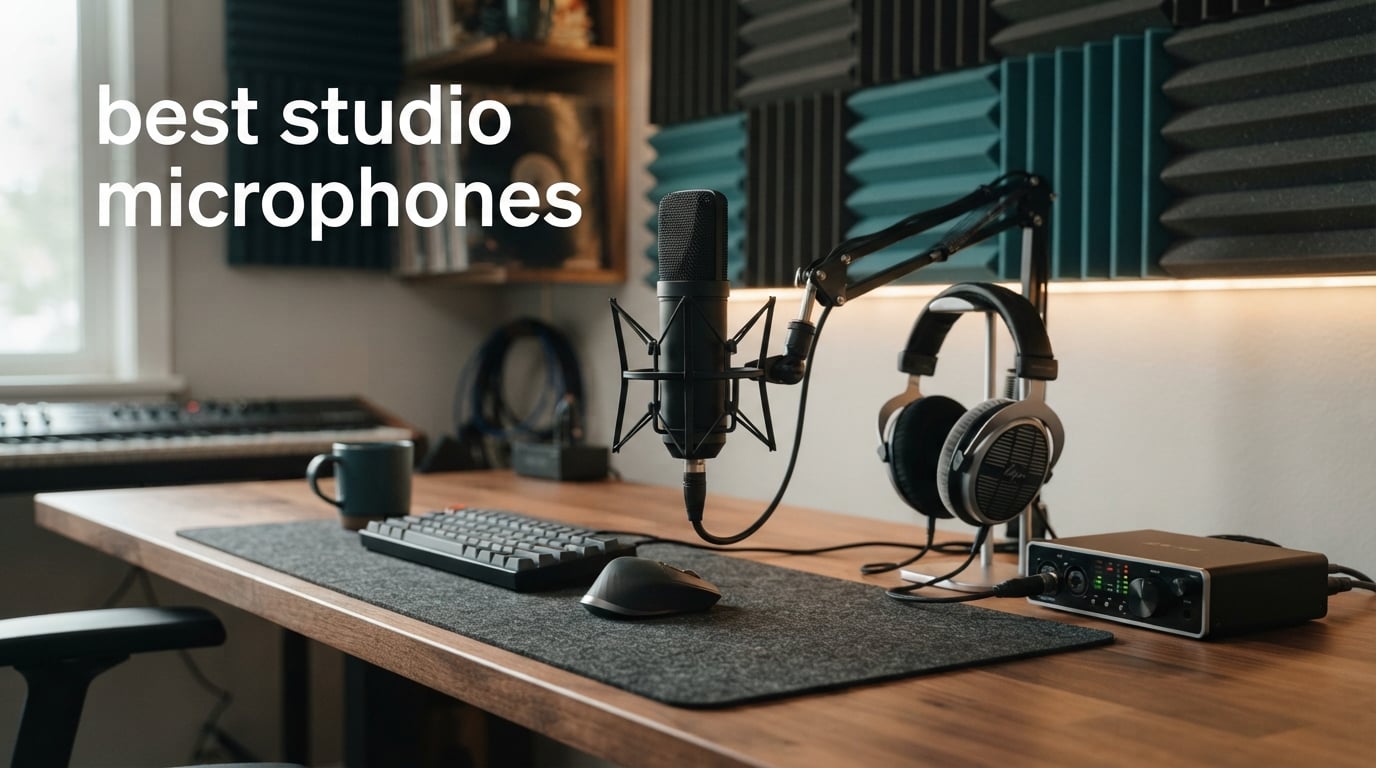
The best studio microphones are not all trying to solve the same recording problem. A detailed condenser can capture a singer’s breath and the edge of an acoustic guitar, while a close-talked dynamic microphone can make far more sense when a fan, keyboard, or untreated bedroom is part of the session.
I compared the stated capsule type, connection options, polar pattern, included hardware, controls, published noise figures, SPL limits, and review data for 12 current choices. This guide is written for the Digital Art Served audience: musicians, illustrators who narrate process videos, streamers, podcasters, voiceover artists, and creators building a practical sound setup in 2026.
Start with the room and connection you actually have, rather than a famous model name. If your work also includes live creative sessions, our best streaming equipment guide can help you think through the rest of the creator desk.
Table of Contents
The top 3 picks for best studio microphones answer three different creator needs in 2026
The RØDE NT1 5th Gen is my editor’s choice because it joins a large-diaphragm condenser capsule, very low stated self-noise, and both USB and XLR outputs. The Shure SM4 is the XLR pick when loud sources, off-axis rejection, and RF shielding matter, while the Shure MV7+ is the fast, controlled voice option for a computer-based workflow.
These are not interchangeable recommendations. Pick the NT1 5th Gen for detailed music and voice capture with a future path to an interface, the SM4 for a dedicated XLR recording chain, and the MV7+ when voice isolation, digital processing, and USB-C convenience lead your brief.
These are the best studio microphones in 2026 at a glance
The overview below separates true studio condensers from close-use dynamic options and flags the connection path. USB is the simpler computer route; XLR asks for an audio interface or mixer, but it also puts the preamp and gain choices in your hands.
| Product | Specifications | Action |
|---|---|---|
 RØDE NT1 5th Gen RØDE NT1 5th Gen |
|
View Details |
 Shure SM4 Studio Kit Shure SM4 Studio Kit |
|
View Details |
 Shure MV7+ Shure MV7+ |
|
View Details |
 RØDE NT1 Signature RØDE NT1 Signature |
|
View Details |
 FIFINE AmpliTank TANK6 FIFINE AmpliTank TANK6 |
|
View Details |
 MAONO A04 Gen2 MAONO A04 Gen2 |
|
View Details |
 MAONO PD200W MAONO PD200W |
|
View Details |
 FIFINE AmpliTank K688 FIFINE AmpliTank K688 |
|
View Details |
 TONOR TD520S TONOR TD520S |
|
View Details |
 MAONO PD200XS MAONO PD200XS |
|
View Details |
 FIFINE AmpliGame AM8 FIFINE AmpliGame AM8 |
|
View Details |
 MAONO PD100X MAONO PD100X |
|
View Details |
1. RØDE NT1 5th Gen is the flexible low-noise condenser choice
RØDE NT1 5th Gen Studio Condenser Microphone, XLR + USB-C, Silver
Large diaphragm condenser
USB and XLR
4 dBA self noise
Pros
- USB and XLR outputs
- 4 dBA self-noise
- 192 kHz conversion
- Shock mount and pop filter included
Cons
- No product-specific cons supplied
- No customer drawbacks supplied
I put the RØDE NT1 5th Gen first because its stated feature set is unusually complete for someone who records in more than one way. It is a large-diaphragm condenser with both USB and XLR outputs, so a creator can record straight to a computer now and move to an interface-led chain later without replacing the microphone.
The supplied review data gives it a 4.7 rating from nearly 2k reviews. Its listing describes a classic warm, silky character, but tone is personal, so I would treat that wording as a useful starting point rather than a promise that it matches every voice.
The technical figure that stands out is the stated 4 dBA self-noise. Low self-noise is meaningful for quiet narration, softer vocals, acoustic guitar tails, and any session where you expect to add compression after recording.
RØDE also specifies a Revolution preamp and 192 kHz analogue-to-digital conversion for USB recording, alongside high SPL handling. The included SM6 shock mount, pop filter, and 6 m XLR cable make the path from unpacking to a controlled recording chain much shorter.
USB and XLR make this the strongest one-mic route for growing studios
Use USB when you need a direct computer connection and a straightforward first recording session. Use XLR when you already own an interface, need its preamp controls, or want the microphone to sit beside other XLR sources in a longer-term setup.
Its unidirectional pickup is aimed at the source in front of it, which helps a home studio focus on a singer or narrator. A condenser is sensitive, though, so a reflective room and a noisy computer can still be audible.
Quiet vocal and instrument sessions get the most from the NT1 5th Gen
This is the best studio microphone choice here for a creator who alternates between vocal microphone work, acoustic instruments, voiceover, and streaming. Its documented high SPL capability also gives it a credible role around louder sources when placement is sensible.
Choose another model if your priority is strong close-range rejection in a noisy room. A dynamic option such as the MV7+ may ask less of that space for live narration or a busy streaming desk.
2. Shure SM4 is the XLR condenser pick for loud and RF-busy setups
Shure SM4 XLR Studio Condenser Microphone Kit for Recording
1 inch dual diaphragm
XLR condenser
140 dB SPL
Pros
- 140 dB SPL handling
- RF interference shielding
- Magnetic pop filter
- Shock mount and case included
Cons
- No product-specific cons supplied
- No customer drawbacks supplied
I would shortlist the Shure SM4 when the plan is a dedicated XLR recording chain rather than a direct USB desk setup. Its listing specifies a brass 1-inch dual-diaphragm condenser capsule, uniform cardioid polar pattern, and 140 dB maximum SPL, a combination that points toward detailed capture with headroom for louder performers and instruments.
The stated rating is 4.7 from 217 reviews. Its all-metal construction, carrying case, shock mount, detachable pop filter, and integrated magnetic pop filter give this kit a studio-first focus instead of asking a buyer to gather every basic accessory separately.
A maximum SPL figure tells you how much sound level a microphone is specified to accept before distortion becomes a concern. It is not a reason to put any microphone dangerously close to a drum or amplifier, but 140 dB is a useful published margin for high-energy sessions.
Shure also calls out patent-pending RF interference shielding and off-axis noise rejection. In plain language, those details matter when the recording chain lives around computers, wireless equipment, and cables, though good cable routing and source placement still count.
The SM4 serves XLR users who record vocals beside louder sources
This is a sensible candidate for singers, guitarists, and creators who already have an interface with phantom power. Because it is XLR-only and its power source is listed as phantom power, it is not the grab-and-go computer microphone in this group.
Keep a pop filter between the capsule and a vocalist, even with the included magnetic filter. It helps manage plosive bursts before they reach the recording, which is cleaner than trying to remove every burst later.
RF shielding makes this a practical choice for electronically crowded desks
RF shielding deserves attention if you hear intermittent interference around a phone, computer, or wireless gear. It will not fix every noise issue, but it is a documented design point that separates this recording microphone from a bare-bones condenser kit.
Choose a USB/XLR hybrid instead when you need immediate computer recording without an interface. The NT1 5th Gen and several dynamic choices below are better aligned with that connection requirement.
3. Shure MV7+ is the controlled hybrid dynamic microphone for voice work
Shure MV7+ USB-C & XLR Podcast Dynamic Mic with Stand – Black
Dynamic voice mic
USB-C and XLR
Real-time denoiser
Pros
- Voice Isolation Technology
- USB-C and XLR
- Auto Level Mode
- OBS Certified
Cons
- No product-specific cons supplied
- No customer drawbacks supplied
The Shure MV7+ is the clearest choice here for a creator whose main source is spoken voice and whose room is not silent. It is a unidirectional dynamic microphone with USB-C and XLR connectivity, letting it work as a direct computer microphone or as part of an interface-based rig.
Its supplied score is 4.8 from 561 reviews, and the feature list is unusually focused on live voice workflow. Voice Isolation Technology, a real-time denoiser, Auto Level Mode, a digital pop filter, and OBS certification speak directly to streaming, podcast recording, and voiceover capture.
Dynamic capsules are usually less sensitive to distant room reflections than condensers when used close to the mouth. That does not replace basic noise control, but a close recording distance and an appropriate gain setting can make a difficult desk setup easier to manage.
The MV7+ also has a touch panel with mute control and configurable LED colors, plus control through the MOTIV Mix app. I see those as workflow features rather than sound-quality substitutes: it is still worth checking monitoring levels and recording a short test before a live session.
Close voice recording makes the MV7+ more forgiving in ordinary rooms
Put this microphone on a stable arm or stand, speak close to it, and keep the rear aimed toward the noisiest part of the room. That uses the unidirectional pattern and dynamic design in the way they are intended to work.
This approach matches a recurring creator concern from audio forums: an untreated bedroom cannot be made silent by a microphone alone. The MV7+ can reduce the amount of room you capture compared with a more sensitive condenser, but it cannot remove traffic, fans, or hard reflections completely.
Direct monitoring and app controls suit creators who change formats often
USB-C is convenient for a laptop editing session, while XLR gives a route to an interface if you later add other sources. The built-in digital tools can speed up an everyday workflow, especially when you need consistent voice levels across streams and tutorials.
Pick a large-diaphragm condenser instead if detailed sung vocals and acoustic instruments are the center of your work. The RØDE and Shure condensers above give more appropriate studio-oriented capture options for that role.
4. RØDE NT1 Signature Series is the quiet XLR-only vocal condenser
RØDE NT1 Signature Series Studio Condenser Microphone, Black
Large diaphragm condenser
XLR only
4 dBA self noise
Pros
- 4 dBA self-noise
- 142 dB SPL handling
- Shock mount and pop filter
- 10-year warranty
Cons
- XLR only
- Requires audio interface or mixer
The RØDE NT1 Signature Series is the focused alternative for someone who knows they want an XLR home studio microphone. It is a large-diaphragm cardioid condenser with a stated 4 dBA self-noise figure and 142 dB SPL handling, so its core story is quiet detail plus high sound-level capability.
The listing reports a 4.6 rating from more than 2k reviews and includes a shock mount, pop filter, and 6 m XLR cable. Those accessories matter because mechanical vibration and plosive airflow can spoil an otherwise good vocal take.
Its HF6 1-inch true condenser capsule and smooth frequency-response claim place this model squarely in the music-production lane. I would consider it for a stationary recording corner rather than a flexible computer desk where USB is expected.
The XLR-only connection is both its limitation and its clean boundary. You need an audio interface or mixer that provides phantom power, along with a suitable XLR cable path, before sound can reach the computer.
The Signature Series fits creators who already own an interface
This microphone makes the most sense when an interface is already part of the studio. That setup gives access to the interface’s preamp gain, monitor routing, and other XLR inputs, rather than locking your workflow to a USB connection.
Start with conservative gain and leave headroom during vocal tracking. A loud section should not reach the point of clipping, because a clipped recording cannot be restored to its original shape by later editing.
Low self-noise supports sparse arrangements and softer voice detail
The stated 4 dBA self-noise is a key reason to choose this model for intimate vocals, narration, or delicate acoustic parts. It gives quiet sources more room before microphone noise becomes part of the recording.
It is less suitable if the biggest requirement is plug-and-play recording from a laptop. In that case, the NT1 5th Gen keeps a similar condenser direction while adding USB output.
5. FIFINE AmpliTank TANK6 is the full-control dynamic USB/XLR option
FIFINE AmpliTank TANK6 USB/XLR Dynamic Podcast Microphone for Vocal
Dynamic cardioid mic
USB and XLR
192 kHz/24-bit
Pros
- USB and XLR outputs
- Zero-latency monitoring
- Metal construction
- Mute and gain controls
Cons
- No product-specific cons supplied
- No customer drawbacks supplied
The FIFINE AmpliTank TANK6 is a compelling dynamic option when front-panel control matters as much as connection flexibility. Its published specifications list USB and XLR, a unidirectional cardioid pickup, a headphone jack with volume control, a mute button, and an adjustable gain knob.
The supplied rating is 4.8 from 89 reviews. That is a smaller review sample than several other options here, so I would read the high score alongside the feature fit rather than treating it as a complete verdict.
Its USB mode is specified for 192 kHz/24-bit audio, while its all-metal body and listed 300-ohm impedance point toward a more traditional desktop microphone format. For a narrator, direct headphone monitoring is particularly handy because it reveals delay, noise, or mouth clicks before a recording is finished.
The cardioid pattern is designed to favor sound from the front and reject more of what arrives from the sides and rear. It is a useful pattern for solo vocal, voice-over, and podcast tasks, provided the microphone is actually aimed at the speaker.
Physical controls make the TANK6 easy to adjust during live sessions
Gain and mute controls are practical for a creator who starts and stops recording while working through a tutorial or live demo. Zero-latency headphone monitoring also lets you hear the direct microphone signal instead of relying only on delayed computer playback.
Set headphone volume independently from microphone gain when possible. Turning up listening volume is not the same as increasing recording level, and separating those decisions helps avoid accidental overload.
The TANK6 works best for close dynamic-mic technique
Keep a consistent mouth-to-mic distance and aim slightly off center to reduce plosives. A dynamic microphone generally rewards that close, repeatable position more than a distant speaking style.
Choose a condenser if your project needs more room detail and nuanced acoustic capture. Choose this one when controlled spoken voice, hands-on monitoring, and an upgrade route from USB to XLR are more important.
6. MAONO A04 Gen2 is the complete condenser kit for computer creators
MAONO A04 Gen2 XLR/USB Condenser Microphone Kit for PC Podcast Recording
16 mm condenser
USB and XLR
192 kHz/24-bit
Pros
- 192 kHz/24-bit sampling
- USB and XLR
- Complete boom-arm kit
- EQ and compressor software
Cons
- XLR cable not included
- Software features only in USB mode
- Not compatible with Xbox
The MAONO A04 Gen2 brings condenser sensitivity to a bundled USB/XLR creator kit. It has a 16 mm large-diaphragm electret condenser transducer, a cardioid polar pattern, 192 kHz/24-bit sampling, and both connection types in the stated product information.
The reported rating is 4.5 from more than 16k reviews, which is the largest review count in this selection. It also includes a boom arm, shock mount, pop filter, and windscreen, making it straightforward to build a basic narration station around a desk.
The MAONO Link software is listed with EQ, compressor, and limiter controls in USB mode. Those tools can shape a recorded voice, but I would begin with a clean signal and small adjustments instead of using processing to cover a poor mic position or noisy room.
Its stated frequency response is 30 Hz to 16 kHz. Specifications alone do not tell you how a microphone flatters a specific singer, yet they give a useful outline of its intended speech and general recording range.
The included mounting kit makes the A04 Gen2 practical for first recording desks
A boom arm makes microphone distance more repeatable, which is a basic but effective way to get steadier narration. The shock mount and pop filter address two common physical issues: desk vibration and plosive airflow.
Its USB connection is the simple first step for a PC recording workflow. If you move to XLR, remember that the supplied data says the XLR cable is not included, and software features apply only in USB mode.
A treated or quiet corner gets the best result from this condenser
As a cardioid condenser, it will record more detail than many close dynamic options, including useful vocal nuance and unwanted reflections. Soft furnishings, a quieter computer position, and recording away from bare parallel walls can change the result more than a small software preset.
This is a good match for a creator who wants a single kit for singing, tutorials, and video narration. It is not compatible with Xbox according to the listed information, so console compatibility should be checked before choosing it for that purpose.
7. MAONO PD200W is the wireless studio option for mobile creator sessions
MAONO PD200W Hybrid Wireless Podcast Microphone for PC, Dynamic XLR USB Mic
Dynamic hybrid mic
Wireless USB XLR
60 m wireless range
Pros
- Wireless USB and XLR
- 60 m stated range
- Up to 60-hour battery
- Three-stage noise cancellation
Cons
- Camera accessories sold separately
- Lightning accessories sold separately
- Higher price point listed
The MAONO PD200W is the outlier in this list because its published connections include wireless, USB, and XLR. That flexibility is aimed at a creator who records at a desk sometimes but also needs to move around a studio, workshop, or video set.
The provided rating is 4.6 from 630 reviews. Its listed 60 m wireless range and up to 60 hours of battery life with RGB off are the figures to focus on when a cable-free recording position is part of the plan.
Inside, MAONO specifies a 30 mm dynamic capsule with cardioid pickup, an 82 dB signal-to-noise ratio, and a 128 dB maximum SPL. It also supports two wireless microphones connected to one receiver on separate tracks, though the second microphone is a separate item.
Three-stage noise cancellation and MaonoLink app support give it more processing options than a basic dynamic microphone. I would still capture a short real-room sample before an important shoot, because any noise-reduction setting can alter the natural texture of a voice.
Wireless movement is the PD200W’s deciding advantage
Choose this model when framing, demonstrations, or a hands-on creative process make a fixed arm inconvenient. A wireless range figure is helpful, but keep the receiver placement, battery status, and radio environment in mind before relying on it for a long session.
For a static podcast or vocal booth, the wireless feature may be unnecessary. A wired USB/XLR microphone can be the simpler decision when the mic stays in one spot.
Separate tracks help two-person recordings stay editable
The listed two-mic support on one receiver is useful for interviews and collaborative tutorials because separate tracks give each speaker independent level control in editing. That is much easier than fixing one mixed recording if one person speaks too softly.
Check the accessory requirement for your intended camera or Lightning-equipped device, since the product information lists those accessories separately. The USB and XLR paths remain the relevant choices for computer and interface work.
8. FIFINE AmpliTank K688 is the durable dynamic choice with a high SPL claim
FIFINE AmpliTank K688 Dynamic Microphone, XLR/USB Podcast Recording PC Mic
Dynamic cardioid mic
USB and XLR
130 dB SPL
Pros
- 130 dB SPL claim
- USB and XLR
- Headphone monitoring
- Shock mount and windscreen
Cons
- Arm stand not included
- Mic stand not included
- XLR cable not included
The FIFINE AmpliTank K688 is a metal-bodied dynamic microphone built around close voice work and flexible connection. Its stated specifications include USB and XLR, a unidirectional polar pattern, a 50 Hz to 16 kHz frequency range, an 80 dB signal-to-noise ratio, and 130 dB maximum SPL.
The listing reports a 4.6 rating from more than 4k reviews. It includes a shock mount and windscreen, then adds tap-to-mute, gain controls, and 3.5 mm real-time monitoring for a more hands-on podcast microphone workflow.
The documented 130 dB SPL figure is relevant if an enthusiastic speaking voice or louder source is in the plan. It should not be confused with permission to record at any level; positioning and interface gain still decide whether the captured track stays clean.
Its monitoring features are available through USB connection, according to the supplied product data. That distinction matters if you expect all front-panel listening functions to follow you when moving from a computer to XLR.
The K688 suits voiceover and streaming setups that need physical accessories
The included windscreen and shock mount help control breath noise and vibration at the microphone. For a desk-bound narrator, that is useful coverage, but you still need to supply an arm stand, microphone stand, or other support as appropriate.
The lack of an XLR cable is another planning point. A USB-only start avoids that need, while an XLR path requires the extra cable and a compatible interface or mixer.
Close placement lets its cardioid dynamic design reject more room sound
Place the microphone close enough for a confident vocal level without blocking your face or touching the windscreen. A slightly off-axis angle can limit plosive bursts while keeping the voice within the front pickup area.
This makes the K688 a better candidate for spoken-word control than for a distant, airy acoustic-guitar recording. For that latter job, a quiet condenser such as an NT1 is the more natural direction.
9. TONOR TD520S is the cable-ready dynamic USB/XLR desktop microphone
TONOR Dynamic Podcast Microphone, XLR/USB Mic for Recording, Streaming, XLR Cardioid Studio Mic with Quick Mute, Volume Control, 200 cm/78inch Cable, with RGB and Desktop Stand, Black, TD520S
Dynamic cardioid mic
USB and XLR
120 dB SPL
Pros
- USB and XLR connections
- Real-time monitoring
- Metal desktop stand
- USB and XLR cables included
Cons
- Volume control only in USB mode
- XLR mode needs external interface control
The TONOR TD520S is a dynamic, unidirectional USB/XLR microphone that arrives with a desktop-oriented set of accessories. The supplied details include a 60 Hz to 17 kHz frequency response, 120 dB maximum SPL, a 3.5 mm monitoring jack, adjustable stand height, and both USB and XLR cables.
Its listed rating is 4.5 from 861 reviews. The included 200 cm cable, Type-C adapter, and desktop stand make it an approachable recording microphone when the goal is to connect, position, and start a voice session without a long accessory list.
RGB lighting has four modes and more than 11 color combinations according to the feature list. I would count that as a desk-customization extra, not a reason to choose one microphone over another if pickup pattern, connection, and monitoring needs point elsewhere.
Real-time monitoring is the more consequential feature for spoken recording. Listening directly through headphones lets you notice fan noise, computer hum, or a too-distant mic position before those issues reach the editing timeline.
The supplied cables make the TD520S ready for USB or XLR planning
Having USB, XLR, and Type-C connection hardware in the stated package removes a common first-session obstacle. It also lets a creator compare the convenience of direct USB with an interface-based XLR setup using the same microphone.
In XLR mode, volume control is handled by the external interface rather than the microphone’s USB-side controls. That is normal for an XLR signal path, but it is worth understanding before you switch connections mid-project.
The adjustable desktop stand fits compact creator workstations
The listed stand adjusts from 10 cm to 20 cm and has 3/8 inch and 5/8 inch threads. That gives a user options for positioning it at a desk or moving to a compatible arm when a closer mouth position is needed.
Choose it for a bundled desktop voice setup with both connection paths. If an all-metal microphone body or a shock mount is your stronger priority, compare the K688 or TANK6 feature lists first.
10. MAONO PD200XS is the boom-arm dynamic microphone for software-led creators
MAONO PD200XS XLR/USB Dynamic Microphone Kit, RGB Gaming Mic with Software
Dynamic cardioid mic
USB and XLR
Boom arm included
Pros
- USB and XLR outputs
- MAONO Link software
- Boom arm and shock mount
- One-click mute
Cons
- XLR cable not included
- Software features only in USB mode
The MAONO PD200XS combines a dynamic cardioid capsule with a creator-focused mounting kit. Its product data lists USB, XLR, and USB Type-C connectivity, a 40 Hz to 16 kHz range, an 80 dB signal-to-noise ratio, an adjustable boom arm, and a shock mount.
The reported rating is 4.6 from more than 2k reviews. A boom arm is not just a visual streaming accessory: it helps you keep a close, steady mouth-to-mic distance without crowding the keyboard or tablet where your artwork and scripts live.
MAONO Link gives USB users EQ, limiter, and compressor controls, and the microphone has a two-in-one knob for mic gain and headphone volume. Those controls can speed up a direct-to-computer session, but record a backup of important work without aggressive processing when possible.
The stated RGB has nine color options, and a one-click mute control has an LED indicator. Those features can make live workflow clearer, while the dynamic capsule and cardioid pattern remain the audio decisions that matter most for a noisy creator desk.
The included boom arm supports repeatable close-mic voice technique
Mount the microphone so the capsule sits near the edge of your speaking space rather than directly in front of your mouth. That keeps narration consistent while letting you see a drawing tablet, keyboard, or camera monitor.
Use the shock mount to reduce vibration reaching the capsule from desk contact. It cannot stop all low-frequency noise, so move a noisy computer or tapping surface away if that sound appears in the recording.
USB software controls make this a good fit for editable creator audio
EQ, a limiter, and a compressor can help a voice sit consistently across tutorials and streams. Start by setting a conservative gain and using headphones, then make only small software changes after you hear a normal speaking sample.
Switch to XLR when you want an interface or mixer in the signal chain, but plan for an XLR cable because it is not included. The supplied information also limits the app-driven software features to USB mode.
11. FIFINE AmpliGame AM8 is the entry dynamic USB/XLR mic for live desks
FIFINE AmpliGame AM8 USB/XLR Dynamic Microphone for Gaming Streaming
Dynamic cardioid mic
USB and XLR
Desktop stand included
Pros
- USB plug-and-play
- XLR upgrade option
- Headphone monitoring
- Tap-to-mute control
Cons
- No product-specific cons supplied
- No customer drawbacks supplied
The FIFINE AmpliGame AM8 is a unidirectional dynamic microphone for creators who want an easy USB beginning and an XLR upgrade route. Its stated features include plug-and-play USB, XLR connection, a headphone jack with monitoring volume, adjustable gain, tap-to-mute, RGB controls, and a supplied desktop stand.
The listing reports a 4.6 rating from more than 11k reviews. That high review volume makes it one of the more broadly purchased dynamic options in this group, although your own room, voice, and support hardware should still drive the final decision.
Its stated signal-to-noise ratio is 80 dB and its listed frequency-response figure is 16 kHz. The core appeal is not a complex studio chain; it is a familiar close dynamic setup with clear controls for streams, gaming, and spoken recordings.
The RGB lighting has more than 10 colors and a memory function. That may fit a visible on-camera workspace, but a recording session benefits more from the tap-to-mute indicator and headphone monitoring than from lighting effects.
The AM8 gives USB beginners a simple path to XLR later
Connect by USB when you need a quick route into a computer and want access to the monitoring and control features. Move to XLR when you add an audio interface and want that device to manage the input level.
This gradual connection path addresses one of the most common beginner questions: USB versus XLR is not always an either-or choice. A dual-output microphone can let the same creator learn both workflows over time.
Dynamic cardioid pickup suits streamers who work near computers
Use close placement and aim the rear of the microphone toward unwanted room sound where possible. The cardioid dynamic setup is a practical way to place more attention on your voice than on a distant computer or room reflection.
For singing with fine high-frequency detail or for acoustic instruments, a condenser may be the better recording tool. The AM8 is more naturally positioned as a direct, controlled voice mic for a live desk.
12. MAONO PD100X is the compact dynamic USB/XLR microphone with noise controls
MAONO PD100X USB/XLR Podcast Microphone for PC,Gaming Streaming Dynamic Mic
Dynamic USB/XLR mic
40 Hz to 16 kHz
99 dB signal-to-noise
Pros
- USB and XLR connectivity
- Custom noise reduction
- Headphone monitoring
- Tap-to-mute and gain knob
Cons
- RGB and keys only in USB mode
- XLR cable not included
The MAONO PD100X closes the list as a compact dynamic USB/XLR desktop microphone for PC, gaming, streaming, and video recording. Its stated specifications include a unidirectional pattern, 40 Hz to 16 kHz range, 99 dB signal-to-noise ratio, real-time headphone monitoring, a gain knob, and tap-to-mute control.
The supplied rating is 4.5 from more than 1k reviews. It is compatible with PCs, smartphones, tablets, PS4/PS5, mixers, sound cards, and audio interfaces according to the listing, though a complete setup still depends on the specific cable and device port you use.
MAONO describes double noise cancellation through the pickup pattern and customizable noise reduction via MaonoLink software. That can be helpful for spoken content, but I would avoid treating software reduction as a replacement for a quiet recording position and good close-mic technique.
The feature list also claims improved sound detail through 24-bit/48 kHz recording compared with 16-bit/48 kHz. Bit depth is useful for recording headroom, but microphone placement and gain staging continue to have a larger practical effect on whether a voice sounds clean.
The PD100X helps computer creators monitor and mute quickly
Direct headphone monitoring is a strong feature for a single-person production desk. It lets you hear the microphone signal as you speak, which makes it easier to correct a noisy background, drifting position, or overly high gain at once.
The tap-to-mute control is equally useful when a tutorial or livestream includes breaks. Watch the indicator and make a habit of doing a brief level check after unmuting, especially when a session has been paused.
USB mode gives this microphone its added lighting and key controls
The listed RGB and function keys apply in USB mode, while XLR is the route for connecting to an external interface. The product information also says the XLR cable is not included, so that cable is part of the XLR plan.
Choose this model for a flexible desktop dynamic microphone with stated noise-control options. Choose a large-diaphragm condenser higher in this guide when a quiet music-recording corner is the main goal.
The right studio microphone starts with your room, source, and connection
The quickest buying decision is simple: choose a dynamic microphone for close voice capture in a noisy or untreated room, and choose a condenser microphone when your room is quiet enough to benefit from greater detail. Then choose USB for direct computer recording or XLR for an interface or mixer workflow.
That framework reduces the analysis paralysis that appears often in creator discussions. It also keeps you from expecting a microphone to solve a room-acoustics problem that needs placement, soft absorption, or a quieter recording time.
Dynamic microphones suit close voice work and less controlled rooms
A dynamic microphone converts sound through electromagnetic induction and does not require phantom power. When you work close to it, its lower sensitivity to distant sounds can be useful for streaming, broadcast, podcasting, and narration where keyboards, fans, and room reflections are nearby.
That is why the MV7+, TANK6, K688, TD520S, PD200XS, AM8, and PD100X are sensible spoken-word choices. Keep the source close, aim the front of the microphone at the mouth, and lower gain rather than trying to capture a voice from across the desk.
Condenser microphones suit quiet spaces that need detail and nuance
A condenser microphone uses a charged capacitor system and generally needs phantom power when connected by XLR. It is often selected for vocals, acoustic guitar, voiceover, and instruments because its sensitivity can capture fine transients and upper-detail information.
The trade-off is that a condenser also hears more of the room. Before buying one, listen for computer fans, street noise, bare walls, and a desk that transmits vibration through the stand; moving the recording position can make a substantial difference.
USB is the direct computer path while XLR gives your interface control
USB microphones contain the conversion needed to send audio to a computer directly, often with their own monitoring and app controls. They are a practical choice for a creator who records alone, travels between work areas, or needs a setup with fewer separate components.
XLR microphones send an analogue signal to an interface or mixer, where a preamp supplies gain and, for condensers, phantom power. This is the right path when you need multiple microphones, instrument inputs, physical monitoring controls, or a more configurable recording chain.
Cardioid pickup is the default pattern for one person facing one microphone
Most products in this roundup are listed as unidirectional or cardioid, which means they favor sound arriving from the front. Aim the back of the microphone toward the loudest unwanted sound where possible, then speak or sing into the intended front side.
Omnidirectional patterns capture sound from every direction, while figure-8 patterns pick up from front and back. Neither is automatically better; they are specialist tools for a different room, source, and recording technique than a solo creator desk.
Proper gain staging keeps a clean take from clipping before editing starts
Set your loudest expected phrase or sung note first, then adjust input gain so it records with headroom instead of hitting the maximum. Headphones reveal problems early, and a short test recording is more informative than watching a meter without hearing the room.
Do not raise gain merely because the waveform looks small. A lower level without clipping can be raised in editing, while a clipped peak has already lost information.
The 3:1 rule keeps multiple microphones from competing with each other
The 3:1 rule says that when using more than one microphone, the distance between microphones should be at least three times the distance from each microphone to its intended source. For example, if each microphone is 1 foot from its source, try to keep the microphones at least 3 feet apart.
This rule reduces the chance that one microphone captures too much of the other source, which can cause phase-related thinness or comb filtering when tracks are combined. It is a starting guideline, not a substitute for listening to each microphone in the real room.
Room treatment and placement change the recording before any plug-in does
Hard, close surfaces reflect sound back into a sensitive microphone. Recording a little away from bare walls, using soft furnishings or suitable acoustic treatment, and keeping a microphone off a vibrating desk can improve clarity before you touch EQ or noise reduction.
For a dynamic voice mic, close placement and a stable arm are often the immediate wins. For a condenser, a pop filter, shock mount, quiet computer position, and a less reflective corner give its detail a better chance to help rather than hurt the take.
These FAQ answers resolve the common studio microphone questions
The RØDE NT1 5th Gen is the best-quality contender: what is the best quality studio microphone?
There is no single best-quality microphone for every voice and room. In this roundup, the RØDE NT1 5th Gen is the most flexible high-detail choice because its listed specifications combine a large-diaphragm condenser capsule, 4 dBA self-noise, USB, and XLR. The Shure SM4 is the stronger dedicated XLR choice for users who need its 140 dB SPL claim and RF shielding.
The 3:1 rule reduces mic bleed: what is the 3:1 rule for mics?
The 3:1 rule says the distance between two microphones should be at least three times the distance from each microphone to its own sound source. If each microphone is 1 foot from its source, place the microphones about 3 feet apart. This starting point helps reduce bleed and phase-related comb filtering when the tracks are mixed.
Close dynamic rejection explains it: why is the Shure SM7B so popular?
Forum discussions regularly praise the Shure SM7B for versatility, a warm broadcast-style character, and background-noise rejection. Those traits are especially useful for close speech and rap vocals in ordinary rooms. The Shure MV7+ in this list follows a related dynamic, close-voice direction while adding USB-C, XLR, voice isolation, and digital controls.
Artists use microphones that fit the session: what mic do most artists use?
Artists use different microphones for different sources, voices, rooms, and engineers. Large-diaphragm condensers are common for detailed vocals and instruments in controlled spaces, while dynamic microphones are common for close vocals and broadcast work. Match the microphone type to the recording situation rather than copying one artist’s model.
The best studio microphones depend on the recording situation, not the logo
For the most flexible music and creator studio, I would start with the RØDE NT1 5th Gen. For a dedicated XLR condenser chain, the Shure SM4 and RØDE NT1 Signature Series bring clear documented strengths, while the Shure MV7+ makes the strongest case for controlled voice recording at a computer.
Choose from these best studio microphones by matching the capsule type, room, connection, and source before secondary extras. In 2026, that decision will do more for your next recording than chasing a one-size-fits-all microphone label.