
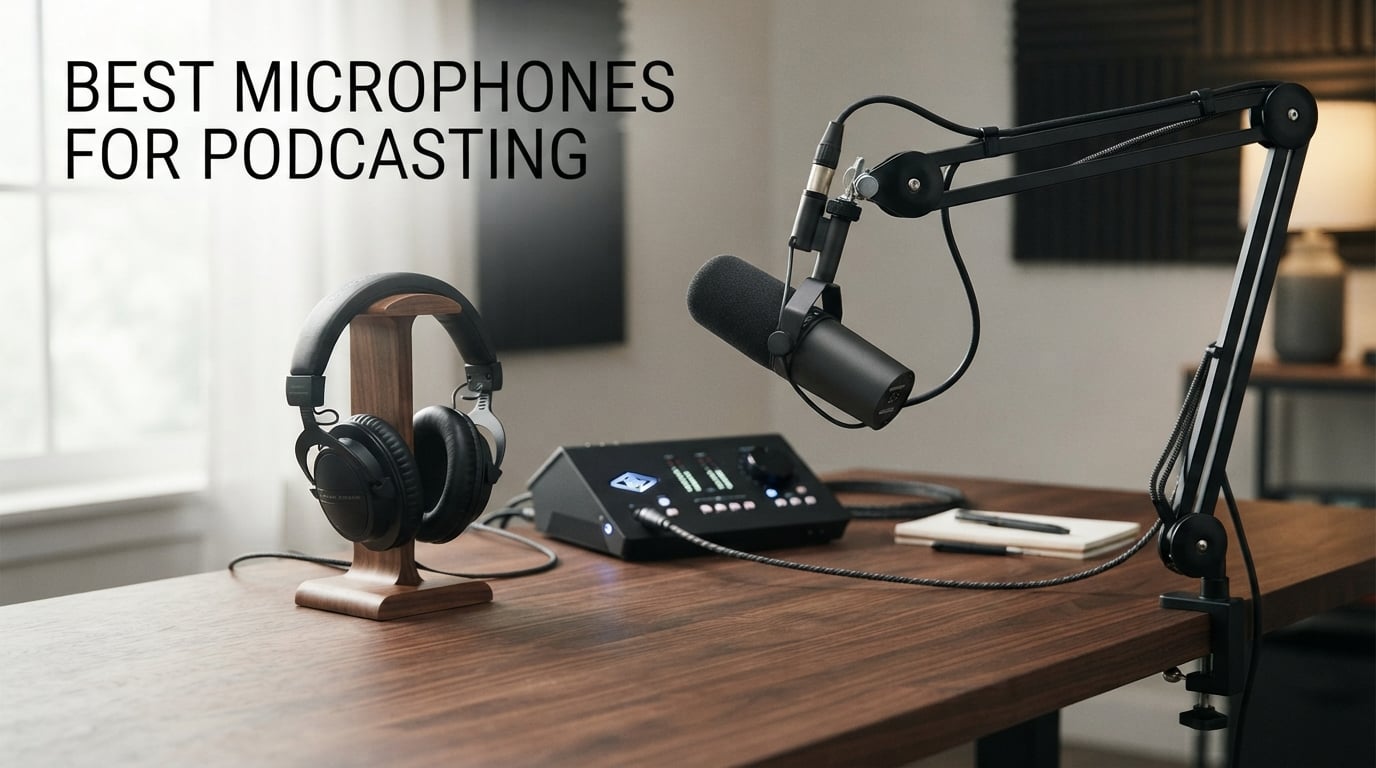
The best microphones for podcasting do not all solve the same problem. A host recording beside a computer fan needs a different microphone from a two-person show recorded away from a desk, and the connection type changes how simple the first session will feel.
I start with the room, number of hosts, and recording path. That keeps the decision grounded: a close-spoken dynamic microphone is often a better fit for an untreated room than a sensitive condenser that hears every reflection and keyboard tap.
This guide reviews all 10 products in the analyzed selection using their verified specifications, manufacturer features, ratings, and listing-based review summaries. It covers USB microphones, XLR microphone podcast setups, dual-output models, and a wireless option, without assuming that a more complicated setup is always better.
A good podcast microphone captures a close, intelligible voice and lets you monitor what is actually being recorded. In practice, distance, a sensible pickup pattern, and headphones matter as much as extra controls, especially when editing time is limited.
Table of Contents
The top 3 picks are the Shure MV7+, Elgato Wave:3 MK.2, and MAONO PD200W in 2026
The Shure MV7+ is my broadest recommendation because its dynamic voice focus, USB-C, and XLR support cover both starting and expanding setups. Pick the Elgato Wave:3 MK.2 for direct USB recording in a calm room, or the MAONO PD200W when wireless use and separate two-host tracks are the priority.
These are the best microphones for podcasting in 2026 at a glance
Use this quick comparison to narrow the selection by capsule type, connection, and recording controls. The full sections explain the best use case and the limitations for every model.
| Product | Specifications | Action |
|---|---|---|
 Shure MV7+ Shure MV7+ |
|
View Details on Amazon |
 Elgato Wave:3 MK.2 Elgato Wave:3 MK.2 |
|
View Details on Amazon |
 RØDE NT1 5th Gen RØDE NT1 5th Gen |
|
View Details on Amazon |
 FIFINE AmpliGame AM8 FIFINE AmpliGame AM8 |
|
View Details on Amazon |
 FIFINE AmpliTank K688 FIFINE AmpliTank K688 |
|
View Details on Amazon |
 Shure MV6 Shure MV6 |
|
View Details on Amazon |
 MAONO PD100XS MAONO PD100XS |
|
View Details on Amazon |
 MAONO PD200W MAONO PD200W |
|
View Details on Amazon |
 Logitech G Yeti GX Logitech G Yeti GX |
|
View Details on Amazon |
 Sennheiser Profile USB Sennheiser Profile USB |
|
View Details on Amazon |
1. Shure MV7+ is the strongest all-round choice for voice-first podcasting
Shure MV7+ USB-C & XLR Podcast Dynamic Mic with Stand – Black
Dynamic voice isolation
USB-C and XLR
Auto Level DSP
Pros
- Voice Isolation Technology
- USB-C and XLR
- Real-time denoiser
- Digital pop filter
- MOTIV Mix app
Cons
- Needs close placement
- Advanced studio setup can need extra gear
The MV7+ is a dynamic, unidirectional microphone with a 4.8 rating from 561 reviews and a reported 91% five-star share. Its practical appeal is not one single specification; it is the mix of close voice capture, USB-C or XLR connection, and tools that address common voice-recording errors.
Shure lists Voice Isolation Technology, a real-time denoiser, Auto Level Mode, and a digital pop filter. Those features target changing speaking distance, background distractions, and sharp P or B sounds, which are the problems I would rather prevent before opening an editor.
The package includes a foam windscreen, adjustable desktop stand, and a three-metre USB-C cable. A metal enclosure and two-year limited warranty also make it suitable for a microphone that will be moved between calls, recordings, and livestreams.
USB-C and XLR make the upgrade path flexible
USB-C connects directly to a compatible computer for a first solo show. XLR gives this microphone a second life with an audio interface or mixer, so I would choose it for someone who expects their recording setup to grow over time.
Close placement lets the dynamic capsule focus on speech
Keep the microphone near the mouth and slightly off the direct air path. The digital pop filter can help with plosives, but no processing choice replaces a stable position and a short headphone check before a full episode.
2. Elgato Wave:3 MK.2 is the USB condenser pick for controlled rooms
Elgato Wave:3 MK.2 USB Condenser Microphone, DSP Effects
USB condenser
ClipGuard 2.0
Auto Gain calibration
Pros
- ClipGuard 2.0
- Auto Gain
- Onboard effects
- Headphone jack
- Wave Link control
Cons
- USB only
- Precise position matters
The Wave:3 MK.2 is a supercardioid USB condenser microphone with a 4.7 rating across more than 10k reviews. It is built around a direct computer workflow, giving a solo host ClipGuard 2.0 protection, Auto Gain calibration, and a multifunction dial instead of requiring an interface.
The onboard voice enhancer, compressor, and EQ provide choices for shaping the recording. I also value the tap-to-mute control, real-time LED feedback, and integrated headphone jack because they keep basic session controls reachable when a guest joins remotely.
Condenser capsules can capture more room detail than close-spoken dynamics. That can sound natural in a quiet recording area, but I would not choose this model first for a desk beside loud fans, hard walls, or a keyboard that dominates the recording.
ClipGuard 2.0 gives louder speech a safety layer
ClipGuard 2.0 is useful when a normal conversation includes sudden laughter or energetic introductions. It is not permission to ignore input levels, but it can help a one-person recording chain handle an unexpected jump in volume.
USB-C makes this microphone a computer-centered solution
The Wave:3 MK.2 has no XLR connection, so it is designed for a laptop or desktop rather than an interface chain. Choose it when direct recording and Wave Link audio control matter more than adding analog routing later.
3. RØDE NT1 5th Gen is the detailed condenser choice with two outputs
RØDE NT1 5th Gen Studio Condenser Microphone, XLR + USB-C, Silver
Large-diaphragm condenser
USB and XLR
192kHz conversion
Pros
- USB and XLR
- Low self-noise
- Shock mount included
- Pop filter included
- High-resolution conversion
Cons
- Room sound is audible
- Needs thoughtful placement
The RØDE NT1 5th Gen is a large-diaphragm condenser for vocal recording, podcasting, and music production. It has a 4.7 rating from 1,988 reviews and offers both USB and XLR output, pairing its classic microphone format with high-resolution digital recording listed at 192kHz.
I would put it on a solo host shortlist when the room is quiet and the goal is a detailed, warm voice. The listing reports a 20Hz to 20kHz range and very low audible noise, characteristics that suit a carefully placed studio-style microphone.
RØDE includes an SM6 shock mount, pop filter, six-metre XLR cable, and USB-C cable. Those accessories reduce early setup gaps, although the microphone still benefits from a calm room and close speaking rather than relying on its accessories to fix reflections.
USB and XLR support direct recording and interface routing
USB is the simpler route to a computer, while XLR fits a dedicated interface or mixer. This dual-output design is appealing when you want a clean desk recording now but may record several hosts or sources later.
Room control is important for this sensitive condenser
Place it away from a bare corner, turn off obvious noise sources, and keep the capsule close. Soft furnishings, a rug, and a closed door can lower reflections enough to make the microphone’s natural vocal character easier to hear.
4. FIFINE AmpliGame AM8 is the beginner-friendly dynamic mic with two connections
FIFINE AmpliGame AM8 USB/XLR Dynamic Microphone for Gaming Streaming
Dynamic cardioid
USB and XLR
Tap mute and monitoring
Pros
- Dual connectivity
- Cardioid noise rejection
- Headphone monitoring
- Tap mute
- Stand threads
Cons
- RGB controls need USB
- 16kHz upper response
The FIFINE AmpliGame AM8 is a dynamic unidirectional microphone with USB and XLR options, a 4.6 rating, and more than 11k reviews. It covers the controls many first-time hosts need: a headphone jack, monitoring volume, tap-to-mute, a windscreen, and a desktop stand.
Its directional cardioid pattern is the part I would focus on before the RGB lighting. A close dynamic capsule can make an ordinary office or bedroom recording easier because it favors speech in front of the microphone over sound arriving off-axis.
The listed frequency range is 50Hz to 16kHz, and its USB-C to USB-A cable measures two metres. It also has 3/8-inch and 5/8-inch threads, giving it a clear route to compatible boom arms if the basic desk stand cannot reach a good position.
USB starts simply while XLR leaves room for expansion
Use USB for direct computer recording and XLR when you add a compatible interface. RGB and function keys are inactive in XLR mode, so make the connection choice based on how you need to record rather than on decorative functions.
Cardioid placement suits an everyday home recording room
Place the mouth close to the windscreen and aim the microphone away from the largest noise source. Community discussions regularly favor dynamics in untreated rooms, and this model fits that practical advice without asking for a complex first setup.
5. FIFINE AmpliTank K688 is the metal dynamic mic for a fixed desk
FIFINE AmpliTank K688 Dynamic Microphone, XLR/USB Podcast Recording PC Mic
Metal dynamic
USB and XLR
Shock mount and windscreen
Pros
- 130dB SPL
- USB-C convenience
- XLR output
- Shock mount included
- Headphone monitoring
Cons
- No arm included
- USB-only control functions
The AmpliTank K688 is a metal-bodied dynamic microphone rated 4.6 from more than 4k reviews. Its USB and XLR connectivity, listed 130dB SPL handling, shock mount, and windscreen make it a capable voice-recording option for speakers who want a more solid desk microphone.
I like the practical controls here: front tap-to-mute, a gain knob, and a 3.5mm headphone output with monitoring volume. Those features help a solo host check the recording path without stopping the conversation to look through software menus.
FIFINE states that XLR can reduce circuit noise interference, while USB-C is the plug-and-play path. There is no arm stand, mic stand, or XLR cable in the package, so plan mounting and the XLR connection before choosing the hardware route.
The included shock mount helps reduce desk vibration
A shock mount is useful if typing, moving notes, or touching the desk sends low thumps into a take. It cannot repair a wobbly desk, but it is a sensible starting point for close-mic speech and desk-based production.
USB controls and XLR routing suit different workflows
Use USB when the direct controls are part of the session. Use XLR for interface routing, remembering that USB-specific functions do not carry over and that this 0.51-kilogram microphone needs stable support.
6. Shure MV6 is the straightforward USB dynamic mic for a busy desktop
Shure MV6 USB Gaming Microphone for Streaming & Recording
Dynamic USB-C
Voice isolation
Real-time DSP tools
Pros
- Voice Isolation
- Auto Level
- Real-time denoiser
- Zero-latency monitoring
- Tap mute
Cons
- USB only
- Desktop stand may not suit every desk
The Shure MV6 is a USB-C dynamic microphone for streaming, recording, and podcasting from a computer. It has a 4.6 rating from 1,176 reviews and combines Voice Isolation Technology, Auto Level Mode, real-time denoising, and Digital Popper Stopper processing in one direct setup.
I would choose it for a host working near fans, keyboards, or ordinary household activity who does not need XLR. It is deliberately a computer-first microphone, and that simplicity can be more useful than an interface path for a single-person show.
Zero-latency headphone monitoring gives a live check on voice, guest audio, and unwanted background sound. The tap-to-mute control is useful during remote conversations, and the MOTIV Mix desktop app can adjust monitor mix and microphone audio.
Voice isolation targets familiar computer-desk noise
The MV6 combines a dynamic cardioid approach with DSP tools directed at fan noise, key clicks, room echo, and plosives. Place it close enough that your voice is naturally stronger than the room before asking any processing to help.
USB-C works best when an interface is not planned
This model has no XLR output, which makes the decision clear. Choose it for a focused computer recording workflow, and choose a dual-output microphone when an interface or multi-microphone setup is likely to come next.
7. MAONO PD100XS is the dual-output pick with a boom arm included
MAONO XLR/USB Gaming Microphone for PC, Dynamic Computer Mic for Streaming Podcasting, Noise Reduction, Mute, Volume Control, RGB Boom Mic for Vocal Recording,Voice-Over, PD100XS Black
Dynamic USB and XLR
24-bit 48kHz
Boom arm included
Pros
- USB and XLR
- Noise reduction
- Boom arm included
- 24-bit 48kHz
- Headphone monitoring
Cons
- XLR cable absent
- Software tools need USB
The MAONO PD100XS is a dynamic USB-C and XLR microphone with a flexible boom arm in the box. Its 4.6 rating from 1,177 reviews is paired with 24-bit/48kHz recording, a 3.5mm monitor jack, one-touch mute, and a knob that adjusts gain and monitoring volume.
The boom arm is the feature I would value most for an early desk setup. Correct distance is easier to hold on an adjustable arm than with a microphone stranded across the desk, and that distance directly affects voice fullness and how much room sound enters the recording.
MAONO lists a 40Hz to 16kHz range, a unidirectional pickup pattern, and software-adjustable noise reduction in MAONO Link. USB-C cables are supplied, but an XLR cable is not, which matters if your first recording method uses an audio interface.
The included boom arm supports repeatable close-mic placement
Bring the capsule just off the mouth line, not directly in front of it. This position helps limit plosives, clears desk space for notes, and makes it easier to return to the same sound from episode to episode.
USB access and XLR expansion are separate strengths
Use USB for the app-based controls and supplied cables. Use XLR for interface routing, while knowing that software features operate only in USB mode and that the separate XLR cable is part of the setup plan.
8. MAONO PD200W is the mobile and two-host choice in this selection
MAONO PD200W Hybrid Wireless Podcast Microphone for PC, Dynamic XLR USB Mic
Wireless USB and XLR
Dual-mic tracks
60-hour battery
Pros
- Three connection options
- Dual-mic recording
- 60m wireless range
- Three-stage noise cancellation
- Long battery life
Cons
- Some accessories separate
- RGB shortens battery life
The MAONO PD200W stands out because it supports wireless, USB, and XLR connections in a dynamic microphone. Its 4.6 rating from 630 reviews is joined by a listing claim that one receiver can connect two wireless desktop microphones and record each one to its own track.
I would consider it before the fixed desk options if the show moves among a computer, camera, smartphone, or interview location. The stated 60-metre wireless range and up to 60-hour battery life with RGB off give it a role that ordinary USB microphones cannot fill.
The 30mm dynamic capsule has a cardioid pattern, 82dB signal-to-noise ratio, and listed handling up to 128dB SPL. Three-stage noise cancellation and MAONO Link app support add useful controls when a recording location is not as quiet as a home studio.
Separate tracks make two-host editing less painful
Separate tracks allow one speaker to be edited or level-adjusted without changing the other. That matters when a guest speaks softly, laughs loudly, or needs an answer removed after the recording, and it is better than repairing a single mixed track.
Wireless recording needs a device and battery check first
The package includes a desktop stand, receiver, and USB-C cables, but camera and Lightning accessories are separate. Confirm the exact phone or camera connection, charge the microphone, and listen to a short sample before beginning a mobile interview.
9. Logitech G Yeti GX is the stream-forward USB dynamic option
Logitech G Yeti GX Dynamic RGB Gaming/Podcast USB Microphone – Black
Dynamic USB
Supercardioid focus
Blue VO!CE tools
Pros
- Supercardioid voice focus
- Smart Audio Lock
- Blue VO!CE tools
- USB-C plug and play
- RGB control
Cons
- PC-focused
- No XLR output
The Logitech G Yeti GX is a USB dynamic microphone with a supercardioid pattern, RGB zones, and G HUB software features. It has a 4.5 rating from 249 reviews and fits creators who combine a podcast, live stream, gaming session, and audience interaction at one desktop.
Its custom broadcast-style dynamic capsule is described as focusing on the voice while ignoring key clicks. I would take that seriously for a computer-heavy recording desk, where a condenser can pick up more of a nearby mechanical keyboard and room reflections.
Smart Audio Lock is listed with an analog limiter for clipping prevention and a downward expander for ambient-noise reduction. Blue VO!CE filters and effects offer additional control, while USB-C keeps the physical connection direct and simple.
The supercardioid pattern rewards accurate microphone position
Speak toward the front of the capsule and keep it close for the most focused recording. A supercardioid pattern is not a replacement for placement, so make a short test recording after moving the microphone or changing its mount.
Blue VO!CE features fit creators who record and stream
Its filters, effects, and Smart Audio Lock are relevant when a podcast desk also serves live content. There is no XLR output, so a host planning an interface-based show should pick a dual-output option instead.
10. Sennheiser Profile USB is the hardware-control condenser for a quiet desk
SENNHEISER Professional Profile – USB Cardioid Condenser Microphone & Table Stand, 1.2 m USB-C Cable – Mute Button, Built-in Headphone Jack, Gain, Mix & Volume Control, for PC & Mac,Black
USB cardioid condenser
Warm voice response
Hardware gain and mix
Pros
- Natural warm sound
- Hardware controls
- Headphone monitoring
- Metal housing
- Simple USB setup
Cons
- No boom arm
- USB only
The Sennheiser Profile USB is a cardioid condenser microphone with gain, mix, volume, and mute controls placed on the microphone. Its 4.4 rating from 977 reviews is lower than several choices above, but the natural warm voice focus and physical controls give it a clear solo-recording purpose.
I would choose it for a quiet recording space where adjusting levels without opening an app matters. The hardware dial can make it easier to check the balance between direct microphone sound and computer playback through the built-in headphone jack.
Sennheiser lists a German-engineered condenser capsule, metal housing, table stand, and plug-and-play USB connection for a PC or tablet. No boom arm is included, and its 60dB signal-to-noise ratio means the quietest possible position is the sensible starting point.
Hardware controls make live monitoring changes direct
Physical gain, mix, and volume controls let a host make a quick check while recording a remote guest. This is helpful when computer playback and microphone level need balancing without disrupting the conversation.
A calm room lets the condenser voice character come through
Use the cardioid front orientation, keep the capsule close, and listen for reflections on headphones before recording the full episode. Add a compatible arm if the supplied desk stand places the microphone farther away than your voice sounds good.
Choose a podcast microphone by room, connection, and workflow
The simplest rule is to choose a close-spoken dynamic microphone for a noisy or untreated room and a condenser for a quiet room where detailed voice capture is wanted. Connection type comes next because it decides whether the microphone goes directly to a computer or through an interface.
USB is the direct route while XLR is the expandable route
A USB microphone contains the conversion needed to send its signal directly to a compatible computer. It is a sensible start for one host, and the Wave:3 MK.2, Shure MV6, Yeti GX, and Sennheiser Profile USB are all built around this straightforward approach.
An XLR microphone connects to an audio interface or mixer, which handles gain, conversion, and routing. Choose XLR when several microphones, more hardware control, or separate recording inputs are genuinely needed, because it also requires compatible inputs and cables.
Dual-output designs reduce the pressure to decide everything at the start. The MV7+, NT1 5th Gen, AM8, K688, PD100XS, and PD200W can begin via USB and later join an XLR chain, although some software functions operate only through USB.
Dynamic microphones work well when the room is not treated
A dynamic microphone generally rewards close placement, which can be useful in a bedroom, office, or shared home. Forum discussions repeatedly recommend dynamics for rooms with background sound because the close voice can sit ahead of fan noise, reflections, and distant conversation.
Condenser microphones can produce detailed, natural voice recordings, but that sensitivity also catches more room sound. The RØDE, Elgato, and Sennheiser models are better starting points when the recording spot is calm and there is space to bring the capsule close.
Correct placement improves a recording before software does
Start about a hand span from the mouth, with the microphone slightly off to one side rather than directly in the airflow. This position softens plosives while preserving vocal presence, and a windscreen or pop filter provides an extra layer of help.
Turn the rear or least-sensitive side toward a persistent noise source where the pickup pattern permits. A stable boom arm or shock mount can reduce handling noise, and closed-back headphones reveal fan hum, desk bumps, and clipping before a complete take is wasted.
You do not need a full treated studio to improve a recording area. Close a door, stop an obvious fan where possible, avoid a bare corner, and add soft furnishings or a rug to lower the hard reflections that make speech sound distant.
Separate tracks are better for two-host conversations
Two people sharing one microphone rarely maintain equal distance or level. Giving each host a microphone and recording separate tracks through an interface, recorder, or dual-mic system gives an editor much more control over balance, interruptions, and cleanup.
The PD200W is the clearest fit in this selection for a mobile two-host workflow because it lists two wireless microphones through one receiver with each voice on its own track. For a stationary show, two XLR microphones with an interface that has enough inputs are also a direct path.
Mobile recording depends on checking the full connection chain
Phone and camera recording add variables: device port, receiver, cable, battery, wind, and mounting all matter. The PD200W lists compatibility with cameras, smartphones, laptops, and interfaces, but the precise accessory should be confirmed before a location recording.
Record a short spoken clip and listen on headphones before a guest arrives. That small step catches wrong input settings, a drained battery, wind movement, a blocked port, or a microphone placed too far away before it affects the conversation.
Accessories should solve a recording problem you actually have
A boom arm fixes poor microphone distance and frees desk space. A shock mount reduces vibration, a windscreen or pop filter limits plosives, and headphones make monitoring possible; each is useful when it solves a specific issue rather than as an automatic add-on.
I would add an audio interface when XLR routing, several microphones, or additional hardware control improves the actual show. Begin with the cleanest simple chain that fits your room, then add gear when it answers a limitation you have truly encountered.
These podcast microphone FAQ answers address the common buying questions
What microphone do most podcasters use?
Many podcasters use a close-spoken dynamic microphone, especially in untreated rooms, because its directional pickup can focus on speech and reduce background distraction. The Shure MV7+ is a flexible example because it offers USB-C for direct computer recording and XLR for an interface-based setup.
Is Blue Yeti good for podcasting?
A Blue Yeti can record a podcast, but it is not one of the analyzed products in this guide, so this comparison does not rank it. In a typical untreated room, a close-spoken dynamic microphone may be the better fit because it can put more emphasis on the host voice than on room sound.
What is the best podcast mic for beginners?
The best beginner choice depends on the room and connection preference. The FIFINE AmpliGame AM8 provides USB and XLR options with monitoring and a tap mute, while the Shure MV6 is a direct USB-C model with voice isolation and automatic level processing.
How much should I spend on a podcast microphone?
Choose a microphone by the recording problem it solves rather than by a fixed spending target. Start with a suitable pickup type, close placement, headphone monitoring, and a connection that works with the existing computer or audio interface; add advanced features only when they support your recording method.
USB vs XLR: Which is better for podcasting?
USB is better for a simple single-host setup because it connects directly to a compatible computer. XLR is better when you need an interface, several microphones, or expanded routing and hardware control; a dual-output microphone can provide both paths as the setup changes.
The right podcast mic depends on your room and recording path
For a flexible voice-first setup, the Shure MV7+ leads this group with dynamic voice isolation and USB-C/XLR connectivity. Choose the Elgato Wave:3 MK.2 or RØDE NT1 5th Gen for a quieter condenser-friendly space, and choose the MAONO PD200W when wireless separate tracks for two people are the priority.
The best microphones for podcasting in 2026 let you record a close, monitored voice with fewer avoidable obstacles. Pick the connection that suits your current workflow, position the microphone well, and make the next equipment choice only when your show calls for it.