
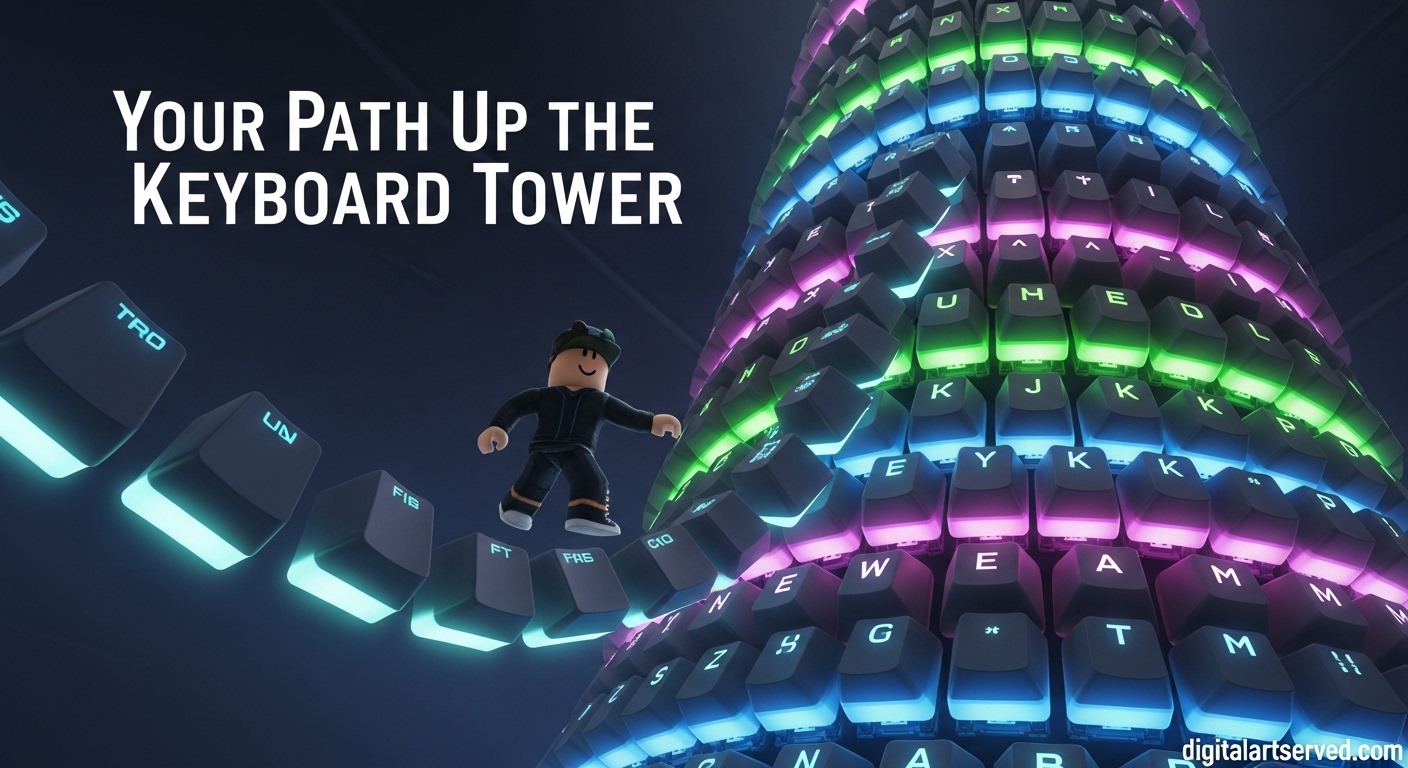
Welcome to the most comprehensive beginner’s guide for Keyboard ASMR Tower on Roblox! If you’ve ever wondered what it would be like to climb a tower made entirely of satisfying, clicky keyboard keys while experiencing the most relaxing ASMR sounds, you’re in for a treat. This guide will walk you through everything you need to know to master this addictive obby experience, from basic controls to advanced strategies that will help you reach the top with confidence.
Table of Contents
Quick Overview
| Feature | Details |
| Developer | Click Clack Studio |
| Game Type | Obby & Platformer / Tower Obby |
| Release Date | August 22, 2026 |
| Last Updated | October 11, 2026 |
| Active Players | 6,277+ |
| Total Visits | 88.7M+ |
| Server Size | 35 players |
| Voice Chat | Not Supported |
What is Keyboard ASMR Tower?
Keyboard ASMR Tower, also known as Clicky Keyboard Tower, is an innovative Roblox experience that combines the challenge of tower climbing with the satisfying sounds of ASMR keyboard clicks. Developed by Click Clack Studio, this game has quickly become a fan favorite since its release in August 2026, attracting millions of players who seek both challenge and relaxation in their gaming experience.
The concept is simple yet brilliant: you must climb a massive tower constructed entirely of keyboard keys, with each step producing that satisfying “creamy click” sound that ASMR enthusiasts love. But don’t be fooled by the relaxing premise – this game requires precision, patience, and skill to master. One wrong move, and you’ll find yourself back at the bottom, starting fresh.
What makes this game truly special is its perfect blend of challenge and relaxation. The ASMR elements create a calming atmosphere, while the tower climbing provides genuine gameplay depth that keeps players coming back for more. Whether you’re looking to unwind after a long day or test your platforming skills, Keyboard ASMR Tower delivers on both fronts.
How to Get Started in Keyboard ASMR Tower?
Getting started in Keyboard ASMR Tower is straightforward, but knowing the right approach can save you time and frustration. Here’s everything you need to know to begin your climbing journey:
Step 1: Joining the Game
- Search for the Game: Open Roblox and search for “Clicky Keyboard Tower” or “Keyboard ASMR Tower”
- Click Play: Select the game developed by Click Clack Studio (not to be confused with similar titles)
- Join the Group: For free in-game items, make sure to join the Click Clack Studio group before playing
- Enter the Server: You’ll be placed in a server with up to 34 other players
Step 2: Understanding the Lobby
When you first enter the game, you’ll spawn in the lobby area, which also serves as the base of the tower. Take a moment to familiarize yourself with the surroundings:
- Spawn Point: This is where you’ll appear each time you join or restart
- Tower Entrance: The main climbing path begins right in front of you
- Shop Area: Look for the store button to access Robux purchases
- Other Players: You’ll see other players climbing around you – watch and learn from their movements
Step 3: Basic Movement
Before you start climbing, get comfortable with the controls:
- WASD Keys: Use these for movement (W=forward, A=left, S=backward, D=right)
- Space Bar: Jump to reach higher platforms or avoid obstacles
- Mouse (Hold M2): Move your camera to get better views of the climbing path
- Click: Some keycaps may require clicking to activate or interact with
What Are the Core Gameplay Mechanics?
Understanding the core mechanics is essential for success in Keyboard ASMR Tower. Let’s break down each system in detail:
Movement and Physics
The game features smooth, realistic physics that make each step feel satisfying. The keyboard keys respond to your movement with authentic click sounds, and the physics engine ensures that jumps and landings feel natural.
Key Movement Tips:
- Take your time – rushing leads to mistakes
- Watch other players to learn the best paths
- Use the camera to plan your next move
- Some keys may have different properties (bouncy, slippery, etc.)
Checkpoints System
As you climb higher, you’ll encounter checkpoint tiles that save your progress. These are crucial for preventing frustrating falls from sending you all the way back to the beginning.
Checkpoint Features:
- Auto-Save: Simply stand on a checkpoint tile to save your progress
- Visual Indicators: Checkpoints are usually marked with different colors or patterns
- Strategic Placement: They’re typically placed after difficult sections
- One-Time Use: Once activated, you’ll respawn there if you fall
Health and Hazards
Not everything in the tower is safe to step on. The game includes a health system and various hazards that can end your climb prematurely.
Health System:
- HP Bar: You have a health bar that depletes when touching dangerous surfaces
- Passive Regeneration: Health slowly regenerates over time when not taking damage
- Death: If your HP reaches zero, you’ll respawn at your last checkpoint
Common Hazards:
- Lava Tiles: These drain your HP quickly – avoid them at all costs
- Falling: Long falls can cause damage or death
- Moving Platforms: Some keys move or rotate, requiring timing to navigate
Spin the Wheel Feature
Every 20 minutes of playtime, you earn one spin that can be used at the wheel for guaranteed rewards. This feature adds an element of progression and gives you something to work toward during extended play sessions.
Spin Rewards Include:
- Gravity Coil: Allows you to jump significantly higher
- Speed Boosts: Temporary movement speed increases
- Cosmetic Items: Various visual enhancements for your character
- Power-ups: Special abilities that make climbing easier
How to Navigate the Different Towers in October 2026?
Keyboard ASMR Tower features five separate towers that you can climb, each offering unique challenges and experiences. Here’s how to access and conquer each one:
Accessing Different Towers
- Open the Tower Menu: Click the Tower button on the right side of your screen
- Select Your Tower: Choose from the five available options
- Teleport: You’ll be instantly transported to the base of your chosen tower
- Start Climbing: Each tower has its own starting point and progression path
Tower Types and Characteristics
While specific tower names and details aren’t extensively documented, based on typical tower games and community observations, you can expect:
Tower 1: Beginner’s Tower
- Perfect for newcomers
- Gentle learning curve
- Fewer hazards
- More frequent checkpoints
Tower 2: Intermediate Challenge
- Moderate difficulty
- More complex platforming
- Introduction to moving elements
- Balanced checkpoint placement
Tower 3: Advanced Ascent
- Significant difficulty spike
- Precise timing required
- Multiple hazard types
- Strategic checkpoint locations
Tower 4: Expert’s Challenge
- Very difficult platforming
- Minimal room for error
- Complex movement patterns
- Fewer safety nets
Tower 5: Master Tower
- The ultimate challenge
- Requires mastery of all game mechanics
- punishing but fair design
- For the most dedicated players
Tower Selection Strategy
When choosing which tower to climb, consider:
- Your Skill Level: Start with easier towers and work your way up
- Time Available: Some towers take longer to complete than others
- Current Goals: Are you practicing, farming spins, or going for completion?
- Mood: Sometimes you want a relaxing climb, other times you want a challenge
What Are the Best Items and Power-Ups Available?
Keyboard ASMR Tower offers various items and power-ups that can enhance your climbing experience. Some are free, while others require Robux to purchase.
Free Items and Features
Group Rewards:
- Radio: Join Click Clack Studio group to unlock this item
- Spring Coil: Another group-exclusive item that enhances jumping
- Basic Trolls: Some trolling tools are available for free in the game world
Free Troll Locations:
- Spacebar Stairs Troll: Found on the second level, this free troll lets you disable stairs for other players
- Trampoline: Located by turning right from the spawn point, near the open balcony
Robux Purchases
For players willing to spend Robux, several powerful items are available:
Rainbow Magic Carpet (119 Robux)
- Allows you to hover in mid-air
- Extremely useful for passing difficult obstacles
- Provides a safe way to navigate tricky sections
- One of the most popular purchases
Jetpack (79 Robux)
- Enables short bursts of flight
- Perfect for skipping difficult sections
- Limited duration but rechargeable
- Great for speedrun attempts
Slap Gear (99 Robux)
- Allows you to slap other players
- Sends victims back to the beginning
- Purely for trolling and fun
- No competitive advantage
Grapple Hook (79 Robux)
- Lets you grab onto higher floors
- Excellent for skipping sections
- Requires skill to use effectively
- Can be combined with other items for advanced strategies
Item Strategy and Recommendations
For Beginners:
- Focus on free items first
- Learn the basic mechanics before purchasing
- The Spring Coil (free with group) is excellent for practice
For Intermediate Players:
- Consider the Grapple Hook for bypassing difficult sections
- The Jetpack offers good value for its price
- Save Robux until you’re committed to the game
For Advanced Players:
- The Rainbow Magic Carpet is worth the investment
- Multiple items can be combined for advanced strategies
- Consider items based on your preferred playstyle
How to Redeem Codes in October 2026?
Currently, Keyboard ASMR Tower does not have an active code redemption system. However, this section will guide you on what to do if codes are introduced in the future and explain the current methods for getting free items.
Current Status of Codes
As of the latest update, there are no confirmed active promo codes for Keyboard ASMR Tower. The game’s “free in-game items” promotion is tied to joining the developer’s group rather than entering codes.
How to Get Free Items Without Codes
Join Click Clack Studio Group:
- Go to the Roblox group page for Click Clack Studio
- Click “Join Group”
- Return to the game to receive your free items (Radio and Spring Coil)
In-Game Free Items:
- Look for the trampoline near spawn (turn right, open balcony)
- Find the free troll on the second level near spacebar stairs
- Participate in events when they occur
What to Do If Codes Are Added
If Click Clack Studio decides to add a code system in the future, here’s how it will likely work:
- Look for Codes Button: Check the game’s UI for a “Codes” or “Redeem” button
- Enter the Code: Type in the code exactly as shown (case-sensitive)
- Claim Rewards: Receive your items or benefits instantly
- Stay Updated: Follow official channels for new code announcements
Where to Find Future Codes
If a code system is implemented, check these sources:
- Official Discord: Join the ClickClack.io Discord server
- Developer Twitter: Follow Click Clack Studio’s official account
- Game Updates: Read patch notes for code announcements
- Community Sources: Check reliable Roblox code websites
What Are Advanced Tips and Strategies for Mastering the Tower?
Once you’ve mastered the basics, you’ll want to level up your game with these advanced strategies used by experienced players.
Movement Optimization
Precision Jumping:
- Time your jumps with the rhythm of the key sounds
- Use the edge of keys for maximum jump distance
- Practice wall-jumping between close keys
- Learn to control your air movement for better landings
Camera Control:
- Keep your camera positioned to see upcoming obstacles
- Use mouse look to check around corners before committing
- Adjust camera height for better depth perception
- Quick camera spins can help disorient less experienced players (in PvP scenarios)
Route Planning
Memorization Techniques:
- Break each tower into sections and memorize them individually
- Use landmarks (unique key colors, patterns) as mental markers
- Practice difficult sections repeatedly until they become muscle memory
- Record your attempts to review and improve your routes
Alternative Paths:
- Look for shortcuts that skip difficult sections
- Some towers have multiple paths to the top
- Experiment with different approaches to find what works best
- Watch other players to discover new routes
Item Combos
Advanced Item Usage:
- Combine Grapple Hook with Jetpack for maximum mobility
- Use Rainbow Magic Carpet to scout ahead safely
- Time Slap Gear usage for maximum trolling effect
- Stack movement-enhancing items when possible
Resource Management:
- Save limited-use items for the most difficult sections
- Time your Spin the Wheel usage for maximum benefit
- Balance between using items for progress and saving them for challenges
- Learn which items work best for specific tower types
Social Strategies
Multiplayer Tactics:
- Follow experienced players to learn optimal routes
- Use other players as distractions for hazards
- Coordinate with friends for synchronized trolling
- Learn from others’ mistakes without making them yourself
Community Engagement:
- Join the Discord server for tips and updates
- Participate in community events and challenges
- Share your discoveries with other players
- Stay updated on game changes and new features
What Are Common Mistakes to Avoid?
Even experienced players can fall into bad habits. Here are the most common mistakes and how to avoid them:
Movement Errors
Rushing Too Much:
- Mistake: Trying to climb too quickly leads to careless errors
- Solution: Take your time and focus on precision over speed
- Benefit: Fewer falls and more consistent progress
Poor Camera Management:
- Mistake: Not adjusting camera to see upcoming obstacles
- Solution: Regularly scan ahead and adjust your view
- Benefit: Better preparation for difficult sections
Ignoring Checkpoints:
- Mistake: Rushing past checkpoints without activating them
- Solution: Always stop on checkpoint tiles to save progress
- Benefit: Less frustration when you inevitably fall
Strategic Errors
Wasting Resources:
- Mistake: Using valuable items on easy sections
- Solution: Save power-ups for genuinely difficult parts
- Benefit: Resources available when you truly need them
Not Learning from Falls:
- Mistake: Repeating the same mistakes after falling
- Solution: Analyze what went wrong and adjust your approach
- Benefit: Continuous improvement and faster progress
Ignoring Free Items:
- Mistake: Not joining the group or finding free items
- Solution: Always claim all available free resources
- Benefit: Better equipped for challenges without spending Robux
Social Mistakes
Toxic Behavior:
- Mistake: Excessive trolling that ruins others’ experience
- Solution: Keep trolling fun and not malicious
- Benefit: Better community experience and less risk of reports
Not Observing Others:
- Mistake: Focusing only on your own climb
- Solution: Watch other players to learn new techniques
- Benefit: Faster skill development and discovery of new strategies
What Are Platform-Specific Tips and Considerations?
Keyboard ASMR Tower can be played on various devices, each with its own advantages and challenges. Here’s how to optimize your experience based on your platform:
PC/Mac Players
Advantages:
- Precise keyboard controls
- Better camera control with mouse
- Generally smoother performance
- Easier access to communication tools
Optimization Tips:
- Use a mechanical keyboard for the full ASMR experience
- Adjust graphics settings for optimal performance
- Consider using gaming peripherals for better control
- Take advantage of multiple monitors if available
Mobile Players
Challenges:
- Touch controls can be less precise
- Smaller screen size makes details harder to see
- Performance may vary based on device
- Battery drain during extended play
Mobile Optimization:
- Use a stylus for more precise touch control
- Adjust screen brightness for better visibility
- Close background apps to improve performance
- Consider using a controller if supported
Console Players
Considerations:
- Controller-based movement
- Different button layout
- Potential performance advantages
- Limited communication options
Console Tips:
- Customize controller settings if available
- Use a headset for the full ASMR audio experience
- Take advantage of console performance capabilities
- Consider keyboard attachment for better control
Cross-Platform Play
Since Roblox supports cross-platform play, keep these tips in mind:
- Communication: Use Roblox’s chat or emote system to communicate
- Performance: Different platforms may have different performance levels
- Controls: Be aware that others may have different control schemes
- Fair Play: Avoid exploiting platform-specific advantages
FAQ
How often does Keyboard ASMR Tower update?
The game receives regular updates, with the last major update occurring on October 11, 2026. Click Clack Studio typically focuses on improving tower design and player performance with each update. Join their Discord server or Roblox group to stay informed about future updates and new features.
Are there any working codes for Keyboard ASMR Tower?
Currently, there are no confirmed active promo codes for Keyboard ASMR Tower. The game’s free items are obtained by joining the Click Clack Studio group rather than entering codes. If a code system is implemented in the future, it will likely be announced through official channels.
What’s the best way to farm spins in Keyboard ASMR Tower?
Spins are earned automatically every 20 minutes of playtime. The best way to farm them is to simply stay active in the game. You can climb easier towers repeatedly or practice difficult sections while waiting for spins to accumulate. There’s no known way to speed up spin generation beyond normal play.
Can you play Keyboard ASMR Tower with friends?
Yes! The game supports multiplayer with up to 35 players per server. You can join the same server as friends by coordinating through Roblox’s friend system or having one player create a private server (if available). Playing with friends can make the experience more enjoyable and allow for cooperative strategies.
What’s the difference between Keyboard ASMR Tower and similar games?
Keyboard ASMR Tower stands out with its focus on authentic ASMR keyboard sounds and smooth physics. While other games may have similar tower-climbing mechanics, the attention to audio detail and satisfying key-click sounds make this game unique. The developer, Click Clack Studio, has specifically optimized the game for ASMR enthusiasts.
How do you get better at Keyboard ASMR Tower?
Improvement comes with practice and patience. Start with easier towers, focus on learning movement patterns, and don’t be afraid to fall. Watch experienced players, learn from your mistakes, and gradually work your way up to more challenging towers. Consistent practice is key to mastering the game’s mechanics.
Are there any secret areas or Easter eggs in Keyboard ASMR Tower?
While not extensively documented, many Roblox games include hidden areas and Easter eggs. Players have reported finding secret paths and hidden platforms in some towers. Exploring thoroughly and trying unusual routes may reveal these secrets. Join the community Discord to share discoveries with other players.
What should you do if you encounter bugs or glitches?
If you experience bugs or glitches, the best approach is to report them through the official channels. Join the Click Clack Studio Discord server or Roblox group to report issues. Provide detailed information about what happened, including screenshots if possible. This helps the developer improve the game for everyone.
Is Keyboard ASMR Tower suitable for children?
The game is generally suitable for all ages, featuring non-violent gameplay focused on climbing and ASMR sounds. However, the presence of trolling mechanics (like the Slap Gear) means some player interactions may not be suitable for very young children. Parents should review the game and consider their child’s maturity level.
Will there be new towers added to Keyboard ASMR Tower?
While not officially confirmed, the game’s popularity and regular update schedule suggest that new towers may be added in the future. Follow Click Clack Studio’s official channels for announcements about new content, features, and tower additions.
Conclusion
Keyboard ASMR Tower represents a perfect fusion of challenging gameplay and relaxing ASMR elements, creating an experience that’s both engaging and soothing. Whether you’re a seasoned Roblox player looking for your next challenge or someone seeking a calming gaming experience, this guide has equipped you with all the knowledge needed to succeed.
Remember that mastery comes with practice – don’t get discouraged by falls or difficult sections. Each attempt is an opportunity to learn and improve. Take advantage of the free items by joining Click Clack Studio, practice your movement precision, and most importantly, enjoy the satisfying sounds of those creamy keyboard clicks as you climb.
The game continues to evolve with regular updates, so stay connected with the community through Discord and social media to keep up with new features and towers. Your journey to the top of the Keyboard ASMR Tower awaits – take that first step, embrace the challenge, and let the satisfying clicks guide you to victory.
Happy climbing, and may your every step be perfectly clicky!