
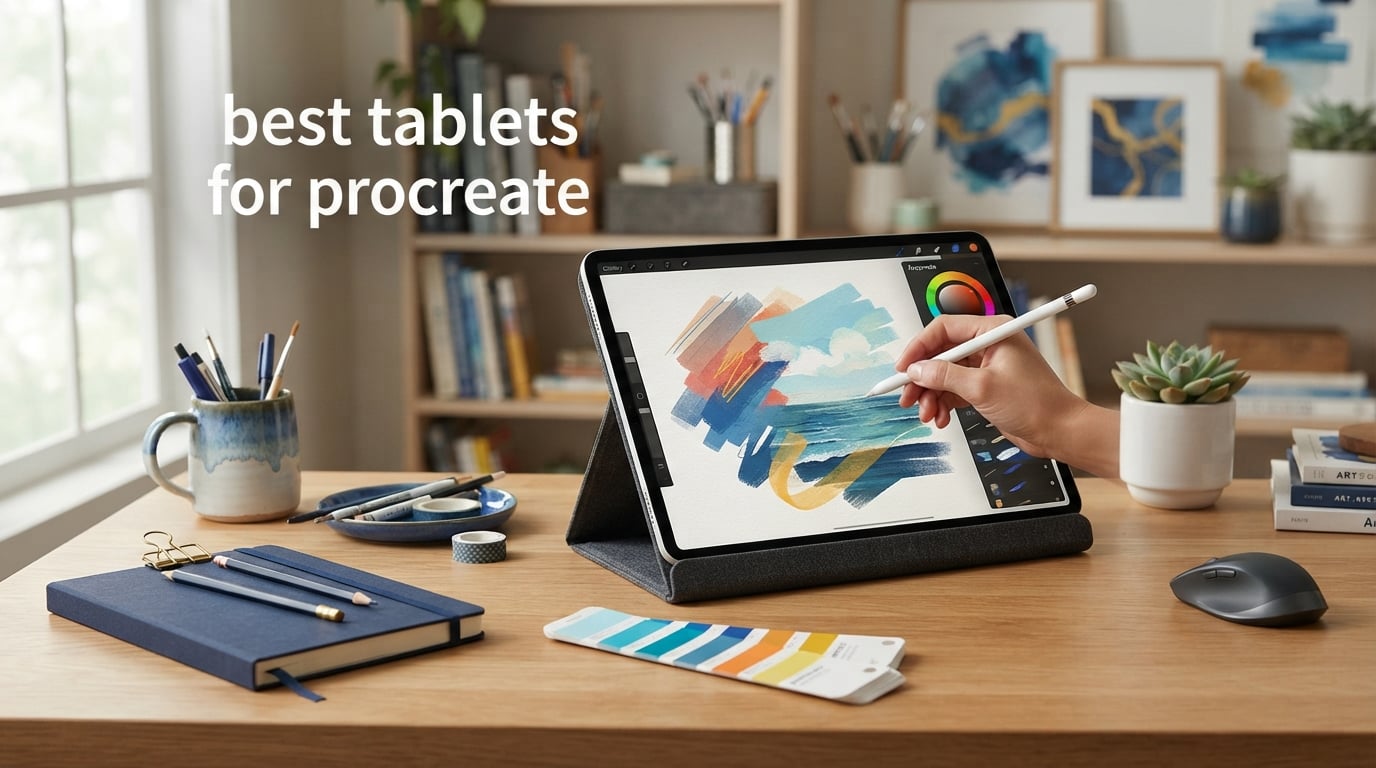
The best tablets for Procreate are iPads, because Procreate is available exclusively on Apple’s iPad devices. The right one is not automatically the fastest model: artists need to match the screen, Pencil support, storage, and processing headroom to the work they actually make.
I would start with canvas habits rather than a spec sheet. A person sketching character ideas on the train needs a very different iPad for digital art than an illustrator building layered poster files at a desk.
This guide compares eight verified iPads for digital artists using Procreate in 2026. For a wider device category view, see our best tablets for drawing guide; artists who also make layouts can compare our tablets for graphic design.
Table of Contents
The top 3 picks answer most Procreate needs in 2026
The M4 iPad Air 11-inch is my all-around choice, the M5 iPad Pro 13-inch gives working artists the largest high-performance canvas here, and the A16 iPad 11-inch is the straightforward starting point. Each runs iPadOS and supports a compatible Apple Pencil, but their drawing feel and room for demanding files differ.

The best tablets for Procreate in 2026 are all iPads in this comparison
The overview below keeps the choice practical: use the screen size and Pencil support to narrow the field first, then decide how much performance and storage your art practice calls for. Ratings and review totals are the analyzed listing figures.
| Product | Specifications | Action |
|---|---|---|
 iPad Air 11-inch (M4) iPad Air 11-inch (M4) |
|
View Details |
| iPad Pro 13-inch (M5) |
|
View Details |
 iPad 11-inch (A16) iPad 11-inch (A16) |
|
View Details |
 iPad Pro 13-inch (M4) iPad Pro 13-inch (M4) |
|
View Details |
 iPad Air 13-inch (M2) iPad Air 13-inch (M2) |
|
View Details |
 iPad mini (A17 Pro) iPad mini (A17 Pro) |
|
View Details |
 iPad Air 13-inch (M3) Renewed iPad Air 13-inch (M3) Renewed |
|
View Details |
 iPad 10th Generation iPad 10th Generation |
|
View Details |
1. The iPad Air 11-inch (M4) is the best overall choice for Procreate
Apple iPad Air 11-inch (M4): Liquid Retina Display, 256GB, 12MP Front/Back Camera, Wi-Fi 7 with Apple N1, Touch ID, All-Day Battery Life — Blue
M4 chip
11-inch Liquid Retina
256GB
Apple Pencil Pro
Pros
- M4 performance
- Apple Pencil Pro support
- 256GB storage
- lightweight design
Cons
- 60Hz display
- No LiDAR
The iPad Air 11-inch with M4 and 256GB is the balanced recommendation for artists who want a current Apple Pencil Pro experience without stepping into a Pro display. Its 11-inch Liquid Retina panel gives a useful working area while keeping the tablet light enough to carry between a studio, class, and sofa.
For Procreate, I see its M4 chip as the important part of the package. The supplied product data rates it very good for intermediate through advanced projects, so it makes sense for illustrations that have moved beyond quick practice sketches.
The display is a 60Hz Liquid Retina screen with strong color accuracy, but it does not have ProMotion. That distinction matters more to artists sensitive to the fluid look of a fast-refresh screen than to someone choosing a first serious iPad for digital art.
Its 256GB capacity is a sensible middle ground for a substantial library of canvases, timelapses, brushes, and reference files. Forum discussion repeatedly raises storage as a frustration, so I would treat this capacity as breathing room rather than a reason to stop backing up finished work.
The 11-inch M4 Air fits artists who move between workspaces
This model suits students, hobby artists, freelancers, and illustrators who split their time between a desk and a bag. Apple Pencil Pro support also makes it a stronger fit for people who care about the newer Pencil option rather than accepting only USB-C support.
It is the iPad Air for Procreate I would choose when portability matters but an 8.3-inch canvas would feel confining. Wi-Fi 7 is also part of this listed configuration, which is useful for syncing reference material and exported work when a compatible network is available.
The 60Hz display is the tradeoff artists should accept knowingly
Choose the Air when a Liquid Retina screen and M4 performance matter more than a 120Hz ProMotion panel. The absence of LiDAR has little bearing on brushwork or painting, so it should not decide an art-focused purchase.
Artists making their living from very large, layer-heavy documents may prefer the Pro models below for their maximum-performance positioning and Ultra Retina XDR displays. For most detailed illustration work, though, the Air’s feature mix is unusually well judged.
2. The iPad Pro 13-inch (M5) is the strongest pick for demanding professional art
Apple iPad Pro 13-inch (M5): Ultra Retina XDR Display, 256GB, Landscape 12MP Front Camera/12MP Back Camera, LiDAR Scanner, Wi-Fi 7 with Apple N1, Face ID, All-Day Battery Life — Space Black
M5 chip
13-inch Ultra Retina XDR
ProMotion 120Hz
256GB
Pros
- M5 performance
- 120Hz ProMotion
- Apple Pencil Pro
- large XDR canvas
Cons
- Large form factor
- 256GB base storage
The 13-inch iPad Pro with M5 is the model for artists who want the least compromise in working space and listed Procreate performance. Its Ultra Retina XDR display, 120Hz ProMotion, and Apple Pencil Pro compatibility make the drawing surface the headline feature.
A 13-inch screen changes composition work in a real way: tool panels take less of the canvas, reference windows feel less cramped, and fine line placement needs less pinching and zooming. That is especially helpful for comic pages, detailed painting, and full-session illustration rather than occasional doodling.
The product data identifies the M5 model as best-in-class for layer-heavy work and lists up to 16GB of RAM. Procreate’s actual layer allowance varies with canvas dimensions and memory use, but this is the most appropriate group here when layer headroom is a priority.
The base configuration has 256GB, while the range extends through 512GB, 1TB, and 2TB. Artists with a large local archive should plan file housekeeping from day one instead of assuming any internal capacity is permanent storage.
The M5 Pro serves artists whose canvases are their daily workspace
This is for professional illustrators, animators, and painters who spend long sessions in Procreate and want a 13-inch surface. The 120Hz ProMotion display is also the clear choice for artists who notice interface and stroke motion on a 60Hz screen.
Apple Pencil Pro and Apple Pencil USB-C are both compatible according to the listing, but Pencil Pro is the natural companion for an artist who wants the advanced Pencil route. Wi-Fi 7 and Apple N1 are included in this specific configuration.
The 13-inch size asks for a desk-first workflow
The large canvas is less convenient for one-handed reading, tight commuter bags, or drawing while standing. If your main habit is a few portable sketches each day, the 11-inch Air or iPad mini can be a more natural physical fit.
Nano-texture availability starts at 1TB on the listed range, so it is not a feature of every M5 capacity. The 256GB version remains compelling for people who transfer completed projects to external or cloud storage on a routine basis.
3. The iPad 11-inch (A16) is the simplest starting iPad for Procreate
Apple iPad 11-inch: A16 chip, 11-inch Model, Liquid Retina Display, 128GB, Wi-Fi 6, 12MP Front/12MP Back Camera, Touch ID, All-Day Battery Life — Blue
A16 chip
11-inch Liquid Retina
128GB
Apple Pencil USB-C
Pros
- A16 performance
- 128GB base storage
- 11-inch screen
- beginner friendly
Cons
- No Apple Pencil Pro
- 60Hz display
The A16 iPad gives new artists an 11-inch Liquid Retina display and 128GB of starting storage, which is a more comfortable foundation than the older 64GB configuration in this roundup. It is a direct choice for learning Procreate’s brushes, selections, layers, and animation tools without buying professional-only display features.
Its A16 chip is rated good for beginner to intermediate Procreate work. I would read that as ample room for regular sketching, study pieces, lettering, and standard illustrations, with more caution around very large canvases packed with many layers.
The listed Pencil options are Apple Pencil USB-C and Apple Pencil first generation. Neither is Apple Pencil Pro, so buyers who specifically want the Pro-compatible hardware path should move to the Air, mini, or Pro choices.
The screen is True Tone Liquid Retina at 60Hz. It gives you a modern 11-inch canvas, but it does not imitate the faster response presentation of the ProMotion models.
The A16 iPad suits beginners building consistent drawing habits
This model is a good fit for students, hobby artists, and first-time digital painters who need an iPad that can grow through the early stages of Procreate. The 128GB capacity is reasonable for starter projects and avoids the immediate pinch of a 64GB base.
I would pair its purchase decision with a Pencil compatibility check, then spend time learning the app before worrying about specialist specifications. A compatible Pencil is the part that turns the tablet screen into a comfortable drawing tool.
The A16 iPad has limits for artists chasing a Pro-style experience
Skip this model if Apple Pencil Pro is non-negotiable or if you already make complex files that regularly strain a base device. The 60Hz screen also means artists accustomed to ProMotion should not expect the same visual response.
For standard projects, its limitation is not that it cannot run Procreate; it can. The question is whether your work is likely to outgrow its performance class and Pencil options sooner than you want.
4. The iPad Pro 13-inch (M4) is the storage-forward Procreate workstation
Apple iPad Pro 13-Inch (M4): Built for Apple Intelligence, Ultra Retina XDR Display, 512GB, 12MP Front/Back Camera, LiDAR Scanner, Wi-Fi 6E, Face ID, All-Day Battery Life — Space Black
M4 chip
13-inch Ultra Retina XDR
512GB
ProMotion 120Hz
Pros
- M4 performance
- 512GB storage
- 120Hz ProMotion
- Apple Pencil Pro
Cons
- Large format
- Pro-level feature set
The M4 iPad Pro 13-inch in this configuration pairs a professional-sized canvas with 512GB of storage. That combination speaks directly to a common artist problem: active Procreate files, exported timelapses, reference folders, and brush assets can all coexist locally for longer before a cleanout is needed.
Its 13-inch Ultra Retina XDR display has ProMotion at 120Hz and exceptional color accuracy in the analyzed data. For color-sensitive illustration, the display is a meaningful differentiator from the Liquid Retina iPads, not just a more impressive model name.
The M4 chip and up-to-16GB RAM specification are positioned for maximum layer counts and excellent professional use. I would not promise a fixed layer number, because Procreate changes the allowance with the canvas size and document settings, but this is the right class for artists who hit limits on more modest hardware.
Apple Pencil Pro and Apple Pencil USB-C support are listed. LiDAR is also included, although its presence is secondary to display quality, storage, and Pencil support for ordinary painting and illustration.
The 512GB M4 Pro helps artists who retain active projects locally
Choose this configuration if several long-running client jobs or personal series need to remain on the iPad at once. The larger internal capacity can make a working library less stressful, yet completed work should still be copied to a second location.
It is also a strong fit for illustrators who edit many source images, record timelapses, or use the tablet as a main creative station. Wi-Fi 6E and Face ID round out the listed hardware, but the art case is the 13-inch ProMotion XDR surface.
The M4 Pro is less necessary for simple canvas work
New artists working at ordinary canvas sizes may not notice the full advantage of the M4 Pro immediately. The M4 Air has the same listed chip family and a more compact body, while retaining Apple Pencil Pro support.
The broad 13-inch chassis also favors a seated workflow. People who want a tablet chiefly for quick plein-air studies or travel sketches will probably enjoy the mini’s footprint more.
5. The iPad Air 13-inch (M2) gives artists a large Liquid Retina canvas
Apple iPad Air 13-inch (M2): Built for Apple Intelligence, Liquid Retina Display, 256GB, 12MP Front/Back Camera, Wi-Fi 6E, Touch ID, All-Day Battery Life — Space Gray
M2 chip
13-inch Liquid Retina
256GB
Apple Pencil Pro
Pros
- Large 13-inch canvas
- M2 performance
- Apple Pencil Pro
- 256GB storage
Cons
- No OLED display
- No Face ID
The 13-inch iPad Air with M2 is for artists who prioritize seeing more of the artwork at once but do not need the full Pro display specification. Its P3 wide-color Liquid Retina screen gives the breathing room that makes large compositions and reference-led painting more comfortable.
The listed M2 chip provides strong performance and is described as handling multitasking smoothly for large-canvas Procreate projects. It is a sensible middle path for an artist who wants an M-series iPad and a big display for illustration.
Apple Pencil Pro and Apple Pencil USB-C are supported, so Pencil compatibility does not force a step up to an iPad Pro. The 256GB configuration gives serious users a useful amount of local workspace for moderate libraries.
The screen remains Liquid Retina rather than Ultra Retina XDR, and the product data does not list ProMotion. This is the model for canvas size first, not for shoppers whose priority is the high-refresh Pro display.
The 13-inch M2 Air works for artists who need room for composition
Pick it for poster layouts, graphic illustration, comic thumbnails, and painting where the extra canvas area changes how you frame the piece. It also works well when reference images, layer panels, and the artwork need to coexist without making the canvas feel tiny.
Our forum research shows that screen size produces the most debate because there is no universal answer. For a desk-based artist, 13 inches is often easier on the eyes; for a frequent traveler, it can feel like more tablet than needed.
The Liquid Retina display is the decision point against the Pro models
Artists who make careful color judgments or who place great weight on the 120Hz ProMotion experience should compare this Air directly with the M4 and M5 Pro options. Those models have Ultra Retina XDR displays and listed ProMotion support.
For everyone else, the M2 chip, large display, Touch ID, and Apple Pencil Pro support form a focused art setup. The absence of Face ID affects unlocking convenience, not Procreate’s drawing tools.
6. The iPad mini (A17 Pro) is the best compact Procreate sketchbook
Apple iPad mini (A17 Pro): Apple Intelligence, 8.3-inch Liquid Retina Display, 128GB, Wi-Fi 6E, 12MP Front/12MP Back Camera, Touch ID, All-Day Battery Life — Space Gray
A17 Pro chip
8.3-inch Liquid Retina
128GB
Apple Pencil Pro
Pros
- Very portable
- A17 Pro performance
- Apple Pencil Pro
- 10.4-ounce weight
Cons
- Small 8.3-inch canvas
- 128GB can fill quickly
The iPad mini is the clear answer for an artist who wants Procreate in a small, 10.4-ounce device. Its 8.3-inch Liquid Retina display will not replace a 13-inch desk canvas, but its compact dimensions make it much easier to bring when inspiration turns up away from home.
The A17 Pro chip is rated good for casual and portable Procreate use, and Apple Pencil Pro support is a major advantage for a small iPad. I like this match for daily sketching, visual note-taking, color studies, and developing concepts before moving them to a larger canvas.
The panel includes P3 wide color, while the form factor puts a firm limit on physical workspace. Detailed line work is possible, yet the toolbars and hand position consume more of the image area than they do on an 11-inch or 13-inch model.
This listing begins at 128GB and goes to 512GB. The analyzed storage note recommends 256GB or more for extensive projects, which rings true for artists who keep a lot of timelapses and source material on the device.
The mini fits artists who sketch wherever they happen to be
This is the portable tablet for drawing I would pick for commuters, travelers, convention artists, and people who want a genuine digital sketchbook. Wi-Fi 6E, Touch ID, and an all-day battery claim support the grab-and-go idea, while the Pencil Pro keeps the input familiar.
It is also a thoughtful companion device for an artist who already owns a large monitor or iPad. Short sessions can begin on the mini, then finished files can be managed as part of a broader workflow.
The 8.3-inch screen is the limitation to test with your own hand position
Do not choose the mini solely because it has a fast chip and Pencil Pro support. If your pieces depend on a broad view of the whole composition, cramped panels and repeated zooming can interrupt the way you work.
It is better as a compact creative tool than as a default professional workspace. Artists who draw for hours at a time should seriously compare it with the 11-inch Air before deciding.
7. The renewed iPad Air 13-inch (M3) is the large-screen refurbished option
Apple iPad Air (M3, 13-inch, 2025), 256GB, Wi-Fi, Blue (Renewed)
M3 chip
13-inch Liquid Retina
256GB
8GB RAM
Pros
- M3 performance
- 13-inch display
- 256GB storage
- 8GB RAM
Cons
- Renewed condition
- 90-day warranty
- lower review total
This renewed 13-inch iPad Air combines an M3 chip, 8GB RAM, and 256GB of storage in a large Liquid Retina format. It gives buyers who are open to a certified refurbished product a route to M-series performance and a broad drawing workspace.
The analyzed data rates its Procreate performance as good value and says its 8GB RAM and M3 chip provide strong performance. For moderate projects, that is a sound technical starting point, especially when a 13-inch display is more useful than compact portability.
There are two facts I would keep front and center: this is a renewed item, and the supplied listing states a 90-day warranty. The review count is also lower than for several other choices, so condition expectations deserve more attention than with a typical new listing.
Its display is listed at 600 nits brightness and remains Liquid Retina. That gives the artist a large viewing surface, but it is not an Ultra Retina XDR or listed ProMotion tablet.
The renewed M3 Air suits artists comfortable checking condition details
This choice fits an illustrator who wants a big screen, 256GB, and M-series capability, and who is comfortable with refurbished hardware. Forum discussion shows that refurbished iPads are commonly considered by cost-conscious artists, but inspection and warranty terms are part of the decision.
The listed stylus note says it supports Apple Pencil, so confirm the exact Pencil pairing and the included-condition details on the product page before ordering accessories. That small check prevents the most common Apple Pencil generation confusion.
The renewed status makes this a more deliberate purchase than a new iPad
Possible cosmetic wear and the short listed warranty are real compromises, not footnotes. Buyers who want the longest available coverage or a pristine device may prefer a new iPad Air or iPad Pro instead.
Artists who can accept those conditions receive a 13-inch M3 device with 8GB RAM and 256GB storage in the analyzed configuration. It is strongest when big-canvas work matters more than having the newest iPad generation.
8. The iPad 10th Generation is the basic choice for casual Procreate work
Apple iPad (10th Generation): with A14 Bionic chip, 10.9-inch Liquid Retina Display, 64GB, Wi-Fi 6, 12MP front/12MP Back Camera, Touch ID, All-Day Battery Life – Silver
A14 Bionic
10.9-inch Liquid Retina
64GB
Apple Pencil 1st gen
Pros
- A14 performance
- 10.9-inch True Tone display
- Wi-Fi 6
- casual art capable
Cons
- 64GB storage
- 60Hz display
The 10th Generation iPad brings a 10.9-inch Liquid Retina display, A14 Bionic chip, and first-generation Apple Pencil support to casual and intermediate Procreate use. It remains capable of getting someone into the app, but the 64GB configuration needs a more disciplined file habit than any 128GB or 256GB option above.
The A14 Bionic is listed as solid performance, and the screen includes True Tone. I would view it as a friendly digital drawing tablet for practice, studies, hobby illustration, and learning the mechanics of layers rather than as the place to push large production files.
Its display tops out at 60Hz and has no ProMotion. That is not a blocker for making art, but artists comparing stroke movement side by side with a Pro model can see why the refresh specification belongs in this guide.
The Pencil compatibility is specifically Apple Pencil first generation. Confirm the Pencil you already own before selecting this iPad, because buying the wrong generation is an avoidable and frequent drawing-accessory mistake.
The 10th Generation iPad fits casual artists who manage files actively
This model works for a person who makes smaller projects, exports finished pieces, and does not keep every reference set on the iPad. Its 10.9-inch screen offers more room than the mini, which can make it more comfortable as a first tabletop art device.
Wi-Fi 6, Touch ID, front and rear 12MP cameras, and all-day battery life are part of the listing. Those additions help general iPad use, although the art decision still comes down to the A14, storage, and first-generation Pencil support.
The 64GB capacity is the reason to choose carefully
Large canvases, recorded timelapses, photos, and downloaded reference images can consume space faster than a new artist expects. Export completed pieces and remove duplicate downloads regularly if this is the configuration you choose.
Artists who already know they want a growing library should look at the A16 iPad’s 128GB base or the 256GB Air and Pro configurations. That removes storage pressure without changing the fundamental iPad-only Procreate requirement.
The right Procreate iPad depends on Pencil, screen, files, and layer needs
Start with compatibility: Procreate is an iPad app, not an Android app. A Samsung tablet may be a capable drawing device in other apps, but it cannot run the full iPad version of Procreate.
The compatible Apple Pencil should be chosen before accessories
Apple Pencil support is not identical across these eight iPads. The M4 Air, M5 Pro, M4 Pro, M2 Air, and iPad mini list Apple Pencil Pro and Apple Pencil USB-C; the A16 iPad lists Apple Pencil USB-C and first generation; the 10th Generation iPad lists first generation.
The renewed M3 Air listing only says Apple Pencil support, so check the precise compatible Pencil before adding one to an order. This is worth doing even if you own a Pencil already, because Apple’s Pencil generations do not all pair with the same models.
For drawing, the Pencil provides pressure and tilt input that makes Procreate feel more like a natural art surface. Pencil Pro support may matter to artists who want that compatible Pencil generation, while the basic requirement is having any listed compatible Pencil in hand.
The screen size should match the way you hold and compose art
An 8.3-inch iPad mini favors portable sketching, fast color thumbnails, and visual notes. An 11-inch iPad is the flexible middle size for most people, while a 13-inch iPad feels closest to a dedicated desk canvas.
Bigger is not always better. A 13-inch model leaves more room for the canvas and panels, but a smaller iPad gets used more often if it fits the bag you carry daily.
The panel technology is a separate choice from size. The iPad Pro models here add Ultra Retina XDR and 120Hz ProMotion, while the Air, standard iPad, and mini use Liquid Retina displays at the listed 60Hz where applicable.
The layer limit depends on canvas dimensions and available memory
Layer limits are not a single score stamped on every iPad. In Procreate, a larger canvas uses more memory per layer, so the same device can allow fewer layers on a huge document than on a smaller one.
This is why forum users correctly focus on RAM more than storage for immediate drawing performance. The analyzed M4 and M5 Pro data lists up to 16GB RAM and maximum layer-oriented performance, while the renewed M3 Air lists 8GB RAM; several other listings do not specify RAM.
Use a Pro model if your normal files have many layers, large dimensions, or demanding illustration work. Do not assume storage creates more layers: storage holds files, while memory availability and canvas size shape the working document’s layer allowance.
The storage plan should include regular project housekeeping
Storage affects how many canvases, exports, timelapses, references, and app assets remain on the iPad. A 64GB configuration can work for a light workflow, but it puts more pressure on deleting duplicates and moving finished jobs off the device.
For a growing body of work, 128GB is a calmer starting point and 256GB is a practical working capacity in several analyzed models. The M4 Pro configuration’s 512GB is particularly appealing for artists who keep multiple active projects locally.
Build a simple routine: export finished art, retain the source file where you can retrieve it, then remove unused downloads and duplicate references. This practice is more useful than waiting for the storage alert during a deadline.
The new-versus-renewed choice comes down to condition tolerance
A renewed iPad can be a practical route to strong specifications, but it should be assessed as its own category. The renewed M3 Air in this guide lists possible cosmetic wear, a 90-day warranty, and a lower review count.
Check the listed condition, included accessories, Pencil compatibility, and return terms before choosing a renewed device. A new model is simpler for buyers who want the most straightforward coverage and condition expectation.
The most common Procreate compatibility questions have clear answers
Can you put Procreate on any tablet?
No. Procreate is available exclusively on iPad devices, so it cannot be installed as the full app on Android tablets or other tablet platforms. Choose an iPad with a compatible Apple Pencil when your goal is drawing in Procreate.
What drawing tablet has Procreate?
An Apple iPad has Procreate. The iPad Air 11-inch M4 is the broad all-around pick in this guide, while the iPad Pro 13-inch models suit demanding large-canvas work, the A16 iPad suits beginners, and the iPad mini suits portable sketching.
What devices can run Procreate?
Procreate runs on compatible iPads using iPadOS. The models reviewed here are the iPad 10th Generation, iPad 11-inch A16, iPad Air 11-inch M4, iPad Air 13-inch M2, renewed iPad Air 13-inch M3, iPad mini A17 Pro, iPad Pro 13-inch M4, and iPad Pro 13-inch M5.
Is an iPad or Samsung tablet better for digital art?
For Procreate specifically, an iPad is the only choice because Procreate is iPad-only. A Samsung tablet can be useful for digital art in other drawing apps, but it cannot run Procreate; compare screen size, compatible stylus support, file needs, and the drawing app you plan to use before choosing a platform.
The iPad Air 11-inch M4 is the right first recommendation for most artists
For most people comparing the best tablets for Procreate, the iPad Air 11-inch M4 has the most balanced mix of current performance, 256GB storage, 11-inch portability, and Apple Pencil Pro support. Move to a 13-inch Pro when the canvas is your central workspace, choose the A16 iPad for a simpler start, or choose the mini when portability decides the matter.
Pick the model that matches your usual canvas size and file habits, then verify the compatible Pencil before you place an order. In 2026, that simple sequence is more useful than buying specifications your art routine will never use.