
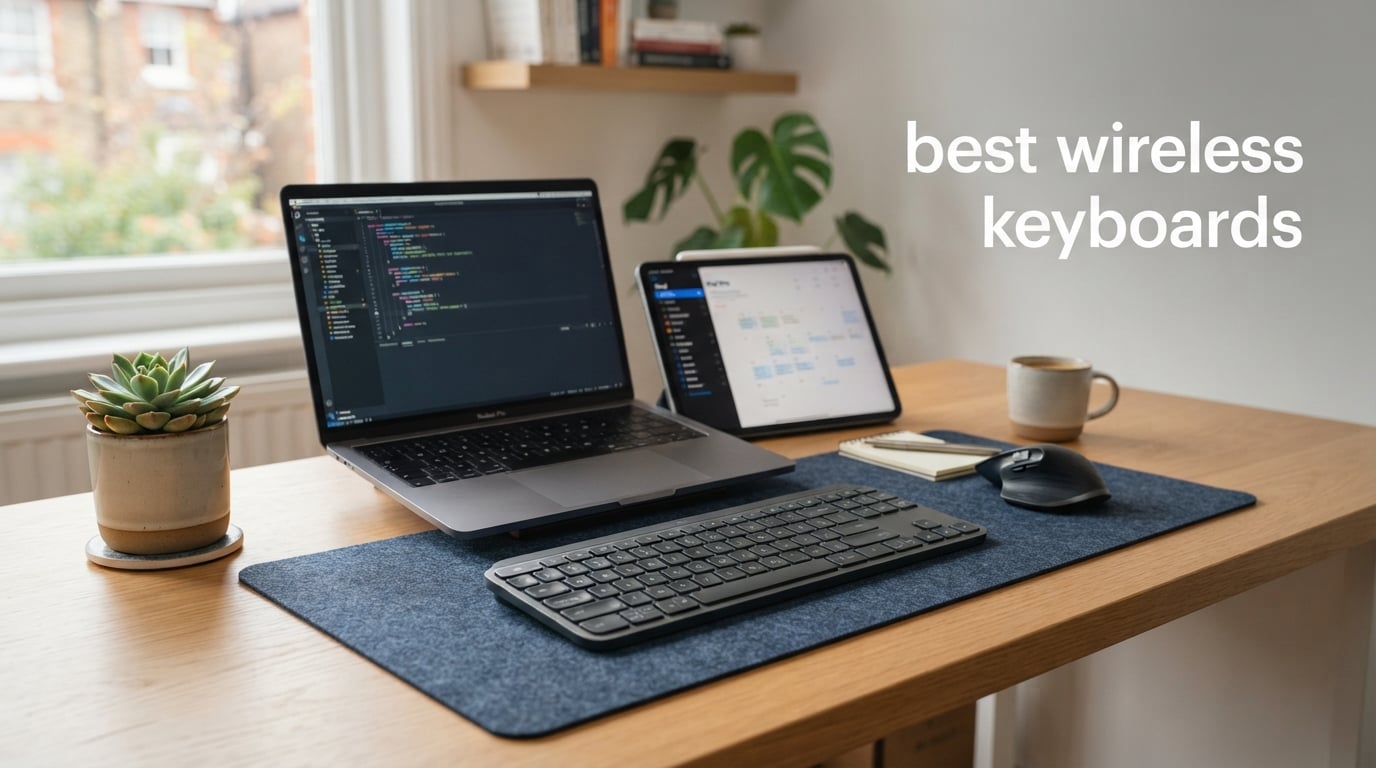
The best wireless keyboards make a desk feel less tied down without asking you to give up the layout, switches, or connection method you prefer. Wireless can mean Bluetooth paired straight to a laptop or tablet, a 2.4 GHz USB receiver, or both; the difference matters far more than the word “wireless” on the box.
For most people who want a compact mechanical board, I would start with the AULA F75 Pro. It combines 2.4 GHz, Bluetooth 5.0, and USB-C connections with an 81-key 75% layout, hot-swappable switches, a 4000mAh battery, and a 4.7-star rating from 1.6k reviews.
If competitive play is the priority, the Keychron K2 HE brings Hall Effect magnetic switches, Rapid Trigger, a 1000Hz polling rate over 2.4 GHz, and adjustable actuation from 0.2 to 3.8 mm. For a simple full-size office board, the TECKNET is the quiet pick because its product details claim 90% less typing noise, plus spill resistance and adjustable feet.
Our selection covers all 10 models supplied for this guide, from mechanical gaming boards to quiet membrane and scissor-switch options. I compared the listed connectivity, key count, battery claims, switch design, supported systems, customer ratings, and the limits that buyers should know before choosing.
Table of Contents
The top three picks answer the broadest wireless keyboard needs in 2026
The AULA F75 Pro is our best-value mechanical choice because it has tri-mode connection, hot-swappable switches, sound-dampening layers, and a compact layout. The Keychron K2 HE is the specialist option for players who want magnetic-switch settings, while the Soueto is the straightforward full-size choice for a backlight and a built-in phone or tablet holder.
None of these three is automatically right for every desk. A number-pad workflow points toward the ASUS, Soueto, Logitech K250, EDJO, Redragon, or Harburfine, while a quiet shared office points toward TECKNET, EDJO, Redragon, or Harburfine instead of a mechanical board.
The best wireless keyboards in 2026 are easier to compare by connection and layout
Start with the receiver type and the keys you cannot live without. A 2.4 GHz receiver is usually the cleanest fit for one desktop, while Bluetooth makes sense when a USB port is scarce or you move between a laptop, tablet, and phone.
The comparison below includes every keyboard in this guide. Its short feature labels are a quick filter, not a replacement for the connection and compatibility details in each review.
| Product | Specifications | Action |
|---|---|---|
 AULA F75 Pro AULA F75 Pro |
|
Check Latest Price |
 ASUS ROG Strix Scope II 96 ASUS ROG Strix Scope II 96 |
|
Check Latest Price |
 Logitech G515 TKL Logitech G515 TKL |
|
Check Latest Price |
 Keychron K2 HE Keychron K2 HE |
|
Check Latest Price |
 Soueto Wireless Keyboard Soueto Wireless Keyboard |
|
Check Latest Price |
 TECKNET Wireless Keyboard TECKNET Wireless Keyboard |
|
Check Latest Price |
 Logitech K250 Logitech K250 |
|
Check Latest Price |
 EDJO Wireless Keyboard EDJO Wireless Keyboard |
|
Check Latest Price |
 Redragon BK7367 Redragon BK7367 |
|
Check Latest Price |
 Harburfine Wireless Keyboard Harburfine Wireless Keyboard |
|
Check Latest Price |
1. AULA F75 Pro Is Our Best Overall Wireless Mechanical Keyboard
AULA F75 Pro Wireless Mechanical Keyboard,75% Hot Swappable Custom Keyboard with Knob,RGB Backlit,Pre-lubed Reaper Switches,Side Printed PBT Keycaps,2.4GHz/USB-C/BT5.0 Mechanical Gaming Keyboards
81 keys
Tri-mode 2.4G Bluetooth USB-C
4000mAh battery
Pros
- Tri-mode connects up to 5 devices
- Hot-swappable switch support
- Five sound-dampening layers
- Knob for media and lighting
Cons
- Compact layout omits a numpad
- Driver customization has a learning curve
The AULA F75 Pro is the strongest all-rounder here for someone who wants a smaller wireless mechanical keyboard without giving up useful hardware controls. Its 81-key 75% layout keeps arrows and a function row, and the multi-function knob handles backlight or media adjustments without hunting through key combinations.
I like that the connection list is concrete rather than vague: Bluetooth 5.0, 2.4 GHz wireless, and USB-C are all included. The product information says this tri-mode setup can connect to as many as five devices, which is unusually flexible for a compact board.
Typing-oriented details are the reason it takes the top spot. It has pre-lubed stabilizers and Leobog Reaper linear switches, plus PCB single-key slotting and five layers of filling material intended to soften the sound and feel.
That does not make it a silent keyboard; a mechanical switch still has a more present sound than a membrane or scissor switch. It is a better fit for a home desk, gaming setup, or personal office than for a room where near-silent typing is the first requirement.
A 75% layout keeps the keys most compact-board users need
The 75% format is a practical middle ground if your mouse needs more room but you still use arrows and function shortcuts. It does not include a number pad, so frequent spreadsheet entry is the clear reason to look at the ASUS Scope II 96 or one of the full-size models.
The side-printed PBT keycaps use double injection molding and heat sublimation according to the listed features. PBT is commonly chosen for a textured feel, and the side legends give this particular board a more minimal top surface.
Tri-mode connection makes this a real multi-device keyboard
The 2.4 GHz receiver is the connection I would favor for a fixed desktop or game system, while Bluetooth is more useful for a tablet, phone, or laptop. USB-C also gives you a wired fallback when charging or when you prefer a cable.
The 4000mAh battery capacity is substantial on paper, though no hour figure is supplied, so I would not turn it into an invented battery-life promise. RGB lighting generally consumes more power, so switching the lighting off is a sensible way to stretch any rechargeable keyboard between charges.
2. ASUS ROG Strix Scope II 96 Is the Best Wireless Keyboard with a Compact Numpad
ASUS ROG Strix Scope II 96 Wireless Mechanical Gaming Keyboard – 96% Full-Size, Tri-Mode Connectivity, Hot Swappable Pre-lubed ROG NX Snow Linear Switches, PBT Keycaps, RGB, PC/Mac Support-Black
96% with numpad
Tri-mode and 1500-hour claim
Hot-swappable linear switches
Pros
- Compact layout retains number pad
- ROG SpeedNova 2.4GHz connection
- Up to 1500-hour battery claim
- Detachable wrist rest
Cons
- Product listing says Windows only
- Full-size needs more space than TKL
The ASUS ROG Strix Scope II 96 answers a common problem: you need a number pad, but a conventional full-size keyboard takes too much desk width. Its 96% layout retains that numeric cluster in a 14.84 by 5.16 inch chassis, while the listed three tilt positions and detachable wrist rest make it easier to tailor the angle.
This is the right pick for a person who crosses between gaming, data entry, and media work at one desk. The multi-function wheel and programmable keys have a clearer everyday payoff than RGB alone, especially if volume, recording, or repeated shortcuts are part of your routine.
Its ROG NX Snow linear switches are factory pre-lubed and hot-swappable. Sound-dampening foam and switch pads are also part of the design, a useful attempt to reduce the hollow or sharp sound that can make mechanical boards tiring in a quiet room.
The manufacturer claims up to 1,500 hours in 2.4 GHz mode, which is the largest explicit battery claim in this selection. Battery results depend on settings and use, so treat that number as a manufacturer maximum, not a promise for RGB-heavy use.
A compact number pad makes this better for mixed work and play
Number pads are not just for finance work; they help with timelines, shortcuts, and repeated numeric input. The Scope II 96 gives that functionality while taking less space than a traditional 100% board, so your mouse can sit closer to the typing position.
At 2.8 pounds, this is more of a stay-at-the-desk keyboard than a travel accessory. That weight can be a plus when you do not want a board sliding around during energetic games or long sessions.
ROG SpeedNova offers a dedicated gaming-oriented 2.4 GHz option
The keyboard supports Bluetooth for three devices, ROG SpeedNova 2.4 GHz wireless, and wired USB. That choice gives it a more flexible connection set than a receiver-only office keyboard and lets you separate desktop play from Bluetooth devices.
Review data shows a 4.6-star rating from 1k reviews, a healthy signal but not a substitute for checking your platform. The supplied review data flags Windows-only compatibility even though the feature list mentions PC and Mac, so prospective Mac users should confirm current support directly before ordering.
3. Logitech G515 LIGHTSPEED TKL Is the Best Slim Wireless Gaming Keyboard
Logitech G515 Lightspeed TKL Wireless Gaming Keyboard (Tactile) - Black
Slim TKL
LIGHTSPEED Bluetooth USB-A
GL Brown tactile switches
Pros
- Thin tenkeyless footprint
- 1ms LIGHTSPEED report rate
- Tactile factory-lubed switches
- Durable double-shot PBT keycaps
Cons
- Switches are not hot-swappable
- Listing identifies Windows compatibility
The Logitech G515 is the better fit when you want a gaming wireless keyboard that stays low and leaves room for a large mouse pad. Its tenkeyless body has 90 keys, removing the number pad while retaining the main typing area, arrows, and navigation controls.
Its GL Brown tactile switches are a meaningful distinction from the linear switches on several gaming picks. They add a discernible bump during a keypress, which can feel more communicative for typing and games where you want to sense the press without a loud click mechanism.
For wireless gaming, the key specification is the 1ms report rate through LIGHTSPEED. The board also offers Bluetooth and USB-A wired operation, so it can cover a main PC and a secondary Bluetooth device without becoming a single-purpose peripheral.
The listed battery claim is up to 36 hours of continuous play. That is much shorter than the ASUS claim, but the G515 also has LIGHTSYNC RGB and a thin chassis, so choose it for the low-profile TKL form rather than for an extreme battery figure.
A low-profile TKL shape gives mouse-focused players more space
Removing the number pad shifts the typing area closer to the center of the desk. For a player who uses broad mouse movements, that can be more comfortable than reaching far to the side around a full-size board.
The thin design may also be more comfortable if you dislike the tall front edge common on standard-height mechanical keyboards. A wrist rest is not listed with this model, so buyers who need a lifted wrist position should plan their desk setup accordingly.
Tactile switches suit people who type and game on one keyboard
Brown tactile switches are not silent, but they usually avoid the overt click sound of clicky switches. The factory-lubed treatment and double-shot PBT keycaps point toward a refined everyday feel, even if the sound will still be more noticeable than a membrane board.
There is no hot-swap support, so the included switch feel is the commitment. That limitation matters if you enjoy experimenting with switches; it matters much less if you simply want a slim, finished gaming board with programmable KEYCONTROL functions.
4. Keychron K2 HE Is the Best Wireless Keyboard for Adjustable Magnetic Switches
Keychron K2 HE Rapid Trigger Wireless Magnetic Custom Keyboard
84-key 75%
Magnetic switches 0.2-3.8 mm
2.4 GHz Bluetooth USB-C
Pros
- Rapid Trigger response
- Adjustable actuation range
- 1000Hz 2.4GHz polling
- QMK and web configuration
Cons
- Key legends do not shine through
- Only compatible with matching magnetic switches
The Keychron K2 HE is a focused choice for people who want to tune how a key responds rather than merely choose a switch color. Its Gateron Double-Rail Hall Effect magnetic switches offer adjustable actuation from 0.2 to 3.8 mm in 0.1 mm steps, and its Rapid Trigger feature resets based on real-time key travel.
That makes this one of the more technical best wireless keyboards for fast games, coding shortcuts, and enthusiasts who enjoy settings. The Launcher web configurator is a welcome detail for buyers who dislike mandatory desktop software, and QMK support adds another route to customization.
The board uses an 84-key 75% layout, 2.4 GHz wireless, Bluetooth 5.2, and USB-C. It also has a 1000Hz polling rate over 2.4 GHz, which gives the gaming connection a stated performance advantage over a basic office receiver.
The aluminum-and-wood frame is unusual in this group and makes the K2 HE a visually distinct desk piece. The reported 4.5-star rating comes from 411 reviews, so it has a smaller review base than the AULA, ASUS, or Soueto models.
Adjustable actuation gives this keyboard its main reason to exist
Actuation is the point in a keypress where the keyboard registers an input. A shallow 0.2 mm setting can react with very little travel, while a deeper setting can reduce accidental presses if you rest fingers heavily on keys.
Rapid Trigger is most useful for rapid directional changes because the reset reacts to movement rather than waiting for a fixed reset point. It is a specialist gaming feature, not a requirement for email or document work.
Mac Windows and Linux support makes the K2 HE broadly adaptable
The supplied specifications list compatibility with Mac, Windows, and Linux, a strength for mixed-device households and developers. Bluetooth 5.2 is the easiest route for a laptop or tablet, while the 2.4 GHz receiver is the logical choice for a gaming PC.
The keycaps are non-shine-through PBT, so RGB will not illuminate the legends. That is a real drawback if you type in low light and rely on lit labels, though it will not affect touch typists or people who prefer the durable PBT surface.
5. Soueto Wireless Keyboard Is the Best Backlit Full-Size Budget Option
Soueto Wireless Keyboard with 7-Color RGB Backlit, Full-Size Computer Keyboard with Phone Tablet Holder, 2.4G Rechargeable Gaming Keyboard with Light Up Keys, Compatible with Mac, Windows (Black)
116 keys with device holder
2.4G USB receiver
7-color backlight
Pros
- Built-in 8.7 inch device holder
- Full-size 116-key layout
- Rechargeable 1500mAh battery
- Mac and Windows compatibility
Cons
- No Bluetooth pairing
- Uses basic tactile keys
The Soueto Wireless Keyboard is the no-fuss full-size choice for a desk shared with a phone or tablet. Its 8.7 inch built-in holder keeps a second screen upright above the keys, and the 116-key layout includes a numeric keypad and multimedia shortcuts.
This is a budget wireless keyboard in the practical sense: it emphasizes the basics people see and use every day. You get rechargeable power, a 2.4 GHz RF connection through a USB receiver, seven backlight colors, four lighting modes, and adjustable brightness.
The listed tactile keys are not mechanical switches, so buyers should expect a conventional computer-keyboard experience rather than the distinct travel and sound of the AULA, ASUS, Logitech G515, or Keychron. That is not automatically a negative for schoolwork, home administration, or casual use.
Its 4.4-star rating from 1.4k reviews gives it one of the larger customer-feedback pools in this group. It is a practical option for a person who needs a full-size keyboard and a device stand more than switch customization or Bluetooth pairing.
A built-in device holder keeps a tablet visible without adding another stand
The holder is the feature that separates Soueto from the other full-size keyboards here. It can hold a phone or tablet while you write on a computer, follow a reference document, watch a call, or keep a music app in sight.
Measure a very thick tablet case before buying if the holder is the deciding factor, because the supplied product data gives the holder length but not a maximum device thickness. The keyboard itself is compatible with Mac and Windows according to the listing.
A 2.4 GHz receiver is simple but does not replace Bluetooth
Connection happens through the USB-A receiver, which is often quick for a desktop or laptop with an open USB-A port. It is not a Bluetooth keyboard, so it cannot pair directly with a tablet or phone the way the Logitech K250, AULA, ASUS, G515, or Keychron can.
The 1500mAh rechargeable battery avoids disposable cells, and the lighting can make keys easier to find in a dim room. Backlighting is useful, but it is also a battery demand, so lower brightness is sensible when long intervals between charging matter.
6. TECKNET Wireless Keyboard Is the Best Quiet Wireless Keyboard for a Windows Office
TECKNET Wireless Keyboard, 2.4G Silent Full-Size Keyboard with Number Pad
105 keys and numpad
2.4G USB receiver
Quiet 3 mm travel
Pros
- Claimed 90% less typing noise
- Spill-resistant drainage holes
- Adjustable 8-degree tilt
- 43-foot wireless range
Cons
- One AA battery is required
- Battery is not included
The TECKNET is the clearest answer for a shared office where keyboard noise is more disruptive than a premium mechanical feel. Its PET film key switches have 3 mm travel, and the listed technical details claim 90% less typing noise, which is why it is our quiet-office pick.
It has a full-size 105-key layout with a number pad, an 8-degree set of foldable tilt feet, and four drainage holes in a spill-resistant body. Those simple features can matter more in an office than RGB, macro layers, or a compact layout.
Connection is a plug-and-play 2.4 GHz USB setup with a claimed range up to 13 m or 43 ft. This is not a multi-device Bluetooth keyboard, but a dedicated receiver is uncomplicated if the keyboard stays with one Windows laptop or desktop.
The board has a 4.3-star rating from 745 reviews. Its main limitation is not typing comfort but platform and connection flexibility: the product data specifies Windows support and does not list Bluetooth, Mac, tablet, or wired operation.
Quiet PET film switches make this appropriate for calls and shared rooms
Quiet does not mean absolutely noiseless, especially if someone types with force. Still, a membrane-style key design is normally a better bet than mechanical switches when nearby microphones, roommates, or coworkers are part of the setup.
This makes the TECKNET more appropriate for documents, email, and data entry than for a person seeking a gaming wireless keyboard. Its linear-switch specification may also feel different from the pronounced bump of tactile keys, so typing feel is a personal variable.
Spill resistance and tilt feet favor an everyday desk role
The drainage holes give minor spills a route away from the internal area, though spill-resistant is not the same as waterproof. Keep drinks away from every keyboard, but this design offers a little more practical protection than a standard unsealed board.
Auto sleep and a low-battery LED are the listed power-management features. Because it uses one AA battery and the battery is not included, keep a spare nearby if this keyboard supports time-sensitive work.
7. Logitech K250 Is the Best Simple Bluetooth Keyboard with a Number Pad
Logitech K250 Compact Bluetooth Wireless Keyboard with Numpad - Graphite
99 keys with numpad
Bluetooth with no dongle
12-month battery claim
Pros
- Bluetooth frees a USB port
- Compact layout keeps numpad
- Comfortable deep-profile keys
- 64% recycled plastic
Cons
- Bluetooth only connection
- Product data is Windows focused
The Logitech K250 is a good answer if you want a Bluetooth keyboard with a number pad and do not want a receiver occupying a USB port. It has 99 keys in a compact layout, plus arrows, a numeric keypad, deep-profile keys, and adjustable tilt legs.
Its simplicity is the point. There are no mechanical-switch choices, RGB settings, or wired fallback in the listed specifications; the K250 pairs over Bluetooth and focuses on comfortable everyday typing for a laptop, personal computer, or tablet.
The supplied details claim up to 12 months of battery life using the included two AAA batteries. That kind of battery arrangement is convenient for people who would rather replace common cells than remember to recharge a keyboard.
Logitech also says the keyboard uses at least 64% recycled plastic. This is the only product in the supplied group with a specific recycled-material percentage, a relevant detail if material sourcing factors into your decision.
Bluetooth without a dongle is useful on port-limited laptops and tablets
Bluetooth is a clean fit for a modern laptop, tablet, or compact desktop where every port matters. It removes the small receiver from the equation, though it also means you need Bluetooth available and working on the host device.
The title and features state Windows and macOS compatibility, but the product-details field is Windows-focused. Mac users should check the latest official compatibility information if the function-key behavior or operating-system support is a deciding point.
A compact numpad layout suits basic productivity with less desk width
The K250 preserves the numeric keypad that many compact keyboards leave out. That is useful for accounting, classroom work, forms, and anyone accustomed to entering figures from the right side of a full-size keyboard.
The keys are membrane rather than mechanical, so the typing experience should be quieter and more conventional than the AULA or Keychron. The spill-resistant housing adds a sensible layer of protection for a home office, but it is not a license to expose the keyboard to liquids.
8. EDJO Wireless Keyboard Is the Best Long-Battery Full-Size Office Keyboard
EDJO Wireless Keyboard, 2.4G Full-Sized Cordless USB Silent Computer Keyboard, Ergonomic Tilt Angle, Sleep Mode, Long Battery Life, for Windows, Mac OS Laptop/PC/Desktop/Notebook
104 keys and numpad
2.4G USB receiver
365-day battery claim
Pros
- Claimed 365-day battery life
- Quiet membrane keys
- Wide operating-system support
- 12 multimedia shortcuts
Cons
- Only 80 reviews
- Receiver stores in battery compartment
The EDJO Wireless Keyboard is built around a battery-life claim that will catch the attention of anyone tired of constant recharging. Its product details state 365 days of battery life from one AAA cell, plus auto sleep after 10 minutes of inactivity.
It is a full-size 104-key office keyboard with a numeric keypad, 12 multimedia shortcuts, soft membrane keys, and adjustable tilt legs. Those are grounded features for a work-from-home desk where silent operation and familiar key placement rank above lighting or advanced customization.
Its 2.4 GHz receiver reaches up to 10 m or 33 ft according to the listed technical details. Setup is plug and play with no software needed, which directly addresses the common complaint about unnecessary peripheral software for basic keyboards.
The product data lists compatibility with Windows, Mac OS, Chrome OS, and Linux, making it one of the wider-compatibility receiver-based choices. The smaller 80-review count means I would weigh its specific feature match more heavily than its rating alone.
A 365-day battery claim makes the EDJO a low-maintenance desk choice
The headline battery figure is a manufacturer claim, and actual time will vary with use and the quality of the AAA battery. Still, auto sleep and a basic non-backlit membrane design give it a plausible advantage over rechargeable RGB models that need more frequent attention.
One AAA battery has the advantage of fast replacement, but it does create a dependence on having a spare available. If you want a rechargeable board instead, the Soueto and the mechanical models are better matches.
Wide OS support helps when the keyboard moves between computers
Windows, macOS, Chrome OS, and Linux are all included in the supplied compatibility details. That broad list makes EDJO appealing for a mixed home with a Chromebook, a work PC, and a personal Mac, provided each machine has a USB port for the receiver.
The USB receiver stores in the battery compartment, a handy travel detail that is also easy to overlook when changing the battery. This is a receiver-only keyboard, so it cannot switch over Bluetooth between devices the way a true multi-device keyboard can.
9. Redragon BK7367 Is the Best Wireless Keyboard for Dedicated Media Shortcuts
Redragon Wireless Keyboard, 2.4G Full-Sized Ergonomic Wireless Computer Keyboard with 10 Individual Multimedia Keys, Spill Resistant, for Mac OS Desktop/Laptop/PC BK7367
114 keys
2.4G USB receiver
10 separate shortcut keys
Pros
- Ten dedicated multimedia shortcuts
- Splashproof sealed membrane
- Silent noise-canceling keys
- Two-year warranty
Cons
- Small 55-review sample
- Product details list Windows support
The Redragon BK7367 has an unusually shortcut-heavy approach for a full-size wireless office keyboard. In addition to the number pad, it offers 10 individual shortcut buttons and 12 combined multimedia functions for video, volume, internet, and email actions.
This is a sensible option for someone who routinely controls music, calls, browser tasks, or media playback from the keyboard. A dedicated key is easier to find than a multi-key shortcut, especially if you work from a standing desk or use the board across the room from a screen.
Its sealed membrane design is described as splashproof, and the silent noise-canceling keys are better suited to shared spaces than a loud mechanical board. Adjustable feet offer a basic way to change the typing angle.
The 2.4 GHz setup is receiver-based, and the supplied product details call out Windows compatibility. The title and feature list also mention Mac OS, so people buying specifically for a Mac should confirm current support instead of assuming the broader title applies in every way.
Dedicated shortcut buttons reduce repeated media-control steps
The most persuasive reason to choose this Redragon is the row of 10 individual shortcut controls. If you frequently pause audio, adjust volume, open email, or manage browser media, separate buttons can be less disruptive than reaching for a mouse.
That hardware emphasis makes it an office and home-entertainment keyboard rather than a deep customization board. It does not list Bluetooth, hot-swap sockets, RGB, or a wired mode, so it is best for a single receiver-equipped computer.
A sealed membrane build favors quiet everyday use over switch feel
Membrane keys have a softer, less mechanical character than linear or tactile mechanical switches. The listed silent noise-canceling design makes this a reasonable candidate for a quieter workspace, though a personal preference for tactile feedback may favor the Soueto or Logitech G515.
The two-year warranty is longer than the one-year coverage listed for several other models in this roundup. The 55-review sample is the smallest of the group, so that warranty is a useful fact but does not replace a larger base of customer feedback.
10. Harburfine Wireless Keyboard Is the Best Quiet Full-Size Pick for Broad Compatibility
Harburfine Wireless Keyboard, 2.4G USB External Silent Cordless Keyboard for Windows Chrome Laptop Computer PC Desktop Notebook Chromebook, Quiet 106 Keys Full Size with Number Pad (Black)
106 keys with numpad
2.4G USB receiver
Quiet scissor switches
Pros
- Quiet scissor-switch keys
- Full-size with numpad
- 12 multimedia hotkeys
- Windows Mac Chrome OS Linux support
Cons
- Six-month battery claim
- Scissor feel differs from mechanical keys
The Harburfine is a full-size alternative for people who want quiet keys, a number pad, and operating-system flexibility. Its 106-key QWERTY layout includes 12 multimedia hotkeys, and the scissor-switch design aims for a low-noise feel that is distinct from both membrane and mechanical boards.
The listing describes a plug-and-play 2.4 GHz connection with a range up to 33 ft. One product-details field labels connectivity as Bluetooth, but the title, technical details, and feature list all identify a 2.4 GHz USB keyboard, so I would treat the included receiver as the intended connection and verify the package contents before purchase.
The supplied compatibility list is broad: Windows, Chrome OS, Linux, and macOS are included. That is meaningful for a household or office with varied machines, as long as the device has a usable USB port for the receiver.
It has a 4.2-star rating from 832 reviews, one of the larger review samples among the basic full-size models. Its claimed six-month battery life is reasonable for a non-backlit board but is shorter than the stated 12-month Logitech K250 and 365-day EDJO claims.
Scissor switches offer a quiet middle ground for full-size typing
Scissor switches generally have a shorter, more controlled motion than traditional membrane keys. They are a strong fit if you want a quiet keyboard with a crisper press, but they will not reproduce the deeper travel or customization available on a mechanical board.
For an office keyboard, quiet operation can matter more than a high polling rate or RGB. The Harburfine is better positioned for reports, email, and spreadsheets than for players seeking Rapid Trigger or a stated 1ms wireless report rate.
Broad OS compatibility is useful when a receiver-based keyboard moves around
Mac, Windows, Chrome OS, and Linux support makes this easier to assign to different systems over time. Its auto-sleep feature activates after 15 minutes according to the technical details, which helps protect the AAA battery during idle periods.
The 16.89 by 4.96 by 0.91 inch dimensions make it a low-profile full-size option, not a compact travel keyboard. Buyers who work in dim rooms should note that backlighting is not listed, so the keyboard favors quiet function over illuminated keys.
The right wireless keyboard depends first on connection, keys, and sound
A wireless keyboard connects with Bluetooth, a USB receiver, or both. Bluetooth pairs directly to compatible devices and can free a port, while 2.4 GHz receiver models are often a simple one-device choice and may offer stated gaming-focused response rates.
There is no universal best connection. Pick Bluetooth for tablets, port-limited laptops, and device hopping; pick a 2.4 GHz receiver for a stable dedicated desktop setup; pick tri-mode if you need both routes plus a wired fallback.
A full-size layout is best when a number pad is part of daily work
Full-size keyboards put the number pad, arrows, and navigation block in their usual places. The Soueto, TECKNET, Logitech K250, EDJO, Redragon, and Harburfine fit this group, with the ASUS Scope II 96 providing a more compact way to retain the number pad.
A 75% layout cuts desk width without eliminating arrows and a function row. The AULA and Keychron are good examples, while the G515 TKL removes the number pad for even more mouse space but keeps arrows and navigation keys.
Mechanical switches are best for feel and customization, not for every office
Mechanical switches use individual mechanisms and often provide more distinctive feedback than membrane or scissor designs. The AULA, ASUS, Logitech G515, and Keychron are the mechanical choices here, and the AULA, ASUS, and Keychron list hot-swap capability.
Magnetic Hall Effect switches on the Keychron add adjustable actuation and Rapid Trigger, which are aimed at fast input. For ordinary office work, those features are optional; a quiet membrane or scissor board can be the more comfortable choice for people around you.
Quiet keyboard choices are best for calls, shared rooms, and focused writing
Start with TECKNET if quiet operation is the primary concern because its listing explicitly claims 90% less typing noise. EDJO has soft membrane keys, Redragon lists silent noise-canceling keys, and Harburfine uses quiet scissor switches, so those are sensible alternatives when a full-size layout is needed.
Mechanical boards can have sound-dampening materials, as seen on the AULA and ASUS, but they are not the same as a quiet office keyboard. A sound-dampened mechanical board is better for someone who wants a less harsh mechanical sound, not for someone who needs the lowest possible key noise.
Battery claims need context because lighting and connection change results
Compare like with like. The ASUS lists up to 1,500 hours in 2.4 GHz mode, EDJO lists 365 days, Logitech K250 lists 12 months, Harburfine lists six months, G515 lists 36 hours of continuous play, and AULA and Soueto publish battery capacities rather than a time figure.
Those claims use different conditions and should not be treated as a single test. RGB lighting, brightness, sleep behavior, connection method, and typing time all affect what you experience, so a board with an accessible charging method or common batteries can be the less stressful choice.
Compatibility should be checked before the keyboard becomes part of your workflow
The Keychron lists Mac, Windows, and Linux support, while EDJO and Harburfine include Mac, Windows, Chrome OS, and Linux in their supplied compatibility details. Logitech K250 is the Bluetooth-centered choice for Windows and macOS in its title and features, though its product-details field is Windows focused.
ASUS, Logitech G515, and TECKNET have Windows-focused product information. Where the title, features, and product-details field differ, checking current manufacturer support is wiser than relying on a general compatibility statement in a shopping listing.
A durable keyboard lasts longer when its design matches the way you work
There is no honest universal lifespan number for a wireless keyboard because battery design, spills, transport, typing force, and switch construction all vary. In this group, spill-resistant or splashproof construction is listed for TECKNET, Logitech K250, and Redragon, while hot-swap sockets on the AULA, ASUS, and Keychron can make switch replacement possible within their stated compatibility limits.
Forum discussions repeatedly flag sticky keys, failed pairing, and battery anxiety as reasons people replace a board. Keep the receiver somewhere safe, use sleep settings when available, and select a layout you will not outgrow; those habits matter more than chasing a feature you will never use.
These common wireless keyboard questions have short answers
What is the best wireless keyboard for office work?
The best office choice depends on your desk. TECKNET is the quiet pick because its listed design claims 90% less typing noise, while Logitech K250 is a simple Bluetooth option with a compact numpad. EDJO and Harburfine are receiver-based full-size options with quiet keys and broad listed compatibility.
What type of keyboard is best for office work?
A quiet membrane or scissor-switch keyboard is usually best for shared office work because it makes less noise than a typical mechanical board. Choose a full-size layout if you enter numbers often, Bluetooth if you need to save USB ports, and a 2.4 GHz receiver if the keyboard stays with one desktop.
What is the average lifespan of a wireless keyboard?
Wireless keyboard lifespan varies by battery design, spill exposure, connection care, and how heavily it is used, so there is no reliable one-number answer. A spill-resistant body, accessible batteries or charging, and a layout that still fits your work can help a keyboard stay useful longer.
What is the quietest keyboard for work?
TECKNET is the quietest choice in this guide based on its listed claim of 90% less typing noise. EDJO soft membrane keys, Redragon silent noise-canceling keys, and Harburfine scissor switches are also better quiet-office starting points than a mechanical keyboard.
Are mechanical wireless keyboards good for gaming?
Yes. Mechanical wireless keyboards can be very good for gaming when they offer a strong 2.4 GHz connection and gaming-oriented specifications. Logitech G515 lists a 1ms LIGHTSPEED report rate, and Keychron K2 HE lists 1000Hz polling, magnetic switches, adjustable actuation, and Rapid Trigger.
The best choice comes down to your desk, devices, and typing environment
The AULA F75 Pro is our best overall recommendation for a compact mechanical setup with a real multi-device connection set. Pick the Keychron K2 HE for adjustable magnetic switches, the ASUS Scope II 96 when you need a compact number pad, and TECKNET when quiet typing should come first.
The best wireless keyboards in 2026 are not a single category; they are tools for very different desks. Match the connection and layout to the devices you own, then choose the quietness, switch feel, or extra controls that you will actually use every day.