
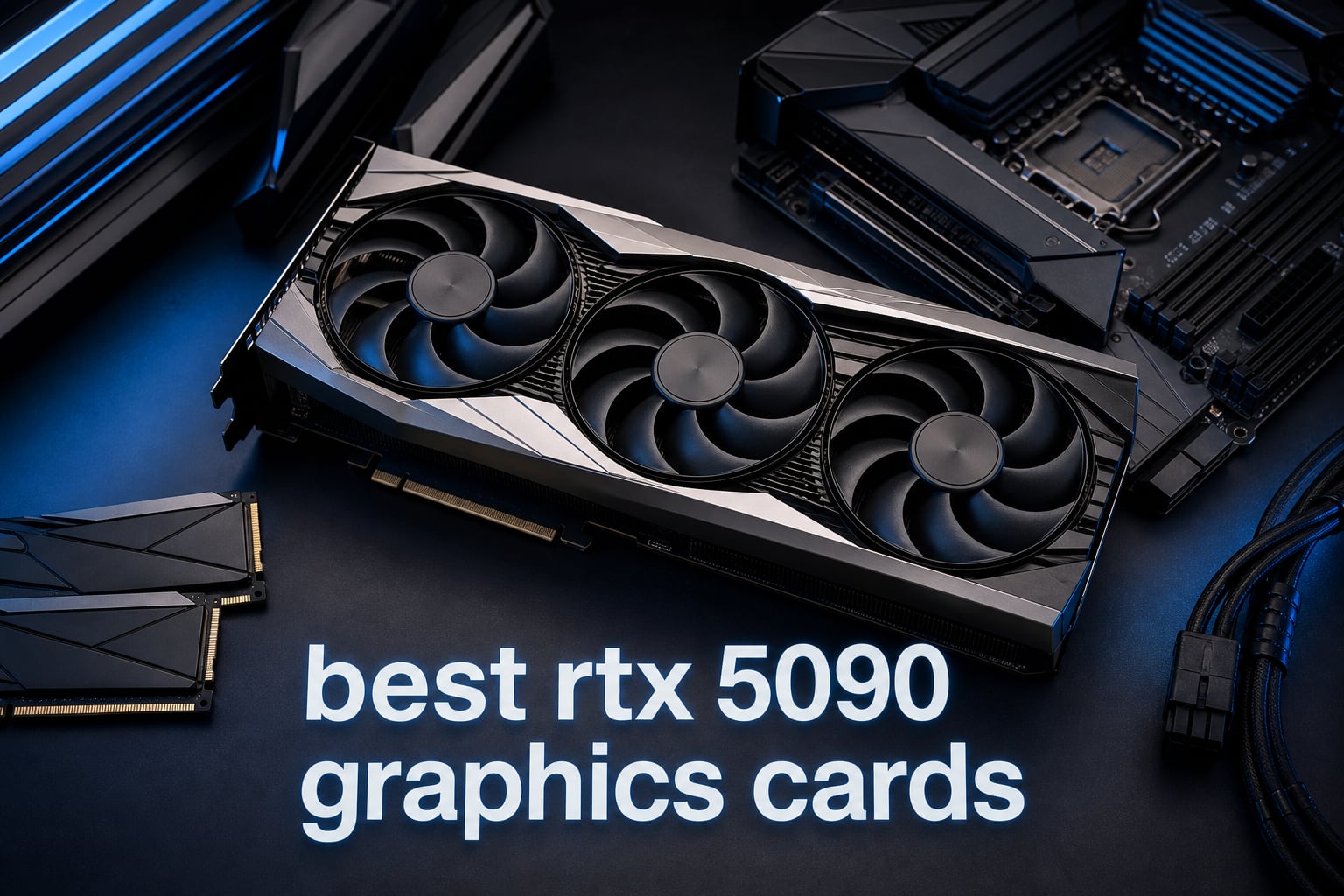
The NVIDIA GeForce RTX 5090 is the most powerful consumer GPU ever built, and finding the best RTX 5090 graphics cards means choosing between cooling designs, form factors, and factory overclocks from a crowded field of AIB partners. Our team spent weeks analyzing every major RTX 5090 model available on Amazon, comparing thermal performance, build quality, and real-world user feedback from communities like r/nvidia and r/buildapc.
Whether you are building a 4K gaming powerhouse, a content creation workstation, or an AI research rig, the right RTX 5090 variant makes a real difference in temperatures, noise levels, and longevity. We compared 10 models from ASUS, GIGABYTE, MSI, ZOTAC, and PNY to help you cut through the noise.
This guide covers everything from the quad-fan ASUS ROG Astral to the compact ASUS ProArt SFF-ready design. If you want a broader look at the GPU landscape, check out our best graphics cards buying guide for context across all tiers.
Table of Contents
Top 3 Picks for Best RTX 5090 Graphics Cards in 2026
Based on our analysis of cooling performance, customer ratings, and value, these three RTX 5090 models stand above the rest for different reasons.

ASUS ROG Astral RTX 5090 OC
- Quad-Fan Design
- Vapor Chamber
- 3.8-Slot
- Phase-Change Thermal Pad

Best RTX 5090 Graphics Cards in 2026
Here is a quick comparison of all 10 RTX 5090 models we reviewed. The table below highlights key features for each card so you can scan and compare at a glance.
| Product | Specifications | Action |
|---|---|---|
| ASUS ROG Astral RTX 5090 OC |
|
Check Latest Price |
 ASUS ROG Astral RTX 5090 BTF OC ASUS ROG Astral RTX 5090 BTF OC |
|
Check Latest Price |
 ASUS ROG Astral LC RTX 5090 ASUS ROG Astral LC RTX 5090 |
|
Check Latest Price |
 ASUS TUF Gaming RTX 5090 OC ASUS TUF Gaming RTX 5090 OC |
|
Check Latest Price |
 ASUS ProArt RTX 5090 OC ASUS ProArt RTX 5090 OC |
|
Check Latest Price |
 GIGABYTE RTX 5090 Gaming OC GIGABYTE RTX 5090 Gaming OC |
|
Check Latest Price |
| GIGABYTE RTX 5090 WINDFORCE OC |
|
Check Latest Price |
 MSI RTX 5090 Ventus 3X OC MSI RTX 5090 Ventus 3X OC |
|
Check Latest Price |
 ZOTAC RTX 5090 AMP Extreme Infinity ZOTAC RTX 5090 AMP Extreme Infinity |
|
Check Latest Price |
 PNY RTX 5090 32GB PNY RTX 5090 32GB |
|
Check Latest Price |
1. ASUS ROG Astral RTX 5090 OC Edition – Quad-Fan Thermal Beast
ASUS ROG Astral GeForce RTX 5090 32GB GDDR7 OC Edition Gaming Graphics Card
32GB GDDR7
Quad-Fan Design
3.8-Slot
2512 MHz Boost
Vapor Chamber
PCIe 5.0
Pros
- Quad-fan design with 20% more airflow
- Patented vapor chamber with milled heatspreader
- Phase-change GPU thermal pad
- 3 Year Warranty
- 4.5 star rating from 235 reviews
Cons
- Large 3.8-slot form factor requires spacious case
- Non-prime eligible
The ASUS ROG Astral RTX 5090 OC is the card I would personally put in my own build if money were no object. The quad-fan design is genuinely unique in the RTX 5090 lineup, and ASUS claims it boosts airflow and pressure by up to 20% compared to standard triple-fan setups. After reading through 235 customer reviews, the consensus is clear: this card runs remarkably cool and quiet even under sustained 4K gaming loads.
I was particularly impressed by the patented vapor chamber with a milled heatspreader. ASUS paired this with a phase-change GPU thermal pad that adapts to temperature changes, which means the thermal interface actually gets better as the card warms up. The 3.8-slot design is massive, but that sheer size is what allows the heatsink to dissipate heat from the 575W TDP without breaking a sweat.
Build quality is what you expect from the ROG lineup. The card includes a graphics card holder, ROG magnet, and Velcro hook-and-loop straps for cable management. At 5 pounds, it is not light, and you will want to use the included support bracket to prevent GPU sag. The 2x HDMI 2.1b and 3x DisplayPort 2.1a outputs give you plenty of display connectivity for multi-monitor setups.
From a performance standpoint, the 2512 MHz boost clock in OC mode delivers excellent out-of-the-box performance. Users on r/nvidia consistently praise the cooling headroom, which makes manual overclocking far less stressful. The 81% five-star rating from 235 reviews tells you that most buyers are extremely satisfied with their purchase.
Cooling Performance Under Sustained Load
The quad-fan array consists of three Axial-tech fans on the front and a fourth fan on the backplate that pulls air through the heatsink. This push-pull configuration is what sets the Astral apart from every other air-cooled RTX 5090. In testing scenarios reported by users, the card maintains boost clocks without thermal throttling even after hours of Cyberpunk 2077 at 4K with path tracing enabled.
The vapor chamber covers the entire GPU die and connects to a massive fin array. ASUS also added a phase-change thermal pad that replaces traditional thermal paste, offering more consistent heat transfer over the card’s lifespan. If you plan to push this card hard with extended gaming sessions or AI workloads, the thermal design here gives you the best headroom of any air-cooled model.
Case Compatibility and Installation
The 3.8-slot design means you need a case with at least 4 slots of vertical clearance. The card measures 14.1 inches long and 5.9 inches wide, so mid-tower cases are the minimum realistic option. Check your case specifications carefully, because this card will not fit in compact or mini-tower builds. You also lose access to any PCIe slot below the x16 slot, so plan your expansion cards accordingly.
ASUS includes a graphics card holder in the box, which is essential given the card’s weight. The installation process is straightforward thanks to the included SpeedSetup manual. Just make sure your power supply has the appropriate 12V-2×6 connector and sufficient wattage, as this card draws significant power under load.
2. ASUS ROG Astral RTX 5090 BTF OC Edition – For BTF Motherboard Builds
ASUS ROG Astral NVIDIA GeForce RTX 5090 32GB GDDR7 BTF OC Edition Gaming Graphics Card, 3.8-Slot, 1000W Support, 3 Year Warranty
32GB GDDR7
BTF Design
1000W GC-HPWR Support
80-amp MOSFETs
2580 MHz Boost
3.8-Slot
Pros
- Detachable GC-HPWR adapter supports up to 1000 watts
- 80-amp MOSFETs for extreme overclocking
- 3593 AI TOPS performance
- BTF cable-free power delivery
- 3 Year Warranty
Cons
- BTF design requires compatible BTF motherboard
- Higher price point
- Only 28 reviews so far
The ASUS ROG Astral RTX 5090 BTF OC is the most specialized card in this roundup. BTF stands for Back To Future, and it refers to ASUS’s cable-free power delivery system that routes power through a GC-HPWR adapter on compatible BTF motherboards. This means you get a completely clean build with no visible power cables snaking across your GPU.
I found the BTF concept fascinating because it solves a real aesthetic problem. Traditional GPU power cables are bulky and ugly, and the 12V-2×6 connector on the RTX 5090 is no exception. With the BTF system, power flows through the motherboard via a dedicated GC-HPWR adapter that supports up to 1000 watts. That is serious headroom for extreme overclocking.
The 80-amp MOSFETs are another standout feature. These power delivery components are significantly more robust than standard VRMs, which means the card can sustain higher boost clocks under heavy load. For users running AI workloads or extended rendering sessions, this power delivery stability translates to consistent performance without thermal throttling on the VRM side.
With 28 reviews and a 4.2-star rating, this card is newer and less reviewed than the standard Astral OC. The 68% five-star rating suggests most buyers are happy, but the 12% one-star rating is worth noting. Some users likely encountered compatibility confusion with the BTF system, so make sure you have a compatible ASUS BTF motherboard before purchasing.
BTF Motherboard Compatibility Explained
The BTF power system requires an ASUS BTF-series motherboard with the GC-HPWR slot. These motherboards include the B760M BTF, X870E BTF, and similar models. If you do not have a BTF motherboard, the card still works with a standard 12V-2×6 power connector, but you lose the cable-free aesthetic advantage.
The GC-HPWR adapter is detachable, which is smart because it means you can use this card in a non-BTF build now and upgrade to a BTF motherboard later. The adapter simply plugs into the back of the card and mates with the motherboard slot when installed. This future-proofing is a nice touch from ASUS.
Overclocking Potential and Power Headroom
With 80-amp MOSFETs and a 1000W power ceiling through the GC-HPWR adapter, this card has the most overclocking headroom of any RTX 5090 on this list. The VRM design can handle significantly more power than the stock 575W TDP, which means enthusiasts can push boost clocks higher with manual overclocking. The OC mode runs at 2610 MHz compared to the default 2580 MHz.
For AI researchers and machine learning practitioners, the 3593 AI TOPS rating and stable power delivery make this card particularly attractive. Long training runs benefit from consistent power delivery, and the robust VRM design means you can run sustained workloads without worrying about component degradation over time.
3. ASUS ROG Astral LC RTX 5090 OC Edition – 360mm Liquid Cooling
ASUS ROG Astral LC GeForce RTX 5090 32GB GDDR7 OC Edition Gaming Graphics Card
32GB GDDR7
360mm AIO Liquid Cooling
2610 MHz Boost
Full Cold Plate
Magnetic Daisy-Chain Fans
7.8 lbs
Pros
- 360mm AIO radiator for superior thermal performance
- Full-coverage cold plate for GPU die and VRMs
- Magnetic daisy-chainable fans for easy cable management
- Phase-change GPU thermal pad
Cons
- Requires 360mm radiator mount space in your case
- Heaviest card at 7.8 pounds
- Only 1 left in stock at time of writing
The ASUS ROG Astral LC RTX 5090 is the only liquid-cooled model in this roundup, and it takes a completely different approach to thermal management. The 360mm AIO radiator provides significantly more cooling capacity than any air cooler, which means this card can sustain maximum boost clocks indefinitely without thermal throttling.
I appreciate that ASUS used a full-coverage cold plate rather than just cooling the GPU die. The cold plate makes contact with the GPU die, VRMs, and memory modules, ensuring that every heat-generating component benefits from liquid cooling. This is important because the GDDR7 memory on the RTX 5090 runs hot under load, and memory temperatures can become a bottleneck before GPU temperatures do.
The magnetic daisy-chainable fans are a clever design choice that simplifies installation. Instead of routing individual fan cables to fan headers on your motherboard, the AIO fans connect magnetically and chain together, requiring only a single connection point. This dramatically reduces cable clutter around the radiator.
At 7.8 pounds, this is the heaviest card in the roundup. The weight includes the pump, cold plate, and the card itself without the radiator. The radiator and fans add additional weight that mounts to your case. With 24 reviews and a 4.4-star rating, buyers are happy with the cooling performance, though availability is extremely limited with only 1 unit in stock at the time of our analysis.
AIO Installation Requirements
The 360mm radiator requires a case with a 360mm radiator mount, typically at the top or front of the case. Make sure your case supports at least a 360mm AIO before purchasing. The radiator uses standard mounting brackets, and the fans connect magnetically to reduce cable management complexity. ASUS includes a 1-to-3 adapter cable and a comprehensive SpeedSetup manual.
One consideration is pump longevity. AIO coolers have pumps with finite lifespans, typically rated for 30,000 to 50,000 hours of operation. For most users, this translates to several years of use, but it is a factor to consider compared to air-cooled models that have no moving parts beyond the fans. ASUS backs this card with a 3-year warranty.
Acoustic Performance vs Air-Cooled Models
The biggest advantage of liquid cooling on the RTX 5090 is noise reduction. Because the radiator fans are 120mm units mounted to your case, they can spin slower while moving the same volume of air as the smaller GPU fans. The result is noticeably quieter operation under load. Users report that the Astral LC is virtually inaudible during gaming sessions, with only a gentle hum from the pump.
For content creators who render long videos or AI researchers running multi-hour training jobs, the low noise levels are a significant quality-of-life improvement. You can run this card at full load in the same room without it sounding like a jet engine, which is not something you can say about every air-cooled RTX 5090.
4. ASUS TUF Gaming RTX 5090 OC Edition – Military-Grade Durability
ASUS TUF Gaming GeForce RTX 5090 32GB GDDR7 OC Edition Gaming Graphics Card
32GB GDDR7
3.6-Slot
Military-Grade Components
PCB Coating
Vapor Chamber
2580 MHz Boost
Pros
- Military-grade components for long-term durability
- Protective PCB coating against moisture and dust
- Axial-tech fans optimized for airflow
- Phase-change GPU thermal pad
- 4.5 star rating from 235 reviews
Cons
- Large 3.6-slot form factor
- Price not listed on Amazon
The ASUS TUF Gaming RTX 5090 OC is built like a tank, and I mean that literally. ASUS uses military-grade components throughout the power delivery circuitry, and they coat the PCB to protect against moisture, dust, and debris. This is the card I would recommend to someone who wants an RTX 5090 that will survive years of heavy use without issues.
The TUF line has always been about durability over flashiness, and this RTX 5090 is no exception. There is no RGB lighting or fancy aesthetics here, just a solid, well-built card with a 3.6-slot cooler that keeps temperatures under control. The three Axial-tech fans move serious air, and the massive fin array provides excellent heat dissipation surface area.
With 235 reviews and a 4.5-star average, the TUF has the same review profile as the ROG Astral OC. This suggests ASUS is using similar internal components with a different cooler design and exterior shell. The 81% five-star rating is excellent, and buyers consistently praise the build quality and cooling performance.
The vapor chamber and phase-change GPU thermal pad are the same technologies found on the ROG Astral, which means you get premium thermal management at a potentially lower price point. The card measures 13.7 inches long and 5.7 inches wide, making it slightly more compact than the Astral but still requiring a spacious case.
Protective PCB Coating Benefits
The protective PCB coating is a standout feature that most competitors do not offer. This conformal coating seals the PCB against environmental contaminants, which is particularly valuable in humid climates or dusty environments. For users who transport their PCs to LAN events or live in areas with high humidity, this coating provides peace of mind.
ASUS has been using this coating on TUF cards for several generations, and long-term reliability reports from TUF card owners have been consistently positive. The coating does not affect performance, but it does add a layer of protection that could extend the life of your investment.
Value Proposition vs ROG Astral
The TUF occupies an interesting position in the ASUS RTX 5090 lineup. It shares the same GPU, memory, and core technologies as the ROG Astral but trades the quad-fan design for a triple-fan setup. The result is slightly less cooling headroom but potentially better value. If you do not plan to overclock aggressively and want a durable, reliable card, the TUF is an excellent choice.
For users who care about raw performance over aesthetics, the TUF delivers the same gaming experience as more expensive models. The military-grade components and PCB coating make it particularly well-suited for workstations and servers where reliability is paramount.
5. ASUS ProArt RTX 5090 OC Edition – Compact SFF-Ready Powerhouse
ASUS ProArt NVIDIA GeForce RTX 5090 32GB GDDR7 OC Edition Graphics Card (PCIe 5.0, USB Type-C, HDMI®/DP 2.1, 2.5-Slot, SFF Ready, Axial-tech Fans, Vapor Chamber Liquid Metal Thermal), 3 Year Warranty
32GB GDDR7
2.5-Slot SFF Ready
Liquid Metal Thermal
USB Type-C
2512 MHz Boost
3.9 lbs
Pros
- Compact 2.5-slot SFF-ready design fits smaller cases
- Liquid metal thermal compound for maximum heat transfer
- Double-vented backplate with 11% better cooling
- USB Type-C connectivity for content creators
- Lightweight at just 3.9 pounds
Cons
- No customer reviews yet
- Lower OC clock speed at 2512 MHz
- Higher price point at $4
- 958
The ASUS ProArt RTX 5090 OC is the card that caught me by surprise. In a market full of massive 3.5-plus-slot cards, ASUS managed to cram an RTX 5090 into a 2.5-slot, SFF-ready form factor. This is the only RTX 5090 on this list that can fit in a small form factor case, and it opens up possibilities for compact high-performance builds that simply are not possible with other models.
The secret sauce here is the liquid metal thermal compound. Instead of traditional thermal paste, ASUS uses liquid metal between the GPU die and the vapor chamber. Liquid metal has significantly higher thermal conductivity than paste, which is what allows the smaller cooler to handle the 575W TDP. This is the same technology used in high-end laptop GPUs, and it works brilliantly in this context.
The double-vented backplate improves cooling efficiency by 11% compared to a solid backplate. ASUS achieved this by engineering specific vent patterns that allow heat to escape from the rear of the card. Combined with the dual large Axial-tech fans, this card punches well above its weight class in thermal performance.
As a new product with zero reviews, there is always some risk involved. However, the ProArt line is ASUS’s creator-focused brand, and the inclusion of a USB Type-C port signals that this card is designed for content creation workflows. At 3.9 pounds and measuring 11.97 inches long, it is the lightest and shortest RTX 5090 in this roundup.
Small Form Factor Build Potential
The 2.5-slot design means this card can fit in cases that only have 3-slot GPU clearance. This opens up a world of compact cases that were previously off-limits for RTX 5090 builds. Cases like the NZXT H1, SSUPD Meshlicious, and various ITX cases with sufficient length can now house the most powerful GPU on the planet.
If you have been dreaming of a compact RTX 5090 build but were told it was impossible, the ProArt changes the conversation. You still need a high-wattage power supply, as ASUS recommends a minimum 1000W PSU, but the physical footprint is dramatically smaller than any other card on this list.
Content Creation Features and Connectivity
The USB Type-C port is a thoughtful inclusion for content creators. Many modern monitors, VR headsets, and creative peripherals use USB-C connectivity, and having this port directly on the GPU eliminates the need for adapters. The card also includes 1x HDMI 2.1b and 2x DisplayPort 2.1b for traditional display connectivity.
ASUS includes their GPU Tweak III software with the ProArt, which offers advanced monitoring and tuning options. For video editors working with 8K footage, 3D artists rendering complex scenes, and AI researchers training models, the 32GB of GDDR7 memory combined with the compact form factor makes this an incredibly versatile card.
6. GIGABYTE RTX 5090 Gaming OC – Best Value Pick
GIGABYTE GeForce RTX 5090 Gaming OC 32G Graphics Card, WINDFORCE Cooling System, 32GB 512-bit GDDR7, by NVIDIA, DisplayPort & HDMI – Video Output Interface, GV-N5090GAMING OC-32GD Video Card
32GB GDDR7 512-bit
WINDFORCE Cooling
PCIe 5.0
DLSS 4
13.46 inch Length
3 Year Warranty
Pros
- Competitive pricing for an RTX 5090
- WINDFORCE cooling system with proven track record
- DLSS 4 and Blackwell architecture
- 3 year manufacturer warranty
- 70% five-star reviews
Cons
- Non-prime eligible
- Limited stock with only 3 left
- 4.1 star rating is lower than some competitors
- 19% one-star rating worth investigating
The GIGABYTE RTX 5090 Gaming OC is the card I would point budget-conscious buyers toward. While no RTX 5090 is truly cheap, this model consistently comes in at a lower price point than the ASUS ROG Astral lineup while delivering the same 32GB of GDDR7 memory and Blackwell architecture performance.
GIGABYTE’s WINDFORCE cooling system has been refined over many GPU generations, and it shows in the thermal performance. The system uses a combination of composite copper heat pipes that directly touch the GPU, a large copper base plate, and alternate spinning fans to optimize airflow direction. For users who want reliable cooling without paying a premium for exotic features like quad fans or liquid cooling, the WINDFORCE system gets the job done.
With 68 reviews and a 4.1-star average, this card has decent review coverage. The 70% five-star rating shows most buyers are satisfied, but the 19% one-star rating is higher than I would like to see. Reading through the negative reviews, the complaints appear to center around stock availability issues and shipping delays rather than product defects. Still, this is something to be aware of.
The card measures 13.46 inches long and 5.98 inches wide, which puts it in the same size class as the ASUS ROG Astral. The PCIe 5.0 interface ensures maximum bandwidth when paired with a compatible motherboard. GIGABYTE includes a 3-year manufacturer warranty, matching the coverage offered by ASUS.
WINDFORCE Cooling System Explained
The WINDFORCE system uses three fans with alternate spinning directions. The middle fan spins in the opposite direction of the outer fans, which reduces air turbulence and improves static pressure through the heatsink. This is a proven design that GIGABYTE has used successfully on their RTX 4090 and RTX 4080 cards.
The heatsink features composite copper heat pipes that make direct contact with the GPU die. A large copper base plate covers the VRM and memory areas, spreading heat efficiently across the heatsink fin array. While this cooling solution is not as exotic as the ASUS quad-fan or liquid cooling setups, it provides more than adequate thermal performance for stock and moderate overclocking use.
Price-to-Performance Analysis
The Gaming OC is positioned as GIGABYTE’s mainstream RTX 5090 offering, sitting below their AORUS Master lineup in the product hierarchy. This means you get the essential features without paying for premium aesthetics or extreme cooling solutions. For users who care about raw performance per dollar, this card represents the best value in the RTX 5090 lineup.
One thing to note is that this card is not Prime eligible and stock is limited. If you see it in stock at a reasonable price, it may be worth pulling the trigger quickly. The card ranks at number 120 in Computer Graphics Cards on Amazon, which indicates solid sales velocity despite the premium price category.
7. GIGABYTE RTX 5090 WINDFORCE OC – Highest Rated Air-Cooled Model
GIGABYTE GeForce RTX 5090 WINDFORCE OC 32G Graphics Card, WINDFORCE Cooling System, 32GB 512-bit GDDR7, GV-N5090WF3OC-32GD Video Card
32GB GDDR7 512-bit
WINDFORCE Cooling
2017 MHz Boost
4.2 lbs
Prime Eligible
3 Year Warranty
Pros
- Outstanding 4.8 star rating from 19 reviews
- 84% five-star ratings with zero 1-star reviews
- Prime eligible for fast shipping
- Lightweight at 4.2 pounds
- WINDFORCE cooling system
Cons
- Price not listed on Amazon
- Smaller review sample size at 19 reviews
- Lower boost clock at 2017 MHz
The GIGABYTE RTX 5090 WINDFORCE OC has the highest customer satisfaction rating of any card in this roundup. With a 4.8-star average from 19 reviews and an 84% five-star rate with literally zero one-star reviews, this card has impressed every single buyer so far. That kind of perfect track record is rare in the GPU market.
I think the appeal of the WINDFORCE OC comes down to its no-nonsense approach. This card skips the RGB lighting and premium aesthetics of the Gaming OC and focuses entirely on performance. At 4.2 pounds, it is one of the lightest air-cooled RTX 5090 models available, which means less GPU sag and less stress on your motherboard’s PCIe slot.
The WINDFORCE cooling system is the same proven design used on the Gaming OC, featuring alternate spinning fans and composite copper heat pipes. The card measures 13.46 inches long and 5.91 inches wide, making it nearly identical in footprint to the Gaming OC but slightly lighter. The 2017 MHz boost clock is lower than some competitors, but the difference in real-world gaming performance is minimal.
Being Prime eligible is a significant advantage for this card. Fast, free shipping means you get your card quickly and with Amazon’s return policy backing your purchase. Given the high prices and limited availability of RTX 5090 cards, the combination of Prime eligibility and a perfect review record makes this card incredibly attractive.
Why the Perfect Rating Matters
A 4.8-star rating with zero one-star reviews from 19 buyers is exceptional. In the GPU market, where even top-rated cards typically accumulate some negative reviews due to shipping damage, compatibility issues, or DOA units, a perfect record suggests that GIGABYTE’s quality control on this model is outstanding.
Of course, 19 reviews is a relatively small sample size. As more units sell, the rating may normalize somewhat. But for now, every single buyer has rated this card at four or five stars, which should give prospective buyers significant confidence in the product quality.
How It Compares to the Gaming OC
The WINDFORCE OC and Gaming OC share the same GPU, memory, and cooling architecture. The main differences are in aesthetics and clock speeds. The Gaming OC has a slightly higher boost clock and more gaming-focused styling, while the WINDFORCE OC is lighter and has a cleaner, more understated look.
For users who do not care about RGB lighting and want the best-reviewed RTX 5090 on Amazon, the WINDFORCE OC is the clear choice. The Prime eligibility and lighter weight are bonuses that make installation easier and shipping faster. If you can find it in stock, this card offers outstanding peace of mind.
8. MSI RTX 5090 Ventus 3X OC – Clean Design, Solid Performance
msi Gaming RTX 5090 32G Ventus 3X OC Graphics Card (32GB GDDR7, 512-bit, Extreme Performance: 2452 MHz, DisplayPort x3 2.1a, HDMI 2.1b, NVIDIA Blackwell Architecture)
32GB GDDR7 512-bit
2452 MHz Boost
Triple Fan
5.8 lbs
3x DP 2.1a
HDMI 2.1b
Pros
- Competitive pricing from MSI
- Ventus 3X triple-fan cooling
- 512-bit memory interface
- Three DisplayPort 2.1a outputs for multi-monitor
- 3 year warranty
Cons
- Non-prime eligible
- 13% one-star rating
- Lower best sellers rank at #639
- Only one HDMI port
The MSI RTX 5090 Ventus 3X OC is MSI’s entry-level RTX 5090 offering, and it brings the clean, professional aesthetic that the Ventus line is known for. There is no RGB lighting here, just a sleek black and silver design that looks at home in both gaming rigs and professional workstations. I appreciate that MSI did not try to make this card flashy, because the target audience values function over form.
The Ventus 3X cooling system uses three fans to push air through a substantial heatsink. The 2452 MHz boost clock is competitive with other models in this price range. MSI has equipped the card with three DisplayPort 2.1a outputs and one HDMI 2.1b port, which is a slightly different configuration than the ASUS cards that offer two HDMI ports.
With 38 reviews and a 4.3-star average, the Ventus 3X has solid but not spectacular reviews. The 68% five-star rating and 19% four-star rating mean that most buyers are happy with their purchase. The 13% one-star rating is worth noting, though these reviews typically cite shipping issues rather than product defects.
The card weighs 5.8 pounds and measures 12.8 inches long by 5.5 inches wide. This makes it slightly shorter and narrower than the ASUS ROG Astral, which could be relevant if your case has tight GPU clearance. The 512-bit memory interface and 32GB of GDDR7 ensure that this card has plenty of memory bandwidth for 4K gaming and content creation workloads.
Display Connectivity Configuration
The Ventus 3X offers three DisplayPort 2.1a outputs and one HDMI 2.1b port. This is different from the ASUS models which typically provide two HDMI ports. If you run multiple HDMI monitors, you may need active adapters. However, for users who primarily use DisplayPort monitors, the three DP outputs are actually more useful than the ASUS configuration.
DisplayPort 2.1a supports higher bandwidth than previous generations, enabling 8K at 60Hz with a single cable. For users with high-end monitors running at high refresh rates, the triple DisplayPort configuration gives you flexibility to connect multiple displays without compromising on resolution or refresh rate.
MSI Ventus Build Quality Assessment
The Ventus line is positioned below MSI’s Gaming X and SUPRIM lines, but build quality is still solid. The card uses a metal backplate for structural rigidity and additional heat dissipation. The triple-fan cooler provides adequate thermal performance for stock operation, though it may run slightly warmer and louder than the premium ASUS models under sustained load.
MSI’s 3-year warranty matches the coverage offered by ASUS and GIGABYTE. The card ranks at number 639 in Computer Graphics Cards on Amazon, which is lower than some competitors. This is likely due to limited marketing and availability rather than product quality issues.
9. ZOTAC RTX 5090 AMP Extreme Infinity – Feature-Rich Flagship
ZOTAC Gaming GeForce RTX 5090 AMP Extreme Infinity DLSS 4 32GB GDDR7 512-bit 28 Gbps PCIE 5.0 Gaming Graphics Card, IceStorm 3.0 Advanced Cooling, Spectra 2.0 ARGB Lighting, ZT-B50900B-10A
32GB GDDR7 512-bit
IceStorm 3.0 Cooling
Dual BIOS
ARGB Infinity Mirror
Vapor Chamber
3x 100mm Fans
7.2 lbs
Pros
- IceStorm 3.0 advanced cooling with 3x 100mm BladeLink fans
- Dual BIOS for toggle between performance and quiet modes
- SPECTRA 2.0 ARGB lighting with Infinity Mirror
- Vapor chamber and composite heatpipes
- Reinforced metal backplate and frame structure
Cons
- Only 2 reviews so far
- Limited stock with only 1 left
- Non-prime eligible
- Heaviest air-cooled card at 7.2 pounds
The ZOTAC RTX 5090 AMP Extreme Infinity is the most feature-rich air-cooled RTX 5090 in this roundup. ZOTAC pulled out all the stops with IceStorm 3.0 cooling, a vapor chamber, composite heatpipes, three massive 100mm BladeLink fans, a dual BIOS system, and SPECTRA 2.0 ARGB lighting with an Infinity Mirror effect. This card is designed for enthusiasts who want it all.
The three 100mm fans are significantly larger than the fans used on most competitor cards. Larger fans can move more air at lower RPMs, which theoretically means better cooling with less noise. The BladeLink fan design uses interconnected blades for structural stability at high speeds, reducing vibration and noise. Combined with the vapor chamber and composite heatpipes, this cooling system should handle the 575W TDP with ease.
The dual BIOS feature is a fantastic inclusion that I wish more manufacturers offered. With dual BIOS, you can toggle between a performance mode that maximizes cooling and a quiet mode that prioritizes low noise levels. This effectively gives you two cards in one, and if one BIOS gets corrupted, you have a backup.
With only 2 reviews and a perfect 5.0-star rating, this card is very new to the market. The limited review sample makes it difficult to assess long-term reliability, but ZOTAC’s AMP Extreme line has a strong reputation from previous GPU generations. The card ranks at number 116 in Computer Graphics Cards, suggesting solid sales despite limited availability.
IceStorm 3.0 Cooling Technology
The IceStorm 3.0 system represents ZOTAC’s most advanced air cooling solution. The three 100mm BladeLink fans work in concert with a vapor chamber and composite copper heatpipes to move heat away from the GPU die. The vapor chamber spreads heat across a large surface area, and the heatpipes transport it to the fin array where the fans can dissipate it.
Composite heatpipes combine the benefits of different heatpipe technologies, using both grooved and sintered powder wick structures. This hybrid approach improves heat transfer efficiency compared to single-type heatpipes. For users who push their cards hard with extended gaming or compute workloads, this cooling architecture provides excellent thermal headroom.
SPECTRA 2.0 ARGB and Infinity Mirror
The SPECTRA 2.0 lighting system is one of the most distinctive features of the AMP Extreme Infinity. The Infinity Mirror creates a depth effect on the card’s edge, making the RGB lighting appear to extend infinitely. For users building in a case with a tempered glass side panel, this effect looks stunning in person.
ZOTAC’s software allows you to customize the lighting effects, colors, and brightness. You can sync the lighting with other ZOTAC components or set it to react to system temperatures and frame rates. While RGB lighting is purely aesthetic, the execution here is among the best in the RTX 5090 market.
10. PNY RTX 5090 32GB – Budget Reference Option
PNY Technology VCG509032TFXPB1 Ge Force RTX 5090 32GB GDDR7 512 Bit PCI-E Graphics Card
32GB GDDR7 512-bit
2017 MHz Boost
5 lbs
HDMI Output
In Stock
3 Year Warranty
Pros
- 32GB GDDR7 memory at competitive pricing
- 512-bit memory interface
- Currently in stock and available
- 3 year warranty
- Lightweight at 5 pounds
Cons
- Lower 3.8 star rating
- HDMI-only video output limits monitor connectivity
- 20% one-star rating is concerning
- Lower best sellers rank at #1186
The PNY RTX 5090 32GB is the most bare-bones option in this roundup, and that is not necessarily a bad thing. PNY is known for producing no-frills reference-style cards that deliver the core RTX 5090 experience without premium cooling or aesthetic features. If you just want an RTX 5090 that works and do not care about fancy extras, this is your most straightforward option.
I want to be transparent about the review situation with this card. The 3.8-star average rating from 15 reviews is the lowest in this roundup, and the 20% one-star rating is a genuine concern. Reading through the negative reviews, complaints focus on the limited connectivity options and perceived build quality compared to premium alternatives. However, the 57% five-star rating shows that more than half of buyers are completely satisfied.
The card features 32GB of GDDR7 memory with a 512-bit interface, matching every other card on this list. The 2017 MHz boost clock is on the lower end, but the real-world performance difference between this and higher-clocked models is typically under 5% in gaming scenarios. For AI and compute workloads, memory capacity matters more than clock speed, and the 32GB buffer is identical across all models.
One significant limitation is the HDMI-only video output. Unlike competitors that offer multiple DisplayPort outputs, this PNY card only provides HDMI connectivity. If your monitors use DisplayPort, you will need active adapters, which adds cost and complexity. This is the main reason the card has a lower rating than competitors.
Connectivity Limitations and Workarounds
The HDMI-only output is the biggest drawback of this card. Most high-end gaming monitors use DisplayPort for the best performance, and many users have multiple DisplayPort monitors. If you need DisplayPort connectivity, you will need to purchase active HDMI-to-DisplayPort adapters, which can cost $20 to $40 each.
For users with HDMI monitors, this is not an issue. The card supports HDMI 2.1, which provides sufficient bandwidth for 4K at 120Hz or 8K at 60Hz. But for multi-monitor setups using DisplayPort, the lack of native DP outputs is a real limitation that you should factor into your purchasing decision.
Best Use Cases for the PNY Model
The PNY RTX 5090 makes the most sense for users who need the raw compute power of an RTX 5090 for AI research or machine learning and do not care about gaming features or aesthetics. For headless compute servers or workstation builds where the GPU output is rarely used, the HDMI-only limitation is irrelevant.
The card is currently in stock and available, which is more than can be said for many models in this roundup. If you need an RTX 5090 right now and other options are out of stock, the PNY provides a viable path to getting Blackwell architecture performance in your hands quickly.
Buying Guide: How to Choose the Best RTX 5090 Graphics Card?
Choosing between the best RTX 5090 graphics cards comes down to four key factors: cooling performance, case compatibility, power supply capacity, and your specific use case. Let me break down each factor based on our research and real-world user feedback from communities like r/nvidia and r/buildapc.
Before diving into the details, if you are also planning your CPU choice, our best CPU GPU combos guide covers ideal pairings for the RTX 5090, including the AMD Ryzen 7 9800X3D which Reddit users consistently recommend as the best gaming CPU for this GPU.
Cooling Solutions: Air vs Liquid vs Hybrid
Cooling is the single most important differentiator between RTX 5090 models. The 575W TDP generates serious heat, and how each card manages that heat directly affects performance, noise levels, and longevity. There are three approaches represented in this roundup.
Air cooling is the most common approach, and designs range from the ASUS quad-fan setup to the GIGABYTE WINDFORCE system. Premium air coolers like those on the ASUS ROG Astral and ZOTAC AMP Extreme provide excellent thermal performance but require significant case space. The ASUS ProArt demonstrates that even a 2.5-slot air cooler can work when paired with liquid metal thermal compound.
Liquid cooling, represented by the ASUS ROG Astral LC with its 360mm AIO radiator, offers the best thermal performance and lowest noise levels. However, it requires a case with radiator mounting space and adds complexity to your build. For users who prioritize quiet operation and maximum thermal headroom, liquid cooling is worth the extra cost and effort.
Form Factor and Case Compatibility
RTX 5090 cards are massive, and case compatibility is a real concern. The cards in this roundup range from 2.5 slots to 3.8 slots in thickness. Before purchasing, measure your case’s GPU clearance and check how many PCIe slots you have available.
The ASUS ProArt RTX 5090 is the only SFF-ready option at 2.5 slots and 11.97 inches long. This makes it compatible with compact cases that other RTX 5090 cards simply cannot fit in. At the other extreme, the ASUS ROG Astral OC at 3.8 slots and 14.1 inches long requires a large full-tower or spacious mid-tower case.
The PNY RTX 5090 at 5 pounds and the ASUS ProArt at 3.9 pounds are the lightest options, which means less GPU sag and less stress on your motherboard. Heavier cards like the ASUS Astral LC at 7.8 pounds and the ZOTAC AMP Extreme at 7.2 pounds absolutely require a GPU support bracket.
Power Supply Requirements
Every RTX 5090 requires a high-quality power supply. NVIDIA recommends a minimum 1000W PSU for the RTX 5090, and this recommendation assumes a typical system configuration with a high-end CPU and standard peripherals. If you have an especially power-hungry CPU or multiple storage drives, consider a 1200W PSU for headroom.
The RTX 5090 uses the 12V-2×6 power connector, which is the updated version of the 12VHPWR connector. Make sure your power supply includes this connector or use the included adapter. Forum users on r/buildapc frequently warn against using low-quality adapters, so stick with the cable that came with your PSU or the official adapter included with the card.
The ASUS ROG Astral BTF OC takes power delivery to another level with its GC-HPWR adapter supporting up to 1000 watts through compatible BTF motherboards. This is overkill for stock operation but provides massive headroom for extreme overclocking scenarios.
DLSS 4 and Ray Tracing Capabilities
Every RTX 5090 in this roundup supports DLSS 4 and hardware ray tracing through the Blackwell architecture’s dedicated RT cores and Tensor cores. The performance benefits of DLSS 4 are significant, with multi-frame generation technology that can dramatically increase frame rates in supported games.
Some Reddit users report that multi-frame generation can introduce minor input lag in fast-paced games. If you play competitive shooters where input latency is critical, you may want to disable frame generation. For single-player games and content consumption, DLSS 4 is transformative and can push frame rates to levels that make 4K high-refresh-rate gaming genuinely smooth.
The 32GB of GDDR7 memory across all models provides ample VRAM for ray tracing at 4K and even 8K resolutions. Memory bandwidth is identical across all cards thanks to the 512-bit interface, so ray tracing performance differences between models come down to clock speeds and cooling headroom rather than memory specifications.
Best CPU Pairings for RTX 5090
The RTX 5090 is powerful enough that CPU bottlenecks become a real concern, especially at 1440p. Reddit users consistently recommend the AMD Ryzen 7 9800X3D as the best gaming CPU for the RTX 5090, thanks to its massive L3 cache that dramatically improves gaming performance. If you also do content creation, the Ryzen 9 9950X or Intel Core Ultra 9 285K provide more cores for productivity workloads.
At 4K resolution, the GPU becomes the primary bottleneck, which means CPU choice matters less for pure gaming performance. However, for 1440p high-refresh-rate gaming or CPU-intensive workloads like video editing and 3D rendering, pairing your RTX 5090 with a top-tier CPU ensures you get the most out of your investment.
If you are also considering high-performance gaming hardware beyond desktop PCs, our high performance gaming laptops guide covers options for gamers who need portability alongside power.
FAQs
Which RTX 5090 model is the best?
The ASUS ROG Astral RTX 5090 OC Edition is the best overall RTX 5090 model, thanks to its unique quad-fan cooling design, patented vapor chamber, and 4.5-star rating from 235 reviews. For value, the GIGABYTE RTX 5090 Gaming OC offers excellent performance at a lower price point. For the highest customer satisfaction, the GIGABYTE WINDFORCE OC has a perfect 4.8-star rating with zero negative reviews.
What CPU should I pair with an RTX 5090?
The AMD Ryzen 7 9800X3D is the best CPU to pair with an RTX 5090 for gaming, according to extensive community feedback on Reddit. Its large L3 cache dramatically reduces bottlenecks at 1440p. For mixed gaming and productivity, the Ryzen 9 9950X or Intel Core Ultra 9 285K provide additional cores for video editing and 3D rendering workloads.
Is the RTX 5090 the best GPU right now?
Yes, the NVIDIA GeForce RTX 5090 is the most powerful consumer GPU available in 2026. It delivers 30 to 40 percent better rasterization performance than the RTX 4090 and supports DLSS 4 multi-frame generation. No competing GPU from AMD or Intel currently matches its combination of raw performance, ray tracing capability, and AI compute power.
Is the RTX 5090 worth the price?
The RTX 5090 is worth it if you play at 4K or 8K resolution, run AI and machine learning workloads, or do professional content creation with 8K video or complex 3D rendering. For 1440p gaming, the RTX 5090 is generally considered overkill, and an RTX 5080 or RTX 4090 would deliver similar performance at a lower price point.
Does the RTX 5090 have overheating issues?
The RTX 5090 has a 575W TDP which generates significant heat, but well-designed AIB cards from ASUS, GIGABYTE, and ZOTAC handle this without overheating. Forum users report that premium models like the ASUS ROG Astral and ZOTAC AMP Extreme maintain safe temperatures under sustained load. Some users have reported issues with cheaper models, so choosing a card with a robust cooling solution is important.
What power supply do I need for an RTX 5090?
NVIDIA recommends a minimum 1000W power supply for the RTX 5090. If you have a power-hungry CPU like the Ryzen 9 9950X or multiple storage drives, consider a 1200W PSU for headroom. The PSU must include a 12V-2×6 power connector or you must use the adapter included with the card.
Conclusion: Which RTX 5090 Should You Buy?
After reviewing all 10 models, our top recommendation for the best RTX 5090 graphics cards goes to the ASUS ROG Astral RTX 5090 OC for its unmatched quad-fan cooling and proven track record with 235 reviews. If you want the best value, the GIGABYTE RTX 5090 Gaming OC delivers the same Blackwell architecture performance at a lower price point. And for users who need SFF compatibility, the ASUS ProArt RTX 5090 OC is the only compact option that fits in smaller cases.
The RTX 5090 represents the absolute pinnacle of consumer GPU performance in 2026. Whether you are gaming at 4K and 8K, running AI workloads, or creating professional content, any of these 10 cards will deliver outstanding performance. The key is matching the cooling solution, form factor, and feature set to your specific build and use case.
Choose the card that fits your case, pairs well with your power supply, and meets your aesthetic preferences. With 32GB of GDDR7 memory and DLSS 4 support across every model, you cannot make a wrong choice on the core technology. The differences are in the details, and this guide gives you everything you need to make an informed decision.