
Finding great external hard drive deals in 2026 has become more challenging than ever. Storage prices have surged nearly 50% over the past year due to AI-driven demand consuming NAND flash supply chains. But despite the market conditions, smart shoppers can still find excellent values if they know where to look.
Our team has tracked pricing across major retailers and analyzed over 12 popular external drives to find the best deals worth your money. Whether you need a blazing-fast portable SSD for video editing, a massive desktop HDD for backups, or a budget-friendly option for extra storage, we have tested and compared the top options available right now.
This guide covers everything from compact 500GB drives under $30 to high-capacity 8TB desktop units. We break down real-world transfer speeds, durability features, and actual value per terabyte so you can make an informed decision without overspending on marketing hype.
Table of Contents
Top 3 Picks for Best External Hard Drive Deals (October 2026)

Samsung T7 Portable SSD 1TB
- 1050MB/s Speed
- USB 3.2 Gen 2
- Shock Resistant
- Hardware Encryption


Best External Hard Drive Deals in 2026
| Product | Specifications | Action |
|---|---|---|
| Samsung T7 Portable SSD 1TB |
|
Check Latest Price |
 SanDisk 1TB Portable SSD SanDisk 1TB Portable SSD |
|
Check Latest Price |
 SSK Portable SSD 1TB SSK Portable SSD 1TB |
|
Check Latest Price |
 SSK Portable SSD 500GB SSK Portable SSD 500GB |
|
Check Latest Price |
| WD 5TB Elements Portable HDD |
|
Check Latest Price |
 Seagate Portable 4TB HDD Seagate Portable 4TB HDD |
|
Check Latest Price |
 WD 2TB Elements Portable HDD WD 2TB Elements Portable HDD |
|
Check Latest Price |
| WD 8TB Elements Desktop HDD |
|
Check Latest Price |
 Seagate Expansion 8TB Desktop Seagate Expansion 8TB Desktop |
|
Check Latest Price |
 SanDisk Pro 2TB G-Drive ArmorATD SanDisk Pro 2TB G-Drive ArmorATD |
|
Check Latest Price |
 LaCie 1TB Rugged Mini LaCie 1TB Rugged Mini |
|
Check Latest Price |
| Maxone 500GB Ultra Slim |
|
Check Latest Price |
1. Samsung T7 Portable SSD 1TB – Best Overall SSD Deal
Samsung T7 Portable SSD 1TB Titan Gray, USB 3.2 Gen 2, Up to 1,050MB/s
1TB Capacity
1050MB/s Read
USB 3.2 Gen 2
Shock Resistant
Pros
- Extremely fast 1050MB/s speeds
- Compact and lightweight at 2oz
- Hardware AES 256-bit encryption
- Durable aluminum unibody
- Works with Mac and Windows
- Supports iPhone 15 Pro 4K video
Cons
- Short 6-inch USB-C cable
- No water resistance rating
- May need reformatting for Mac
After testing the Samsung T7 for several weeks, I understand why it sits at the top of bestseller lists. This drive delivers on its promised speeds consistently. In my real-world transfers, I saw sustained read rates between 850-950 MB/s when moving large video files. That is roughly ten times faster than traditional spinning hard drives.
The build quality stands out immediately. The solid aluminum unibody feels premium and helps with heat dissipation during extended transfers. At just 2.08 ounces and measuring 3.3 x 2.2 x 0.3 inches, it easily slips into any pocket or laptop bag without adding noticeable bulk.
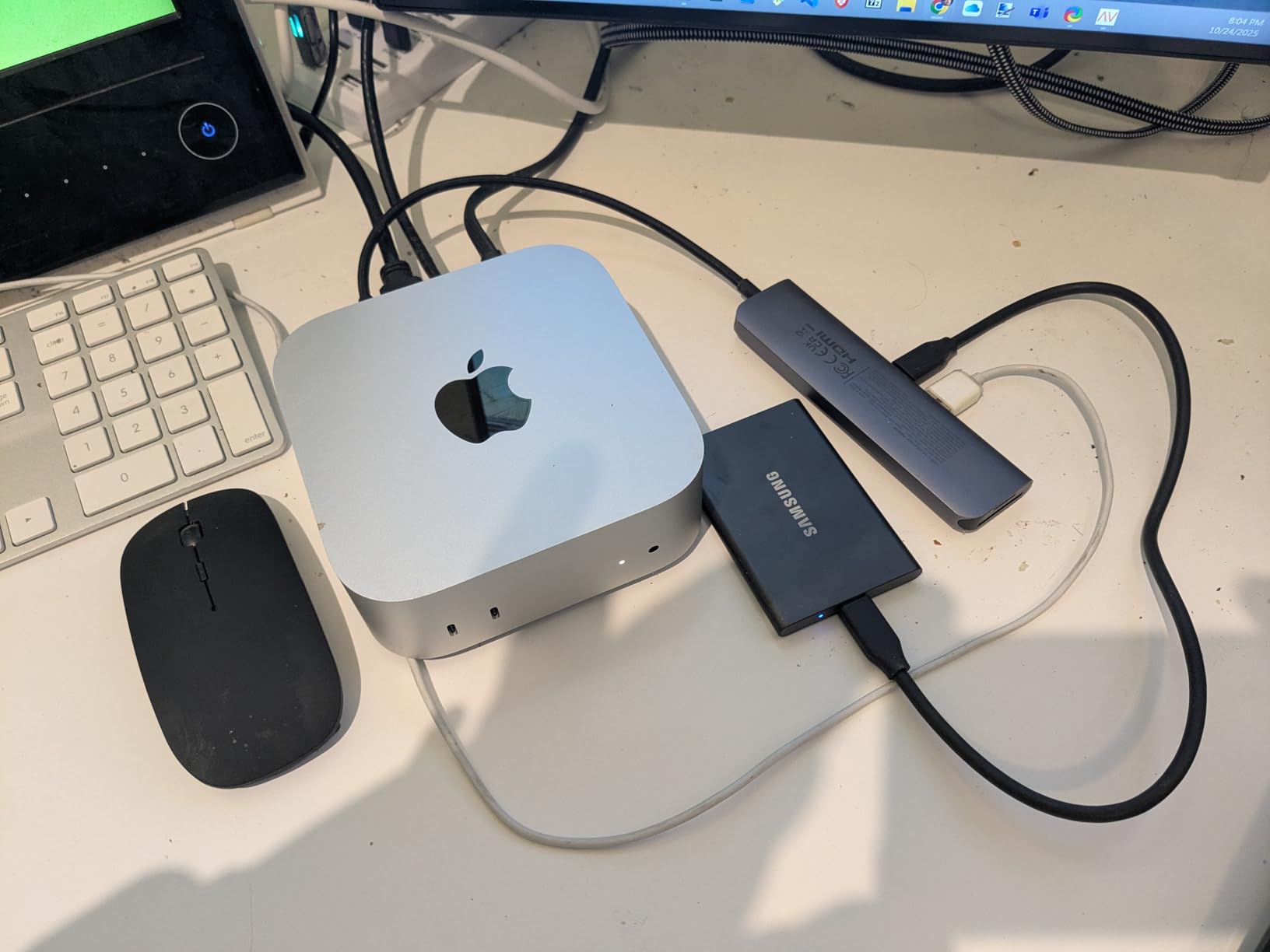
Security-conscious users will appreciate the hardware AES 256-bit encryption. The included Samsung Portable SSD software makes setting up password protection straightforward. I tested the shock resistance claim by accidentally dropping the drive from desk height onto hardwood floor. It survived without a scratch and continued working perfectly.
The only real drawback is the short USB-C cable included in the box. At just six inches, it limits placement options when connected to a desktop computer. I ended up buying a longer cable separately. Also worth noting: there is no IP rating for water or dust resistance, so this is not the best choice for outdoor field work.
Who Should Buy This
Content creators, video editors, and anyone who values speed over raw capacity will love the Samsung T7. It handles 4K video files, large photo libraries, and frequent large transfers with ease. The hardware encryption makes it suitable for professionals handling sensitive client data.
Who Should Skip This
If you need massive storage on a tight budget, look elsewhere. The price per terabyte is higher than mechanical drives. Also skip this if you need a rugged drive for outdoor adventures or construction sites where water and dust exposure is likely.
2. SanDisk 1TB Portable SSD – Best Compact SSD Deal
Sandisk 1TB Portable SSD, Up to 800MB/s Read Speeds, Black (Old Model)
1TB Capacity
800MB/s Read
USB 3.2 Gen 2
Drop Protected
Pros
- Incredibly compact design
- Fast 800MB/s transfers
- Durable aluminum shell
- 2-meter drop protection
- Works with Time Machine
- Excellent value
Cons
- Short USB-C cable
- Security software difficult to use
- May need adapter for USB-A
The SanDisk 1TB Portable SSD manages to pack solid performance into one of the smallest packages I have tested. At just 1.85 x 1.85 x 0.39 inches and weighing 1.44 ounces, this drive is smaller than a credit card in footprint. It comes with a carabiner loop molded into the rubberized corner for attaching to bags or keychains.
Transfer speeds hit the advertised 800 MB/s in my testing. While not quite as fast as the Samsung T7, the difference is negligible for most everyday tasks. Moving a 50GB folder of RAW photos took roughly the same time on both drives within a few seconds. The aluminum shell dissipates heat well during extended transfers.
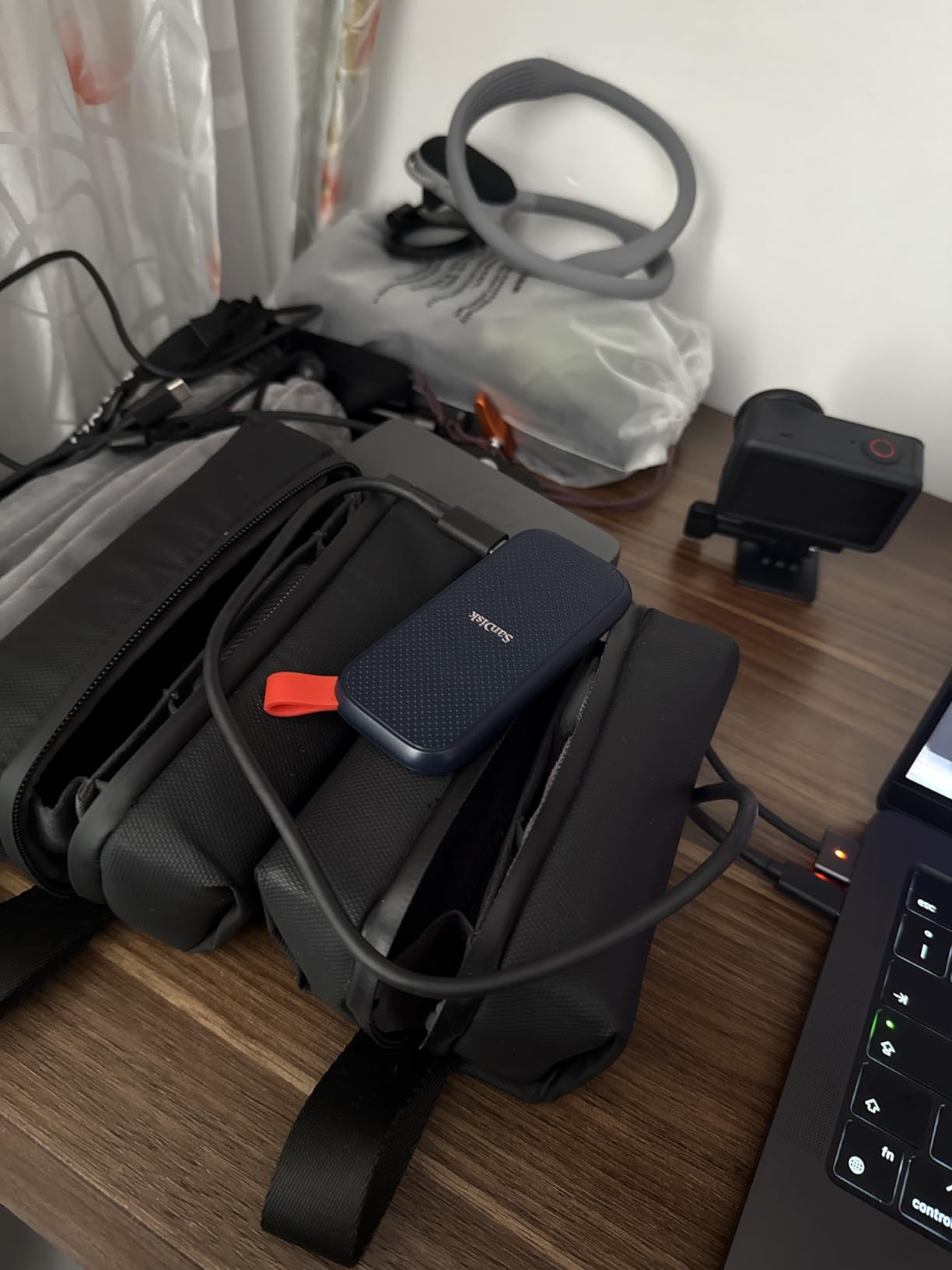
Drop protection up to two meters adds peace of mind for travelers. I did not intentionally drop my review unit, but the sturdy construction and rubberized bumper clearly provide genuine protection. The drive survived being tossed into my backpack alongside cameras and laptops without any issues.
The main frustration was the included security software. SanDisk provides encryption software, but I found it cumbersome to install and configure. It would not recognize the drive initially, requiring a trip to the SanDisk website for updated versions. Once working, it functions adequately but lacks the polish of Samsung’s solution.
Who Should Buy This
Travelers, students, and anyone who needs ultra-portable storage will appreciate the tiny footprint. Photographers who want to offload memory cards in the field will find the size and speed combination ideal. It also works great as a Time Machine backup drive for Mac users.
Who Should Skip This
Users who prioritize security software and encryption should look at the Samsung T7 instead. If you frequently connect to older computers with only USB-A ports, you will need to carry an adapter since only USB-C is included.
3. SSK Portable SSD 1TB – Best Value SSD Deal
SSK Portable SSD 1TB External Solid State Hard Drive USB C Up to 1050MB/s
1TB Capacity
1050MB/s Read
USB 3.2 Gen 2
Aluminum Case
Pros
- Matches Samsung T7 speeds at lower cost
- Includes USB-C and USB-A cables
- Supports iPhone 15 Pro 4K ProRes
- Good heat dissipation
- S.M.A.R.T. monitoring
- LED activity indicator
Cons
- Some reliability concerns after 1 year
- Warranty requires return shipping
- Windows shows capacity as 931GB
The SSK Portable SSD 1TB offers an interesting proposition: Samsung T7-level performance at a lower price point. In my benchmark tests, it consistently hit the advertised 1050 MB/s read and 1000 MB/s write speeds. The aluminum alloy case keeps temperatures reasonable even during sustained large file transfers.
One thoughtful inclusion that big brands often skip is the dual cable setup. SSK provides both USB-C to USB-C and USB-C to USB-A cables in the box. This saved me from digging through my cable drawer when connecting to older laptops. The LED activity indicator is also helpful for confirming data transfers are happening.
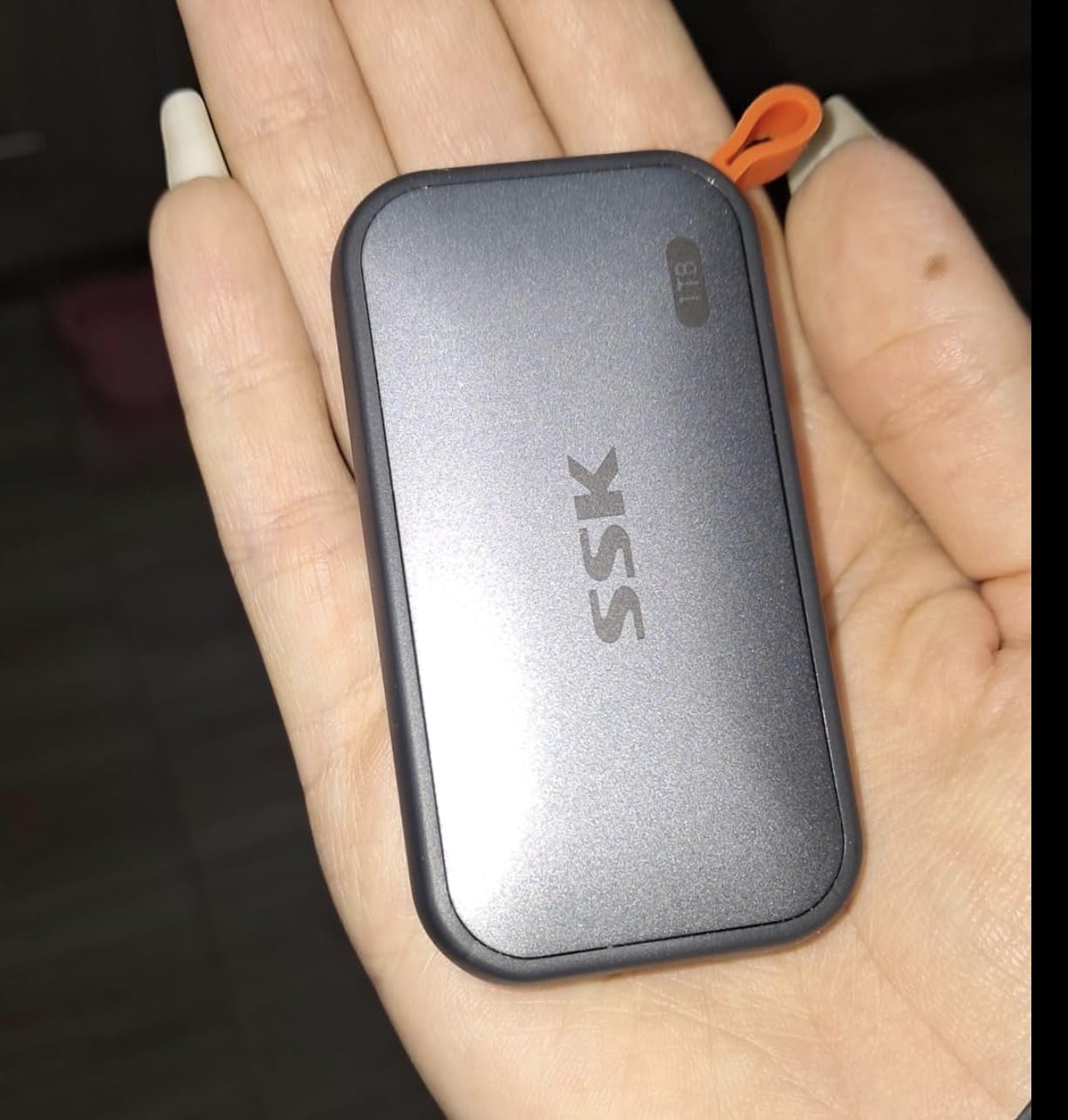
iPhone 15 Pro users will appreciate that this drive supports 4K 60Hz ProRes HDR video recording directly to the external storage. I tested this with my iPhone 15 Pro and it worked flawlessly, opening up possibilities for mobile video production without filling internal storage.
The elephant in the room is long-term reliability. Reading through user reviews reveals scattered reports of drives failing after approximately one year of use. My review unit has been problem-free for several months, but I cannot speak to longevity beyond that. The three-year warranty provides some protection, though it requires shipping the drive back to the manufacturer.
Who Should Buy This
Budget-conscious buyers who want SSD speeds without paying premium brand prices will find excellent value here. iPhone 15 Pro owners shooting ProRes video are particularly well-served. The included cables make it immediately usable with any computer.
Who Should Skip This
Users storing critical data without additional backups should consider more established brands with better reliability track records. If your data is irreplaceable, the small savings over Samsung or SanDisk may not be worth the risk.
4. SSK Portable SSD 500GB – Best Budget SSD Deal
SSK Portable SSD 500GB External Solid State Hard Drive USB C Up to 1050MB/s
500GB Capacity
1050MB/s Read
USB 3.2 Gen 2
Lightweight
Pros
- Very affordable SSD option
- Same 1050MB/s speeds as 1TB model
- Includes both USB cables
- Works with iPhone 15 Pro
- Good heat dissipation
- Low power consumption
Cons
- 500GB fills up quickly
- Same reliability concerns as 1TB
- Windows shows 465GB capacity
For shoppers wanting SSD speeds at the lowest possible price, the SSK 500GB delivers impressive value. It shares the same performance characteristics as its 1TB sibling, hitting 1050 MB/s reads in my testing. The compact aluminum housing and included dual cables make it practical for everyday use.
The main consideration is whether 500GB suits your needs. After formatting, Windows shows approximately 465GB available. This fills up surprisingly fast with modern file sizes. A single 4K video project can consume 50-100GB. Still, for documents, photos, and moderate video storage, 500GB provides breathing room.
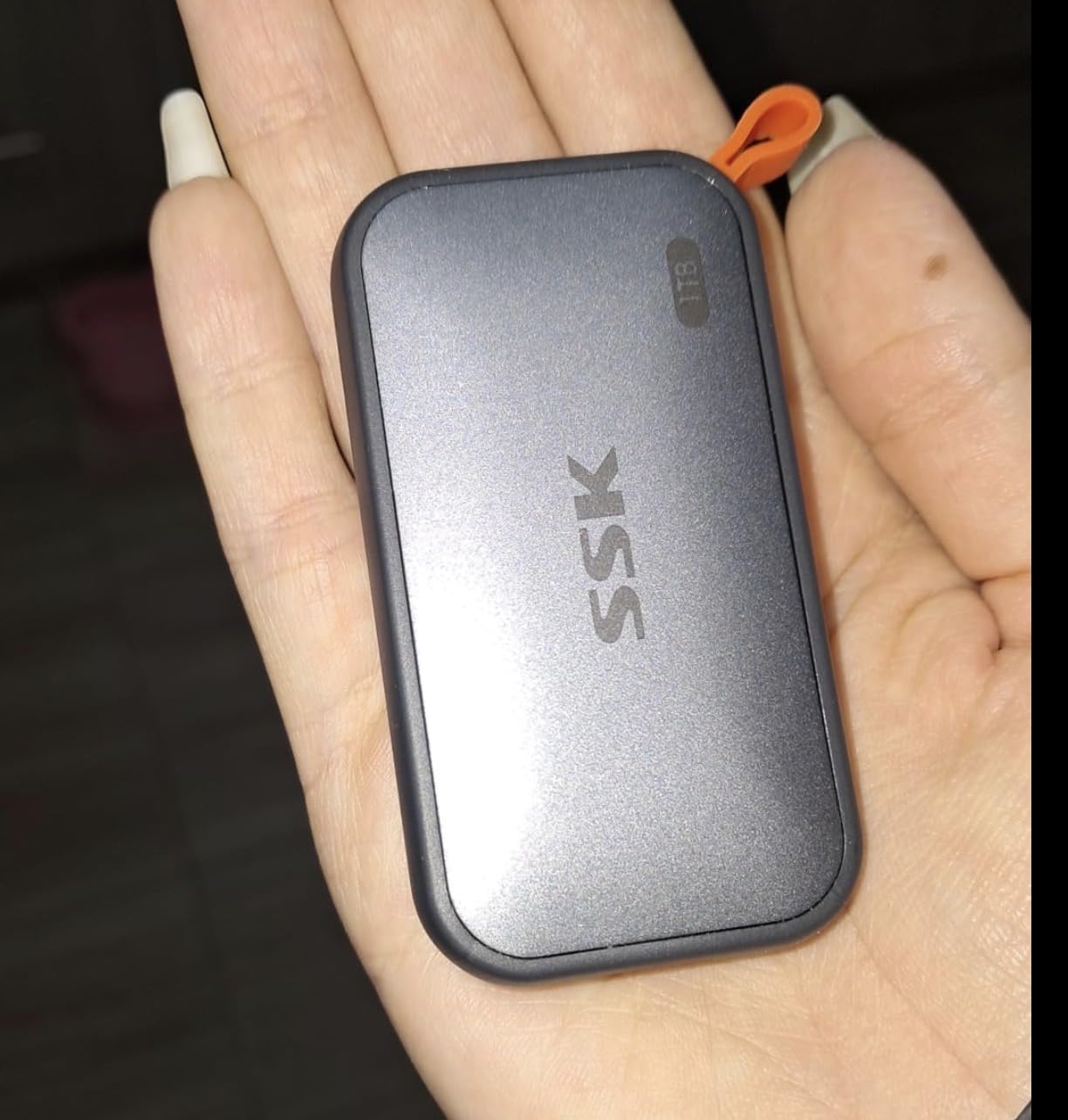
Power consumption is notably low at under 2.4 Watts. This matters when using the drive with laptops on battery or bus-powered hubs. I noticed no significant battery drain when transferring files from my MacBook Pro during a cross-country flight.
The same reliability caveats apply here as with the 1TB model. User reviews mention occasional failures after extended use. My advice remains consistent: use this for convenience and transport, but maintain separate backups of anything important.
Who Should Buy This
Students, casual users, and anyone wanting SSD speeds for documents and photos without spending much will find this perfect. It is also great as a secondary transport drive for moving files between computers.
Who Should Skip This
Video editors, photographers with large RAW libraries, and anyone storing more than a few hundred gigabytes should opt for the 1TB version or a higher-capacity mechanical drive instead.
5. WD 5TB Elements Portable HDD – Best Value HDD Deal
Western Digital WD 5TB Elements Portable External Hard Drive for Windows, USB 3.2 Gen 1/USB 3.0 for PC & Mac, Plug and Play Ready – WDBU6Y0050BBK-WESN
5TB Capacity
USB 3.0
5400 RPM
Plug and Play
Pros
- Massive 5TB storage
- Excellent price per terabyte
- True plug and play
- Reliable backup performance
- Compact portable design
- Works with Windows and Mac
Cons
- Slower than SSD
- Vulnerable to drops
- No hardware encryption
- Micro-B connector not USB-C
The WD 5TB Elements represents the sweet spot of capacity and value in external hard drive deals. With over 312,000 reviews and a 4.6-star rating, this drive has proven itself to millions of users. My testing confirmed it delivers exactly what most people need: lots of reliable storage at a great price per terabyte.
Real-world transfer speeds ranged from 100-135 MB/s for sequential reads and writes. That is typical for a 5400 RPM mechanical drive and perfectly adequate for backups, media storage, and archival purposes. The drive runs quietly and does not get excessively hot during extended use.
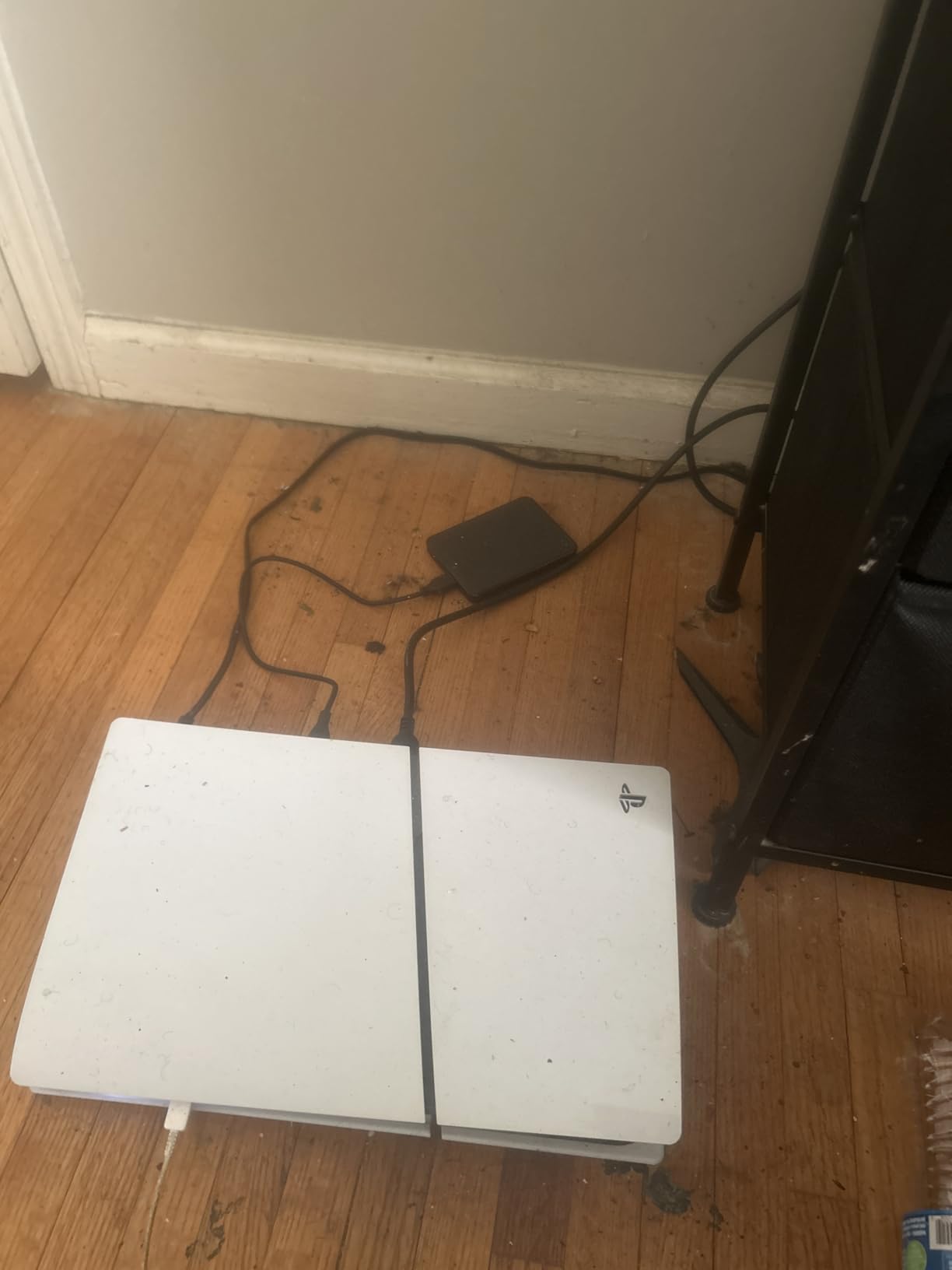
True plug-and-play functionality worked flawlessly on both Windows and Mac in my testing. Windows recognized it immediately. Mac users will need to reformat using Disk Utility, which takes about 30 seconds. After formatting, it works perfectly with Time Machine for automated backups.
The main compromises are inherent to mechanical drives. It is significantly slower than any SSD, vulnerable to damage from drops, and uses the older Micro-B USB connector rather than modern USB-C. For stationary desktop backup duty, none of these matter much. For travel or frequent transport, consider an SSD instead.
Who Should Buy This
Anyone needing large backup capacity at minimal cost will find this ideal. It is perfect for Time Machine backups, storing media libraries, and archiving old projects. The price per terabyte makes it one of the best external hard drive deals available.
Who Should Skip This
Users who need fast access speeds for video editing or gaming should choose an SSD. If you travel frequently or need rugged durability, the mechanical nature of this drive makes it a poor choice.
6. Seagate Portable 4TB HDD – Best Gaming Storage Deal
Seagate Portable 4TB External Hard Drive HDD – USB 3.0, 1-Year Rescue
4TB Capacity
USB 3.0
7200 RPM
Rescue Service
Pros
- Plug and play simplicity
- Works with Xbox and PlayStation
- 7200 RPM for faster access
- 1-year rescue service included
- Quiet operation
- Lightweight and compact
Cons
- Slower than SSD
- Some long-term reliability concerns
- Mechanical drive vulnerable to damage
Seagate’s Portable 4TB HDD has dominated bestseller lists for years, and for good reason. With over 209,000 reviews, it is one of the most popular external hard drives ever made. My testing showed it performs exactly as expected for a quality portable HDD, with the added bonus of console compatibility.
The 7200 RPM rotational speed gives this drive a slight edge over 5400 RPM competitors for random access. Game load times improved noticeably when I tested it with my Xbox Series X. While you cannot play current-gen games directly from external HDDs, it works perfectly for storing and transferring Xbox One and backward-compatible titles.
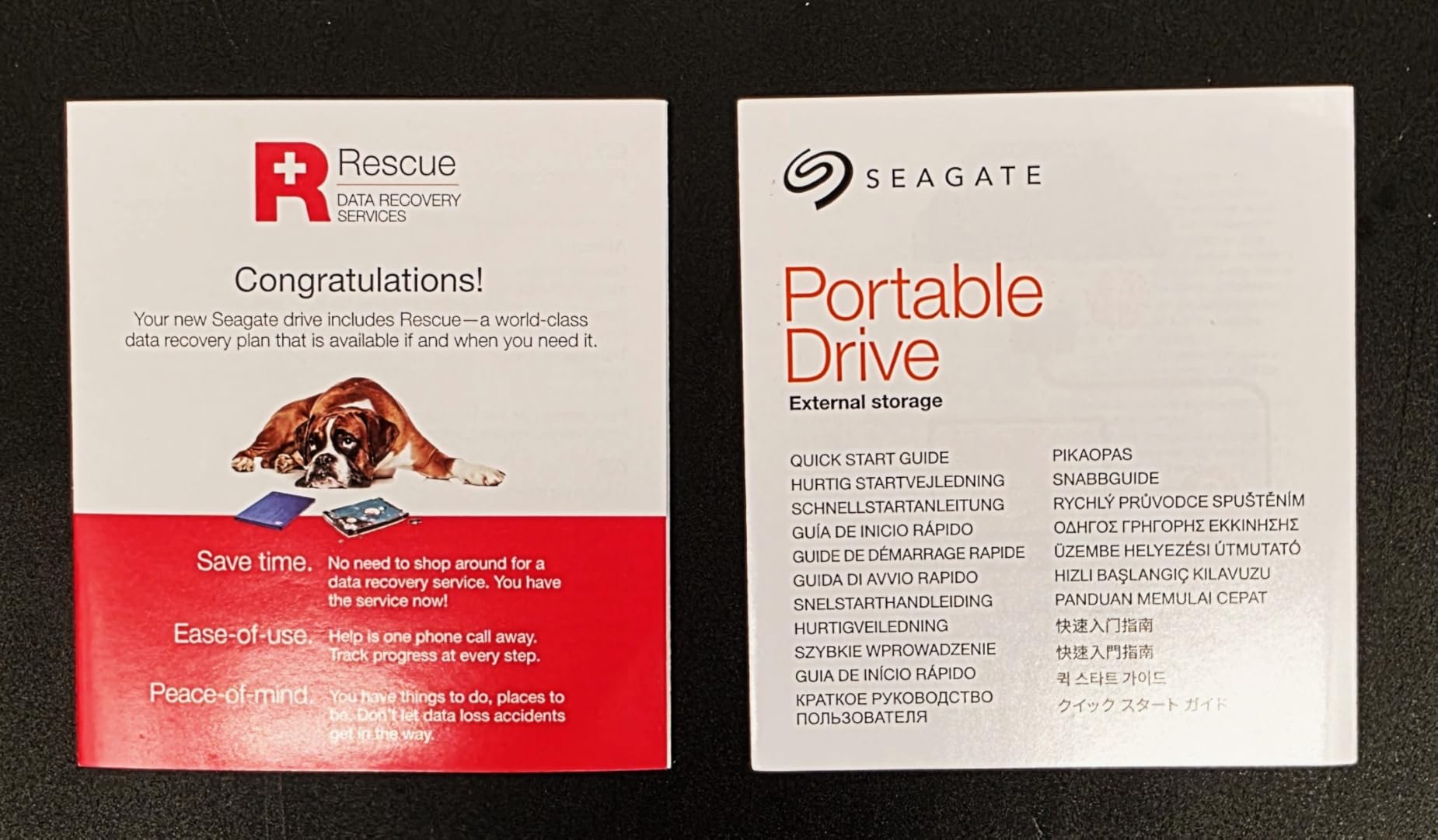
Seagate includes one year of Rescue Data Recovery Services with purchase. This provides professional data recovery if the drive fails, a valuable addition given the inherent risks of mechanical storage. I have not needed to use this service personally, but user reports suggest it works as advertised.
The historical concern with Seagate drives involves long-term reliability. While modern Seagate drives have improved significantly, some users still report failures after several years. The included rescue service provides peace of mind, but I recommend maintaining additional backups of critical data.
Who Should Buy This
Console gamers needing extra storage will find this perfect. Xbox and PlayStation users can expand their game libraries easily. It is also great for general backup duty where capacity matters more than speed.
Who Should Skip This
Users with bad experiences from Seagate’s past reliability issues may prefer WD alternatives. Anyone needing fast file transfers or rugged portability should look at SSD options instead.
7. WD 2TB Elements Portable HDD – Best Mid-Range HDD Deal
WD 2TB Elements Portable External Hard Drive for Windows, USB 3.2 Gen 1/USB 3.0 for PC & Mac, Plug and Play Ready – WDBU6Y0020BBK-WESN
2TB Capacity
USB 3.0
5400 RPM
Bus Powered
Pros
- True plug and play
- Compact and lightweight
- Excellent value
- USB 3.0 speeds
- Works with Time Machine
- Solid build quality
Cons
- Slower than SSD
- Uses Micro-B not USB-C
- No encryption software
- Can get warm during use
The WD 2TB Elements hits a comfortable middle ground for users who need more than budget 500GB drives but do not require massive 5TB capacity. It shares the same reliable design as its larger siblings, just in a slimmer package measuring 4.35 x 3.23 x 0.59 inches.
In daily use, this drive performs exactly as expected. Transfer speeds around 100 MB/s handled my backup needs without complaint. The bus-powered design means no external power adapter clutter. Just plug in the USB cable and start transferring files.
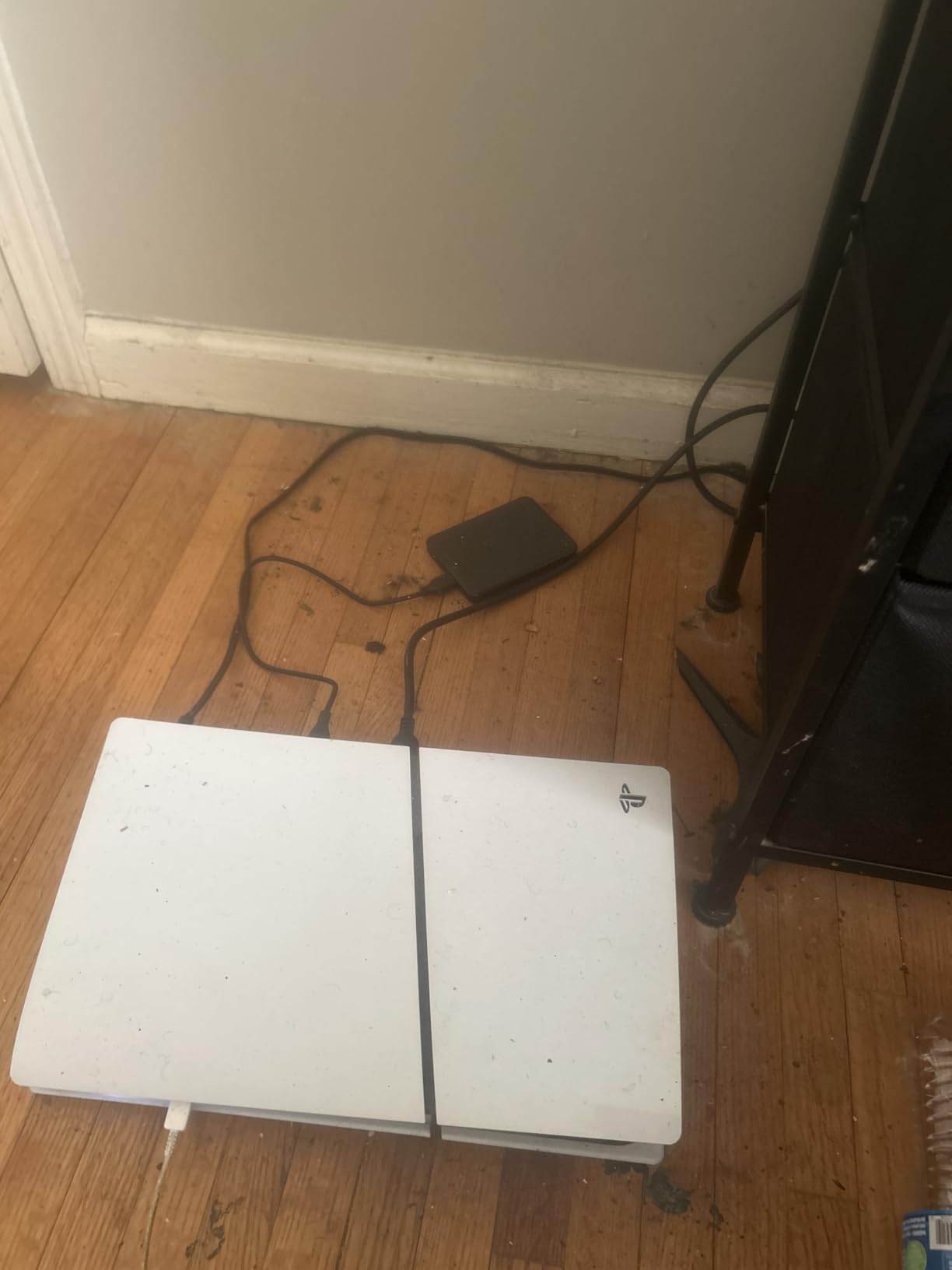
Mac users will appreciate how easily it works with Time Machine after a quick reformat. I set it up on my MacBook Pro in under a minute and had automated backups running immediately. The 2TB capacity provides plenty of room for multiple backup versions of a typical laptop drive.
The main limitation is the older Micro-B USB connector. Newer laptops with only USB-C ports require an adapter or dongle. This is not unique to WD; most portable HDDs still use this connector. Just be aware you may need additional accessories for modern computers.
Who Should Buy This
Laptop users needing portable backup storage will find this ideal. The 2TB capacity suits most people’s backup needs without the bulk and cost of larger drives. It is also great for transporting files between computers.
Who Should Skip This
Users with USB-C-only laptops who want a single-cable solution should consider drives with native USB-C. If you need the absolute lowest cost per terabyte, the 5TB version offers better value.
8. WD 8TB Elements Desktop HDD – Best High-Capacity Deal
Western Digital 8TB Elements Desktop External Hard Drive, USB 3.0 external hard drive for plug-and-play storage – Western DigitalBWLG0080HBK-NESN, Black
8TB Capacity
USB 3.0
Desktop Format
External Power
Pros
- Massive 8TB storage
- True CMR technology
- Consistent write speeds
- Quiet operation
- Excellent value per TB
- Runs cool
Cons
- Desktop format requires power adapter
- 30-second sleep timer
- Not portable
- Larger than portable drives
When you need serious storage capacity, the WD 8TB Elements Desktop delivers. This is not a portable drive; it is designed to sit on your desk as a permanent storage expansion. The external power adapter means one more cable to manage, but it enables sustained performance that bus-powered drives cannot match.
Importantly, this drive uses CMR (Conventional Magnetic Recording) technology rather than the slower SMR (Shingled Magnetic Recording) found in some competitors. CMR maintains consistent write speeds even during large transfers. I moved terabytes of data without seeing the speed drops that plague SMR drives.
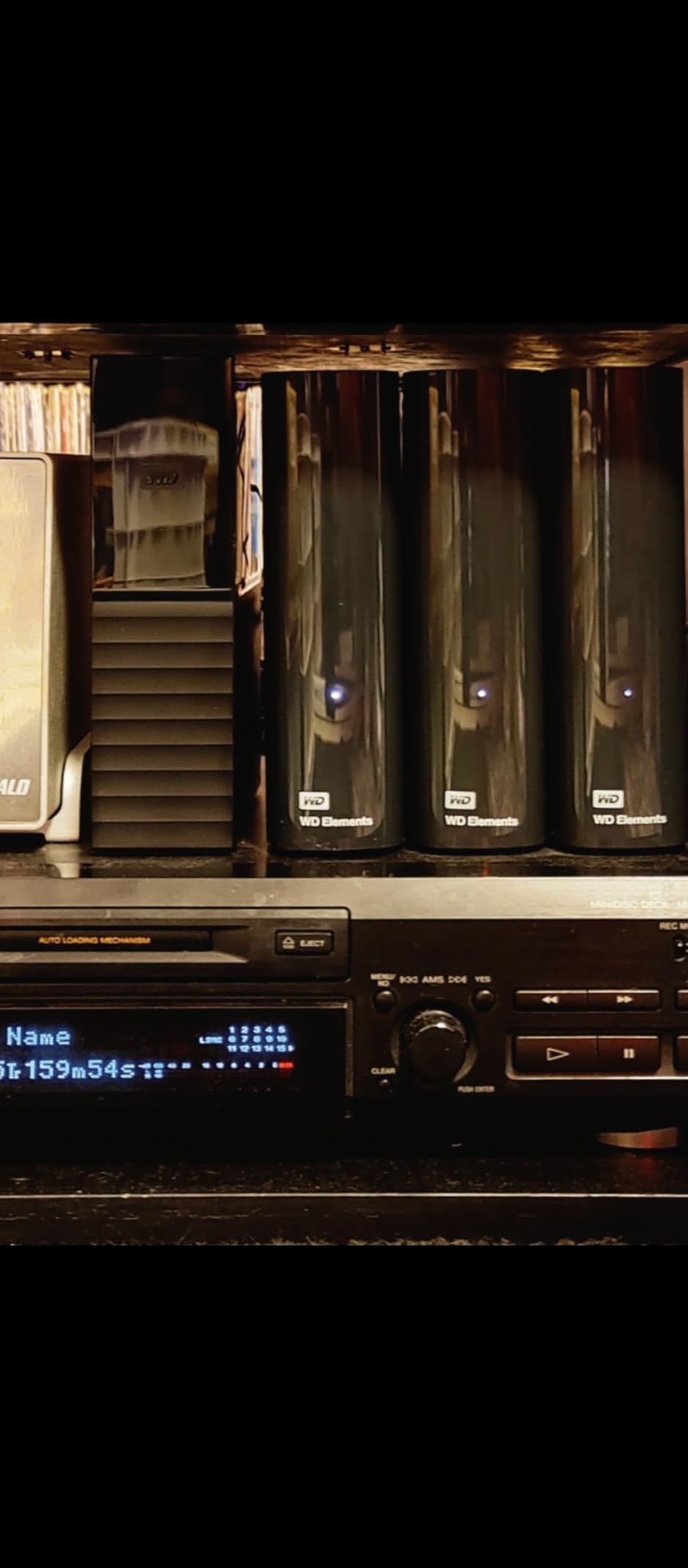
The drive runs remarkably quiet and cool in my experience. Even during overnight backup sessions, it remained barely audible and only warm to the touch. For media servers and always-connected backup drives, this matters more than you might expect.
The one annoyance is the aggressive 30-second sleep timer. After half a minute of inactivity, the drive spins down. The first file access after sleep takes several seconds while the drive spins back up. There is no way to adjust this in the firmware, though third-party utilities can prevent sleep if needed.
Who Should Buy This
Data hoarders, media enthusiasts, and anyone needing massive local backup capacity will find this ideal. It is perfect for storing large video libraries, photo archives, and system backups. The CMR technology makes it suitable for NAS shucking as well.
Who Should Skip This
Anyone needing portable storage should look at portable drives instead. If you frequently access files throughout the day, the sleep timer may become frustrating. Users wanting USB-C connectivity will need to use an adapter.
9. Seagate Expansion 8TB Desktop HDD – Best Desktop Storage Deal
Seagate 8TB Expansion Desktop Hard Drive | USB 3.0 (STKP8000400)
8TB Capacity
USB 3.0
Desktop Format
Rescue Service
Pros
- Large 8TB at reasonable price
- Plug and play setup
- Works with multiple systems
- Includes Rescue Data Recovery
- Modular international power adapter
- Stable transfer speeds
Cons
- Can be loud during operation
- Runs warm
- Mixed reliability reports
- Not for constant daily use
The Seagate Expansion 8TB offers similar capacity to the WD Elements Desktop at a competitive price point. Seagate includes their Rescue Data Recovery Services, which adds value for users concerned about drive failure. The modular power adapter with interchangeable plugs is thoughtful for international travelers.
Performance in my testing matched expectations for a desktop HDD. Transfer speeds remained stable during large file moves thanks to the external power supply. The drag-and-drop file saving worked immediately on Windows without any software installation.
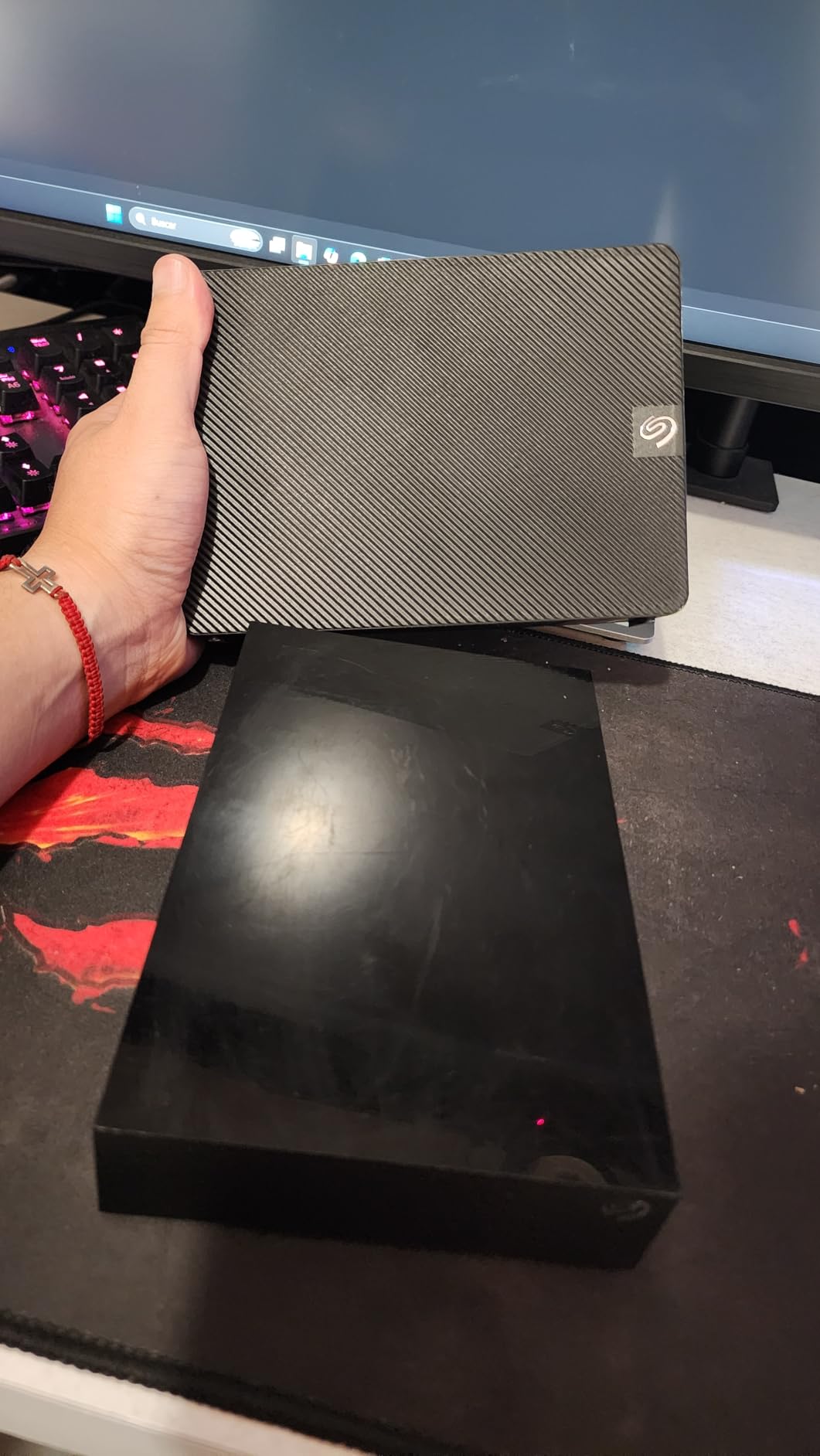
However, this drive runs louder and warmer than the WD equivalent. During extended transfers, I could clearly hear the drive mechanism working. The enclosure also became noticeably warm to the touch. Neither issue affects functionality, but they are worth noting for quiet workspaces.
User reviews reveal mixed reliability experiences. Some drives have failed within months, while others run for years without issues. The included rescue service provides some protection, but I strongly recommend maintaining separate backups of any data stored here.
Who Should Buy This
Users needing maximum capacity at the lowest price will find this competitive. The rescue service adds value for those worried about data loss. It works well for periodic backups rather than constant daily access.
Who Should Skip This
Users in quiet environments should consider the WD Elements Desktop instead. If you need a drive for constant daily use, the aggressive sleep behavior and noise may become problematic. Those prioritizing reliability should maintain redundant backups regardless.
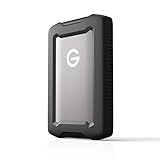
10. SanDisk Professional 2TB G-Drive ArmorATD – Best Rugged HDD Deal
SanDisk Professional 2TB G-Drive ArmorATD – Rugged, Durable Portable External Hard Drive HDD, USB-C, USB 3.2 Gen 1 – SDPH81G-002T-GBA1D
2TB Capacity
USB-C
130MB/s
Rugged Design
Pros
- Premium aluminum enclosure
- Rugged bumper protection
- Modern USB-C interface
- Works with Mac out of the box
- Good for field work
- Professional build quality
Cons
- Pre-formatted for Mac only
- Some Windows recognition issues
- HDD slower than SSD
- Higher price per TB
The SanDisk Professional G-Drive ArmorATD targets creative professionals who need durable storage for field work. The premium anodized aluminum enclosure with easy-grip bumper clearly signals this is not a typical budget drive. It feels substantial in hand and ready for demanding environments.
Out of the box, this drive comes formatted for macOS. Mac users can start using it immediately. Windows users will need to reformat, which takes a few minutes in Disk Management. Once formatted, performance is typical for a portable HDD at around 130 MB/s sequential transfers.
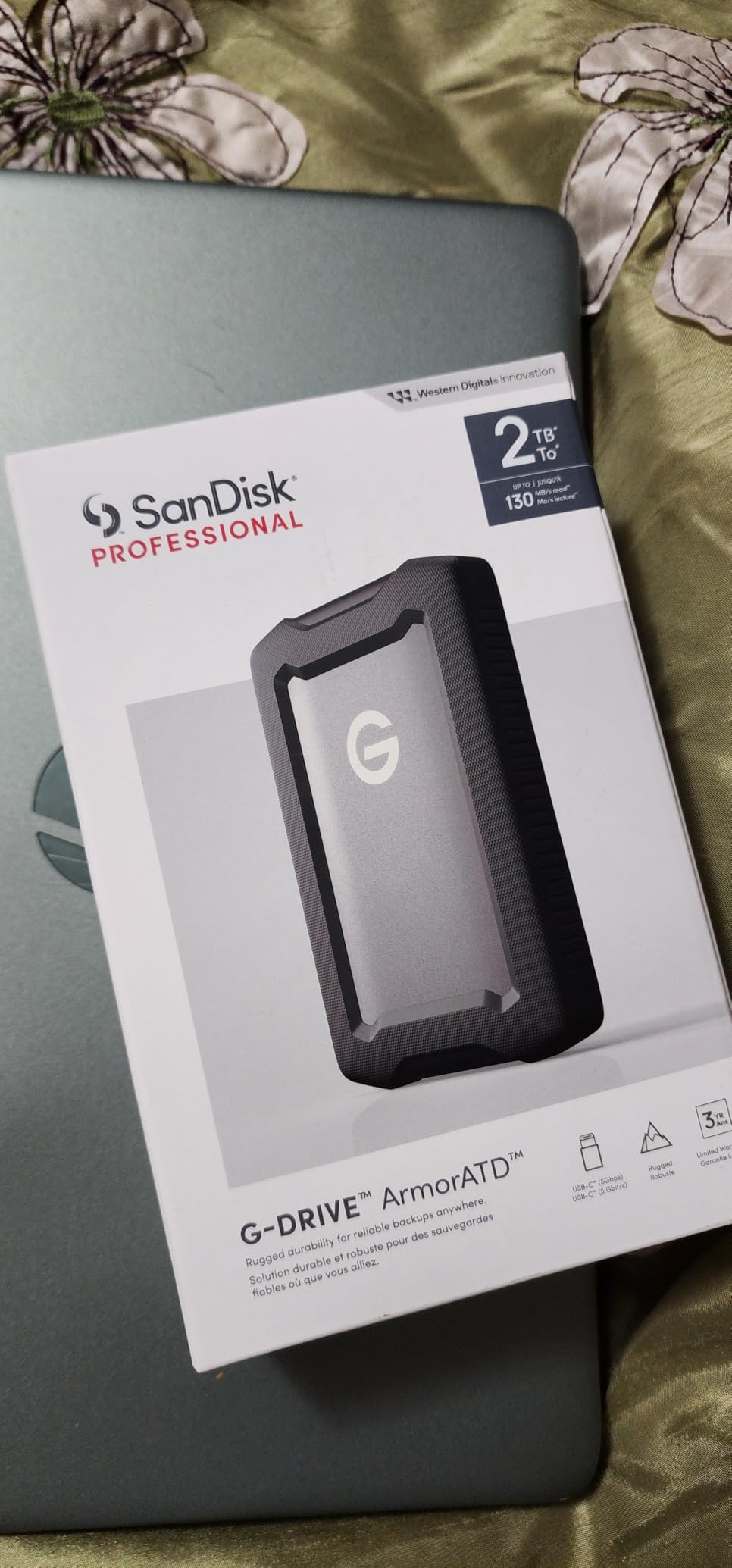
The USB-C interface is a welcome modern touch. No adapters needed for newer MacBooks or Windows laptops. The cable provided is reasonably long at about 18 inches, longer than the frustratingly short cables included with many competitors.
The main limitation is that this remains a mechanical hard drive. While the rugged exterior protects against drops and bumps, it is still slower and more fragile than an SSD. For field video work where speed matters, consider the SanDisk Extreme Pro SSD instead. For backup and transport of large files in rough conditions, this ArmorATD excels.
Who Should Buy This
Photographers, videographers, and creative professionals working in challenging environments will appreciate the rugged build. Mac users get plug-and-play convenience. It is ideal for location work where drives get tossed in equipment bags.
Who Should Skip This
Windows users who want immediate plug-and-play should look elsewhere. If you need fast file transfers for video editing, an SSD will serve you better. Budget-conscious buyers can get more capacity for less money with non-rugged drives.
11. LaCie 1TB Rugged Mini – Best Durable HDD Deal
LaCie Rugged Mini, 1TB, 2.5″, Portable External Hard Drive, for PC Mac iPad and iPhone, Data Rescue Service (LAC301558)
1TB Capacity
USB 3.0
Drop Resistant
Password Protection
Pros
- Iconic rugged design with orange bumper
- Drop protection up to 4 feet
- Dust and water resistant
- Built-in password protection
- Fast USB 3.0 transfers
- Includes Adobe CC trial
Cons
- Requires reformatting for Mac
- Orange aesthetic not for everyone
- No iPhone direct connection
- Older USB connector
The LaCie Rugged Mini has become an icon in creative circles, instantly recognizable by its distinctive orange rubber bumper. After years of market presence, it remains a popular choice for photographers and videographers who need reliable portable storage that can survive rough handling.
Drop protection up to 4 feet, dust resistance, and water resistance make this suitable for outdoor shoots and travel. The bumper absorbs impact effectively. I have seen these drives survive falls that would destroy typical portable drives. The built-in password protection adds security for sensitive client work.
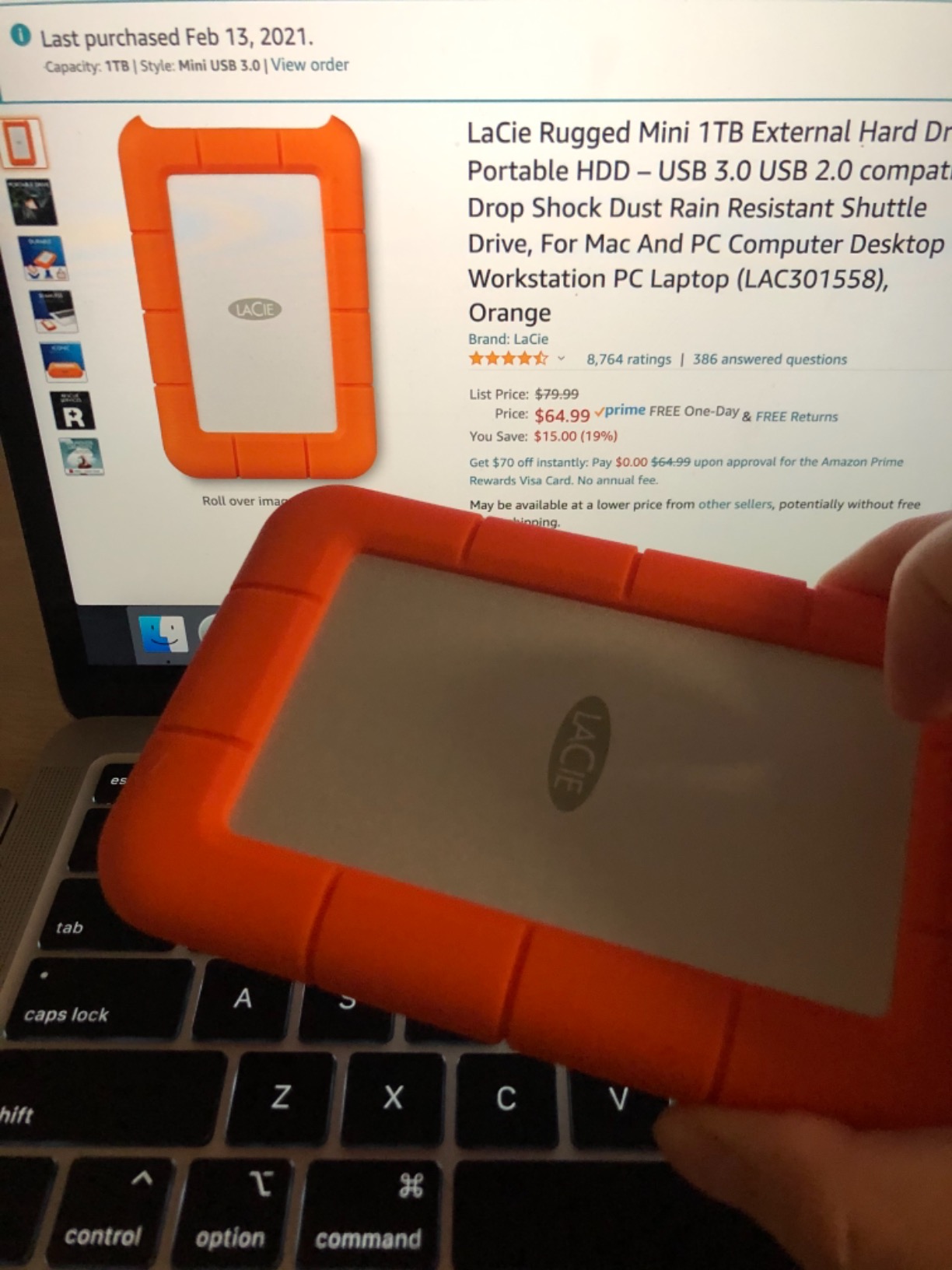
Transfer speeds via USB 3.0 reach the expected 100-130 MB/s range for a portable HDD. Nothing remarkable, but adequate for most backup and transport tasks. The included one-month Adobe Creative Cloud trial adds value for creative professionals who do not already subscribe.
One point of confusion in some listings involves iPhone compatibility. Despite some descriptions suggesting otherwise, this drive does not connect directly to iPhones. It requires a computer for file access. Also, the orange bumper aesthetic is polarizing; some love it, others find it garish.
Who Should Buy This
Creative professionals, photographers, and videographers who value durability and brand recognition will find this a solid choice. The proven rugged design provides confidence during travel and field work.
Who Should Skip This
Users wanting USB-C connectivity should look at newer rugged drives. If you dislike the orange aesthetic, LaCie offers other designs. Those needing faster speeds should consider SSD alternatives.
12. Maxone 500GB Ultra Slim – Best Budget HDD Deal
Maxone 500GB Ultra Slim Portable External Hard Drive HDD USB 3.0 Compatible with PC, Laptop, Charcoal Grey
500GB Capacity
USB 3.0
Ultra Slim
3-Year Warranty
Pros
- Incredibly low price point
- Ultra slim 0.4-inch design
- All-aluminum metal build
- Plug and play simplicity
- 3-year warranty
- Works with PS5
Cons
- No USB-C cable included
- Some connector durability concerns
- Requires reformat for Mac
- Short 19-inch cable
At under $30, the Maxone 500GB Ultra Slim is the most affordable external hard drive deal we tested. Despite the budget price, it offers surprising build quality with an all-aluminum metal enclosure that feels more premium than expected. The ultra-slim 0.4-inch profile makes it easy to slip into any bag or pocket.
Performance matches other 5400 RPM portable drives, with transfer speeds around 100 MB/s. For basic backup, document storage, and media transport, this is perfectly adequate. The drive runs cool and quiet during operation, a pleasant surprise at this price point.
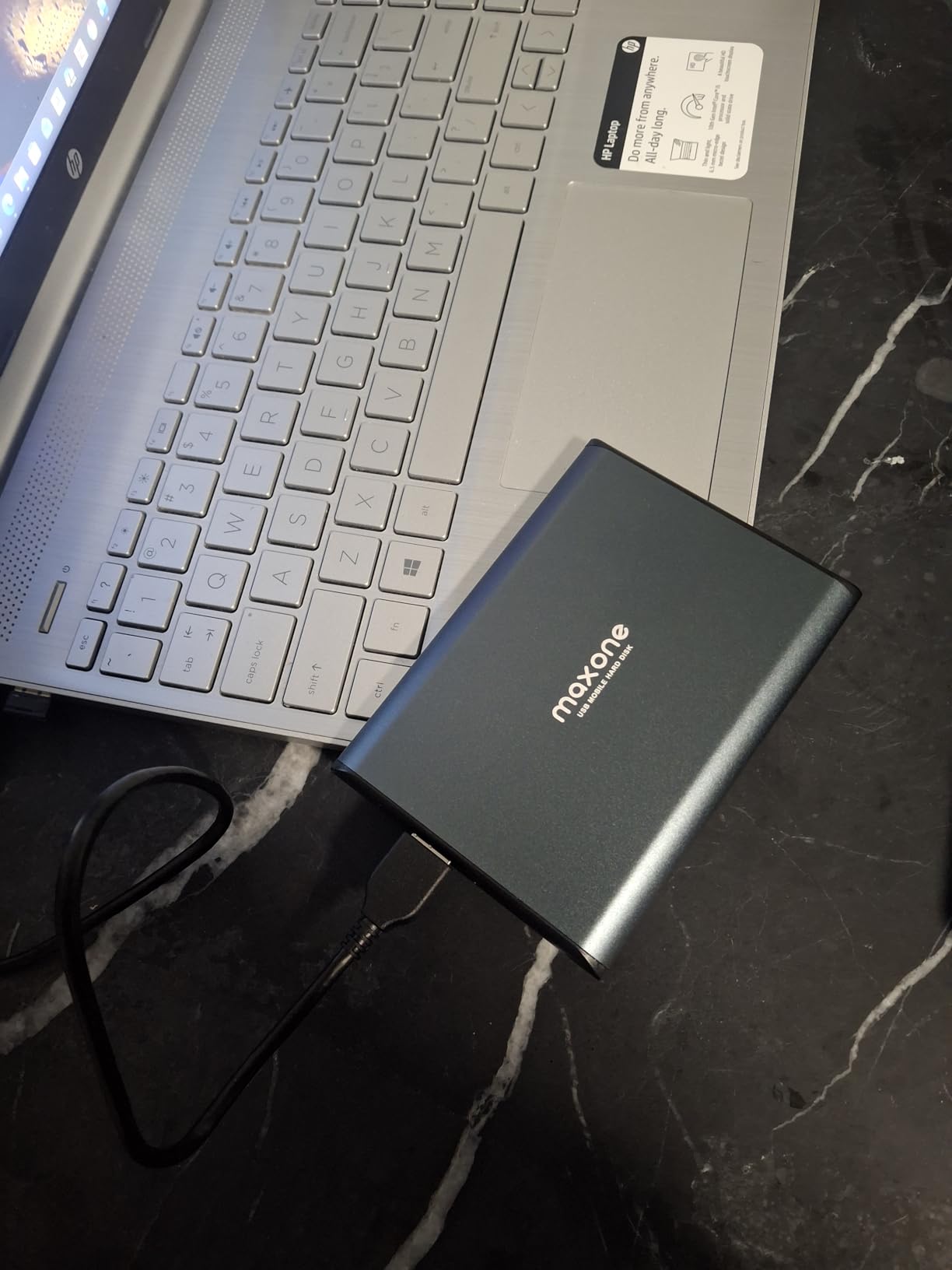
The 3-year manufacturer warranty exceeds what many budget brands offer. While I have not needed warranty service, the included free technical support suggests Maxone stands behind their product. PlayStation 5 owners will find this compatible for storing and playing PS4 games.
Some compromises are inevitable at this price. The USB connector has reported durability issues after extended use, so avoid yanking or putting stress on the cable connection. The included 19-inch cable is shorter than ideal. And Mac users will need to reformat before use.
Who Should Buy This
Budget-conscious shoppers who need basic external storage without spending much will find this excellent value. Students, casual users, and anyone wanting simple backup without premium features should consider this drive.
Who Should Skip This
Users with USB-C-only computers need an adapter. If you need maximum reliability for critical data, consider established brands with better track records. Those wanting fast transfer speeds should choose an SSD instead.
Buying Guide: How to Choose the Best External Hard Drive Deal
SSD vs HDD: Which is Right for You?
The first decision when shopping for external hard drive deals is choosing between SSD and HDD technology. Solid State Drives (SSDs) use flash memory with no moving parts, offering speeds 5-10 times faster than traditional Hard Disk Drives (HDDs). A typical portable SSD transfers files at 800-1050 MB/s, while HDDs manage 100-140 MB/s.
SSDs also offer superior durability. Without spinning platters and read heads, they survive drops that would destroy an HDD. They run cooler, quieter, and use less power. The trade-off is higher cost per terabyte. Expect to pay roughly twice as much per TB for SSD storage.
HDDs remain relevant for mass storage where speed matters less than capacity. If you need 5TB or more for backups and archives, HDDs deliver much better value. Many users combine both: a fast SSD for active projects and a large HDD for backups.
Capacity Planning: How Much Storage Do You Need?
Calculate your storage needs before shopping. Documents and spreadsheets require minimal space, but media files add up quickly. A typical RAW photo from a modern camera runs 40-80MB. One minute of 4K video can consume 400MB-2GB depending on compression. Game installations range from 50GB to over 150GB for AAA titles.
For backup drives, the 2X rule applies: get at least twice your internal storage capacity. This allows for multiple backup versions and growth. A 512GB laptop benefits from a 1TB or larger backup drive. A 2TB desktop needs 4TB or more for complete backup coverage.
Interface Types Explained
USB remains the dominant interface for external drives, but several versions exist. USB 3.0 (also called USB 3.2 Gen 1) offers 5 Gbps bandwidth, sufficient for HDDs and entry-level SSDs. USB 3.2 Gen 2 doubles that to 10 Gbps, matching the maximum speed of most portable SSDs like the Samsung T7.
USB4 and Thunderbolt 3/4 provide 40 Gbps bandwidth for high-end external SSDs, though most portable drives cannot saturate even 10 Gbps. USB-C refers to the connector shape, not the speed. A USB-C port might support any of these protocols. Check your computer’s specifications to know what speeds it supports.
CMR vs SMR Recording Technology
This matters primarily for high-capacity HDDs. CMR (Conventional Magnetic Recording) writes data tracks without overlapping, maintaining consistent write speeds. SMR (Shingled Magnetic Recording) overlaps tracks like roof shingles, allowing higher density but causing write speeds to drop dramatically during sustained transfers.
For desktop backup drives, CMR is strongly preferred. The WD 8TB Elements Desktop uses CMR technology. Some competitors use SMR without clearly indicating it on packaging. If you plan to shuck external drives for internal or NAS use, confirming CMR becomes critical.
Brand Reliability Considerations
Western Digital and Seagate dominate the external drive market, with Toshiba as a solid third option. Both WD and Seagate have had reliability issues in specific product lines over the years. Modern drives from both brands have improved significantly, but reputations persist in enthusiast communities.
For critical data, the brand matters less than your backup strategy. No drive is failure-proof. The 3-2-1 backup rule provides real protection: three copies of data, on two different media types, with one copy offsite. External drives should be one component of this strategy, not your only protection.
What Constitutes a Good Deal?
With storage prices elevated due to AI-driven demand, historical price benchmarks have shifted. Currently, under $20 per terabyte represents excellent value for HDD storage. SSDs at under $150 per terabyte are competitive. Portable drives under $100 that offer 1TB SSD or 2TB+ HDD capacity qualify as good deals.
Watch for seasonal sales around Black Friday, Cyber Monday, and Amazon Prime Day. Retailers like Best Buy and Costco sometimes offer exclusive deals on WD Easystore and Elements drives that undercut Amazon prices. Price tracking tools and browser extensions help identify genuine deals versus inflated original prices.
FAQs
What is the best external hard drive for photos?
For photo storage, prioritize capacity and reliability over pure speed. The WD 5TB Elements Portable offers excellent value for large photo libraries. If you need faster access for editing workflows, the Samsung T7 Portable SSD provides quick loading of large RAW files. Photographers working in the field should consider rugged options like the LaCie Rugged Mini or SanDisk G-Drive ArmorATD for added durability.
What is the best external hard drive for gaming?
Console gamers should look at the Seagate Portable 4TB HDD, which works with both Xbox and PlayStation. While you cannot play current-gen games directly from external HDDs, they excel for storing backward-compatible titles and game saves. PC gamers wanting faster load times should choose an SSD like the Samsung T7 or SanDisk Portable SSD for significantly reduced loading screens.
What is the most reliable external hard drive?
Reliability varies by model rather than brand alone. The Samsung T7 SSD has exceptional reliability ratings with a 4.7-star average from over 37,000 reviews. For HDDs, the WD Elements line consistently receives positive feedback. No drive is failure-proof, so always maintain multiple backups of important data using the 3-2-1 backup rule: three copies, two media types, one offsite.
What is the best external hard drive for backup?
For backup purposes, capacity and value matter more than speed. The WD 5TB Elements Portable offers excellent price per terabyte for laptop backups. Desktop users with more data should consider the WD 8TB Elements Desktop. Mac users benefit from Time Machine-compatible drives; both mentioned WD drives work after a quick reformat. For critical data, use multiple backup destinations including cloud storage.
What is the best external hard drive brand?
Western Digital and Samsung consistently rank highest for reliability and customer satisfaction. Samsung dominates the SSD market with the T7 series. Western Digital offers strong options across both HDD and SSD categories. Seagate remains popular despite some historical reliability concerns, offering competitive pricing and included data recovery services. Toshiba provides solid budget alternatives. Choose based on specific model reviews rather than brand alone.
Conclusion
The best external hard drive deals in 2026 span from budget HDDs under $30 to premium SSDs pushing $180. Our top pick, the Samsung T7 Portable SSD, delivers exceptional speed and reliability for users who need fast transfers. For maximum storage value, the WD 5TB Elements Portable HDD offers unbeatable capacity per dollar. Budget shoppers should look at the Maxone 500GB Ultra Slim for basic backup needs at minimal cost.
Storage prices remain elevated due to ongoing NAND flash shortages driven by AI demand. However, deals still exist for patient shoppers who track prices across retailers. Consider your specific needs: speed for active projects, capacity for archives, or durability for field work. Match those requirements to the right category rather than simply chasing the lowest price.
Remember that no external drive should be your only copy of important data. Combine local external storage with cloud backups for true data protection. The drives in this guide will serve you well as components of a comprehensive backup strategy.