
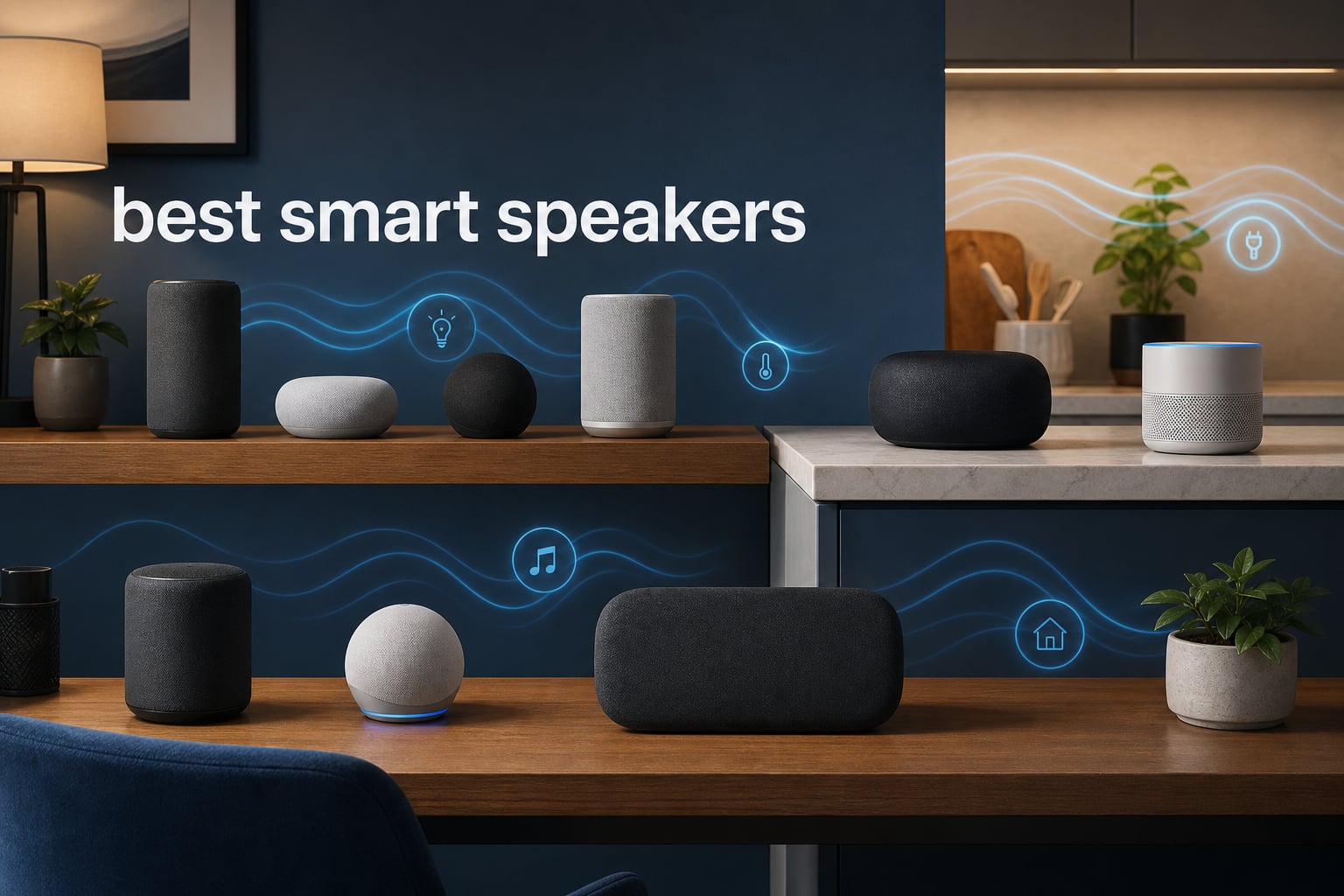
The best smart speakers do two jobs at once: they make music easy to enjoy and put useful voice control within speaking distance. The right one is not simply the loudest model; it is the speaker that fits the assistant, streaming services, rooms, and home controls you already use.
My short answer is simple. Choose the Sonos Era 300 when immersive music and a Sonos multi-room system matter most, choose the JBL Authentics 200 when you want both Alexa and Google Assistant in one stereo speaker, and choose an Amazon Echo when Alexa routines and a built-in smart-home hub lead your list.
This guide compares eight verified listings rather than treating every WiFi speaker as the same thing. I checked each listing for audio design, connection options, controls, stated multi-room features, voice-assistant support, user-rating data, and practical limits, then organized the picks by the job they do best.
A smart speaker is a WiFi-connected audio device with a built-in voice assistant or voice-control option. It can stream music, run timers, answer spoken requests, and control compatible home devices; that combination is especially handy while cooking, working, or carrying groceries.
There is one important limitation to keep in mind before buying. The available listings do not confirm Matter support or direct Home Assistant compatibility for every model, so I would verify those two items with the manufacturer if they are central to your home.
Table of Contents
These Are the Top 3 Smart Speakers for Different Homes in 2026
The fast answer below is organized by the decisions people actually make: immersive music, assistant flexibility, or an Alexa-centered smart home. It also gives a clean starting point for anyone comparing voice assistant speakers for the first time.
Best overall for immersive music: Sonos Era 300, thanks to Dolby Atmos Music support, six positioned drivers, WiFi multi-room streaming, Bluetooth, and Sonos Voice Control.
Best for Alexa or Google Assistant flexibility: JBL Authentics 200, with voice control through either assistant plus AirPlay, Chromecast built-in, Spotify Connect, and Ethernet.
Best Alexa hub choice: Amazon Echo Dot Max, with a built-in smart-home hub, Omnisense sensing, Alexa+ support, and nearly three times the bass claimed against the Echo Dot from 2022.
These recommendations do not pretend that one assistant serves everybody equally well. Your existing phones, streaming subscriptions, and smart-home gear should break close calls, especially because switching ecosystems later can be frustrating.
These Best Smart Speakers in 2026 Make the Differences Easy to Scan
Use this overview to narrow the field before reading the full reviews. Audio claims and connection choices come from the supplied product listings, while the final decision should turn on your room size, assistant preference, and whether you need portable use.
| Product | Specifications | Action |
|---|---|---|
 Sonos Era 300 Sonos Era 300 |
|
Check Availability |
 JBL Authentics 200 JBL Authentics 200 |
|
Check Availability |
 WiiM Sound WiiM Sound |
|
Check Availability |
 Amazon Echo Dot Max Amazon Echo Dot Max |
|
Check Availability |
 Sonos Era 100 Sonos Era 100 |
|
Check Availability |
 Sonos Play Sonos Play |
|
Check Availability |
 Bose Lifestyle Ultra Speaker Bose Lifestyle Ultra Speaker |
|
Check Availability |
 Amazon Echo Studio Amazon Echo Studio |
|
Check Availability |
Ratings shown in the review cards are the supplied average ratings, not a new scoring system. A higher figure can help with confidence, but it cannot tell you whether a speaker belongs in a small bedroom, a busy kitchen, or a larger listening room.
1. Sonos Era 300 Is the Best Smart Speaker for Immersive Multi-Room Music
Sonos Era 300 Wireless Smart Speaker with Dolby Atmos - Black
Dolby Atmos
Six drivers
WiFi multi-room
Bluetooth
Pros
- Dolby Atmos Music support
- Spacious stereo soundstage
- WiFi multi-room audio
- Bluetooth pairing
- Sonos Voice Control
Cons
- Not waterproof
- Line-in adapter required
The Sonos Era 300 is my first choice for someone building a music-first home system rather than just adding a voice command point. Its listing describes Dolby Atmos Music support and six positioned drivers with custom waveguides intended to spread sound wall to wall and floor to ceiling.
That is a meaningful difference from a small mono smart speaker. The stated 2.1-channel output, 300-watt maximum output, and spatial presentation make this the best fit here for focused listening in a living room or open main room.
Sonos gives the Era 300 WiFi streaming, Bluetooth pairing, AirPlay, NFC, and multi-room operation. I like that the speaker does not force a phone-only listening habit, although the listing names the app as its control method, so plan to use it for system management.
Its 4.6 average rating is based on 1,271 supplied reviews, and the rating distribution shows 83% five-star reviews. That is encouraging evidence, but I would still place it where its upward-and-outward sound can work rather than hiding it in a packed shelf.
The Era 300 Fits Music Rooms and Existing Sonos Systems Best
Choose this model for a main listening area, particularly if you want one speaker that can join a broader Sonos multi-room audio setup. It can also work with a Sonos Arc or Beam (Gen 2) for multichannel surround sound according to the listing.
For a deeper look at related Sonos options, see our guide to Sonos smart speakers for premium audio. The Era 300 is a strong match for listeners who want spacious playback without adding separate components immediately.
The Era 300 Needs a Fixed Indoor Listening Spot
This speaker is not waterproof, so it is not the sensible choice for a poolside table or a shower shelf. It weighs 4,470 grams and measures 6.65 by 6.65 by 7.44 inches, which also points toward a stable, permanent placement.
It supports an auxiliary connection only with the Sonos Line-In Adapter, which is a small but real planning detail for turntables or other wired gear. If you need a take-anywhere speaker, the Sonos Play below answers that need more directly.
2. JBL Authentics 200 Is the Best Smart Speaker for Alexa and Google Assistant Choice
JBL Authentics 200 - Retro Style Smart Home Speaker with Built in Wi-Fi, Bluetooth and Voice Assistants, Alexa and Google Assistant, Multi-Room Playback, Automatic self Tuning (White/Gold)
Alexa and Google Assistant
5 inch woofer
WiFi streaming
Ethernet port
Pros
- Two voice-assistant options
- Stereo driver layout
- AirPlay and Chromecast
- Physical bass and treble controls
- Ethernet connection
Cons
- Not waterproof
- Smaller review sample
The JBL Authentics 200 makes the clearest case for shoppers who do not want to choose between Alexa speakers and Google Assistant speakers at checkout. Its listing explicitly names voice control through both Alexa and Google Assistant, a rare point of flexibility in a category shaped by ecosystem lock-in.
For sound, JBL specifies two 25 mm tweeters, a full-range 5-inch woofer, and a 6-inch passive radiator. That stated arrangement matters more to me than a generic “room-filling” label because it explains why the speaker is designed for stereo detail and deeper bass from one enclosure.
The connection list is unusually broad: WiFi, Bluetooth, auxiliary input, Ethernet, USB, AirPlay, Alexa MRM, Chromecast built-in, and Spotify Connect. I would favor its Ethernet port when the speaker will live far from a WiFi router or in a room with a crowded wireless network.
JBL also includes on-speaker controls for volume, bass, and treble, plus the JBL One app for further customization. The supplied data gives it a 4.5 average from 223 reviews; that is a smaller review pool than some picks here, so I would treat the feature set as the main reason to shortlist it.
The Authentics 200 Serves Mixed Assistant Households Best
Pick this one when household members already use different phone platforms or assistants and you want fewer arguments about which wake word to live with. Its dual-assistant support can make a shared kitchen, den, or casual living room feel less tied to one account ecosystem.
It also has multi-room speaker status and high-definition streaming over WiFi. That makes it a useful center speaker for someone who wants casting and streaming-service flexibility without abandoning voice control.
The Authentics 200 Stays Indoors Rather Than Traveling
The listing does not call the Authentics 200 waterproof, so I would treat it as an indoor speaker. Its 6.88-pound weight and 10.48-inch width make it easy enough to reposition, but not a portable outdoor choice.
Its retro aluminum-frame and leather-like enclosure are part of the appeal, yet appearance should come after placement. Give the rear connections room and keep the speaker on a sturdy surface where voice requests will not be drowned out by kitchen appliances.
3. WiiM Sound Is the Best Smart Speaker for Hi-Res Streaming Control
WiiM Sound Smart Speaker with Hi-Res Audio, WiFi and Touchscreen, Black
24-bit 192 kHz
100W peak
AI RoomFit
WiFi 6E
Pros
- Hi-res playback
- AI RoomFit calibration
- Touch display and remote
- Many streaming protocols
- Stereo pairing
Cons
- Not waterproof
- No Prime eligibility
The WiiM Sound is the most format-focused pick in this group. Its listing names hi-res playback up to 24-bit/192 kHz, a 100-watt peak amplifier, WiFi 6E, Bluetooth 5.3, and a 1.8-inch round touch display that can show album art, time, and track information.
I would choose it over simpler voice assistant speakers when direct control and streaming breadth are as important as speaking commands. It supports Google Cast, Spotify, TIDAL, and Qobuz Connect, Alexa Cast, DLNA, Roon, and LMS, so it reads more like a compact network-audio hub than a basic assistant endpoint.
The acoustic hardware is clearly described: a 4-inch paper-cone woofer and dual 1-inch silk-dome tweeters. AI RoomFit room correction is intended to adapt playback to the room, and the supplied 4.5 rating comes from 213 reviews.
The included WiiM Voice Remote 2 Lite gives you another way to interact without reaching for a phone. I see that as a practical advantage in an office or reading room where a quick pause or volume change should not become an app task.
The WiiM Sound Works for Format-Conscious Music Listeners
This is the pick for people with services or libraries that benefit from a broad connection list and high-resolution playback support. It has stereo pairing for a true left-right setup and is compatible with the WiiM Sub Pro and home-theater setup described in the listing.
Its 50-millisecond stated audio latency and 80 dB signal-to-noise ratio are useful listing details, although they do not replace listening in your own room. Place it where the display and remote will be genuinely useful, not just impressive on paper.
The WiiM Sound Does Not Promise a Fully Waterproof Smart Setup
The listing does not describe water resistance, so keep it away from splash-prone counters and bathrooms. Its 5.5-pound, 5.8-inch-square body is compact for a full-range network speaker, but it belongs on a dry surface.
Voice control is among the listed control methods, but the product data emphasizes casting, app, touch, and remote control more than a named onboard assistant. If your priority is a specific wake-word assistant, the JBL or Amazon choices make their assistant support more explicit.
4. Amazon Echo Dot Max Is the Best Smart Speaker for Alexa Routines and Home Control
Amazon Echo Dot Max (newest model), Alexa speaker with room-filling sound and nearly 3x bass, Great for living rooms and medium-sized spaces, Designed for Alexa+, Graphite
Alexa+
Built-in smart-home hub
Omnisense
eero Built-in
Pros
- Built-in smart-home hub
- Natural Alexa+ conversations
- Nearly 3x bass claim
- Presence and temperature routines
- Microphone disable button
Cons
- Some devices need another hub
- No dimensions listed
The Amazon Echo Dot Max is the practical Alexa choice when you want a speaker to take an active role in home routines. Amazon lists a built-in smart-home hub, Omnisense technology for temperature and presence-based experiences, and Alexa+ support for more natural conversation.
Audio is not ignored here. The listing says it adapts sound to the room and delivers nearly three times the bass of the Echo Dot released in 2022, putting it in a different role from an entry-level bedside puck.
Its eero Built-in feature can add up to 1,000 square feet of mesh WiFi coverage. I would view that as a helpful extra for an eero household, not as the reason to buy the speaker if your network is already stable.
The supplied review record is the largest in this roundup: 4,068 reviews at a 4.4 average, with 74% five-star ratings. Community discussion often calls Alexa apps clunky, so the strongest case for this model is hands-free routine control rather than constant app browsing.
The Echo Dot Max Makes Alexa Smart Homes Easier to Run
Use it in a living room, medium-size space, or the central area where routines matter most. The built-in hub, sensor-led Omnisense routines, and Alexa+ orientation give it more smart-home focus than the music-first Sonos models.
The microphone enable or disable button is a welcome physical privacy control. I still recommend reviewing account settings and microphone behavior after setup because privacy is a system choice, not a single button.
The Echo Dot Max Needs Compatibility Checks for Some Devices
Amazon notes that some devices require a separate smart-home hub, so do not assume every existing accessory will pair directly. Check the exact protocol and hub requirements of lights, locks, sensors, and other devices before replacing equipment.
The supplied listing does not provide dimensions or weight, which makes physical fit harder to predict from the data alone. If you want Dolby Atmos-focused music instead of a routine-centered speaker, the Echo Studio is the more suitable Alexa model below.
5. Sonos Era 100 Is the Best Smart Speaker for Compact Sonos Rooms
Sonos Era 100 - Black - Wireless, Alexa Enabled Smart Speaker
Dual tweeters
Larger midwoofer
Trueplay tuning
WiFi and Bluetooth
Pros
- Detailed stereo separation
- Deeper bass from larger midwoofer
- Trueplay room tuning
- Compact placement
- WiFi and Bluetooth
Cons
- Not waterproof
- Line-in adapter required
The Sonos Era 100 is the simple answer when you want Sonos sound in a more compact room. It has next-generation dual-tweeter acoustic architecture for stereo separation, a 25% larger midwoofer for deeper bass, WiFi streaming, and Bluetooth pairing.
I would put it on a bookshelf, desk, nightstand, or kitchen counter rather than ask a large speaker to work around tight furniture. The 7 by 5.1 by 7.22-inch dimensions make that placement case clear, while the stated 2.0-channel output points to stereo presentation from one unit.
Trueplay tuning is the standout feature for tricky rooms. It is intended to adjust EQ for room acoustics, which helps when a speaker has to sit near a wall, on a counter, or in a spot chosen for convenience rather than perfect symmetry.
The Era 100 has a 4.4 average rating across 2,664 supplied reviews. Its listing also names a processor that is 47% faster than the prior design, but I would judge it mainly by its tidy size, stated tuning feature, and place in the Sonos multi-room family.
The Era 100 Belongs in Bedrooms Kitchens and Desk Areas
This model makes sense where you want music, podcasts, timers, and a compact form without turning the room into an audio installation. Its voice control and multi-room speaker status make it a natural satellite for a larger Sonos home.
Bluetooth is useful for visitors or quick phone playback, while WiFi is the better path for regular Sonos system use. If a room needs much broader spatial sound, the Era 300 has the stronger stated specification set.
The Era 100 Needs Dry Placement and an Adapter for Line-In
It is not waterproof, so it should stay off damp bathroom shelves and exposed patios. The listing only names an auxiliary connection through the Sonos Line-In Adapter, so direct wired-source plans need that extra component.
The listed maximum output power is 10 watts, which is another cue to match this speaker to smaller rooms rather than assume it will fill every open-plan space. For a kitchen, a bedroom, or a home office, that restraint can be exactly right.
6. Sonos Play Is the Best Smart Speaker for Portable Sonos Listening
Sonos Play Portable Bluetooth Speaker - Black
24-hour battery
IP67 protection
WiFi and Bluetooth
Charging base
Pros
- Up to 24-hour playback
- IP67 waterproof and dustproof
- WiFi at home
- Bluetooth anywhere
- Charging base included
Cons
- Power adapter sold separately
- Smaller review sample
The Sonos Play is the unusual Sonos option that takes the system outside its fixed-room comfort zone. Its listing combines WiFi for use with the Sonos system at home and Bluetooth for use elsewhere, then adds a stated 24-hour battery life and included wireless charging base.
It is also rated IP67 for water and dust protection and is described as drop-resistant. I would pick it for patios, gardens, poolside areas, travel, or any home where the same speaker needs to move between rooms and outdoor use.
Sonos claims seriously big stereo sound and deep bass in the take-anywhere design. The 2.9-pound weight and 3.02 by 4.43 by 7.57-inch dimensions support the portable case without making it a tiny clip-on speaker.
The available data gives the Play a 4.4 average from 139 reviews. That is a limited review sample compared with the Era 100, so the deciding facts are the battery, IP67 rating, WiFi/Bluetooth combination, and charging base.
The Sonos Play Handles Outdoor and Moving-Room Use Best
Choose this speaker when waterproofing and battery operation are non-negotiable. Its multi-room audio speaker type means it can participate in the home system over WiFi, then switch to Bluetooth when you leave that network.
The charging base helps make return-to-home charging less fussy. Put the base in a dry, easy-to-reach location and treat the Play as a grab-and-go part of your Sonos setup, not an accessory you must hunt for when its battery runs down.
The Sonos Play Requires a Separate Compatible Power Adapter
The listing says a USB-C/PD-compatible power adapter rated at 18 watts or greater is sold separately. Check what you already own before planning the charging location, especially if you want the speaker ready for daily use.
This speaker is ideal for flexibility, not for replacing a dedicated Dolby Atmos living-room speaker. A permanent indoor listening space still favors the Era 300 or a stereo-paired setup where portability is not the main goal.
7. Bose Lifestyle Ultra Speaker Is the Best Smart Speaker for Casting and Wired Sources
Bose New Lifestyle Ultra Speaker, Wireless Home Speaker, TrueSpatial Audio, CleanBass, AirPlay & Google Cast, Black
TrueSpatial Audio
AirPlay and Google Cast
AUX input
Alexa+ compatible
Pros
- Adjustable EQ
- AirPlay and Google Cast
- AUX for wired sources
- Stereo and multi-room options
- Alexa+ compatible
Cons
- Not waterproof
- Requires mains power
The Bose Lifestyle Ultra Speaker makes a strong case for a home listener who mixes modern streaming with older hardware. Its listing names TrueSpatial Audio, CleanBass, WiFi, Bluetooth, AirPlay, Google Cast, Spotify, Alexa+ compatibility, and AUX inputs for turntables, CD players, and more.
I find that AUX input especially useful because many smart speakers make wired listening a secondary concern. Here, it gives a clear path for a physical source while the WiFi and casting options cover everyday phone and network playback.
Bose says the speaker can be used alone, paired as a stereo set, or connected with multiple speakers for multi-room listening. Adjustable EQ adds a direct way to tune playback for genres or rooms instead of accepting one voicing everywhere.
The supplied average is 4.3 across 145 reviews. It is not the highest-rated choice by this data, but its connection mix and source flexibility fill a role that the simpler assistant-focused models do not.
The Bose Lifestyle Ultra Speaker Fits Mixed-Source Listening Rooms
Put this model in a den, office, or main room where a turntable, CD player, or other AUX source shares space with streaming. AirPlay and Google Cast make it friendlier to households with varied devices than a model tied closely to one phone platform.
Touch, app, and voice commands are all listed control paths. That choice matters when different people in the room prefer physical controls, a phone app, or a spoken request.
The Bose Lifestyle Ultra Speaker Needs Permanent Indoor Power
This is a home speaker, not a battery-powered travel model. The listing says it requires a power adapter and is not waterproof, so choose a dry shelf or table near a reliable outlet.
Its 3.66-pound body and 6.59 by 4.77 by 7.27-inch dimensions are manageable for room rearranging, but it is better thought of as a connected home component. For outdoor use, the IP67-rated Sonos Play is the more direct option.
8. Amazon Echo Studio Is the Best Smart Speaker for Alexa Dolby Atmos Music
Amazon Echo Studio (newest model), Immersive spatial audio and Dolby Atmos, Designed for Alexa+, Graphite
Dolby Atmos
Spatial audio
Room adaptation
Alexa+ smart-home hub
Pros
- Spatial audio and Dolby Atmos
- Room adaptation
- Built-in smart-home hub
- eero Built-in
- Microphone disable button
Cons
- Some devices need another hub
- Lower supplied rating than top picks
The newest Amazon Echo Studio is the Alexa answer for buyers who put music scale ahead of a compact footprint. Its listing combines immersive spatial audio and Dolby Atmos with room adaptation technology that analyzes acoustics and fine-tunes playback.
Amazon says this model is 40% smaller than the original Echo Studio. That makes it more practical for shelves and consoles while keeping the higher-end audio focus that separates it from the Echo Dot Max.
Like the Dot Max, it includes a built-in smart-home hub, Omnisense technology, eero Built-in coverage expansion, and Alexa+ support. I would see it as a way to join Alexa home control with more ambitious music playback in one main room.
The 4.1 supplied average rating across 1,053 reviews is lower than several picks above, so I would not call it the automatic overall winner. It is the right choice only when the specific combination of Dolby Atmos, room adaptation, and Alexa tools matches your priorities.
The Echo Studio Works for Alexa Entertainment Centers
Amazon lists multi-room music and Alexa home-theater use, making this a natural speaker for an entertainment area. If TV audio is your main project, also compare our best soundbars to pair with your smart speaker before deciding that a single speaker is enough.
The room adaptation feature is a practical draw for spaces that cannot be acoustically perfect. Give the speaker a clear position in the room and let its sound role be music and home-theater support rather than hiding it behind furniture.
The Echo Studio Still Requires Device and Privacy Planning
Amazon notes that some smart-home devices require a separate hub, so its built-in hub is not a universal compatibility guarantee. The listing also includes a microphone enable or disable button, which is a useful physical control for people who want an obvious way to stop microphone access.
For an Alexa household, first decide whether room-filling Dolby Atmos playback or simple routine control matters more. The Studio suits the former, while the Dot Max is the better fit when the central task is everyday smart-home control.
These Buying Rules Help You Choose the Right Smart Speaker
The quickest way to choose is to decide your ecosystem before comparing audio claims. Community discussions repeatedly point to ecosystem lock-in, occasional Google Home connection drops, an Alexa app some find unintuitive, and slower Siri responses, so a good speaker cannot erase the weak spots of the system around it.
Your Existing Assistant Should Decide the First Cut
Alexa is the clearest fit for the Echo Dot Max and Echo Studio because both are designed for Alexa+ and include smart-home hubs. The JBL Authentics 200 is the flexible outlier because its listing supports both Alexa and Google Assistant.
Apple users should be careful here: none of the supplied products is listed as an Apple HomePod. Several products support AirPlay, including the Era 300, JBL Authentics 200, Sonos Play, and Bose Lifestyle Ultra Speaker, but AirPlay support is not the same as Siri or Apple Home compatibility.
Google-oriented buyers should likewise distinguish Google Cast from a built-in Google Assistant. The JBL explicitly names Google Assistant, while the WiiM Sound and Bose listings name Google Cast; casting can be excellent for playback without making the speaker a Google Assistant device.
Your Room Size Should Decide the Sound Level You Need
For a larger living room, the Era 300’s six-driver Dolby Atmos design, the Echo Studio’s spatial audio, and the Bose model’s room-filling claim are the most relevant starting points. For smaller rooms, the Era 100’s compact dimensions and Trueplay tuning make more sense than adding a physically larger speaker.
Do not let a maximum-output number settle the decision by itself. Driver arrangement, placement, the room’s surfaces, and whether you want background music or active listening all change the result.
For music, look for the details that describe how a speaker creates sound: the JBL’s two tweeters, 5-inch woofer, and passive radiator; the WiiM’s 4-inch woofer and dual silk-dome tweeters; or the Era 300’s custom waveguides. Those facts are more useful than vague promises about “big” sound.
Your Multi-Room Plan Should Start Small and Stay Consistent
Multi-room audio is convenient only after the first speaker is stable on your network. Start with one speaker in the room you use most, update it, test streaming and voice commands, and then add rooms one at a time instead of grouping everything on day one.
Keep one brand or system for the rooms you want synchronized. Sonos models here are the simplest family to group together, while Amazon’s Echo speakers are built for Alexa multi-room music; mixing brands can work for streaming but does not promise one unified grouping experience.
Forum users regularly describe multi-room setup as more complicated than the marketing suggests. I would name each room plainly in the app, avoid duplicate device names, and test a group at ordinary volume before relying on it for a party or daily alarm.
Your Network and Connections Should Match the Speaker Location
WiFi is central to every fixed speaker in this guide, while Bluetooth helps with guests, quick local playback, and portable use. The JBL’s Ethernet port is especially useful in a fixed spot with a hardwired connection, and the Echo models’ eero Built-in feature matters only for compatible eero networks.
For phone and computer users, connection options may determine daily convenience. AirPlay appears on the Era 300, JBL Authentics 200, Sonos Play, and Bose Lifestyle Ultra Speaker; Google Cast is listed for the WiiM Sound and Bose model, and Chromecast built-in is listed for JBL.
Wired listeners should focus on input requirements rather than assume every speaker has a jack. Bose includes AUX inputs, JBL lists auxiliary input, WiiM lists auxiliary connectivity, and the Sonos Era products require the separately named Sonos Line-In Adapter for an auxiliary cable.
Your Privacy Choice Should Include a Physical Microphone Control
Always-listening microphones are a real concern in forum discussions, and no privacy policy can be assessed from a speaker’s sound quality. The two Amazon listings explicitly include a microphone enable or disable button, while the Era 300 lists Sonos Voice Control with privacy features.
Before setting up any voice assistant, inspect its voice-history, recording, household-account, and microphone settings. Put speakers outside places where private conversations happen most often if the convenience trade-off does not feel right to everyone at home.
A physical mute button is useful because it gives a fast, visible action. It does not remove the need to understand the assistant account and smart-home permissions connected to the speaker.
Your Home Assistant and Matter Plan Needs Verification Before Purchase
Home Assistant compatibility is increasingly important to enthusiasts, but none of these supplied listings confirms direct Home Assistant support. Do not buy on the assumption that a WiFi speaker or Alexa label automatically gives you the integration path you want.
The same caution applies to Matter. Research for this guide identifies Matter as a future-facing consideration, yet the available product records do not state Matter support for these eight models.
Check the product maker’s current compatibility documentation for your exact devices and preferred control route before ordering. This extra step can prevent a speaker from becoming another disconnected endpoint in a home that needs local or unified control.
Your Room-by-Room Plan Makes the Final Choice More Obvious
For a kitchen, I would favor the compact Era 100 for Sonos homes, the dual-assistant JBL for mixed households, or the Echo Dot Max for Alexa routines. Voice timers and music matter here, but so do dry placement and controls you can reach with messy hands.
If kitchen voice control is the project, our guide to voice-controlled kitchen appliances can help you think through the broader room setup. A speaker should simplify a cooking task, not add a second app to manage while you cook.
For a bedroom, the Era 100 fits a small surface and the Echo Dot Max fits Alexa alarms and routines. For a main music room, choose the Era 300 or Echo Studio based on whether Sonos multi-room sound or Alexa features are the stronger pull.
For a patio or bathroom-adjacent outdoor area, the IP67 Sonos Play is the direct choice in this list. For a desk or office, WiiM Sound’s display, remote, and broad streaming support make it particularly appealing.
Smart speakers also complement TV and phone control, but they are not replacements for the right display or audio component. See our guide to smart TV integration with voice assistants and ideas to control your smart home from anywhere if those devices are part of your plan.
These Smart Speaker FAQs Give Direct Buying Answers
What smart speaker has the best sound?
The Sonos Era 300 is the strongest sound-focused choice in this group because its listing specifies Dolby Atmos Music support, six positioned drivers, custom waveguides, WiFi multi-room streaming, and a 2.1-channel output. Choose the Amazon Echo Studio instead if you want spatial audio and Dolby Atmos within an Alexa-centered home. The best result still depends on room size and placement.
Is it worth getting a smart speaker?
A smart speaker is worth getting when hands-free music, timers, information, and compatible smart-home controls would save time in rooms such as kitchens, offices, and bedrooms. It is less compelling if you dislike cloud-connected microphones, do not use streaming music, or need a system with confirmed Home Assistant or Matter compatibility that the product listing does not state.
What is the best alternative to Alexa?
The JBL Authentics 200 is the clearest alternative when you want Google Assistant because it explicitly supports both Google Assistant and Alexa. Apple-focused users should look for a dedicated Apple HomePod outside this list; AirPlay support on speakers such as the Sonos Era 300 or Bose Lifestyle Ultra Speaker does not make them Siri speakers.
The Right Best Smart Speakers Choice Starts with Your Ecosystem
For the best smart speakers in 2026, I would choose the Sonos Era 300 for immersive multi-room music, the JBL Authentics 200 for Alexa and Google Assistant flexibility, and the Echo Dot Max for Alexa-centered routines. The WiiM, Era 100, Sonos Play, Bose, and Echo Studio each make more sense when their specific strengths match your room.
Start with the comparison, choose the assistant and connection types you will actually use, and then buy for the room rather than the spec sheet alone. A speaker that is easy to control in the right place will do more for everyday listening than an oversized model with features you never touch.