
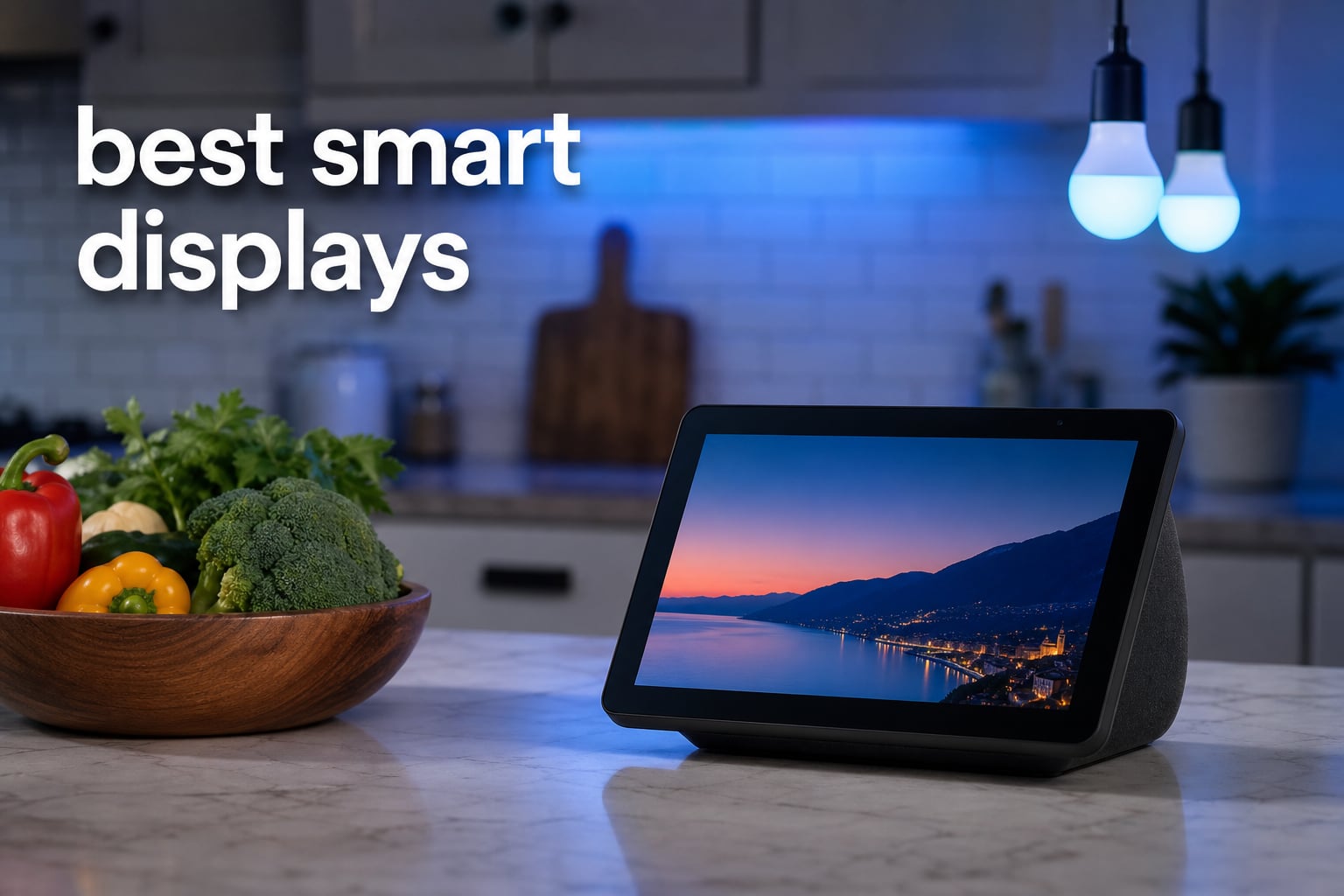
The Amazon Echo Show 8 is our top pick overall because it combines an 8.7-inch HD screen, spatial audio, a built-in smart-home hub, and an auto-framing camera. For most homes, that is the most balanced set of verified features in this best smart displays guide.
A smart display is a voice-activated speaker with a touchscreen display. It adds visual answers to voice requests: a timer you can see across the kitchen, a camera feed at the front door, a calendar at breakfast, a recipe display while your hands are messy, or a shared photo album when it is idle.
We compared all eight available models by assistant ecosystem, screen size, listed audio hardware, camera setup, smart-home connectivity, and how well each one fits a real room. The key choice is not simply the largest screen; it is whether Alexa or Google Assistant already works with your devices and routines.
Table of Contents
The top 3 smart displays serve most homes, families, and small spaces in 2026
The Echo Show 8 is the balanced pick, the Echo Show 15 gives a household a large shared screen and Fire TV, and the Echo Show 5 is the compact bedside option. Choose from these first if you already use Alexa-compatible devices.
The best smart displays in 2026 cover eight distinct home roles
This quick overview keeps the decision practical: look for the size you can comfortably read from its intended spot, then check the assistant and control standards before you buy. A broad feature list matters less than a display that belongs in the room where your household will actually glance at it.
| Product | Specifications | Action |
|---|---|---|
 Amazon Echo Show 8 Amazon Echo Show 8 |
|
Check Latest Price |
 Amazon Echo Show 15 Amazon Echo Show 15 |
|
Check Latest Price |
 Amazon Echo Show 21 Amazon Echo Show 21 |
|
Check Latest Price |
 Google Nest Hub 2nd Gen Google Nest Hub 2nd Gen |
|
Check Latest Price |
 Amazon Echo Show 5 Amazon Echo Show 5 |
|
Check Latest Price |
 Changingtouch 15.6 inch Changingtouch 15.6 inch |
|
Check Latest Price |
 Amazon Echo Hub Amazon Echo Hub |
|
Check Latest Price |
 Google Nest Hub Max Google Nest Hub Max |
|
Check Latest Price |
1. Amazon Echo Show 8 is the best overall smart display
Amazon Echo Show 8 (newest model), Vibrant HD 8.7″ display with spatial audio, Designed for Alexa+, Graphite
8.7 inch HD
Spatial audio
Built-in hub
3.3x zoom camera
Pros
- Vibrant HD display
- Spatial audio
- Built-in smart home hub
- Auto-framing camera
- Alexa+ integration
Cons
- Not Prime eligible
The Echo Show 8 earns the lead spot because its screen, audio, camera, and home-control hardware are all sized for everyday shared use. Its 8.7-inch HD touchscreen has 15% more viewing area than the Echo Show 8 from 2023, which makes a meaningful difference when you are reading a recipe step or seeing a group of controls from a counter.
Amazon lists the AZ3 Pro chip, spatial audio with crisper vocals and a wider sound stage, and a built-in smart-home hub. The product has a 4.4 rating from about 6k reviews, so it has a much broader review base than a niche alternative in this group.
For us, this is the Alexa display to put where people naturally pause: a kitchen counter, an open-plan living area, or a desk that also manages smart lights and cameras. Omnisense technology, the auto-framing camera, 3.3x zoom, and noise reduction make its camera specification more complete than a small alarm-clock display.
The Echo Show 8 works best when one screen must cover several daily tasks
Choose it if you want a kitchen companion, a compact smart home hub, a digital photo frame, and a video-call screen in one device. It is large enough for visual feedback without turning the counter or bedside table into a dedicated entertainment station.
Alexa households also get a clear path for voice commands and touch controls in the same place. That matters when a spoken command is quicker for a timer, but a touch is quicker for choosing a room or checking a camera feed.
The Echo Show 8 needs a privacy-aware shared location
The camera is part of its appeal, so place it where video calling is useful rather than where a lens would make people uncomfortable. Amazon lists multiple privacy controls, and the right habit is to use them rather than treating them as a feature you will never need.
If your only goal is a visible alarm clock, this model has more screen and camera capability than necessary. The Echo Show 5 is the better size match for that narrow role, while the Echo Hub is better when control panels matter more than media.
2. Amazon Echo Show 15 is the best family command center
Amazon Echo Show 15 (newest model), Full HD 15.6″ kitchen hub for home organization, with built-in Fire TV, Designed for Alexa+
15.6 inch Full HD
Fire TV
Family widgets
Auto-framing camera
Pros
- Full HD display
- Built-in Fire TV
- Customizable widgets
- Smart home dashboard
- Wide-view camera
Cons
- Not Prime eligible
The Echo Show 15 is designed around a household wall screen rather than a compact speaker with a screen attached. Its 15.6-inch 1080p Full HD display gives calendars, to-do lists, weather, and smart-home widgets room to be read by more than one person at once.
Built-in Fire TV and its included remote separate it from a basic organization board. It can be the screen that holds a grocery list in the morning and becomes the family’s video destination later, without asking someone to carry a tablet between rooms.
Amazon lists video calling with an auto-framing camera, 3.3x zoom, a wide field of vision, a photo slideshow, and a smart-home dashboard. A 4.4 rating from about 5.8k reviews gives this large format a well-established review signal.
The Echo Show 15 fits homes that organize routines in public view
Put this model in a kitchen, busy hallway, or communal room if calendars and task lists need to be visible without opening a phone. The customizable widget layout is the central reason to choose it over the Echo Show 8.
It is also the better Alexa pick when Fire TV belongs on the same screen as household information. That combination makes sense for a family command center; it makes less sense for a bedside space where a 15.6-inch display can feel excessive.
The Echo Show 15 requires wall space and an Alexa-friendly household
Measure the intended wall or surface and think about viewing distance before choosing a larger panel. Full HD benefits a screen viewed from across a room, but it cannot solve a poor placement where glare or foot traffic blocks the display.
Multi-user households should agree which widgets belong on the shared dashboard and which information stays personal. A communal calendar is helpful, while personal reminders and camera views need thoughtful access settings.
3. Amazon Echo Show 21 is the largest smart display for shared rooms
Amazon Echo Show 21 (newest model), Full HD 21″ kitchen hub for home organization, with built-in Fire TV, Designed for Alexa+
21 inch Full HD
Fire TV
Active Media
Auto-framing camera
Pros
- Largest 21 inch display
- Built-in Fire TV
- Family widgets
- Active Media audio
- Wide-view video calls
Cons
- Not Prime eligible
The Echo Show 21 takes the command-center idea to a 21-inch Full HD screen. It is the largest smart display in this eight-product group, making calendars, shopping lists, weather, photo slideshows, and dashboard controls readable from farther away.
It carries the same family-oriented pieces that make the Echo Show 15 appealing: customizable widgets, built-in Fire TV with a remote, smart-home controls, and an auto-framing camera with 3.3x zoom. Its listed Active Media feature adds multi-room music streaming to the package.
We would reserve this scale for a real shared wall or a large kitchen zone. A larger display is not automatically better for a single person; it is better when multiple people need to see it and the viewing distance justifies a 21-inch panel.
The Echo Show 21 is right when visibility across a room is the priority
This is the strongest fit for a family organization wall where people scan schedules, a shopping list, or the weather while passing by. It also makes more sense than a smaller display when Fire TV viewing happens in that same room.
Active Media helps if you want audio to move through a multi-room setup, but its main distinction remains screen size. The 21-inch Full HD panel is a room-level display rather than a personal assistant screen.
The Echo Show 21 needs a deliberate location rather than a spare corner
Before selecting it, decide whether the intended spot supports the screen’s scale and whether Fire TV, widgets, and camera access will be used by the household. If the answer is mostly timers and a few smart lights, the Echo Show 8 is a more focused choice.
Camera privacy remains a placement question here as well. Amazon lists a mic/camera-off button, and that hardware control is useful for a family screen installed where guests and relatives regularly gather.
4. Google Nest Hub is the best compact Google Assistant choice
Google Nest Hub 7” Smart Display with Google Assistant (2nd Gen) – Chalk
7 inch display
Google Assistant
No camera
4 GB RAM
Pros
- Compact 7 inch design
- Google Assistant
- Global language compatibility
- Bluetooth
- No camera
Cons
- No camera for video calls
The Google Nest Hub (2nd Gen) is the straightforward choice for people who want Google Assistant on a small, camera-free screen. Its 7-inch LED touchscreen has a 1024 by 600 resolution, and the compact format is easy to place on a nightstand, desk, or small kitchen counter.
The supplied specifications list an ARM-based quad-core 64-bit 1.9 GHz CPU, 4 GB of RAM, 4 GB of storage, Bluetooth, and Wi-Fi. Those details support the everyday role here: voice requests, touch controls, photo display, and Google Assistant smart-home commands rather than a big entertainment screen.
Its 4.3 rating comes from about 1.2k reviews. The absence of a camera is a genuine buying point, not merely a missing feature, for anyone who wants visual responses and home control without a lens in the bedroom or other private space.
The Google Nest Hub suits small rooms and Google-centered routines
I would choose this unit for Google Assistant users who want a smart speaker with screen functions in a compact footprint. It can show photos when idle and provide the visual follow-through that a voice-only speaker cannot offer.
Global language compatibility is also useful for households that need broader language support. Its small display keeps it especially appropriate for a bedside alarm, a home office, or a modest kitchen display.
The Google Nest Hub does not meet a video-calling requirement
The product has no camera, so do not pick it for camera-based video calls or a visual check-in feature. That limitation makes the Nest Hub Max the Google option to examine if a camera and larger screen are both non-negotiable.
It is also not a Fire TV screen or a giant family board. People who want streaming entertainment and a public household dashboard should look at the large Echo Show models instead of forcing a compact display into a shared-room job.
5. Amazon Echo Show 5 is the best bedside Alexa display
Amazon Echo Show 5 (newest model), Smart display, Designed for Alexa+, 2x the bass and clearer sound, Charcoal
5.5 inch display
2 MP camera
Clearer sound
Camera shutter
Pros
- Compact display
- 2x bass
- 2 MP video camera
- Built-in camera shutter
- Photo slideshow
Cons
- Not Prime eligible
The Echo Show 5 is made for the places where a full smart display would take over the furniture. Its 5.5-inch screen is compact enough for a nightstand, a small desk, or a narrow kitchen ledge, while retaining Alexa voice control, touch input, photo slideshows, and connected-device control.
Amazon lists clearer sound and twice the bass, alongside a 2 MP camera for video calling and home monitoring. The listing’s 4.2 rating is backed by about 69k reviews, the largest review count among the models here.
That review depth makes it the sensible entry point for an Alexa household that needs an alarm clock with visible timers, weather, and reminders. It does not claim the space of a full home hub, which is exactly why it works in a personal area.
The Echo Show 5 is best when screen space comes second to placement
Choose this display for alarms, voice requests, a quick camera check, and photo-frame duty in a small space. Its 5.5-inch screen is practical for close-up viewing, not for reading a calendar from across a kitchen.
The smaller format also helps a household add Alexa visual feedback without building its room around the display. For a senior who prefers simple routines, visible time, reminders, and a familiar voice command can be more approachable than a tablet interface.
The Echo Show 5 needs realistic expectations for movies and dashboards
The screen is too small to substitute for a shared TV or a large command center. If home control is the main purpose, the Echo Hub provides a more control-focused dashboard and wider connected-device standards.
Privacy-minded buyers get a built-in camera shutter plus mic/camera-off controls. Use the shutter when the camera is not part of the day’s routine, especially if the device is in a bedroom or guest-visible location.
6. Changingtouch 15.6-inch Smart Display is a flexible calendar-first screen
15.6″ Smart Display with Google Calendar,Google Play,No Subscription,Black
15.6 inch FHD
Google Calendar
Built-in battery
Stylus pen
Pros
- Google Calendar integration
- Anti-glare FHD screen
- Family photo sync
- Built-in battery
- Stylus included
Cons
- Limited review count
- 4.1 rating
The Changingtouch display takes a different route from an Echo Show or Nest Hub: it is a 15.6-inch Android-style screen built around a visual task manager, Google Calendar, Google Play, a battery, and a stylus. It is worth considering when calendar visibility and touch-first planning matter as much as a conventional assistant ecosystem.
Its anti-glare 1920 by 1080 touchscreen uses full-lamination technology to reduce reflection, and the listing specifies 130% sRGB color coverage. It also has 32 GB of storage, built-in speakers, Bluetooth, Google Play Music, Spotify support, family photo sync, and voice control with Google Assistant.
The tradeoff is confidence from review volume: it has a 4.1 rating from 59 reviews. We would treat that much smaller pool as a reason to check the feature match carefully, not as a reason to assume it behaves exactly like the larger, more established Echo ecosystem.
The Changingtouch display works when a family wants a touch-first planning board
Its Google Calendar integration, battery power, wall-and-desk placement, and included stylus give it a flexible identity. This can suit a household that wants to write, schedule, stream, and show shared photos from one large anti-glare screen.
It is also the only product in this group that explicitly combines a built-in battery with a stylus. That pairing is useful if the screen will move between a kitchen counter, a desk, and a wall rather than remain fixed beside an outlet.
The Changingtouch display requires extra care because its review base is small
The listed product information makes a strong case for its calendar and Android app role, but 59 reviews is limited next to the long-established Echo Show 5. Buyers should confirm that their particular smart-home devices and preferred services fit the Google Assistant and Android-based approach.
It is not the first pick for someone who wants Zigbee, Matter, Thread, and a dedicated home-control panel in one device. The Echo Hub has the explicit connectivity list for that more specialized job.
7. Amazon Echo Hub is the best wall-mounted smart-home control panel
Amazon Echo Hub (newest model), 8″, Redesigned with customizable control and Alexa+, Compatible with thousands of devices
8 inch panel
Zigbee and Matter
Thread support
Wall mount
Pros
- Customizable dashboard
- Built-in smart home hub
- Zigbee Matter Thread
- Camera feeds
- Easy wall mounting
Cons
- Accessories sold separately
- Not Prime eligible
The Echo Hub is not trying to be the kitchen television or the family photo display first. It is an 8-inch Alexa-enabled control panel for a smart home, with voice and touch control, a customizable widget dashboard, camera-feed viewing, security-system arm and disarm support, and easy wall-mount installation.
Its connectivity is the strongest technical reason to choose it: Wi-Fi, Bluetooth, Zigbee, Matter, Sidewalk, and Thread are all listed, alongside a built-in smart-home hub. That explicit standards coverage makes the Echo Hub the focused answer for a home with many compatible lights, sensors, locks, cameras, and security devices.
It has a 4.0 rating from about 1.7k reviews. We would rank it below the Echo Show 8 for a general smart display, but above it for the buyer whose first question is, “Can I see and control the house from one mounted screen?”
The Echo Hub is the right choice for device control rather than entertainment
Choose it for a central wall location where people want quick camera feeds, room controls, and security actions. Its dashboard can be tailored with widgets, which is more relevant to a connected-home routine than a media-heavy screen.
Matter and Thread are especially useful terms to verify against the devices you own, since compatibility remains the source of many smart-home frustrations. Start with your existing products, then select the display whose ecosystem and listed standards match them.
The Echo Hub is less suitable as an all-purpose media screen
The product’s stated purpose is home control, so it should not be chosen for a large Fire TV experience or a camera-focused video-call station. The Echo Show 15 and 21 are the better Alexa choices for a screen that must also serve entertainment and family planning.
Accessories may be sold separately, so factor in the exact installation and connected-device setup you need. Its mic-off button and multiple privacy controls are worth using in a high-traffic wall location.
8. Google Nest Hub Max is the Google option for larger-screen video calls
Google Nest Hub Max 10″ Smart Display with Google Assistant – Chalk
10 inch HD
6.5 MP camera
30W subwoofer
Up to 6 users
Pros
- 10 inch HD screen
- 6.5 MP camera
- 30W subwoofer
- Google Assistant
- Up to 6 user results
Cons
- Limited review count
- 3.8 rating
- 90 day limited warranty
The Google Nest Hub Max adds the hardware missing from the smaller Nest Hub: a 10-inch HD touchscreen, a 6.5 MP camera, and a stereo speaker system with a 30W subwoofer. For a Google Assistant household that wants a larger display and camera-based calling, those specifications make its role easy to understand.
The product is listed as working with Google Assistant, Nest, Arlo, Hue, SmartThings, and Wink, and it supports personalized results for up to six users. That multi-user detail is genuinely useful in a shared home where people want their own relevant responses from a communal screen.
There are important review-signal limits to weigh: the listing shows a 3.8 rating from 14 reviews and a 90-day limited warranty for the refurbished unit. We would therefore make this choice only when its Google integration, camera, and audio hardware answer a specific need that the camera-free Nest Hub cannot meet.
The Nest Hub Max fits Google homes that want a shared camera and stronger audio
The 6.5 MP camera makes hands-free video calls and video messages possible, while the 30W subwoofer gives the listed sound system more weight than a basic compact speaker. Its 10-inch screen is also a better size for a counter or living space than a bedside table.
Up to six personalized user results can make a shared Google Assistant display feel less generic. That is a useful household feature when several people ask for calendars, reminders, or other personal responses from the same device.
The Nest Hub Max needs a careful review and privacy check before purchase
The limited review count and lower listed rating mean its purchase case is narrower than the Echo Show 8 or the compact Nest Hub. Read the product condition and warranty information closely, especially because the supplied listing identifies the unit as refurbished.
As with any camera-equipped screen, decide whether a camera belongs in the chosen room before installation. If it does not, the camera-free Nest Hub gives Google Assistant users a simpler alternative for visual information and smart-home control.
The right smart display depends first on ecosystem, room, and privacy needs
A smart display is worth choosing when seeing information changes the task: following a recipe, checking a door camera, reading a shared calendar, managing a timer, or controlling rooms from a dashboard. If you only play music and ask occasional questions, a screenless smart speaker can be the simpler fit.
Alexa is the better starting point for Echo Show and Echo Hub users
Choose an Amazon model when your household already uses Alexa-compatible devices or when the Echo Hub’s listed Zigbee, Matter, Sidewalk, and Thread support meets your home-control plan. The Echo Show 8 is the all-rounder, the Echo Show 5 is the personal-space option, and the Echo Show 15 or 21 suits a large shared display.
Do not pick a platform only for one appealing screen feature. List the lights, cameras, locks, speakers, and routines you already use, then check their compatibility with the assistant and hub technology before making the display the center of your system.
Google Assistant is the better starting point for Google-centered routines
The Google Nest Hub offers a small, camera-free 7-inch screen, while the Nest Hub Max adds a 10-inch screen, 6.5 MP camera, audio hardware with a 30W subwoofer, and support for up to six personalized users. The Changingtouch model adds Google Calendar, Google Play, a stylus, and battery-powered flexibility.
Google ecosystem buyers should be direct about what they need from the display. A camera-free screen for visual answers is a different purchase from a shared video-call device or an Android-style planning board.
The best screen size follows viewing distance and the job at hand
A 5.5- or 7-inch screen works close up for alarms, timers, a bedside photo frame, and quick touch controls. An 8.7- or 10-inch display works well at a counter or desk, where recipes, video calls, and camera feeds need more room.
The 15.6- and 21-inch models fit communal rooms because their dashboards and calendars can be seen from farther away. Full HD on the Echo Show 15 and 21, plus the Changingtouch FHD screen, is most useful when people stand back instead of holding the screen close.
Camera privacy should shape where a smart display lives
Forum discussions repeatedly raise camera and microphone concerns, and that concern is reasonable. For a private room, a camera-free option such as the Nest Hub is the cleanest answer; for camera models, use the listed physical shutter or mic/camera-off control when video features are not wanted.
Explain the controls to everyone who shares the space, including visitors and older relatives. A display works best when its household rules are easy: who can initiate calls, who can view cameras, and when the camera or microphone should be disabled.
Shared calendars and photo frames make a display more useful between commands
Forum users often value visible recipes, timers, calendars, and visual confirmation more than occasional video calls. That points toward the Echo Show 15 or 21 for a public family dashboard, the Changingtouch model for Google Calendar and stylus use, or the Echo Show 8 for a versatile counter display.
Photo-frame mode is a useful secondary role for many of these devices, but it should not be the only reason to buy one. Select the assistant and screen size first, then treat photo slideshows as a pleasant way to keep the screen useful when it is not answering a command.
Energy claims need verified power data, not guesses
None of the supplied product listings provides comparable ongoing power-consumption figures, so we will not claim that one of these displays is the lowest-energy model. Turn off unnecessary screen activity where the device’s settings allow it, and choose a size appropriate to the room rather than buying a large panel for a close-up task.
This is one area where placement helps more than marketing language. A well-placed small screen that replaces repeated phone checks can be more practical than a giant screen that sits unused.
The answers below settle the most common smart display questions
What is the best overall smart display?
The Amazon Echo Show 8 is the best overall pick in this guide because it combines an 8.7-inch HD display, spatial audio, a built-in smart-home hub, and an auto-framing camera with 3.3x zoom. It is the most balanced choice for Alexa households that want recipes, home control, photo display, and video calling from one screen.
Are smart displays worth it?
Smart displays are worth it when a visual response improves a daily task, such as following recipes, viewing timers, checking a camera, reading a shared calendar, or controlling a smart home. A screenless speaker is enough for music and simple voice requests, but a display adds touch controls and information you can see at a glance.
What has replaced the Google Nest Hub?
The Google Nest Hub (2nd Gen) remains the compact 7-inch Google Assistant option in this guide. If you need a larger Google Assistant screen with a camera, stronger listed audio hardware, and personalized results for up to six users, the Google Nest Hub Max is the closer alternative.
Is there a better alternative to Echo Show?
A better alternative depends on the ecosystem and task. The Google Nest Hub is a camera-free Google Assistant option, the Google Nest Hub Max adds a 10-inch screen and 6.5 MP camera, and the Echo Hub is a more specialized Alexa control panel with Zigbee, Matter, and Thread support.
The Echo Show 8 is the best smart display for most Alexa homes
For the best smart displays in 2026, start with the Echo Show 8 if you need one adaptable screen for kitchen routines, smart-home control, photos, and video calls. Move to the Echo Show 15 or 21 for a wall-scale family hub, choose the Echo Hub for a control-first panel, or stay with the Nest Hub range when Google Assistant and camera preferences lead the decision.
Pick the display for the room and routine you actually have, then check assistant compatibility and camera comfort before you commit. That short process will do more for everyday satisfaction than chasing the largest screen or the longest feature list.