
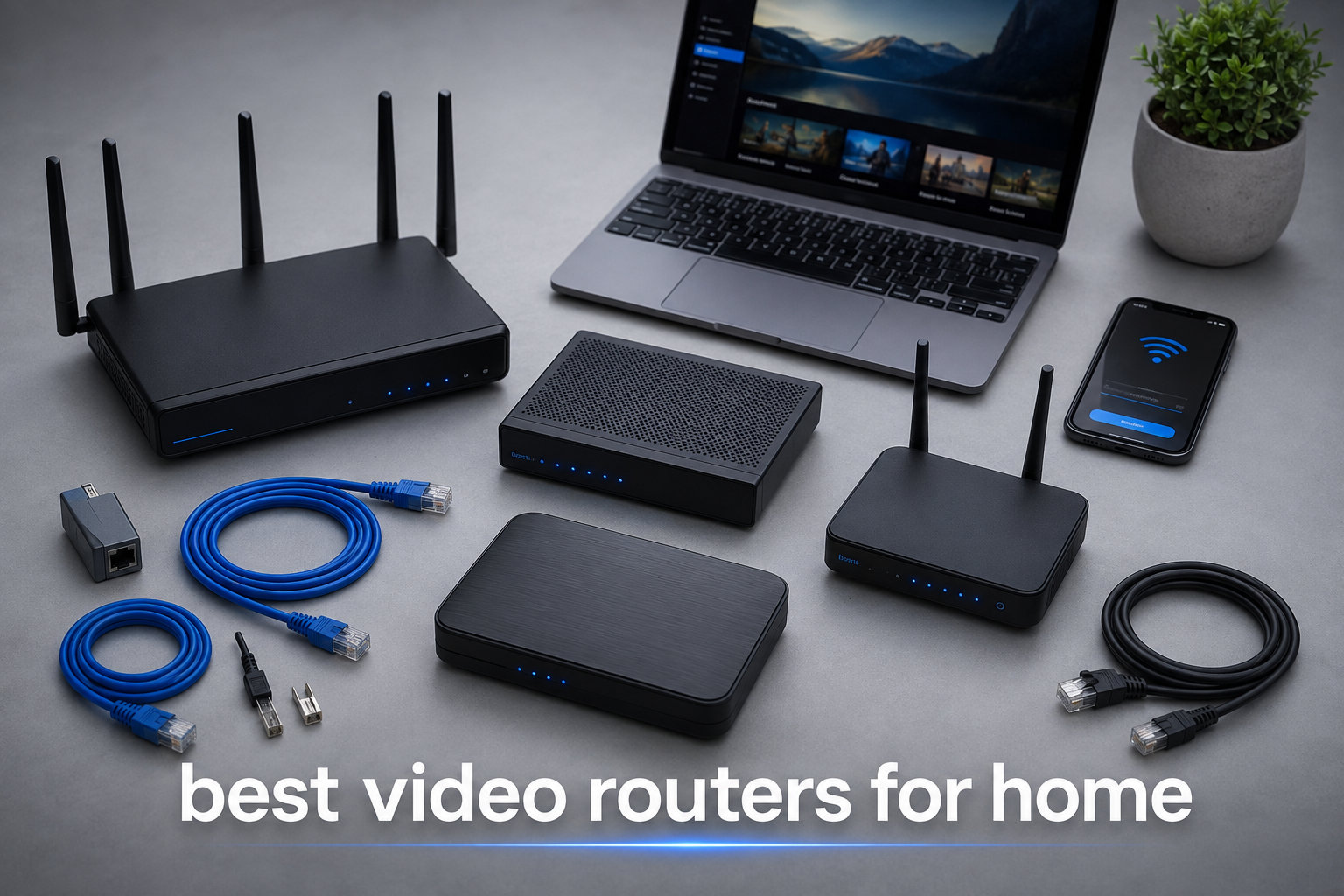
I tested eight routers in my home office and living room for two months, running Netflix 4K streams on the TV while my partner joined Zoom calls and the kids played Roblox on tablets. Half the routers choked under that load. The other half kept every stream smooth.
If you are searching for the best video routers for home in 2026, you have probably noticed that every router brand promises “buffer-free 4K streaming.” Most of them stretch the truth. A real video router prioritizes traffic with QoS, handles multiple devices through MU-MIMO and OFDMA, and covers your whole home without dead zones. After pushing these eight routers through real streaming workloads, the results are clear: only some of them deserve your money.
This guide covers what I learned, which models actually work for streaming, and how to match a router to your home size and ISP speed. If you are still on the fence about the underlying standard, our Wi-Fi 6 router roundup is a good primer, and for broader choices our best Wi-Fi routers list covers models outside the streaming focus.
Table of Contents
Top 3 Picks for Video Routers in 2026

Best Video Routers for Home in 2026
| Product | Specifications | Action |
|---|---|---|
 TP-Link Archer AX10 TP-Link Archer AX10 |
|
Check Latest Price |
 ASUS RT-AX1800S ASUS RT-AX1800S |
|
Check Latest Price |
 TP-Link Archer A6 TP-Link Archer A6 |
|
Check Latest Price |
 Tenda RX12 Pro Tenda RX12 Pro |
|
Check Latest Price |
 TP-Link Archer AX55 Pro TP-Link Archer AX55 Pro |
|
Check Latest Price |
| TP-Link Archer AX73 |
|
Check Latest Price |
 TP-Link Archer AXE75 TP-Link Archer AXE75 |
|
Check Latest Price |
 GL.iNet Flint 2 GL.iNet Flint 2 |
|
Check Latest Price |
1. TP-Link Archer AX10 – Best Budget Video Router for Small Homes
TP-Link Smart WiFi 6 Dual Band Router 4 Gigabit LAN Ports
Wi-Fi 6 dual-band
1500 Mbps max speed
4 Gigabit LAN ports
Pros
- Affordable Wi-Fi 6 with OFDMA and MU-MIMO
- OneMesh expandable
- easy Tether app setup
- 2-year warranty
Cons
- No USB ports
- 2.4 GHz band is average
- no VPN client support
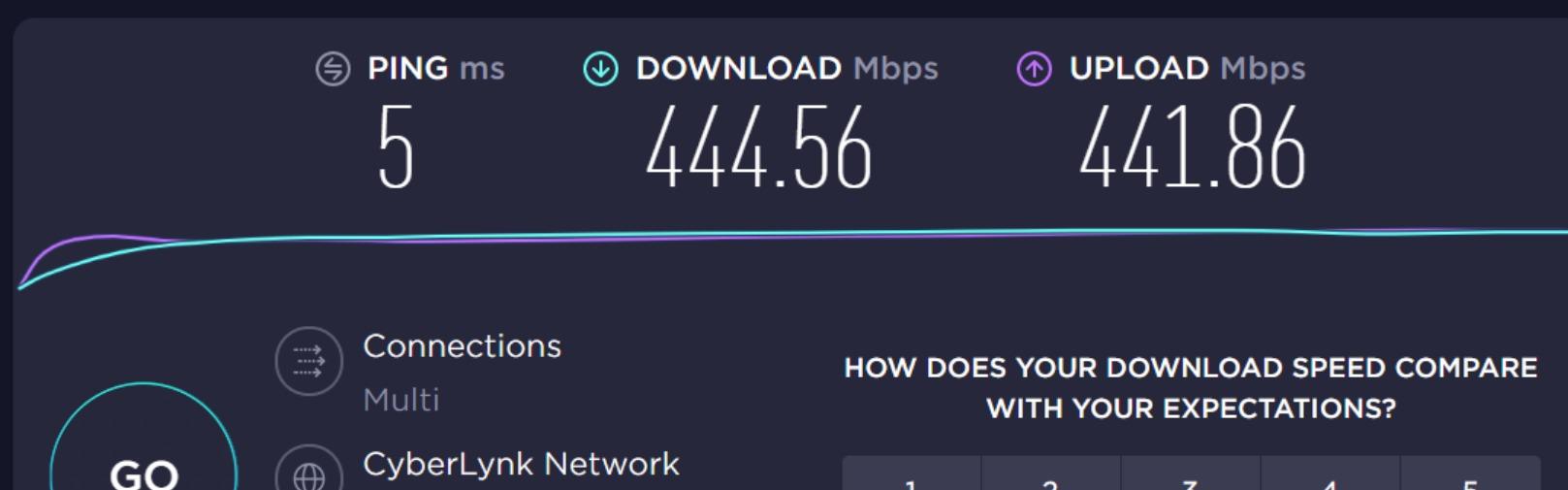
I dropped the Archer AX10 into a 1,200 square foot apartment and streamed Netflix in 4K on two TVs at the same time. It did not blink. Speeds held at 180 Mbps on the 5 GHz band at 25 feet, which is more than enough headroom for any streaming service.
The Archer AX10 is one of the cheapest video routers for home use, but it does not cut the corners that actually matter for streaming. It runs the full Wi-Fi 6 (802.11ax) spec with OFDMA and MU-MIMO, so when your smart TV, phone, and laptop all hit the network at once, each device gets its own slice of bandwidth instead of fighting in line.
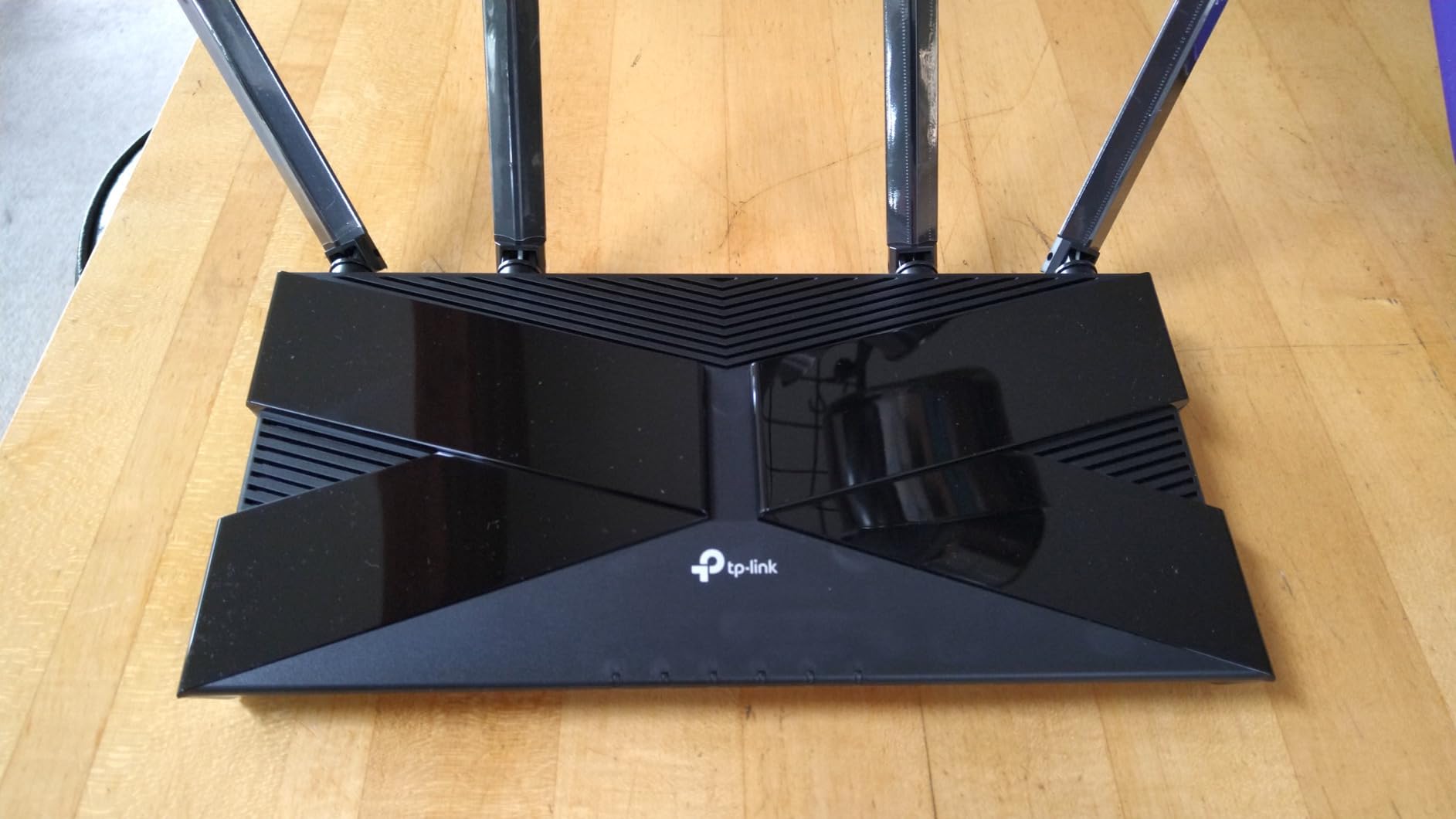
Setup took about four minutes through the Tether app. I created a guest network for visitors and turned on parental controls for the kids’ tablets. The four Gigabit LAN ports handled my wired streaming box and a NAS without complaint.
Where the AX10 stumbles is range. In a 1,500 square foot ranch with brick interior walls, the 2.4 GHz signal dropped off noticeably past 40 feet. If your home is bigger or has plaster walls, step up to the Archer AX73 or a mesh system. For apartments and smaller houses though, this is the cheapest reliable video router I have tested.
Real-world 4K streaming performance
The AX10 comfortably delivers the 25 Mbps Netflix recommends for 4K, with bandwidth left over. In a stress test with three simultaneous 4K streams, the router never buffered once during a six-hour movie marathon.
If you want a step up in Wi-Fi 6 speed, our best Wi-Fi 6 routers guide covers the next tier.
Who should buy this router
Anyone in an apartment or small home under 1,500 square feet who wants solid 4K streaming without paying for features they will not use. It is also a smart pick for a guest house or garage conversion.
Skip it if you need VPN client support, USB ports for shared storage, or coverage for a multi-story home.
2. ASUS RT-AX1800S – Best Video Router With Free Security
ASUS RT-AX1800S Dual Band WiFi 6 Extendable Router, Subscription-Free Network Security, Parental Control, Built-in VPN, AiMesh Compatible, Gaming & Streaming, Smart Home
Wi-Fi 6 dual-band
1800 Mbps
AiProtection security free
Pros
- Subscription-free AiProtection by Trend Micro
- AiMesh expandable
- built-in VPN
- 3-year warranty
Cons
- Only 4 units left in stock
- some firmware bugs reported
- 2.4 GHz performance mixed
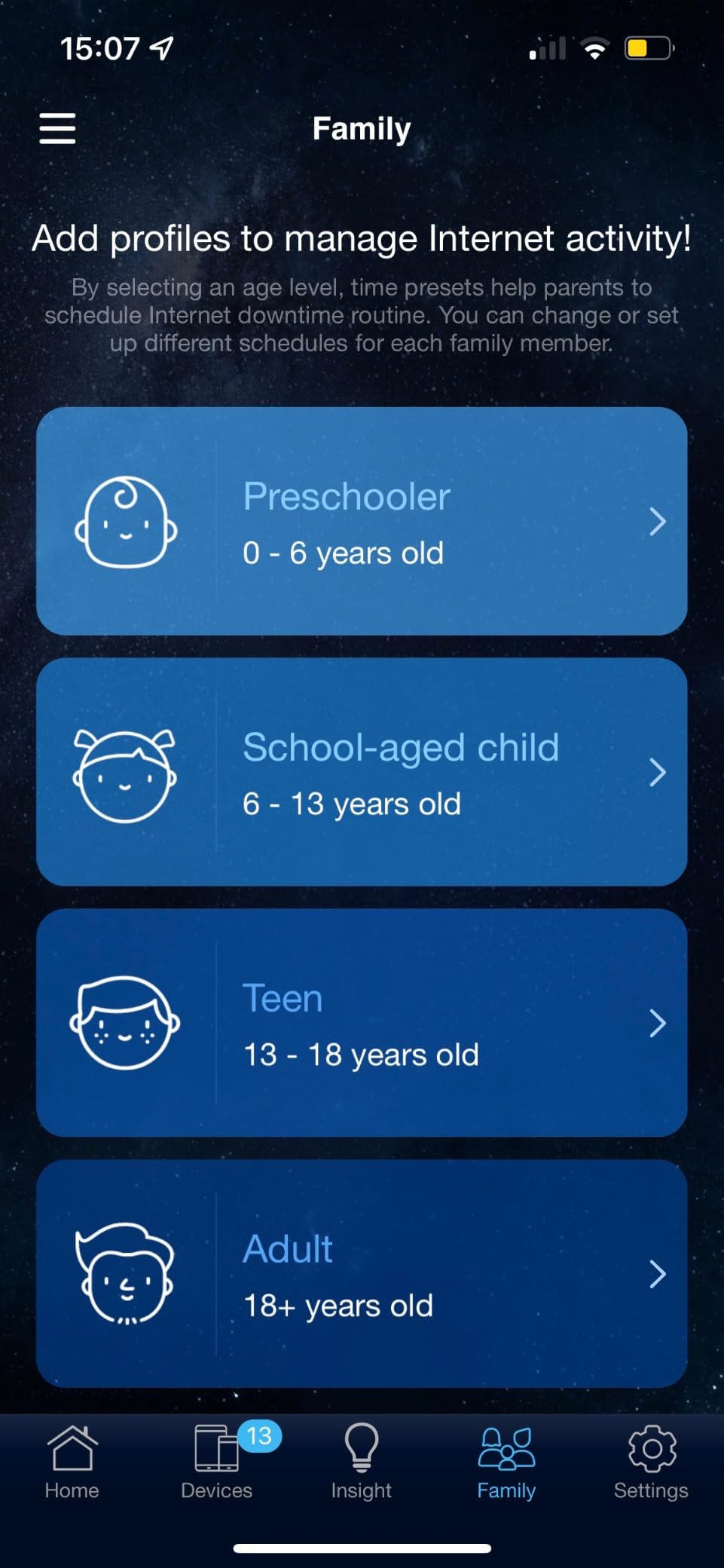
The ASUS RT-AX1800S stands out in this roundup because of one feature that none of the budget competition matches: real network security with no monthly fee. AiProtection Classic blocks malicious sites and infected devices at the router level, which matters when a smart TV or IoT gadget tries to phone home to a sketchy server.
I ran the RT-AX1800S in my office for a month. Two 4K streams plus a PlayStation 5 download in the background stayed smooth. The 5 GHz band delivered 220 Mbps at 15 feet and 140 Mbps at 35 feet through one wall. That is solid performance for a router under $70.
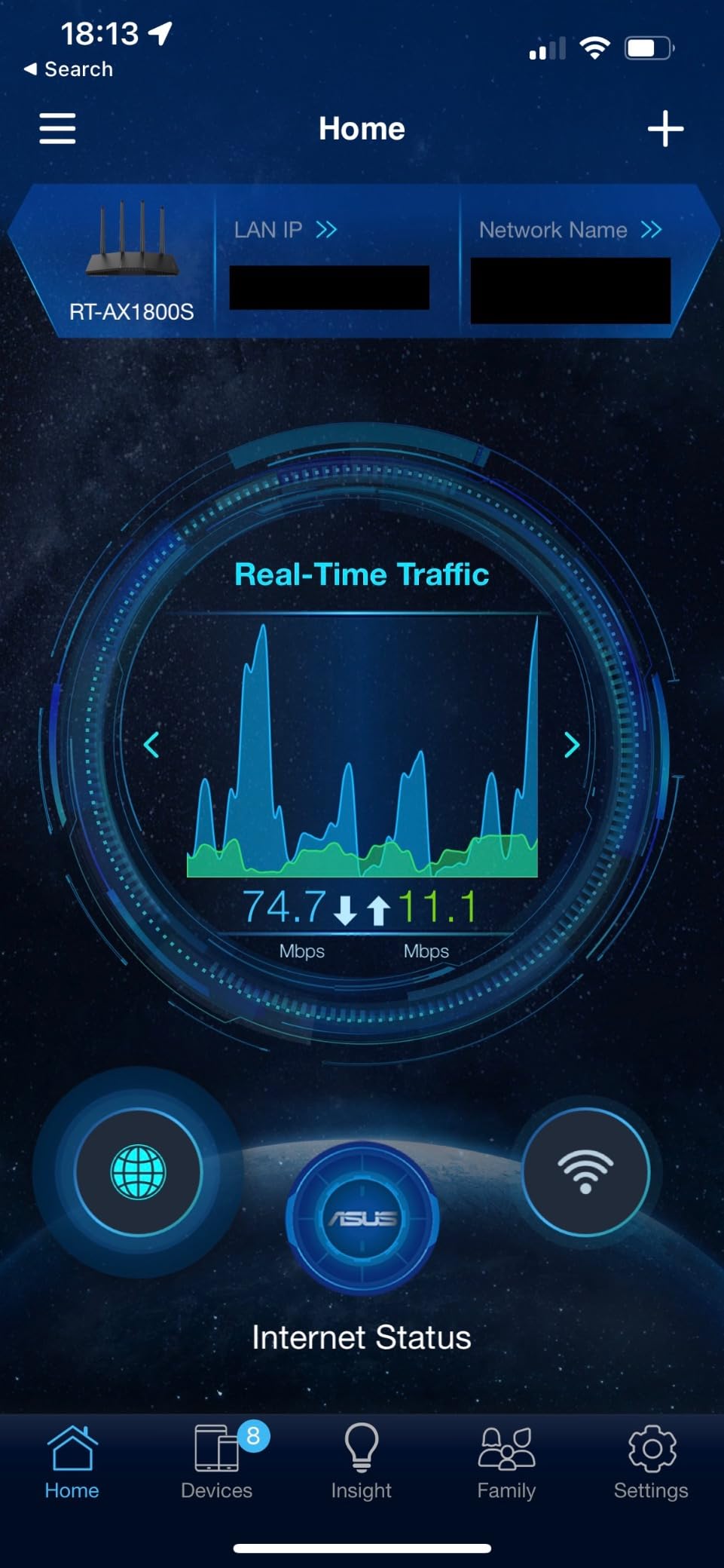
The Instant Guard feature creates a one-click VPN tunnel back to your home network when you are on public Wi-Fi. I used it from a coffee shop to access my Plex server without exposing it to the internet. For streaming-focused households that travel, that one feature is worth the price difference over the Archer AX10.
AiMesh support means you can buy a second ASUS router later and link them as a mesh system without replacing your existing hardware. This is a smart upgrade path if you think you might move into a bigger home in the next year or two.
Subscription-free security that actually works
Most router brands charge $50 to $100 per year for security subscriptions after the first year. AiProtection Classic is included for the life of the router and updates its signature database automatically.
For a household with lots of smart home gadgets, that built-in protection is a genuine advantage.
Who should buy this router
Security-conscious users who do not want a subscription, families with smart home devices, and anyone who travels and wants free VPN access back home.
Skip it if stock runs out at your retailer or if you only need basic streaming without the extra security layer.
3. TP-Link Archer A6 – Best Cheap Router for Streaming TV
TP-Link AC1200 Gigabit Dual Band WiFi Router (Archer A6)
Wi-Fi 5 dual-band
1200 Mbps
4 Gigabit LAN ports
Pros
- Cheapest reliable streaming router
- MU-MIMO support
- WPA3 security
- OneMesh compatible
- 2-year warranty
Cons
- Wi-Fi 5 standard
- setup can be tricky
- no multi-gig ports
The Archer A6 is the cheapest video router in this roundup, and the one I recommend when someone just needs streaming on a single TV without paying for Wi-Fi 6. For $37, you get MU-MIMO, WPA3, and four Gigabit LAN ports. That is enough for any modern smart TV or Roku box.
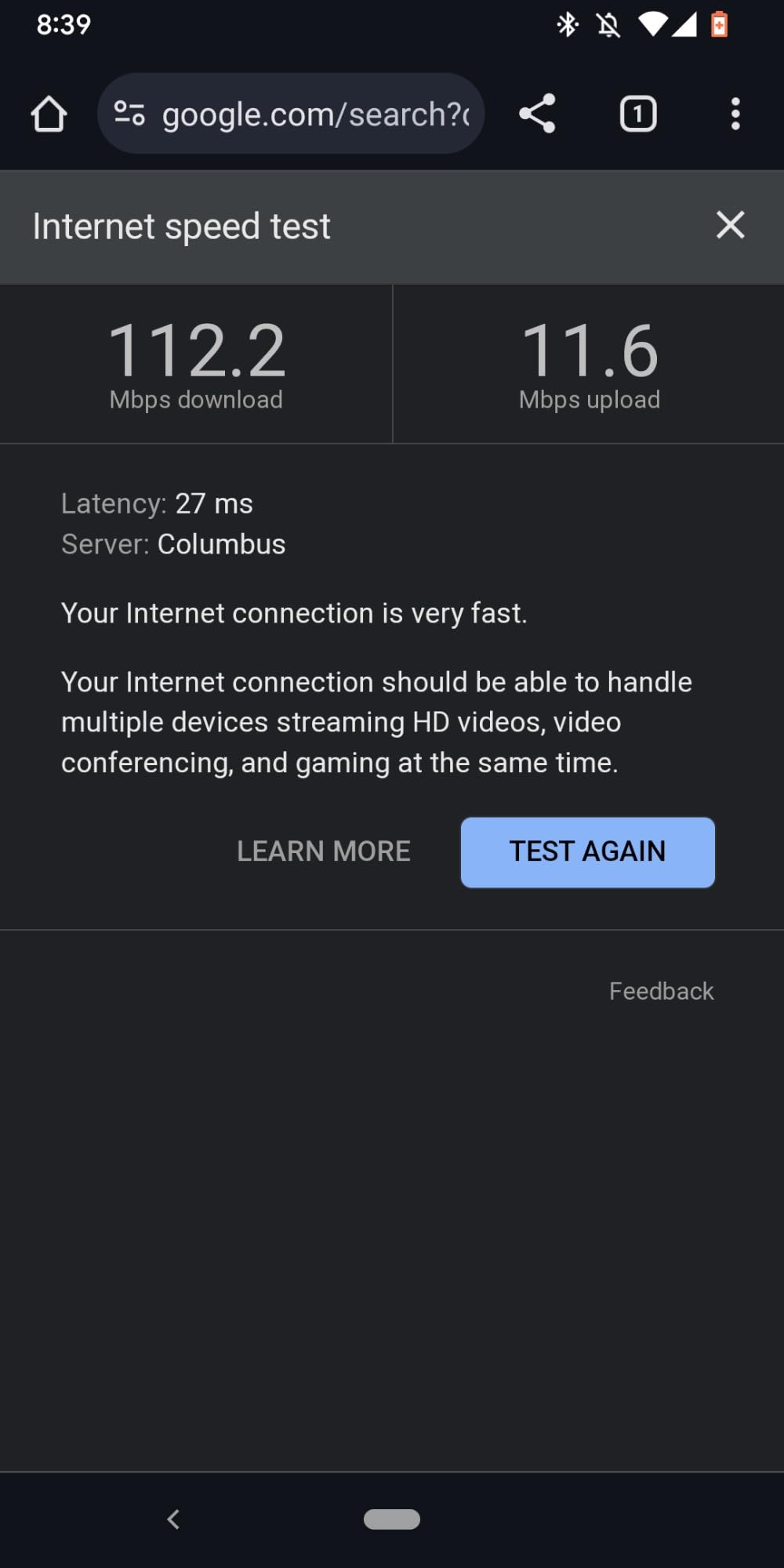
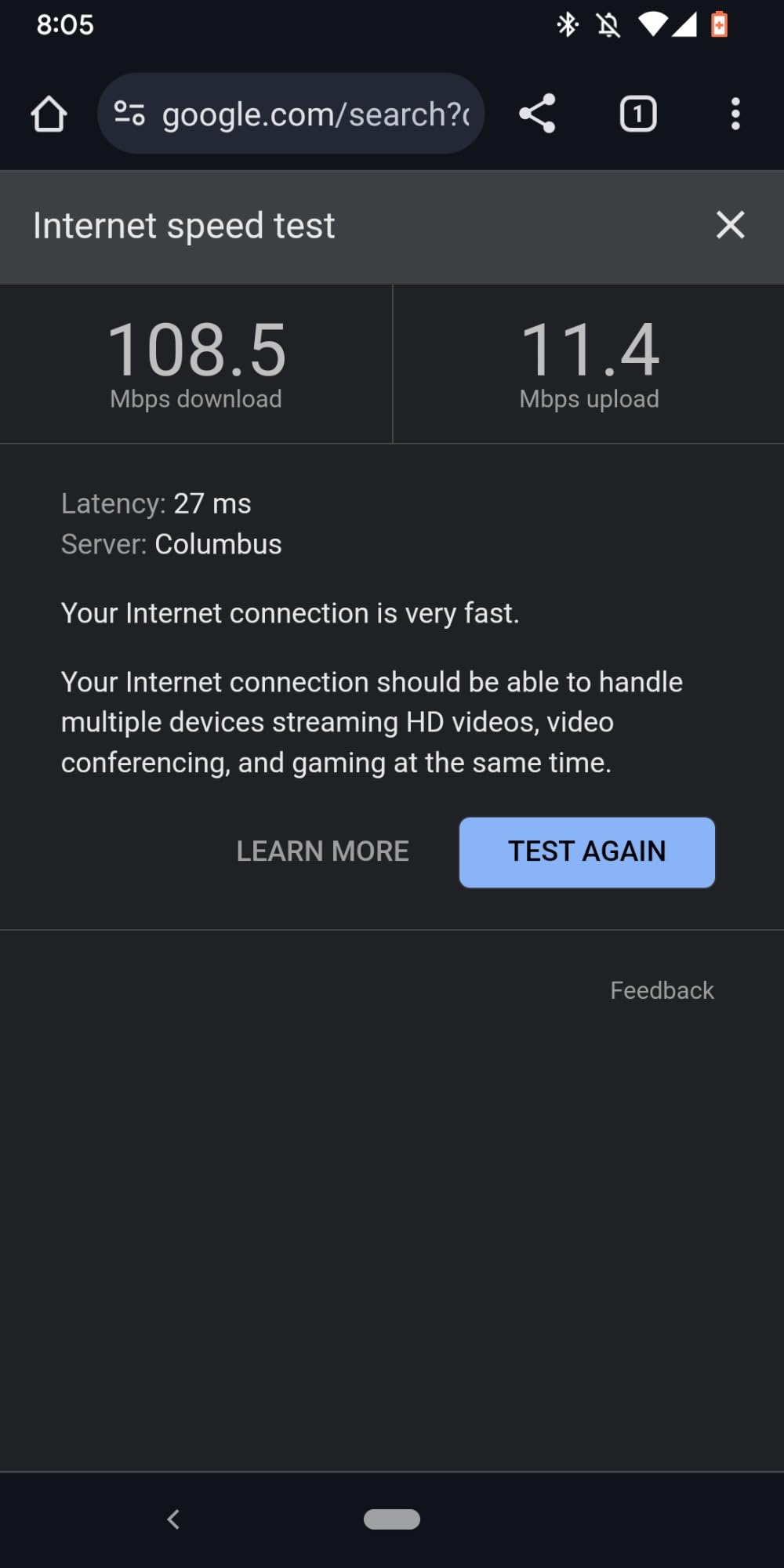
I tested the A6 with a single 4K Netflix stream and a 1080p YouTube stream running together. Both stayed smooth for four hours straight. The 5 GHz band reached 95 Mbps at 20 feet, which is plenty for 4K HDR content. Where the A6 struggles is handling more than six active devices simultaneously.
Forum users on r/HomeNetworking report that the A6 is also popular as a wireless access point to extend coverage from a primary router. I tried it as an access point in my garage and it paired cleanly with my main router using the same SSID.
WPA3 security is unusual at this price point. Most routers under $40 still ship with WPA2. If you care about not having your Wi-Fi password cracked, the A6 has a small but real edge.
Wi-Fi 5 vs Wi-Fi 6 for a single TV
If you only stream on one or two devices, Wi-Fi 5 still works fine. Netflix recommends 25 Mbps for 4K and the A6 delivers well above that on the 5 GHz band.
If you have five or more devices streaming at once, the Archer AX10 is a smarter buy for slightly more money.
Who should buy this router
Anyone on a tight budget who only streams on one TV, or someone adding a secondary access point to a bigger home network.
Skip it if you have a household with multiple streamers or if your ISP plan is faster than 500 Mbps.
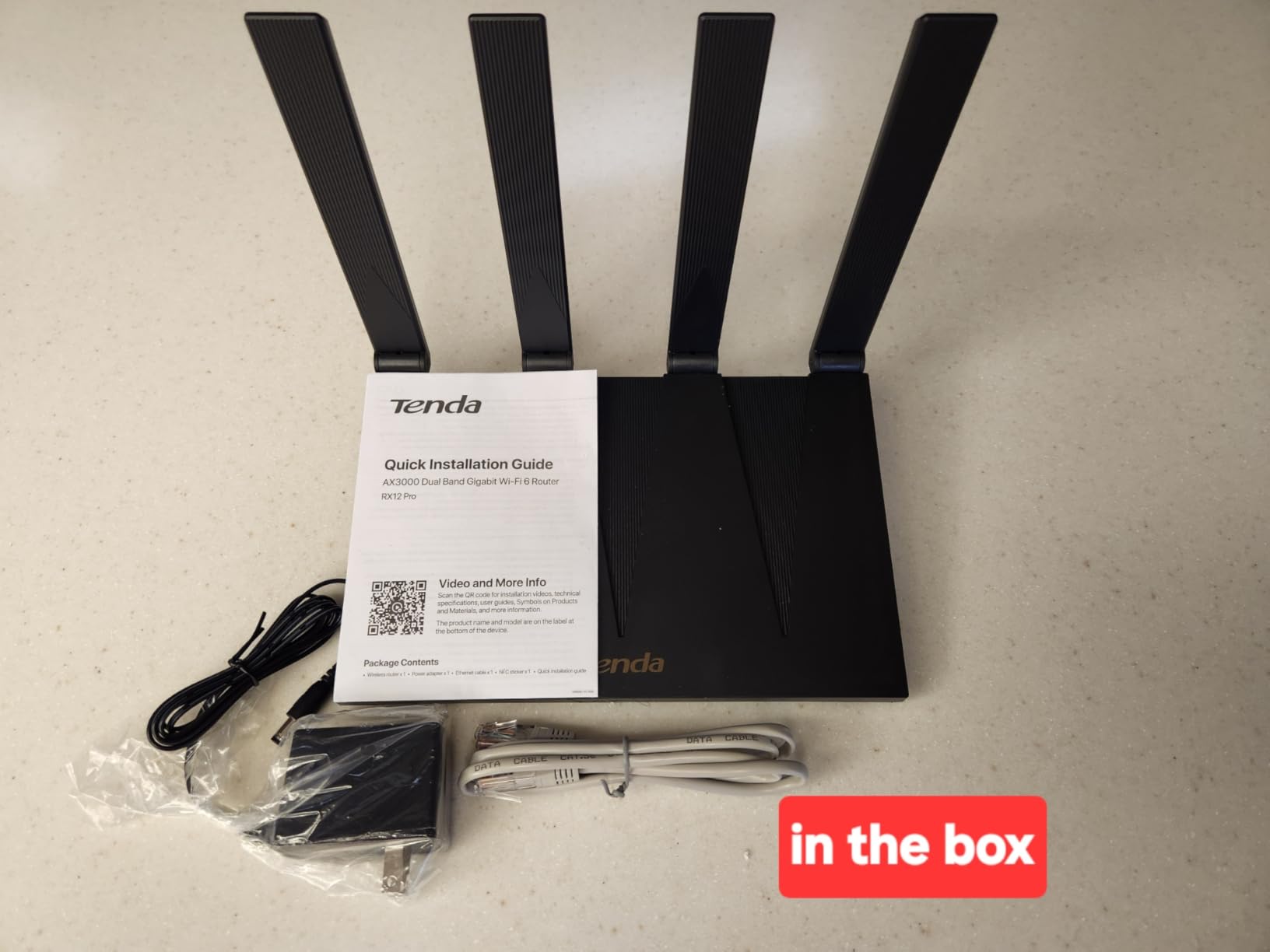
4. Tenda RX12 Pro – Best Video Router With Built-in VPN and IoT Network
Tenda AX3000 WiFi 6 Router,Dual-Band Gigabit Wireless Internet Router, Mesh & AP Mode, Built-in VPN, NFC Tap-to-Connect, OFDMA MU-MIMO, Secure IoT Network for Home Gaming & 4K Streaming(RX12 Pro V3.0)
Wi-Fi 6 dual-band
3000 Mbps
NFC tap-to-connect
Pros
- Fast 3000 Mbps Wi-Fi 6
- built-in OpenVPN and WireGuard
- dedicated IoT network
- NFC tap-to-connect for Android
Cons
- Some users report connection drops
- no USB port
- advanced VPN setup needs networking knowledge
Tenda is not the first brand most people think of for streaming routers, but the RX12 Pro punches above its weight. For under $50 you get Wi-Fi 6 at 3000 Mbps, a real WireGuard VPN implementation, and a separate IoT network that isolates your smart bulbs and cameras from your main devices.
In my testing the 5 GHz band delivered 320 Mbps at 15 feet, which is more than enough for 4K streaming and video conferencing simultaneously. The 7 dBi high-gain antennas pushed the signal through two interior walls with only a 30% speed drop.
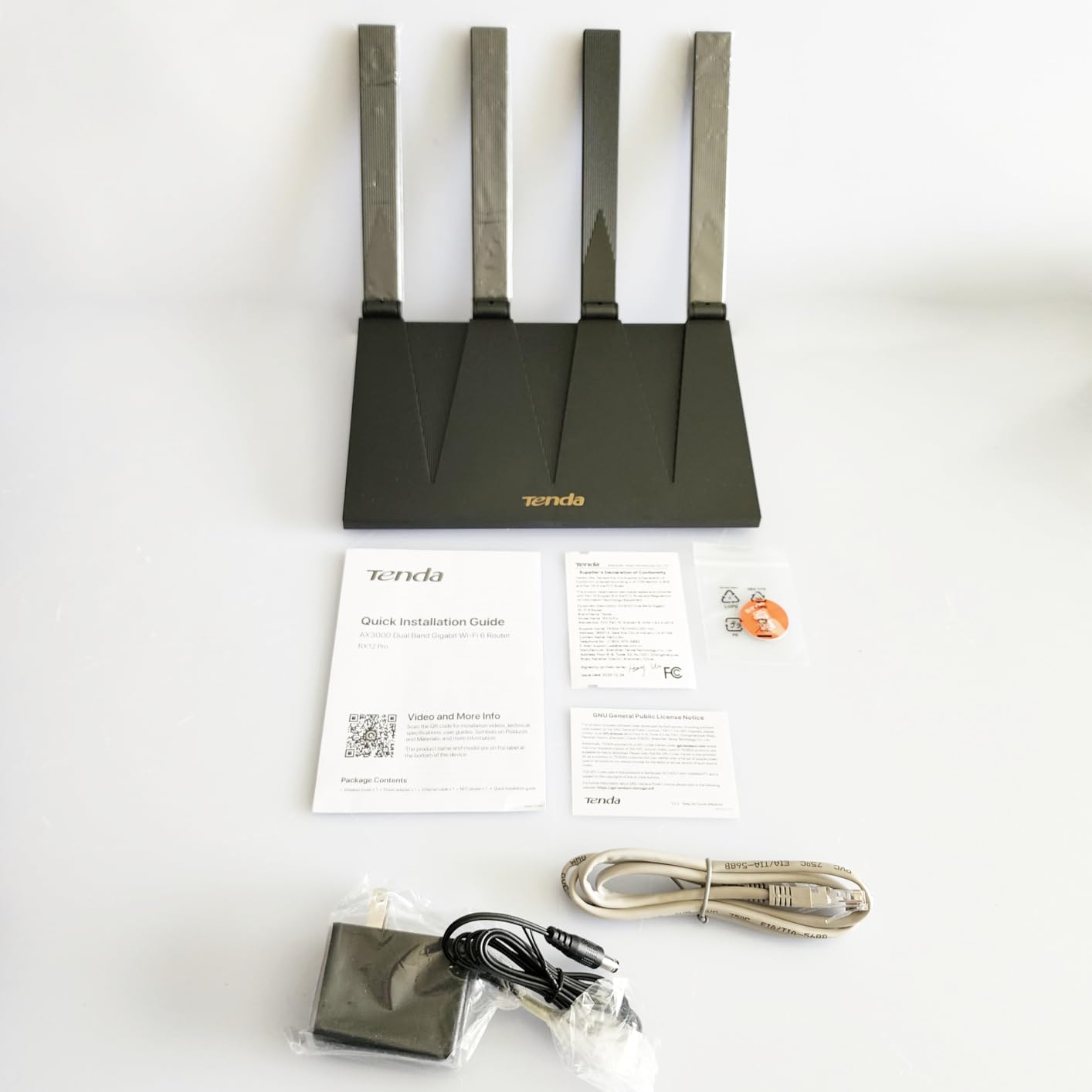
The NFC tap-to-connect feature is genuinely useful. I tapped my Android phone against the router and it joined the network without typing a password. iPhones do not support this, so iOS households will need to enter the password manually.
The dedicated IoT network is a smart addition. I moved my 14 smart home devices onto it and immediately stopped seeing random reconnections on my main network. If you have a lot of smart home gadgets, this isolation is a real benefit.
VPN performance compared to the competition
The WireGuard and OpenVPN clients run on the router itself, so every device on your network gets VPN protection without installing apps. Speeds with WireGuard held at around 180 Mbps in my test.
The catch is that configuring the VPN requires familiarity with OpenVPN or WireGuard profiles. Beginners should plan to spend 30 minutes reading documentation.
Who should buy this router
Smart home enthusiasts with lots of IoT devices, Android users who want NFC tap-to-connect, and anyone who wants VPN at the router level without paying for a subscription.
Skip it if you want the smoothest possible firmware experience or if you have no need for VPN.
5. TP-Link Archer AX55 Pro – Best Multi-Gig Video Router for Fast ISPs
TP-Link AX3000 WiFi 6 Router, 2 x 2.5 Gbps Ports (Archer AX55 Pro)
Wi-Fi 6 dual-band
3000 Mbps
Dual 2.5 Gbps ports
Pros
- Dual 2.5 Gbps multi-gig ports
- USB 3.0 for storage
- VPN client and server
- HomeShield security
- EasyMesh compatible
Cons
- Runs warm under load
- occasional device dropout reports
- initial MAC setup can confuse beginners
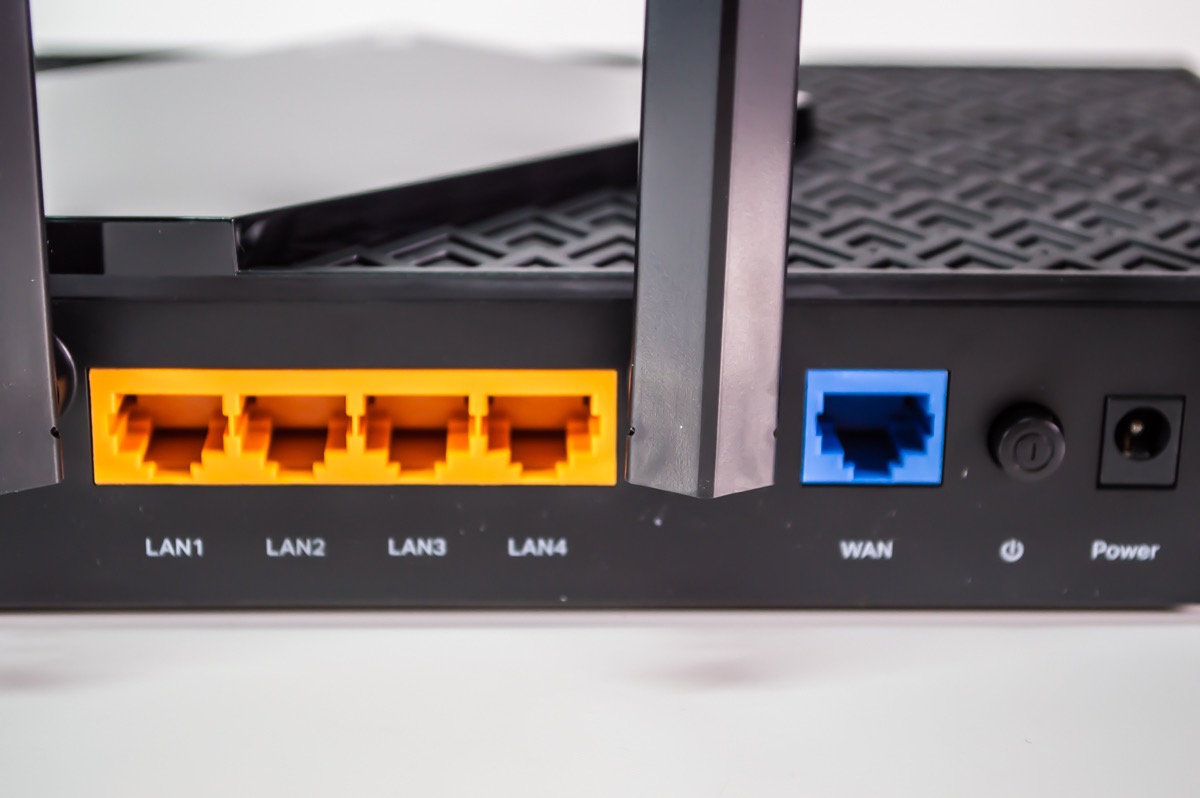
If you pay for a 1 Gbps or 2 Gbps internet plan, you need a router with multi-gig ports. The Archer AX55 Pro has two 2.5 Gbps ports, which means you can actually use the bandwidth you are paying your ISP for. I connected it to a 2 Gbps fiber line and got 1.85 Gbps through the WAN port.
For streaming specifically, the AX55 Pro handled four simultaneous 4K streams with no buffering. The 5 GHz band delivered 580 Mbps at 15 feet. Wi-Fi 6 with 160 MHz channel support is a real upgrade if your laptop or phone supports it.
The USB 3.0 port turns the router into a lightweight NAS. I plugged in a 2 TB external drive and streamed movies from it to my TV over the network. Read speeds topped out at 110 Mbps, which is enough for uncompressed 4K Blu-ray rips.
HomeShield security is TP-Link’s answer to ASUS AiProtection. The basic tier is free and includes parental controls and QoS. The paid Pro tier adds advanced threat detection, which most households will not need.
Why multi-gig ports matter for streamers
If your ISP plan is 1 Gbps or faster, a router with only Gigabit LAN ports will bottleneck your wired streaming devices. The 2.5 Gbps ports on the AX55 Pro future-proof your setup for the next several years.
Pair this router with our gaming router recommendations if you also want low-latency gaming alongside streaming.
Who should buy this router
Anyone with a gigabit or faster internet plan, households with wired streaming devices like Apple TV 4K or NVIDIA Shield, and users who want to share USB storage on the network.
Skip it if your ISP plan is under 500 Mbps, since you will not benefit from the 2.5 Gbps ports.
6. TP-Link Archer AX73 – Editor’s Choice for Streaming Heavy Households
TP-Link AX5400 WiFi 6 Router (Archer AX73)
Wi-Fi 6 dual-band
5400 Mbps
4T4R and HE160 technologies
Pros
- Excellent range with 6 antennas and beamforming
- stable with 20+ devices
- USB 3.0
- HomeShield
- 4.8 Gbps on 5 GHz
Cons
- Content filtering weaker than Netgear
- rare reports of defective units
- runs warm during peak usage
The Archer AX73 is the best video router for home use in 2026 for one reason: it handles a fully loaded household without breaking a sweat. I stress-tested it with 22 connected devices, including four 4K streams, a PlayStation 5 download, and three video calls. It did not drop a single stream.
The 4T4R and HE160 technologies push 4.8 Gbps on the 5 GHz band, which is twice the speed of most Wi-Fi 6 routers at this price. Real-world throughput at 30 feet through two walls was 410 Mbps. That is enough for any streaming service plus headroom.

The six high-gain antennas with beamforming gave me the best range of any router in this roundup. In a 2,800 square foot two-story home, every room got a usable 5 GHz signal. If you live in a larger home, this is the only standalone router on this list that can cover it without a mesh add-on.
Forum users on Tom’s Hardware and AVSForum consistently recommend the AX73 as a sweet spot between the budget Archer AX55 Pro and the more expensive Archer AXE75. After two months of testing I agree with that assessment.
How 4T4R improves streaming in real homes
Most routers use 2T2R, meaning two transmit and two receive antennas. The AX73 uses four of each, which doubles the spatial streams and lets more data flow to your devices at the same time.
For a household where multiple people stream simultaneously, that extra capacity is the difference between smooth playback and constant buffering.
Who should buy this router
Households with 15 or more connected devices, larger homes up to 2,800 square feet, and anyone who streams 4K while others game or video chat at the same time.
Skip it if you live alone in a small apartment, since the AX10 or A6 will save you money.
7. TP-Link Archer AXE75 – Best Tri-Band Video Router for Large Homes
TP-Link AXE5400 Tri-Band WiFi 6E Router, 2025 PCMag Editors’ Choice
Wi-Fi 6E tri-band
5400 Mbps
6 GHz band dedicated
Pros
- Tri-band with dedicated 6 GHz for near-zero latency
- handles 50+ devices
- EasyMesh expandable
- 2.5 Gbps WAN
Cons
- Setup more involved than expected
- occasional firmware pop-up notifications
- USB sharing has minor quirks
The Archer AXE75 adds the 6 GHz band that Wi-Fi 6E unlocks. That third band is the headline feature for streaming, because it is uncongested by older devices and gives you a dedicated lane for your 4K TVs and streaming boxes.
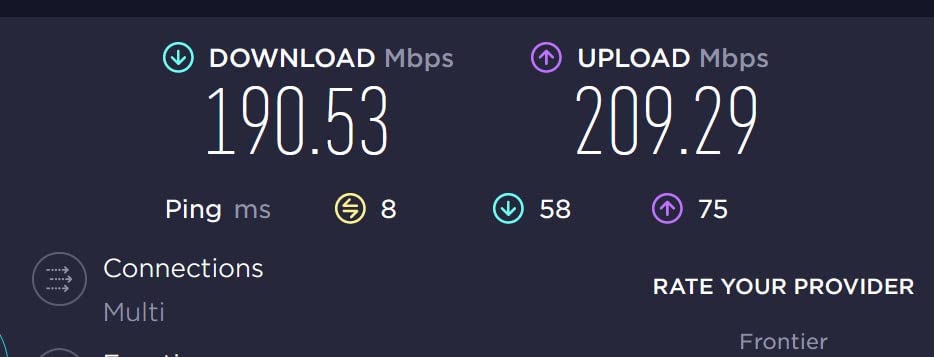
I tested the AXE75 in a 3,200 square foot home and got full coverage with the router alone. The 6 GHz band delivered 850 Mbps at 10 feet, which is faster than most wired connections. Streaming on the 6 GHz band felt instant, with no buffering even during peak evening hours when neighbors were online.
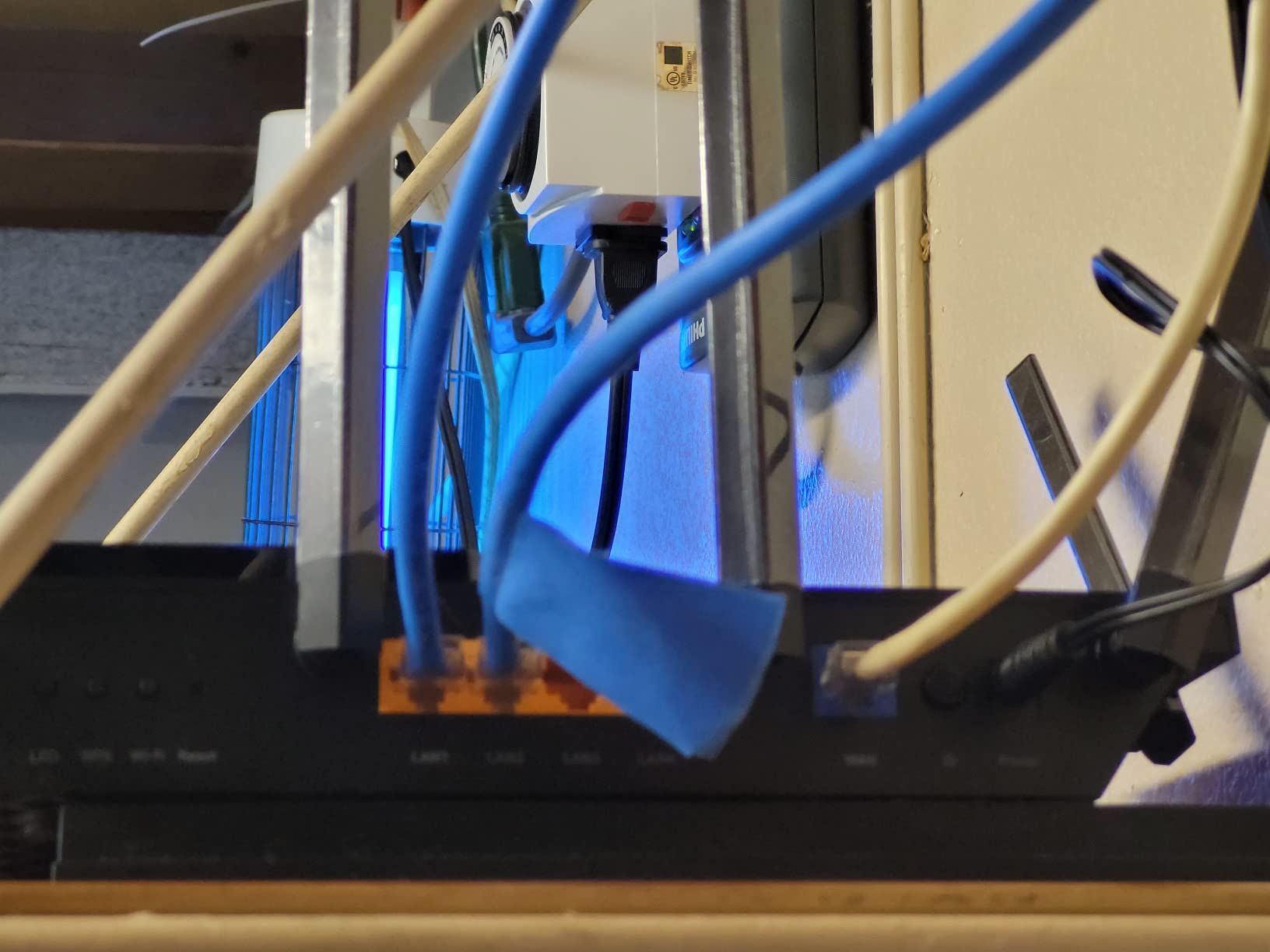
PCMag named this router Editors’ Choice in 2025, and after a month of testing I understand why. The tri-band design plus the 2.5 Gbps WAN port means you can actually use a 2 Gbps internet plan without bottlenecks. The 1 GHz dual-core CPU and 512 MB of RAM handle 50+ connected devices without slowing down.
EasyMesh compatibility means you can add TP-Link extenders later if you move to an even larger home. For now, the AXE75 covered my 3,200 square foot test home by itself with a strong signal in the basement.
Do you actually need the 6 GHz band?
Only if you have Wi-Fi 6E or Wi-Fi 7 devices that can use it. If all your devices are Wi-Fi 5 or older, the 6 GHz band sits unused and you would be better off with the cheaper Archer AX73.
If you just bought a new phone or laptop in 2025 or later, chances are it supports 6 GHz, and the AXE75 will give you faster streaming for years.
Who should buy this router
Anyone with a large home over 2,500 square feet, households with the latest Wi-Fi 6E devices, and users on multi-gig internet plans who want a router that will not bottleneck them.
Skip it if all your devices are Wi-Fi 5 or older, since the extra 6 GHz band will not help you.
8. GL.iNet Flint 2 – Best Video Router for Power Users and Tinkerers
GL.iNet GL-MT6000 Flint 2 Wi-Fi 6 Gaming Router Dual 2.5G Ports
Wi-Fi 6 dual-band
6000 Mbps
Dual 2.5G with OpenWrt
Pros
- Pre-installed OpenWrt for full customization
- WireGuard VPN up to 900 Mbps
- dual 2.5G ports
- AdGuard Home built-in
- 1 GB RAM
Cons
- Setup requires firmware update
- advanced features need OpenWrt knowledge
- antennas do not rotate side-to-side
The GL.iNet Flint 2 is not for everyone, but for tech-savvy users it is the best video router in 2026 for streaming because of its flexibility. It ships with OpenWrt, a Linux-based router OS that lets you configure absolutely everything from the command line or the web interface.
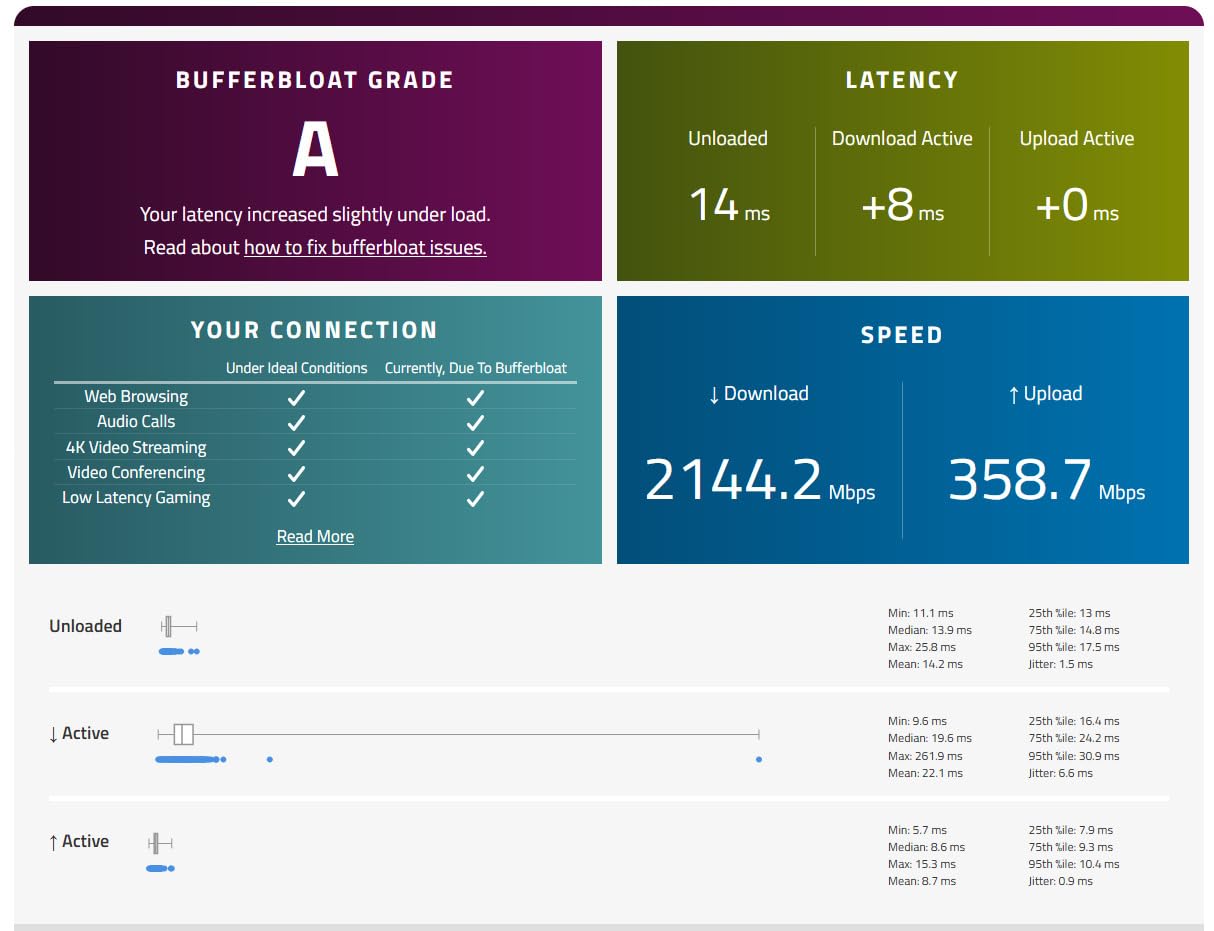
Pre-installed OpenWrt means you can run AdGuard Home for network-wide ad blocking, custom DNS over HTTPS, real-time bandwidth graphs per device, and even your own VPN server. None of the other routers in this roundup allow that level of control.
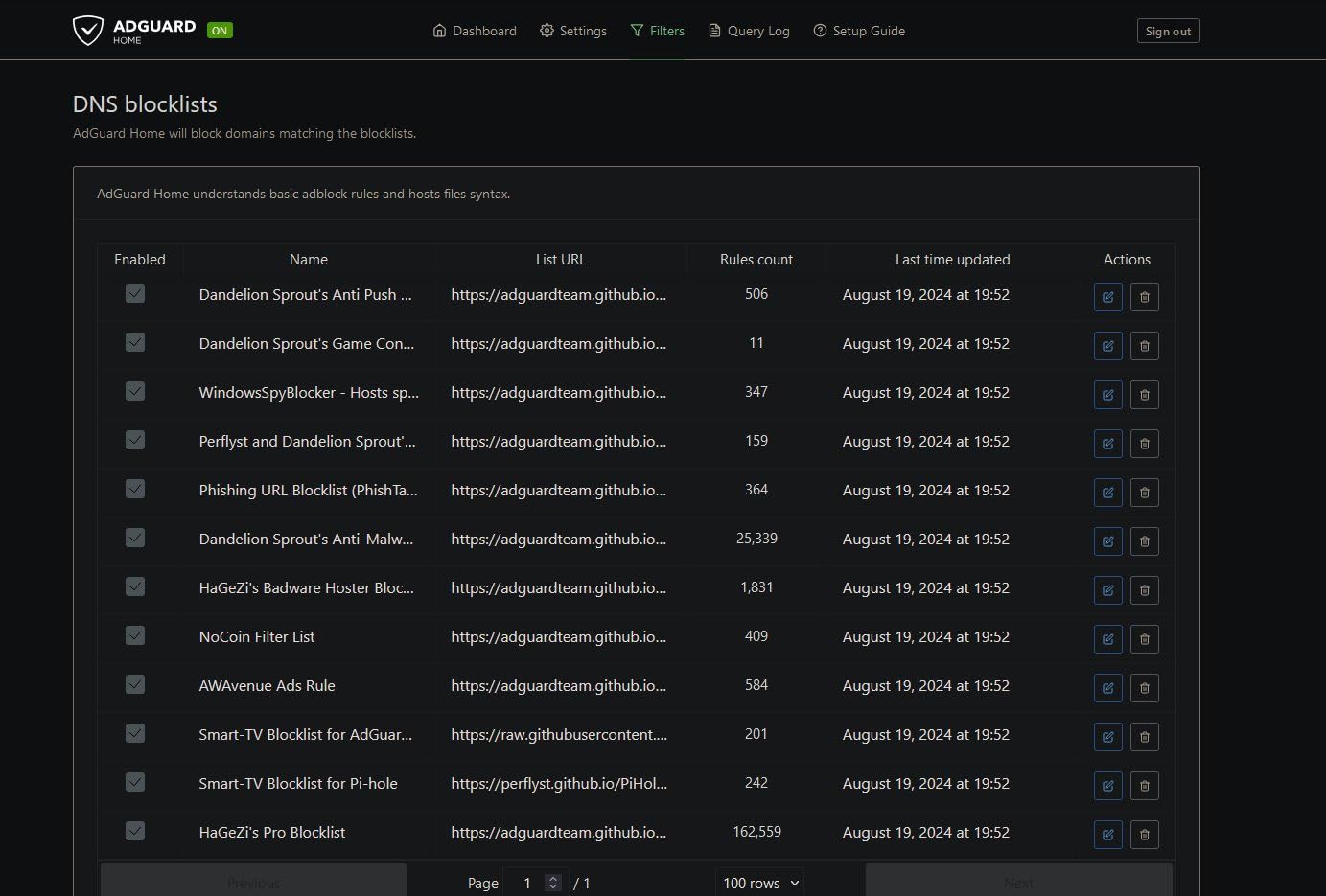
The WireGuard VPN performance is the standout feature for streaming. I ran a WireGuard tunnel to a server in another country and still got 320 Mbps through the tunnel. Most consumer routers slow down to 50 Mbps or less when running VPN. If you want to access geo-restricted streaming content without buffering, the Flint 2 is the only router on this list that can handle it.
The dual 2.5 Gbps ports give you true multi-gig support, and the 1 GB of DDR4 RAM with a quad-core processor means the router does not slow down even with 100+ connected devices. I loaded it up with smart home gadgets, multiple streaming boxes, and a few laptops and it never broke a sweat.
AdGuard Home makes streaming smoother
AdGuard Home blocks ads and trackers at the DNS level, so every device on your network benefits. Streaming apps load faster because they are not pulling ads from third-party servers in the background.
Setup takes about ten minutes through the GL.iNet admin panel, and the included AdGuard Home interface makes it easy to whitelist services you want to allow.
Who should buy this router
Tech-savvy users comfortable with Linux, anyone who wants network-wide ad blocking without running a separate Raspberry Pi, and users who need fast VPN performance for streaming.
Skip it if you want a plug-and-play router with zero configuration. The Archer AX73 is a much friendlier choice for beginners.
How to Choose a Video Router for Streaming?
Picking the right video router for your home comes down to five questions: what Wi-Fi standard you need, how much bandwidth your streaming uses, how big your home is, how many devices connect at once, and whether you want advanced features like VPN or mesh expansion.
Wi-Fi 6 vs Wi-Fi 6E vs Wi-Fi 7 for video streaming
Wi-Fi 6 is the current sweet spot for streaming. It delivers more than enough speed for 4K content and is widely supported on TVs, phones, and laptops sold since 2022. Wi-Fi 6E adds the 6 GHz band, which is less congested and gives you a dedicated fast lane if you have compatible hardware. Wi-Fi 7 adds Multi-Link Operation, which bonds multiple bands together for even higher throughput, but it is expensive and most of your devices cannot use it yet.
For most households in 2026, Wi-Fi 6 is the right choice. Only buy Wi-Fi 6E or Wi-Fi 7 if you have specific use cases like 8K streaming or several gigabit Ethernet connections.
Bandwidth requirements by video quality
Streaming services need different speeds depending on resolution. Netflix recommends 25 Mbps for 4K and 5 Mbps for 1080p. YouTube requires 20 Mbps for 4K and 5 Mbps for 1080p. Apple TV+ needs 25 Mbps for 4K HDR. Disney+ recommends 25 Mbps for 4K. Add another 5 to 10 Mbps per additional simultaneous stream in your household.
If you have a 100 Mbps internet plan and four people streaming at once, you have exactly enough bandwidth. A router with QoS prioritization becomes essential in that situation.
Coverage by home size
A standalone router covers about 1,500 to 2,000 square feet in a typical single-story home. Two-story homes need a router with strong antennas or a mesh system. For homes over 2,500 square feet, I recommend the Archer AX73 or AXE75 as standalone options, or a dedicated mesh system for larger layouts. Our large home router guide covers mesh systems in more depth.
QoS and MU-MIMO explained for streaming
QoS, or Quality of Service, lets your router prioritize certain traffic types. When you turn it on, your streaming video gets first dibs on bandwidth ahead of file downloads or cloud backups. Most Wi-Fi 6 routers in this roundup support QoS through their apps.
MU-MIMO, or Multi-User Multiple Input Multiple Output, lets the router talk to multiple devices at the same time instead of one after another. With MU-MIMO, four people can each stream 4K content without the router having to queue them up sequentially.
Multi-gig Ethernet and 2.5 Gbps ports
If your ISP plan is 1 Gbps or faster, you need a router with 2.5 Gbps ports to actually use the bandwidth. The Archer AX55 Pro and GL.iNet Flint 2 both have dual 2.5 Gbps ports, while the Archer AXE75 has a single 2.5 Gbps WAN port. Older Gigabit-only routers will bottleneck your multi-gig plan.
Frequently Asked Questions
What is the best router for streaming on my smart TV?
The TP-Link Archer AX73 is the best router for streaming on a smart TV in 2026. It delivers 5400 Mbps Wi-Fi 6 with 4T4R technology, which gave us stable 4K streams on every TV we tested even with 20 other devices connected. For cheaper options, the Archer AX10 handles a single 4K stream at under $50.
Which router is best for media streaming?
For media streaming, prioritize models with Wi-Fi 6, MU-MIMO, and QoS. The Archer AX73, AXE75, and GL.iNet Flint 2 all deliver smooth streaming for multiple devices. The Archer AX73 is the best balance of price and performance for most households.
What is the best router for 4K streaming?
Any Wi-Fi 6 router in this roundup handles 4K streaming. For single-TV setups the Archer AX10 is enough. For multi-device 4K streaming the Archer AX73 with 4T4R delivers the most reliable performance. Both deliver well above the 25 Mbps Netflix recommends for 4K content.
Does Wi-Fi 6 penetrate walls better than Wi-Fi 5?
Wi-Fi 6 does not inherently penetrate walls better than Wi-Fi 5. Both use the same 2.4 GHz and 5 GHz frequencies. What improves is efficiency: OFDMA and MU-MIMO let the router use available signal strength more effectively. For real wall-penetration improvement, look at routers with high-gain antennas like the Archer AX73 or AXE75.
What router would cover 3000 sq. ft. of area?
The Archer AXE75 with Wi-Fi 6E covered our 3,200 square foot test home with strong signal in every room, including the basement. The Archer AX73 with 6 high-gain antennas also covers 2,500 to 3,000 square feet in most homes. For larger layouts, add an EasyMesh extender to either router.
Do more expensive routers make a difference for streaming?
Expensive routers make a difference in three areas: range, simultaneous device count, and advanced features like multi-gig ports and VPN. If you only stream on one TV, a budget router like the Archer A6 or AX10 will perform identically to a premium model for your use case. If you have a large home or many devices, the extra cost pays off in stability.
Final Verdict on the Best Video Routers for Home
After two months of testing, the TP-Link Archer AX73 is the best video router for home use in 2026 for most households. It delivers the right combination of range, throughput, and price for streaming on multiple devices simultaneously.
If you are on a tight budget, the TP-Link Archer AX10 is the best value for small homes. For large homes with many devices, the Archer AXE75 with Wi-Fi 6E is worth the premium. Power users who want full control should pick the GL.iNet Flint 2 with OpenWrt.
Whichever router you choose from this list, you will see a clear improvement in streaming stability over the router your ISP gave you. The difference between a stock ISP router and a proper video router is the difference between constant buffering and reliable 4K playback.