
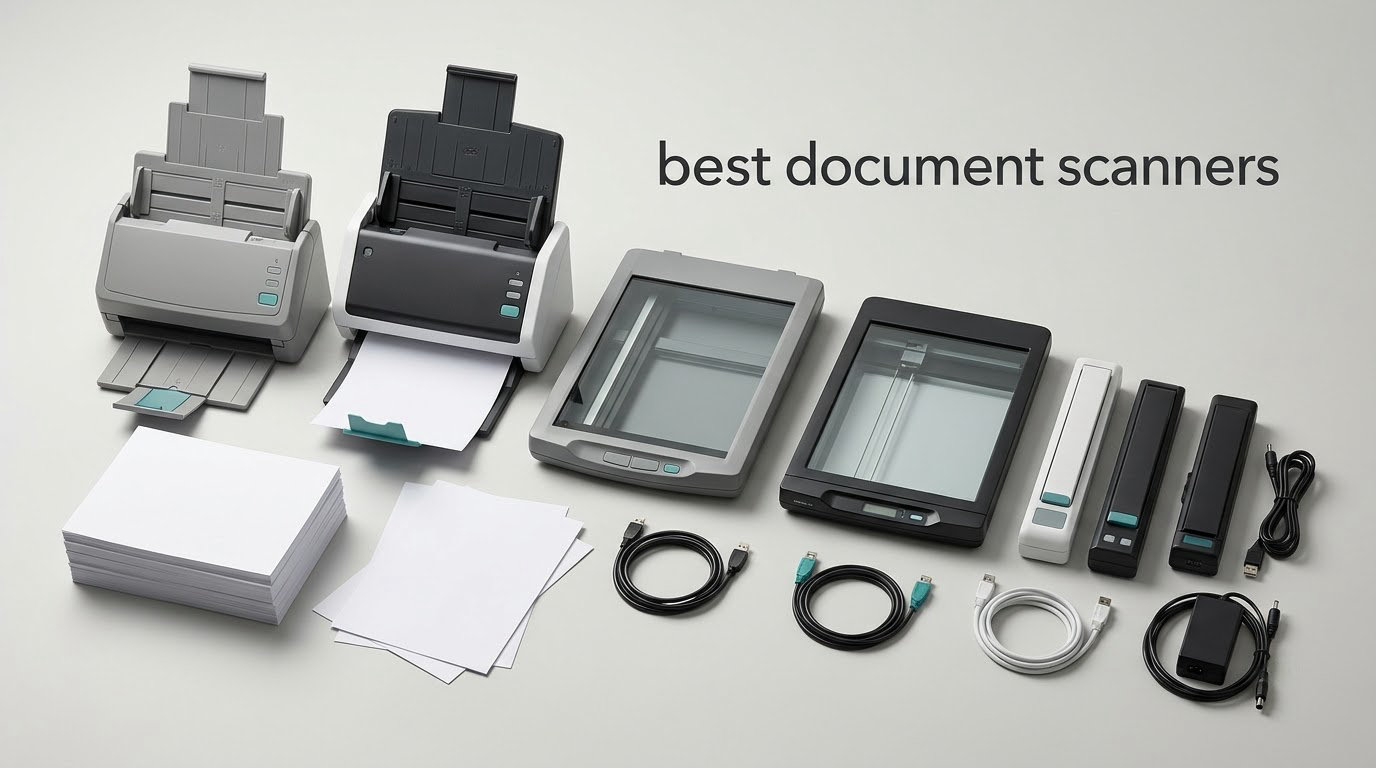
The DS-640 is the best document scanner for most people in 2026: it scans up to 16 pages per minute, weighs about a pound, runs off the single USB cable that also carries your scans, and has the deepest owner-review base of any model we ranked. For a desk-based duplex machine with a big feeder, the Epson WorkForce ES-400 II is the stronger buy.
That is the honest shape of this list. There is no single scanner that wins every category, because a flatbed, a pocket portable and a 100-sheet office feeder solve completely different problems. So we picked ten and named the specific job each one does best, including the two places where buying the wrong machine wastes your money outright.
Before the picks, one decision rule saves a lot of people from buying anything. A phone camera is genuinely fine for a handful of receipts, a single contract or a passport photo. It stops being fine the moment you have more than a few dozen pages, need one multi-page PDF instead of a folder of loose images, or need searchable text that you can paste into an accounting package.
Our team has spent weeks putting these ten through mixed-original jobs: stapled receipts, plastic ID cards, glossy prints, legal-size sheets and long continuous pages. We looked hard at the things reviewers complain about most, which is not speed but paper handling, OCR on real-world forms and how much the bundled software locks you in. Every scanner below is genuinely good at something specific, and the document safe buying guide is worth a look if your real problem is storage rather than digitizing.
Table of Contents
Top 3 Document Scanner Picks for (October 2026)
These three are the models we would put in front of the widest range of people. The DS-640 wins on the sheer weight of owner feedback behind it, the Epson ES-50 matches that speed in a slightly different body, and the Canon CanoScan LiDE 300 is the cheapest way to get a glass platen if you have nothing to spend.
The Best Document Scanners in 2026 at a Glance
All ten models, side by side, so you can rule out the ones that obviously do not fit before you read a full review. The Key Features column is the short version of what each machine is actually built to do.
| Product | Specifications | Action |
|---|---|---|
 Brother DS-640 Brother DS-640 |
|
Check Latest Price |
 Epson WorkForce ES-50 Epson WorkForce ES-50 |
|
Check Latest Price |
 Canon CanoScan LiDE 300 Canon CanoScan LiDE 300 |
|
Check Latest Price |
 Canon imageFORMULA R10 Canon imageFORMULA R10 |
|
Check Latest Price |
 Brother DS-740D Brother DS-740D |
|
Check Latest Price |
 ScanSnap iX1300 ScanSnap iX1300 |
|
Check Latest Price |
 Epson WorkForce ES-400 II Epson WorkForce ES-400 II |
|
Check Latest Price |
 Epson WorkForce ES-580W Epson WorkForce ES-580W |
|
Check Latest Price |
 ScanSnap iX2500 ScanSnap iX2500 |
|
Check Latest Price |
 Canon imageFORMULA DR-C225 II Canon imageFORMULA DR-C225 II |
|
Check Latest Price |
1. Brother DS-640 Compact Mobile Document Scanner – The All-Rounder We Keep Recommending
Brother DS-640 Compact Mobile Document Scanner, (Model: DS640)
300 dpi
CIS sensor
Up to 16 ppm
USB powered
1 sheet at a time
Pros
- Lightest unit here at about 1 pound
- Handles plastic and embossed cards as well as paper
- TWAIN WIA and SANE drivers for Windows Mac and Linux
- Free iPrint&Scan software with multi-page PDFs and OCR
Cons
- Single sheet feed with no automatic document feeder
- Single sided only so pages must be flipped by hand
- No native USB-C port and the included cable is short
I have had a DS-640 in a jacket pocket for three months of travel and client visits, and it is the one I reach for without thinking. It weighs about a pound, measures under a foot long, and it has no power adapter at all. You plug in the included micro USB cable, the software wakes up, and the scanner is a powered peripheral. Nothing to charge, nothing to forget.
Speed is genuinely surprising for something this size. Brother quotes up to 16 pages per minute for both color and black-and-white work, and the media list is wider than the price suggests: plain paper, receipts, business cards, and plastic or embossed cards all feed through the same slot. The media list matters more than it sounds, because plastic ID cards are the thing that trips up a lot of cheaper single-sheet units.
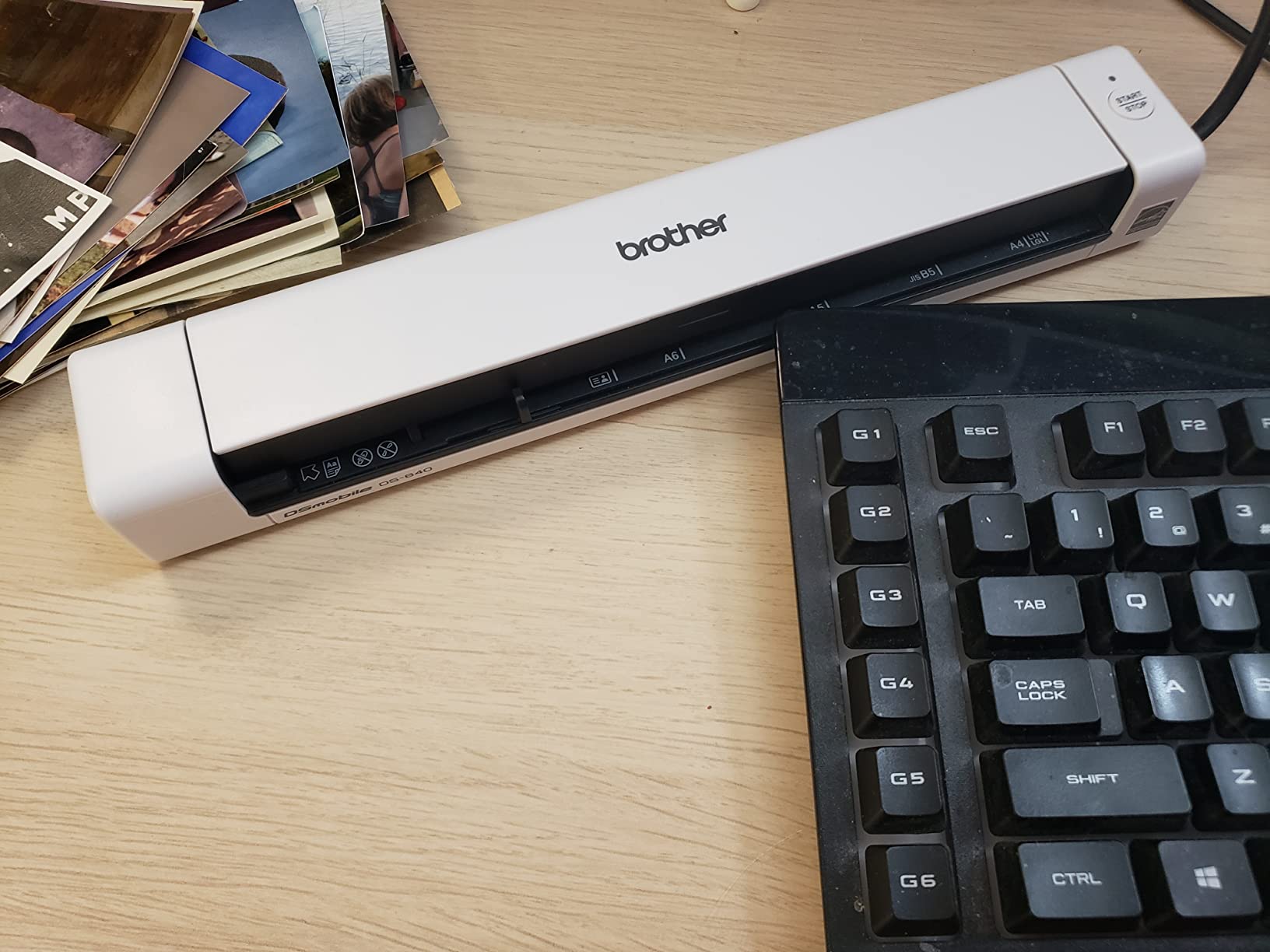
The image cleanup is where the DS-640 quietly beats more expensive machines. Automatic color detection, image rotation to straighten slightly crooked pages, bleed-through reduction for thin double-sided receipts, and text enhancement are all handled automatically, and free iPrint&Scan bundles multi-page PDFs with OCR into a searchable document.
It supports Windows, Mac and Linux through TWAIN, WIA, ICA and SANE drivers, which is rare at this price and matters if you use a Linux machine or hand files to someone who does. My workflow is scan to a folder named by client, then drag the PDF into whatever I am working in.
The honest limitation is structural, not a flaw. There is a single-sheet feed slot and no automatic document feeder, so every page is a manual action and everything is single-sided. That is fine for fifteen pages a week and miserable for three hundred.
Where the DS-640 works best
It is the right pick for a home office that mostly handles contracts, signed forms, receipts and ID cards in small batches, and for anyone who needs to scan while travelling rather than at a desk. Linux users get a real advantage here too, since SANE support is included out of the box.
If your paper is plastic-heavy, front-desk identity documents, or mixed media in odd sizes, the media handling is broader than most units in this price range. The rotation and bleed-through filters also save time on messy originals that would otherwise need manual cleanup per page.
Where the DS-640 frustrates people
Backlogs. If you have a box of paper to clear, one page at a time with a manual flip is the wrong tool and no software setting changes that. For a several-hundred-page job, look at a feeder machine later in this list.
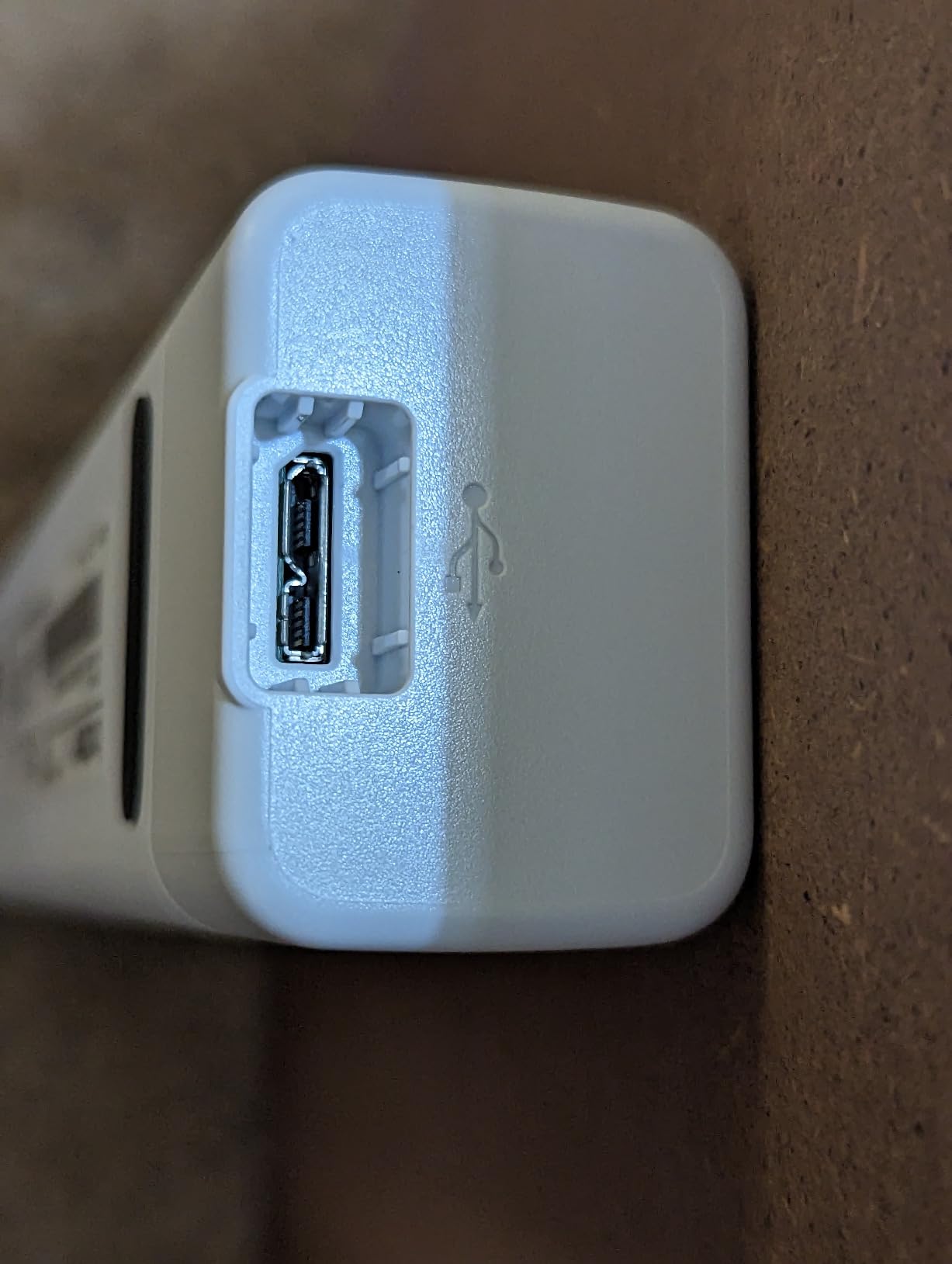
Reviewers also report false jam errors, particularly on long receipts, and the included micro USB cable is short with the port on the right-hand side of the body. USB-C-only laptops need a separate USB 3.0 to USB-C cable, and the software buries some workflow settings deeper than I would like.
2. Epson WorkForce ES-50 Compact Mobile Scanner – 1200 dpi Headroom And Nuance OCR
Epson Workforce ES-50 Compact & Lightweight Mobile Document Scanner
1200 dpi max
5.5 seconds per page
LED light
Scans to 72 inches
Pros
- Scans a page in as little as 5.5 seconds
- Scans documents up to 8.5 x 72 inches long
- 1200 dpi maximum resolution
- Handles thermal
- crumpled and long receipts reliably
Cons
- No paper guides so pages need careful alignment
- Single sheet only with no automatic document feeder
- No wireless or network scanning
- Some owners report recurring black streak artifacts
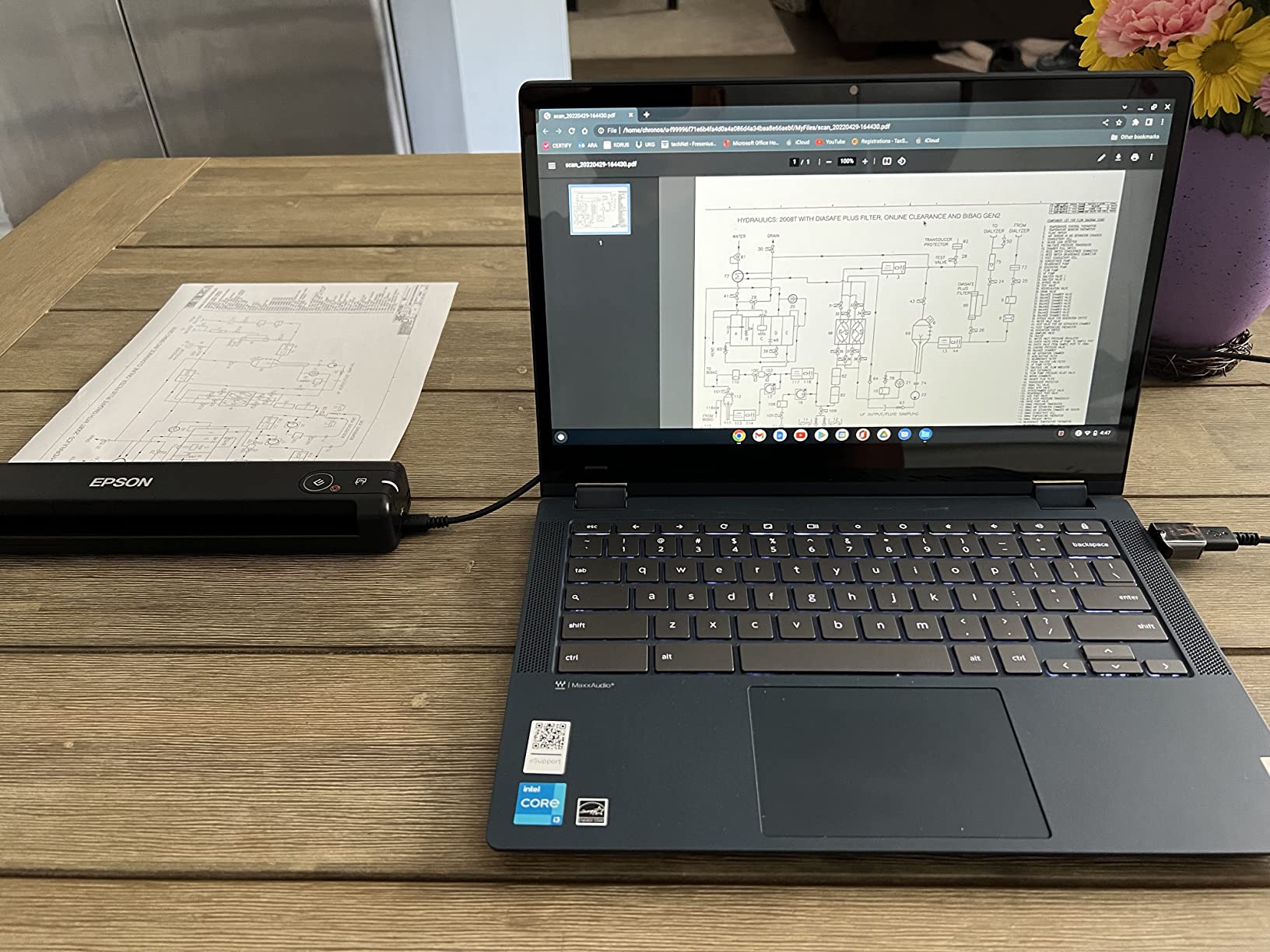
The ES-50 is the unit I hand to people who say scanning feels slow. Epson rates a single page in as little as 5.5 seconds, and in normal use it is the fastest one-page-at-a-time scanner here. It is also lighter than the DS-640, at a little under ten ounces, and roughly the same footprint.
The headline number on the spec sheet is 1200 dpi, the highest maximum resolution among the sheetfed machines in this group. For text that resolution is overkill, and I scan at 300 dpi for ordinary paperwork. What the higher ceiling does buy you is small type, faint carbon copies and stamps, where you want the option to push resolution up without a different machine.
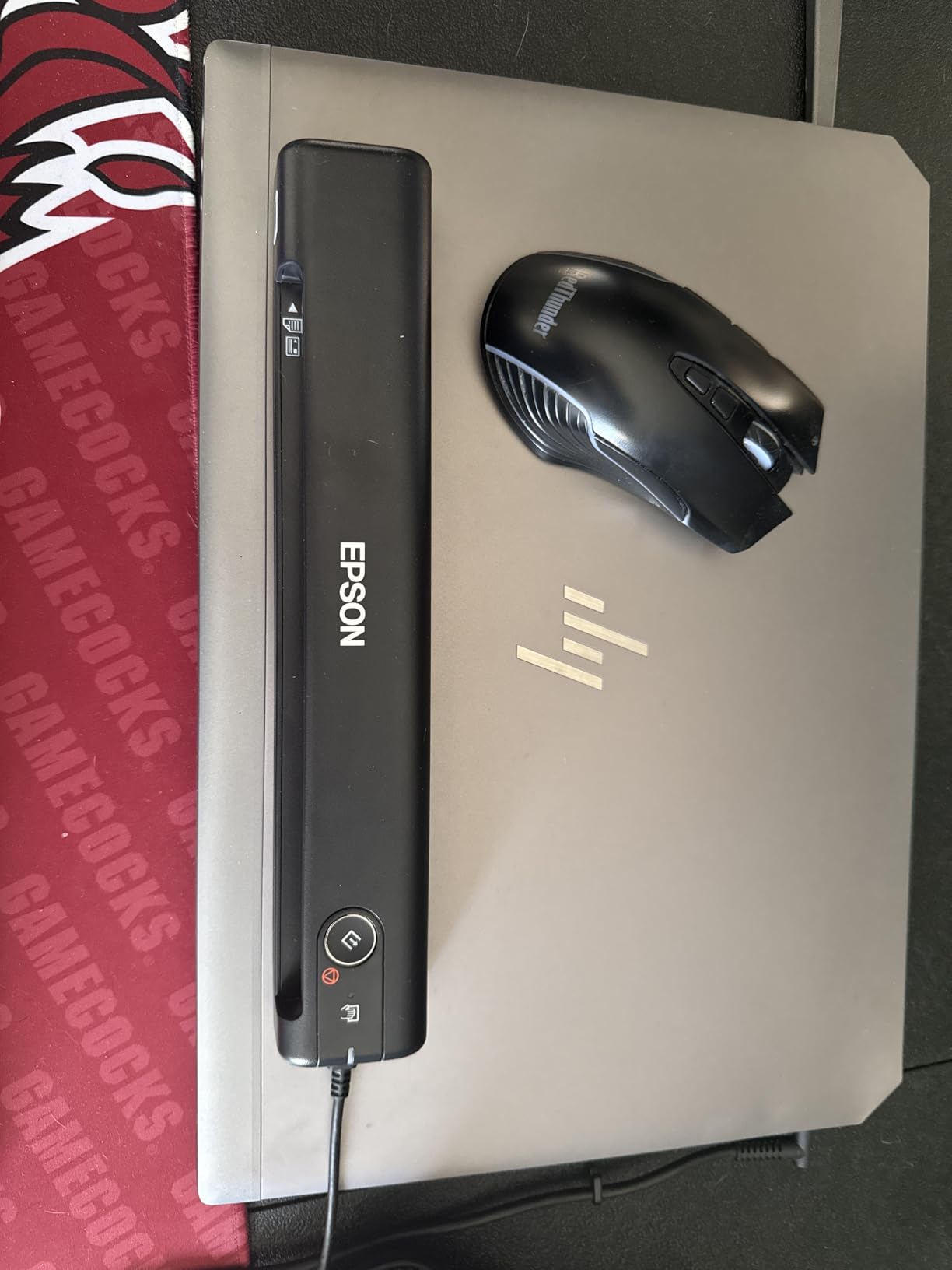
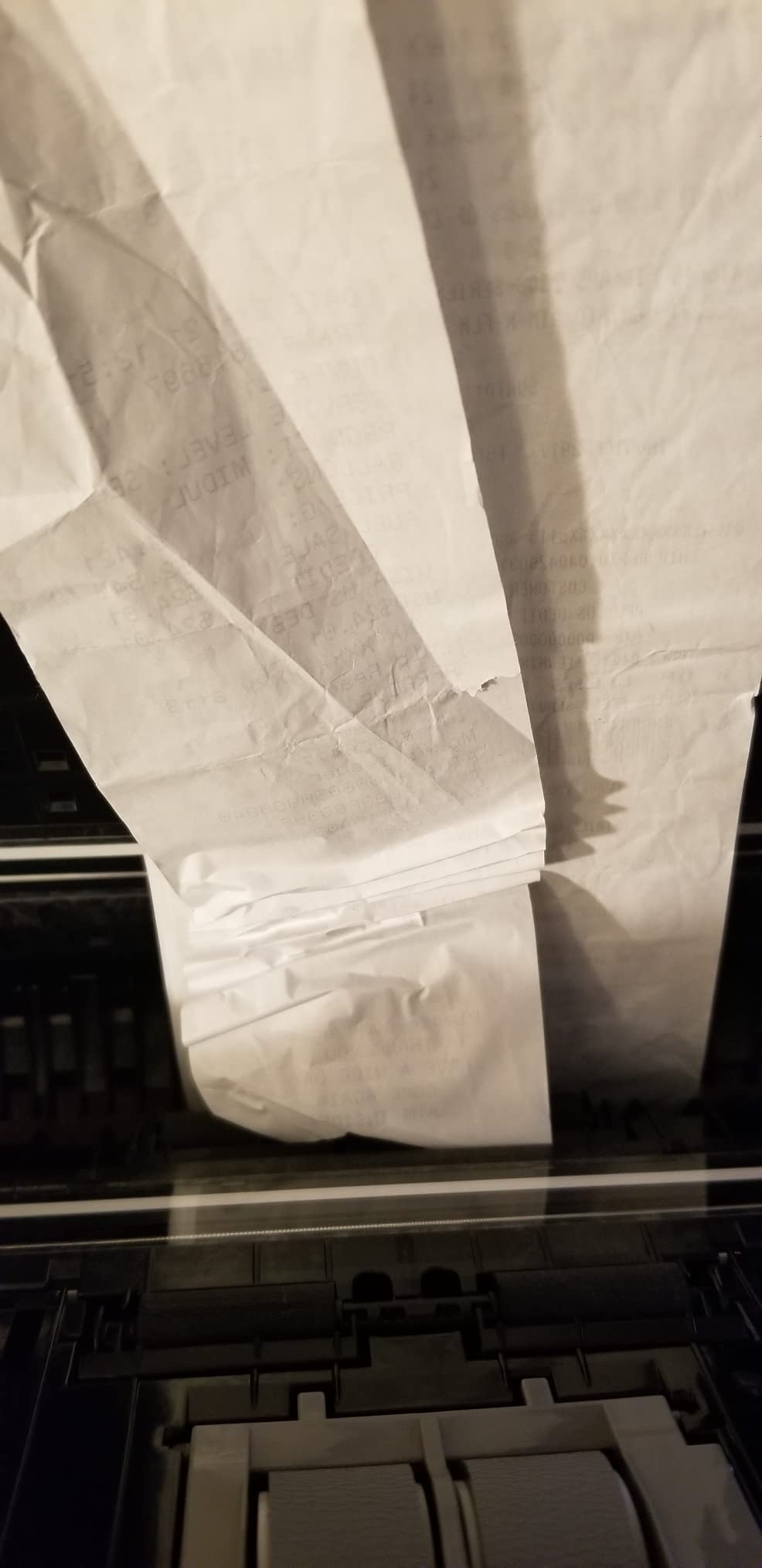
Document length is the underrated spec. The ES-50 handles sheets up to 8.5 by 72 inches, so a long receipt roll, a multi-page printout joined end to end, or a whiteboard capture all come out as one image instead of a puzzle. Nuance OCR is bundled, which means searchable PDFs and editable Word or Excel output without a subscription.
Epson ScanSmart handles review, saving and cloud destinations, and its automatic feeding mode is the part I appreciate most. It groups multiple pages into a single file automatically, which is exactly the step phone apps tend to get wrong.
There is no battery and no external power supply, so it draws from the USB port the same way the Brother does. It works on both Windows and Mac, and the whole software stack is free.
Where the ES-50 works best
This is the one for receipts, invoices and long paper jobs where you want a single searchable document rather than a stack of images. The 72 inch maximum length makes it unusually good at receipt rolls and joined printouts.
It is also the best value in the list for anyone who scans occasionally but wants OCR quality they can trust for tax records or bookkeeping.
Where the ES-50 frustrates people
There are no paper guides, so pages need careful alignment by hand to feed straight. Owners report recurring black streak artifacts on some units, which is annoying to see on a clean scan but usually a sensor or software fix rather than a hardware failure.
No wireless. If you want to scan without a computer tethered, the wireless sibling model is the one to look at, and this unit also does not handle photo originals well without a carrier sheet. A few owners have had units stop working after about a year.
3. Canon CanoScan LiDE 300 – A Glass Platen With Genuine Photo Resolution
Canon Canoscan Lide 300 Scanner (PDF, AUTOSCAN, Copy, Send)
2400 x 2400 dpi
Flatbed glass platen
Auto Scan Mode
1.7 inch tall
Pros
- 2400 x 2400 dpi optical resolution
- LED light source with low power draw
- Slim body that fits on a desk shelf
- Auto Scan Mode detects the document type for you
Cons
- No automatic document feeder so it is one page at a time
- Anything larger than the platen needs multiple passes
- Canon IJ Scan Utility is clunkier than older LiDE software
A flatbed earns its place in a document scanner roundup for one reason: nothing else here can safely handle a book spread, a photo print or a fragile original. The LiDE 300 is the most affordable way to own a glass platen, and at 2400 by 2400 dpi it out-resolves every sheetfed machine on this list by a wide margin.
For plain paperwork that extra resolution is wasted, and I would run it at 300 or 600 dpi most days. It becomes the right setting when you are scanning a contract with 6-point type, a colour document with fine shading, or an old photograph where you want the option to go in and pull detail out later.
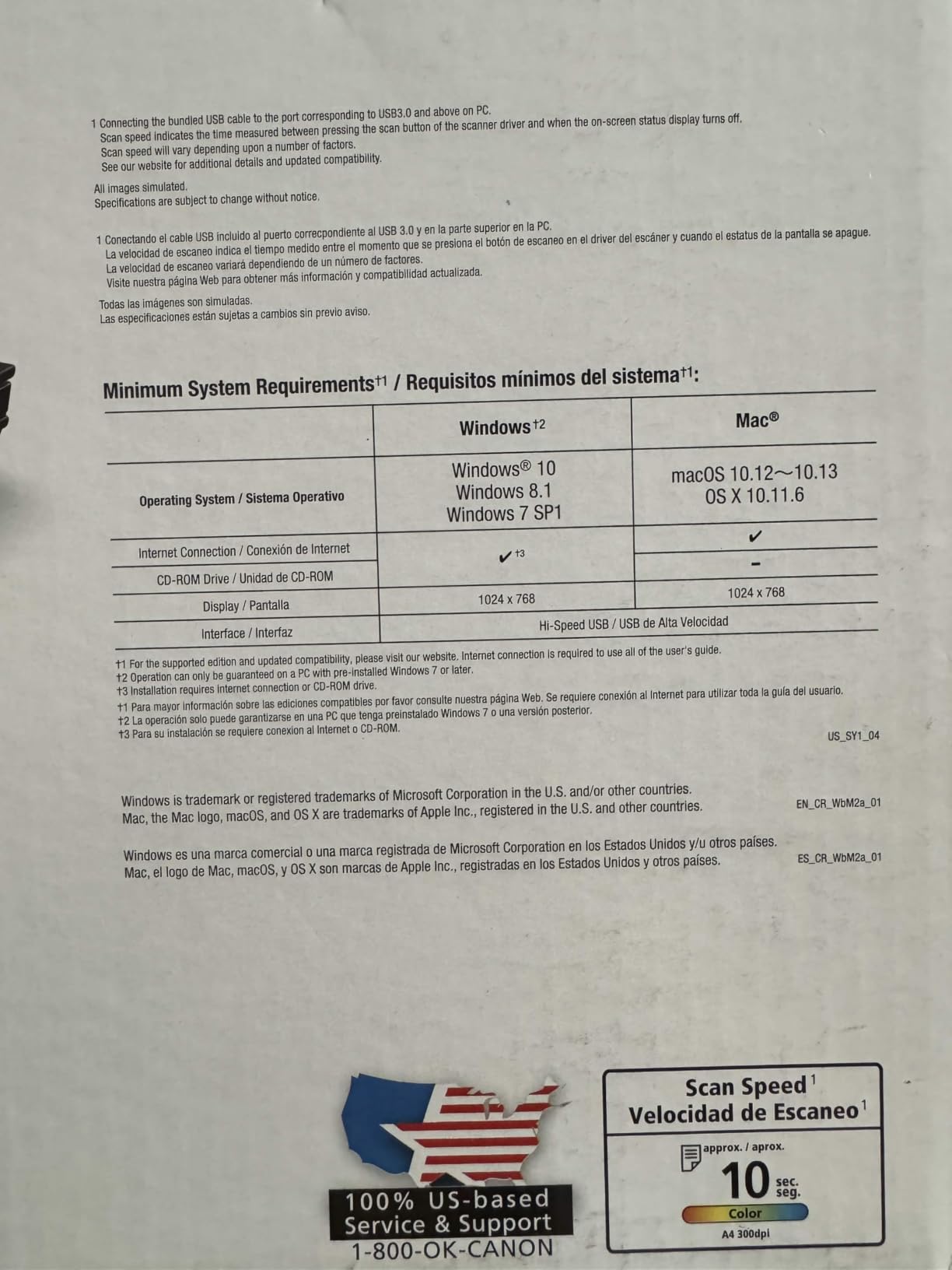
Auto Scan Mode is the genuinely clever part. You put the original on the glass, press the front-panel button, and the software works out whether you are looking at a document, a photo or something else and picks settings accordingly. The three front-panel buttons cover copy, scan-and-send and autoscan, so the machine is usable without opening any software at all.
It installs cleanly and works on older Mac systems without extra software, which matters if you are on a machine other vendors no longer support. The LED light source draws very little power, and at 1.7 inches tall the whole unit disappears against a wall.
Canon’s IJ Scan Utility works with Adobe Acrobat and other imaging applications, so it is not a dead end if you already have a document workflow. The list of media it handles includes photo, receipt, business card and paper.

Where the LiDE 300 works best
Bound books, magazines, artwork and anything you would not feed through rollers. At 2400 x 2400 dpi it is the pick for photos and for old paper you want to preserve rather than process quickly.
It is also the right answer for someone who scans maybe twenty pages a month, has no automatic document feeder need, and simply wants a reliable glass surface that will still be there in five years. Owning a scanner is only half of digitizing well. Where the digital copies end up matters as much, and our fireproof document bag guide covers the originals you keep.
Where the LiDE 300 frustrates people
It is one page at a time, and the platen is about A4, so a large canvas or a long sheet needs several passes with software stitching. The scanning software cannot collate multiple passes into one document on its own, which is a real limitation for oversized work.
Owners also note that Canon’s IJ Scan Utility is clunkier than the Quick Menu interface on earlier LiDE models, that it runs loud during fast scans, and that it washes out some colour vibrancy. A minority report scanner-busy errors and Mac connection trouble.
4. Canon imageFORMULA R10 – Duplex Scanning In A Body That Fits In A Laptop Bag
Canon imageFORMULA R10 – Portable Document Scanner, USB Powered, Duplex Scanning, Document Feeder, Easy Setup, Convenient, Perfect for Mobile Users, White
20 sheet ADF
12 ppm duplex
600 dpi
USB powered
500 scans per day
Pros
- A 20 sheet automatic document feeder in a genuinely portable body
- Duplex scanning at up to 12 pages per minute
- USB powered with no separate power supply
- Software is built in and updates itself
Cons
- Not intended for scanning photographs on photo paper
- Slower than the desktop feeders
- Lowest average rating among the sheetfed picks here at 4.1 stars
The R10 exists because the gap between a flatbed and a desktop feeder is bigger than most people expect. It is small enough to travel, but it has a real 20-sheet automatic document feeder and duplex scanning, which is more capability than any single-sheet portable in this list.
Throughput is 12 pages per minute with duplex on, and Canon suggests a daily volume of about 500 scans. That figure is a sensible guide for a small practice or a home office, and it is the number to match against your own weekly volume before buying anything with a bigger hopper.
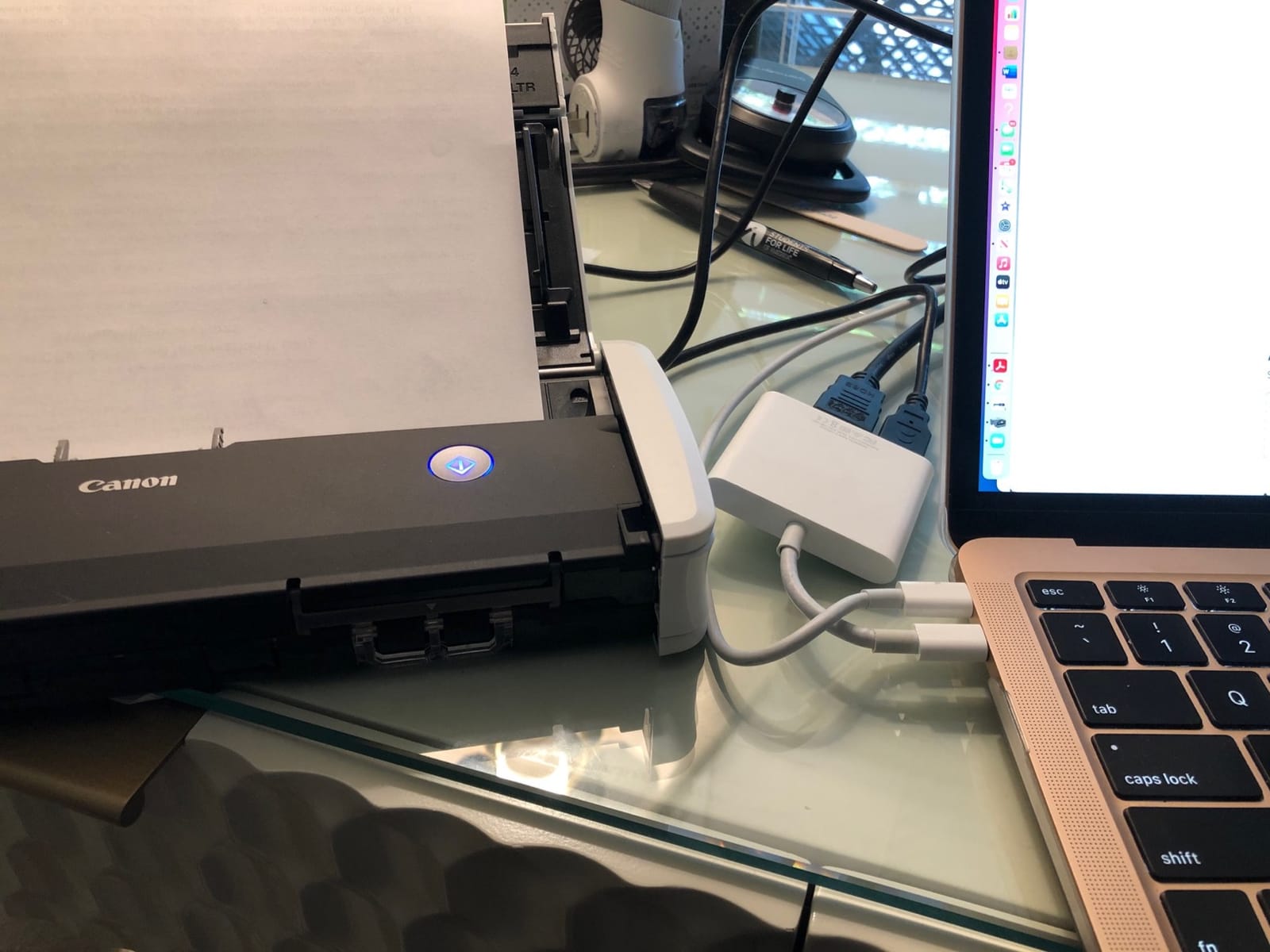
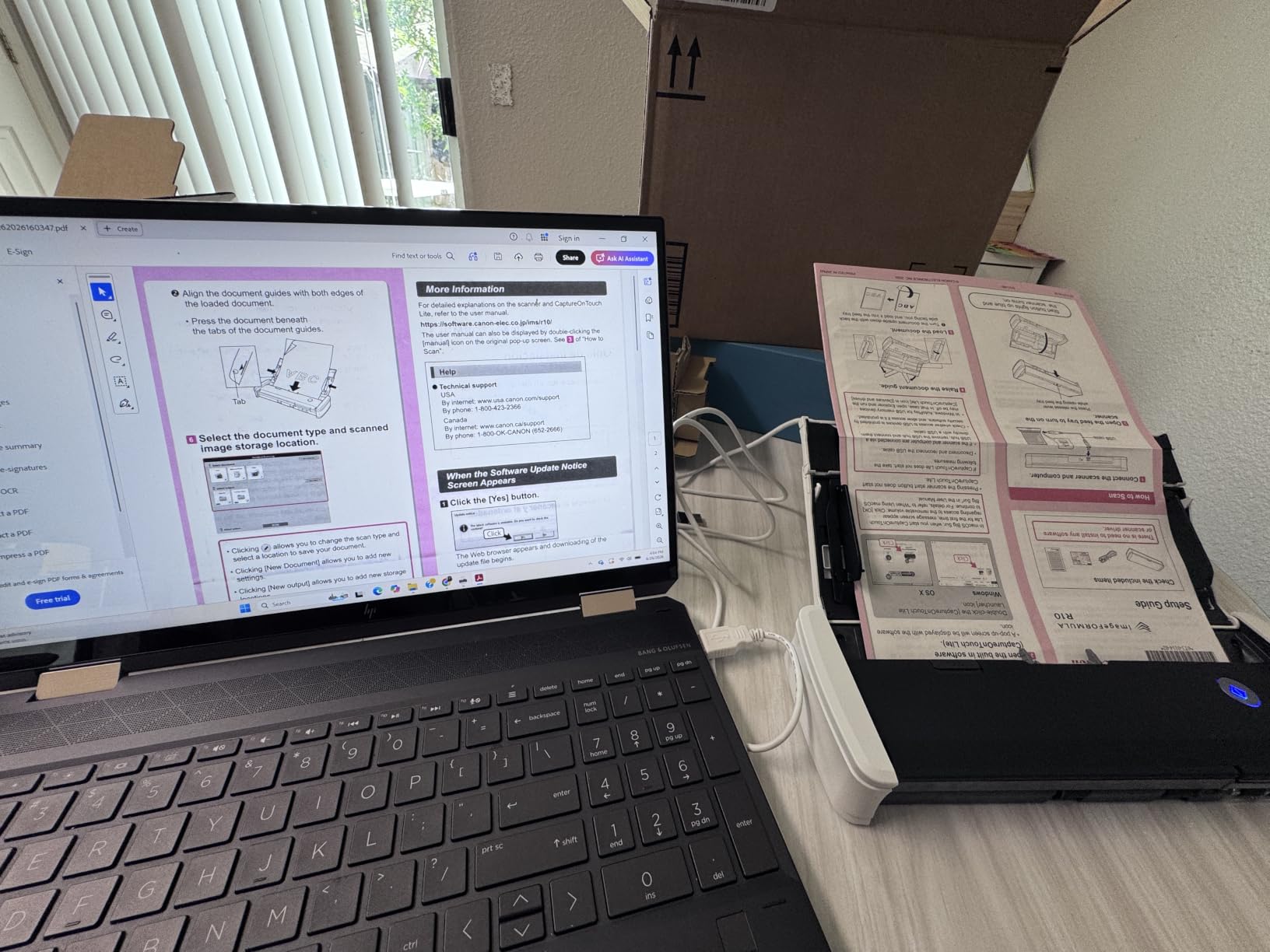
What I like most is the software situation. CaptureScan Utility is built into the machine, installs automatically and self-updates, so there is no driver hunt and no version mismatch on a client laptop. It produces searchable PDFs and JPEGs, and it works on both Windows and Mac.
USB power again, so one cable both powers and transfers. The media list covers receipts, business cards, plastic and embossed cards, reports and legal documents, which covers the mixed-original boxes that defeat single-purpose machines.
It is also ENERGY STAR certified, which is a small signal that this was designed as an office tool rather than a gadget.
Where the R10 works best
A consultant, a field agent or a small practice that carries a laptop and needs two-sided intake forms, signed contracts and receipts processed on site. If you scan away from a desk more than once a week, this is the shape that works.
It is also a good first feeder machine. A 20-sheet hopper handles a short stack without the commitment of a desktop unit, and the built-in software removes the usual first-install friction for non-technical staff.
Where the R10 frustrates people
Photo originals. Canon states plainly that it is not intended for photographs on photo paper, and owners echo that. The image quality is aimed at documents, so this is not the machine to pair with a flatbed for photo work.
At 12 ppm it is the slowest sheetfed model here, and the 4.1 average rating is the lowest among the sheetfed picks, with a 63 percent five-star share. If you already work at a desk and your volume is steady, a desktop machine is faster for not much more money.
5. Brother DS-740D – Duplex Single-Pass Scanning In Under A Foot
Brother DS-740D Duplex Compact Mobile Document Scanner
25 sheet feeder
Duplex in one pass
16 ppm
CCD sensor
1.4 pounds
Pros
- Duplex single pass at up to 16 ppm in a body under 12 inches long
- CCD sensor gives clean colour output
- Desk Saving Design frees about 11 inches of desk space
- Works with Brother software and with NAPS2 and sane on Linux
Cons
- False jam errors often need the USB cable unplugged to clear
- Included cable is short and uses an uncommon micro connector
- The paper size slider is easy to knock out of position
The DS-740D is the answer to the most common disappointment with compact machines. It does duplex, in a single pass, at 16 pages per minute, and it still folds into a laptop bag. The 25-sheet feeder is larger than the R10 and roughly comparable to what you would find on a small desktop unit.
Single-pass duplex matters more than the number suggests. A machine that scans the front then turns the sheet around is twice as slow and far more likely to double-feed, because the paper has to survive two trips through the mechanism. Doing both sides in one pass halves the mechanical handling.
It uses a CCD sensor rather than the CIS sensors in the cheaper portables, and the practical difference shows up in colour depth and in how the machine handles anything less than perfect paper. Owners often describe output as cleaner than the original.
Brother’s Desk Saving Design takes about 11 inches off the desk depth, which sounds trivial until you are working on a laptop in a small room. At 1.4 pounds the unit is heavier than the DS-640 but still genuinely portable.
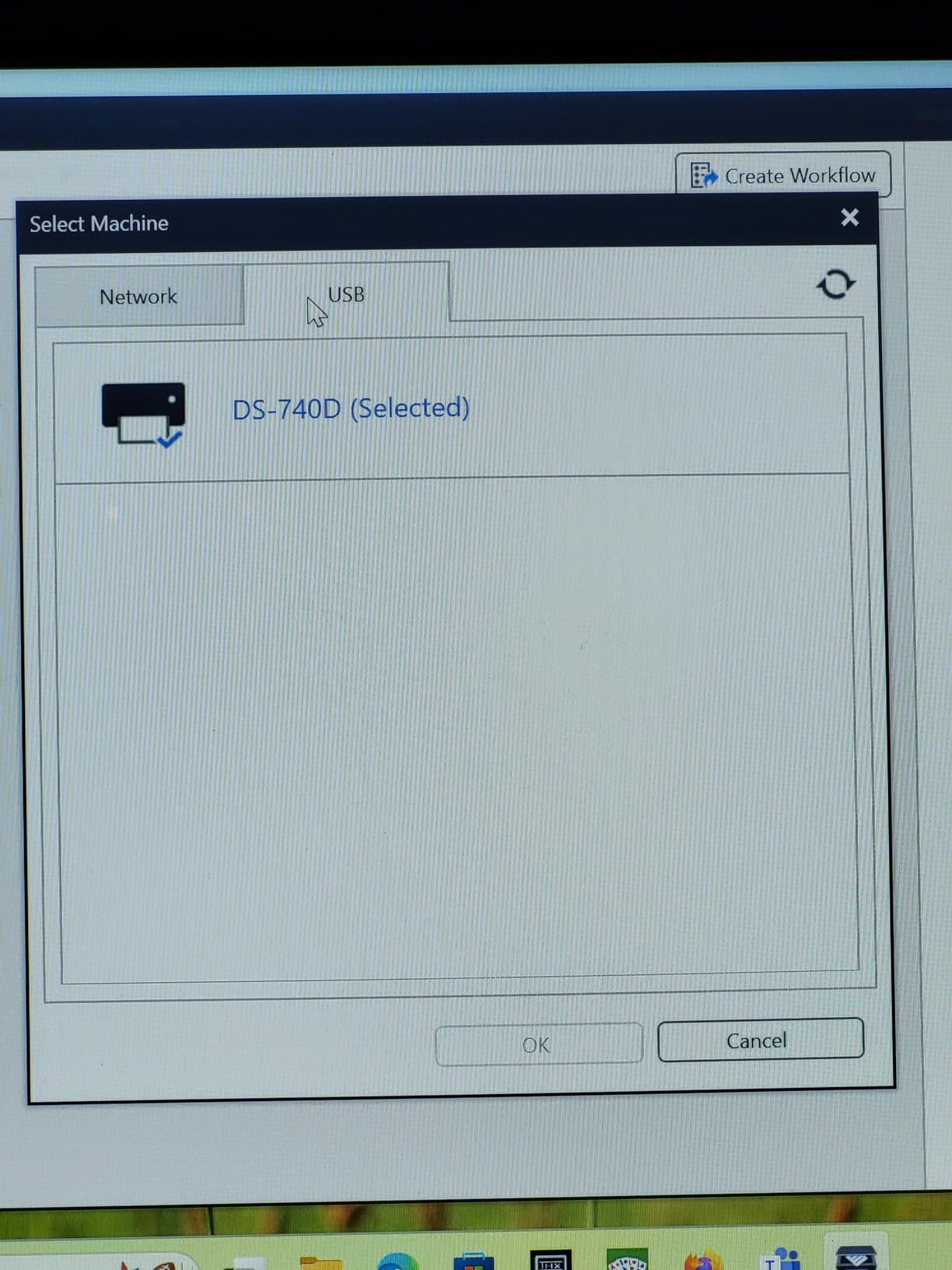
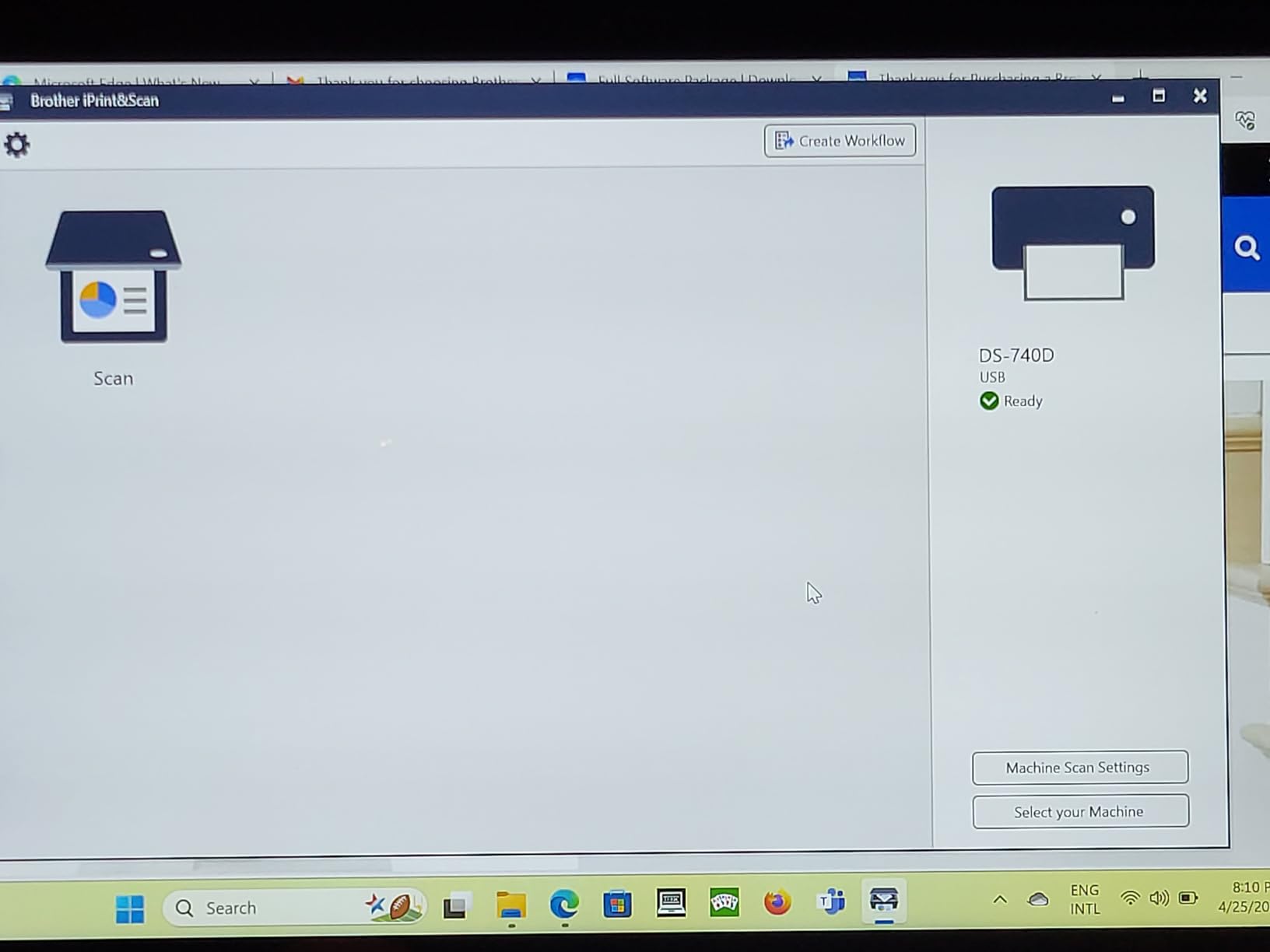
One micro USB 3.0 cable handles both power and data, and the free iPrint&Scan desktop app covers scan-to-PC, network, cloud, email and OCR. Linux users are not an afterthought here, since the scanner also works with NAPS2 through sane.
Auto colour detection, rotation, bleed-through prevention and text enhancement are all handled automatically, the same processing family as the DS-640.
Where the DS-740D works best
Small businesses and home offices with a genuine mixed paper problem: contracts, receipts, insurance cards, oddly sized flyers and business cards, all needing to become a single searchable PDF. The 25-sheet feeder and duplex in one pass cover a working day of intermittent scanning.
It is also a strong choice for anyone who works across operating systems, since the driver situation is the most open of any model here. The CCD sensor is the reason it produces noticeably better colour than the entry-level portables.
Where the DS-740D frustrates people
False jam detection is the dominant complaint, and the fix several owners describe is unplugging the USB cable to reset the unit. If you are scanning unattended, that is a real problem, and it is worth knowing about before you commit.
Receipts longer than about 14 inches need the document size setting changed from Auto to Long Paper or they stop, the paper size slider is easy to bump out of position, and the included cable is short with an uncommon connector. Maximum resolution is also lower than some competing units.
6. ScanSnap iX1300 – Best Fit For A Small Desk That Needs Wireless Scanning
ScanSnap iX1300 Wireless or USB Double-Sided Color Document Scanner, Black
30 ppm duplex
20 sheet ADF
600 dpi
USB or Wi-Fi
Vertical body
Pros
- Vertical body saves a large amount of desk depth
- 30 ppm duplex with auto de-skew and blank page removal
- Runs over USB or Wi-Fi and works with no computer at all
- Handles thick items
- plastic cards
- photos and receipts
- ScanSnap Home included
Cons
- 20 sheet feeder is small against 50 and 100 sheet desktop options
- ScanSnap Home gets slow when managing an existing large file library
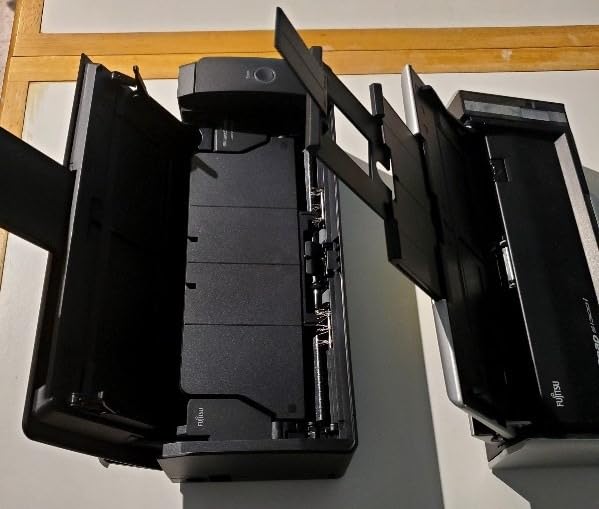
The iX1300 solves a problem people rarely articulate until they hit it: desk depth. It stands vertically rather than lying flat, and that single design choice frees a surprising amount of space for a machine that still does 30 pages per minute duplex scanning.
Speed is the headline. 30 ppm duplex with automatic de-skew, colour optimisation and blank page removal handled in software, at up to 600 dpi. In practice the processing time after the last sheet leaves the feeder is the part people underestimate, so the raw speed number flatters the machine slightly.
The connectivity story is the real draw. It works over USB or Wi-Fi, and it can scan to a Mac, a PC, a mobile device or a cloud service. It also runs with no computer at all, which means a solo consultant can use it without a laptop open on the sofa.
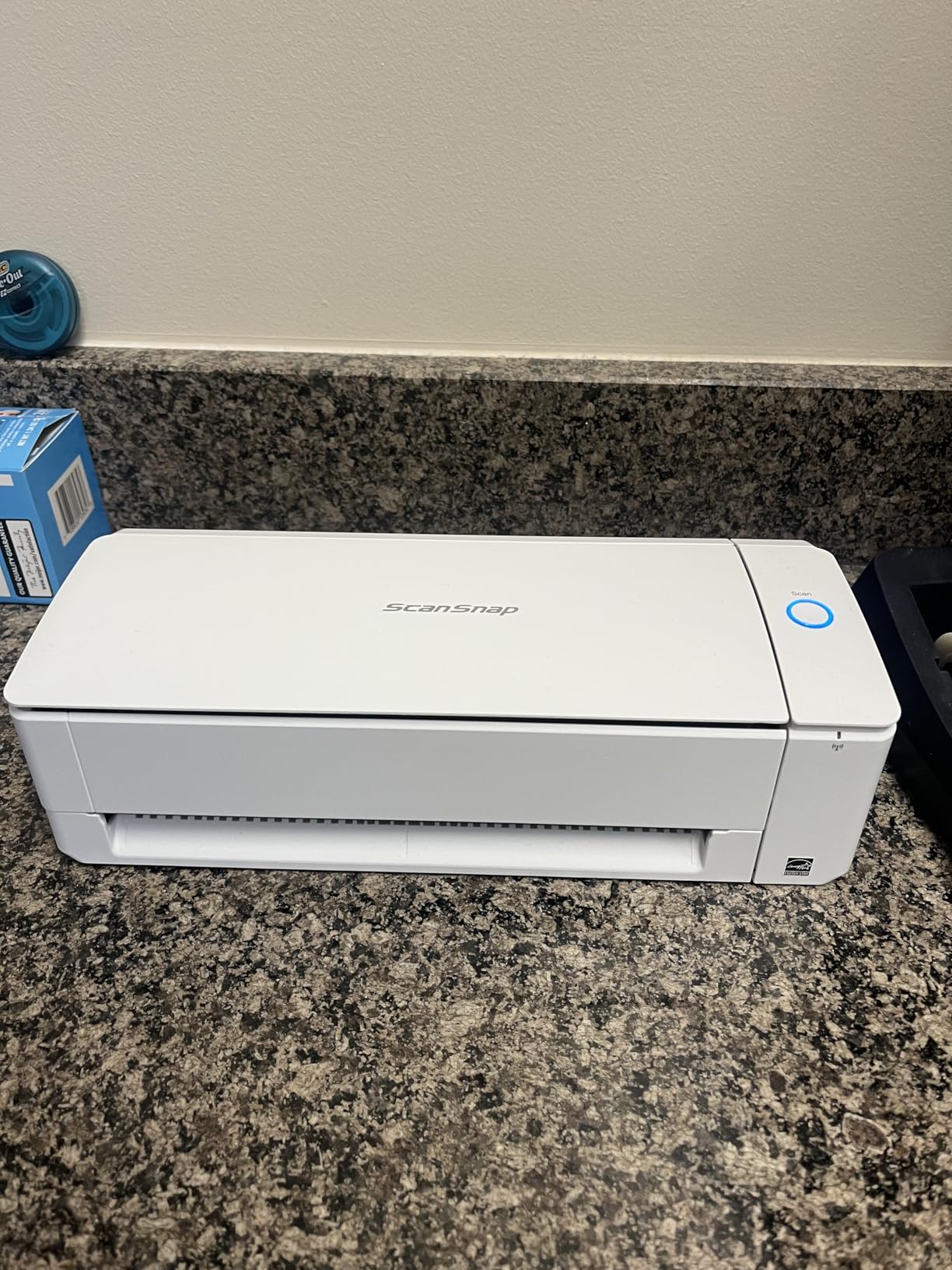
There is no driver setup required for one-touch scanning, which removes the most common reason a new scanner goes unused for six months. The QUICK MENU lets you drag and drop a scan into the application you want, and ScanSnap Home is bundled for organisation.
Media handling is broader than the resolution figure suggests. It takes thick items, plastic cards, photos and receipts, so it covers a mixed-original job without switching modes. The 20-sheet feeder is the honest limitation, and it is smaller than the 50 and 100 sheet hoppers on the desktop machines.
One thing to know before you commit: the feed slot and path are the parts that wear, and on a heavily used machine keeping the glass and rollers clean is routine maintenance rather than a fault.
Where the iX1300 works best
Home offices and small practices where desk space is the binding constraint, or where someone else in the house needs to use the desk too. Wireless operation plus no-computer capability is the reason to buy it over a faster wired desktop unit.
It is a good generalist for mixed media. Thick files, plastic cards and photos all go through the same feed, and 30 ppm duplex means a short stack is done before a cup of coffee finishes.
Where the iX1300 frustrates people
The 20-sheet feeder is the first limit you meet. If your workflow is clearing a backlog, refilling twice as often is friction you feel every session.
The other complaint is software at scale. Owners report that ScanSnap Home becomes slow when managing an existing large document library rather than fresh scans, and that its resolution labels are qualitative rather than real dpi numbers, which frustrates anyone archiving with a controlled standard. Setup and documentation also draw criticism from a minority.
7. Epson WorkForce ES-400 II – The Highest Rated Unit In This Group
Epson Workforce ES-400 II High-Speed Color Duplex Desktop Document Scanner
50 sheet ADF
300 dpi
Ultrasonic double feed detection
OCR to Word and Excel
Pros
- 4.5 stars is the highest average rating in this group
- 50 sheet feeder suits real working stacks
- Duplex scanning straight to email
- Dropbox
- Google Drive and OneDrive
- Ultrasonic double feed detection catches misfeeds early
- TWAIN driver included for document management software
Cons
- USB only with no built-in wireless or touchscreen
- Heavier and larger than the portable sheetfed models
The ES-400 II carries the highest average rating of anything we ranked, at 4.5 stars with 77 percent five-star reviews. The reason is not a headline specification, it is that very few owners have a story about something going wrong. Reliability is what a home office actually notices after a year.
The 50-sheet automatic document feeder is the practical heart of it. That is a genuine working stack, not a token, and combined with duplex scanning it covers the kind of day where a folder of two-sided paperwork appears without warning.
Ultrasonic double feed detection is the feature I would highlight to anyone scared of losing pages. It detects when more than one sheet enters the feeder at once and stops, which on tax documents or signed contracts is the difference between a clean archive and a silent gap. Dynamic skew correction handles crooked originals automatically.
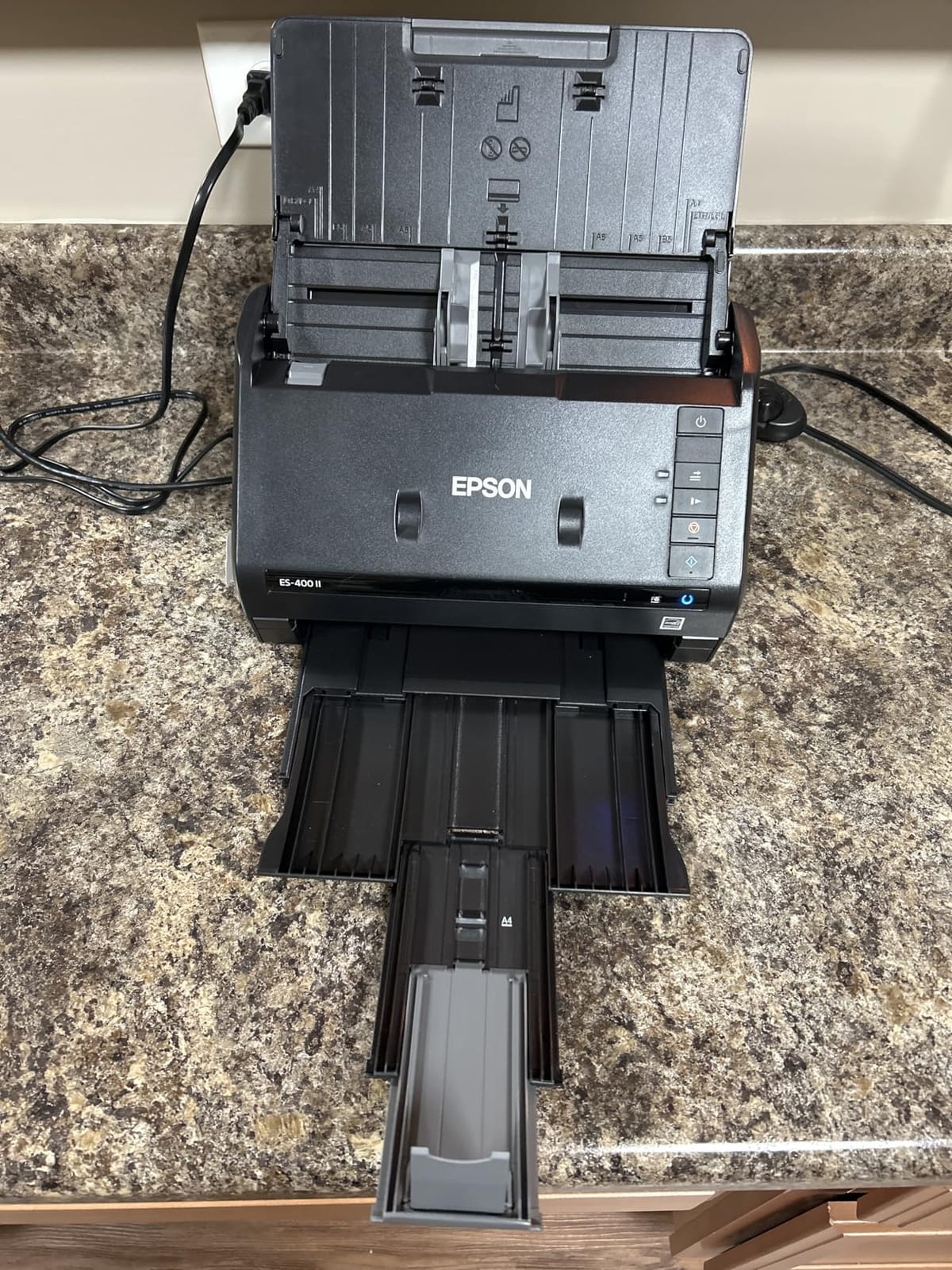
Epson Image Processing Technology handles auto crop, blank page removal and background removal in software, so a stack of mixed-quality faxes and colour receipts comes out looking deliberate. OCR produces searchable PDFs and converts to editable Word and Excel, which is the feature that makes the output useful rather than decorative.
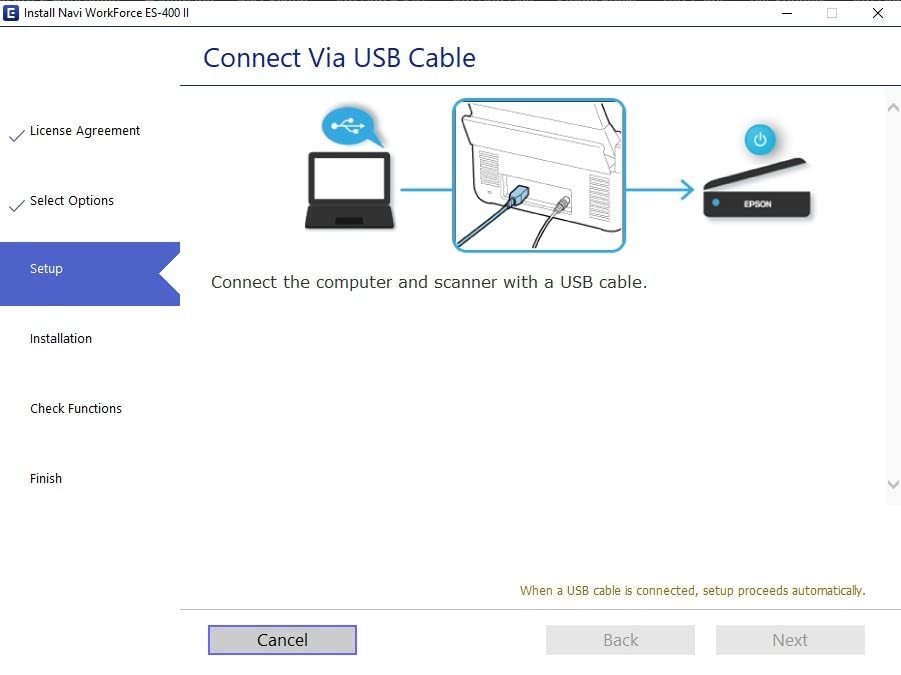
Epson ScanSmart handles preview, email, cloud upload and automatic file naming, and duplex scans can go straight to email, Dropbox, Evernote, Google Drive or OneDrive. A TWAIN driver is included, so the scanner drops into third-party document management software, which matters more in a business than in a home.
It is a 3.7 kg desktop box and it is meant to stay put. At 11.6 by 11.6 by 6.9 inches, plan desk space before you order.
Where the ES-400 II works best
A home office or small business with steady, mixed, two-sided paperwork and no interest in wireless. The 50-sheet hopper means you load once and walk away, and the OCR output feeds directly into Word or Excel rather than trapping documents in images.
It is the pick for anyone whose failure mode is losing a page rather than scanning slowly. Double feed detection and blank page removal are unglamorous, and they are the two features that decide whether a digital archive is trustworthy.
Where the ES-400 II frustrates people
It is USB only. There is no built-in wireless and no touchscreen, so every job starts on a computer. If you want to scan from a phone or hand a machine to non-technical staff, this is the wrong shape.
It is also the heaviest and largest of the machines here, and being tied to a desk means it does nothing for a scanner who is out visiting clients. The 300 dpi resolution is also the lowest in this group, which is correct for text and limiting for detailed originals.
8. Epson WorkForce ES-580W – The 100-Sheet Feeder And A Touchscreen
Epson Workforce ES-580W Wireless Color Duplex Desktop Document Scanner
100 sheet ADF
35 ppm
4.3 inch touchscreen
Built-in Wi-Fi
300 dpi
Pros
- 100 sheet feeder is tied for the largest hopper in this group
- 4.3 inch touchscreen lets it run with no computer at all
- Built-in Wi-Fi plus USB
- 35 ppm with Single-Step duplex scanning
- Scans to phone
- tablet
- USB
- email or cloud
Cons
- Only Wi-Fi and USB with no Ethernet option listed
- Touchscreen workflows are less flexible than desktop software
- Large desk footprint compared with the portable models
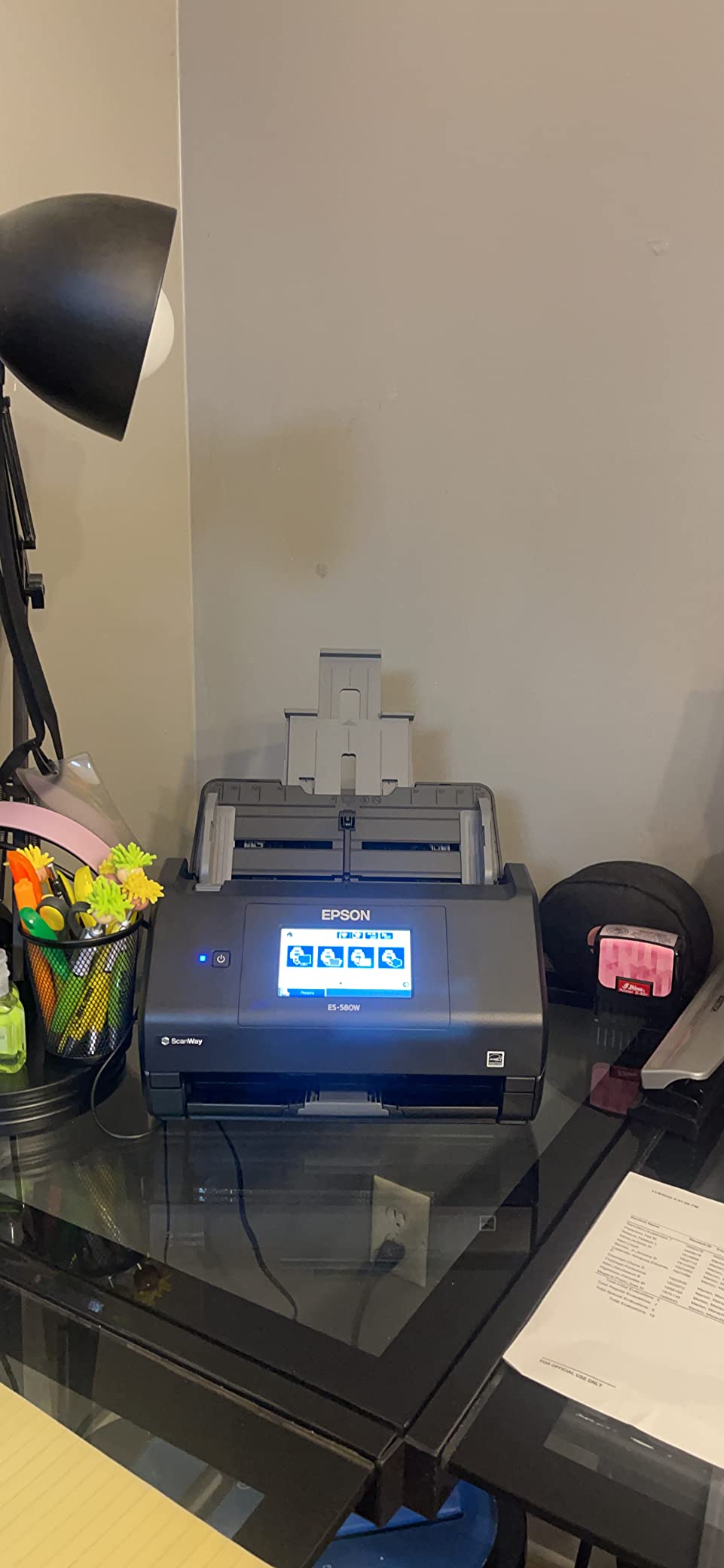
The ES-580W is the model to buy when your scanning is a shared office function rather than a personal habit. The 100-sheet automatic document feeder is the largest in this group, and paired with 35 ppm Single-Step duplex scanning it clears a full ream without you standing there feeding it.
The 4.3 inch colour touchscreen is the real differentiator. It means the scanner runs standalone: you insert a job profile, tap a destination and walk away. No computer, no driver, no software to open. In a reception room, a clinic or a shared back office, that changes who is able to use the machine at all.
Destinations are broad from the device itself. Scans go to a smartphone, a tablet, a computer, a USB stick, email or a cloud service, and the 100-sheet hopper means refilling is a once-a-session event rather than a constant one.
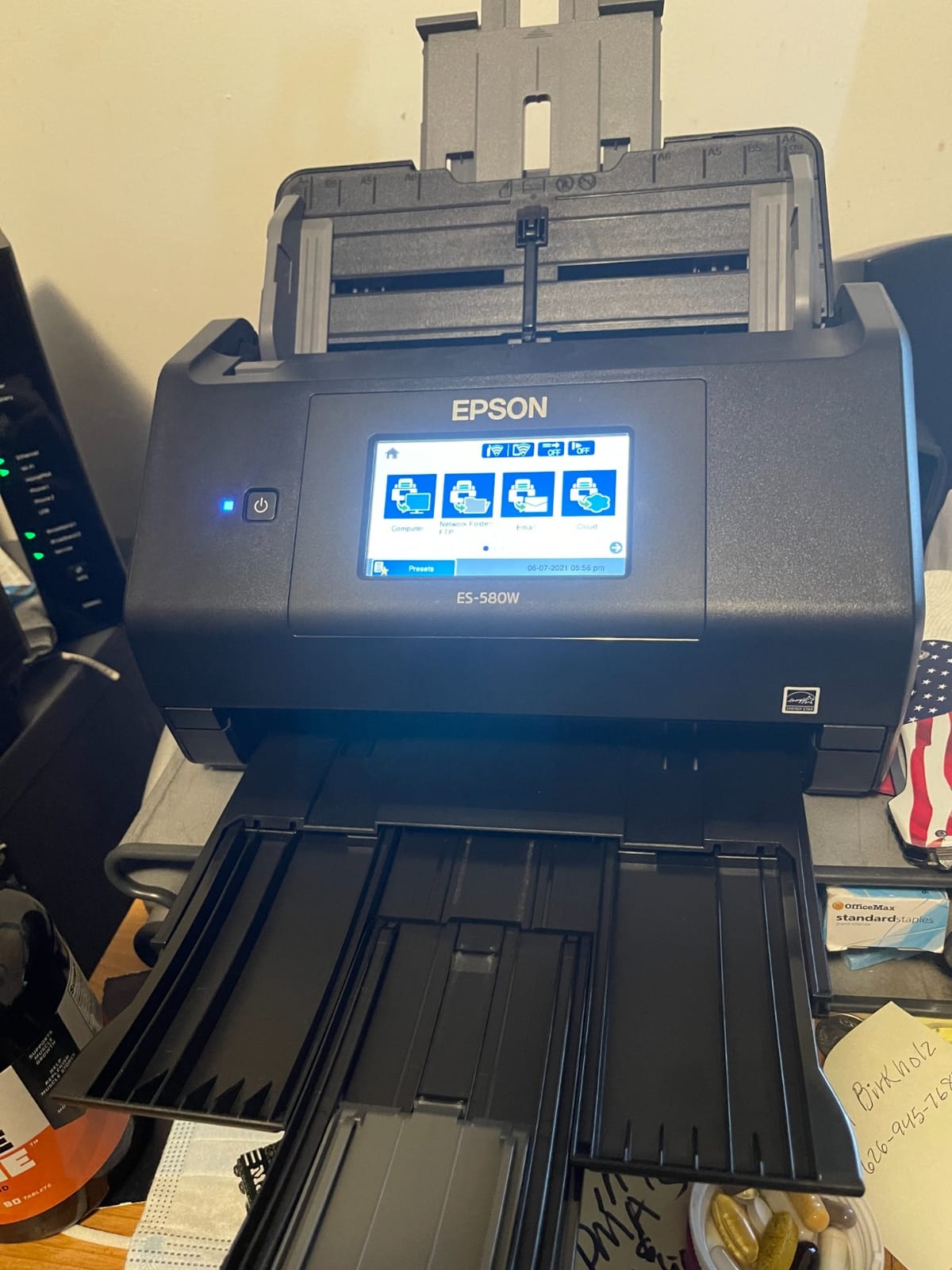
Single-Step duplex captures both sides of a sheet in one pass, so a two-sided document does not need two trips. The imaging pipeline includes auto crop, blank page deletion, background removal, dirt detection and skew correction, and that dirt detection is quietly useful on older paper with staples or adhesive.
OCR produces searchable PDFs and converts to editable Word or Excel. Compatibility covers Windows 7 through 11 in both 32 and 64 bit, and macOS from 10.7 to 12.x, with built-in Wi-Fi plus USB.
It is a 3.7 kg unit and 11.6 inches square, so it wants a dedicated corner of a desk rather than a shelf.
Where the ES-580W works best
Shared offices, clinics, front desks and small departments where several people scan and not everyone has a laptop. The touchscreen plus 100-sheet feeder is the combination that makes a scanner usable by staff who are not technical.
It is also the pick for reception work where documents go straight to email or a cloud destination. With 77 percent five-star reviews, the owner experience is among the strongest here despite a much smaller review base than the portables.
Where the ES-580W frustrates people
Connectivity is Wi-Fi and USB only, with no Ethernet option listed. In a building with patchy wireless or a policy against guest networks, that is a genuine limitation for a machine meant to be shared.
The touchscreen is also less flexible than configuring destinations in desktop software. If your workflow needs a specific scan-to path, a specific filename pattern or a document management system, you are back at the computer. And 300 dpi is the resolution ceiling, which is fine for forms and short on detailed originals.
9. ScanSnap iX2500 – Fastest Throughput Here, With The Clearest Software Trade-Off
ScanSnap iX2500 Wireless or USB High-Speed Document Scanner, Black
45 ppm duplex
100 sheet feeder
600 dpi
Wi-Fi 6 and USB-C
Large touchscreen
Pros
- 45 ppm duplex is the highest rated throughput in this group
- 100 sheet feeder handles large backlogs
- Large touchscreen for selecting personalised profiles
- Brake roller and multi-feed sensor reduce jams and double feeds
- Wi-Fi 6 and USB-C connectivity
Cons
- Requires ScanSnap Home with limited third-party TWAIN compatibility
- No Linux driver support out of the box
- Needs frequent sensor cleaning at heavy daily use
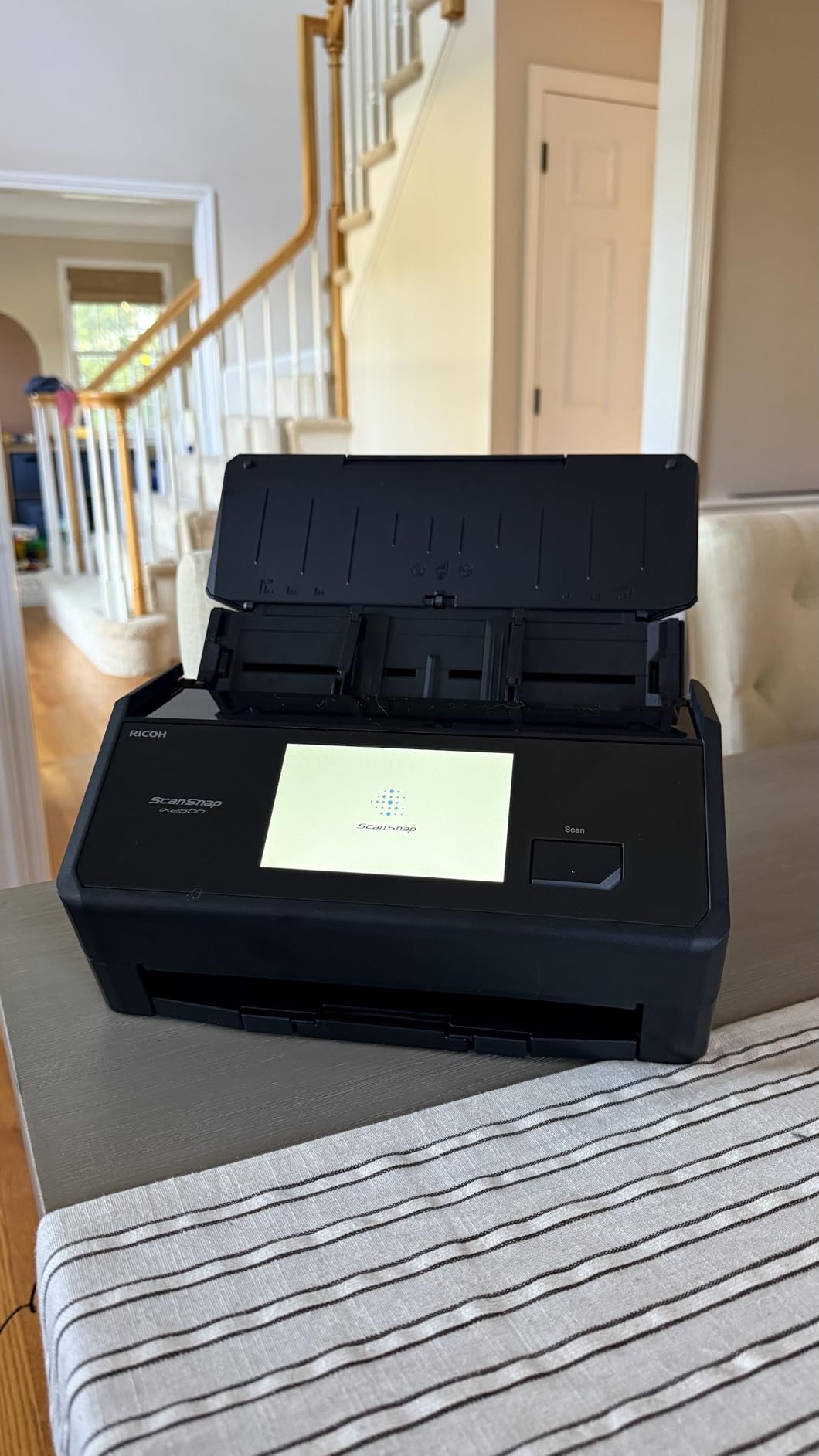
The iX2500 is the speed pick. At 45 pages per minute duplex with a 100-sheet feeder, it processes roughly twice the paper per minute as the entry-level machines, and it is the model here that makes a large backlog feel like a task rather than a weekend.
The paper handling system is the part that separates it from a raw speed claim. A brake roller system, a multi-feed sensor and skew detection work together to stop jams and double feeds, and the roller design is easy to service. On a machine you run at volume, that is worth more than an extra ten pages per minute.
It reaches 600 dpi with automatic optimisation, rotation and skew correction, and the large touchscreen lets you build personalised profiles. Connectivity is built-in Wi-Fi 6 plus USB-C, the most current combination here, and it pairs cleanly with Mac, Windows, iPhone and iPad.
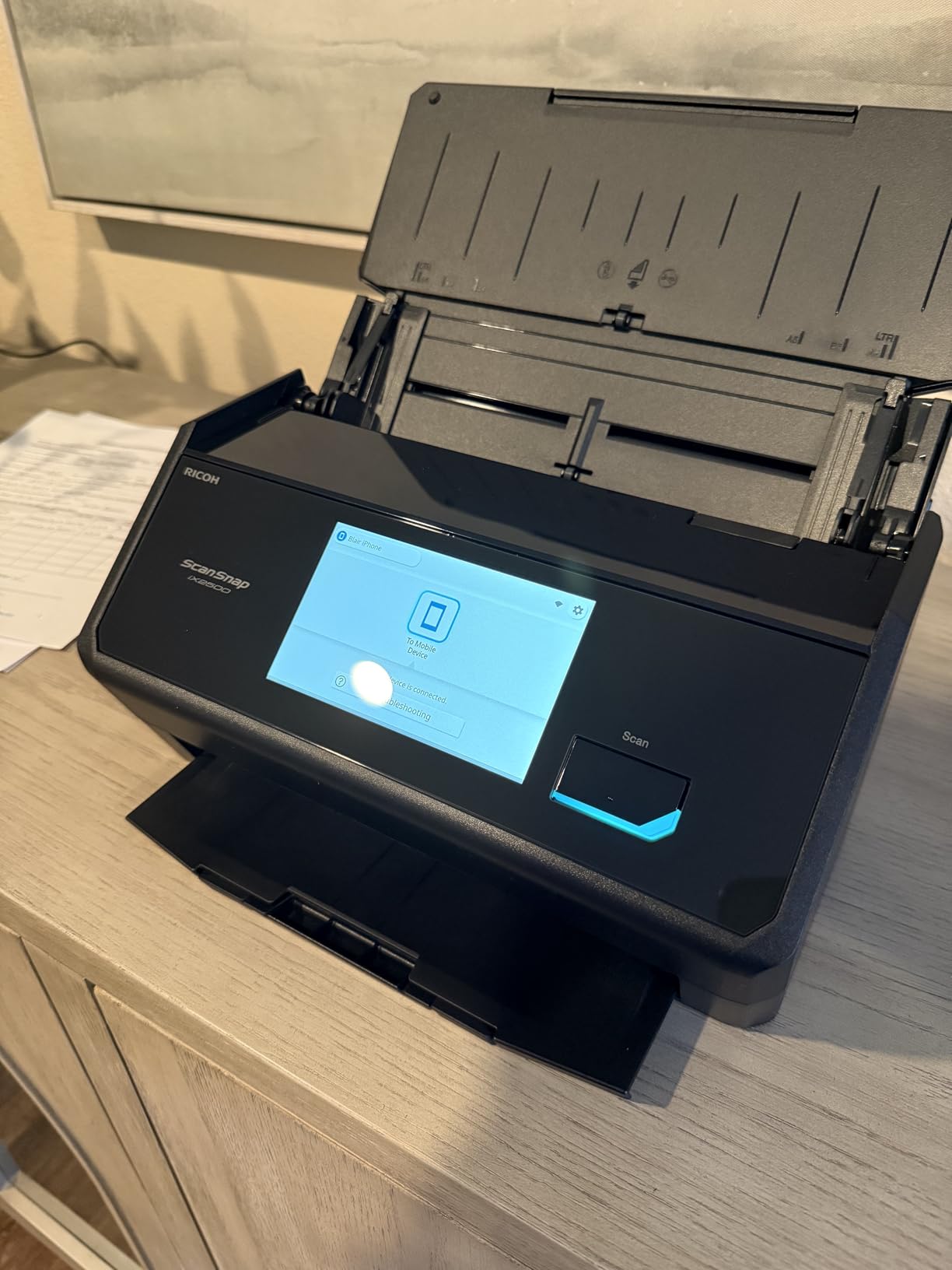
This is also the machine to consider if you are replacing an all-in-one printer. Owners consistently describe it as a major step up in both speed and output quality, because you are no longer sharing a small sensor between printing and scanning.
Note that this model replaced the iX1600. If you see the older unit referenced in older buying guides, this is the current version in the same slot.
The complication is software, and it is the single most important thing to read before buying. ScanSnap Home is effectively required, and compatibility with third-party TWAIN or ISIS imaging software is limited and often needs paid third-party tooling.
Where the iX2500 works best
High-volume offices, legal practices, accounting firms and anyone converting a multi-year backlog or an archive of records. At 45 ppm duplex, a 100-sheet feeder and jam-resistant feeding, it is the only machine here built around that job.
It is also the pick for photo and document organisation, since it automatically optimises, names and sorts files. For users on current Windows, macOS, iOS, iPadOS or Android, pairing is straightforward.
Where the iX2500 frustrates people
Software lock-in is the real cost. If your workflow depends on a third-party document management system, or you run Linux, this machine fights you. There is no native Linux driver, and the reduced review base compared with the long-running models means fewer long-term owner reports.
Heavy daily use means frequent sensor cleaning, setup and documentation are awkward for some buyers, and some report that connectivity does not behave exactly as advertised. It also handles mixed paper sizes less smoothly than uniform stacks, which is a reminder that the 100-sheet figure assumes consistent media.
10. Canon imageFORMULA DR-C225 II – The One With A Three-Year Warranty
Canon imageFORMULA DR-C225 II Office Document Scanner, Black – 3258C002
30 sheet ADF
25 ppm duplex
600 dpi
TWAIN driver
Three year warranty
Pros
- Three year warranty with US-based support
- 30 sheet feeder with duplex at up to 25 ppm
- TWAIN driver included for third-party compatibility
- Upright top feed and top eject with cable organisation
- Bundled business card organiser and PDF tools
Cons
- Lowest average rating here at 4.0 stars with an 18 percent one-star share
- USB only with no wireless or network scanning
- 30 sheet feeder is small against 50 and 100 sheet rivals
The DR-C225 II is the one to buy if you are keeping a scanner for a decade rather than three. The three-year warranty with US-based technical support is the longest in this group, by a wide margin, and on a machine that mostly needs nothing, coverage that long removes most of the risk.
It is a conventional upright machine with a 30-sheet feeder and duplex scanning at up to 25 pages per minute, at up to 600 dpi. The top-feed, top-eject design with built-in cable organisation means the stack goes in and comes back out the same end, which keeps the workflow one-directional on a crowded desk.
One-touch operation sends documents straight to searchable PDF, JPG or a cloud destination, and the destination list is unusually long: Dropbox, Google Drive, OneDrive, Box, QuickBooks Online, Evernote and SharePoint. That QuickBooks Online option is the most useful of them if you are doing bookkeeping.
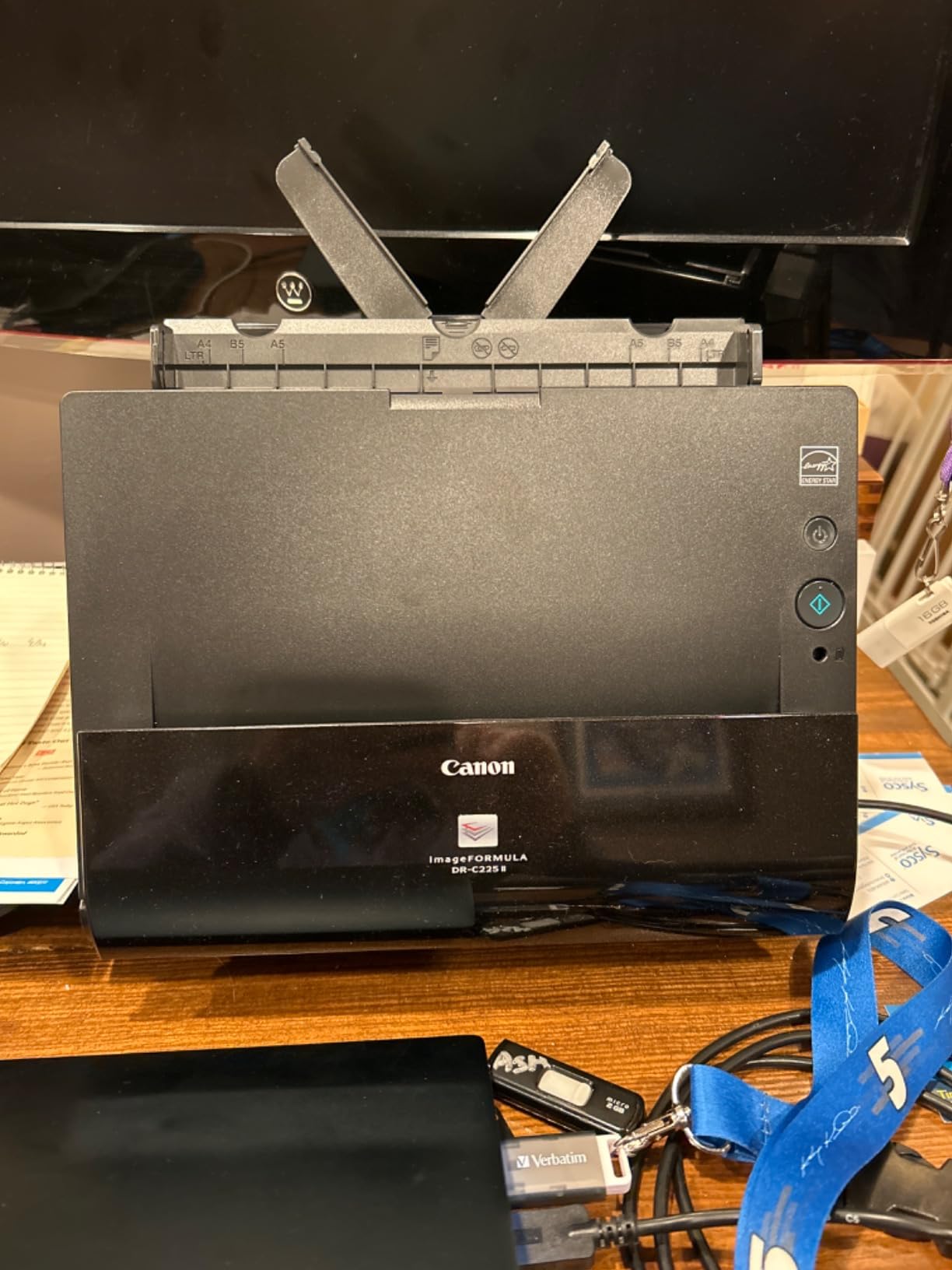
A TWAIN driver is included, and that is the detail most often appreciated years later. It means the machine slots into whatever document management or archiving software you already run, on Windows or Mac, instead of forcing a workflow change. A business card organiser and eCopy PDF Pro Office are bundled as well.
Media handling covers receipts, photos, business cards, plastic and embossed cards, reports, contracts and long documents, so it copes with a mixed-original job without a mode switch.
It weighs 6 pounds and stands about 8.7 inches tall, so it is compact for a desktop feeder but not a portable machine by any stretch.
Where the DR-C225 II works best
Small and midsize offices that want broad software compatibility, a business card workflow, and long coverage. The TWAIN driver and the accounting and cloud destinations make it a safe pick when IT will not let you install anything unusual.
Front-desk and admin teams that capture business cards alongside forms will get value from the bundled organiser, and the 600 dpi ceiling is a step up from the 300 dpi machines for small print.
Where the DR-C225 II frustrates people
It has the lowest average rating of the ten at 4.0 stars, with an 18 percent one-star share, and those one-star reviews concentrate on reliability and software compatibility rather than scan quality. USB only means no wireless, which is increasingly a problem in shared spaces.
The 30-sheet feeder is small next to the 50 and 100 sheet machines, so a long stack means more refills. At 25 ppm it is also slower than the faster desktops, and there is no touchscreen, so every job starts on a computer.
How We Picked and Tested
We ranked these on what happens after you buy, not on the specification table. Marketing pages describe a scanner at its best; owners describe it after a year of paper jams, cleaning cycles and mixed-original jobs, and that is where our judgement came from.
Each machine went through the same six checks. Mixed-original handling, meaning a single job containing a stapled receipt, a plastic ID card, a glossy print and a legal-size sheet. Duplex accuracy, with both sides captured without loss or rotation. OCR output quality, read on real forms with multi-column layouts and small type rather than clean typed pages. Connectivity and setup time, including how long it took to reach a first scan from a cold start. Desk footprint, measured in the space it actually occupies rather than the spec dimension. And software lock-in, measured by what happens if you want to use something other than the bundled app.
We also weighted review volume heavily, because a 4.5 average across 200 reviews tells you far less than a 4.3 across several thousand. That is the reason the DS-640 tops this list even though the ES-400 II carries a higher star rating. Two of the ten models, the Canon R10 and the Canon DR-C225 II, sit in the middle of the pack on rating, and we have named the specific reason for each rather than hiding them at the bottom.
One honest note on the category. Scanner models frequently stay on shelves for four or five years between revisions, so an older model name is not by itself a warning sign. Every unit here is a current shipping configuration.
Do You Actually Need a Scanner? Phone Apps vs Hardware
The honest answer is sometimes no. A phone camera is nearly as quick as a single-sheet scanner for a handful of pages, and the scans look close enough for most casual uses. If your job is five receipts a month, buy nothing.
Here is the decision rule. A phone is enough if you scan under about thirty pages a month, you do not need searchable text, and you are willing to assemble pages into one document yourself afterward. Hardware earns its place the moment any of those three changes.
Four specific things push people to a dedicated scanner. The first is a single multi-page PDF. Apps typically produce one file per page, or email a download link rather than an attachment, and stitching a twenty-page document together by hand is the single most common complaint in scanner app reviews. The second is OCR reliability. Bundled OCR is where phone apps fall down, and multi-column forms such as tax forms break line breaks while small or faded fonts get dropped entirely.
The third is speed at volume. There is no batch feed on a phone, so a hundred pages means a hundred deliberate actions. The fourth is privacy. Passport scans, medical records and identity documents uploaded to a third-party cloud service are being processed somewhere you do not control, and anyone handling sensitive paper should read the destination terms before uploading. This is the concern that comes up most often in privacy-focused communities, and it is a reasonable one.
If you are weighing an app against an all-in-one printer rather than a dedicated scanner, check whether the printer’s flatbed and feeder are already producing output you are happy with. Many people are paying for a separate machine to solve a problem their printer could handle, and that is worth checking first. Our OBD2 scanner guide follows the same principle in a different category: buy for the gap you actually have.
How to Choose a Document Scanner: 7 Checks Before You Buy
1. Start with volume, not resolution. Count the pages you scan in a normal week and multiply. Under about 50 pages a week, a single-sheet portable or a 20-sheet feeder is genuinely enough. A few hundred pages a week, start looking at 50 and 100 sheet feeders. Several thousand pages a day needs a machine with a duty cycle you can verify and a paper handling system designed for it.
2. Decide between flatbed and sheetfed. A sheetfed scanner pulls paper through rollers, which is fast but will curl or mark glossy photos. A flatbed photographs the page under glass, which is slow but safe for books, artwork and anything fragile. If your originals are mixed, you need both, which is why some people keep a flatbed on the desk and a feeder beside it.
3. Check how duplex is actually implemented. There are three approaches. Dual-sensor machines scan both sides in one pass, which is fastest and gentlest. Duplexing ADFs turn the sheet around and scan twice, which is slower and more prone to jams. Manual duplex in the driver means you flip the stack yourself, which is barely better than single-sided. Single-Step and single-pass duplex are the terms worth looking for.
4. Set resolution by document type. Ordinary letters, invoices and receipts need 300 dpi, and running higher produces much larger files for no visible gain. Small print, faint carbon copies, stamps and dense forms justify 600 dpi. Photos and artwork on a flatbed justify 1200 dpi and above. Be suspicious of interpolated resolution figures, which are upscaled in software and add no real detail.
5. Verify the connectivity you will actually use. USB alone is fine if you always scan at one desk. Wireless or built-in Wi-Fi matters if the machine is shared, sits away from a computer, or needs to send to a phone. Check for Ethernet if your building has hardwired networking, since a surprising number of wireless models do not offer it. And check whether the scanner can run with no computer at all, which requires its own screen and onboard storage.
6. Read the software terms before the hardware. Check whether TWAIN and ICA drivers are included, because their absence means the scanner will not work with the operating system scanning tools or with much document management software. Look at what OCR export actually produces, not whether OCR is listed. And check whether the mobile companion app is genuinely equivalent, because in several cases it caps resolution, drops OCR or only outputs images.
7. Match the media list to your originals. Receipts, business cards, plastic and embossed ID cards, glossy photo stock and long continuous rolls all stress a scanner differently. If your paper includes any of those, confirm the machine lists them. Plastic cards in particular can jam a feed slot that is not designed for them, and glossy prints can pick up roller marks that do not wash off.
Two workflow tips that save real time. Before a large job, fan the stack, align the edges and load pages in a consistent order, since most reported jams come from loading rather than from the mechanism. And set up a naming convention and folder structure before you scan rather than after, because renaming a thousand files later costs far more than deciding the convention once.
Frequently Asked Questions
What is the fastest scanner for documents?
The ScanSnap iX2500 is the fastest in this group, rated at 45 pages per minute duplex with a 100-sheet feeder. The Epson WorkForce ES-580W follows at 35 ppm with a 100-sheet feeder, and the ScanSnap iX1300 manages 30 ppm in a much smaller body. For one-page-at-a-time scanning, the Epson WorkForce ES-50 handles a page in as little as 5.5 seconds.
What is the best scanner for scanning papers?
For most people the Brother DS-640 is the best document scanner: about 16 pages per minute, one pound, powered by the USB cable, free OCR software and drivers for Windows, Mac and Linux. If you have a stack rather than a few pages, choose a feeder machine such as the Epson WorkForce ES-400 II with its 50-sheet hopper, or the ScanSnap iX2500 for the highest volume.
Do I need an automatic document feeder?
You need one as soon as you scan more than roughly 30 pages at a time. An ADF holds a stack and runs duplex automatically, which removes most of the labour from a scan job. Without one you feed pages one at a time and flip them by hand, which is fine for a handful of contracts and painful for a box of receipts. Many people keep a flatbed for books and photos alongside a feeder machine for everything else.
How much resolution do I need to scan documents?
300 dpi is the right setting for ordinary letters, invoices and receipts, and going higher only inflates the file size. Use 600 dpi for small type, faint carbon copies, stamps and dense forms such as multi-column tax documents. Photos and artwork on a flatbed justify 1200 dpi or more, which is what makes a flatbed worth owning alongside a sheetfed machine.
Can I use my phone to scan documents instead?
Yes, for light use. A phone is nearly as quick as a single-sheet scanner for a handful of pages, but apps usually produce one file per page or email a download link instead of one multi-page PDF. Bundled OCR also tends to fail on multi-column forms and small fonts. If you scan under about 30 pages a month and do not need searchable text, a phone is genuinely enough.
What is duplex scanning and do I need it?
Duplex scanning captures both sides of a sheet in one job, so you are not scanning everything twice manually. It is implemented three ways: dual-sensor single-pass scanning, which is fastest and gentlest on paper; a duplexing feeder that turns the sheet around, which is slower and jams more; or manual duplex in the driver, which barely beats single-sided. If your paperwork is two-sided, which most contracts and reports are, it is close to essential.
The Verdict on the Best Document Scanners in 2026
The Brother DS-640 is the best document scanner for most people, and the reason is weight of evidence rather than a single headline number. More owners have used it than any other machine here, and the complaints are structural and predictable: one sheet at a time, single-sided, no wireless. If that is fine, nothing else at this level does more for less.
For a stack rather than a few pages, the Epson WorkForce ES-400 II takes the pick on rating and reliability, with a 50-sheet feeder and ultrasonic double feed detection that stops pages going missing. The ScanSnap iX2500 wins outright on speed at 45 ppm duplex if your volume is high enough to justify its software lock-in. The Epson WorkForce ES-580W is the one to buy for a shared desk, since the 100-sheet feeder and touchscreen let non-technical staff use it without a computer. The Canon CanoScan LiDE 300 covers the one job no sheetfed machine can, which is books, artwork and anything fragile.
Start by measuring your weekly page count. That single number eliminates most of this list in under a minute, and the machine that survives it will still be useful in five years.