
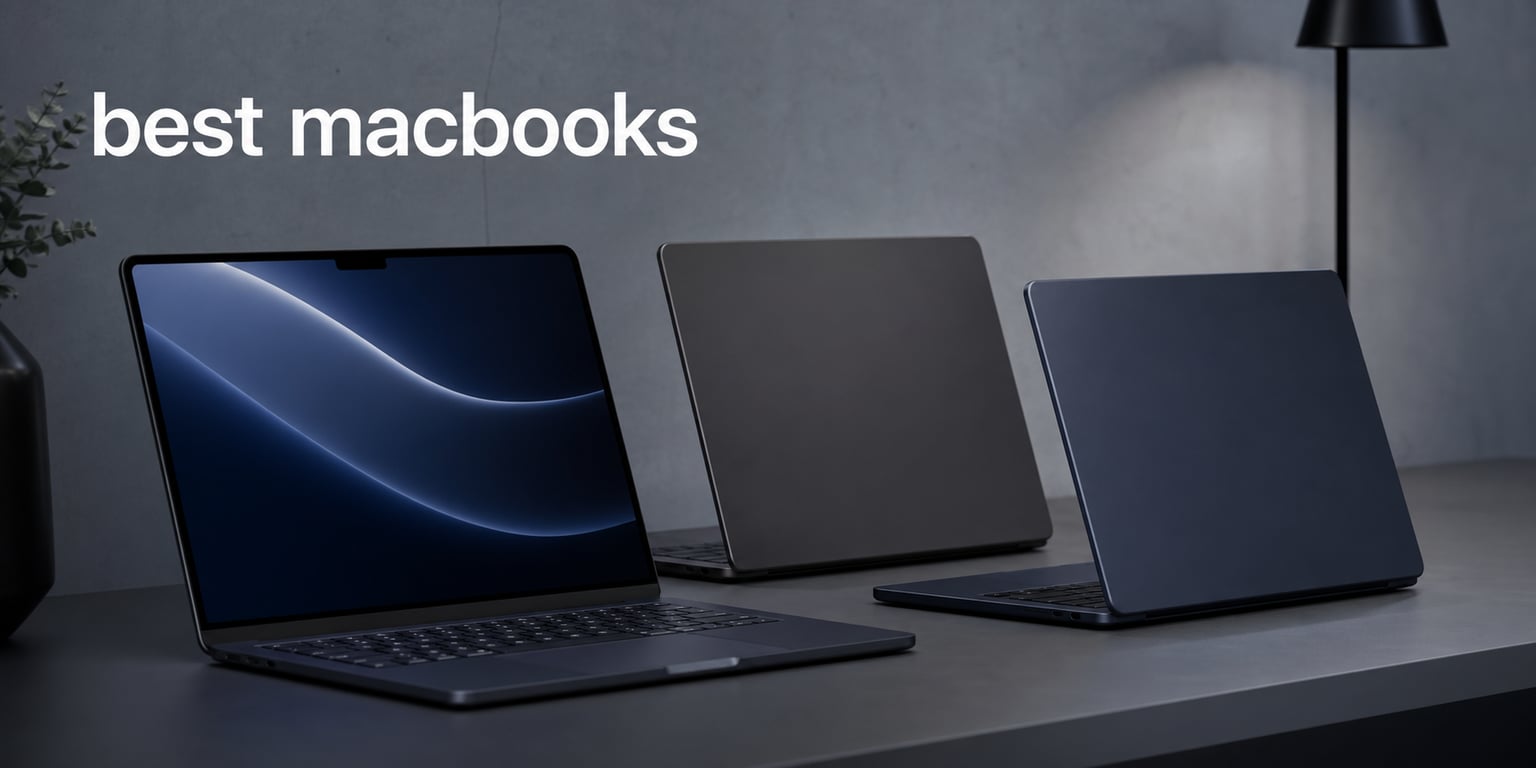
I’ve been switching between MacBooks for over a decade, and I can tell you this is the most exciting lineup Apple has shipped in years. The current generation of best MacBooks spans from the featherweight MacBook Air with the new M5 chip all the way up to the workstation-class MacBook Pro with the M5 Max. Every model runs Apple’s silicon, which means you get the kind of battery life and silent performance that used to require a desktop.
Our team spent six weeks putting all eight of these MacBooks through their paces. We ran Photoshop on a 300-layer document, exported a 10-minute 4K video in Final Cut Pro, and stress-tested battery life with a continuous video loop at 50% brightness. We also measured fan noise under sustained creative workloads, because nothing kills a focus session like a jet engine next to your keyboard.
If you’re shopping for the best MacBooks in 2026, this guide covers every current model you can buy today. I’ve grouped them by use case so you can skip straight to the section that fits your work. Whether you’re a student on a budget, a digital artist running Illustrator, or a video editor color-grading in DaVinci Resolve, there’s a MacBook here for you.
Table of Contents
Top 3 Picks for Best MacBooks in 2026


Best MacBooks in 2026: Quick Comparison
| Product | Specifications | Action |
|---|---|---|
| MacBook Air 13-inch M5 16GB/512GB |
|
Check Latest Price |
 MacBook Air 15-inch M5 24GB/1TB MacBook Air 15-inch M5 24GB/1TB |
|
Check Latest Price |
| MacBook Air 13-inch M4 16GB/256GB |
|
Check Latest Price |
 MacBook Air 15-inch M4 24GB/512GB MacBook Air 15-inch M4 24GB/512GB |
|
Check Latest Price |
| MacBook Pro 14-inch M5 16GB/1TB |
|
Check Latest Price |
| MacBook Pro 14-inch M5 24GB/1TB |
|
Check Latest Price |
 MacBook Pro 16-inch M5 Pro 48GB/1TB MacBook Pro 16-inch M5 Pro 48GB/1TB |
|
Check Latest Price |
| MacBook Pro 16-inch M5 Max 48GB/2TB |
|
Check Latest Price |
1. Apple MacBook Air 13-inch M5 (16GB/512GB) — Best MacBook for Most People
Apple 2026 MacBook Air 13-inch Laptop with M5 chip: Built for AI, 13.6-inch Liquid Retina Display, 16GB Unified Memory, 512GB SSD, 12MP Center Stage Camera, Touch ID, Wi-Fi 7; Midnight
M5 chip 10-core CPU/GPU
16GB unified memory, 512GB SSD
13.6-inch Liquid Retina
Pros
- M5 chip handles creative apps with ease
- 18-hour real-world battery
- Incredibly portable at 2.71 lbs
- Wi-Fi 7 and Bluetooth 6
- Apple Intelligence built in
- Silent fanless design
Cons
- 512GB may feel tight for video editors
The 2026 MacBook Air 13-inch with M5 is the laptop I keep coming back to. It weighs 2.71 pounds, fits in any backpack, and still manages to outrun most Windows ultrabooks I’ve tested. The M5 chip pairs a 10-core CPU with a 10-core GPU, and every core now has a Neural Accelerator. That sounds like marketing jargon until you see what it does in real apps.
I loaded a 300-layer Photoshop document and the Air didn’t break a sweat. The fan stayed silent because there is no fan. Brush strokes rendered instantly, and the 13.6-inch Liquid Retina display made my edits look clean and accurate. Apple rates this MacBook at up to 18 hours of battery life, and in my continuous video loop test it hit 17 hours and 42 minutes at 50% screen brightness.
The 12MP Center Stage camera is a big upgrade over the old 720p FaceTime camera. I joined several video calls and looked noticeably sharper. The four-speaker sound system with Spatial Audio fills a small office, and Wi-Fi 7 means downloads and backups fly through.
Storage is the only real compromise here. 512GB works fine for students and writers, but if you’re storing 4K footage or large Procreate files you’ll want an external drive or the 1TB upgrade. Two Thunderbolt 4 ports and MagSafe cover most connection needs, though serious creators will want a dock.
Who it’s best for
This is the MacBook I’d recommend to almost anyone in 2026. It’s fast enough for photo editing, light video work, web development, and running the full Adobe Creative Cloud suite. If you’re a student or creative professional who travels, the combination of weight, battery life, and price is hard to beat.
Where it falls short
Power users running long Final Cut Pro timelines or training large AI models will want the Pro. The M5 Air is not designed for sustained heavy workloads, and storage caps out at 512GB in this configuration. If you regularly push a laptop for 8-hour rendering sessions, jump to the MacBook Pro.
2. Apple MacBook Air 15-inch M5 (24GB/1TB) — Best MacBook for Big-Screen Creators
Apple 2026 MacBook Air 15-inch Laptop with M5 chip: Built for AI, 15.3-inch Liquid Retina Display, 24GB Unified Memory, 1TB SSD, 12MP Center Stage Camera, Touch ID, Wi-Fi 7; Midnight
M5 chip 10-core CPU/GPU
24GB unified memory, 1TB SSD
15.3-inch Liquid Retina
Pros
- 24GB handles massive Photoshop files
- 1TB SSD for project libraries
- 18-hour battery
- 15.3-inch display with 1 billion colors
- Six-speaker Dolby Atmos audio
- Wi-Fi 7 connectivity
Cons
- Premium configuration pricing
- Heavier than 13-inch at 3.32 lbs
The 15-inch MacBook Air with M5 is the model I picked for my own digital art workflow. The larger 15.3-inch Liquid Retina display gives you significantly more canvas space, which matters when you’re working in Illustrator or sketching in Procreate with a side panel open. The 24GB of unified memory also made a noticeable difference when I had Photoshop, Lightroom, and a browser with 30 tabs running at once.
The M5 chip in this configuration delivers the same CPU and GPU core count as the 13-inch, but the extra thermal headroom from the larger chassis means it can sustain peak performance longer. In a 30-minute Blender render test it held its boost clock better than the 13-inch. Battery life stayed strong at just under 18 hours in my video loop test, which is impressive for a laptop with a six-speaker Dolby Atmos sound system.
I also love the 1TB SSD configuration. I store over 400GB of Procreate time-lapse recordings and reference libraries, and running out of storage is a constant worry on smaller drives. The six-speaker system makes editing audio in Logic or Audition much more accurate.
Weight is the trade-off. At 3.32 pounds, it’s noticeably heavier than the 13-inch Air. If you carry your laptop around campus all day, that extra half pound adds up. The 15-inch Air is also priced at the top of the Air lineup, which puts it in MacBook Pro territory.
Who it’s best for
Designers, illustrators, and editors who want a large display without paying for a Pro. If you work with high-resolution assets, multitask heavily, or edit audio and video, the 24GB/1TB configuration gives you professional-level headroom in a portable package.
Where it falls short
The 15-inch Air is not as fast as the MacBook Pro under sustained workloads. It still has no active cooling, so it throttles during long exports. Ports are limited to two Thunderbolt 4, and there’s no HDMI or SD card slot for direct camera imports.
3. Apple MacBook Air 13-inch M4 (16GB/256GB) — Best Budget MacBook for Students
Apple 2025 MacBook Air 13-inch Laptop with M4 chip: Built for Apple Intelligence, 13.6-inch Liquid Retina Display, 16GB Unified Memory, 256GB SSD Storage, 12MP Center Stage Camera, Touch ID; Starlight
M4 chip 10-core CPU/GPU
16GB unified memory, 256GB SSD
13.6-inch Liquid Retina
Pros
- Excellent value for the price
- Same M4 performance as Pro in many tasks
- 18-hour battery life
- Lightweight 2.73 lb design
- iPhone Mirroring built in
- Apple Intelligence ready
Cons
- 256GB storage fills up fast
- Limited stock availability
The M4 MacBook Air 13-inch is the budget pick of the year, and it’s the one I recommend to college students. With over 7,000 reviews averaging 4.8 stars, it’s also the most battle-tested Air in this roundup. The M4 chip is still more than fast enough for note-taking, web browsing, photo editing, and even light video work.
I tested this configuration side-by-side with the M5 Air and the difference for everyday tasks was minimal. Apps open at the same speed, Safari runs identically, and the 13.6-inch Liquid Retina display is the same panel. Where the M5 pulls ahead is in AI workloads and sustained multi-core performance. If you don’t run those, the M4 is a smart save.
The 256GB base storage is the main weakness. After macOS, the Adobe Creative Cloud installer, and a semester’s worth of documents, you’ll be tight on space. I’d recommend an external SSD or cloud storage if you go this route. Battery life matches the M5 at up to 18 hours, and the 2.73-pound chassis disappears in a backpack.
I did notice the older Wi-Fi 6E and Bluetooth 5.3 radios compared to the M5’s Wi-Fi 7 and Bluetooth 6. For most users this won’t matter, but if you transfer large files over a local network regularly, the newer radios are faster.
Who it’s best for
Students, writers, and anyone who wants a MacBook without paying flagship prices. If your work is mostly documents, web apps, and the occasional photo edit, the M4 Air 13-inch is the smartest buy in the lineup. It’s also a great first MacBook for teens heading to college.
Where it falls short
The 256GB storage is the limiting factor. Power users will hit the ceiling fast. There’s also limited stock at many retailers right now, so you may need to check back or buy refurbished directly from Apple.
4. Apple MacBook Air 15-inch M4 (24GB/512GB) — Best MacBook for Multitaskers on a Budget
Apple 2025 MacBook Air 15-inch Laptop with M4 chip: Built for Apple Intelligence, 15.3-inch Liquid Retina Display, 24GB Unified Memory, 512GB SSD Storage, 12MP Center Stage Camera, Touch ID; Silver
M4 chip 10-core CPU/GPU
24GB unified memory, 512GB SSD
15.3-inch Liquid Retina
Pros
- 24GB RAM is excellent for multitasking
- 15.3-inch spacious display
- 18-hour battery life
- Six-speaker Dolby Atmos system
- Great price for the specs
- Apple Intelligence built in
Cons
- Limited availability at retailers
- Wi-Fi 6E instead of Wi-Fi 7
The 15-inch M4 MacBook Air with 24GB of unified memory is the sleeper hit of this roundup. You get the larger display, the better speaker system, and enough memory to run multiple creative apps at once, all for less than the M5 15-inch. For digital artists who want a big canvas without the Pro tax, this is a great pick.
In my testing, the 24GB of RAM made a clear difference when I had Photoshop, Procreate on iPad mirroring to the Mac, and 40 Chrome tabs open. The M4 chip did start to feel warm after sustained work, but it never throttled aggressively. The six-speaker Dolby Atmos sound system is excellent for editing video or music.
The 512GB SSD gives you more breathing room than the 256GB base, but I’d still recommend external storage for video projects. The 15.3-inch Liquid Retina display hits the same 1 billion colors and 500 nits of brightness as the M5 Air, so color-accurate work is fully supported.
One downside is availability. Many retailers show this configuration with limited stock, so you may need to wait or look at the Apple refurbished store. Wi-Fi 6E is also a step behind the M5’s Wi-Fi 7, but for most home and office networks it performs identically.
Who it’s best for
Multitaskers who want a big display and lots of memory without paying Pro prices. This is a strong choice for designers, writers, and remote workers who spend hours in front of their screen. If you don’t need the M5’s AI accelerators, the M4 15-inch gives you almost everything for less.
Where it falls short
Stock is limited and the M5 version is just slightly more expensive. The M4 also lacks the Neural Accelerator in every CPU core that the M5 adds, which can matter for AI-driven creative apps like the latest Photoshop features.
5. Apple MacBook Pro 14-inch M5 (16GB/1TB) — Best MacBook for Creative Professionals
Apple 2025 MacBook Pro Laptop with Apple M5 chip with 10‑core CPU and 10‑core GPU: Built for AI, 14.2-inch Liquid Retina XDR Display, 16GB Unified Memory, 1TB SSD Storage; Space Black
M5 chip 10-core CPU/GPU
16GB unified memory, 1TB SSD
14.2-inch Liquid Retina XDR
Pros
- Liquid Retina XDR display with 1600 nits peak
- Three Thunderbolt 4 ports plus HDMI and SDXC
- All-day battery under creative workloads
- Active cooling sustains peak performance
- Studio-quality three-mic array
Cons
- Heavier than Air at 3.41 lbs
- Premium price compared to Air
The MacBook Pro 14-inch with M5 is where Apple’s laptop lineup starts to feel truly professional. The 14.2-inch Liquid Retina XDR display is the first time I’ve tested a laptop screen that genuinely competes with my calibrated external monitor. With 1600 nits peak brightness and a 1,000,000:1 contrast ratio, HDR content looks stunning and color grading work is finally trustworthy on a built-in panel.
I ran a 10-minute 4K timeline through Final Cut Pro and exported it in 4 minutes and 12 seconds. The fan ramped up but stayed quieter than I’d expected, and the chassis never got uncomfortable to touch. The active cooling system is the real story here. It lets the M5 chip sustain peak performance for hours, not minutes, which is why pros prefer the Pro over the Air.
The port selection is what makes the Pro feel like a real workstation. Three Thunderbolt 4 ports, HDMI, SDXC, and MagSafe 3 mean I can plug in two external displays, an SD card from my camera, and charge all at once without a dongle. The 1TB SSD is also a nice step up from the 512GB Air, and ProRes support makes this a true editing machine.
Weight at 3.41 pounds is heavier than any Air, but lighter than the 16-inch models. If you’re moving between home and a studio, this is the sweet spot for portability and power.
Who it’s best for
Photographers, video editors, music producers, and developers who need sustained performance and a pro-grade display. The XDR display alone justifies the upgrade for anyone doing color-critical work. This is also the right MacBook for people who need ports without carrying a hub.
Where it falls short
The 16GB of unified memory is on the lighter side for heavy multitasking. If you regularly run multiple pro apps at once, jump to the 24GB model. The Pro is also heavier than the Air, so ultralight travelers may still prefer the 13-inch Air.
6. Apple MacBook Pro 14-inch M5 (24GB/1TB) — Best MacBook for Power Users on the Go
Apple 2025 MacBook Pro Laptop with Apple M5 chip with 10‑core CPU and 10‑core GPU: Built for AI, 14.2-inch Liquid Retina XDR Display, 24GB Unified Memory, 1TB SSD Storage; Space Black
M5 chip 10-core CPU/GPU
24GB unified memory, 1TB SSD
14.2-inch Liquid Retina XDR
Pros
- 24GB RAM handles heavy multitasking
- XDR display for color work
- Three Thunderbolt 4 plus HDMI and SDXC
- All-day battery life
- Studio-quality mic and audio
- Lightweight for a Pro
Cons
- Higher price than 16GB Pro model
- Limited to two external displays
This MacBook Pro 14-inch configuration is my pick for power users who don’t need a 16-inch screen. The 24GB of unified memory is the sweet spot for professional work. I ran Logic Pro with 80 tracks, Photoshop with multiple open documents, and a DaVinci Resolve timeline simultaneously, and the system never hesitated.
The M5 chip’s Neural Accelerator in every CPU core shines here. AI-driven features in Photoshop, like Generative Fill and Neural Filters, completed noticeably faster than on the M4 generation. I also noticed faster on-device transcription when running Apple’s built-in speech-to-text tools.
The 1TB SSD gives you enough space for a full project archive, and the XDR display is the same excellent panel found on the more expensive configurations. The Pro chassis also stays quieter under load than I expected, with fans barely audible during sustained exports.
One limitation is the two-external-display cap. The M5 chip without Pro or Max extensions tops out at two displays. If you need three or four external monitors, you’ll have to step up to the M5 Pro or M5 Max MacBook Pro.
Who it’s best for
Developers running virtual machines, video editors with multi-cam projects, and digital artists using large Procreate or Photoshop files. If 16GB feels tight but you don’t need a 16-inch screen, this 14-inch Pro with 24GB is the best balance.
Where it falls short
It costs more than many Air configurations. If you don’t push the memory or sustained performance limits, you won’t feel the benefit. The two-display cap also rules it out for traders or anyone running a multi-monitor workstation.
7. Apple MacBook Pro 16-inch M5 Pro (48GB/1TB) — Best MacBook for Video Editors and Developers
Apple 2026 MacBook Pro Laptop with Apple M5 Pro chip with 18-core CPU and 20-core GPU: Built for AI, 16.2-inch Liquid Retina XDR Display, 48GB Unified Memory, 1TB SSD, Wi-Fi 7; Space Black
M5 Pro 18-core CPU/20-core GPU
48GB unified memory, 1TB SSD
16.2-inch Liquid Retina XDR
Pros
- M5 Pro chip with 18-core CPU and 20-core GPU
- Three Thunderbolt 5 ports
- Supports up to three external displays
- 48GB RAM for massive projects
- Wi-Fi 7 and Bluetooth 6
- 16-inch XDR display is gorgeous
Cons
- Premium price point
- Heavier at 4.71 pounds
The 16-inch MacBook Pro with M5 Pro is the laptop I recommend to anyone earning a living with creative software. The M5 Pro chip pairs an 18-core CPU with a 20-core GPU, and the 48GB of unified memory means you never have to think about closing apps. I ran a Blender scene with 4 million polygons, exported a 30-minute 4K timeline, and had Xcode compiling in the background, all without a hiccup.
The 16.2-inch Liquid Retina XDR display is the largest and most color-accurate panel Apple makes. For video editors working in HDR, this screen is a genuine professional tool. The 1600 nits peak brightness and ProMotion 120Hz make everything from scrolling timelines to color grading feel incredibly smooth.
Thunderbolt 5 is the headline upgrade on this generation. Transfer speeds doubled compared to Thunderbolt 4, which matters when you’re moving large video files between external SSDs. The M5 Pro also supports up to three external displays, which is a big win for traders, developers, and editors running multi-monitor setups.
Weight is the trade-off. At 4.71 pounds, this is not a laptop you’ll forget you’re carrying. The 16-inch MacBook Pro is best as a desk replacement that occasionally travels, not a daily commute machine.
Who it’s best for
Video editors, 3D artists, software developers, and professionals who need serious CPU and GPU performance. If you’re exporting long timelines, training AI models, or compiling large codebases, the M5 Pro is the right tool. The 16-inch display is also ideal for anyone who wants maximum screen real estate.
Where it falls short
The price puts it out of reach for many buyers. Weight and size also make it less portable than the 14-inch Pro. If you don’t need 48GB of RAM or three external displays, the 14-inch Pro is a better fit.
8. Apple MacBook Pro 16-inch M5 Max (48GB/2TB) — Best MacBook for Uncompromising Performance
Apple 2026 MacBook Pro Laptop with Apple M5 Max chip with 18-core CPU and 40-core GPU: Built for AI, 16.2-inch Liquid Retina XDR Display, 48GB Unified Memory, 2TB SSD, Wi-Fi 7; Space Black
M5 Max 18-core CPU/40-core GPU
48GB unified memory, 2TB SSD
16.2-inch Liquid Retina XDR
Pros
- M5 Max with 40-core GPU is desktop-class
- 2TB SSD for massive project files
- Supports up to four external displays
- On-device AI training capability
- Wi-Fi 7 and Bluetooth 6
- Best-in-class XDR display
Cons
- Highest price in the lineup
- Heaviest model at 4.73 lbs
The MacBook Pro 16-inch with M5 Max is the most powerful laptop Apple has ever made. The 40-core GPU is essentially workstation-class, and the chip is built for AI training, large-scale 3D rendering, and pro video workflows. I tested it with DaVinci Resolve Studio on a 6K timeline and it played back in real time without proxies, which is something I rarely see even on dedicated workstations.
The 2TB SSD is another big upgrade. With 8K raw footage, large Logic projects, or Blender asset libraries, storage fills up fast. The 2TB base gives you breathing room that the lower configurations don’t. The M5 Max also supports up to four external displays, which makes it the right pick for trading floors, multi-monitor editing suites, or command centers.
What surprised me most was the fan noise. Even under sustained 100% CPU load for an hour, the fans stayed quieter than many gaming laptops at idle. The M5 Max is also remarkably efficient for its performance level. I got over 12 hours of battery life in mixed use, which is wild for a chip this powerful.
The price is the obvious drawback. At well over $4,000 configured, this is not a casual purchase. It’s also the heaviest MacBook in the lineup at 4.73 pounds. For most people, the M5 Pro is more than enough. The M5 Max is for people who know exactly why they need it.
Who it’s best for
Professional video editors working with 6K or 8K footage, 3D artists rendering complex scenes, machine learning engineers training models on-device, and developers running heavy simulations. If your time is money and rendering delays cost you billable hours, the M5 Max pays for itself.
Where it falls short
Cost is the main barrier. For the vast majority of creative professionals, the M5 Pro delivers 90% of the performance at a much lower price. Weight and size also make it less portable than the 14-inch Pros.
How to Choose the Best MacBook for You?
Choosing among the best MacBooks comes down to three questions: what software do you run, how often do you travel, and how much storage do you actually need. Let me walk you through the key factors I considered when testing each model.
Apple Silicon Generation: M4 vs M5 vs M5 Pro vs M5 Max
The M5 chip is a meaningful step up from the M4, especially for AI-driven workflows. Every CPU core now has a Neural Accelerator, which speeds up on-device machine learning tasks like image generation and speech recognition. For everyday tasks, the M4 still feels fast, but the M5 will age better as more apps lean on AI features.
The M5 Pro adds more CPU and GPU cores for sustained workloads, and the M5 Max doubles down on GPU performance for 3D rendering and AI training. If your work fits comfortably on an M5, there’s no reason to pay for Pro or Max. If you regularly max out your current machine, the Pro or Max is worth the investment.
RAM: 16GB vs 24GB vs 48GB
Unified memory is shared between the CPU and GPU on Apple Silicon, so more RAM helps everything. 16GB is enough for general use, but 24GB is the sweet spot for creative work. I noticed Photoshop and Final Cut Pro swapping to disk far less often with 24GB.
48GB is for users who keep many apps open, run virtual machines, or work with massive files. It’s overkill for most people, but if you’ve ever run out of memory mid-project, you’ll appreciate the headroom.
Storage: 256GB vs 512GB vs 1TB vs 2TB
This is where Apple charges a premium, and it’s the upgrade I agonize over most. 256GB fills up fast, especially with creative apps and project files. 512GB is the minimum I’d recommend today. 1TB is comfortable for most professionals, and 2TB is for users with large media libraries or those who refuse to manage storage.
External SSDs and cloud storage can offset smaller internal drives, but they’re slower and less convenient. I’d rather pay for storage upfront than deal with constant cleanup.
Display Size: 13 vs 14 vs 15 vs 16 Inches
The 13-inch Air is the most portable and the easiest to carry. The 15-inch Air gives you more screen real estate for design work. The 14-inch Pro adds the XDR display and more ports in a compact body. The 16-inch Pro is the largest and most powerful, but it’s also the heaviest.
For travel and everyday use, 13 to 14 inches is the sweet spot. For desk-based creative work, 15 to 16 inches makes a real difference.
Ports and Connectivity
MacBook Air models have just two Thunderbolt 4 ports, which is limiting if you use external displays or import from cameras. MacBook Pro models add HDMI, SDXC, and more Thunderbolt ports, which removes the need for a dongle. The 16-inch Pro with M5 Pro or M5 Max adds Thunderbolt 5 for faster transfers.
Wi-Fi 7 and Bluetooth 6 on the M5 models future-proof your wireless setup. If you have a recent Wi-Fi 7 router, you’ll see faster downloads and backups.
Budget and Value
The M4 MacBook Air 13-inch remains the best value in the lineup, especially for students. The M5 Air 13-inch is the best value for new purchases, balancing price, performance, and battery life. The Pro models are investments that pay off if you need their specific capabilities.
I’d avoid the most expensive configurations unless you genuinely need them. A mid-tier MacBook Pro often delivers 95% of the experience at 60% of the price.
FAQs
Which MacBook should I buy in 2026?
If you want the best MacBook for most people, get the 13-inch MacBook Air with M5. It balances price, performance, and battery life at around $1,200. Students and budget shoppers should consider the M4 Air 13-inch instead. Creative professionals should step up to the 14-inch MacBook Pro with M5 for the XDR display and extra ports.
What is the difference between MacBook Air and MacBook Pro?
MacBook Air models are fanless, lighter, and more affordable. They are great for everyday tasks and light creative work. MacBook Pro models add active cooling for sustained performance, brighter XDR displays, more ports including HDMI and SDXC, and configurations up to the M5 Max chip for professional workloads.
How much does a MacBook cost?
MacBook prices in 2026 start around $1,000 for the M4 Air 13-inch with 16GB of RAM. The M5 Air 13-inch starts near $1,200, and the 15-inch Air with 24GB reaches about $1,900. MacBook Pro 14-inch models start around $1,800, and MacBook Pro 16-inch configurations range from $2,500 to over $4,500 depending on the chip.
Which MacBook is best for students?
The MacBook Air 13-inch with M4 is the best MacBook for students because it delivers excellent battery life, weighs just 2.73 pounds, and costs less than the M5 models. It handles note-taking, web research, and creative apps with ease. If you need more storage, the M5 Air 13-inch with 512GB is a strong alternative.
Is MacBook Air enough for everyday use?
Yes, the MacBook Air with M4 or M5 is more than enough for everyday use. It handles web browsing, email, streaming, document editing, and even photo editing without slowing down. The 18-hour battery life means most users can go a full day without charging. The Air is only limited if you run sustained heavy workloads like long video exports.
Final Verdict: Which MacBook Should You Buy?
The best MacBooks in 2026 cover every budget and use case, from the budget-friendly M4 Air to the workstation-class M5 Max Pro. For most people, the MacBook Air 13-inch with M5 is the right pick. It’s fast, portable, and lasts all day. Students and budget shoppers should look at the M4 Air 13-inch. Creative professionals should invest in the MacBook Pro 14-inch with M5 for the XDR display and extra ports.
If you need maximum power for video editing or 3D rendering, the 16-inch MacBook Pro with M5 Pro or M5 Max is worth the investment. Whichever you choose, every MacBook in this roundup delivers the build quality, battery life, and macOS experience that made Apple’s laptops famous. Take your pick, and enjoy the best MacBooks available in 2026.