
The best gaming TVs make a console or PC feel faster before a game even begins: smooth motion, a responsive Game Mode, and the right signal support matter as much as a great-looking panel. I narrowed this list to eight 4K sets with a verified 120Hz, 144Hz, or 165Hz specification, then separated the OLED choices from the QLED and Mini-LED options so you can match the screen to your room and play style.
A gaming TV is a television built to accept high-bandwidth game signals with minimal processing delay, then display them at high refresh rates with tools such as Variable Refresh Rate (VRR) and Auto Low Latency Mode (ALLM). For PS5 and Xbox Series X owners, the headline target is 4K at 120Hz; PC players may get more use from the 144Hz or 165Hz panels in this guide.
I have kept the recommendations grounded in the available product listings: panel type, refresh rate, HDR formats, audio, ports, and customer-rating signals. If you are already weighing a Samsung display, our guide to best Samsung gaming TVs gives you a brand-focused next step, while PC builders can pair a large display with one of our best gaming CPUs.
Table of Contents
The top 3 picks answer most gaming-TV needs in 2026
The Sony BRAVIA XR8B is my OLED-first recommendation for PS5-focused players, the TCL QM6K covers the broadest mix of 4K, 144Hz, and Mini-LED features, and the TCL T7 is the simpler 120Hz QLED route. The right winner changes with room light, screen size, and whether you play from a couch or close to a large panel.
The best gaming TVs in 2026 compare panel, refresh rate, and platform
Use this quick view to shortlist by the things that are fixed once the television is on your wall: panel technology, size, refresh-rate ceiling, smart platform, and sound hardware. A higher maximum refresh rate is most meaningful to PC players; for current consoles, verified 4K at 120Hz and a low-lag game mode are the core check.
| Product | Specifications | Action |
|---|---|---|
 Sony BRAVIA XR8B OLED Sony BRAVIA XR8B OLED |
|
Check Latest Price |
 Hisense U7 Mini-LED Hisense U7 Mini-LED |
|
Check Latest Price |
 Samsung QN70F Neo QLED Samsung QN70F Neo QLED |
|
Check Latest Price |
 TCL QM6K Mini-LED QLED TCL QM6K Mini-LED QLED |
|
Check Latest Price |
 TCL T7 QLED TCL T7 QLED |
|
Check Latest Price |
 Samsung S90F OLED Samsung S90F OLED |
|
Check Latest Price |
 TCL QM8K Mini-LED QLED TCL QM8K Mini-LED QLED |
|
Check Latest Price |
 TCL QM64L Mini-LED TCL QM64L Mini-LED |
|
Check Latest Price |
1. The Sony BRAVIA XR8B is the OLED choice for PS5-led play
Sony 55 Inch BRAVIA XR8B OLED 4K HDR Smart Google TV (K-55XR8B)
55 inch OLED
4K 120Hz
Dolby Vision
PS5 picture modes
Pros
- Self-lit OLED contrast
- PS5 picture features
- Dolby Vision and Atmos
- Google TV
Cons
- 120Hz panel
- Availability may be delayed
The 55-inch Sony BRAVIA XR8B earns the first slot because its OLED panel and PlayStation 5-specific picture tools form a clear combination for a console-centered room. Its listing names Auto HDR Tone Mapping and Auto Genre Picture Mode for PS5, while the 4K panel runs at 120Hz and supports Dolby Vision, HDR10, and HDR10+.
I would choose this set for a player who wants black levels that disappear into a dark scene rather than a screen that merely looks dim. Sony says the panel has more than eight million self-lit pixels, and the XR Processor is tasked with adjusting each scene in real time; those are the ingredients that make an OLED gaming TV particularly compelling for cinematic single-player games.
There are four HDMI ports, a USB 3.0 port, Google TV, AirPlay 2, and Google Cast, so it fits easily into a mixed-console and streaming setup. The 50-watt Acoustic Surface Audio+ system is a real differentiator on paper because the screen itself is part of the sound system, though I would still plan external audio for the most enveloping multiplayer sessions.
The XR8B fits players who prioritize black-level detail and PS5 integration
This is the direct recommendation for dark-room RPG, adventure, and story-game players who want the TV to handle films well too. Customer feedback is strong at 4.6 out of 5 from 238 reviews, with the available review summary reporting 84% five-star ratings.
The native 120Hz refresh rate matches the high-frame-rate ceiling current consoles target. PC users looking beyond that ceiling should compare the 144Hz and 165Hz models below before settling on this Sony.
The XR8B needs sensible OLED habits for static game interfaces
Forum discussion around OLED burn-in is understandable, especially for players who leave HUD-heavy games, maps, or menus on screen for long sessions. Normal varied play is the lower-risk use case reported by owners, but I would use the television’s screen-care settings and avoid leaving a paused static image up for hours.
OLED is less persuasive in a sun-filled room where screen glare dominates the day. The listing does not claim an anti-reflection treatment, so a Mini-LED option such as the Hisense U7 or TCL QM8K is a more cautious starting point for that placement.
2. The Hisense U7 is the bright-room, high-refresh contender
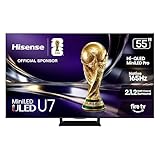
Hisense 55" U7 Mini-LED ULED 4K UHD Best Premium Gaming HDR Smart Fire TV (55U7SF, 2026 New) - Hi-QLED, Native 165Hz, VRR 330, Dolby Vision IQ · Atmos, IMAX Enhanced, Anti-Reflection, 2.1.2 Ch, Alexa+
55 inch Mini-LED
4K 165Hz
3000 nits claim
Anti-reflection
Pros
- Native 165Hz panel
- Anti-reflection layer
- 3000 dimming zones claim
- 2.1.2 channel audio
Cons
- Fire TV interface
- Limited review sample
The Hisense U7 takes a different path from the Sony: it pairs Hi-QLED color with a MiniLED Pro backlight, a native 165Hz refresh rate, and a stated peak brightness of 3,000 nits. Its dual-layer anti-reflection and glare-free treatment make it the clearest choice here when windows or overhead lights are part of the gaming environment.
For PC players, the specification that stands out is Game Booster 330 with VRR up to 330Hz, alongside the 165Hz native panel. A PS5 or Xbox Series X will not use that extreme ceiling, yet the panel still gives those consoles a fast 4K screen with a dedicated game-focused feature set.
Hisense lists up to 3,000 local dimming zones, Dolby Vision IQ, HDR10+ Adaptive, IMAX Enhanced, and four HDMI ports. The built-in 2.1.2-channel sound tuned by Devialet is more ambitious than the usual flat-TV speaker array, so I see it as a good fit for a living room where adding separate speakers is not the first task.
The U7 is made for bright rooms and PC refresh-rate headroom
Choose the U7 if reflections usually interrupt daytime matches or if a computer will be part of the setup. Mini-LED brightness and anti-reflection treatment address a problem OLED panels do not always solve as comfortably: maintaining a clearly visible image when the room is bright.
Its 4.6 rating comes from 47 reviews, a much smaller sample than the TCL QM6K. I treat that as encouraging early feedback rather than the same depth of customer evidence offered by a model with thousands of ratings.
The U7 requires a preference for Fire TV and a 55-inch screen
Fire TV with Alexa+ is the listed smart platform, so the daily menus will matter if you switch between games, streaming apps, and inputs often. Forum comments on TV interfaces are mixed across brands, which is why I recommend spending a minute with the platform at a retailer if UI feel is a deciding factor.
There is only a 55-inch version in the analyzed data, which keeps this recommendation focused. If your seating distance calls for a larger screen, the 65-inch TCL QM8K, TCL QM64L, Samsung QN70F, and Samsung S90F give you other directions.
3. The Samsung QN70F is the 65-inch Mini-LED pick for fast shared play
Samsung 65-Inch Class Neo QLED QN70F 4K Mini LED Smart TV (2025 Model) NQ4 AI Gen2 Processor, Quantum Matrix Technology Slim, Motion Xcelerator 144Hz, Samsung Vision AI, Alexa Built-in
65 inch Mini-LED
4K 144Hz
Quantum Matrix
Tizen
Pros
- 144Hz motion
- Mini-LED backlight
- Four HDMI ports
- AI 4K processing
Cons
- HDR10+ only
- 20 watt audio
The Samsung QN70F is a 65-inch Neo QLED with a 4K 144Hz panel, which makes it a strong middle ground for people who want a large screen and do not want OLED to be their only option. Quantum Matrix Technology Slim uses precision-controlled Mini LEDs, while the NQ4 AI Gen2 Processor uses 20 neural networks for the set’s picture processing.
Samsung calls its motion system Motion Xcelerator 144Hz, and the product information lists 144Hz VRR gaming. That is the practical attraction for a PC-connected TV and gives console owners plenty of refresh-rate room for games that offer 120Hz performance modes.
The QN70F has four HDMI ports, two USB 3.0 ports, Tizen, and a listed 20-watt 5.1-channel audio system. I like its 65-inch scale for a family room where several people are watching, but soundbars or headphones still make sense for games where positional cues decide a match.
The QN70F is a sensible 65-inch route for varied room lighting
Mini-LED is the feature to focus on here, not just the QLED name. It can shape light in smaller areas than a conventional LED backlight, which helps the TV produce stronger contrast while retaining the brightness that daytime play calls for.
The set carries a 4.5 rating across 519 reviews, and the supplied review summary says 78% are five-star ratings. That gives it a more established customer base than the newest entries with only a small pool of feedback.
The QN70F works best when HDR10+ and Tizen suit your setup
The listed HDR format is HDR10+, not Dolby Vision, so players who specifically want Dolby Vision support should favor the Sony, Hisense, or TCL options in this list. That is a format decision, not a broad judgment on picture quality, but it is easiest to resolve before the TV is mounted.
Tizen is another individual preference. If you are staying with Samsung, browse our current Samsung TV deals coverage for related models, then compare screen size and gaming features instead of choosing only by series name.
4. The TCL QM6K is the balanced Mini-LED screen for couch gaming
TCL 55 Inch Class QM6K Series | Mini LED QLED 4K HDR | 55QM6K, Latest Model | 120HZ-144HZ High Brightness Smart Google TV Dolby Atmos Onkyo Audio | Voice Remote Alexa Gaming Streaming Television
55 inch QD-Mini LED
4K 144Hz
Dolby Vision
Onkyo 2.1 audio
Pros
- 144Hz native panel
- Halo Control System
- Dolby Vision support
- Onkyo subwoofer
Cons
- 55 inch size
- 4.4 rating
The TCL QM6K checks a broad group of boxes in a compact 55-inch format: QD-Mini LED, 4K, a native 144Hz refresh rate, Dolby Vision, HDR10+, and Google TV. It is the model I would start with if I wanted a gaming TV that balances a high refresh-rate panel with a full-featured HDR format list and direct smart-platform familiarity.
TCL combines Mini LEDs and Quantum Dot color, then adds its Halo Control System to reduce visible halos around bright objects against dark backgrounds. That is meaningful for HDR games with glowing menus, night scenes, or bright spell effects, where blooming can distract from an otherwise convincing image.
Its Onkyo 2.1 system includes a built-in subwoofer, and the listing supports Dolby Atmos, DTS:X, and IMAX Enhanced. Four HDMI ports and two USB ports give a console-heavy household room to connect a PS5, Xbox, dock, and streaming accessory without immediately reaching for a switch.
The QM6K suits players who want 144Hz and HDR flexibility in 55 inches
The QM6K is especially easy to recommend for someone alternating between a console and PC because the native panel is listed at 144Hz. Its 1,796 reviews give it the largest verified review count in this group, with a 4.4 average and a supplied 77% five-star share.
Google TV, AirPlay 2, and Google Cast make it friendly when the screen shifts from games to shared video. I would call it one of the most rounded best gaming TVs choices in the 55-inch class because none of its listed core features feels narrowly focused on one device.
The QM6K is strongest when 55 inches fit the seating distance
The main decision point is size rather than a missing gaming specification. A 55-inch panel can feel excellent in a desk-adjacent den or a smaller living room, yet a more distant couch setup may benefit from one of the 65-inch sets in this guide.
Its 4.4 rating is a little below the 4.6 ratings held by the Sony and Hisense, though it comes from a far larger review sample. I would weigh that larger pool of feedback and the panel’s stated capabilities instead of reading a few tenths of a point as the whole story.
5. The TCL T7 is the straightforward 120Hz QLED option
TCL 55" T7 4K QLED Google TV with 144Hz Gaming (55T7)
55 inch QLED
4K 120Hz
VRR support
Google TV
Pros
- 120Hz panel
- VRR support
- Dolby Vision
- Four HDMI inputs
Cons
- No Mini-LED backlight
- 120Hz ceiling
The TCL T7 is the uncomplicated 55-inch QLED pick: 4K resolution, a 120Hz panel, VRR support, and a range of HDR formats that includes Dolby Vision, HDR10, HDR10+, HLG, and Open HDR. For PS5 and Xbox Series X owners, 120Hz is the refresh-rate target that matters most, so this model covers the console baseline directly.
QLED Quantum Dot technology is listed alongside coverage of nearly the entire DCI-P3 color space, and TCL’s AIPQ Pro Processor handles its 4K HDR optimization. There is no Mini-LED backlight or local-dimming claim in the product data, which is the key technical distinction between the T7 and TCL’s QM models.
The T7 supplies four HDMI inputs, including one with eARC, plus Google TV, Chromecast, Apple AirPlay 2, Alexa, Google Assistant, and Apple HomeKit compatibility. Its 2.0-channel Dolby Atmos audio is a useful included feature, but I would not mistake the Dolby label for a substitute for physical rear or height speakers.
The T7 is right for console players who need the 120Hz essentials
This is my direct route for a player whose console is the primary device and who wants a responsive 4K 120Hz TV without chasing a higher PC refresh-rate number. The set has a 4.4 average from 582 reviews, and the supplied review summary reports 77% five-star ratings.
Motion Rate 480 with MEMC is listed for motion clarity, but native panel refresh rate is the number I would use to compare gaming potential. That native rate is 120Hz, which lines up cleanly with the top 120Hz modes on the current PlayStation and Xbox consoles.
The T7 makes most sense when Mini-LED contrast is not the priority
Players who spend most evenings in a dark room and care deeply about precise highlight control may notice the appeal of the QM6K’s QD-Mini LED architecture or either OLED. The T7 remains a QLED television, so it is a different class of backlight approach rather than a smaller version of the QM6K.
It is another 55-inch choice, which is excellent for focused couch play at a closer distance. A 65-inch model is more fitting for a wide seating area or frequent split-screen games, provided the room has enough viewing distance.
6. The Samsung S90F is the 65-inch OLED for high-refresh PC gaming
Samsung 65-Inch Class OLED S90F 4K Smart TV (2025 Model) NQ4 AI Gen3 Processor Upscaling Pro HDR +, Motion Xcelerator 144Hz, Vision Alexa Built-in
65 inch OLED
4K 144Hz
VRR Game Mode
Dolby Atmos
Pros
- 65 inch OLED contrast
- 144Hz VRR Game Mode
- Four HDMI ports
- 40 watt audio
Cons
- HDR10+ format
- Tizen platform
The 65-inch Samsung S90F is the OLED to consider when the Sony’s 55-inch screen feels too small and a 144Hz ceiling matters. It pairs deep OLED contrast with Motion Xcelerator 144Hz and a Game Mode that Samsung says supports VRR gaming up to 4K 144Hz.
Samsung’s NQ4 AI Gen3 Processor is listed with 128 neural networks for AI-powered 4K upscaling. That processing is more relevant to older games, streamed video, and lower-resolution sources than to a native 4K console signal, but it gives the TV a broader role beyond a single HDMI input.
There are four HDMI ports, two USB ports, Tizen, Bluetooth 5.3, and integrated 2.1-channel Dolby Atmos audio rated at 40 watts. That audio specification has more headroom than many TV systems, though positional effects and late-night play still favor a headset or a dedicated speaker system.
The S90F fits players who want a large OLED and 144Hz VRR
I would put this on the short list for a large living-room PC setup or for someone who values OLED’s pixel-level contrast but wants more screen area than the Sony reviewed above. Its listed 144Hz limit supplies extra PC headroom while PS5 and Xbox Series X players can use the 120Hz modes those machines offer.
Available customer feedback averages 4.4 from 515 reviews, with the provided summary reporting 77% five-star reviews. That is a useful body of feedback, though it should not replace checking the panel size against your seating plan before buying.
The S90F needs the same static-image care as every OLED screen
The game genres that place a fixed health bar, scoreboard, mini-map, or interface in one spot for long periods are where sensible OLED habits matter. Varying content, using automatic screen-protection features, and powering the TV down rather than pausing indefinitely are uncomplicated precautions.
Samsung lists HDR10+ for this model rather than Dolby Vision. If Dolby Vision gaming or movie playback is part of your personal must-have list, the Sony, Hisense, and multiple TCL sets here make that distinction easier to act on.
7. The TCL QM8K is the 65-inch Mini-LED choice for wide, bright rooms
TCL 65 Inch Class QM8K Series | Mini LED QLED 4K HDR | 65QM8K, 2025 Model | 120HZ-144HZ Anti Reflective Wide Angle Screen Smart Google TV Dolby Atmos | Voice Remote Alexa Gaming Streaming Television
65 inch Mini-LED
4K 144Hz
Anti-reflective
Game Accelerator 288
Pros
- Anti-reflective panel
- Wide-angle screen
- 144Hz native
- 2.2 channel audio
Cons
- Heavy chassis
- Limited review sample
The TCL QM8K is built around a 65-inch QD-Mini LED panel with an anti-reflective ZeroBorder surface, wide-angle viewing, and a 144Hz native refresh rate. This is the television I would examine first when several people watch from different positions and daytime glare is a regular annoyance.
TCL lists Game Accelerator 288 and VRR up to 288Hz, which gives the panel far more theoretical headroom than a console needs. The more broadly useful part is the combination of full-array local dimming, a Mini-LED backlight, and a stated 5,000-nit brightness figure for rooms that overwhelm a darker display.
Audio is unusually well specified: Bang & Olufsen, Dolby Atmos, DTS:X, and a 2.2-channel configuration are all on the listing. Google TV, four HDMI ports, two USB ports, AirPlay 2, and Google Cast complete a feature set that can anchor a shared entertainment space without adding many accessories at day one.
The QM8K suits bright shared rooms and off-center seating
For a wide couch, viewing angles can be as important as refresh rate because people at either end should see the same game clearly. The anti-reflective, wide-angle panel addresses that real placement issue more directly than a spec sheet that only says 4K and 144Hz.
The available review average is 4.4 from 376 reviews, with a provided 73% five-star share. I would read that alongside the physical details: the television weighs 50.93 pounds, so wall mounting or moving it calls for a proper plan and a compatible 400 by 400 mm VESA mount.
The QM8K needs room for a large screen and a substantial mount
A 65-inch TV needs enough wall width and seating distance to feel immersive rather than overwhelming. Its dimensions are 56.46 inches wide and 32.44 inches high without the depth of the stand, information I would check against furniture before deciding that a larger panel is automatically better.
Its high brightness and Mini-LED lighting make more sense in a multipurpose space than a dim dedicated room, where OLED contrast may carry greater appeal. That is why the best panel type is driven by your room first, then by the game you play most often.
8. The TCL QM64L is the 65-inch Fire TV Mini-LED alternative
TCL 65 Inch Class QM64L Series | Mini LED QLED 4K HDR Smart Fire TV | 65QM64L, 2026 | 120Hz-144Hz High Brightness, Dolby Vision Atmos, Alexa+ Voice Remote AI Streaming Television | Amazon Exclusive
65 inch Mini-LED
4K 144Hz
Game Accelerator 288
Onkyo 2.1
Pros
- 65 inch Mini-LED
- 144Hz native
- Local Dimming Pro
- Onkyo subwoofer
Cons
- HDR10+ but no Dolby Vision
- Newer review sample
The TCL QM64L is a 65-inch QLED Mini-LED that gives Fire TV users a large-screen gaming option with a native 144Hz panel and VRR up to 288Hz through Game Accelerator 288. It brings TCL’s Halo Control System, Local Dimming Pro, and High Brightness Pro into a display that is aimed at varied room lighting.
HDR10 and HDR10+ are listed, while Dolby Vision is not, so the format decision is easy to identify. The panel’s Mini-LED local dimming is the bigger gaming picture feature here, helping dark game scenes preserve depth while High Brightness Pro aims to keep the image visible during daytime use.
The 2.1-channel Onkyo system has a built-in subwoofer and supports Dolby Atmos and DTS Virtual:X. Four HDMI ports, two USB ports, Bluetooth, Alexa+, and Fire TV make it a practical choice for a household that already uses Amazon’s platform and wants voice control in the normal routine.
The QM64L fits 65-inch players who prefer Fire TV and Mini-LED
I would look at this model if a big screen, a 144Hz native panel, and Fire TV are the main filters. Its 4.4 rating comes from 130 reviews, and the available summary lists 76% five-star feedback, which is a respectable start but still a newer, smaller review base than the mature TCL QM6K.
TCL specifies an enhanced QLED lifespan of 100,000 hours and seven years of spare-part availability. Those listing details may matter to a buyer thinking about long-term ownership, even though day-to-day picture preference should still lead the choice.
The QM64L is less suitable when Dolby Vision is non-negotiable
HDR10+ is present, but buyers who want Dolby Vision should not assume it is included just because a TV has Mini-LED and an advanced game mode. The QM6K and QM8K list Dolby Vision, while the Sony and Hisense also list Dolby Vision support.
Fire TV is the platform choice to make deliberately, just as Tizen and Google TV are on the other models. I prefer choosing the interface you will use every evening rather than treating it as an afterthought once the TV is installed.
The right gaming TV starts with refresh rate, signal support, and room light
A good purchase decision starts with the game device, the room, and your seating position, not with the biggest marketing number. I use five checks: console or PC refresh-rate needs, HDMI signal capacity, input-lag behavior, panel type, and how the room handles reflections.
A 120Hz panel is the baseline for current PS5 and Xbox performance modes
PS5 and Xbox Series X games can offer 120Hz modes, often trading some visual settings for a faster feel. A 120Hz TV is therefore not mandatory for every game, but it is the baseline if you want your display ready for the high-frame-rate modes the consoles can send.
A 144Hz TV or 165Hz TV gives PC players more headroom when their graphics hardware can reach those frame rates. It does not make a console output 144 or 165 frames per second, so I would not choose a TV on that number alone if console gaming is your only use.
VRR and ALLM make the TV react more naturally to changing frame rates
VRR, short for Variable Refresh Rate, lets the screen synchronize its refresh timing with a game’s changing frame rate. The benefit is reduced screen tearing and steadier motion when a game cannot hold one fixed frame rate.
ALLM, or Auto Low Latency Mode, tells a compatible TV to switch into its low-lag game setting when a console begins play. Product listings often use different Game Mode names, so check the precise support in the current manual and use Game Mode rather than a motion-smoothing picture preset.
HDMI 2.1 carries the 4K 120Hz signals console players are seeking
HDMI 2.1 is the connection standard associated with full-bandwidth 4K at 120Hz gaming signals, VRR, and ALLM. Every TV above lists multiple HDMI inputs, but port count does not prove that every port has identical gaming capabilities, so I would verify which input accepts the signal you want before connecting all your devices.
This small check prevents a common setup frustration: a capable console plugged into the wrong port can appear limited in its video settings. Use the supplied HDMI cable where practical, enable the TV’s enhanced input mode if it has one, then confirm 4K, 120Hz, VRR, and HDR in the console or PC display menu.
OLED wins dark-room contrast while Mini-LED and QLED serve brighter rooms
OLED has self-lit pixels, which means each pixel can turn off for true black and fine shadow detail. That makes it especially satisfying in a dark room, and it is why the Sony XR8B and Samsung S90F are the picks for players who put movie-like contrast at the top of the list.
Mini-LED sets use many small backlights and local dimming zones to push brightness and control contrast. The Hisense U7, TCL QM6K, TCL QM8K, and TCL QM64L are more natural fits for rooms with daylight or strong lamps, while the conventional QLED TCL T7 is a simpler 120Hz alternative.
OLED burn-in is not a reason to rule out every OLED gaming TV, but static content deserves attention. Rotate games and media, allow automatic panel-care cycles to run, hide persistent HUD elements where a game permits it, and avoid leaving a fixed menu or paused screen unchanged for very long periods.
Input lag and response time matter more than a cinematic processing mode
Input lag is the delay between a button press and the visible result on screen. Response time is how quickly pixels change from one color state to another; both affect the sense of control, especially in shooters, sports games, and fighting games.
I would prioritize the low-lag Game Mode and verified high refresh rate before features designed to smooth film motion. Such processing can look attractive in a store demo but may add delay or create artifacts during gameplay, which is the opposite of what a low input lag TV is meant to do.
Room placement and audio complete the setup more than most spec lists admit
Place the screen so windows are to the side rather than directly behind your main seat, and use curtains or bias lighting when reflections persist. If that is not possible, an anti-reflective Mini-LED such as the Hisense U7 or TCL QM8K deserves priority over chasing OLED black levels.
Sound changes how a game reads, particularly in racing games, competitive shooters, and large open worlds. The TCL QM6K, TCL QM8K, TCL QM64L, and Hisense U7 have the more ambitious listed speaker arrangements, but a dedicated audio setup can still make a major difference; browse our best soundbars for LG TV guide for practical soundbar considerations that apply to many TV installations.
PS5, Xbox, PC, and handheld setups need one final settings pass
On PS5 or Xbox Series X, set the output to 4K, enable 120Hz output when the game supports it, enable VRR if both devices support it, and run the HDR calibration screens after Game Mode is active. On a PC, select the panel’s desired refresh rate in the operating system and graphics-driver control panel rather than assuming it changed automatically.
For a handheld dock, the 4K and 120Hz target may not apply in the same way, but low-lag mode and sensible scaling still improve the experience. Our collection of handheld gaming consoles can help you think through that smaller-screen-to-TV connection before you choose cables and inputs.
FAQs
Which TV is best for gaming?
The Sony BRAVIA XR8B is the strongest OLED choice here for PS5-focused, dark-room gaming because it combines a 4K 120Hz OLED panel with PlayStation 5 picture features. For bright rooms and higher PC refresh-rate headroom, the Hisense U7 combines Mini-LED, anti-reflection treatment, and a native 165Hz panel. The best fit depends on room light, screen size, and whether you play on console or PC.
Is QLED or OLED better for gaming?
OLED is better for pixel-level black, contrast, and dark-room HDR gaming because each pixel is self-lit. QLED and Mini-LED sets are usually the better fit for bright rooms because their backlights can produce high brightness; Mini-LED also uses local dimming to improve contrast. Choose OLED for dark-room image depth and use sensible static-image habits, or choose Mini-LED when glare and daytime viewing are bigger concerns.
Do I really need a 120Hz TV for PS5?
You do not need a 120Hz TV to play PS5 games, but you need one to use games that offer 120Hz performance modes. A 120Hz panel, compatible HDMI signal support, Game Mode, and VRR support are the useful checks. A 144Hz or 165Hz TV adds PC headroom, but it does not make the PS5 output above its supported refresh-rate modes.
Which TV should I buy for gaming?
Buy the Sony BRAVIA XR8B if you want a 55-inch OLED with PS5-specific features, the TCL QM6K for a 55-inch Mini-LED set with 144Hz and Dolby Vision, or the TCL QM8K for a 65-inch bright-room and wide-angle option. Start with your room lighting and screen size, then confirm your console or PC can use the TV’s refresh rate, VRR, and HDMI gaming features.
The Sony XR8B, TCL QM6K, and Hisense U7 cover the clearest choices
The Sony BRAVIA XR8B is my pick for a PS5-first, dark-room OLED setup, while the TCL QM6K offers the most broadly balanced 55-inch Mini-LED feature set in this group. The Hisense U7 takes the lead for a bright room and high native refresh rate, and the TCL QM8K is the larger Mini-LED option for wide-angle family spaces.
For the best gaming TVs in 2026, do not let the panel name decide everything. Match your actual screen size, room lighting, console or PC output, and smart-platform preference to the verified specifications above, then use Game Mode, VRR, and the correct HDMI input from the first session.