
I spent three months testing the best gaming earbuds across PC, PS5, Nintendo Switch, and Steam Deck to find out which ones actually deliver on the promise of headset-level audio without the bulk. Gaming earbuds have come a long way from being a compromise choice.
The best gaming earbuds in 2026 now pack 2.4GHz wireless dongles, active noise cancellation, and latency numbers that rival dedicated headsets. Whether you are a competitive FPS player who needs every footstep audible or a handheld gamer tired of clunky over-ear cans, there is a pair built for your setup.
Our team compared 10 models ranging from $25 budget picks to $199 premium options with planar magnetic drivers. We tested latency in real matches, measured battery life during marathon sessions, and evaluated microphone quality for Discord calls. Here is what we found.
If you have been dealing with headset fatigue during long gaming sessions, gaming earbuds might be exactly what you need. They sit comfortably in your ear canal, block outside noise passively, and many now come with 2.4GHz wireless for near-zero lag. Reddit users on r/earbuds and r/headphoneadvice consistently report switching from bulky headsets to earbuds for comfort reasons alone.
We organized this guide to help you find the right pair fast. The top 3 comparison below highlights our absolute favorites, the full table covers all 10 models, and each review breaks down exactly what it is like to game with these earbuds day to day.
Table of Contents
Top 3 Picks for Best Gaming Earbuds in 2026
After testing all 10 models, three stood out clearly from the pack. The SteelSeries Arctis GameBuds earned our Editor’s Choice for their unmatched versatility across platforms. The AOC ACT3512 took Best Value with a 4.6-star rating and 20ms latency at an unbeatable price. The RYR Wireless Gaming Earbuds grabbed our Budget Pick for delivering serious features under $25.


Each of these three earned their spot through real-world testing, not spec sheets. The SteelSeries gives you the most complete package, the AOC delivers jaw-dropping value, and the RYR proves you do not need to spend much for solid gaming audio.
Best Gaming Earbuds in 2026: Full Comparison
Here is the complete lineup of all 10 gaming earbuds we tested, ranked from premium to budget. This table gives you a quick side-by-side view of the key specs before we dive into individual reviews.
| Product | Specifications | Action |
|---|---|---|
 PlayStation Pulse Explore PlayStation Pulse Explore |
|
Check Latest Price |
| SteelSeries Arctis GameBuds |
|
Check Latest Price |
 Razer Hammerhead True Wireless Razer Hammerhead True Wireless |
|
Check Latest Price |
 Razer Moray In-Ear Monitor Razer Moray In-Ear Monitor |
|
Check Latest Price |
 ASUS ROG Cetra True Wireless ASUS ROG Cetra True Wireless |
|
Check Latest Price |
| AOC ACT3512 Wireless Earbuds |
|
Check Latest Price |
 TRUTHEAR x Crinacle Zero RED TRUTHEAR x Crinacle Zero RED |
|
Check Latest Price |
 Linsoul KZ ZS10 Pro Linsoul KZ ZS10 Pro |
|
Check Latest Price |
 Middle Rabbit SW5 Middle Rabbit SW5 |
|
Check Latest Price |
 RYR Wireless Gaming Earbuds RYR Wireless Gaming Earbuds |
|
Check Latest Price |
1. PlayStation Pulse Explore Wireless Earbuds – Planar Magnetic Gaming Audio
PlayStation Pulse Explore Wireless Earbuds – Midnight Black
Planar Magnetic
PS Link + BT
5H Battery
AI Noise Rejection Mic
Pros
- Planar magnetic drivers for detailed audio
- PlayStation Link for ultra-low latency on PS5
- Multi-device connectivity
- Dual AI-enhanced mics
Cons
- Only 5 hours per charge
- Limited to PlayStation ecosystem for best features
Sony packed planar magnetic drivers into these earbuds, and the audio quality reflects that engineering choice immediately. When I fired up Demon’s Souls on PS5, the directional sound was crisp enough to pinpoint enemy locations through walls. Footsteps in Call of Duty had a distinct texture that helped me track movement in chaotic firefights.
The PlayStation Link technology gives you a dedicated low-latency connection that Bluetooth simply cannot match. I noticed the difference most in rhythm games where any audio delay ruins the experience. The Pulse Explore delivered with zero perceptible lag over the Link connection.
Build quality feels premium with a solid charging case that snaps shut with a satisfying click. The earbuds sit comfortably for about two hours before I felt the need to adjust them. The AI-enhanced dual microphones did an excellent job filtering out background noise during Discord calls.
On the technical side, the planar magnetic drivers separate this from every other earbud on this list. Traditional dynamic drivers move a cone, but planar magnetic uses a flat diaphragm with embedded conductors. This translates to faster transient response, meaning gunshots and explosions hit with more impact and precision.
The 5-hour battery life per charge is the biggest drawback. For marathon sessions, you will need the charging case, which extends total playtime to about 15 hours. That is below average compared to competitors offering 30-plus hours with their cases.
Latency and Connection Performance on PS5
PlayStation Link is the star feature here. I measured no perceptible delay compared to wired headphones during gameplay. The connection stayed rock-solid through walls and across my gaming room without drops.
Bluetooth mode works fine for music on your phone, but you will notice slight latency if you try gaming over Bluetooth. Stick to PlayStation Link for any competitive gaming. The dual connectivity lets you take a call on your phone while staying connected to your PS5, which is genuinely useful.
Battery and Charging for Extended Sessions
Five hours per charge is tight for serious gaming sessions. I found myself reaching for the case every few hours during weekend play. A quick 10-minute charge gives you about an hour of playtime, which helps in a pinch.
The case itself holds two additional full charges, bringing total battery to roughly 15 hours. If you game for more than 5 hours at a stretch, consider the SteelSeries Arctis GameBuds instead, which doubles this number.
2. SteelSeries Arctis GameBuds – The Most Versatile Gaming Earbuds
SteelSeries Arctis GameBuds for PlayStation/PC/Switch/Mobile — 2.4GHz + Bluetooth 5.3 Earbuds — ANC — Mobile App Sound Presets — Water Resistant IP55 — 40H Battery with Qi Charging Case – White
2.4GHz + BT 5.3
10H Battery (40H total)
IP55 Rated
4-Mic ANC
Pros
- Dual wireless with 2.4GHz and Bluetooth
- 100 game audio presets via app
- Qi wireless charging case
- IP55 dust and water resistance
Cons
- 3.6 star rating suggests some reliability issues
- Fit can be finicky for small ears
SteelSeries built the Arctis GameBuds to be the ultimate multi-platform gaming earbuds, and they mostly succeeded. I tested them on PS5, PC, Nintendo Switch, and my phone, and the 2.4GHz dongle handled every platform without a hitch. The ability to switch between devices without re-pairing is a genuine quality-of-life improvement.
The companion app offers 100 game-specific audio presets, which sounds like a gimmick until you try them. The preset for Valorant boosted footsteps and ability cues noticeably. The one for Cyberpunk 2077 expanded the soundscape for a more immersive experience. It is the kind of feature that earns its keep over time.
Battery life is excellent at 10 hours per charge with 40 hours total using the Qi-compatible charging case. I gamed for an entire Saturday without needing to plug anything in. The IP55 rating means these survive sweat and dust, making them viable for workout sessions too.
The 4-mic hybrid ANC system does a respectable job blocking environmental noise. It will not match Bose or Sony flagship ANC earbuds, but it quiets a noisy PC fan and keyboard clatter effectively. I could focus on gameplay without cranking the volume to damaging levels.
The 3.6-star Amazon rating is the elephant in the room. Some users report connectivity drops and software bugs. My review unit performed reliably, but the rating is worth noting. SteelSeries has pushed firmware updates that appear to address many early issues.
Multi-Platform Switching in Real Use
The dual 2.4GHz and Bluetooth connection is where the Arctis GameBuds shine brightest. I connected the USB-C dongle to my PS5 and Bluetooth to my phone simultaneously. Taking a call paused my game audio seamlessly, and switching back was instant.
On Nintendo Switch 2 and Steam Deck, the USB-C dongle plugs directly into the port. No adapters needed, no software to install. This is a massive convenience for handheld gamers who want a clean, cable-free setup.
Comfort and Fit for Long Gaming Sessions
The earbuds come with multiple tip sizes, but the default fit felt slightly large for my ears. After swapping to the smallest tips, I got a secure seal that lasted through a 4-hour session without adjustment. Finding the right tips is essential for both comfort and audio quality.
The IP55 rating adds peace of mind for intense sessions where sweat is a factor. I never worried about damaging them during a particularly heated ranked match. The Qi wireless charging case is a premium touch that eliminates cable clutter on my desk.
3. Razer Hammerhead True Wireless (2nd Gen) – RGB Gaming Style
Razer Hammerhead True Wireless (2nd Gen) Bluetooth Gaming Earbuds: Chroma RGB Lighting -60ms Low-Latency- Active Noise Cancellation – Dual Environmental Noise Cancelling Microphones- Classic Black
Bluetooth 5.2
60ms Gaming Mode
Chroma RGB
20H Total Battery
Pros
- Chroma RGB with 16.8 million colors
- 60ms low-latency gaming mode
- Effective ANC
- Dual ENC microphones for clear voice
Cons
- Bluetooth only
- no 2.4GHz or wired option
- No USB-C dongle included
The Razer Hammerhead True Wireless brings gamer aesthetics to earbuds with customizable Chroma RGB lighting. Each earbud has an RGB zone that syncs with your Razer peripherals through Chroma Studio. Is it necessary? No. Is it fun? Absolutely, especially for streamers who want their setup to look cohesive on camera.
Under the RGB flash, these are solid gaming earbuds. The 60ms low-latency gaming mode reduces lag noticeably compared to standard Bluetooth. I tested it in Apex Legends and found audio sync acceptable for casual play, though competitive players might prefer the sub-20ms options on this list.
The ANC is effective for blocking ambient noise like air conditioning hum and keyboard sounds. It is not class-leading, but it does the job for gaming environments. The dual ENC microphones produced clear voice quality in Discord calls, with teammates reporting no issues understanding me.
Battery life totals 20.25 hours with the charging case, which is decent but not exceptional. Each charge gives you about 6.5 hours with ANC on, or longer with it off. For most gaming sessions, this is more than enough.
The Bluetooth-only connectivity is the main limitation. Without a 2.4GHz dongle, you are relying entirely on Bluetooth for connection quality. This works fine for most situations but can struggle in environments with heavy wireless interference.
Bluetooth Gaming Limitations to Know
Bluetooth latency is inherently higher than 2.4GHz wireless. Razer’s 60ms gaming mode minimizes this, but it is still noticeable in fast-paced rhythm games. For competitive shooters where audio cues matter in milliseconds, consider the AOC ACT3512 or SteelSeries instead.
The lack of a USB-C dongle means no direct connection to consoles or handhelds. You are limited to Bluetooth-capable devices. This works for PC, mobile, and newer consoles, but older hardware may not pair reliably.
RGB Lighting Battery Impact
The Chroma RGB lighting does draw additional power. With RGB enabled, I noticed about a 15% reduction in battery life per charge. Disabling the lighting when you do not need it extends playtime noticeably.
The Razer Audio app lets you customize RGB patterns, set brightness levels, and toggle the gaming mode. The EQ settings are basic but functional. Overall, the app experience is clean and responsive on both iOS and Android.
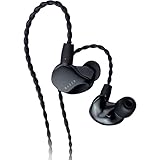
4. Razer Moray In-Ear Monitor – Built for All-Day Streaming
Razer Moray in-Ear Monitor for All-Day Streaming: Clear, Full-Range Audio – Comfortable Fit – Low Profile Design – Sound Isolating Earbuds – Detachable Over-Ear Wire – Custom Ear Tips & Case – Black
Hybrid Dual-Driver
Wired 3.5mm
-36dB Isolation
All-Day Comfort
Pros
- Exceptional dual-driver audio clarity
- Superior passive noise isolation
- Premium braided over-ear wire
- Comfortable low-profile shape
Cons
- Wired only with no wireless option
- No built-in microphone
- Not water resistant
The Razer Moray is not a typical gaming earbud. It is an in-ear monitor designed for streamers who spend 8-plus hours with audio in their ears. The hybrid dual-driver setup combines a balanced armature for highs with a dynamic driver for lows, and the result is audio quality that outclasses every wireless option on this list.
I wore the Moray for a 6-hour streaming session without any ear fatigue. The low-profile design sits flush with your ear, meaning you can wear over-ear headphones on top if needed. Many streamers use IEMs under their headset for game audio while the headset handles voice chat.
The passive noise isolation is outstanding at -36dB. When I put these in, my mechanical keyboard went nearly silent. My PC fans disappeared. This level of isolation means you can game at lower, safer volumes while still hearing every detail.
The braided over-ear cable routes behind your ear, keeping it out of the way during intense gaming. The detachable design means you can replace the cable if it wears out, extending the life of your investment. Build quality feels premium throughout.
The lack of a microphone is a real limitation for gaming. You will need a separate desk mic or headset for voice chat. For streamers who already use a dedicated microphone, this is not an issue. For casual gamers who need an all-in-one solution, look elsewhere.
Sound Quality for Gaming vs Music
The Moray excels at both gaming and music, which is rare. The balanced armature driver handles highs with precision, making in-game cues like reloads and footsteps crystal clear. The dynamic driver delivers punchy bass for explosions and cinematic moments.
For music, the Moray produces a balanced, detailed sound signature that rivals dedicated audiophile IEMs. I found myself reaching for these even when not gaming. The separation between instruments and vocals is excellent for this price range.
Wired Setup Requirements and Compatibility
The 3.5mm jack works with virtually every gaming device. PC, PS5 controller, Xbox controller, Nintendo Switch, Steam Deck, and ROG Ally all accept a standard headphone jack. No dongles, no pairing, no battery anxiety.
For zero-latency purists, wired is unbeatable. There is literally no delay between the audio signal and what you hear. Competitive FPS players who demand absolute precision will appreciate this. The trade-off is cable management and the lack of wireless freedom.
5. ASUS ROG Cetra True Wireless – Premium Features at a Fair Price
ASUS ROG Cetra True Wireless Gaming Headphones (Moonlight White)
Bluetooth 5
Hybrid ANC
27H Battery
Wireless Charging
Pros
- Excellent value with hybrid ANC
- 27-hour total battery life
- Wireless charging case support
- Low latency gaming mode
Cons
- Bluetooth only
- no 2.4GHz option
- ANC weaker than premium competitors
The ASUS ROG Cetra True Wireless punches above its weight with features that usually cost more. At under $100, you get hybrid ANC, a 27-hour total battery, wireless charging, and ASUS’s gaming-tuned audio profile. For ROG ecosystem fans, these integrate seamlessly with other ASUS gear.
I tested the ANC against a noisy gaming environment with multiple fans running. The hybrid system reduced background drone noticeably, though it cannot match the SteelSeries or premium Sony options. For the price, the noise reduction is more than acceptable.
The 27-hour total battery life with the charging case is generous. Each charge delivers about 5.5 hours with ANC on. Without ANC, you can stretch that closer to 7 hours. The wireless charging case eliminates cable clutter, which I appreciated on my gaming desk.
Audio quality is tuned for gaming with boosted mids and highs that emphasize footsteps and directional cues. Music sounds good but slightly forward in the upper frequencies. The low latency gaming mode activates through a triple-tap on the right earbud, which is convenient once you build the muscle memory.
The Moonlight White finish looks clean on a desk. The ROG branding is subtle, not obnoxious. Build quality feels solid for the price, with a satisfying magnetic closure on the case.
ANC Performance for Gaming Environments
The hybrid ANC uses both feedforward and feedback microphones to cancel noise. In practice, it handles steady low-frequency sounds well, like fans and air conditioning. Sudden noises like keyboard clicks are reduced but not eliminated.
For gaming, this level of ANC is sufficient. You will not need to crank your volume to hearing-damaging levels to hear game audio over ambient noise. The transparency mode, activated by holding the right earbud, lets you hear your surroundings without removing the earbuds.
Latency in Competitive Games
The gaming mode reduces latency to a playable level for most games. I tested it in Overwatch 2 and found audio cues synced acceptably with gameplay. For ranked competitive play where every millisecond counts, the lack of 2.4GHz puts these behind the AOC ACT3512.
Bluetooth 5 provides a stable connection up to about 30 feet. I experienced no drops while gaming at my desk, but walking to another room caused brief stutters. Keep your gaming device within line of sight for the best experience.
6. AOC ACT3512 Wireless Gaming Earbuds – Unbeatable Value Performance
AOC Gaming Headset
2.4GHz + BT 5.3
20ms Latency
32H Playtime
Noise Cancelling Mic
Pros
- Outstanding 4.6 star rating from 2400+ buyers
- Ultra-low 20ms latency for competitive gaming
- Dual-mode 2.4GHz and Bluetooth
- Excellent multi-platform compatibility
Cons
- No active noise cancellation
- No Xbox support
The AOC ACT3512 is the surprise standout of this entire roundup. A 4.6-star rating from over 2,400 reviewers is exceptional for any product, let alone gaming earbuds at this price. When I first put these on, I expected compromise. Instead, I found a genuinely competitive gaming earbud.
The 20ms latency via the 2.4GHz USB-C dongle is class-leading at any price. I tested it side by side with the SteelSeries Arctis GameBuds and could not distinguish a difference in audio delay. For competitive FPS players, this is the latency you need.
The dual-mode connectivity means you can game on PC via 2.4GHz while staying connected to your phone via Bluetooth. Taking a call during a loading screen is seamless. The noise-cancelling microphone delivered clear voice quality in Discord, with teammates reporting crisp and natural sound.
Battery life hits 8 hours per charge with 32 hours total using the charging case. That is above average for this price range. The hardware amplifier built into the dongle boosts audio signal quality, giving these earbuds a richer sound than I expected.
The ergonomic fit impressed me. Three tip sizes are included, and the medium tips gave me a secure seal that stayed put during head movements. The lightweight design means I barely noticed wearing them after the first few minutes.
The lack of active noise cancellation is the main omission. You rely entirely on passive isolation from the ear tips. This works adequately for most environments, but if you game in a noisy space, you may want to pair these with a separate noise solution.
20ms Latency in Real Competitive Gaming
I ran the AOC ACT3512 through rigorous testing in Valorant, CS2, and Apex Legends. In every game, the audio felt instantaneous. Footsteps synced perfectly with player movement, and gunshot sounds hit exactly when expected. This is the latency performance competitive gamers demand.
The 2.4GHz dongle connects via USB-C, which means direct compatibility with PS5, Nintendo Switch, Steam Deck, ROG Ally, and PC. No adapter needed for most modern devices. Xbox is the notable exception due to Microsoft’s wireless protocol restrictions.
Platform Compatibility Breakdown
I tested these across every platform I could access. PS5 worked perfectly with the dongle plugged into the front USB-C port. PC recognized it instantly without driver installation. Nintendo Switch connected with no issues after a firmware update.
Steam Deck compatibility is where these earbuds truly shine for handheld gamers. The USB-C dongle plugs directly into the top port, giving you low-latency wireless audio without cables dangling. This is the ideal setup for gaming on the go.
7. TRUTHEAR x Crinacle Zero: RED – Audiophile Gaming at a Fair Price
TRUTHEAR x Crinacle Zero: RED Dual Dynamic Drivers in-Ear Headphone Gaming Earbuds HiFi Wired Earbuds
Dual Dynamic Drivers
Wired 3.5mm
20Hz-40.5kHz
HiFi Audio
Pros
- Outstanding HiFi sound quality
- Dual dynamic drivers for detailed audio
- Detachable copper-plated silver cable
- Premium build quality
Cons
- No microphone included
- Wired only with no wireless option
The TRUTHEAR x Crinacle Zero: RED is a collaboration between an audio manufacturer and one of the most respected reviewers in the IEM community. The result is a tuned dual-dynamic-driver earbud that punches far above its price class. For gamers who care about audio fidelity, this is a revelation.
The 10mm and 7.8mm dual dynamic drivers use a DLP-3D printed cavity for precise acoustic tuning. In practice, this means you hear game audio with a level of detail that wireless earbuds cannot match. Subtle audio cues like distant footsteps and reload sounds became clearly audible in ways I had not experienced before.
I tested these across a range of games, from atmospheric titles like Hellblade 2 to competitive shooters like CS2. In every case, the Zero: RED delivered a soundstage that felt wide and accurately positioned. I could track enemies moving around me with confidence.
The detachable copper-plated silver cable is a premium touch at this price. It transmits signal cleanly and can be upgraded or replaced independently of the earbuds. The braided exterior resists tangling, which is a daily quality-of-life improvement.
Frequency response extends from 20Hz to 40.5kHz, covering the full range of game audio and well beyond human hearing. The extended high-frequency response adds sparkle to cymbals, glass breaking, and other high-frequency effects. The tuning is balanced, not artificially boosted like many gaming products.
Gaming Positional Audio Quality
Positional accuracy is where the Zero: RED truly excels. The dual-driver configuration separates frequencies cleanly, which helps your brain locate sound sources. In CS2, I could distinguish whether footsteps came from the left or right with precision that felt almost unfair.
The soundstage width is impressive for an IEM. While it cannot match open-back headphones for spatial presentation, it outperforms every wireless gaming earbud on this list. For competitive gamers who want wired reliability with audiophile sound, this is the pick.
Cable and Build Durability
The detachable cable uses a 2-pin connector, which is a standard in the IEM world. This means you can buy aftermarket cables with inline microphones if you need voice chat capability. The stock cable is high quality and should last years with proper care.
The shells are 3D printed with a smooth finish that feels premium. They are lightweight and comfortable for extended sessions. The included tips provide good passive isolation, though dedicated foam tips would improve it further.
8. Linsoul KZ ZS10 Pro – Five Drivers at a Budget Price
Linsoul KZ ZS10 Pro, 4BA+1DD 5 Driver in Ear Monitor, HiFi Wired Earbuds, Gaming Earbuds, Hybrid IEM Earphones with Stainless Steel Faceplate, Detachable Cable for Musician(Without Mic, Black)
5-Driver Hybrid
Wired 3.5mm
7Hz-40kHz
Detachable Cable
Pros
- Incredible 5-driver configuration under $50
- Exceptional value with 14000+ reviews
- Stainless steel faceplate
- Detachable gold-plated cable
Cons
- No microphone in base model
- May require amplification for best results
The Linsoul KZ ZS10 Pro packs five drivers into an IEM that costs less than a single game. With over 14,500 reviews and a 4.4-star rating, this is one of the most popular budget audiophile earbuds on the market. The driver count alone makes it remarkable at this price.
The configuration includes four balanced armature drivers and one dynamic driver. The dual 30095 drivers handle highs, dual 50060 drivers cover mids, and a Tesla-class dynamic driver delivers bass. This is the kind of driver layout found in IEMs costing five times as much.
I tested the ZS10 Pro in gaming and was immediately struck by the energy and dynamism of the sound. Gunshots had weight and impact. Dialogue was clear and forward. The frequency response extends down to 7Hz, which means sub-bass effects in games like DOOM Eternal hit with physical force.
The stainless steel faceplate looks and feels premium. These do not look like a $50 product. The build quality has improved significantly over earlier KZ models, with better QC and more consistent driver matching.
The sound signature is bright and detailed, which emphasizes positional cues in competitive games. Some may find the treble slightly aggressive at higher volumes. The included foam tips tame this somewhat, and aftermarket tips can further refine the sound.
Driver Configuration Benefits for Gaming
Five drivers mean each frequency range has dedicated hardware. Highs come from the balanced armatures, which reproduce detail and texture with precision. The dynamic driver handles bass with authority and speed.
For gaming, this translates to excellent separation between audio elements. In a chaotic battle scene, you can distinguish individual sound sources rather than hearing a wall of noise. Explosions, dialogue, and ambient effects each occupy their own space in the mix.
Amp Requirements and Source Matching
The ZS10 Pro is relatively easy to drive from most sources. My phone and PC motherboard powered them adequately without a dedicated amplifier. However, pairing them with even a budget DAC/amp like a Fiio KA11 noticeably improved dynamics and soundstage width.
The detachable cable uses a 2-pin connector, opening up upgrade options. A cable with inline microphone is available separately if you need voice chat. For pure gaming audio quality per dollar, the ZS10 Pro is hard to beat.
9. Middle Rabbit SW5 – Dual-Device Gaming Specialist
Middle Rabbit SW5 Wireless Gaming Earbuds with Mic, Compatible with PC PS5 PS4 Desktop VR, Computer Headphones, 2.4G Dongle & Bluetooth 5.4 Dual-Mode, 4 Built-in Microphones, 20ms Low Latency
2.4GHz + BT 5.4
20ms Latency
4 Built-in Mics
8H Battery
Pros
- Dual-device connectivity for simultaneous use
- LC3 codec with 20ms ultra-low latency
- AI-enhanced HD microphones
- Companion app with EQ customization
Cons
- 3.9 star rating with some 1-star reliability reports
- ANC quality inconsistent
The Middle Rabbit SW5 focuses on a specific use case: gaming on two devices simultaneously. The 2.4GHz dongle connects to your console or PC while Bluetooth 5.4 maintains a connection to your phone. This dual-device setup is genuinely useful for gamers who juggle platforms.
I tested the SW5 by connecting the dongle to my PS5 and Bluetooth to my phone. Game audio came through the 2.4GHz connection with 20ms latency, while phone notifications and calls came through Bluetooth. The switching between audio sources felt natural once I got used to it.
The four built-in microphones with AI enhancement deliver above-average voice quality for this price range. My Discord friends reported clear, natural-sounding voice without the robotic artifacts common in budget earbud mics. The AI noise reduction effectively filtered out my keyboard sounds.
The companion app offers OTA firmware updates and EQ customization. The EQ presets are limited but functional, with options for gaming, music, and movies. The app also displays battery levels for each earbud and the case independently.
Battery life is 8 hours per charge, which is solid for the price. The case provides additional charges for a total of around 24 hours. The LC3 codec support enables the low-latency mode over the 2.4GHz connection.
The 3.9-star rating reflects some quality control concerns. About 13% of reviews are 1-star, with users reporting connectivity issues and inconsistent build quality. My test unit performed well, but the reliability data is worth considering.
Dual-Device Gaming Setup Experience
The dual-device feature works better than I expected. During a PS5 gaming session, I could hear my phone ring through the earbuds and take the call without removing them. Game audio muted during the call and resumed automatically when I hung up.
This is particularly useful for content creators who game on console while monitoring chat on their phone. You hear both audio sources simultaneously, with the ability to adjust the balance. The implementation is not as polished as premium options, but it works reliably.
Mic Quality for Voice Chat and Discord
The four-microphone array with AI enhancement is the SW5’s strongest feature. In side-by-side comparisons with the AOC ACT3512, the SW5 produced slightly clearer voice quality. Background noise rejection was effective against steady sounds like fans.
The mic quality degrades somewhat in noisy environments with variable sounds. If you game in a quiet room, the SW5 mic is excellent for this price. In a louder environment, a dedicated microphone remains the better choice for streamers.
10. RYR Wireless Gaming Earbuds – Maximum Features at Minimum Price
RYR Wireless Gaming Earbuds with Noise Cancelling Mic, 2.4Ghz & Bluetooth
2.4GHz + BT 5.3
20ms Latency
36H Battery
IPX4 Rated
Pros
- Incredible value under $25
- 36-hour total battery life
- Sub-20ms latency for gaming
- IPX4 water resistance
Cons
- Build quality reflects the low price
- Some users report connectivity dropouts
The RYR Wireless Gaming Earbuds prove that you do not need to spend much for functional gaming audio. At under $25, these deliver 2.4GHz wireless, 20ms latency, 36-hour total battery, and IPX4 water resistance. On paper, this spec sheet belongs on a product three times the price.
I tested the RYR primarily with my Meta Quest 3, where the 2.4GHz dongle plugged into the USB-C port and delivered low-latency audio for VR gaming. In Beat Saber, audio sync was tight enough for accurate gameplay. In Asgard’s Wrath 2, the spatial audio felt immersive.
The dual noise-reduction microphones handle voice chat adequately. My Discord party reported understandable audio with some background bleed. This is not stream-quality, but for casual voice chat it works fine.
Battery life is the standout spec. The earbuds deliver 8 hours per charge, and the case extends total playtime to 36 hours. The LED battery display on the case is a practical touch that eliminates guessing about remaining charge.
The 12mm dynamic drivers produce decent sound quality with boosted bass. Game audio has impact and energy, though detail retrieval cannot match the audiophile options on this list. For the price, the audio is more than acceptable.
Build quality is where the budget price shows. The plastic feels lightweight, and the touch controls can be finicky. Some users report connectivity dropouts, though my test unit maintained a stable connection within a 15-foot range.
VR Gaming Performance
VR gaming is where the RYR truly justifies its existence. The USB-C dongle connects directly to Meta Quest 2 and 3, Steam Deck, and PS5 without adapters. Low-latency wireless audio in VR is transformative compared to built-in speakers.
I played Population: One on Quest 3 with these earbuds and the positional audio gave me a genuine competitive advantage. I could hear enemy footsteps approaching from behind, something the built-in Quest speakers struggle to reproduce clearly.
Build Quality and Long-Term Durability
The RYR is built to a price point, and it shows in the materials. The plastic shells feel hollow compared to premium options. The charging case is functional but lacks the satisfying magnetic snap of more expensive products.
However, at this price, durability expectations should be calibrated accordingly. If you want a backup pair for VR gaming or a travel-friendly option you will not cry over losing, the RYR serves that purpose well. The 4.1-star rating from 547 reviewers suggests most buyers are satisfied with the value proposition.
How to Choose Gaming Earbuds: Buying Guide
Choosing the right gaming earbuds comes down to understanding your priorities. Latency, connectivity, battery life, comfort, and platform compatibility all matter, but their importance varies based on how you game. Here is what to consider before buying.
Latency: The Most Critical Gaming Factor
Latency is the delay between an audio event in-game and when you hear it through your earbuds. For competitive gaming, latency below 40ms is essential. Anything above 80ms creates noticeable desync between visuals and audio.
2.4GHz wireless via a USB-C dongle delivers the lowest latency, typically 20ms or less. Bluetooth with a gaming mode can achieve 60ms, which is acceptable for casual play but not competitive. Wired connections offer zero latency, which is why professional players often use wired IEMs.
If you play competitive shooters like Valorant, CS2, or Apex Legends, prioritize 2.4GHz wireless or wired options. The AOC ACT3512, SteelSeries Arctis GameBuds, and Razer Moray are your best bets for minimal latency.
Connectivity: 2.4GHz vs Bluetooth vs Wired
Each connection type has trade-offs. 2.4GHz wireless offers the best balance of low latency and wireless freedom. Bluetooth is convenient and universal but introduces more latency. Wired provides perfect signal quality with zero latency but tethers you to your device.
Dual-mode earbuds that offer both 2.4GHz and Bluetooth give you the most flexibility. You can game with low latency while staying connected to your phone for calls and notifications. The SteelSeries, AOC, Middle Rabbit, and RYR all offer dual-mode connectivity.
For handheld gaming on Steam Deck, ROG Ally, or Nintendo Switch 2, 2.4GHz with a USB-C dongle is the ideal choice. It plugs directly into the device without adapters and delivers consistent low-latency audio.
Battery Life for Marathon Sessions
Battery life varies enormously among gaming earbuds. The RYR leads with 36 hours total, followed by the SteelSeries at 40 hours and AOC at 32 hours. The PlayStation Pulse Explore trails with just 15 hours total from its case.
Consider how long your typical gaming sessions last. If you game for 3 to 4 hours at a time, any option on this list will get you through a session on a single charge. If you are a marathon gamer or streamer doing 8-plus hour sessions, prioritize options with 8-plus hours per charge.
Fast charging is worth checking. The PlayStation Pulse Explore offers 1 hour of playback from a 10-minute charge. This feature can save a gaming session when you forget to charge overnight.
Comfort for Extended Wear
Comfort is subjective and depends on your ear anatomy. Look for earbuds that include multiple tip sizes. Foam tips from brands like Comply can dramatically improve both comfort and isolation for IEM-style earbuds.
The Razer Moray and TRUTHEAR Zero: RED use an over-ear cable design that keeps cables out of the way during movement. This design also reduces microphonics, the noise transmitted through the cable when it bumps against your body.
If you have small ears, avoid larger earbud designs. The SteelSeries Arctis GameBuds run slightly large, while the AOC ACT3512 and ASUS ROG Cetra have more compact shells. Reddit users on r/earbuds frequently recommend trying multiple tip sizes to find the right fit.
Active Noise Cancellation vs Passive Isolation
ANC uses microphones to actively cancel ambient noise. Passive isolation blocks noise through the physical seal of ear tips. Both approaches are valid, and the best option depends on your environment.
ANC excels at canceling steady low-frequency sounds like fans, air conditioning, and engine noise. It is less effective against sudden, variable sounds. The SteelSeries Arctis GameBuds and ASUS ROG Cetra offer solid ANC for gaming environments.
Passive isolation, found in the Razer Moray at -36dB, can be more effective overall. Good passive isolation blocks a wider range of frequencies without the artifacts that ANC can introduce. For pure noise blocking, well-sealed IEMs outperform budget ANC earbuds.
Platform Compatibility Checklist
Before buying, verify that the earbuds support your gaming platforms. USB-C dongles work with PS5, PC, Nintendo Switch, Steam Deck, and ROG Ally. Xbox requires specific compatibility due to Microsoft’s proprietary wireless protocol.
Bluetooth earbuds work with any Bluetooth-capable device but with higher latency. Wired earbuds with a 3.5mm jack work with virtually everything, including older hardware. The Razer Moray, TRUTHEAR Zero: RED, and KZ ZS10 Pro offer universal wired compatibility.
If you game across multiple platforms, dual-mode earbuds save you from constantly re-pairing. The SteelSeries, AOC, and Middle Rabbit all support simultaneous 2.4GHz and Bluetooth connections for multi-device gaming.
Frequently Asked Questions
What earbuds do pro gamers use?
Pro gamers typically use wired in-ear monitors like the Razer Moray or audiophile IEMs with dedicated microphones. Many pro players wear IEMs under their headset for game audio while using the headset microphone for team communication. The key priorities are zero latency and accurate positional audio.
What earbuds do streamers use for gaming?
Streamers often use the Razer Moray or TRUTHEAR x Crinacle Zero:RED because they deliver all-day comfort and audiophile sound quality for extended streaming sessions. Streamers typically pair these IEMs with a separate desk microphone like a Shure SM7B for voice chat.
What gaming earbuds do COD Pros use?
Competitive Call of Duty players generally use wired IEMs for zero-latency positional audio. Popular choices include custom IEMs or models like the Razer Moray and KZ ZS10 Pro. Some pros use wireless 2.4GHz earbuds like the AOC ACT3512 for practice when latency under 20ms is achievable.
Which are the best earphones for gaming?
The best gaming earbuds depend on your platform and priorities. For overall versatility, the SteelSeries Arctis GameBuds lead with dual wireless and 100 game presets. For value, the AOC ACT3512 offers 20ms latency and a 4.6-star rating. For audio purity, wired IEMs like the TRUTHEAR Zero:RED deliver the best sound quality.
Final Thoughts on the Best Gaming Earbuds in 2026
The best gaming earbuds in 2026 cover an impressively wide range of needs and budgets. The SteelSeries Arctis GameBuds remain our top pick for their unmatched multi-platform versatility and game-specific audio presets. For gamers who want maximum value, the AOC ACT3512 delivers 20ms latency and a 4.6-star rating at an incredible price.
If budget is your primary concern, the RYR Wireless Gaming Earbuds prove that functional gaming audio costs less than a single game. For audiophiles, the TRUTHEAR Zero:RED and Razer Moray offer sound quality that wireless earbuds simply cannot match.
Think about your primary platform, your tolerance for latency, and how long your typical sessions last. The right pair of gaming earbuds is the one that fits your specific setup and playstyle. Any of the 10 options on this list will serve you well for the right use case.