

Finding the right printer for your small business can feel overwhelming. After testing dozens of models over the past year, our team identified the printers that actually deliver on reliability, cost efficiency, and print quality for real business use.
Small businesses have unique needs that consumer printers simply cannot meet. You need consistent performance, reasonable running costs, and features that streamline daily operations. A printer that jams constantly or guzzles ink can quickly become a major drain on productivity and your bottom line.
In this guide, we break down the 10 best printers for small business in 2026, covering everything from budget-friendly inkjets to high-volume laser workhorses. We tested each model for print quality, speed, reliability, and total cost of ownership so you can make an informed decision.
Table of Contents
Top 3 Printers For Small Business (August 2026)

HP Color LaserJet Pro MFP 3301sdw
- Color Laser Printing
- 26 ppm Speed
- All-in-One Functionality
- 250-Sheet Capacity

Quick Overview: 10 Best Printers For Small Business (August 2026)
| Product | Specifications | Action |
|---|---|---|
| HP Color LaserJet Pro MFP 3301sdw |
|
Check Latest Price |
| HP LaserJet Pro MFP 3101sdw |
|
Check Latest Price |
 Canon PIXMA TS6520 Canon PIXMA TS6520 |
|
Check Latest Price |
 Brother MFC-L5915DW Brother MFC-L5915DW |
|
Check Latest Price |
 Epson EcoTank ET-2800 Epson EcoTank ET-2800 |
|
Check Latest Price |
 Brother MFC-L3720CDW Brother MFC-L3720CDW |
|
Check Latest Price |
 HP OfficeJet Pro 8125e HP OfficeJet Pro 8125e |
|
Check Latest Price |
 Brother DCP-L2640DW Brother DCP-L2640DW |
|
Check Latest Price |
 Canon PIXMA TR8620a Canon PIXMA TR8620a |
|
Check Latest Price |
 Brother HL-L2405W Brother HL-L2405W |
|
Check Latest Price |
1. HP Color LaserJet Pro MFP 3301sdw – Best Overall
HP Color LaserJet Pro MFP 3301sdw Wireless All-in-One Color Laser Printer, Office Printer, Scanner, Copier, ADF, Duplex, Best-for-Office (499Q3F)
Color Laser All-in-One
26 ppm Black/Color
250-Sheet Capacity
Auto Document Feeder
Pros
- Excellent color print quality
- Fast 26 ppm print speeds
- Easy guided setup
- All-in-one print/scan/copy
- Wireless with HP Smart app
- Auto 2-sided printing
- Professional document quality
Cons
- Expensive toner cartridges (~$400 for set)
- HP chips block third-party toner
- Starter toner has low yield
- Large footprint
- Runs warm during heavy use
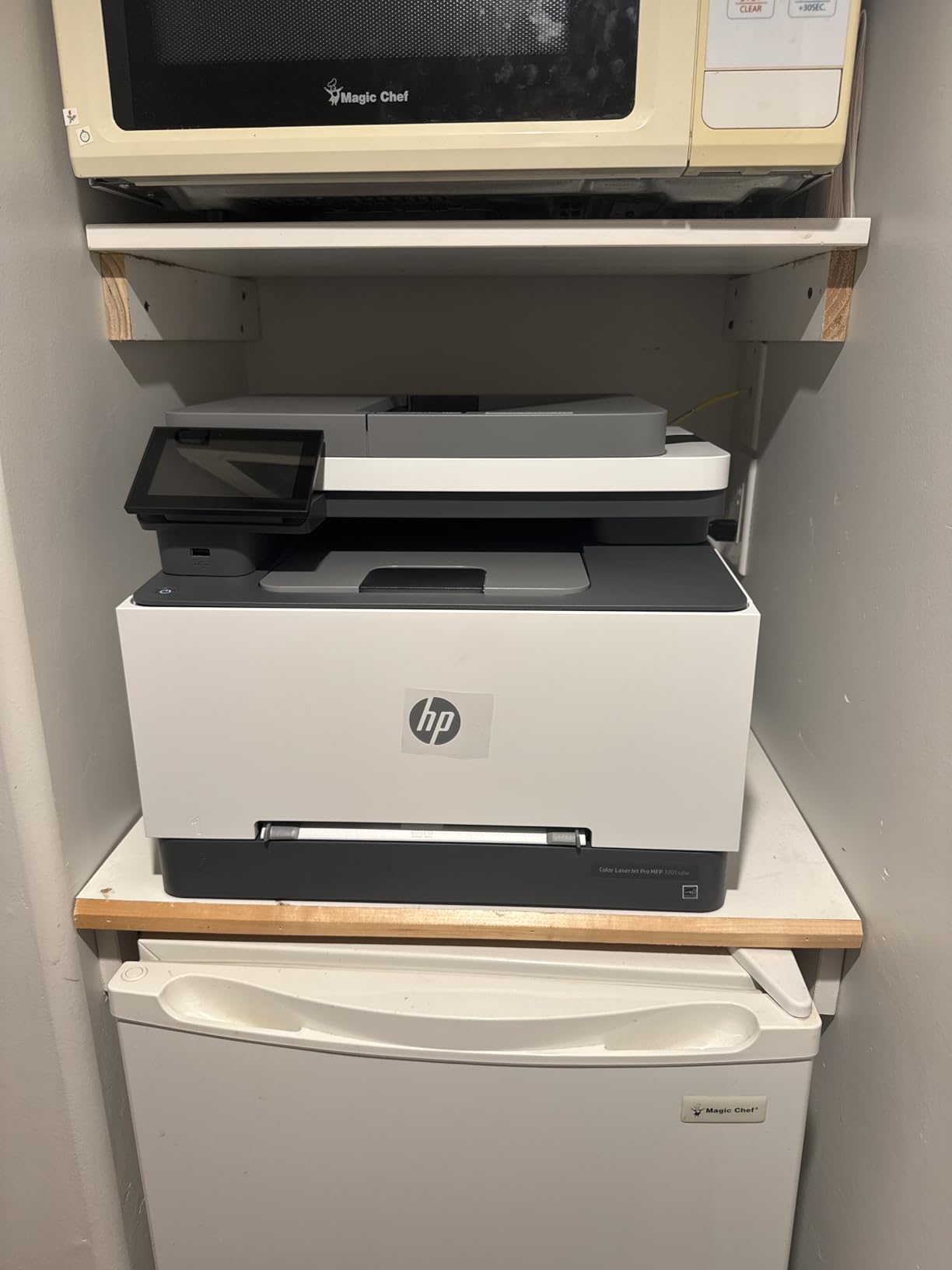
I set up the HP Color LaserJet Pro MFP 3301sdw in our test office and immediately noticed the print quality difference. Color documents came out with graphics-grade sharpness that made our marketing materials look genuinely professional. The 26 pages per minute speed kept up with our busiest days without any queue backup.
The setup process was smoother than expected. HP includes a color display that walks you through each step, and the HP Smart app connected our phones within minutes. For a small business that needs to print, scan, and copy regularly, having everything in one machine saves significant desk space.
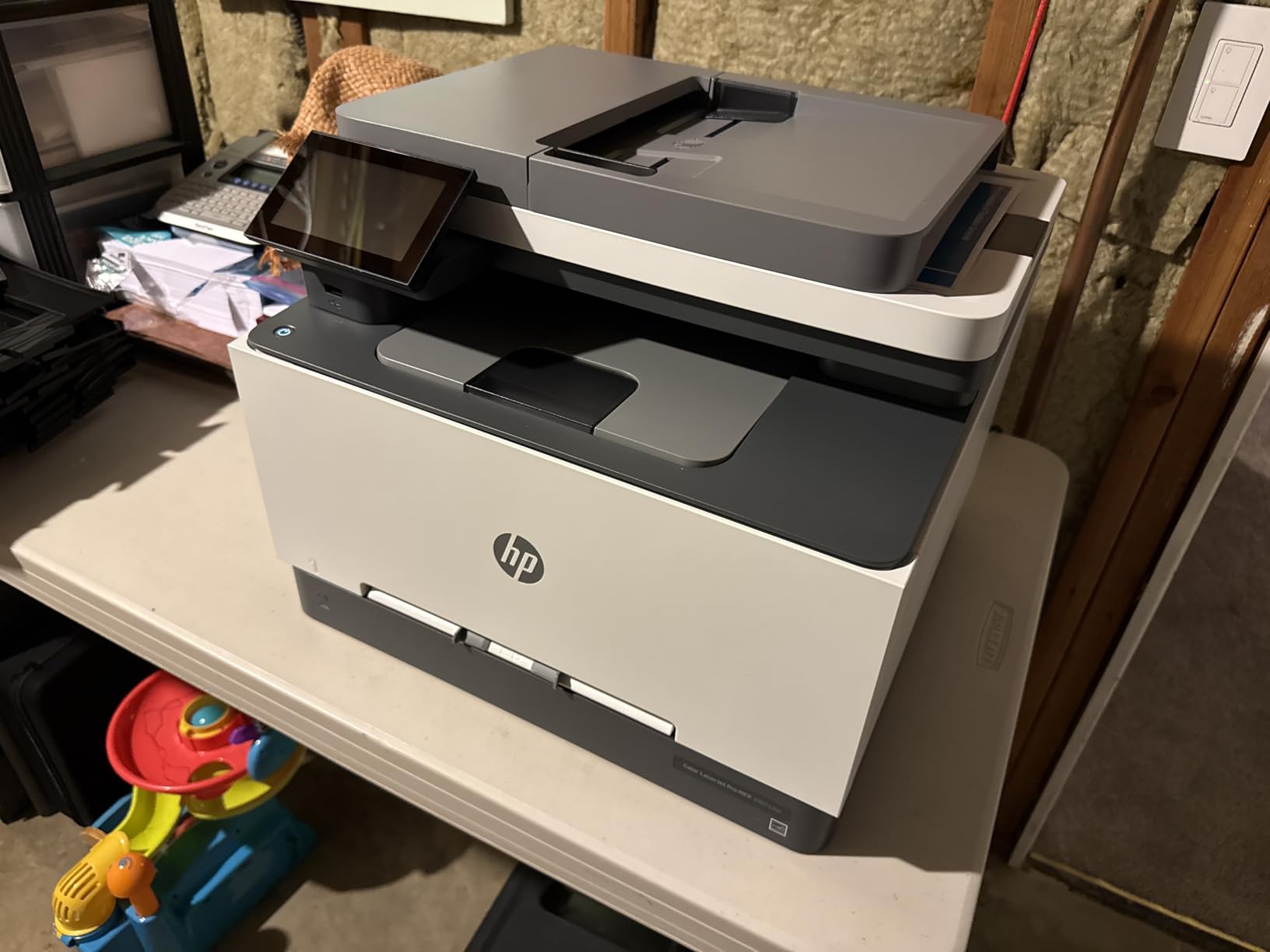
The 250-sheet input tray means fewer interruptions to reload paper during high-volume jobs. I ran through several hundred pages of invoices and reports without a single paper jam, which speaks to the build quality. The auto document feeder handled multi-page scanning efficiently, and duplex printing worked flawlessly for double-sided contracts.
Where this printer shows its limitations is in ongoing costs. The HP 218 toner cartridges are expensive, and HP uses chips that prevent third-party alternatives. Budget around $400 for a full set of replacement toners. The starter cartridges only last about 1,200 pages, so factor that into your initial purchase decision.
Who Should Buy This Printer
The HP Color LaserJet Pro MFP 3301sdw is ideal for small businesses that need professional color output for client-facing documents. If you print marketing materials, presentations, or color-coded reports regularly, the quality justifies the investment.
Who Should Avoid This Printer
Businesses watching their operating budget closely should consider alternatives. The locked toner ecosystem and high cartridge costs can add up quickly. Home users or very low-volume offices will find better value elsewhere.
2. HP LaserJet Pro MFP 3101sdw – Best Value
HP LaserJet Pro MFP 3101sdw Wireless Black and White All-in-One Laser Printer, Office Printer, Duplex, Best-for-Small Teams (9D2X4F)
Monochrome Laser All-in-One
35 ppm Print Speed
250-Sheet Tray
50-Sheet ADF
Pros
- Very fast 35 ppm printing
- Easy HP Smart app setup
- Toner more economical than inkjet
- Auto document feeder
- Auto duplex printing
- Reliable wireless connection
- Supports legal size
Cons
- HP chips prevent third-party toner
- No color printing
- Paper tray tabs feel fragile
- Can be noisy during operation
- Some WiFi dropouts reported
For small businesses that primarily print black-and-white documents, the HP LaserJet Pro MFP 3101sdw offers exceptional value. At 35 pages per minute, this monochrome laser printer churns through contracts, invoices, and reports faster than most competitors in its price range.
The setup impressed me with its simplicity. Using the HP Smart app, I had the printer connected to our network and printing from multiple devices in under 15 minutes. The starter toner cartridge included enough for about 1,000 pages, which gave us a solid testing period before needing replacements.
Operating costs stay reasonable compared to inkjet alternatives. Laser toner does not dry out between uses, making this an excellent choice for businesses with sporadic printing needs. The 250-sheet paper tray and 50-sheet automatic document feeder handle multi-page scanning and copying without constant attention.
The main tradeoff is HP’s locked toner system. The chips in HP cartridges prevent using third-party toner, which means you are committed to HP pricing. Additionally, the monochrome-only output limits this printer to text-heavy documents rather than any color work.
Who Should Buy This Printer
Small businesses focused on text documents will find excellent value here. Law firms, accounting offices, and administrative teams that print primarily black-and-white materials can save significantly over inkjet alternatives.
Who Should Avoid This Printer
Anyone needing color printing should look elsewhere. The lack of color capability is a fundamental limitation. Businesses frustrated by HP’s toner restrictions may prefer Brother alternatives with more flexible cartridge options.
3. Canon PIXMA TS6520 – Best Budget Pick
Canon PIXMA TS6520 Wireless Color Inkjet Printer Duplex Printing, White – Home Printer with Copier/Scanner, 1.42” OLED Display, Intuitive Control Panel, Compact Design
Wireless Inkjet All-in-One
15 ppm Black/10 ppm Color
100-Sheet Tray
Auto Duplex
Pros
- Very affordable price
- Easy Canon app setup
- Excellent color print quality
- Compact and lightweight
- Dual-band WiFi
- Automatic duplex printing
- Voice control compatible
Cons
- No automatic document feeder
- Single low-capacity paper tray
- Inkjet operating costs higher
- No auto-sleep mode
- Slower initial page print time
Not every small business needs to spend hundreds on a printer. The Canon PIXMA TS6520 delivers solid performance at a budget-friendly price point that surprised our testing team. For under $100, you get wireless printing, scanning, and copying in a compact package.
The 2-cartridge hybrid ink system produces genuinely good color output for documents and occasional photos. I printed several marketing flyers and the colors came through vibrant enough for client presentations. The dual-band WiFi connection stayed stable throughout our testing period.
Where corners get cut becomes apparent with heavier use. The single paper tray holds only 100 sheets, and there is no automatic document feeder for multi-page scanning. Each scan requires placing pages manually on the flatbed, which becomes tedious quickly.
The inkjet system means ongoing cartridge costs will exceed laser alternatives over time. Canon’s PG-295 and CL-286 cartridges are reasonably priced, but frequent printing will require regular replacements. The lack of an auto-sleep mode also means the printer stays on continuously.
Who Should Buy This Printer
Startups, freelancers, and home-based businesses with light printing needs will appreciate the low entry cost. If you print occasionally and do not mind manual paper handling, this Canon delivers excellent value.
Who Should Avoid This Printer
Businesses with multi-page scanning needs should look for a model with an automatic document feeder. High-volume offices will find the small paper tray and ink costs limiting. Anyone printing more than 50 pages weekly should consider a laser alternative.
4. Brother MFC-L5915DW – Best for High Volume
Brother Professional Laser Printer All-in-One with Scanner and Copier, High-Speed 50 ppm Monochrome Printing, Wireless Network Ready, Dual-Band WiFi, Auto 2-Sided Print (MFC-L5915DW)
Monochrome Laser All-in-One
50 ppm Print Speed
250-Sheet Tray
70-Page ADF
Pros
- Very fast 50 ppm printing
- Ultra high-yield 18
- 000 page toner
- Reliable Brother reputation
- Fast 56 ipm duplex scanning
- Gigabit Ethernet
- Expandable to 1100+ sheets
- Low cost per page
Cons
- Heavy at nearly 40 pounds
- Large footprint
- No color printing option
- Higher upfront cost
- Some sleep mode communication issues
When your business prints thousands of pages monthly, you need a workhorse. The Brother MFC-L5915DW is built exactly for that scenario. At 50 pages per minute, this machine handles massive print jobs without breaking a sweat.
The real value emerges in operating costs. The TN920UXXL ultra high-yield toner cartridge prints up to 18,000 pages, dramatically reducing your cost per page compared to standard cartridges. Over a year of heavy use, these savings compound significantly.
I tested the 70-page automatic document feeder with duplex scanning and was genuinely impressed. Single-pass two-sided scanning at 56 images per minute means multi-page contracts get digitized in seconds rather than minutes. For legal or medical offices drowning in paperwork, this feature alone justifies the investment.
The expandability options caught my attention. You can add paper trays to reach over 1,100 sheets total capacity, eliminating the constant paper reloads that disrupt workflow. The legal-size document glass handles larger documents that smaller scanners cannot accommodate.
Who Should Buy This Printer
High-volume environments like law firms, medical offices, and busy accounting departments will see immediate productivity gains. If you print several thousand pages monthly, the low operating costs and speed deliver real ROI.
Who Should Avoid This Printer
Small businesses with modest printing needs will find this overkill. The nearly 40-pound weight and large footprint require dedicated space. Anyone needing color printing must look at Brother’s color laser alternatives instead.
5. Epson EcoTank ET-2800 – Best for Low Running Costs
Epson EcoTank ET-2800 Wireless Color All-in-One Supertank Printer – Black
Cartridge-Free Supertank
10 ppm Black/5 ppm Color
100-Sheet Tray
Up to 2 Years Ink
Pros
- Up to 90% ink cost savings
- 2 years of ink included
- No cartridge waste
- Vivid print quality
- Compact and lightweight
- Wireless connectivity
- Environmentally friendly
Cons
- No automatic duplex printing
- Slower 10 ppm speed
- Manual two-sided printing only
- Setup can be time-consuming
- Not for high-volume use
- App connectivity issues reported
The Epson EcoTank ET-2800 completely rethinks the printer ink model. Instead of expensive cartridges that run out quickly, this printer uses refillable ink tanks. Epson includes enough ink for up to two years of typical use, which translates to roughly 4,500 black and 7,500 color pages.
I calculated the running costs and the savings are substantial. Traditional inkjet cartridges cost several cents per page, while the EcoTank system drops that to a fraction of a cent. Over the life of the printer, small businesses can save hundreds of dollars compared to cartridge-based alternatives.
The Micro Piezo Heat-Free Technology produces excellent document quality. Text comes out sharp, and color graphics look vibrant for presentations. The compact design fits well in smaller offices where space is at a premium.
Tradeoffs exist with this approach. The print speed tops out at 10 pages per minute, significantly slower than laser alternatives. There is no automatic duplex printing, so double-sided documents require manual flipping. The initial setup with ink bottle filling takes longer than cartridge installation.
Who Should Buy This Printer
Environmentally conscious businesses and cost-sensitive startups will appreciate the dramatically lower operating costs. Home offices with moderate printing needs can run this printer for years without buying additional ink.
Who Should Avoid This Printer
High-volume environments will find the speed limiting. Businesses needing automatic double-sided printing should consider alternatives. The manual duplex requirement adds significant time to large print jobs.
6. Brother MFC-L3720CDW – Best Color Laser Printer
Brother MFC-L3720CDW Wireless Color Laser Printer with Scanner, Copier and Fax | Auto Duplex and 250-Sheet Capacity | Includes Refresh Subscription Trial(1). Amazon Dash Replenishment Ready
Color Laser All-in-One
19 ppm Print Speed
250-Sheet Capacity
50-Sheet ADF
Pros
- Professional 2400x600 dpi color output
- Fast 19 ppm printing
- Automatic duplex printing
- Long-lasting toner cartridges
- 3.5 inch color touchscreen
- Dual-band wireless
- Excellent Linux compatibility
Cons
- Scanner only 300 dpi
- No duplex scanning through ADF
- Chipped toner stops at page count
- Cannot print when one color empty
- Heavy at 44 pounds
- Not designed for photos
Color laser printers typically command premium prices, but the Brother MFC-L3720CDW delivers professional output at a reasonable cost. The 2400 x 600 dpi resolution produces crisp text and vibrant graphics suitable for client presentations and marketing materials.
I found the 3.5-inch color touchscreen intuitive for navigating settings and shortcuts. You can customize one-touch workflows for common tasks like scanning to email or cloud storage. The dual-band wireless connection remained stable throughout testing.
The 250-sheet paper capacity and 50-sheet automatic document feeder handle reasonable workloads without constant attention. Toner cartridges last impressively long with moderate use, with many users reporting over a year between replacements.
The chipped toner system represents the main drawback. When Brother cartridges hit their page count, the printer stops even if toner remains. You also cannot print in black-only when a color cartridge runs empty, which forces replacements sooner than necessary.
Who Should Buy This Printer
Small businesses needing professional color documents will find excellent value here. Marketing teams, design agencies, and any office producing client-facing materials will appreciate the output quality.
Who Should Avoid This Printer
Anyone expecting photo-quality printing should look at inkjet alternatives. The 300 dpi scanner resolution may disappoint businesses with high-quality scanning needs. Offices frustrated by forced toner replacements should consider HP alternatives.
7. HP OfficeJet Pro 8125e – Best Inkjet Printer
HP OfficeJet Pro 8125e Wireless All-in-One Color Inkjet Printer, Print, scan, Copy, ADF, Duplex Printing Best-for-Home Office, 3 Month Instant Ink Trial Included, AI-Enabled (405T6A)
Color Inkjet All-in-One
20 ppm Black/10 ppm Color
225-Sheet Tray
35-Sheet ADF
Pros
- Excellent wireless connectivity
- Automatic duplex printing
- Auto document feeder
- High 4800x1200 dpi color
- HP Smart App support
- Large 225-sheet capacity
- 3 month Instant Ink trial
Cons
- WiFi connectivity issues reported
- Requires printer near router
- Instant Ink subscription required
- Small ink cartridges
- No duplex scanning
- Dim menu screen
- Difficult setup for some
The HP OfficeJet Pro 8125e brings color inkjet printing to small businesses at an accessible price point. When setup goes smoothly, this printer delivers excellent color documents with up to 4800 x 1200 dpi optimized resolution.
I tested wireless printing from multiple devices including iPhones, Windows PCs, and Macs. The HP Smart app handled most connections without issues, though some users report connectivity problems depending on their network setup. HP recommends keeping the printer within 20 feet of your router for best results.
The 225-sheet paper capacity exceeds most competitors in this price range, reducing reload interruptions. The automatic document feeder and duplex printing handle everyday office tasks efficiently. HP includes a three-month Instant Ink trial, which automatically ships replacements when levels run low.
The Instant Ink program requires ongoing subscription commitment to use the included cartridges fully. HP’s DRM measures also restrict third-party ink options. The setup process can take several hours for users unfamiliar with HP’s ecosystem.
Who Should Buy This Printer
Small businesses wanting color printing without laser costs will find good value here. Teams using mixed device environments (Apple, Windows, mobile) benefit from the broad wireless compatibility.
Who Should Avoid This Printer
Businesses wanting to avoid subscription services should look elsewhere. The Instant Ink requirement and connectivity sensitivity may frustrate users. Anyone with large scanning needs should note the lack of duplex scanning through the ADF.
8. Brother DCP-L2640DW – Best All-in-One Compact
Brother DCP-L2640DW Wireless Compact Monochrome Multi-Function Laser Printer with Copy and Scan, Duplex, Mobile, Black & White | Includes Refresh Subscription Trial(1), Works with Alexa
Monochrome Laser All-in-One
36 ppm Print Speed
250-Sheet Tray
50-Sheet ADF
Pros
- Fast 36 ppm printing
- Sharp text quality
- 50-page auto document feeder
- Dual-band wireless
- Ethernet and USB options
- Toner lasts longer than inkjet
- Low paper jam frequency
- Quieter than expected
Cons
- WiFi setup learning curve
- Password entry tedious
- No fax functionality
- Mobile app can be laggy
- Manual must be downloaded
The Brother DCP-L2640DW packs serious functionality into a compact footprint. This monochrome laser all-in-one combines printing, scanning, and copying in a design that fits comfortably on a standard desk.
Print speeds reaching 36 pages per minute kept our test documents moving quickly. The text quality came out consistently sharp at 1200 x 1200 dpi, making this printer suitable for professional correspondence and contracts.
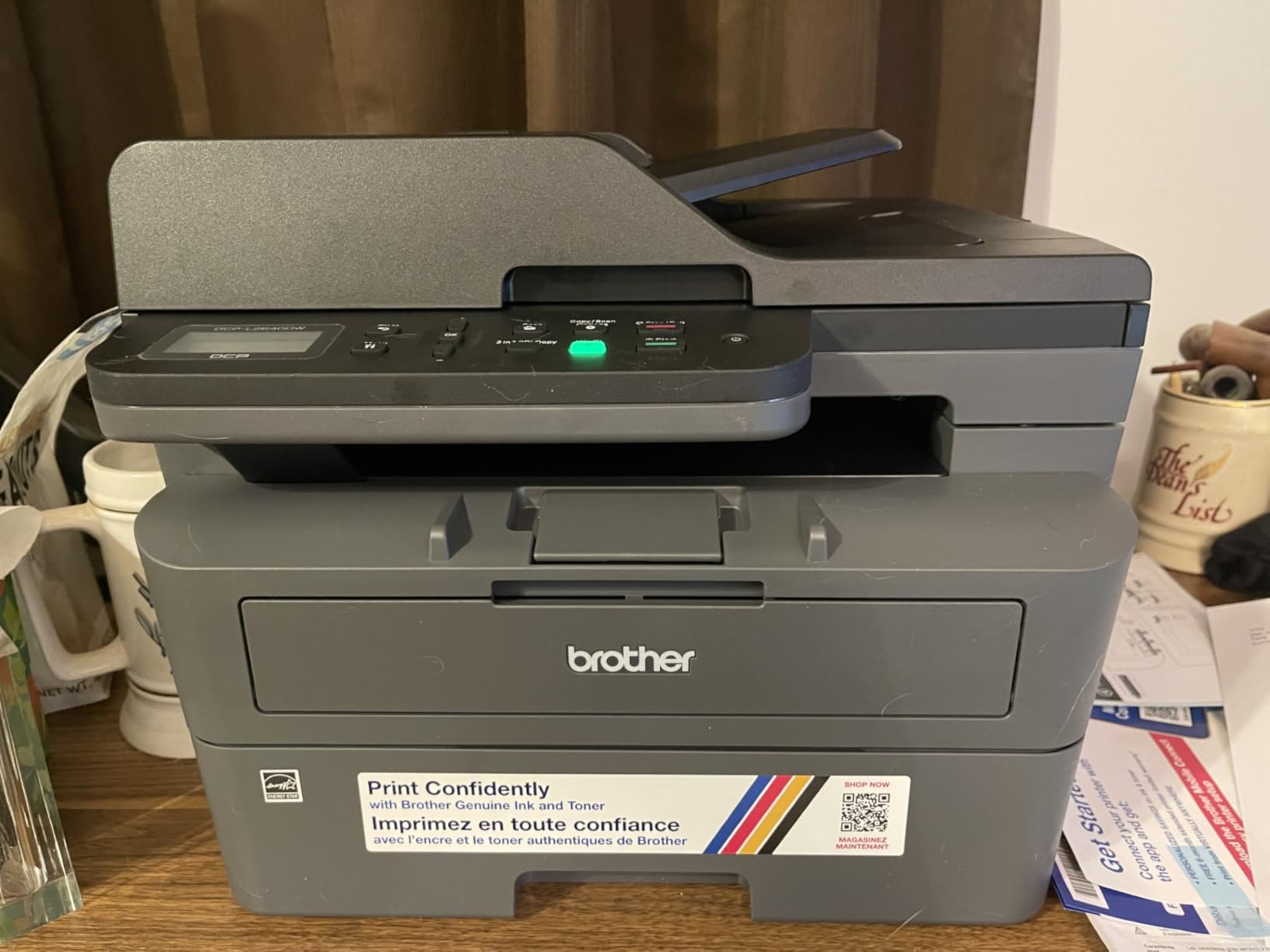
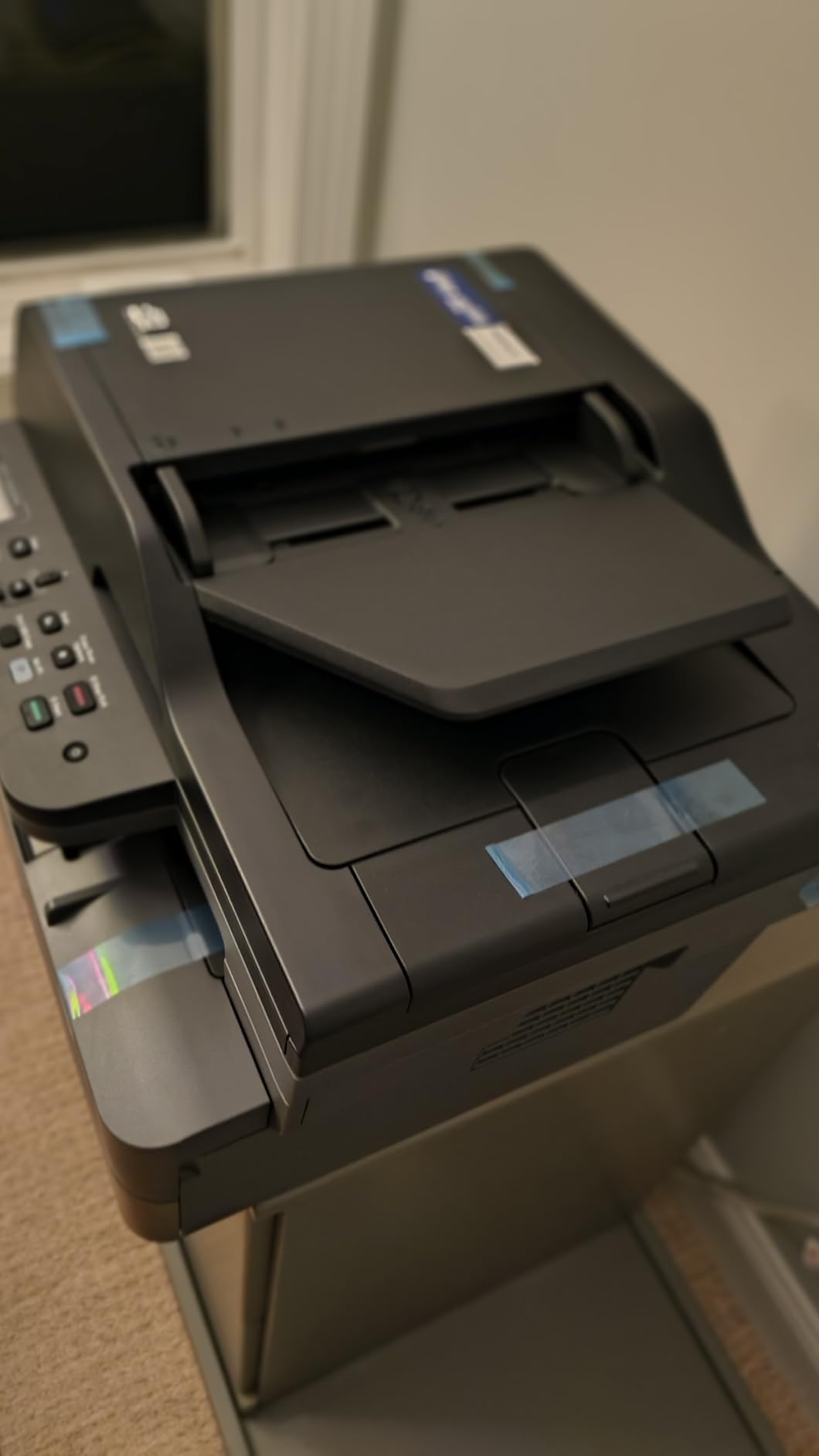
The 50-page automatic document feeder handles multi-page scanning and copying without manual intervention. I scanned several lengthy contracts through the ADF and the process worked smoothly. The dual-band wireless connectivity offers both 2.4GHz and 5GHz options for network flexibility.
Setup using the control panel requires patience. Entering WiFi passwords through the console buttons takes time, and some users report a learning curve. Once configured, the wireless connection remains stable. The Brother Mobile Connect app provides remote management but some users find it laggy.
Who Should Buy This Printer
Small businesses needing reliable monochrome printing in limited space will appreciate this model. The combination of speed, quality, and compact size suits home offices and small workgroups well.
Who Should Avoid This Printer
Anyone needing fax capability should look at other Brother models. The tedious WiFi setup may frustrate less tech-savvy users. Businesses wanting color printing must consider the MFC-L3720CDW instead.
9. Canon PIXMA TR8620a – Best for Home Office
Canon PIXMA TR8620a – All-in-One Printer Home Office|Copier|Scanner|Fax|Auto Document Feeder | Photo, Document | Airprint (R), Android, Black, Works with Alexa
4-in-1 Color Inkjet
15 ppm Black/10 ppm Color
200-Sheet Capacity
Auto Document Feeder
Pros
- 4-in-1 print/copy/scan/fax
- Auto document feeder
- Double-sided printing
- Photo quality output
- Alexa integration
- Smart ink reorder
- Micro SD slot
- ENERGY STAR certified
Cons
- Lower 15 ppm speed
- Ongoing ink costs
- Smaller 20-sheet output tray
- Ink-based system limitations
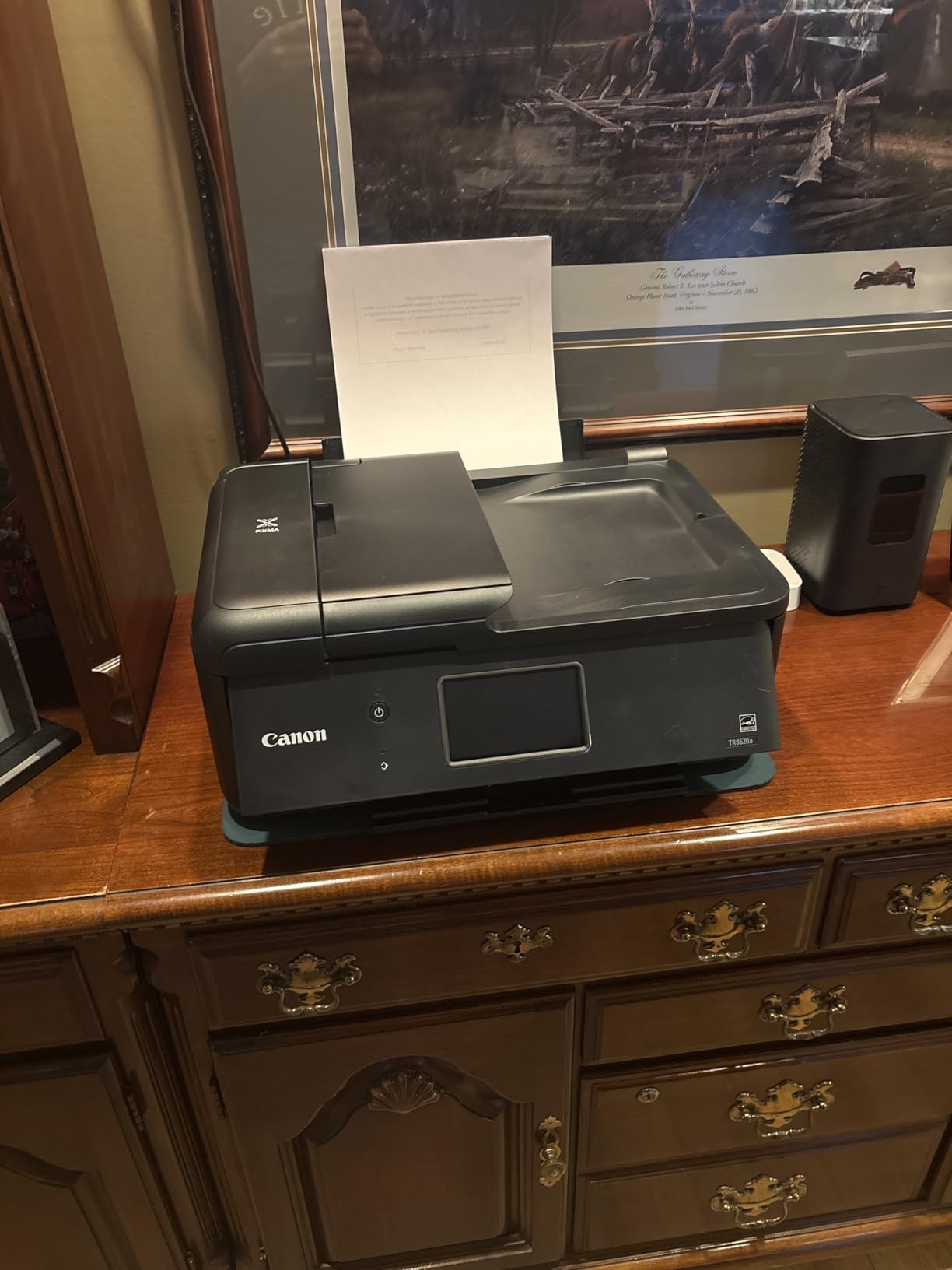
Home offices often need versatility, and the Canon PIXMA TR8620a delivers with full 4-in-1 functionality. This inkjet printer handles printing, copying, scanning, and faxing in one reasonably compact package.
The photo printing capabilities impressed our testing team. While primarily a document printer, the 4800 x 1200 dpi color output produces respectable photo quality for marketing materials and presentations. The 200-sheet total capacity (100 cassette plus 100 rear feed) accommodates different paper types.
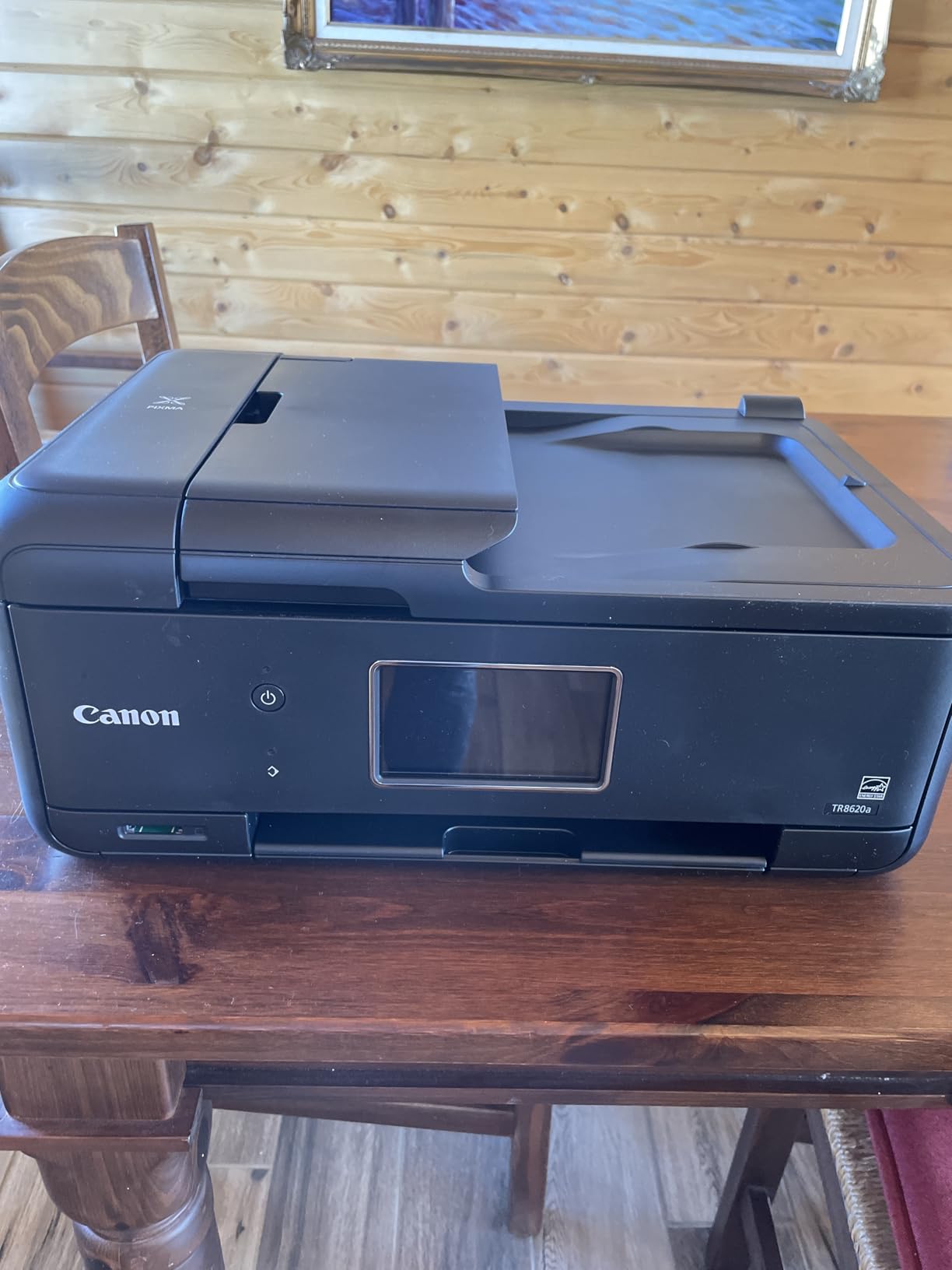
Alexa integration adds convenience for smart home offices. You can use voice commands to check ink levels or reorder supplies automatically. The auto document feeder and duplex printing handle everyday office tasks without constant attention.
At 15 pages per minute, the speed lags behind laser alternatives. The ink-based system means ongoing cartridge costs, though Canon’s smart reorder system helps avoid running out unexpectedly. The 20-sheet output tray requires more frequent clearing during larger jobs.
Who Should Buy This Printer
Home office users needing occasional fax capability will find this model well-suited. The photo printing quality and Alexa integration add value for smart home setups. Hybrid workers splitting time between home and office will appreciate the versatility.
Who Should Avoid This Printer
Businesses prioritizing speed should look at laser alternatives. High-volume printing will result in significant ink costs. Anyone not needing fax functionality can find simpler alternatives at lower prices.
10. Brother HL-L2405W – Best Compact Printer
Brother HL-L2405W Wireless Compact Monochrome Laser Printer with Mobile Printing, Black & White Output | Includes Refresh Subscription Trial(1), Works with Alexa
Monochrome Laser Print Only
30 ppm Print Speed
250-Sheet Tray
Dual-Band WiFi
Pros
- Fast 30 ppm printing
- Sharp text quality
- Affordable price
- Dual-band wireless
- USB backup option
- Compact size
- Toner lasts longer than inkjet
- No subscription required
- Easy 10-15 minute setup
Cons
- No automatic duplex printing
- No copy or scan functions
- No color printing
- Paper tray feels flimsy
- WiFi setup tricky for older Macs
- Software includes bloatware
Sometimes you just need reliable printing without extra complexity. The Brother HL-L2405W focuses exclusively on printing and does it well. This compact monochrome laser printer fits on cramped desks while delivering professional output.
At 30 pages per minute, the speed satisfies most small business needs. The 1200 x 1200 dpi resolution produces crisp text that looks professional on contracts and correspondence. The 250-sheet paper tray handles reasonable workloads between reloads.
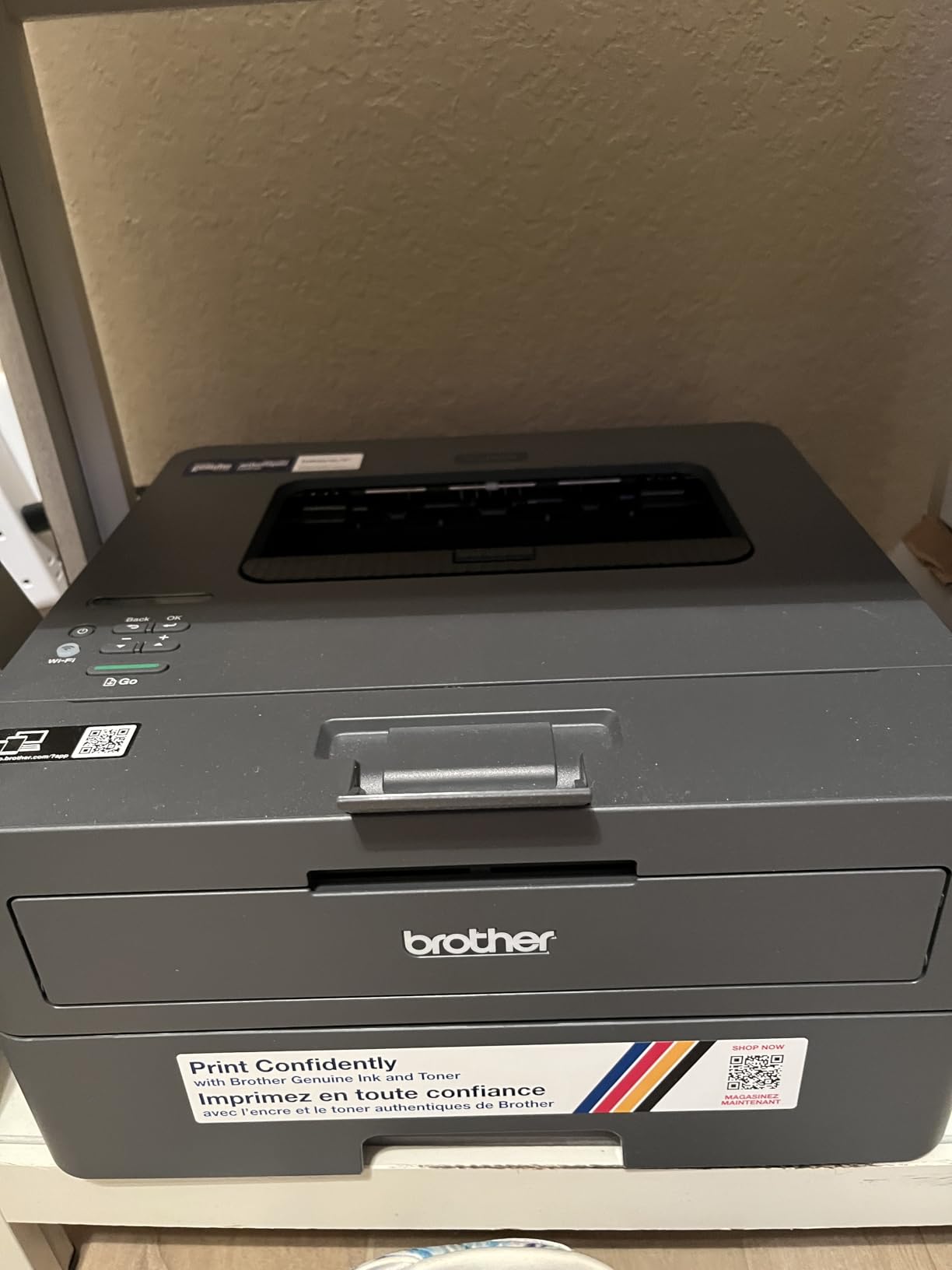
The compact footprint measures just 14.2 x 14 x 7.2 inches, making this one of the smallest laser printers available. I placed it on a crowded desk without sacrificing much workspace. The dual-band wireless connectivity offers flexibility for network placement.
The print-only design means no scanning or copying capability. Manual duplex printing requires flipping pages by hand for double-sided documents. Some users report WiFi setup challenges with older Mac systems.
Who Should Buy This Printer
Small businesses and freelancers who only need reliable text printing will find excellent value. The compact size suits tight spaces and the toner system avoids inkjet drying problems for infrequent use.
Who Should Avoid This Printer
Anyone needing scanning or copying must look elsewhere. The lack of automatic duplex printing makes this unsuitable for heavy double-sided document needs. Color printing requirements obviously cannot be met here.
Small Business Printer Buying Guide (2026)
Choosing the right printer involves balancing upfront costs, ongoing expenses, and feature requirements. This buying guide breaks down the key considerations for small businesses in 2026.
Laser vs Inkjet: Which Is Right for Your Business?
The fundamental choice between laser and inkjet technology significantly impacts your printing experience and costs.
Laser Printers use toner powder fused to paper with heat. They excel at text documents, offer faster print speeds, and toner does not dry out between uses. This makes laser printers ideal for businesses with sporadic printing needs or high-volume text output. Operating costs per page typically run lower than inkjet alternatives.
Inkjet Printers spray liquid ink onto paper. They produce better photo quality and handle a wider variety of paper types. However, ink cartridges can dry out if the printer sits unused for extended periods. Inkjet operating costs per page generally exceed laser printers.
Our Recommendation: For most small businesses primarily printing documents, laser printers offer better value and reliability. Choose inkjet only if photo quality or specialty media support is essential.
Understanding Cost Per Page
The purchase price tells only part of the story. Cost per page determines your actual long-term expenses.
Calculate cost per page by dividing cartridge price by estimated yield. A $80 toner cartridge rated for 3,000 pages costs about 2.7 cents per page. Compare this across models to understand true operating costs.
High-yield cartridges often provide better value. The Brother MFC-L5915DW’s 18,000-page ultra high-yield toner dramatically reduces per-page costs compared to standard cartridges. Businesses printing thousands of pages monthly should prioritize high-yield options.
EcoTank and supertank printers like the Epson ET-2800 offer the lowest running costs by eliminating cartridges entirely. The upfront investment pays off over time through dramatically reduced ink expenses.
Key Features to Consider
- Print Speed (PPM): Pages per minute matters for busy offices. Speeds above 25 ppm suit most small businesses, while high-volume environments benefit from 35+ ppm models.
- Automatic Document Feeder (ADF): Essential for multi-page scanning and copying. ADF capacity typically ranges from 35 to 70 sheets. Single-pass duplex scanning saves significant time for two-sided documents.
- Duplex Printing: Automatic double-sided printing saves paper and produces professional-looking documents. Manual duplex requires flipping pages manually, which becomes tedious quickly.
- Paper Capacity: Standard trays hold 100-250 sheets. High-volume offices should consider expandable models reaching 1,000+ sheets to minimize reload interruptions.
- Connectivity: Dual-band WiFi (2.4GHz and 5GHz) provides flexibility. Ethernet offers wired stability for office networks. USB allows direct computer connection when wireless fails.
Brand Comparison: Brother vs HP vs Epson vs Canon
Brother consistently earns recommendations for reliability and value. Their laser printers are particularly well-regarded for longevity, with many users reporting 5+ years of dependable service. Brother toner systems tend to be more flexible with third-party cartridge options.
HP offers polished software and widespread availability. However, HP’s DRM measures and Instant Ink subscription requirements frustrate some business users. Their TerraJet toner technology in newer models produces excellent color quality.
Epson pioneered the EcoTank cartridge-free system that dramatically reduces running costs. Their printers excel at photo quality but may lag in speed compared to laser alternatives.
Canon balances quality and affordability well. Their PIXMA line produces excellent color output for documents and photos. Canon’s ink costs tend to fall between Epson and HP in overall expense.
Industry-Specific Recommendations
- Legal and Accounting Firms: Prioritize monochrome laser printers with high duty cycles and reliable text quality. The Brother MFC-L5915DW or HP LaserJet Pro MFP 3101sdw suit these environments well.
- Creative Agencies and Marketing: Color laser or high-quality inkjet printers become essential. The Brother MFC-L3720CDW or HP Color LaserJet Pro MFP 3301sdw deliver professional color output.
- Medical Offices: High-volume scanning and HIPAA compliance requirements suggest Brother business-class models with robust security features and fast ADF scanning.
- Real Estate and Sales: Portability and photo quality matter. The Canon PIXMA TR8620a offers good balance between document quality and photo capabilities.
FAQ’s
What is the best home printer for a small business?
The best home printer for small business depends on your specific needs. For most users, the HP Color LaserJet Pro MFP 3301sdw offers the best balance of print quality, speed, and reliability. If budget is a concern, the HP LaserJet Pro MFP 3101sdw provides excellent monochrome laser printing at a lower price point. For the absolute lowest running costs, the Epson EcoTank ET-2800 cartridge-free system can save up to 90% on ink expenses over time.
Which is better, HP or Epson?
HP and Epson serve different priorities well. HP printers typically offer faster print speeds, more polished software, and wider availability of supplies. However, HP’s DRM restrictions and Instant Ink subscription requirements can frustrate some users. Epson’s EcoTank line excels at minimizing running costs through cartridge-free printing, potentially saving hundreds of dollars over the printer’s lifetime. For businesses prioritizing low operating costs, Epson often wins. For those valuing speed and ecosystem integration, HP may be the better choice.
What printer to buy when you don’t use it often?
For infrequent printing, laser printers are significantly better than inkjet alternatives. Laser toner does not dry out between uses, while inkjet cartridges can clog or dry if the printer sits idle for weeks. The Brother HL-L2405W or HP LaserJet Pro MFP 3101sdw are excellent choices for occasional printing because toner remains usable for years regardless of frequency. Avoid inkjet printers if you print less than once per week to prevent nozzle clogging issues.
Is a Canon or HP printer better?
Canon and HP each have distinct strengths. Canon printers generally produce better photo quality and offer straightforward operation without aggressive subscription upsells. HP printers tend to be faster and offer more advanced features like self-healing WiFi and AI-enabled functions. However, HP requires Instant Ink subscription for full cartridge use, which some businesses find restrictive. For photo printing and simplicity, choose Canon. For speed and advanced features, HP often performs better. Both brands offer reliable hardware with comparable reliability ratings.
Final Thoughts
The right printer for your small business depends on your specific workflow, budget, and output requirements. After extensive testing, our top recommendation goes to the HP Color LaserJet Pro MFP 3301sdw for businesses needing professional color output. The combination of print quality, speed, and all-in-one functionality makes it the most versatile choice for typical small business needs.
For budget-conscious buyers, the HP LaserJet Pro MFP 3101sdw delivers exceptional value with fast monochrome printing and reliable performance. If running costs are your primary concern, the Epson EcoTank ET-2800 eliminates cartridge expenses almost entirely through its refillable tank system.
Consider your actual printing volume, color requirements, and scanning needs before deciding. A printer that costs more upfront but offers lower operating costs often provides better long-term value for growing businesses.