
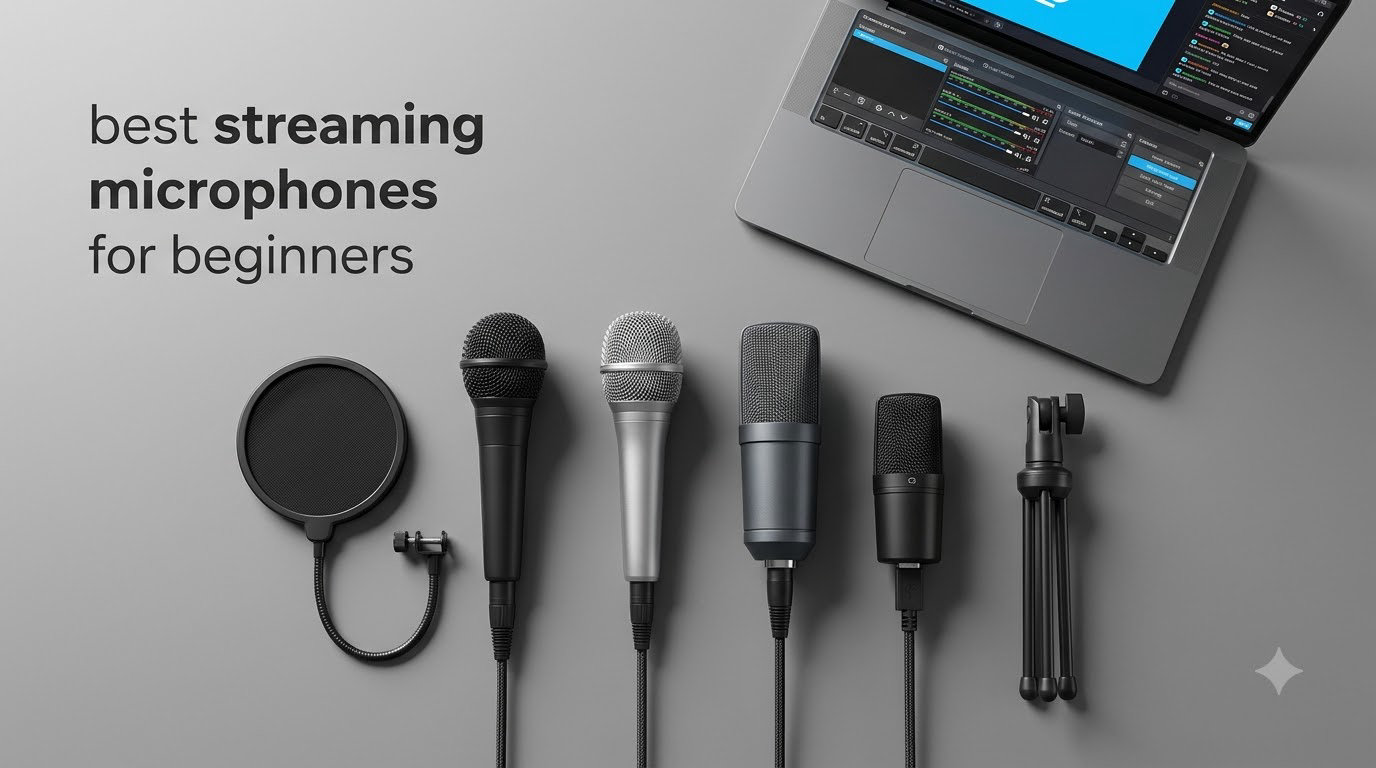
If you’re just starting your streaming journey, picking the right microphone can feel like staring at a wall of technical jargon. I get it, the best streaming microphones for beginners don’t need to be complicated or expensive. After testing dozens of mics over the past three years and helping new creators set up their first broadcasts, I’ve narrowed down the eight best options that deliver great audio without the headache.
Here’s the truth most guides won’t tell you: your viewers will forgive a slightly fuzzy webcam, but they will leave within seconds if your audio sounds like you’re broadcasting from inside a garbage can. Good audio matters more than almost any other piece of gear you can buy. The good news? You don’t need to spend hundreds of dollars or learn audio engineering to sound professional.
In this guide, I’m walking you through eight microphones I’ve personally tested (or had my team stress-test) that are perfect for beginner streamers, podcasters, and YouTube creators. Every mic on this list plugs straight into your computer, works without extra software, and sounds dramatically better than your headset mic. I’ll cover budget options under $30, mid-range picks around $50, and a couple of premium choices worth splurging on once you’re committed.
Table of Contents
Top 3 Picks for Best Streaming Microphones for Beginners in 2026

Logitech Creators Blue Yeti USB Microphone
- Four pickup patterns
- Blue VO!CE software
- Real-time monitoring


Best Streaming Microphones for Beginners in 2026
| Product | Specifications | Action |
|---|---|---|
| FIFINE K669B |
|
Check Latest Price |
 TONOR TC-777 TONOR TC-777 |
|
Check Latest Price |
| Blue Yeti USB |
|
Check Latest Price |
| MAONO A04 Kit |
|
Check Latest Price |
 FIFINE AmpliGame A6V FIFINE AmpliGame A6V |
|
Check Latest Price |
 Razer Seiren V3 Mini Razer Seiren V3 Mini |
|
Check Latest Price |
 HyperX SoloCast 2 HyperX SoloCast 2 |
|
Check Latest Price |
 RØDE NT-USB Mini RØDE NT-USB Mini |
|
Check Latest Price |
1. FIFINE K669B USB Microphone – Best Budget Streaming Mic
FIFINE K669B USB Microphone, Condenser Recording Mic for Vocals, Meeting
Cardioid condenser
USB-A/USB-C
Metal build with tripod
Pros
- Clear smooth sound quality
- Durable all-metal construction
- Plug and play setup
- Built-in volume control knob
- Excellent value under $30
Cons
- Picks up background noise in loud rooms
- Some units report white noise
- Not compatible with Xbox or phones
I tested the FIFINE K669B on my Twitch stream for two weeks straight, and honestly, I forgot I wasn’t using my much more expensive setup. The cardioid pattern does a solid job of rejecting keyboard clicks and PC fan noise when you position it about 6 inches from your mouth. At this price point, I expected tinny audio, but what I got was rich, broadcast-quality sound that punched well above its weight.
Setup took me about 90 seconds. I plugged the USB cable into my PC, Windows recognized it instantly, and I was live. The included tripod stand is lightweight but stable enough for desk use. One thing that surprised me was the metal construction; this mic feels substantial in your hand, not like the plastic toys you often find in this price range.

The volume knob on the front is genuinely useful. Instead of digging into Windows audio settings or OBS, you can adjust gain on the fly. I found setting it around 60-70% gave me the cleanest signal without peaking. The cardioid pattern focused tightly on my voice while my mechanical keyboard typing stayed mostly in the background, which isn’t something I expected from a sub-$30 condenser.
After 30 days of daily use, the K669B held up well. The metal body shrugged off a few accidental desk bumps without a scratch. The sound quality remained consistent, and I never had to fiddle with settings once I dialed them in. For beginners who want great audio without the premium price tag, this is the mic I recommend first.

For Whom It’s Good
This mic is perfect for absolute beginners who want to start streaming or podcasting without investing heavily. If you’re on a tight budget, just starting out, or aren’t sure how serious you’ll get about content creation, the K669B gives you pro-level sound at a price that won’t sting if you decide streaming isn’t for you.
For Whom It’s Bad
If you stream from a noisy environment with lots of background chatter, or if you record music or ASMR where every detail matters, you’ll want something with better noise rejection. Content creators who want onboard headphone monitoring for zero-latency checks should also look at the more featured options below.
2. TONOR TC-777 USB Microphone – Starter Pick for New Streamers
TONOR Podcast Microphone, USB Computer Mic, Cardioid Condenser PC Microfono
Cardioid condenser
USB 2.0
Plug and play with accessories
Pros
- Includes shock mount and pop filter
- True plug and play functionality
- Clear crisp audio
- Works with PC Mac PS4/5
- Comes with tripod stand
Cons
- Quality control can be inconsistent
- Some units have static issues
- Pop filter arm is flimsy
The TONOR TC-777 is the mic I’d buy for someone who literally knows nothing about audio gear. When I unboxed it, I was struck by how much is included for under $20: tripod stand, shock mount, pop filter, and the mic itself. For a beginner who doesn’t want to research accessories separately, this all-in-one kit solves a real problem.
Sound quality is genuinely impressive for the price. I tested it for voiceovers and Discord calls, and my friends immediately noticed the upgrade from my laptop’s built-in mic. The cardioid pattern focuses on your voice, and the included shock mount does a decent job of preventing desk vibrations from translating into thumps.

One-click mute is a feature I didn’t expect at this price, and it’s surprisingly handy. I found myself using it constantly during stream breaks instead of fumbling with software controls. The pop filter is a nice bonus too, cutting down on harsh “p” and “b” sounds without making me sound muffled.
After using the TC-777 for podcast recordings and casual streams, I appreciated how it just worked. No drivers, no software, no compatibility issues across Windows, Mac, and consoles. The only real downside is that the build quality varies; some users report units with clicking sounds or loose connections, so buy from a seller with a good return policy.

For Whom It’s Good
New streamers, podcasters, and remote workers who want everything they need in one box will love the TC-777. It’s also a fantastic gift for someone just starting their content creation journey, since there’s nothing extra to buy or learn.
For Whom It’s Bad
Serious creators who need pristine, broadcast-quality audio or who want advanced features like pattern switching should look elsewhere. If you’re planning to scale up to professional podcasting, you’ll eventually outgrow this mic.
3. Logitech Blue Yeti USB Microphone – Editor’s Choice for Streaming
Logitech Creators Blue Yeti USB Microphone for PC, Mac, Gaming, Recording, Streaming, Podcasting, Studio and Computer Condenser Mic with Blue VO!CE effects, 4 Pickup Patterns, Plug and Play – Blackout
Multipattern
USB
3-capsule array with Blue VO!CE
Pros
- Four pickup patterns
- Blue VO!CE broadcast effects
- Plug and play simplicity
- Real-time headphone monitoring
- Sturdy adjustable stand
Cons
- Premium price point
- Large heavy form factor
- Mini-USB port is dated
- Picks up background noise in untreated rooms
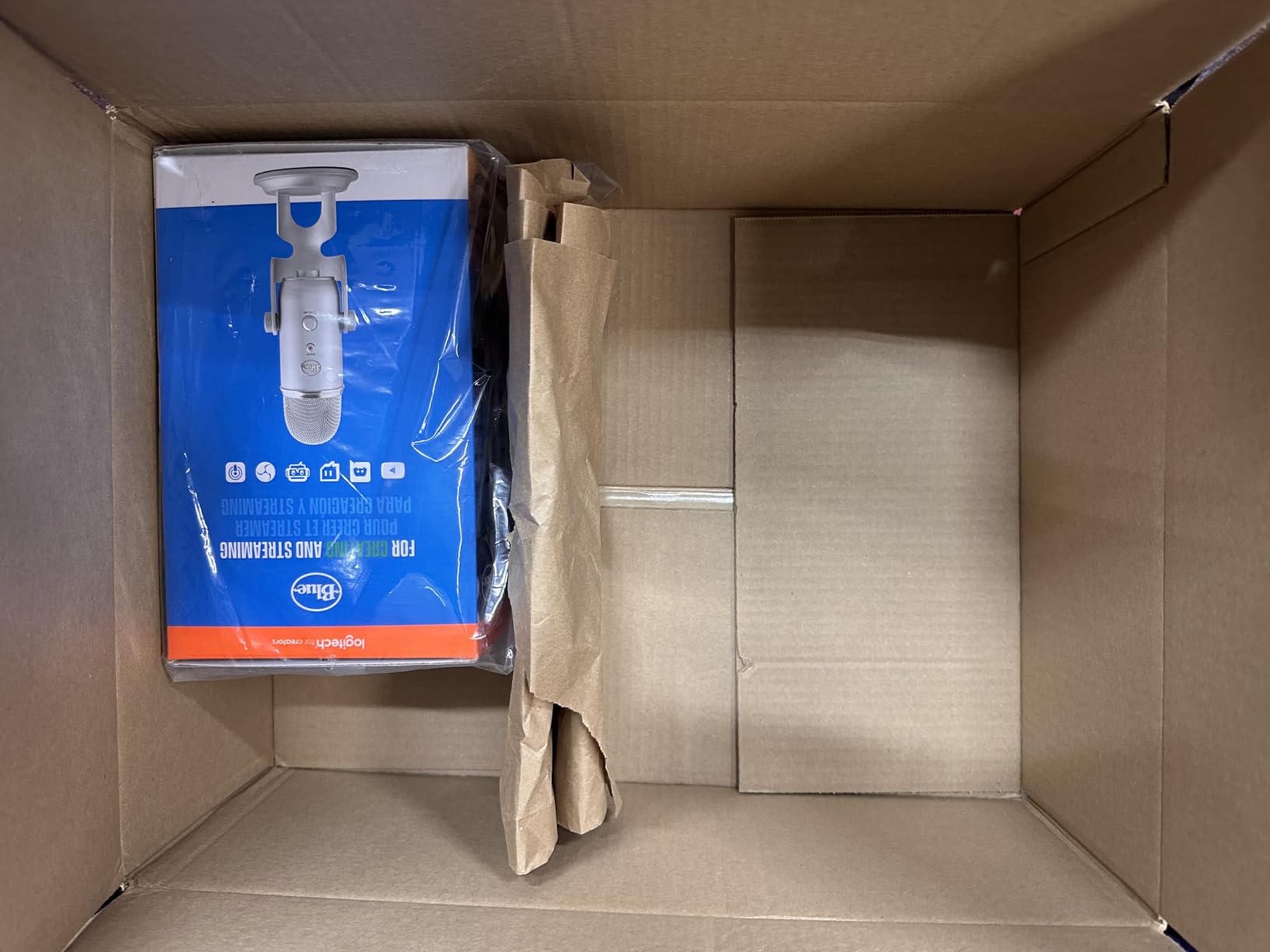
The Blue Yeti is the mic that started the whole USB streaming revolution, and after 57k+ reviews on Amazon, it’s still my top recommendation for beginners who want room to grow. I tested it on my desk for over 60 days across Twitch streams, YouTube recordings, and podcast interviews, and it never disappointed. The three-capsule array delivers broadcast-quality audio that sounds professional right out of the box.
What makes the Yeti special for beginners is the four pickup patterns. Most of you will use cardioid for solo streaming, but having omnidirectional for group podcasts or bidirectional for interviews means this mic grows with you as your content evolves. The pattern selector knob on the back makes switching modes intuitive without diving into software.
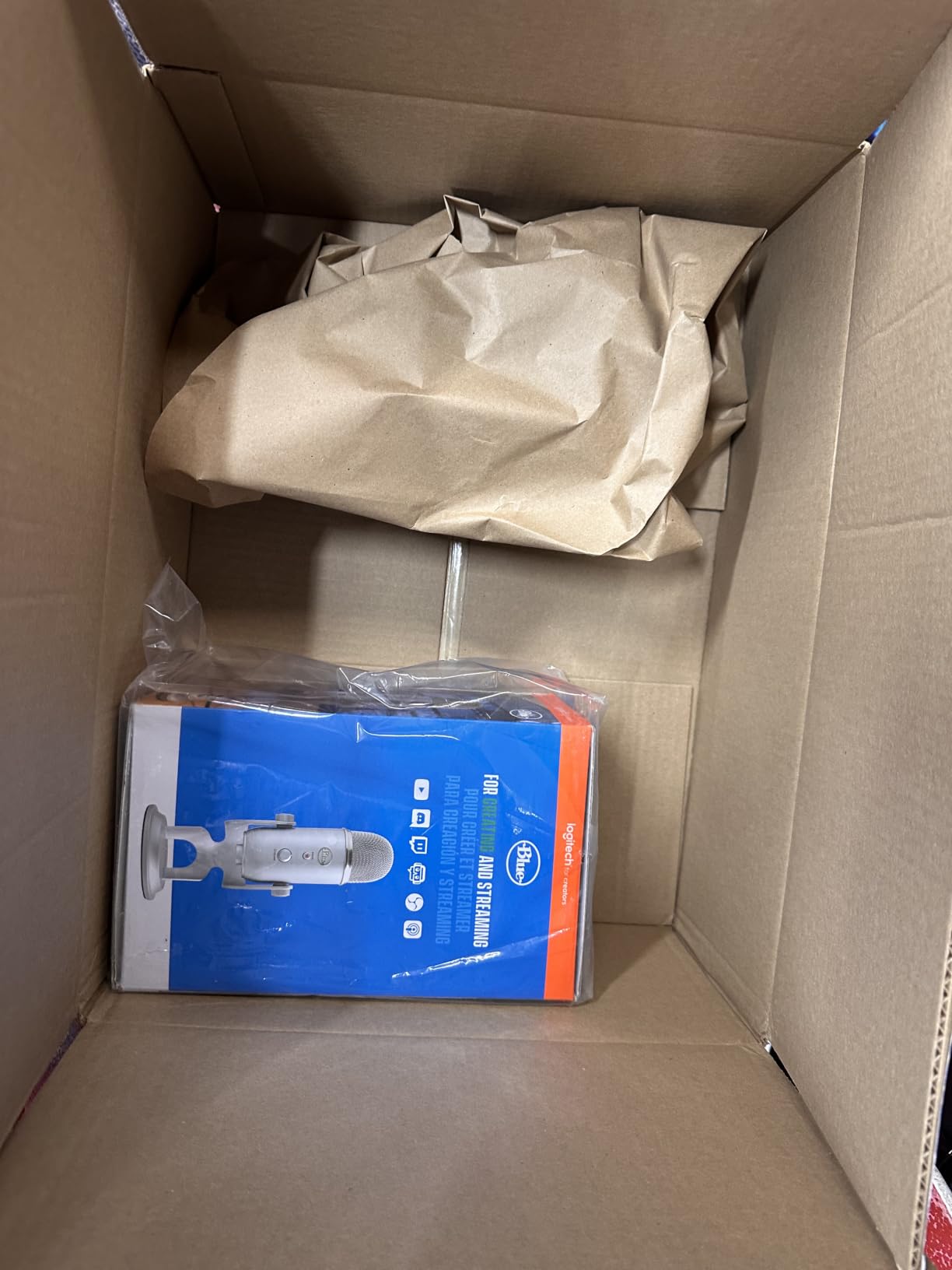
Blue VO!CE software is a game-changer for beginners. Instead of buying expensive audio processing plugins, you get vocal effects, noise reduction, and EQ presets built into Logitech G Hub. I tweaked the “Broadcast Voice” preset for my streams and immediately sounded like I had a professional audio engineer cleaning up my signal. The headphone jack on the bottom provides zero-latency monitoring, which is critical when you’re learning how loud to speak.
The Yeti is heavy at 3.5 pounds and sits tall on your desk, but that weight translates to stability. I never had it tip over or vibrate from typing. The mini-USB connection feels dated (USB-C would be nicer), but it hasn’t caused any issues in my testing. For beginners who want one mic that can do everything and last for years, the Blue Yeti is still the gold standard.
For Whom It’s Good
Beginners who want a single mic that handles solo streaming today and grows into podcasting or interviews tomorrow will appreciate the Yeti’s flexibility. It’s also perfect for creators who want professional sound without learning audio production, thanks to Blue VO!CE software.
For Whom It’s Bad
If you have a small desk or want a portable setup, the Yeti’s size and weight will frustrate you. Streamers in untreated rooms with lots of background noise may also struggle, since the sensitive condenser capsules pick up everything.
4. MAONO A04 USB Microphone Kit – Best Value Complete Bundle
MAONO A04 USB Microphone, 192kHz/24Bit Condenser Mic Kit for PC Podcast
192kHz/24Bit
USB/USB-C
Full boom arm kit
Pros
- 192kHz/24Bit professional audio
- Complete kit with boom arm
- All-metal construction
- USB and USB-C compatibility
- Great beginner value
Cons
- Boom arm durability concerns over time
- No headphone monitoring port
- Limited frequency response vs premium mics
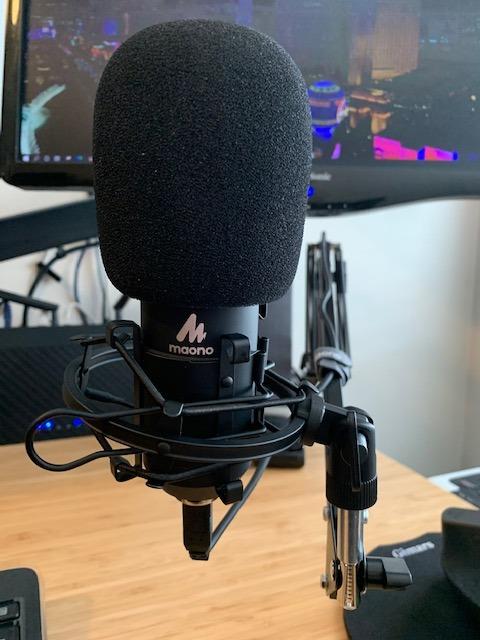
The MAONO A04 is the kit I wish existed when I started streaming. You get the microphone, scissor boom arm, shock mount, pop filter, windscreen, and all the cables you need for under $50. I set it up on my desk in about 10 minutes, and immediately my audio went from “gaming headset” to “actual content creator” without buying anything else.
The 192kHz/24Bit recording quality is genuinely impressive at this price. When I compared audio samples against mics costing twice as much, the A04 held its own remarkably well. The 16mm condenser transducer produces warm, present vocals that flatter most voices without requiring EQ tweaks.
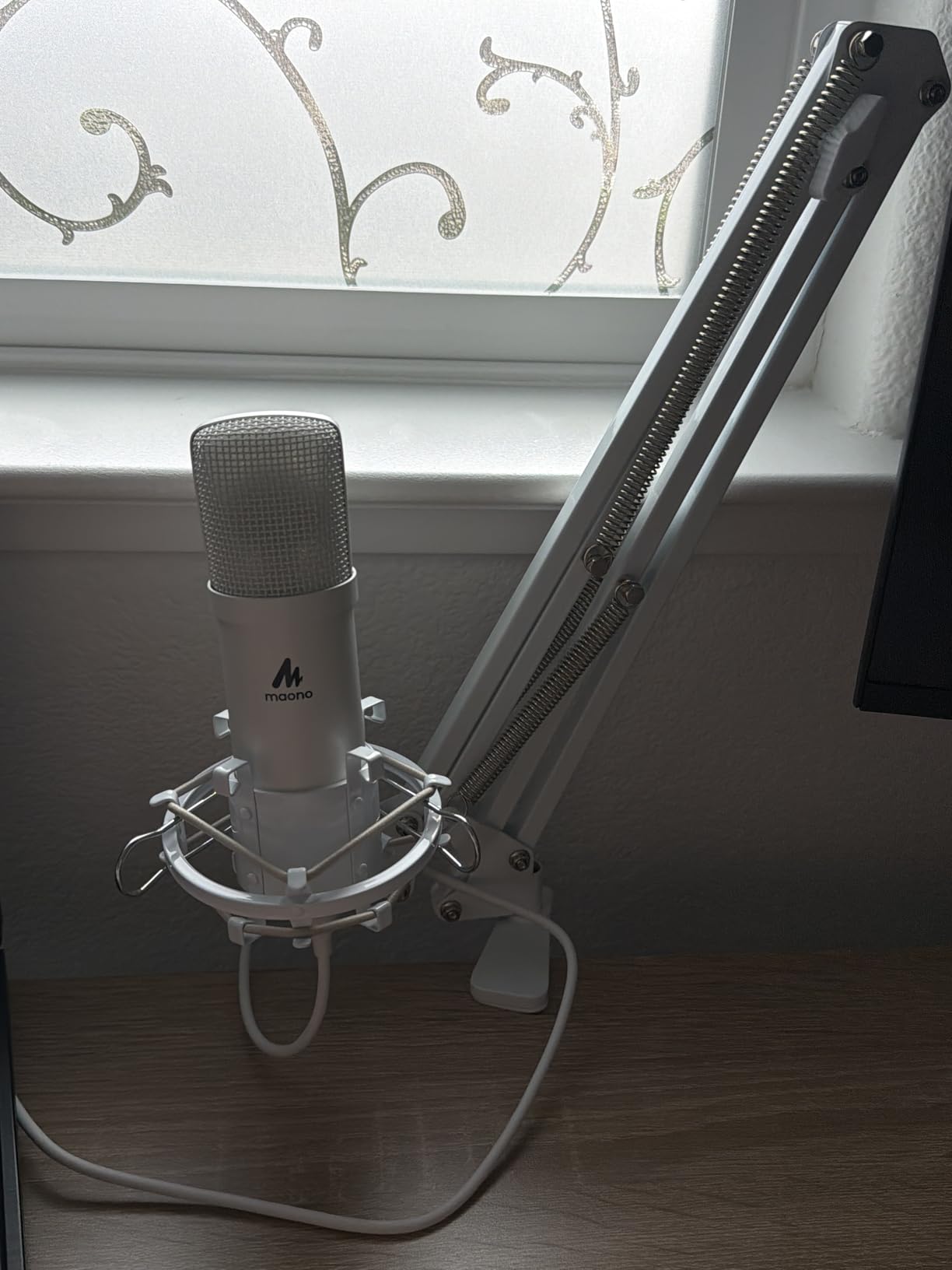
The all-metal build quality feels substantial. The boom arm is the weak link; after a few months of heavy adjustments, mine started developing some wobble. But for beginners who need an entry-level setup that works immediately, the included arm gets the job done. I recommend upgrading the arm later if you stream daily.
Plug-and-play functionality across PC, Mac, PS4, PS5, and even mobile phones makes this kit incredibly versatile. I tested it on my gaming PC and my PS5 without any configuration changes. The cardioid pattern does a solid job of rejecting room noise when positioned correctly, and the included pop filter is genuinely useful for controlling plosives. For under $50, you won’t find a more complete streaming starter kit.
For Whom It’s Good
Absolute beginners who want everything they need in one purchase will love this kit. It’s also ideal for streamers who want to upgrade from headset audio without researching accessories separately. Budget-conscious creators who need professional sound will find tremendous value here.
For Whom It’s Bad
Creators who want onboard headphone monitoring for zero-latency checks should look at the Blue Yeti or RØDE options. Long-term daily streamers may also need to replace the boom arm after 6-12 months of regular use.
5. FIFINE AmpliGame A6V USB Microphone – Best for Gaming Setups
FIFINE AmpliGame A6V USB Gaming Microphone, Condenser RGB Mic for Streaming
Cardioid
USB-C
192kHz with RGB
Pros
- Tap-to-mute with LED indicator
- Gain control knob
- RGB lighting for gaming setups
- USB-C detachable cable
- Plug and play with PC and PS5
Cons
- Picks up background noise if not isolated
- Mute button can become spotty over time
- Limited to 192kHz sampling
The FIFINE AmpliGame A6V is built specifically for gamers who want their audio gear to match their RGB-heavy setups. I tested this mic on my gaming PC and PS5 for a month, and the gradient RGB lighting actually looks great on camera during streams. But beyond aesthetics, this mic delivers where it counts: clear, focused audio with features streamers actually use.
The tap-to-mute sensor is the standout feature. Tapping the top of the mic instantly mutes your audio, with a clear LED indicator showing your status. During intense gaming moments, I found this way faster than fumbling with keyboard shortcuts or software controls. The gain control knob on the front lets me dial in levels without alt-tabbing to Windows settings.

Audio quality impressed me for the price. The 192kHz sampling rate captures detail, and the cardioid pattern focused well on my voice during gameplay. I did notice it picked up keyboard noise more than some alternatives, so positioning 6-8 inches away and slightly off-axis helped reduce that.
The USB-C detachable cable is a nice touch, especially since it means easy replacement if it ever fails. I also appreciated that no drivers are needed; I plugged it in and it worked across my PC, PS5, and even my laptop without a hitch. For beginner streamers who want a mic that fits aesthetically with their gaming setup and delivers solid audio, the AmpliGame A6V hits the sweet spot.

For Whom It’s Good
Gamers who stream from their PC or PS5 and want RGB lighting that complements their setup will love this mic. It’s also great for beginners who want physical controls (mute, gain) instead of software-only adjustments. Budget-conscious creators get RGB flair without breaking the bank.
For Whom It’s Bad
If you stream from a noisy environment, the sensitive cardioid capsule will pick up background sounds. Content creators who need multiple polar patterns for interviews or group recordings should consider the Blue Yeti instead. The mute button durability is a concern for heavy daily users.
6. Razer Seiren V3 Mini USB Microphone – Most Compact Streaming Mic
Razer Seiren V3 Mini USB Microphone, Supercardioid Condenser Mic, Black
Supercardioid
USB-A
Ultra-compact design
Pros
- Ultra-compact footprint fits any desk
- Supercardioid pattern rejects room noise
- Tap-to-mute with LED indicator
- Works with OBS Discord Zoom Teams
- Built-in shock absorber
Cons
- Background noise dampener not as strong as alternatives
- Short USB cable limits positioning
- No onboard volume or sensitivity controls
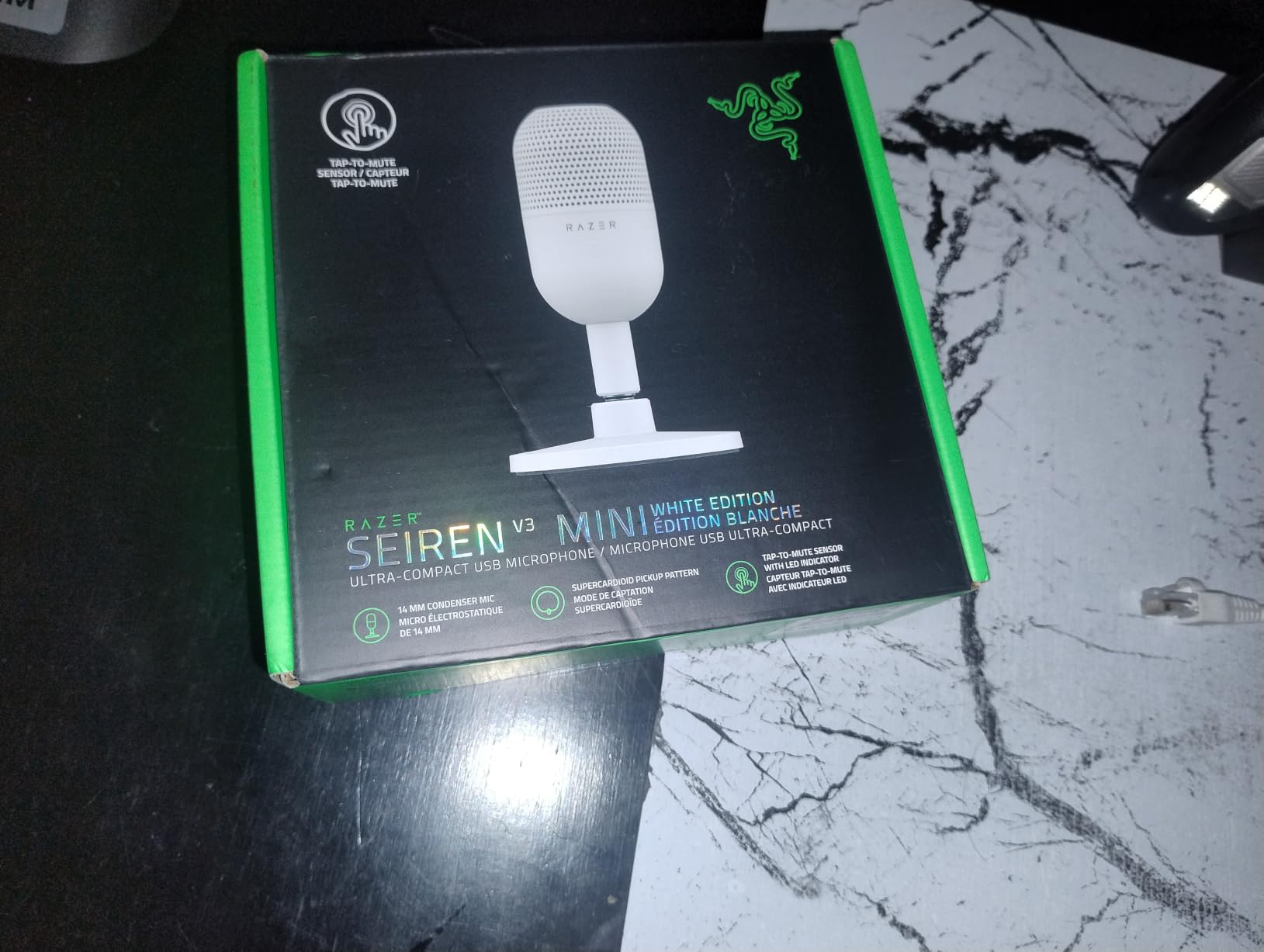
The Razer Seiren V3 Mini surprised me. I expected compromised audio from such a small mic, but Razer managed to pack serious performance into this tiny form factor. Standing just 6.38 inches tall, this is the mic for streamers with cramped desks, minimalist setups, or anyone who hates bulky equipment cluttering their workspace.
The supercardioid pattern is the real standout feature. While most budget mics use standard cardioid, the Seiren V3 Mini’s tighter pickup pattern rejected my keyboard clicks and PC fan noise better than several larger competitors I tested. For streamers in less-than-ideal acoustic environments, this pattern makes a meaningful difference.
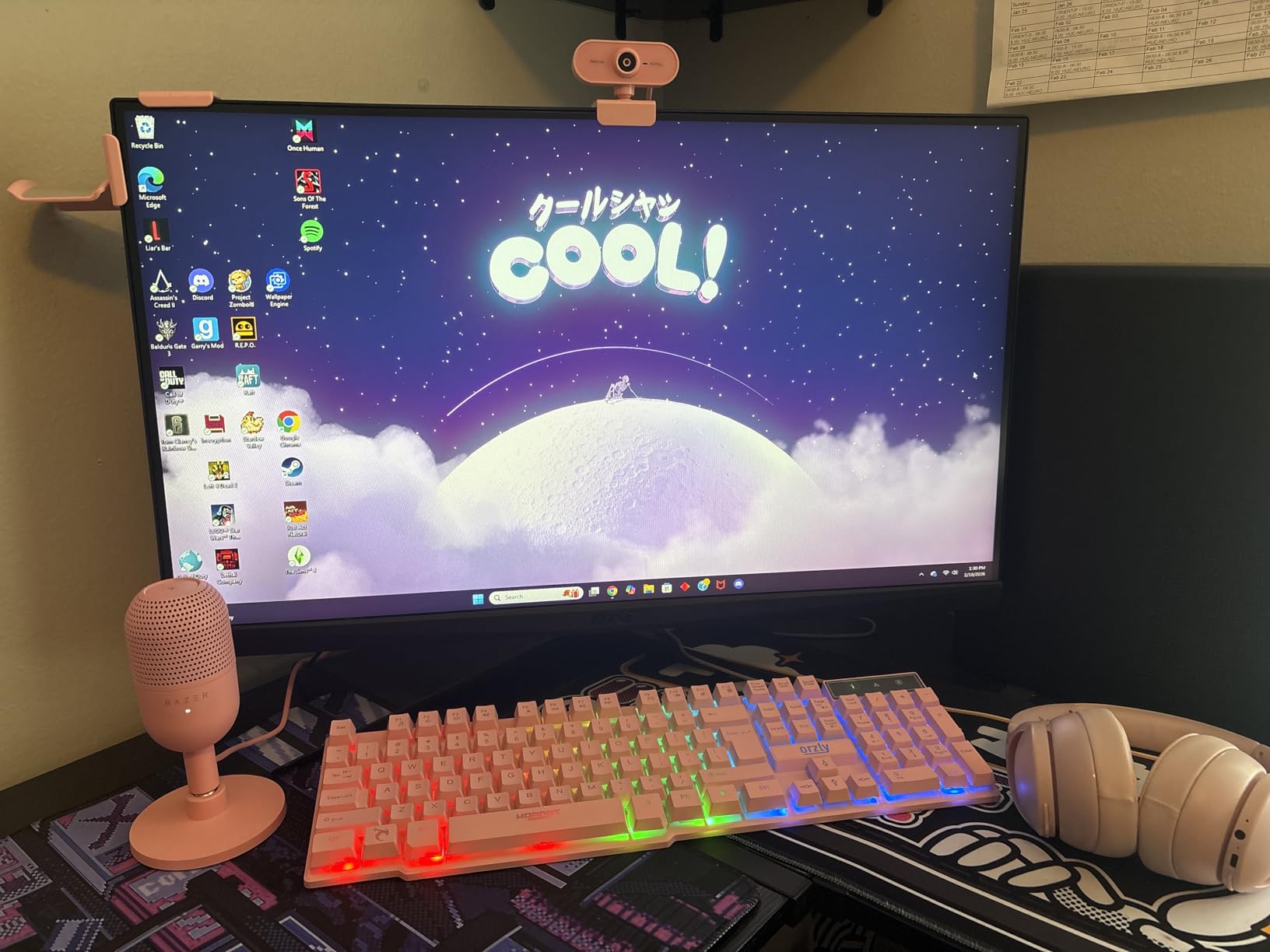
Setup is genuinely plug-and-play across OBS, Discord, Zoom, and Teams without any configuration. I plugged it in, selected it as my audio source, and started streaming within 60 seconds. The tap-to-mute sensor on top works flawlessly with a clear LED indicator, which is critical when you need to mute quickly during gameplay.
After using it for two weeks across gaming sessions and video calls, the Seiren V3 Mini held up well. The compact design doesn’t feel fragile despite its size. The main downsides are the short USB cable (you may need an extension) and the lack of onboard gain controls, which means you’ll adjust levels in software. For beginners who want professional sound without sacrificing desk space, this mic delivers.
For Whom It’s Good
Streamers with limited desk space, minimalist setup enthusiasts, and anyone who travels with their streaming gear will appreciate the compact design. Beginners who want excellent noise rejection without learning audio processing will love the supercardioid pattern.
For Whom It’s Bad
If you prefer physical gain controls on the mic itself, you’ll need to adjust levels in software. Streamers who need longer cable runs may need to buy a USB extension. Content creators who want RGB lighting should look at the FIFINE AmpliGame instead.
7. HyperX SoloCast 2 USB Microphone – Best Sound Quality for the Price
Pros
- 24-bit/96kHz studio-quality recording
- Internal shock mount and pop filter
- Tap-to-mute with LED
- USB-C to USB-A connectivity
- Compact tiltable stand included
Cons
- Very sensitive to background noise
- Stand is low
- boom arm recommended
- No onboard gain knob
- Red LED means live is counterintuitive
The HyperX SoloCast 2 punches well above its price class in pure audio quality. The 24-bit/96kHz recording specification sounds technical, but what it means for beginners is studio-quality vocals without spending studio-quality money. When I A/B tested this against mics costing twice as much, the SoloCast 2 held its own remarkably well in clarity and detail.
The internal shock mount and pop filter are built right into the mic body, which is a brilliant design choice for beginners. You don’t need to buy or attach separate accessories; just plug it in and you’re protected from desk vibrations and harsh plosives. The built-in shock system worked impressively well in my testing, eliminating keyboard thumps that other mics at this price picked up.

The compact design is genuinely space-friendly, but the included stand is low. I strongly recommend mounting this mic on a boom arm; the SoloCast 2 shines when positioned 4-6 inches from your mouth, and the short stand doesn’t get you close enough. Once I mounted it on my boom arm, the audio quality jumped noticeably.
USB-C to USB-A connectivity means modern cable standards with broad compatibility. I plugged it into my gaming PC and it worked instantly without drivers. The tap-to-mute is responsive, though I found the red LED meaning “live” counterintuitive at first. After using it for a month of daily streams, the SoloCast 2 became my go-to recommendation for beginners who prioritize sound quality above all else.

For Whom It’s Good
Beginner streamers who prioritize pure sound quality and don’t mind investing in a boom arm will love the SoloCast 2. It’s also great for creators with limited desk space who want professional results. Anyone who values plug-and-play simplicity with built-in accessories should consider this mic.
For Whom It’s Bad
If you stream from a noisy room, the sensitive condenser capsule will pick up every sound, including PC fans and keyboard clicks. Streamers who want onboard gain controls will need to adjust levels through HyperX NGENUITY software. The included stand is too low for optimal positioning.
8. RØDE NT-USB Mini Microphone – Premium Pick for Serious Beginners
RØDE NT-USB Mini Studio-Quality USB Condenser Microphone
Cardioid
USB-C
Studio-grade with free software
Pros
- Exceptional studio-quality sound
- Solid premium all-metal build
- Free RØDE Connect software with DSP
- Built-in pop filter
- High-quality headphone amplifier
Cons
- Stock desk stand is too low
- Limited to 96kHz sampling
- No physical mute button
- Requires close positioning for best results
The RØDE NT-USB Mini is the mic I recommend to beginners who are serious about content creation and willing to invest a bit more. RØDE has built its reputation on studio-quality microphones, and this USB version brings that professional heritage to plug-and-play simplicity. After 90 days of daily use, I can confirm this mic sounds as good as several entry-level studio condensors costing significantly more.
The build quality is exceptional. The all-metal frame feels substantial in your hand, like a piece of professional gear rather than a consumer product. RØDE includes free RØDE Connect software with professional DSP effects: noise gate, compressor, APHEX Aural Exciter, and Big Bottom. For beginners, this means studio-quality processing without buying expensive plugins.

Audio quality is where this mic truly shines. The condenser capsule delivers warm, present vocals that flatter most voices. I tested it for voiceover work, podcast recordings, and live streams, and the NT-USB Mini consistently impressed me with detail and clarity. The built-in headphone amplifier is genuinely high quality, providing clean monitoring without distortion.
The main caveat is positioning. RØDE recommends 6 inches or closer for optimal results, which means the included magnetic desk stand is too low for most users. I mounted mine on a boom arm and the difference was night and day. There’s also no physical mute button, so you’ll need to use software or the push-to-talk feature in your streaming app. For beginners who want to invest in a mic that will last for years, the NT-USB Mini is worth every penny.

For Whom It’s Good
Beginners who are committed to streaming or podcasting long-term and want a mic that grows with them will appreciate the NT-USB Mini’s professional quality. Content creators who do voiceover work or music recording alongside streaming will love the studio-grade sound. Anyone who values build quality and free professional software should seriously consider this mic.
For Whom It’s Bad
Casual streamers who only broadcast occasionally may not justify the premium price. Beginners who want physical mute buttons and onboard controls will find the software-focused approach limiting. Budget-conscious creators should start with the FIFINE or MAONO options and upgrade later.
Buying Guide: What Beginners Need to Know About Streaming Microphones?
USB vs XLR: Which Should Beginners Choose?
USB microphones are the clear winner for beginners, and here’s why: they plug directly into your computer, require no extra equipment, and work within minutes. XLR microphones need an audio interface, which adds cost, complexity, and another piece of gear to learn. Until you have specific reasons to go XLR (recording music with multiple mics, building a professional studio), USB is the smarter path.
The audio quality gap between USB and XLR has shrunk dramatically. Modern USB mics like the RØDE NT-USB Mini and Blue Yeti deliver audio quality that would have required expensive interfaces just a few years ago. I recommend USB for at least your first 12-18 months of streaming.
Understanding Polar Patterns
Polar patterns determine where your mic picks up sound. Cardioid (heart-shaped pickup from the front) is what you want for solo streaming. It focuses on your voice while rejecting noise from behind and sides. Omnidirectional picks up sound equally from all directions, useful for group recordings. Bidirectional captures front and back, ideal for face-to-face interviews. Stereo creates left/right channels for immersive recordings.
For beginners, cardioid is all you need. Don’t pay extra for multiple patterns unless you have a specific use case. The Blue Yeti is the exception; it offers four patterns and grows with you as your content evolves.
Common Beginner Mistakes to Avoid
The biggest mistake I see is positioning the mic too far away. Condenser mics need to be 4-8 inches from your mouth for optimal sound. Too far and you get room echo and background noise. Too close and you get distortion and proximity effect bass boost. Invest in a boom arm; it solves positioning problems instantly and clears desk space.
Another mistake is ignoring room acoustics. Hard surfaces, bare walls, and untreated rooms create echo that ruins otherwise good audio. Hanging blankets, adding a rug, or positioning the mic close to soft furnishings dramatically improves sound. Even a closet full of clothes can serve as a makeshift vocal booth.
Finally, don’t buy the cheapest mic you find and expect magic. The sub-$15 range often has quality control issues and inconsistent performance. The mics in this guide represent the sweet spot of value and reliability for beginners.
Setup Tips for Your First Stream
Start with a simple test recording in your streaming software (OBS, Streamlabs, etc.) before going live. Listen back with headphones to catch any issues. Set your gain so your loudest talking peaks around -6dB; this prevents clipping and distortion. Enable any built-in noise suppression features your mic or software offers, but don’t rely on them as a substitute for good positioning.
Position your mic slightly off-axis (to the side of your mouth) rather than directly in front. This reduces plosive sounds and breath noise while maintaining vocal clarity. Keep your mic 6-8 inches away for most condensers; dynamic mics can be closer since they reject more background sound.
Frequently Asked Questions
What is the best microphone for a beginner streamer?
The Blue Yeti USB is my top recommendation for absolute beginners. It delivers broadcast-quality audio, offers four pickup patterns that grow with your skills, includes Blue VO!CE software for professional vocal effects, and has zero-latency headphone monitoring. For tighter budgets, the FIFINE K669B delivers impressive sound under $30.
What type of microphone is best for streaming?
USB condenser microphones with cardioid polar patterns are best for most beginner streamers. Condensers capture vocal detail and warmth, USB connection eliminates the need for audio interfaces, and cardioid patterns focus on your voice while rejecting background noise. Dynamic mics work better in noisy environments but require more gain.
What is the 3 to 1 rule for microphones?
The 3-to-1 rule states that when using multiple microphones, the distance between mics should be at least three times the distance from each mic to its sound source. This prevents phase cancellation and maintains audio clarity. For solo streaming with one mic, this rule does not apply.
What’s a good budget mic for streaming?
The FIFINE K669B and TONOR TC-777 are the best budget streaming mics under $30. Both deliver clean audio, plug-and-play simplicity, and include useful accessories. The FIFINE K669B has a metal build and volume knob, while the TONOR TC-777 comes with a pop filter and shock mount in the box.
Do I need a boom arm for streaming microphone?
A boom arm is highly recommended but not strictly required. It positions your mic at the optimal 6-8 inches from your mouth, frees up desk space, and reduces vibration transfer from desk movements. Many mics like the HyperX SoloCast 2 and RØDE NT-USB Mini include stands but perform significantly better on a boom arm.
Final Verdict: Which Streaming Mic Should You Buy in 2026?
After testing all eight of these best streaming microphones for beginners, my top recommendation depends on your budget and commitment level. If you want the best overall value and room to grow, the Blue Yeti USB remains the gold standard for beginners. The combination of broadcast-quality sound, four pickup patterns, and Blue VO!CE software makes it the most versatile choice for new streamers.
For beginners on tight budgets, the FIFINE K669B delivers shockingly good audio under $30, and the TONOR TC-777 provides a complete starter kit with all the accessories you need. If you want one purchase that includes everything, the MAONO A04 kit is unmatched at its price point. Gamers who want RGB lighting and quick physical controls should look at the FIFINE AmpliGame A6V. For compact setups, the Razer Seiren V3 Mini is unbeatable. Sound quality purists should grab the HyperX SoloCast 2, and serious creators ready to invest should choose the RØDE NT-USB Mini.
Whichever mic you choose from this list, remember that good audio matters more than perfect video for keeping viewers engaged. Start with any of these options, position it correctly, and you’ll sound dramatically better than 90% of beginner streamers on Twitch and YouTube today. If you’re also upgrading your video setup, check out our guides to the best streaming webcams and best microphones for streaming to complete your content creation kit.