
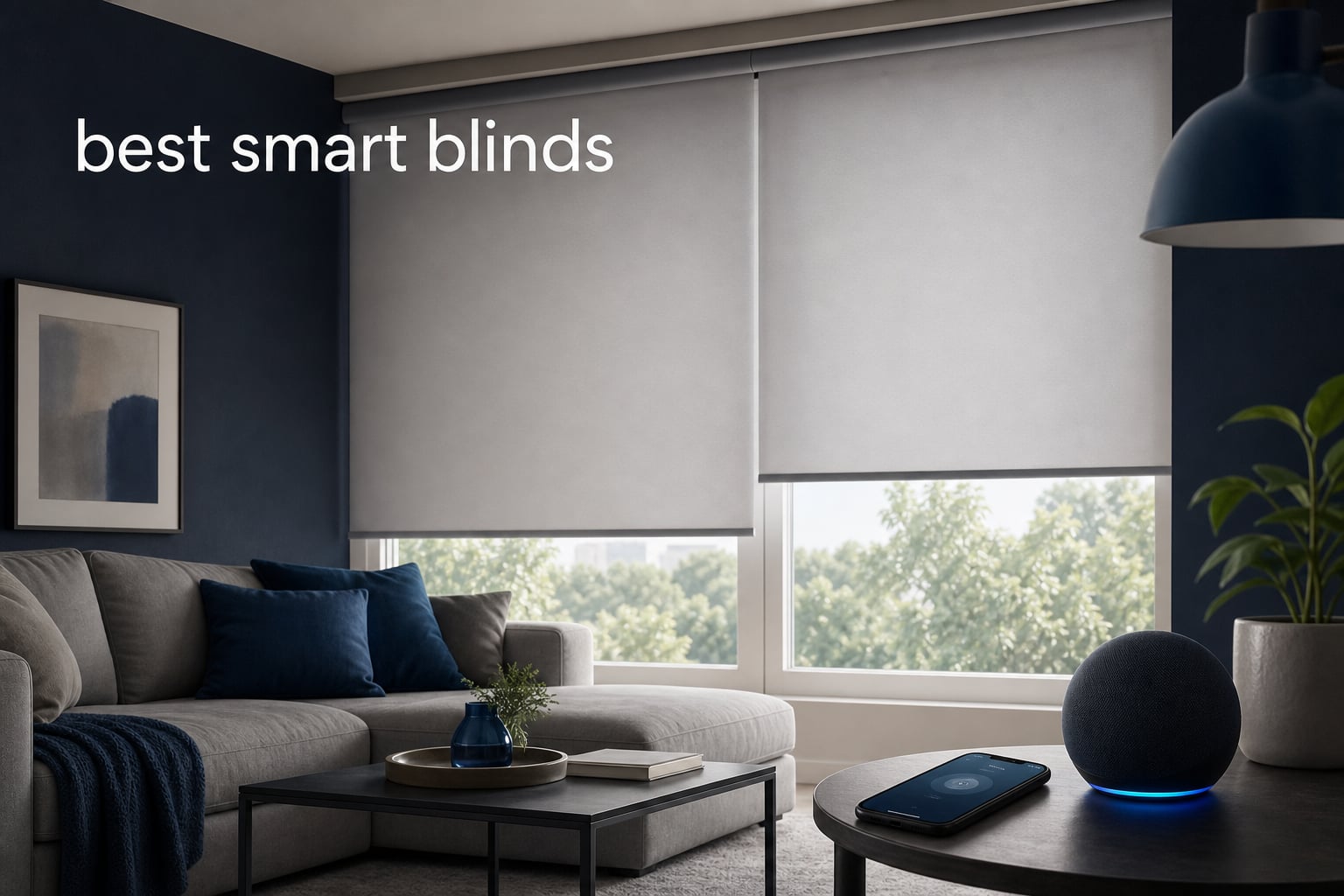
The best smart blinds make a daily room routine feel automatic: raise the shade for morning light, close it for privacy, or control a hard-to-reach window without climbing onto furniture. The right model depends less on a brand name than on three practical facts: whether you need a new covering or a retrofit, how dark the room must become, and which smart-home connection you already use.
For this guide, I compared eight supplied products across their listed fabric, motor, charging, measurement, remote, and ecosystem details. SmartWings is my overall pick for households that want a light-filtering shade with a broad motor menu, KINCMO is the standout blackout choice for Matter and Thread, and SwitchBot is the sensible answer when your existing horizontal blinds only need automated tilt.
Smart blinds are motorized window coverings that open, close, or tilt through a remote, an app, schedules, or a voice assistant. They can improve privacy and glare control, and a cordless design removes the dangling-cord issue in homes with children or pets.
I would not choose based on a voice-assistant logo alone. Forum discussions repeatedly raise the same practical issue: a blind may need an extra hub, a Thread Border Router, or a particular motor before its listed assistant support works, so I call that out where the supplied product details do.
Table of Contents
The top 3 smart blind picks answer most homes’ needs (September 2026)

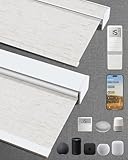
SmartWings Motorized Light Filtering Shades
- Matter and HomeKit options
- 70% light filtering
- 4-6 month battery
KINCMO Motorized Blackout Blinds
- 100% blackout
- Matter and Thread
- Apple HomeKit Alexa Google
My short answer is simple: buy SmartWings when soft daylight, custom dimensions, and a choice of smart motors matter most; buy KINCMO when a dark bedroom and Matter over Thread are the goal; buy SwitchBot when replacing working horizontal blinds would be wasteful. These three cover the most common paths without treating every window like the same project.
SmartWings: the broadest stated path across Matter, HomeKit, Z-Wave, Alexa, and Google Home, with UV-protected light-filtering fabric.
KINCMO: a four-layer blackout roller shade with Apple HomeKit, Alexa, Google Home, Matter, and Thread listed in its supplied details.
SwitchBot: a solar-equipped device that turns the tilt rod on compatible horizontal blinds instead of replacing the blind.
There is no single winner for every room. A media room usually needs blackout coverage, a living room may be happier with glare reduction and daylight, and a renter with sound existing blinds may get more useful automation from a retrofit device.
These eight smart blinds cover blackout, filtering, and retrofit needs in 2026
| Product | Specifications | Action |
|---|---|---|
| SmartWings Motorized Light Filtering Shades |
|
Check Availability |
| KINCMO Motorized Blackout Blinds |
|
Check Availability |
 SwitchBot Blind Tilt SwitchBot Blind Tilt |
|
Check Availability |
 WEFFORT Motorized Roller Shade WEFFORT Motorized Roller Shade |
|
Check Availability |
 HeyBlinds Motorized Blackout Blinds HeyBlinds Motorized Blackout Blinds |
|
Check Availability |
 Bringnox Motorized Blackout Blinds Bringnox Motorized Blackout Blinds |
|
Check Availability |
 Aprilsmart Motorized Blackout Blinds Aprilsmart Motorized Blackout Blinds |
|
Check Availability |
 Tokblind Motorized Roller Shade Tokblind Motorized Roller Shade |
|
Check Availability |
Read the table as a starting point, not a promise that every motor configuration behaves alike. Several brands offer alternate motors, and the motor selected is what determines whether a hub, Thread Border Router, or direct app connection is part of the installation.
The listed ratings and review totals are useful context, but they should sit behind physical fit and compatibility. A shade that cannot mount in your frame or connect to your existing home system is not the right answer, even if its review total is larger.
1. SmartWings is the best overall choice for light-filtering flexibility
SmartWings Motorized Light Filtering Shades 70% Blackout Safari White
Matter motor option
70% light filtering
4-6 month battery
Pros
- Matter HomeKit Z-Wave support
- UV-protected fabric
- Quiet below 35 dB
- Custom sizes
- 24-month motor warranty
Cons
- Standard motor needs hub
- Some Echo setups need hub
- Not water resistant
SmartWings earns the first slot because it addresses the decision that often gets missed: light control is not always about making a room completely dark. Its listed translucent fabric filters about 70% of light, reduces glare, and is UV-protected, which makes more sense than blackout fabric for a daytime living room or home office.
I also like that the supplied specifications spell out the motor choices instead of implying one universal setup. The Matter motor works with Thread-capable Apple TV 4K, HomePod, Nest Hub, and Echo devices, while the Z-Wave motor is intended for Hubitat and the standard motor needs a smart hub for Alexa or Google control.
Its stated rechargeable battery runtime is four to six months, and USB-C plus solar charging are offered. The listed motor sound level is below 35 dB, a practical detail for bedrooms and quiet work rooms where a loud open-and-close cycle would get irritating.
The supplied listing also gives a useful custom range: widths from 16 to 110 inches and heights from 22 to 148 inches. That is unusually concrete information for planning large windows, though each custom measurement still needs a careful independent check before ordering.
The best room for SmartWings is a bright living space that still needs glare control
Choose this shade for a living room, bedroom, or work area where you want softened daylight rather than a pitch-black result. The semi-sheer opacity and UV protection fit the job of reducing screen glare while retaining a sense of daylight.
Its cordless design is another good match for family spaces. The supplied data lists outside mounting, so examine your wall area and trim clearance rather than assuming an inside-mount installation will work.
The key SmartWings decision is choosing the motor before choosing the assistant
Pick the motor based on the control system already in your home. Matter and Thread are the clearest route when you have a compatible Thread Border Router, while Z-Wave fits a Hubitat-centered setup and the standard motor needs its stated hub path.
Forum users frequently value local-first control and grow frustrated by app limitations. I would treat the motor selection as the main technical decision and verify the exact hub or border-router role before measuring for a custom shade.
2. KINCMO is the best blackout pick for Matter and Thread homes
Kincmo Motorized Blinds with Remote, APP, Voice Control – 100% Blackout
100% blackout
Matter and Thread
Apple HomeKit Alexa Google
Pros
- Four-layer blackout fabric
- Near-silent motor
- Voice and app control
- Cordless design
- Easy stated installation
Cons
- Standard delivery time
- Custom choices need careful measurement
KINCMO is the strongest fit when the basic requirement is true room darkening. Its supplied features specify four-layer 100% blackout fabric, thermal insulation, glare control, and UV protection, so it speaks directly to bedrooms, nurseries, and rooms used for daytime rest or viewing.
The smart side is equally direct: Apple HomeKit, Alexa, Google Home, app, remote, Matter, and Thread are all named in the data. That makes KINCMO one of the cleaner choices for a household that wants a modern protocol rather than a blind that depends only on a proprietary remote.
I would still separate the fabric win from the setup win. Matter over Thread can offer stable device communication, but your home needs an appropriate Thread Border Router for that route, and voice control remains dependent on the ecosystem you actually operate.
The listing says installation takes one to three minutes and supports inside or outside mounting. Treat that time as the final hardware step, not the full project; measuring the recess, checking obstructions, and confirming the side for charging are the parts that merit attention first.
The best use for KINCMO is a bedroom or media room that needs decisive light blocking
Go with KINCMO if morning light, streetlights, or a bright afternoon is interfering with rest or screen viewing. The stated four-layer construction is more aligned with that job than a light-filtering shade.
The cordless form also removes a hanging cord from a nursery or pet area. That is a sensible safety advantage, although the mounting brackets must still be installed securely into a suitable surface.
The most important KINCMO check is whether Matter over Thread fits your home
Choose the Matter and Thread path if your Apple, Google, or Alexa setup includes a supported Thread Border Router. That route can make this product a better long-term match for households that want a shared smart-home standard.
If you mainly want remote operation, the supplied remote and app controls may be enough. I would not buy a Thread-capable shade solely for the label if no compatible controller is present in the home.
3. SwitchBot is the best retrofit answer for compatible horizontal blinds
SwitchBot Blind Tilt Motorized Blinds – Smart Electric Blinds, Automatic Blind Opener and Closer, Solar Powered, Light Sensing Control, Add Hub Mini to Make it Compatible with Alexa & Google Home
Retrofit blind tilt
Solar panel included
2-degree adjustments
Pros
- No blind replacement
- Tool-free installation
- Solar charging
- Light sensor
- Precise tilt control
Cons
- Hub Mini needed for assistants
- Horizontal tilt rod only
- Bluetooth range without hub
SwitchBot Blind Tilt is different from every roller shade here because it does not replace a window treatment. It attaches to a compatible horizontal blind and rotates its tilt rod, making it the practical pick when the slats, headrail, and overall appearance are already in good condition.
The supplied technical details list compatibility with tilt rods from 6.2 mm to 10.2 mm and 12 mm diameter poles. It does not work with vertical blinds, roller shades, or roller blinds, so identifying the blind type and measuring the rod is not optional.
This unit includes a solar panel and has a built-in 2000 mAh lithium battery. The included light sensor can adjust the blinds based on outside light, while the high-precision motor supports adjustment to the closest two degrees.
Bluetooth app control and timers work within Bluetooth range. For remote access and Alexa, Google Home, or Siri control, the supplied information says a Hub Mini is required, which is a meaningful extra component to plan for rather than an afterthought.
The right owner for SwitchBot already has horizontal blinds worth keeping
Pick SwitchBot when your goal is automated tilt, not raising a blind or replacing existing louvers. It can preserve a familiar wood or faux-wood blind while adding scheduling, app control, group control for up to four sets, and light-responsive behavior.
This is especially useful in an office where changing slat angle manages screen glare. It is also a less invasive installation route than fitting an entirely new custom roller shade.
The deal-breaker for SwitchBot is an incompatible blind style or a missing hub plan
Skip this model for roller, vertical, or roller-blind installations because the device is expressly not compatible with those coverings. A blind without the required tilt rod diameter is also outside its stated fit range.
Choose the Hub Mini if voice commands or control away from home are part of your plan. Without it, the product remains a Bluetooth-range controller, which may be perfectly adequate for some rooms but is not the same experience as whole-home control.
4. WEFFORT is the quiet blackout choice with flexible charging
WEFFORT Motorized Roller Shades, 100% Blackout, Dark Eclipse Black
Triple-layer blackout
Matter over Thread
Below 35 dB
Pros
- Below 35 dB motor
- 4-6 month battery
- USB solar power bank charging
- Triple-layer fabric
- HomeKit Alexa Google
Cons
- Inside mount only
- Allow time for delivery
WEFFORT puts its strongest details in the two places that affect everyday satisfaction: darkness and motor sound. The supplied data lists triple-layer blackout fabric with CE and RoHS certification and a motor below 35 dB, a combination that fits a bedroom where light leaks and motor noise are both unwelcome.
For control, the shade is listed with Matter over Thread plus compatibility with Apple HomeKit, Alexa, Google Home, Zigbee, and Z-Wave. Its package also includes a WEFFORT smart hub and two remotes, but the exact use of a hub should still be confirmed against the motor and assistant configuration selected.
The listed rechargeable battery runtime is four to six months. Charging is unusually flexible because USB, solar, and a power bank are named as options, giving you choices when a window is far from a convenient outlet.
This product is identified as inside mount only. I would treat frame depth, the opening’s square, and the path of the shade as first-order checks, particularly if handles, trim, or a shallow recess could obstruct movement.
The best WEFFORT room is one where noise and full darkness both matter
Use WEFFORT in a bedroom, office, or living room where the room has a valid inside-mount recess and blackout coverage is preferred. Its stated sub-35 dB operation separates it from a generic motorized shade that says little about operating noise.
The dark eclipse color and blackout material also suit a media space. For a room meant to retain daytime ambience, SmartWings’ light-filtering fabric is the more suitable kind of covering.
The WEFFORT installation succeeds only when the inside-mount frame is ready
Measure the inside width at more than one point and look for trim, cranks, or handles that could contact the fabric or bottom bar. Motorized roller shades move along a simple path, but that path must remain clear.
Plan a charging approach before installation as well. Solar may reduce charging tasks on a window that receives useful light, while USB or a power bank offers a direct fallback for darker locations.
5. HeyBlinds is the strongest option for a multi-window remote setup
HeyBlinds Motorized Blinds with Remote, Blackout Smart Roller Shades
100% blackout
16-channel remote
Matter motor option
Pros
- Sixteen-channel remote
- Blackout fabric choices
- Solar option
- App support
- Two-hole installation
Cons
- Custom size needs confirmation
- Smaller review total
HeyBlinds is the model I would examine first for a room with several window coverings that need one simple control point. Its 16-channel remote can operate up to 16 blinds, a useful stated feature for a wide living room, a bank of bedroom windows, or a shared open-plan space.
The shade is a 100% blackout design, and its listed motor options include Bluetooth through the Tuya or Smart Life app plus a Matter motor. The Matter configuration is described as working with HomePod, Apple TV, Echo, Nest, and SmartThings, subject to the right supporting devices.
A rechargeable motor and solar-panel option address the recurring charging question found in smart-home forums. The supplied information does not promise an exact runtime, so I would plan access to the shade for recharging rather than assume a specific interval.
It supports inside and outside mounting, and the listing says installation uses only two drill holes. Custom sizing requires email confirmation, which may add a step but can also be useful for avoiding a measurement mismatch.
The best HeyBlinds setup is a group of blackout shades managed from one remote
Select HeyBlinds for a group of windows where family members want a dedicated physical remote in addition to app or assistant access. Sixteen channels make it easier to separate rooms or group several shades without handing out multiple remotes.
The blackout fabric makes the product suitable for bedrooms, media rooms, bathrooms, and nurseries. For a larger window group, decide in advance which shades should open together and which should remain individually controllable.
The main HeyBlinds decision is the app-versus-Matter control path
Use Bluetooth with Tuya or Smart Life when direct app operation fits your needs. Choose the Matter motor when the home already has the relevant HomePod, Apple TV, Echo, Nest, or SmartThings support identified in the product data.
Do the custom-size confirmation carefully. Record width and height in the requested format, state the mount type, and keep a copy of the submitted dimensions until the shade arrives.
6. Bringnox is a quiet voice-controlled blackout option for bedrooms
Bringnox Motorized Blinds with Remote, 100% Blackout, Voice Controlled
100% blackout
Matter voice control
15-channel remote
Pros
- Whisper-quiet motor
- Apple Alexa Google support
- 15-channel remote
- Solar option
- Cordless blackout
Cons
- Standard delivery time
- Custom details need confirmation
Bringnox focuses on straightforward blackout automation with a whisper-quiet motor. Its supplied details name 100% blackout material, Matter voice control, compatibility with Apple Home, Alexa, and Google, and a 15-channel remote, making it a good all-round candidate for rooms where physical and voice control should coexist.
The quiet-motor claim is meaningful in a sleeping area because shades are often scheduled near wake-up or bedtime. I prefer a remote in that situation even when voice control is present: it gives you a simple fallback when the household network is having a bad day.
The product includes mounting hardware and a user manual, supports inside or outside mount, and lists a solar-panel option. Its supplied details describe polyester material, thermal insulation, and spot-clean-only care.
Bringnox does not publish a stated battery duration in the supplied record. That means the solar option is best viewed as a convenience feature, not proof that charging will never be needed.
The best Bringnox fit is a blackout room where several shades need remote control
Choose Bringnox for bedrooms, living rooms, bathrooms, or kids’ rooms that need 100% blackout material and the flexibility to use a 15-channel remote. It is a sound match for people who would rather press a button than open an app each time.
Matter voice control gives this shade a path into the major assistant ecosystems listed by the manufacturer. That makes it more flexible than a remote-only blind, provided your selected smart-home setup supports the intended route.
The key Bringnox preparation is a clear plan for power and mounting
Decide whether the window location makes a solar panel useful and where you will reach the shade if manual charging is needed. The right answer varies by window orientation and how much direct daylight the panel will receive.
Then choose inside or outside mounting based on clearance and coverage. Outside mount may block more of the window surround, while inside mount needs enough recess depth and an unobstructed opening.
7. Aprilsmart is the linen-look blackout choice for wide custom windows
Motorized Blinds with Remote,100% Blackout Motorized Roller Shades
Linen blackout fabric
Matter motor option
Up to 110 inch width
Pros
- Woven linen front
- Insulated blackout backing
- Matter Thread option
- 4-6 month battery
- Pre-programmed
Cons
- Hub needed for some assistant features
- Order steps for custom sizes
Aprilsmart stands out for buyers who want blackout function without the appearance of a purely technical shade. Its product data specifies a premium woven linen front with an insulated coating back, combining a softer linen look with 100% blackout performance.
The smart configuration supports Apple HomeKit, Alexa, and Google Home via an optional hub, while the Matter motor connects directly to Thread Border Router devices. It is also described as pre-programmed and ready to use out of the box, which can reduce the first-step friction after mounting.
The listed rechargeable battery runs four to six months per charge, with a solar-panel option available. Custom widths reach up to 110 inches, making Aprilsmart one of the products here to consider for a large window that needs a tailored fit.
The supplied record calls out a safety-focused cordless design for homes with children and pets. It is listed as inside mount, so wide-window shoppers should check not just total width but whether the recess is consistent from top to bottom.
The best Aprilsmart application is a wide inside-mount window needing a finished look
Choose Aprilsmart for a living room or bedroom where fabric appearance matters as much as blackout coverage. The woven linen face can look less utilitarian than standard roller-shade fabric while the insulated backing targets room darkening.
Its up-to-110-inch custom width is particularly relevant for broad openings. Do not assume that maximum width fits every frame; confirm the product’s measurement instructions and account for any handles or trim.
The Aprilsmart control choice is Matter with Thread or a hub-based assistant route
Use the Matter motor when a Thread Border Router is already part of your smart home. That gives the shade a direct standards-based connection path instead of putting all control through an optional hub.
Use the hub route only after confirming which assistant features it supplies in your selected configuration. The listing specifically says a hub is optional for some app and smart-assistant control, so that distinction affects the final setup.
8. Tokblind is the remote-first blackout choice with practical battery details
Tokblind Motorized Roller Shade, Blackout Smart Window Blind with Remote
Jacquard blackout
3-6 month battery
Multiple remote options
Pros
- Textured blackout fabric
- 3-6 month battery
- Solar option
- Four remote formats
- Cordless design
Cons
- Hub needed for Alexa Google
- Longer listed delivery time
- Inside mount needs 1.5 inch depth
Tokblind is a good fit for someone who wants a blackout roller shade to work well as a standalone motorized covering before adding it to a larger smart home. The supplied specifications list 100% blackout polyester with a jacquard texture, a white thermal coating back, and a built-in rechargeable battery with a stated three-to-six-month range.
Its remote choices are unusually detailed: one-channel, 15-channel, one-channel timer, and five-channel timer options are listed. That lets you select a simple single-window remote or a grouped remote approach without making app control the center of the experience.
Alexa and Google Assistant compatibility requires an RF hub. This is a clear example of why the words “works with” need a second look: the voice-assistant feature is real, but it depends on the extra hub rather than being a direct connection.
Tokblind supports inside and outside mounting, but an inside mount requires at least 1.5 inches of window-frame depth. The stated solar option can supplement charging, and the cordless construction suits homes where dangling cords are a concern.
The best Tokblind buyer wants a physical remote with blackout coverage first
Pick Tokblind for a bedroom, home office, kitchen, or living room where a remote is the primary control method. The four remote formats make it easier to match the controller to one blind, a timed routine, or a small group of blinds.
The textured jacquard fabric gives this shade a little more visual character than plain polyester. Its thermal coating back is useful where blocking light and reducing the feel of harsh sun are both desired.
The Tokblind setup requires a depth measurement and an honest hub decision
Measure 1.5 inches of clear frame depth before committing to an inside mount. If the recess is shallow, outside mounting may be the viable option, subject to surrounding trim and wall clearance.
Add the RF hub only if Alexa or Google Assistant control matters to you. If remote control and a timer remote handle the routine, a hub may add equipment without improving the daily experience you actually want.
Choose smart blinds by window type, fabric, and control system before brand
The quickest way to narrow this list is to answer one question first: are you replacing a covering or automating one you already own? SwitchBot is designed for the latter, while the other seven products are motorized roller-shade replacements that need a measurement and mounting plan.
That distinction prevents a common mistake seen in home-automation discussions. A tilt retrofit can change slat angle but cannot raise an existing blind, and a roller shade cannot be substituted without thinking through the window’s recess, trim, and desired coverage.
The best light-control choice is blackout for sleep and filtering for daylight rooms
Use 100% blackout fabric for bedrooms, nurseries, media rooms, or any location where direct daylight needs to be blocked. KINCMO, HeyBlinds, Bringnox, WEFFORT, Aprilsmart, and Tokblind are all supplied as blackout products, though their fabric construction differs.
Use a light-filtering covering for a living room or office where full darkness would feel unnecessarily closed in. SmartWings’ stated 70% light filtering and UV-protected fabric speak directly to glare reduction while retaining daylight.
Do not confuse room darkening with a perfect light seal around every edge. Mount type, window shape, and gaps around the fabric affect the final result, so outside mounting may be preferable where coverage beyond the frame is needed.
The best connection choice is the one that matches your existing controller
Matter is a smart-home standard intended to help devices work across ecosystems. In this group, several products list Matter motor options, but Matter does not remove the need to examine the rest of the chain: you may still need a compatible Thread Border Router, hub, or selected motor.
Thread is a low-power network used by some Matter devices. A Thread-enabled shade such as KINCMO, WEFFORT, SmartWings’ Thread configuration, or Aprilsmart’s Matter motor is most compelling when the home already has compatible infrastructure such as the listed Apple TV 4K, HomePod, Nest Hub, or Echo route where applicable.
Z-Wave and Zigbee are different smart-home radio systems that usually rely on a compatible hub. SmartWings names a Z-Wave motor for Hubitat, while WEFFORT lists Zigbee and Z-Wave support; verify the specific configuration rather than assuming every version supports every protocol.
Bluetooth is usually the simplest local app connection, but range limits matter. HeyBlinds uses Bluetooth with Tuya or Smart Life in one configuration, and SwitchBot provides Bluetooth-range app control until the required Hub Mini is added for remote and assistant control.
The best hub policy is to identify every required extra before installation day
Hubs are neither automatically bad nor automatically unnecessary. They can provide remote access, assistant integration, or a bridge to a particular protocol, but the forum concern is valid: an unspecified extra component can turn a simple blind project into a frustrating setup.
Write down the exact motor, assistant, hub, and border-router path you expect to use. For example, Tokblind needs an RF hub for Alexa and Google, SwitchBot needs Hub Mini for remote access and voice assistants, and some SmartWings motor choices need a hub.
For Home Assistant users, the most cautious route is to start from the protocol and bridge you already run instead of assuming any Alexa or Google label means direct local control. Matter over Thread, Z-Wave, Zigbee, Bluetooth, and RF have different paths into a Home Assistant system, and the supplied listings do not claim universal direct integration.
The best charging plan makes the battery accessible rather than invisible
Most battery anxiety comes from installing the shade where it cannot easily be reached. SmartWings, WEFFORT, and Aprilsmart list four-to-six-month battery ranges, while Tokblind lists three to six months; these are manufacturer-provided ranges that will vary with window size and use.
Solar accessories are available for HeyBlinds, Bringnox, WEFFORT, SmartWings, Aprilsmart, Tokblind, and included with SwitchBot Blind Tilt. A solar panel can reduce manual charging work if the window gets useful light, but it is not a substitute for thinking through access.
USB-C is specifically listed for SmartWings, and WEFFORT lists USB plus power-bank charging. Before fitting the brackets, locate the charging port, decide how the cable will reach it, and confirm that the blind can be accessed without taking it down.
The best measurement process starts with mount type and ends with an obstruction check
For an inside mount, measure width at the top, middle, and bottom of the recess, then use the narrowest measurement if the maker’s instructions call for it. Check depth as well; Tokblind states a 1.5-inch minimum frame depth for inside mounting, and WEFFORT is inside mount only.
For an outside mount, measure the area you want the shade to cover and inspect the wall or trim for a secure bracket location. Consider window handles, locks, molding, and whether the bottom bar has enough space to travel.
Custom products deserve a final written review before submission. HeyBlinds requests email confirmation for custom sizes, and Aprilsmart and SmartWings offer stated custom ranges, but a custom option cannot correct a measurement entered from the wrong reference point.
The best safety feature is a cordless design paired with secure hardware
Every replacement shade in this roundup is described as cordless or motorized, which removes the long looped cord associated with manual blind designs. KINCMO, Tokblind, SmartWings, and Aprilsmart expressly call out cordless or child-and-pet-focused design in their supplied information.
Cordless does not mean maintenance-free. Secure each bracket according to the installation instructions, keep charging accessories sensible for the room, and periodically check that the shade runs cleanly without rubbing on handles or trim.
FAQs
What are the best smart blinds on the market?
The best fit depends on the window and smart-home system. SmartWings is a broad light-filtering pick with Matter, HomeKit, Z-Wave, Alexa, and Google options; KINCMO is a strong blackout choice with Matter and Thread; and SwitchBot Blind Tilt is best when compatible horizontal blinds only need automated tilt.
How do smart blinds work with Home Assistant?
Smart blinds can connect through the protocol and bridge supported by a Home Assistant setup, such as Matter over Thread, Z-Wave, Zigbee, Bluetooth, or RF through a compatible bridge. Check the selected motor and required hub carefully, because an Alexa or Google label does not by itself confirm direct Home Assistant control.
What is the best budget smart blind option?
SwitchBot Blind Tilt is the practical choice when you already own compatible horizontal blinds with a tilt rod, because it automates tilt without replacing the covering. It includes solar charging and supports app timers, but a Hub Mini is required for remote access and Alexa, Google Home, or Siri control.
Are Lutron Serena shades worth the price?
Lutron Serena shades are often discussed for dependable ecosystem integration, but they are not among the eight supplied products in this comparison, so this guide cannot assess them directly. Compare their required hub, fabric, window fit, and control features with the specific needs of your room before choosing any motorized shade.
Do smart blinds work with Alexa and Google Home?
Yes, several products here list Alexa and Google Home compatibility, but the connection method varies. KINCMO, Bringnox, and WEFFORT list broad assistant support, while Tokblind requires an RF hub, SwitchBot needs Hub Mini, and SmartWings support depends on the selected motor and hub path.
The best smart blinds are the ones that fit both your windows and your system
For a light-filtering shade with the widest stated ecosystem options, I would start with SmartWings. For blackout rooms in a Matter and Thread household, KINCMO is the more focused choice; for working horizontal blinds, SwitchBot Blind Tilt avoids an unnecessary replacement project.
Before choosing from the best smart blinds in 2026, measure the window, decide on blackout versus light filtering, and trace the exact control route from motor to hub or Thread Border Router. That brief preparation is what turns an automated window covering into a dependable part of the home.