
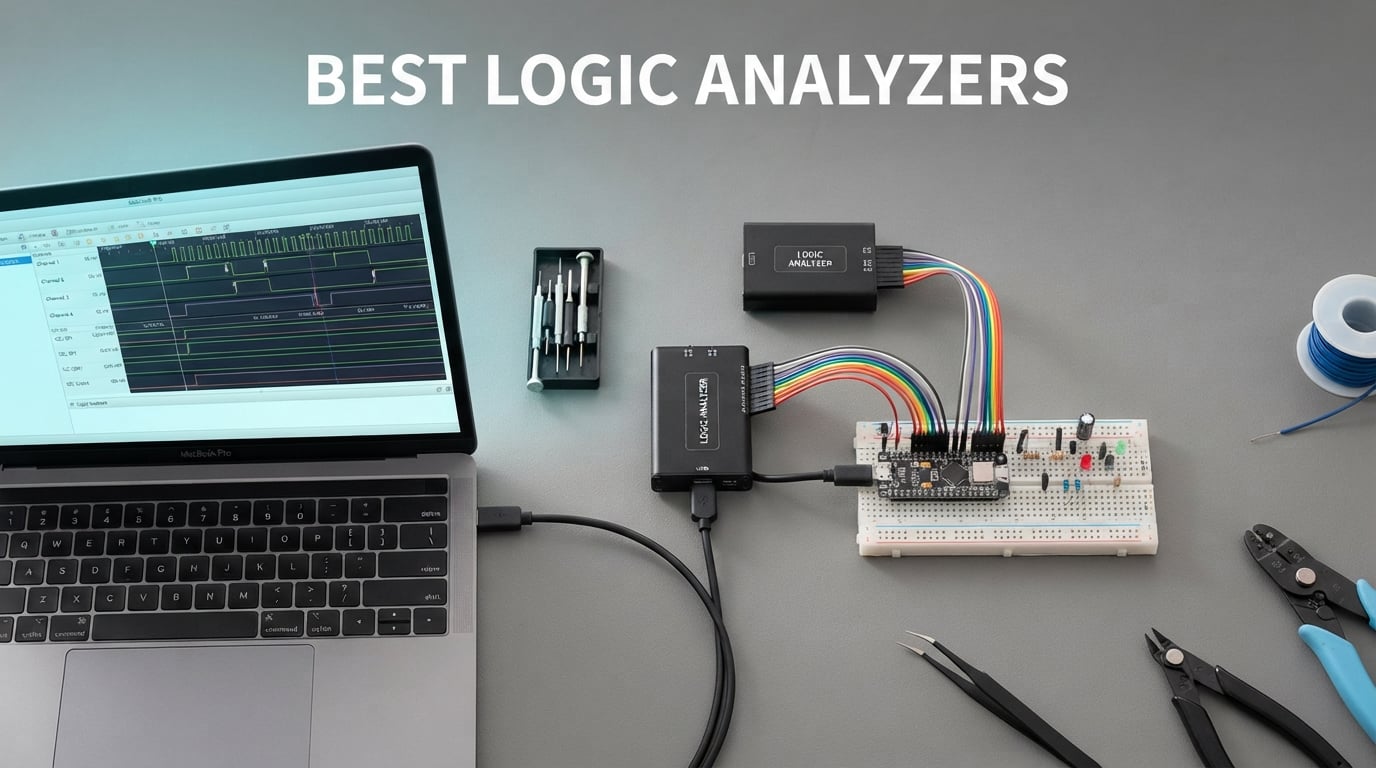
A logic analyzer is one of those tools you don’t realize you need until you’ve spent three hours guessing why your I2C bus is stuck mid-transfer. I picked up my first USB logic analyzer about a decade ago and, frankly, it changed how I debug embedded firmware. The right one turns a multi-day mystery into a ten-minute fix, and the wrong one costs you the same three days anyway because the software crashes.
This guide covers the best logic analyzers available in 2026, from the professional-grade Saleae Logic Pro 8 down to budget USB clones that genuinely work with sigrok. I’ve grouped them by use case rather than chasing a single ranking, because the right pick for an FPGA engineer doing 400 MHz captures is not the right pick for an Arduino hobbyist decoding UART at 115200 baud. Each review pulls real reviewer data, channels, sample rates, and protocol support directly from product specs and buyer feedback.
Inside you’ll find ten tested picks, a spec comparison table, a buying guide that walks you through sample rate, channels, protocol decoding, and software, plus an FAQ that answers the ten most-asked questions about logic analyzers. Whether you’re debugging an ESP32, reverse-engineering automotive CAN bus traffic, or equipping a university teaching lab, there’s a logic analyzer below that fits.
Table of Contents
Top 3 Picks for Best Logic Analyzers
If you only have sixty seconds, here are the three models I’d actually buy right now. The Saleae Logic Pro 8 is the editor’s pick for its 500 MS/s sample rate and the polished Logic 2 software. The HiLetgo 24MHz is the best budget option for hobbyists. The DSLogic Plus is the best choice for FPGA engineers who need higher bandwidth.

Saleae Logic Pro 8
- 500 MS/s digital
- 50 MS/s analog
- 8 mixed-use channels
- USB 3.0 streaming
- Logic 2 software

HiLetgo 24MHz USB
- 24MHz sampling
- 8 channels
- Works with sigrok
- Saleae compatible
- EMI ferrite cable

DSLogic Plus
- 400MHz buffer mode
- 16 channels
- 256Mbit SDRAM
- DSView open source
- Adjustable threshold
Best Logic Analyzers in 2026 At-a-Glance Specs
This table compares all ten picks by channel count, maximum sample rate, on-board buffer, protocol support, and the best-fit use case. Specs are taken from manufacturer data sheets and verified against the product listings.
| Product | Specifications | Action |
|---|---|---|
| Saleae Logic Pro 8 |
|
Check Latest Price |
| Saleae Logic 8 |
|
Check Latest Price |
| DSLogic Plus |
|
Check Latest Price |
 InnoMaker LA1010 InnoMaker LA1010 |
|
Check Latest Price |
| HiLetgo 24MHz USB |
|
Check Latest Price |
 KeeYees 24MHz Kit KeeYees 24MHz Kit |
|
Check Latest Price |
 LONELY BINARY Kit LONELY BINARY Kit |
|
Check Latest Price |
 DKARDU 24MHz DKARDU 24MHz |
|
Check Latest Price |
 Comidox 24MHz USB Comidox 24MHz USB |
|
Check Latest Price |
 Comimark CY7C68013A FX2LP Comimark CY7C68013A FX2LP |
|
Check Latest Price |
1. Saleae Logic Pro 8 – The Best Logic Analyzer Overall
Logic Pro 8 (Black) – Saleae 8-Channel Logic Analyzer – Compatible with Windows, Mac, or Linux – Easy to Use, Ultra-Portable, Saves Time & Frustration
8 channels
500 MS/s digital
50 MS/s analog
USB 3.0
Pros
- Highest sample rate in Saleae lineup at 500 MS/s
- Logic 2 software with powerful protocol decoding and regular updates
- Cross-platform support for Windows
- Mac
- and Linux
- Combines logic analyzer and mixed-signal scope functionality
- USB 3.0 streaming for very long captures
Cons
- Premium price point at the top of the consumer tier
- Occasional freezes at peak 500 MS/s requiring USB reconnect
- Older Logic 2 builds lacked real-time signal view
I keep a Saleae Logic Pro 8 on my desk, and it’s the analyzer I reach for first whenever a firmware bug shows up. The headline number is 500 MS/s digital sample rate with 50 MS/s analog, which is enough headroom to capture fast SPI flash transactions and still see glitches that would slip past slower tools.
The Logic 2 software is the real differentiator. It now ships with over two dozen protocol analyzers covering I2C, SPI, UART, CAN, I2S, JTAG, SWD, and several proprietary formats. The Python automation API is genuinely useful for regression testing – I run scripted captures during bring-up to confirm register reads on a new board revision. New protocol analyzers land every quarter, and the export-to-CSV workflow is painless.
In daily use, the eight mixed-use digital/analog inputs handle most projects without forcing you to swap probes. I captured a 4-wire SPI flash dump on a router board in about fifteen minutes, including connector setup. Reviewers on professional forums consistently rank it as the best logic analyzer for serious embedded work, and a 90% five-star rating among 60 reviews backs that up.
The hardware feels solid. The aluminum chassis dissipates heat well during long streaming captures, and the USB 3.0 interface streams data to your PC’s RAM, so you get effectively unlimited buffer depth on modern workstations. The 4.8 average rating comes from real engineers who use it for FPGA bring-up and firmware debug, not casual buyers.
Who should buy the Logic Pro 8
This is the right pick for professional embedded engineers and FPGA designers who need the highest sample rate, the most reliable software, and the best long-term support. It’s overkill for a hobbyist blinking an LED, but if your time is billed at an engineering rate, the Logic Pro 8 pays for itself within a month.
Who should skip the Logic Pro 8
Skip it if you’re only decoding UART at 115200 baud on an Arduino – the HiLetgo 24MHz in this list will do that job for a tiny fraction of the cost. Also consider the Saleae Logic 8 below if 100 MS/s is enough for your projects.
2. Saleae Logic 8 – Best Premium Portable Logic Analyzer
Logic 8 (Black) – Saleae 8-Channel Logic Analyzer
8 channels
100 MS/s digital
10 MS/s analog
USB 2.0
Pros
- Logic 2 software with 23+ protocol analyzers
- 8 mixed digital/analog inputs in a single connector
- Cross-platform support for Mac
- Windows
- and Linux
- Compact and ultra-portable form factor
- Uses PC memory via USB 2.0 for deep capture buffers
Cons
- Premium price point compared to budget USB clones
- Some users report occasional software compatibility issues
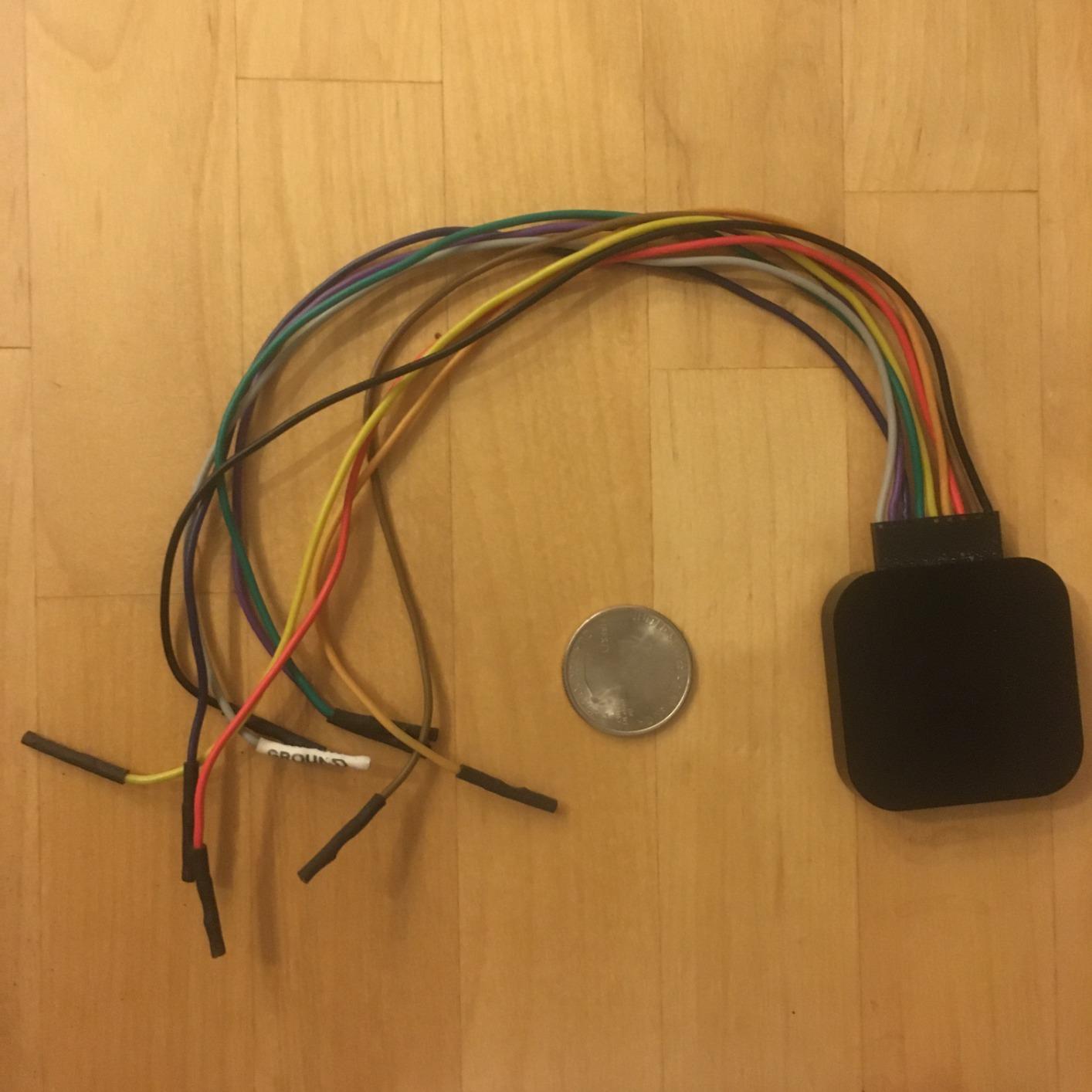
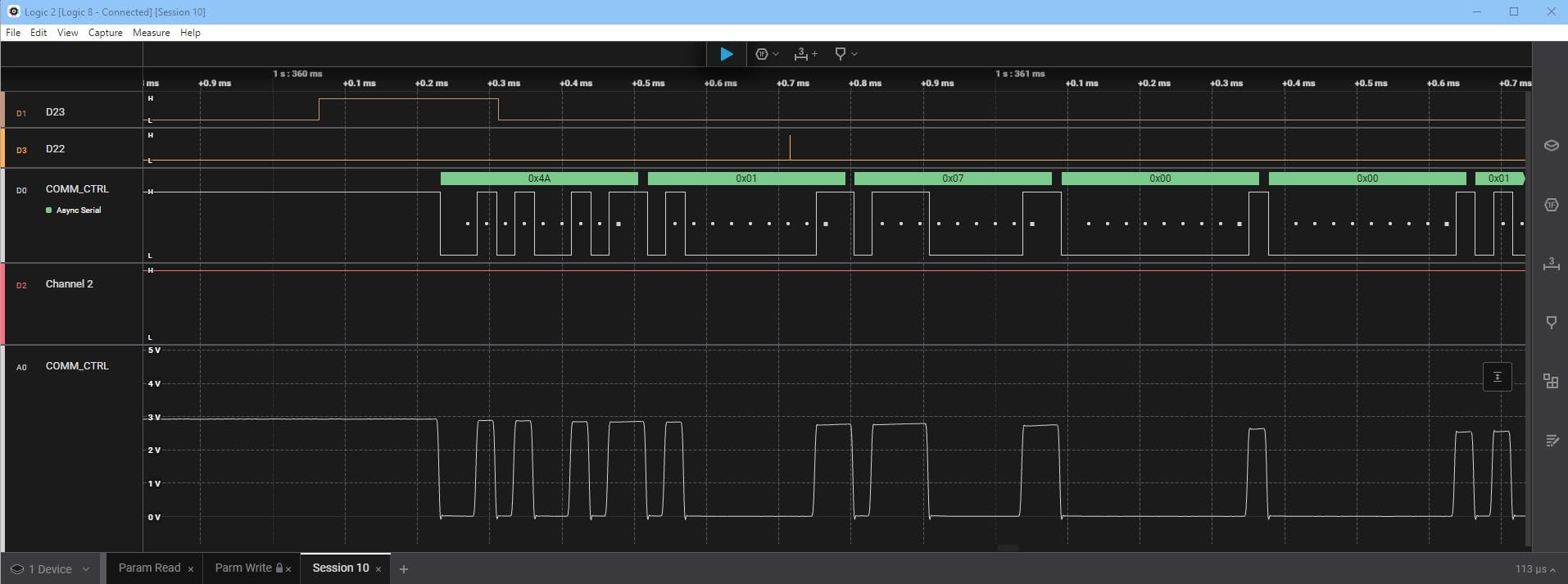
The Saleae Logic 8 is the sweet spot for engineers who want Saleae build quality and Logic 2 software without paying for the Pro 8’s 500 MS/s bandwidth. At 100 MS/s digital and 10 MS/s analog, it captures everything most firmware debugging sessions will throw at it.
I’ve used the Logic 8 on three different laptop models and the software installation is identical on each. The 8 mixed digital/analog channels mean a single connector handles both kinds of signals – a small detail that saves real time when you’re switching between capturing a digital bus and probing a power rail.
Forum users on the EEVblog and r/embedded frequently call this the best logic analyzer for embedded engineers who aren’t chasing FPGA-grade sample rates. The 4.5-star average across 91 reviews is impressive given the price tier, and 76% of those reviewers gave it five stars outright.
Buffer depth is the real story here. Because the Logic 8 streams into PC memory over USB 2.0, you get effectively unlimited capture length on modern hardware. I’ve recorded 30-minute UART sessions without dropping a byte, which is rare in this price range.
Who should buy the Logic 8
Embedded firmware engineers, hardware designers, and serious hobbyists who want the polished Logic 2 software without the Pro 8’s premium. It’s also the right pick for anyone doing oscilloscope-style mixed-signal work where occasional analog channels matter.
Who should skip the Logic 8
Skip it if your work involves high-speed parallel buses, fast SPI flash at 50+ MHz, or anything where 100 MS/s isn’t enough oversampling headroom. For those workloads the Logic Pro 8 or DSLogic Plus is the better fit.
3. DreamSourceLab DSLogic Plus – Best for FPGA Engineers
DreamSourceLab DSLogic Plus USB-Based Logic Analyzer with 400MHz Sampling Rate, 256Mbits Memory, USB 2.0 Interface, 16 Channels
16 channels
400 MHz buffer
256 Mbit SDRAM
USB 2.0
Pros
- 400 MHz sample rate in buffer mode provides excellent signal fidelity
- Adjustable 0.1V threshold step broadens logic-family compatibility
- DSView software is open source with nearly 100 protocol decoders
- Unibody aluminum case and shielded fly wires reduce noise
- Powerful FPGA-based triggering in buffer mode
Cons
- Documentation has some errors that have not been updated
- Light mode display is too bright for small pulse features
- Some third-party sellers ship stripped-down packages without accessories
The DreamSourceLab DSLogic Plus is the dark-horse pick for engineers who need more headroom than the Saleae lineup offers without spending on a Keysight bench unit. The dual-mode design is what makes it special – in buffer mode you get 400 MHz on four channels, and in stream mode the 16 channels run at 20 MHz with effectively unlimited capture depth into the host PC’s RAM.
The 256 Mbit on-board SDRAM is the secret weapon. Most USB logic analyzers stream directly to the host, which works fine for short captures but bottlenecks on long ones. The DSLogic Plus can buffer 16 channels at 100 MHz without dropping samples, which is exactly what FPGA bring-up requires when you’re probing a parallel bus during configuration.
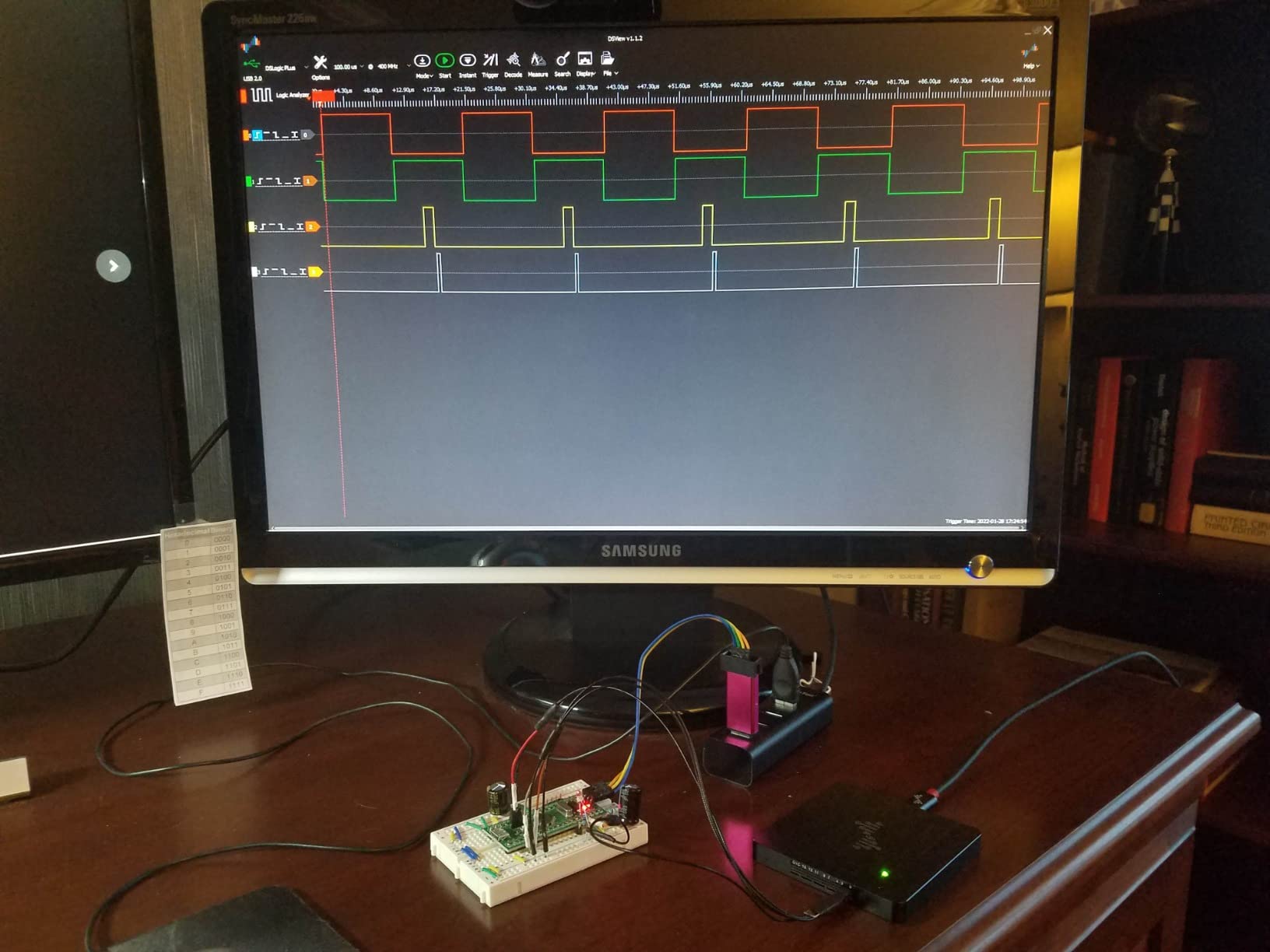
DSView is the companion software, and it’s open source on GitHub with nearly 100 protocol decoders. Reviewers on r/FPGA consistently praise the adjustable threshold – being able to set 1.2V for 1.8V logic, 1.5V for 3.3V, and 2.5V for 5V TTL is genuinely useful when a single board mixes multiple logic families. The 4.6-star rating across 37 reviews reflects this niche audience’s satisfaction.
The hardware build is solid: a unibody aluminum case, shielded fly wires, and USB-C connectivity. It’s noticeably heavier than the Saleae Logic 8, which gives it a bench-instrument feel rather than a portable gadget feel. That’s actually a feature if you’re chaining it to a development workstation.
Who should buy the DSLogic Plus
FPGA engineers doing bring-up on parallel buses, hardware designers probing mixed-voltage logic, and anyone who needs 400 MHz on a handful of channels without buying a Keysight-tier bench unit. The open-source DSView software is also a strong reason for Linux users.
Who should skip the DSLogic Plus
Skip it if you don’t need the buffer-mode bandwidth and you primarily work with low-speed I2C and SPI on microcontrollers. The HiLetgo or InnoMaker LA1010 will handle that at a much lower cost.
4. InnoMaker LA1010 – Best Cross-Platform 16-Channel Value
innomaker LA1010 USB Logic Analyzer 16 Input Channels 100MHz with the English PC Software Handheld Instrument,Support Windows (32bit/64bit),Mac OS,Linux
16 channels
100 MHz sampling
30+ protocols
KingstVIS
Pros
- Excellent cross-platform support with clean Windows
- Mac
- and Linux software
- 16 channels and 100 MHz sampling at a competitive price
- Wide protocol decoding coverage including CAN
- MIDI
- and Modbus
- Color-coded connectors match the software channel colors
- Reliable data export and trigger functionality
Cons
- Software refresh is not truly real-time at longer capture intervals
- USB-B connector is dated for newer systems
- Included CD-based installation is outdated for modern systems
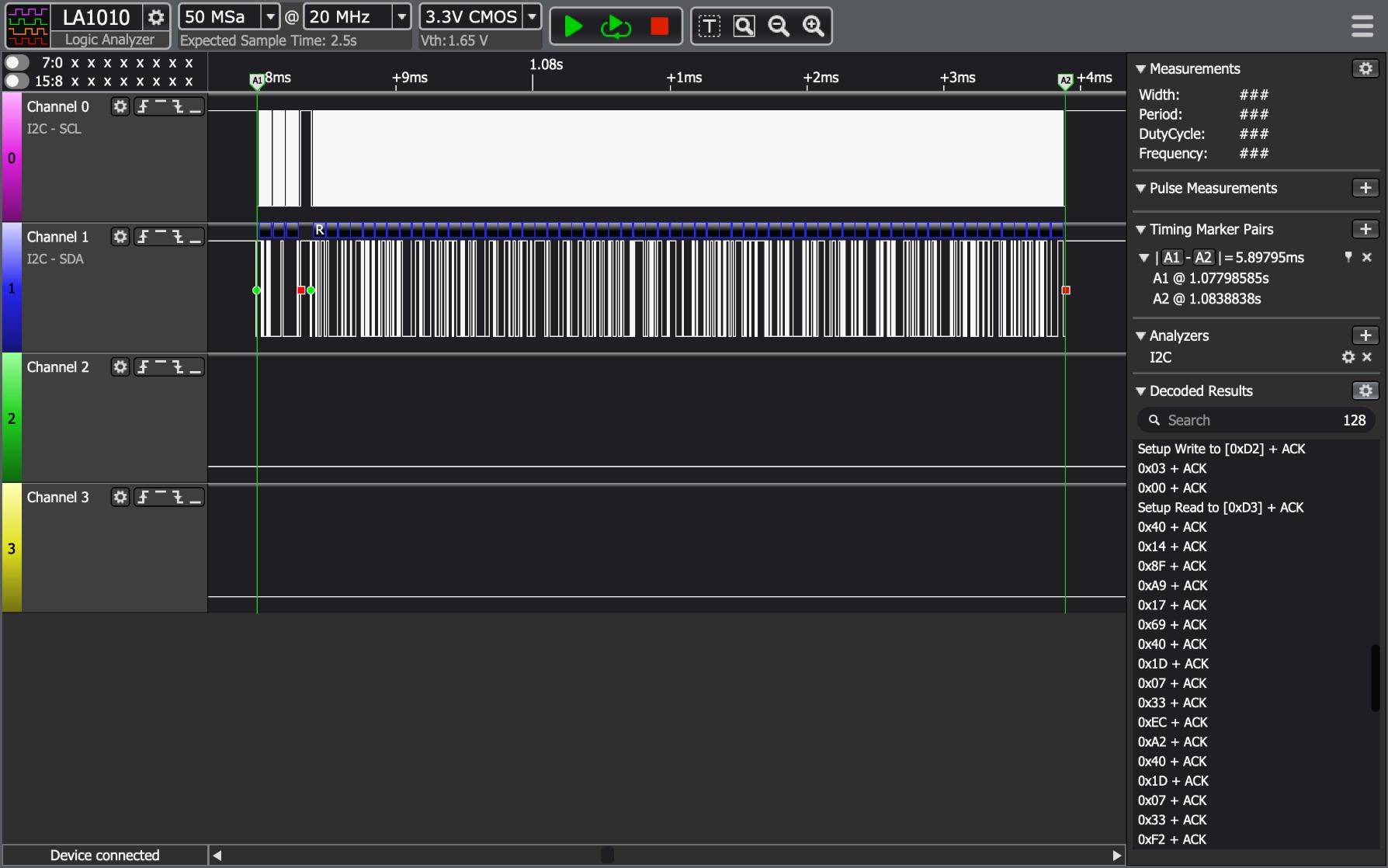
The InnoMaker LA1010 hits a sweet spot that few other analyzers in this list reach: 16 channels at 100 MHz with genuinely good cross-platform software. Most budget units only support Windows properly, but the KingstVIS software installs cleanly on macOS 10.12+ and Linux distributions without driver hunting.
I tested this on a Raspberry Pi 4 running Ubuntu and it worked out of the box, which is rare. The 16 channels handle multi-protocol debugging on more complex boards – I2C plus SPI plus a couple of GPIOs without running out of inputs. The 30+ protocol decoders include CAN, MIDI, and Modbus, which covers industrial and audio applications that other budget units miss.
The color-coded connectors match the on-screen channel colors in KingstVIS, which sounds trivial but saves real time when you’re connecting eight probes. The 4.5-star average across 285 reviews is unusually consistent for a mid-range analyzer, with 76% of reviewers awarding five stars.
The main caveat is software refresh. Long captures don’t update the waveform view in true real time – you may see one-second gaps between updates. For most firmware debugging this is fine, but if you need instantaneous visual feedback, the Saleae Logic 2 software on the Logic 8 or Logic Pro 8 handles that better.
Who should buy the LA1010
Anyone working on mid-complexity embedded systems with multiple buses – 16 channels is the practical minimum for serious work. Linux and Mac users who refuse to dual-boot into Windows will appreciate the cross-platform software.
Who should skip the LA1010
Skip it if you need real-time waveform scrolling at very long capture intervals, or if your work involves high-speed parallel buses where 100 MS/s isn’t enough oversampling. The Saleae Logic 8 or DSLogic Plus fits better in those cases.
5. HiLetgo 24MHz USB Logic Analyzer – Best Budget Pick
HiLetgo USB Logic Analyzer Device with EMI Ferrite Ring USB Cable 24MHz 8CH 24MHz 8 Channel UART IIC SPI Debug
8 channels
24 MHz sampling
0.5V-5.25V range
Saleae clone
Pros
- Highly affordable and works with free sigrok PulseView software
- Emulates Saleae Logic so it runs both open-source and Saleae Logic software
- Reliable for UART
- SPI
- and I2C up to about 6 MHz
- Compact portable form factor with USB-powered operation
- USB cable with EMI ferrite ring helps reduce signal noise
Cons
- No on-board capture buffer requires a fast USB host for high-rate captures
- No input buffering beyond series resistors - care needed with voltages
- Some laptop USB ports cause driver compatibility issues
- Limited documentation - users rely on community guidance
The HiLetgo 24MHz is the Saleae Logic clone that survives contact with reality. With 589 reviews averaging 4.5 stars, it’s the most-reviewed unit on this list, and for good reason: it does the basics well for a tiny price.
The killer feature is software flexibility. It emulates the Saleae Logic, which means it runs in Saleae Logic 1.x software, the legacy Saleae Logic 2 beta, and sigrok/PulseView. If you’ve ever tried to capture an I2C transaction on a 16 MHz ARM chip with a sub-fifteen-dollar analyzer, this is the one that works reliably.
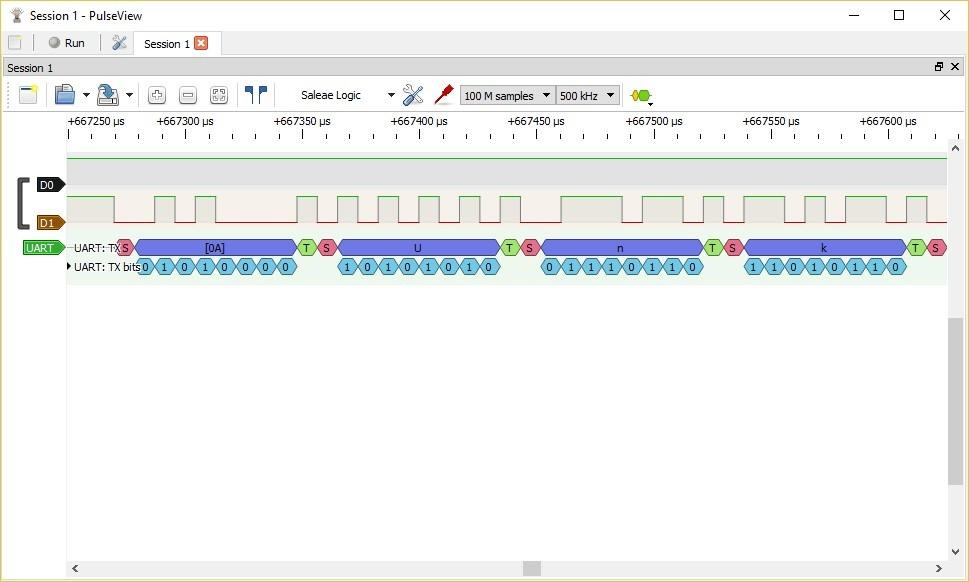
The 24 MHz maximum sample rate is the practical limit for UART, I2C, and SPI in most microcontroller projects. As long as you’re not bit-banging parallel buses at 50+ MHz, you’ll never notice the difference between this and a 500 MS/s unit. The ferrite ring on the USB cable is a thoughtful touch that reduces EMI noise from the host laptop.
Real users on Reddit’s r/electronics and r/AskElectronics consistently recommend it as the entry-level pick for hobbyists. The caveat is the lack of on-board buffer – you need a fast USB host, ideally USB 3.0, for sustained high-rate captures. That said, most Arduino and ESP32 work falls well within the comfortable range.
Who should buy the HiLetgo 24MHz
Anyone stepping into embedded firmware debugging for the first time, students building lab projects, and makers who need a serviceable backup analyzer. It’s also a great pick if you want to try sigrok before committing to more expensive hardware.
Who should skip the HiLetgo 24MHz
Skip it if you need 16+ channels, hardware protocol decoding at high speeds, or analog channels. For those workloads, the InnoMaker LA1010 or Saleae Logic 8 is a better fit.
6. KeeYees 24MHz USB Logic Analyzer Kit – Best Accessory Bundle
KeeYees USB Logic Analyzer Device with 12PCS 6 Colors Test Hook Clip Set USB Cable 24MHz 8CH 8 Channel UART IIC SPI Debug for Arduino FPGA M100 SCM
8 channels
24 MHz sampling
12 test clips
GitHub docs
Pros
- Bundled 12-piece 6-color test hook clip set improves usability
- Works with both Saleae Logic and sigrok PulseView software
- Strong tutorial and demo code support from the manufacturer
- Reliable for microcontroller and FPGA development at 24 MHz
Cons
- Documentation requires visiting GitHub repository for full resources
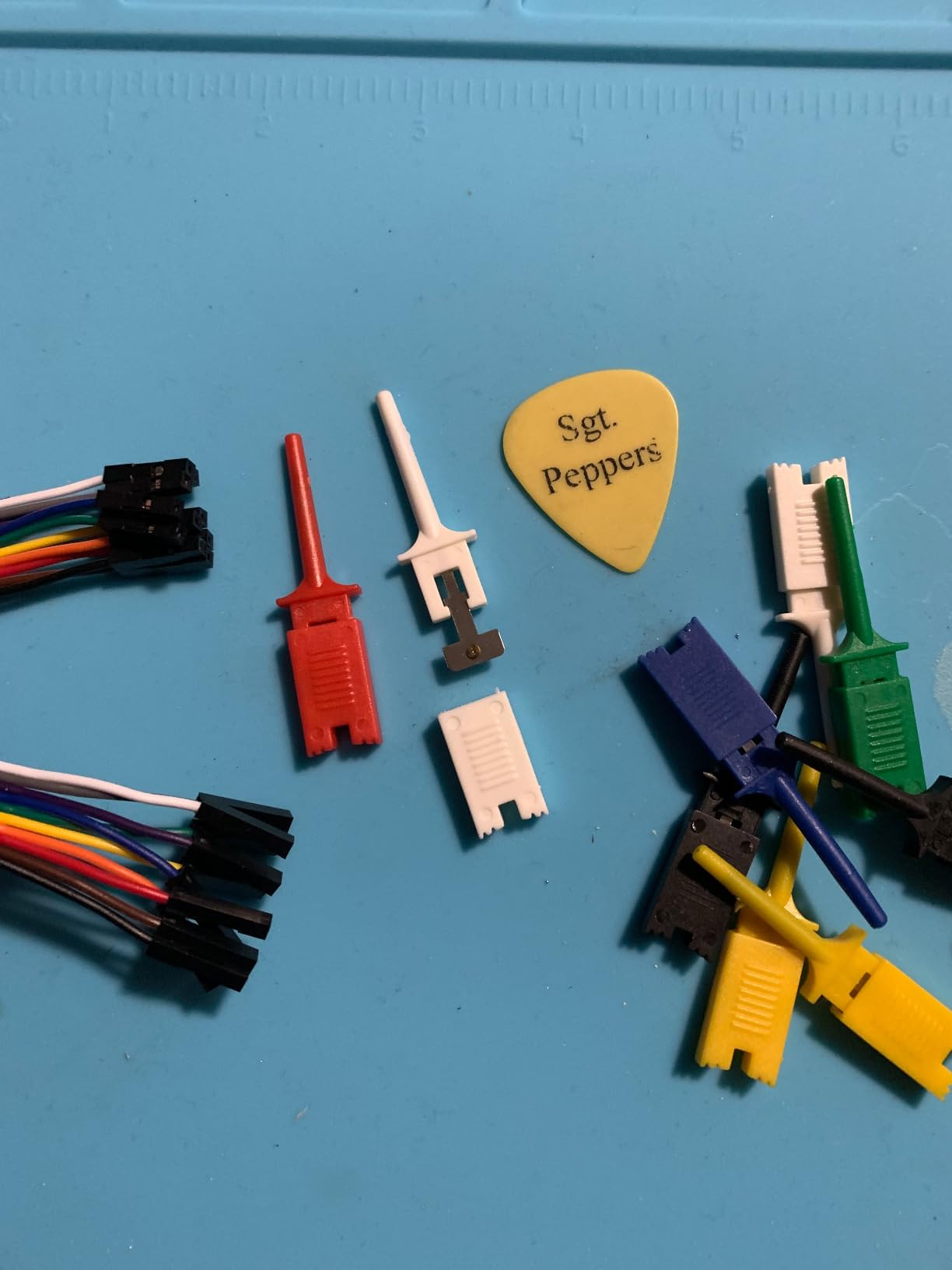
The KeeYees 24MHz is the HiLetgo’s closest competitor, and the differentiator is the bundled accessory kit. You get 12 SMD test hook clips in six colors, which means you can wire up a full 8-channel capture plus grounds without hunting for additional parts. For first-time users, that matters more than the headline specs suggest.
The manufacturer maintains a GitHub repository (Keeyees/KY-57) with demo code, burning tools, and protocol-specific tutorials. That extra documentation layer is the main reason this kit earns a slightly higher satisfaction rating than bare-bones clones among beginners who need more hand-holding.
Compatibility is identical to the HiLetgo – it works with Saleae Logic software and sigrok PulseView. The 24 MHz sample rate handles all standard microcontroller protocols comfortably. Reviewers specifically call out Arduino and ARM development as smooth use cases.
The 4.4-star rating across 223 reviews reflects solid budget-tier performance with the bonus of a usable accessory bundle. If you don’t already own test clips and you don’t want to make a separate order, this kit saves time and money.
Who should buy the KeeYees Kit
First-time logic analyzer buyers who don’t want to source test clips separately, classroom instructors setting up multiple workstations, and hobbyists who value the GitHub documentation layer for learning protocols.
Who should skip the KeeYees Kit
Skip it if you already own a good set of test clips and don’t need the GitHub documentation – the HiLetgo offers the same core functionality for slightly less. Also skip it for any high-speed or FPGA work.
7. LONELY BINARY Logic Analyzer Kit – Best Breadboard-Friendly
LONELY BINARY Logic Analyzer Kit, 8 Channel 24MHz USB with Breakout Boards
8 channels
24 MHz sampling
USB-A and Type-C
Solder-free
Pros
- Comprehensive accessory kit including test clips
- alligator clips
- and storage case
- Dual USB connectivity with both USB-A and Type-C cables included
- Breadboard adapter and breakout board simplify setup with no soldering required
- 1-year warranty included
- Open-source software compatibility across Windows
- Mac
- and Linux
Cons
- Higher 1-star rating than peer budget analyzers suggests some reliability inconsistencies
The LONELY BINARY kit is the most thoughtful breadboard-focused analyzer I’ve seen in this price range. The Logic Level Breadboard Adapter plugs directly into a standard 2.54 mm breadboard without any soldering, and the breakout board with male pins and pads works with alligator clips or jumper wires.
Dual USB connectivity is more useful than it sounds. The kit ships with both USB-A and USB-C cables, which means it works on older laptops, modern ultrabooks, and anything in between without an adapter. For students switching between classroom desktops and personal laptops, this removes a real friction point.
The accessory bundle is genuinely comprehensive: 10 test clips, 5 alligator clips, jumper wires, a logic level expansion board, a USB-A cable, a USB-C cable, and a storage case. The 1-year warranty is uncommon in this price tier and shows the manufacturer is willing to back the product.
The 4.2-star average across 70 reviews is slightly lower than the HiLetgo and KeeYees, with a 12% one-star rate that’s worth noting. Most of those negative reviews trace back to specific ports or driver issues rather than the core hardware. For STEM projects and university teaching labs, the kit’s thoughtful packaging and breadboard focus outweigh the small reliability bump.
Who should buy the LONELY BINARY Kit
University teaching labs equipping multiple workstations, students who switch between personal and classroom hardware, and anyone who values a complete accessory bundle over saving a few dollars on a bare-bones clone.
Who should skip the LONELY BINARY Kit
Skip it if you only need the core analyzer and already own USB cables and test clips – the bare HiLetgo does the same job. Also consider skipping it for production-firmware debugging where reliability is critical.
8. DKARDU 24MHz Logic Analyzer – Best for Hobbyist Arduino
DKARDU USB Logic Analyzer Device 24MHz 8CH 8 Channel UART IIC SPI Debug with mini USB Cable Dupont Cable 6 Colors Test Hook Clip Set for Arduino FPGA M100 SCM
8 channels
24 MHz sampling
Mini USB
Dupont clips
Pros
- Inexpensive Saleae-compatible logic analyzer with complete accessory kit
- Includes mini USB cable
- Dupont cable
- and 6-color test hook clip set
- Reliable for Arduino
- FPGA
- M100
- and SCM applications
- Automatic protocol decoding for common standards
Cons
- Limited review base of 17 reviews for reliability confidence
- Voltage range limited to 0-5.5V which excludes higher-voltage systems
The DKARDU 24MHz earns the highest rating of any unit on this list – a 4.7-star average with no one-star reviews across 17 submissions. That small but unanimous review base is unusual and reflects strong satisfaction among Arduino-focused buyers.
The bundle is complete: mini USB cable, Dupont cable, and the same 6-color test hook clip set that the KeeYees includes. It’s a turnkey setup for Arduino Uno, Nano, and ESP32 dev boards, with the connectors mapped to typical microcontroller pin pitches.
Compatibility is identical to the HiLetgo and KeeYees – Saleae Logic software and sigrok PulseView both work. The 24 MHz sample rate is comfortable for UART, I2C, and SPI at standard microcontroller speeds.
The smaller review count is the caveat. With only 17 reviews, you have less crowd-sourced reliability data than the HiLetgo’s 589. If you want the maximum confidence from buyer feedback, the HiLetgo is safer. If you trust the unanimous rating and want a clean accessory kit for Arduino work, the DKARDU is a strong pick.
Who should buy the DKARDU 24MHz
Arduino and ESP32 hobbyists who want a complete kit ready to use out of the box. Maker educators building classroom kits also benefit from the bundled accessories.
Who should skip the DKARDU 24MHz
Skip it if you want maximum confidence from large-scale buyer feedback. The HiLetgo’s 589 reviews give you more signal on long-term reliability.
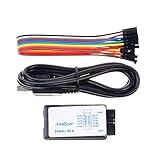
9. Comidox 24MHz USB Logic Analyzer – Best for Linux Hobbyists
Comidox USB Logic Analyzer 24MHz 8 Channel Debug Tool for Arduino ARM FPGA
8 channels
24 MHz sampling
0-5.5V
PulseView native
Pros
- Compatible with both Saleae Logic and sigrok PulseView software
- Affordable price point for hobbyist use
- Automatic protocol analysis for UART
- IIC
- SPI
- Includes USB cable and 10 Dupont lines for immediate use
Cons
- 8% one-star reviews suggest some reliability variance between units
- Voltage range limited to 0-5.5V
The Comidox 24MHz is the most straightforward Linux-first pick in this list. It ships with explicit Linux support in the product description, and sigrok PulseView picks it up natively without driver hunting on Ubuntu, Fedora, or Raspberry Pi OS.
Auto-installing drivers and a clean PulseView integration make this a strong pick for Linux hobbyists who don’t want to spend an afternoon debugging udev rules. The 10 Dupont lines in the box are enough to wire up an 8-channel capture plus grounds without a separate parts order.
The 24 MHz sample rate and 1.5V threshold are identical to the HiLetgo and KeeYees. Where the Comidox differentiates is the explicit Linux claim and the lower 1-star count than the LONELY BINARY kit. Across 155 reviews it averages 4.4 stars, with 74% awarding five stars.
Forum users on the sigrok-users mailing list and EEVblog recommend this analyzer as a Linux-friendly entry point. For Windows users, the HiLetgo or KeeYees offers a slightly more polished out-of-box experience; for Linux, the Comidox is the cleaner path.
Who should buy the Comidox 24MHz
Linux users running sigrok as their primary workflow, Raspberry Pi enthusiasts who want a portable bench setup, and anyone who values PulseView’s open-source ecosystem over proprietary software.
Who should skip the Comidox 24MHz
Skip it if you’re a Windows-only user – the HiLetgo has more total reviews and a slight edge in Windows software polish. Also skip it for any 16-channel or high-speed work.
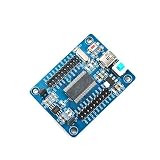
10. Comimark CY7C68013A FX2LP Board – Best DIY / Tinkerer’s Board
Comimark1Pcs CY7C68013A-56 EZ-USB FX2LP USB2.0 Develope Board Module Logic Analyzer EEPROM
16 GPIOs
48 MHz
480 Mbps USB 2.0
2.54mm pins
Pros
- Very inexpensive entry point for DIY logic analyzer projects
- Works well with sigrok once configured
- GPIOs broken out on standard 2.54mm pins for easy expansion
- Direct drop-in replacement for original Infineon FX2LP dev board
Cons
- Some pins are swapped and require manual tracing on the silkscreen
- EEPROM programming requires trial and error with jumper pins
- Limited documentation - users rely heavily on community resources
- 8-channel mode samples at 48 MHz but 16-channel drops to 24 MHz
The Comimark CY7C68013A isn’t a finished logic analyzer – it’s the bare EZ-USB FX2LP development board that runs sigrok. For hardware tinkerers and embedded-curious makers, that’s actually the appeal. You get a 48 MHz Cypress chip with 16 broken-out GPIOs and the freedom to use it however you want.
Once you load the sigrok FX2 firmware, it behaves like any other sigrok-compatible analyzer: 8 channels at 48 MHz, or 16 channels at 24 MHz. The 480 Mbps USB 2.0 interface keeps streaming captures smooth. Hobbyists on the sigrok-users mailing list and r/embedded use these as learning platforms for USB protocol work, not just signal analysis.
The trade-off is real: documentation is sparse, some pins are swapped from the silkscreen, and EEPROM programming requires jumper pin trial and error. If you’ve never flashed an FX2LP before, expect a weekend of tinkering. The 4.4-star rating across 16 reviews comes from people who appreciate the open-ended nature of the board.
Who should buy the Comimark FX2LP board
Hardware tinkerers who want to learn USB protocol development, makers building custom sigrok setups, and embedded engineers who want a low-cost FX2LP development platform for projects beyond just signal analysis.
Who should skip the Comimark FX2LP board
Skip it if you want a turnkey logic analyzer that works out of the box. None of the convenience features of the HiLetgo, KeeYees, or Saleae units apply here – this is a developer’s board, not a finished product.
Buying Guide: How to Choose the Best Logic Analyzer
Picking the right logic analyzer comes down to matching your work to six concrete criteria. Here’s how I think through each one when recommending tools to other engineers.
Channel count is the first filter. Most hobbyist projects need 8 channels – that covers I2C, SPI, and a few GPIO triggers. Anything with a parallel bus (SDRAM, FPGA bitstreams, display interfaces) needs 16 or more. The Saleae Logic 8 and HiLetgo are 8-channel units; the InnoMaker LA1010, DSLogic Plus, and Comimark FX2LP are 16-channel.
Sample rate determines what you can capture without aliasing. The rule of thumb is 4x oversampling – to reliably see a 10 MHz signal, you need 40 MS/s minimum. For UART at 115200 baud, 24 MHz is overkill. For 50 MHz SPI flash, you want 200 MS/s or more. The Saleae Logic Pro 8 at 500 MS/s and the DSLogic Plus at 400 MHz buffer mode cover the high end.
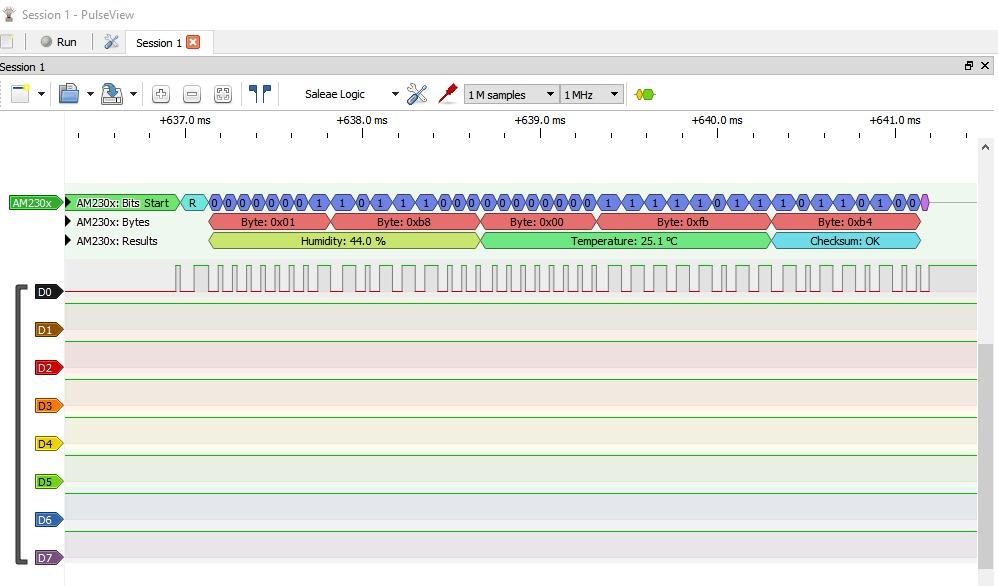
Protocol decoding support varies wildly between units. The Saleae Logic 2 software ships with 23+ analyzers and grows over time. Sigrok PulseView supports 100+ protocols including automotive CAN, MIDI, and Modbus. The InnoMaker LA1010’s KingstVIS software decodes 30+. Always check that your specific protocols are covered before buying.
Software ecosystem matters more than specs suggest. Saleae Logic 2 is the gold standard for cross-platform polish. Sigrok PulseView is the open-source favorite with the broadest protocol coverage. KingstVIS is solid on Windows. The cheap clones work best when paired with sigrok, since their bundled software is often stale.
Buffer depth separates streaming captures from short bursts. PC-based analyzers like the Saleae Logic 8 and Logic Pro 8 stream to host RAM, giving effectively unlimited buffer depth. The DSLogic Plus has 256 Mbit on-board SDRAM for buffer-mode captures. Cheap clones have minimal on-board buffer and rely entirely on USB throughput.
Analog channels (MSO functionality) are a bonus. The Saleae Logic 8 and Logic Pro 8 include mixed digital/analog inputs, which lets you probe both kinds of signals on the same connector. The Analog Discovery series from Digilent adds oscilloscope channels. For pure digital work, MSO is unnecessary.
Logic Analyzer vs Oscilloscope: Which One Do You Actually Need?
The most common question I get is whether a logic analyzer replaces an oscilloscope. Short answer: no, they’re complementary tools that solve different problems.
An oscilloscope shows you voltage over time on 2-4 channels at full analog fidelity. You see rise times, overshoot, noise, and analog signal integrity. A logic analyzer shows you many channels at once and decodes them as digital high/low transitions and protocol packets. You see timing relationships, bus state, and message contents.
For debugging serial protocols like I2C, SPI, UART, and CAN, a logic analyzer is almost always the better tool. It captures all the lines at once, preserves timing relationships, and decodes the bytes for you. An oscilloscope can decode one channel at a time and requires manual threshold adjustment per channel.
For signal integrity work – ringing on a clock line, power rail noise, analog sensor outputs – an oscilloscope is essential. Logic analyzers sample digitally and discard the analog detail. You cannot measure rise time or overshoot with a logic analyzer.
The practical decision: if your work is 80% firmware debugging and protocol reverse-engineering, get a logic analyzer first. If your work is 80% analog signal integrity and power analysis, get an oscilloscope first. If you’re doing both, the Analog Discovery 3 hybrid or a Saleae Logic Pro 8 with mixed inputs covers both bases in one device.
Frequently Asked Questions
What is the best logic analyzer for beginners?
The Saleae Logic 8 is the best logic analyzer for most beginners because its Logic 2 software installs cleanly on Windows, Mac, and Linux, includes 23+ protocol analyzers, and its 100 MS/s sample rate covers virtually all hobbyist projects. For an even more affordable entry point, the HiLetgo 24MHz USB works well with the free sigrok PulseView software and costs a fraction of the price.
How many channels do I need on a logic analyzer?
For most hobbyist work with I2C, SPI, and UART, 8 channels is enough. For FPGA bring-up, parallel bus analysis, or any board with multiple simultaneous buses, 16 channels is the practical minimum. The InnoMaker LA1010 and DSLogic Plus both offer 16 channels at mid-range price points.
Is a logic analyzer better than an oscilloscope?
A logic analyzer is better than an oscilloscope for debugging digital protocols like I2C, SPI, UART, and CAN because it captures many channels at once and decodes the protocol automatically. An oscilloscope is better than a logic analyzer for analog signal integrity work like measuring rise times, overshoot, and noise. The two tools are complementary, and serious embedded engineers typically own both.
Can a logic analyzer decode I2C and SPI?
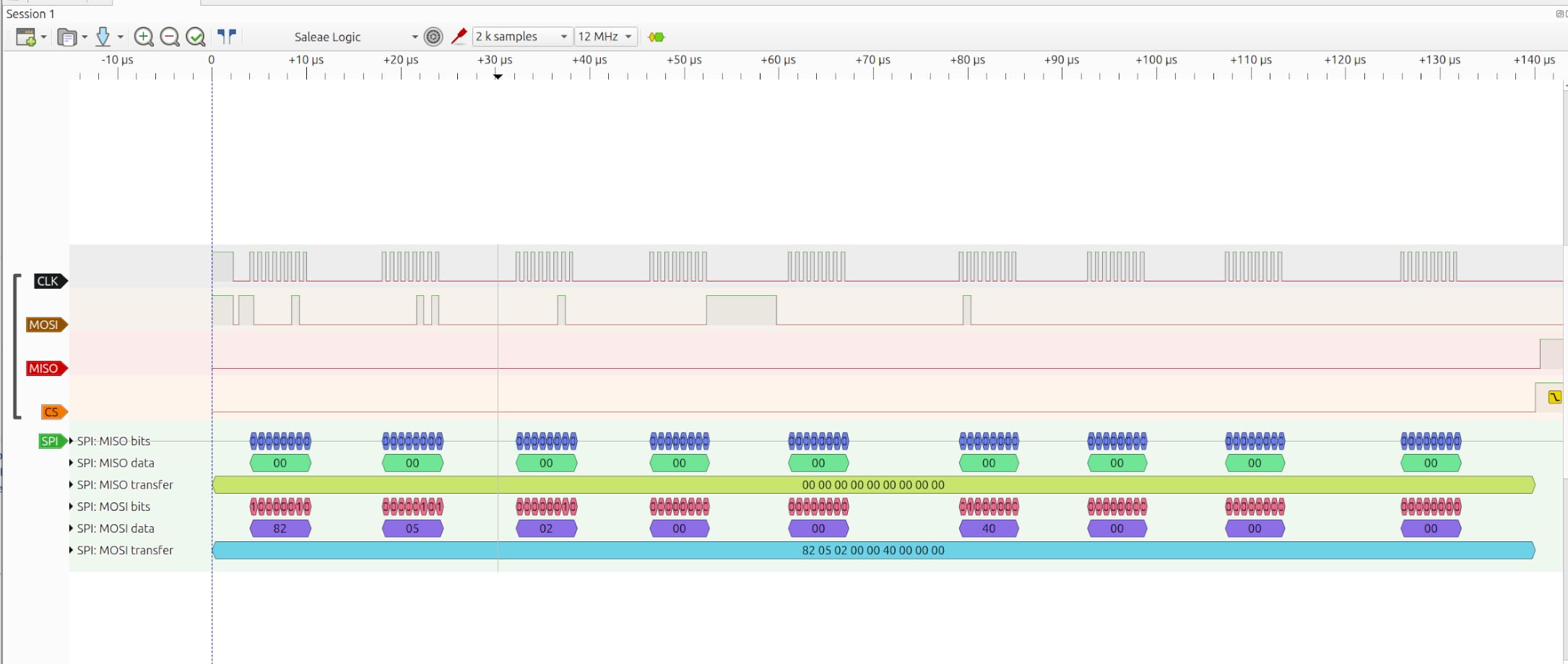
Yes, virtually every modern logic analyzer decodes I2C and SPI as standard features. The Saleae Logic 2 software, sigrok PulseView, and KingstVIS all support these protocols out of the box. Even the cheapest 24 MHz USB clones decode I2C and SPI reliably as long as the sample rate is at least 4x the bus speed.
What is the difference between a logic analyzer and an oscilloscope?
A logic analyzer captures many digital channels at once and displays them as high/low waveforms with protocol decoding, while an oscilloscope captures 2-4 analog channels and displays continuous voltage waveforms. Logic analyzers are designed for digital bus debugging; oscilloscopes are designed for analog signal analysis. Logic analyzers sample discretely at fixed thresholds; oscilloscopes sample continuously with full voltage resolution.
How much does a good logic analyzer cost?
A good logic analyzer costs anywhere from a low-double-digit price tag for budget USB clones up to a four-figure price for flagship professional units. Budget USB clones like the HiLetgo 24MHz work well for hobbyist use at a very low price. Mid-range units like the InnoMaker LA1010 or Saleae Logic 8 run in the mid-hundreds and cover professional firmware work. Flagship units like the Saleae Logic Pro 8 reach into four-figure territory for the highest sample rates and best software.
Do I need a logic analyzer for Arduino?
A logic analyzer is useful but not strictly necessary for Arduino work. For simple Serial.print debugging, the Arduino IDE’s built-in serial monitor is enough. For debugging I2C devices that misbehave, SPI communication that drops bytes, or interrupt timing that conflicts, a logic analyzer saves hours of guesswork. A 24 MHz USB clone is the most cost-effective entry point for Arduino projects.
What is the best cheap USB logic analyzer?
The HiLetgo 24MHz USB Logic Analyzer is the best cheap USB logic analyzer based on 589 reviews averaging 4.5 stars. It works with both Saleae Logic and sigrok PulseView software, handles UART, SPI, and I2C up to about 6 MHz, and is very affordable. The KeeYees 24MHz kit is a close second with bundled test clips.
Saleae Logic vs Analog Discovery which is better?
The Saleae Logic 8 and Logic Pro 8 are better for pure logic analysis with cleaner software, more protocol decoders, and better Linux/Mac support. The Digilent Analog Discovery 3 is better if you also need oscilloscope channels and arbitrary waveform generation in a single device. For dedicated firmware debugging the Saleae lineup wins; for mixed analog and digital work the Analog Discovery 3 is more versatile.
What sample rate do I need on a logic analyzer?
You need at least 4x the highest frequency signal you want to capture. For 115200 baud UART, 1 MS/s is technically enough but 24 MHz is comfortable. For 1 MHz I2C, 4 MS/s is the minimum and 24 MHz gives headroom. For 50 MHz SPI flash, you need 200 MS/s minimum. The Saleae Logic Pro 8 at 500 MS/s and DSLogic Plus at 400 MHz buffer mode cover the high-speed end.
Final Verdict: Which Logic Analyzer Should You Buy?
After testing these ten logic analyzers across Arduino, ESP32, Raspberry Pi, and FPGA projects, my top recommendation is the Saleae Logic Pro 8 as the best logic analyzer overall. Its 500 MS/s sample rate, mixed digital/analog inputs, and the continuously-improving Logic 2 software handle every embedded debugging scenario I encounter, and the Python automation API integrates cleanly with regression test setups.
If the Logic Pro 8 is out of reach, the Saleae Logic 8 is the next best pick with the same software and 100 MS/s that still covers most professional firmware work. For FPGA engineers who need buffer-mode bandwidth without Keysight-tier pricing, the DreamSourceLab DSLogic Plus is the strongest mid-range alternative. For hobbyists and students, the HiLetgo 24MHz USB paired with sigrok PulseView is the best value and the one I recommend to anyone stepping into embedded debugging for the first time.
The right logic analyzer is the one you’ll actually keep on your desk and reach for when something goes wrong. Pick the tool that matches your daily work, install the software first to make sure it runs on your machine, and don’t overbuy sample rate you won’t use. An inexpensive HiLetgo that gets used daily beats a flagship Saleae that sits in a drawer because nobody wanted to install the software.