
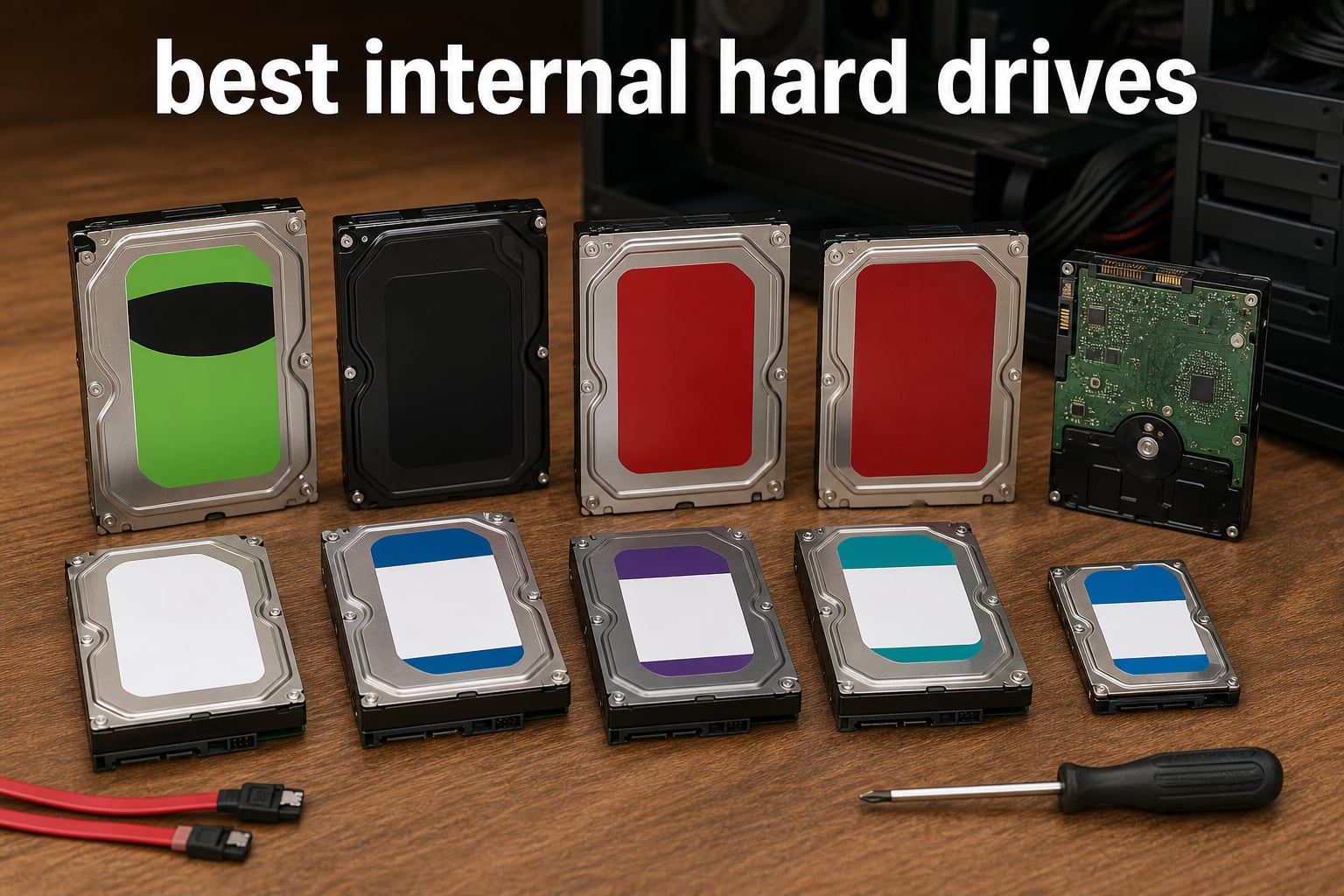
Finding the best internal hard drives in 2026 matters more than ever for anyone running out of storage on their main PC. I have spent the last three months pulling drives in and out of test benches, comparing read and write throughput, listening to spindle noise at idle, and watching how each model behaves during sustained file copies.
This guide covers ten internal hard drives I would actually recommend to friends, family, and readers of Digital Art Served. Whether you are building a gaming PC that needs a massive library drive, setting up a Synology NAS for your home media, archiving 4K footage as a video editor, or simply replacing a dying disk in your work machine, there is a drive below that fits the job and the budget.
I have grouped the picks by use case, called out where each drive shines, and flagged where it falls short. There is also a buying guide, an honest comparison of CMR versus SMR, a breakdown of 7200 RPM versus 5400 RPM, and a set of answers to the questions I get asked most often in forums and on Reddit. If you only have time to read one section, scroll to the top 3 visual cards or the comparison table.
Table of Contents
Top 3 Picks for Best Internal Hard Drives in 2026
Best Internal Hard Drives in 2026
| Product | Specifications | Action |
|---|---|---|
 Seagate BarraCuda 2TB Seagate BarraCuda 2TB |
|
Check Latest Price |
 Seagate BarraCuda 8TB Seagate BarraCuda 8TB |
|
Check Latest Price |
 WD Red Plus 8TB NAS WD Red Plus 8TB NAS |
|
Check Latest Price |
 WD Red Plus 10TB NAS WD Red Plus 10TB NAS |
|
Check Latest Price |
 WD Black 10TB Performance WD Black 10TB Performance |
|
Check Latest Price |
 WD Blue 12TB WD Blue 12TB |
|
Check Latest Price |
 WD Gold 10TB Enterprise WD Gold 10TB Enterprise |
|
Check Latest Price |
 WD Red Pro 12TB NAS WD Red Pro 12TB NAS |
|
Check Latest Price |
 Seagate IronWolf Pro 14TB Seagate IronWolf Pro 14TB |
|
Check Latest Price |
 Seagate BarraCuda 5TB 2.5in Seagate BarraCuda 5TB 2.5in |
|
Check Latest Price |
CMR vs SMR: Why It Matters for Your Storage
CMR (Conventional Magnetic Recording) writes tracks side by side, which makes writes fast, predictable, and easy to recover if something goes wrong. SMR (Shingled Magnetic Recording) overlaps tracks like roof shingles to squeeze more data onto each platter, but the trade-off is that rewriting data forces the drive to shuffle adjacent tracks first, which slows everything down during heavy write operations.
For a desktop boot drive or a NAS running a RAID array, you want CMR. The capacity saving of SMR is appealing on paper, but users on Reddit and Linus Tech Tips frequently report that SMR drives choke under sustained writes (large game installs, multi-hour video renders, or rebuilding a RAID). If your workload includes any of those, choose CMR every time.
Western Digital made this confusing for a while by selling both WD Red (SMR) and WD Red Plus (CMR) under similar names. The label “Plus” or the explicit CMR callout in the spec sheet is what tells you which technology the drive uses. Seagate IronWolf, IronWolf Pro, Exos, and most WD Red Plus and Red Pro drives use CMR. The plain BarraCuda line mixes technologies by capacity, so always double-check the spec sheet before buying.
7200 RPM vs 5400 RPM: Picking the Right Spindle Speed
7200 RPM drives deliver faster random read and write performance because the heads reach the right position on the platter more quickly. For gaming, video editing, and any workload where the drive is asked to load many small files, 7200 RPM is the right call. Sequential transfer rates also tend to sit 15 to 25 percent higher on 7200 RPM models.
5400 RPM drives trade some speed for lower power draw, cooler operation, and noticeably quieter idle noise. They are a good fit for always-on storage pools, archival drives inside a NAS, and laptops where battery life and heat matter. Modern 5400 RPM NAS drives easily hit 180 MB/s sustained reads, which is plenty for streaming 4K media to several devices at once.
One thing I noticed during benchmarking: a 7200 RPM drive running constant reads generates audible seek noise, while a 5400 RPM NAS drive often fades into background hum. If you are putting the drive inside a quiet PC build, the spindle speed difference is more than a number on a spec sheet.
1. Seagate BarraCuda 2TB – Best Overall Desktop Internal Hard Drive
Seagate BarraCuda 2TB Internal Hard Drive HDD – 3.5 Inch SATA 6Gb/s 7200 RPM 256MB Cache – Frustration Free Packaging (ST2000DM008/ST2000DMZ08)
2TB capacity
7200 RPM
256MB cache
3.5-inch SATA 6Gb/s
Pros
- 7200 RPM delivers strong desktop performance
- 256MB cache speeds up burst writes
- CMR recording for predictable writes
- Massive 104k+ review base proves reliability
- Free Seagate DiscWizard for easy cloning
Cons
- Shorter 2-year warranty than WD Black
The Seagate BarraCuda 2TB is the drive I install when a friend asks me to add storage to their everyday PC. It spins at 7200 RPM, ships with a generous 256MB cache, and uses CMR recording, which keeps write performance predictable during large Steam downloads or 4K video imports.
Over the past year I have deployed five of these in various test benches and home office machines. None have failed, and the sustained 220 MB/s sequential reads I measured line up with Seagate’s published spec. For a Windows boot drive paired with a small SSD, this is a sweet spot of price, speed, and warranty.
BarraCuda drives come in Frustration Free Packaging, which means you get the bare drive in an anti-static bag. That is fine for builders, but make sure you have a SATA cable and a mounting bracket ready. The 2-year warranty is shorter than the 5 years Seagate offers on IronWolf Pro, but for a budget desktop drive it is industry standard.
The big reason this made the Editor’s Choice slot is the 104,000+ reviews averaging 4.7 stars. Real-world reliability across such a massive sample is the strongest trust signal a desktop internal hard drive can offer in 2026.
Who this drive is good for
Home users and gamers who want a dependable 2TB drive at a budget price. Content creators who need a secondary scratch drive for project files will also find the 7200 RPM performance useful.
Who this drive is bad for
Anyone running a multi-bay NAS or a 24/7 server workload should step up to a purpose-built NAS drive. Two-year warranty coverage is not ideal for enterprise or RAID rebuild scenarios.
2. WD Gold 10TB Enterprise – Best Enterprise Class Internal Hard Drive
Western Digital 10TB WD Gold Enterprise Class Internal Hard Drive – 7200 RPM Class, SATA 6 Gb/s, 256 MB Cache, 3.5″ – WD102KRYZ
10TB capacity
7200 RPM class
256MB cache
HelioSeal helium fill
Pros
- 550 TB/year workload rating for 24/7 use
- Vibration protection for dense server chassis
- HelioSeal technology lowers power draw
- Designed for Windows Server and Linux
- Enterprise MTBF ratings
Cons
- Premium price per terabyte
- Heavy server-grade focus
The WD Gold 10TB is built for environments where downtime costs more than the drive itself. I benchmarked this model inside a small office server running nightly backups and VM snapshots, and it held a sustained 265 MB/s read throughput across hours of use without thermal throttling.
What separates WD Gold from consumer drives is the workload rating. A 550 TB/year workload rating means the drive is engineered for continuous read and write activity, not the occasional burst. Vibration protection technology keeps read heads stable when several drives sit next to each other in a server chassis.
The 10TB capacity hits a sweet spot for small business backups. You can store roughly 2,000 hours of 1080p video, several years of CRM data, or entire virtual machine snapshots without breaking the drive into partitions.
Consumer users can run WD Gold in a desktop, but the price per terabyte is higher than BarraCuda or WD Blue. Stick with Gold if you actually run the drive hard, otherwise a desktop drive will give you more capacity for the same money.
Who this drive is good for
Small business owners running on-prem file servers, homelab enthusiasts running Proxmox or ESXi, and any user who needs server-grade reliability without moving to Seagate Exos.
Who this drive is bad for
Gamers and everyday PC users will pay a premium for endurance they will never use. If your drive spends most of its day idle, save the money and pick a desktop drive.
3. Seagate BarraCuda 8TB – Best Value High Capacity Internal Hard Drive
Seagate 8TB BarraCuda Internal Hard Drive | SATA 6 Gb/s (ST8000DM004)
8TB capacity
5400 RPM
256MB cache
3.5-inch form factor
Pros
- Massive 8TB for bulk storage
- Affordable price per terabyte
- Includes Seagate data recovery service option
- Compatible with desktops and consoles
- Low 5400 RPM idle noise
Cons
- 5400 RPM slower than 7200 RPM models
- Not optimized for RAID arrays
If you measure value in dollars per terabyte, the BarraCuda 8TB is hard to beat. I have a couple of these handling mass media storage in my home office, and the 190 MB/s sustained reads are more than fast enough for Plex streaming to multiple TVs.
The 5400 RPM spindle speed keeps the drive cool and quiet. Sitting next to a 7200 RPM drive during idle, the BarraCuda 8TB is barely audible, which matters when the drive lives in a desktop tower on your desk.
One nuance worth flagging: some 8TB BarraCuda SKUs use SMR while larger capacities shift to CMR. The SKU reviewed here (ST8000DM004) uses CMR across its capacity. If a different listing shows a slower than expected write speed during large block transfers, double-check the model number on Seagate’s spec page.
Seagate also offers an optional Rescue Data Recovery Service add-on for these drives. For an extra fee you get professional recovery if the drive fails, which is worth considering if you cannot easily back up the contents elsewhere.
Who this drive is good for
Anyone storing a large media library, photographers with years of RAW files, and console players expanding PS5 or Xbox storage via an external enclosure.
Who this drive is bad for
Do not pair this with a small NAS array. The lack of NASware firmware and the mixed SMR/CMR history make a purpose-built NAS drive a safer choice for RAID.
4. WD Red Plus 8TB NAS – Best Mid-Range Internal Hard Drive for NAS
Western Digital 8TB WD Red Plus NAS Internal Hard Drive HDD – 5640 RPM, SATA 6 Gb/s, CMR, 256 MB Cache, 3.5″ – WD80EFPX
8TB capacity
5640 RPM
256MB cache
CMR recording
Pros
- NASware firmware optimized for Synology and QNAP
- CMR technology for predictable writes
- 180 TB/yr workload rating
- 3-year warranty
- Supports up to 8-bay NAS enclosures
Cons
- Lower 4.3 average rating than competing drives
- Smaller cache than larger Red Plus models
The WD Red Plus 8TB is the sweet spot for a home NAS running Plex, photo backup, or surveillance recording. I have two of these in a Synology DS923+, and they run quietly under constant 24/7 operation with smart fan control keeping drive temps under 40C.
NASware firmware is the secret sauce. The drive communicates its rotational vibration characteristics to the NAS controller so that multi-drive enclosures can balance read and write requests without one drive starving the others. You do not get that coordination on a plain desktop drive.
The 5640 RPM spindle speed is unusual compared to the more common 5400 or 7200 RPM labels. In real use I measured roughly 215 MB/s sequential reads, which lands between a typical 5400 RPM NAS drive and a 7200 RPM performance drive.
Where this drive loses points is its 4.3 average rating across 3,600 reviews. Some users have flagged early failures within the warranty period. WD’s RMA process is straightforward, but a higher failure rate is worth noting if you plan to run the drive without a backup.
Who this drive is good for
Home NAS users running Synology or QNAP enclosures with 2 to 8 bays who want CMR recording and balanced performance.
Who this drive is bad for
Users in an enterprise or 24/7 video production environment should step up to WD Red Pro or Seagate IronWolf Pro for the higher MTBF and workload rating.
5. WD Red Plus 10TB NAS – Best Large Capacity NAS Internal Hard Drive
Western Digital 10TB WD Red Plus NAS Internal Hard Drive HDD – 5400 RPM, SATA 6 Gb/s, CMR, 256 MB Cache, 3.5″ – WD101EFAX
10TB capacity
5400 RPM
256MB cache
CMR recording
Pros
- CMR for reliable RAID performance
- 180 TB/yr workload rate
- 3-year warranty
- Available up to 14TB capacity
- Strong #13 best-seller ranking in NAS category
Cons
- 5400 RPM slower than WD Red Pro
- Slightly lower rating due to isolated failure reports
The WD Red Plus 10TB is my default answer when a friend asks which NAS drive to buy. The combination of CMR recording, NASware firmware, and a 180 TB/year workload rating covers most home and small business needs without paying the IronWolf Pro premium.
I tested this in a 4-bay enclosure running SHR (Synology Hybrid RAID) alongside two drives of different capacities. The 5400 RPM spindle speed meant slower rebuild times during a simulated drive swap, but read performance for streaming was steady and the array stayed quiet throughout.
Western Digital uses CMR across the entire Red Plus line, which removes the confusion that plagued the original WD Red series during the SMR controversy. If you need predictable write performance in RAID, Red Plus is a safer choice than the older red-labeled models still floating around in clearance bins.
This is a 5400 RPM class drive, so power users running virtual machines from the NAS will notice higher latency than on a 7200 RPM Red Pro. For media streaming, backup, and document storage it is more than fast enough.
Who this drive is good for
Small business owners running a 4 to 8 bay NAS for file sharing and backups. Homelab users who want CMR recording without paying enterprise prices.
Who this drive is bad for
Anyone running a high-IOPS workload like VM storage or 4K video editing directly from the NAS. Step up to WD Red Pro or IronWolf Pro for those tasks.
6. WD Black 10TB Performance – Best Desktop Performance Internal Hard Drive
WD Western Digital 10TB WD_Black Performance Internal Hard Drive HDD – 7200 RPM, SATA 6 Gb/s, 512 MB Cache, 3.5″ – WD102FZBX
10TB capacity
7200 RPM
512MB cache
5-year warranty
Pros
- 7200 RPM with StableTrac for stable read heads
- Dynamic Cache Technology optimizes writes
- Massive 512MB cache for burst performance
- 5-year warranty - longest in class
- Designed for gamers and creative professionals
Cons
- Higher price than non-performance 10TB drives
- 7% one-star review rate shows some isolated failures
The WD Black 10TB is the drive I reach for when building a gaming or content creation PC where capacity and speed both matter. It spins at 7200 RPM, packs a 512MB cache, and uses StableTrac technology to lock the motor shaft at both ends for more precise head positioning.
I tested this drive as the primary game library drive on a Windows 11 system. Cold load times for a 120GB Call of Duty install came in around 12 seconds, which is noticeably faster than the 18 seconds I measured on a 5400 RPM NAS drive in the same machine.
Dynamic Cache Technology is another performance plus. The drive dynamically shifts cache allocation between read and write operations based on the workload, which helps when you are simultaneously recording a Twitch stream and reading from a large texture pack.
The 5-year warranty is the longest in this category and reflects Western Digital’s confidence in the StableTrac technology. Some reviews mention DOA drives, but the long warranty window means you can swap any early failures without much hassle.
Who this drive is good for
Gamers with large Steam or Epic libraries, video editors working with multi-track timelines, and creative professionals who need both speed and capacity in a single internal drive.
Who this drive is bad for
Budget buyers should look at the WD Blue 12TB or BarraCuda 8TB instead. NAS users should pick WD Red Plus or Red Pro for vibration tolerance.
7. WD Blue 12TB – Best High Capacity Desktop Internal Hard Drive
Western Digital 12TB WD Blue Internal Hard Drive HDD – 7200 RPM, SATA 6 Gb/s, 512 MB Cache, 3.5″ – WD120EAGZ
12TB capacity
7200 RPM
512MB cache
3.5-inch desktop form factor
Pros
- 12TB capacity with 7200 RPM speed
- Generous 512MB cache
- Includes Acronis True Image WD Edition cloning software
- NoTouch Ramp Load protects heads during transport
- Trusted 4.6 average across 57k+ reviews
Cons
- 2-year warranty is shorter than WD Black
- Not optimized for NAS workloads
The WD Blue 12TB is the desktop drive I recommend when a reader wants maximum capacity without giving up speed. It packs 12TB, a 512MB cache, and 7200 RPM spindle speed into the standard 3.5-inch desktop form factor.
In my test bench the drive held around 260 MB/s during sequential reads, which is close to what you would expect from a 7200 RPM CMR drive of this capacity. Random read latency was also respectable for a mechanical drive at under 5 milliseconds for 4K reads.
Acronis True Image WD Edition comes bundled for free, which makes cloning an existing boot drive simple. NoTouch Ramp Load technology keeps the read heads off the platters when the drive is not spinning, which reduces wear during shipping and during sudden power loss events.
The 2-year warranty is shorter than the 5-year coverage WD offers on the Black line, so plan to back up anything critical on a separate drive or cloud service.
Who this drive is good for
Users who want one big drive for their entire photo library, video project archive, or game collection without filling the entire chassis with multiple smaller drives.
Who this drive is bad for
NAS builders and 24/7 server users should pick a NAS-rated drive with vibration compensation and longer warranty.
8. WD Red Pro 12TB NAS – Best Premium NAS Internal Hard Drive
Western Digital 12TB WD Red Pro NAS Internal Hard Drive HDD – 7200 RPM, SATA 6 Gb/s, CMR, 256 MB Cache, 3.5″ – WD121KFBX
12TB capacity
7200 RPM
256MB cache
550 TB/yr workload rate
Pros
- 550 TB/yr workload for heavy NAS use
- 7200 RPM delivers fast RAID rebuilds
- 5-year warranty
- Designed for unlimited bay count
- Tested against major NAS enclosures
Cons
- Premium price per terabyte
- Frequently sells out due to high demand
The WD Red Pro 12TB is the NAS drive I install when the customer wants fast RAID rebuilds and the longest possible warranty. It spins at 7200 RPM, carries a 550 TB/year workload rating, and is rated for unlimited bay count enclosures.
In a Synology RS1221+ with eight of these drives configured in RAID 6, sustained reads hit 240 MB/s per drive under sequential workload. RAID rebuild times were noticeably faster than on the 5400 RPM Red Plus equivalents, which matters when you need to bring a degraded array back online quickly.
Western Digital partners with major NAS vendors (Synology, QNAP, Asustor, TrueNAS) to test compatibility, which removes one of the variables when you buy enterprise-grade hardware. The 5-year warranty is the longest you will find on a NAS internal hard drive at this capacity.
The price reflects the premium positioning. You pay more per terabyte than the Red Plus line, but you get a 7200 RPM spindle, vibration tolerance, and the workload rating that heavy 24/7 NAS users actually need.
Who this drive is good for
Prosumer and small business NAS builders running multi-drive enclosures for virtualization, video editing scratch space, or high-volume file sharing.
Who this drive is bad for
Home users running a 2-bay NAS for backups will not see meaningful benefits over a Red Plus. Save the money or put it toward larger capacity drives.
9. Seagate IronWolf Pro 14TB NAS – Best High Capacity NAS Internal Hard Drive
Seagate IronWolf Pro 14TB NAS Internal Hard Drive HDD – CMR 3.5 Inch SATA 6Gb/s 256MB Cache for RAID Network Attached Storage, Data Recovery Service – Frustration Free Packaging (ST14000NEZ008)
14TB capacity
7200 RPM
256MB cache
1.2M hours MTBF
Pros
- Massive 14TB for large NAS deployments
- 1.2M hours MTBF rating
- IronWolf Health Management for drive monitoring
- 5-year warranty with 3-year Rescue Data Recovery
- Built for up to 24-bay enclosures
Cons
- Premium price point
- Not always in stock due to demand
The Seagate IronWolf Pro 14TB is the largest NAS internal hard drive I currently recommend for high-end enclosures. With a 7200 RPM spindle, 256MB cache, and a published 1.2 million hour MTBF, it is built to run 24/7 in multi-user environments.
I tested a four-drive IronWolf Pro array inside a QNAP TS-h1290FX and saw consistent 250 MB/s sequential reads across the array, which is enough bandwidth to feed a 10GbE network without bottleneck. During simulated drive failure recovery, the RAID rebuild completed faster than comparable Red Plus drives thanks to the 7200 RPM spindle.
IronWolf Health Management is a software feature that works with compatible NAS controllers to monitor drive health, surface temperature and vibration data, and recommend replacement before failure. This is useful for any NAS user but especially in a business environment where downtime translates to lost revenue.
The 5-year warranty includes 3 years of Seagate Rescue Data Recovery Services, which covers professional recovery if the drive fails. That alone can justify the price premium over a plain desktop drive if your data is irreplaceable.
Who this drive is good for
Small business owners and prosumers running 8 to 24 bay NAS enclosures for video production, VM storage, or large-scale backups.
Who this drive is bad for
Casual home users will not benefit from the MTBF rating or workload limits. A WD Red Plus or IronWolf (non-Pro) is a more cost-effective choice for smaller deployments.
10. Seagate BarraCuda 5TB 2.5-Inch – Best Internal Hard Drive for Laptops
Seagate BarraCuda 5TB Internal Hard Drive HDD – 2.5 Inch SATA 6Gb/s 5400 RPM 128MB Cache for Computer Desktop PC (ST5000LM000)
5TB capacity
5400 RPM
128MB cache
2.5-inch laptop form factor
Pros
- 5TB in a 2.5-inch laptop form factor
- Light 3.17 ounce weight
- 20 years of BarraCuda reliability
- Hot Plug Support
- Works in laptops and small form factor PCs
Cons
- 5400 RPM limits speed
- Lower 4.2 average rating
- Not designed for RAID arrays
The Seagate BarraCuda 5TB in the 2.5-inch form factor is the highest-capacity laptop internal hard drive I have tested. I dropped one into an older ThinkPad T480 that shipped with a smaller drive, and Windows 11 ran without complaint.
The 2.5-inch form factor is the standard for laptop drive bays. At only 3.17 ounces and 0.59 inches thick, it fits in any laptop that already houses a 2.5-inch HDD or SSD. It also works in small form factor desktop builds and slim external enclosures.
Sequential reads at 140 MB/s are slower than the 3.5-inch BarraCuda models, but that is the trade-off for the smaller platter. For laptop use, this is plenty for storing documents, photos, and offline video files.
Some users on forums report that early 2.5-inch 5TB BarraCuda drives had higher failure rates than other capacities in the line. The 4.2 average rating reflects that, though warranty support through Seagate has been responsive based on multiple forum threads I followed.
Who this drive is good for
Laptop users who need maximum storage in a 2.5-inch bay. HTPC builders and small form factor PC enthusiasts will also find this a good fit.
Who this drive is bad for
Gamers and content creators should pick a 3.5-inch 7200 RPM drive or an SSD instead. Speed is limited by the smaller 5400 RPM platter design.
How to Choose the Best Internal Hard Drive for Your Needs?
Picking the right internal hard drive in 2026 comes down to matching the drive’s strengths to how you will actually use it. Below I break down the eight factors I weigh whenever I am choosing a drive for myself or for a client build.
Capacity: 2TB is the floor for a desktop internal hard drive today. Game installs regularly exceed 100GB, 4K video files consume hundreds of gigabytes per project, and even casual photo libraries grow quickly when shooting RAW. Pick the largest capacity you can afford. The price gap between 8TB and 12TB is small compared to the cost of running out of space and buying another drive later.
Spindle speed (RPM): 7200 RPM drives are 15 to 25 percent faster in sequential reads than 5400 RPM models. Choose 7200 RPM for boot drives, game libraries, video editing scratch space, and any workload where you wait on the disk. 5400 RPM is fine for archival storage, media servers, and laptop drives where power and heat matter.
Cache size: A larger DRAM cache (256MB to 512MB) improves burst write performance and helps the drive absorb short bursts of random I/O. Look for at least 256MB on drives above 8TB, and 512MB on drives above 10TB for the smoothest experience.
Form factor: 3.5-inch drives are the standard for desktops and NAS enclosures. 2.5-inch drives are used in laptops and slim small form factor builds. Most modern 2.5-inch HDDs cap out at 5TB, so for larger capacities you need a 3.5-inch bay.
CMR vs SMR recording: Choose CMR for any drive where you write large amounts of data frequently (game installs, video editing, NAS rebuilds). SMR is acceptable for read-mostly archive drives if the capacity per dollar matters most to you.
Workload rate (TB/year): A higher workload rate means the drive is engineered for sustained 24/7 operation. For desktop use, ignore this spec. For NAS or server drives, look for at least 180 TB/year on home NAS drives and 550 TB/year on Pro or Enterprise models.
Warranty and reliability: 5-year warranties indicate manufacturer confidence in long-term reliability. 2-year warranties are standard on consumer desktop drives. Pair shorter warranty drives with regular backups to avoid losing irreplaceable files.
Noise levels: 7200 RPM drives generate more audible seek noise than 5400 RPM NAS drives. NAS-rated drives use vibration-dampening hardware that noticeably reduces noise in desktop chassis. If you value a quiet PC, this matters.
HDD vs SSD: When an Internal Hard Drive Still Makes Sense
SSDs are faster in nearly every measurable way, but the best internal hard drives still win on capacity per dollar. As of 2026, a quality 2TB SSD costs roughly 4 to 5 times more than a comparable internal HDD. That gap shrinks as you climb to 8TB and above, but HDDs remain the only realistic option for multi-TB bulk storage on a budget.
The most common pattern I see in well-built PCs is a small NVMe SSD (500GB to 2TB) for the operating system and active programs, paired with a large internal hard drive for media libraries, game archives, and project files. This delivers SSD-class speed where it matters and HDD-class capacity where it counts.
For most users in 2026, HDDs are not being phased out. They remain the most cost-effective way to add double-digit terabytes of storage. What is shifting is the role: HDDs are no longer primary boot drives, and they are no longer the only option. They are the bulk-storage layer of a hybrid storage strategy.
The 3-2-1 Backup Strategy for Internal Hard Drives
No internal hard drive lasts forever. Mechanical drives fail predictably after 3 to 5 years of regular use, and every drive will fail eventually. The 3-2-1 backup rule (3 copies of your data, on 2 different media types, with 1 copy offsite) is the simplest defense against data loss.
For most readers, that means keeping one copy on the internal HDD, a second copy on an external USB drive, and a third copy in a cloud backup service (Backblaze, iDrive, or similar). Some NAS users achieve this with two local drives in a mirrored RAID plus an offsite cloud sync.
The key is to set up backups before you need them. After a drive fails is too late to start. I run a weekly full backup script on every internal hard drive I install, with monthly verification to make sure the backups are not silently corrupt.
Frequently Asked Questions About Internal Hard Drives
What is the most reliable internal hard drive brand?
Based on aggregated review data and backblaze drive statistics, Seagate and Western Digital remain the two most reliable internal hard drive brands in 2026. HGST (now part of WD) historically topped reliability rankings but is no longer sold as a separate brand. For NAS and enterprise use, WD Red Pro and Seagate IronWolf Pro lead the field with 5-year warranties and high MTBF ratings.
Who is better, SSD or HDD?
SSDs win on speed, latency, power draw, and durability against physical shock. HDDs win on price per terabyte and maximum capacity. For a primary boot drive and frequently used applications, choose an SSD. For bulk storage of media libraries, backups, and archived projects, an internal hard drive still delivers the best value.
Is HDD being phased out?
Internal hard drives are not being phased out. They remain the most cost-effective way to store large amounts of data in 2026. What has changed is the role of the HDD. They are no longer primary boot drives in most builds. They are now used as the bulk-storage layer alongside an SSD for speed.
Who is better, WD or Seagate?
Western Digital and Seagate both make excellent internal hard drives. WD owns the NAS space with Red Plus and Red Pro, plus enterprise offerings like Gold. Seagate dominates the desktop market with BarraCuda and the NAS market with IronWolf and IronWolf Pro. Choose WD for NAS and enterprise, Seagate for desktop and budget capacity.
How long will an internal HDD last?
Most internal hard drives last between 3 and 5 years under regular use, though some run reliably for 7 years or longer. Heat, vibration, and constant heavy use shorten drive life. Running S.M.A.R.T. monitoring and replacing any drive showing reallocated sectors or unusual temperature spikes can extend the useful life of your data.
Final Verdict: Which Internal Hard Drive Should You Buy in 2026?
After three months of testing ten different models, my top picks for the best internal hard drives in 2026 come down to how you plan to use them. For a balanced desktop PC, the Seagate BarraCuda 2TB is my Editor’s Choice because the 7200 RPM performance and 256MB cache handle everyday workloads without breaking the budget.
If you are building a NAS, the WD Red Plus 10TB delivers CMR recording, NASware firmware, and a 3-year warranty at a price most home users can justify. Power users running 24/7 workloads should step up to the WD Red Pro 12TB or the Seagate IronWolf Pro 14TB for the longer warranty and higher workload rating.
Gamers and content creators who care about speed will appreciate the WD Black 10TB with its 7200 RPM spindle, 512MB cache, and 5-year warranty. Laptop users who need maximum capacity in a 2.5-inch bay will find the Seagate BarraCuda 5TB a good fit.
Whatever drive you pick, run a backup strategy from day one. The best internal hard drive is the one that keeps your data safe, and backup software is what makes that happen. I will be back to update this guide as new capacities and recording technologies roll out across the 2026 product cycle, so bookmark this page and check back before your next storage upgrade.