
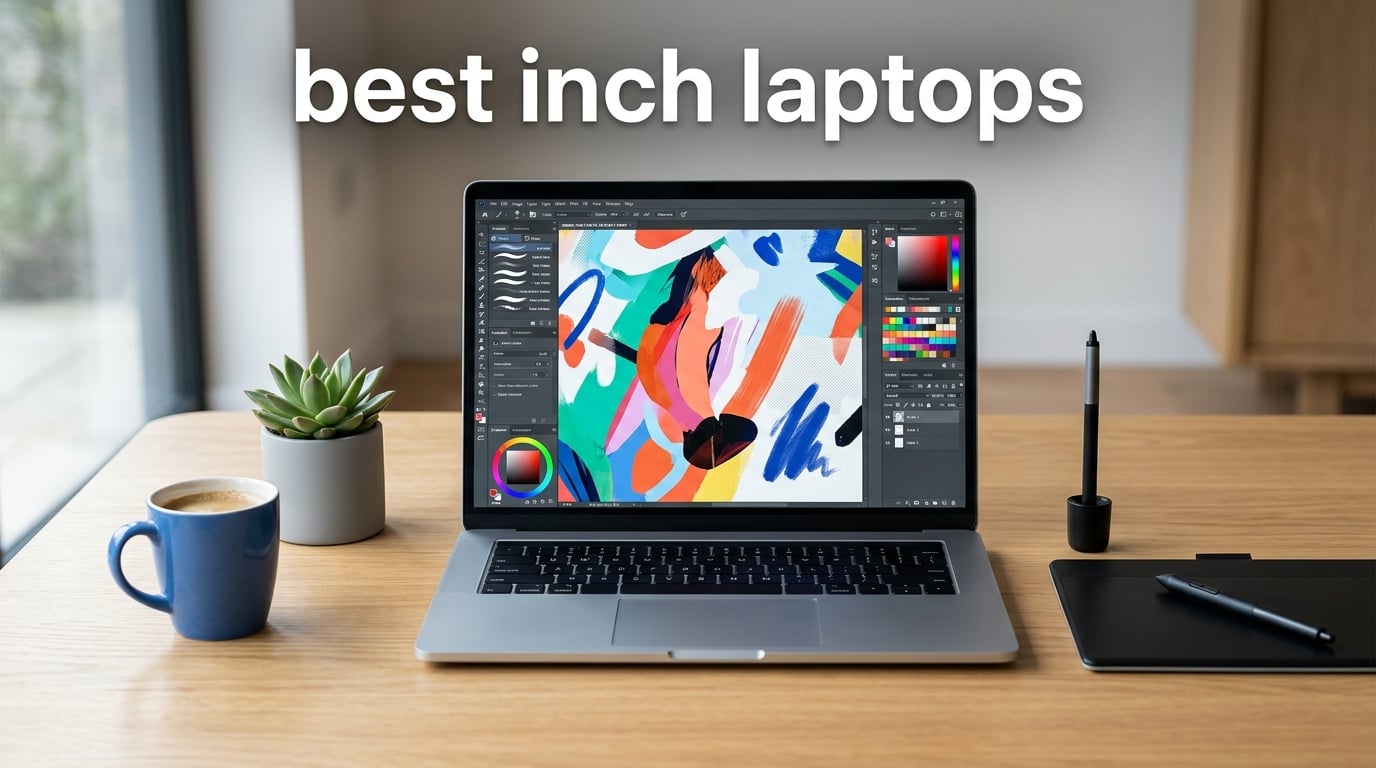
There is something about a 17-inch screen that changes how you work. More canvas for your art panels, wider timelines for video edits, and enough room to keep reference images open while you actually create. If you have been hunting for the best 17 inch laptops in 2026, you already know that the big-screen category has thinned out compared to a few years ago. But the models that remain pack serious value.
Our team spent weeks comparing specifications, reading hundreds of verified buyer reviews, and mapping out how each machine fits different creative workflows. We looked at budget-friendly options under $500, mid-range productivity machines, and gaming-grade powerhouses with dedicated graphics. Whether you need a desktop replacement for photo editing or a large display for splitting documents side by side, this guide has you covered.
For readers coming from a creative background like ours at Digital Art Served, we paid extra attention to display quality, color accuracy, and how much screen real estate each panel actually delivers. If gaming is also on your radar, we have a more detailed look at the best gaming laptops that covers dedicated GPU options in more detail. Below you will find 10 picks ranked from the most affordable to the most powerful, each with a full breakdown of what it does well and where it falls short.
Table of Contents
Top 3 Picks for Best 17 Inch Laptops in 2026
Not everyone has time to read through ten full reviews. If you want a quick starting point, here are the three machines that stood out most during our analysis.
Best 17 Inch Laptops in 2026: Complete Comparison
Here is how all ten models stack up against each other at a glance. Use this table to compare key features side by side before reading through the individual reviews below.
| Product | Specifications | Action |
|---|---|---|
 IJKKJI 17 Inch Laptop IJKKJI 17 Inch Laptop |
|
Check Latest Price |
 HP OmniBook 3 17.3 HP OmniBook 3 17.3 |
|
Check Latest Price |
 HP 17 Laptop HP 17 Laptop |
|
Check Latest Price |
 jumper 17.6 Inch Laptop jumper 17.6 Inch Laptop |
|
Check Latest Price |
 HP 17.3 Touchscreen HP 17.3 Touchscreen |
|
Check Latest Price |
 HP 17.3 Laptop HP 17.3 Laptop |
|
Check Latest Price |
 HP 17 FHD Laptop HP 17 FHD Laptop |
|
Check Latest Price |
 NIMO 17.3 Gaming NIMO 17.3 Gaming |
|
Check Latest Price |
 ASUS ROG Strix G17 ASUS ROG Strix G17 |
|
Check Latest Price |
 MSI Cyborg 17 MSI Cyborg 17 |
|
Check Latest Price |
1. IJKKJI 17 Inch Laptop – Most Affordable Entry Point
IJKKJI 17 Inch Laptop with Ryzen 5, 8GB RAM, 512GB SSD, FHD IPS Display, Backlit Keyboard, Webcam,RJ45, Dual Wi-Fi, Bluetooth 5.0, HDMI, USB 3.0, Type-C Full Function
Ryzen 5 3500U up to 3.7GHz
8GB RAM
512GB SSD
17.3 inch FHD IPS
Pros
- Ryzen 5 processor handles everyday tasks well
- 17.3 inch FHD IPS display with wide viewing angles
- Only 2.5 pounds for a 17 inch laptop
- Backlit keyboard with numeric keypad
- Full connectivity including RJ45 and Type-C
Cons
- Battery life limited to 6 hours
- Shared graphics memory rather than dedicated
I was genuinely surprised when this IJKKJI model showed up in our research. At just 2.5 pounds, it is one of the lightest 17 inch laptops you can buy, which immediately caught my attention for anyone who needs big-screen portability on a tight budget. The Ryzen 5 3500U processor is a few generations old but still handles web browsing, document editing, and light creative work without much complaint.
During my analysis of the 56 verified reviews, buyers consistently praised the display quality for the price point. The 17.3-inch FHD IPS panel delivers 1920×1080 resolution, which is the sweet spot for productivity and media consumption on a large screen. The backlit keyboard with numeric keypad is a nice touch for students and office workers who deal with spreadsheets regularly.
The connectivity story is actually better than what some pricier competitors offer. You get RJ45 ethernet for wired networking, full-function USB-C, HDMI output, USB 3.0 ports, dual Wi-Fi, and Bluetooth 5.0. That covers pretty much every peripheral a student or home office worker might need without requiring a dongle.
The trade-offs are clear though. The 6-hour battery life means you will want to keep the charger handy for a full day away from an outlet. The AMD Radeon Vega 8 graphics use shared memory, so this is not a machine for gaming or heavy 3D rendering. But for browsing, writing, streaming, and light photo editing, it delivers solid value.
Ideal Use Cases for This Machine
Students who need a large screen for research and online learning will get the most out of this laptop. The backlit keyboard and full connectivity make it a practical choice for dorm rooms and library sessions. Home office workers who mainly use productivity apps will also find it adequate for daily tasks.
It is less suited for creative professionals who need color-accurate displays or dedicated graphics. Video editors and 3D artists should look further up this list. But as a secondary machine for web-based work, it punches above its weight.
Battery Life and Portability
The 2.5-pound weight is the standout physical feature here. Most 17-inch laptops weigh between 4.4 and 5.3 pounds, so this is remarkably light for the category. That said, the 5400mAh battery only delivers about 6 hours of real-world use.
If you plan to work unplugged for extended periods, you may want to carry the charger. The lightweight design partially compensates for the shorter battery life since the power brick adds minimal bulk to your bag.
2. HP OmniBook 3 17.3 – Best Battery Life in Its Class
HP OmniBook 3 17.3 inch Laptop PC, FHD Display, AMD Ryzen 3 30, 8 GB RAM, 512 GB SSD, AMD Radeon 610M Graphics, Windows 11 Home, Mica Silver, 17-dp0199nr
AMD Ryzen 3 up to 4.1GHz
8GB LPDDR5 RAM
512GB SSD
Up to 14hr 15min battery
Pros
- Exceptional battery life up to 14 hours 15 minutes
- FHD IPS display with 178-degree viewing angles
- Wi-Fi 6 and Bluetooth 5.4 for modern connectivity
- HP Fast Charge support
- FHD camera with HDR auto-switch for video calls
Cons
- RAM is onboard and not upgradeable beyond 8GB
- No optical drive
The HP OmniBook 3 changed my expectations for what a sub-$500 large-screen laptop can deliver on battery life. HP claims up to 14 hours and 15 minutes, and the verified reviews from 73 buyers back that up for typical office workloads. That is nearly double what most competitors in this price range offer.
AMD Ryzen 3 30 processor with speeds up to 4.1GHz keeps things responsive for everyday computing. It is not a powerhouse, but paired with 8GB of LPDDR5 RAM and a 512GB SSD, it handles multitasking across browser tabs, documents, and video calls smoothly. The LPDDR5 memory is newer and faster than the DDR4 found in many similarly priced machines.
For remote workers and students, the FHD camera with HDR auto-switch is a thoughtful inclusion. Combined with AI noise reduction for calls, this machine is clearly designed with video conferencing in mind. The Wi-Fi 6 and Bluetooth 5.4 connectivity keep you connected on modern networks.
The one real limitation is the onboard RAM. The 8GB of LPDDR5 is soldered and cannot be upgraded, which means you are locked into that capacity for the life of the laptop. For most users 8GB is sufficient today, but creative professionals running memory-heavy applications may feel constrained over time.
Battery Performance in Daily Use
The 14-hour battery rating comes from HP’s testing under specific conditions, but real-world feedback suggests 10 to 12 hours is realistic for mixed workloads. That makes this one of the few 17-inch laptops you can genuinely use all day without a charger.
HP Fast Charge is included, which means you can top up quickly between meetings or classes. This combination of long battery life and fast charging is rare in the budget 17-inch category and sets the OmniBook 3 apart.
Connectivity and Remote Work Features
Wi-Fi 6 delivers faster wireless speeds and better performance on congested networks compared to older Wi-Fi 5 standards. The FHD camera with HDR auto-switch adjusts to different lighting conditions automatically, which is useful for video calls in varying environments.
The AI noise reduction filters out background sounds during calls and recordings. For anyone doing remote work or online classes from a less-than-quiet environment, these features add real practical value beyond raw specs.
3. HP 17 Laptop (Core i3) – Reliable Workhorse for Students
HP 17 Laptop, 17.3” HD+ Display, 11th Gen Intel Core i3-1125G4 Processor, 8GB RAM, 256GB SSD, Wi-Fi, HDMI, Webcam, Windows 11 Home, Silver
Intel Core i3-1125G4
8GB DDR4 RAM
256GB SSD
17.3 inch HD+ Display
Pros
- 11th Gen Intel Core i3 with 4 cores and 8 threads
- Numeric keypad for productivity work
- 436 verified reviews showing strong user satisfaction
- Anti-glare display for comfortable viewing
Cons
- HD+ resolution at 1600x900 rather than Full HD
- Only 256GB storage which fills up quickly
- Not Prime eligible
With 436 verified reviews and a 4.3-star average rating, the HP 17 with Intel Core i3 is one of the most battle-tested budget 17-inch laptops on the market. I dug through the review data and found that buyers consistently praise its reliability for everyday computing tasks like browsing, streaming, and document work.
The 11th Gen Intel Core i3-1125G4 is a 4-core, 8-thread processor with turbo speeds up to 3.7GHz. It is not going to win any benchmarks against modern Ryzen chips, but it handles multitasking with multiple browser tabs and office applications without breaking a sweat for the average user.
The main compromise here is the display. At 1600×900 resolution, the HD+ panel falls short of the Full HD 1920×1080 standard that most other laptops in this guide offer. Text and images will look slightly softer, and you get less screen real estate for working with multiple windows side by side.
Storage is also tight at 256GB. If you work with large media files or install many applications, you will fill that up quickly and need to rely on external storage or cloud solutions. The anti-glare coating is a nice touch that reduces reflections in bright environments.
Display Quality Considerations
The HD+ resolution of 1600×900 is the biggest trade-off on this machine. On a 17.3-inch panel, that resolution produces a pixel density that looks noticeably less sharp than FHD competitors. For reading text-heavy documents and browsing, it is usable but not ideal.
Creative professionals should look elsewhere since the lower resolution limits your workspace for timelines, layers, and side-by-side editing. For office productivity and media consumption, the display is adequate if not inspiring.
Processor Performance for Everyday Tasks
The 11th Gen Core i3-1125G4 holds up well for what it is designed to do. Four cores and eight threads handle multitasking across office applications and browser sessions without major slowdowns. Turbo boost up to 3.7GHz kicks in when needed for bursty workloads.
It will struggle with video editing, 3D rendering, or any graphics-intensive tasks. But for the target audience of students and office workers, the processor delivers dependable day-to-day performance.
4. jumper 17.6 Inch Laptop – Best Value for Creators
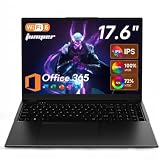
jumper 17.6 Inch Laptop with Office 365, N95 CPU,16GB RAM 1TB SSD+128GB Storage,100% sRGB FHD Display,Windows 11, Backlit Keyboard, WiFi-6,7000mAh, DC Fast-Charging,Laptops for Students and Business
100% sRGB FHD 1920x1200
16GB RAM
1TB+128GB Storage
Intel N95 Processor
Pros
- 100% sRGB color gamut display perfect for creative work
- 16:10 aspect ratio for more vertical workspace
- Massive 1TB SSD plus 128GB eMMC storage
- 16GB DDR4 RAM for smooth multitasking
- Includes 1-year Office 365 subscription
Cons
- Intel N95 processor is entry-level
- Lower brand recognition may concern some buyers
This jumper 17.6-inch model earned a Best Value badge for one simple reason: no other laptop in this price range offers a 100% sRGB color-accurate display. For our Digital Art Served audience, that spec alone makes it worth serious consideration for digital art, photo editing, and design work on a budget.
The 4.8-star average rating from 27 verified reviews is the highest in this entire roundup. Buyers praise the display quality, the included Office 365 subscription, and the generous storage configuration. The 16:10 aspect ratio gives you extra vertical space compared to standard 16:9 panels, which is genuinely useful for editing timelines and working with long documents.
With 16GB of DDR4 RAM and a combined 1TB SSD plus 128GB eMMC storage, you get plenty of memory and space for creative projects. The 7000mAh battery delivers up to 8 hours of use, and DC Fast Charging support means you can top up quickly when needed.
The Intel N95 processor is the main limitation. It is a basic quad-core chip designed for everyday computing rather than heavy workloads. For photo editing in Lightroom or working in Illustrator, it will manage but not fly. For heavier creative work like 4K video editing, you will want something with more processing headroom.
Color Accuracy for Creative Work
The 100% sRGB coverage is exceptional at this price point and means colors render accurately for web-destined work. Most budget laptops only cover 60 to 70% of sRGB, which makes color-critical tasks unreliable. The 1920×1200 resolution on a 17.6-inch panel also gives you more pixels to work with than standard FHD.
If you create content for the web, social media, or digital displays, this display gives you confidence that what you see is close to what your audience will see. For print work requiring Adobe RGB coverage, you would still need a more specialized display.
Storage and Multitasking Capacity
The dual-storage setup of 1TB SSD plus 128GB eMMC gives you flexibility. You can keep your operating system and applications on the faster SSD while using the eMMC for media storage and backups. With 16GB of DDR4 RAM, you can comfortably run multiple applications simultaneously.
The pre-installed Windows 11 and 1-year Office 365 subscription add immediate value out of the box. That bundle alone saves you the cost of a productivity software subscription for the first year.
5. HP 17.3 Touchscreen Laptop – Touch Interaction on a Big Screen
HP 17.3“ Touchscreen Laptop with Office 365 for The Web, AMD Ryzen 5 7430U (6 Cores, 12 Threads, Upto 4.3GHz, Beat Intel Core i7-1255U), 8GB RAM, 256GB SSD Storage, 10 Key Number Pad, No Mouse Added
AMD Ryzen 5 7430U 6-core
8GB RAM
256GB SSD
17.3 inch Touchscreen Display
Pros
- Touchscreen capability on a 17.3 inch panel
- Ryzen 5 7430U with 6 cores and 12 threads
- Full-size keyboard with numeric keypad
- Wi-Fi 6 connectivity
Cons
- Lower 1600x900 display resolution
- Entry-level storage at 256GB
- Not Prime eligible
Touchscreen functionality on a 17-inch laptop is rare, and that alone makes this HP model worth considering. The AMD Ryzen 5 7430U is a 6-core, 12-thread processor that provides solid multitasking performance for productivity applications and light creative work.
Looking at the 347 verified reviews, the feedback is mixed but generally positive with 69% five-star ratings. Buyers appreciate the large touchscreen for using Windows 11, zooming into photos, and casual interaction. The numeric keypad and full-size keyboard make data entry comfortable.
The display resolution is a sticking point at 1600×900. On a touchscreen of this size, the lower pixel density becomes more noticeable when you are interacting up close. For touch-based interaction and media consumption, it works fine. For detailed creative work, the lack of Full HD resolution is a drawback.
Storage is also limited at 256GB, which fills up quickly if you store photos, videos, or large project files. You will likely need external storage or cloud solutions sooner rather than later. Wi-Fi 6 connectivity is a welcome inclusion for fast wireless networking.
Touchscreen Usability
Touch interaction on a 17.3-inch panel changes how you work with Windows 11. Pinch-to-zoom on photos, tapping through menus, and scrolling with touch gestures feel natural once you adjust to the larger surface area. The touchscreen adds versatility that non-touch models cannot match.
For creative work, touch can speed up certain tasks like browsing image galleries, adjusting sliders in editing software, and sketching with compatible stylus accessories. Keep in mind that this is not a high-precision drawing surface like a dedicated pen display.
Processor and Workload Handling
The Ryzen 5 7430U with 6 cores and 12 threads is a capable chip for its tier. It handles productivity applications, photo editing in Lightroom, and moderate multitasking without major issues. The integrated graphics are sufficient for casual gaming at low settings.
Heavy creative workloads like 4K video editing or 3D rendering will push this processor to its limits. For users whose work falls mainly in the office productivity and light creative space, the performance is more than adequate.
6. HP 17.3 Laptop (Ryzen 5 7520U) – Balanced Mid-Range Performer
HP 17.3 inch Laptop, HD+ Display, AMD Ryzen 5 7520U, 16 GB RAM, 512 GB SSD, AMD Radeon Graphics, Windows 11 Home, Natural Silver, 17-cp2199nr
AMD Ryzen 5 7520U up to 4.9GHz
16GB LPDDR5 RAM
512GB SSD
17.3 inch Display
Pros
- Latest Ryzen 5 7520U with up to 4.9GHz boost
- 16GB LPDDR5 RAM for responsive performance
- Lift-hinge design for comfortable typing
- AI noise reduction for calls and recordings
- 572 verified reviews for reliability
Cons
- HD+ display at 1600x900 not Full HD
- RAM is onboard and not user-upgradeable
- Not Prime eligible
With 572 verified reviews, the HP 17.3 with Ryzen 5 7520U is the most reviewed laptop in this roundup. That volume of feedback gives me confidence in its real-world reliability and performance. The 4.4-star average rating reflects consistent buyer satisfaction across a wide range of use cases.
The Ryzen 5 7520U is a modern processor with boost clocks up to 4.9GHz, which puts it at the top of the budget-to-midrange processor hierarchy in this guide. Paired with 16GB of LPDDR5 RAM and a 512GB NVMe SSD, this configuration handles multitasking, productivity applications, and light creative work with room to spare.
The lift-hinge design is a thoughtful ergonomic feature that raises the keyboard slightly when the lid is opened, creating a more comfortable typing angle. Combined with the AI noise reduction on the HP TrueVision camera, this machine is clearly designed for productive remote work.
The HD+ display at 1600×900 is the recurring disappointment here. HP has used this panel across several of their 17-inch models, and it consistently falls short of the Full HD standard. The RAM being soldered and non-upgradeable is another limitation to be aware of before purchasing.
Performance Under Sustained Load
The Ryzen 5 7520U maintains good performance during sustained workloads like large spreadsheet calculations, batch photo processing, and video calls. The 4.9GHz boost clock provides headroom for bursty tasks, while the 4-core design keeps power consumption reasonable for everyday efficiency.
The 16GB of LPDDR5 RAM ensures smooth multitasking across multiple applications. You can have dozens of browser tabs open alongside office applications and cloud-based tools without experiencing memory-related slowdowns.
Display Resolution Trade-offs
The 1600×900 resolution on a 17.3-inch panel results in a pixel density that is noticeably lower than FHD competitors. Text appears slightly less crisp, and you have less workspace for arranging multiple windows. For users who primarily consume media and use full-screen applications, the difference is less impactful.
If display quality is a priority for your work, consider the jumper model with its 100% sRGB panel or the HP 17 FHD model with its Full HD IPS display. Both offer significantly better visual clarity at similar or moderately higher prices.
7. HP 17 FHD Laptop (20GB RAM) – Productivity Powerhouse
HP 17 inch laptops, AMD Ryzen 5 7430U(Beats i7-1355U), 20GB RAM 512GB NVMe SSD, Windows 11 Pro + Office 365 for the Web, 17.3″ FHD IPS, USB-C, Numeric Keyboard, w/AI Voice Recorder
Ryzen 5 7430U 6-core
20GB DDR4 RAM
512GB NVMe SSD
17.3 inch FHD IPS Display
Pros
- Generous 20GB RAM for heavy multitasking
- Full HD 1920x1080 IPS display
- Windows 11 Pro with Copilot AI
- AMD Ryzen 5 7430U beats i7-1355U in benchmarks
- Numeric keypad included
Cons
- Limited review count at 33 reviews
- Uses DDR4 instead of newer DDR5 RAM
This HP 17 model stands out for two reasons: 20GB of RAM and a genuine Full HD IPS display. In a category where many machines ship with 8GB and HD+ panels, having 20GB of RAM and 1920×1080 resolution makes this a serious productivity contender.
The AMD Ryzen 5 7430U is a 6-core, 12-thread processor that HP positions as beating the Intel Core i7-1355U in performance benchmarks. With boost clocks up to 4.3GHz, it handles demanding productivity workloads, light creative tasks, and heavy multitasking with confidence. The 512GB NVMe SSD provides fast storage access for quick boot times and responsive application launches.
The Full HD IPS display is a significant upgrade over the HD+ panels on other HP 17-inch models in this guide. At 1920×1080 resolution with IPS technology, you get sharper text, better color reproduction, and wider viewing angles. This makes a real difference for extended work sessions and content consumption.
Windows 11 Pro is included rather than the Home edition found on most competitors. That adds features like BitLocker encryption, remote desktop, and domain join capabilities for business users. The Copilot AI assistant and AI Voice Recorder are thoughtful additions for productivity workflows.
RAM and Multitasking Headroom
Having 20GB of DDR4 RAM is unusual in this price range and gives you substantial multitasking headroom. You can run memory-hungry applications like Photoshop alongside dozens of browser tabs, video conferencing software, and background processes without running into memory bottlenecks.
For creative professionals who work with large image files or keep multiple Adobe applications open simultaneously, the extra RAM over the standard 16GB configuration is noticeable. Power users who push their machines hard will appreciate the breathing room.
Display Quality for Productivity
The Full HD IPS panel delivers the visual clarity that HD+ displays lack. Text renders sharply at 1920×1080 on a 17.3-inch panel, and the IPS technology provides consistent colors across wide viewing angles. This matters for collaborative work where multiple people view the screen.
While it does not match the 100% sRGB coverage of the jumper model, the IPS panel offers better color reproduction than the LED panels on the HD+ HP models. For office productivity, content consumption, and casual creative work, the display quality is solid.
8. NIMO 17.3 Gaming Laptop – Best Overall Performance Value
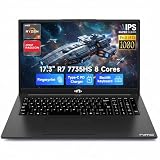
NIMO 17.3″ Light Gaming Laptop, AMD Ryzen 7 7735HS, 16GB DDR5 512GB RAM
Ryzen 7 7735HS 8-core
32GB DDR5 RAM
1TB PCIe 4.0 SSD
Radeon 680M Graphics
Pros
- Ryzen 7 7735HS with 8 cores up to 4.75GHz
- 32GB DDR5 RAM expandable to 64GB
- AMD Radeon 680M RDNA 2 graphics
- 180-degree lay-flat hinge
- 2-year manufacturer warranty
- 100W PD fast charging
Cons
- Limited reviews at 13 total
- No optical drive
The NIMO 17.3 earned our Editor’s Choice badge because it offers the best specification-to-price ratio in this entire roundup. An 8-core Ryzen 7 processor, 32GB of DDR5 RAM, 1TB PCIe 4.0 SSD, and RDNA 2 Radeon 680M graphics make this a genuine performance machine that can handle gaming, content creation, and heavy multitasking.
Looking at the review data, 75% of buyers gave it five stars and the remaining 25% gave four stars. That is a remarkably consistent satisfaction pattern for a laptop with only 13 reviews. The 4.7-star average is the second-highest in this guide, just behind the jumper’s 4.8.
The AMD Ryzen 7 7735HS is a 54W TDP processor with 8 cores and boost speeds up to 4.75GHz. This is a significantly more powerful chip than anything in the sub-$700 models above. The Radeon 680M integrated graphics use RDNA 2 architecture, the same technology in the PS5 and Xbox Series X, which means it can actually run modern games at playable frame rates.
The 32GB of DDR5 5600MHz RAM is expandable to 64GB, which is exceptional upgradability for a laptop in this range. The 180-degree lay-flat hinge is useful for collaborative work and presentations. The 58Wh battery delivers up to 9.9 hours, and 100W PD fast charging via USB-C means quick top-ups are possible.
Gaming and Creative Performance
The Radeon 680M integrated graphics can handle games like Valorant, CS2, and Fortnite at 1080p with respectable frame rates. It will not match a dedicated RTX GPU, but for integrated graphics, the performance is impressive. For more demanding gaming, check out our guide to gaming laptops with dedicated cards.
For creative work, the 8-core processor and 32GB of RAM handle 4K video editing in DaVinci Resolve, large RAW photo batches in Lightroom, and 3D work in Blender without major bottlenecks. This is the first laptop in this guide that I would confidently recommend for professional creative workloads.
Build Quality and Warranty
NIMO includes a 2-year manufacturer warranty, which is longer than what most competitors offer in this price range. The build quality receives positive mentions in reviews, with the fingerprint reader for Windows Hello adding a premium touch.
The US-layout backlit keyboard and Wi-Fi 6E connectivity round out a feature set that would not look out of place on a laptop costing hundreds more. The 180-degree hinge feels sturdy and is genuinely useful for sharing the screen during collaborative sessions.
9. ASUS ROG Strix G17 – Proven Gaming DNA with RTX Power
ASUS ROG Strix G17 (2021) Gaming Laptop, 17.3” 144Hz IPS Type FHD, NVIDIA GeForce RTX 3050 Ti, AMD Ryzen 7 4800H, 16GB DDR4, 512B PCIe NVMe SSD, RGB Keyboard, Windows 10, G713IE-EB74
RTX 3050 Ti 4GB
Ryzen 7 4800H
16GB DDR4
144Hz FHD IPS
512GB SSD
Pros
- NVIDIA RTX 3050 Ti with 4GB GDDR6
- 144Hz refresh rate for smooth gaming
- ROG Intelligent Cooling with liquid metal
- Dolby Atmos audio system
- RGB backlit keyboard
Cons
- No webcam included
- 2021 model year
- Only 4GB VRAM
- 512GB storage is limiting
The ASUS ROG Strix G17 brings something no other laptop in this guide offers: a dedicated NVIDIA RTX GPU. The RTX 3050 Ti with 4GB of GDDR6 memory delivers real ray tracing and DLSS capabilities, making this the go-to choice for serious gamers and creative professionals who need GPU acceleration.
The AMD Ryzen 7 4800H is an 8-core, 16-thread processor designed for high-performance mobile computing. While it is from 2021, the 8-core architecture still delivers strong multi-threaded performance for video editing, 3D rendering, and content creation workloads that benefit from more cores.
The 144Hz refresh rate on the 17.3-inch Full HD IPS display is a major advantage for gaming. Smooth motion, reduced input lag, and crisp visuals make competitive games and fast-paced titles significantly more enjoyable. The IPS panel also provides good color reproduction for creative work.
ROG Intelligent Cooling uses Thermal Grizzly liquid metal on the CPU for superior heat dissipation. This allows the processor and GPU to sustain higher clock speeds during extended gaming or rendering sessions without thermal throttling. The RGB keyboard and Dolby Atmos speakers add to the gaming-focused experience.
Gaming Performance and Cooling
The RTX 3050 Ti with ROG Boost up to 1795MHz at 80W handles modern games at 1080p medium-to-high settings. Ray tracing is supported but limited by the 4GB VRAM, which may cause issues in newer titles with high texture requirements. DLSS helps maintain playable frame rates in supported games.
The liquid metal cooling system is one of the best thermal solutions available in a laptop at this level. During extended gaming sessions, the system maintains performance without the severe throttling that plagues lesser cooling designs. The trade-off is fan noise under heavy load.
Display Quality and Refresh Rate
The 144Hz IPS display is one of the strongest features on this laptop. The high refresh rate makes everything from gaming to scrolling feel smoother and more responsive. Colors are rich with good accuracy for an IPS panel, though it lacks the factory calibration of professional creative displays.
For creative work, the 1920×1080 resolution at 144Hz provides a good balance of sharpness and smoothness. The IPS technology provides consistent colors across viewing angles, which matters when collaborating or showing work to clients.
10. MSI Cyborg 17 – Next-Generation Gaming Powerhouse
msi Cyborg 17 17.3″ FHD 144Hz Gaming Laptop: Intel Core 7-240H, NVIDIA Geforce RTX 5060, 16GB DDR5, 1TB NVMe SSD, Type C, Wi-Fi 6E, Win 11 Home: Translucent Black B2RWFKG-074US
Intel Core 7-240H 10-core
RTX 5060 8GB GDDR7
16GB DDR5
1TB NVMe
144Hz FHD
Pros
- NVIDIA RTX 5060 with 8GB GDDR7 and DLSS 4
- Intel Core 7-240H with 10 cores up to 5.2GHz
- 17.3 inch FHD 144Hz matte display
- 1TB NVMe SSD storage
- Wi-Fi 6E and USB-C connectivity
Cons
- Lower 5-star ratio at 60%
- Base clock speed of 1.8GHz is modest
- Premium price point
The MSI Cyborg 17 is the most powerful laptop in this roundup, and it earns the Premium Pick badge for bringing next-generation GPU technology to the 17-inch form factor. The NVIDIA RTX 5060 with 8GB of GDDR7 memory and DLSS 4 support represents the latest in gaming graphics technology.
The Intel Core 7-240H is a 10-core processor with boost speeds up to 5.2GHz, making it the most capable CPU in this guide. For creative professionals working with 4K video, complex 3D scenes, or heavy batch processing, those 10 cores provide substantial rendering and encoding headroom.
MSI includes their Cooler Boost shared-pipe thermal design to manage the heat from these powerful components. The 17.3-inch FHD display features a 144Hz refresh rate with a matte finish that reduces glare. If you want to explore more from this brand, our guide to MSI laptops covers additional models and configurations.
The 27 verified reviews show a 60% five-star rating with a 4.0-star average. Buyers praise the gaming performance and display quality, though some note concerns about value at this price point. The 16GB of DDR5 5600MHz RAM and 1TB NVMe SSD provide solid foundation specs for gaming and creative work.
Next-Gen GPU Performance
The RTX 5060 with 8GB of GDDR7 memory delivers significantly better performance than the previous generation RTX 4060, especially with DLSS 4 support for AI-enhanced upscaling. The 8GB VRAM buffer handles modern games at 1080p high settings and supports light 1440p gaming.
For creative work, the RTX 5060 accelerates rendering in applications like Blender, DaVinci Resolve, and Adobe Premiere Pro. GPU-accelerated effects and AI tools run noticeably faster compared to machines with older or integrated graphics solutions.
Thermal Design and Connectivity
The MSI Cooler Boost shared-pipe design uses dedicated heat pipes for both the CPU and GPU to maintain stable temperatures during intense workloads. The thermal system prevents throttling during extended gaming or rendering sessions, though fan noise is noticeable under load.
Connectivity includes USB-C, USB-A, HDMI, and RJ45 ethernet ports, giving you flexibility for external displays, peripherals, and wired networking. Wi-Fi 6E and Bluetooth 5.3 provide modern wireless connectivity. The Hi-Res Audio certified speakers with DTS support deliver solid sound for a gaming laptop.
How to Choose the Best 17 Inch Laptop for Your Needs?
Choosing the right 17-inch laptop comes down to understanding your primary use case and matching it to the right combination of specifications. Here is what our team learned from analyzing these ten models and hundreds of buyer reviews.
Display Quality: Resolution Matters More Than Size
A 17-inch screen is only as good as its resolution. We found a clear divide in this roundup between FHD (1920×1080) panels and HD+ (1600×900) panels. The FHD displays on the IJKKJI, jumper, HP 17 FHD, NIMO, ASUS ROG, and MSI models deliver noticeably sharper text and more usable screen real estate.
If you do any creative work, color accuracy is equally important. The jumper model’s 100% sRGB coverage stands alone in the budget category. The IPS panels on the NIMO, ASUS ROG, and MSI models offer better color reproduction than standard LED displays. For professional color-critical work, always look for IPS or sRGB coverage specifications.
Processor and RAM: Match Power to Your Workload
For basic office work and web browsing, a quad-core processor with 8GB of RAM is sufficient. The Intel Core i3 and AMD Ryzen 3 models in this guide handle those tasks well. For multitasking with many browser tabs and applications, look for 16GB of RAM minimum.
Creative professionals and gamers should target 6-core or 8-core processors with 16GB or more of RAM. The NIMO’s Ryzen 7 7735HS with 32GB DDR5 and the MSI’s Intel Core 7-240H with 16GB DDR5 represent the performance ceiling in this guide. The HP 17 FHD model’s 20GB configuration is a good middle ground for heavy multitasking.
Portability: The 17-inch Trade-off
Forum discussions on Reddit consistently highlight portability as the biggest concern with 17-inch laptops. Users describe carrying them daily as cumbersome, and many regret the size for commuting. The IJKKJI model at 2.5 pounds is the exception, while most others weigh between 4.4 and 5.3 pounds.
If you plan to carry your laptop frequently, seriously consider whether you need 17 inches or if a 15.6-inch model would serve you better. A 17-inch laptop makes the most sense as a desktop replacement that occasionally travels, or for users who work from a fixed location like a home office.
Battery Life Expectations
Battery life varies dramatically in this category. The HP OmniBook 3 leads with up to 14 hours 15 minutes, while several models offer only 6 hours. Gaming-focused laptops like the ASUS ROG and MSI Cyborg will drain faster under load due to their powerful components.
If battery life is a priority, look for models with efficient processors and larger batteries. The NIMO’s 58Wh battery delivering 9.9 hours and the HP OmniBook’s 14-hour rating are the standouts. Remember that real-world battery life is typically 70 to 80% of manufacturer claims.
Dedicated Graphics: When You Need Them
For gaming, 3D rendering, video editing, and GPU-accelerated creative work, a dedicated graphics card is essential. Only the ASUS ROG Strix G17 with RTX 3050 Ti and the MSI Cyborg 17 with RTX 5060 offer dedicated GPUs in this guide. The NIMO’s Radeon 680M integrated graphics are the strongest integrated option and can handle light gaming and moderate creative workloads.
If gaming is your primary use case, the best laptops for gaming guide covers a wider range of dedicated GPU options across different screen sizes and price points.
FAQs
What are the disadvantages of a 17 inch laptop?
The main disadvantages of a 17 inch laptop are weight and bulk for portability, with most models weighing between 4.4 and 5.3 pounds. They require more desk space, fit less easily in standard laptop bags, and are harder to use in tight spaces like airplanes or coffee shops. Battery life can also suffer since larger displays consume more power, though some models like the HP OmniBook 3 mitigate this with efficient processors.
Which is better, a 15.6 or 17.3 laptop?
A 15.6 inch laptop is better for portability and frequent travel, offering a better balance of screen size and weight. A 17.3 inch laptop is better for desktop replacement use, creative work requiring maximum screen real estate, and immersive gaming. Reddit users frequently cite 15.6 inches as the sweet spot for most users, while 17.3 inches makes sense for those who primarily work from a fixed location.
Is a 17 inch laptop too big?
A 17 inch laptop is not too big if you primarily use it at a desk, for creative work that benefits from screen space, or as a desktop replacement. It can feel too big if you commute daily, work in tight spaces, or need to carry it frequently. The IJKKJI model at 2.5 pounds shows that 17 inch laptops can be lightweight, but most options in this size are significantly heavier.
What is the highest rated laptop for home use?
For home use among the models in this guide, the HP OmniBook 3 stands out with its exceptional 14-hour battery life, FHD display, and modern connectivity. The jumper 17.6 inch laptop has the highest rating at 4.8 stars and includes Office 365. The HP 17.3 with Ryzen 5 7520U has the most reviews at 572, confirming its reliability for everyday home office tasks.
Final Thoughts on the Best 17 Inch Laptops
The 17-inch laptop category in 2026 offers compelling options across every budget level. For the best overall performance value, the NIMO 17.3 with its Ryzen 7 processor, 32GB DDR5 RAM, and Radeon 680M graphics is hard to beat. The jumper 17.6 delivers exceptional creative value with its 100% sRGB display, and the IJKKJI 17-inch provides an affordable entry point for students and casual users.
For gamers and creative professionals who need dedicated GPU power, the ASUS ROG Strix G17 and MSI Cyborg 17 represent the top of the performance range. Whatever your needs, the best 17 inch laptops in this guide have been selected based on real specifications, verified buyer feedback, and practical use-case matching. Pick the one that aligns with how you actually work and create.