
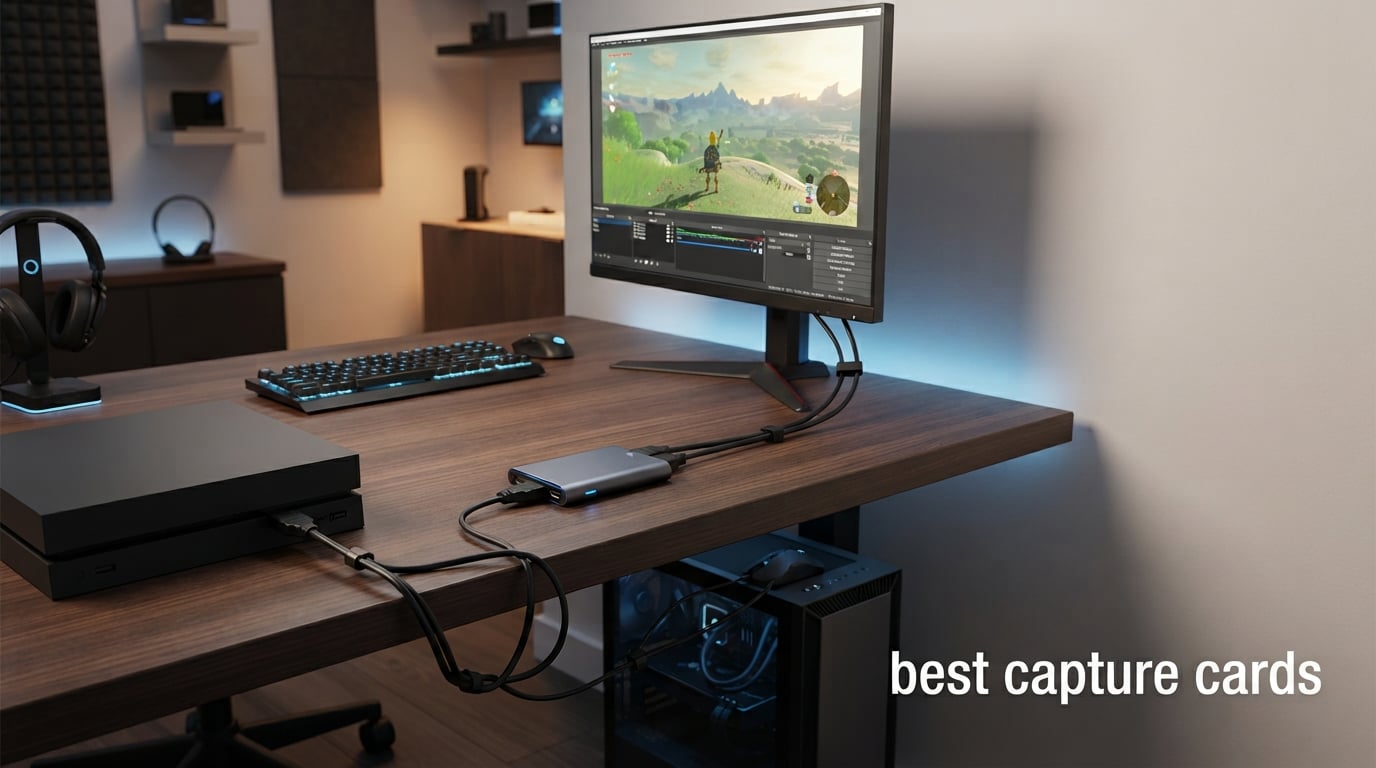
The best capture cards in 2026 are the Elgato 4K S for broadly capable console capture, the Elgato 4K X for HDMI 2.1 and high-refresh passthrough, and the AVerMedia Live Gamer ULTRA 2.1 for party-chat and multichannel-audio features. A capture card takes HDMI video and audio from a console, camera, or second PC and sends that signal to a computer for recording or streaming software.
The right game capture card is not automatically the one with the largest resolution number. It needs to match the signal you play, the frame rate you want to record, your computer connection, and whether you need VRR, HDR, loop-out, chat audio, or a portable external box.
I compared the listed specifications, customer-review summaries, compatibility notes, and constraints for all 12 picks below. If you are building the rest of a broadcast workstation too, our guide to the best gaming PCs for streaming is a useful next read, particularly for a two-PC setup.
Table of Contents
The Top 3 Best Capture Cards Are These Picks in 2026
The Best Capture Cards in 2026 Cover Every Setup
| Product | Specifications | Action |
|---|---|---|
 Elgato 4K S Elgato 4K S |
|
View Details |
 Elgato 4K X Elgato 4K X |
|
View Details |
 Elgato 4K Pro Elgato 4K Pro |
|
View Details |
 AVerMedia Live Gamer ULTRA 2.1 AVerMedia Live Gamer ULTRA 2.1 |
|
View Details |
 AVerMedia Live Gamer 4K 2.1 AVerMedia Live Gamer 4K 2.1 |
|
View Details |
 AVerMedia CamStream 4K AVerMedia CamStream 4K |
|
View Details |
 AVerMedia Live Gamer Extreme 3 AVerMedia Live Gamer Extreme 3 |
|
View Details |
 AVerMedia StreamLine MINI+ AVerMedia StreamLine MINI+ |
|
View Details |
 UGREEN 4K 30Hz Loop-Out UGREEN 4K 30Hz Loop-Out |
|
View Details |
 Acer USB 3.0 Capture Card Acer USB 3.0 Capture Card |
|
View Details |
 Dcyfol 4K HDMI Capture Card Dcyfol 4K HDMI Capture Card |
|
View Details |
 UGREEN Full HD Dual-Interface UGREEN Full HD Dual-Interface |
|
View Details |
1. Elgato 4K S Is the Best All-Around Console Capture Card
Elgato 4K S Capture Card for PS5, Xbox Series X/S, Switch 2
4K60 capture
1440p120 or 1080p240 pass
HDR10 and analog audio
Pros
- 4K60 capture
- HDR10 support
- high-frame passthrough
- analog audio input
- cross-console support
Cons
- Needs USB 3.0 Type-C
- full features need modern OS
- needs capable computer
The Elgato 4K S is my straightforward pick for a creator who wants one external capture card to cover PS5, Xbox Series X/S, and Switch 2 without moving into internal PCIe hardware. Its listed 4.5 rating from 1.6k reviews gives this choice a deeper buyer-feedback base than several newer entries here.
It records at 4K60, while its passthrough modes reach 1440p120 or 1080p240. That distinction matters: capture is the file sent to the computer, while passthrough is the signal sent to the gaming display.
HDR10 capture is listed with tone mapping on Windows, and the 3.5 mm analog input is useful when game chat or commentary needs a direct path. The card also lists near-zero latency, which refers to the capture workflow rather than a promise that every PC preview will feel instant.
USB-C keeps cabling simple, but the host computer needs a USB 3.0 Type-C port and enough CPU or GPU capacity for the chosen recording settings. The listed operating-system requirement is Windows 11 64-bit or macOS 13 for full features, so I would check that before connecting anything.
The Elgato 4K S Fits Console Creators Who Need 4K60 Capture
This is the sensible fit for a PS5, Xbox, or Switch 2 creator who records polished footage and still wants a responsive high-frame-rate monitor path. It also suits someone who needs an analog audio input rather than arranging separate adapters for commentary.
The Elgato 4K S Needs a USB-C Host and Realistic Capture Settings
Choose another option if your streaming computer lacks the specified USB connection or you want an internal card for a permanent two-PC station. I would also separate capture quality from gameplay quality in OBS so a demanding 4K60 job does not overload the computer.
2. Elgato 4K X Is the Best External HDMI 2.1 High-Refresh Pick
Elgato 4K X Capture Card, HDMI 2.1, 4K144 Ultra-Low Latency
HDMI 2.1
4K144 and VRR passthrough
USB 3.2 Gen 2
Pros
- 4K144 capability
- HDMI 2.1
- VRR passthrough
- 1080p240 support
- broad software support
Cons
- Needs USB 3.2 Gen 2
- needs capable CPU and GPU
The Elgato 4K X is the external model I would prioritize when your display and console use the newer HDMI 2.1 feature set. It pairs a listed 4.5 rating from 1.6k reviews with 4K144 capture capability, HDMI 2.1 input and output, and USB 3.2 Gen 2 connectivity.
VRR passthrough is the headline feature for players who do not want a fixed-refresh detour between console and monitor. When the source and display both support Variable Refresh Rate, the card’s listed passthrough support is meant to preserve that smoother gaming path.
For recorded content, the card lists up to 1080p240 capture as well as high-resolution operation. It also lists compatibility with OBS, Streamlabs, Twitch Studio, Restream, Zoom, and Teams, which makes it relevant beyond gameplay.
The limitation is technical rather than cosmetic: full performance calls for a USB 3.2 Gen 2 host and a reasonably capable CPU and GPU. I would verify the actual port specification in a laptop manual, because a USB-C shape alone does not identify the transfer capability.
The Elgato 4K X Fits Players Who Use VRR and Fast Displays
This card makes sense for a PS5, Xbox, Switch, PC, or Mac workflow where high-refresh passthrough is part of the daily experience. It is also a strong candidate when OBS and a conferencing app both need to recognize the same external HDMI source.
The Elgato 4K X Needs a Full-Bandwidth USB Connection
Skip it if your computer cannot supply USB 3.2 Gen 2 or if 1080p60 capture is all you plan to produce. I would rather match a simpler card to that lighter workload than leave this model limited by the host connection.
3. Elgato 4K Pro Is the Best PCIe Card for a Fixed Two-PC Setup
Elgato 4K Pro Internal Capture Card, 8K60 Passthrough
PCIe internal card
8K60 passthrough
4K60 HDR10 capture
Pros
- 8K60 passthrough
- 4K60 HDR10 capture
- VRR support
- PCIe latency
- dual-PC ready
Cons
- Needs PCIe installation
- Windows desktop only
- needs open PCIe slot
The Elgato 4K Pro is the choice I would reserve for a desktop streaming machine that stays assembled in one place. It is an internal PCIe card, so it removes the external enclosure and is listed as compatible with dual-PC streaming setups.
Its signal path is unusually expansive on paper: 8K60 passthrough, 4K60 HDR10 capture, HDMI 2.1, VRR support, and recording modes up to 1080p240. The 4.5 rating comes from 371 reviews, a smaller pool than the external Elgato models but still meaningful feedback.
The card lists ultra-low latency for synchronized broadcast and gameplay, plus compatibility with OBS, Streamlabs, Twitch Studio, Restream, Zoom, and Teams. An internal connection can make cable management tidier once installed, but it is not a travel-friendly solution.
Installation requires an open PCIe slot in a desktop PC, and the supplied compatibility note is Windows 10 only. I would confirm motherboard clearance, available lanes, and operating-system support before treating this as a plug-and-play purchase.
The Elgato 4K Pro Fits Permanent Desktop Streaming Rooms
This model belongs in a dedicated two-PC arrangement, especially where 8K60 passthrough or 4K60 HDR recording is relevant to the player’s display chain. It is a focused answer for creators who prefer an internal capture card over a USB device on the desk.
The Elgato 4K Pro Requires PCIe Space and Windows Support
Do not choose it for a Mac, laptop, or a PC without an available compatible PCIe slot. I would also avoid installing an internal card merely for basic console clips, because its connection and passthrough capabilities are aimed at a more demanding system.
4. AVerMedia Live Gamer ULTRA 2.1 Is the Best for Party Chat and Audio
AVerMedia Live Gamer Ultra 2.1 4K144 HDMI 2.1 USB Capture Card, GC553G2
4K60 capture
4K144 HDR VRR pass
Party chat and 5.1 audio
Pros
- 4K60 capture
- 4K144 HDR VRR passthrough
- party chat
- 5.1 audio
- Mac and PC support
Cons
- 4.2 rating
- notable one-star review share
The AVerMedia Live Gamer ULTRA 2.1 stands out because its specification list covers the part many console streamers struggle to route: chat and audio. Alongside 4K60 capture and 4K144 HDR/VRR passthrough, it lists built-in party chat and 5.1 multichannel audio capture.
That makes it a sensible external capture card for creators who want a console broadcast with more than game video. Its USB 3.2 Gen 2 Type-C link, HDMI 2.1 input and output, and stated Mac and PC support make the core setup broadly flexible.
It also has custom RGB lighting, though that has no bearing on recorded footage. The more practical point is that the device handles several video formats, including HDR-oriented P010 and RGB24, which gives experienced users format choices in compatible software.
Its listed 4.2 rating from 282 reviews is below the first three Elgato picks, and the data notes an 11% one-star share. I would read recent feedback that matches your exact console, monitor, and audio method instead of assuming every HDMI 2.1 setup behaves the same.
The Live Gamer ULTRA 2.1 Fits Streamers Who Need Console Chat
Choose this one when party chat and 5.1 audio are central to the recording rather than an afterthought. It also fits a creator playing through a 4K144 HDR/VRR display who wants that display signal preserved through the card.
The Live Gamer ULTRA 2.1 Calls for a Careful Compatibility Check
The external format is convenient, but the rating distribution suggests that setup details deserve attention. I would start with the supplied cables, update the host software, and test HDR and audio one at a time before a live broadcast.
5. AVerMedia Live Gamer 4K 2.1 Is a Strong PCIe Alternative for High Refresh
AVerMedia HDMI 2.1 Internal PCIe Capture Card for Streaming and Recording 4K60 with Ultra-Low Latency on PS5, PS4 Pro, Xbox Series X/S, Xbox One X, Switch Games – GC575 Live Gamer 4K 2.1
PCIe Gen 3 x4
4K60 capture
4K144 HDR passthrough
Pros
- HDMI 2.1
- 4K60 recording
- 4K144 HDR passthrough
- 240Hz support
- ultrawide support
Cons
- Needs desktop PCIe install
- Windows only
The AVerMedia Live Gamer 4K 2.1 gives desktop streamers another internal HDMI 2.1 route. It uses a PCIe Gen 3 x4 interface and lists 4K60 recording, 4K144 HDR passthrough, ultrawide support, and refresh rates up to 240Hz.
I see it as the direct alternative when the Elgato 4K Pro concept appeals but AVerMedia’s signal-format list and three-year manufacturer warranty suit your preference. It lists YUY2, NV12, RGB24, and P010 HDR output formats, which may matter to users who know their recording pipeline.
Its 4.3 rating comes from 126 reviews, and its product details specifically state Windows-only support. The listed ultra-low latency applies to the capture hardware path, while software preview responsiveness still depends on the streaming PC and application configuration.
Because this is a PCIe card, installation is part of the decision. A second PC, current GPU, and slot layout can all affect whether a clean internal build is possible.
The Live Gamer 4K 2.1 Fits Windows Two-PC Streamers
This is a good fit for a desktop creator who records console gameplay while playing on a 4K144 HDR display or an ultrawide monitor. Its native support for high refresh rates makes the passthrough specification more relevant than a basic 60 Hz card.
The Live Gamer 4K 2.1 Is Not for Portable or Mac Workflows
Choose an external USB model if you work from a laptop, swap locations, or need Mac support. I would also check a motherboard manual for PCIe x4 availability before committing to this internal AVerMedia capture card.
6. AVerMedia CamStream 4K Is the Best Capture Card for Cameras
AVerMedia 4K60 HDMI Capture Card for DSLR, Camcorder, Action Camera, Low Latency for Live Streaming & Video Conferencing on OBS, Zoom, Twitch, Compatible with Win11, Mac, iPad – CamStream 4K BU113G2
4K60 RGB24 capture
DSLR webcam support
Windows Mac and iPad
Pros
- 4K60 RGB24
- zero-lag listed
- plug and play
- camera webcam use
- iPad support
Cons
- small review pool
- limited stock noted
The AVerMedia CamStream 4K has a different job from the console-first cards above: it is built around HDMI cameras. Its listed 4K60 RGB24 capture, audio and video synchronization, and DSLR, mirrorless, camcorder, and action-camera compatibility make it the logical creator-focused choice.
I would use this category of device when a camera needs to appear in OBS, Streamlabs, Zoom, or Twitch as a higher-quality webcam source. The listed USB-C connection and compatibility with Windows, Mac, and iPad give it a wider host-device story than many PCIe options.
AVerMedia describes the card as plug and play and zero-lag for real-time streaming. For any camera workflow, check that the camera can output clean HDMI and that it has power for the length of the session; a capture card cannot solve a camera’s own overlays or battery limits.
The supplied review data shows a 4.4 rating from 38 reviews, which is far less feedback than the established console picks. It also flags limited availability, so I would treat the rating as an early signal rather than a broad consensus.
The CamStream 4K Fits DSLR and Mirrorless Camera Creators
Pick this model when the main source is a camera rather than a gaming console and you want 4K60 capture with RGB24 color. It can also suit an iPad-based creator who has USB-C and needs a camera-feed route.
The CamStream 4K Needs a Clean HDMI Camera Signal
Do not select a camera capture device before checking your camera’s HDMI output behavior and supported resolutions. I would test a short OBS recording for audio sync before recording a long interview, tutorial, or live session.
7. AVerMedia Live Gamer Extreme 3 Is a Flexible 4K30 Console Option
AVerMedia 4K Capture Card for Streaming,1440p120 Video Capture Device for PS5/Pro, Xbox Series X/S, Nintendo Switch, PC, compatible with Twitch, OBS, Windows, Mac – GC551G2 Live Gamer Extreme 3
4K30 capture
1440p120 VRR pass
1080p240 recording
Pros
- 4K30 capture
- 1440p120 VRR pass
- 1080p240 modes
- plug and play
- includes cables
Cons
- lower rating
- reliability concerns in reviews
The AVerMedia Live Gamer Extreme 3 is an external option that separates fast gameplay from its 4K30 capture ceiling. It lists recording at 4K30 and high-refresh modes up to 1080p240, while VRR passthrough is listed at 1440p120 or 1080p120.
That combination can work well when your finished video does not require 4K60 but your play experience benefits from a higher refresh rate. It supports PS5, Xbox One X/S, Nintendo Switch, Twitch, OBS, and YouTube, and it uses a USB 3.2 Gen 1 Type-C interface.
The box includes a USB cable, an HDMI 2.0 cable, and a quick-start guide according to the product information. I appreciate when a listed package includes the basic cabling, but I would still inspect cable routing and console video settings before assuming a 120 Hz mode will appear.
Its 4.1 rating from 164 reviews is accompanied by a 12% one-star share in the supplied data. That does not identify a single fault, but it is a reason to keep the initial setup period focused on checking video, VRR, and audio behavior.
The Live Gamer Extreme 3 Fits Players Who Prioritize 1440p120 VRR Play
This model is for console creators who want 4K30 capture but also need a listed 1440p120 or 1080p120 VRR passthrough path. It makes the most sense where those exact output modes match the monitor and console.
The Live Gamer Extreme 3 Requires a Methodical First Setup
I would not choose it if a 4K60 recording file is non-negotiable, because that is not its stated capture limit. Set the console output first, then add OBS and audio routing, which makes it easier to identify where a mismatch occurs.
8. AVerMedia StreamLine MINI+ Is a Simple 1080p60 Streaming Choice
AVerMedia Capture Card for Streaming, 4K60 HDR Passthrough, 1080p60 Video Recording, Ultra-Low Latency Game Streaming for Switch 2, Xbox, PS5, PC on Twitch, OBS, Win11, Mac – StreamLine MINI+ GC311G2
1080p60 recording
4K60 HDR passthrough
USB-C plug and play
Pros
- 4K60 HDR pass
- 1080p60 recording
- plug and play
- format options
- OBS support
Cons
- lower rating
- reliability or compatibility concerns
The AVerMedia StreamLine MINI+ is aimed at a clean, conventional console-streaming workflow: play through 4K60 HDR passthrough and record at 1080p60. This can be a practical division for Twitch, YouTube, or other broadcasts where a smooth 1080p60 feed is the real target.
It lists a USB 3.0 Type-C interface, plug-and-play operation, and format support for NV12, YUY2, and MJPEG. It also works with OBS, CameraFi, and Camo Studio, while AVerMedia Streaming Center provides a stated three-step setup path.
The device supports Switch 2, Xbox, PS5, PC, and related platforms. I would see it as a sensible entry point for someone who values a 4K HDR display path but has no need to capture a larger 4K file.
The review data reports a 4.0 rating from 88 reviews and a 15% one-star share. That means a careful compatibility check is more important here than it would be with a product that has a longer and more consistent feedback history.
The StreamLine MINI+ Fits 1080p60 Creators Who Play in 4K HDR
Choose it when 1080p60 recording meets the channel’s needs and the important player-facing feature is 4K60 HDR passthrough. Its stated format options are helpful for users who need to test what OBS accepts best on their computer.
The StreamLine MINI+ Needs Compatibility Testing Before a Live Show
The lower rating and one-star share make a short test broadcast a sensible step, not an optional extra. I would verify the console’s HDCP setting, monitor output, and OBS device selection before relying on it for a scheduled stream.
9. UGREEN 4K 30Hz Loop-Out Is a Capable USB 3.0 1080p60 Pick
UGREEN 4K@30Hz Loop Out HDMI Capture Card for 2K 30FPS 1080P 60FPS USB 3.0
1080p60 capture
4K30 loop-out
USB-A and USB-C ports
Pros
- 1080p60 capture
- 4K30 loop-out
- USB 3.0
- dual connectors
- driver-free
Cons
- no 4K capture
- no iPhone support
- HDCP must be off on PlayStation
The UGREEN 4K 30Hz Loop-Out card is a compact external option for people whose finished footage is 1080p60. It lists 4K30 input and loop-out, 2K30 and 1080p60 capture, USB 3.0 transfer, and both Type-A and Type-C connection options.
That 4K wording needs a precise reading: it supports 4K input and 4K30 loop-out, not 4K capture. The product specifications explicitly list 1080p and 2K30 capture modes, so I would buy it for those output needs rather than expect a 4K recorded file.
It supports MJPEG and YUY2, has an aluminum casing for heat dissipation, and lists driver-free operation with OBS, XSplit, and Potplayer. The stated HDMI loop-out offers zero-latency monitoring, which is preferable to playing from an OBS preview window.
There are boundaries: it does not work with iPhone because of a UVC protocol limitation, does not support Fire TV Stick, and PlayStation users must turn off HDCP. Those are useful checks to make before unboxing any HDMI capture card.
The UGREEN Loop-Out Card Fits 1080p60 Game and Camera Work
This is a good fit for a Switch 2, PS5, Xbox, PC, Mac, or camera setup where 1080p60 capture is the stated goal and USB-A or USB-C flexibility matters. The 4.4 rating from 1.3k reviews provides a substantial volume of customer feedback.
The UGREEN Loop-Out Card Does Not Record 4K Video
Skip this model if 4K capture, iPhone use, or protected HDMI content is part of your plan. I would also turn off HDCP on a PS4 or PS5 before troubleshooting software, because that console setting can block the video signal.
10. Acer USB 3.0 Capture Card Is a 1080p60 Option with Mic Input
acer USB 3.0 HDMI Capture Card, 4K HDMI Loop-Out, 1080P 60Hz for Streaming
1080p60 output
YUY2 color mode
Mic input and dual USB
Pros
- 1080p60
- YUY2 option
- mic input
- USB-A and USB-C
- plug and play
Cons
- needs USB 3.0 for full function
The Acer USB 3.0 Capture Card is notable among the compact options because it lists a mic-in port for direct commentary. Its other stated features are 4K input, 1080p60 output, USB 3.0 Type-A and Type-C, low latency, and driver-free operation.
For a simple stream, that microphone input can reduce the number of separate pieces of gear between voice and video. It also lists YUY2 technology for richer color compared with MJPEG, although the result still depends on the selected format and software support.
Compatibility covers Switch and Switch 2, PS5 and PS4, Xbox, DSLR cameras, PC, Mac, and Android according to the supplied product data. I would treat that as a broad source list, then test the exact device and app pairing before an important recording.
The 4.4 rating is based on 207 reviews, with 75% reported as five-star ratings. USB 3.0 is required for full functionality, so a slow port or hub can become the first place to investigate if video behaves poorly.
The Acer Card Fits New Streamers Who Want Direct Mic Commentary
Choose this model when a 1080p60 feed and an input for spoken commentary are the main requirements. Its Type-A and Type-C support also helps when the host device changes between a desktop and a newer laptop.
The Acer Card Needs a Confirmed USB 3.0 Data Path
Do not connect it through an unknown low-speed adapter and expect the specified performance. I would connect directly to the computer first, select the desired format in OBS, and add a hub only after the basic capture signal is stable.
11. Dcyfol 4K HDMI Capture Card Is a Straightforward 1080p60 Loop-Out Device
Capture Card 4K HDMI Video Streaming to USB 3.0 1080P 60FPS Capture Device
1080p60 capture
HDMI loop-out
Plug and play external design
Pros
- 1080p60
- HDMI loop-out
- driver-free
- wide console support
- portable
Cons
- limited to 1080p capture
The Dcyfol 4K HDMI Capture Card focuses on the essentials: listed 1080p60 video, HDMI loop-out, low-latency recording, and driver-free use. It is compatible with PS5, PS4, Xbox, Switch, DSLR cameras, PC, Mac, OBS Studio, Streamlabs, and XSplit according to its data.
Its title includes 4K HDMI capture language, but the product details state 1080p as the video-capture resolution and the review summary says it is not true 4K capture. I would read that as a 1080p60 product that can sit in an HDMI workflow, not as a 4K recording device.
HDMI loop-out is the useful practical feature here because it provides a dedicated monitor path during play. The compact external form also suits a basic game capture or camera-feed kit that needs to move between rooms.
The card has a 4.4 rating from 997 reviews, and the supplied review data reports 75% five-star ratings. That is useful volume, though community discussions still warn that low-cost USB capture hardware should be tested for color, stutter, and audio behavior before a live event.
The Dcyfol Card Fits Basic 1080p60 Console or Camera Streams
This card fits a creator who needs a driver-free 1080p60 feed and an HDMI loop-out for a gaming display. It can also be a simple way to bring a DSLR source into OBS without installing a PCIe card.
The Dcyfol Card Is Not a 4K Capture Solution
Do not select this model when 4K recording, HDR capture, VRR passthrough, or high-refresh specifications are required. I would first set the source device to a compatible 1080p signal and confirm that the chosen software sees the card.
12. UGREEN Full HD Dual-Interface Is the Most Portable 1080p30 Option
UGREEN Full HD 1080P 30fps Video Capture Card 4K HDMI to USB 2.0
4K60 input
1080p30 output
USB-A and USB-C at 19.9g
Pros
- dual USB interfaces
- driver-free
- 19.9g aluminum body
- Linux and mobile support
- OBS compatible
Cons
- 1080p30 output
- USB 2.0 bandwidth
- no HDCP support
The UGREEN Full HD Dual-Interface is the most portable item in this roundup at a listed 19.9 grams. It accepts up to 4K60 input, but its maximum output is 1080p30, making it better suited to screen sharing, teaching, lightweight camera capture, or casual clips than fast 60 fps gameplay.
Its dual USB-A and USB-C design is its main advantage for mixed-device households. The data lists Windows, Linux, iOS 17, and Android compatibility, plus OBS, XSplit, Potplayer, QuickTime Player, and USB Camera Viewer support.
The aluminum-alloy shell, driver-free setup, and 480 Mbps USB 2.0 transfer make for a small, simple adapter rather than a high-bandwidth game capture card. I would not expect USB 2.0 to provide the headroom that a 4K60 or 1080p60 production workflow needs.
It carries a 4.5 rating from 1.6k reviews, with customer feedback praising the dual-interface design and plug-and-play behavior. The stated limitations are 1080p30 output, no HDCP support, and an iPadOS requirement of version 17 or later.
The UGREEN Dual-Interface Card Fits Portable Device and Linux Tasks
Choose this device when low weight, USB-A and USB-C flexibility, Linux support, or mobile-device compatibility matters more than high-frame-rate recording. It can be a handy HDMI capture card for a simple presentation, webcam, or teaching workflow.
The UGREEN Dual-Interface Card Has a Firm 1080p30 Ceiling
This is not the pick for Switch, Xbox, or PS5 gameplay where 60 fps output is expected. I would also rule it out for HDCP-protected sources and check the host device’s supported app before planning an iOS or Android session.
Choose a Capture Card by Matching Its Signal to Your Setup
Start with the source and the display, not a product label. A PS5, Xbox, Switch, camera, second PC, and mirrorless camera can all send HDMI, but their resolution, frame rate, HDR, HDCP, and audio requirements are different.
Capture resolution and passthrough resolution are separate settings. For example, a card may let you play at 4K144 or 1440p120 through the monitor while sending a 4K60, 4K30, 1080p60, or 1080p30 signal to the computer for recording.
HDMI 2.1 and VRR Matter When Your Display Uses Them
HDMI 2.1 cards such as the Elgato 4K X, Elgato 4K Pro, AVerMedia Live Gamer 4K 2.1, and Live Gamer ULTRA 2.1 are the relevant group for listed 4K144 passthrough features. VRR passthrough matters when your source and monitor both support Variable Refresh Rate and you want to avoid adding a fixed-refresh bottleneck.
Do not pay attention only to the largest number on the box. Match the listed passthrough mode to the resolution and refresh rate you actually use, then match the capture mode to the platform where you publish.
USB and PCIe Determine Where the Card Can Live
External USB cards work with laptops and can move between setups, but their stated transfer requirements need checking. USB-C is a connector shape, while USB 3.0, USB 3.2 Gen 1, and USB 3.2 Gen 2 describe different data capabilities.
Internal PCIe cards such as the Elgato 4K Pro and AVerMedia Live Gamer 4K 2.1 suit a Windows desktop with an available slot. They are a more permanent answer for a two-PC streaming setup, but they cannot travel with a laptop or work with a Mac.
OBS and a Capture Card Work Together Rather Than Compete
OBS is software for composing, encoding, and streaming, while a capture card is hardware that brings an external HDMI source into the computer. A console normally needs the hardware because it cannot run OBS itself; a PC game can sometimes be captured with OBS alone.
In OBS, add the card as a video capture device, select its supported format and resolution, then verify audio separately. Forum discussions repeatedly point to audio routing, HDR-to-SDR tone mapping, and source settings as common trouble spots, so change one setting at a time.
Console Settings Can Block a Perfectly Good HDMI Signal
On PlayStation, HDCP may need to be disabled for gameplay capture, as UGREEN specifically notes for its 4K30 loop-out model. Protected streaming-video apps are different from gameplay and are not a legitimate use case for bypassing content protection.
For Switch, choose the docked HDMI output and then set the card’s supported mode in OBS. For Xbox or PS5, test the display path first, then add capture, VRR, HDR, chat audio, and overlays in stages.
Camera Creators Need Clean HDMI and Long-Session Power
A camera-focused capture card such as the AVerMedia CamStream 4K is useful only if the camera outputs clean HDMI at a supported resolution. Check whether autofocus indicators, battery markers, or menu overlays appear in the feed before treating it as a webcam replacement.
Long recordings also need continuous power and thermal stability from the camera itself. The capture device receives the HDMI signal; it does not supply a camera with power or remove its recording limits.
Reliable Hardware Beats Speculative Specs for Regular Streams
Community feedback raises a fair warning about very cheap USB hardware: latency, inaccurate color, stutter, and short service life can matter more than an ambitious headline specification. I would favor models with a clear capture limit, documented connection requirement, and a meaningful review base over vague claims.
For PC gaming and VR capture, high-refresh passthrough is especially relevant. Readers planning that type of workstation can also compare our best PC VR headsets and the best CPUs with integrated graphics to think through the entire signal and encoding chain.
These FAQ Answers Resolve Capture Card Questions
Is Elgato or AVerMedia better?
Elgato is the better fit when you want the 4K S for broad external 4K60 console capture, the 4K X for HDMI 2.1 external capture, or the 4K Pro for a dual-PC PCIe setup. AVerMedia is the better fit when its listed party-chat, 5.1 audio, camera-focused CamStream 4K, or specific 4K144 HDR and VRR passthrough features match your workflow.
What capture card do most streamers use?
Many streamers use established Elgato or AVerMedia external cards because they list OBS compatibility, console support, and low-latency passthrough. The Elgato 4K S is the broadest recommendation here for creators who need 4K60 capture, HDR10, high-frame passthrough, and an external USB-C device.
Are there better capture cards than Elgato?
A card is better than an Elgato model only when its listed features fit your source and host computer more closely. The AVerMedia Live Gamer ULTRA 2.1 adds listed party chat and 5.1 audio, the CamStream 4K targets cameras and iPad support, and the UGREEN and Acer options cover simpler 1080p workflows.
Is it better to use OBS or a capture card?
OBS and a capture card have different roles. OBS handles scenes, recording, encoding, and streaming, while a capture card brings HDMI video and audio from a console, camera, or second computer into OBS; console streaming normally needs both.
The Right Capture Card Is the One That Matches Your Workflow
For most console creators, the Elgato 4K S offers the most balanced list of 4K60 capture, HDR10, high-frame passthrough, analog audio, and cross-platform support. Choose the Elgato 4K X or the two HDMI 2.1 AVerMedia models when high-refresh VRR passthrough is part of the display setup, and choose the CamStream 4K when a camera is the source.
The best capture cards are the cards that state the capture mode, passthrough mode, host connection, and software support your workflow actually needs. In 2026, verify those four details before ordering, then make a brief local OBS recording before going live.