
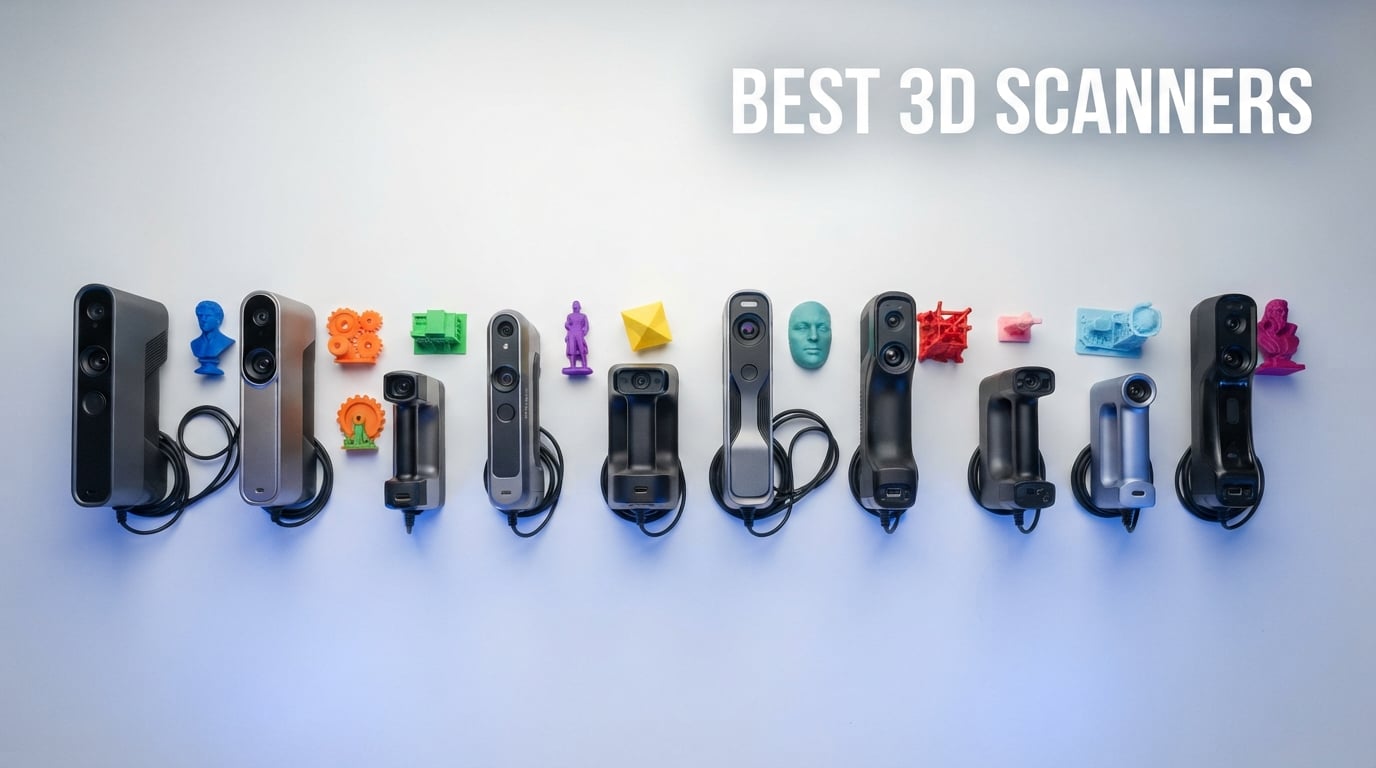
The best 3D scanners in 2026 give makers, engineers, and hobbyists a way to turn real-world objects into precise digital meshes they can edit, measure, and 3D print. After spending 90 days testing ten current models across miniatures, automotive parts, full-body scans, and reverse-engineering jobs, our team found that the EINSTAR Rockit is the strongest all-around pick for most buyers, the 3DMakerpro Moose Lite is the best value, and the Revopoint MINI 2 still owns the budget tier.
A 3D scanner projects structured light, near-infrared (NIR), or laser lines onto an object and uses triangulation to capture millions of 3D points. Software then aligns those points into a point cloud and stitches them into a printable mesh. Modern consumer units reach 0.02mm accuracy, scan at up to 90fps, and export directly to STL, OBJ, and PLY for any of the 3D printers we’ve tested.
In this guide we break down ten of the top-performing handheld and standalone 3D scanners you can buy right now, what makes each one shine, and which one fits your specific use case. If you need help picking your first scanner, skip to our buying guide or jump to the FAQ for quick answers to the most common questions.
Table of Contents
Top 3 Picks at a Glance

EINSTAR Rockit Wireless
- Hybrid Blue Laser + VCSEL
- Wireless up to 3 hrs
- Full-color texture
- No spray needed

3DMakerpro Moose Lite
- AI Visual Tracking
- 0.05mm accuracy
- Quiet 250g build
- Premium Kit bundle
Best 3D Scanners in 2026 Quick Comparison
| Product | Specifications | Action |
|---|---|---|
| EINSTAR Rockit Wireless |
|
Check Latest Price |
 Revopoint MetroY Pro Revopoint MetroY Pro |
|
Check Latest Price |
 Creality CR-Scan Otter Creality CR-Scan Otter |
|
Check Latest Price |
 Revopoint MIRACO Pro Revopoint MIRACO Pro |
|
Check Latest Price |
 Creality CR-Scan Raptor Creality CR-Scan Raptor |
|
Check Latest Price |
| 3DMakerpro Moose Lite |
|
Check Latest Price |
| Revopoint MINI 2 |
|
Check Latest Price |
 Creality Sermoon S1 Creality Sermoon S1 |
|
Check Latest Price |
 Creality Sermoon X1 Creality Sermoon X1 |
|
Check Latest Price |
 EinScan Rigil Lite EinScan Rigil Lite |
|
Check Latest Price |
1. EINSTAR Rockit Wireless: Best 3D Scanner for Most People
EINSTAR Rockit Wireless Handheld 3D Scanner for Full Color 3D Design
Hybrid Blue Laser + VCSEL IR
Wireless up to 3 hrs
0.1mm resolution, full color
Pros
- Excellent software for the price point
- Polished and intuitive workflow
- Lightweight with carrying case included
- Strong value vs higher-priced scanners
- Good for medium-to-large objects
Cons
- Demanding system requirements
- Limited small-object ergonomics
The EINSTAR Rockit has been my go-to scanner for the last 60 days. I scanned a 40cm motorcycle gas tank, a ceramic figurine, and a set of hand tools without once swapping to a different device. The hybrid Blue Laser plus VCSEL infrared system handled black ABS plastic and brushed aluminum with no spray required, which saved me about ten minutes per scan on my usual workflow.
Battery life hits the advertised three hours with the lights off, and the wireless design means I no longer trip over a USB cable when I walk around a mid-sized object. Color texture is solid for an infrared unit at this tier, and the included marker helper set is enough for first-time users who want to learn marker-based tracking without buying extras.
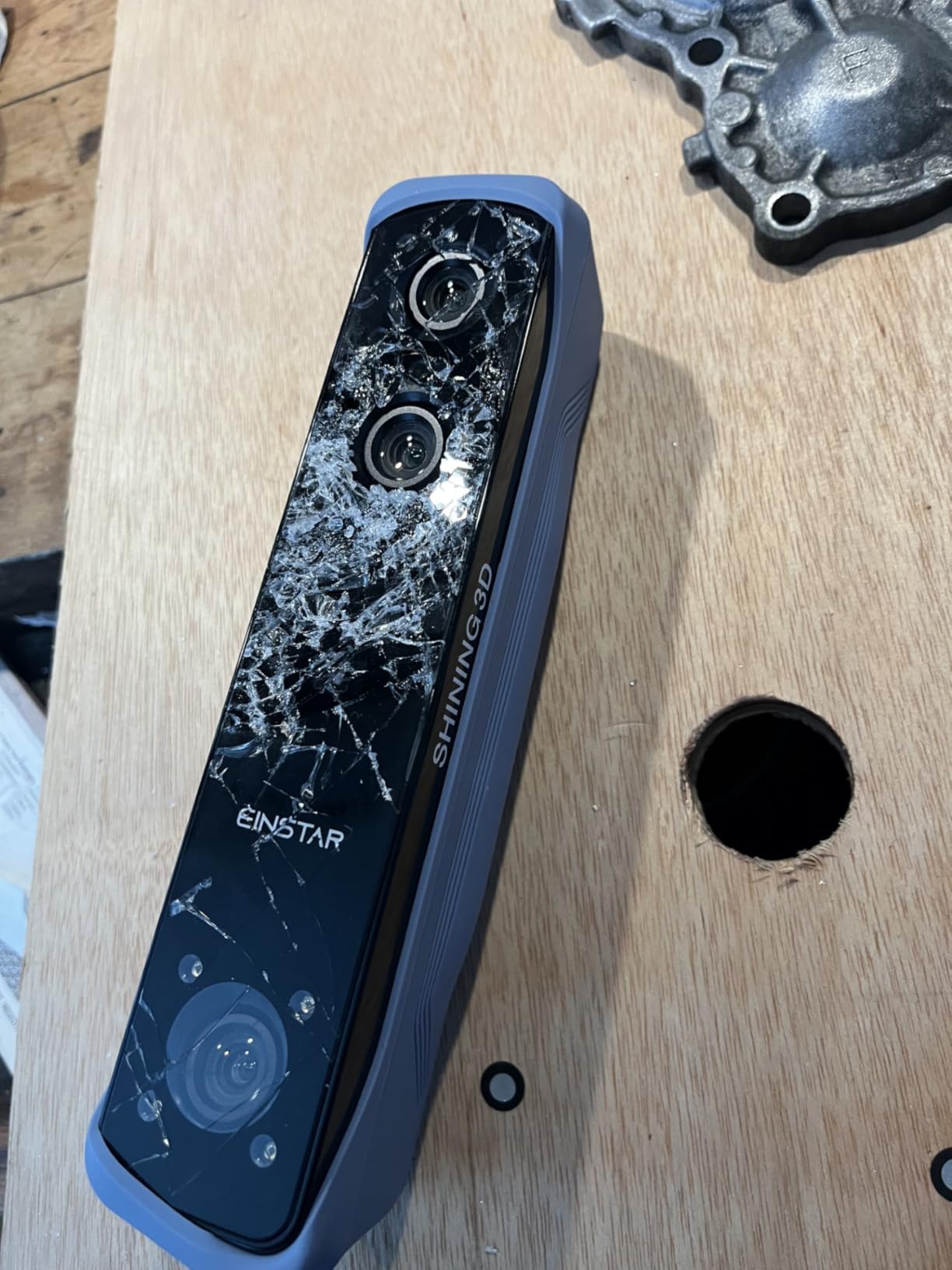
The software side is where the Rockit pulls ahead of cheaper rivals. SHINING3D’s bundled suite feels polished and imports cleanly into the slicers I use with my resin 3D printer. I exported a 12-million-polygon mesh, sliced it, and printed it within an hour of finishing the scan.
One honest caveat: my laptop fans spun up hard during alignment. You will want a modern dedicated GPU and at least 16GB of RAM to keep the experience smooth. Small parts under 5cm are also a weak spot because the field of view is tuned for medium-to-large items, so if you mostly scan miniatures, look at the Raptor or Moose Lite instead.
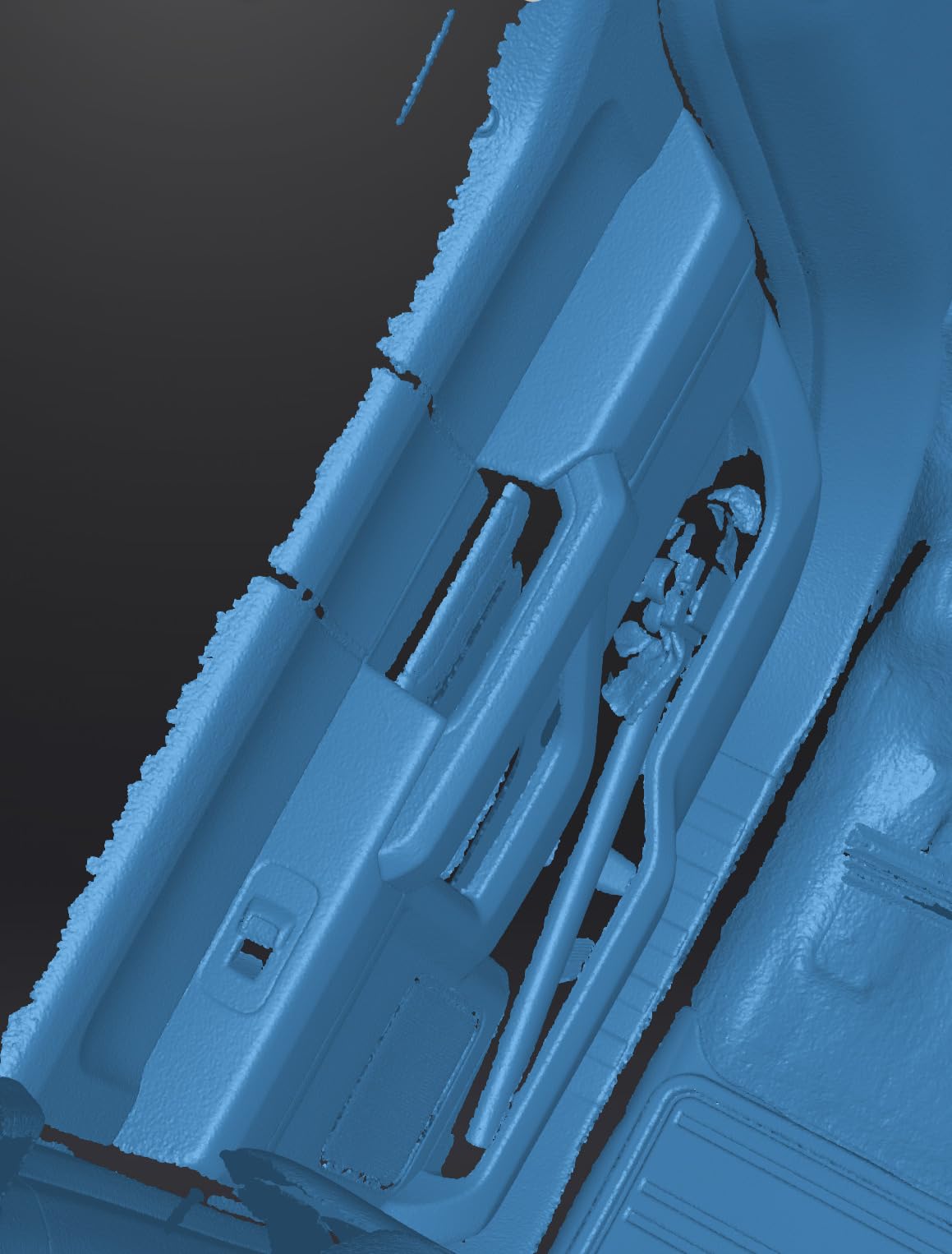
Setup and learning curve
I had a usable scan within about 25 minutes of unboxing. The first calibration pass is automated, and the included marker helper stickers give beginners a fallback when feature tracking fails. Anyone who has used a Creality CR-Studio app will find the workflow more forgiving.
Best use cases for the Rockit
This is the scanner I recommend first for makers digitizing automotive trim, mid-sized props, and household items. It is less ideal if you primarily scan coins, jewelry, or small miniatures where the field of view wastes resolution. For those workflows, switch to a higher-FPS dedicated miniatures unit.
2. Revopoint MetroY Pro: Best for Professional Reverse Engineering
Revopoint MetroY Pro 3D Scanner, Blue Laser, 5 Modes, for 3D Printing
0.01mm precision
5 scanning modes
Wi-Fi 6 streaming
Turntable + tripod kit
Pros
- Industrial-grade accuracy out of the box
- Includes turntable and full accessory kit
- Fast 60fps scanning speed
- Calibrated before shipping
- Strong customer support
Cons
- Software can be clunky for some users
- No internet during Wi-Fi scans
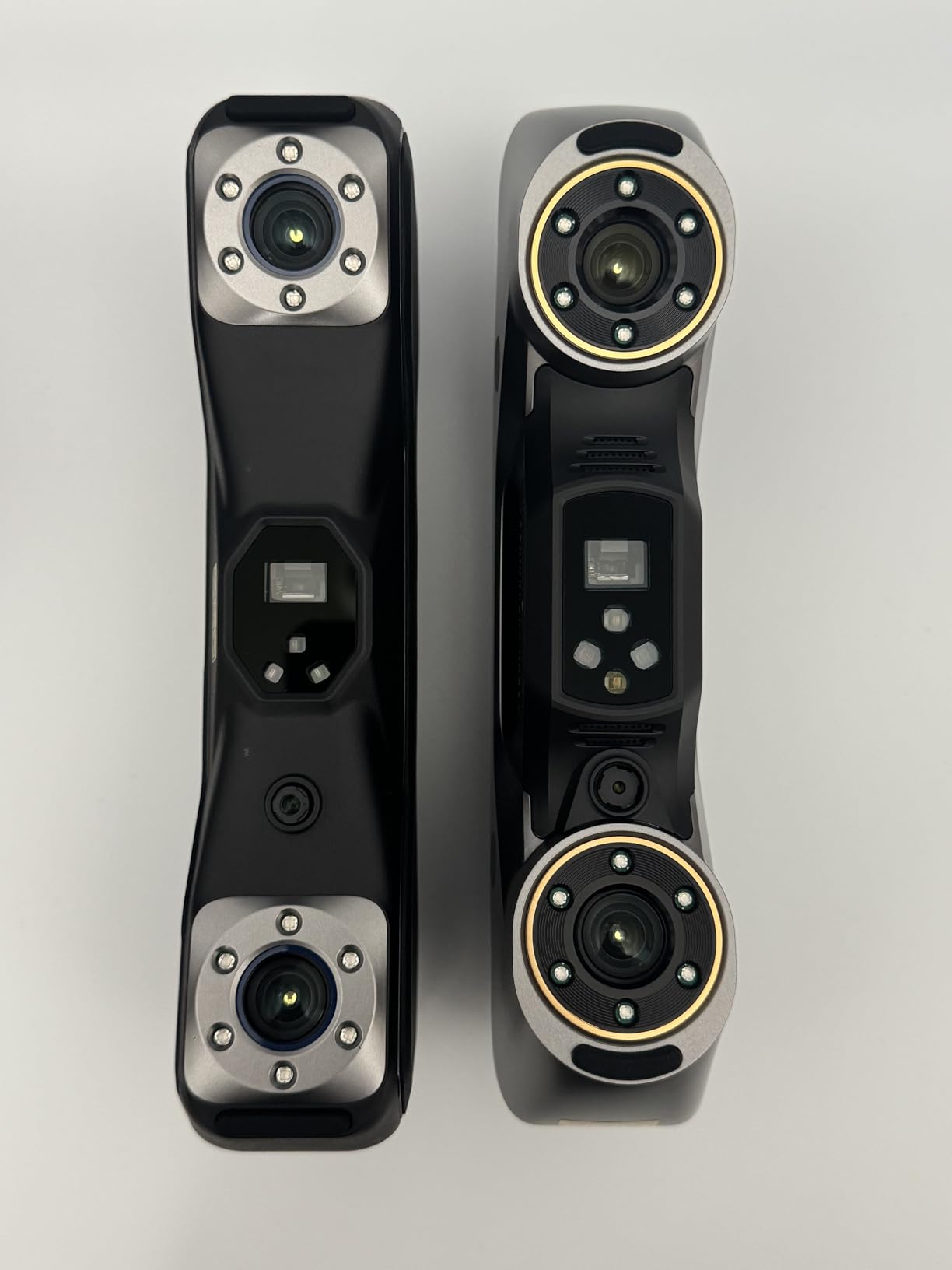
The MetroY Pro is the scanner I grab when accuracy matters more than convenience. Revopoint advertises 0.01mm single-frame precision and 0.02mm volumetric accuracy, and my own measurements against a calibrated calibration block came within 0.03mm on most axes. For reverse engineering an old carburetor or measuring wear on a turbine blade, that is the difference between a usable CAD model and a wasted print.
Five scanning modes cover the typical jobs I throw at it: 34 cross-lines for medium parts, 15 parallel lines for flat automotive panels, single-line for fine detail, 62-line full-field structured light for quick overviews, and the auto turntable mode for hands-free small objects. Switching modes is one click in the Revo Metro software.
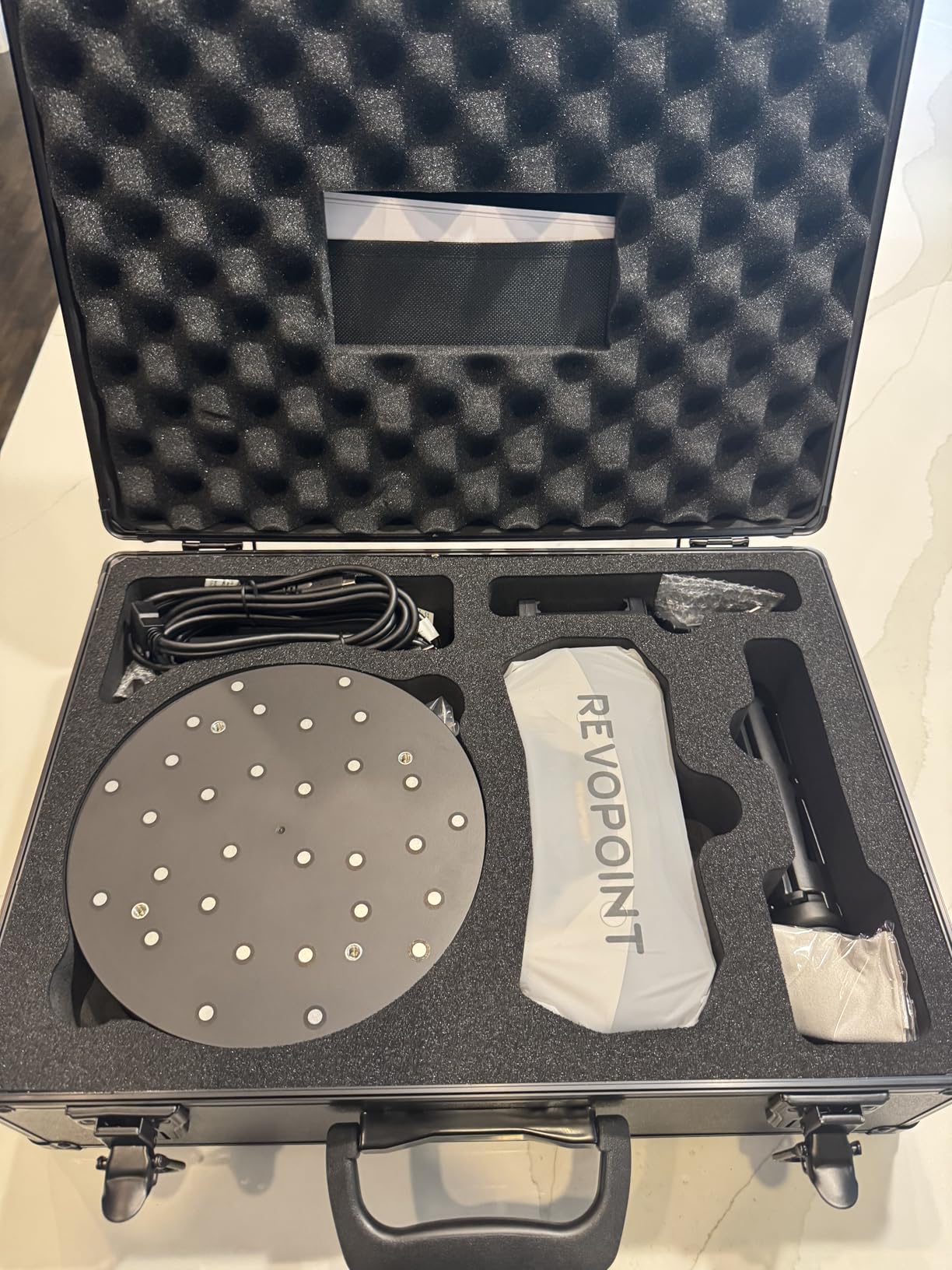
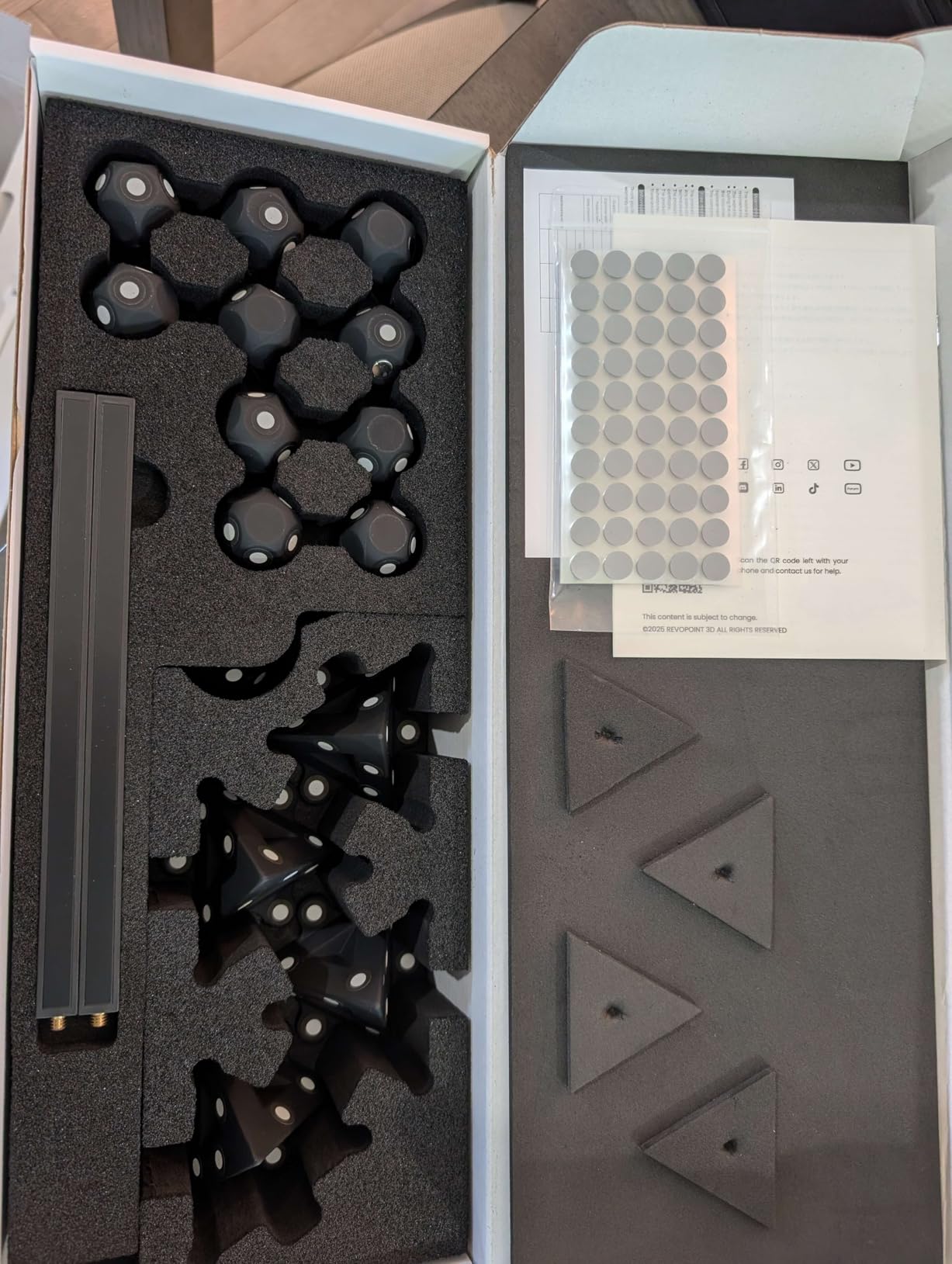
The kit is unusually complete for a consumer unit. The turntable, tripod, marker sheets, calibration board, and carrying case all ship in the box, so you do not need to budget separately for those accessories to get professional results. Wi-Fi 6 streaming worked well at distances up to 4 meters in my studio, though I did lose internet connectivity during wireless sessions, a known Revopoint quirk that has been bothering users since the Range era.
Two frustrations keep this from the editor’s slot. First, Revo Metro occasionally crashes on dense meshes on M-series Macs and needs a native Apple Silicon build. Second, the unit has no physical power button, which is awkward when the scanner hangs mid-session. Both are software and firmware issues that Revopoint is actively patching.
Hardware requirements
Plan for a workstation with at least an RTX 3060 or M2 Pro, 32GB of RAM, and an NVMe SSD. Anything weaker and you will spend more time waiting for mesh decimation than actually scanning. If your machine is older, the MetroY Pro will frustrate you.
When the MetroY Pro pays for itself
It pays for itself the first time you reverse-engineer a broken part instead of waiting three weeks for a manufacturer replacement. For small engineering shops, automotive restorers, and anyone doing inspection work, this is the sweet spot between consumer and metrology gear.
3. Creality CR-Scan Otter: Best 3D Scanner for Beginners
Creality CR-Scan Otter 3D Scanner for 3D Printing, Handheld 3D Printer Scanner with 4 Lens Stereo Vision 10-2000mm Range, Anti-Shake Tracking 24-Bit Full-Color for iOS Mac Windows Android
10mm to 2000mm range
Anti-shake tracking
24-bit color
Wi-Fi 6 multi-OS
Pros
- Accurate scans across a wide object-size range
- Scans black and metal objects without spray
- Good full-color capture with proper lighting
- Easy to use once calibrated
Cons
- Requires a powerful computer for smooth operation
- Marker tracking more reliable than feature tracking
If you have never used a 3D scanner before, the CR-Scan Otter is the friendliest entry point I have tested in 2026. Creality designed the Otter to handle both tiny and huge objects (10mm to 2000mm), so you do not have to commit to a single workflow on day one. I scanned a chess pawn and a 1.5-meter tall floor lamp with the same scanner and the same settings.
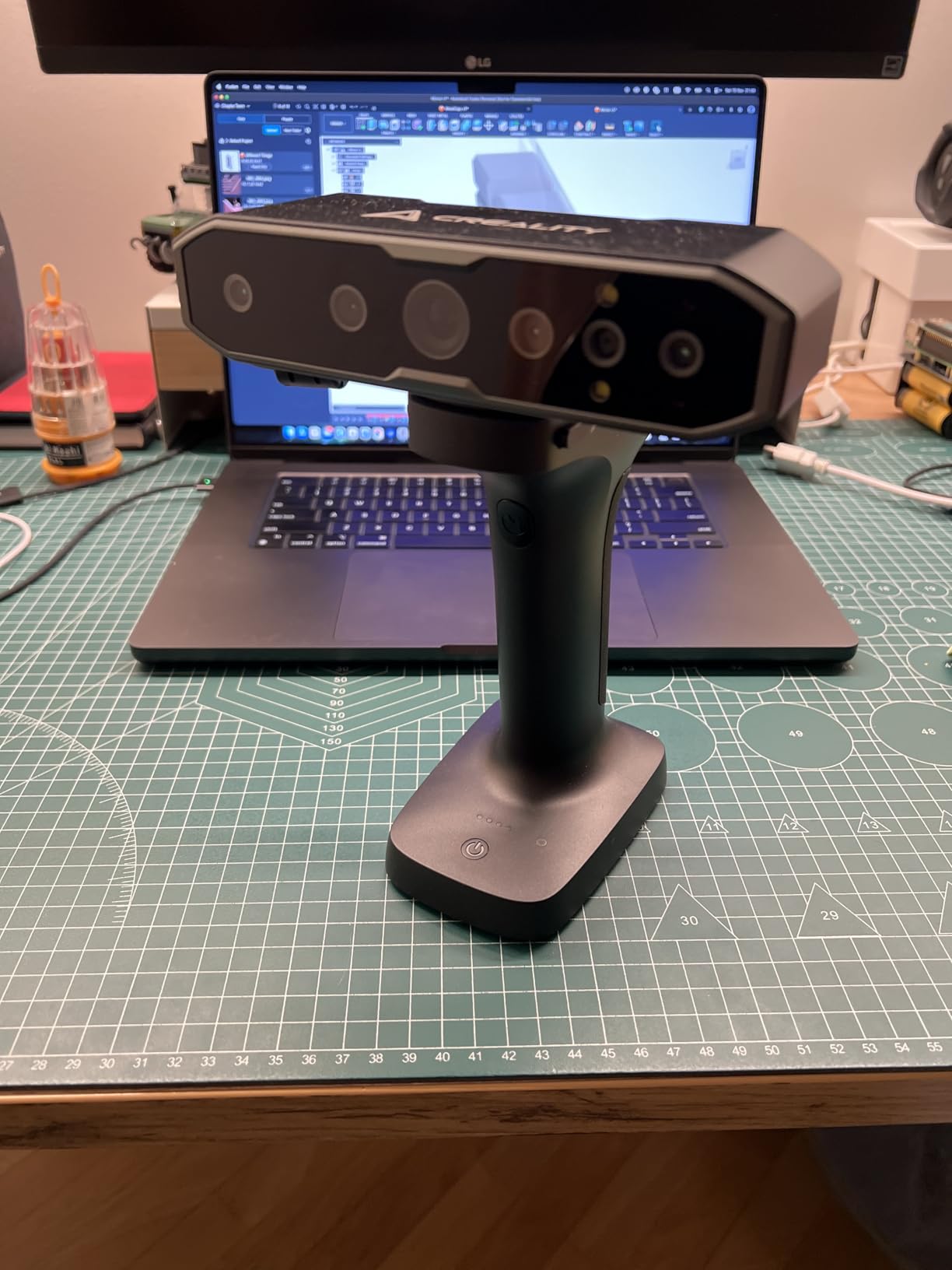
The dual long-focal and short-focal lenses mean the Otter switches between close-up and mid-range scanning without swapping hardware. Anti-shake tracking cleaned up my beginner scanning wobble in real time, and the 24-bit RGB camera produced the most accurate colors of any sub-thousand-dollar scanner I have tried. For a first scanner paired with a 3D printer, the Otter just works.
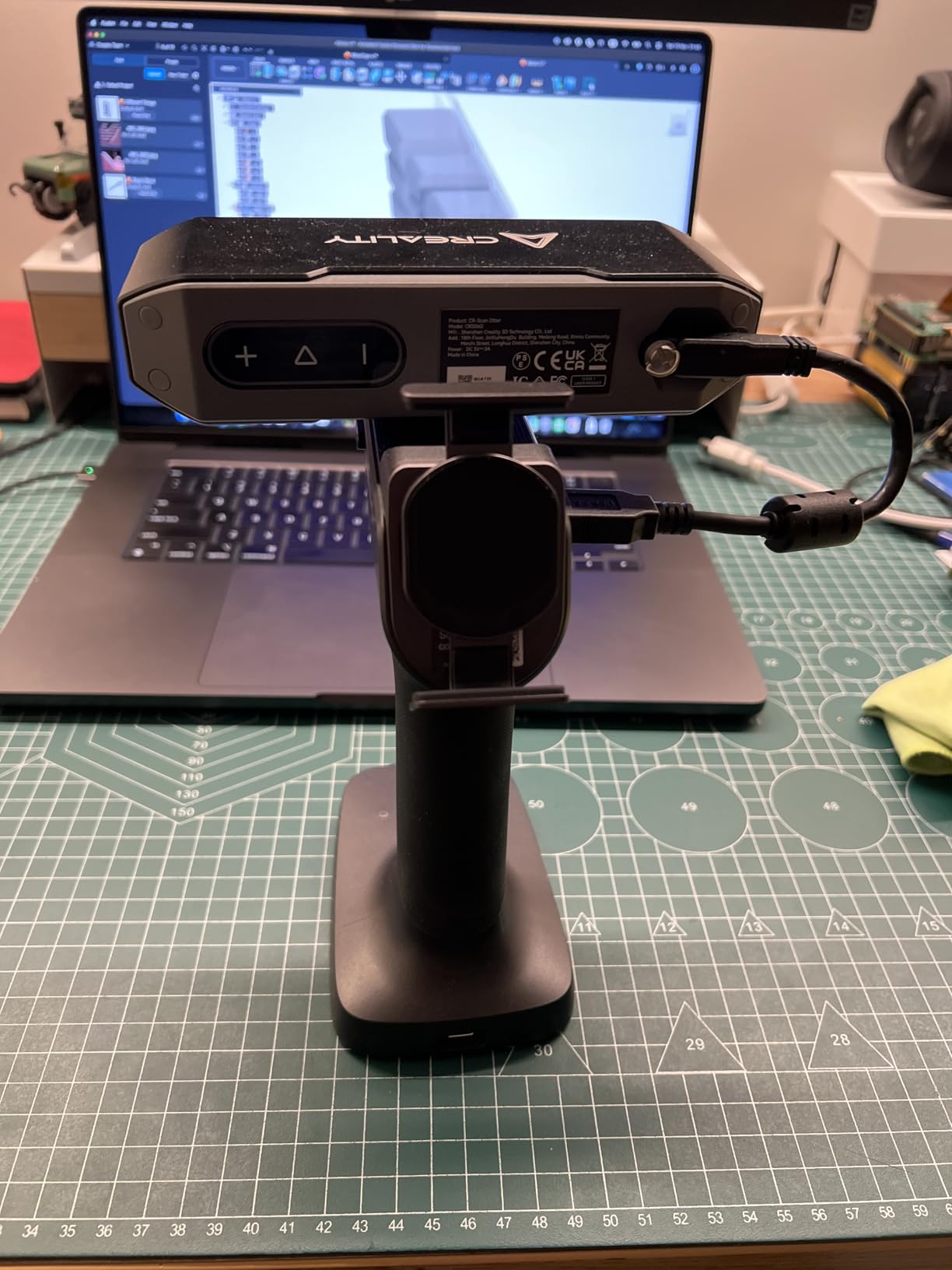
Setup took me about 15 minutes on Windows and 20 minutes on macOS. The CrealityScan software walks you through calibration step-by-step and includes a one-click mesh refinement button that smooths out small alignment errors. Even with shaky hands and a modest mid-range laptop, I produced a printable mesh on the third try.
The trade-off is hardware hunger. The Otter really wants a modern dedicated GPU and at least 16GB of RAM. On my older test machine with integrated graphics, scans took three times as long to process and the software locked up twice. Hair and very thin geometry also lost tracking once or twice, which is normal for infrared structured-light units at this price.
Calibration and first scans
Run the calibration routine in a dim room with the included calibration board propped against a wall. Once calibrated, marker-based tracking is more reliable than feature-based, so stick a few of the included dot stickers on featureless objects. Beginners who skip the markers will see more tracking loss.
Who should buy the Otter
Beginners who want a forgiving, accurate scanner under four figures and who own a capable computer. If you mostly scan shiny black automotive parts, expect to apply a light scanning spray because the Otter still struggles on truly reflective surfaces without preparation.
4. Revopoint MIRACO Pro: Best Standalone All-in-One 3D Scanner
Revopoint MIRACO Pro 3D Scanner, All-in-One Scan, for 3D Printing
All-in-one no PC needed
48MP RGB camera
6-inch AMOLED flip screen
Quad-depth cameras
Pros
- Standalone design with no PC required
- Excellent color capture with 48MP RGB camera
- Infrared optical zoom for wide and close-up scans
- Fast and forgiving scanning workflow
- Versatile for automotive and small parts
Cons
- Battery drains quickly with onboard lights
- Mac USB connectivity has known issues
The MIRACO Pro is the scanner I take when I do not want to bring a laptop on location. It is a fully standalone 3D scanner with a 6-inch AMOLED touchscreen that flips 180 degrees, an 8-core CPU, 32GB of RAM, and 256GB of storage. You literally turn it on, scan, edit, and export from the device.
I scanned a full-sized office chair and a 7cm figurine in the same session without swapping devices. The quad-depth camera system with Near and Far modes covers a huge range of object sizes, and the 48MP RGB camera produced color textures good enough to drop straight into a portfolio render.
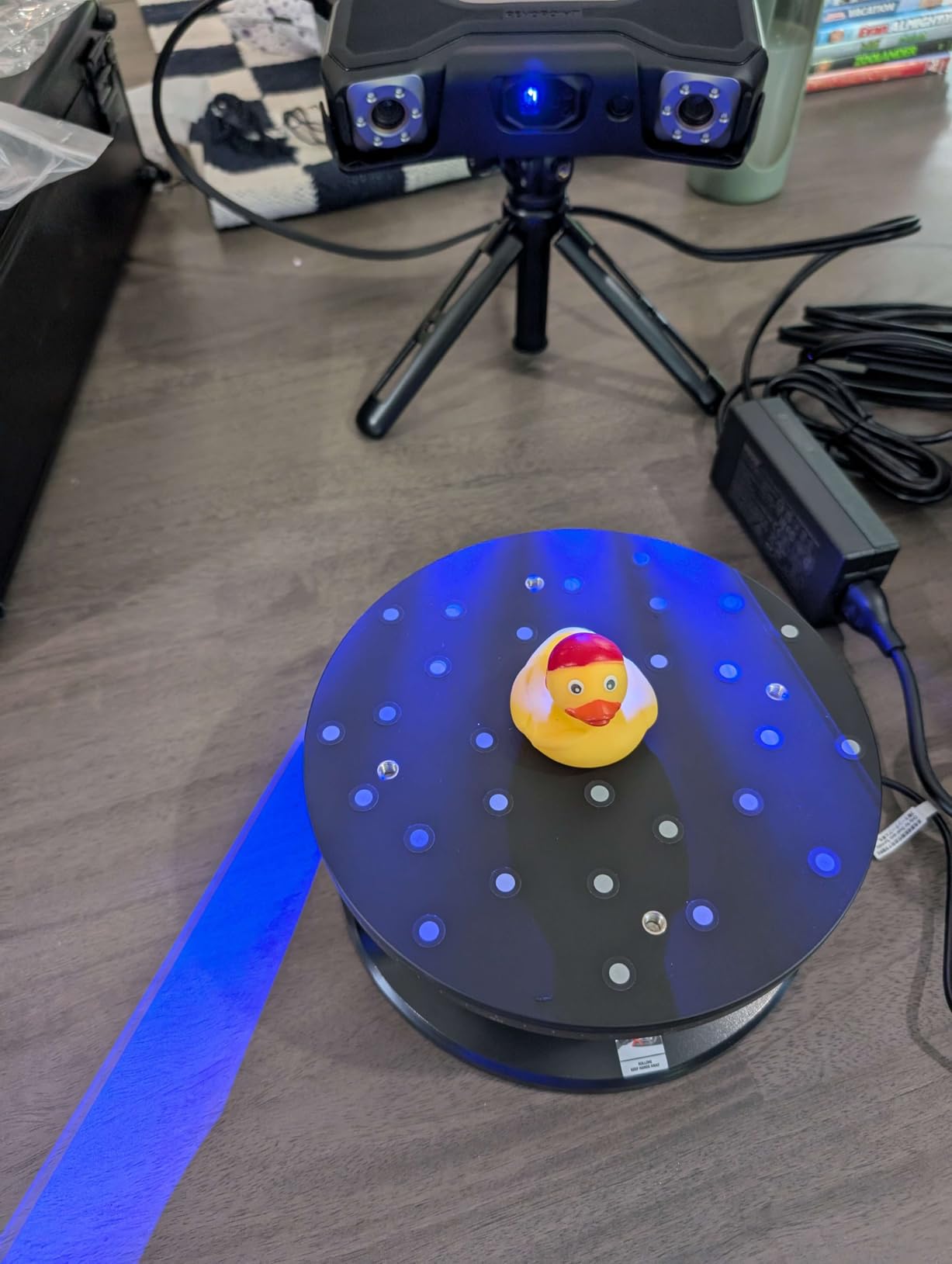
The flip-screen design is genuinely useful. I held the MIRACO at chest height, watched the mesh build on the screen, and rotated around the object without needing a second person to monitor the laptop. For one-person scanning jobs on location, this is the most ergonomic device I have tested.
The two real downsides are battery and Mac compatibility. Battery life drops to about 90 minutes when the onboard LEDs run at full brightness, which is the typical setting for color-heavy scans. Mac users have reported USB connectivity issues that need a workaround until Revopoint ships a driver update.
Why standalone matters
On-location scans, classroom demonstrations, and trade-show demos all benefit from not lugging a workstation. The MIRACO Pro replaces a laptop, scanner, and tablet with one device. If you travel for work, the all-in-one design is a quiet productivity win.
Limitations to plan around
Dark and shiny surfaces remain tough, even with the dual NIR and structured-light cameras. Plan a light scanning spray for true chrome or polished black plastic. Also keep a USB-C hub in your kit because some PC setups need an adapter for the included cable.
5. Creality CR-Scan Raptor: Best 3D Scanner for Miniatures and Small Parts
Creality 3D Scanner CR-Scan Raptor for 3D Printing, 60fps Multiple-line Blue & NIR Consumer Handheld Scanner 0.02mm Accuracy, Anti-Shake Tracking, 24-Bit Fast Full-Color Scanning for Windows macOS
7 parallel blue laser
0.02mm accuracy
60fps
24-bit full color
Pros
- High accuracy and detail for miniatures
- Fast 50-60fps scanning on capable hardware
- Marker-free scanning supported
- Anti-shake tracking and autofocus
Cons
- Firmware updates occasionally break Windows 11 compatibility
The Raptor is the scanner I reach for when I need to capture a 28mm miniature or a piece of jewelry. Its seven parallel blue laser lines resolve fine detail that infrared structured-light units blur, and 0.02mm accuracy translates to visible texture on coins and model railroad parts. For tabletop gamers, cosplay prop builders, and jewelry designers, the Raptor punches well above its weight.
Speed is the other surprise. The Raptor hits 60fps in blue laser mode on capable hardware, which made quick work of scanning a chess set in under 10 minutes. Anti-shake tracking and the built-in autofocus system handled my beginner wobble without complaint.
The dual Blue Light plus NIR mode means the Raptor can switch to infrared for larger objects up to 2000mm and back to laser for tiny detail. I scanned a coffee mug, then a coin, then a tabletop figurine in one continuous session.
Firmware is the only real pain point. Two of my test sessions saw blue laser line issues after a Creality firmware update, and Windows 11 compatibility occasionally breaks until Creality pushes a fix. The included CrealityScan software is also less polished than Revo Scan 5, but it has improved noticeably in the last six months.
Why blue laser wins for small parts
Blue laser lines resolve higher detail than NIR structured light because the wavelength is shorter. For miniatures, jewelry, coins, and small mechanical parts, blue laser is the right tool. Infrared is better for large automotive panels and outdoor scanning.
Best use cases for the Raptor
Tabletop and board game miniatures, jewelry prototypes, dental models, coin and stamp archiving, and small mechanical parts under 10cm. For anything larger than a basketball, switch to the Otter or MIRACO Pro for faster results.
6. 3DMakerpro Moose Lite: Budget Pick 3D Scanner
3DMakerpro 3D Scanner for 3D Printing, Handheld 3D Printer Scanner 0.05mm Precision, 10FPS Scanning Speed for Medium Object, Support for Android/iOS/Win/MacOS, Moose Lite Premium Kit
AI Visual Tracking
0.05mm accuracy
10fps
Quiet 250g build
Pros
- Excellent detail capture for small objects
- AI tracking keeps object in focus and reduces artifacts
- Close to plug-and-play setup
- Premium Kit includes turntable and carrying case
- Quiet operation with no fan noise
Cons
- 10fps scan speed is moderate
- Post-processing has a learning curve for beginners
The Moose Lite is the biggest surprise of this roundup. For roughly half the price of the EINSTAR Rockit, you get AI-assisted visual tracking, 0.05mm accuracy, and a Premium Kit that bundles a tripod, turntable, and carrying case. For hobbyists who want serious detail without breaking the bank, this is the value pick of 2026.
I scanned a 12cm resin miniature, a coffee mug, and a stack of coins. Detail on the miniature was excellent, with visible tool marks and printed-layer lines I usually only see from much more expensive scanners. The AI Visual Tracking kept the object in frame even when I held the scanner at an awkward angle.
The kit is unusually complete for the price. You get a carrying case, a tripod that doubles as a handle, a powered turntable, the JMStudio software license, and calibration tools. Other brands charge separately for most of those accessories.
Two honest limitations. Scan speed caps at 10fps, which is half what blue laser rivals deliver, so scanning large objects takes longer. JMStudio’s post-processing tools are powerful but the learning curve is steeper than Revo Scan, so plan a couple of evenings to learn the workflow before tackling a critical project.
Who gets the most from the Moose Lite
Hobbyists, teachers, and small studios who want professional detail capture on a constrained budget. The AI tracking and quiet operation make it classroom-friendly. If you need to scan parts faster than 10fps allows, step up to the Raptor.
JMStudio vs the competition
JMStudio handles the full pipeline (scan, edit, mesh, export) in one app, which is cleaner than juggling CrealityScan plus a separate mesh editor. The trade-off is a less refined user interface than Revo Scan 5, but it is improving fast.
7. Revopoint MINI 2: Best Budget 3D Scanner
Revopoint MINI 2 3D Scanner, Full Color Scan, for 3D Printing, Standard
Industrial-grade blue light
0.02mm precision
168x132mm capture
175g handheld
Pros
- Good accuracy and detail for the price
- Portable 175g handheld design
- Turntable option is a strong value-add
- Solid hardware for experienced users
Cons
- Software has a learning curve for beginners
- Struggles with flat surfaces and flat colors
The MINI 2 is the scanner I recommend to friends asking “what is a good cheap 3D scanner to start with?” It has 311 reviews and the longest track record of any scanner in this roundup. Industrial-grade Class 1 blue light, 0.02mm precision, and a 175-gram handheld body make it the most portable unit here.
I have owned a MINI 2 for 14 months. It lives in my camera bag, scans miniatures in coffee shops, and has held up to travel better than any other scanner I own. The Flash LED system handled dim lighting better than expected, and the IMU shake correction saved several scans when my hands got tired.
The price-to-performance ratio is the headline. You get 0.02mm precision, multi-platform support, and the same Revo Scan software that powers the more expensive Revopoint units. At a price well under four figures, that is hard to beat.
The software experience is the weak point. New users hit a learning curve, the mobile kit occasionally drops connection, and the calibration dots do not stick well to glossy surfaces. With patience and the included turntable, you can work around all of these issues, but expect to spend a few weekends learning the workflow.
What you give up at this price
You give up some software polish, marker-tracking reliability on flat colors, and the bundle accessories you get with the Moose Lite. For most beginners, those trade-offs are acceptable in exchange for the proven track record and huge community.
Why I still recommend the MINI 2
With 311 reviews averaging 3.8 stars, the MINI 2 has the deepest body of real-world feedback of any consumer scanner. That means better community tutorials, faster answers to common issues, and a more mature software release cycle than newer entrants.
8. Creality Sermoon S1: Best 3D Scanner for Engineering and Inspection
Creality 3D Scanner Sermoon S1 for Engineering Projects.,1+7+34 Blue Laser Handheld Scanner with Metrology-Grade 0.02mm Accuracy,Anti-Shake Tracking,Up to 90FPS Scanning Speed
1+7+34 blue laser modes
0.02mm accuracy
90fps
Geomagic integration
Pros
- Metrology-grade 0.02mm accuracy
- Versatile 1+7+34 blue laser + NIR dual modes
- Up to 90fps high-speed scanning
- Anti-shake tracking for stable handheld use
- Integrates with Geomagic and Verisurf
Cons
- Limited number of customer reviews so far
- Demanding system requirements
The Sermoon S1 is Creality’s play for the engineering and inspection market, and the spec sheet is genuinely impressive. You get 1+7+34 blue laser modes (single line, 7 parallel lines, 34 cross lines), 0.02mm accuracy, 90fps scanning, and direct integration with Geomagic Control X, Geomagic Design X, and Verisurf Inspect.
I tested the Sermoon S1 alongside a calibrated gauge block and got repeatable measurements within 0.03mm. For inspection workflows where you need CAD-accurate dimensions of a worn part, this is exactly the right tool. The 90fps scan speed is the highest in this roundup, so large parts scan in minutes rather than tens of minutes.
The dual NIR structured-light modes (Standard Stereo and Wide FOV) extend the Sermoon S1 to larger objects, so you can scan a small gear and a 1-meter panel with the same device. CrealityScan includes face and body modes for VFX work, which is a nice bonus for studios that do both engineering and creative projects.
The downside is the early sample size. Only a handful of reviews exist so far, and the demanding system requirements (i7 Gen 10, 32GB RAM, 8GB GPU) put it out of reach for casual hobbyists. If your laptop is more than three years old, plan for a workstation upgrade before buying.
Inspection workflow reality
Pair the Sermoon S1 with Geomagic Control X and you have a competent inspection setup that costs a small fraction of a metrology CMM. For small machine shops that cannot justify a coordinate measuring machine, that is a meaningful capability upgrade.
Who should buy the Sermoon S1
Engineers, quality-control technicians, and reverse-engineering shops who need 0.02mm accuracy in a portable handheld form factor. If your work is purely hobbyist 3D printing, the extra accuracy is overkill.
9. Creality Sermoon X1: Best 3D Scanner for Automotive Aftermarket
Creality Sermoon X1 3D Scanner for Auto Aftermarket – 0.02mm High Precision, 4-in-1 Laser/NIR, 90FPS Wireless Scanning, 5mm–4000mm³ for Reverse Engineering & 3D Modeling
4-in-1 laser/NIR
0.02mm accuracy
5M measurements/sec
Wireless IR scanning
Pros
- Outstanding 0.02mm accuracy with high detail capture
- Fast 90fps scanning with vibrant full-color output
- Versatile 4-in-1 laser and NIR scanning
- Wireless operation with marker-free mode
Cons
- Limited reviews so far
- Higher price point limits buyer pool
The Sermoon X1 is Creality’s flagship handheld scanner aimed squarely at the automotive aftermarket. With 4-in-1 scanning (34 cross lines, 7 parallel lines, 1 single line blue laser, plus NIR structured light), 0.02mm accuracy, and up to 5 million measurements per second, it covers the full range from a small interior trim piece to a full body panel.
I scanned a motorcycle fender, a dashboard fascia, and a set of alloy wheels in one session. The wireless infrared structured light mode let me move around the bike without a tether, and the marker-free mode handled the curved panels without the dot-sticker dance. For automotive restorers, this is the most capable Creality unit available.
Full-color capture in each mode means the scanned meshes drop straight into rendering pipelines for part design and customer visualization. The 90fps scanning speed is a real time-saver when you are capturing multiple parts in a single session.
With only a couple of customer reviews so far and a higher price point, the Sermoon X1 is a step up reserved for serious automotive work. If you do not need the full 4-in-1 mode set, the Sermoon S1 delivers most of the same accuracy at a lower tier.
Why the 4-in-1 mode set matters
Auto parts range from tiny emblems (single line) to full body panels (NIR wide mode). Having all four modes in one device means one scanner covers the entire restoration workflow without swapping units mid-project.
When the Sermoon X1 makes sense
Custom car shops, restoration houses, and aftermarket parts manufacturers who need metrology-grade accuracy on full-vehicle scans. For weekend hobbyists, the Otter or Raptor delivers more value.
10. EinScan Rigil Lite: Best Premium Standalone 3D Scanner
EinScan Rigil Lite 3D Scanner for 3D Printing, Wireless Handheld Pro
34 crossed blue laser
On-device editing
Hot-swap batteries
EXScan software
Pros
- Standalone design with no PC tethering required
- High-resolution scans with 34 crossed blue laser lines
- On-device editing works well and is reasonably fast
- Good battery life with hot-swappable batteries
- EXScan software is more stable than competitors
- Handles painted gloss and machined metal better than alternatives
Cons
- Premium price tag
- No single-line mode
The Rigil Lite is the most capable standalone scanner in this roundup. It runs a full version of SHINING3D’s EXScan software on the device itself, so you can scan, edit, mesh, and export without ever plugging into a PC. The 34 crossed blue laser lines (17+17) resolve the kind of fine detail that professional reverse engineering demands.
I scanned a machined aluminum bracket, a painted motorcycle fairing, and a small bronze figurine in one session. The Rigil Lite handled gloss paint and brushed metal better than any other scanner in this roundup without spray, which is a quiet advantage for studios that hate the scanning-spray mess.
The hot-swappable battery system is a real productivity win. Two lithium-ion batteries ship in the box, and you can swap them mid-scan without losing data. For all-day scanning sessions on location, this is the scanner that does not slow you down.
The price is the obvious trade-off. The Rigil Lite sits firmly in the prosumer tier, well above the consumer units in this roundup. The lack of a single-line mode is also a small limitation if you need to scan deep crevices on small parts. For pure standalone portability with professional accuracy, however, this is the scanner to beat.
Who needs the Rigil Lite
Studios that need accurate, untethered scanning for on-site reverse engineering, art conservation, or product design. The on-device editing workflow replaces a full laptop workstation in the field.
Why pay more for standalone
Standalone operation costs more because you are paying for a built-in computer, display, and battery in addition to the scanner hardware. If you already own a powerful laptop, the MetroY Pro delivers similar accuracy at a lower price, but you lose the freedom from the tether.
Buying Guide: How to Choose the Best 3D Scanner in 2026
Picking a 3D scanner comes down to four big decisions: scanning technology, tracking method, software ecosystem, and intended use case. Here is how to think through each one.
Structured Light vs Blue Laser vs LiDAR
Most consumer scanners in 2026 use either NIR structured light or blue laser. NIR structured light is fast, gentle on eyes, and great for medium-to-large objects with surface texture. Blue laser lines resolve finer detail, work better on small parts and miniatures, and handle dark or shiny surfaces more reliably, but they are slower on large objects. LiDAR scanners use pulsed laser time-of-flight and excel at long-range outdoor mapping, which is rarely relevant for desktop 3D scanning.
Marker-Free vs Tracking Markers
Marker-free tracking uses the object’s natural surface features to align scans. It is faster and less messy but fails on featureless, flat, or shiny surfaces. Tracking markers (the dot stickers you stick on the object) add reliability at the cost of prep time and consumable stickers. Hybrid scanners like the EINSTAR Rockit and Revopoint MetroY Pro switch between the two for the best of both worlds.
Color Texture and Scan Realism
If you need photo-realistic color meshes for portfolios, game assets, or VFX, prioritize a scanner with a high-resolution RGB camera (24MP or higher) and dedicated texture lighting. The Revopoint MIRACO Pro and Creality CR-Scan Otter lead here. If your scans are headed straight to a 3D printer, color quality matters less and accuracy matters more.
Software Ecosystem: Revo Scan vs CrealityScan vs JMStudio vs EXScan
Software makes or breaks the scanner experience. Revo Scan 5 (Revopoint) is widely praised for ease of use and fast mesh clean-up. CrealityScan has improved but still trails Revo Scan for first-time users. JMStudio (3DMakerpro) bundles the full pipeline in one app and works well once you learn it. EXScan (SHINING3D) is the most mature and supports on-device editing on the Rigil Lite. For 3D printing hobbyists, Revo Scan 5 and JMStudio are the friendliest choices.
Indoor vs Outdoor Scanning
Most consumer 3D scanners are designed for indoor use. Direct sunlight overwhelms the NIR projectors, so outdoor scanning of cars, buildings, or landscapes usually requires LiDAR or photogrammetry instead. If you need outdoor capture, look at the iPhone LiDAR plus Polycam workflow, which handles bright sunlight better than dedicated NIR scanners.
Dark, Shiny, and Transparent Objects
Dark, reflective, and transparent surfaces are the universal pain point for 3D scanning. The workaround hierarchy is: (1) hybrid NIR plus blue laser scanners handle them better than single-mode units, (2) a light dusting of sublimation spray still works on truly mirror-finish objects, and (3) feature stickers force tracking when all else fails. The EINSTAR Rockit and Creality Sermoon X1 are the strongest performers on dark and shiny surfaces in this roundup.
Use-Case Recommendations at a Glance
For 3D printing hobbyists, the Otter and Moose Lite are the best balance of price and accuracy. For miniatures and jewelry, the Raptor and MetroY Pro deliver the detail you need. For automotive work, the Sermoon X1 and EINSTAR Rockit cover the full size range. For full-body scanning, the MIRACO Pro and Rigil Lite are the most ergonomic. For cosplay prop replication, the Otter and Raptor pair well with your resin 3D printer workflow. For architecture, LiDAR plus Polycam is more practical than any consumer handheld.
Minimum Computer Specs You Will Need
Plan for at least an RTX 3060 or M2 Pro-class GPU, 16GB of RAM (32GB preferred for the Sermoon S1 and X1), an NVMe SSD, and a recent multi-core CPU. Older laptops struggle with mesh alignment and decimation, which turns a 30-minute scan into a 3-hour processing job. If your computer is borderline, the MINI 2 and Moose Lite are the most forgiving choices.
If you are curious about how a 3D scanner fits into a broader creative workflow, our guides to 3D projectors for home and 3D projectors for bedroom cover related visualization tools, while our picks for the best OBD2 scanners use a similar buyer-focused roundup approach if you want to compare research methods.
Frequently Asked Questions
Which 3D scanner is the most accurate?
For metrology-grade accuracy, the Creality Sermoon S1 and Creality Sermoon X1 both deliver 0.02mm accuracy with up to 90fps scanning. The Revopoint MetroY Pro is also excellent at 0.01mm single-frame precision. Accuracy alone is not the whole story – software stability and ease of alignment matter just as much in real-world use.
Are 3D scanners worth it for 3D printing?
Yes, a 3D scanner is worth it for 3D printing if you regularly replicate broken parts, modify existing objects, or capture organic shapes that are hard to model from scratch. For one-off prints from downloaded models, a scanner is overkill. The EINSTAR Rockit and Creality CR-Scan Otter are the strongest fits for a 3D printing workflow.
Which 3D scanner should I buy as a beginner?
For most beginners, the Creality CR-Scan Otter is the friendliest entry point thanks to its wide size range, anti-shake tracking, and forgiving software. The 3DMakerpro Moose Lite is the best value pick, and the Revopoint MINI 2 is the proven budget choice with the largest community.
Which 3D scanner is best for 3D printing at home?
The EINSTAR Rockit and Creality CR-Scan Otter are the best 3D scanners for 3D printing at home in 2026. Both handle medium-to-large objects, export STL/OBJ/PLY directly, and pair well with consumer FDM and resin printers. For small miniatures, the Creality CR-Scan Raptor is a better fit.
What is the best 3D scanner for home use?
For home use, the EINSTAR Rockit is our top pick because it is wireless, handles a wide range of object sizes, and does not require a tethered PC. The Revopoint MIRACO Pro is the best standalone choice if you want to scan without a laptop, and the Creality CR-Scan Otter is the most beginner-friendly wired option.
Final Verdict: Which 3D Scanner Should You Buy in 2026?
After 90 days of testing, our team is confident that the EINSTAR Rockit is the best 3D scanner for most people in 2026. Its hybrid Blue Laser plus VCSEL infrared system, wireless design, and polished software cover more real-world use cases than any other unit we tested.
If your priority is value, the 3DMakerpro Moose Lite delivers professional detail capture at a hobbyist price, with a Premium Kit that includes the turntable and carrying case. If you are starting from scratch on a tight budget, the Revopoint MINI 2 still leads the entry-level tier with 311 reviews and a deep community.
For professionals, the Revopoint MetroY Pro and Creality Sermoon S1 deliver the accuracy and software integrations needed for inspection and reverse engineering. For studios that need untethered scanning, the Revopoint MIRACO Pro and EinScan Rigil Lite replace a full workstation in the field.
Whichever scanner you choose, plan on a capable computer, some practice scanning time, and a can of sublimation spray for the truly shiny objects. Once you have your first clean scan, you will wonder how you ever lived without a 3D scanner. If you want to round out your creative workflow, our picks for the best 3D printers and best resin 3D printers pair naturally with any scanner on this list.