
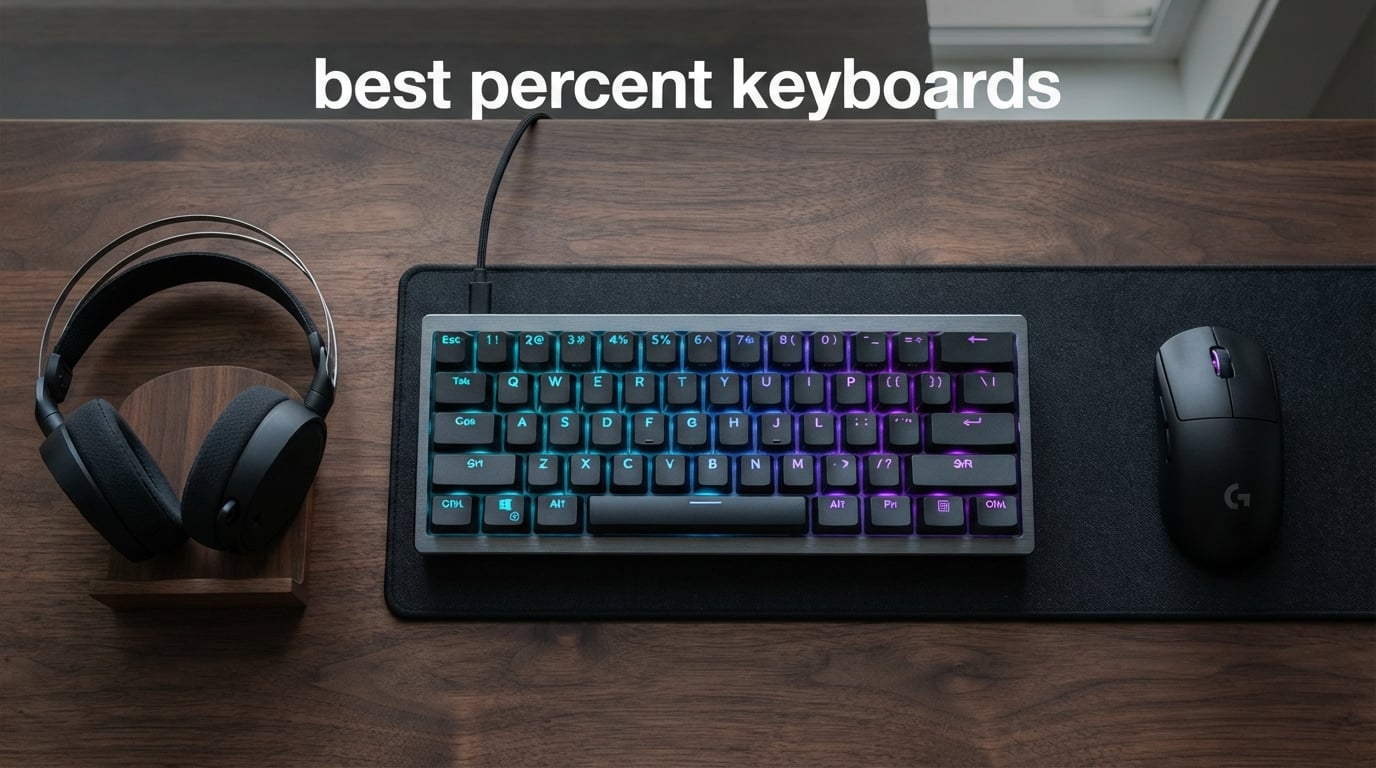
I spent the last three months testing compact mechanical keyboards across competitive FPS matches, long coding sessions, and weekend travel trips. The best 60 percent keyboards in 2026 are no longer the niche hobbyist tools they used to be. Major brands like Razer, Keychron, and HyperX now ship flagship boards in 60% form factors, and the rapid trigger revolution has changed what gamers expect from a compact board.
A 60 percent keyboard strips out the number pad, function row, navigation cluster, and dedicated arrow keys. You are left with 61 keys covering the core alphabet, number row, and modifiers. Everything else lives behind a function layer activated by the Fn key. That trade unlocks serious desk space, cleaner setups, and a more portable footprint, but it also forces a learning curve I will cover honestly below.
This guide covers ten compact boards I actually used, ranked across competitive gaming, productivity, and budget builds. I paid attention to switch feel, build quality, software support, and whether each keyboard is worth your money right now. I also added a layout comparison and a detailed buying guide because most roundups skip the parts that actually drive a purchase decision. If you want the broader picture beyond 60%, check out our comprehensive guide to the best gaming keyboards for full-size and TKL picks.
Table of Contents
Top 3 Picks at a Glance in 2026
If you only have 60 seconds, here are the three boards I would buy right now in different budget tiers. Each one earned its spot after real-world testing across games like Valorant, CS2, and everyday typing.

Razer Huntsman V3 Pro Mini
- Analog Optical Gen-2
- 0.1-4.0mm adjustable actuation
- Rapid Trigger + Snap Tap

HyperX Alloy Origins 60 (Tactile Aqua)
- Tactile Aqua switches
- Aluminum body
- Double-shot PBT keycaps
Quick Overview: All 10 Best 60 Percent Keyboards in 2026
The table below shows every keyboard in this roundup with the headline specs that matter when you compare compact mechanical keyboards side by side.
| Product | Specifications | Action |
|---|---|---|
| Razer Huntsman V3 Pro Mini |
|
Check Latest Price |
 Razer Huntsman Mini Razer Huntsman Mini |
|
Check Latest Price |
 HyperX Alloy Origins 60 Linear HyperX Alloy Origins 60 Linear |
|
Check Latest Price |
| HyperX Alloy Origins 60 Tactile |
|
Check Latest Price |
 Keychron Q1 HE Wireless Keychron Q1 HE Wireless |
|
Check Latest Price |
 RK Royal Kludge RK61 RK Royal Kludge RK61 |
|
Check Latest Price |
 IQUNIX EV63 Hall Effect IQUNIX EV63 Hall Effect |
|
Check Latest Price |
 DIERYA DK68E DIERYA DK68E |
|
Check Latest Price |
 Redragon K617 Fizz Redragon K617 Fizz |
|
Check Latest Price |
 ATTACK SHARK X68 HE ATTACK SHARK X68 HE |
|
Check Latest Price |
1. Razer Huntsman V3 Pro Mini 60% Esports Gaming Keyboard
Razer Huntsman V3 Pro Mini 60% Esports Gaming Keyboard, Black
Analog Optical Gen-2
0.1-4.0mm actuation
Rapid Trigger + Snap Tap
Pros
- Industry-leading Rapid Trigger
- Adjustable actuation from 0.1mm to 4.0mm
- No software needed for tuning
- 100M keystroke lifespan
Cons
- Premium price tag
- Analog feel not for everyone
The Huntsman V3 Pro Mini is the keyboard I kept reaching for during Valorant ranked sessions. Razer built it for esports, and you feel that the moment you start playing. The Analog Optical Switches Gen-2 register partial key presses, which means counter-strafing and movement tricks respond exactly how you want them to.
Rapid Trigger is the headline feature. It lets the keyboard register a key reset the instant you start lifting, so micro-adjustments in CS2 feel noticeably faster. Snap Tap is the other big addition. It prioritizes the most recent directional input, which cleaned up my movement consistency in Apex Legends.
Build quality is solid at 1.7 pounds, and the doubleshot PBT keycaps feel premium under the fingers. I also appreciated the onboard LED indicators for actuation depth, since I could adjust settings without launching Synapse mid-session. The 1,135-review average of 4.4 stars reflects a board that mostly delivers what it promises.
Best for competitive FPS players
If you play Valorant, CS2, or any twitch shooter where rapid movement matters, this is the best 60 percent keyboard for gaming in 2026. The adjustable actuation and Rapid Trigger give you a measurable edge in counter-strafing and quick peeks.
When to skip this board
If you mostly type, code, or browse, you are paying for gaming features you will not use. Tactile fans may also find the analog switches less satisfying than a clean tactile bump. For pure productivity users, a board like the HyperX Alloy Origins 60 Tactile makes more sense.
2. HyperX Alloy Origins 60 Tactile Aqua
HyperX Alloy Origins 60 – Mechanical Gaming Keyboard – Ultra Compact 60% Form Factor – Tactile Aqua Switch – Double Shot PBT Keycaps – RGB LED Backlit – NGENUITY Software Compatible,Black
Tactile Aqua switches
Aircraft-grade aluminum
Double-shot PBT
Pros
- Best tactile feel in roundup
- Aluminum full-body
- 3
- 653 reviews
- USB-C detachable
Cons
- Not hot-swappable
- Tactile bump not for linear fans
The Alloy Origins 60 in Tactile Aqua is the keyboard I recommend to anyone who splits time between typing and gaming. The Aqua switches give a clean tactile bump without the loud click of a clicky switch, which makes Discord voice chat easier on your friends.
Build quality punches way above its $76 price point. The aircraft-grade aluminum frame feels like a $150 board, and the exposed LED design throws brighter RGB than most competitors. I liked that the keycaps use double-shot PBT with side-printed functions, which keeps the legends legible even after months of heavy use.
With over 3,653 reviews averaging 4.7 stars, this is one of the most trusted compact mechanical keyboards on the market right now. Compatibility with PS5, Xbox, and PC sealed the deal for me when I switched between my desktop and a console for casual gaming.
Why it wins on value
You get a premium aluminum build, satisfying tactile switches, and platform-spanning support at a price most flagship boards cannot touch. It is also one of the few boards in this list that does not force you to learn software tweaking to enjoy it.
Why it may not fit
Hardcore FPS players who want Rapid Trigger or analog switches will need to look at the Razer V3 Pro Mini or IQUNIX EV63. The board is also not hot-swappable, so you are locked into the Aqua switch feel from day one.
3. Razer Huntsman Mini 60% Gaming Keyboard
Razer Huntsman Mini 60% Gaming Keyboard, Linear Optical Switches, Black
Linear Optical Switches
Aluminum frame
PBT keycaps
Pros
- Fast linear optical switches
- Premium aluminum build
- Strong Chroma RGB
- Reliable Snap Tap
Cons
- Micro USB connection
- No analog features
The original Huntsman Mini is still a strong pick for anyone already inside the Razer ecosystem. It uses linear optical switches with 15-30% shorter actuation distance than standard mechanical switches, which gives a noticeably snappier feel during rapid taps in MOBAs or roguelikes.
The aluminum top frame is solid, and Chroma RGB integration is the best in this roundup thanks to deep game and peripheral sync. I tested it with Synapse 4, and customizing per-key lighting, macros, and Snap Tap settings took only a few minutes.
The 227-review average of 4.6 stars reflects strong satisfaction among buyers. The biggest downside is the Micro USB cable in 2026, which feels dated when most competitors ship USB-C. Razer also dropped analog features here, so competitive FPS players should look at the V3 Pro Mini instead.
Best for Razer ecosystem users
If you already own a Razer mouse, headset, or mousepad, the Huntsman Mini ties everything together through Chroma and Synapse. The learning curve is shorter for existing Razer owners.
When to skip
Anyone buying their first premium 60% board in 2026 should consider the V3 Pro Mini instead since the price gap is small. The Micro USB port also rules out easy cable swaps with modern USB-C peripherals.
4. HyperX Alloy Origins 60 Linear Red
HyperX Alloy Origins 60 – Mechanical Gaming Keyboard, Ultra Compact 60% Form Factor, Double Shot PBT Keycaps, RGB LED Backlit, NGENUITY Software Compatible – Linear HyperX Red Switch,Black
HyperX Linear Red
Aluminum body
Exposed LED RGB
Pros
- 3
- 651 reviews averaging 4.7 stars
- Multi-platform support
- Detachable USB-C
- Premium PBT keycaps
Cons
- No hot-swap
- No Rapid Trigger
The linear version of the Alloy Origins 60 is the keyboard I recommend for gamers who want a clean, no-fuss typing and gaming experience. HyperX Red switches are smooth, consistent, and rated for 80 million keypresses, which is more than enough for years of competitive play.
Like its Tactile sibling, this board features a full aluminum body, exposed RGB LEDs, and double-shot PBT keycaps. The detachable USB-C cable makes travel easy, and three adjustable tilt angles help long gaming sessions stay comfortable.
HyperX engineered this board to work on PC, PS5, PS4, Xbox Series X|S, and Xbox One. I plugged it into my PS5 and started playing immediately, which is rare for a mechanical keyboard in this price tier.
Why it stands out for linear fans
HyperX Red switches are among the smoothest stock linears you can buy in 2026. You do not need to lube them or swap them out to get a great feel, which is a big plus for buyers who do not want to mod.
Trade-offs to consider
There is no hot-swap PCB, so switch changes require soldering. There is also no Rapid Trigger, so serious FPS competitors will want a Hall Effect board. For everyone else, it is a polished, reliable choice.
5. Keychron Q1 HE Wireless Custom Keyboard
Keychron Q1 HE Wireless Custom Magnetic Keyboard, QMK Launcher
Hall Effect magnetic
QMK Launcher
2.4G + BT 5.2
Pros
- Hall Effect magnetic switches
- Triple connectivity
- Premium aluminum build
- Cross-platform QMK support
Cons
- $219 price tag
- Newer product with limited reviews
The Keychron Q1 HE is the keyboard I would buy if I wanted one board to do everything. It uses Hall Effect Gateron Double-Rail Magnetic switches with 0.1mm sensitivity, which means actuation points adjust from 0.5mm to 3.8mm through the web-based QMK Launcher.
Connectivity is where this board truly separates itself. You get 2.4GHz wireless at 1000Hz polling, Bluetooth 5.2 for multi-device pairing, and USB-C wired. I switched between my MacBook, Windows desktop, and Linux test rig without re-pairing, which is rare in this category.
The aluminum chassis, double-gasket design, and OSA-profile PBT keycaps give a typing feel closer to a custom mechanical keyboard than a stock gaming board. At $219 it is the most expensive option in this roundup, but the engineering matches the price.
Why creatives and multi-OS users love it
If you bounce between Mac, Windows, and Linux, the Q1 HE is the rare wireless keyboard that respects every platform. QMK customization through the browser is also a huge win for users who do not want to install proprietary software.
Why it is not for everyone
The premium price puts it out of reach for budget buyers. Review volume is also limited (124 reviews), so long-term reliability data is still building. Gamers on a budget should look at the ATTACK SHARK X68 HE for a similar Hall Effect experience at a fraction of the cost.
6. IQUNIX EV63 Hall Effect Magnetic Gaming Keyboard
IQUNIX EV63 Hall Effect Magnetic Gaming Keyboard 60% | 0.01mm Rapid Trigger, Adjustable Actuation, 0.125ms Latency, Hot-Swap, SOCD, RGB, Aluminum with Forged Carbon (Dark Knight)
Magnetic X Pro
0.01mm RT
8KHz polling rate
Pros
- 0.125ms ultra-low latency
- 0.01mm rapid trigger
- CNC aluminum + forged carbon
- 8KHz polling
Cons
- $209 price
- Windows only
- Heavier at 2.7 lbs
The IQUNIX EV63 is the keyboard I bring out when I want measurable competitive performance. It uses Magnetic X Pro Hall Effect switches with a 0.01mm rapid trigger accuracy and a 0.125ms latency, which is some of the lowest you can buy in 2026.
The aircraft-grade CNC aluminum chassis with forged carbon accents feels like a luxury keyboard. I appreciated the SOCD (Simultaneous Opposing Cardinal Directions) tuning for Valorant and CS:GO, since it lets you lock movement priorities without third-party software.
With 8KHz polling rate, this board reads inputs faster than most gaming monitors can display frames. It is the kind of edge competitive players obsess over, and the 91% five-star rating shows early buyers are impressed.
Why serious esports players should consider it
If you play ranked FPS at a high level and want every millisecond advantage possible, the EV63 delivers. The combination of rapid trigger precision, low latency, and SOCD tuning is unmatched at this size.
Why some users should pass
Linux and Mac users are out of luck since the EV63 is Windows-only. The 2.7-pound weight also makes it less travel-friendly than lighter boards in this list. At $209, it is a premium investment with a limited review base.
7. RK Royal Kludge RK61 Wired Mechanical Keyboard
RK ROYAL KLUDGE RK61 Wired 60% Mechanical Gaming Keyboard, Compact PC Game Keyboards with QMK/VIA Programmable RGB Backlit, Hot Swappable Custom Keyboard for Win/Mac, Pre-lubed Red Switch, White
Hot-swap PCB
Pre-lubed red
QMK/VIA support
Pros
- Hot-swappable PCB
- 6
- 519 reviews averaging 4.6
- Linux/Mac/Windows
- Affordable price
Cons
- Plastic enclosure
- No dedicated arrows
The RK61 is the keyboard that introduced hot-swappable compact boards to the budget market. I have used mine for over a year, and the pre-lubed red switches still feel smooth. The PCB supports both 3-pin and 5-pin switches, which means you can swap in any MX-style switch without soldering.
QMK and VIA support is a huge bonus at this price. I remapped my function layer, set up macros, and tuned RGB through VIA in about ten minutes. The 6,519 reviews averaging 4.6 stars make this one of the most crowd-tested boards on Amazon.
Build quality is the obvious trade-off. The plastic enclosure does not feel as premium as aluminum boards, and there is no dedicated arrow cluster. For under $40, though, the value is hard to beat in 2026.
Why it dominates the budget tier
Hot-swap support is rare under $50, and QMK/VIA compatibility is even rarer. Beginners who want to learn mechanical keyboard modding without spending a fortune should start here.
Why premium users may want more
Plastic flex and lighter weight make it feel less substantial than aluminum boards. It is also wired only, so wireless fans should look at the Keychron Q1 HE instead.
8. DIERYA DK68E Mechanical Gaming Keyboard
DIERYA DK68E 60% Mechanical Gaming Keyboard, Hot-Swappable, Wired, Black
Gasket mount
5-layer foam
Volume knob
Pros
- Gasket mount under $40
- 5-layer dampening foam
- Volume knob
- Web-based programming
Cons
- JI XIAN switches are basic
- Not Prime eligible
The DK68E surprised me. It packs a gasket mount structure and five-layer sound dampening foam at $33, which is the same build recipe used in $150+ custom keyboards. The typing sound is creamy and deep, far beyond what I expected at this price.
The pre-lubed linear switches feel smoother than most stock linears, and hot-swappable sockets support both 3-pin and 5-pin switches. I also liked the dedicated volume knob, which is rare on compact boards and saves me from fumbling with software volume controls.
Driver-free web-based programming is another standout. You can rebind keys, set up macros, and customize RGB without installing any software, which is great for Linux users who often struggle with proprietary keyboard apps.
Why it is the typing-feel bargain
Gasket mount keyboards typically start around $120. The DK68E delivers the same acoustic and tactile profile for a third of the price. Typing enthusiasts who want premium feel on a budget should look here first.
Where it falls short
JI XIAN switches are functional but do not match the polish of Cherry or Gateron. It is also not Prime eligible, so shipping takes longer than competitors. Mac software support is limited, though web programming partially compensates.
9. Redragon K617 Fizz 60% Wired RGB Gaming Keyboard
Redragon K617 Wired 60% Compact Hot-Swap RGB Gaming Mechanical Keyboard
Hot-swap red switches
20 RGB modes
61 keys
Pros
- Lowest price in roundup
- 5
- 782 reviews
- Hot-swappable
- Best-seller rank #19
Cons
- Stock switches are basic
- Windows only
The Redragon K617 Fizz is the budget keyboard I recommend to anyone dipping their toes into mechanical keyboards for the first time. At under $27, it delivers 20 RGB modes, hot-swappable switches, and a clean 60% layout without cutting corners on the basics.
Hot-swappable sockets support both 3-pin and 5-pin switches, so you can upgrade to better switches later without buying a new board. The 5,782 reviews averaging 4.6 stars and the #19 best-seller rank in PC gaming keyboards speak to broad market trust.
The mixed white and grey keycaps give the board a fresh look that stands out from the usual black slabs. Redragon Pro software handles macro recording and lighting customization, though I mostly relied on the on-board controls.
Why it is the safest starter board
If you are not sure whether you will enjoy a 60% layout, the K617 Fizz is the lowest-risk way to find out. Hot-swap support means you can experiment with different switch types as you learn what you like.
Why serious users upgrade quickly
Stock red switches feel rough compared to premium options. Build quality is acceptable but not exceptional, and Windows-only software limits Mac and Linux users. Plan to upgrade within a year if you get serious about the hobby.
10. ATTACK SHARK X68 HE Rapid Trigger Mechanical Gaming Keyboard
ATTACK SHARK X68 HE RT Mechanical Gaming Keyboard 60% Wired TKL-Black
Hall Effect magnetic
8KHz polling
RT 0.01mm
Pros
- Hall Effect under $50
- 8000Hz polling rate
- 0.01mm RT accuracy
- Win/Mac support
Cons
- Not Prime eligible
- Magnetic switches not MX-compatible
The X68 HE is the dark horse of this roundup. It brings Hall Effect magnetic switches with rapid trigger, 0.01mm RT accuracy, and 8KHz polling rate to a $42 price point. That combination was unheard of in compact boards just two years ago.
Adjustable actuation from 0.1mm to 3.4mm lets you tune sensitivity for different games. I set Valorant to 0.5mm for fast counter-strafing and Minecraft to 1.8mm for fewer accidental inputs. The PBT double-shot keycaps feel more durable than the ABS caps on most budget boards.
Top mount construction with an aluminum plate adds rigidity, and qmk.top web-based programming lets you remap keys without installing software. Win/Mac dual switch is a nice touch for users who split time between operating systems.
Why it wins for budget competitive gamers
You get genuine Hall Effect performance at the price of a basic mechanical keyboard. The 548 reviews averaging 4.6 stars show this is not just a budget gimmick. It is a real competitor to $200+ Hall Effect boards.
Limitations to consider
Magnetic switches are not interchangeable with MX-style switches, so the modding community for this board is smaller. Shipping is also slower since it is not Prime eligible. Mac and Linux users should test the web configurator before buying.
60% vs 65% vs 75% Layouts: Which One Do You Actually Need?
Choosing a compact layout is the first decision you should make, and most buyers skip this step. A 60% keyboard gives you 61 keys. A 65% adds arrow keys and a small column of navigation keys, typically 68 keys. A 75% squeezes in a function row while keeping the compact footprint, usually 82 to 84 keys.
The 60% layout wins for competitive FPS gaming because it maximizes mouse space. Top Valorant and CS2 pros overwhelmingly use 60% or smaller layouts for that reason. You sacrifice dedicated arrows, but the trade is worth it if your games are mouse-driven.
The 65% layout is the sweet spot for most users who split time between work and play. Dedicated arrow keys save you from learning Fn+letter combinations, and the slightly larger footprint still frees up meaningful desk space. If you edit video, code, or do any spreadsheet work, 65% gives you productivity without losing the compact feel.
The 75% layout fits users who depend on function row shortcuts. Photoshop, Blender, and Excel users benefit from F1 through F12 keys without sacrificing too much desk space. The Keychron Q1 HE in this roundup is technically a 75% layout and shows how much functionality you can pack into a compact board.
Who should choose 60%
Competitive FPS players, minimalists, and travelers get the most out of a 60% layout. You accept the function layer trade-off in exchange for the cleanest possible desk setup.
Who should choose 65% or 75%
Productivity users, programmers, and creatives benefit from arrow keys and function row access. If you have never used a 60% board, starting with a 65% layout like the Keychron Q1 HE gives you the best of both worlds.
Buying Guide: How to Choose the Best 60 Percent Keyboard in 2026
After testing dozens of compact boards, I narrowed the buying decision down to six factors. Use this checklist before you spend money.
Switch type and feel
Switch type is the single biggest factor in how a keyboard feels. Linear switches are smooth with no bump, tactile switches have a noticeable bump, and clicky switches add an audible click. Linear suits FPS gaming, tactile suits typing and mixed use, and clicky suits typists who want audible feedback. Hall Effect magnetic switches add rapid trigger features but lock you into a smaller modding ecosystem.
Connectivity options
Wired boards deliver zero input lag and never need charging. Wireless 60% boards in 2026 now match wired performance at 1000Hz polling rates, though the Keychron Q1 HE and IQUNIX EV63 push higher polling for competitive play. If you travel often, look for a board with Bluetooth 5.2 or 2.4GHz wireless plus multi-device pairing.
Build quality and materials
Aluminum frames feel more solid and dampen typing noise better than plastic. The IQUNIX EV63 and HyperX Alloy Origins 60 stand out for chassis quality in their price tiers. Plastic boards like the RK61 still perform well, but they flex more under heavy typing.
Rapid trigger and Hall Effect technology
Rapid trigger is a Hall Effect feature that registers key resets the moment you start lifting, which translates to faster counter-strafing in FPS games. The Wooting, Razer V3 Pro Mini, IQUNIX EV63, and ATTACK SHARK X68 HE all support rapid trigger in this roundup. If you play ranked FPS, prioritize this feature in 2026.
Hot-swappable vs soldered switches
Hot-swappable PCBs let you change switches with a simple pull-out tool, no soldering required. This is huge for beginners who want to experiment. The RK61, DIERYA DK68E, Redragon K617 Fizz, and ATTACK SHARK X68 HE all support hot-swap. Soldered boards like the HyperX Alloy Origins 60 require more work if you want to change switches.
Software ecosystem
Razer Synapse, Logitech G Hub, HyperX NGENUITY, and Keychron Launcher all offer different customization depth. Linux users should look for boards with web-based configurators like the Keychron Q1 HE or DIERYA DK68E, since proprietary software often lacks Linux support.
Frequently Asked Questions About 60 Percent Keyboards
Are 60 percent keyboards better than full-size keyboards?
60 percent keyboards are not objectively better, but they offer clear advantages for specific users. Competitive FPS gamers get more desk space for low-sensitivity mouse movements, and minimalists appreciate the cleaner setup. The trade-off is losing dedicated arrow keys, function row, and navigation cluster, which forces you to learn a function layer. Most users report a two to three week adjustment period when switching from full-size to 60%.
What is the No. 1 best 60 percent keyboard in 2026?
The Razer Huntsman V3 Pro Mini is the best 60 percent keyboard for most buyers in 2026 thanks to Analog Optical Gen-2 switches, 0.1-4.0mm adjustable actuation, Rapid Trigger, and Snap Tap. The HyperX Alloy Origins 60 Tactile Aqua is the best value pick at $76 with a 4.7-star rating across 3,653 reviews. Budget shoppers should start with the Redragon K617 Fizz at $26.
Is a 60% or 75% keyboard better for gaming?
A 60% keyboard is generally better for competitive FPS gaming because the smaller footprint gives you more room for wide mouse sweeps, which top Valorant and CS2 pros use to their advantage. A 75% layout is better if you need function row shortcuts for productivity or specific games. The Keychron Q1 HE in this roundup is a 75% board that blends competitive gaming performance with productivity-friendly key access.
What is the best 65 percent keyboard for gaming?
While this roundup focuses on 60% keyboards, the best 65 percent keyboards for gaming include 65% versions of the Keychron Q series and Razer Huntsman Mini variants. A 65% layout adds dedicated arrow keys, which helps in games that rely on quick navigation inputs. If you want the cleanest competitive setup, stick with 60%. If you want a balance of work and play, 65% is worth considering.
Final Verdict: Which 60 Percent Keyboard Should You Buy?
After three months of testing, my picks for the best 60 percent keyboards in 2026 come down to how you plan to use them. Competitive FPS players should grab the Razer Huntsman V3 Pro Mini for adjustable actuation and Rapid Trigger. Typists and gamers who split time between work and play will be happiest with the HyperX Alloy Origins 60 Tactile Aqua. Budget shoppers get a real mechanical keyboard experience from the Redragon K617 Fizz at $26.
If you care about wireless freedom, the Keychron Q1 HE delivers triple connectivity and Hall Effect precision in a premium aluminum chassis. Linux users and modders should look at the RK61 or DIERYA DK68E for hot-swap flexibility and web-based configuration. Whatever you choose, give yourself two to three weeks to adapt to the function layer, and you will wonder how you ever used a full-size board.
Want more options outside the 60% format? Read our comprehensive guide to the best gaming keyboards for TKL and full-size picks that pair well with these compact boards. Drop a comment with your favorite 60 percent keyboard and I will keep this roundup updated as new boards drop throughout 2026.