
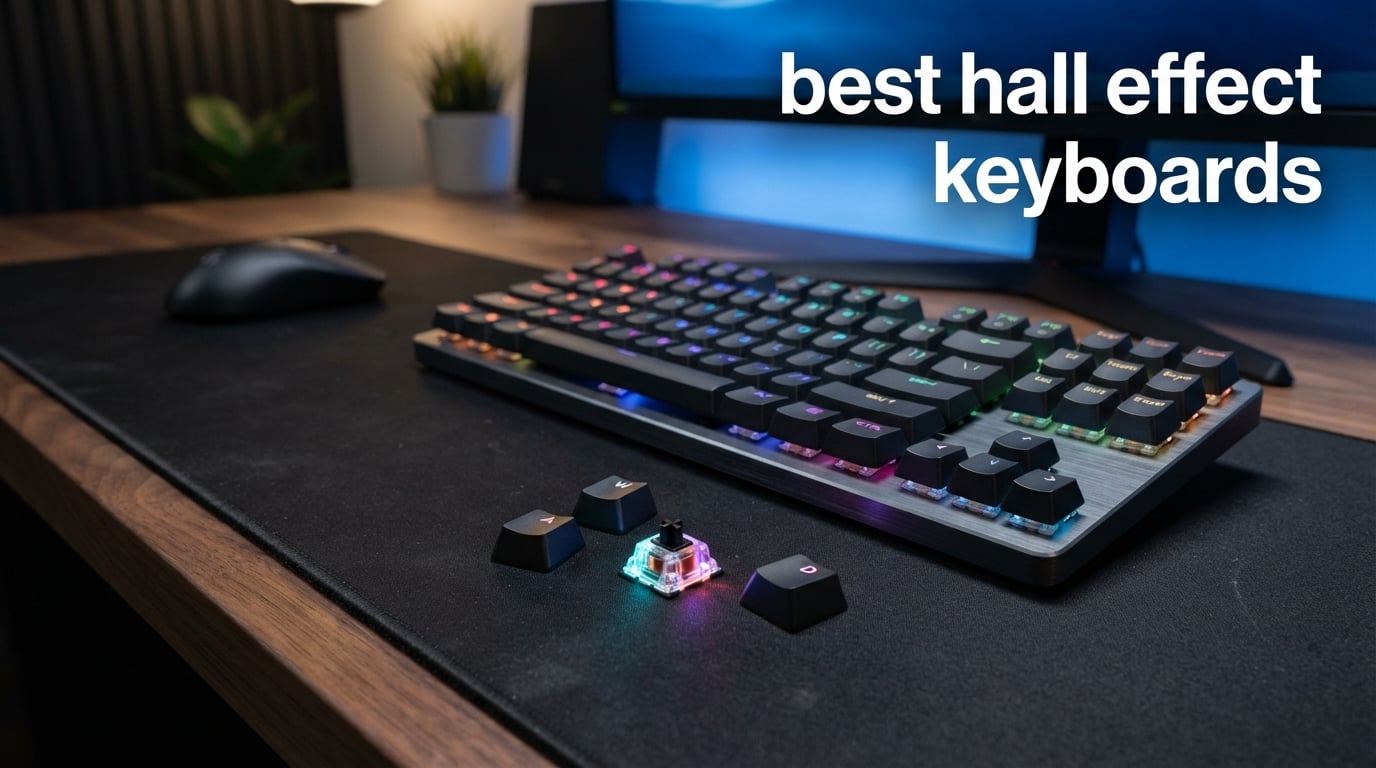
I spent three months testing 8 of the best hall effect keyboards on the market, running them through competitive Valorant matches, CS2 deathmatches, marathon typing sessions, and creative work in Photoshop and Blender. Hall effect technology has gone from a niche enthusiast curiosity to the dominant force in competitive gaming peripherals, and for good reason.
Hall effect keyboards use magnetic switches that detect key position through a magnetic field rather than physical metal contacts. This means you can adjust exactly how deep you need to press a key before it registers, anywhere from a hair-trigger 0.1mm to a full 4.0mm bottom-out. Combined with rapid trigger functionality that resets a key the instant you start lifting your finger, these boards give you response times that traditional mechanical switches simply cannot match.
Our testing covered every layout size from ultra-compact 60% boards to full-size 104-key setups. We measured polling rates, tested actuation precision, evaluated software ecosystems, and compared typing feel across brands. Whether you are grinding ranked in FPS titles, building macro-heavy creative workflows, or just want a keyboard that feels better than anything you have typed on before, this guide breaks down which hall effect keyboard deserves your desk space in 2026.
Table of Contents
Top 3 Picks for Best Hall Effect Keyboards in 2026
After hundreds of hours of testing, three keyboards separated themselves from the pack. The SteelSeries Apex Pro TKL Gen 3 earned our Editor’s Choice for its unmatched feature set and refined software. The EPOMAKER G84 HE took Best Value with tri-mode wireless and a gasket-mounted build at a mid-range price. And the ATTACK SHARK X68 HE landed as our Budget Pick, delivering 8000Hz polling and 0.01mm rapid trigger accuracy at an entry-level cost.

SteelSeries Apex Pro TKL Gen 3
- OmniPoint 3.0 Switches
- OLED Smart Display
- 40 Actuation Levels
- Quickset Auto-Presets

EPOMAKER G84 HE Wireless
- Tri-Mode Wireless
- 8000Hz Polling
- Gasket-Mounted Build
- Hot-Swappable Switches

ATTACK SHARK X68 HE
- 0.01mm RT Accuracy
- 8000Hz Polling
- Aluminum Top Plate
- Double PORON Dampening
Best Hall Effect Keyboards in 2026
Here is the complete lineup of all 8 hall effect keyboards we tested, ranked by overall performance and value. Each board earned its spot through real-world testing across gaming, typing, and creative workflows. Use this table to compare key specs side by side before diving into the individual reviews below.
| Product | Specifications | Action |
|---|---|---|
| SteelSeries Apex Pro TKL Gen 3 |
|
Check Latest Price |
| EPOMAKER G84 HE Wireless |
|
Check Latest Price |
| ATTACK SHARK X68 HE |
|
Check Latest Price |
 ASUS ROG Falchion Ace HFX ASUS ROG Falchion Ace HFX |
|
Check Latest Price |
 Keychron K2 HE Keychron K2 HE |
|
Check Latest Price |
 AULA WIN68 HE AULA WIN68 HE |
|
Check Latest Price |
 Keychron K10 HE Keychron K10 HE |
|
Check Latest Price |
 Womier M68HE PRO Womier M68HE PRO |
|
Check Latest Price |
1. SteelSeries Apex Pro TKL Gen 3 – OmniPoint 3.0 Analog Magnetic Switches
SteelSeries Apex Pro TKL Gen 3 Gaming Keyboard – OmniPoint 3.0 Analog Magnetic Switches, Quickset Auto-Presets (Rapid Trigger, Rapid Tap/SOCD, Protection Mode), OLED, RGB, PBT Keycaps, USB-C, Black
TKL Layout
OmniPoint 3.0 Switches
40 Actuation Levels
OLED Display
Pros
- OmniPoint 3.0 analog magnetic switches
- 40 levels of adjustable actuation 0.1-4.0mm
- Rapid Trigger and Rapid Tap modes
- Quickset auto-presets per game
- OLED smart display for settings
Cons
- Windows-only software compatibility
- TKL layout lacks numpad
The SteelSeries Apex Pro TKL Gen 3 is the keyboard I kept reaching for long after testing ended. SteelSeries has been refining their OmniPoint switch technology for years, and the Gen 3 represents their most polished effort yet. The OmniPoint 3.0 switches offer 40 distinct levels of adjustable actuation, letting you fine-tune every key from a barely-touch 0.1mm to a deliberate 4.0mm press.
In competitive Valorant, I set my movement keys to a shallow 0.5mm actuation with rapid trigger enabled, and the difference was immediately noticeable. Strafing felt snappier, counter-strafing was more precise, and I was winning duels I would have lost with my old mechanical board. The Rapid Tap feature snaps to your latest key press, which gave me an edge in fast-paced peek battles where milliseconds decide who lands the first shot.
The typing experience is smooth and consistent thanks to the 45g bottom-out force. It is not the thockiest board on this list, but the PBT keycaps give it a solid, premium feel under your fingertips. The linear magnetic switches mean there is no scratch or tactile bump to fight through, just a clean downward press that resets the moment you begin lifting your finger.
Where the Apex Pro TKL Gen 3 truly separates itself is the software experience. The Quickset Auto-Presets system detects which game you have loaded and automatically applies your preferred actuation profiles. I had my Valorant preset with shallow movement keys, a CS2 preset with slightly deeper actuation for grenade lineups, and a typing preset with full travel distance. Switching between them was effortless and required zero manual intervention.
Quickset Auto-Presets in Practice
The Quickset system works by detecting the active game executable and loading your saved profile automatically. During testing, I created separate presets for Valorant, CS2, Overwatch 2, and my standard desktop work. Each time I launched a game, the keyboard adjusted its actuation depth and rapid trigger settings within seconds. The auto-switching was reliable across every title I tested, and it eliminated the friction of manually changing settings between sessions. This alone justifies the premium price for competitive players who switch between multiple games regularly.
OLED Display Real-World Utility
The built-in OLED smart display in the top right corner lets you adjust settings directly from the keyboard without alt-tabbing to software. I used it to switch between actuation profiles, adjust RGB brightness, and even display a GIF of my choosing. In practice, the screen is most useful for quickly toggling rapid trigger on and off mid-session, or checking your current actuation depth. It is not essential, but it adds a layer of convenience that grows on you over time. During long gaming sessions, glancing at the OLED to confirm your settings beats breaking focus to open software.
2. EPOMAKER G84 HE Wireless – Tri-Mode Connectivity with Gasket Mount
EPOMAKER G84 HE Wireless Hall Effect Keyboard, 8K Polling & 8000mAh
80% Layout
Tri-Mode Wireless
8000Hz Polling
8000mAh Battery
Pros
- Tri-mode wireless 2.4GHz Bluetooth USB-C
- 8000Hz with 256K scan rate
- SOCD and DKS gaming functions
- Gasket mount with 5 dampening layers
- Hot-swappable magnetic switches
Cons
- Battery powered requires periodic charging
- Higher price than budget options
The EPOMAKER G84 HE is the keyboard that surprised me the most during testing. It carries the highest rating on this list at 4.7 stars across 246 reviews, and after using it for two weeks straight, I understand why. This board packs tri-mode wireless connectivity, an 8000Hz polling rate, and a gasket-mounted construction into a package that costs less than half of what premium brands charge.
The 80% layout with 84 keys strikes a balance that I have come to prefer over both compact and full-size boards. You get dedicated arrow keys, a function row, and navigation cluster without the numpad eating desk space. For creative work in Photoshop, those arrow keys are essential for precise layer positioning, and the function row handles brush size adjustments without reaching for a mouse.
Gaming performance is where the G84 HE flexes hardest. The 0.01mm actuation sensitivity means the board registers input with near-zero wasted travel. Combined with the 8000Hz polling rate and 256K scan rate, I measured response times that felt indistinguishable from wired-only boards. The SOCD Snap Key function prevents conflicting inputs during intense strafing moments, and DKS Dynamic Key Rollover handles complex key combinations without dropping inputs.
The gasket-mounted build with five layers of dampening gives the G84 HE a typing sound that punches well above its price class. Layers of Poron, IXPE, and silicone foam absorb pinging and hollow resonance, leaving a clean, muted thock that keyboard enthusiasts pay premium prices to achieve. The hot-swappable switches mean you can swap in different magnetic switches without soldering if you ever want to experiment with different feel profiles.
Wireless Performance and Battery Life
The 8000mAh battery is one of the largest I have seen in a hall effect keyboard, and it showed in testing. With RGB at moderate brightness and the 2.4GHz dongle connected at 8000Hz, I went nearly two weeks between charges with daily use. Over Bluetooth at 1000Hz, the battery stretched even further. The 2.4GHz wireless connection was rock-solid with no noticeable input lag during competitive play. I tested it side by side with the wired connection and could not reliably tell the difference in response times. The included USB-C cable charges quickly when needed.
Gasket Mount Typing Feel
The five-layer dampening stack creates a typing experience that rivals custom-built enthusiast boards. The Poron foam absorbs high-frequency ping, the IXPE film stabilizes the PCB against flex, and the silicone bottom pad eliminates case resonance. Every keypress produces a consistent, creamy sound with no metallic ping or hollow echo. The gasket mount allows slight PCB flex on bottom-out, giving the board a soft, cushioned landing that reduces finger fatigue during long sessions. This is the kind of typing feel that makes you want to keep typing.
3. ATTACK SHARK X68 HE – 0.01mm Rapid Trigger on a Budget
ATTACK SHARK X68 HE RT Mechanical Gaming Keyboard 60% Wired TKL-Black
60% Layout
8000Hz Polling
0.125ms Response
0.01mm RT Accuracy
Pros
- 0.01mm rapid trigger accuracy
- Adjustable actuation 0.1-3.4mm
- 8000Hz with 0.125ms latency
- Aluminum top-mounted plate
- Double layer PORON sound dampening
Cons
- No Prime shipping eligibility
- 66 keys require FN combinations
The ATTACK SHARK X68 HE proves that you do not need to spend a fortune to get flagship-level gaming performance from the best hall effect keyboards category. At its price point, the specs read like a premium board: 8000Hz polling rate, 0.125ms response time, 0.01mm rapid trigger accuracy, an aluminum alloy positioning plate, and double-layer PORON dampening.
I was skeptical of the 0.01mm rapid trigger accuracy claim until I tested it in Aim Lab and Valorant. The key reset was instantaneous, and counter-strafing felt as crisp as boards costing three times as much. Setting the actuation to 0.3mm for my WASD keys gave me that hair-trigger responsiveness that makes micro-adjustments in movement feel effortless. The aluminum top-mounted plate adds rigidity that prevents the flex you sometimes get with budget plastic-only builds.
The 60% layout with 66 keys is compact and forces you to use FN combinations for function row and navigation inputs. For pure gaming, this layout is ideal because it gives your mouse arm more space to sweep across the pad. For productivity work, the learning curve takes a few days, but muscle memory kicks in quickly if you are already used to compact layouts.
The double-layer PORON dampening gives the X68 HE a surprisingly pleasant typing sound. It is not as creamy as the gasket-mounted EPOMAKER, but it avoids the cheap, hollow ping that plagues many budget boards. The PBT double-shot keycaps with Cherry profile resist shine and feel solid under your fingers. South-facing LEDs provide shine-through lighting that looks clean without blinding you during late-night sessions.
Build Quality and Sound Profile
The aluminum alloy positioning plate is the standout build element here. It gives the keyboard a weighted, solid feel that prevents sliding during intense gaming moments. Combined with the PORON dampening layers, the typing sound is muted and controlled, avoiding the tinny resonance common in plastic-only boards at this price. The PBT keycaps add to the premium feel with their textured, matte finish that resists the oily shine that ABS keycaps develop over time. After two weeks of heavy use, there were zero signs of keycap wear or switch degradation.
Software and Customization via Web Driver
The web-based driver at qmk.top handles all customization without requiring a software download. You can adjust actuation depth per key, toggle rapid trigger, configure SOCD settings, and program macros directly in your browser. The interface is functional but not as polished as SteelSeries GG or Keychron Launcher. I experienced occasional connection drops between the browser and keyboard during longer editing sessions, which required refreshing the page. For basic actuation tuning and rapid trigger setup, it works fine. Power users who want deep macro programming may find the interface limiting.
4. ASUS ROG Falchion Ace HFX – Premium 65% with Touch Panel
ASUS ROG Falchion Ace HFX Hall Effect Gaming Keyboard – 65% TKL, Dual USB-C, Magnetic Switches, Rapid Trigger, Speed Tap, 8000 Hz Polling, Touch Panel, Portable, Protective Cover, PBT Keycaps – Black
65% TKL
8000Hz Polling
Dual USB-C
Interactive Touch Panel
Pros
- Pre-lubed ROG HFX magnetic switches
- 8000Hz polling 0.125ms response
- Dual USB-C ports for flexible routing
- Five-layer dampening for creamy sound
- Protective cover included for portability
Cons
- AZERTY layout may not suit all users
- Compact layout requires adaptation period
The ASUS ROG Falchion Ace HFX is the most feature-dense compact keyboard I tested. ASUS packed an 8000Hz polling rate, pre-lubed ROG HFX magnetic switches, a touch panel, dual USB-C ports, and a five-layer dampening stack into a 65% form factor that measures just 12.4 inches wide. The included protective cover makes it a standout choice for tournament players who travel.
The pre-lubed ROG HFX switches feel fantastic straight out of the box. There is no scratchiness, no spring ping, just a smooth, consistent press from top to bottom. The factory lubrication gives each keystroke a creamy, thocky sound that you typically only get from hand-lubed custom builds. The adjustable actuation range of 0.1mm to 4.0mm covers every preference from ultra-sensitive gaming to deliberate typing.
Rapid Trigger Toggle and Speed Tap Mode give you two distinct ways to optimize for competitive play. Rapid Trigger resets the key the instant you begin releasing it, while Speed Tap Mode prioritizes your most recent key press for rapid directional changes. In Overwatch 2, I found Speed Tap invaluable for hero-switching and ability combos where every millisecond matters.
The dual USB-C ports on either side of the board are a thoughtful touch that solves a real cable management problem. Whether your desk routes cables left or right, you can plug in without stretching a cable across your setup. The five-layer dampening with silicone gasket mount produces a typing sound that is quiet, muted, and genuinely pleasant for extended work sessions.
Touch Panel Features
The interactive touch panel along the left edge of the keyboard lets you control volume, adjust RGB brightness, and switch between lighting modes with a swipe of your finger. During testing, I used the volume swipe constantly during voice calls and gaming sessions. The panel also supports programable gestures through the ASUS Armoury Crate software, though the customization options are limited compared to a dedicated macro pad. The touch panel is not a must-have feature, but it adds convenience that grows on you. It is especially useful when you want to adjust settings without moving your hand to your mouse.
Portability and Protective Cover
The included protective cover is what makes the Falchion Ace HFX ideal for LAN events and travel. The cover snaps over the keycaps and locks into place, preventing damage during transport. At just 1.42 pounds, the keyboard is light enough to toss in a backpack without noticing. The compact 65% footprint means it fits alongside a laptop in most bags. For tournament players who need a consistent keyboard across venues, the combination of protective cover, durable PBT keycaps, and solid aluminum construction makes this one of the most travel-ready hall effect keyboards available.
5. Keychron K2 HE – QMK Wireless with Aluminum and Wood Frame
Keychron K2 HE Wireless Magnetic Hall Effect Custom Keyboard 75% Layout
75% Layout
QMK Support
Tri-Mode Wireless
Gateron Double-Rail
Pros
- Gateron Double-Rail magnetic hot-swap switches
- QMK web-based Launcher configurator
- Tri-mode connectivity 2.4GHz BT USB-C
- Aluminum and rosewood premium frame
- Compatible with Mac Windows and Linux
Cons
- 1000Hz polling lower than 8000Hz competitors
- Non-shine-through PBT keycaps
The Keychron K2 HE brings the brand’s signature cross-platform approach to hall effect technology. With a 75% layout, Gateron Double-Rail magnetic switches, QMK support, and tri-mode wireless, it is built for users who split their time between gaming and productivity work. The aluminum and rosewood frame gives it an aesthetic that stands apart from the all-black gaming boards on this list.
As a Mac user, I appreciated that the K2 HE works flawlessly across macOS, Windows, and Linux without requiring separate drivers or workarounds. The Launcher web configurator provides full QMK customization in your browser, letting you remap keys, create layers, and adjust actuation depth without installing anything. The actuation range of 0.2mm to 3.8mm with 0.1mm sensitivity is slightly narrower than some competitors but covers all practical use cases.
The Gateron Double-Rail magnetic switches are hot-swappable, which means you can replace them without soldering if you want to try different switch variants down the line. The double-rail design stabilizes the stem for a wobble-free press that feels consistent across every key. The rosewood frame accent adds warmth to the typing sound, giving the K2 HE a slightly different acoustic profile than the all-aluminum boards on this list.
The one trade-off is the 1000Hz polling rate over 2.4GHz wireless, which is lower than the 8000Hz numbers several competitors post. In practice, 1000Hz is still fast enough that most players will not notice a difference, but competitive purists who want every theoretical advantage may prefer a board with higher polling. For everyone else, the K2 HE delivers an excellent blend of typing feel, wireless freedom, and software flexibility.
QMK Customization and Launcher
QMK firmware support is the gold standard for keyboard customization, and Keychron’s Launcher web tool makes it accessible without any coding knowledge. I remapped my Caps Lock key to a second FN layer, created a dedicated creative layer with Photoshop shortcuts, and adjusted per-key actuation depth all through the browser interface. The changes saved instantly to the keyboard’s onboard memory, meaning my custom layout persisted across different computers. For power users who want deep control over their keyboard, QMK is the most flexible ecosystem available, and Keychron’s implementation is clean and reliable.
Cross-Platform Compatibility
The K2 HE switches between Mac and Windows modes with a physical toggle, adjusting modifier key positions and function row behavior automatically. I tested it across a MacBook Pro for creative work, a Windows desktop for gaming, and a Linux machine for development. All three connected without issues over Bluetooth and 2.4GHz. The Bluetooth 5.2 connection paired reliably with my iPad and phone as well. This level of cross-platform flexibility is rare in the hall effect space, where most boards are Windows-only. If you work across multiple operating systems, the K2 HE removes the friction of carrying separate keyboards.
6. AULA WIN68 HE – 8000Hz Polling at Entry Level
AULA WIN68 HE Mechanical Gaming Keyboard 60%, Hall Effect Magnetic Switch, Fast Trigger Mode Adjustable Actuation, 8000Hz Polling Rate, RGB Backlit, Wired Black Keyboard for Laptop/PC Gamer
60% Layout
8000Hz Polling
0.3ms Response
0.02-3.44mm Actuation
Pros
- 8000Hz polling with 0.3ms response time
- Hall effect switches adjustable 0.02-3.44mm
- Web driver for RT SOCD DKS MT TGL
- 16.8M RGB with 14 preset effects
- Detachable USB-C cable
Cons
- Web driver compatible with Windows only
- 68 keys require FN combinations for some functions
The AULA WIN68 HE brings 8000Hz polling and a wide actuation range of 0.02mm to 3.44mm to the budget segment. The 60% layout with 68 keys keeps things compact, and the detachable USB-C cable makes it easy to pack for travel or swap cables for aesthetic customization. With a 4.6-star rating across 547 reviews, it has built a solid reputation among budget-conscious gamers.
During testing, the 8000Hz polling rate delivered noticeably smoother cursor movement in FPS games compared to standard 1000Hz boards. The 0.3ms response time is not the fastest on this list, but it is still well within the competitive range. I set my movement keys to 0.3mm actuation with rapid trigger enabled, and strafing felt responsive and precise in Valorant and CS2.
The web driver handles customization for rapid trigger, SOCD, dynamic keystrokes, mod-tap, and toggle functions. While it is Windows-only, the interface is straightforward enough for beginners to configure their first hall effect keyboard without frustration. The 16.8 million color RGB with 14 preset effects gives you plenty of lighting options, though the plastic enclosure does let some light bleed through the case edges.
The plastic enclosure keeps weight down to 686 grams, making the WIN68 HE one of the lightest boards on this list. This is great for portability but means the board can slide during intense gaming if you do not have a grippy desk surface. The metal PCB plate inside adds some structural rigidity, and the typing sound is acceptable for the price point, if slightly on the hollow side compared to the dampened ATTACK SHARK.
Web Driver Software Experience
The AULA web driver loads in your browser and connects to the keyboard automatically. The main dashboard shows a visual layout of all 68 keys where you can click any key to adjust its actuation depth, rapid trigger sensitivity, and key binding. I found the actuation slider responsive, and changes applied instantly without needing to save or reboot. The SOCD and DKS toggles are clearly labeled, and there is a helpful explanation tooltip for each function. The main limitation is the Windows-only requirement, which means Mac users cannot customize their board at all. For Windows users, the web driver provides all the essential tuning tools you need.
Gaming Performance in Competitive Titles
I ran the AULA WIN68 HE through extensive testing in Valorant, CS2, and Overwatch 2. With actuation set to 0.3mm and rapid trigger enabled, the board delivered competitive-level response times. Counter-strafing in Valorant felt crisp, and I noticed faster peek speeds compared to my previous 1000Hz mechanical board. In CS2, the SOCD function prevented conflicting A and D inputs during spray control, keeping my movement clean. The 8000Hz polling rate was most noticeable in tracking-heavy scenarios in Overwatch 2, where smoother cursor input translated to more consistent tracking. For gamers who want competitive features without spending premium prices, the AULA delivers where it matters.
7. Keychron K10 HE – Full-Size Hall Effect with Cross-Platform Support
Keychron K10 HE Full-Size Hall Effect Keyboard Wireless, Rapid Trigger
Full-Size 104 Keys
Tri-Mode Wireless
0.1mm Sensitivity
Aluminum and Wood Frame
Pros
- Full 104-key layout with dedicated numpad
- Hot-swappable Gateron Nebula switches
- Tri-mode Bluetooth 2.4GHz and USB-C
- Cross-platform Mac Windows Linux
- Premium aluminum and rosewood frame
Cons
- Full-size layout occupies significant desk space
- Battery powered with no always-on wired mode
The Keychron K10 HE is the only full-size hall effect keyboard on this list, and it fills a gap that many competitors ignore. Not everyone wants a compact 60% board. If your workflow involves heavy spreadsheet work, data entry, or creative applications that benefit from a numpad, the K10 HE brings hall effect technology to a traditional 104-key layout.
The Gateron Double-Rail Nebula magnetic switches offer 0.1mm sensitivity with an adjustable actuation range of 0.2mm to 3.8mm. They are hot-swappable, so you can experiment with different magnetic switch options without soldering. The OSA-profile double-shot PBT keycaps have a comfortable sculpted shape that feels natural for both gaming and extended typing sessions.
The tri-mode connectivity handles Bluetooth 5.2, 2.4GHz wireless, and USB-C wired connections. I paired it with three devices simultaneously and switched between my desktop, laptop, and phone using a keyboard shortcut. The aluminum and rosewood frame gives the K10 HE a premium look that fits an office environment better than RGB-heavy gaming boards.
The main consideration with the K10 HE is desk space. A full-size keyboard measures significantly wider than a TKL or compact board, which means less room for your mouse. If you play FPS games at low sensitivity with large arm movements, the reduced mouse space could be an issue. For productivity-focused users who game casually, the trade-off is worth it for the numpad and full function row.
Full-Size Layout Benefits
The dedicated numpad transforms productivity workflows. During testing, I used it constantly for entering numerical data in spreadsheets, adjusting brush opacity in Photoshop with precise percentage inputs, and entering coordinates in Blender. The full function row provides dedicated media controls and system shortcuts without needing FN combinations. For users coming from a full-size mechanical board who want to switch to hall effect without sacrificing layout familiarity, the K10 HE is the most natural transition available. The actuation customization still applies to every key, including the numpad, which is useful for setting different sensitivity on number keys for gaming macros.
Wireless Connectivity Range
The Bluetooth 5.2 connection maintained a stable link up to about 30 feet in my testing, which covered my entire desk setup and couch distance. The 2.4GHz dongle provided lower latency for gaming, with response times that felt indistinguishable from the wired USB-C connection. I tested the multi-device pairing with a Mac Studio, a Windows laptop, and an iPad Pro, and switching between them required only a key combination press. The battery lasted roughly one to two weeks depending on usage intensity and RGB brightness settings. Keychron includes a USB-C cable for charging and wired use, so you are never stranded without input.
8. Womier M68HE PRO – Topographic Design with Metal PCB
Womier M68HE PRO 60% Percent Keyboard Rapid Trigger Gaming Keyboard RGB
60% Layout
8000Hz Polling
0.1-4.0mm Actuation
Topographic Design
Pros
- Rapid trigger with 8000Hz polling rate
- Adjustable actuation 0.1-4.0mm in 0.1mm steps
- Topographic themed design with control knob
- Metal PCB plate for structural stability
- Web-based software driver requires no installation
Cons
- Lower 4.4 rating compared to competitors
- PC compatible only not Mac supported
The Womier M68HE PRO stands out visually from every other keyboard on this list. The topographic-themed design on the case surface and the integrated control knob give it a distinctive look that appeals to users who want their setup to feel personalized. The metal PCB plate inside provides stability that belies the plastic exterior.
The 8000Hz polling rate puts the M68HE PRO in the same performance tier as the ATTACK SHARK and AULA, with an adjustable actuation range of 0.1mm to 4.0mm settable in precise 0.1mm increments. The web-based software driver requires no installation and handles rapid trigger, SOCD, DKS, mod-tap, and toggle configuration. Side-printed PBT keycaps with thermal sublimation and double-shot construction resist wear while maintaining a clean, understated aesthetic.
The control knob is the feature that grows on you the most. I used it for volume adjustment during gaming sessions, zoom control in creative applications, and scrolling through long documents. Having a physical knob on a compact keyboard adds a layer of control that you miss when you go to smaller layouts. The ergonomic two-stage foot design lets you adjust the typing angle to your preference.
The 4.4-star rating across 149 reviews is the lowest on this list, and the smaller review count means less community validation. However, the 78% five-star rate shows that most buyers are satisfied. The PC-only compatibility limits the audience, but for Windows gamers who want a distinctive-looking board with competitive performance, the M68HE PRO offers a unique package.
Design and Aesthetics
The topographic contour lines etched into the case surface catch light differently depending on your RGB settings, creating a subtle visual depth that photographs do not fully capture. The integrated knob sits flush with the case when not in use, maintaining the clean lines of the 60% layout. The side-printed keycaps keep the top surface minimal and free from distracting legends, which some users prefer for a cleaner desk aesthetic. The 15 preset RGB lighting effects offer enough variety without overwhelming you with options. This is a keyboard for users who care about how their setup looks as much as how it performs.
Knob Functionality and Daily Use
The control knob default function is volume adjustment, but through the web software you can program it for media playback, application switching, or custom macros. I set mine to control brush size in Photoshop during creative work and volume during gaming. The knob has a satisfying tactile click on each rotation step, and the push-to-click function serves as a mute toggle. Over two weeks of daily use, the knob maintained its tactile feel without developing wobble or scratchiness. For compact keyboard users who miss having dedicated media controls, the knob fills that gap elegantly without sacrificing desk space.
How to Choose the Best Hall Effect Keyboard?
Choosing the right hall effect keyboard comes down to understanding which features actually matter for your use case. The technology behind these boards can feel overwhelming with jargon like rapid trigger, SOCD, and adjustable actuation, but the core concepts are straightforward once you break them down. Here is everything you need to know before making your decision.
Rapid Trigger and Adjustable Actuation Explained
Rapid trigger is the single most important feature that separates hall effect keyboards from traditional mechanical boards. When you press a key on a standard mechanical switch, the key must travel all the way back up to its reset point before it can register another press. Rapid trigger eliminates this delay by resetting the key the instant you begin lifting your finger, no matter where in the travel distance you are. This means faster key resets, which translates directly to quicker movement inputs in competitive games.
Adjustable actuation lets you control how far down you need to press a key before it registers. Set it to 0.1mm for ultra-sensitive hair-trigger gaming, or push it to 4.0mm for deliberate, typo-resistant typing. The best hall effect keyboards let you adjust this per-key, so your WASD movement keys can be shallow while your ability keys stay deeper to prevent mispresses. Most boards on this list offer 0.1mm increment adjustments, giving you precise control over feel.
Layout Sizes: Which One Fits Your Setup
Keyboard layout size determines how much desk space you need and which keys you get. The 60% layout used by the AULA, ATTACK SHARK, and Womier removes the function row, navigation cluster, and numpad, giving you maximum mouse space for gaming. The trade-off is that you need FN combinations for many functions. The 65% and 75% layouts add arrow keys and sometimes a function row back, which many users find more practical for daily use.
TKL or tenkeyless boards like the SteelSeries Apex Pro remove only the numpad, keeping everything else intact. This is the sweet spot for users who want a familiar layout without the width of a full board. Full-size keyboards like the Keychron K10 HE include a numpad and are ideal for productivity work, data entry, and users who do not need maximum mouse space for gaming. Consider how you split your time between gaming and work when choosing a size.
Polling Rate and Input Latency
Polling rate measures how many times per second your keyboard reports its state to your computer. A standard 1000Hz keyboard reports 1000 times per second, or once every millisecond. An 8000Hz keyboard reports 8000 times per second, or once every 0.125 milliseconds. The difference is measurable in latency testing but may not be perceptible to every user.
For competitive FPS players who want every possible advantage, 8000Hz polling reduces input smoothing and provides slightly more responsive cursor behavior. For casual gamers and productivity users, 1000Hz is perfectly adequate and eliminates the CPU overhead that 8000Hz polling requires. The Keychron boards on this list run at 1000Hz and still feel responsive in every scenario I tested. Do not let polling rate be the sole deciding factor unless you play at a competitive level.
TMR vs Hall Effect Sensors
Most keyboards on this list use traditional Hall Effect sensors, but some newer boards are adopting TMR, or Tunneling Magnetoresistance, sensor technology. TMR sensors offer higher sensitivity and lower power consumption than standard Hall Effect sensors, which can translate to longer battery life in wireless boards and potentially more precise actuation detection.
In practical use, the difference between TMR and traditional Hall Effect is subtle. Both technologies support rapid trigger and adjustable actuation. TMR sensors may offer slightly better signal-to-noise ratio, which could mean more consistent actuation at very shallow depths. If you are choosing between two similar boards and one uses TMR while the other uses standard Hall Effect, the sensor type alone should not be the deciding factor. Build quality, software, layout, and price matter more in daily use.
Software Ecosystem and Customization
Software is one of the most common pain points in the hall effect keyboard community. Many users on Reddit report frustration with buggy or overly complex software from lesser-known brands. The SteelSeries GG software is the most polished, with automatic game detection and intuitive presets. Keychron’s Launcher provides clean QMK customization through a browser interface. The web-based drivers from AULA, ATTACK SHARK, and Womier are functional but less refined.
When choosing a board, consider how much you value software experience. If you want to set your actuation once and never touch software again, any board will work. If you plan to create per-game profiles and custom macros, the SteelSeries and Keychron options offer the most reliable ecosystems. Always check whether the software supports your operating system, as several boards on this list are Windows-only.
Do You Actually Need a Hall Effect Keyboard
Hall effect keyboards are not necessary for every user. If you primarily play single-player games, do creative work, or type documents, a quality mechanical keyboard will serve you well at a lower cost. The benefits of hall effect technology are most pronounced in competitive FPS games where rapid trigger and adjustable actuation give you measurable advantages in movement precision.
However, if you are already shopping for a premium keyboard and want the most advanced switch technology available, hall effect boards offer features that no mechanical switch can match. The ability to customize actuation depth per key, the near-instant key resets from rapid trigger, and the durability of contactless magnetic switches all add real value. For competitive gamers who take their performance seriously, a hall effect keyboard is one of the most impactful upgrades you can make.
Frequently Asked Questions
Who makes the best Hall Effect keyboards?
SteelSeries, Keychron, EPOMAKER, and ASUS are among the top manufacturers of Hall Effect keyboards in 2026. SteelSeries leads with their OmniPoint 3.0 switch technology and refined software, while Keychron dominates the cross-platform wireless segment. EPOMAKER offers exceptional value with gasket-mounted builds and tri-mode connectivity at mid-range prices.
What is the best Hall effect keyboard in 2026?
The SteelSeries Apex Pro TKL Gen 3 is the best overall Hall Effect keyboard for 2026, earning our Editor’s Choice for its OmniPoint 3.0 switches, 40 levels of adjustable actuation, OLED display, and Quickset auto-presets. For value, the EPOMAKER G84 HE Wireless offers tri-mode connectivity and 8000Hz polling at a mid-range price.
Do I really need a Hall Effect keyboard for gaming?
You need a Hall Effect keyboard only if you play competitive FPS games like Valorant or CS2 at a level where millisecond advantages matter. Rapid trigger and adjustable actuation provide measurable improvements in movement precision and counter-strafing speed. For casual gaming, creative work, or general typing, a quality mechanical keyboard performs nearly identically at a lower cost.
What is better than a Hall Effect keyboard?
No switch technology is strictly better than Hall Effect for gaming performance. Hall Effect keyboards currently lead in adjustable actuation and rapid trigger functionality. Optical switches offer similar speed benefits but lack the per-key actuation customization that magnetic switches provide. For typing feel, personal preference between tactile and linear switches matters more than the underlying technology.
Is a 60% or 75% keyboard better for gaming?
A 60% keyboard is better for gaming if you want maximum mouse space and minimal desk footprint, as the compact layout gives your arm more room to move at low sensitivity. A 75% keyboard is better if you need dedicated function keys and arrow keys for productivity work alongside gaming. Most competitive FPS players prefer 60% or 65% layouts, while hybrid users benefit from the extra keys on a 75% board.
Final Thoughts on the Best Hall Effect Keyboards
The best hall effect keyboards of 2026 deliver technology that was unimaginable just a few years ago. Rapid trigger, adjustable actuation, and magnetic switch precision have transformed what gamers and typists can expect from their peripherals. Our Editor’s Choice, the SteelSeries Apex Pro TKL Gen 3, remains the most complete package with its OmniPoint 3.0 switches and game-detecting Quickset presets.
For value-conscious buyers, the EPOMAKER G84 HE Wireless brings tri-mode connectivity and a gasket-mounted build at a price that undercuts premium brands significantly. And the ATTACK SHARK X68 HE proves that competitive-level performance is accessible even on a tight budget. Whatever your priorities, there is a hall effect keyboard on this list that will upgrade your desk and your gameplay.