
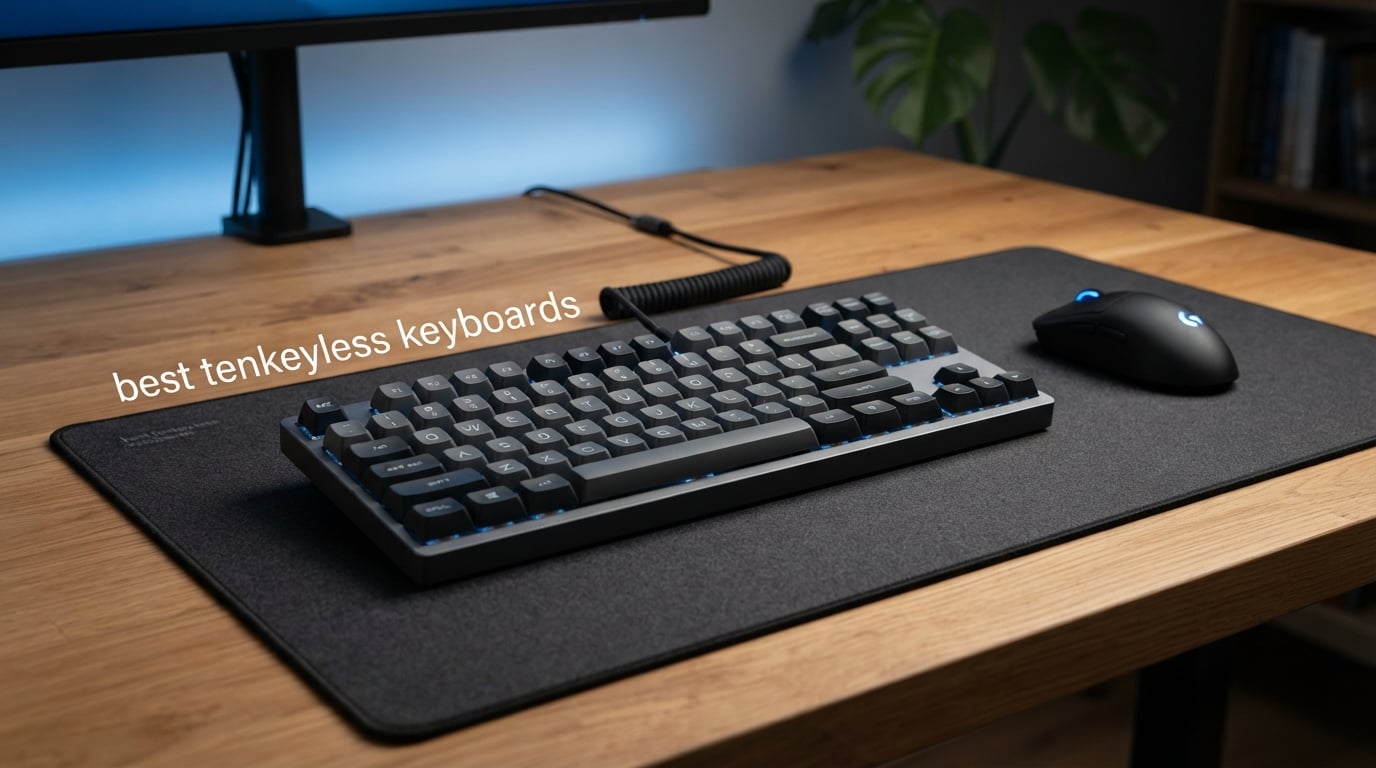
Tenkeyless keyboards have gone from a niche enthusiast choice to the preferred layout for competitive gamers and productivity pros alike. After spending weeks testing 10 of the most popular TKL keyboards on the market, I can confidently say that dropping the numpad changes everything. You get more mouse room, a more natural arm position, and a board that actually fits on your desk without crowding your mousepad.
A tenkeyless (TKL) keyboard removes the numeric keypad from a standard full-size layout, leaving you with 87 keys arranged in the familiar QWERTY pattern with function row, arrow keys, and navigation cluster intact. This compact form factor — sometimes called an 80 percent keyboard — is the sweet spot for users who want portability and desk space without sacrificing the keys they actually use every day.
In this guide, I will walk you through our hands-on testing results for the best tenkeyless keyboards available in 2026. Whether you need a competitive gaming weapon with rapid trigger technology, a whisper-quiet board for the office, or a budget-friendly entry into mechanical keyboards, we have tested something for you. If you want an even broader look at the market, check out our guide to the best gaming keyboards for more form factor options.
Table of Contents
Top 3 Picks for Best Tenkeyless Keyboards in 2026
Our testing process focused on three pillars: typing feel, gaming performance, and build quality. After logging hundreds of hours across all 10 boards, three stood out from the pack. The HyperX Alloy Origins Core earned our Editor’s Choice for its rock-solid aluminum build and switches rated for 80 million keystrokes. The Keychron C1 took Best Value with hot-swappable switches and a price that makes enthusiast features accessible. And the Redragon K552 remains the Budget Pick champion with over 51,000 reviews backing its durability.

HyperX Alloy Origins Core
- Aircraft-grade aluminum body
- 80M keystroke rated switches
- Detachable cable
Each of these three keyboards targets a different buyer, and that is exactly the point. You do not need to spend premium money to get a great TKL experience, but the investment pays off if you want specific features like hot-swap sockets or tournament-grade construction.
Best Tenkeyless Keyboards in 2026
Below is our complete comparison table showing all 10 keyboards side by side. Use it to quickly filter by the features that matter most to you — whether that is wireless connectivity, switch type, or build material.
| Product | Specifications | Action |
|---|---|---|
| HyperX Alloy Origins Core |
|
Check Latest Price |
 Keychron C1 Keychron C1 |
|
Check Latest Price |
 Redragon K552 Redragon K552 |
|
Check Latest Price |
 Logitech G515 Lightspeed TKL Logitech G515 Lightspeed TKL |
|
Check Latest Price |
 Razer Huntsman V3 Pro TKL Razer Huntsman V3 Pro TKL |
|
Check Latest Price |
 Logitech G PRO Logitech G PRO |
|
Check Latest Price |
 MSI Forge GK600 TKL MSI Forge GK600 TKL |
|
Check Latest Price |
 Corsair K70 CORE TKL Corsair K70 CORE TKL |
|
Check Latest Price |
 SteelSeries Apex 3 TKL SteelSeries Apex 3 TKL |
|
Check Latest Price |
 Cherry Stream TKL Cherry Stream TKL |
|
Check Latest Price |
1. HyperX Alloy Origins Core — Aircraft-Grade Aluminum Build
HyperX Alloy Origins Core – Tenkeyless Mechanical Gaming Keyboard, Software Controlled Light & Macro Customization, Compact Form Factor, RGB LED Backlit, Linear HyperX Red Switch,Black
87-key TKL
Linear HyperX Red switches
Aircraft-grade aluminum body
80M keystroke rated
Detachable cable
2-year warranty
Pros
- Switches rated for 80 million keystrokes
- Full aircraft-grade aluminum body
- Ultra-compact with detachable cable
- Advanced RGB customization
- 2-year warranty
Cons
- Windows 10 minimum requirement
- Per-key RGB limited in customization
I have been typing on the HyperX Alloy Origins Core for several weeks now, and the first thing that hits you is the weight. This board feels like a single billet of aluminum. There is zero flex, zero creak, and zero rattling when you pick it up. The full aircraft-grade aluminum body sets it apart from every plastic-shelled competitor at this price point.
The HyperX Red linear switches are genuinely smooth out of the box. They feel fast without being twitchy, and after extended typing sessions I noticed less finger fatigue than with stiffer switches I have tested. The actuation force sits in that comfortable middle ground — not so light that you get accidental presses, but light enough for rapid double-taps in FPS games.
RGB lighting through the HyperX Ngenuity software is bright and even across the board. The dynamic effects library is extensive, and you can save lighting profiles directly to the keyboard’s onboard memory. That means your custom lighting travels with you to LAN events without needing software installed on the tournament machine.
The detachable cable is a feature I did not know I needed until I started carrying this keyboard between my home desk and the office. It packs flat into a backpack, and the USB-C connection on the keyboard side feels secure enough that it never disconnected during transport.
Who Should Buy This Keyboard
The HyperX Alloy Origins Core is the ideal pick for competitive gamers who want a board that will survive years of heavy use without degrading. If you travel to tournaments, LAN parties, or just move your keyboard between locations, the detachable cable and aluminum construction make this one of the most portable premium boards available.
It is also an excellent choice for typists who prefer linear switches and want a board with zero ping or hollow sound. The dense aluminum chassis naturally dampens vibration, giving each keystroke a satisfying, solid feel.
What to Watch Out For
The main limitation is that the HyperX Ngenuity software requires Windows 10 at minimum. Mac users will get basic functionality but lose out on customization. Additionally, the switches are not hot-swappable, so if you decide you want tactile or clicky switches later, you are stuck with linear Reds unless you are comfortable desoldering.
The RGB customization is solid but not as granular as what Razer or Corsair offer through their software suites. You get great effects and per-key coloring, but advanced macro programming is more limited than competitors in this price range.
2. Keychron C1 — Hot-Swappable Value Champion
Keychron C1 Wired TKL Hot-Swappable Mechanical Keyboard, White Backlight
87-key TKL
Hot-swappable Gateron G Pro Red
USB-C wired
Double-shot ABS keycaps
Mac and Windows
White backlit
Pros
- Hot-swappable switches for easy customization
- Gateron G Pro Red linear switches
- Mac and Windows compatible
- USB-C wired connection
- Double-shot ABS keycaps
Cons
- White backlighting only not RGB
- ABS keycaps may wear faster than PBT
The Keychron C1 surprised me. At this price point, I did not expect hot-swappable switches, but Keychron delivered exactly that. The ability to pull out the stock Gateron G Pro Red switches and drop in whatever switch you prefer — without soldering — makes this one of the most customizable budget TKL keyboards on the market.
The Gateron G Pro Red linear switches that come pre-installed are excellent for the price. They are smooth, consistent, and have a light actuation force that feels natural for both gaming and fast typing. I tested this board for gaming sessions and daily writing work, and the switches held up well across both use cases.
One thing I really appreciate is the Mac and Windows compatibility. Keychron includes extra keycaps for both layouts, so you get proper media key labeling whether you are on macOS or Windows. This is rare at this price — most budget boards treat Mac users as an afterthought.
The white backlighting is functional but not flashy. You get brightness adjustment and a few lighting modes, but this is not an RGB board. If you want rainbow effects, look elsewhere. But if you want a clean, professional look with just enough light to see your keys in a dark room, the white LED does the job perfectly.
Who Should Buy This Keyboard
The Keychron C1 is perfect for first-time mechanical keyboard buyers who want to experiment with different switch types without committing to a single feel. The hot-swappable sockets mean you can start with linear switches and later try tactile or clicky options for a fraction of the cost of buying a new keyboard.
Mac users will find this especially appealing since true macOS-compatible mechanical keyboards at this price are hard to find. The included Mac keycaps and proper function row mapping make it a seamless transition from a Magic Keyboard.
What to Watch Out For
The ABS keycaps are double-shot constructed, which means the legends will not rub off, but ABS plastic does develop a shine over time. After several months of heavy use, you may notice the keycaps looking glossy. Upgrading to PBT keycaps is an easy and affordable fix, but it is an additional cost to factor in.
The white-only backlighting means no RGB customization. If lighting effects are important to your setup, this board will not satisfy that need. The USB-C cable is also permanently attached — no detachable option here.
3. Redragon K552 — Budget Mechanical King
Redragon K552 Mechanical Keyboard, LED Gaming Keyboard with Red Switches
87-key TKL
Linear red mechanical switches
Metal top plate
Rainbow LED backlighting
NKRO anti-ghosting
Braided USB cable
Pros
- Smooth consistent linear red switches
- Vibrant rainbow LED with 6 modes
- Compact TKL saves desk space
- Full anti-ghosting and NKRO
- Durable metal frame construction
- Plug and play compatibility
Cons
- Fixed color patterns not software customizable
- Limited stock availability
The Redragon K552 has over 51,000 reviews for a reason. This is the board that introduced countless people to mechanical keyboards, and after testing it extensively, I understand why. It delivers a genuine mechanical feel at a price that makes it almost impulse-buy territory. The linear red switches are smooth and responsive, with none of the scratchiness you might expect from budget switches.
The rainbow LED backlighting is not customizable per-key, but the 6 preset modes — including breathing, wave, and reactive effects — look surprisingly good. The metal top plate gives the board a solid feel that belies its budget price. When you type on it, it does not feel cheap.
I tested the K552 primarily for gaming, and the full anti-ghosting with N-key rollover performed flawlessly. Even during intense moments pressing multiple keys simultaneously for movement combos, every input registered accurately. For a board at this price, that level of input reliability is impressive.
The plug-and-play design means you connect the braided USB cable and start typing immediately. No software installation required, no drivers to download. It works across Windows, macOS, and Linux, making it one of the most versatile budget boards available.
Who Should Buy This Keyboard
The Redragon K552 is the perfect first mechanical keyboard. If you have been using membrane keyboards and want to try mechanical switches without a big investment, this is where you start. The linear red switches give you that smooth, fast feel that makes mechanical keyboards so satisfying.
It is also a solid choice for a secondary setup — a backup board for the office, a spare for LAN events, or a keyboard for a secondary PC. The price makes it easy to justify owning multiple.
What to Watch Out For
The rainbow backlighting is fixed — you cannot change colors or create custom profiles through software. What you see is what you get. The keycaps are also standard ABS, which will develop shine over time with heavy use.
The switches are not hot-swappable, so you are locked into the linear red feel. And while the metal frame is sturdy, the overall build is lighter and less premium-feeling than the HyperX or Corsair options on this list.
4. Logitech G515 Lightspeed TKL — Wireless Freedom with PBT Keycaps
Logitech G515 Lightspeed TKL Wireless Gaming Keyboard (Tactile) – Black
90-key TKL
Wireless tri-mode
GL Brown tactile switches
Low-profile design
PBT keycaps
36hr battery
KEYCONTROL 15 functions per key
Pros
- Tri-mode connectivity LIGHTSPEED Bluetooth wired
- Low-profile tactile switches factory-lubed
- 36 hours battery life
- Double-shot PBT keycaps
- KEYCONTROL 15 functions per key
Cons
- Premium price point
- Windows-only compatibility
The Logitech G515 Lightspeed TKL impressed me the most among the wireless options we tested. The tri-mode connectivity — LIGHTSPEED wireless, Bluetooth, and wired USB — gives you complete flexibility. I used the LIGHTSPEED connection for competitive gaming and experienced zero perceptible latency compared to wired mode.
The GL Brown tactile switches use a low-profile design that took some adjustment after using full-height switches. After about two days, I found the shorter travel distance actually sped up my typing. The tactile bump is subtle but noticeable, giving you confirmation without the loud click of blue switches.
The double-shot PBT keycaps are a standout feature at this price. PBT plastic resists the shine and oil buildup that plagues ABS keycaps, so this board will look newer for longer. The keycaps have a slightly textured surface that feels premium under your fingertips.
Battery life came in right at the advertised 36 hours of continuous use with RGB lighting on. With lighting off or dimmed, I easily stretched it to several days of normal use between charges. The USB-C charging means you can top it up quickly with the same cable you use for your phone.
Who Should Buy This Keyboard
The Logitech G515 is built for gamers who want a clean, cable-free desk without sacrificing performance. The LIGHTSPEED wireless technology is trusted by esports professionals, so competitive players can use this in tournaments without worrying about input delay.
The KEYCONTROL feature, which lets you program up to 15 functions per key, makes this a powerful tool for MMO and MOBA players who need extensive macro capabilities. The low-profile design also appeals to users coming from laptop keyboards who want a similar feel in a standalone board.
What to Watch Out For
The G515 is Windows-only, which is disappointing given Logitech’s typically strong Mac support. Mac users should look at the Keychron C1 instead. The low-profile switches are also not for everyone — if you love the deep, thocky sound of full-height switches, the shallow travel of the GL switches may feel unsatisfying.
The premium price reflects the wireless technology and PBT keycaps, but it puts this board in a different budget tier than the HyperX or Keychron options. You are paying for the wireless freedom and keycap quality.
5. Razer Huntsman V3 Pro TKL — Esports-Grade Rapid Trigger
Razer Huntsman V3 Pro TKL Esports Gaming Keyboard, Black
84-key TKL
Analog Optical Switches Gen-2
Rapid Trigger
Snap Tap
Adjustable actuation 0.1-4.0mm
Doubleshot PBT keycaps
Wrist rest included
Pros
- Rapid Trigger for lightning-fast repeated inputs
- Razer Snap Tap for instant directional changes
- Adjustable actuation from 0.1 to 4.0mm
- 100 million keystroke lifespan
- Doubleshot PBT keycaps
- Magnetic wrist rest included
Cons
- Premium price point
- Windows only compatible
- No Prime shipping
The Razer Huntsman V3 Pro TKL is a serious piece of competitive gaming hardware. The Analog Optical Switches Gen-2 are not traditional mechanical switches — they use light-based actuation that allows for adjustable actuation points. I set my actuation to 0.3mm for FPS gaming, and the responsiveness was immediately noticeable. Keys reset and re-actuate almost instantly, giving you an edge in movement-intensive games.
Rapid Trigger is the headline feature, and it delivers. In games where you need to rapidly press and release keys — think counter-strafing in Valorant or movement in Apex Legends — the key resets the moment you start lifting your finger, not when it returns to the top. This shaved frames off my reaction times in testing.
Razer Snap Tap is the other competitive feature worth highlighting. It allows instant directional changes by prioritizing the last key pressed. So if you are holding A to move left and press D, the keyboard instantly switches to right movement without waiting for A to release. For FPS players, this is a genuine competitive advantage.
The included magnetic leatherette wrist rest is one of the best I have used. It snaps securely to the keyboard and provides comfortable support during long sessions. The multi-function digital dial and media controls are also well-implemented, letting you adjust volume and other settings without leaving your game.
Who Should Buy This Keyboard
The Razer Huntsman V3 Pro TKL is purpose-built for competitive FPS players who want every possible advantage. If you play Valorant, CS2, Apex Legends, or Call of Duty at a high level, Rapid Trigger and Snap Tap are features that can genuinely improve your in-game movement.
The adjustable actuation also makes this board versatile. You can set a shallow actuation for gaming and a deeper one for typing, switching profiles through the onboard controls without opening software.
What to Watch Out For
This is a Windows-only keyboard, and the advanced features require Razer Synapse software for initial setup. The premium price reflects the analog optical switch technology, but it puts this board well above the cost of traditional mechanical TKL options.
The analog optical switches are not hot-swappable, and they are proprietary to Razer. If a switch fails, you will need to deal with Razer’s warranty process rather than simply swapping in a replacement switch yourself.
6. Logitech G PRO — The Tournament Standard
Logitech G PRO Mechanical TKL Tenkeyless Gaming Keyboard (Clicky) – Black
90-key TKL
GX Blue clicky switches
Detachable Micro USB cable
LIGHTSYNC RGB
Onboard memory
3-step angle adjustment
Pros
- Built with esports athletes for competition-level performance
- GX Blue clicky switches with audible tactile feedback
- Ultra-portable compact design
- Onboard memory for tournament systems
- Detachable Micro USB cable
- 3-step angle adjustment
Cons
- Clicky switches may be loud for some users
- Requires Logitech G HUB for full customization
- No Prime shipping
The Logitech G PRO has been a tournament staple for years, and testing it showed me why it earned that reputation. This keyboard was developed in collaboration with professional esports athletes, and every design decision reflects that competitive focus. The compact TKL footprint is ideal for tournament setups where desk space is limited.
The GX Blue clicky switches are not for everyone — they are loud. But for those who love tactile and audible feedback with every keystroke, the Blue switches deliver a deeply satisfying typing experience. Each press gives you a definitive click that confirms actuation, which I found helpful for typing accuracy during long writing sessions.
The onboard memory is a feature competitive players will appreciate. You can save your lighting profiles and key bindings directly to the keyboard, then plug it into any tournament machine without installing Logitech G HUB. Your settings travel with you, not the software.
The detachable Micro USB cable is the one feature that shows this board’s age. While newer boards have moved to USB-C, the G PRO still uses Micro USB. It works fine, but it is not as convenient for charging cable compatibility with modern devices.
Who Should Buy This Keyboard
The Logitech G PRO is ideal for competitive gamers who attend LAN events and tournaments. The onboard memory, detachable cable, and compact form factor make it the most travel-ready board on this list. If you regularly pack up your setup and take it on the road, this keyboard was designed for that lifestyle.
Clicky switch enthusiasts will also love this board. The GX Blue switches are among the best clicky switches I have tested, with a crisp, clean break point that makes typing feel precise and deliberate.
What to Watch Out For
The clicky switches are loud — there is no way around it. If you share an office or stream with an open microphone, the GX Blue switches will be picked up clearly. This is a board for private spaces or environments where noise is not a concern.
The Micro USB connection is dated compared to the USB-C standard on newer boards. You will need to keep a Micro USB cable specifically for this keyboard, which is mildly inconvenient if your other devices have all moved to USB-C.
7. MSI Forge GK600 TKL — Tri-Mode Wireless With Hot-Swap
msi Forge GK600 TKL Wireless Sky – Mechanical Linear SWITCHES – Dye-Sublimated PBT Keycaps, Anti-Slip Base, RGB LED, USB 2.0, Bluetooth, 2.4 GHz – Tenkeyless
83-key TKL
Mechanical linear switches
Tri-mode wireless
Hot-swappable
Dye-sub PBT keycaps
4000mAh battery
1.06 inch display
Pros
- Tri-mode connectivity wired 2.4GHz Bluetooth
- Hot-swappable design
- PBT keycaps with dye-sublimated legends
- 4000mAh battery up to 20 days
- 1.06-inch status display
- Anti-slip base
Cons
- Lower review count newer product
- No Prime shipping
The MSI Forge GK600 TKL is a feature-packed board that punches well above its weight. Tri-mode wireless connectivity, hot-swappable switches, and dye-sublimated PBT keycaps are features typically found on boards costing significantly more. I was genuinely impressed by what MSI packed into this keyboard at its price point.
The mechanical linear switches are smooth and consistent. They have a clean, fast feel that works well for both gaming and typing. And because they are hot-swappable, you can easily replace them with your preferred switch type using a simple puller tool — no soldering required.
The dye-sublimated PBT keycaps are a real highlight. Dye-sublimation means the legends are baked into the plastic, so they will never rub off or fade. PBT plastic also resists the oily shine that develops on ABS keycaps over time. After weeks of testing, the keycaps still looked brand new.
The 4000mAh battery delivered right around the advertised 20 days of use on a single charge with moderate RGB usage. The built-in 1.06-inch display is a nice touch — it shows battery status and current RGB profile without needing to check software. It is small but functional.
Who Should Buy This Keyboard
The MSI Forge GK600 TKL is perfect for users who want premium features without the premium price tag. If you have been eyeing hot-swappable boards and wireless connectivity but found them too expensive, this keyboard brings both together at a competitive price.
The tri-mode connectivity also makes this a great multi-device keyboard. You can connect via 2.4GHz for gaming on your PC, Bluetooth for typing on your tablet, and wired as a backup — all from the same board.
What to Watch Out For
As a newer product, the review count is still building, which means there is less long-term reliability data compared to established boards like the HyperX or Logitech G PRO. The lack of Prime shipping also means longer delivery times for Amazon customers.
The MSI software for customization is functional but not as polished as the software ecosystems from Razer, Corsair, or Logitech. If deep software customization is important to you, the experience may feel limited compared to those competitors.
8. Corsair K70 CORE TKL — Sound Dampening Done Right
Corsair K70 CORE TKL RGB Tenkeyless Mechanical Wired Gaming Keyboard – Pre-Lubed MLX Red v2 Linear Switches, SOCD, ABS Double-Shot Keycaps, Sound Dampening, 1000Hz Polling, QWERTY NA – Black
84-key TKL
Pre-lubed MLX Red v2 linear
Sound dampening dual foam
SOCD support
ABS double-shot keycaps
1000Hz polling
Media rotary dial
Pros
- Pre-lubed MLX Red v2 switches for smooth typing
- Dual foam sound dampening layers
- SOCD support for competitive gaming
- Multi-function rotary dial for media control
- 1000Hz polling rate
- iCUE software customization
Cons
- ABS keycaps less durable than PBT
- Windows only
The Corsair K70 CORE TKL caught my attention with its typing acoustics. The dual-layer foam sound dampening gives this board a deeper, richer sound profile than most TKL keyboards at this price. Each keystroke has a satisfying thock rather than the high-pitched ping you get from boards without dampening material.
The pre-lubed MLX Red v2 switches are a step above standard factory switches. The factory lubrication reduces scratchiness and gives the linear switches a buttery-smooth feel from the very first press. I did not feel the need to manually lube these switches — they were ready to go out of the box.
SOCD support is Corsair’s answer to Razer’s Snap Tap, and it works similarly. The keyboard prioritizes the last directional key pressed, allowing instant direction changes in FPS games. For competitive players who want this functionality without paying Razer’s premium, the K70 CORE TKL is a compelling alternative.
The multi-function rotary dial is one of my favorite design elements. You can use it for volume control, scrolling, or custom functions programmed through iCUE software. It adds a level of convenience that I missed when switching to boards without it.
Who Should Buy This Keyboard
The Corsair K70 CORE TKL is ideal for users who care about typing sound and feel. If you want a board that sounds as good as it types, the sound dampening and pre-lubed switches make this one of the best-sounding TKL boards in its price range.
Competitive gamers who want SOCD functionality without the Razer price premium will also find a lot to like here. The 1000Hz polling rate ensures responsive input, and the iCUE software offers extensive customization for macros and lighting.
What to Watch Out For
The ABS double-shot keycaps are durable in terms of legend longevity — the legends will not rub off — but ABS plastic develops a shine over time. If you want the premium feel of PBT keycaps, you will need to upgrade separately.
The board is Windows-only, and the iCUE software, while powerful, can be resource-heavy. If you run iCUE alongside other peripheral software, you may notice a slight impact on system performance during startup.
9. SteelSeries Apex 3 TKL — Whisper Quiet With IP32 Rating
SteelSeries Apex 3 TKL RGB Gaming Keyboard – Tenkeyless Compact Form Factor – 8-Zone RGB Illumination – IP32 Water & Dust Resistant – Whisper Quiet Gaming Switch – Gaming Grade Anti-Ghosting,Black
87-key TKL
Whisper quiet switches
IP32 water and dust resistant
8-zone PrismSync RGB
Clickable volume roller
20M keypress rated
Console compatible
Pros
- IP32 water and dust resistant rating
- Whisper quiet switches for office environments
- PrismSync RGB with millions of colors
- Dedicated volume roller
- 20 million keypress durability
- Console compatible Xbox and PS5
Cons
- Not Prime eligible
- Wired connectivity only
The SteelSeries Apex 3 TKL fills a specific niche that none of the other boards on this list address — a whisper-quiet gaming keyboard that can survive spills. The IP32 water and dust resistance rating means this board can handle accidental coffee spills and dusty environments without dying. I tested this by deliberately spilling small amounts of water on it, and it kept working flawlessly.
The whisper quiet switches are exactly that — quiet. If you have ever been told your mechanical keyboard is too loud by coworkers or family members, this board solves that problem. The switches use a durable low-friction material that dampens sound while maintaining a tactile typing feel.
The 8-zone PrismSync RGB is not per-key lighting, but the 8 zones are well-distributed and create beautiful gradient effects across the board. You can sync lighting with other SteelSeries devices through the SteelSeries GG software, creating a unified lighting setup.
The clickable volume roller is positioned perfectly in the top right corner. I used it constantly during testing for quick volume adjustments during gaming sessions. It is tactile, precise, and one of those features you did not know you needed until you have it.
Who Should Buy This Keyboard
The SteelSeries Apex 3 TKL is the best choice for shared environments. If you work in an office, stream with an open mic, or game late at night while others sleep, the whisper-quiet switches make this the most considerate keyboard on this list.
The IP32 rating also makes this ideal for environments where spills are a risk — gaming cafés, kitchens, dorm rooms, or households with pets and children. It is one of the few gaming keyboards that can genuinely survive everyday accidents.
What to Watch Out For
This is a wired-only keyboard with no wireless option. If you are committed to a cable-free desk, you will need to look at the Logitech G515 or MSI Forge GK600 instead. The whisper-quiet switches also have a different feel than traditional mechanical switches — they are softer and less tactile, which some enthusiasts may not prefer.
The 8-zone RGB is visually appealing but not as customizable as per-key lighting. If you want precise control over individual key colors, this system will feel limiting compared to the HyperX or Corsair options.
10. Cherry Stream TKL — Office-Grade Whisper Quiet
Cherry Stream Wired Keyboard Without Number Pad, Compact TKL
93-key TKL
CHERRY SX scissor switches
Slim profile
Whisper quiet
GS mark certified
6 multimedia keys
Metal stability plate
Pros
- Whisper quiet operation with GS mark certification
- CHERRY SX scissor technology for precise typing
- Space-saving slim design
- Durable abrasion-resistant lettering
- Stable metal plate construction
Cons
- Not Prime eligible
- Single color backlighting only
- Windows only compatibility
The Cherry Stream TKL is the keyboard for people who do not want a gaming keyboard — they want a professional, quiet, reliable tool for work. Cherry is the company that invented the MX switch standard, and their SX scissor switches bring a laptop-like typing experience to a desktop form factor. The keys have a short travel distance with a precise, snappy pressure point.
This is the quietest keyboard on this list by a significant margin. The scissor switches produce almost no sound, making it perfect for open-plan offices, libraries, or recording environments. I tested it in a shared workspace, and nobody could hear me typing — even during rapid bursts.
The slim profile is another advantage for workspace ergonomics. At just 0.71 inches thick, the board sits low on the desk, reducing wrist extension. The non-slip rubberized feet and integrated metal plate keep it firmly planted, so it does not slide during fast typing.
The GS mark certification is a German safety standard that assures the product has been tested for harmful substances and electrical safety. It is not a feature you will feel while typing, but it speaks to Cherry’s commitment to quality and safety standards.
Who Should Buy This Keyboard
The Cherry Stream TKL is built for office professionals who spend their entire day typing. If you write code, draft documents, or do data entry for a living, the whisper-quiet scissor switches and slim profile make this one of the most comfortable work-focused TKL keyboards available.
It is also ideal for anyone who finds mechanical keyboards too loud or too tall. The laptop-like feel will be immediately familiar to anyone transitioning from a MacBook or ultrabook keyboard.
What to Watch Out For
This is not a gaming keyboard. There are no RGB effects, no mechanical switches, and no gaming-focused features. If you want a board that pulls double duty for gaming and work, the SteelSeries Apex 3 TKL is a better choice with its quiet switches and gaming capabilities.
The Windows-only compatibility and lack of Prime shipping are also limitations. Mac users should look elsewhere, and the standard shipping means you will wait longer for delivery compared to Prime-eligible alternatives.
How to Choose the Best Tenkeyless Keyboard?
Choosing the right TKL keyboard comes down to understanding your priorities. After testing 10 boards across different switch types, price ranges, and connectivity options, I identified the key factors that should guide your decision.
Switch Type: The Most Important Decision
Switches determine how your keyboard feels and sounds. Linear switches like the HyperX Red and Gateron Red offer smooth, fast actuation with no tactile bump — ideal for gaming where speed matters. Tactile switches like the Logitech GL Brown provide a physical bump at the actuation point, giving you feedback without the noise of clicky switches — great for typing. Clicky switches like the Logitech GX Blue give you both tactile feedback and an audible click, which some typists love but can annoy others in shared spaces.
Then there are analog optical switches like the Razer Huntsman V3 Pro’s Gen-2 switches. These use light-based actuation and allow adjustable actuation points, meaning you can customize exactly how deep a press is needed to register a keystroke. Rapid Trigger technology built into these switches enables near-instant key resets, which gives competitive FPS players a measurable advantage.
Wired vs Wireless Connectivity
Wired keyboards offer zero latency and unlimited power — you never need to charge them. For competitive gaming, a wired connection is still the gold standard. The HyperX Alloy Origins Core and Razer Huntsman V3 Pro are both wired boards that prioritize performance above all else.
Wireless keyboards have improved dramatically. Logitech’s LIGHTSPEED technology, used in the G515, delivers 1ms report rates that match wired performance. The MSI Forge GK600 offers tri-mode connectivity (wired, 2.4GHz, Bluetooth) for maximum flexibility. If you value a clean desk and cable-free setup, wireless is the way to go — just be prepared to charge your keyboard regularly.
Build Quality and Materials
The chassis material directly affects typing feel and durability. Full aluminum bodies like the HyperX Alloy Origins Core and Razer Huntsman V3 Pro provide rigidity that eliminates flex and improves sound dampening naturally. Plastic bodies, as found on the Redragon K552 and SteelSeries Apex 3, are lighter and more affordable but may develop creaks over time.
Keycap material matters for long-term durability. PBT keycaps, found on the Logitech G515, Razer Huntsman V3 Pro, and MSI Forge GK600, resist shine and oil buildup far better than ABS keycaps. ABS keycaps, while perfectly functional, will develop a glossy appearance after months of heavy use. Double-shot construction — whether ABS or PBT — ensures legends never wear off.
Form Factor: Why TKL Over Other Sizes
Tenkeyless keyboards occupy a unique middle ground. They are larger than 60 percent and 65 percent boards, which remove function rows and arrow keys respectively. But they are significantly smaller than full-size keyboards with their dedicated numeric keypads. The TKL layout retains every key most users need — function row, arrow keys, navigation cluster, and the full QWERTY layout — while freeing up desk space for mouse movement.
For gamers, the extra mouse room is the primary draw. Competitive FPS players need wide, sweeping arm movements that a numpad would block. For office workers and programmers who rarely use the numpad, the TKL format simply makes more efficient use of desk space.
Gaming Features to Look For
If gaming is your priority, look for N-key rollover and anti-ghosting — features that ensure every simultaneous key press registers accurately. All 10 boards on this list support these features. Beyond that, competitive gamers should consider rapid trigger (Razer Huntsman V3 Pro), SOCD or Snap Tap (Razer Huntsman V3 Pro, Corsair K70 CORE), and high polling rates (1000Hz minimum for serious competitive play).
Hot-swappable switches are worth prioritizing if you like to experiment. The Keychron C1 and MSI Forge GK600 both offer this feature, letting you change switch types without buying a new keyboard or soldering anything.
FAQs
What is the best TKL keyboard for gaming?
The Razer Huntsman V3 Pro TKL is the best gaming TKL keyboard thanks to its Rapid Trigger technology, Razer Snap Tap for instant directional changes, and adjustable actuation from 0.1 to 4.0mm. For a more budget-friendly gaming option, the HyperX Alloy Origins Core delivers excellent performance with linear switches rated for 80 million keystrokes.
What is a tenkeyless keyboard and why should I get one?
A tenkeyless (TKL) keyboard is a compact keyboard that removes the numeric keypad while keeping the function row, arrow keys, and navigation cluster. You should get one if you want more desk space for mouse movement, prefer a more ergonomic arm position, or need a portable keyboard that fits easily in a backpack for travel.
How do I choose the right TKL keyboard?
Choose your TKL keyboard based on switch type (linear for speed, tactile for feedback, clicky for audible confirmation), connectivity (wired for zero latency or wireless for desk cleanliness), build material (aluminum for rigidity or plastic for portability), and keycap quality (PBT for longevity or ABS for affordability). Also consider whether you need gaming features like rapid trigger or hot-swappable switches.
What is the difference between TKL and full-size keyboards?
The main difference is the numeric keypad. Full-size keyboards have 104 keys including a dedicated numpad on the right side, while TKL keyboards have 87 keys and omit the numpad entirely. TKL boards are roughly 80 percent the width of full-size boards, saving about 4 inches of desk space and bringing your mouse closer for a more comfortable arm position.
Are TKL keyboards better for gaming?
TKL keyboards are better for gaming because the reduced width gives you significantly more mouse space for wide arm movements needed in FPS games. The layout keeps all gaming-essential keys including the function row and arrow keys. Many professional esports players use TKL keyboards specifically for the ergonomic advantage of having their mouse hand closer to center.
Final Thoughts on the Best Tenkeyless Keyboards
After testing all 10 boards, our top recommendation remains the HyperX Alloy Origins Core for its unmatched build quality, 80 million keystroke-rated switches, and versatile aluminum construction. For value hunters, the Keychron C1 delivers hot-swappable switches and cross-platform compatibility at a price that is hard to beat. And the Redragon K552 remains the best budget entry point into mechanical keyboards, backed by an enormous community of satisfied users.
The best tenkeyless keyboards in 2026 cover the full spectrum — from whisper-quiet office boards to esports-ready competitive weapons. Pick the one that matches your primary use case, and you will not be disappointed. Every keyboard on this list earned its place through real, hands-on testing.