
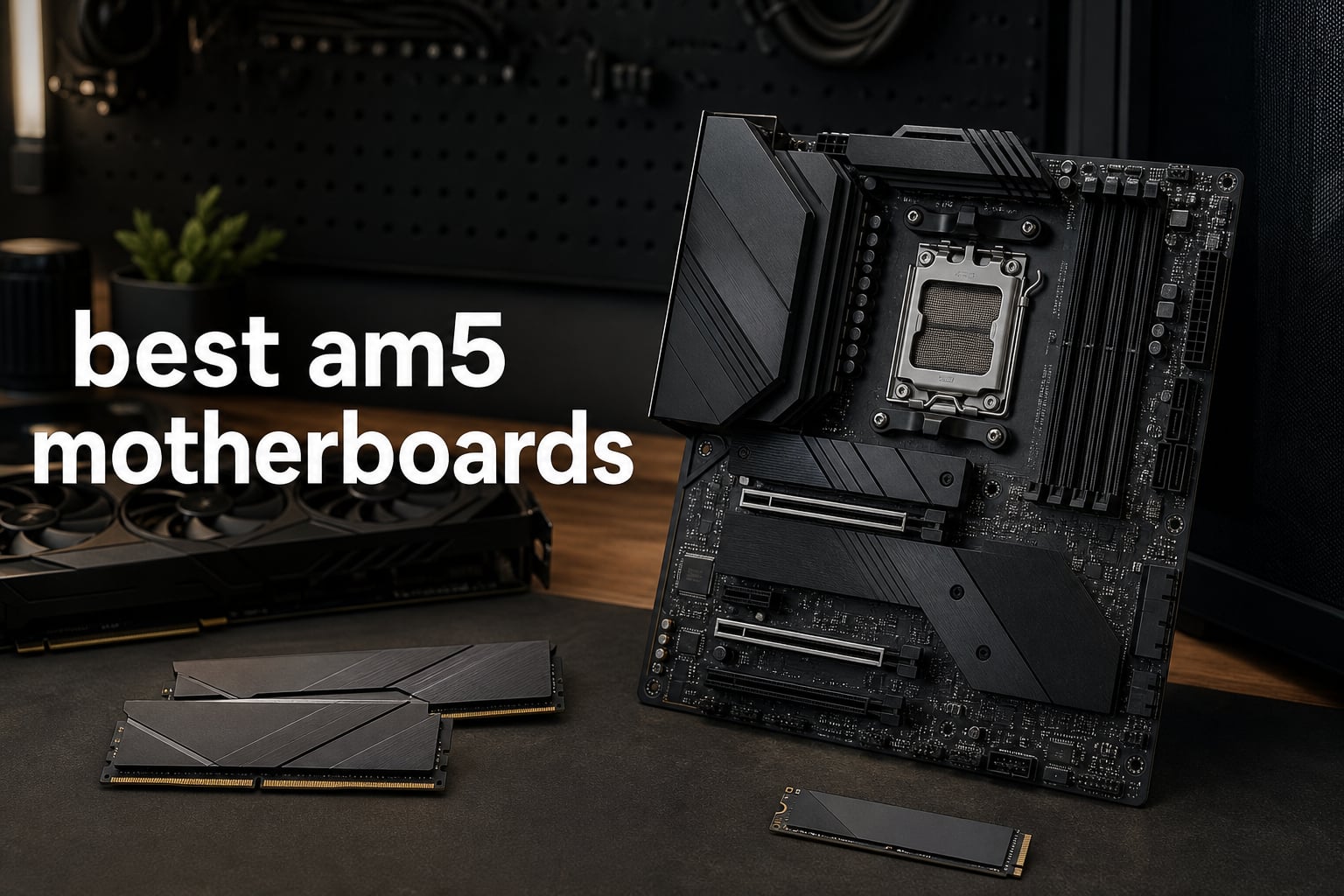
The best AM5 motherboards give a Ryzen build the parts that determine how pleasant it is to own: stable CPU power, enough M.2 storage, useful rear I/O, and a BIOS recovery path. The socket is AMD’s LGA 1718 platform for Ryzen 7000, 8000, and 9000 desktop processors, and every board here uses DDR5 rather than DDR4.
AM5 is not an end-of-life platform. AMD has positioned the socket as its current desktop platform, so an AM5 build offers a modern route for a later CPU upgrade, although no motherboard maker can promise support for an unreleased processor without a BIOS update.
I narrowed this list to ten boards with confirmed product specifications, then matched them to real build priorities instead of treating the chipset name as a score. If you are still choosing silicon, start with our guide to the best AMD processors or these AMD Ryzen gaming CPUs; CPU choice sets the right motherboard tier.
The short version is simple: B650 and B850 boards cover most gaming systems well, while X870 and X870E make more sense when USB4, extra M.2 capacity, stronger connectivity, or a feature-heavy build matters. Community discussions repeatedly show that shoppers get stuck on nearly identical names, so the reviews below call out the ports, slots, VRM design, and physical size that change a build in practice.
Table of Contents
Top 3 Picks for the Best AM5 Motherboards (August 2026)
These three answer the most common build briefs: a full-featured current B850 board, an established mainstream ATX option, and a high-connectivity premium board. They are not interchangeable, but each has a clear reason to be on a short list.

Best AM5 Motherboards in 2026
This overview puts all ten AM5 socket motherboard options in one place. Check the form factor first: ATX needs an ATX-compatible case, mATX needs a smaller compatible case, and Mini-ITX is for the smallest builds.
| Product | Specifications | Action |
|---|---|---|
| GIGABYTE B850 AORUS Elite WIFI7 |
|
Check Latest Price |
 ASUS B650E MAX Gaming WiFi W ASUS B650E MAX Gaming WiFi W |
|
Check Latest Price |
 ASUS TUF Gaming B650E-PLUS WiFi ASUS TUF Gaming B650E-PLUS WiFi |
|
Check Latest Price |
 ASUS TUF Gaming B650-PLUS WiFi ASUS TUF Gaming B650-PLUS WiFi |
|
Check Latest Price |
 ASRock B650 Steel Legend WiFi 6E ASRock B650 Steel Legend WiFi 6E |
|
Check Latest Price |
 MSI MPG X870E Carbon WiFi MSI MPG X870E Carbon WiFi |
|
Check Latest Price |
 MSI PRO B850M-A WiFi MSI PRO B850M-A WiFi |
|
Check Latest Price |
 GIGABYTE X870E AORUS Elite WiFi 7 GIGABYTE X870E AORUS Elite WiFi 7 |
|
Check Latest Price |
 GIGABYTE X870 Gaming WIFI6 GIGABYTE X870 Gaming WIFI6 |
|
Check Latest Price |
 ASUS ROG STRIX X870-I Gaming ASUS ROG STRIX X870-I Gaming |
|
Check Latest Price |
1. GIGABYTE B850 AORUS Elite WIFI7 Is the Best Overall AM5 Board
GIGABYTE B850 AORUS Elite WIFI7 AMD AM5 ATX Motherboard, Support AMD Ryzen 9000/8000/7000 Series, DDR5, 14+2+2 Power Phase, 3X M.2, PCIe 5.0, USB-C, WIFI7, 2.5GbE LAN, EZ-Latch, 5-Year Warranty
B850 ATX
14+2+2 power
Wi-Fi 7
3 M.2
Pros
- 14+2+2 power phases
- PCIe 5.0
- Wi-Fi 7 and 2.5GbE
- EZ-Latch
- 5-year warranty
Cons
- Three M.2 slots
- ATX case required
The GIGABYTE B850 AORUS Elite WIFI7 is my overall pick because its feature set stays balanced rather than putting all its attention on one headline specification. It supports Ryzen 7000, 8000, and 9000 processors, has four DDR5 slots for up to 256 GB, and pairs a 14+2+2 power design with VRM cooling.
For a gaming PC, that combination is sensible: the board has a PCIe 5.0 x16 slot, three M.2 slots with thermal guards, Wi-Fi 7, and 2.5GbE LAN. It is also the only selection here with a five-year manufacturer warranty alongside this particular mix of B850-era connectivity and DIY features.
GIGABYTE’s EZ-Latch mechanism is useful when swapping an M.2 drive or removing a graphics card in a finished build. I also like that a board intended for a standard ATX system gives the builder both wireless networking and wired 2.5GbE, rather than forcing a choice.
The limitation is capacity planning, not basic capability. Three M.2 sockets are enough for an operating-system drive, game library, and project or scratch drive, but a workstation with several internal drives may be better served by the four-M.2 X870E option later in this list.
Choose This Board for a Balanced Ryzen Gaming Build
Choose this board if you want a current B850 motherboard with enough VRM headroom, a Gen 5 graphics slot, and current networking without moving to an X870-class design.
It is a strong pairing for builders comparing the best AM5 motherboard for 7800X3D or 9800X3D, provided their case fits a full ATX board.
Plan Storage Before Filling Its Three M.2 Slots
Plan drive placement early because the confirmed specification lists three M.2 slots, and the board’s thermal guards are a practical advantage for sustained storage work.
Use the four DIMM slots thoughtfully as well; two matched DDR5 modules are the simpler starting point when memory stability is the goal.
2. ASUS B650E MAX Gaming WiFi W Is the Best White ATX Choice
ASUS B650E MAX Gaming WiFi W – AMD B650 AM5 ATX Motherboard, White PCB, DDR5, PCIe 5.0, 3X M.2, Wi-Fi 6E, 2.5Gb LAN, USB 10Gbps Type-C, DisplayPort, HDMI™, BIOS Flashback™, Aura Sync, Advanced AI PC
White B650 ATX
8+2+1 power
3 M.2
Wi-Fi 6E
Pros
- White PCB
- PCIe 5.0 M.2
- BIOS FlashBack
- 17 USB ports
- 2.5Gb LAN
Cons
- 8+2+1 VRM
- 4000 MHz listed memory speed
The ASUS B650E MAX Gaming WiFi W is the obvious visual choice for a white PC build, but the board is not just a color treatment. It is an ATX AMD AM5 motherboard with four DDR5 slots supporting up to 256 GB, three M.2 slots, PCIe 5.0, Wi-Fi 6E, and 2.5Gb LAN.
I would choose it when a clean white build needs sensible modern I/O rather than a premium platform feature set. The pre-mounted I/O, BIOS FlashBack, USB 10Gbps Type-C, DisplayPort, HDMI, and Aura Sync give a builder several useful setup and finishing tools.
The power delivery is an 8+2+1 configuration, which is less substantial on paper than the 12+2+1 and 14+2+1 boards in this guide. That does not make it unsuitable for ordinary Ryzen systems, but it is an important reason not to buy it solely for its looks if extreme CPU tuning is the project.
Its listed memory clock speed is 4000 MHz, so readers chasing aggressive DDR5 overclocking should compare the manufacturer-supported memory details against their kit before purchase. For a normal EXPO-focused build, four physical DIMM slots and 256 GB maximum capacity are more useful starting facts.
Choose This Board for a Coordinated White PC
Choose this board when the white PCB is part of the build plan and you still want PCIe 5.0, three M.2 locations, Wi-Fi 6E, and wired 2.5Gb networking.
It gives an aesthetic build a practical BIOS FlashBack route if a CPU-support update is needed before the first successful boot.
Match Its VRM to a Sensible CPU Tuning Plan
Match the 8+2+1 power design to a mainstream gaming or everyday creation workload instead of assuming every ATX board targets heavy manual overclocking.
Check case clearance for the ATX form factor and confirm that the intended memory kit appears on the board’s support list before installation.
3. ASUS TUF Gaming B650E-PLUS WiFi Is the Best All-Round Gaming Alternative
ASUS TUF Gaming B650E-PLUS WiFi AMD B650 ATX Motherboard, 12+2+1 80A DrMOS Power Stages, DDR5, PCIe 5.0 Ready, 3X M.2, Wi-Fi 6E, 2.5Gb LAN, DisplayPort, HDMI™, USB Type-C, BIOS Flashback, Aura Sync
B650 ATX
12+2+1 80A
Gen5 M.2
Wi-Fi 6E
Pros
- 12+2+1 80A power
- three M.2 slots
- 20Gbps rear Type-C
- BIOS FlashBack
- Q-Release
Cons
- Rear 20Gbps Type-C only
- smaller review sample
The ASUS TUF Gaming B650E-PLUS WiFi gives a builder a notably detailed power specification: 12+2+1 80A DrMOS stages. Paired with four DDR5 slots, up to 256 GB capacity, a PCIe 5.0 x16 slot, and three M.2 sockets, it has the core layout expected from a serious AM5 gaming motherboard.
Its connectivity is particularly easy to understand. Wi-Fi 6E and 2.5Gb LAN handle network options, while the rear USB Type-C connection runs at 20Gbps and the front Type-C connection is 10Gbps.
I would put this on the list for someone who values straightforward installation mechanics. Q-Release, Q-Latch, Q-LED, BIOS FlashBack, a pre-mounted I/O shield, and heatsinks for the M.2 slots deal with the small tasks that tend to slow a first build.
There is also a Thunderbolt or USB4 header, but that is a header rather than a built-in promise of rear USB4 ports. Read that distinction carefully if fast external storage is a hard requirement, because the X870 and X870E boards here state USB4 directly.
Choose This Board for Strong Power Delivery and Builder Tools
Choose this board if you want a confirmed 12+2+1 80A VRM specification with PCIe 5.0 and a set of physical release and diagnostic features aimed at DIY builders.
It makes sense for a system that will use a modern graphics card, a fast M.2 drive, wired networking, or Wi-Fi 6E without requiring a higher-tier chipset.
Place High-Speed External Storage on the Right Connector
Place a 20Gbps external drive on the rear Type-C connection, because the confirmed product data distinguishes it from the 10Gbps front Type-C header.
Builders who specifically need native rear USB4 should look at the GIGABYTE X870 Gaming WIFI6 or X870E AORUS Elite WiFi 7 below.
4. ASUS TUF Gaming B650-PLUS WiFi Is the Best Established Mainstream Pick
ASUS TUF Gaming B650-PLUS WiFi AMD B650 AM5 Ryzen™ Desktop 9000 8000 and 7000 ATX Motherboard, 14 Power Stages, PCIe® 5.0 M.2, DDR5 Memory, WiFi 6 and 2.5 Gb Ethernet, USB4® Support Aura Sync
B650 ATX
14 power stages
Gen5 M.2
WiFi 6
Pros
- 14 power stages
- PCIe 5.0 M.2
- USB4 support
- 2.5Gb Ethernet
- large review base
Cons
- 128 GB memory maximum
- 8 USB ports
The ASUS TUF Gaming B650-PLUS WiFi is the established mainstream entry in this roundup, with a 4.5 rating drawn from 1,732 reviews in the supplied product data. It uses 14 power stages, supports DDR5 through four DIMM slots up to 128 GB, and includes an M.2 PCIe 5.0 connection.
For the many builders who just need a reliable AM5 ATX motherboard for gaming, its combination of WiFi 6, 2.5 Gb Ethernet, USB 3.2 Gen2x2 Type-C, and USB4 support has the right focus. Two-way AI Noise Cancelation is also a relevant extra for streaming, voice chat, and recorded calls.
This is the best AM5 motherboard for gaming when your priorities are mature mainstream features rather than the newest wireless standard or maximum memory capacity. Its large review count gives more customer feedback to inspect than most products on this page, which can be helpful when checking a particular memory kit or case layout.
The trade-off is spelled out in the specifications: 128 GB is its memory ceiling, while several newer boards here list 256 GB. Eight total USB ports may also be restrictive for a desk with several external drives, webcams, controllers, audio gear, and charging cables.
Choose This Board for an Established B650 Gaming System
Choose this board for a conventional ATX gaming build that needs solid 14-stage power delivery, a PCIe 5.0 M.2 slot, WiFi 6, and 2.5 Gb Ethernet.
It is also a practical board to research through owner feedback because the product data reports the largest review sample in this ten-board group.
Count Memory and USB Devices Before You Commit
Count memory needs before you commit because the stated 128 GB maximum is lower than the 256 GB maximum listed by several alternatives.
Count rear and internal USB needs too, particularly if content creation means several always-connected peripherals.
5. ASRock B650 Steel Legend WiFi 6E Is the Best Feature-Dense White Alternative
ASRock B650 Steel Legend WiFi 6E AMD Socket AM5 Ryzen 9000 8000 and 7000 Series SATA3 M.2 DDR5 7200+(OC) 256GB SATA3 6.0 Gb/s ATX Motherboard BIOS Flashback
B650 ATX
14+2+1 80A
Gen5 M.2
DDR5 7200+ OC
Pros
- 14+2+1 80A VRM
- Gen5 M.2
- 7200+ MHz DDR5 OC
- 19 USB ports
- WiFi 6E
Cons
- 90-day warranty
- distinct Steel Legend styling
The ASRock B650 Steel Legend WiFi 6E brings unusually expansive confirmed connectivity to an ATX B650 board. It has a 14+2+1 80A Dr.MOS VRM, four DDR5 slots up to 256 GB, a Gen5 x16 graphics slot, one Gen5 x4 M.2 socket, two Gen4 x4 M.2 sockets, and 19 total USB ports.
That makes this a compelling alternative for a white-themed system that also needs room for peripherals and high-speed storage. WiFi 6E, Bluetooth, Dragon 2.5G LAN, and a USB 3.2 Gen2x2 Type-C port give it the connectivity expected for gaming and content-creation desks.
The listed 7200+ MHz DDR5 overclock specification will appeal to memory experimenters, but it should be read as an overclocking claim, not an automatic setting for every kit. RAM compatibility depends on the exact DIMMs, CPU memory controller, BIOS version, and whether the builder uses two or four modules.
One fact changes this recommendation: the supplied data lists a 90-day warranty, far shorter than the three-year or five-year coverage cited for other boards in this guide. I would consider that before selecting it for a long-lived workstation, regardless of how well the layout fits the build.
Choose This Board for Ports, Gen5 Storage, and White Styling
Choose this board when you want the Steel Legend look but also need 19 listed USB ports, three M.2 slots, 2.5G LAN, and a Gen5 M.2 path.
Its 14+2+1 80A Dr.MOS specification is one of the more detailed power-delivery disclosures among the B650 choices here.
Check Warranty Coverage and Memory Support First
Check the listed 90-day warranty carefully because it is much shorter than the coverage noted for the competing GIGABYTE, ASUS, and MSI products.
Use the motherboard’s memory support material when pursuing the 7200+ MHz overclock figure, especially with four DIMMs installed.
6. MSI MPG X870E Carbon WiFi Is the Best Premium Connectivity Pick
MSI MPG X870E Carbon WiFi Gaming Motherboard (AMD Ryzen 9000/8000/7000 Series Processors, AM5, DDR5, PCIe 5.0, M.2 Gen5, SATA 6Gb/s, USB 40Gbps, HDMI, Wi-Fi 7, Bluetooth 5.4, 5Gbps LAN, ATX)
X870 ATX
USB 40Gbps
Wi-Fi 7
5Gbps and 2.5GbE LAN
Pros
- USB 40Gbps
- Wi-Fi 7
- dual LAN
- Gen5 PCIe
- heavy thermal design
Cons
- Complex BIOS navigation reported
- ATX size
The MSI MPG X870E Carbon WiFi is the choice for a build where external I/O, networking, and thermal hardware belong near the top of the brief. It supports Ryzen 7000, 8000, and 9000 processors, DDR5 up to 256 GB, PCIe 5.0, M.2 Gen5, Wi-Fi 7, Bluetooth 5.4, and USB 40Gbps.
Its dual-network arrangement is unusually useful for a home lab, editing workstation, or system that separates a fast local network from internet access. The listed network hardware includes both 5Gbps LAN and 2.5GbE LAN, rather than a single wired connection.
MSI uses a heavy plated MOSFET heatsink with a heat pipe, 7W/mK MOSFET thermal pads, and M.2 Shield Frozr hardware. I see those as sensible features for a system expected to run long exports, large transfers, or sustained CPU workloads, although the product data does not provide temperature-test results.
The drawback buyers mention in the supplied review summary is complex BIOS navigation. That does not prevent the board from being a powerful option, but it supports a simple rule: update a BIOS only when needed, read the board manual first, and save stable settings before experimenting with memory or CPU tuning.
Choose This Board for USB 40Gbps and Dual Wired Networking
Choose this board for an ATX workstation or premium gaming PC that needs USB 40Gbps, Wi-Fi 7, Gen5 support, and both 5Gbps and 2.5GbE wired LAN.
It is particularly relevant when external fast storage or a high-speed local network is a regular part of the workload.
Approach BIOS Tuning With a Written Baseline
Approach BIOS tuning with documented defaults and one change at a time because some users report that the MSI BIOS layout takes time to learn.
Use the board’s cooling hardware as a platform feature, not as proof of a specific VRM temperature without independent measured data.
7. MSI PRO B850M-A WiFi Is the Best Compact mATX AM5 Board
MSI PRO B850M-A WiFi Motherboard, mATX - Supports AMD Ryzen 9000/8000 / 7000 Processors, AM5 - DDR5 Memory Boost (8200+ MT/s OC), PCIe 5.0 x16 & 4.0 x4, M.2 Gen5, Wi-Fi 7, 5G LAN
B850 mATX
8-phase 60A
Wi-Fi 7
5G LAN
Pros
- mATX footprint
- Wi-Fi 7
- 5G LAN
- DDR5 8200+ OC
- Gen5 M.2
- FROZR cooling
Cons
- mATX expansion limits
- one Gen5 x16 slot
The MSI PRO B850M-A WiFi proves that a smaller AM5 DDR5 motherboard does not have to skip modern networking. Its mATX layout supports Ryzen 7000, 8000, and 9000 processors, four DDR5 slots up to 256 GB, Wi-Fi 7, Bluetooth 5.4, 5G LAN, a PCIe 5.0 x16 slot, and both Gen5 and Gen4 M.2 storage.
The direct CPU power setup is eight 60A SPS phases, while FROZR GUARD cooling and 7W/mK MOSFET thermal pads handle the thermal side. This is a practical specification for a compact gaming or productivity system where the case is smaller but the network and primary storage requirements are not.
MSI lists DDR5 Memory Boost support up to 8200+ MT/s overclocked. Treat that as headroom for compatible memory and a stable setup process, not as the required speed for a good AM5 build; memory training and kit compatibility matter more than a maximum number on a product page.
The natural compromise is expansion room. mATX has less physical board area than ATX, and this product lists one PCIe 5.0 x16 slot, so decide early whether the PC needs additional add-in cards beyond its graphics card.
Choose This Board for a Small Case With Fast Networking
Choose this board for a compact mATX system where Wi-Fi 7, 5G LAN, four memory slots, and a Gen5 M.2 socket matter more than maximum expansion-card space.
It is an especially sensible fit for a smaller desk build that still needs modern wired network throughput.
Confirm Your Case and Add-In Card Plan
Confirm that the case supports mATX and map every needed add-in card before buying, because the smaller form factor leaves less room for future internal expansion.
Use the PCIe 5.0 x16 slot for the graphics card plan and the two M.2 sockets for the primary storage plan.
8. GIGABYTE X870E AORUS Elite WiFi 7 Is the Best Expansion-Focused ATX Board
GIGABYTE X870E AORUS Elite WiFi 7 AMD AM5 LGA 1718 Motherboard, ATX, DDR5, 4X M.2, PCIe 5.0, USB4, 2.5GbE LAN, EZ-Latch
X870E ATX
16+2+2 power
4 M.2
dual USB4
Pros
- 16+2+2 power design
- four M.2 slots
- dual USB4
- Wi-Fi 7
- 5-year warranty
Cons
- BIOS update issues reported
- ATX size
The GIGABYTE X870E AORUS Elite WiFi 7 is the more expansion-oriented GIGABYTE choice in this list. It moves to an X870E chipset, offers a 16+2+2 power design, four DDR5 slots up to 256 GB, four M.2 slots, PCIe 5.0, Wi-Fi 7, 2.5GbE LAN, and dual USB4 connections.
Four M.2 slots are the deciding specification here. A creator can separate the operating system, active project files, large asset cache, and archive or game library without immediately turning to external storage or SATA compromises.
It also includes VRM and M.2 Thermal Guard hardware, front and rear USB-C, an EZ-Latch system, and a Sensor Panel Link. Those details make it better suited to a showcase or high-component-count ATX build than a basic system with one drive and a single graphics card.
The review data notes reports of BIOS update issues, so I would not treat firmware as an afterthought. Download the correct file, follow the manual’s method, avoid interrupting the process, and keep changes conservative until the system completes normal memory training and repeated boots.
Choose This Board for Four Internal M.2 Drives and USB4
Choose this board when an X870E motherboard needs to carry four M.2 drives, dual USB4 connectivity, Wi-Fi 7, and a 16+2+2 power design in an ATX system.
It is the clearest match in this group for storage-heavy creative work that remains inside the case.
Prepare a Careful BIOS Update Process
Prepare the BIOS update process before assembling the full system because reports in the product review data point to firmware updates as an area that needs care.
Start with a supported CPU and a tested DDR5 kit, then change memory or tuning settings only after base stability is established.
9. GIGABYTE X870 Gaming WIFI6 Is the Best Straightforward USB4 Board
GIGABYTE X870 Gaming WIFI6 AMD AM5 LGA 1718 Motherboard, ATX, DDR5, 3X M.2, PCIe 5.0, USB4, WiFi 6, 2.5GbE LAN, EZ-Latch, 5-Year Warranty
X870 ATX
dual USB4
3 M.2
WiFi 6
Pros
- Dual USB4
- three M.2 slots
- EZ-Latch
- 2.5GbE
- 5-year warranty
Cons
- Wi-Fi 6 rather than Wi-Fi 7
- 8+2+2 power design
The GIGABYTE X870 Gaming WIFI6 is a good answer for a builder who wants the X870 platform’s stated dual USB4 connectivity without needing every feature of the X870E AORUS Elite. It is an ATX board with four DDR5 slots up to 256 GB, PCIe 5.0, three M.2 slots, Wi-Fi 6, 2.5GbE LAN, and a five-year manufacturer warranty.
External-drive users should notice the dual USB4 claim, plus front and rear USB-C. That is more meaningful than a vague “high-speed USB” label when a PC will regularly connect fast portable storage, a dock, or production equipment.
The board also includes M.2 EZ-Latch, PCIe EZ-Latch, an EZ-Debug Zone, and VRM and M.2 Thermal Guard features. I would take those build aids seriously in a first build, because a clear diagnostic area and tool-less retention system reduce the friction of setup and later upgrades.
Its 8+2+2 power design and Wi-Fi 6 are the main places where it gives up specification ground to newer B850 or X870E products. It remains a focused option when USB4, basic ATX expansion, Gen5 support, and wired 2.5GbE are the specific requirements.
Choose This Board for Native Dual USB4 Connectivity
Choose this board for an ATX AM5 build that values dual USB4 ports, three M.2 slots, 2.5GbE, and an uncomplicated route to fast external devices.
The five-year manufacturer warranty is a useful long-ownership consideration alongside its connectivity specification.
Decide Whether Wi-Fi 6 Meets Your Network Plan
Decide whether Wi-Fi 6 meets your home-network plan because this board does not list Wi-Fi 7, unlike several B850 and X870E options above.
Use wired 2.5GbE when stable high-throughput networking is more important than wireless convenience.
10. ASUS ROG STRIX X870-I Gaming Is the Best Mini-ITX AM5 Board
ASUS ROG STRIX X870-I GAMING WIFI AMD AM5 X870 Mini ITX motherboard 10+2+1 power stages, Dynamic OC Switcher, Core Flex, DDR5 AEMP, WiFi7, 2x M.2, PCIe®5.0, Q-Release Slim, USB4, AI OCing & Networking
X870 Mini-ITX
10+2+1 110A
Wi-Fi 7
USB4
Pros
- Mini-ITX size
- 110A power stages
- Wi-Fi 7
- USB4
- AI tuning tools
- Q-Release Slim
Cons
- Two memory slots
- 96 GB maximum
- limited expansion
The ASUS ROG STRIX X870-I Gaming is the dedicated small-form-factor choice, and its Mini-ITX size changes the conversation from “how many slots?” to “which slots matter most?” It supports Ryzen 7000, 8000, and 9000 CPUs with a 10+2+1 power-stage design rated at 110A per stage, PCIe 5.0, two M.2 slots, Wi-Fi 7, 2.5GbE, and USB4.
For a compact high-end gaming PC, those are serious platform features. ASUS also includes Dynamic OC Switcher, Core Flex, asynchronous clock options, PBO Enhancement, AI Overclocking, AI Cooling II, AI Networking, and Q-Release Slim for graphics-card removal.
There are hard physical limits that should be accepted rather than worked around. The board has two DDR5 slots and a stated 96 GB maximum, while an ITX case will usually have tighter cooler, graphics-card, cable, and radiator restrictions than an ATX enclosure.
The product’s 4.1 rating comes from 57 reviews in the supplied data, which is the smallest feedback base among the compact-focused decisions in this guide. I would read current compatibility reports for the exact case, cooler, GPU, power supply, and memory kit before treating it as a drop-in small build solution.
Choose This Board for a Feature-Rich Mini-ITX Build
Choose this board when Mini-ITX is non-negotiable and the build still needs Wi-Fi 7, USB4, PCIe 5.0, advanced tuning tools, and strong stated power stages.
It is aimed at compact systems where component selection has already been planned around the smaller enclosure.
Accept the Two-Slot Memory and Expansion Limits
Accept the two-memory-slot and 96 GB maximum limits before purchase, because these are normal Mini-ITX trade-offs rather than settings that can be changed later.
Verify cooler height, GPU dimensions, power-supply format, and cable routing against the chosen case before assembling the system.
Choose an AM5 Motherboard by Matching the Chipset to Your Build
Choose the chipset after you list the connections and expansion you actually need. The board model, not the chipset badge alone, determines exact USB ports, M.2 count, network hardware, VRM design, memory support, and physical layout.
Choose B650 for Proven Mainstream Gaming and Everyday Work
Choose B650 when a standard AM5 ATX build needs DDR5, fast NVMe storage, PCIe 5.0 capability where specified, and solid network hardware without an unusually large I/O requirement. The ASUS TUF Gaming B650-PLUS WiFi and ASRock B650 Steel Legend WiFi 6E show how different two B650 boards can be: one has a 128 GB memory maximum and the other lists 256 GB with three M.2 slots.
Forum discussions show continuing confusion around B650 availability and naming. That makes product-level confirmation more useful than buying a chipset name; review the exact CPU support, memory maximum, ports, and BIOS route for the board in your cart.
Choose B850 for Current Wireless and Balanced Platform Features
Choose B850 when Wi-Fi 7, a current chip generation, and balanced storage or graphics expansion are important. The GIGABYTE B850 AORUS Elite WIFI7 combines Wi-Fi 7, 2.5GbE, three M.2 slots, PCIe 5.0, and a 14+2+2 power arrangement, while the MSI PRO B850M-A WiFi gives a small mATX build Wi-Fi 7 and 5G LAN.
B850 is not automatically more capable in every way than B650. Compare the individual board’s listed I/O, VRM, number of M.2 slots, memory capacity, and case fit instead of assuming a newer label resolves every requirement.
Choose X870 or X870E for USB4 and Heavier Expansion Needs
Choose X870 or X870E when the system depends on USB4, several internal drives, high-speed networking, or more extensive connectivity. The MSI MPG X870E Carbon WiFi lists USB 40Gbps and dual LAN, the GIGABYTE X870 Gaming WIFI6 lists dual USB4, and the X870E AORUS Elite adds four M.2 sockets and dual USB4.
These boards can be a good fit for editing, large media libraries, local-network transfers, or builds that will host several fast storage devices. They are not mandatory for a gaming system with one graphics card, one or two drives, and a normal peripheral set.
Choose the Right AM5 Board by Checking These Seven Details
Start With CPU Support and BIOS Readiness
Start by confirming that the board supports the exact Ryzen CPU, not just the AM5 socket. The products in this article list support for Ryzen 7000, 8000, and 9000 series in varying wording, but a particular board can need a BIOS version that predates its retail stock.
BIOS FlashBack is valuable because it can allow firmware preparation without the normal CPU-and-memory boot sequence, subject to the maker’s instructions. The ASUS B650E MAX Gaming WiFi W and TUF Gaming B650E-PLUS WiFi explicitly list BIOS FlashBack, while forum discussion identifies BIOS updates as a recurring source of uncertainty for new builders.
Choose DDR5 Kits for Stability Before Chasing Maximum Speeds
AM5 does not support DDR4 RAM. Buy DDR5 only, then use the board’s official memory support information and a matched kit rather than mixing separate modules that happen to share a product name.
Two matched sticks are the simpler route for a typical gaming or creation PC. Four sticks can raise capacity, but the CPU memory controller and board may need lower settings or more tuning than an equivalent two-stick configuration; that is why a stated 7200+ or 8200+ overclock figure should not be read as a universal result.
Match VRM Design to Sustained CPU Demand
VRM phases and their cooling matter because they convert power for the CPU under load. A gaming build with a Ryzen 7-class CPU does not need the same margin as a machine that runs prolonged all-core production work or uses manual overclocking tools.
Look at the specific disclosure. This list includes the GIGABYTE B850 AORUS Elite WIFI7’s 14+2+2 phases, the ASUS TUF B650E-PLUS’s 12+2+1 80A DrMOS stages, the ASRock Steel Legend’s 14+2+1 80A Dr.MOS design, and the X870E AORUS Elite’s 16+2+2 design.
Map Storage, Graphics, and Lane Needs Before Buying
Map every internal drive before selecting a board. Three M.2 slots cover most builds, while four M.2 slots on the GIGABYTE X870E AORUS Elite WiFi 7 give more room for a project-driven workstation; the Mini-ITX ASUS ROG STRIX X870-I has two.
PCIe 5.0 appears across these products in different forms, including graphics slots and M.2 connections. A PCIe 5.0 AM5 board is useful preparation for compatible future storage or graphics hardware, but it is not a reason to ignore lane-sharing notes in the manual when every M.2 slot is populated.
Pick Networking Based on Your Actual Router and Switch
Pick Wi-Fi 7 only if your wider network can benefit from it, while recognizing that it remains a current capability for a later router upgrade. Wi-Fi 6E remains fully relevant for many homes, and wired Ethernet is often the better answer for stationary gaming, editing, or large file transfers.
This group ranges from WiFi 6 on the ASUS TUF Gaming B650-PLUS WiFi and GIGABYTE X870 Gaming WIFI6 to Wi-Fi 7 on the GIGABYTE B850 AORUS Elite, MSI B850M-A, MSI X870E Carbon, X870E AORUS Elite, and ROG STRIX X870-I. The MSI B850M-A’s 5G LAN and the MSI Carbon’s 5Gbps plus 2.5GbE LAN matter only if the rest of the wired network supports those speeds.
Choose a Case Before Committing to the Board Size
Choose form factor before clicking buy. ATX boards offer the broadest physical layout and are the majority of this list, mATX saves space with the MSI PRO B850M-A WiFi, and Mini-ITX makes the smallest build possible with the ASUS ROG STRIX X870-I Gaming.
Measure cooler clearance, graphics-card length and thickness, radiator support, front-panel cable routing, and power-supply format. A well-specified board is the wrong choice if the case cannot physically accommodate the finished system.
Separate Native Ports From Headers and Future Plans
Separate ports on the rear I/O from internal headers. For example, the ASUS TUF Gaming B650E-PLUS WiFi lists a rear 20Gbps Type-C port and a front 10Gbps Type-C connection, while it lists a Thunderbolt or USB4 header rather than built-in rear USB4.
Native USB4 is clearly stated on the GIGABYTE X870 Gaming WIFI6, GIGABYTE X870E AORUS Elite WiFi 7, and ASUS ROG STRIX X870-I Gaming. If a dock or external SSD is central to the build, that wording is more important than an unspecified USB label.
FAQs
Is AM5 end of life?
No. AM5 is AMD’s current desktop socket platform for Ryzen 7000, 8000, and 9000 processors. It offers DDR5 and PCIe 5.0 support, and it provides an upgrade path within AMD’s supported CPU generations. Check the individual motherboard BIOS support list before installing a later CPU.
What motherboard do I need for an AM5 CPU?
You need a motherboard with the AMD AM5 LGA 1718 socket and DDR5 memory support. Choose B650 or B850 for many mainstream gaming systems, then choose X870 or X870E when native USB4, more storage, stronger networking, or extra expansion is part of the build plan.
Does DDR4 RAM work with AM5 motherboards?
No. AM5 motherboards use DDR5 memory, not DDR4. Buy a matched DDR5 kit that appears in the motherboard maker’s memory support information when possible, and begin with two modules for the simplest stability path.
Will older Ryzen CPUs work on AM5 motherboards?
No. Older Ryzen desktop CPUs made for AM4 do not fit an AM5 LGA 1718 socket. AM5 boards are for compatible Ryzen 7000, 8000, and 9000 series processors; verify the exact CPU and required BIOS version on the board support page.
How long will AM5 motherboards last?
An AM5 motherboard can remain useful for many years if its features match your needs, but longevity depends on CPU support, BIOS availability, storage and I/O needs, and component reliability. A board with enough M.2 slots, appropriate networking, and a clear BIOS update method gives a build more flexibility.
Choose the GIGABYTE B850 AORUS Elite WIFI7 for the Best Balanced Build
For most buyers comparing the best AM5 motherboards in 2026, the GIGABYTE B850 AORUS Elite WIFI7 is the clearest all-round starting point: it combines a 14+2+2 power design, PCIe 5.0, three M.2 slots, Wi-Fi 7, 2.5GbE, and a five-year warranty. Move to the MSI MPG X870E Carbon WiFi for USB 40Gbps and dual LAN, or choose the ASUS ROG STRIX X870-I Gaming only when a Mini-ITX case is the non-negotiable requirement.
Make the final choice from the CPU, case, DDR5 kit, drive count, and external I/O you will actually use. For the rest of the system, our guides to top CPU processors, CPUs with integrated graphics, and CPU GPU combos can help turn that motherboard decision into a complete build.