
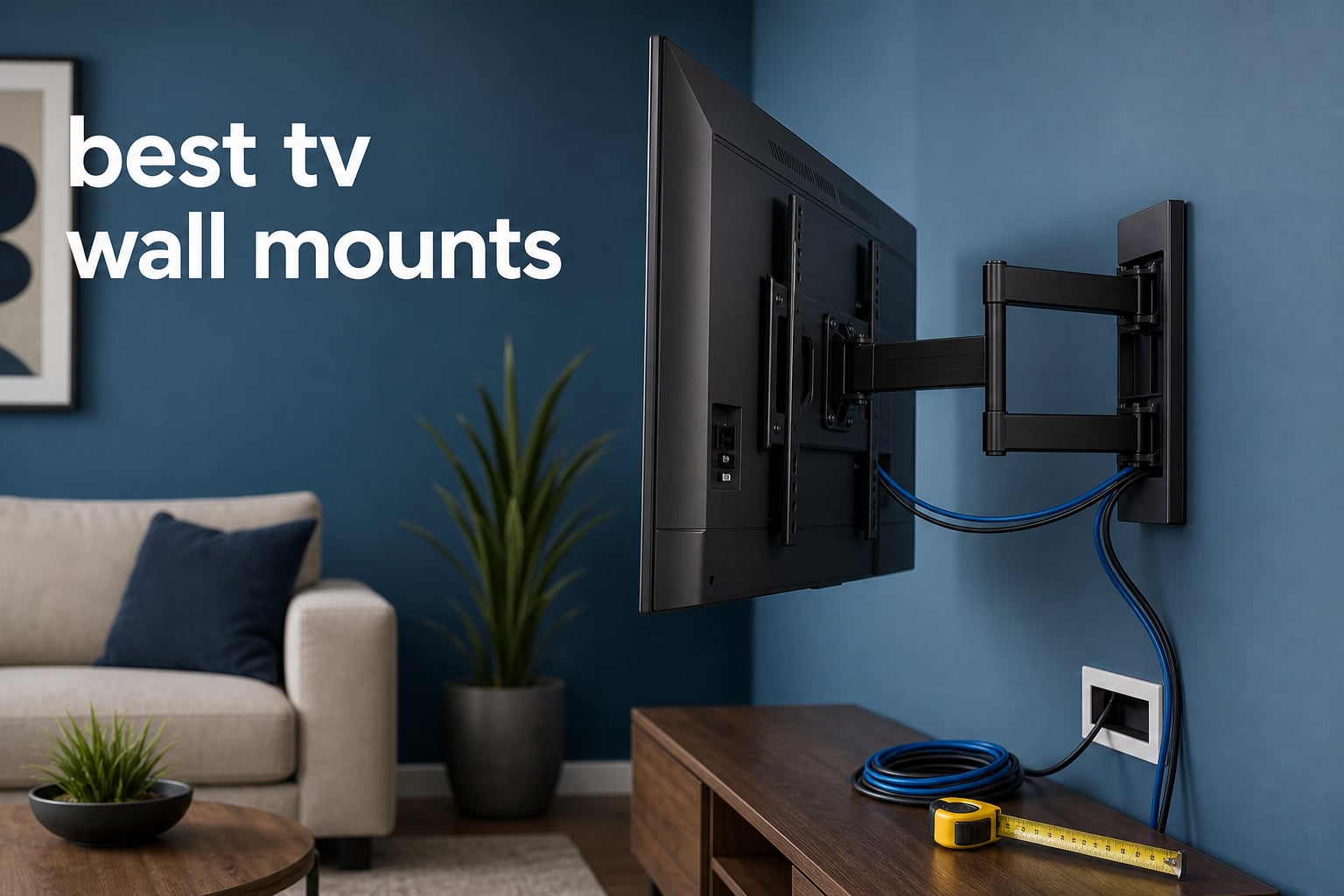
The best tv wall mounts do more than get a screen off a console: the right one matches the TV’s VESA holes and weight, reaches actual wall framing, and gives you the amount of motion your room needs. A mismatch in any one of those areas can turn an otherwise simple project into a return, a crooked screen, or a display that cannot be adjusted after it is hung.
I ranked eight current options by the manufacturer-listed fit range, VESA pattern, supported load, movement, wall clearance, and hardware details rather than by a generic brand reputation. That matters because a 65-inch TV can have a very different weight and VESA pattern from another 65-inch model, while an articulating arm needs more room and more attention to stud placement than a fixed bracket.
A TV wall mount is a bracket system that bolts to the threaded VESA holes on the rear of a television and anchors to wood framing, concrete, or brick. It can free floor space, reduce glare with a tilt, and move a screen toward a seating zone, but drywall by itself is not an approved mounting surface for any option in this guide.
My short answer on brands is that the best choice is the model that fits the television and the wall you actually have. The selections below cover full-motion, tilt, and fixed TV wall brackets, including options for smaller displays, large screens, and stud layouts from 8 inches through 24 inches where the manufacturer lists that support.
Table of Contents
The top three picks answer the most common TV-wall-mount needs in 2026
The best TV wall mounts in 2026 cover full-motion, tilt, and fixed setups
Use this quick comparison as a first filter, then confirm your TV’s exact VESA pattern and bare-TV weight in its manual before ordering. Extension is listed only when the product data provides it; a fixed or tilt mount keeps the display close to the wall instead of pulling it forward.
| Product | Specifications | Action |
|---|---|---|
 Perlegear PGMF21 Perlegear PGMF21 |
|
Check Latest Price |
 MOUNTUP EconoMe EU0092A MOUNTUP EconoMe EU0092A |
|
Check Latest Price |
 USX STAR Fixed Mount USX STAR Fixed Mount |
|
Check Latest Price |
 monTEK HW1241BK monTEK HW1241BK |
|
Check Latest Price |
 IWORKBOARD Full Motion IWORKBOARD Full Motion |
|
Check Latest Price |
 IWORKBOARD XTM901-IW IWORKBOARD XTM901-IW |
|
Check Latest Price |
 IWORKBOARD Fixed IWORKBOARD Fixed |
|
Check Latest Price |
 JOBZYP Tilt Mount JOBZYP Tilt Mount |
|
Check Latest Price |
For a living room where the picture must face more than one seat, full-motion models dominate this list. For a clean, close-to-wall result, the USX STAR or either IWORKBOARD low-profile mount is a more direct fit, provided the screen angle and cable access work for the location.
1. Perlegear PGMF21 is the best overall full-motion pick
Perlegear Full Motion TV Wall Mount for 26-74 inch TVs, Height Adjustable TV Mount, Pre-Assembled Wall Mount TV Bracket with Tool-Free Tilt, Swivel, Fits 16” Studs, 99 lbs, Max VESA 400x400mm, PGMF21
VESA 100x100-400x400
99 lb capacity
17.3 inch extension
Pros
- Tool-free tilt
- 17.3 inch extension
- three height settings
- post-install level adjustment
Cons
- Needs add-on bracket beyond 16 inch studs
- fit range needs TV verification
The Perlegear PGMF21 is my broadest recommendation for a typical full-motion TV installation because its listed feature set covers the adjustments people usually want after the screen is up. It supports VESA patterns from 100x100mm through 400x400mm, a rated load of 99 pounds, and a claimed 17.3-inch extension.
Its six articulating arms, wider wall plate, and pre-assembled bracket arms point to a design made for repeated movement rather than a screen that stays in one position. Perlegear also lists three height configurations, which can help when the studs put the wall plate slightly above or below the preferred screen position.
For glare, this full motion TV wall mount tilts 5 degrees upward or 15 degrees downward without a tool, swivels 45 degrees in either direction, and has 4 degrees of post-install level correction. Those are meaningful adjustments if a window sits off to one side or if a sofa is not centered on the TV.
The product is listed for 12- or 16-inch wood studs as well as concrete or brick walls, but spacing beyond 16 inches needs a separate extension bracket. I would measure the stud centers before treating its stated screen-size range as the deciding factor.
Its adjustment range suits rooms with more than one viewing zone
The 17.3-inch reach gives an articulated TV mount enough travel to turn toward a side chair or open kitchen area, while the 3-inch retracted position keeps the TV relatively close to the wall when guests are not using that angle. The final swivel available with any mount depends on screen width, so a very wide TV can contact the wall sooner than a smaller model.
I would choose this format for a living room or family room where the screen must face a couch most of the time but occasionally turn toward another seat. The listed tool-free tilt is also handy for minor glare changes without taking the TV down.
Its VESA and stud limits suit standard framed walls
Check that the TV’s mounting holes fall within 100x100mm to 400x400mm and that its bare weight is below 99 pounds. Leave a sensible load margin rather than selecting a mount whose rating merely equals the TV’s listed weight, which echoes the concern repeated in home-theater discussions.
The standard wall-plate fit is not a substitute for locating the actual studs. Where the framing is farther apart than 16 inches, the separate extension bracket requirement changes the installation plan.
2. MOUNTUP EconoMe EU0092A is the straightforward articulating value pick
EconoMe TV Wall Mount for Most 32-65 inch Flat Screen/LED/4K TVs, TV Mount with Swivel and Tilt Articulating Dual Arms, Full Motion Wall Mount up to 16” Stud, Max VESA 400X400mm, up to 99lbs
VESA 100x100-400x400
99 lb capacity
45 degree swivel
Pros
- Dual articulating arms
- template and level included
- tilt and level adjustment
- three-year warranty
Cons
- M8x45 screws are not included
- not for drywall-only mounting
The MOUNTUP EconoMe EU0092A is a sensible starting point for a 32- to 65-inch television where a basic articulated bracket is enough. It lists the same 100x100mm to 400x400mm VESA span and 99-pound capacity as several larger mounts here, but it is specifically designed around walls with studs up to 16 inches apart.
The paper mounting template and included level tool are practical details for a first-time installer. They do not replace a stud finder, yet they can reduce the chance of drilling an off-level pilot hole after the framing has been marked.
Its adjustment specification is 5 degrees up, 10 degrees down, 45 degrees of swivel each way, and 3 degrees of leveling. That is enough to reduce a modest reflection and point a 55- or 65-inch display across a normal living room without adding the more extreme movement of the monTEK below.
The limitation to note early is hardware: M8x45mm TV screws are not included. Before beginning a TV mount installation, compare the screw size and depth required by the television manual with the supplied hardware rather than forcing a screw that is too long or too short.
Its supplied template suits a careful first DIY layout
I like this pick for people who want movement but do not need a long listed extension distance. The paper template and level tool give a cleaner setup path, especially if two people mark the holes and hold the plate against the wall before drilling.
Keep the TV’s center height and nearby outlet in view while taping the template in place. A mount can be perfectly level yet still place the screen too high or leave a power plug impossible to reach.
Its hardware check suits TVs with common VESA fasteners
Verify both the VESA pattern and the fastener package before committing to this model. The missing M8x45mm screws are a known limitation, and television makers can specify different screw lengths or require spacers for recessed mounting holes.
The wall plate needs structural material, not drywall alone. If the studs are 24 inches apart or the target spot is a single metal stud, this is not the listed mounting scenario.
3. USX STAR fixed mount is the best close-wall choice for large TVs
UL Listed Fixed TV Wall Mount for 37-86 Inch Screens, Low Profile TV Mount Fits 16″, 18″, 24″ Studs, Wall Mount Bracket with Quick Release Lock, Max VESA 600x400mm, Holds up to 132 lbs by USX STAR
VESA 150x100-600x400
132 lb capacity
1.28 inch profile
Pros
- UL Listed
- 132 lb capacity
- fits 16 18 and 24 inch studs
- quick-release straps
Cons
- No tilt or swivel
- requires stud finding
- not for drywall-only mounting
The USX STAR fixed mount is the clearest answer when the priority is a large television held very close to the wall. It is listed for 37- to 86-inch screens, supports up to 132 pounds, and accepts VESA patterns from 150x100mm to 600x400mm.
That 600x400mm upper VESA limit makes it more accommodating than the 400x400mm models for certain large displays. Its wall plate is also listed for 16-, 18-, and 24-inch wood-stud spacing, a useful distinction for older homes or walls that do not follow a 16-inch pattern.
The TV sits 1.28 inches from the wall, creating the clean low-profile look many people expect from a fixed TV mount. Quick-release pull straps are included to release the lock for removal, which matters if cables need to be changed after the display is installed.
It has no tilt, swivel, or arm extension, so this is not a replacement for an above-fireplace installation that needs downward angle correction. Its UL Listed status and high listed capacity make the security-focused fixed design its reason for being.
Its broad stud spacing works where standard plates do not
This is the fixed bracket I would check first if a stud finder reveals 18- or 24-inch centers. A wall plate that truly reaches the structural studs is more meaningful than a universal screen-size claim.
Still locate and mark both studs before drilling, and check for plumbing or wiring where local practice requires it. The supplied mounting template is helpful only after that structural work is done.
Its shallow profile needs a cable-access plan
A 1.28-inch wall gap can look excellent, but it leaves limited space for stiff power cords, HDMI plugs, and adapters behind the panel. Right-angle connectors or a recessed outlet may be part of the plan, though the appropriate choice depends on the television and local electrical requirements.
Use the quick-release straps as a service feature, not a reason to skip cable planning. Releasing a large TV is a two-person task in practice, particularly near the top of the listed size range.
4. monTEK HW1241BK is the best pick for wide side-to-side movement
monTEK Full Motion TV Wall Mount Bracket for 23-65 Inch TVs up to 77 lb
VESA 75x75-400x400
77 lb capacity
17 inch extension
Pros
- 90 degree swivel
- 17 inch reach
- cable management
- thicker articulating arms
Cons
- 77 lb limit is lower than rivals
- swivel changes with TV width
The monTEK HW1241BK stands out for movement rather than sheer capacity. It fits flat or curved TVs and monitors listed from 23 to 65 inches, supports VESA patterns from 75x75mm to 400x400mm, and extends up to 17 inches.
Its claimed swivel range is 90 degrees in either direction, which is much wider than the 45-degree range on several full-motion alternatives here. The design uses a perfect-center arrangement and articulating arms described as 38 percent thicker than standard mounts, with a listed 4x load test.
It also tilts 5 degrees up or 10 degrees down and gives 3 degrees of leveling adjustment. Built-in cable management adds a tidier route for the wires that travel with the arm when the screen moves.
The tradeoff is a 77-pound rating, so do not treat its generous size compatibility as an automatic match for every 65-inch TV. A heavier screen may fit the VESA plate but still exceed the mount’s stated load allowance.
Its 90-degree swivel fits corners and wide seating layouts
I would look at this mount for a TV positioned near a corner or for a screen shared between a desk, dining area, and sofa. The wide swivel can put the panel closer to perpendicular with the wall, subject to the screen’s width and where the arm is mounted.
Measure the screen’s physical width and map its path with cardboard or painter’s tape before installation. A wide display needs enough empty wall area to turn without striking an adjacent wall, cabinet, or window trim.
Its 77-pound rating suits lighter mid-size displays
This model is a strong fit only after the TV’s bare weight is confirmed below 77 pounds. Include no soundbar, shelf, or accessory in the calculation unless the mount maker explicitly lists that load as supported.
The low 2.08-inch retracted depth is useful when the arm is parked, while the full 17-inch reach creates extra leverage when extended. That makes accurate stud anchoring especially important.
5. IWORKBOARD full-motion mount is the best high-capacity articulating option
IWORKBOARD 50 55 65 inch Full Motion TV Wall Mount for 32-70 inch TV Bracket,Dual articulating Arms Mount, Tilt Swivel Extension Level, Max VESA 400x400mm, 16″ Studs, 110 lbs,Fit Most 40 43 50+ TVs
VESA 75x75-400x400
110 lb capacity
15.07 inch extension
Pros
- 110 lb capacity
- 15 degree downward tilt
- fits 8 to 16 inch studs
- thicker dual arms
Cons
- Not for drywall-only mounting
- concrete anchors need separate request
The IWORKBOARD full-motion model raises the listed capacity to 110 pounds while covering flat and curved TVs from 32 to 70 inches. Its VESA range is 75x75mm to 400x400mm, making it a credible alternative when a full-motion screen is heavier than the 99-pound models above.
The dual articulating arms are described as 30 percent thicker than standard versions and support a 15.07-inch extension. The mount retracts to 3.43 inches from the wall, so it favors function over the very shallow look of the fixed choices.
It tilts 5 degrees upward and 15 degrees downward, swivels 45 degrees either way, and gives 4 degrees of leveling correction. That downward tilt is worth considering for a screen placed a little above eye level, though it cannot solve the ergonomic concerns of an excessively high fireplace location.
Its listed wall compatibility includes 8-, 12-, and 16-inch wood studs plus concrete and brick. That 8-inch option can be useful for a narrow stud bay, but masonry work needs the right anchors and drilling method for the particular wall.
Its 110-pound rating suits heavier compatible televisions
For a 65- or 70-inch TV with a known bare weight that makes a 99-pound mount feel too close to the line, I would favor this extra listed capacity. The gap between the television’s weight and the mount’s rating is a practical safety margin, not unused marketing space.
Confirm that the TV’s VESA pattern does not exceed 400x400mm. Some large displays need a wider pattern even if their weight falls comfortably below 110 pounds.
Its wall fit suits narrow and standard wood-stud bays
The stated 8-, 12-, and 16-inch stud compatibility gives this mount more placement options than a plate limited to 16-inch centers. It does not permit attaching to drywall alone, a point that applies throughout this roundup.
For concrete or brick, use anchors intended for the wall material and follow the manufacturer guidance. If the wall is hollow block, damaged masonry, or uncertain construction, a local installer can inspect it before a heavy, moving load goes up.
6. IWORKBOARD XTM901-IW is the best low-profile tilt mount for glare control
IWORKBOARD 40 50 55 inch Tilting TV Wall Mount for 24-65 ” TVs, Low Profile TV Mount, Ultra Slim Wall Mounts TVs Bracket, Max VESA 400x400mm, 99 lbs & 16 inch Studs, Fit Most 32+ 42 43 45 Screen
VESA 100x100-400x400
99 lb capacity
1.97 inch profile
Pros
- 10 degree tilt
- 1.97 inch profile
- three-step installation
- 10-year support
Cons
- Not for drywall-only mounting
- concrete anchors require a request
The IWORKBOARD XTM901-IW takes the middle path between an immobile fixed mount and a full-motion arm. It is listed for 24- to 65-inch TVs up to 99 pounds, with VESA patterns from 100x100mm through 400x400mm.
Its 1.97-inch profile keeps the screen close to the wall while allowing a 10-degree tilt in either direction. That is a useful arrangement for a TV mounted slightly high, or for a room where daylight reflections need a small angle correction without the bulk of articulating arms.
The manufacturer describes a three-step installation with a full hardware kit and lists fit for wood studs from 8 through 16 inches. Its high-grade steel construction is stated to have been tested to hold twice the rated weight, but the usable television limit remains the listed 99 pounds.
This is a low profile TV mount, so it does not extend or swing toward another seating zone. Choose it when the viewing position is mostly fixed and a subtle tilt is the only adjustment you expect to use.
Its tilt range suits a TV mounted slightly above eye level
A tilt mount is often the sensible answer for a bedroom wall or a living-room screen where the couch does not move and glare comes from one predictable direction. The 10-degree adjustment can direct the panel modestly downward or upward without creating a large gap behind it.
Set the screen height first instead of relying on tilt to correct a poor height decision. A slight downward angle can improve the picture position, but it cannot make a TV mounted far above comfortable eye line feel natural.
Its 8- to 16-inch stud fit suits compact wall sections
The listed 8-inch minimum stud option is useful near narrow framing sections, but you should still use a stud finder and verify the actual centerlines. The mount’s screen-size and weight ratings do not change the need for solid structural fastening.
If the wall is concrete, the maker says anchors are available on request. Do not substitute generic drywall anchors for a heavy television installation.
7. IWORKBOARD fixed mount is the best simple low-profile bracket
IWORKBOARD 43 50 55 inch Fixed Low Profile TV Wall Mount for 24-65 inch LED/LCD & Flat/Curved TVs, Universal Wall Mount Bracket with Safe Lock, Max VESA 400x400mm, up to 99Lbs & 16 ” Stud
VESA up to 400x400
99 lb capacity
quick-release lock
Pros
- Simple low-profile design
- 99 lb capacity
- quick release
- hardware included
Cons
- No tilt or swivel
- not for drywall-only mounting
The IWORKBOARD fixed low-profile mount removes every adjustment except the service-friendly quick release. It supports 24- to 65-inch flat or curved TVs, holds up to 99 pounds, and accepts VESA patterns up to 400x400mm.
I would choose it for a screen that will always face one seating area and where a spare inch of wall depth is more valuable than angle adjustment. The simple plate-and-lock format also means fewer moving parts than an articulated TV mount.
All necessary hardware and instructions are listed as included, while 10 years of after-sales service is stated in the product data. The quick-release mechanism is the useful feature here, since it lets the display come down for cable changes or wall work instead of making a fixed mount permanently inaccessible.
The constraint is absolute: it offers no tilt, swivel, or extension. Do not select it for an above-fireplace TV, a corner layout, or a wide room where people need to see the picture from several angles.
Its fixed position suits centered seating and clean walls
This is the right layout when the center of the sofa, the center of the wall, and the intended screen position already line up. With no arm behind the TV, a fixed mount can give a restrained, uncluttered appearance.
Use a level for the wall plate and pause before drilling to confirm the TV will be horizontally centered after its VESA brackets are attached. Fixed mounts offer little forgiveness if the initial location is wrong.
Its quick release supports planned cable maintenance
Quick release is useful when a new HDMI cable, streaming device, or outlet repair calls for access behind the screen. Have a second person available before lifting the TV off the lock, even with a display well below the 99-pound maximum.
Route and test every cable before the final lock-in. A clean fixed installation should not require the screen to be removed just to discover that a connector does not fit the available wall gap.
8. JOBZYP tilt mount is the best compact-TV option
JOBZYP Tilt TV Wall Mount Bracket for 14-42 Flat Screen TVs & Monitors, 19 21 23 27 29 32 37 39 Inch Low Profile Universal Tilting TV Monitor Mount Fits 8″ Wood Studs VESA 50×50-200x200mm Up to 55 LBS
VESA 50x50-200x200
55 lb capacity
15 degree upward tilt
Pros
- Fits 14 to 42 inch screens
- 2 inch profile
- 15 degree tilt
- installation tool included
Cons
- Limited to 42 inch TVs
- 55 lb capacity limits larger displays
The JOBZYP tilt mount fills a category the larger brackets skip: smaller TVs and monitors. It is listed for 14- to 42-inch flat screens up to 55 pounds, with VESA patterns from 50x50mm to 200x200mm and fit for 8-inch wood studs.
At 2 inches from the wall, it delivers a close installation while allowing a 15-degree upward angle adjustment. That can suit a small bedroom TV, office monitor, or a display mounted below eye height, where an upward angle faces the picture toward a bed or standing viewer.
An installation tool is included, and the listed applications include indoor and outdoor locations. I would treat the outdoor claim carefully: the TV, power arrangement, wall condition, and exposure protection also need to be rated for the environment.
It has a 55-pound capacity and a 42-inch maximum screen size, so it is not a scaled-down substitute for a living-room 65-inch TV. Its strength is matching a compact display to a compact, low-profile bracket.
Its small VESA range suits monitors and compact televisions
Measure the horizontal and vertical distance between the four threaded holes on the rear of the screen in millimeters. This mount needs a pattern between 50x50mm and 200x200mm, which is common on smaller panels but not guaranteed by diagonal screen size alone.
I would confirm the 8-inch stud location before choosing the exact spot. A small TV produces less load than an 85-inch display, yet solid attachment still matters when someone bumps the panel or adjusts its tilt.
Its upward tilt suits lower mounting positions
The listed 15-degree upward adjustment is different from the downward tilt used to correct a high mount. It makes more sense when the panel sits lower than the viewer’s eyes, such as a small office screen or a bedroom TV seen from a raised bed.
For outdoor use, follow the instructions for every component, not just the mount. A regular indoor television or an exposed power connection can create a problem that a steel wall bracket cannot address.
The buying guide says compatibility and wall structure decide the right mount
The fastest way to narrow the list is to write down four facts before looking at a bracket: the TV’s bare weight, its VESA pattern, the stud spacing or wall material, and the view you need from the seating area. Those facts rule out more unsuitable mounts than the television’s diagonal size does.
A listed size range is helpful, but it is only a starting point. The mounting holes and weight are the non-negotiable measurements, while extension, tilt, and swivel determine whether the screen will work comfortably in the room.
VESA compatibility is the first measurement to verify
VESA is the horizontal-by-vertical spacing of the four mounting holes on the back of the TV, measured in millimeters. A 400x400mm mount accepts a 400mm-wide by 400mm-tall pattern and usually accepts smaller listed patterns, but only the product’s stated range confirms that fit.
Look in the TV manual or measure center-to-center across the holes before selecting a mount. For example, the USX STAR reaches 600x400mm, while the JOBZYP stops at 200x200mm; no amount of screen-size overlap changes that hardware limit.
Weight headroom is safer than matching a rating exactly
Find the television’s bare weight without its stand and compare it with the mount’s stated capacity. Choose a bracket with capacity above the TV’s weight rather than setting the two numbers equal, particularly for a full-motion arm that places the load farther from the wall when extended.
Do not add a soundbar, shelf, game console, or other object to the mount unless the manufacturer explicitly says that attachment is supported. The ratings in this article apply to the TVs specified by each product listing.
Full-motion, tilt, and fixed mounts answer different room problems
A full-motion mount is worth it when viewers sit in more than one location, the TV needs to turn away from glare, or a corner-adjacent placement calls for side-to-side travel. It takes more depth, requires clearance for the arm and screen, and puts a larger turning force on the wall attachment.
A tilting mount is a narrower answer for glare or a screen positioned a bit above eye height. A fixed mount works when the TV already faces the main seats and you want the closest wall position, but it cannot correct a bad viewing angle after installation.
Stud spacing and wall material decide where the plate can go
Use a stud finder to locate the centers of the wood studs, then make a small confirming check before drilling. The Perlegear and MOUNTUP models list standard 12- or 16-inch scenarios, the USX STAR lists 16-, 18-, and 24-inch fit, and some IWORKBOARD models list 8- through 16-inch fit.
None of the products here is intended for drywall alone. Concrete and brick can work where the manufacturer lists those materials, but the anchor type, hole diameter, wall condition, and installation method must match the specific masonry rather than a generic drywall kit.
Cable clearance is part of the mount decision
Before drilling, plug in the power cable and every HDMI or antenna lead to see how far they project behind the TV. A shallow fixed mount can leave little room for a rigid connector, while a full-motion arm needs enough slack that cables do not pull tight at maximum extension or swivel.
Use the mount’s cable-management route where supplied, as on the monTEK, and test the full range of motion before finalizing the bundle. Planning this step avoids having to remove a heavy screen just to reach a blocked port.
Common mounting mistakes are easy to avoid with a short checklist
Confirm the exact VESA pattern and bare-TV weight instead of choosing only by advertised screen size.
Anchor into wood studs or suitable masonry, never into drywall alone.
Measure stud centers before choosing a wall plate, especially in older homes or walls with 18- or 24-inch spacing.
Check the screen’s path at full extension and swivel so it cannot strike trim, a cabinet, or an adjacent wall.
Connect and test cables before the TV is locked into a shallow fixed mount.
Use a second person for lifting and consider a qualified installer for very large displays or uncertain wall construction.
For a TV above a fireplace, decide whether the final center height will be comfortable before selecting a bracket. A downward-tilting mount can help with reflections, but it does not erase the neck strain caused by a screen mounted far too high.
For a corner or wide room, choose an articulated arm only after measuring the travel path of the actual screen. The monTEK has the widest listed swivel here, while the Perlegear, MOUNTUP, and IWORKBOARD full-motion models offer a 45-degree direction change each way.
The FAQ answers the most common TV wall mount questions
What is the best brand of TV wall mount?
The best brand is the one whose specific mount matches your television’s VESA pattern, bare weight, wall type, and required motion. For this eight-product group, Perlegear is the broad full-motion pick, USX STAR is the large-screen fixed pick, and monTEK is the wide-swivel pick; check the exact model specifications instead of relying on a brand name alone.
Is it which TV wall mount is most highly recommended?
The Perlegear PGMF21 is the most broadly recommended option in this list because it combines a 99-pound rating, VESA support from 100x100mm to 400x400mm, 17.3 inches of extension, tool-free tilt, 45-degree swivel in either direction, and post-install leveling. It still requires confirmation that the TV and stud layout fit its stated limits.
What are common TV mounting mistakes?
Common mistakes are choosing by screen size only, ignoring the VESA pattern, using a mount with no capacity margin, fastening to drywall alone, skipping stud-spacing measurements, and forgetting cable clearance. Locate structural framing or suitable masonry first, test every cable, and have help lifting a large TV.
Is a full-motion TV wall mount worth it?
A full-motion mount is worth it when you need to aim the TV at multiple seats, reduce glare with both turn and tilt, or pull the screen forward from a corner-adjacent wall. A fixed or tilt mount is the better choice when the viewing position never changes and a close-to-wall profile matters more than motion.
The right choice is the mount that fits your TV, wall, and viewing position
For most full-motion installations, I would start with the Perlegear PGMF21; for a wide 18- or 24-inch stud layout and a large screen, the USX STAR fixed mount has the more accommodating listed wall plate and VESA range. Choose the monTEK when wide swivel is the deciding need, or the JOBZYP when a small screen needs a compact tilting solution.
These best tv wall mounts are all worth considering in 2026 only after the exact VESA holes, bare-TV weight, stud centers, cable clearance, and desired screen angle have been checked. Pick the movement type to fit the room, secure the bracket to structural material, and get help with any lift that feels beyond a safe two-person job.