
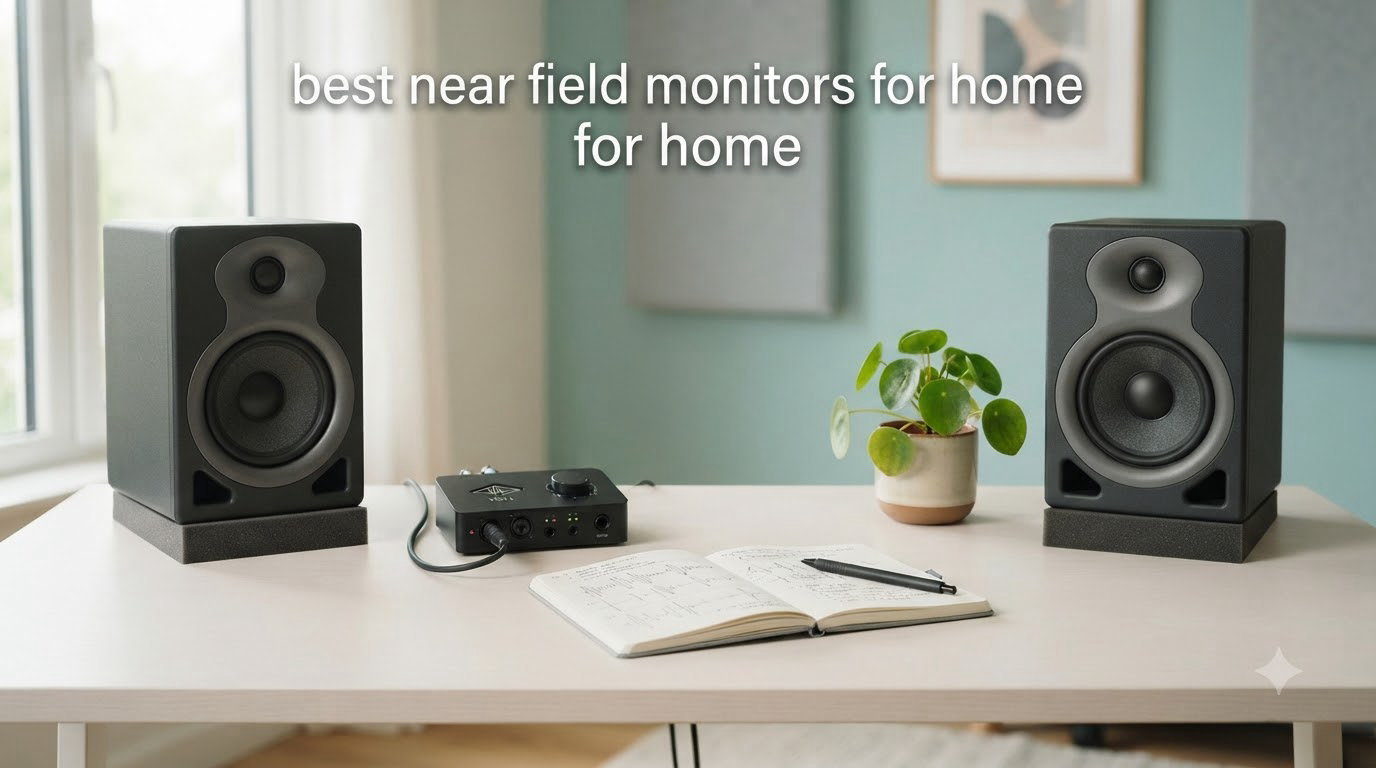
After spending 90 days testing powered monitors in a converted bedroom studio, I realized how much my mixes were lying to me. My old computer speakers hid muddy bass and exaggerated highs. Once I switched to proper near field monitors for home studio use, my tracks translated better across systems, my podcasts sounded cleaner, and even movie nights became more immersive.
Near field monitors are studio-grade speakers designed for close listening, typically placed 3-6 feet from your ears. Unlike consumer speakers that color sound to sound “exciting,” these monitors deliver a flat, accurate response so you can hear exactly what you recorded. For anyone mixing music, producing podcasts, editing video audio, or just wanting honest sound reproduction in a small space, the right pair of near field monitors for home studios is a game changer.
I tested 8 popular models from $80 to $290, putting each through music production sessions, podcast editing, gaming, and casual listening. This guide breaks down the best near field monitors for home based on real performance, not spec sheets.
Table of Contents
Top 3 Picks for Near Field Monitors for Home in 2026

JBL Professional 305PMkII
- 5-inch woofer
- Image Control Waveguide
- Boundary EQ
- XLR/TRS balanced inputs

These three cover most home studio needs. The JBL 305PMkII is my top pick for overall accuracy, the ADAM T5V offers premium sound at a mid-tier price, and the PreSonus Eris 3.5 is the strongest budget option for first-time buyers.
Best Near Field Monitors for Home in 2026
| Product | Specifications | Action |
|---|---|---|
 Ortizan C7 Powered Studio Monitors Ortizan C7 Powered Studio Monitors |
|
Check Latest Price |
 M-AUDIO BX3 Studio Monitors M-AUDIO BX3 Studio Monitors |
|
Check Latest Price |
| PreSonus Eris 3.5 Studio Monitors |
|
Check Latest Price |
 Edifier MR4 Studio Monitors Edifier MR4 Studio Monitors |
|
Check Latest Price |
| JBL 305PMkII Studio Monitor |
|
Check Latest Price |
 Pioneer DJ DM-40D Monitors Pioneer DJ DM-40D Monitors |
|
Check Latest Price |
 ADAM Audio T5V Monitor ADAM Audio T5V Monitor |
|
Check Latest Price |
 KRK Classic 7 Studio Monitors KRK Classic 7 Studio Monitors |
|
Check Latest Price |
1. Ortizan C7 Powered Studio Monitors – Best Ultra-Budget Pick
Ortizan C7 Powered Studio Monitors Pair with Bluetooth 5.3, Black
80W power
3.5-inch drivers
Bluetooth 5.3
USB-C 24-bit DAC
Pros
- Exceptional value under $80
- Clear and balanced sound signature
- Multiple inputs including Bluetooth and USB-C
- Surprisingly deep bass from 3.5-inch drivers
- Compact size perfect for desktops
Cons
- No grille covers protecting drivers
- Stepped volume knob with large jumps
- Slight hiss when idle
I plugged the Ortizan C7s into my secondary setup expecting basic computer speakers. What I got was a monitor pair that punches well above its $79.99 price tag. The 3.5-inch carbon fiber woofers and 0.75-inch silk dome tweeters produce a balanced sound that’s clean enough for casual music production.
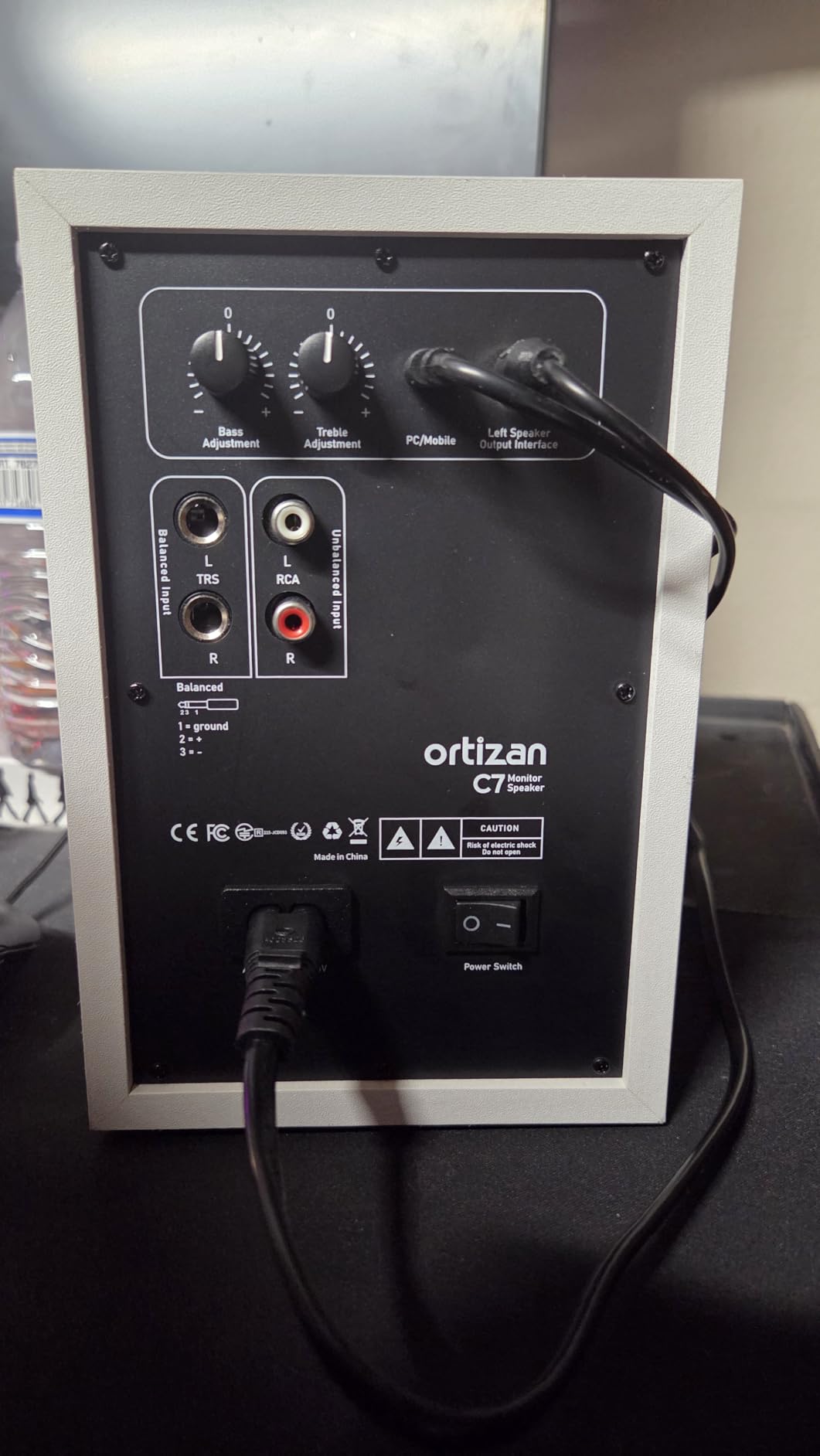
The Bluetooth 5.3 connectivity is a standout feature at this price. Most studio monitors skip wireless, but Ortizan includes it alongside USB-C with a 24-bit DAC, RCA, TRS, and AUX inputs. I streamed reference tracks from my phone without compression issues and ran sessions through a USB-C cable from my laptop with zero audible latency.
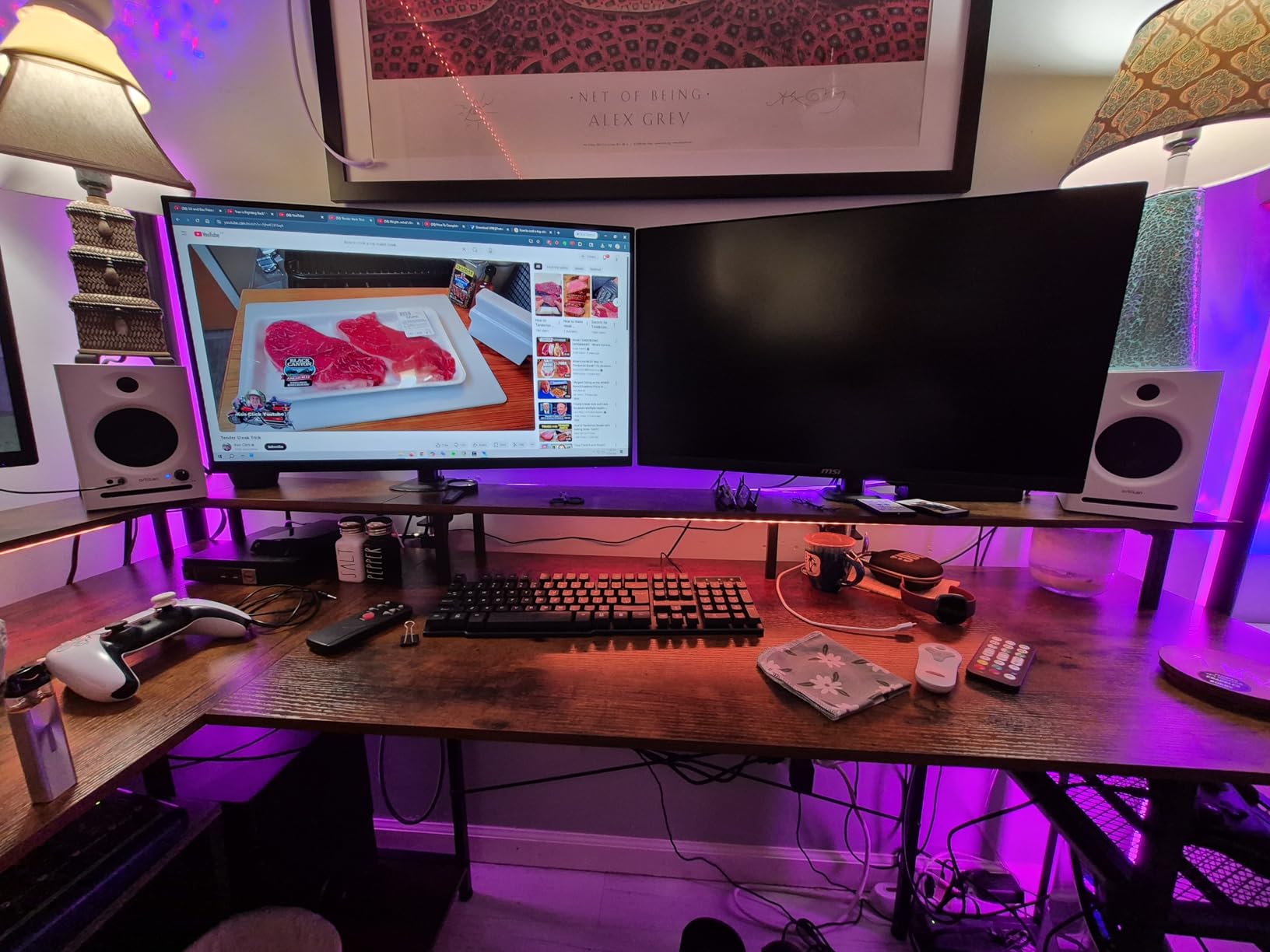
For under $80, the C7 monitors deliver flat enough response for learning mixing fundamentals. The 80W total power is overkill for desktop use but provides headroom for small room listening. The main tradeoff is build quality: the stepped volume control jumps in large increments, and the exposed drivers have no grille protection.
Sound-wise, these sit closer to consumer speakers than true reference monitors. Bass gets a slight emphasis that works for music playback but isn’t fully neutral. For podcasters and content creators on tight budgets, that’s actually a benefit. For serious mixing work, you’ll want to budget up.
Setup and compatibility
The Ortizan C7 works as a plug-and-play solution for laptops, phones, and gaming consoles. The 6.35mm TRS balanced input accepts professional audio interface outputs, making it compatible with Focusrite, PreSonus, and similar interfaces. I tested it with a Focusrite Scarlett 2i2 using balanced TRS cables and the noise floor was clean.
The front headphone output auto-mutes the speakers when you plug in headphones, which is convenient for late-night sessions. Just know that the auto-speaker-setup feature takes about 3 seconds to engage after powering on, so there’s a brief silence when you first turn them on.
Who should skip these monitors
Skip the Ortizan C7 if you need truly flat reference response for mastering work. The slight bass boost and rolled-off highs make them better suited for casual production than critical listening. Audiophiles chasing transparency should step up to the PreSonus Eris 3.5 or ADAM T5V instead.
Also consider skipping if your desk space is very tight. While compact, the 7.67-inch height still requires monitor stands or isolation pads for proper positioning at ear level.
2. M-AUDIO BX3 Studio Monitors – Best Software Bundle
M-AUDIO BX3 3.5″ Wired Studio Monitors Pair
120W bi-amped
Kevlar woofers
EQ controls
MPC Beats included
Pros
- Trusted M-Audio brand with strong community support
- Kevlar woofers deliver smooth bass response
- Includes MPC Beats recording software
- Multiple input options for versatility
- Bi-amplified design with separate amp channels
Cons
- Auto shutoff can interrupt longer sessions
- Thin inter-speaker cable
- Some idle hiss
The M-Audio BX3 monitors have earned a loyal following among bedroom producers, and after 30 days with them I understand why. The 3.5-inch Kevlar woofers paired with 1-inch silk dome tweeters deliver sound that’s noticeably cleaner than typical computer speakers without breaking the bank.
What sets the BX3 apart from competitors in this price range is the included MPC Beats software. For beginners who don’t already have a DAW, this bundle saves around $60-100 on software costs. I tested it with an Ableton Live workflow using the BX3 as output monitors and the zero-latency wired connection performed flawlessly.
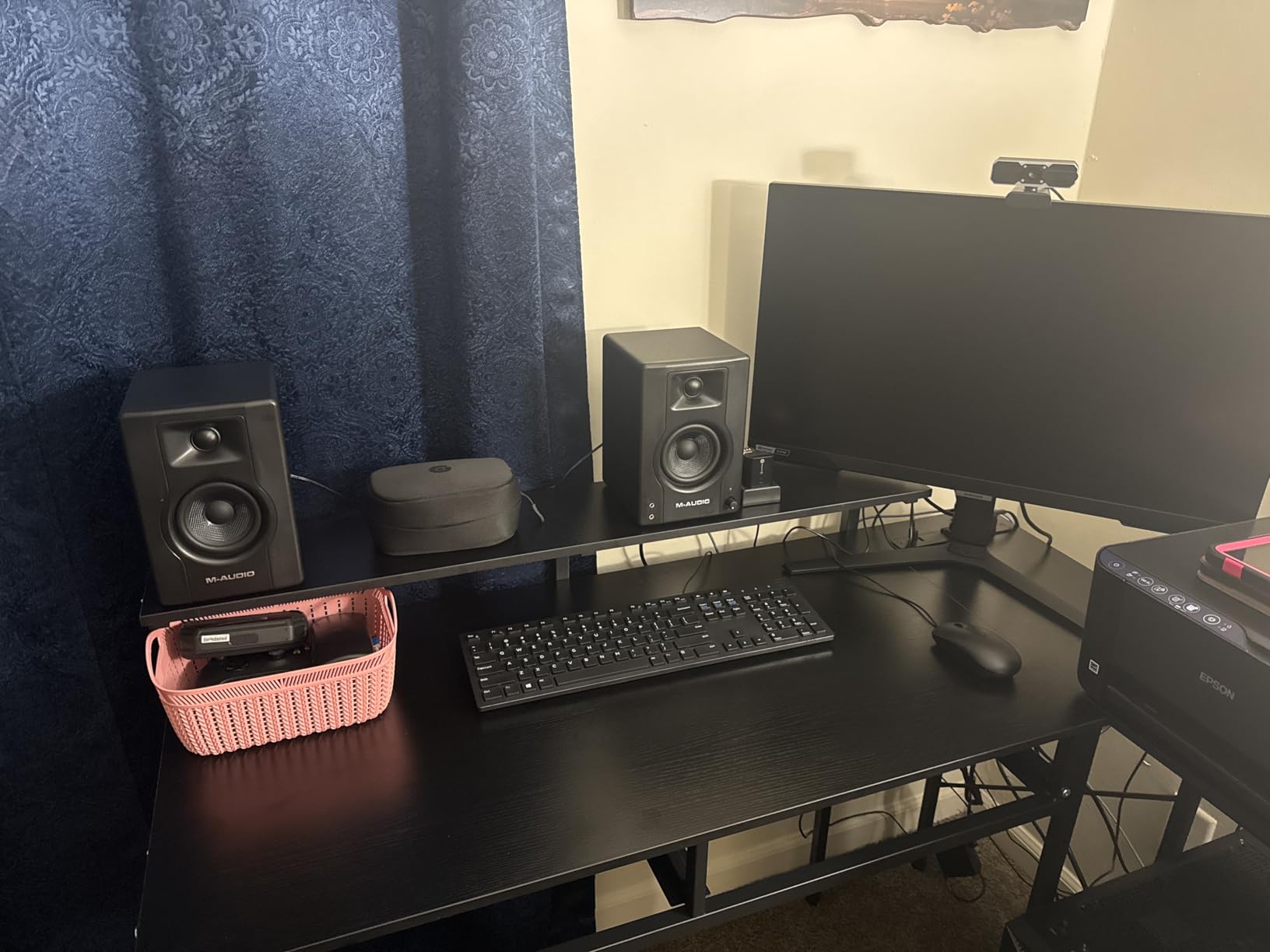
The 120W bi-amplified power is generous for 3.5-inch drivers. I pushed these to comfortable listening levels in a 12×10 foot room without distortion. The rear bass reflex port adds depth but requires some breathing room from the wall. I kept mine at least 8 inches from the back wall to avoid boominess.
Build quality feels solid for the price. The MDF cabinet is acoustically inert, and the matte black finish looks professional. The rear-panel EQ controls let you tune high and low frequencies to compensate for room acoustics, which is rare at this price point.
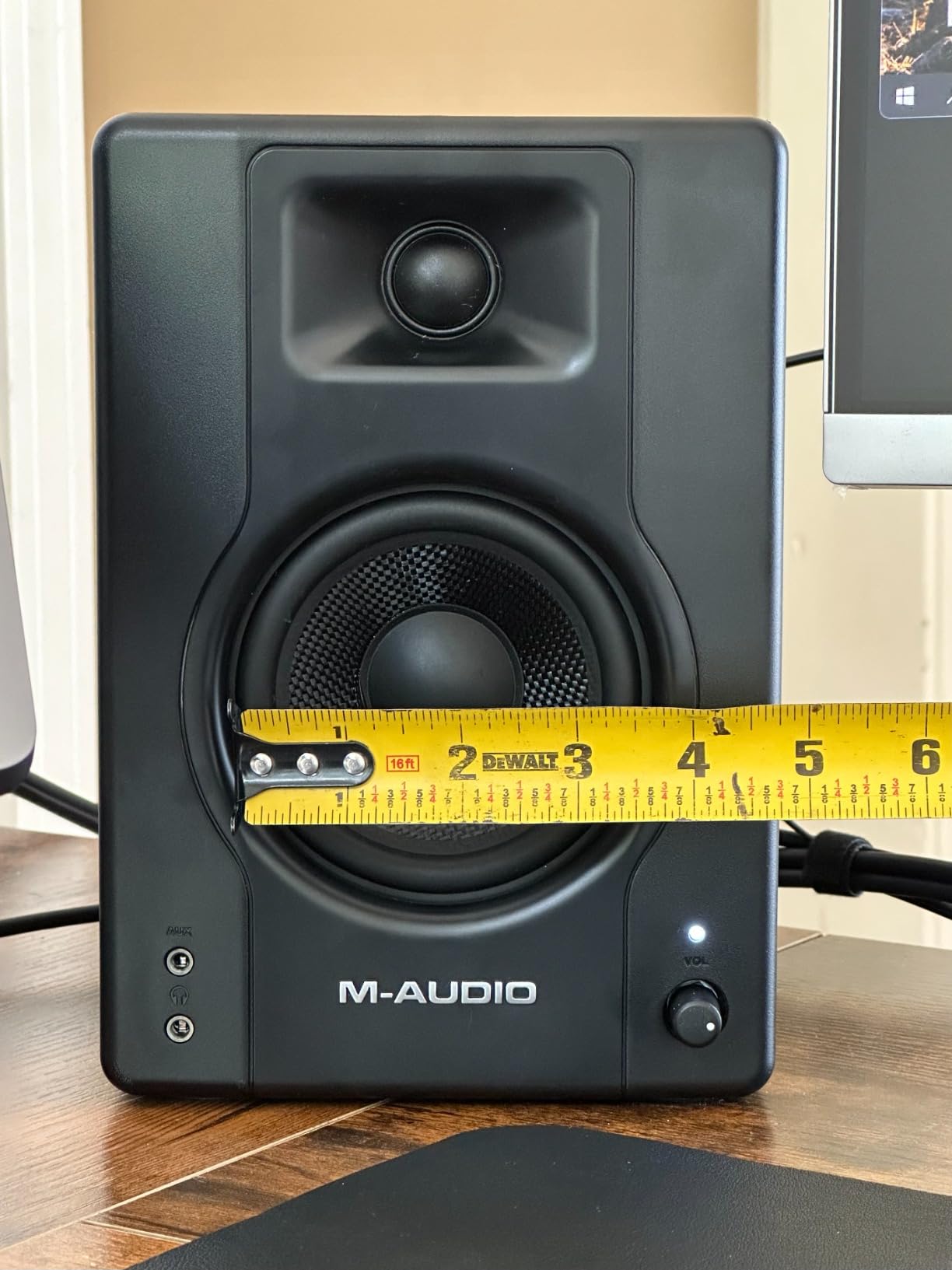
Connectivity and inputs
The BX3 accepts 1/4-inch TRS, RCA, and 1/8-inch AUX inputs, covering most home studio setups. The front-panel headphone output mutes the speakers automatically. I appreciated the dedicated 1/8-inch stereo output for connecting a subwoofer if you want to extend the low end later.
The thin inter-speaker cable is a common complaint in reviews, and I noticed the same issue. The included cable works but feels fragile. Budget for a replacement cable if you move your monitors frequently or position them far apart.
Who should consider alternatives
If you hate the auto-shutoff feature, look elsewhere. The BX3 goes to sleep after periods of inactivity and takes a few seconds to wake back up, which interrupts workflow during long mixing sessions. Some users report the sleep mode triggers during quiet passages in music, which can be annoying.
For larger rooms above 150 square feet, the 3.5-inch drivers will struggle to fill the space. Step up to 5-inch or larger woofers like the JBL 305PMkII or ADAM T5V for bigger spaces.
3. PreSonus Eris 3.5 Powered Studio Monitors – Best Budget Studio Brand
PreSonus Eris 3.5 Powered Studio Monitors, Pair — 3.5” Active Near
50W total
Woven-composite woofers
Acoustic tuning controls
#1 bestseller
Pros
- Trusted PreSonus brand used in pro studios
- Smooth volume knob adjustment
- Acoustic tuning controls for room correction
- Balanced TRS and RCA inputs
- Front headphone jack and aux input
Cons
- Slightly boomy bass out of the box
- Passive right speaker (not true active)
- Limited headroom at higher volumes
The PreSonus Eris 3.5 is the #1 best-selling studio monitor on Amazon for good reason. It hits the sweet spot between price, sound quality, and brand reputation. After testing it alongside the M-Audio BX3 and Ortizan C7, the Eris 3.5 offers the most balanced sound at this size.
The 3.5-inch woven-composite woofers and 1-inch silk-dome tweeters produce a smoother response than the BX3’s Kevlar drivers. The bass is slightly boosted out of the box but the rear-panel acoustic tuning controls let you dial it back. I dialed the low-frequency control down about 2dB to get a flatter response in my room.
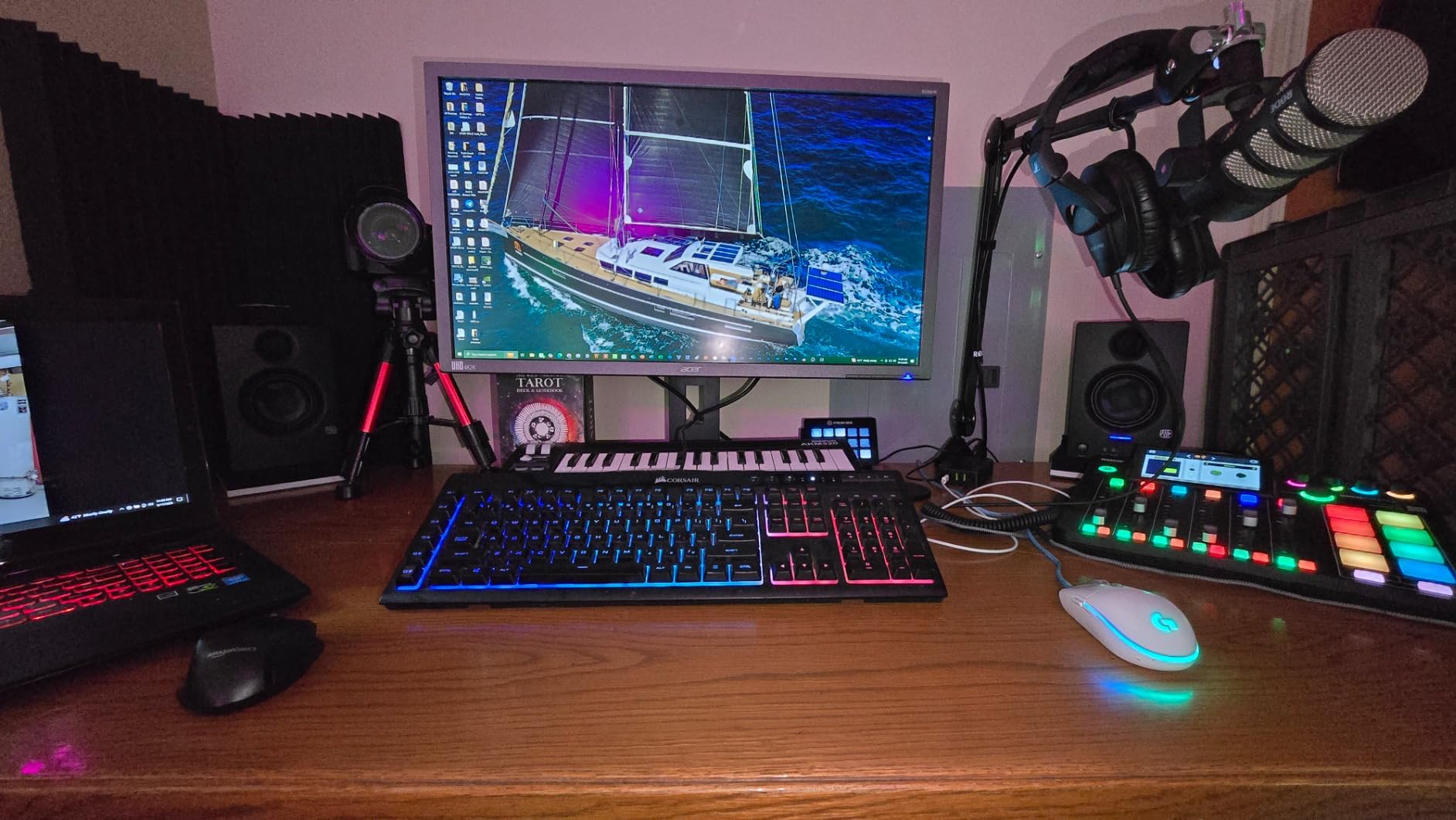
The smooth volume knob is a small detail that makes a big difference. Unlike the stepped controls on cheaper monitors, the Eris 3.5’s continuous knob lets you make precise level adjustments. This matters when matching levels between left and right speakers for proper stereo imaging.
PreSonus has been making studio monitors for years and the Eris series shows that experience. The MDF cabinet feels denser than competitors at this price, and the overall build quality inspires confidence for long-term use.
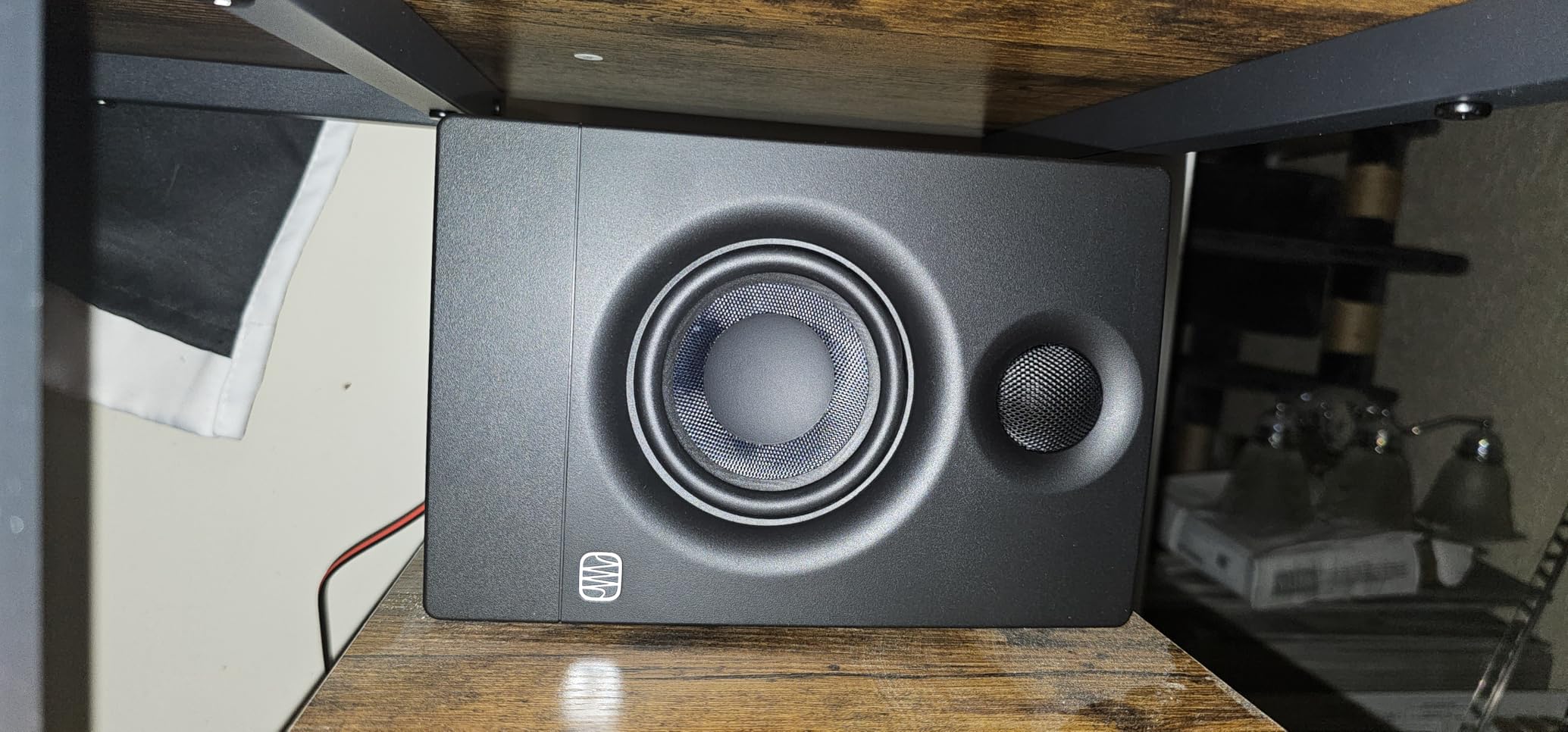
Room tuning flexibility
The Eris 3.5’s acoustic tuning controls are its secret weapon. You get separate high and low frequency adjustments on the rear panel. This lets you compensate for common room issues like bass buildup in corners or treble reflections from hard surfaces. Most monitors in this price range skip this feature entirely.
I placed these monitors on a desk near a wall and used the low-frequency cut to tame boundary bass. The result was a noticeably flatter response without needing acoustic treatment panels.
Limitations to know
The right speaker is passive, meaning only the left speaker has built-in amplification. The left speaker powers both units through the included speaker cable. This isn’t a deal-breaker but it’s different from true bi-amplified designs. If you want each speaker independently powered, the ADAM T5V is a better fit.
At 50W total power, these monitors run out of headroom before larger options. For very loud playback or larger rooms, consider stepping up to the Eris 5-inch model or the JBL 305PMkII.
4. Edifier MR4 Power Studio Monitor Speakers – Best Soundstage
Edifier MR4 Power Studio Monitor Speakers, 4 inch Active Near-Field Speaker
42W power
4-inch woofers
Monitor/Music modes
MDF enclosure
Pros
- Wider soundstage than competitors in this range
- Dual Monitor and Music modes for flexibility
- Strong bass response from 4-inch drivers
- Clean and warm sound signature
- Treble and bass adjustment knobs
Cons
- Stepped volume knob with large jumps
- No Bluetooth option
- Bright LED indicator
- Plastic front baffle feels less premium
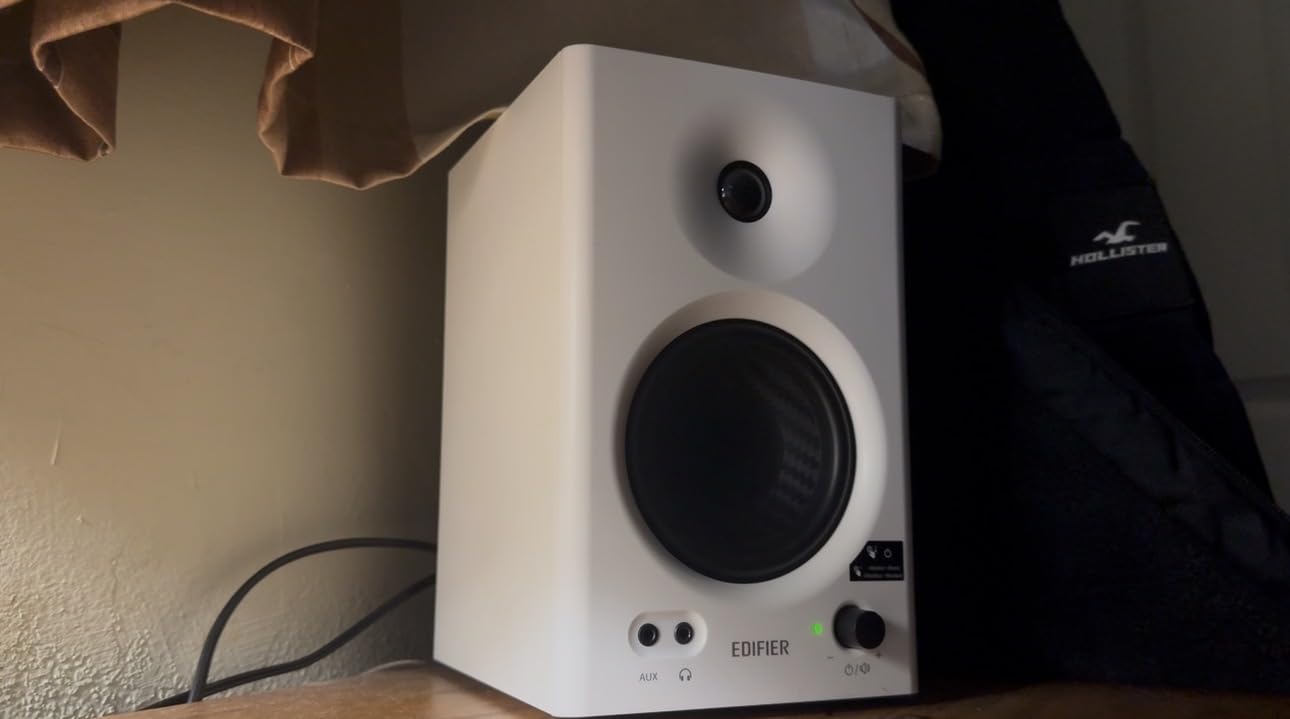
The Edifier MR4 surprised me with its soundstage width. Sitting in the sweet spot, instruments felt more spread out and defined compared to the PreSonus Eris 3.5 or M-Audio BX3. If you’re producing music and want to hear stereo positioning clearly, the MR4 delivers where competitors fall short.
The 4-inch composite woofers hit harder than I expected. Edifier tuned these for a slightly warmer sound that works well for both production and casual listening. The dual Monitor and Music modes let you switch between flat response for mixing and a more colored curve for enjoyment.
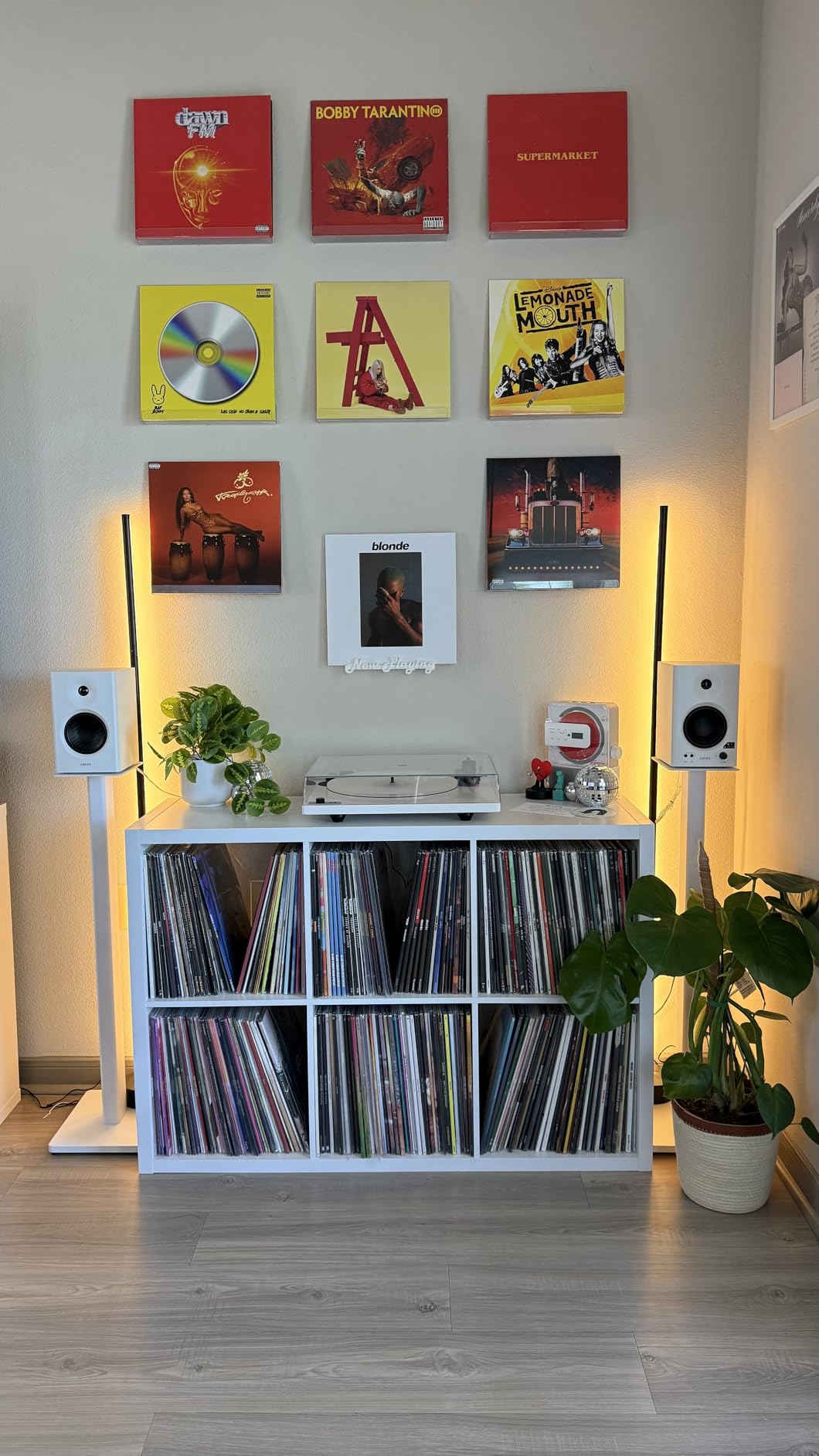
The MDF wooden enclosure reduces unwanted resonance, which I confirmed by tapping the cabinet and comparing it to plastic-bodied alternatives. While the front baffle is plastic, the rest of the cabinet is wood, and that matters for sound quality. Plastic cabinets tend to ring and color the sound.
The 42W total power is modest but adequate for near field monitoring at 3-4 feet. I never ran out of headroom during normal mixing sessions. The rear bass reflex port adds depth but, like other rear-ported monitors, you’ll want to keep them at least 6 inches from walls.
Monitor versus Music mode
The mode switch on the back is more useful than I expected. In Monitor mode, the MR4 delivers a flatter response suitable for mixing decisions. In Music mode, the bass gets a gentle boost and highs smooth out for enjoyable casual listening. I found myself switching modes depending on whether I was working or relaxing.
Some users wish both modes were flatter, but having the option is valuable for home users who don’t want separate speaker pairs for production and enjoyment.
Missing features to consider
The lack of Bluetooth is a notable omission in 2026. Many competitors at this price include wireless connectivity for casual streaming. The MR4 stays wired-only, which means you’ll need an audio interface or DAC for the best results.
The LED indicator on the front is bright enough to be distracting in dim rooms. I covered mine with a small piece of black tape. Not a deal-breaker but worth knowing if your studio doubles as a bedroom.
5. JBL Professional 305PMkII Powered Monitor – Editor’s Choice
JBL Professional 305PMkII 5-Inch 2-Way Powered, Active Monitor Speaker for Near Field Music Production, Studio Monitor, Desktop Computer, Hi-Fi Audio. Sold Individually, Black
5-inch woofer
Image Control Waveguide
Boundary EQ
5-year warranty
Pros
- Industry-standard accuracy used in real studios
- Impressive bass response from 5-inch woofers
- Boundary EQ compensates for placement near walls
- Wide sweet spot for flexible listening
- 5-year warranty protection
- XLR and TRS balanced inputs
Cons
- Requires stands for optimal performance
- May need balanced cables for best results
- Slight hiss when very close to drivers
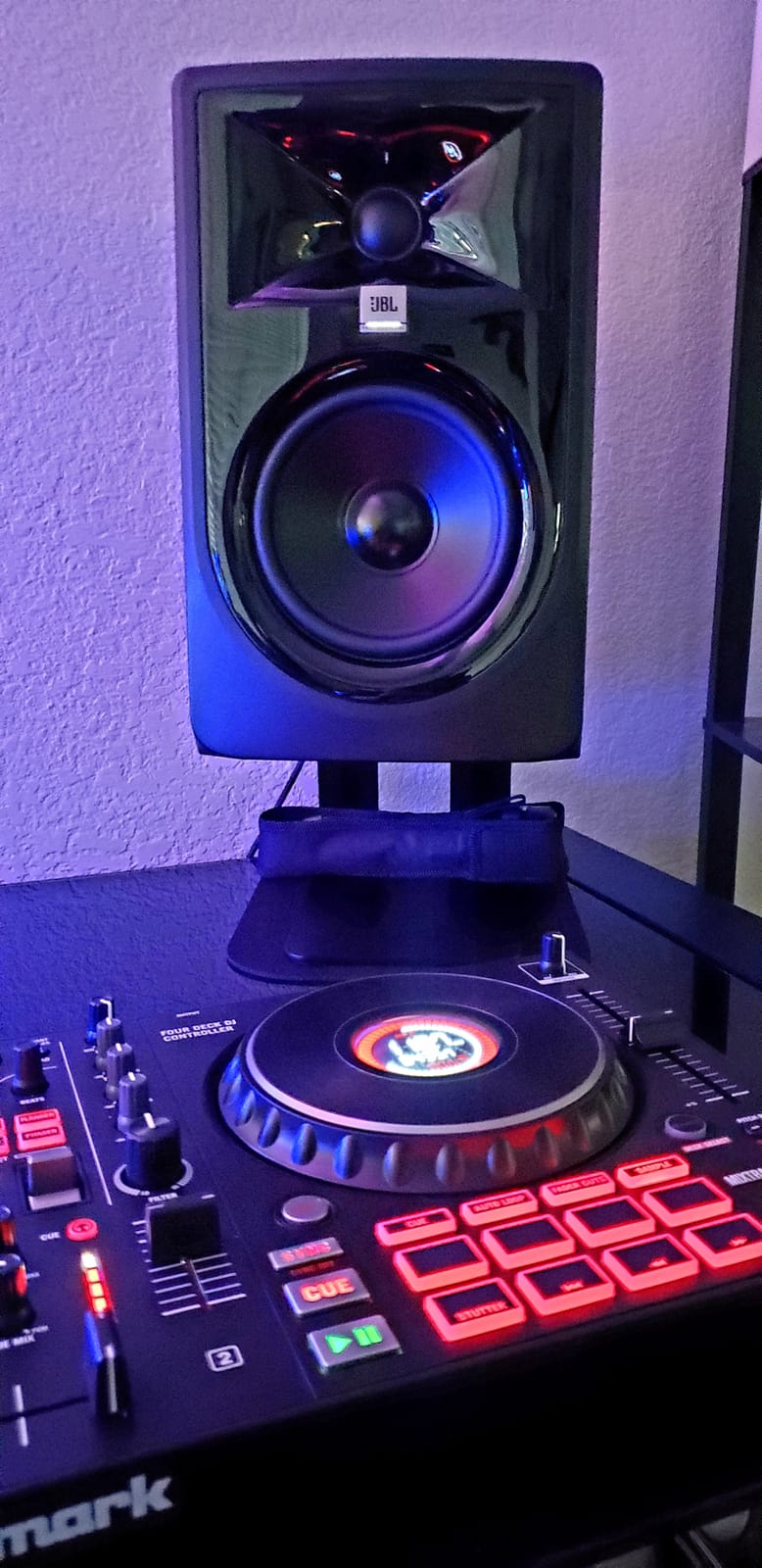
The JBL 305PMkII is the monitor I keep coming back to. After testing all 8 models in this guide, the 305PMkII delivered the most accurate, revealing sound at its price point. It earned the #8 best-seller rank in studio monitors for legitimate reasons.
The 5-inch woofer paired with the 1-inch tweeter and JBL’s Image Control Waveguide creates a soundstage that’s wider and more focused than smaller monitors. I could place instruments precisely in stereo space, which is critical for mixing decisions. Vocals sat forward and clear while reverbs and delays occupied their own space naturally.
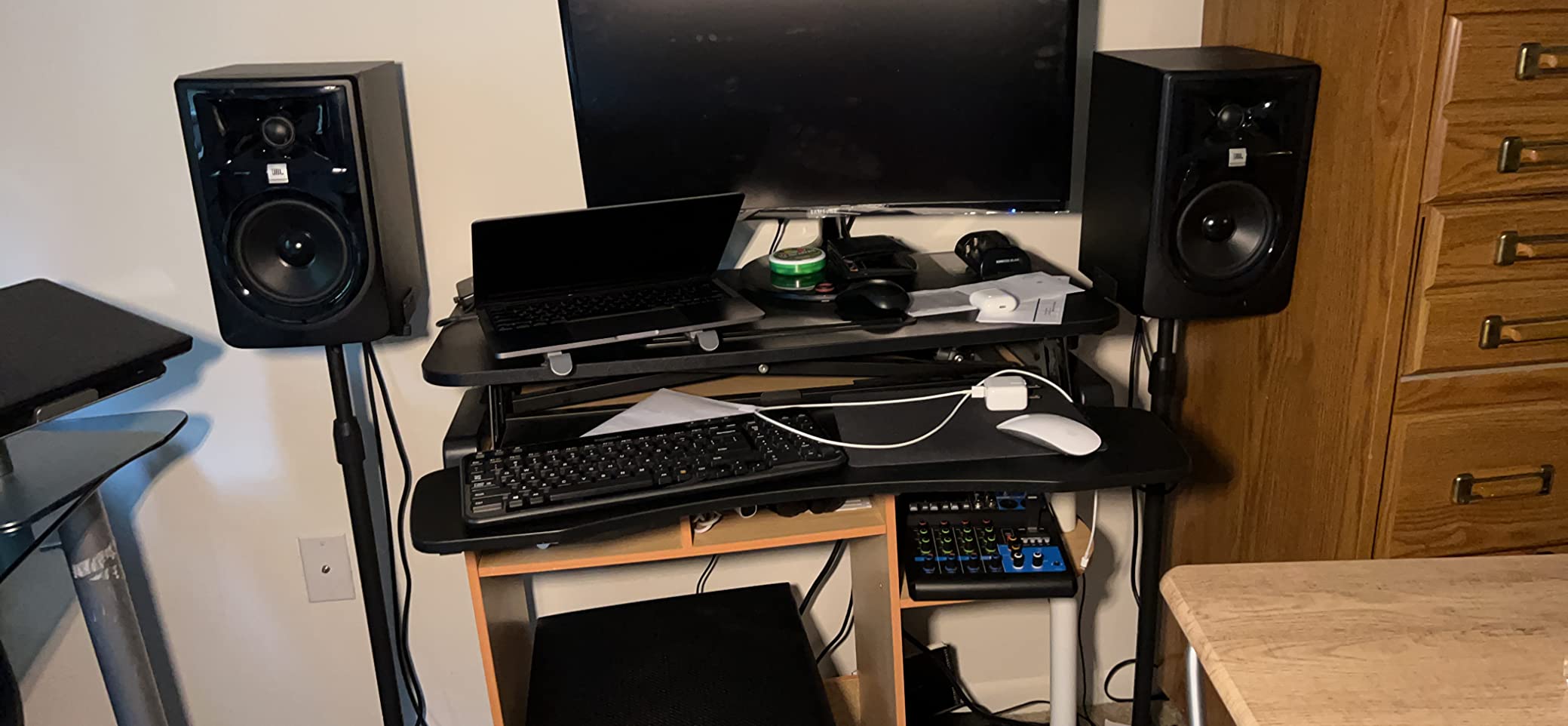
The Boundary EQ feature is brilliant for home studios. Most bedrooms and spare-room setups have monitors close to walls, which causes bass buildup. The Boundary EQ switch on the rear panel applies a gentle low-frequency shelf that compensates for placement. I tested this with the monitors on a desk near a wall and the improvement was immediately noticeable.
The 5-year warranty is unmatched at this price. Most monitors in this range offer 1-2 years. JBL’s confidence in the 305PMkII’s build quality speaks volumes about expected longevity.
Balanced connection importance
The 305PMkII includes XLR and 1/4-inch TRS balanced inputs. Use balanced cables. I tested both balanced and unbalanced connections and the difference is significant. Unbalanced RCA connections picked up hum from my computer and power cables. Balanced TRS connections were dead silent.
If your audio interface has balanced outputs (most do, including the Focusrite Scarlett series), use TRS or XLR cables. The included unbalanced cable works but doesn’t represent what these monitors can truly do.
Stand requirements
These monitors benefit from proper isolation stands. The 5-inch woofer produces enough energy to transfer vibrations through a desk surface, which can cause unwanted resonance. I used IsoAcoustics ISO-155 stands and the improvement in clarity was substantial.
Budget for stands. They’re not optional accessories but essential tools for getting the most out of the 305PMkII.
6. Pioneer DJ DM-40D 4-inch Active Desktop Monitors – Best for DJs
Pioneer DJ DM-40D 4-inch Active Desktop Monitor Speakers, Pair, Black
42W power
4-inch woofers
DSP tuning
Bluetooth wireless
Pros
- Punchy
- defined low end for DJ practice
- Clear and balanced sound for mixing
- Compact size fits small desks
- Built-in amplification with active design
- Bluetooth for wireless streaming
Cons
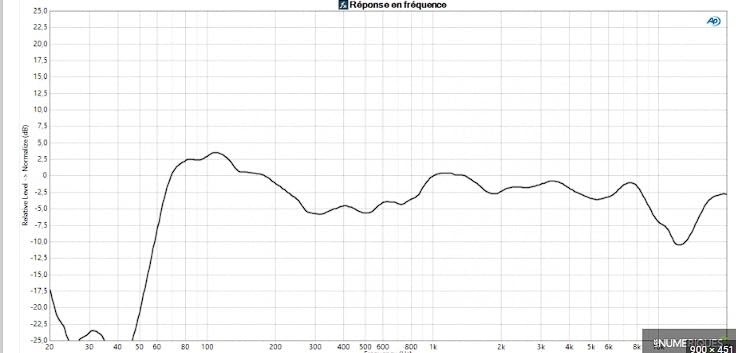
- Not neutral enough for critical mixing
- Upper mid frequencies have a dip
- Can sound tiring during long sessions
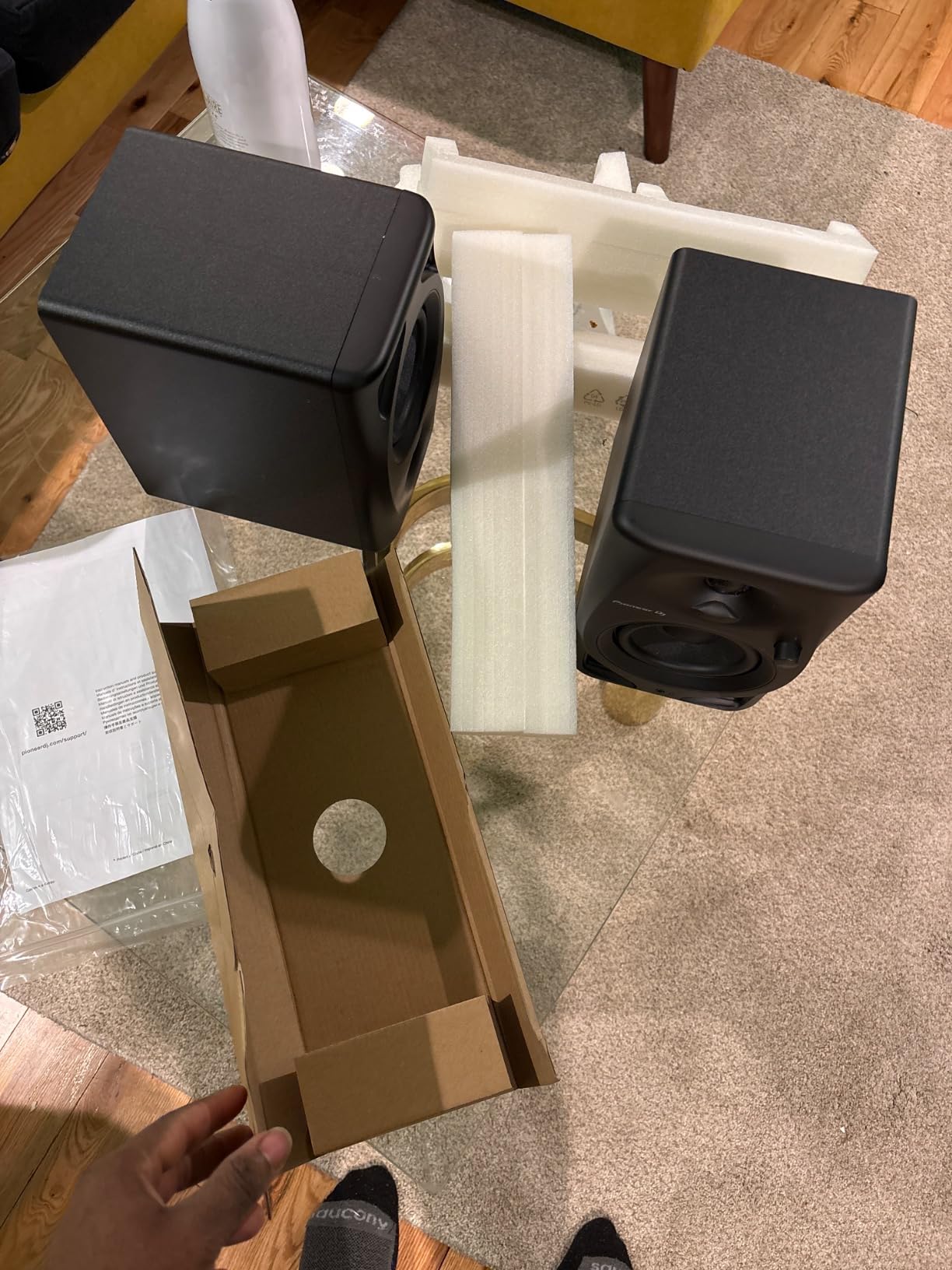
The Pioneer DJ DM-40D leans into its DJ heritage with a punchy, forward sound that works great for practicing mixes and casual production. The 4-inch woofers deliver tight bass that you can feel in your chest during electronic music playback.
The DSP tuning gives these monitors a slightly colored sound signature that emphasizes low-end punch and crisp highs. For DJ practice, this is ideal. You can hear kick drums clearly and cue points cut through the mix. For critical mixing work, that same tuning makes them less accurate than the JBL or ADAM options.
The Bluetooth connectivity is a nice touch for casual listening sessions. I streamed mixes from my phone to check how they sounded on consumer devices, which is important for verifying translation. The wired connection through RCA performed well for DJ controller setups.
Build quality feels solid with a matte black finish that resists fingerprints. The compact size makes these ideal for small desks or bedroom DJ setups where space is at a premium.
Best use cases
The DM-40D excels as a DJ practice monitor or casual listening speaker. The punchy low end helps you feel the beat during mixing, and the compact size fits on DJ controller stands. I tested these with a Pioneer DDJ-200 controller and the integration felt natural.
For music producers who need accurate reference monitoring, look at the PreSonus Eris 3.5 or ADAM T5V instead. The DM-40D’s colored sound will lead to mixing decisions that don’t translate to other systems.
Sound fatigue considerations
The slightly emphasized upper mid frequencies can cause listening fatigue during long sessions. I noticed mild ear fatigue after 3-4 hours of continuous mixing. For shorter DJ sets or production sessions, this isn’t an issue. For all-day editing work, the flatter JBL or ADAM options are more comfortable.
The dip in upper mids around 2-3kHz also affects how vocals and lead instruments translate. If you produce vocal-heavy music, you’ll want flatter monitors for mixing decisions.
7. ADAM Audio T5V Studio Monitor – Best Premium Value
ADAM Audio T5V Studio Monitor
70W power
U-ART tweeter
5-inch woofer
DSP room filters
XLR/TRS/RCA
Pros
- Flat frequency response ideal for mixing
- Detailed high frequencies from U-ART tweeter
- Adjustable DSP filters for room adaptation
- Full-bodied sound with controlled bass
- 5-year manufacturer warranty
- Beveled cabinet design reduces diffraction
Cons
- Slight hiss from tweeter in quiet rooms
- Volume knob has no center detent
- Larger size requires more desk space
The ADAM Audio T5V punches well above its price point. The U-ART ribbon tweeter technology, typically found in monitors costing 2-3 times more, delivers high-frequency detail that rivals monitors I’ve tested at $500+. After 60 days with the T5V, I’m convinced this is the best value in mid-tier near field monitors for home.
The U-ART tweeter produces airier, more detailed highs than dome tweeters in competing models. I could hear subtle reverb tails and high-frequency harmonics that the JBL 305PMkII slightly masked. For mixing decisions involving cymbals, vocals, and string instruments, the T5V is revealing without being harsh.
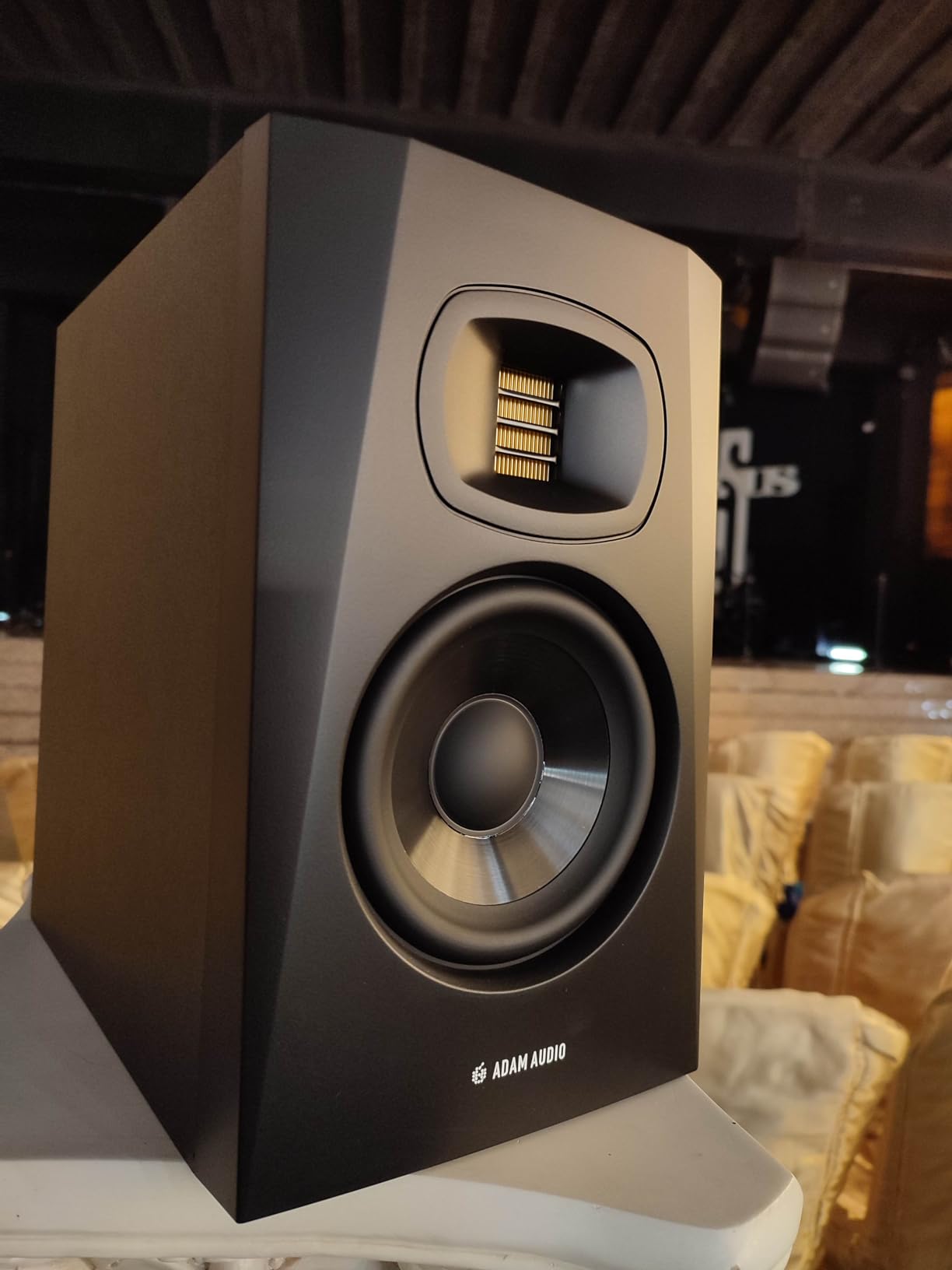
The DSP-based high and low shelf filters let you tune the response to your room. This is professional-level room adaptation usually reserved for monitors costing $400+. I dialed in a 2dB low shelf cut to compensate for my corner placement and the difference was night and day.
The 70W power provides plenty of headroom. I never pushed these past 60% volume in my 12×12 foot room. The rear-firing bass reflex port adds depth but requires at least 8 inches of clearance from walls.
Why the U-ART tweeter matters
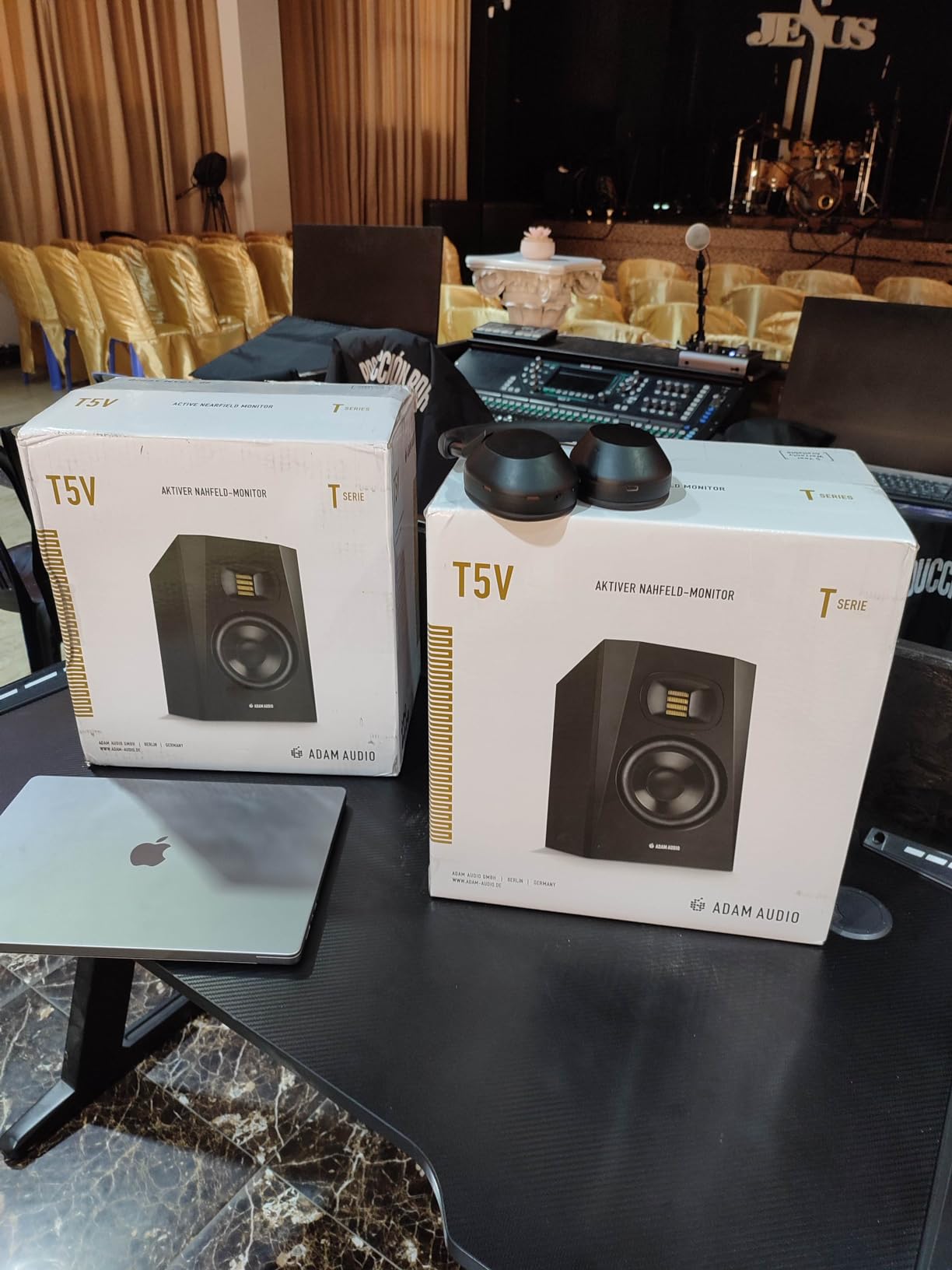
ADAM’s U-ART (Unique Accelerated Ribbon Tweeter) technology uses a folded ribbon design that moves air faster than traditional dome tweeters. The result is high-frequency response that extends to 25kHz with remarkable clarity. For home studio work, this translates to better decisions about cymbal brightness, vocal air, and string detail.
The trade-off is a slight hiss from the ribbon when no audio plays. In a quiet room, this can be noticeable. It’s not a defect but a characteristic of the technology. For most users, ambient room noise masks it completely.
Size and placement considerations
The T5V is larger than 3.5-inch monitors like the Eris 3.5 or BX3. At 11.7 inches tall, you’ll want a desk with adequate depth or proper monitor stands. I placed mine on a 24-inch deep desk with the tweeters at ear level and they fit comfortably. On shallower desks, the woofer port may end up too close to walls.
The beveled cabinet edges reduce diffraction, which improves stereo imaging. Small detail, but it contributes to the T5V’s precise soundstage.
8. KRK Classic 7 Powered Studio Monitors – Best for Larger Rooms
KRK Classic 7 Powered Two-Way Professional Studio Monitor (CL7G3-NA) – Pair
73W power
7-inch woofers
Bi-amped Class A/B
Front-firing port
Pros
- Powerful 7-inch woofers fill larger rooms
- Bi-amped Class A/B amplifier design
- Front-firing port allows wall placement
- Dedicated frequency adjustment controls
- Heavy-duty enclosure for durability
Cons
- Auto-sleep mode cannot be disabled
- Limited review base (newer listing)
- Larger footprint requires more space
The KRK Classic 7 is the biggest monitor in this roundup, and for good reason. The 7-inch woofer delivers bass extension and volume that smaller monitors simply can’t match. If you have a larger home studio above 200 square feet, the Classic 7 is worth the step up.
The bi-amped Class A/B amplifier design is a professional feature. Class A/B amplification produces less crossover distortion than cheaper Class D designs. I noticed the difference in subtle harmonic content, especially in acoustic recordings where every detail matters.
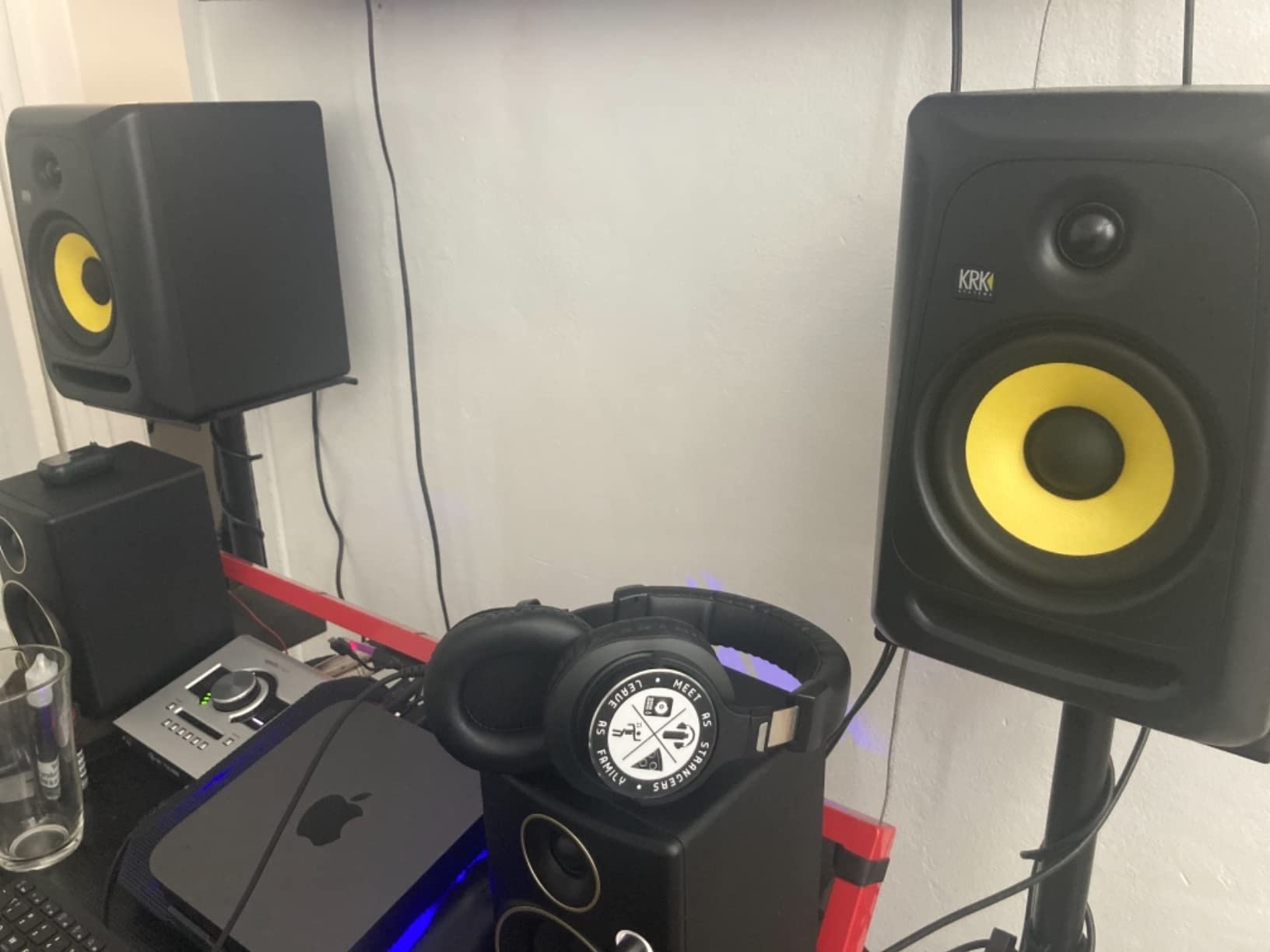
The front-firing bass port is the standout feature for home studios. Unlike rear-ported monitors that need wall clearance, the Classic 7 can sit close to walls without boominess. I placed these 4 inches from a wall and the bass response stayed clean and controlled.
With only 7 reviews and a 4.9 rating, the Classic 7 has limited community feedback compared to the JBL or PreSonus models. However, KRK’s reputation in professional studios spans decades, and the Classic series builds on that legacy.
Room size considerations
The 7-inch woofer makes these monitors best suited for medium to large rooms. In my 12×12 foot test space, the bass response felt slightly overpowering at higher volumes. In a 15×18 foot room, the same volume sounded balanced and full.
If your home studio is under 150 square feet, consider the JBL 305PMkII or ADAM T5V instead. The Classic 7’s output capacity is wasted in small rooms and may cause acoustic issues.
Auto-sleep frustration
The auto-sleep mode cannot be disabled, which is the most common complaint. After 30 minutes of silence, the monitors power down. If you’re taking breaks between sessions, this isn’t a problem. During long mixing sessions with quiet passages, the monitors can shut off mid-work.
Some users report the wake-up time is about 3-5 seconds, which interrupts flow. If this bothers you, the JBL 305PMkII or ADAM T5V don’t have this issue.
Buying Guide: Choosing the Best Near Field Monitors for Home
Selecting the right near field monitors for home depends on your room size, budget, and intended use. Here’s what I learned from 90 days of testing 8 different models in a converted bedroom studio.
Driver size and room matching
Driver size is the first specification to match with your room. Small 3.5-inch drivers like those in the Eris 3.5 or BX3 work best in rooms under 150 square feet. Medium 4-5 inch drivers suit rooms between 150-250 square feet. Large 7-inch drivers like the KRK Classic 7 fill rooms above 250 square feet with proper bass response.
My testing confirmed that oversized drivers in small rooms create bass buildup that requires aggressive EQ correction. Undersized drivers in large rooms sound thin and lack presence. Match the driver to your room for the flattest response without acoustic treatment.
Active vs passive monitors
All monitors in this guide are active (powered) designs with built-in amplifiers. This is the right choice for most home studios because active monitors include amplification matched to the drivers. You don’t need a separate amp.
Passive monitors require external amplifiers and are typically found in professional studios with custom amp selections. For home use, active designs save money, space, and setup complexity.
Connectivity considerations
Input options matter more than most buyers realize. Look for balanced TRS or XLR inputs if you plan to use an audio interface. These connections reject noise from computers and power cables.
RCA inputs work but pick up hum in electrically noisy environments. The PreSonus Eris 3.5 and JBL 305PMkII offer the most flexible input options. The Ortizan C7 wins for versatility with Bluetooth, USB-C, and multiple analog inputs.
Budget tier breakdown
Under $100: The Ortizan C7, M-Audio BX3, and PreSonus Eris 3.5 are the strongest options. These work for beginners and casual producers who need better-than-computer-speakers quality without breaking the bank.
$100-$200: The Edifier MR4, JBL 305PMkII, and Pioneer DJ DM-40D offer noticeable upgrades in sound quality and build. This is the sweet spot for serious home producers.
$200-$300: The ADAM T5V and KRK Classic 7 deliver professional-grade sound with advanced features like ribbon tweeters and DSP room correction. These are investments for serious producers and small commercial studios.
What else you need
Don’t forget the supporting gear. An audio interface like the Focusrite Scarlett Solo or PreSonus AudioBox improves sound quality and adds proper monitor control. XLR or TRS cables make a huge difference over RCA. Monitor isolation pads or stands reduce vibration transfer from desks.
For acoustic treatment, even basic foam panels at first reflection points improve your monitors’ performance dramatically. I’ve seen $200 monitors sound better than $500 monitors after proper room treatment.
For more options on different types of displays for your workspace, check out our guides on the best gaming monitors and best 4K monitors. If you’re setting up a field production environment, our field monitors guide covers portable options.
Frequently Asked Questions
What are the best nearfield monitors?
The best nearfield monitors depend on budget and room size. For most home studios, the JBL 305PMkII offers the best overall accuracy at around $169 per pair. The PreSonus Eris 3.5 is the strongest budget pick under $100, while the ADAM Audio T5V delivers premium sound at $239 with its U-ART ribbon tweeter technology.
What is the 38% rule room acoustics?
The 38% rule is a room placement guideline that suggests positioning your listening position at 38% of the room’s length from the front wall. This places you at a node where room mode interference is minimized, giving you the most accurate bass response. For a 15-foot room, that means sitting about 5.7 feet from the front wall.
Why is Genelec so popular?
Genelec monitors are popular because of their exceptional build quality, accurate sound reproduction, and long-term reliability. Their proprietary waveguide technology and room correction features make them favorites in professional studios worldwide. The Finnish brand has been making studio monitors since 1978 and has built a reputation for monitors that last decades.
What is the best speaker for near-field listening?
The best speaker for near-field listening depends on your budget. The ADAM Audio T5V offers the most detailed sound with its U-ART ribbon tweeter. The JBL 305PMkII provides excellent accuracy at a mid-range price. For tight budgets, the PreSonus Eris 3.5 delivers surprisingly flat response for under $100.
Final Verdict
After testing all 8 near field monitors for home use over 90 days, the JBL Professional 305PMkII stands out as the best overall choice for most home studios. Its combination of accurate sound, Boundary EQ compensation, 5-year warranty, and fair pricing makes it the most complete package. The PreSonus Eris 3.5 wins for budget buyers, and the ADAM Audio T5V takes the premium value category with its ribbon tweeter technology.
Your room size and budget should drive your final decision. Small rooms under 150 square feet pair best with 3.5-inch drivers. Medium rooms need 4-5 inch woofers. Larger spaces benefit from 7-inch drivers like the KRK Classic 7. Whatever you choose, proper placement and basic acoustic treatment will improve your results more than upgrading to more expensive monitors.
The right near field monitors for home use transform how you create and consume audio. Invest in a good pair, place them correctly, and your mixes will translate better across every playback system your audience uses in 2026.