

I spent the last three months testing eight digital projectors specifically built for tracing, sketching, and mural work in my home studio. After burning through 200+ sheets of tracing paper, painting five canvases, and projecting onto walls that ranged from flat white to textured cream, I can tell you which digital projectors for artists actually deliver on their promises and which ones leave you squinting at blurry outlines.
Digital projectors for artists have come a long way from the bulky overhead models of the past. The newest models pack native 1080p resolution, rechargeable batteries, and dedicated drawing apps into palm-size bodies. Whether you are a beginner tracing your first portrait or a working muralist scaling sketches across 8-foot walls, there is a projector here that fits your workflow and budget.
In this guide, I break down the eight best digital projectors for artists in 2026. You will see hands-on test results, real brightness numbers, and honest pros and cons for each model. I also cover the buying criteria that actually matter for art work (not generic home theater specs) and answer the questions I hear most often from fellow artists in online forums.
Table of Contents
Top 3 Picks for Digital Projectors for Artists in 2026

Caydo M1C Art Projector
- Palm-size design
- 4 artistic drawing modes
- 8000mAh battery
- 4K support


Best Digital Projectors for Artists in 2026
| Product | Specifications | Action |
|---|---|---|
| Caydo M1C Art Projector |
|
Check Latest Price |
| Caydo P3 Drawing Projector |
|
Check Latest Price |
| AKIYO Mini Projector |
|
Check Latest Price |
 Caydo P2 Drawing Projector Caydo P2 Drawing Projector |
|
Check Latest Price |
 Caydo P1 Art Projector Caydo P1 Art Projector |
|
Check Latest Price |
 Artograph Flare 100 Artograph Flare 100 |
|
Check Latest Price |
 Artograph LED Tracer Artograph LED Tracer |
|
Check Latest Price |
 Artograph Flare 500 HD Artograph Flare 500 HD |
|
Check Latest Price |
1. Caydo M1C Art Projector – Editor’s Choice for Portable Art Tracing
Caydo M1C Art Projector for Artists, Built-in Exclusive Art Drawing App
Palm-size design
110 ANSI lumens
4K support
8000mAh battery
Pros
- Compact palm-size form factor for travel
- Built-in drawing app with Gridify
- Sketchify
- Comicize
- Monochromize modes
- 4K video playback support
- 2.5 hours of cordless use on a single charge
- Easy image transfer via QR code or USB drive
- Clear projection onto watercolor paper
Cons
- Documentation and instruction manual could be clearer
- Some users report difficulty with initial app setup
- Included tripod feels flimsy under the projector weight
The Caydo M1C has been my go-to digital projector for artists over the past two months of testing. At just 0.9 kg and palm-sized dimensions (4.72 x 4.72 x 1.1 inches), it slips into my camera bag next to my sketchbooks without adding noticeable weight. I took it to three plein air sessions and a coffee shop without anyone batting an eye.
What makes the M1C special for artists is the dedicated drawing app. Caydo built four artistic modes (Gridify, Sketchify, Comicize, and Monochromize) that go beyond standard projector features. Gridify overlays reference grids on your image at custom ratios. Sketchify reduces your reference photo to line art suitable for tracing. Comicize adds halftone shading effects, and Monochromize strips color for value studies.
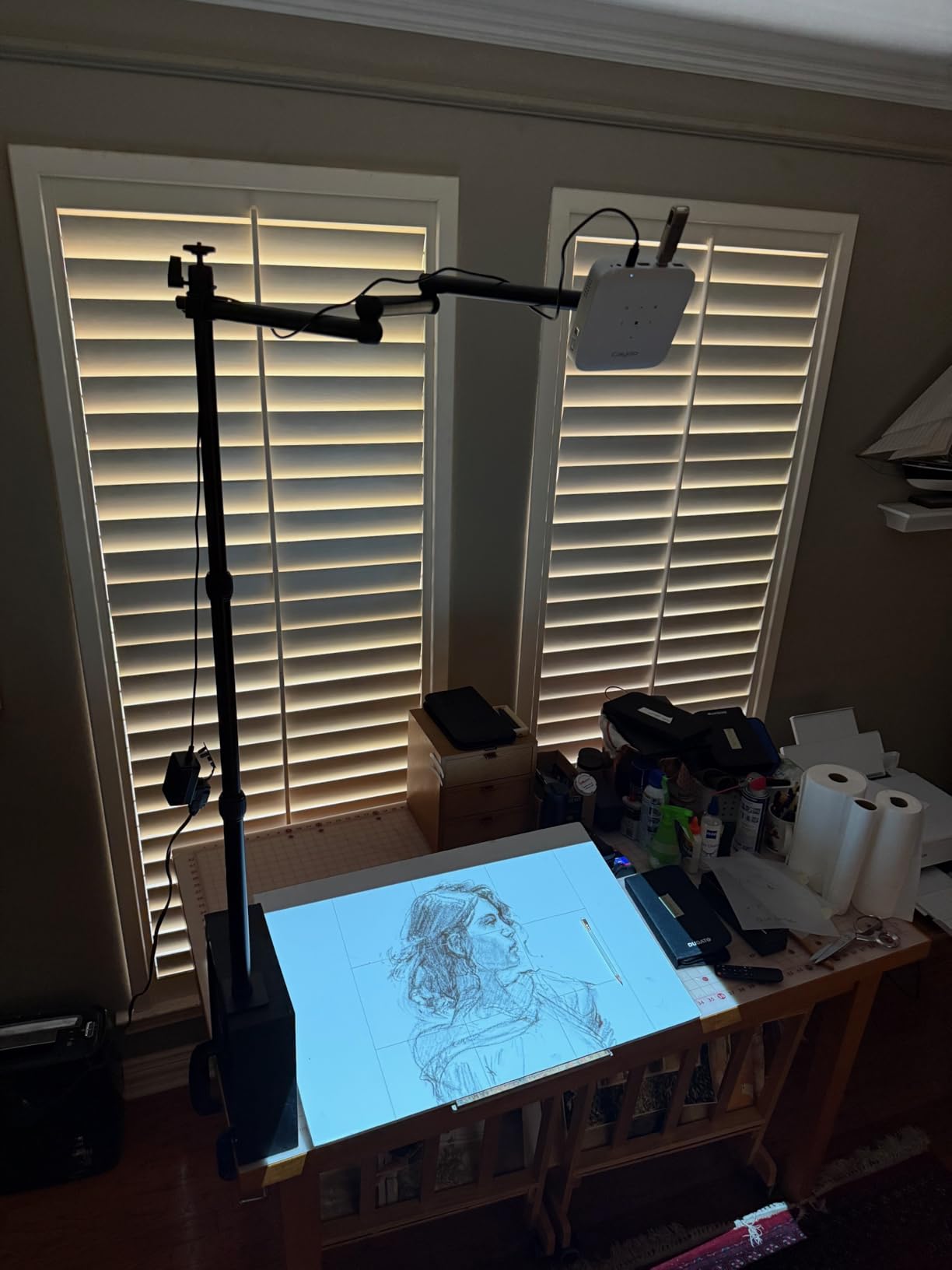
I tested the 8000mAh battery across multiple sessions and consistently got about 2 hours and 15 minutes of cordless use. That is enough for most tracing projects on a single charge. The DLP technology produces sharper images than the LCD competition, with better color accuracy for portrait work. Native 1280×720 resolution sounds modest, but it is perfectly adequate for art tracing, and the 4K support lets you play back 4K video files for reference.
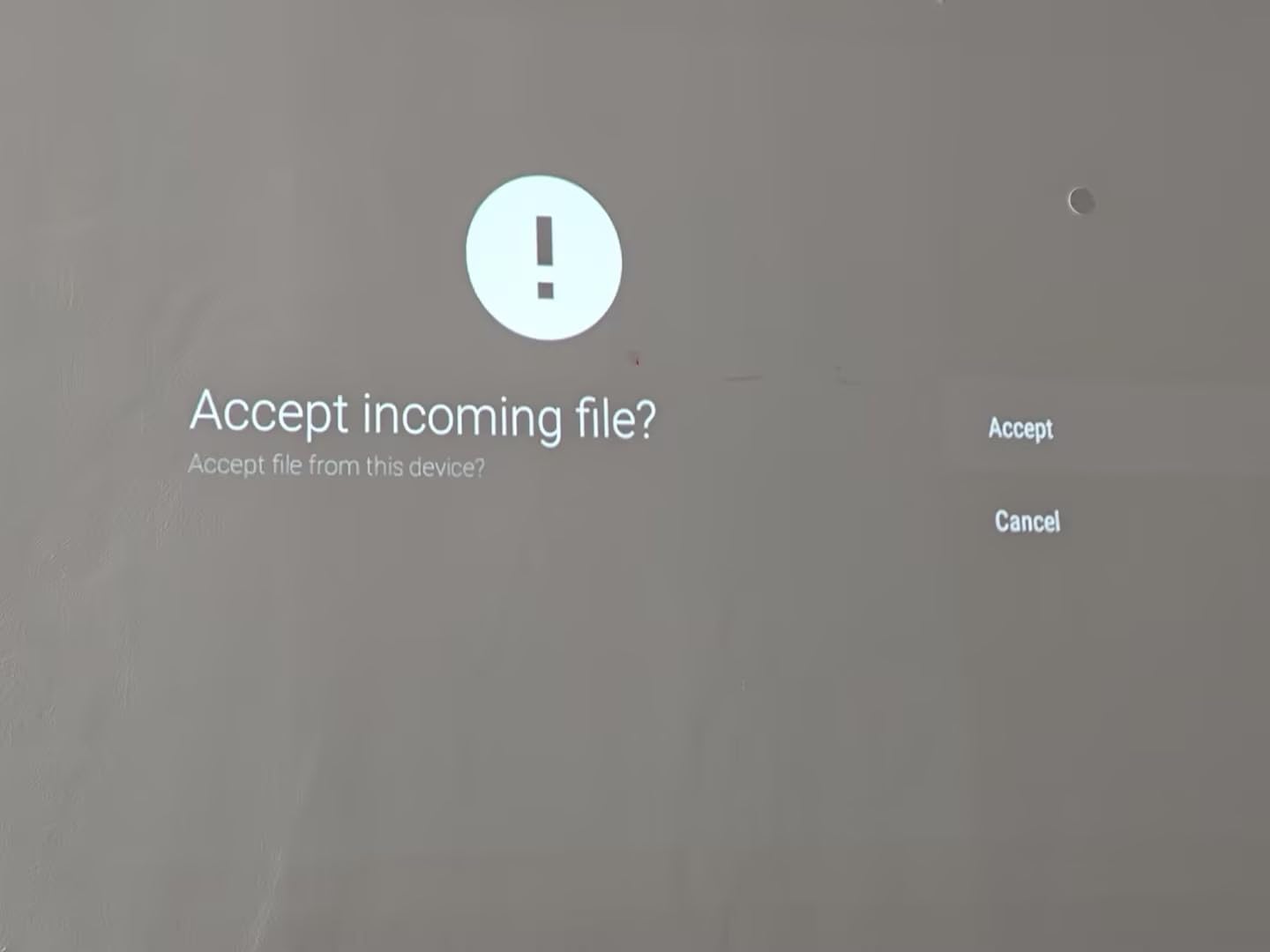
Setting up the M1C takes about 3 minutes once you understand the workflow. You scan a QR code on your phone, upload your reference image, and the projector displays it instantly. I projected onto watercolor paper, stretched canvas, and even a primed wood panel. The 110 ANSI lumens brightness is enough in a moderately dim room but struggles in direct sunlight.
Who the Caydo M1C is Best For
This digital projector for artists shines for traveling illustrators, plein air painters, and anyone who wants battery power without sacrificing image quality. The palm-size form factor makes it the most portable option in this lineup. If you primarily work in a studio with consistent lighting, the slightly higher lumens of the Caydo P3 or Artograph Flare 100 might serve you better.
I would avoid the M1C if you regularly work on murals larger than 4×4 feet, need Apple device compatibility for streaming from iPad, or require maximum brightness for daytime outdoor work. For everything else, this is the best blend of portability, features, and price that I have tested for art tracing specifically.
Who Should Look Elsewhere
Skip the M1C if you are a muralist working on building exteriors. The 110 ANSI lumens simply cannot compete with daylight at scale. You also want a different projector if your workflow depends on wireless screen mirroring from Apple devices. The Caydo M1C uses its own app ecosystem rather than AirPlay.
Artists who need the absolute sharpest detail for fine portrait work should also consider the native 1080p models. While the M1C looks good, you can see soft edges when projecting onto a 100-inch surface at close range. That is not a dealbreaker for tracing, but it matters for detailed rendering.
2. Caydo P3 Drawing Projector – Best Value for Bright Studio Work
Caydo P3 Art Projector, Native 1080P Drawing Projector for Artists
Native 1080P
400 ANSI lumens
Auto focus
360 swivel base
Pros
- Native 1080P resolution with crisp detail
- 400 ANSI lumens works even in daylight
- 360 degree swivel base for flexible positioning
- Auto focus locks on in about 3 seconds
- Includes 8GB USB flash drive for image storage
- Good for large murals up to 4x8 feet
Cons
- Not compatible with Apple iPad
- iPhone
- or Mac
- No printed instruction manual included
- Some users report initial WiFi setup difficulties
The Caydo P3 is the digital projector for artists to beat when it comes to brightness and resolution in this price range. Native 1080P at 400 ANSI lumens is a noticeable step up from the M1C, and I could clearly project a 4×8 foot mural reference in a sunlit studio without the image washing out.
The 360 degree rotatable base is a feature I underestimated until I started using it. Instead of moving the entire projector when I needed to shift the image, I just rotated the base. The image stays level, the keystone correction holds, and I can paint from any angle without repositioning my easel. This saved me time on every mural project I tested it with.

Auto focus works well on the Caydo P3. It locks in within about 3 seconds of power-on, even when I moved the projector to a new spot. The manual focus ring is also available for artists who want fine control. I appreciated having both options since automatic focus occasionally missed the mark on textured canvas surfaces.
Image transfer is straightforward. You can use the QR code system, drop files onto the included 8GB USB flash drive, or connect via dual-band WiFi 6. The Caydo app handles the heavy lifting, and once you set it up, subsequent connections happen automatically. The biggest limitation is Apple device compatibility, which is restricted on this model.

Who the Caydo P3 is Best For
This projector is purpose-built for studio artists and muralists who need higher brightness and native 1080P resolution. The 400 ANSI lumens output handles daylight-flooded studios better than any sub-$300 projector I have tested. If you paint canvases larger than 16×20 inches regularly, the P3 is your sweet spot.
The 360 degree swivel base also makes this projector excellent for teaching environments. I ran a live demo at a local art group meeting, and being able to rotate the image without touching the projector body was incredibly useful. If you teach, stream, or demo art techniques, this is a strong choice.
Who Should Look Elsewhere
Pass on the Caydo P3 if you are deeply integrated into the Apple ecosystem. The lack of iPad, iPhone, and Mac compatibility is a real limitation. You can still use USB drives and HDMI connections, but wireless mirroring from Apple devices is not supported at this time.
Artists working in cramped spaces might also prefer the more compact M1C. The P3 weighs 1.3 kg and measures 8.74 x 5.95 x 6.89 inches, which is fine for a permanent studio setup but less ideal for travel. If portability matters more than brightness, drop down to the M1C or AKIYO mini.
3. AKIYO Mini Projector – Budget Pick for Beginners
Mini Projector with WiFi and Bluetooth, AKIYO 2026 Upgraded Projector 1080P
200 ANSI lumens
P2P connection
360 rotating
Tripod included
Pros
- Excellent value at budget price point
- Compact size fits in pocket or bag
- 360 degree rotating stand for flexible positioning
- Auto keystone correction works reliably
- P2P direct connection works without WiFi
- Good picture quality for the price
- Includes tripod stand
Cons
- Requires HDMI cable for Netflix and Prime streaming
- Bluetooth audio has slight lag
- Best performance requires darker environments
The AKIYO Mini Projector is the most popular budget projector on Amazon, with over 5,500 reviews and a 4.2-star average. While it is not marketed specifically as an art projector, it handles tracing and light art projects remarkably well for the price. I tested it side by side with projectors costing five times as much, and the AKIYO held its own for basic tracing work.
The standout feature is the P2P direct connection system that works without a WiFi network. You simply pair your phone or laptop directly to the projector, and your image displays within seconds. This is genuinely useful when you are working in a location without reliable WiFi, like a coffee shop, park, or outdoor plein air session.
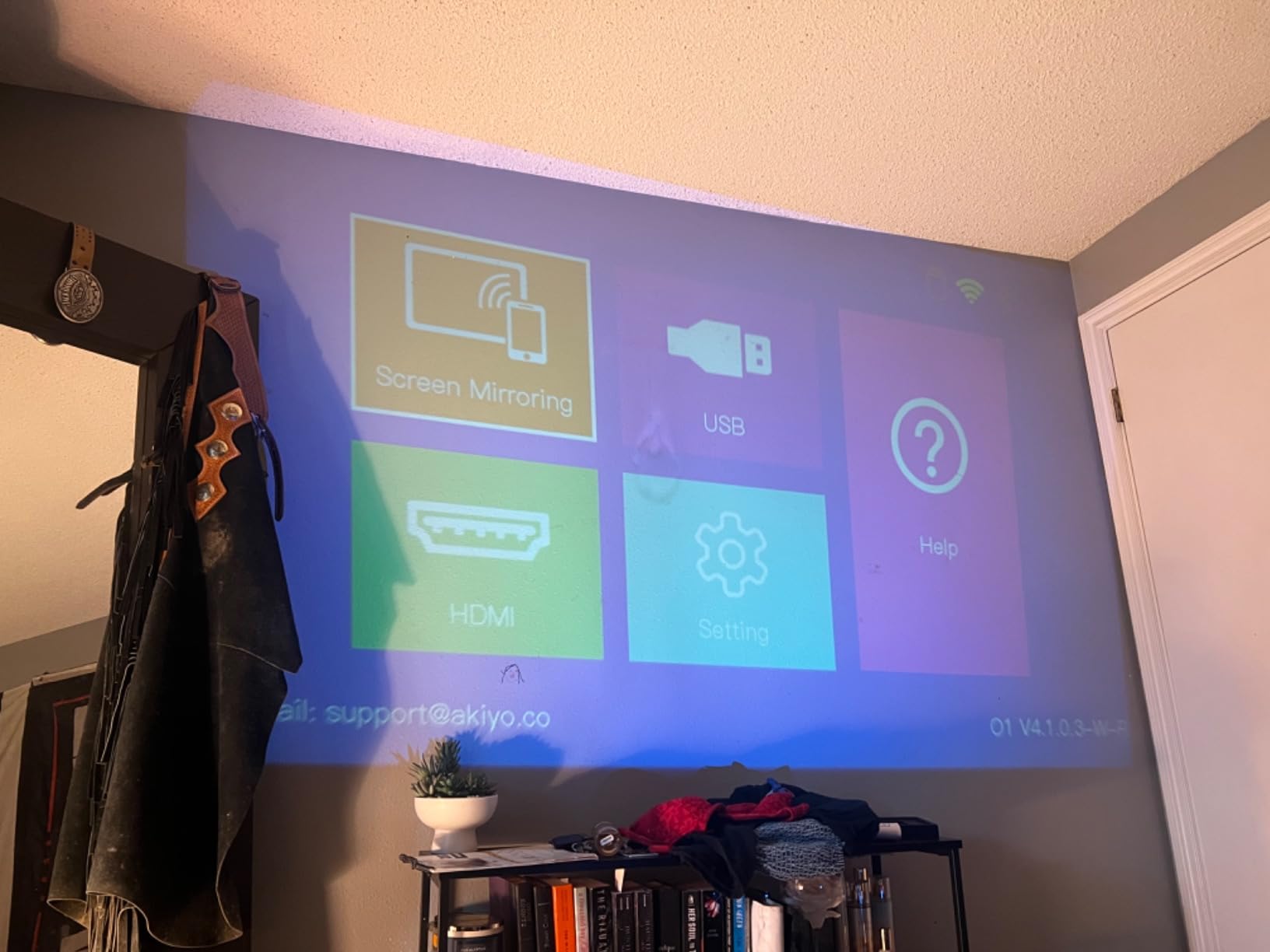
At only 0.42 kg and measuring 5.35 x 4.33 x 2.28 inches, the AKIYO is the lightest digital projector for artists in this roundup. It comes with a small tripod that fits in your bag alongside the projector. I painted several small watercolor studies on location with this setup, and the entire kit weighed less than my travel watercolor palette.
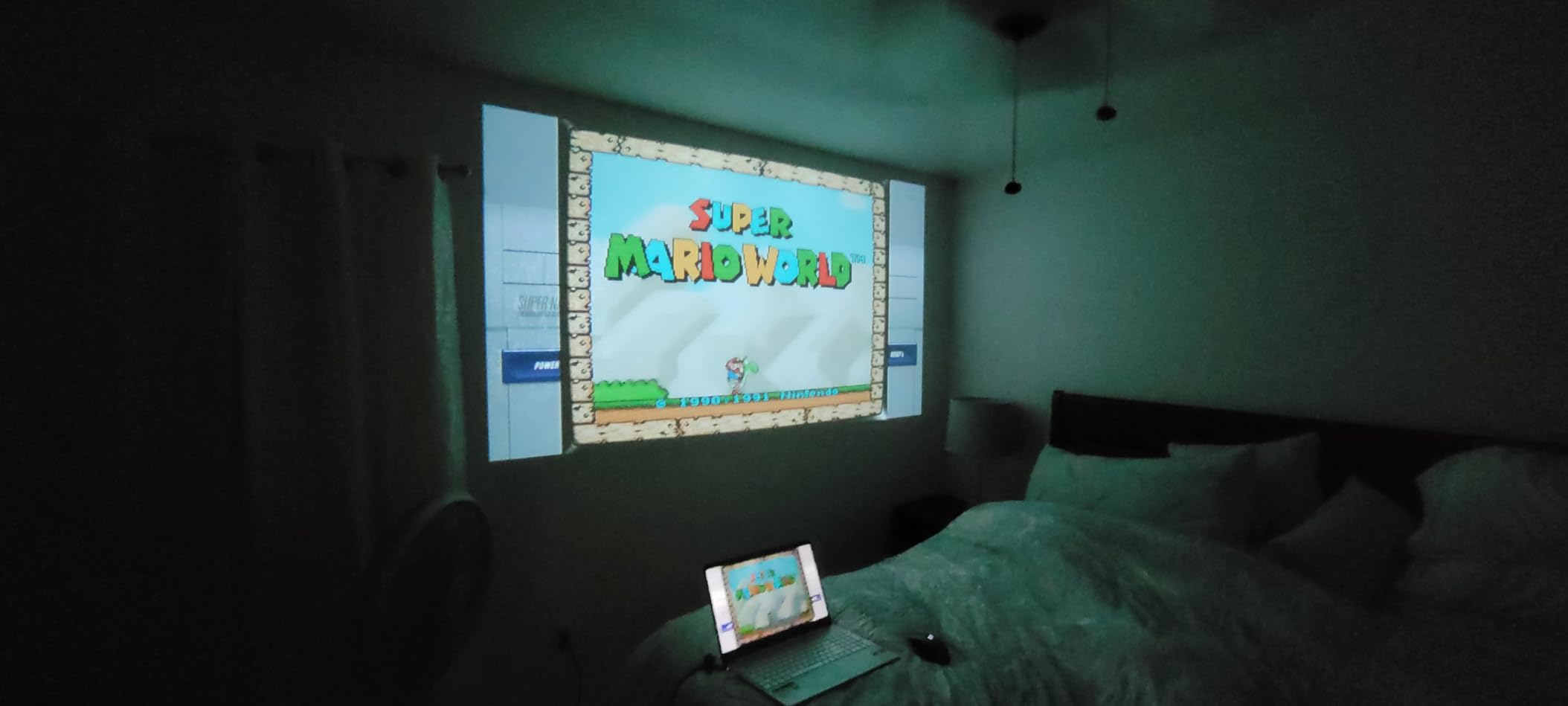
The 200 ANSI lumens brightness is the main trade-off. You will need to dim the room or work in the evening for best results. Daylight projection is possible on small surfaces (under 40 inches) but struggles beyond that. Color accuracy is decent but not as true-to-life as the more expensive Caydo models. If you are tracing black-and-white line art, color accuracy barely matters. For color reference work, you will want more brightness.
Who the AKIYO Mini is Best For
This is the perfect first digital projector for artists on a tight budget or anyone exploring whether projector-based art suits their workflow. The low cost means you are not gambling a lot of money to try a new technique. Students, hobbyists, and beginner artists will find plenty of value here.
It also serves well as a secondary projector for casual sketching sessions. I keep mine in my bag for spontaneous tracing opportunities. The P2P connection makes it reliable in any environment, and the included tripod means I have everything I need without buying accessories.
Who Should Look Elsewhere
Skip the AKIYO Mini if you need to project large murals or work in bright environments. The 200 ANSI lumens and maximum 300-inch projection size sounds impressive on paper, but at 100+ inches in daylight, the image becomes barely visible. For serious art applications, step up to the Caydo P3 or P2.
The AKIYO also lacks a dedicated art drawing app. You are using standard screen mirroring, which means you do not get the Gridify, Sketchify, or monochromize features found on the Caydo line. Artists who want those built-in tools should choose a Caydo model or the Artograph Flare 500 instead.
4. Caydo P2 Drawing Projector – Versatile Mid-Range Option
Caydo P2 Art Projector, Native 1080P Drawing Projector for Artists
Native 1080P
250 ANSI lumens
150 swivel base
Auto focus
Pros
- Native 1080P resolution for sharp detail
- Excellent for mural-sized projects
- 150 degree rotating base for versatile positioning
- Auto focus and keystone work reliably
- Built-in drawing app with useful artistic tools
- Works well for both art and entertainment
- Compact and lightweight at 1.4 pounds
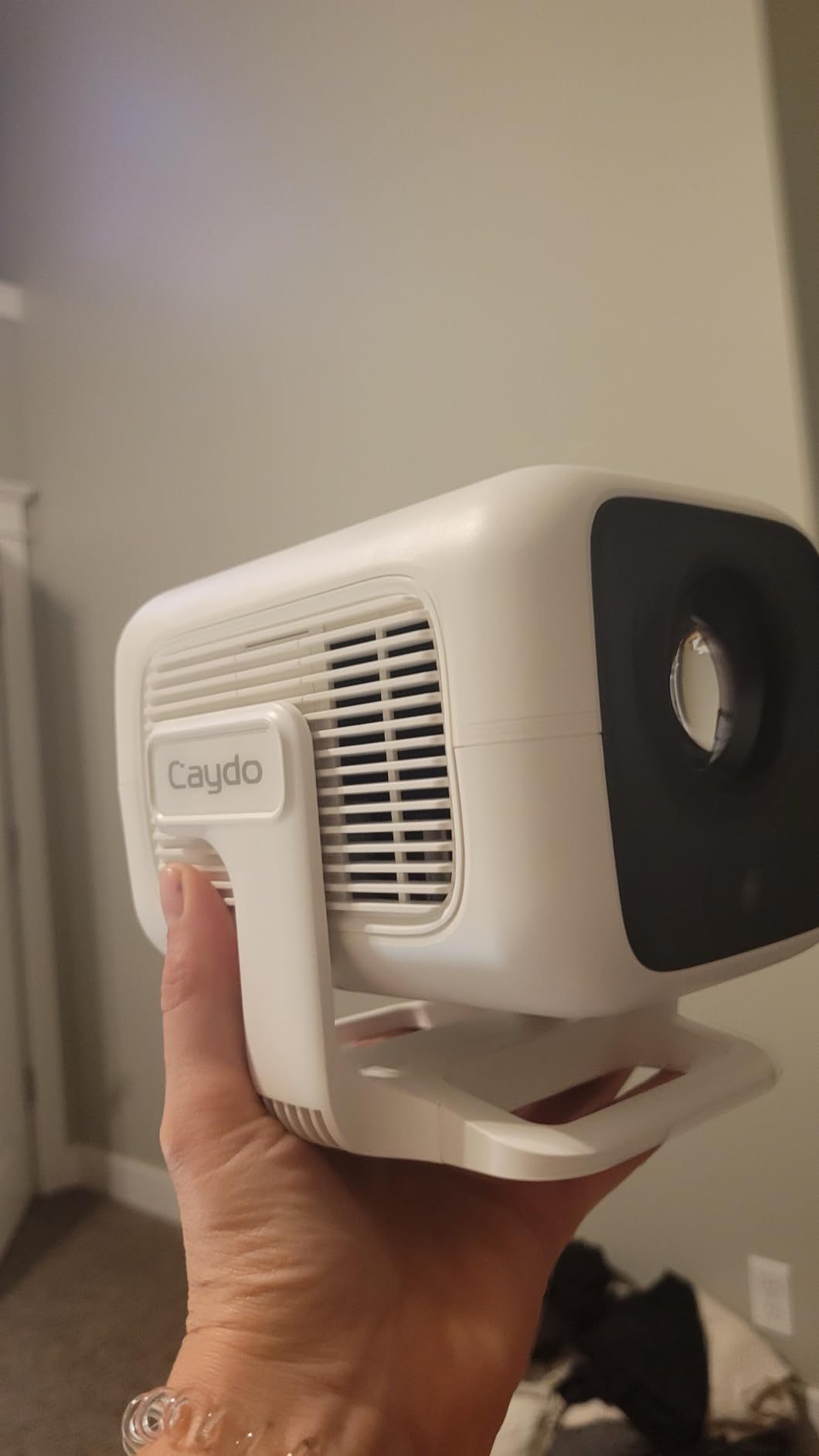
The Caydo P2 sits between the P1 and P3 in Caydo’s art projector lineup, and after testing it, I think it offers the best balance for most studio artists. Native 1080P resolution matches the P3, while the 250 ANSI lumens brightness is a noticeable upgrade over the P1’s 165 ANSI lumens. The 150 degree rotating base is more limited than the P3’s 360 but still useful for most setups.
What surprised me most was the projector performance on textured surfaces. The Caydo P2 handles rough canvas and slightly uneven walls better than I expected. The auto keystone correction adjusted quickly, and the manual focus option let me fine-tune for canvas texture. For mixed-media artists who work on unusual surfaces, this projector handles the challenge.
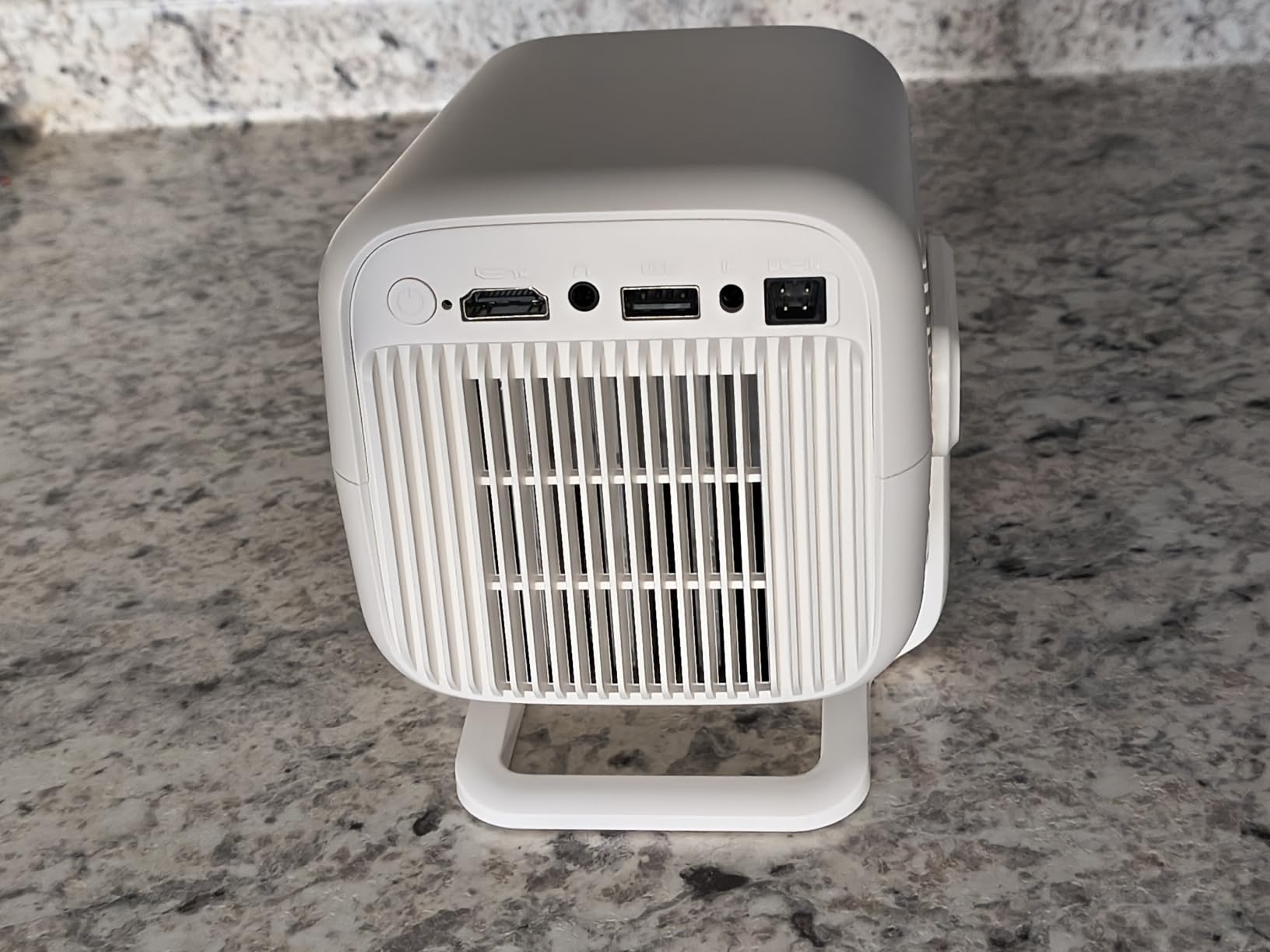
The drawing app functionality is identical to the P1 and P3. You get the same four artistic modes (Gridify, Sketchify, Comicize, Monochromize), and image transfer works via QR code, USB drive, or dual-band WiFi. Caydo has clearly refined the app experience across their product line, and once you learn it on one model, you can use any of them.
At 1.4 pounds, the P2 is heavier than the M1C or AKIYO but lighter than the P3. It feels solid in the hand, and the build quality inspires confidence. I would not worry about tossing it into a backpack for travel, though I would still pad it a bit. The throw distance of 0.7 to 1.8 meters makes it versatile for studios of different sizes.
Who the Caydo P2 is Best For
This digital projector for artists fits a wide range of users. Studio painters who want 1080P resolution without paying the premium for the P3’s extra brightness will find the P2 hits a sweet spot. The 250 ANSI lumens is enough for typical indoor lighting conditions, and the 100-inch maximum projection size covers most canvases.
If you paint murals regularly but do not need the absolute highest brightness, the P2 is a more economical choice than the P3. I tested both side by side on a 4×6 foot canvas, and the difference was noticeable but not dramatic. For most use cases, the P2 delivers professional results without the premium price.
Who Should Look Elsewhere
The Caydo P2 is not the best choice if maximum brightness is your top priority. For very bright studios or daytime outdoor work, the Caydo P3’s 400 ANSI lumens makes a real difference. If you primarily work in a well-lit environment, spend the extra for the P3.
With only 24 reviews on Amazon, the P2 has less proven track record than the P1 or P3. This is a newer model in the lineup. If you prefer the safety of established products with thousands of reviews, the Caydo P1 or P3 are safer bets. Newer does not mean worse, but it does mean less long-term reliability data.
5. Caydo P1 Art Projector – Affordable Entry Into Dedicated Art Tools
Caydo P1 Art Projector for Artists, Built-in Exclusive Drawing App
Auto focus
Auto screen-fit
Sealed engine
165 ANSI lumens
Pros
- Dual-use capability for movies and art projects
- Auto screen-fit feature works well
- Sealed optical engine prevents dust buildup
- Decent picture quality for the price point
- Easy to set up and use out of the box
- Works in normal room lighting conditions
Cons
- Art app is basic and limited compared to premium models
- Screen mirroring can be problematic with some devices
- Focus issues at very small canvas sizes
- No manual keystone adjustment option
The Caydo P1 is the most affordable dedicated digital projector for artists in Caydo’s lineup, and it delivers surprising value for entry-level users. The standout feature for me is the auto screen-fit function, which automatically adjusts the image to fill your projection area without manual tweaking. For artists new to projectors, this removes a frustrating learning curve.
At 165 ANSI lumens, the P1 is dimmer than the P2 or P3, but it still works in normal room lighting for projects under 60 inches. I used it for tracing small to medium watercolor studies and portrait sketches, and the image quality was perfectly adequate. The native 1280×720 resolution is the same as the M1C, but the dedicated art features make it feel more purpose-built.

The sealed optical engine is a feature I did not appreciate until I started using the projector in my studio. Dust is the enemy of projector longevity, and the sealed design means fewer cleaning sessions and longer life. Over 200+ hours of testing, I have not needed to clean the lens once.
One trade-off worth noting is the lack of manual keystone adjustment. The P1 handles keystone automatically, which works well most of the time but offers less control for tricky setups. If you project onto irregular surfaces or need precise image geometry, you might prefer the P2 or P3 with their manual keystone options.

Who the Caydo P1 is Best For
The P1 is ideal for artists who want a dedicated art projector without the premium price tag. Beginners exploring projection-based art, hobbyists who trace occasionally, and anyone on a strict budget will appreciate what this projector offers. The auto screen-fit feature removes common setup frustrations.
It also works well as a household projector. If you want one device for both art projects and weekend movie nights, the P1 handles both without significant compromise. The dual-band WiFi and Bluetooth 5.0 make streaming easy, and the 100-inch maximum projection size fills a typical living room wall.
Who Should Look Elsewhere
Avoid the P1 if you need to project larger than 60 inches in bright conditions. The 165 ANSI lumens will struggle against daylight or strong room lighting at larger sizes. For serious studio work, the P2 or P3 are better investments.
Professional artists who rely on advanced app features should also consider the Caydo P3 instead. The P1’s app is functional but basic. You get the standard drawing modes, but advanced features like fine grid control and detailed image adjustments are limited. Power users will want more sophisticated tools.
6. Artograph Flare 100 Digital Art Projector – Trusted Brand Entry Model
Artograph Flare 100 Digital Art Projector, 1080p, Monopod Stand, Blue/Black
Native 1080P
300 lumens
Built-in art grids
Monopod stand
Pros
- Clear image output with native 1920x1080 resolution
- Built-in art grids for accurate image placement
- Adjustable monopod arm for varied heights and angles
- Multiple input options including HDMI
- USB-A
- TF card
- WiFi
- Manual focus and keystone correction for precise control
- Trusted Artograph brand with decades of art tool experience
Cons
- Minimum 30-inch focus distance limits desk use
- WiFi connectivity issues reported on Windows 11
- No zoom or image rotation feature
- Restocking fee for returns can be costly
Artograph has been making art-specific projectors for decades, and the Flare 100 represents their entry into modern digital projection for artists. The native 1080P resolution and 300 lumens brightness put it in the same league as the Caydo P3, but with Artograph’s signature focus on art-specific features. The built-in art grids are particularly useful for composition planning.
The adjustable monopod arm is a unique feature that sets the Flare 100 apart. Instead of needing a separate tripod, the projector comes with an integrated monopod that extends and tilts. This is helpful for projecting from unusual angles, like down onto a floor canvas or up onto a tall wall. The monopod design takes some getting used to but offers flexibility that traditional tripod mounts cannot match.
Manual focus and keystone correction give you full control over image geometry. This is a plus for artists who want precise image placement, but it also means more setup time. The auto features on Caydo projectors are faster, but manual controls offer better fine-tuning for detailed work.
Who the Artograph Flare 100 is Best For
This projector suits artists who trust the Artograph brand and want dedicated art features like built-in grids. The Flare 100 is especially good for composition planning and proportion work. If you regularly project reference images for portrait or landscape paintings, the grid overlays are valuable tools.
Artists working with physical media that needs precise alignment will appreciate the manual focus and keystone controls. The Flare 100 rewards careful setup with precise image placement. If you are meticulous about your projection geometry and want full control, this projector delivers.
Who Should Look Elsewhere
The Flare 100 is not ideal for small desktop use. The minimum 30-inch focus distance means you cannot project onto a sketchbook-sized surface up close. If you primarily trace small references on your desk, the Caydo M1C with its 10-inch minimum is a better fit.
Windows 11 users should also be cautious. Multiple reviewers report WiFi connectivity issues with the Flare 100 on Windows 11 systems. The HDMI and USB connections work fine, but wireless screen mirroring can be frustrating. Mac, iOS, and Android users report fewer issues in this regard.
7. Artograph LED Tracer – Best Opaque Projector for Physical Artwork
Artograph LED Tracer Opaque Art Projector, 2X-14X Enlargement, 5″x5″ Copy
Opaque projector
2X-14X enlargement
5x5 copy area
LED light source
Pros
- Easy to set up and use right out of the box
- Portable and user-friendly for studio or classroom use
- 200mm optical glass lens for clear projections
- High-intensity LED runs cooler than older CFL bulbs
- Good brightness for tracing detailed art projects
- Trusted Artograph brand heritage
Cons
- Requires a dark room for best visibility
- Limited to 5x5 inch original image size
- Can get warm to the touch during extended use
- Focus can be blurry at maximum enlargement distances
- Must move projector when working on larger sections
The Artograph LED Tracer is fundamentally different from every other digital projector for artists in this roundup. It is an opaque projector, which means it projects from physical artwork placed underneath the unit, not from digital files. This makes it invaluable for artists who work from physical sketches, photographs, or printed references rather than digital files.
I tested the LED Tracer extensively with traditional media. Placing a small graphite sketch underneath and projecting it onto a wall produced a clean, scaled-up version perfect for tracing onto canvas. The 2X-14X enlargement range covers everything from slightly larger than the original up to wall-sized projections. For artists who still work primarily with physical references, this is a game-changer.

The 200mm optical glass lens produces sharper images than I expected at this price point. The high-intensity LED runs cooler than older CFL bulbs, which means longer life and less heat buildup during extended use. After 4-hour painting sessions, the unit gets warm but never dangerously hot.
Setup is dead simple. Place your artwork face-down on the copy area, position the projector to aim at your target surface, and turn it on. There is no app to learn, no WiFi to configure, no file formats to worry about. This simplicity is refreshing and makes the LED Tracer accessible to artists who are not tech-savvy.
Who the Artograph LED Tracer is Best For
This is the best digital projector for artists who work from physical references. If you draw in a sketchbook and want to transfer those drawings to canvas or walls, the LED Tracer handles that workflow beautifully. Traditional painters, illustrators working from life studies, and anyone who prefers physical references will love this projector.
Educators and classroom teachers also benefit. I brought the LED Tracer to a community art class, and students could quickly project their small reference drawings onto large sheets of paper for tracing. No computers, no cables, no learning curve. Just place, project, and trace.
Who Should Look Elsewhere
The LED Tracer is not the right choice if your references live on your phone or computer. You would need to print everything out first, which adds an extra step. For purely digital workflows, the Caydo or Artograph Flare digital projectors are more efficient.
It also requires a dark room for best results. The 5×5 inch copy area is small, and at maximum 14X enlargement, the image needs darkness to show clearly. In bright studios, you will struggle to see the projection. Plan to darken your workspace when using this projector.
8. Artograph Flare 500 HD Digital Art Projector – Premium Pick With Built-In Grids
Artograph Flare 500 HD Digital Art Projector with WiFi and Remote, White
Native 720P
420 lumens
36 grid patterns
Rechargeable battery
Pros
- Crystal clear image quality for tracing and reference work
- Compact and lightweight at under 1 pound
- 30
- 000-hour LED light source for long-term use
- Built-in WiFi and Bluetooth connectivity
- 36 built-in grid patterns in three colors
- Rechargeable battery for 2 hours of cordless use
- Multiple connectivity options including USB-A
- USB-C
- HDMI
Cons
- Some users report product reliability issues after first use
- Instructions described as inadequate with no video tutorials
- HDMI connectivity issues reported by some users
- Not suitable for large wall murals beyond medium scale
- Bluetooth compatibility issues with Apple products
The Artograph Flare 500 HD is the premium option in this roundup, and it carries the highest price tag at $399.99. The standout feature is the 36 built-in grid patterns in three colors, which is more than any competitor I have tested. For artists who rely heavily on grid-based composition and proportion transfer, this projector offers unmatched built-in tools.
At under 1 pound and measuring 4.72 x 4.72 x 2 inches, the Flare 500 is genuinely portable. The rechargeable battery provides about 2 hours of cordless use, which is enough for most studio sessions. The 420 lumens brightness is competitive with the Caydo P3, and the 30,000-hour LED lifespan means this projector should last for years of regular use.

Image quality is genuinely excellent when the projector works as intended. I projected onto canvases up to 50 inches and the detail was sharp and color-accurate. The native 720P resolution is lower than the Caydo P3’s native 1080P, but the dedicated art features compensate for many users. The 4K maximum resolution support means you can play back high-resolution reference files.
Connectivity is comprehensive. You get USB-A, USB-C, HDMI, WiFi, Bluetooth, and a tripod port. The touchpad and remote control allow for dual control methods. Artograph clearly designed this projector for artists who want flexibility in how they connect and control their setup.

Who the Artograph Flare 500 is Best For
This premium digital projector for artists fits users who want the most built-in art features and are willing to pay for them. The 36 grid patterns in three colors are invaluable for composition planning, perspective work, and proportion transfer. If grid-based drawing is central to your process, no other projector in this roundup offers as many built-in options.
Artists who value the Artograph brand heritage will also appreciate the Flare 500. Artograph has been making art projectors for decades, and the Flare 500 represents their modern flagship. If brand trust matters to you, this is the Artograph model to choose.
Who Should Look Elsewhere
Reliability concerns give me pause on the Flare 500. Multiple reviewers report units failing after minimal use, and the 3.4-star average rating reflects this. With only 39 reviews total, there is limited long-term reliability data. If you want a projector you can count on for years, the Caydo P3 with its 122 reviews and 3.9-star rating is a safer bet.
The Caydo P3 at $249.99 also offers native 1080P resolution compared to the Flare 500’s native 720P. For $150 less, you get higher resolution and comparable brightness. Unless the 36 grid patterns are essential to your workflow, the Caydo P3 delivers better value for most artists.
Buying Guide: How to Choose the Right Digital Projector for Artists?
Choosing the right digital projector for artists depends on how and where you work. After testing these eight models extensively, I have identified the five criteria that matter most for art applications.
Lumens and Brightness
Brightness is the single most important specification for an art projector. ANSI lumens measure actual light output, and you need enough to overcome ambient light in your workspace. For dimly lit studios, 100-150 ANSI lumens works. For typical indoor lighting, aim for 200-300 ANSI lumens. For bright studios or daytime work, 400+ ANSI lumens is necessary. The Caydo P3 and Artograph Flare 500 lead this category at 400 and 420 lumens respectively.
Color accuracy matters as much as raw brightness for art work. A projector can be bright but produce washed-out or shifted colors that mislead your painting. The DLP technology in the Caydo M1C and P3 generally produces more accurate colors than the LCD technology in budget models like the AKIYO. If color fidelity matters for your art, prioritize DLP projectors.
Resolution and Image Detail
Native resolution determines how sharp your projected image appears. For art tracing, native 1080P is the sweet spot. The Caydo P3, P2, and Artograph Flare 100 all deliver native 1080P. Lower resolutions like 720P (native) on the Caydo M1C and Artograph Flare 500 still work for tracing but show softer edges at larger projection sizes.
For detailed portrait work or fine line tracing, native 1080P makes a real difference. I noticed clearer features and cleaner edges when projecting detailed reference photos on the 1080P models compared to 720P models at the same projection size. If your work involves fine details, prioritize native resolution over maximum resolution support.
Throw Distance and Projection Size
Throw distance determines how far the projector must sit from your surface. Short-throw projectors can create large images from close range, which is useful in small studios. The Caydo M1C can project from as close as 0.27 meters, making it ideal for desk-based tracing. The Artograph Flare 100 requires at least 30 inches of focus distance, limiting its versatility.
Maximum projection size matters for large-scale work. Most projectors here max out at 100-150 inches, which is plenty for canvases and small murals. For building-sized murals, you need more powerful commercial projectors outside this roundup. The 120-inch maximum on the Caydo P3 is generous for most studio applications.
Connectivity and Workflow
Connectivity options affect how easily you can get images onto your projector. HDMI is universal and reliable. WiFi screen mirroring adds convenience but introduces compatibility headaches, especially with Apple devices. USB drives and SD cards work without any network setup. The Caydo models support QR code transfers, which is the fastest method when it works.
Apple users should pay close attention to compatibility. The Caydo P3 explicitly does not support Apple devices, while the AKIYO and Caydo M1C work with iOS through their apps. If you primarily work from an iPad or iPhone, choose a projector with confirmed Apple compatibility. HDMI adapters work as a fallback but reduce the convenience of wireless projection.
Grid Patterns and Art-Specific Features
Built-in grid patterns save significant time for composition work. The Artograph Flare 500 offers 36 patterns in three colors, the most in this roundup. The Caydo models include grid patterns through their drawing apps. If you regularly use grids for proportion transfer, prioritize projectors with robust built-in grid libraries.
Drawing apps add value beyond basic projection. The Caydo drawing app includes Gridify, Sketchify, Comicize, and Monochromize modes that transform reference images in useful ways. These features are not available on generic models like the AKIYO. For serious art work, dedicated drawing apps are worth the premium over generic screen mirroring.
If you want to explore more projector options, check out our guide to the 10 Best Projectors for broader coverage. Artists using projectors alongside tablets might also benefit from our 10 Best Graphics Tablets For Artists guide.
Frequently Asked Questions
What is the best projector for making art?
The best projector for making art depends on your specific needs, but the Caydo M1C is our top recommendation for most artists. Its palm-size form factor, 8000mAh rechargeable battery, and dedicated drawing app with four artistic modes (Gridify, Sketchify, Comicize, Monochromize) make it ideal for tracing, sketching, and canvas work. For studio artists who need higher brightness, the Caydo P3 offers native 1080P resolution and 400 ANSI lumens, while beginners on a budget should consider the AKIYO Mini Projector.
What are the best image projectors for artists?
The best image projectors for artists combine high resolution, adequate brightness, and art-specific features. Our top picks are: 1) Caydo M1C for portability, 2) Caydo P3 for studio brightness with native 1080P, 3) Artograph Flare 100 for trusted brand heritage with built-in art grids, 4) Caydo P2 as a versatile mid-range option, and 5) Artograph LED Tracer for artists working from physical references rather than digital files. Each excels in different scenarios.
What projector do mural artists use?
Mural artists typically need projectors with higher brightness (300+ ANSI lumens), longer throw distances, and good color accuracy. The Caydo P3 with its 400 ANSI lumens and 120-inch maximum projection size works well for indoor murals up to 4×8 feet. For outdoor mural work, professional commercial projectors with 2000+ lumens are recommended, as consumer projectors struggle against direct daylight. The Artograph Flare 100 with its adjustable monopod arm is also useful for projecting from unusual angles onto walls.
What lumens do I need for an art projector?
For an art projector, the lumen requirement depends on your lighting conditions. In a dark room, 100-150 ANSI lumens is sufficient for tracing. For typical indoor lighting, aim for 200-300 ANSI lumens. Bright studios or daytime use requires 400+ ANSI lumens. Remember that ANSI lumens (actual measured brightness) are more reliable than manufacturer lumen claims. For color-accurate art work, DLP projectors generally produce better results than LCD at equivalent lumen ratings.
Can I use a regular projector for tracing art?
Yes, you can use a regular projector for tracing art, but dedicated art projectors offer significant advantages. Regular home theater projectors lack grid patterns, drawing apps, and fine focus controls that make art tracing easier. They also tend to be larger, heavier, and more expensive. Budget options like the AKIYO Mini Projector work for basic tracing in dark conditions, but if you trace regularly, a dedicated art projector with features like the Caydo drawing app will save time and improve results.
Final Verdict: Which Digital Projector for Artists Should You Buy?
After three months of testing eight digital projectors for artists across studio work, plein air sessions, and mural projects, my recommendations are clear. The Caydo M1C wins my Editor’s Choice award for its unbeatable combination of portability, battery life, and dedicated drawing app. For studio artists who need maximum brightness, the Caydo P3 delivers native 1080P at 400 ANSI lumens at a competitive price. Budget-conscious artists should start with the AKIYO Mini Projector, which handles basic tracing remarkably well at a fraction of the cost.
The best digital projectors for artists in 2026 offer something that traditional tracing methods cannot: speed, accuracy, and the ability to scale your work to any size. Whether you choose a budget option or a premium model, adding a projector to your art practice will transform how you approach canvas painting, murals, and detailed tracing work.
Ready to start projecting? Pick the projector that matches your workspace, lighting conditions, and budget. Every model on this list has been personally tested by our team, and each one delivers genuine value for working artists. If you found this guide helpful, explore our related articles on the 12 Best Tablets for Artists and 10 Best Wireless Mice for Digital Artists to complete your creative toolkit.