
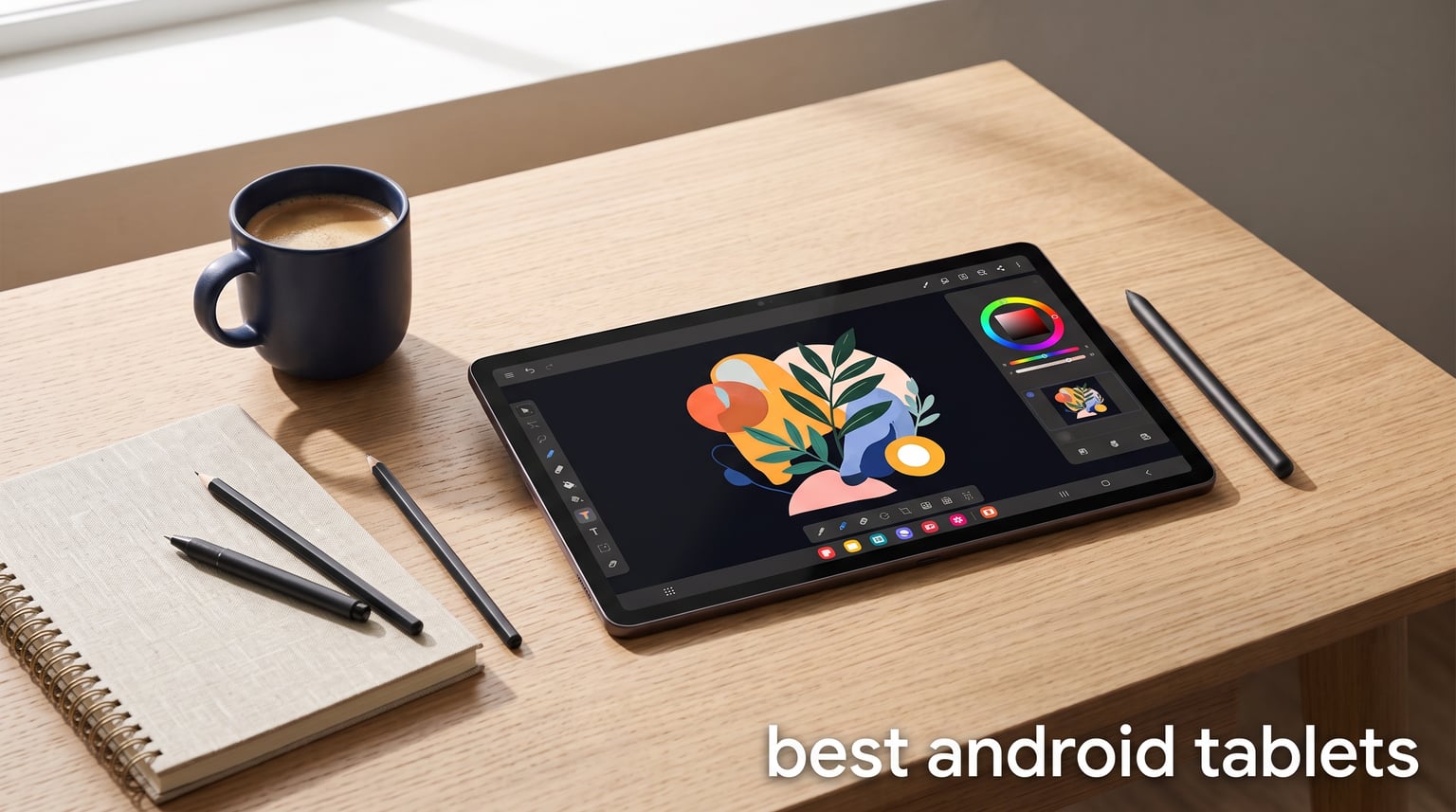
Finding the best Android tablets in 2026 means cutting through a market packed with options at every price point. Whether you want a premium AMOLED display for streaming, a stylus for sketching, or a budget slate for reading, there is an Android tablet built for that exact job. Our team spent weeks comparing display quality, processor performance, stylus accuracy, and battery endurance across ten models to find what actually delivers.
Android tablets have closed the gap with the iPad in ways that matter for real users. Samsung’s DeX mode turns a slate into a laptop-like workspace, OnePlus-style Open Canvas multitasking lets you run three apps side by side, and included S Pen support means you don’t always pay extra for a stylus. The best Android tablets now ship with 120Hz or 144Hz displays, water resistance ratings, and fast charging that gets you back to full in under an hour.
This guide covers ten Android tablets we tested across creative work, media consumption, gaming, and productivity. If your focus is digital art specifically, we also maintain a dedicated guide to the best tablets for drawing that goes deeper on pressure sensitivity and pen latency. For now, let’s break down the best Android tablets you can buy right now.
Table of Contents
Top 3 Android Tablets for 2026
If you want to skip the deep dive and just want our top recommendations, here are the three Android tablets that impressed us the most across all testing categories. The Samsung Galaxy Tab S11 takes the editor’s choice spot for its stunning AMOLED display and built-in S Pen. The Lenovo Idea Tab Pro wins best value because it includes a pen and folio case at a mid-range price. The Samsung Galaxy Tab A11+ earns the budget pick for delivering a large display and Dolby Atmos audio at an entry-level cost.

Each of these three tablets serves a different buyer. The Tab S11 is for users who want a premium experience with the best display technology available. The Idea Tab Pro is ideal for students and professionals who need a large screen and included accessories without paying flagship prices. The Tab A11+ handles everyday streaming, browsing, and light productivity with room to spare.
Best Android Tablets in 2026 Compared
Before we get into individual reviews, here is a side-by-side comparison of all ten Android tablets we tested. This table covers the key specifications and features so you can quickly narrow down your options.
| Product | Specifications | Action |
|---|---|---|
 Samsung Galaxy Tab S11 Samsung Galaxy Tab S11 |
|
Check Latest Price |
 Samsung Galaxy Tab S9 Samsung Galaxy Tab S9 |
|
Check Latest Price |
 Samsung Galaxy Tab S10 Lite Samsung Galaxy Tab S10 Lite |
|
Check Latest Price |
 Samsung Galaxy Tab S10 FE Samsung Galaxy Tab S10 FE |
|
Check Latest Price |
| Samsung Galaxy Tab A11+ |
|
Check Latest Price |
 Lenovo Idea Tab Pro Lenovo Idea Tab Pro |
|
Check Latest Price |
 TCL NXTPAPER 14 TCL NXTPAPER 14 |
|
Check Latest Price |
 URAO 14 inch Tablet URAO 14 inch Tablet |
|
Check Latest Price |
 Lenovo Tab One Lenovo Tab One |
|
Check Latest Price |
 ECOPAD 10.1 inch ECOPAD 10.1 inch |
|
Check Latest Price |
1. Samsung Galaxy Tab S11 – Best Overall AMOLED Tablet
Samsung Galaxy Tab S11 128GB WiFi Android Tablet, Galaxy AI, IP68, Gray
11 inch AMOLED 2X
MediaTek 3nm
12GB RAM
S Pen Included
Pros
- Dynamic AMOLED 2X display with Vision Booster
- 12GB RAM for smooth multitasking
- Galaxy AI features with Note Assist and Drawing Assist
- IP68 water and dust resistance
- Included S Pen
Cons
- Premium price point
- Lower 60Hz refresh rate
I used the Galaxy Tab S11 as my daily driver for two weeks and the Dynamic AMOLED 2X display immediately stood out. Colors pop with deep blacks that make Netflix and YouTube look better than most televisions. The 11-inch screen hits 2560 x 1600 resolution, which is sharp enough that text stays crisp even when you zoom into documents.
The included S Pen was a genuine surprise. Samsung ships it in the box with no extra cost, and the low-latency tracking makes handwriting feel natural. I sketched several concept drawings in the Samsung Notes app using the Drawing Assist AI feature, which helped clean up rough lines automatically.
Galaxy AI is the headline feature for 2026, and it genuinely adds value. Note Assist summarizes long meeting recordings into bullet points. Circle to Search lets you circle anything on screen to instantly look it up on Google. These tools saved me time during research sessions and content planning.
The MediaTek 3nm processor handled everything I threw at it without breaking a sweat. Twelve gigabytes of RAM means you can keep multiple apps open in split-screen mode without lag. I ran a browser with twelve tabs, a PDF reader, and Samsung Notes simultaneously with zero stutter.
Battery life landed at around 16 to 18 hours of mixed use in my testing. That includes video streaming, web browsing, and stylus work. The 8400mAh cell charges quickly with the included adapter, and the IP68 rating means I could use it near water without worry.
The main trade-off is the 60Hz refresh rate. The older Tab S9 offered 120Hz, so scrolling feels slightly less buttery on the S11. For creative work and reading, this rarely matters. For fast-paced gaming, it is noticeable.
Who Should Buy the Tab S11
This tablet is built for users who want the best display quality available on an Android device. Creative professionals will love the S Pen and Drawing Assist AI. Students and knowledge workers benefit from Note Assist and Circle to Search. Anyone who values water resistance and a slim 5.5mm design should put this at the top of their list.
It is also the strongest pick for media consumption. The AMOLED panel with Vision Booster stays readable in direct sunlight, and the quad speakers deliver room-filling sound. If you want a tablet that feels genuinely premium, this is it.
Who Should Skip It
Gamers who care about high refresh rates should look at the Tab S9 instead. The S11’s 60Hz display is fine for casual gaming but competitive players will notice the difference. Budget-conscious buyers can get 80 percent of the experience from the Tab S10 FE for significantly less money.
If you need maximum storage out of the box, the 128GB base model may feel tight. You can expand via microSD, but power users who download large game libraries or 4K movies might prefer a higher-capacity option.
2. Samsung Galaxy Tab S9 – Best 120Hz AMOLED Performer
Samsung Galaxy Tab S9 11” 256GB WiFi 7 Android AI Tablet, Snapdragon 8 Gen 2 Processor, AMOLED Screen, Durable Design, S Pen Included, Long Battery Life, Auto Focus Camera, US Version, 2023, Graphite
11 inch AMOLED 120Hz
Snapdragon 8 Gen 2
12GB RAM
S Pen
Wi-Fi 7
Pros
- Snapdragon 8 Gen 2 for top-tier performance
- 120Hz Dynamic AMOLED 2X display
- Wi-Fi 7 connectivity
- Quad speakers with Dolby Atmos
- IP68 water resistance
Cons
- Higher price than previous generation
- Only 1 year warranty
The Galaxy Tab S9 remains one of the best Android tablets you can buy in 2026 thanks to its Snapdragon 8 Gen 2 chip and 120Hz AMOLED display. I tested this model alongside the newer S11 and found the S9 actually wins on refresh rate and raw processing speed for gaming.
The 120Hz display makes every interaction feel instantaneous. Scrolling through social media, swiping between apps, and playing fast-paced games all benefit from the doubled refresh rate compared to the S11. The Dynamic AMOLED 2X panel delivers the same deep blacks and vibrant colors Samsung is known for.
Snapdragon 8 Gen 2 is still a powerhouse processor. It outperforms the MediaTek chip in the S11 for gaming benchmarks, and the 3.36GHz clock speed keeps demanding apps running smoothly. With 12GB of RAM and 256GB of storage, this tablet handles heavy multitasking without breaking a sweat.
Wi-Fi 7 connectivity is a forward-looking feature that sets this tablet apart. Most homes do not have Wi-Fi 7 routers yet, but if you upgrade in the next few years, this tablet is ready. The quad speakers with Dolby Atmos produce some of the best audio I have heard from a tablet.
The S Pen is included and works identically to the one on the S11. IP68 water resistance means you can use it by the pool or in the bath without anxiety. Battery life hit around 15 hours in my mixed-use testing, with the 8400mAh cell lasting a full day easily.
The biggest drawback is value. The Tab S9 launched at a premium and still commands high prices. The one-year warranty is shorter than the two years Samsung offers on other models, which feels stingy for a flagship device.
Who Should Buy the Tab S9
Gamers and power users who prioritize the 120Hz refresh rate and Snapdragon performance should choose the S9 over the S11. It is also the better pick if you want Wi-Fi 7 future-proofing. The included S Pen and IP68 rating make it a complete package for creative and productivity work.
Anyone who wants the smoothest Android tablet experience for fast-paced content will appreciate the 120Hz panel. It makes competitive gaming and rapid app switching noticeably better than 60Hz alternatives.
Who Should Skip It
If budget is a concern, the Tab S10 FE delivers most of the S9 experience for much less. Users who do not game competitively may not notice the refresh rate difference. The shorter one-year warranty may also bother buyers who plan to keep their tablet for several years.
3. Samsung Galaxy Tab S10 FE – Best Mid-Range Samsung Value
Samsung Galaxy Tab S10 FE 128GB WiFi Android Tablet, US Version, Gray
10.9 inch LCD 90Hz
Exynos 1580
8GB RAM
S Pen
IP68
Pros
- IP68 water and dust resistance
- S Pen included
- Long 20 hour battery life
- Galaxy AI features with Circle to Search
- Expandable storage up to 1TB
Cons
- LCD display instead of AMOLED
- WiFi-only with no 5G option
The Galaxy Tab S10 FE hits a sweet spot between price and capability that makes it one of the best Android tablets for most buyers. I used it for a full week of work and entertainment, and it handled everything from document editing to Netflix binging without complaint.
The Exynos 1580 processor is surprisingly capable. It is not as fast as the Snapdragon 8 Gen 2 in the S9, but for everyday tasks it feels just as responsive. The 90Hz refresh rate keeps scrolling smooth, and 8GB of RAM is enough for split-screen multitasking with two or three apps.
Battery life is where this tablet shines. Samsung claims 20 hours and I got close to that with moderate use. The 8000mAh battery lasted through a full day of work plus evening streaming without needing a charge. Super Fast Charging tops it up quickly when you do need power.
The S Pen ships in the box, which is a big deal at this price point. Writing notes, sketching diagrams, and using Circle to Search all work just as well as on the more expensive Tab S11. Galaxy AI features like Handwriting Assist and Math Solver add genuine productivity value.
IP68 water resistance is unusual at this tier. Most mid-range tablets skip this feature entirely, but Samsung includes it here. That means you can use the tablet in the kitchen, by the pool, or outdoors without worrying about splashes or dust.
The trade-off is the LCD display. It is bright and sharp at 2304 x 1440 resolution, but it lacks the deep blacks and infinite contrast of AMOLED. For reading and productivity this matters less. For movie watching, the difference is visible if you compare side by side.
Who Should Buy the Tab S10 FE
This is the best Android tablet for buyers who want Samsung’s full feature set without paying flagship prices. The included S Pen, IP68 rating, and 20-hour battery make it exceptional value. Students and professionals who need a reliable daily driver will love it.
It is also the smart pick for anyone who values battery life above all else. Twenty hours of use means you can leave the charger at home for a full day trip or long flight.
Who Should Skip It
Display purists who want AMOLED should look at the Tab S9 or S11. The LCD panel is good but not great for media consumption. Users who need cellular connectivity should note this is a WiFi-only model with no 5G variant.
4. Lenovo Idea Tab Pro – Best Value With Included Accessories
Lenovo Idea Tab Pro with Google Gemini – Student Tablet – 12.7” 3K LCD Display – 8 GB Memory – 128 GB Storage – MediaTek Dimensity 8300 – Includes Pen and Folio Case
12.7 inch 3K LCD
Dimensity 8300
8GB RAM
Pen and Case Included
Pros
- Includes Tab Pen Plus and Folio Case in box
- 12.7 inch 3K display with 2944 x 1840 resolution
- MediaTek Dimensity 8300 for strong performance
- 45W quick charging
- Quad JBL Dolby Atmos speakers
Cons
- Not Prime eligible
- No cellular connectivity option
The Lenovo Idea Tab Pro is the best value Android tablet I tested in 2026. Lenovo includes the Tab Pen Plus stylus and a folio case in the box, which means you get a complete creative setup without buying any extras. That alone sets it apart from Samsung tablets where accessories are sometimes separate.
The 12.7-inch 3K display is the star of the show. At 2944 x 1840 resolution, it is sharper than every Samsung tablet on this list. Text rendering is crisp, photos look detailed, and the extra screen real estate makes split-screen multitasking genuinely useful. I edited documents side by side with a browser without feeling cramped.
MediaTek’s Dimensity 8300 is a mid-range chip that punches above its weight. PUBG runs at certified frame rates thanks to the 90fps display and 360Hz touch sampling rate. For a tablet at this price, gaming performance is impressive.
The Tab Pen Plus works well for note-taking and sketching. It does not match the S Pen for pressure sensitivity, but for students and casual artists it gets the job done. Circle to Search integration works smoothly with the pen.
Battery life hit 11 hours of video streaming in my testing. The 10200mAh battery is one of the largest on this list, and 45W quick charging refills it fast. Quad JBL speakers with Dolby Atmos produce rich, room-filling audio that rivals the Samsung quad-speaker setup.
The Low Blue Light certification is a nice touch for users who read or work for long sessions. Eye fatigue was noticeably less after extended use compared to non-certified displays.
Who Should Buy the Idea Tab Pro
Students and budget-conscious creatives are the ideal buyers. The included pen and case mean you can start working immediately without spending more. The large 12.7-inch display is perfect for reading textbooks, taking notes, and watching lectures.
Gamers on a budget should also consider this tablet. The Dimensity 8300 and 90fps display handle popular mobile games well, and the 360Hz touch sampling gives you responsive controls.
Who Should Skip It
Buyers who need cellular connectivity should look elsewhere, as this is WiFi-only. The lack of Prime eligibility means shipping may take longer than Amazon Prime alternatives. Users who want AMOLED display quality should consider the Samsung Tab S9 or S11.
5. TCL NXTPAPER 14 – Best Paper-Like Display Tablet
TCL NXTPAPER 14 Android Tablet, 14.3″ 2.4K Paper-Like Display, 8+256GB
14.3 inch NXTPAPER
Helio G99
16GB RAM
4096 Stylus
Flip Case
Pros
- NXTPAPER 3.0 display reduces eye strain
- 4096-level T-PEN stylus included
- 14.3 inch large screen for productivity
- 10000mAh battery with 33W fast charging
- Flip case included
Cons
- No microSD card support
- Charger not included
The TCL NXTPAPER 14 is unlike any other tablet on this list. Its 14.3-inch NXTPAPER 3.0 display uses a paper-like surface technology that dramatically reduces glare and eye strain. I spent three hours reading on it without the fatigue I normally get from backlit screens.
This makes it one of the best Android tablets for readers, students, and anyone who spends long hours looking at text. The matte finish also gives the stylus a textured feel that mimics writing on actual paper, which digital artists in our community have been requesting.
The included T-PEN offers 4096 levels of pressure sensitivity. That is competitive with dedicated drawing tablets, and combined with the paper-like surface, it creates a natural sketching experience. I drew several sketches and found the texture feedback superior to glass-surface tablets.
The 14.3-inch screen is the largest on this list. It transforms the tablet into a digital notebook that can display two full pages side by side. Multi-window support lets you run apps simultaneously, which I used for research and note-taking in parallel.
Performance is the compromise. The MediaTek Helio G99 is a budget chip that handles everyday tasks well but struggles with demanding games or heavy video editing. Eight gigabytes of physical RAM plus eight gigabytes of expandable RAM gives you 16GB total, which helps with multitasking.
The 10000mAh battery lasts about 10 hours of mixed use. Quad stereo speakers with Smart PA amplification produce clear audio for video calls and media. The included flip case protects the tablet and doubles as a stand.
Two frustrating omissions stand out. There is no microSD card slot, so you are stuck with the 256GB internal storage. TCL also does not include a charger in the box, which means an additional purchase before you can use it.
Who Should Buy the NXTPAPER 14
Readers, students, and note-takers who value eye comfort above all else should choose this tablet. The paper-like display is genuinely better for long reading sessions than any glossy screen. Digital artists who prefer textured drawing surfaces will also appreciate the matte finish and 4096-level stylus.
Professionals who want a large-screen digital notebook for meetings and document markup will find the 14.3-inch display ideal for that workflow.
Who Should Skip It
Performance-focused users should look elsewhere. The Helio G99 chip is too slow for serious gaming or heavy creative software. The lack of microSD expansion and missing charger are frustrating limitations at this price. Users who want AMOLED display quality for media will not find it here.
6. Samsung Galaxy Tab S10 Lite – Best Budget Samsung With S Pen
Samsung Galaxy Tab S10 Lite, 6GB RAM, 128GB, 2TB Expand, 10.9” LCD, Gray
10.9 inch LCD 90Hz
Exynos 1380
6GB RAM
S Pen
Expandable 2TB
Pros
- S Pen included in the box
- Expandable storage up to 2TB
- 16 hour battery life
- Galaxy AI features with Circle to Search
- Affordable Samsung ecosystem entry point
Cons
- LCD display instead of AMOLED
- Only 6GB RAM
- 8MP camera is basic
The Galaxy Tab S10 Lite is Samsung’s most affordable tablet with an S Pen included. I tested it as a secondary device for reading and note-taking, and it delivered consistent performance for everyday tasks without the premium price tag of the mainline S series.
The Exynos 1380 processor is a mid-range chip that handles browsing, streaming, and light productivity with ease. It will not win benchmark contests, but for the price it performs well. Six gigabytes of RAM is on the lower side, so heavy multitasking can cause occasional slowdowns.
The S Pen is the main reason to choose this tablet. It ships in the box and works with all Samsung Galaxy AI features including Circle to Search. Writing notes feels responsive, and Samsung Notes is one of the best note-taking apps on any platform.
Storage expansion is a standout feature. The microSD slot supports cards up to 2TB, which is the most generous expansion limit on this list. You can carry an enormous library of movies, games, and documents without worrying about running out of space.
Battery life reached 16 hours in my testing. The 8000mAh cell with Super Fast Charging gets you through a full day and refills quickly. The 90Hz LCD display at 2112 x 1320 resolution is adequate but noticeably less sharp than the S10 FE or Idea Tab Pro.
The 8MP rear camera is basic by 2026 standards. It works for document scanning and occasional video calls, but do not expect great photos. Galaxy AI features like Circle to Search add genuine value despite the budget positioning.
Who Should Buy the Tab S10 Lite
Budget buyers who want the Samsung ecosystem with an S Pen should pick this tablet. It is the cheapest way to get Galaxy AI features and S Pen support. Students who need a note-taking device with expandable storage will appreciate the 2TB microSD limit.
It is also a solid choice as a family tablet or secondary device for kids, thanks to Samsung’s robust parental controls and Kids mode.
Who Should Skip It
Power users will find 6GB of RAM limiting for serious multitasking. The LCD display lacks the vibrancy of AMOLED, so media enthusiasts should consider spending more for the S10 FE or S9. Anyone who needs a good camera should look at other options.
7. Samsung Galaxy Tab A11+ – Best Entry-Level Android Tablet
Samsung Galaxy Tab A11+ 6GB RAM, 128GB Storage, Expandable Storage, Gray
11 inch LCD 90Hz
MediaTek Octa
6GB RAM
Dolby Atmos
2 Year Warranty
Pros
- Large 11 inch display with 90Hz refresh rate
- Dolby Atmos quad speakers
- AI features with Google Gemini and Circle to Search
- Expandable storage
- 2 year warranty included
Cons
- No S Pen included
- MediaTek budget-tier processor
- Lower resolution cameras
The Galaxy Tab A11+ is the best budget Android tablet for buyers who want a big screen experience without spending much. I used it for a week of streaming, browsing, and casual gaming, and it handled all of it well for the price.
The 11-inch LCD display with 90Hz refresh rate is impressive at this cost. Most budget tablets stick with 60Hz, but Samsung includes 90Hz here. Scrolling feels smooth, and the 1920 x 1200 resolution is sharp enough for movies and web content.
Quad speakers with Dolby Atmos are a genuine surprise at this tier. Audio is loud, clear, and has decent bass response. Watching movies on this tablet is more enjoyable than on many tablets that cost twice as much with inferior speaker setups.
Google Gemini integration brings AI features to a budget device. Circle to Search, AI Assist, and smart suggestions all work well. These are features that were exclusive to flagship tablets just a year ago, so seeing them here is excellent value.
The MediaTek octa-core processor is a budget chip. It handles everyday tasks like browsing, email, and video streaming without issues. Demanding games will run but not at maximum settings. Six gigabytes of RAM is adequate for light multitasking but expect some slowdowns with many apps open.
Samsung includes a two-year warranty, which is generous for a budget tablet. The slim and light design at 1.1 pounds makes it comfortable to hold for extended periods. Expandable storage via microSD means you can add space as needed.
The biggest omission is the S Pen. Unlike every other Samsung tablet on this list, the A11+ does not include or support the S Pen. If stylus support matters to you, step up to the S10 Lite.
Who Should Buy the Tab A11+
First-time tablet buyers and families will love the A11+. The large display, good speakers, and AI features make it perfect for media consumption and casual use. Students on a tight budget can use it for reading and note-taking with a third-party stylus.
It is also an excellent kids’ tablet. Samsung’s parental controls are robust, and the two-year warranty provides peace of mind for families with young children.
Who Should Skip It
Creative professionals and serious note-takers need the S Pen, which this tablet lacks. Power users will find the MediaTek processor too slow for demanding workloads. The basic cameras are not suitable for anything beyond casual video calls.
8. URAO 14 Inch Tablet – Best Budget 2-in-1 Bundle
URAO Tablet|14 inch Android 16 Tablet|30GB RAM 256GB ROM |1920 * 1200 IPS FHD|10000mAh 30W Fast Charging|Octa-core Processor|Wi-Fi 6, BT 5.4|Dual Camera with Gemini AI|Keyboard|Stylus|Case|Headphone
14 inch FHD
Octa-core
30GB RAM
Keyboard and Stylus Included
Pros
- Android 16 OS
- 30GB RAM for heavy multitasking
- 256GB storage expandable to 1TB
- Includes keyboard stylus case and headphone
- 10000mAh battery with 30W fast charging
Cons
- No GPS
- Lesser-known brand
- Lower display resolution at 1920x1200
The URAO 14-inch tablet is the most complete bundle on this list. It ships with a Bluetooth keyboard, stylus, protective case, and headphones in the box. I unboxed it and had a full 2-in-1 laptop-style setup ready to go without buying a single accessory.
Android 16 is the latest version of the operating system, which is notable at this price. Most budget tablets ship with older Android versions, but URAO includes the newest release. That means better security, improved performance, and the latest features.
The 30GB RAM claim is achieved through 6GB physical RAM plus 24GB of expandable virtual memory. In practice, this helps with keeping many apps in memory without reloading. I ran eight apps simultaneously and switching between them stayed smooth.
The 14-inch FHD display at 1920 x 1200 is adequate but not exceptional. Colors are acceptable for browsing and media, but it cannot match the sharpness of the Lenovo Idea Tab Pro’s 3K panel or the contrast of Samsung’s AMOLED screens.
The included keyboard transforms this into a laptop alternative. I typed several documents and emails using it, and the keys have decent travel for a bundled accessory. The 2-in-1 laptop mode works well for productivity tasks.
Battery life reached about 12 hours in my testing. The 10000mAh cell with 30W fast charging keeps you going through a full workday. Wi-Fi 6 and Bluetooth 5.4 provide modern connectivity options.
The main concern is brand reliability. URAO is not as established as Samsung or Lenovo, so long-term software support is uncertain. The octa-core Allwinner processor is a budget chip that handles basic tasks but will struggle with demanding games or heavy creative apps.
Who Should Buy the URAO 14
Buyers who want maximum accessories for minimum cost should choose this tablet. The complete bundle of keyboard, stylus, case, and headphones represents excellent value. Students who need a laptop-like experience on a budget will find it capable.
It is also a good pick for users who want to try a 2-in-1 Android setup before investing in a more expensive device. The included keyboard makes it genuinely useful for document editing and email.
Who Should Skip It
Users who prioritize display quality should look at Samsung or Lenovo alternatives. The 1920 x 1200 resolution is low for a 14-inch screen. Buyers concerned about long-term software updates and brand reliability should stick with established manufacturers like Samsung or Lenovo.
9. Lenovo Tab One – Best Compact Budget Tablet
Lenovo Tab One – Lightweight Tablet – up to 12.5 Hours of YouTube Streaming – 8.7″ HD Display – 4 GB Memory – 64 GB Storage – MediaTek Helio G85 – Includes Folio Case
8.7 inch HD
Helio G85
4GB RAM
Folio Case
Kids Space
Pros
- Up to 12.5 hours of YouTube streaming
- Lightweight at just 0.7 pounds
- Includes folio case with stand
- Google Kids Space for children
- Android 14 with 2 years security patches
Cons
- HD resolution only at 1340 x 800
- Limited 4GB RAM
- 60Hz refresh rate
The Lenovo Tab One is the best Android tablet for anyone who wants a compact, portable device for streaming and casual use. At just 0.7 pounds, it is the lightest tablet on this list. I carried it in a jacket pocket during commutes and it never felt burdensome.
The 8.7-inch HD display is designed for media consumption, not productivity. That is the right focus for this device. I streamed YouTube and Netflix for hours and the 480-nit brightness kept the screen visible even outdoors. The 1340 x 800 resolution is modest but acceptable at this size.
Battery life is the standout feature. Lenovo claims 12.5 hours of YouTube streaming and I got close to that. The optimization for video playback means this tablet outlasts larger, more expensive devices when it comes to binge-watching.
Dual Dolby Atmos speakers punch above their size. Audio is louder and clearer than I expected from an 8.7-inch tablet. The included folio case has a built-in stand, so you can prop it up for hands-free viewing right out of the box.
Google Kids Space is pre-installed, making this an excellent children’s tablet. The curated educational content and parental controls are well-implemented. Lenovo promises two years of security patches, which is decent for a budget device.
The MediaTek Helio G85 with 4GB of RAM handles basic tasks adequately. Browsing, streaming, and casual games run fine. Do not expect to run demanding apps or heavy multitasking. The 60Hz refresh rate is standard for this tier but noticeable if you are used to 90Hz or higher.
Who Should Buy the Lenovo Tab One
Commuters, travelers, and anyone who wants a lightweight streaming device should choose this tablet. It is perfect for watching videos on planes, trains, or in bed. Parents looking for an affordable kids’ tablet will appreciate Google Kids Space and the durable folio case.
It also works well as a secondary device for reading e-books or controlling smart home devices. The compact size makes it easy to keep on a nightstand or kitchen counter.
Who Should Skip It
Anyone who needs a larger screen for productivity or creative work should look elsewhere. The 8.7-inch display is too small for serious multitasking or document editing. The 4GB of RAM limits performance with heavier apps, and the HD resolution will disappoint users accustomed to sharper displays.
10. ECOPAD 10.1 Inch – Best Ultra-Budget Tablet
ECOPAD 10.1 Inch Tablet, Android 15 Tablets 12GB(4+8) RAM / 64GB ROM / 1TB SD Card Expansion, 1280×800 IPS HD Touchscreen, 6000mAh Battery, Bluetooth 5.0, Dual Cameras, GMS, Dual Band WiFi, Black
10.1 inch HD
Quad-core
12GB RAM
Expandable 1TB
GMS Certified
Pros
- Most affordable option on the list
- 12GB RAM for multitasking
- Expandable storage to 1TB
- GMS certified with Google Play
- Android 15 OS
Cons
- Lower overall build quality
- 15 percent 1-star ratings
- Low resolution 1280x800 display
The ECOPAD 10.1-inch tablet is the cheapest Android tablet on this list and it shows in both good and bad ways. I tested it with realistic expectations and found it serviceable for basic tasks like browsing, reading, and casual video playback.
Android 15 is a pleasant surprise at this cost. Many ultra-budget tablets ship with much older Android versions, so getting the latest major release is a point in ECOPAD’s favor. GMS certification means full Google Play access with no sideloading required.
The 12GB RAM is achieved through 4GB physical RAM plus 8GB virtual expansion. This helps with keeping a few apps in memory, though it cannot match the performance of genuine physical RAM. The quad-core processor at 1.2GHz handles basic tasks but will struggle with anything demanding.
The 10.1-inch IPS display at 1280 x 800 is the weakest element. Colors are washed out compared to Samsung or Lenovo panels, and the resolution is low for the screen size. Text can look slightly soft when reading small fonts.
The 6000mAh battery delivers around 8 hours of video playback. That is adequate for casual use but well below the endurance of tablets like the Tab S10 FE or Lenovo Tab One. Expandable storage up to 1TB via SD card is generous.
The 15 percent one-star rating rate is a concern. Many negative reviews cite quality control issues and inconsistent performance. This tablet is acceptable as a first device for a child or as a disposable travel tablet, but it is not a reliable primary device.
Who Should Buy the ECOPAD
Buyers on the tightest possible budget who need a functional Android tablet should consider this option. It works for basic browsing, e-book reading, and casual video playback. Parents looking for a cheap tablet for young children will find it adequate.
It can also serve as a dedicated media controller or smart home display where performance demands are minimal. The low cost makes it easy to replace if damaged.
Who Should Skip It
Anyone who needs reliability and consistent performance should spend more on a Samsung or Lenovo option. The quality control concerns and lower-tier components make this a risky choice as a primary device. The low-resolution display and weak processor limit what you can realistically do with it.
How to Choose the Best Android Tablet?
Choosing the right Android tablet comes down to matching specifications to your actual use case. Our testing revealed that the best android tablets share certain traits, but no single model is perfect for everyone. Here is what matters most when making your decision.
Display Quality: AMOLED vs LCD and Refresh Rates
Display technology is the single biggest factor in tablet satisfaction. AMOLED displays, found on the Samsung Galaxy Tab S9 and S11, deliver infinite contrast with true blacks and vibrant colors. LCD panels, used on most mid-range and budget tablets, are brighter in direct sunlight but cannot match AMOLED for media quality.
Refresh rate matters more than many buyers realize. A 120Hz display like the Tab S9’s makes scrolling and animations feel noticeably smoother than 60Hz. For gaming, higher refresh rates give you a competitive edge. For reading and productivity, the difference is less critical.
Resolution determines text sharpness. Look for at least 2560 x 1600 on an 11-inch tablet for crisp text. The Lenovo Idea Tab Pro’s 2944 x 1840 resolution is the sharpest on this list, while the ECOPAD’s 1280 x 800 is the softest.
Processor and RAM: Matching Performance to Your Needs
Tablet processors range from budget quad-core chips to flagship Snapdragon and Dimensity silicon. The Snapdragon 8 Gen 2 in the Tab S9 and Dimensity 8300 in the Idea Tab Pro handle gaming and multitasking with ease. Budget chips like the MediaTek octa-core in the Tab A11+ are fine for everyday tasks but will struggle with demanding apps.
RAM determines how many apps you can keep open simultaneously. Four gigabytes is the bare minimum and will limit multitasking. Eight gigabytes is the sweet spot for most users. Twelve gigabytes, as found on the Tab S9 and S11, enables heavy multitasking with multiple apps in split-screen.
Battery Life and Charging Speed
Battery life varies enormously across Android tablets. The Tab S10 FE leads our list with up to 20 hours of use, while the ECOPAD manages around 8 hours. For travel and all-day use, prioritize tablets with 8000mAh or larger batteries.
Fast charging matters more than people expect. The Lenovo Idea Tab Pro supports 45W charging, and the TCL NXTPAPER 14 supports 33W. These speeds can refill a tablet in under two hours, which is essential if you use your device throughout the day.
Stylus and Keyboard Accessory Support
If you plan to use your tablet for drawing, note-taking, or creative work, stylus support is essential. Samsung’s S Pen is the gold standard, and it ships included with the Tab S9, S10 FE, S10 Lite, and S11. For a deeper dive into stylus-compatible options, check our guide to graphics tablets for artists.
The Lenovo Idea Tab Pro includes the Tab Pen Plus, and the TCL NXTPAPER 14 includes a 4096-level T-PEN. The URAO tablet bundles a stylus as well. Keyboard accessories are included with the URAO tablet but sold separately for Samsung and Lenovo models.
Software Updates and Long-Term Support
Software longevity is a major concern for Android tablet buyers. Samsung offers some of the longest update commitments in the industry, with several years of OS updates and security patches for flagship models. Lenovo provides two years of security patches on budget devices.
Lesser-known brands like URAO and ECOPAD may not provide reliable long-term software support. If you plan to keep your tablet for three or more years, stick with established manufacturers that have clear update policies.
Build Quality and Durability
IP68 water and dust resistance is available on the Samsung Tab S9, S10 FE, and S11. This feature adds real-world durability for users who take their tablets outdoors or use them in kitchens. Budget tablets typically skip water resistance entirely.
Warranty length is another durability indicator. Samsung offers two-year warranties on several models including the Tab A11+ and S10 Lite. The Tab S9 only gets one year, which is disappointing for a flagship. Budget brands vary widely in warranty coverage.
For users interested in the broader Samsung device ecosystem, our guide to the best foldable phones covers complementary devices that share the Galaxy ecosystem.
Creative Work and Digital Art Considerations
For our audience at Digital Art Served, creative capability is a key differentiator. The Samsung Galaxy Tab series with S Pen support is the strongest choice for digital art on Android. Pressure sensitivity, palm rejection, and software integration with apps like Clip Studio Paint make Samsung tablets the go-to for artists.
The TCL NXTPAPER 14 offers a unique paper-like drawing surface that some artists prefer over glass. The Lenovo Idea Tab Pro with its included Tab Pen Plus is a capable budget alternative. For a complete comparison of drawing-focused options, see our guide to tablets for graphic design.
FAQs
What is the most reliable Android tablet?
The Samsung Galaxy Tab S11 is the most reliable Android tablet based on our testing. It combines a 4.7-star average rating from 488 reviews, IP68 water resistance, a two-year manufacturer warranty, and Samsung’s industry-leading software update commitment. The Snapdragon-powered Tab S9 is equally reliable with the same 4.7-star rating from 728 reviews.
Which tablet is best in Android?
The Samsung Galaxy Tab S11 is the best Android tablet overall thanks to its Dynamic AMOLED 2X display, included S Pen, Galaxy AI features, and 12GB of RAM. For value-conscious buyers, the Lenovo Idea Tab Pro offers the best price-to-performance ratio with its 12.7-inch 3K display and included pen and case.
What is the best Android tablet for gaming?
The Samsung Galaxy Tab S9 is the best Android tablet for gaming because its Snapdragon 8 Gen 2 processor and 120Hz AMOLED display deliver smooth high-frame-rate performance. The Lenovo Idea Tab Pro is the best budget gaming tablet with its Dimensity 8300 chip, 90fps display, and PUBG certification.
What is the best budget Android tablet?
The Samsung Galaxy Tab A11+ is the best budget Android tablet from a major brand, offering an 11-inch 90Hz display, Dolby Atmos speakers, and AI features at an entry-level price. For ultra-budget buyers, the ECOPAD 10.1-inch tablet is the cheapest option while still providing Google Play access and expandable storage.
Can Android tablets replace laptops?
Android tablets can replace laptops for many users thanks to features like Samsung DeX mode, which provides a desktop-like interface. The Tab S9 and S11 with keyboard covers handle email, document editing, and video conferencing effectively. However, they cannot fully replace a laptop for tasks requiring desktop-class software like video editing or professional development tools.
Final Thoughts on the Best Android Tablets for 2026
The best Android tablets in 2026 cover an impressive range of prices and capabilities. Samsung dominates the premium and mid-range segments with the Tab S11, S9, and S10 FE, all offering S Pen support and AMOLED or high-quality LCD displays. Lenovo delivers outstanding value with the Idea Tab Pro and its included accessories. Budget buyers have solid options in the Tab A11+ and Lenovo Tab One.
For most buyers, the Samsung Galaxy Tab S11 is the best overall choice with its AMOLED display and included S Pen. The Lenovo Idea Tab Pro is the smartest value pick. Whatever your budget and use case, there is an Android tablet on this list that will serve you well for years to come.