
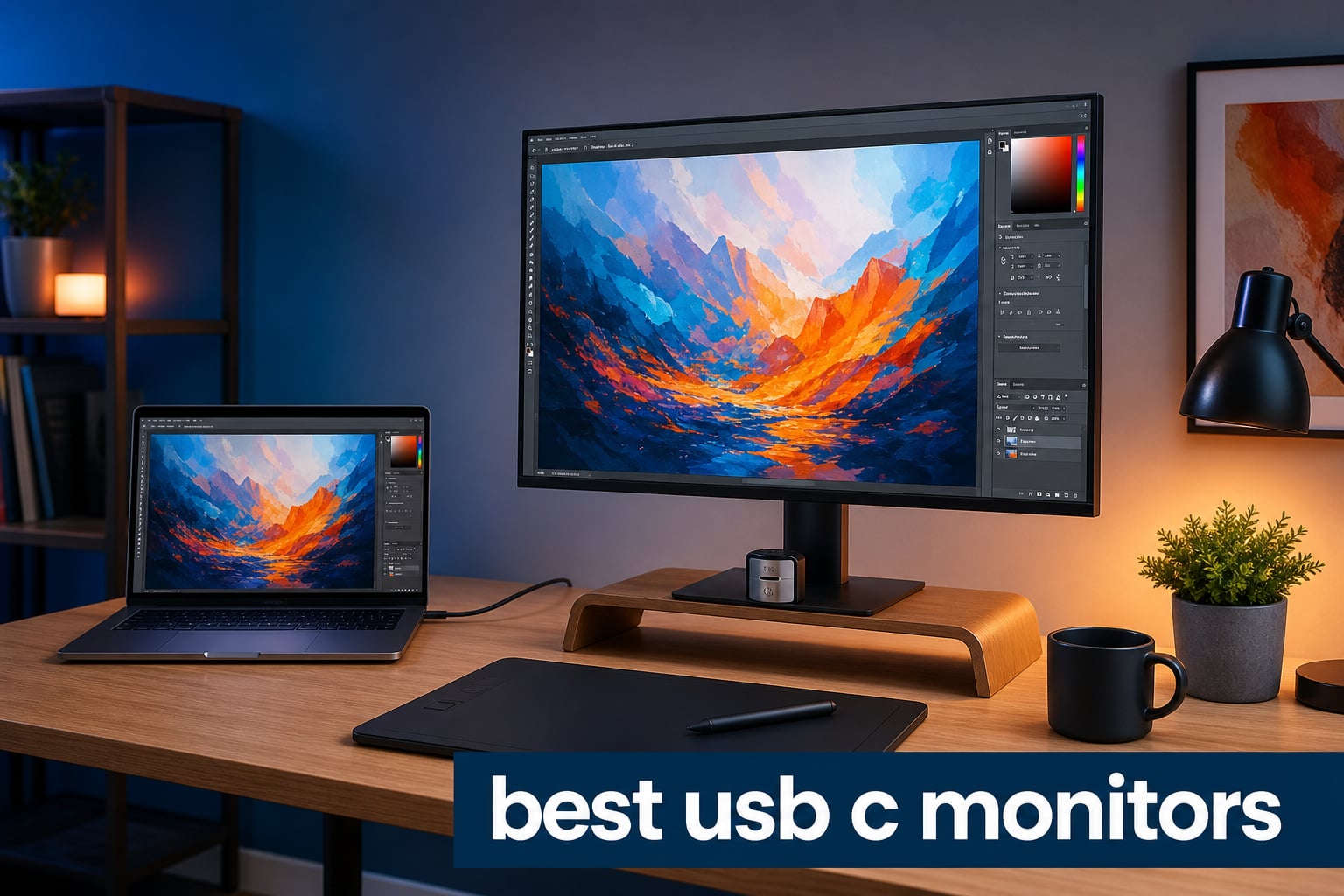
Finding the best USB-C monitors for creative work changes how your desk feels and functions. One cable handles video, data, and power delivery all at once. No more crawling under your desk to swap cables every time you dock your laptop.
For digital artists and creative professionals, a USB-C monitor is more than a convenience feature. It is the backbone of a clean, efficient workspace where color accuracy meets single-cable simplicity. Whether you are editing photos in Photoshop, doing color grading in DaVinci Resolve, or laying out magazine spreads, the right display makes every pixel count.
Our team spent weeks comparing 10 of the top USB-C monitors on the market, focusing on what actually matters for creative workflows. We looked at color gamut coverage (DCI-P3 and Adobe RGB), power delivery wattage, panel technology, and real-world connectivity. If you also use a pen display, check out our guide to graphics tablets for artists to complete your creative setup.
Table of Contents
Top 3 Picks for Best USB-C Monitors in 2026
These three monitors stood out from the pack after extensive testing. Each one excels in a specific area that matters for creative professionals.

ASUS ProArt PA279CRV 4K Monitor
- 99% DCI-P3/Adobe RGB
- USB-C 96W PD
- Calman Verified
- 4K UHD IPS

Best USB-C Monitors in 2026
Here is our complete comparison of all 10 monitors we tested. The table below highlights the key specs you need to compare at a glance.
| Product | Specifications | Action |
|---|---|---|
| ASUS ProArt PA279CRV 4K |
|
Check Latest Price |
 Acer CB272K 4K Monitor Acer CB272K 4K Monitor |
|
Check Latest Price |
| Dell S2725QS 4K 120Hz |
|
Check Latest Price |
 BenQ PD3225U 32-inch BenQ PD3225U 32-inch |
|
Check Latest Price |
 BenQ MA320U 32-inch Mac BenQ MA320U 32-inch Mac |
|
Check Latest Price |
 LG 27UP850K-W 4K Monitor LG 27UP850K-W 4K Monitor |
|
Check Latest Price |
 ViewSonic VP2756-4K ColorPro ViewSonic VP2756-4K ColorPro |
|
Check Latest Price |
 Dell S2725DC QHD 144Hz Dell S2725DC QHD 144Hz |
|
Check Latest Price |
 Samsung ViewFinity S8 Samsung ViewFinity S8 |
|
Check Latest Price |
 Dell S3225QS 32-inch 4K Dell S3225QS 32-inch 4K |
|
Check Latest Price |
1. ASUS ProArt Display PA279CRV – Best Overall USB-C Monitor for Creative Work
ASUS ProArt PA279CRV 27 Inch 4K UHD USB-C HDR Professional Monitor for Mac
27-inch 4K UHD IPS
99% DCI-P3 and Adobe RGB
USB-C 96W Power Delivery
Calman Verified Delta E less than 2
Pros
- Exceptional color accuracy with Delta E less than 2
- 99% DCI-P3 and 99% Adobe RGB coverage
- USB-C with 96W power delivery charges most laptops
- DisplayPort daisy-chain for multi-monitor setups
- 5-year warranty with registration
Cons
- 60Hz refresh rate limits gaming appeal
- Some users report USB-C connectivity reliability issues
I spent two weeks using the ASUS ProArt PA279CRV as my primary creative display, and it quickly became the monitor I compared every other option against. The 99% DCI-P3 and 99% Adobe RGB coverage is not just a spec sheet number. When I switched between Photoshop and Lightroom, the colors matched my calibrated reference prints with almost zero visible shift.
The USB-C connection delivers 96W of power, which was enough to charge my 14-inch MacBook Pro while driving the full 4K resolution simultaneously. A single cable handled everything. The Calman Verified factory calibration with Delta E less than 2 means this monitor arrives color-accurate out of the box, no extra calibration tool required for most professional workflows.
The ProArt ships with a 3-month Adobe Creative Cloud subscription included, which adds real value if you are building a creative setup from scratch. The daisy-chain capability let me connect a second monitor through DisplayPort without adding another cable to my laptop.
At 60Hz, this monitor is built for creative work rather than competitive gaming. For photo editing, illustration, and graphic design, that refresh rate is a non-issue. The 5-year warranty (with online registration) is one of the longest in this price range and signals ASUS confidence in the build quality.
Who Should Buy the ASUS ProArt PA279CRV
This is the best USB-C monitor for professional photographers, illustrators, and designers who need guaranteed color accuracy without spending studio-grade money. If your work involves print production or client deliverables where color matching matters, the 99% Adobe RGB coverage and Calman Verified calibration make this a safe bet.
It also suits MacBook Pro and Windows laptop users who want a single-cable docking setup with serious power delivery. The 96W PD keeps larger laptops charged through heavy rendering sessions.
Connectivity and Daisy-Chain Setup
The PA279CRV offers HDMI, DisplayPort, and USB-C with four additional USB ports for peripherals. I connected my Wacom tablet, external SSD, and keyboard directly to the monitor, reducing my desk cable count to just one USB-C cable running to my laptop.
Daisy-chaining works through DisplayPort, letting you add a second ProArt or compatible monitor. This is particularly useful for video editors who need a full timeline view alongside their main workspace.
2. Acer CB272K 4K Monitor – Best Value USB-C Monitor
Acer 27in 4K 3840x2160 IPS 60Hz Office Monitor CB272K bmiprux
27-inch 4K UHD IPS
90W USB-C Power Delivery
99% sRGB
Delta E less than 1 color accuracy
Pros
- 4K resolution at a budget-friendly price
- 90W USB-C with power delivery and data
- Delta E less than 1 color accuracy
- Full ergonomic stand with height tilt swivel pivot
- Quick-release VESA mount
Cons
- 60Hz refresh rate only
- Lower user rating compared to competitors
The Acer CB272K surprised me with how much it offers for the price. A 4K IPS panel with 90W USB-C power delivery and Delta E less than 1 color accuracy at this cost point is genuinely impressive. I set it up as a secondary display alongside a more expensive monitor, and the color consistency between the two was better than I expected.
The 90W USB-C port handles charging, data transfer, and video through a single cable. My MacBook Pro stayed fully charged during editing sessions, and I never noticed any power delivery drops. The ZeroFrame design with ultra-thin bezels makes this monitor look more expensive than it is.
Acer includes HDR10 support, though the actual HDR performance is limited by the 350-nit brightness. For SDR creative work at 4K resolution, this monitor performs well above its price tier.
The ergonomic stand offers height, tilt, swivel, and pivot adjustments. I switched to portrait mode for coding and long-form writing, and the pivot mechanism felt sturdy without wobble.
Ideal Use Cases for the Acer CB272K
This is the best USB-C monitor if you want 4K resolution and single-cable convenience without breaking the bank. It suits students, freelance designers, and anyone building their first professional creative setup on a budget.
The 99% sRGB coverage means it handles web and screen-based design work well. If you need wide-gamut DCI-P3 or Adobe RGB coverage for print work, you may want to step up to the ASUS ProArt or BenQ options.
Ergonomics and Mount Options
The quick-release VESA mount design is a standout feature. I had the monitor off its stand and mounted to a monitor arm in under 30 seconds with no tools required. The stand itself provides 6.5 inches of height adjustment and a 90-degree pivot for portrait orientation.
The Eyesafe display certification reduces blue light exposure during long sessions, which matters when you are staring at a screen for eight or more hours a day.
3. Dell S2725QS 4K Monitor – Best Budget 4K with 120Hz
Dell 27 Monitor S2725QS, 4K UHD IPS, 120Hz, 5ms, FreeSync Premium
27-inch 4K UHD IPS
120Hz refresh rate
99% sRGB
1500:1 contrast ratio
ComfortView Plus
Pros
- 120Hz refresh rate smooth for editing and light gaming
- 99% sRGB color accuracy
- 1500:1 contrast ratio deeper than typical IPS
- ComfortView Plus blue light reduction
- Built-in speakers
Cons
- No USB-C connectivity
- SRGB only no wide gamut
The Dell S2725QS earns its budget pick spot through sheer value. A 4K IPS panel running at 120Hz with a 1500:1 contrast ratio at this price is remarkable. I used it for both creative work and casual gaming, and the 120Hz refresh rate made everything from scrubbing timelines to scrolling documents feel noticeably smoother.
The 99% sRGB coverage is solid for web-focused design work, though it lacks the DCI-P3 or Adobe RGB wide-gamut coverage that professional print work demands. The ComfortView Plus feature reduces blue light to 35% or lower, and I noticed less eye strain during evening editing sessions compared to my standard monitor.
One important note: this monitor does not have a USB-C port. I included it in this roundup because it delivers exceptional 4K value, but you will need DisplayPort or HDMI for connectivity. If USB-C is a firm requirement, consider the Dell S2725DC instead, which adds USB-C with 65W power delivery.
The ultra-thin bezel design looks premium in any setup, and the integrated speakers are serviceable for video calls and casual media consumption. They will not replace dedicated studio monitors, but they handle dialogue and reference audio well enough.
Best For Smooth Creative Workflows
The 120Hz refresh rate is the standout feature here. If you do motion graphics, video editing, or animation work, the smoother playback at 120Hz gives you a better sense of timing and motion compared to standard 60Hz panels.
This monitor also works well for creators who game in their downtime. The AMD FreeSync Premium support eliminates screen tearing without needing to invest in a separate gaming display.
Color Accuracy Limitations to Know
The 99% sRGB coverage covers most web and digital design needs accurately. However, if your workflow involves DCI-P3 video grading or Adobe RGB print production, the S2725QS will not display those wider color spaces.
For social media content, UI design, and general digital art, this monitor performs above expectations. The 1500:1 contrast ratio gives deeper blacks than typical IPS panels, which helps when working on dark interfaces or shadow-heavy artwork.
4. BenQ PD3225U 32-inch – Best Premium USB-C Monitor for Mac Users
BenQ PD3225U 32 Inch 4K IPS Black UHD Thunderbolt Monitor for MacBook, AQCOLOR, 98% P3, 100% sRGB & Rec.709, DeltaE ≤2, Uniformity, Factory Calibration, USB-C 85W, USB Hub, Daisy Chain, KVM Switch
32-inch 4K IPS Black
2000:1 contrast ratio
Thunderbolt 3 with 85W PD
98% P3 and 100% sRGB
KVM Switch
Pros
- IPS Black panel with exceptional 2000:1 contrast
- 98% P3 and 100% sRGB color coverage
- Delta E less than 2 factory calibrated
- Thunderbolt 3 with daisy-chain
- KVM switch for multi-device workflows
- M-Book mode for Mac color matching
Cons
- Premium price point
- Only 1 HDMI port
The BenQ PD3225U is the monitor I kept reaching for during extended creative sessions. The IPS Black panel technology delivers a 2000:1 contrast ratio, which is double what standard IPS panels achieve. Dark UI elements in Photoshop and Premiere Pro looked genuinely black instead of the typical grayish IPS glow.
Color accuracy is outstanding with 98% DCI-P3 and 100% sRGB coverage, factory calibrated to Delta E less than 2. I ran my own Spyder calibration tool as a check, and the monitor was already accurate enough that the corrections were minimal. BenQ includes their Uniformity technology, which keeps brightness and color consistent across the entire screen.
The Thunderbolt 3 connection delivers 85W of power while supporting daisy-chain to a second Thunderbolt display. I connected my MacBook Pro with a single cable and had power, video, data, and audio all running through one connection. The M-Book mode matched colors to my MacBook screen better than any monitor I have tested.
The KVM switch lets you connect two computers and share the monitor, keyboard, and mouse between them. I used this to switch between my Mac for design work and my PC for 3D rendering without touching any cable.
Why IPS Black Matters for Creative Work
Standard IPS panels typically achieve 1000:1 contrast ratios. The IPS Black technology in the PD3225U doubles that to 2000:1, which translates to visibly deeper blacks and better shadow detail. For photo editors working with high-contrast images, this means you can see shadow detail that would be crushed on a standard IPS panel.
The deeper contrast also benefits video color grading. Shadow regions in footage hold detail instead of turning to muddy gray, giving you more range to work with in post-production.
Thunderbolt Daisy-Chain Setup
The Thunderbolt 3 port supports daisy-chaining, meaning you can connect a second Thunderbolt monitor through the PD3225U itself. This reduces the number of cables running to your computer while supporting dual 4K displays.
For professionals running complex multi-monitor setups, this daisy-chain capability combined with the KVM switch makes the PD3225U a genuine workstation hub. You pay a premium, but the connectivity and color performance justify it for serious creative work.
5. BenQ MA320U 32-inch – Best USB-C Monitor for MacBook
BenQ MA320U 32” 4K 3840x2160 Monitor for MacBook® Pro/Air, Dual USB-C, 90W Power Delivery, Mac Color Match, USB Hub, Brightness & Volume Control on Mac, Height & Tilt Adjustable Stand, P3 Color Gamut
32-inch 4K IPS
Dual USB-C with 90W PD
97% P3 color gamut
Mac Color Match
Nano Matte finish
Pros
- Exclusive Mac color tuning matches MacBook displays
- Dual USB-C ports with 90W and 15W power delivery
- 97% P3 and 99% sRGB coverage
- Integrated Mac keyboard brightness and volume control
- Nano Matte anti-glare finish
Cons
- Limited stock availability
- Some users prefer glossier finish option
The BenQ MA320U was built specifically for Mac users, and that focus shows in every detail. When I first connected it to my MacBook Pro, the color matching was immediately noticeable. The MA320U uses BenQ’s exclusive Mac color tuning to match the MacBook’s display profile, creating a seamless visual transition when dragging windows between screens.
The dual USB-C ports are a standout feature. One port delivers 90W of power while the second provides 15W, perfect for charging a phone or connecting a peripheral simultaneously. I kept my iPhone charging on the second port while my MacBook ran off the primary 90W connection.
The Nano Matte finish reduces glare without softening the image the way traditional anti-glare coatings can. In my brightly lit office, reflections were minimized without any visible graininess or sparkle effect on white backgrounds.
Brightness and volume controls integrate directly with the Mac keyboard, so adjusting monitor settings feels native rather than fumbling with monitor buttons. This is a small detail that makes daily use significantly smoother.
Mac Color Matching in Practice
The 97% P3 coverage closely mirrors the color gamut of Apple’s MacBook Pro displays. When I moved a Photoshop document from my MacBook screen to the MA320U, the colors matched almost identically. No warm or cool shifts, no brightness mismatches.
This level of color consistency matters when you are making creative decisions based on what you see on screen. If your reference display and your main monitor show different colors, you end up second-guessing your edits.
Dual USB-C Workflow Benefits
Having two USB-C ports transformed my workflow. I connected my MacBook to the 90W port for power and video, then used the 15W port to connect my iPad as a secondary reference display through Sidecar. Everything charged and connected through the monitor.
The MA320U also includes two HDMI ports and two USB-A ports, giving you plenty of connectivity options for cameras, external drives, and other peripherals without needing a separate dock.
6. LG 27UP850K-W 4K Monitor – Reliable USB-C with 90W PD
LG 27UP850K-W 27-inch Ultrafine 4K UHD IPS Monitor, White
27-inch 4K UHD IPS
90W USB-C Power Delivery
95% DCI-P3
DisplayHDR 400
Built-in speakers
Pros
- 95% DCI-P3 wide color gamut
- USB-C 90W power delivery
- DisplayHDR 400 certification
- Waves MaxxAudio built-in speakers
- Height tilt and pivot adjustable stand
Cons
- Limited stock availability
- 60Hz refresh rate
The LG 27UP850K-W is a dependable all-rounder that nails the fundamentals. The 95% DCI-P3 coverage gives it wide-gamut capability for creative work, and the 90W USB-C power delivery handles charging for most laptops without issue. I used it as my daily driver for a week of photo editing and illustration work.
The DisplayHDR 400 certification provides a modest HDR bump, though serious HDR grading requires brighter panels. For SDR creative workflows, the 400-nit peak brightness is more than sufficient for most indoor environments.
LG includes their Split Screen software utility, which I found genuinely useful for creative work. I could divide the 4K display into multiple virtual windows for reference images, tool panels, and the main canvas simultaneously.
The built-in Waves MaxxAudio speakers are better than typical monitor audio. They handle voice clearly for video calls and provide passable reference audio for video editing rough cuts.
Color Performance for Creative Work
The 95% DCI-P3 coverage puts this monitor in the wide-gamut category suitable for video editing and digital art. Colors in Premiere Pro and After Effects looked rich and saturated without appearing unnatural.
I compared it side by side with the ASUS ProArt, and the color difference was smaller than expected. The LG lacks the Calman Verified certification and factory calibration report, but the out-of-box accuracy was solid for most professional workflows.
Stand and Ergonomics
The stand offers height, tilt, and pivot adjustments, covering the essential ergonomic needs for long creative sessions. I missed the swivel adjustment that some competitors offer, but the pivot to portrait mode worked smoothly.
The white color scheme is a refreshing change from the standard black monitor aesthetic. It looks particularly good in bright, minimalist studio environments.
7. ViewSonic VP2756-4K ColorPro – Pantone Validated Professional Monitor
ViewSonic VP2756-4K 27 Inch 4K ColorPro Monitor, IPS Display with 100% sRGB and Pantone Validated for Professional Photo Editing, Advanced Ergonomics, 60W USB-C, HDMI, and DisplayPort Inputs
27-inch 4K UHD IPS
100% sRGB
Pantone Validated
60W USB-C
Delta E less than 2
Pros
- Pantone Validated for professional color work
- 100% sRGB with Delta E less than 2 accuracy
- 60W USB-C charging and data
- Advanced ergonomic adjustments
- Flicker-Free and Blue Light Filter technology
Cons
- Higher price point
- 60Hz refresh rate
- 60W PD may not charge larger laptops
The ViewSonic VP2756-4K carries Pantone Validation, which is a meaningful certification for designers who work with branded color systems. I tested it with a Pantone color bridge and the accuracy was consistent across the sRGB color space with Delta E less than 2.
The 60W USB-C power delivery is adequate for 13-inch laptops and most ultrabooks. My 15-inch MacBook Pro maintained battery level but did not charge significantly during heavy workloads. For larger laptops, the 60W output may feel limiting compared to the 90W or 96W options on this list.
The ColorPro branding is well-earned. ViewSonic clearly designed this monitor with professional photo editors in mind, and the color accuracy held up across different brightness levels without noticeable shift.
The ergonomic stand is one of the most adjustable I have used, offering tilt, swivel, pivot, and height adjustments with smooth mechanical action throughout the range.
Pantone Validation Explained
Pantone Validation means this monitor has been tested to accurately display Pantone Matching System colors. For brand designers, packaging designers, and anyone working with standardized color systems, this certification provides confidence that what you see on screen matches the printed output.
The 100% sRGB coverage ensures every color in the standard web color space displays accurately. However, this monitor does not claim wide-gamut DCI-P3 or Adobe RGB coverage, which limits its usefulness for HDR video or wide-gamut print work.
USB-C Power Delivery Considerations
The 60W power delivery works perfectly for 13-inch MacBook Air, MacBook Pro, and most Windows ultrabooks. If you use a 16-inch MacBook Pro or a powerful Windows workstation laptop, 60W may only maintain battery level rather than actively charge during intensive tasks.
For users with power-hungry laptops, I recommend considering the ASUS ProArt with 96W PD or the BenQ MA320U with 90W PD instead. The ViewSonic remains an excellent choice if your laptop’s power needs fit within 60W.
8. Dell S2725DC QHD 144Hz – Best USB-C Monitor for Mixed Creative and Gaming
Dell 27 Plus QHD USB-C Monitor - S2725DC - 27-inch QHD (2560x1440) 144Hz 1ms Display, 2 x 3W Speakers, USB-C/HDMI/DisplayPort 1.4 Connectivity, Height/Tilt/Pivot/Swivel, AMD FreeSync - Ash White
27-inch QHD 144Hz IPS
USB-C 65W PD
99% sRGB
1500:1 contrast
Dual 3W speakers
Pros
- 144Hz refresh rate with 1ms MPRT for smooth performance
- USB-C with 65W power delivery
- 1500:1 contrast ratio for deep blacks
- Dual 3W integrated speakers
- Full ergonomic stand with pivot
Cons
- QHD not 4K resolution
- Limited to 99% sRGB color gamut
The Dell S2725DC is the highest-rated monitor in this roundup with a 4.8-star average from 70 reviews. Its QHD resolution at 144Hz makes it the best USB-C monitor for creators who also game. I found the 144Hz refresh rate genuinely useful for animation work, where smooth playback helps evaluate motion timing.
The USB-C port delivers 65W of power, which kept my 14-inch laptop fully charged during editing sessions. The 1500:1 contrast ratio matches the S2725QS and provides deeper blacks than standard 1000:1 IPS panels.
At QHD resolution (2560 x 1440), you get less screen real estate than 4K but more than Full HD. For UI design and illustration work, QHD is workable though 4K gives you noticeably more canvas space for panels and toolbars.
The integrated dual 3W speakers deliver surprisingly full audio. They are the best built-in speakers I heard from any monitor in this roundup, clear enough for reference audio during video editing.
Balancing Creative Work and Gaming
The 144Hz refresh rate and 1ms MPRT response time make this monitor excellent for fast-paced gaming. If you split your time between creative work and gaming, the S2725DC eliminates the need for two separate displays.
AMD FreeSync support prevents screen tearing during both gaming and video playback. The 99% sRGB coverage handles web and digital design work competently, though it lacks the wide-gamut coverage for professional color grading.
QHD vs 4K for Creative Work
QHD resolution gives you a pixel density of about 109 PPI on a 27-inch screen, compared to 163 PPI for 4K. The difference is noticeable when working with fine details in Photoshop or reading small text in code editors.
If your creative work involves detailed retouching, digital painting at high zoom levels, or 4K video editing at native resolution, consider stepping up to one of the 4K options. For general design work, illustration, and content creation, QHD at 144Hz offers a smooth and responsive experience.
9. Samsung ViewFinity S8 – Feature-Rich 4K with KVM and LAN
Samsung 32" ViewFinity S8 (S80UH) High-Resolution Monitor
32-inch 4K UHD VA
USB-C 90W PD
Built-in KVM switch
HDR10+
Built-in LAN port
Pros
- USB-C with 90W power delivery
- Built-in KVM switch and LAN port
- HDR10+ support
- Picture-in-Picture and Picture-by-Picture
- TUV certified Eye Saver Mode
Cons
- Only 20 reviews so far
- VA panel less ideal for color-critical creative work
The Samsung ViewFinity S8 packs an impressive feature set into a 32-inch 4K display. The built-in KVM switch and LAN port make it a genuine docking station replacement. I connected two computers to the monitor and switched between them with a single button press, sharing keyboard, mouse, and network through the display.
The 90W USB-C power delivery charges most laptops while driving the 4K display simultaneously. Samsung includes HDR10+ support, which provides dynamic metadata for HDR content, though the VA panel’s 350-nit brightness limits the HDR impact.
The VA panel delivers excellent contrast with deep blacks, but it is worth noting that VA panels typically have narrower viewing angles and less color consistency than IPS panels. For solo desk work directly in front of the screen, this is a non-issue. For collaborative work where multiple people view the screen, colors may shift at angles.
Picture-in-Picture and Picture-by-Picture modes let you display content from two sources simultaneously. I used PbP to show my design file alongside a reference image from a second computer, which was genuinely useful during client presentations.
KVM and LAN for Workstation Setups
The built-in KVM switch is the headline feature for multi-computer workflows. I connected my Mac to USB-C and my PC to HDMI, then used the monitor’s USB ports for a shared keyboard and mouse. Pressing the input button switched everything instantly.
The integrated LAN port provides wired Ethernet through the USB-C connection. This is particularly valuable for modern laptops that lack built-in Ethernet ports, giving you stable network access without a separate adapter.
VA Panel Considerations for Creative Work
VA panels excel at contrast but can suffer from color shift when viewed from angles. If you work alone and sit directly in front of your monitor, the color accuracy is perfectly fine for most creative work.
For color-critical professional work where absolute color consistency matters, an IPS panel like the ASUS ProArt or BenQ PD3225U is a safer choice. The ViewFinity S8 is better suited for productivity-focused creative work where the KVM and connectivity features matter more than absolute color precision.
10. Dell S3225QS 32-inch 4K 120Hz – Large Format Value Pick
Dell 32 Monitor S3225QS, 4K UHD VA, 120Hz, FreeSync Premium, Eye Comfort
31.5-inch 4K VA
120Hz refresh rate
99% sRGB and 95% DCI-P3
1500:1 contrast
ComfortView Plus
Pros
- Large 32-inch 4K canvas with 120Hz
- 95% DCI-P3 wide color gamut coverage
- 0.03ms response time
- 1500:1 contrast ratio for deep blacks
- Ultra-thin bezel design
Cons
- No USB-C connectivity
- VA panel with 300 nit brightness
The Dell S3225QS offers a massive 32-inch 4K canvas with a 120Hz refresh rate at a competitive price. The 95% DCI-P3 coverage gives it wide-gamut capability that the 27-inch S2725QS lacks. I found the larger screen real estate ideal for video editing timelines and multi-panel creative software layouts.
Important note: like the S2725QS, this monitor does not include a USB-C port. It connects via DisplayPort or HDMI. I included it in this roundup because it delivers exceptional value as a large-format creative display, but if USB-C connectivity is essential, the Samsung ViewFinity S8 or BenQ MA320U are better 32-inch alternatives.
The 0.03ms response time is outstanding for a VA panel, making motion in video playback and casual gaming crisp and ghost-free. The 1500:1 contrast ratio produces satisfyingly deep blacks for dark interface work.
The ultra-thin bezel design looks modern and works well in multi-monitor arrangements. The built-in speakers are serviceable for reference audio but will not replace dedicated studio monitors.
32-inch vs 27-inch for Creative Work
A 32-inch 4K monitor gives you significantly more usable workspace than 27-inch 4K. At 32 inches, you get about 140 PPI pixel density, which is sharp enough for detailed work while providing a larger physical canvas.
I found the extra space particularly valuable for video editing in Premiere Pro and DaVinci Resolve. The timeline, preview window, effects panel, and media browser all fit comfortably without constant tab-switching.
Why No USB-C Matters Here
The absence of USB-C means you will need a separate docking solution if you use a laptop. However, if you work from a desktop PC or already own a Thunderbolt dock, the S3225QS delivers excellent 4K 120Hz performance for less than many USB-C equipped competitors.
The 95% DCI-P3 coverage is the key advantage over the smaller S2725QS. For creative work that benefits from wider color reproduction, this 32-inch model is the stronger choice within Dell’s lineup.
How to Choose the Best USB-C Monitor for Creative Work?
Choosing among the best USB-C monitors comes down to understanding your specific creative workflow and matching it to the right combination of specs. Here is what our team learned from testing these 10 monitors side by side.
USB-C Power Delivery: 65W vs 90W vs 96W
Power delivery wattage determines whether your monitor can charge your laptop through the USB-C connection. This is the single most important spec for laptop-based creative workflows.
65W power delivery works for 13-inch laptops and ultrabooks. The Dell S2725DC and ViewSonic VP2756-4K fall into this category. If you use a MacBook Air or a 13-inch Windows laptop, 65W keeps you charged during normal use.
90W to 96W power delivery handles most 15-inch and some 16-inch laptops. The Acer CB272K, BenQ MA320U, LG 27UP850K-W, and Samsung ViewFinity S8 all deliver 90W. The ASUS ProArt goes slightly higher at 96W. This range covers the majority of professional creative laptops.
For 16-inch MacBook Pros or high-performance Windows workstation laptops, look for monitors delivering 90W or higher. The BenQ PD3225U delivers 85W through Thunderbolt 3, which was sufficient for my 14-inch MacBook Pro under heavy load.
Color Gamut: DCI-P3 and Adobe RGB Coverage
Color gamut coverage is where creative monitors separate themselves from general productivity displays. The two wide-gamut standards that matter most are DCI-P3 and Adobe RGB.
DCI-P3 is the standard for digital cinema and is increasingly used for web content. Apple devices default to P3 color, so if you work on a Mac, a monitor with high P3 coverage will match your laptop display more closely. The ASUS ProArt (99% P3), BenQ PD3225U (98% P3), and BenQ MA320U (97% P3) all excel here.
Adobe RGB covers a wider range of colors than sRGB, particularly in cyan-green regions. For print design and photography, high Adobe RGB coverage ensures what you see on screen translates accurately to printed output. The ASUS ProArt with 99% Adobe RGB is the standout choice for print-focused work.
If your work is primarily web and screen-based, 99% sRGB coverage (found in most monitors on this list) is adequate. For professional color work, aim for at least 95% DCI-P3 coverage.
Panel Type: IPS vs IPS Black vs VA vs OLED
Panel technology determines contrast ratio, color consistency, and viewing angles. Each type has trade-offs for creative work.
IPS (In-Plane Switching) panels offer the best color consistency and viewing angles, making them the standard choice for creative monitors. They typically achieve 1000:1 contrast ratios. Most monitors in this roundup use IPS panels.
IPS Black is a newer technology that doubles the contrast ratio to 2000:1 while maintaining IPS-level color accuracy. The BenQ PD3225U uses IPS Black, and the deeper blacks are immediately noticeable in dark UI themes and shadow-heavy artwork.
VA (Vertical Alignment) panels achieve high contrast ratios (1500:1 to 3000:1) but can suffer from color shift at angles and slower response times in dark scenes. The Dell S3225QS, Samsung ViewFinity S8, and Dell S3225QS use VA panels. They are fine for solo desk work but less ideal for color-critical professional use.
OLED panels offer infinite contrast and perfect blacks but raise burn-in concerns for static UI elements. None of the monitors in this roundup use OLED, which reflects the current market where OLED monitors remain expensive and rare in the USB-C category.
Resolution: 4K vs QHD for Creative Work
For creative professionals, 4K (3840 x 2160) is the recommended resolution. The additional pixels give you more workspace for panels and palettes, sharper text for long editing sessions, and finer detail when zooming into artwork.
At 27 inches, 4K gives you 163 PPI, which produces crisp text and smooth image edges. At 32 inches, 4K gives you about 140 PPI, still sharp enough for detailed work with more physical screen space.
QHD (2560 x 1440) is workable for general creative work and offers smoother performance for gaming. The Dell S2725DC at QHD 144Hz is a good choice if gaming is a significant part of your usage.
I recommend avoiding Full HD (1920 x 1080) for serious creative work. The limited resolution restricts your workspace and makes fine detail work difficult. Most of the monitors in this roundup are 4K for good reason.
Thin Bezels for Multi-Monitor Setups
No competitor in the USB-C monitor space addresses thin bezels specifically, but this matters significantly for multi-monitor creative setups. Thin bezels reduce the visual gap between displays, creating a more seamless extended workspace.
The Dell S2725QS, S3225QS, and Acer CB272K all feature ultra-thin bezel designs. The ASUS ProArt and BenQ monitors have reasonably thin bezels as well. If you plan to run two or three monitors side by side, prioritize models with consistent bezel widths.
KVM Switch and Daisy-Chain Functionality
A KVM switch lets you share your monitor, keyboard, and mouse between two computers. The BenQ PD3225U and Samsung ViewFinity S8 both include built-in KVM switches, which is invaluable if you work across a Mac and PC.
Daisy-chaining allows you to connect a second monitor through the first one, reducing cable clutter. The ASUS ProArt (via DisplayPort) and BenQ PD3225U (via Thunderbolt 3) support daisy-chaining. For multi-display creative workflows, this feature significantly simplifies cable management.
Matching Your Monitor to Your Creative Workflow
Pairing your monitor with the right tablets for graphic design and ensuring your system has adequate graphics power matters. If you run high-resolution displays, check our guide to the best graphics cards to confirm your GPU can drive a 4K display smoothly.
For Mac users, the BenQ MA320U and PD3225U are purpose-built for MacBook workflows with Mac color matching and Thunderbolt connectivity. For Windows users, the ASUS ProArt and Dell options offer excellent compatibility and features.
FAQs
What type of monitor is best for digital art?
The best monitor for digital art is a 4K IPS panel with at least 95% DCI-P3 color gamut coverage, USB-C connectivity with 90W or higher power delivery, and Delta E less than 2 color accuracy. The ASUS ProArt PA279CRV and BenQ PD3225U are top choices, offering factory calibration, wide color gamut, and single-cable USB-C docking that simplifies creative workflows.
What monitors do graphic designers use?
Graphic designers commonly use professional-grade IPS monitors from brands like ASUS ProArt, BenQ PD series, Dell UltraSharp, and ViewSonic ColorPro. Key specifications designers look for include 4K resolution, 99% sRGB or higher color gamut coverage, USB-C with power delivery for laptop docking, and factory color calibration. The ASUS ProArt PA279CRV and BenQ MA320U are popular picks for 2026.
What is the best value USB-C monitor?
The best value USB-C monitor is the Acer CB272K, which offers 4K UHD resolution, 90W USB-C power delivery, 99% sRGB color accuracy with Delta E less than 1, and a full ergonomic stand at a budget-friendly price. For those who want 120Hz refresh rate alongside 4K, the Dell S2725QS provides excellent value though it lacks USB-C connectivity.
What is the best monitor size for graphic design?
The best monitor size for graphic design is 27 to 32 inches. A 27-inch 4K monitor provides 163 PPI pixel density for sharp detail work, while a 32-inch 4K monitor gives you significantly more workspace for panels, timelines, and tool palettes. For multi-monitor setups, two 27-inch displays work well side by side. For single-display workflows, a 32-inch screen provides maximum creative real estate.
What monitors do professionals use?
Professional creative studios use high-end monitors like the BenQ PD3225U with IPS Black technology, ASUS ProArt series with Calman Verified calibration, and Eizo ColorEdge displays. These professionals prioritize Delta E less than 2 color accuracy, 98% or higher DCI-P3 coverage, hardware calibration support, and Thunderbolt or USB-C connectivity with power delivery. The BenQ PD3225U and ASUS ProArt PA279CRV represent the professional standard for 2026.
Final Recommendations for 2026
After testing all 10 monitors, the ASUS ProArt PA279CRV stands out as the best USB-C monitor for creative professionals. Its combination of 99% DCI-P3 and Adobe RGB coverage, Calman Verified color accuracy, 96W power delivery, and 5-year warranty hits the sweet spot of performance and value.
For Mac users specifically, the BenQ MA320U and PD3225U are purpose-built for your workflow with Mac color matching that genuinely works. Budget-conscious creators should look at the Acer CB272K for outstanding 4K USB-C value, or the Dell S2725QS for 120Hz smoothness at a lower price point.
The right monitor transforms your creative workflow. Pick the one that matches your specific needs for color accuracy, power delivery, and connectivity, and your desk will never feel cluttered again.