
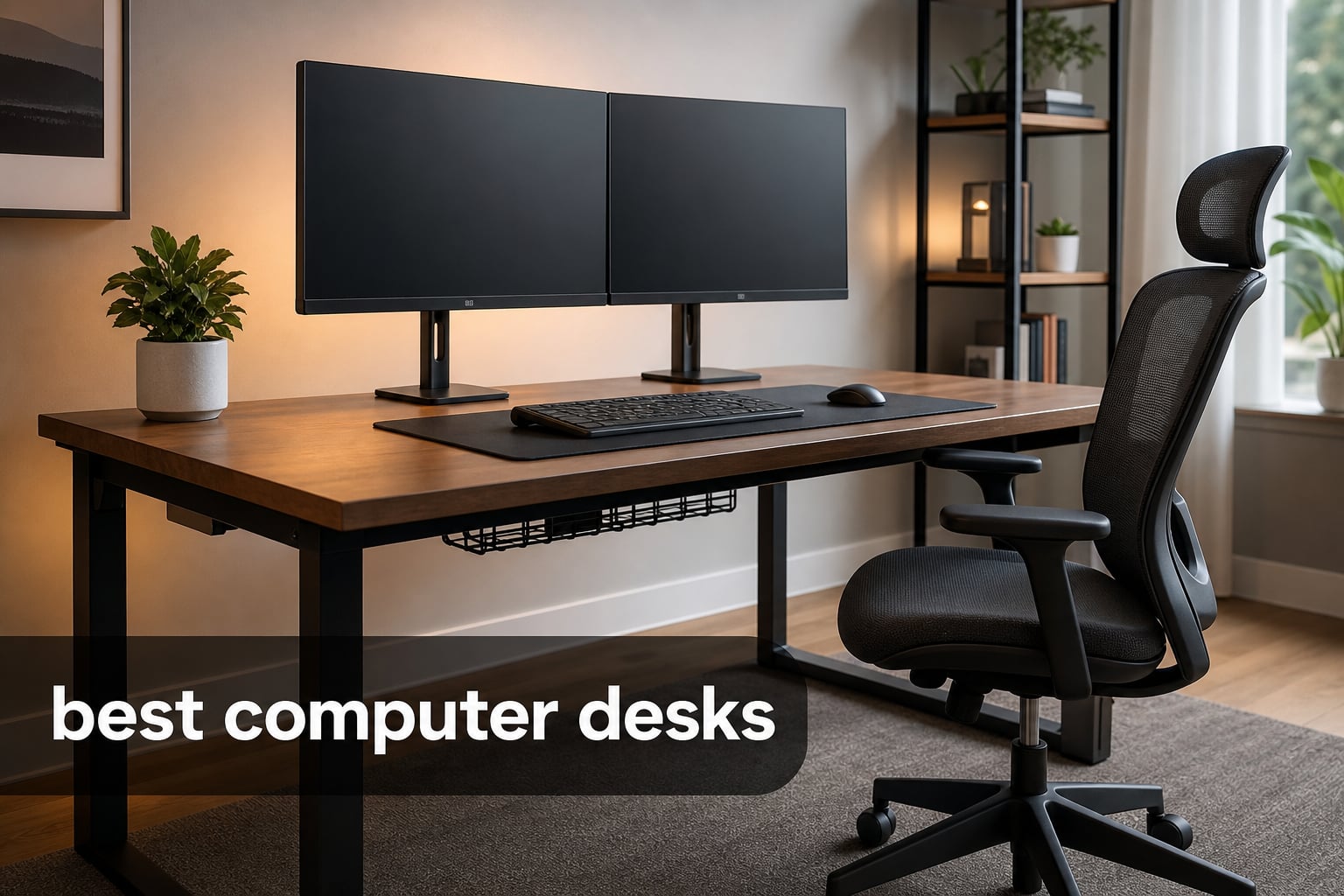
The best computer desks give your screen, keyboard, cables, and body enough room to work without turning a room into a pile of gear. For 2026, I would start with the surface size and stability you need, then decide whether storage, an L-shaped footprint, or electric height adjustment will make your routine easier.
A desk is more than a flat top. It is the base for a home office, a gaming setup, a drawing display, or a dual-monitor workstation, so depth, cable routing, and the way the frame handles weight matter as much as a desk’s appearance.
I reviewed the 10 options below against their listed dimensions, materials, storage, ports, height ranges, capacity where supplied, and customer rating data. If you are building a gaming station, pair the desk choice with our guide to the best gaming keyboards; artists planning a pen-display workspace can also compare the best graphics tablets for artists.
The short version is simple: choose a wide, deep top for several screens; choose an L shape when you need separate work zones; and choose a standing desk only when its height range and capacity suit the equipment you actually own. The sections after the comparison explain those calls in plain terms, including where each desk asks you to compromise.
Table of Contents
The Top 3 Best Computer Desks for 2026
These three picks cover the widest range of common setups: a large electric surface for serious multi-screen work, compact storage for a room that needs to stay tidy, and an expansive L-shaped station for gaming or a split work-and-play arrangement.

FEZIBO 71 x 37 Electric Standing Desk
- 71 x 37 inch top
- 220 pound capacity
- 28.3 to 46.5 inch range
The FEZIBO is my leading option for a broad work surface and a stated 220-pound capacity. The Huuger 47-inch desk makes the strongest case when storage and integrated power need to fit into a modest straight desk, while Bestier’s L configuration gives a larger setup distinct zones for screens and peripherals.
The Best Computer Desks in 2026 Cover Standing, Gaming, Storage, and Corner Setups
Use this overview to narrow the field before reading the full reviews. Product specifications can be more useful than broad labels: a 48-by-24-inch top is a different proposition from a 71-by-37-inch workstation, even if both are called computer desks.
| Product | Specifications | Action |
|---|---|---|
 EnHomee 56.5 Office Desk EnHomee 56.5 Office Desk |
|
Check Latest Price |
| Bestier 71.5 L Desk |
|
Check Latest Price |
| FEZIBO 71 x 37 Standing Desk |
|
Check Latest Price |
 Huuger 47 Desk with Drawers Huuger 47 Desk with Drawers |
|
Check Latest Price |
 Veken 55 Electric Standing Desk Veken 55 Electric Standing Desk |
|
Check Latest Price |
 ODK 75 L Shaped Desk ODK 75 L Shaped Desk |
|
Check Latest Price |
 Huuger 47 L Shaped Desk Huuger 47 L Shaped Desk |
|
Check Latest Price |
 HUANUO 48 Standing Desk HUANUO 48 Standing Desk |
|
Check Latest Price |
 FLEXISPOT EN1 Standing Desk FLEXISPOT EN1 Standing Desk |
|
Check Latest Price |
 Coleshome 71 Computer Desk Coleshome 71 Computer Desk |
|
Check Latest Price |
Community discussions repeatedly raise the same practical concerns: a heavy setup can expose frame wobble, thin desktop materials may wear sooner, cables need a route, and assembly can take longer than expected. I have called those details out rather than treating every listed feature as equally useful.
1. EnHomee 56.5-Inch Office Desk Is the Best Choice for Organized Home Offices
EnHomee 56.5″ Office Desk with Drawers & Printer Space for Home Work,Brown
56.5 inch top
Dual monitor shelf
File drawer and cabinet
Pros
- Monitor stand fits two screens
- 3 AC and 2 USB connections
- File storage and shelves
- Metal frame
Cons
- Assembly required
- Limited warranty
The EnHomee makes sense for a home office that needs its storage built into the same footprint as its computer surface. Its 56.5-inch width, 19.6-inch depth, vertical monitor shelf, file drawer, cabinet, open shelf, and side pockets create a workstation that can keep paper and accessories off the desktop.
I would put this one on a shortlist for someone who uses two monitors but does not want a separate filing cabinet. The listed 40-inch-long monitor stand is intended for two displays, which frees the main work surface for a keyboard, notebook, or drawing tablet.
The charging station is unusually practical for a fixed desk: it has three AC outlets and two USB ports. That does not replace thoughtful cable management, but it can reduce the number of adapters spread across the floor when a laptop, phone, and desk light share the station.
The frame is metal and the top is wood, with anti-slip legs listed among the features. The tradeoff is assembly, plus a limited warranty rather than a longer stated warranty period.
The EnHomee layout works best when storage must live at the desk
Use this desk for paperwork, a printer, books, or small devices that otherwise consume the work surface. Its one drawer, one cabinet, and one shelf give it a clearer office identity than a bare tabletop, and the rustic-brown finish suits a living-room or bedroom work zone.
The EnHomee depth needs a monitor-placement check before buying
At 19.6 inches deep, the main top is not especially deep for large monitor bases. I would measure the base of each screen and reserve room for the keyboard and a comfortable viewing distance, even with the raised monitor shelf doing part of the work.
2. Bestier 71.5-Inch L Desk Is the Best Gaming Desk for a Zoned Setup
Bestier 71.5″ L Computer Desk with Power Outlets, Rustic Brown
71.5 inch L layout
Three monitor stand
Power, USB, and RGB
Pros
- Space for multiple monitors
- Four AC plus two USB ports
- Adjustable grid
- Headset and cup hooks
Cons
- Assembly required
- No electric height adjustment
Bestier’s L-shaped desk is built around separation: one side can hold screens and the other can hold a keyboard, console, microphone, or homework. The 71.5-inch stated length and monitor stand designed for up to three monitors make it a strong candidate for a gaming desk that also has to serve as a weekday workstation.
The power module provides four AC sockets and two USB charging ports, rated at 1500 watts. I like that arrangement for a desk with a headset, controller, phone, and peripherals, though a gaming PC and monitor cables still need to be planned around their own power requirements.
Its RGB strip offers 20 static colors and 22 dynamic modes, while the metal grid can sit at three heights. The foldable cup holder and headphone hook are minor features, but they protect the usable desktop from the small clutter that builds up during a long session.
The engineered-wood top sits on an alloy-steel frame, and Bestier lists a scratch-resistant finish. It is a fixed-height desk, so people alternating between sitting and standing should look instead at an electric standing model in this guide.
The Bestier L shape suits three-screen work and gaming zones
I would choose this model when a corner can carry the setup and when the workstation needs a clear division between display space and active desk space. The monitor stand can move screens upward, leaving the desktop available for a full-size keyboard and mousepad.
The Bestier footprint demands a measured corner and assembly time
Its 19.7-inch depth is slimmer than a deep creative desk, and its broad L shape needs more than just wall width. Measure both runs of the corner, allow room for a chair to roll back, and plan the assembly before moving equipment into the room.
3. FEZIBO 71-by-37-Inch Standing Desk Is the Best Overall for Large Multi-Screen Work
FEZIBO 71 x 37 Inch Large Electric Standing Desk 1″ Thick Desktop, Black
71 x 37 inch top
220 pound capacity
Electric 28.3 to 46.5 inch lift
Pros
- Very large desktop
- Integrated dual crossbeam
- Three height presets
- USB-C PD controller
Cons
- Two packages may arrive separately
- Assembly required
The FEZIBO is the clearest answer for people whose equipment has outgrown a standard desk. Its 71-by-37-inch top is substantially deeper and wider than the compact models here, and the listed 220-pound maximum recommendation makes it the most suitable choice in this group for several monitors, arms, speakers, and a desktop computer.
The electric frame moves from 28.3 to 46.5 inches and has three preset heights. I would set one seated position, one standing position, and one height for a stool or shared user rather than treating presets as a novelty.
Stability matters more when a display arm, heavy screens, or a drawing display sit on the top. FEZIBO lists an integrated dual crossbeam and a claimed 150 percent greater stability, alongside a one-inch-thick, scratch-resistant FSC-certified wood desktop.
The controller includes 18W USB-C PD 3.0, and cable management is part of the design. The frame and top ship in two packages, so I would wait for both boxes and clear an assembly area before setting aside an afternoon for the seven-step process.
The FEZIBO surface answers the dual-monitor depth problem
A 37-inch-deep desktop gives you more freedom to position monitor bases away from the keyboard and still preserve a writing area. This is especially helpful for artists using a pen display flat on the desk or for remote workers who keep a laptop open beside external screens.
The FEZIBO is best for a permanent workstation rather than a tiny room
That generous top is its main advantage and its main limitation. I would not force this desk into a narrow apartment room; leave clearance around the full 71-inch span and think through where the chair, drawer unit, and cable route will go.
4. Huuger 47-Inch Desk Is the Best Value Pick for Storage and Charging
Huuger 47 inch Computer Desk with Power Outlets & 4 Drawers
47.3 inch top
Four fabric drawers
RGB and seven charging connections
Pros
- Four drawers
- Monitor shelf
- Four outlets plus USB and Type-C
- Adjustable feet
Cons
- USB power for LED strip not included
- Assembly required
The Huuger 47-inch desk packs storage, lighting, a monitor shelf, and charging into a compact straight shape. It is a sensible best budget computer desk candidate for a bedroom, dorm, or small work area where a separate drawer cabinet would crowd the room.
Four fabric drawers handle cables, stationery, controllers, and office odds and ends that tend to land on the desktop. The monitor stand can raise a display for a more comfortable viewing position and makes the 47.3-inch-wide top feel more usable than its footprint suggests.
For connectivity, Huuger specifies four standard outlets, two USB ports, and one Type-C port. Its RGB lighting has 12 scene modes and more than 60,000 colors with app control, but the strip needs USB power that is not included.
The desk uses engineered wood and an alloy-steel frame, with adjustable feet for uneven floors and floor protection. Its 19.7-inch depth belongs to the compact category, so I would keep the screen arrangement simple rather than planning a deep studio-style setup.
The Huuger storage works when everyday items need a home
This is a good desk for a person who closes a laptop at the end of the day and wants the room to look less like an office. The drawer count is the practical feature, while the LED lighting is an optional part of a gaming or streaming mood.
The Huuger top favors a single monitor or careful dual-screen planning
A monitor arm or narrow monitor bases may help here, but check the mounting method against the raised shelf and desk edges before ordering accessories. I would measure keyboard depth and leave wrist room instead of assuming the monitor stand creates extra depth.
5. Veken 55-Inch Electric Standing Desk Is the Best Quiet Sit-Stand Choice
Veken 55 Inch Large Electric Standing Desk, Gaming Table, White
55 inch top
Quiet electric lift
28.3 to 46.5 inch range
Pros
- Memory presets
- Under 52 dB motor
- Cable management
- Easy stated assembly
Cons
- Two-piece desktop
- 154 pound maximum capacity
The Veken offers the central benefit of an electric standing desk without demanding the large footprint of the FEZIBO. Its 55.12-by-23.64-inch surface gives a home office more room than a 48-inch desk while keeping the depth manageable in a standard room.
Its lift range is 28.3 to 46.5 inches, and the control system includes memory presets. Veken states that the motor runs under 52 dB, which matters when you share a room, record audio, or move between sitting and standing during calls.
Cable clips help direct cables along the frame while the steel base supports the engineered-wood top. The manufacturer says the desk can be assembled in 10 to 30 minutes, although I would still unpack and identify every component before relying on the fastest estimate.
The stated maximum weight recommendation is 154 pounds. That capacity is adequate for many laptop-and-monitor arrangements, but I would calculate the combined weight of screens, arms, desktop tower, speakers, and accessories before choosing it for a dense setup.
The Veken makes daily height changes easy in a shared home office
Preset buttons remove the repetitive adjustment from changing posture, and the quiet motor is more considerate than a noisy mechanism in a room with other people. Pick two positions that put your elbows near a comfortable working angle and revisit them after a few days.
The Veken two-board desktop is a practical tradeoff to inspect
The top is composed of two boards, so people who strongly prefer a continuous work surface may prefer the one-piece FLEXISPOT option. That seam may matter most with a large desk mat, a flat drawing device, or a workspace where the surface appearance is important.
6. ODK 75-Inch L-Shaped Desk Is the Best Home Office Command Center
ODK 75″ L Shaped Desk with File Drawers, Work from Home Office Desk with Power Outlet, Reversible Computer Desk with Storage Shelves, Gaming Desk with Monitor Shelf, Corner WFM Table, Vintage
75 inch L shape
Two file drawers
Printer cabinet and monitor shelf
Pros
- Large work zones
- File drawers and CPU stand
- Power and USB ports
- Reversible storage
Cons
- Large assembly may need two people
- Fixed-height design
The ODK turns a corner into a full home-office command center. Its 75-inch L-shaped arrangement pairs a large work surface with two file drawers, a printer cabinet, open shelves, a CPU stand, and a raised monitor shelf.
I would favor this desk for someone running a desktop tower, printer, paperwork, and dual monitors in one room. The listed power outlet and USB ports help keep smaller devices near the work area rather than across the room.
ODK calls the layout reversible, meaning the storage-shelf side can be configured to fit the room. That flexibility is helpful when a window, outlet, or door decides which side of the corner can accept the long return.
The desk is engineered wood on an alloy-steel frame and weighs 60 pounds before equipment is added. Clear assembly instructions and tools are included, but the scale means two people may be more comfortable moving and assembling it.
The ODK separates computer gear, documents, and printing tasks
The separate storage areas are not decoration; they help maintain a desk surface reserved for active work. A printer can occupy its own cabinet while file drawers take paperwork and the CPU stand keeps a tower from using the main desktop.
The ODK needs a room that can support a full corner workstation
Measure the 39.4-by-74.5-inch overall footprint as well as chair movement around it. I would choose a smaller 47-inch L desk instead when the room is tight, because storage is only useful if you can comfortably sit and move around the desk.
7. Huuger 47-Inch L-Shaped Desk Is the Best Small-Space Corner Desk
Huuger L Shaped Office Desk with Power Outlets & 3 Drawers
47 inch L shape
Three drawers
Reversible shelves and power
Pros
- Compact corner footprint
- Four AC plus USB and Type-C
- Three fabric drawers
- 220 pound listed capacity
Cons
- 47 inch size limits surface area
- Assembly required
This Huuger L-shaped desk is a compact alternative to a large corner workstation. At 47.2 inches wide and 17.7 inches deep, it is aimed at a small apartment, bedroom, study corner, or gaming area that needs the usefulness of an L shape without a wide 70-plus-inch run.
The desk includes three fabric drawers, shelves, and a reversible workspace with customizable shelf placement. I like that the shelves can move to the side that suits the room, since a desk in a compact space often has to work around a wall outlet or doorway.
The power strip offers four AC outlets, one USB port, and one Type-C port. Its X-shaped back supports, particle-board-and-metal construction, and stated 220-pound maximum recommendation speak to the stability concerns that come up often in user discussions about corner desks.
It is not a standing desk despite the product details marking it as electric, as there is no listed height-adjustment range or lift mechanism. Treat it as a fixed-height desk with integrated charging, and do not select it for sit-stand work.
The Huuger corner shape saves room while keeping work zones separate
Put the monitor and keyboard on one span and reserve the return for notes, a small console, or a sketchbook. That layout can feel more spacious than a narrow straight desk because it uses otherwise unused corner space.
The Huuger compact depth limits large-monitor placement
The 17.7-inch depth is the key restriction here. I would use a modest monitor base or confirm that a monitor arm can be mounted safely before relying on this desk for a heavy, deep dual-monitor arrangement.
8. HUANUO 48-Inch Standing Desk Is the Best for Monitor Arms and Built-In Drawers
HUANUO 48″ x 24″ Electric Standing Desk with 2 Drawers, C-Clamp Mount Compatible, Height Adjustable Computer Desk, Home Office Stand Up Desk with 4 Preset Heights & 2 Hooks, Black
48 x 24 inch top
C-clamp compatible
Two drawers and four presets
Pros
- C-clamp mount ready
- Four height presets
- Two desktop drawers
- Curved edges
Cons
- 176 pound capacity may limit dense setups
- Assembly required
The HUANUO solves a common monitor-arm issue directly: its 48-by-24-inch desktop is listed as C-clamp mount compatible. That is a meaningful specification for a dual-monitor desk because it gives the buyer a stated route to move monitor bases off the desktop.
Electric adjustment runs from 27.5 to 46.4 inches, with four memory positions. I would set a seated height, standing height, and heights for any additional users rather than constantly nudging the controls up and down.
Two desktop drawers are built into the design, and two hooks provide simple storage for a headset or bag. The curved front edge may be more comfortable where forearms meet the desk during long keyboard or mouse sessions.
The cold-rolled steel frame has a listed maximum weight recommendation of 176 pounds and the desk is UL listed. That is a good middle-ground capacity, but it remains a number to check against your monitor arms, screens, computer, and any audio equipment.
The HUANUO supports a clean dual-monitor layout without loose drawers
For my own compact home office, the combination of C-clamp compatibility and drawers would be the appeal. A monitor arm can create a clearer desktop while small supplies remain inside the desk rather than in a unit that consumes more floor area.
The HUANUO 48-inch width needs a realistic equipment list
Two compact displays can work well here, but two large screens plus desktop speakers and a full-size tower will fill it quickly. Map the width of every device on paper before deciding that a 48-inch standing desk will meet a long-term setup.
9. FLEXISPOT EN1 Standing Desk Is the Best Simple One-Piece Top Option
FLEXISPOT EN1 One-Piece Standing Desk, Electric Adjustable with 4 Memory Presets, 176 LBS Capacity, Stable & Quiet, Seamless Desktop for Home Office & Dual Monitors, 48″x24″ Maple(White Frame)
48 x 24 inch seamless top
176 pound capacity
Four electric presets
Pros
- One-piece desktop
- Smooth 28.9 to 46.5 inch lift
- Four presets
- Stated quick assembly
Cons
- No built-in drawers
- Assembly required
The FLEXISPOT EN1 keeps its focus on a clean, uninterrupted sit-stand surface. Its 48-by-24-inch one-piece maple desktop avoids the join found on two-board tops, which matters for people who prefer a smooth visual finish or place a large desk mat across the entire work area.
The electric height range is listed as 28.9 to 46.5 inches and the controller has four memory presets. FLEXISPOT also lists a 176-pound capacity, putting it in the same general equipment class as the HUANUO but with a simpler desktop arrangement.
The alloy-steel frame is described as stable and quiet, while the brand calls the top a zero-wobble design. Real-world stability depends on level flooring, evenly distributed equipment, and correct assembly, so I would still install it carefully and avoid loading one edge with all the weight.
This is a desk for people who do not need integrated drawers, lights, or a power strip. That spare layout gives you freedom to select your own cable tray, monitor arm, and storage unit rather than working around built-in components.
The FLEXISPOT one-piece desktop is best for a clean creative surface
A seamless top is useful when you write, draw, edit photos, or move a keyboard and tablet frequently across the desk. It also keeps the look restrained in a multipurpose room where a busy gaming desk would feel out of place.
The FLEXISPOT needs add-on storage and cable planning
You will need a separate solution for small supplies because this model does not list drawers. I would choose a shallow mobile drawer unit only after confirming it will still clear the desk at its lowest setting and will not interfere with sitting posture.
10. Coleshome 71-Inch Computer Desk Is the Best Long Fixed-Height Work Surface
Coleshome 71 Inch Computer Desk with USB Ports, Large Office Desk, Long Study Student Writing Desk, Rustic Brown
71 inch top
Three outlets plus USB and Type-C
Triangle frame support
Pros
- Very wide desktop
- Built-in charging
- Triangle support
- Stated 30-minute assembly
Cons
- No electric lift
- No built-in storage
The Coleshome is the straightforward answer for a person who wants a very long desk without an L-shaped layout or electric frame. Its 70.9-by-23.6-inch top can spread out a dual-monitor setup, laptop, keyboard, and notes across a single continuous work surface.
It includes three power outlets, one USB port, and one Type-C port. That arrangement is useful at a fixed workstation where charging has to stay within reach, though I would still keep high-draw computer equipment on an appropriate power setup rather than overfilling desk outlets.
The metal frame uses triangle-structure support, and the top is engineered wood. Coleshome states that assembly can take 30 minutes and includes all the tools, which is appealing for a large desk that does not add motor or storage hardware.
The desk does not provide electric height adjustment and has no listed built-in drawers. It is a better fit for people who value surface width over posture changes or integrated organization.
The Coleshome width fits a long wall and a broad desktop workflow
A 71-inch line gives you options: center two monitors, place a laptop at one side, and still leave a real writing area. I would choose this over a smaller feature-heavy desk when the main problem is simply that the current surface is too narrow.
The Coleshome requires separate storage and ergonomic accessories
Add a drawer pedestal, cable tray, or monitor riser only after deciding where they fit across the surface. Since the desk stays at one height, a monitor arm or riser can also help bring screens to a more comfortable position for the person using it.
The Right Computer Desk Starts with Your Screen Count, Room, and Work Style
Start by measuring the area, not by picking a design from a product photo. Record wall width, available depth, the door swing, baseboards, outlet positions, and the clear path a chair needs when it rolls back.
Then list every item that has to sit on the top: monitors, their bases or arms, laptop, desktop tower, keyboard, mousepad, speakers, microphone, tablet, and writing space. This simple inventory makes the difference between a desk that looks large and a workstation that actually works.
A desk needs enough depth to keep screens at a comfortable distance
For a single monitor and keyboard, a 24-inch-deep top is a practical starting point. Narrower tops can work with monitor arms or small displays, but they leave less space between your eyes, the screen, and your hands.
For dual monitors, prioritize depth as well as width. The 37-inch-deep FEZIBO is the most forgiving option in this list, while the 17.7- to 19.7-inch-deep compact desks call for careful monitor-base and keyboard measurements.
A standing desk needs the right height range and capacity
Electric adjustment is useful only if the range covers both your seated and standing positions. The FEZIBO and Veken list 28.3 to 46.5 inches, HUANUO lists 27.5 to 46.4 inches, and FLEXISPOT lists 28.9 to 46.5 inches.
Capacity is not an abstract rating. Add the weight of screens, arm hardware, speakers, computer, and accessories, then leave some margin instead of placing equipment right at the listed limit; the FEZIBO lists 220 pounds, while HUANUO and FLEXISPOT list 176 pounds and Veken lists 154 pounds.
An L-shaped desk creates zones but asks for more room
L-shaped desks work well when one area is for typing and another is for paperwork, a drawing tablet, or gaming gear. The ODK and Bestier are suited to broad, dedicated corners, while the Huuger L desk brings the same idea to a smaller room.
Do not assume a corner desk fits because one wall is long enough. Measure both walls and account for the return, the chair path, and any radiator, window, or door that could make a reversible arrangement necessary.
Cable management prevents a desk from becoming harder to clean and use
User discussions frequently criticize cheaper desks for cable clutter, and the complaint is fair. Choose a desk with built-in power only when it reduces clutter for your devices, then add a cable tray, clips, or sleeves to take cords down one planned path.
The FEZIBO and Veken explicitly list cable-management features, while integrated power is a strength of EnHomee, Bestier, Huuger, ODK, the small Huuger L desk, and Coleshome. Keep power strips accessible and avoid trapping cords where a standing desk’s moving frame can pull them.
Material and construction choices shape long-term expectations
Most desks here combine engineered wood with a steel or metal frame, a common approach that balances weight and construction. The FEZIBO adds a one-inch FSC-certified wood top, and the FLEXISPOT uses a one-piece wood desktop; those details may matter to buyers looking for a less interrupted surface or a stated sourcing attribute.
Engineered-wood tops deserve sensible care: use coasters, wipe spills promptly, and avoid dragging sharp equipment across the finish. A heavy setup also needs a level floor and properly tightened hardware, since loose fasteners can appear as wobble long before the frame itself is at fault.
Assembly and warranty terms deserve a check before delivery day
Every product in this group requires assembly. Veken lists a 10-to-30-minute process, FEZIBO lists seven steps, and Coleshome states 30-minute assembly, but the time will vary with room access, unpacking, and whether a second person helps.
ODK is the desk most likely to benefit from two people due to its size, and FEZIBO may arrive in two packages. Several products list limited warranties, Veken lists a two-year warranty, and Coleshome lists a one-year warranty, so read the current terms before making warranty coverage part of your decision.
A fixed-height desk can still support a comfortable workstation
A standing desk is not the only ergonomic option. A monitor shelf on EnHomee, Bestier, Huuger, or ODK can raise displays, and a monitor arm on a compatible desk such as HUANUO can free the surface and help position screens.
For a gaming build, leave space around the tower for ventilation and keep drinks on a separate surface or in a holder. If you are matching a new PC to the workspace, our best CPU GPU combos guide can help you plan the rest of the setup.
FAQs
What is the best computer desk for a home office?
The EnHomee 56.5-inch Office Desk is the best fit here when built-in filing, a cabinet, shelves, a dual-monitor stand, and charging matter. Choose the ODK 75-inch L-shaped Desk instead if the office needs a printer area, two file drawers, and a larger corner workstation.
What are the best standing desks?
The FEZIBO 71-by-37-inch Electric Standing Desk is the best large standing option because it lists a 220-pound capacity, a 28.3-to-46.5-inch range, and a deep work surface. Veken is a quieter 55-inch alternative, HUANUO adds drawers and C-clamp compatibility, and FLEXISPOT offers a seamless one-piece top.
How much should I spend on a computer desk?
Choose by fit and function rather than a fixed spending rule. A compact desk with drawers can suit a laptop or one monitor, while large L-shaped desks and electric standing desks add more workspace, storage, motorized adjustment, or greater listed capacity. Measure the setup first so you do not pay for unused features or buy a desk that cannot support your equipment.
What desk do professionals recommend?
Professionals generally need a stable desk with enough depth for correct monitor placement, cable routing, and room for the tools used every day. For a large multi-screen workstation, the FEZIBO is the strongest pick in this group because of its 71-by-37-inch surface, stated 220-pound capacity, and electric height range.
What desk size do I need for dual monitors?
A 48-inch-wide, 24-inch-deep desk can work for two compact monitors, especially with a compatible monitor arm. For large screens, a laptop, speakers, or a drawing display, choose more depth and width; the FEZIBO 71-by-37-inch desk gives the most flexibility among these ten options.
Conclusion
For 2026, I would select the FEZIBO for a large sit-stand workstation, EnHomee for a storage-centered home office, Bestier or ODK for a broad corner setup, and Huuger’s 47-inch desk for compact storage. Veken, HUANUO, and FLEXISPOT each give electric-standing buyers a different balance of size, drawers, monitor-arm support, and desktop construction.
Measure the room and every piece of gear before choosing from these best computer desks. A desk that gives your monitors proper depth, your cables a planned route, and your chair room to move will remain useful long after lights, ports, and other extras lose their novelty.