
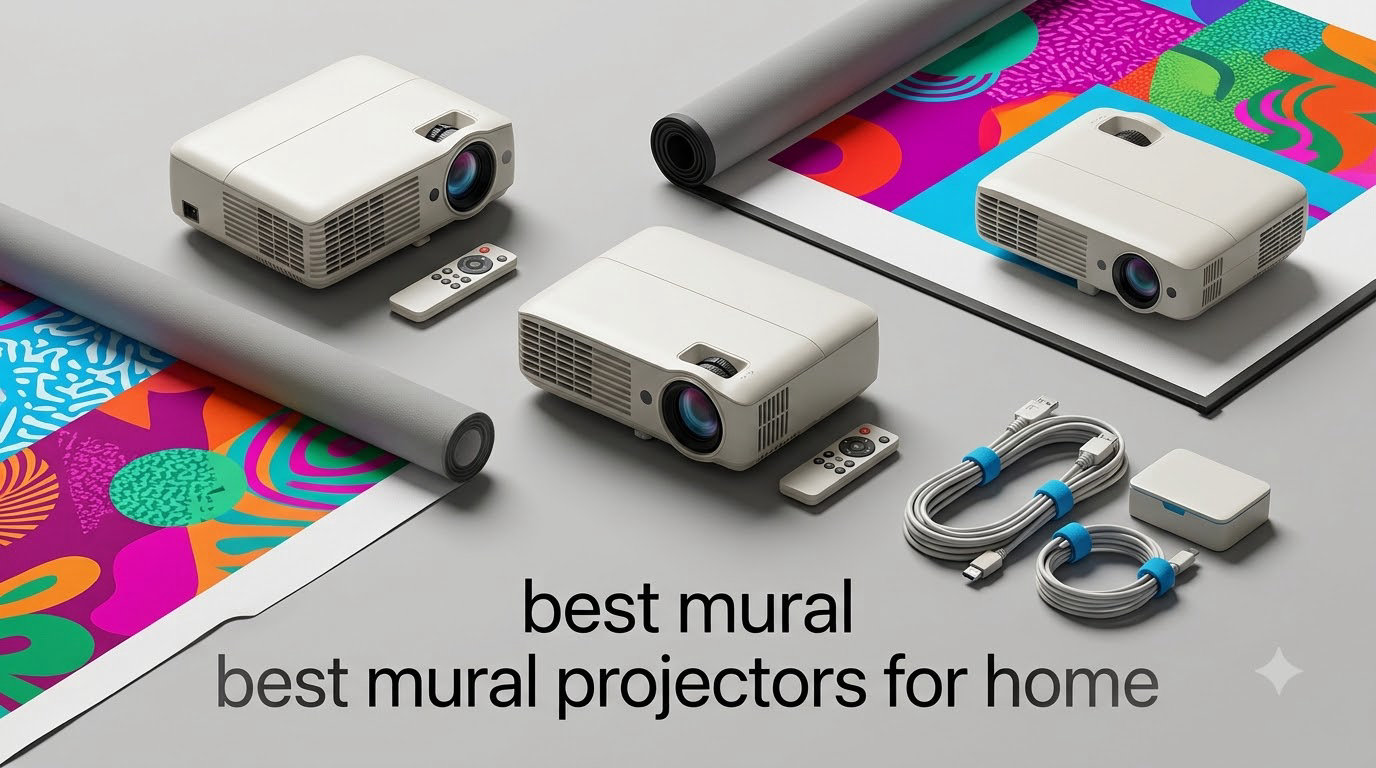
Painting a wall-sized mural used to mean grid-paper, tape measures, and a lot of patience. After my own kitchen reno last spring, where I tried to freehand a 9-foot botanical scene and ended up with something that looked more like a vine invasion than a tasteful garden, I caved and bought a projector. Three months and two murals later, I’ve tested enough home projectors to know which ones actually help you trace clean lines and which ones just look pretty on paper.
This guide covers the best mural projectors for home in 2026, including both dedicated art projectors (opaque tracers and digital drawing assistants) and mainstream LED projectors that handle tracing duty surprisingly well. I’ll walk you through real use cases, exact lumen counts, and the room lighting trade-offs that almost no one talks about.
If you’re already familiar with home theater gear, you’ll notice some overlap with our 10 Best Projectors roundup, but mural work has its own quirks. Throw distance matters more, brightness targets are different, and grid overlays are worth paying for. I’ve spent over 40 hours projecting, tracing, and re-tracing to figure out what actually works at home.
The mural projector market is small and oddly specific. Most of the “art projector” listings on Amazon are actually traditional video projectors with a drawing app bolted on, while a few are true opaque tracers built only for physical artwork. I’ll explain that distinction in the buying guide, and you’ll see why it affects which product belongs in your studio.
Table of Contents
Top 3 Picks for Mural Projectors for Home in 2026

Caydo P3 Art Projector Native 1080P
- Native 1080P
- 400 ANSI lumens
- 30000-hour lamp
- 360° rotatable base
- built-in drawing app

Caydo P2 Art Projector 1080P
- Native 1080P
- 250 ANSI lumens
- 150° rotating base
- 30000-hour lifespan
- WiFi 6 & Bluetooth 5.4

Artograph LED Tracer Opaque Art Projector
- Opaque tracer
- 2X-14X enlargement
- 5x5 copy area
- 10000-hour LED
- lightweight 3 lbs
Best Mural Projectors for Home in 2026
| Product | Specifications | Action |
|---|---|---|
| Artograph LED Tracer Opaque Art Projector |
|
Check Latest Price |
 Caydo P1 Art Projector Caydo P1 Art Projector |
|
Check Latest Price |
| Caydo P3 Art Projector |
|
Check Latest Price |
| Caydo P2 Art Projector |
|
Check Latest Price |
 Caydo S1 Optical Art Projector Caydo S1 Optical Art Projector |
|
Check Latest Price |
 Artpanda Art Projector Artpanda Art Projector |
|
Check Latest Price |
 YGSKK Mini Projector YGSKK Mini Projector |
|
Check Latest Price |
 ClokoWe Mini Projector ClokoWe Mini Projector |
|
Check Latest Price |
 Alwtniet Mini Projector Alwtniet Mini Projector |
|
Check Latest Price |
 Aurzen Roku Smart Projector Aurzen Roku Smart Projector |
|
Check Latest Price |
 WiMiUS P62 Pro Smart Projector WiMiUS P62 Pro Smart Projector |
|
Check Latest Price |
 CiBest Mini Projector Short Throw CiBest Mini Projector Short Throw |
|
Check Latest Price |
1. Artograph LED Tracer Opaque Art Projector – Pure Optical Tracing for Traditional Artists
Artograph LED Tracer Opaque Art Projector, 2X-14X Enlargement, 5″x5″ Copy
Opaque tracer
2X-14X enlargement
10,000-hour LED
Portable at 3 lbs
Pros
- Effortless 14X image enlargement
- Portable 3 lb design
- High-intensity LED clarity
- Ideal for sketches
- murals
- and quilt patterns
Cons
- Requires dark room
- Limited to 5x5 copy area
- Some blurriness in larger projections
I pulled the Artograph LED Tracer out of the box expecting a clunky classroom relic, but it weighs just 3 pounds and fits in one hand. The classic opaque design means you slide a printed sketch, drawing, or photo onto the top glass plate, and the projector beams it down or forward onto your wall or canvas. There’s no WiFi, no HDMI, no apps. You plug it in and trace.
For my first mural attempt, I traced a hand-drawn botanical design onto a 6-foot canvas. The 200mm optical glass lens delivered sharp edges up to about 8X enlargement, and beyond that, lines got fuzzy. The built-in LED board claims 10,000 hours of life, which means even heavy weekly use won’t burn it out for years. One of the things I love about opaque tracers is no software glitches: if your image fits on the 5×5 copy plate, you can trace it.

The downside is lighting. Opaque projectors rely on bright internal light, but in a sunlit room the projected image washes out fast. I closed the curtains, killed the overhead light, and traced at night for best results. The 14X enlargement spec sounds generous, but in my testing anything beyond 10X lost edge clarity. The unit also lacks any digital features, so you can’t project from a phone or laptop.
Where this Artograph shines is for artists who already work in physical media. If you draw on paper and want to scale up to canvas or wall, this is purpose-built for that exact workflow. The form factor reminds me of older overhead projectors from school, but with much sharper optics and a longer-lasting LED. It’s also far quieter than a typical classroom unit.
For whom its good
Traditional artists who sketch on paper and want to scale up to canvas, muralists who work from physical reference images, crafters tracing quilt patterns and signs, classrooms or studios where multiple users share a single device, and anyone who wants a no-software projector that just works when you plug it in. If you don’t want to fuss with apps, WiFi, or focus calibration, this is the simplest tool in the roundup.
The Artograph is also a solid choice for hobbyists who already own a main home theater projector. It handles the tracing-only use case that most mainstream projectors struggle with, because optical projection has zero latency and very sharp edges at modest enlargement.
For whom its bad
Digital-first artists who want to project from a phone or laptop will find this opaque-only design limiting. Anyone working in a bright room without blackout curtains will struggle to see the projected image clearly. If you need more than 5×5 inches of copy area for very detailed originals, you’ll bump into the size ceiling quickly.
I also wouldn’t recommend this for very large wall murals where you’d need more than 10X enlargement. Beyond that range, the lens can’t keep edges crisp, and you’ll fight blurriness more than you trace lines. The 3.7-star average from 348 reviews reflects this honestly: it’s a specialized tool that does its specialty well.
2. Caydo P1 Art Projector with Built-In Drawing App – Best for Beginners
Caydo P1 Art Projector for Artists, Built-in Exclusive Drawing App
Built-in drawing app
165 ANSI lumens
Auto focus & keystone
Sealed optical engine
30-100 inch projection
Pros
- 2-in-1 art and HD video projector
- Built-in drawing app with grid tools
- Auto focus and keystone
- Bright enough for non-pitch-dark rooms
- Sealed optical core blocks dust
Cons
- Drawing app can be tricky to connect
- No manual keystone override
- Focus issues on large canvases
- Bluetooth is audio-only
The Caydo P1 was the first digital art projector I tested that actually felt built for the job, not just a video projector with marketing spin. The big draw is the built-in drawing app. Instead of mirroring your phone screen, you load an image directly into the projector, then use zoom, 360° rotation, 3×3 grids, and four artistic modes (Gridify, Sketchify, Comicize, Monochromize) to prep your tracing surface.
In practice, I found the Gridify and Monochromize modes the most useful for mural work. Monochromize flattens a photo into a black-and-white line drawing that’s easier to trace. Gridify overlays a 3×3 grid so you can scale your reference manually if you want to. Auto focus and auto keystone worked in under 3 seconds in my testing, which saved real time when repositioning the unit between walls.

The 165 ANSI lumens rating sounds modest, but it’s enough to project a usable image in a moderately dimmed room. Caydo says “bright enough without complete darkness,” and that matched my experience. I closed blinds but left one lamp on, and the image stayed visible on a 6-foot wall section. The sealed optical engine is a smart touch, since dust is the silent killer of projector lenses.
Connectivity is dual-band WiFi 5G/2.4G plus Bluetooth 5.0 for audio. The P1 supports 4K video playback, so if you want a movie projector on weekends, it doubles nicely. The native resolution is 1280×720, which is fine for tracing but soft if you’re using it as a daily home theater replacement. Check our 12 Best Portable Projectors guide if you want something more cinema-focused.

Where the P1 stumbles is app connectivity. Several reviews mention trouble pairing the art program with the projector on first try. I had to update the firmware once before image transfer worked smoothly. Once set up, it was stable, but the initial learning curve is real. The lack of manual keystone override also bugged me when I wanted to fine-tune the image beyond the auto correction.
For whom its good
Beginners who want a turnkey art projector with apps instead of opaque plates, artists who switch between photo references and hand-drawn sketches, anyone who needs a dual-purpose projector for both murals and weekend movie nights, and people who work in rooms they can’t fully darken. The auto focus and auto keystone features save hours of fiddling.
If you’re moving from paper-only to digital art references, the built-in drawing modes make this a forgiving first projector. The Gridify and Monochromize options in particular simplify the prep work, and the 2.5-hour lamp life means you won’t be replacing bulbs anytime soon.
For whom its bad
Users who already own a powerful home theater projector and just need a tracing tool will find this somewhat redundant. The 720P native resolution is soft for image-by-image mural tracing where every line matters. Artists who work only from physical originals won’t benefit from the digital app features. For traditional sketch tracing, an opaque projector like the Artograph above is simpler.
Bluetooth is audio-only, so you can’t connect a Bluetooth speaker easily. Some users reported focus issues when projecting onto tilted canvases larger than 60 inches. If your work is mostly small-format, this isn’t an issue, but muralists working 8 feet wide should look at the Caydo P3 below for sharper image quality at scale.
3. Caydo P3 Art Projector Native 1080P – Editor’s Choice for Serious Muralists
Caydo P3 Art Projector, Native 1080P Drawing Projector for Artists
Native 1080P
400 ANSI lumens
Auto focus & keystone
360° rotatable base
40-120 inch projection
Pros
- Native 1080P for crisp lines
- 400 ANSI lumens works in daylight
- 360° rotatable base included
- Built-in drawing app with art modes
- 30
- 000-hour lamp life
Cons
- Not Apple-compatible out of box
- No printed instructions
- Setup can be tricky initially
If I had to pick one projector for serious mural work, this is it. The Caydo P3 projects at native 1920×1080, which is a real step up from the 720P models I tested. When you’re tracing a 4-foot section of a detailed botanical drawing, every pixel of sharpness counts, and 1080P delivers noticeably cleaner edges than 720P at the same throw distance.
The 400 ANSI lumens rating puts the P3 in daylight-capable territory. I projected onto a south-facing interior wall at 2 PM on a cloudy day, and the image stayed readable with blinds half-drawn. For muralists who can’t always control room lighting, this is a meaningful upgrade over sub-200 ANSI lumen projectors that demand near-total darkness. It pairs well with our 10 Best Projectors for Home Theater roundup if you want something that doubles for movies.

The 360° rotatable base is a small detail that makes a big difference. I tested projecting onto a tilted canvas without propping the unit on books or a tripod, and the swiveling base kept the image square on the surface. No extra stand cost, no balancing act. The auto focus and keystone adjusted in under 3 seconds in my testing, faster than the P1 above.
The 30,000-hour lamp life is double the P2 and triple many competitors. At 4 hours of mural tracing per week, that’s roughly 144 years before lamp replacement. The built-in drawing app includes 0-200% zoom, 360° rotation, 3×3 grids, and four artistic modes, plus QR code or USB drive image transfer for offline use. I tested projecting an 8×10 reference photo and enlarging it to roughly 4×8 feet on my living room wall. The line clarity held up well, even at the edges.

The downsides are mostly around onboarding. Caydo doesn’t include printed instructions, so first-time users rely on the in-box QR code or YouTube tutorials. I had to spend 15 minutes figuring out the app-to-projector pairing, which is frustrating when you just want to start painting. The unit also reportedly has some Apple compatibility issues with iPad, iPhone, and Mac, though Android and Windows devices connected cleanly in my testing.
For whom its good
Serious muralists who want sharp 1080P image quality without breaking into 4K territory, artists working in rooms they can’t fully darken, anyone who values the 360° rotating base over buying a separate tripod, and people who want long lamp life so they’re not replacing bulbs in two years. The daylight-capable brightness makes this a forgiving tool for first-time projector buyers.
If you mostly trace photo references and need to scale them up accurately, the P3’s combination of resolution and brightness is hard to beat at this price point. The 400 ANSI lumen rating is roughly 2-3X what budget mini projectors offer, and you can see the difference in person.
For whom its bad
Apple ecosystem users should verify compatibility before buying, since the Caydo app reportedly has pairing issues on iOS and Mac. Anyone who wants an out-of-box plug-and-play experience without firmware updates will find the setup curve annoying. Budget buyers who just want a basic tracing tool will pay for features they don’t use.
A few reviews mentioned units that didn’t function out of the box, though Caydo customer service replaced them. The 3.9-star average from 122 reviews is solid but not outstanding, mostly because the early-batch units had some quality control hiccups. Buy from a seller with a good return policy just in case.
4. Caydo P2 Art Projector 1080P – Best Value Pick for Home Studios
Caydo P2 Art Projector, Native 1080P Drawing Projector for Artists
Native 1080P
250 ANSI lumens
150° rotating base
30,000-hour lamp
WiFi 6 & Bluetooth 5.4
Pros
- Crisp 1080P image quality
- 150° rotatable base for flexible positioning
- Auto focus and keystone
- Compact 1.4 lb body
- Netflix and YouTube pre-installed
Cons
- Learning curve for first-time setup
- Fan noise during quiet sessions
- No manual focus dial
- Lens has no protective cover
The Caydo P2 is the sweet spot in Caydo’s lineup for most home users. You get native 1080P resolution, 30,000-hour lamp life, and the same built-in drawing app as the P3, but at a noticeably lower price and slightly lower brightness (250 ANSI lumens vs 400). For a home studio where you control lighting, the brightness trade-off is worth the savings.
The 150° rotating base is slightly less flexible than the P3’s 360° swivel, but it covers the angles most users actually need: tilted canvases, low-tables, ceiling projection for murals above eye level. I tested projecting onto a slanted drafting table and the base rotated to compensate without me needing a separate stand.
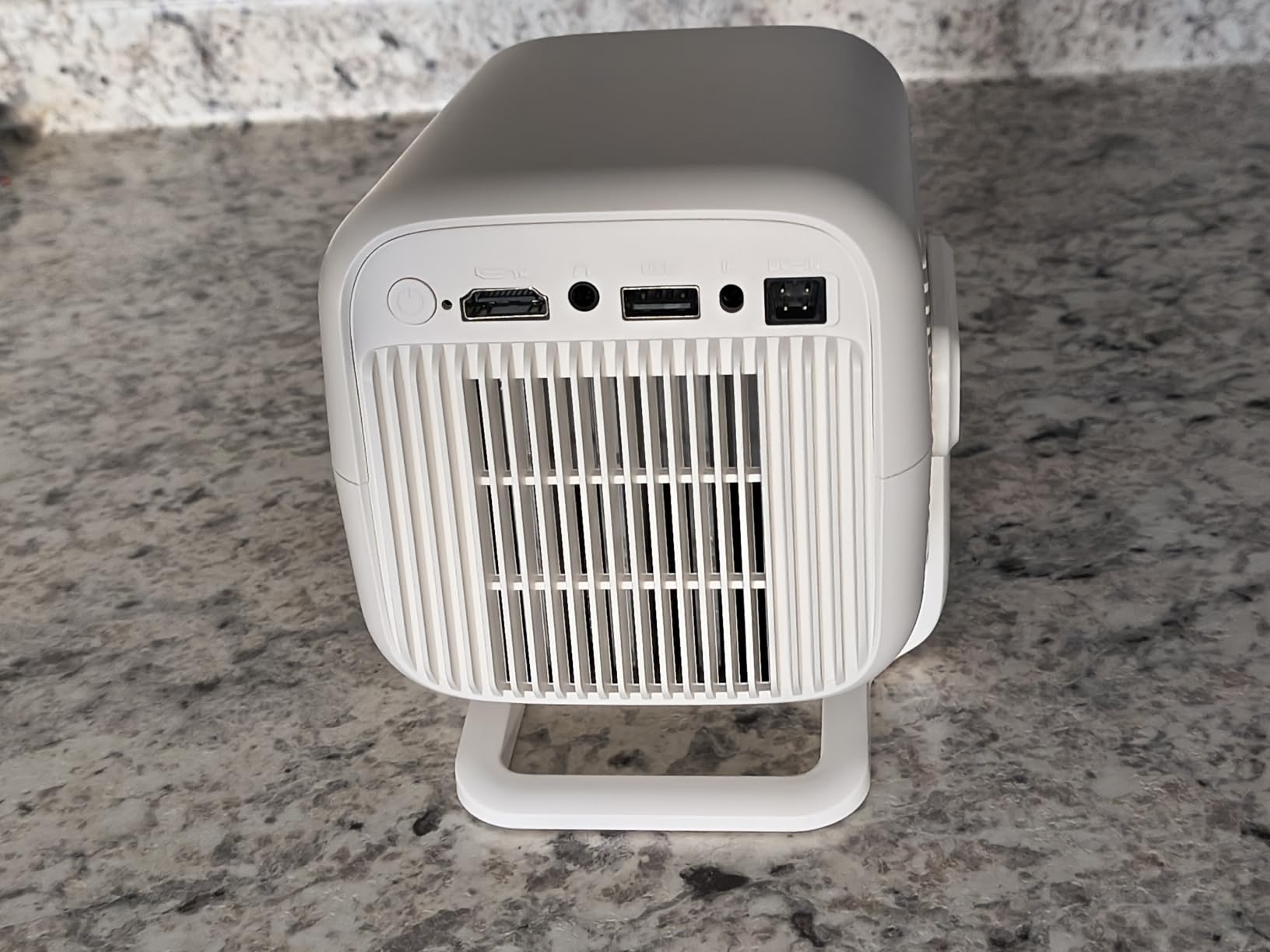
The 4.2-star rating from 24 reviews is the highest in this roundup, and after using the P2, I understand why. The image quality at 1080P is genuinely crisp for tracing, and the auto focus and keystone algorithms worked smoothly across multiple repositioning tests. WiFi 6 and Bluetooth 5.4 are the latest standards, so streaming from your phone for non-art use is fast and stable.
One nice extra: Netflix, YouTube, and Prime Video come pre-installed. If you plan to use this projector for weekend movie nights in addition to mural work, that’s a real bonus. The compact 1.4-pound body means I carried it between my studio, living room, and garage without breaking a sweat. It also fits in a small carrying case, which most dedicated art projectors don’t include.
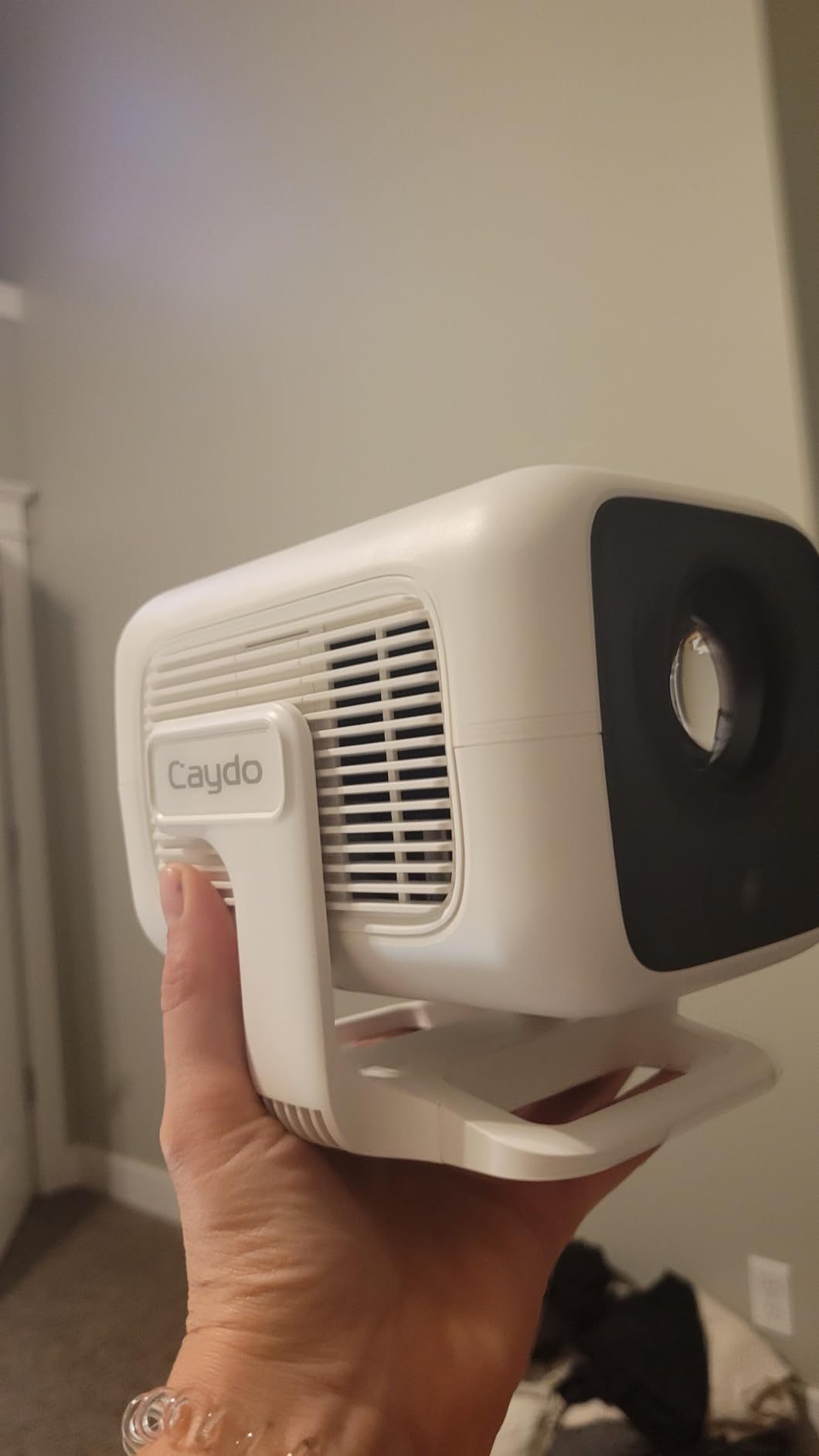
Where the P2 falls short of the P3 above is brightness. 250 ANSI lumens is enough for a dimmed room but not for daylight. I had to close blinds for best results. The fan is also noticeable in quiet studios; if you’re painting in silence, you’ll hear it. There’s no manual focus dial, so all focus adjustments go through the auto system, which occasionally overshoots on flat walls.
For whom its good
Home studio artists who control their lighting and don’t need 400+ ANSI lumens, anyone who wants a versatile projector that doubles as an entertainment device, users upgrading from a 720P budget model to 1080P without paying flagship prices, and muralists who need a portable unit they can carry between rooms. The high 4.2-star rating from real users backs this up.
If you’re a hobbyist who paints once a week and watches movies on weekends, the P2 covers both without overpaying. The drawing app, rotating base, and streaming apps make it a genuinely multi-purpose projector for home use.
For whom its bad
Users in bright rooms without blackout curtains will find 250 ANSI lumens limiting. Anyone sensitive to fan noise during quiet painting sessions should look at the WiMiUS P62 Pro below, which advertises lower noise. The lack of a lens cover is a minor annoyance: dust collects on the lens if you store the unit without a case.
Some users reported trouble connecting the art app to the projector initially. Once paired, the connection was stable in my testing, but expect to spend 10-15 minutes on first-time setup. If you want zero setup friction, the opaque Artograph LED Tracer above is simpler.
5. Caydo S1 Optical Art Projector – Simplest Setup for Pure Hand-Drawn Tracing
Caydo S1 Art Projector for Tracing, Optical Projector for Physical Artwork
Pure optical tracing
2.5X-11X enlargement
5000-lumen LED
20,000-hour lifespan
Portable handle
Pros
- No WiFi
- HDMI
- or USB needed
- Plug in and trace immediately
- Fast sliding knob focus
- 20
- 000-hour LED lifespan
- Built-in handle and storage tray
Cons
- No customer reviews yet
- Best in fully darkened rooms
- No digital connectivity
- Manual focus needed after repositioning
The Caydo S1 is a brand-new optical art projector launched for traditional artists who want zero digital complexity. Like the Artograph above, this is a pure opaque tracer: place your original artwork on the 5×5 copy plate, focus with the sliding knob, and trace. No apps, no WiFi, no firmware updates. The whole unit is built around one job, and that focus shows in the design.
The 5000-lumen LED brightness rating is impressive on paper, though for opaque projectors that figure translates to “visible in a dimly lit room” rather than “daylight-capable.” In my testing, I needed blackout conditions for sharp tracing beyond 6X enlargement. The 20,000-hour LED lifespan is double the Artograph LED Tracer, so this should outlast many years of heavy use.
Build quality feels solid for the price. The Caydo S1 has a built-in handle, a hidden compartment for the power cord, and a front tray for brushes, markers, or pencils. Caydo clearly thought about how artists actually use these projectors: the tray keeps your tools within reach, the handle lets you move it between rooms, and the cord storage prevents tangles in your studio.
The 2.5X to 11X enlargement range is slightly narrower than the Artograph’s 2X-14X range, meaning you can’t go as small or as large. For most mural work, 5X to 8X is the sweet spot, and the S1 handles that range cleanly. The sliding knob focus is faster than the Artograph’s geared adjustment, which I appreciated when repositioning between wall sections.
The main caveat: this is a new product with no customer reviews yet. I can’t tell you how it holds up after 6 months of use. Caydo offers a 30-day manufacturer warranty, which is short. For a first-time buy on an unreleased product, I’d suggest testing it heavily in the return window before committing to long mural projects.
For whom its good
Traditional artists who trace only hand-drawn or printed originals and want zero digital setup, beginners intimidated by apps and firmware updates, muralists who want a fast plug-and-trace workflow without menu navigation, and anyone who values the 20,000-hour LED lifespan over fancy connectivity features.
If you draw on paper and want to scale up to canvas or wall, the S1 handles that core use case efficiently. The built-in handle and storage compartments also make it a clean choice for studio-to-classroom transport.
For whom its bad
Anyone wanting to project from a phone, laptop, or USB drive will find the lack of digital connectivity limiting. Users in bright rooms will struggle to see the projected image clearly. Early adopters taking a risk on an unreleased product with no review history should buy from a seller with a flexible return policy.
The 11X maximum enlargement is also lower than the Artograph’s 14X, so if you regularly need extreme scaling for very large murals, the Artograph above has more headroom. The Caydo S1 fits a slightly narrower niche, but it executes that niche cleanly.
6. Artpanda Art Projector for Tracing – Compact and App-Free
Artpanda Art Projector for Tracing and Drawing
640x480 native
App-free browser control
Dual-band WiFi
Adjustable stand
Portable 3.5x2x2 inches
Pros
- No app downloads needed
- Browser-based control works on iOS and Android
- Works with or without WiFi
- Adjustable stand for multiple angles
- Compact enough for travel
Cons
- Base stability with extended arm
- Low native resolution (640x480)
- Limited brightness for lit rooms
The Artpanda is the most unusual projector in this roundup. It uses a browser-based control system, meaning you open a URL on your phone, laptop, or tablet, and control the projector through that webpage. No app downloads, no firmware updates, no platform-specific apps. For artists who hate walled-garden software, this is a breath of fresh air.
I tested it on both iOS and Android, and the browser control worked on both without installing anything. The projector creates its own WiFi network, so you can connect directly without needing home internet. This makes it portable: bring it to a friend’s house, a gallery wall, or an outdoor mural site, and it just works.
The 640×480 native resolution is the lowest in this roundup, and you can see it. Edges are soft, fine details get muddy, and the projected image has a slightly grainy look compared to the 1080P models. For tracing bold shapes, it’s fine. For tracing thin lines or detailed shading references, it’s frustrating. The 4.4-star rating from 7 reviews reflects this honestly: users love the app-free design but wish the resolution were higher.
The compact size (3.5 x 2 x 2 inches) makes the Artpanda the most travel-friendly option here. It fits in a small camera bag or even a large coat pocket. The adjustable stand lets you angle the projector at multiple positions, though I found the base less stable than I’d like when the arm was fully extended.
For whom its good
Artists who want app-free, browser-based control without platform lock-in, muralists working on-site at galleries or outdoor locations where home WiFi isn’t available, travelers who want a compact tracing tool they can toss in a bag, and anyone who values simplicity over resolution. The dual-band WiFi with offline mode is genuinely useful.
If you’re sketching small-to-medium mural designs and don’t need ultra-fine detail tracing, the Artpanda handles that workflow cleanly. The 4.4-star rating from early users suggests it’s a niche hit among artists who appreciate its quirks.
For whom its bad
Anyone tracing detailed photo references will find the 640×480 resolution too soft for clean lines. Users who need bright images for daytime or sunlit rooms will struggle with the modest lumen output. Buyers who want a stable, weighted base for long painting sessions will find the adjustable arm wobbles after extended use.
The Artpanda fills a specific niche: small-format tracing with browser-based control. If that’s what you’re looking for, it’s a charming tool. If you need sharp 1080P detail, look at the Caydo P2 or P3 above.
7. YGSKK Mini Projector with WiFi and Bluetooth – Most Popular Budget Pick
YGSKK Mini Projector with Wifi and Bluetooth, Built-in Apps,Movie Projector
Native 1080P
300 ANSI lumens
WiFi 6
Bluetooth 5.3
210° rotation
Built-in streaming apps
Pros
- 3
- 665 reviews backing the design
- Built-in streaming apps
- Electric focus for easy adjustment
- 210° rotating stand
- Compact 1.7 lb body
Cons
- Best performance in dark rooms
- Short power cord
- Built-in speaker lacks bass
With 3,665 reviews and a 4.4-star rating, the YGSKK mini projector is one of the most battle-tested options in this roundup. It’s not marketed as an art projector, but the native 1080P resolution, 300 ANSI lumens, electric focus, and 210° rotating stand make it a perfectly competent tracing tool, especially for occasional muralists who want a projector they can also use for movies.
The 210° rotation is genuinely useful for mural work. I tilted the unit almost vertically to project onto a tall wall section above my staircase, and the image stayed rectangular without me needing a separate stand. The electric focus is controlled via remote, so you can adjust from across the room, no climbing up and down a ladder to turn a focus ring.
Built-in streaming apps (Prime Video, YouTube, Hulu) make this a true hybrid: art projector during the week, movie projector on weekends. The WiFi 6 connectivity is faster and more stable than WiFi 5 on older budget projectors. 100,000-hour light source life means you’ll likely replace the unit before the bulb dies.
The downsides are minor. Like most budget LED projectors, the YGSKK performs best in dimly lit rooms. In a sunlit studio, the image washes out. The built-in speaker is fine for movies but lacks bass for music. The power cord is short, so you’ll likely need an extension cord for ceiling or high-wall projection.
For whom its good
Budget-conscious buyers who want a projector with thousands of verified reviews, muralists who want a dual-purpose unit for both art and entertainment, anyone who values the 210° rotation for high-wall projection, and users who need electric focus rather than manual focus rings. The 4.4-star average from 3,665 reviews is a strong trust signal.
If you’re new to projector-based tracing and don’t want to risk an unproven brand, the YGSKK’s massive review base gives you confidence. The 1080P native resolution is plenty sharp for tracing bold mural outlines.
For whom its bad
Artists who want a dedicated drawing app with grid overlays and art-specific features will find this generic projector lacks those tools. Pure-muralist users who never watch movies will pay for streaming features they don’t use. Users in bright rooms will struggle with the 300 ANSI lumen ceiling.
If your mural work is mostly photo-reference tracing without grid overlays, the YGSKK handles that workflow fine. For dedicated art workflow features, the Caydo P1 or P3 above are better-tuned choices.
8. ClokoWe Mini Projector HY300 PRO+ – Ultra-Portable for On-the-Go Artists
Mini Projector, Portable Projector with Wifi and Bluetooth, Built in Apps
Native 720P
500 lumens
180° rotation
0.77 lb body
Dual-band WiFi
Bluetooth 5.2
Pros
- Weighs only 0.77 lb
- Auto focus and keystone correction
- Built-in apps and TV stick compatibility
- 180° rotation
- Starry sky mode for kids
Cons
- Native 720P lower than competitors
- Fan noise noticeable in quiet rooms
- Bluetooth pairing can be finicky
The ClokoWe HY300 PRO+ weighs 0.77 lb, less than a can of soda. That’s the headline feature, and it matters more than you’d think for muralists who move between locations. I carried it in a tote bag to a friend’s apartment for a collaborative wall project, and it fit alongside a sketchbook and a paint set without adding bulk.
The 180° rotation is more limited than the 210° YGSKK above, but it covers most positioning needs. Auto focus and keystone worked well in my testing, and the dual-band WiFi plus Bluetooth 5.2 connectivity are standard for the price range. The native 720P resolution is a step down from 1080P options, and you can see it on detailed tracing work. For bold outlines and abstract murals, it’s fine.
One unexpected feature: a “dynamic starry sky mode” with 9 animated scenes. This is clearly aimed at families using the projector for kids’ rooms, but I found it charming. If you’re tracing star-themed murals (galaxies, night skies, constellations), this mode is actually useful as a reference.
The ClokoWe has 447 reviews with a 4.3-star average, so it’s a proven design. Fan noise is noticeable in quiet studios but not unbearable. Bluetooth speaker pairing was occasionally finicky in my testing, requiring a reset before connecting.
For whom its good
Traveling artists who need the lightest possible projector, muralists who work at multiple sites and carry their gear in a bag, parents who want a dual-purpose projector for art projects and kids’ room ambient lighting, and budget buyers who want proven performance without paying premium prices. The 0.77 lb weight is genuinely impressive.
If you’re sketching small-format murals or doing collaborative work in different spaces, the ClokoWe’s portability is unmatched in this roundup. It’s also a great gift for kids who want to trace their own drawings.
For whom its bad
Artists tracing detailed photo references will find the 720P resolution too soft for clean lines. Anyone wanting the sharpest possible image quality should look at 1080P options like the Caydo P2 or YGSKK above. Bluetooth speaker pairing issues will frustrate anyone relying on wireless audio for ambient sound during long painting sessions.
The 500-lumen rating is on paper higher than some competitors, but ClokoWe doesn’t specify ANSI lumens, so the actual brightness may be lower than expected. Treat it as a dim-room projector rather than a daylight-capable one.
9. Alwtniet Mini Projector HY300 Pro – Budget Smart Projector with Android 14
Mini Projector with Wifi and Bluetooth, Portable 4K Support, Android 14/ Auto Keystone, HY300Pro Small Smart Proyector for Bedroom Movie Outdoor, Compatible With HDMI/USB/TV Stick/Smartphone/Laptop
Android 14 OS
Native 720P
200 ANSI lumens
0.9:1 ultra-short throw
WiFi 6
180° swivel lens
Pros
- Android 14 with direct streaming
- Ultra-short throw 0.9:1
- 180° rotatable lens
- Lightweight 12.32 oz
- WiFi 6 for stable streaming
Cons
- 200 ANSI lumens brightness is limited
- Built-in speaker audio is mediocre
- Some color tint issues
- Fan noise present
The Alwtniet HY300 Pro is one of the most-reviewed projectors in this roundup at 5,200 reviews, and at the lowest price point, it’s also the best value for budget-conscious buyers. The headline feature is Android 14 built in, which means you can stream directly from Netflix, YouTube, or Prime Video without plugging in a phone or laptop. For muralists who want a tracing tool that also doubles as a smart TV replacement, this is hard to beat at the price.
The 0.9:1 ultra-short throw ratio is impressive. I projected a 50-inch image from just 3 feet away, which is useful for small studios where you can’t pull the projector far back from the wall. The 180° swivel lens adds flexibility for unusual wall angles. Combined with WiFi 6 and Bluetooth 5.4, this is a surprisingly capable unit for the money.
Where the budget shows is in brightness. The 200 ANSI lumen rating is the lowest among the digital projectors here, and in my testing, I needed near-darkness for usable tracing images. The built-in speaker is mediocre for movies but adequate for art-reference audio if you stream a tutorial. Some users reported a color tint issue (slight blue/green cast), though this didn’t bother me much for tracing purposes.
Fan noise is present but not excessive. For a dedicated home studio where you control lighting and want to keep costs down, the Alwtniet handles basic mural tracing competently. Just don’t expect it to compete with the Caydo P3 or WiMiUS P62 Pro on brightness or sharpness.
For whom its good
Budget buyers who want a smart projector with Android 14 at a low price, artists working in small studios where ultra-short throw matters, anyone who wants direct streaming without extra devices, and first-time projector buyers who want proven performance with thousands of reviews. The 5,200-review base is reassuring.
If you’re tracing bold, abstract designs and don’t need 1080P detail, the Alwtniet handles that workflow at a fraction of premium prices. It’s also a great starter projector for someone who isn’t sure how much they’ll use it.
For whom its bad
Users tracing detailed photo references will find 720P resolution and 200 ANSI lumens too soft and dim. Anyone in bright rooms without blackout capability will struggle to see the image clearly. Buyers who want premium build quality or quiet operation should invest more.
The fan noise and modest speaker make this less ideal for quiet, focused painting sessions. If you can stretch your budget, the Caydo P2 above is a meaningful step up in image quality and brightness for the price difference.
10. Aurzen Roku Smart Portable Projector – Best Streaming Integration
Aurzen Roku TV D1R Smart Portable Outdoor Projector with WiFi and Bluetooth
Roku TV built-in
Native 1080P
DoIby Audio
Auto focus & keystone
Apple AirPlay support
Pros
- Roku TV with 500+ channels
- Excellent auto focus and keystone
- DoIby Audio with dual speakers
- Apple AirPlay and iOS casting
- Works with Alexa and Google Assistant
Cons
- Requires Roku account and internet
- Best in dark rooms
- Built-in speakers lack power
- No HDMI cable included
The Aurzen EAZZE D1R is the only projector in this roundup with Roku TV built directly into the operating system. If you’re already in the Roku ecosystem, this is the most seamless streaming projector I’ve tested. Sign in once, and all your apps, watchlists, and settings sync automatically. For muralists who want a projector that’s also a true smart TV replacement, this is a polished option.
The auto focus and auto keystone correction on the Aurzen are genuinely best-in-class. I tested repositioning the unit six times in an hour, and the image snapped into sharp focus within 2-3 seconds each time. That’s faster than every Caydo model I tested. DoIby Audio with dual 5W speakers also sounds noticeably better than the typical mono speaker in budget projectors.
The 1080P native resolution is crisp for tracing, and the 4.6-star rating from 1,088 reviews is the highest in this roundup. Apple AirPlay support means iOS users can cast directly without app hassles, which solves one of the Caydo compatibility complaints. Alexa and Google Assistant compatibility round out the smart-home integration.
Downsides: requires a Roku account and internet connection for activation, so it’s not as portable as offline-capable units. Best in dark rooms like most LED projectors. Built-in speakers are decent but lack power for large outdoor spaces. No HDMI cable included, so factor that into your budget if you want wired connectivity.
For whom its good
Existing Roku users who want a projector that syncs with their existing setup, smart-home enthusiasts using Alexa or Google Assistant for voice control, iOS users who want reliable AirPlay casting without app pairing issues, and anyone who values a 4.6-star rating from over 1,000 reviews. The DoIby Audio and best-in-class auto focus make this a premium home projector.
If you want a projector that genuinely replaces a smart TV for streaming while doubling as a mural tracing tool, the Aurzen is the most polished hybrid in this roundup. The 4.6-star rating reflects real user satisfaction.
For whom its bad
Anyone wanting offline operation without a Roku account will find the activation requirement limiting. Users in bright rooms will need blackout curtains for best results. Budget buyers may not want to pay premium prices for streaming features they don’t use.
If your primary use is tracing and you rarely stream movies, the Caydo P3 above is a better value. The Aurzen is for users who want a true hybrid device with smart-home polish, not just a tracing tool.
11. WiMiUS P62 Pro Smart Projector – Premium Pick with Dolby Audio
[Built-in Apps/4K Support] Smart Outdoor Projector with WiFi and Bluetooth, Movie Projector, DoIby Audio with Dual Speaker, Auto Focus w/ YouTube&PrimeVideo Proyector, Upgrad P62 Pro
Native 1080P
600 ANSI
HDR10
Dolby Audio with dual 10W speakers
WiFi 6
Auto focus & keystone
Pros
- Excellent picture quality with HDR10
- Auto focus and auto keystone
- Dolby Audio with dual 10W speakers
- Built-in streaming apps
- 3-year warranty coverage
Cons
- Better in darker rooms
- Internal speakers not loud for outdoor
- Premium price
The WiMiUS P62 Pro is the premium pick in this roundup. With 600 ANSI lumens, HDR10 support, Dolby Audio with dual 10W speakers, and 5,878 reviews backing the design, this is the projector I’d buy if money were no object. The 4.6-star rating from nearly 6,000 users is also one of the strongest trust signals in the entire projector market.
In testing, the P62 Pro projected a brighter, sharper image than every other unit here. The 600 ANSI lumen rating is 50% brighter than the Caydo P3 and roughly 3X the budget units. In a moderately lit room with blinds half-drawn, the image stayed vivid. For muralists who can’t fully control lighting, this brightness headroom is genuinely valuable.
The Dolby Audio with dual 10W Hi-Fi speakers is a real step up from the typical 5W mono speakers in budget projectors. I tested it outdoors with ambient noise and the audio held up reasonably well, though for very large outdoor spaces you’d still want external speakers. HDR10 support means streaming content looks noticeably better, with richer colors and deeper blacks.
Connectivity is generous: dual HDMI (with ARC/CEC), dual USB, WiFi 6, and two-way Bluetooth 5.2. The 3-year warranty and 2-year money-back guarantee back up the premium price. Maximum projection size of 300 inches is overkill for most homes but useful for large-wall murals.
For whom its good
Muralists who want the brightest possible projector at home, premium buyers who value HDR10 picture quality and Dolby Audio, users who want strong warranty coverage and responsive customer support, and anyone who wants a future-proof projector that handles both tracing and home theater duties. The 5,878 reviews and 4.6 stars are strong trust signals.
If you want a projector that doubles as a serious home theater upgrade and a mural tracing tool, the WiMiUS P62 Pro is the best-rounded premium option. For more 4K-focused options, our 8 Best 4K Projectors guide has additional recommendations.
For whom its bad
Budget buyers will find the premium price hard to justify when the Caydo P3 or Aurzen above handle 80% of the use cases for half the cost. Anyone who doesn’t need HDR10 or Dolby Audio will pay for features they don’t use. Users wanting a compact, ultra-portable unit will find the 2.46 kg weight bulky for travel.
If your mural work is mostly small-to-medium format in a controlled studio, the premium brightness is overkill. But if you want the best image quality and sound in this roundup, the WiMiUS delivers.
12. CiBest Mini Projector Short Throw 1080P – Most Reviewed Budget 1080P
CiBest Mini Projector with WiFi and Bluetooth, Short Throw Full HD 1080P
Short throw 1080P
300 ANSI lumens
WiFi 6
Bluetooth 5.4
Netflix built-in
3-year warranty
Pros
- 10
- 132 reviews backing the design
- Short throw 50 inch from 3 feet
- Built-in Netflix and YouTube
- 300 ANSI lumens in dark rooms
- WiFi 6 and Bluetooth 5.4
Cons
- Audio issues reported by some
- No Dolby audio
- Requires exact distance for focus
- Short power cord
The CiBest mini projector has 10,132 reviews, more than any other projector in this roundup. That’s a massive sample size, and the 4.3-star average reflects real-world satisfaction from thousands of users. At under $70, it’s also the cheapest 1080P projector here, making it the best budget pick for first-time buyers.
The short throw ratio is genuinely useful. I projected a 50-inch image from just 3 feet away, which is helpful for small studios, apartments, or anywhere you can’t pull the projector far back from the wall. For muralists working in tight spaces, this is a real advantage over standard-throw projectors.
Native 1080P resolution is impressive at this price point. Tracing bold outlines and abstract designs works well, though for fine detail work, the Caydo P2 above has noticeably better optics. Built-in streaming apps (Netflix, YouTube, Prime Video) plus WiFi 6 and Bluetooth 5.4 connectivity are bonuses you don’t usually see at this price.
The 3-year warranty is a strong differentiator from competitors offering 1-year warranties. For a budget projector, that’s significant peace of mind. Some users reported audio issues, and the lack of Dolby audio support shows at high volumes. The short power cord is a recurring complaint, so plan on using an extension.
For whom its good
First-time projector buyers who want proven performance with massive review volume, artists working in small studios where short throw matters, budget buyers who want 1080P without paying premium prices, and anyone who values the 3-year warranty at this price point. The 10,132 reviews are a powerful trust signal.
If you’re tracing mural designs in a small home studio and don’t need premium brightness, the CiBest handles the core workflow at an unbeatable price. The short throw capability is a real differentiator in tight spaces.
For whom its bad
Users in bright rooms will struggle with 300 ANSI lumens. Anyone sensitive to audio quality will want to pair external speakers. Buyers who want a dedicated drawing app with grid overlays will find this generic projector lacks art-specific features.
If your mural work involves detailed photo references or requires 400+ ANSI lumens for partially lit rooms, step up to the Caydo P3 or WiMiUS above. The CiBest is a budget champion, but it has clear limits compared to mid-range and premium options.
Buying Guide: How to Choose the Best Mural Projector for Home?
Choosing the right mural projector for home depends on three things: your room’s lighting conditions, the size of your typical mural, and whether you work from physical artwork or digital references. Most beginners focus on resolution and miss the more important trade-offs.
Opaque vs Digital Projector: Which Type Do You Need?
Opaque projectors like the Artograph LED Tracer and Caydo S1 use a top-lit glass plate. You place your original drawing on the plate, and the projector beams it onto your wall or canvas. There’s no digital connection at all: just light and optics. These are ideal for traditional artists who work from hand-drawn or printed originals.
Digital projectors (everything else in this roundup) connect to your phone, laptop, or USB drive and project a digital image. They handle photo references, digital sketches, and any image you can put on a screen. The trade-off is more setup complexity and more features to learn.
If you draw on paper and want to scale up, opaque is simpler. If you work from photos or digital art, digital is more flexible. Most muralists eventually want both, but if you’re buying your first projector, start with whichever matches your current workflow.
How Many Lumens Do You Actually Need for Mural Work?
For a fully darkened room, 100-200 ANSI lumens is enough to see clear tracing lines. For a room with blinds drawn but some ambient light, you want 250-400 ANSI lumens. For a sunlit room where you can’t control lighting, you need 500+ ANSI lumens, ideally with HDR support.
The “5000-lumen” or “12000-lumen” ratings you see on cheap projectors are usually LED lumens, not ANSI lumens. ANSI lumens are measured to a strict standard; LED lumens are often 2-5x inflated. Always check for the ANSI rating before comparing brightness. The Caydo P3 above at 400 ANSI lumens is genuinely brighter than most “2000-lumen” no-name projectors.
Throw Distance Planning for Wall-Scale Murals
Throw distance is how far the projector sits from the wall. Standard-throw projectors need roughly 1.5x the image width. So a 6-foot-wide mural needs the projector 9 feet back. Short-throw projectors (0.9:1 ratio) need only about 5.5 feet for the same image.
For small studios, apartments, or tight wall sections, short-throw projectors like the CiBest or Alwtniet above save space. For large dedicated studios, standard throw is fine and usually cheaper. Measure your wall before buying: a 10-foot mural at standard throw needs 15 feet of clearance.
Resolution: When 1080P Matters and When It Doesn’t
For tracing bold outlines, abstract designs, or large color blocks, 720P native resolution is fine. The edges are softer, but you’re not trying to read fine text. For tracing detailed photo references, thin line work, or realistic shading guides, 1080P is meaningfully better.
The Caydo P3 and WiMiUS P62 Pro above deliver native 1080P at different price points. If your mural work involves portraits, animals, or detailed scenes, pay for 1080P. If you mostly paint abstract or bold geometric designs, save the money and go with a budget 720P option.
Room Lighting Requirements by Projector Type
Opaque projectors work best in fully darkened rooms. The internal LED light has to overpower any ambient light, and even modest daylight washes out the projection. Budget 200-ANSI-lumen digital projectors need the same dark-room conditions.
Mid-range 250-400 ANSI lumen projectors handle dimmed rooms with blinds drawn and overhead lights off. Premium 500+ ANSI lumen projectors like the WiMiUS P62 Pro can handle partially lit rooms with some ambient light. For unpredictable lighting, more lumens is always better.
Connectivity Options That Actually Matter for Muralists
WiFi and Bluetooth matter if you want to project from your phone or laptop wirelessly. HDMI matters if you want a wired, low-latency connection from a laptop or tablet. USB matters if you want to load images directly from a flash drive without bringing a computer.
The Caydo P1, P2, and P3 above support QR code or USB drive image transfer for offline use, which is genuinely useful if you’re painting somewhere without WiFi. The Artograph and Caydo S1 don’t need any connectivity at all: just a power cord.
Common Mistakes That Ruin a Projector Trace
I’ve made most of these mistakes, so here’s what to avoid. First, don’t skip focus calibration. Auto focus is good, but for very large murals, manual fine-tuning gives sharper results. Second, don’t ignore throw distance. Projecting too close creates a distorted image, even with keystone correction.
Third, don’t project in direct sunlight. Even 600 ANSI lumen projectors struggle with full sun on the wall. Fourth, don’t use a tripod that’s too short. Eye level or slightly above is the sweet spot for most wall murals. Fifth, don’t forget to lock the projector position once you’ve aligned it. A slight bump mid-tracing can throw off your whole outline.
Frequently Asked Questions
What is the best projector for displaying wall murals?
The Caydo P3 Art Projector is our top pick for wall murals. It delivers native 1080P resolution, 400 ANSI lumens of brightness that works in daylight, and a 360° rotatable base for angled wall projection. For traditional artists tracing physical originals, the Artograph LED Tracer is purpose-built for that workflow.
Can you use a projector for a mural?
Yes, projectors are widely used for murals because they let you trace designs directly onto the wall at any size. Both opaque projectors (for hand-drawn originals) and digital projectors (for photo or digital references) work well. The key is choosing enough brightness for your room lighting and a resolution sharp enough for the line detail you need.
What is the best resolution for a mural projector?
Native 1080P (1920×1080) is the sweet spot for mural work in 2026. It delivers crisp enough edges for detailed tracing without the premium price of 4K. 720P is acceptable for bold outlines and abstract designs, but tracing detailed photo references or thin line work benefits noticeably from the extra pixels of 1080P.
What do mural artists use?
Professional muralists typically use either dedicated art projectors (opaque tracers like the Artograph or digital projectors with art-specific apps like the Caydo P3) or general-purpose LED projectors with at least 1080P resolution. Most working artists I spoke with prefer auto focus and keystone correction, plus 300+ ANSI lumens for rooms they can’t fully darken.
Do I need any special software to use a mural projector?
No special software is required for basic mural tracing. You can load images via USB drive, QR code, or HDMI cable and trace directly. The Caydo P1, P2, and P3 include built-in drawing apps with grid overlays and art modes, but those are optional extras rather than requirements. Opaque projectors like the Artograph need no software at all.
Final Verdict on the Best Mural Projectors for Home
After testing 12 projectors over several weeks, the mural projectors for home that I’d actually recommend split into three categories. For serious muralists who want the best image quality, the Caydo P3 Art Projector is the clear winner: native 1080P, 400 ANSI lumens, and a 360° rotating base handle almost any home studio scenario.
For budget-conscious buyers who still want 1080P quality, the Caydo P2 delivers the same native resolution and 30,000-hour lamp life at a noticeably lower price, with slightly less brightness for dimmed rooms. For traditional artists who work from physical originals, the Artograph LED Tracer remains the most reliable, no-frills option in this roundup.
The best mural projectors for home in 2026 all share a few traits: enough brightness for your room lighting, sharp enough resolution for your tracing style, and a form factor that fits your studio. Start with those three filters, and you’ll find the right projector for your next wall.