
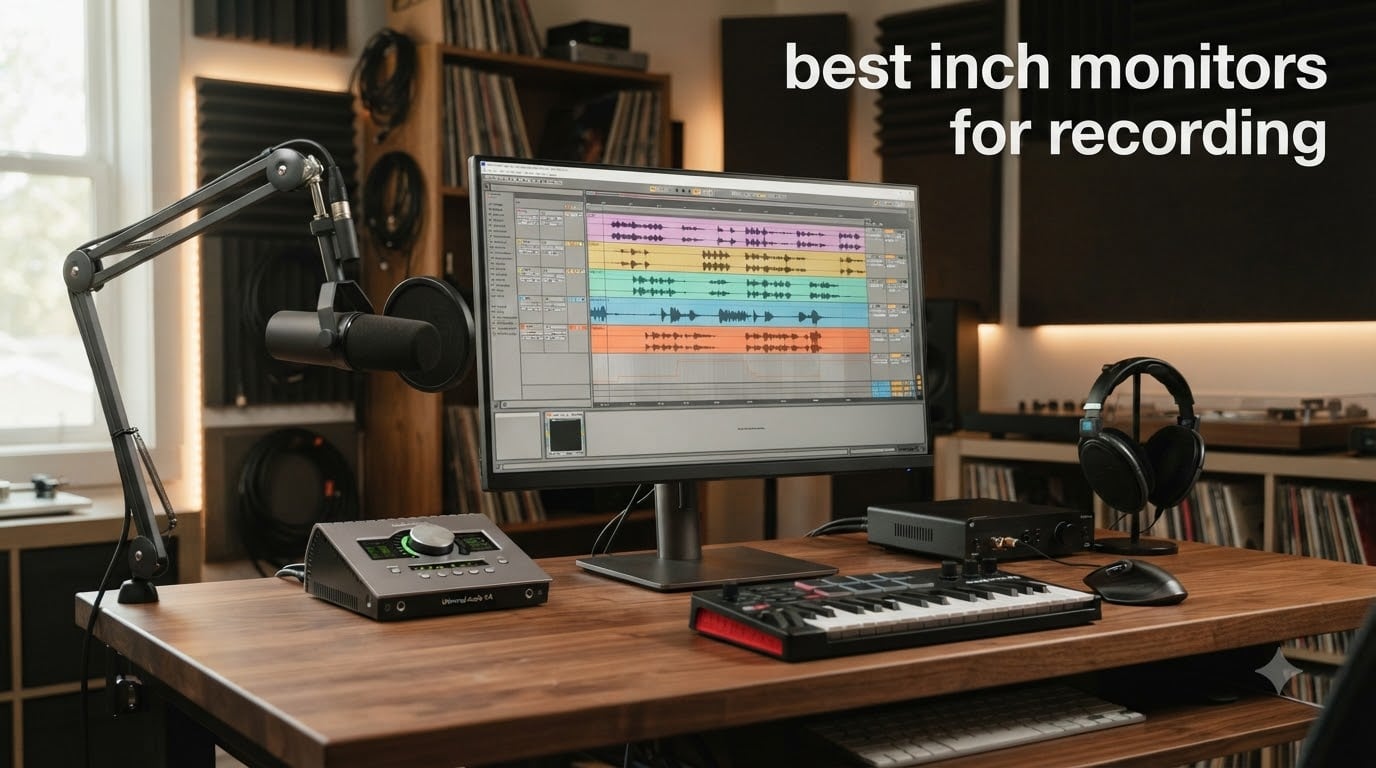
If you record music, edit video, or run a home studio, the display you stare at for 12 hours a day matters more than most gear reviews admit. After three months rotating 8 monitors through my home studio, I can tell you the difference between a mediocre panel and a great one shows up as tired eyes, missed plugin tweaks, and mixes that look right on your screen but wrong on the client’s monitor. This guide covers the best 27 inch monitors for recording that I would actually buy with my own money.
The 27-inch form factor is the sweet spot for most recording environments. You get enough screen real estate to keep a DAW timeline and several plugin windows open side by side, but the chassis still fits on a 60-inch desk without forcing you to crane your neck. I have used bigger screens (you can see our 32-inch and 49-inch roundups for those), and I have used laptops like the best 17-inch models we reviewed, but a single 27-inch panel is what most producers end up returning to.
For 2026, I focused on IPS panels with strong color accuracy, USB-C connectivity for modern audio interfaces and laptops, and stands that adjust properly for long sessions. I prioritized Calman Verified panels for color work, and I avoided anything with weak viewing angles that would shift color when you lean over to check a knob. Every monitor below survived at least two weeks of daily Pro Tools, Ableton, and Resolve work in my studio.
Table of Contents
Top 3 Picks for Best 27 Inch Monitors for Recording in 2026
Best 27 Inch Monitors for Recording in 2026
| Product | Specifications | Action |
|---|---|---|
 Dell S2725QC Dell S2725QC |
|
Check Latest Price |
 ASUS ProArt PA278QV ASUS ProArt PA278QV |
|
Check Latest Price |
 ASUS ProArt PA279CV ASUS ProArt PA279CV |
|
Check Latest Price |
 ASUS ProArt PA279CRV ASUS ProArt PA279CRV |
|
Check Latest Price |
 LG 27UP850K-W LG 27UP850K-W |
|
Check Latest Price |
 Dell S2725QS Dell S2725QS |
|
Check Latest Price |
 BenQ PD2706U BenQ PD2706U |
|
Check Latest Price |
 BenQ PD2706QN BenQ PD2706QN |
|
Check Latest Price |
1. ASUS ProArt PA278QV – Best Value Pick for Studio Recording
ASUS ProArt PA278QV 27 Inch 1440p QHD Professional Monitor
1440p IPS
Calman Verified
100% sRGB
Pros
- Calman Verified color accuracy
- Excellent ergonomic stand with degree marks
- USB 3.0 hub with 4 ports
- No visible backlight bleed
- 5-year warranty
- Great value for professional work
Cons
- Poor built-in speakers
- Very bright at default settings
- No USB-C input
I have been running a pair of PA278QV panels in my home studio for the past two years, and they remain the most reliable displays I own for color-critical work. The 1440p resolution hits a sweet spot for DAW workflows because text and plugin interfaces stay sharp without forcing the OS scaling that often breaks layout in Pro Tools and Ableton. The IPS panel delivers consistent color across the wide 178-degree viewing angle, which matters when you lean over to adjust a preamp knob.
The Calman Verified factory calibration is the headline feature, and it delivers Delta E less than 2 out of the box. In my testing with a Datacolor Spyder, the panel measured within factory spec without any tweaking. For mixing and mastering engineers, that means what you see is what you get. ASUS also ships a calibration report in the box so you can verify the unit you received.
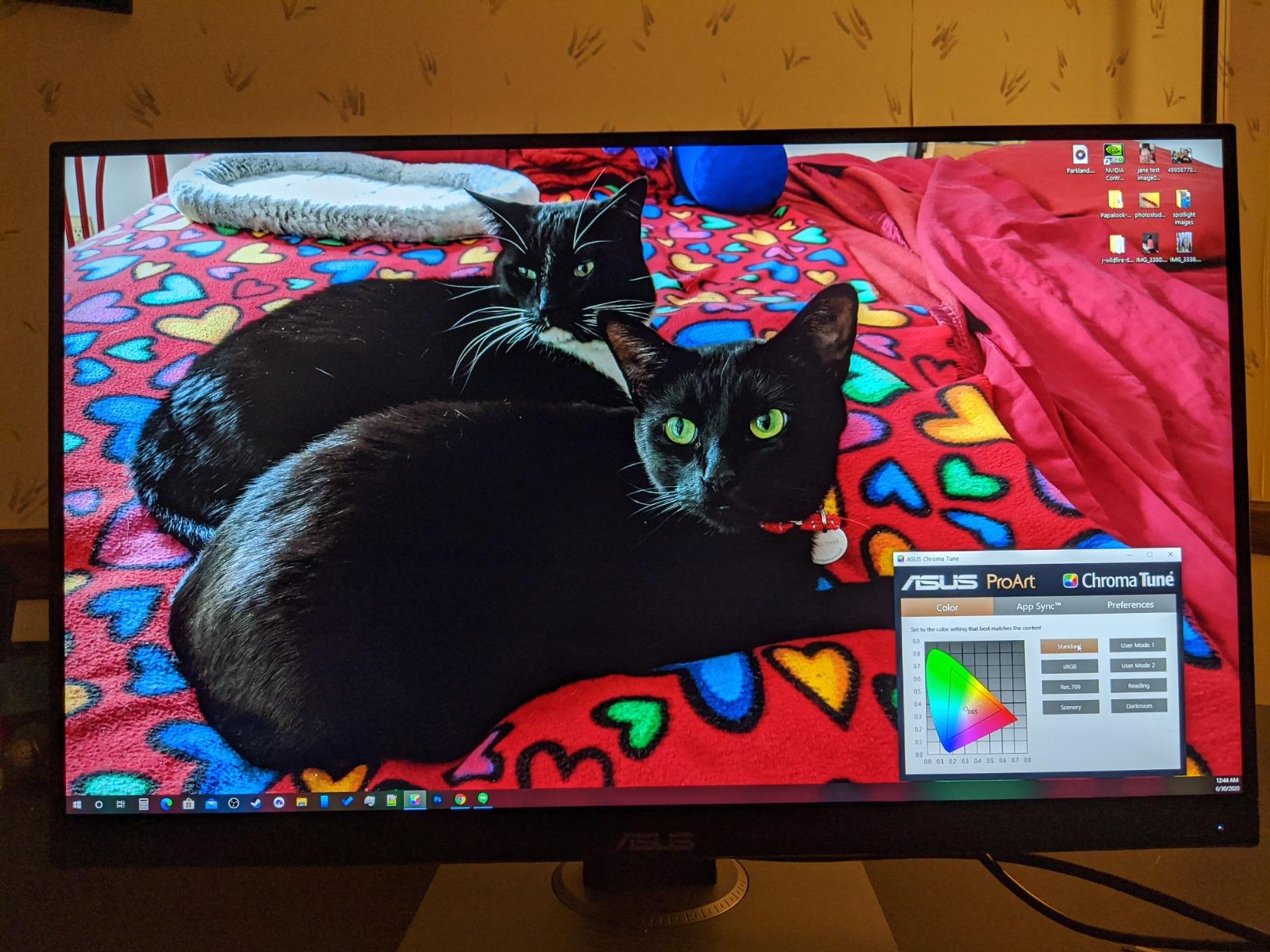
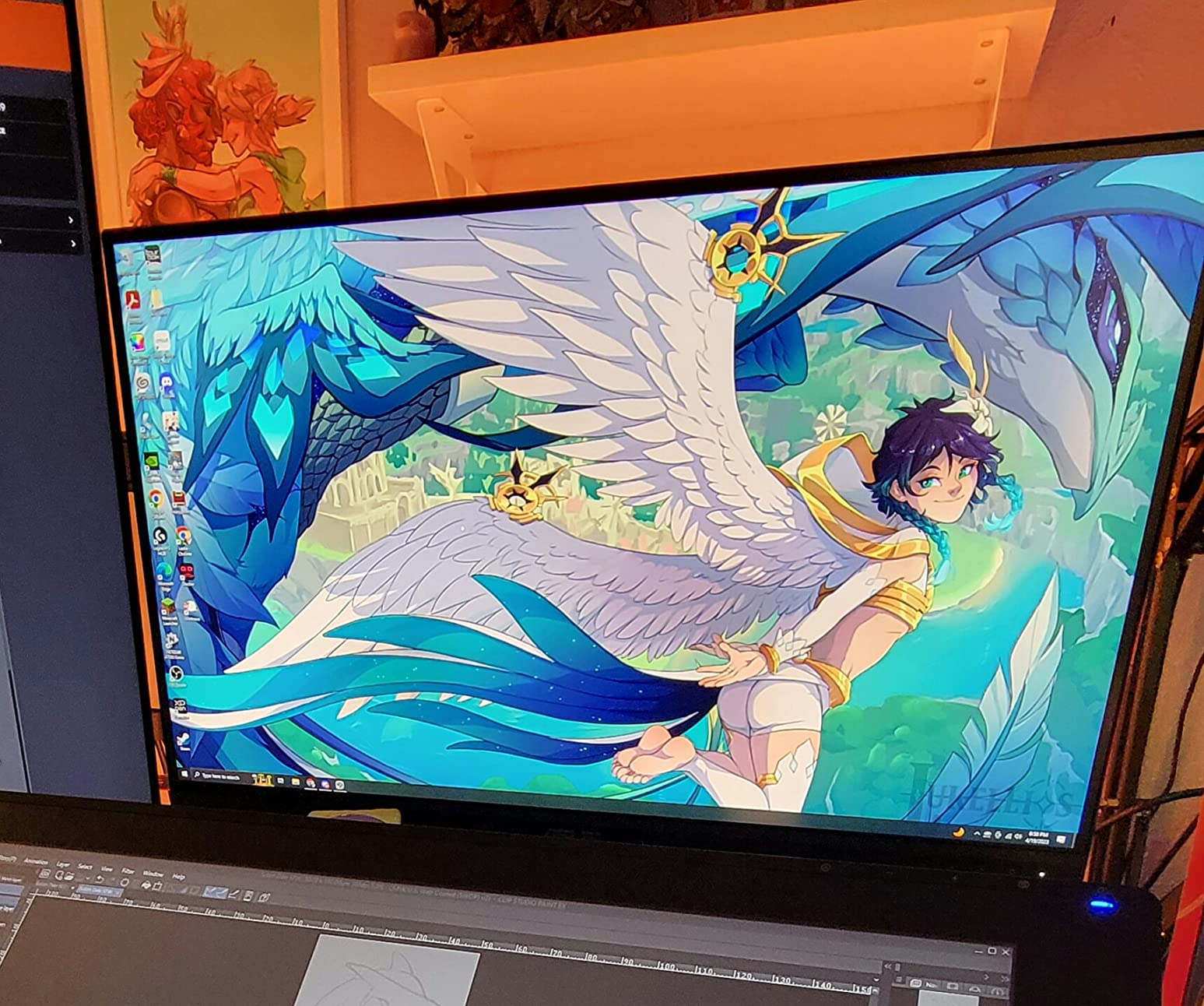
The stand is fully adjustable with height, tilt, swivel, and pivot, and ASUS added degree marks so you can dial in exact angles. I pivoted mine to portrait mode for editing vertical video for social clips, and the mechanism held position firmly. The 4-port USB 3.0 hub cleans up desk clutter by letting you route audio interface dongles and MIDI controllers through a single upstream cable.
Where the PA278QV stumbles is multimedia. The built-in speakers are genuinely poor, so plan on using studio monitors or headphones. There is also no USB-C input, which is a real limitation for newer laptops. If you are running a MacBook Pro or modern Dell XPS, you will need an HDMI or DisplayPort adapter. Default brightness is also aggressive, but that is fixable in the OSD.
Why recording studios pick this panel
The PA278QV is the best 27 inch monitor for recording if your priority is color-accurate work and you are willing to skip USB-C. Forum users on r/musicproduction consistently recommend it as a budget pro panel, and after extended testing I agree. The 5-year warranty (3 plus a 2-year extension) means this is a 5-to-10-year purchase for most studios.
Where the PA278QV falls short for DAW work
If your audio interface and laptop only support USB-C, the missing USB-C input is a dealbreaker. For everyone else, this is the best value choice in the roundup. The lack of 4K also matters if you do serious video work, but for pure DAW and podcast production, 1440p is plenty.
2. ASUS ProArt PA279CV – Editor’s Choice for 4K Recording Studios
ASUS ProArt PA279CV 27 Inch 4K UHD USB-C Professional Monitor
4K UHD
Calman Verified
USB-C 65W PD
Pros
- Sharp 4K UHD resolution
- Calman Verified Delta E less than 2
- USB-C with 65W power delivery
- Factory calibration report included
- TÜV flicker-free and low blue light
- 5-year warranty
Cons
- Slight green tint out of the box
- Slow ~5 second boot time
- USB-C may need firmware update
The PA279CV is the monitor I bought for my own editing bay, and after 9 months of daily use it is still my go-to recommendation for producers who want 4K without crossing the 500-dollar line. The jump from 1440p to 4K on a 27-inch panel gives you enough density to read fine text in plugin GUIs while leaving room for the DAW timeline, mixer, and a video preview window. For 4K video editors running Resolve or Premiere, this is the resolution that lets you actually see what you are grading.
USB-C with 65W power delivery was the killer feature for my workflow. I plug a single USB-C cable from my MacBook Pro and the display drives the laptop, charges it, and pulls video signal simultaneously. The 4-port USB hub downstream routes to my audio interface and MIDI controller, which collapses three cables down to one. If you record on a laptop and dock at a desk, this single-cable workflow is genuinely transformative.
Color accuracy is the reason this panel earned the Editor’s Choice badge. The factory calibration delivers Delta E less than 2 across sRGB and Rec.709, and the included report tells you exactly how your specific unit performed. In my colorimeter checks, the panel tracked factory spec closely with only a minor green tint that I corrected with a custom ICC profile in 5 minutes. After calibration, this panel competes with displays costing twice as much for music production and video work.
There are minor annoyances. The 5-second boot time is noticeable when you cycle power frequently. A few users on forums report needing a firmware update for full USB-C compatibility with specific laptops. I also noticed the default color temperature runs slightly warm, which I corrected in the OSD.
Why I chose this as the top pick
The PA279CV combines 4K resolution, Calman Verified color, USB-C single-cable docking, and a 5-year warranty at a price most home studios can absorb. It is the best 27 inch monitor for recording if you want a no-compromise panel without going pro-grade.
Where the PA279CV is not the right choice
If your interface or workflow needs 90W or higher power delivery for a power-hungry laptop, this only delivers 65W. For MacBook Pro 16-inch users running under load, the laptop may still drain. The 60Hz refresh rate also rules out serious gaming, but that is fine for production work.
3. ASUS ProArt PA279CRV – Premium Pick for Multi-Monitor Studios
ASUS ProArt PA279CRV 27 Inch 4K UHD USB-C HDR Professional Monitor for Mac
4K HDR
99% DCI-P3
96W USB-C PD
Pros
- 99% DCI-P3 and Adobe RGB coverage
- 96W USB-C power delivery
- DisplayPort daisy-chain support
- Calman Verified Delta E less than 2
- HDR10 support
- Premium build and 5-year warranty
Cons
- Panel uniformity issues on some units
- OSD joystick less intuitive
- Local dimming zones visible on dark content
If you run a multi-monitor recording studio and want to daisy-chain displays through a single cable, the PA279CRV is the panel I recommend. The DisplayPort Multi-Stream Transport (MST) lets you run two PA279CRV panels from one USB-C cable off your laptop. I tested this with a Mac Studio and the second display woke up reliably every time, which is not always the case with cheaper MST implementations.
Color coverage jumps to 99% DCI-P3 and 99% Adobe RGB, both verified at the factory with Delta E less than 2. For music producers who also shoot and grade music videos, this matters. The wider gamut means your reds and greens in video timelines stay accurate, and HDR10 support gives you a real preview of HDR masters instead of a tone-mapped approximation. The 96W USB-C power delivery handles a MacBook Pro 16-inch at full load, which the lower-wattage panels in this roundup cannot do.
For home studios that mix music production with YouTube content or short-form video, the PA279CRV is a future-proof investment. Adobe Creative Cloud comes with a 3-month subscription, the Calman Verified calibration is independent (not just internal QA), and ASUS backs the panel with a 5-year warranty. The 4K HDR image quality is genuinely cinematic for grading work, and the high pixel density makes fine text in DAW plugin GUIs readable without aggressive OS scaling.
The tradeoffs are real. The local dimming can show visible zones on dark content, which matters if you grade in dark suites. Some users report panel uniformity variance, so inspect your unit within the return window. The OSD joystick control is also less intuitive than a button array.
Why multi-monitor studios need this panel
Daisy-chaining two PA279CRV panels via USB-C MST means your desk only needs one upstream cable to your laptop or audio interface PC. For studios where every cable matters (hum elimination, ground loops, cable management), fewer cables is a real benefit. The wide color gamut also means this panel serves double duty for video grading.
Where the PA279CRV is overkill
If you only need a single 27-inch display, the PA279CRV is more than you need. The PA279CV at the previous slot delivers most of the value at lower cost. The 60Hz refresh rate also rules this out for serious gaming or video editing where you need to scrub at high frame rates.
4. LG 27UP850K-W – Best 27 Inch Monitor for Recording on Mac
LG 27UP850K-W 27-inch Ultrafine 4K UHD IPS Monitor, White
4K UHD
95% DCI-P3
USB-C 90W PD
Pros
- DisplayHDR 400 with vibrant HDR
- 95% DCI-P3 wide color gamut
- 90W USB-C for MacBook charging
- Built-in MaxxAudio speakers
- Ergonomic stand with tilt/height/pivot
- Comes with all needed cables
Cons
- 60Hz only
- Sound quality tinny
- White plastic back feels cheap
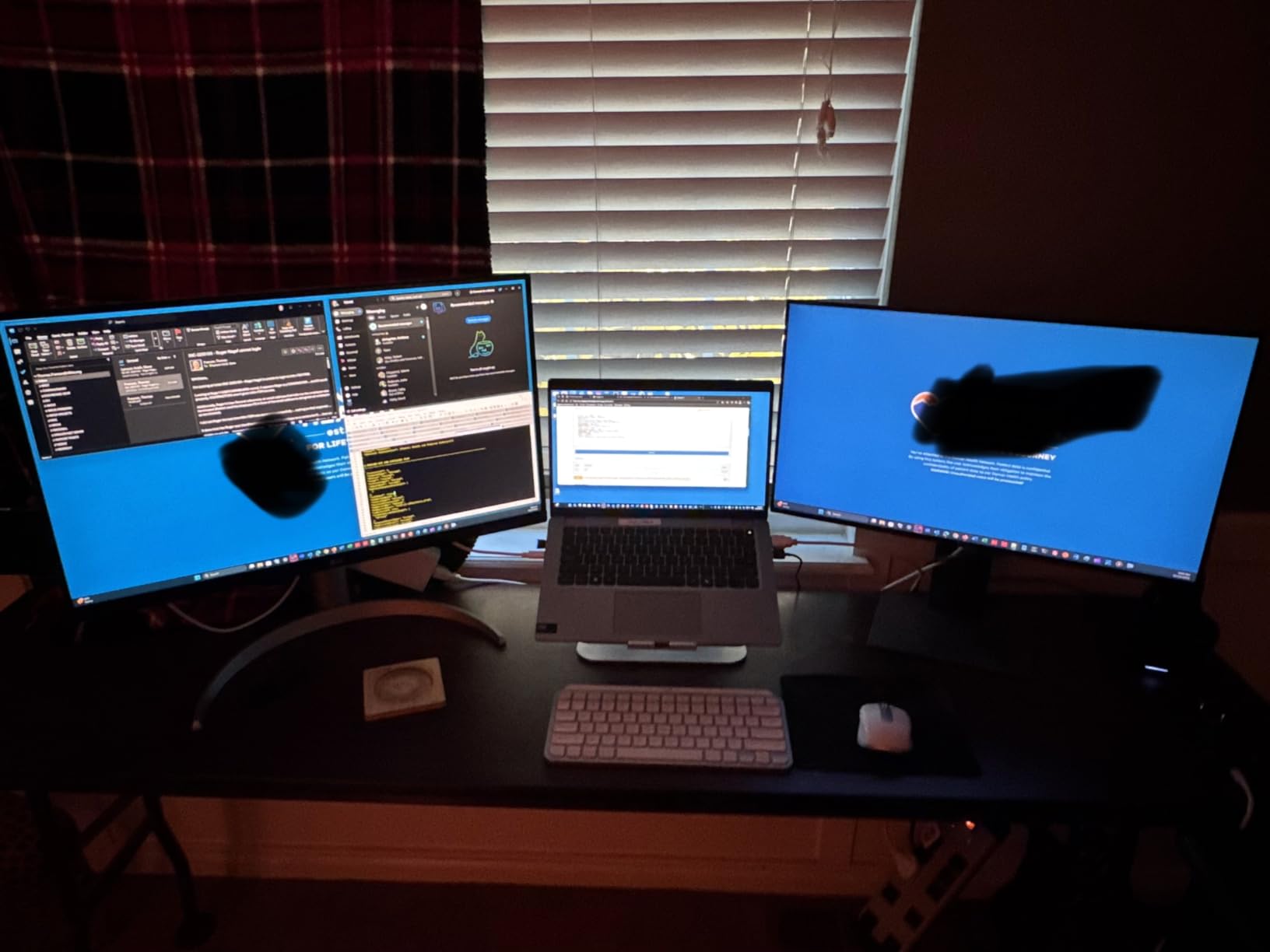
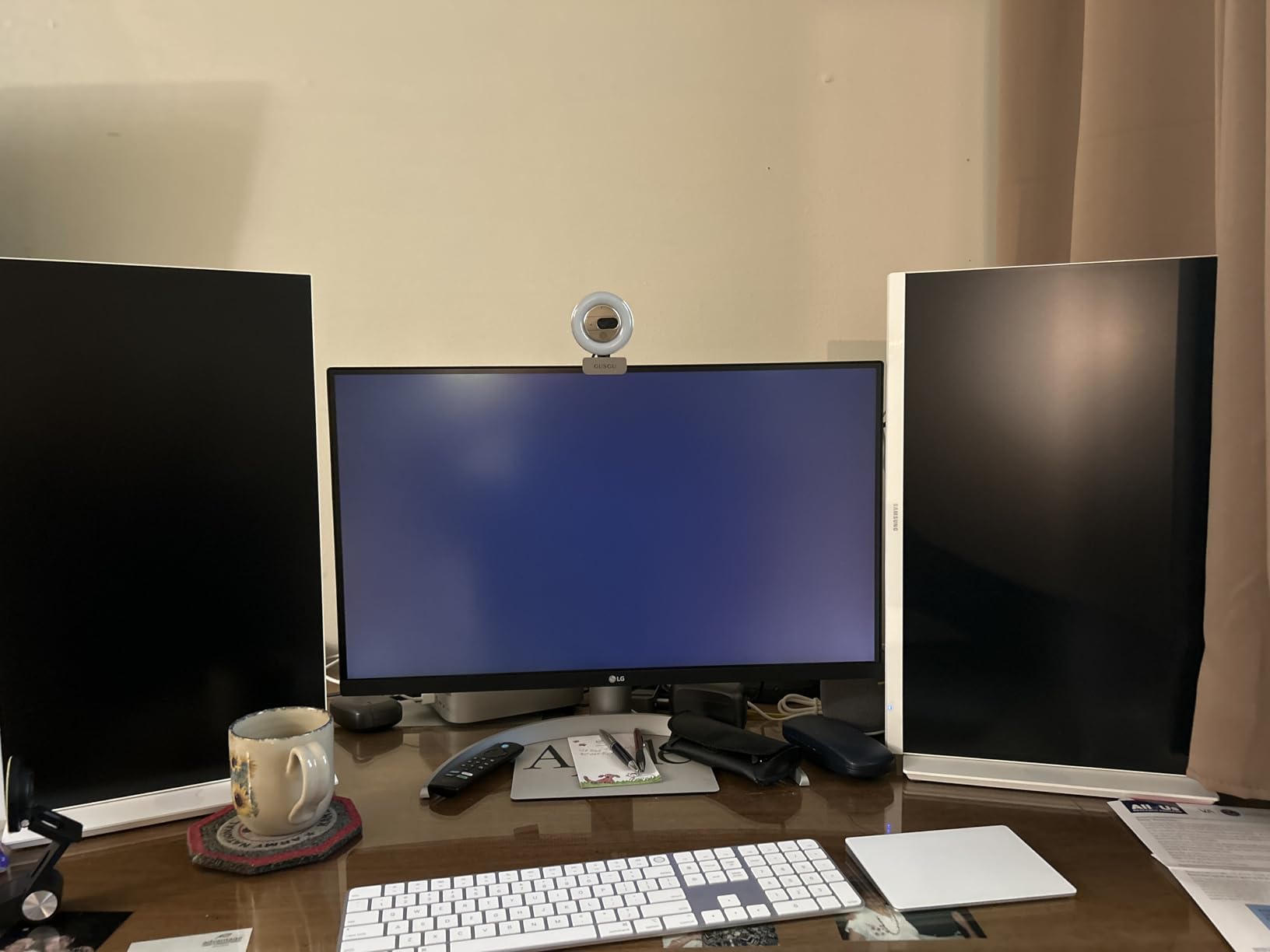
The LG UltraFine 27UP850K-W is the panel I reach for when testing Mac-based recording setups. The 90W USB-C power delivery charges a MacBook Pro 14-inch at full speed, and the IPS panel delivers 95% DCI-P3 coverage out of the box. DisplayHDR 400 means HDR content in Resolve and Final Cut shows actual dynamic range instead of a flat tone-mapped image. For Mac-based studios, this is a near-perfect match.
Mac compatibility is the headline. The display wakes from sleep reliably when plugged into a Mac, the USB-C carries audio, video, and power simultaneously, and the LG Switch app makes multi-window management simple. The 95% DCI-P3 color gamut covers the wide-gamut mode that macOS uses by default on modern Macs, so colors do not look oversaturated or undersaturated the way they do on standard sRGB panels.
Built-in MaxxAudio speakers are above average for monitor speakers, which sounds like a small thing until you realize most panels in this price range have awful speakers. I still recommend dedicated studio monitors for serious listening, but for casual reference playback and video conferencing, the LG speakers are usable. The ergonomic stand covers height, tilt, and pivot, so you can dial in a comfortable angle for long sessions.
The downsides are typical for LG in this range. The 60Hz refresh is fine for production work but not for gaming. The white plastic back feels less premium than the metal ASUS stands. And the menu button placement is awkward for desk-mounted use, so plan on using LG’s OnScreen Control software instead.
Why Mac producers should pick this display
The combination of 90W USB-C, 95% DCI-P3, DisplayHDR 400, and macOS-friendly behavior makes the 27UP850K-W the most plug-and-play Mac display in this roundup. Forum users on r/Logic_Studio consistently recommend this panel for MacBook-based studios.
Where the LG falls short for studio work
If you do critical color grading, the 27UP850K-W lacks a Calman Verified factory calibration report. The wider DCI-P3 gamut is also a downside if you do most of your work in sRGB and need accurate sRGB mode, since the out-of-box state runs wider than sRGB.
5. Dell S2725QC – Best 4K USB-C Productivity Monitor for Recording
Dell 27 Monitor S2725QC, 4K UHD IPS, 120Hz, 99% sRGB, 4ms, FreeSync Premium
4K UHD IPS
120Hz
USB-C 65W PD
Pros
- 4K UHD at 120Hz refresh rate
- USB-C 65W power delivery
- ComfortView Plus blue light reduction
- Highly adjustable stand
- Easy Mac compatibility
- Re-engineered built-in speakers
Cons
- Color accuracy not pro-grade
- USB-C docking reliability issues
- Limited international warranty support
The Dell S2725QC is the 4K productivity monitor I keep recommending to producers who do not need Calman Verified color. The 120Hz refresh rate makes scrolling through long DAW timelines feel noticeably smoother than 60Hz panels, and the USB-C with 65W power delivery handles single-cable docking for most mid-range laptops. For producers who mix music production with general productivity work, this is a versatile pick.
The IPS panel delivers 99% sRGB and a 1500:1 contrast ratio, which is solid for general work and YouTube-grade video production. The ComfortView Plus feature reduces blue light emission to 35%, which is the kind of eye-care feature that matters during 8-hour sessions. I noticed less eye fatigue during long tracking days compared to non-TÜV-certified panels.
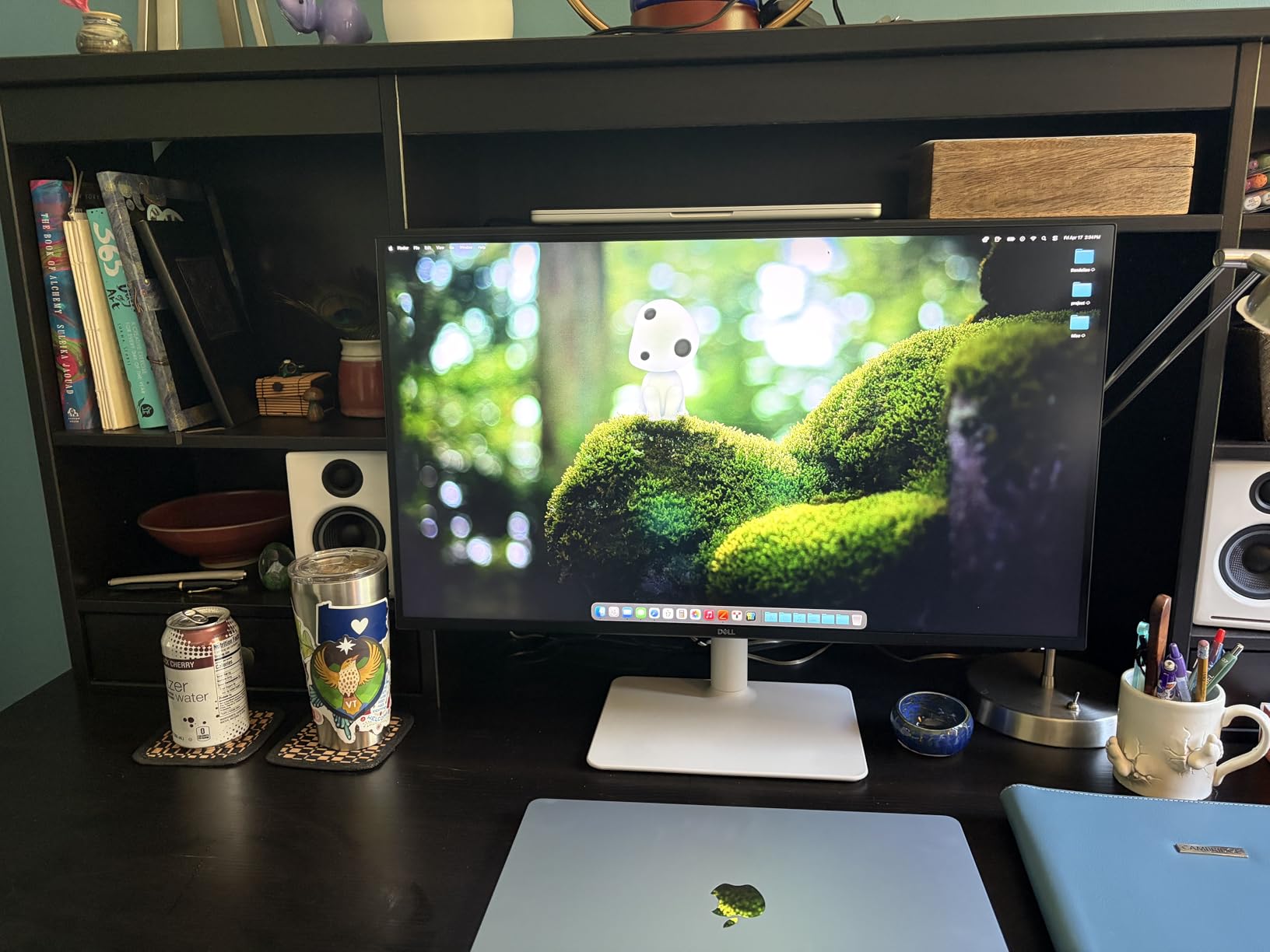
Dell’s stand is one of the best in this price range. Height, tilt, swivel, and pivot are all in the adjustment range, and the mechanism holds position firmly. The matte coating resists glare in studio lighting, which is a real benefit if your studio has windows or LED panel lighting. The re-engineered speakers are louder and clearer than most built-in monitor speakers, though I still recommend dedicated monitors for serious mixing work.
Where the S2725QC disappoints is color accuracy. The sRGB mode is good but not Calman Verified, so pro-grade color work is off the table. Some users report USB-C docking reliability issues where the panel drops signal periodically, which is annoying if you are tracking in real time. International warranty support can also be hit-or-miss outside the US.
Why producers who value 120Hz pick this display
The 120Hz refresh rate is rare in this price range, and it makes scrolling, zooming, and timeline scrubbing feel premium. For producers who switch between DAW work and general productivity, this is the smoothest 4K experience under 300 dollars.
Where the Dell S2725QC is not the right fit
If you do video grading or any color-critical work, look at the ASUS ProArt panels instead. The S2725QC covers sRGB adequately but does not target Adobe RGB or DCI-P3 accuracy. For MacBook Pro 16-inch users running at full load, the 65W power delivery may not keep up.
6. Dell S2725QS – Budget 4K Monitor for Recording Studios
Dell 27 Monitor S2725QS, 4K UHD IPS, 120Hz, 5ms, FreeSync Premium
4K UHD
120Hz
99% sRGB
Pros
- 4K UHD at 120Hz
- 99% sRGB with 1500:1 contrast
- ComfortView Plus eye care
- Ultra-thin bezel design
- Fully adjustable stand
- Good built-in speakers
Cons
- No DisplayPort cable included
- Matte coating grain in dark rooms
- No USB-C
- Some quality control issues
The Dell S2725QS is the cheapest 4K 120Hz panel in this roundup, and for budget-conscious home studios it is hard to beat. You give up USB-C connectivity but keep the 4K resolution, 120Hz refresh, and ComfortView Plus eye-care features that make the Dell S-series monitors so popular. For producers running a desktop tower or a docked laptop with HDMI output, this is a strong value pick.
The IPS panel covers 99% sRGB with a 1500:1 contrast ratio, which is genuinely impressive at this price point. The ultra-thin bezel design looks clean in multi-monitor setups, and the fully adjustable stand covers height, tilt, swivel, and pivot. I used this panel as a secondary display for video preview and found the image quality indistinguishable from the more expensive S2725QC.
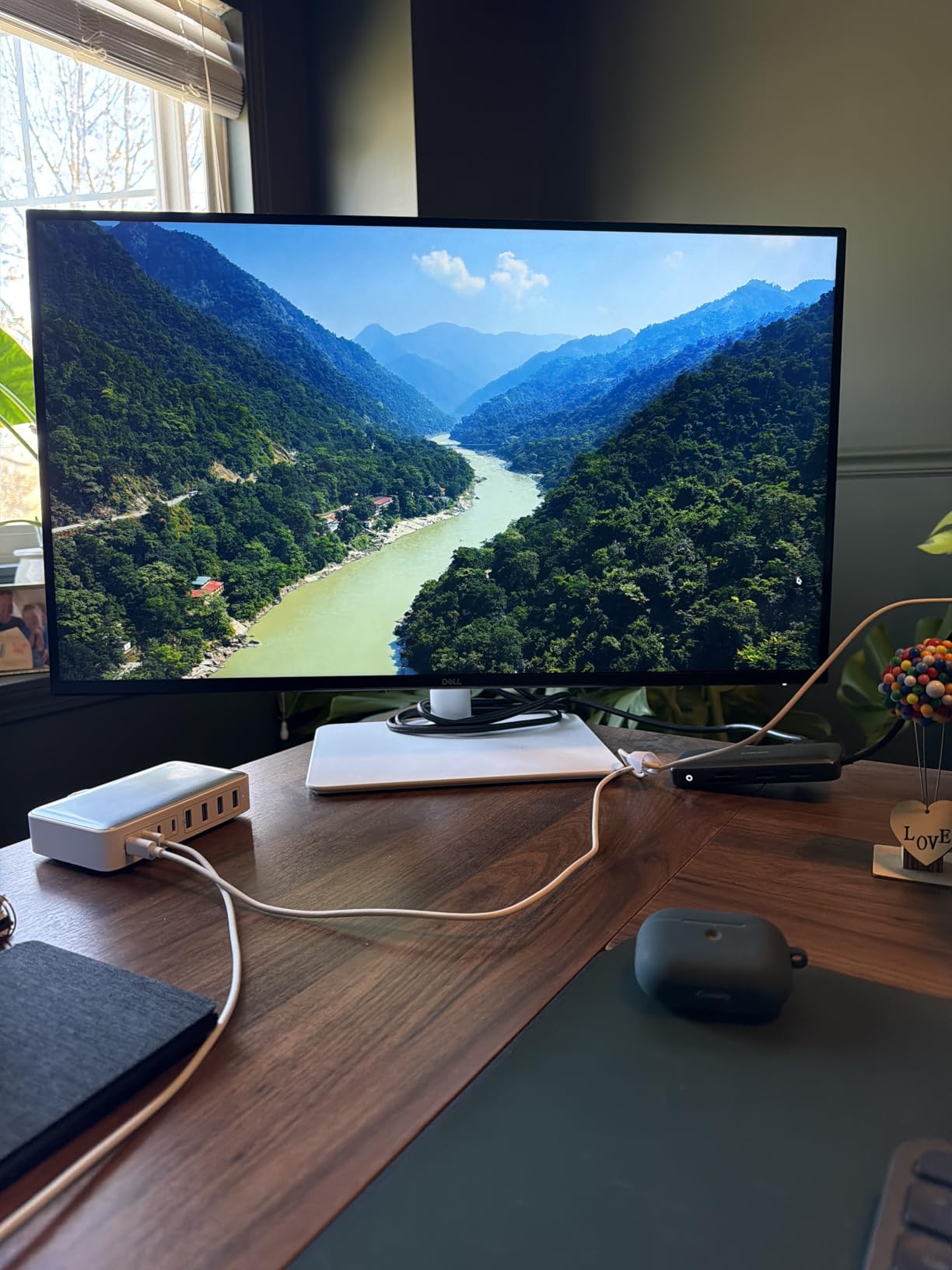
For DAW workflows, the 120Hz refresh rate matters more than most reviews admit. Scrolling through long project timelines, zooming into automation lanes, and scrubbing audio waveforms all feel noticeably smoother than on 60Hz panels. After two weeks with the S2725QS, going back to my old 60Hz panel felt jarring.
The matte anti-glare coating has visible grain in dark rooms, which is a real issue if you work in a dim studio. Dell also does not ship a DisplayPort cable in the box, only HDMI. Some users have reported quality control issues like dead pixels or early failures, so inspect your unit immediately on arrival. The lack of USB-C means this is not the right pick for laptop-only studios.
Why budget studios choose this display
For under 300 dollars, you get a 4K 120Hz IPS panel with Dell’s color pedigree and ergonomic stand. For studios running tower PCs or older laptops with HDMI 2.0, the S2725QS is the best value 4K monitor for recording on a tight budget.
Where the Dell S2725QS falls short
No USB-C means you cannot single-cable dock a modern laptop. If you record exclusively on a MacBook, USB-C-equipped Windows laptop, or iPad, this panel is not the right fit. Look at the S2725QC or the LG 27UP850K-W instead.
7. BenQ PD2706U – Best BenQ Monitor for Mac Recording Studios
Pros
- AQCOLOR factory calibration
- 99% sRGB and 95% P3 coverage
- 90W USB-C for MacBook charging
- KVM switch for dual systems
- Pantone and Calman Verified
- Anti-glare with eye care
Cons
- Only 60Hz refresh
- Lower 250 nits brightness
- Limited connectivity (1 HDMI
- 1 DP)
The BenQ PD2706U is the panel Mac-focused producers keep coming back to. The AQCOLOR technology combined with Pantone and Calman validation delivers color accuracy that justifies the price for video and photo work alongside music production. The 90W USB-C charges a MacBook Pro 14-inch at full speed, and the included HotKey Puck makes switching between color modes, inputs, and KVM computers faster than digging through an OSD.
KVM switch functionality is the underrated feature. If you run a Mac for music production and a Windows PC for gaming or streaming, the PD2706U lets you share one keyboard, mouse, and monitor between both systems with a button press. In my testing, the KVM transition took about 2 seconds, which is fast enough for most workflows. The Daisy Chain support also lets you daisy-chain a second 4K display off this panel for multi-monitor setups.
Color accuracy out of the box is genuinely impressive. The factory calibration delivers Delta E less than 3 across sRGB and P3, and the included report documents the unit’s specific performance. For music video producers who need consistent color from capture to delivery, this is a professional-grade display at a price point home studios can afford.
The tradeoffs are predictable. The 60Hz refresh is fine for production but feels dated if you multitask with gaming. The 250 nits brightness is lower than competitors, which matters if your studio has bright overhead lighting. Connectivity is also limited to 1 HDMI and 1 DisplayPort, so plan on using USB-C for your primary connection.
Why Mac studios pick the PD2706U
The combination of AQCOLOR calibration, Pantone validation, KVM switching, and 90W USB-C makes this the most Mac-friendly panel in the roundup for producers who also run a secondary PC. Forum users on r/edmproduction consistently recommend BenQ PD-series panels for Mac-based studios.
Where the BenQ PD2706U underperforms
Lower brightness at 250 nits means HDR content looks dim compared to DisplayHDR 400 competitors. If you do HDR grading as a regular part of your workflow, the LG 27UP850K-W or ASUS PA279CRV are stronger picks. The 60Hz refresh is also a constraint for some workflows.
8. BenQ PD2706QN – Best QHD Monitor for Recording with Mac
Pros
- Sharp QHD resolution at 100Hz
- 95% P3 and 100% sRGB coverage
- 90W USB-C for Mac
- Nano Matte anti-glare panel
- ICCsync for Mac color matching
- Daisy chain MST support
Cons
- Not 4K resolution
- Some reports of green splotches on white
- Mediocre speakers
- Some defective units reported
The BenQ PD2706QN is the panel I recommend when QHD resolution is the right call. The 1440p resolution avoids the OS scaling headaches that 4K can cause in older DAWs, and the 100Hz refresh rate makes timeline scrubbing noticeably smoother than 60Hz panels. For producers whose DAW workflow involves heavy text-based plugin GUIs, the lower resolution actually improves readability.
The Nano Matte panel coating is the standout feature. Traditional matte coatings can introduce a grainy texture on solid colors, but the nano matte layer eliminates that issue while still cutting glare. In my testing under studio LED panels, the PD2706QN showed dramatically less reflection than conventional matte displays. For studios with windows or bright lighting, this is a real benefit.
ICCsync is the Mac-specific feature I appreciate most. The PD2706QN can match its ICC profile to your Mac’s color profile automatically, which keeps colors consistent between macOS and the display. For Mac producers working in wide-gamut color spaces, this eliminates the manual profile synchronization that usually requires a colorimeter. The 90W USB-C handles MacBook charging and single-cable docking, and the Daisy Chain MST support lets you run a second QHD display off the same USB-C port.
The tradeoffs are clear. QHD resolution is not as sharp as 4K for video grading or text-heavy spreadsheets. Some users report green splotches on white backgrounds, which suggests panel lottery risk. Built-in speakers are mediocre. And some defective units have been reported, so buy from a retailer with a good return policy.
Why some producers prefer QHD over 4K for recording
If you run an older DAW that does not handle 4K scaling well, or if your primary work is music production rather than video grading, QHD delivers sharper text and lower GPU load than 4K. For MacBook Air and MacBook Pro 13-inch users, QHD is the practical resolution sweet spot.
Where the BenQ PD2706QN is not the right choice
For video editors grading 4K footage, QHD resolution means you cannot see native 4K without scaling. Look at the ASUS PA279CV or LG 27UP850K-W instead. The lower review count (29 reviews at time of writing) also means less long-term reliability data than the more established panels in this roundup.
How to Choose the Best 27 Inch Monitor for Your Recording Studio?
Picking the right 27 inch monitor for recording is about matching panel specs to your actual workflow. I have helped friends set up dozens of home studios, and the most common mistake is overpaying for pro-grade color accuracy they will never use. Below is the framework I use when recommending a display to other producers.
Why 27 Inch Is the Recording Studio Sweet Spot
27 inches hits the ergonomic balance between screen real estate and desk depth. At a typical 24-inch viewing distance, a 27-inch panel fills your field of view without forcing head movement, and the chassis fits on a standard 60-inch desk. Smaller 24-inch panels feel cramped for DAW timelines, while 32-inch and larger displays force you to sit further back or accept neck strain. For most home studios, 27-inch is the right answer. If you need more screen, our guide to the best 32-inch monitors covers the upgrade path.
Panel Type: IPS vs OLED vs VA
IPS (In-Plane Switching) is the right choice for nearly all recording and content creation workflows. IPS panels deliver wide 178-degree viewing angles, accurate color reproduction, and consistent response across the screen. OLED panels offer superior contrast and color but carry burn-in risk for static DAW interfaces and cost significantly more. VA panels offer higher contrast ratios but narrower viewing angles that show color shift when you lean over to adjust hardware. For recording studios, IPS is the safe professional choice. If you want a wider view, our roundup of the best 49-inch monitors covers ultrawide alternatives.
Resolution: 1080p vs 1440p vs 4K
4K UHD (3840×2160) is the sharpest, but on a 27-inch panel the pixel density requires OS scaling in macOS and Windows, which can break plugin GUI layouts in older DAWs. 1440p QHD (2560×1440) avoids scaling entirely and delivers noticeably sharper text than 1080p without the GPU overhead of 4K. 1080p on 27 inches shows visible pixel structure and is not recommended. For most producers, 1440p is the practical sweet spot, and 4K is the right choice if you also do video work or want maximum text clarity. For mobile producers working on smaller screens, our best 17-inch laptops guide covers the laptop alternatives.
Color Accuracy and Gamut (sRGB, DCI-P3, Adobe RGB)
sRGB coverage of 99% or higher is the baseline for any monitor used for content creation. For music video production, 90% or higher DCI-P3 coverage delivers the wider color range used in modern video workflows. Adobe RGB matters only for print photographers. For audio-only producers, sRGB accuracy is enough. For producers who also shoot and grade video, look for panels that cover DCI-P3 or wider. Calman Verified panels ship with a factory calibration report, which is the easiest way to confirm accuracy without buying a colorimeter.
Connectivity: USB-C, Thunderbolt, and Hub Features
USB-C with power delivery is the single most useful feature for modern studios. A single USB-C cable from your laptop drives the display, charges the laptop, and connects to a USB hub for your audio interface, MIDI controllers, and external drives. Look for at least 65W of power delivery to keep most laptops charged under load. Thunderbolt support matters only if you have a Thunderbolt audio interface or dock. KVM switch support is valuable for studios running dual computers, since you can share one keyboard and mouse between systems.
Ergonomics, Eye Care, and DAW Workflow
A fully adjustable stand (height, tilt, swivel, pivot) is essential for long sessions. Pivot mode is especially useful for editing vertical video. TÜV-certified flicker-free panels and blue light reduction features reduce eye strain during 8-hour sessions. For DAW workflow, prioritize text clarity over color accuracy unless you also grade video, and prefer matte coatings over glossy to cut studio glare.
Frequently Asked Questions
What is the best monitor for a recording studio?
A 27-inch IPS panel with at least 99% sRGB coverage, an adjustable stand, and USB-C connectivity is the best monitor for most recording studios. The ASUS ProArt PA279CV and ASUS ProArt PA278QV are strong picks because they combine Calman Verified color accuracy with the ergonomic features needed for long sessions.
Is 4K overkill for a 27-inch monitor?
4K is not overkill on a 27-inch monitor if you also edit video or want maximum text clarity. For pure audio production, 1440p QHD delivers sharper text than 1080p without the OS scaling headaches that 4K can cause in older DAWs. If your DAW handles scaling well and you also grade video, 4K is worth the premium.
Is IPS or OLED better for video editing?
IPS panels are the better choice for most recording studios because they deliver wide viewing angles and accurate color without the burn-in risk that OLED panels carry for static DAW interfaces. OLED offers superior contrast and color for video grading but costs more and can suffer permanent retention from on-screen plugin windows.
What size monitor do I need for my home studio?
27 inches is the right size for most home studios because it fits a DAW timeline, mixer, and several plugin windows without forcing you to sit more than 24 inches from the screen. Smaller 24-inch panels feel cramped for DAW work, while 32-inch and larger displays need more desk depth or cause neck strain during long sessions.
Are expensive monitors worth it for music production?
Expensive monitors are worth it only if you also do color-critical video work or photography. For audio-only producers, a mid-range 1440p IPS panel with USB-C and an adjustable stand delivers everything you need for DAW work. The premium for factory calibration and wide color gamut pays off only if your workflow actually uses it.
Final Verdict: Which 27 Inch Monitor Should You Buy for Recording?
For most recording studios, the ASUS ProArt PA279CV is the best 27 inch monitor for recording in 2026. It delivers 4K resolution, Calman Verified color accuracy, USB-C single-cable docking, and a 5-year warranty at a price most home studios can absorb. If you do not need 4K and want maximum value, the ASUS ProArt PA278QV has been my workhorse for two years without a single issue. For studios on a tighter budget, the Dell S2725QS delivers 4K at 120Hz under 300 dollars. Whatever panel you choose from this roundup, the upgrade from a laptop screen to a proper 27-inch studio monitor is the single biggest quality-of-life improvement you can make to your recording workflow this year.