
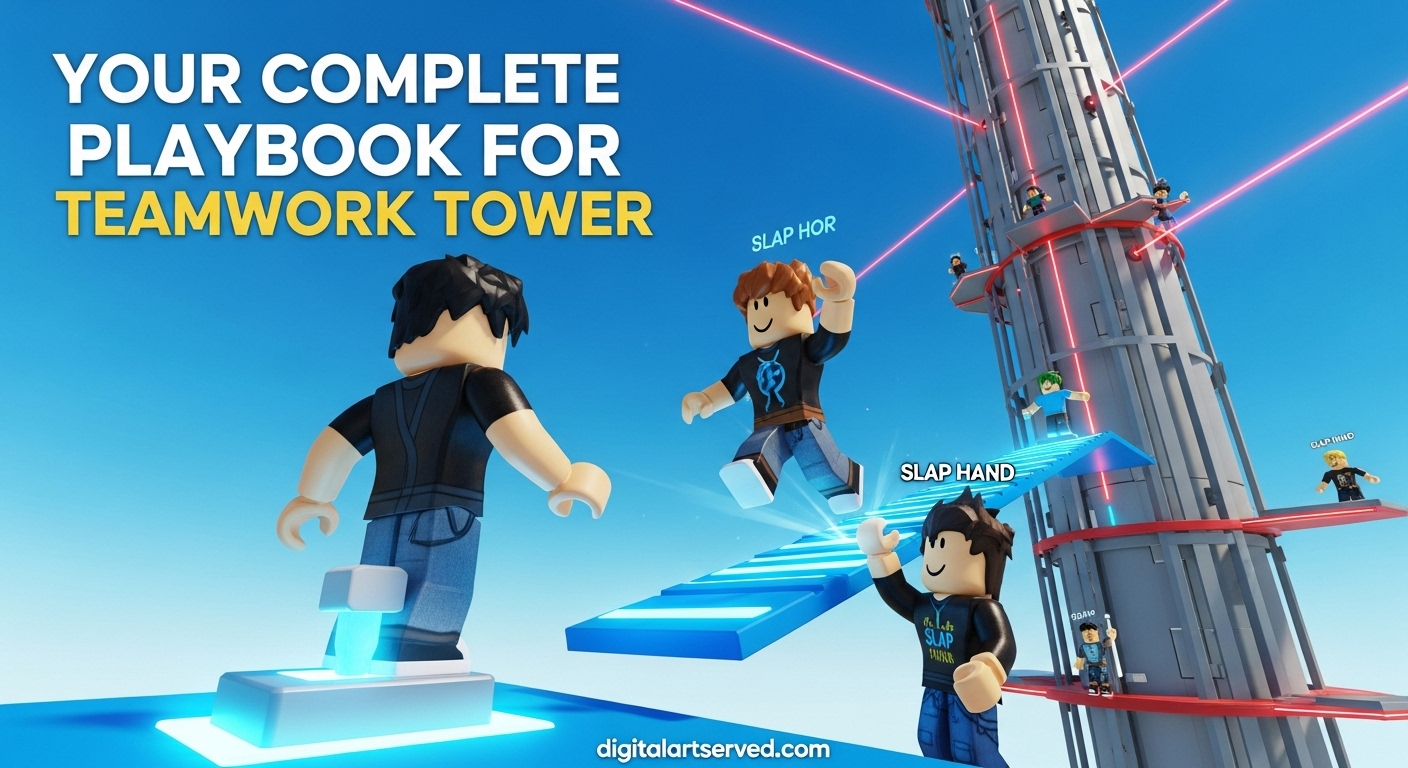
Welcome to the ultimate beginner’s guide for Teamwork Tower, the exciting Roblox experience that tests your coordination, strategy, and ability to work with others (or troll them)! Whether you’re new to Roblox tower games or looking to master this specific challenge, this comprehensive guide will walk you through everything you need to know to climb to victory.
Table of Contents
Quick Overview
| Aspect | Details |
| Game Type | Obby & Platformer |
| Main Goal | Climb the tower with teamwork |
| Players | Up to 35 per server |
| Key Mechanics | Cooperation, switches, obstacles, trolling |
| Created | June 26, 2026 |
| Last Updated | September 10, 2026 |
| Total Visits | 51.1M+ |
| Rating | 92% positive |
What is Teamwork Tower?
Teamwork Tower is a Roblox experience that combines the classic tower-climbing obstacle course (obby) mechanics with unique cooperative elements. The game challenges players to work together to ascend an increasingly difficult tower filled with traps, puzzles, and obstacles that require multiple players to overcome.
The game stands out from other Roblox tower games because of its emphasis on teamwork mechanics. Many sections of the tower are impossible to complete alone, requiring players to coordinate their actions, stand on switches simultaneously, or help each other reach higher platforms.
However, the game also includes a chaotic element – players can choose to help each other or troll their teammates by using various items and abilities to knock them off the tower. This creates a dynamic social experience where you never know if the player next to you will be your greatest ally or worst enemy!
How to Play Teamwork Tower?
Getting Started
- Join the Game: Search for “Teamwork Tower” on Roblox and click play
- Choose Your Server: You can join a public server or create a private one with friends
- Spawn at the Base: You’ll start at the bottom of the tower with other players
- Begin Climbing: Use the basic controls to start your ascent
Basic Controls
Mastering these controls is essential for success in Teamwork Tower:
| Control | Action | Description |
| WASD | Movement | Use these keys to move your character around |
| Spacebar | Jump | Press to jump over gaps and obstacles |
| Hold M2 | Move Camera | Adjust your view angle for better visibility |
| Press M1 | Use Item | Activate equipped items or weapons |
Core Gameplay Mechanics
Switches and Platforms
One of the most important mechanics in Teamwork Tower is the switch system. Throughout the tower, you’ll encounter blue switches that require players to stand on them to activate platforms or bridges.
- Blue Switches: When a player stands on a blue switch, it creates a temporary platform or bridge
- Cooperation Required: Many switches need one player to stand on them while others cross
- Timing is Key: The platform disappears as soon as the player leaves the switch
- Strategic Positioning: Coordinate with teammates to ensure everyone gets across safely
Health and Damage System
Unlike many Roblox games, falling in Teamwork Tower doesn’t kill you – it just sends you back to a lower section of the tower. However, there are other ways to take damage:
- Lasers: Red laser obstacles that damage you on contact
- Falling Damage: While not lethal, falls set back your progress
- Player Attacks: Other players can hit you with various items
- Health Bar: Monitor your health to avoid being knocked back too far
Progression System
The tower is divided into sections, each with increasing difficulty:
- Lower Sections: Simple obstacles, basic switches, minimal coordination required
- Middle Sections: More complex puzzles, multiple switches, timing challenges
- Upper Sections: Advanced teamwork required, precise timing, complex obstacle patterns
- Peak: The most challenging section with the most difficult puzzles and obstacles
How to Redeem Teamwork Tower Codes in September 2026?
Currently, Teamwork Tower does not have a traditional code redemption system like many other Roblox games. However, there are several ways to get rewards and advantages in the game:
In-Game Purchases
The game offers various items and abilities that can be purchased with Robux:
| Item | Cost | Effect |
| Slap Hand | 349 Robux | Basic attack item to hit other players |
| Laser Gun | 899 Robux | Ranged weapon to knock players back |
| Invisible Device | 499 Robux | Makes your character temporarily invisible |
| Rainbow Carpet | 799 Robux | Creates a decorative rainbow trail |
| Admin | 2,999 Robux | Gives admin commands and abilities |
Troll Features
For players who enjoy the chaotic aspect of the game, there are several troll features available:
- Explode: Costs Robux to make another player explode
- Fling: Launches a player across the map
- Scare: Creates a jump scare effect on targeted players
- Kill All: Expensive Robux option that eliminates all players on the server
Advanced Teamwork Strategies
Communication Tips
Effective communication is crucial for success in Teamwork Tower:
- Use Voice Chat: If available, coordinate with teammates using voice chat
- Text Chat: Use the in-game chat to coordinate switch activations
- Visual Cues: Jump or move to signal intentions to other players
- Countdowns: Use countdowns for synchronized actions
- Role Assignment: Designate players for specific tasks (switch holders, jumpers, etc.)
Switch Coordination Techniques
Mastering switch coordination is essential for progress:
The Anchor Method
- One player stays on the switch (the “anchor”)
- Other players cross quickly
- The anchor crosses last when everyone is safe
- Best for small groups of 2-3 players
The Rotation Method
- Players take turns being the switch holder
- Requires good timing and communication
- Works well for larger groups
- Prevents any single player from being left behind
The Leapfrog Method
- Players cross in rapid succession
- Each player spends minimal time on the switch
- Requires precise timing
- Good for time-sensitive sections
Obstacle Navigation
Different obstacles require different approaches:
Laser Obstacles
- Timing: Watch the laser patterns and time your movements
- Jump Height: Use full jumps to clear laser beams
- Positioning: Stand at the edge of safe zones for better jump angles
- Team Coordination: Coordinate jumps to avoid blocking each other
Moving Platforms
- Patience: Wait for the optimal moment to jump
- Momentum: Use running jumps for better distance
- Team Spacing: Spread out to avoid crowding platforms
- Backup Plans: Have alternative routes if someone falls
Narrow Paths
- Precision Walking: Use walk instead of run for better control
- Single File: Navigate narrow paths one at a time
- Spotting: Have players ahead guide those behind
- Fall Recovery: Know the quickest way back up if someone falls
Combat and PvP Elements
While Teamwork Tower is primarily a cooperative game, it includes competitive elements that add excitement and challenge:
Weapons and Items
Slap Items
- Basic Slap: Starting weapon, moderate knockback
- Giant Slap: Premium item with increased force and area of effect
- Super Slap: High-tier item with maximum knockback
Ranged Weapons
- Laser Gun: Shoots projectiles that push players back
- Rocket Launcher: Explosive projectiles with area damage
- Push Gun: Rapid-fire weapon with continuous knockback
Utility Items
- Speed Boost: Temporary movement speed increase
- Jump Boost: Enhanced jumping ability
- Shield: Temporary protection from attacks
- Invisibility: Become temporarily unseen by other players
Combat Strategies
Defensive Play
- Environmental Awareness: Keep track of other players’ positions
- Edge Control: Stay away from tower edges when near hostile players
- Cover Usage: Use obstacles and structures as protection
- Retreat Plans: Always have an escape route
Offensive Play
- Surprise Attacks: Strike when players are focused on obstacles
- Combo Attacks: Combine different items for maximum effect
- Environmental Traps: Use lasers and other hazards to your advantage
- Team Ganging: Coordinate with other players to overwhelm targets
Neutral Play
- Focus on Progression: Prioritize climbing over combat
- Selective Engagement: Only fight when necessary or advantageous
- Resource Management: Conserve items for critical moments
- Alliance Building: Form temporary partnerships with other players
Common Mistakes to Avoid
Beginner Errors
- Rushing Alone: Trying to complete sections that require teamwork
- Ignoring Switches: Not understanding how blue switches work
- Poor Timing: Jumping too early or too late on moving platforms
- No Communication: Failing to coordinate with other players
- Wasting Resources: Using premium items unnecessarily
Intermediate Mistakes
- Overconfidence: Taking unnecessary risks on difficult sections
- Poor Team Selection: Not choosing the right players for cooperation
- Lack of Patience: Getting frustrated and making rash decisions
- Ignoring Patterns: Not learning obstacle patterns and timings
- Poor Resource Management: Running out of items at crucial moments
Advanced Errors
- Complacency: Underestimating difficult sections due to experience
- Poor Leadership: Failing to effectively coordinate team efforts
- Tunnel Vision: Focusing too much on one aspect of the game
- Burnout: Playing too long and losing focus and coordination
- Over-reliance on Items: Depending too much on premium purchases
Pro Strategies for Teamwork Tower
Speed Running Techniques
For players looking to complete the tower as quickly as possible:
- Route Optimization: Learn the most efficient path through each section
- Perfect Timing: Master the exact timing for all obstacles
- Team Composition: Build a team with complementary skills
- Item Management: Use speed-boosting items strategically
- Practice Sections: Re-run difficult sections to perfect execution
High-Level Coordination
Advanced teamwork requires sophisticated coordination:
- Role Specialization: Assign specific roles based on player strengths
- Synchronized Movements: Time actions perfectly for maximum efficiency
- Communication Systems: Develop clear, concise communication protocols
- Backup Strategies: Have contingency plans for when things go wrong
- Team Chemistry: Build rapport and understanding with regular teammates
Competitive Play
For those who enjoy the competitive aspect:
- Meta Understanding: Know the current competitive strategies
- Counter Play: Learn to counter common tactics and items
- Psychological Warfare: Use mind games and deception
- Resource Control: Control key items and positions on the tower
- Adaptability: Quickly adjust strategies based on the situation
Platform-Specific Information
PC Controls and Tips
PC players have some advantages in Teamwork Tower:
- Precise Movement: Keyboard controls allow for more precise movement
- Better Camera Control: Mouse control provides superior camera angles
- Quick Item Access: Number keys for quick item switching
- Communication: Easier to type messages quickly
Mobile Controls and Tips
Mobile players face unique challenges:
- Virtual Joystick: Practice with the virtual movement controls
- Camera Adjustment: Use swipe gestures for camera control
- Button Placement: Customize button positions for comfort
- Auto-Jump: Consider using auto-jump features for consistency
Console Controls and Tips
Console players have their own considerations:
- Controller Layout: Familiarize yourself with the default button layout
- Sensitivity Settings: Adjust controller sensitivity for better control
- Button Mapping: Consider remapping buttons for comfort
- Communication: Use headset for voice communication with teammates
Community and Social Aspects
Finding Teammates
Building a good team is essential for success:
- Friends List: Play with friends you know and trust
- Public Servers: Meet new players in public servers
- Discord Communities: Join Roblox and Teamwork Tower Discord servers
- Social Media: Connect with other players on social platforms
- In-Game Networking: Build relationships with reliable players you meet
Building Reputation
Your reputation affects how others interact with you:
- Reliability: Be consistent and dependable as a teammate
- Communication: Communicate clearly and effectively
- Sportsmanship: Win and lose with grace
- Helpfulness: Assist new players and share knowledge
- Respect: Treat all players with respect, regardless of skill level
Dealing with Trolls
Trolling is part of the game, but you can manage it:
- Ignore: Sometimes the best response is no response
- Adapt: Adjust your strategy to account for disruptive players
- Counter: Learn to counter common trolling tactics
- Report: Report truly toxic behavior to moderators
- Leave: If the environment becomes too toxic, find a new server
Frequently Asked Questions
What is the main objective of Teamwork Tower?
The main objective of Teamwork Tower is to climb to the top of a massive tower filled with obstacles, puzzles, and challenges that require cooperation with other players to overcome. The game emphasizes teamwork, coordination, and strategy, while also allowing for competitive elements where players can troll or attack each other.
How many players can play Teamwork Tower together?
Teamwork Tower supports up to 35 players per server, creating a dynamic and often chaotic environment. You can join public servers with random players or create private servers to play with friends. The game is designed to work with any number of players, though having at least 2-3 reliable teammates makes progress much easier.
Do you need Robux to enjoy Teamwork Tower?
No, you don’t need Robux to enjoy Teamwork Tower. The core gameplay is completely free and accessible to all players. However, Robux can be used to purchase cosmetic items, weapons, and special abilities that can enhance your experience or give you advantages in combat situations.
What happens when you fall in Teamwork Tower?
When you fall in Teamwork Tower, you don’t die or lose the game. Instead, you’re sent back to a lower section of the tower and must climb back up to where you were. This system allows for continuous gameplay and learning from mistakes without the frustration of starting completely over.
Can you play Teamwork Tower solo?
While it’s technically possible to play Teamwork Tower solo, many sections of the tower are designed to require multiple players to progress. You may be able to complete some sections alone, but you’ll eventually reach points where teamwork is essential. The game is best experienced with other players.
How do the blue switches work in Teamwork Tower?
Blue switches in Teamwork Tower require players to stand on them to activate platforms, bridges, or other mechanisms. When a player stands on a blue switch, it creates a temporary pathway that disappears as soon as the player moves off the switch. This mechanic forces players to coordinate and work together to progress.
What are the best strategies for beating Teamwork Tower?
The best strategies for beating Teamwork Tower include effective communication with teammates, mastering the timing of obstacles, understanding switch mechanics, practicing difficult sections, and building a reliable team. Patience and persistence are also key, as the tower becomes increasingly difficult as you progress.
Are there different versions of Teamwork Tower?
Yes, there are multiple versions of Teamwork Tower available on Roblox. The main version has over 51 million visits, while there’s also a “Teamwork Tower 2” sequel that introduces new mechanics and challenges. Each version offers a slightly different experience while maintaining the core teamwork concept.
How often is Teamwork Tower updated?
Teamwork Tower receives regular updates, with the game last being updated on September 10, 2026. Updates typically include new sections, bug fixes, gameplay improvements, and sometimes new items or features. The developers are active in maintaining and improving the game experience.
What should I do if I get stuck on a difficult section?
If you get stuck on a difficult section in Teamwork Tower, try observing other players to see how they approach it, communicate with your teammates for strategies, take a break and return with fresh perspective, or practice the section multiple times to learn the patterns and timing. Sometimes, taking a different approach or route can also help overcome challenging obstacles.
Conclusion
Teamwork Tower represents one of the most unique and engaging experiences in Roblox, perfectly blending cooperative gameplay with competitive elements. The game’s emphasis on teamwork creates memorable social interactions, while its challenging obstacle courses provide satisfying progression and skill development.
Whether you’re climbing with friends, making new allies in public servers, or engaging in the chaotic fun of trolling and combat, Teamwork Tower offers something for every type of player. The game’s simple controls hide deep strategic possibilities, and its regularly updated content ensures there’s always something new to discover.
Remember that success in Teamwork Tower comes down to three key elements: communication, coordination, and persistence. Master these, and you’ll find yourself reaching the top of the tower and enjoying one of Roblox’s most distinctive gaming experiences.
Keep climbing, keep cooperating, and most importantly, have fun on your journey to the top of Teamwork Tower!