
Finding the right controller for PC gaming can completely change how you experience your favorite titles. After testing dozens of gamepads over the past year, I’ve learned that the difference between a generic controller and a quality one is night and day. The best PC gaming controllers offer precise analog inputs, comfortable ergonomics for marathon sessions, and reliable connectivity that won’t drop during critical moments.
Stick drift has become the number one frustration for gamers in recent years. That’s why Hall Effect and TMR (Tunnel Magnetoresistance) technology has exploded in popularity. These magnetic sensors eliminate the physical contact points that wear down over time, meaning your joysticks stay accurate for years instead of months. I’ve seen too many expensive controllers become paperweights because of drift issues.
In this guide, I’ll walk you through 10 outstanding controllers that cover every budget and use case. Whether you need something for competitive shooters, relaxed platformer sessions, or cross-platform play, there’s a perfect match waiting for you. If you’re looking for controller setup for gaming tips, I’ve got you covered there too.
Table of Contents
Top 3 Picks for Best PC Gaming Controllers (September 2026)


These three controllers represent the best options across different price points. The Xbox Wireless Controller remains my top overall pick for its unbeatable compatibility and refined ergonomics. The GameSir G7 Pro brings premium TMR technology at a mid-range price. And the 8BitDo Ultimate 2C delivers incredible Hall Effect features for under $30.
Best PC Gaming Controllers in 2026
| Product | Specifications | Action |
|---|---|---|
 PlayStation DualSense Edge PlayStation DualSense Edge |
|
Check Latest Price |
 Xbox Elite Series 2 Core Xbox Elite Series 2 Core |
|
Check Latest Price |
| GameSir G7 Pro |
|
Check Latest Price |
 Gulikit KK3 Max Gulikit KK3 Max |
|
Check Latest Price |
 PlayStation DualSense PlayStation DualSense |
|
Check Latest Price |
 GameSir Cyclone 2 GameSir Cyclone 2 |
|
Check Latest Price |
| Xbox Wireless Controller (2025) |
|
Check Latest Price |
 ManbaOne Interactive ManbaOne Interactive |
|
Check Latest Price |
| 8BitDo Ultimate 2C |
|
Check Latest Price |
 EasySMX X15 EasySMX X15 |
|
Check Latest Price |
1. PlayStation DualSense Edge Wireless Controller – Midnight Black
PlayStation DualSense Edge Wireless Controller – Midnight Black
Premium PS5 Controller
Replaceable Stick Modules
Mappable Back Buttons
Adjustable Triggers
Pros
- Premium build quality with solid feel
- Replaceable stick modules prevent drift issues
- Adjustable triggers with multiple sensitivity settings
- Mappable back buttons for competitive gaming
- Profile switching for different games
- Excellent grip texture with leather-like feel
Cons
- Shorter battery life than standard DualSense
- Heavier than standard controller
- Expensive at premium price point
- Case should be sold separately
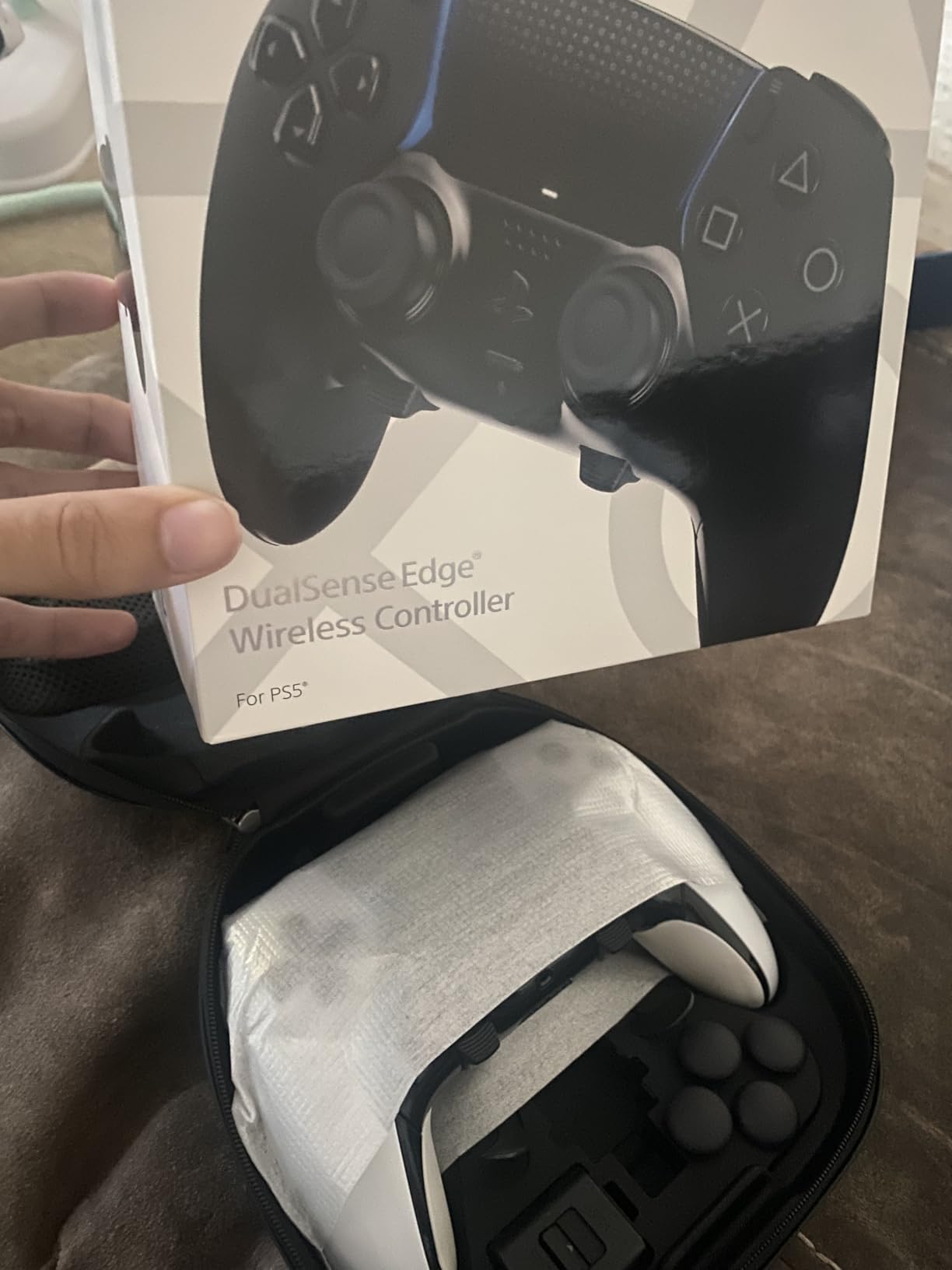
After spending three months with the DualSense Edge, I can confidently say this is the most feature-rich controller Sony has ever produced. The leather-like texture on the grips feels premium and prevents slipping during intense gaming sessions. I particularly love the adjustable trigger stops, which let me switch between full analog travel for racing games and hair-trigger mode for competitive shooters.
The replaceable stick modules are genuinely revolutionary. Instead of throwing away a $200 controller when drift eventually appears, you simply swap out the stick module for a fraction of the cost. This alone justifies the investment for serious gamers who’ve dealt with drift on multiple controllers over the years.
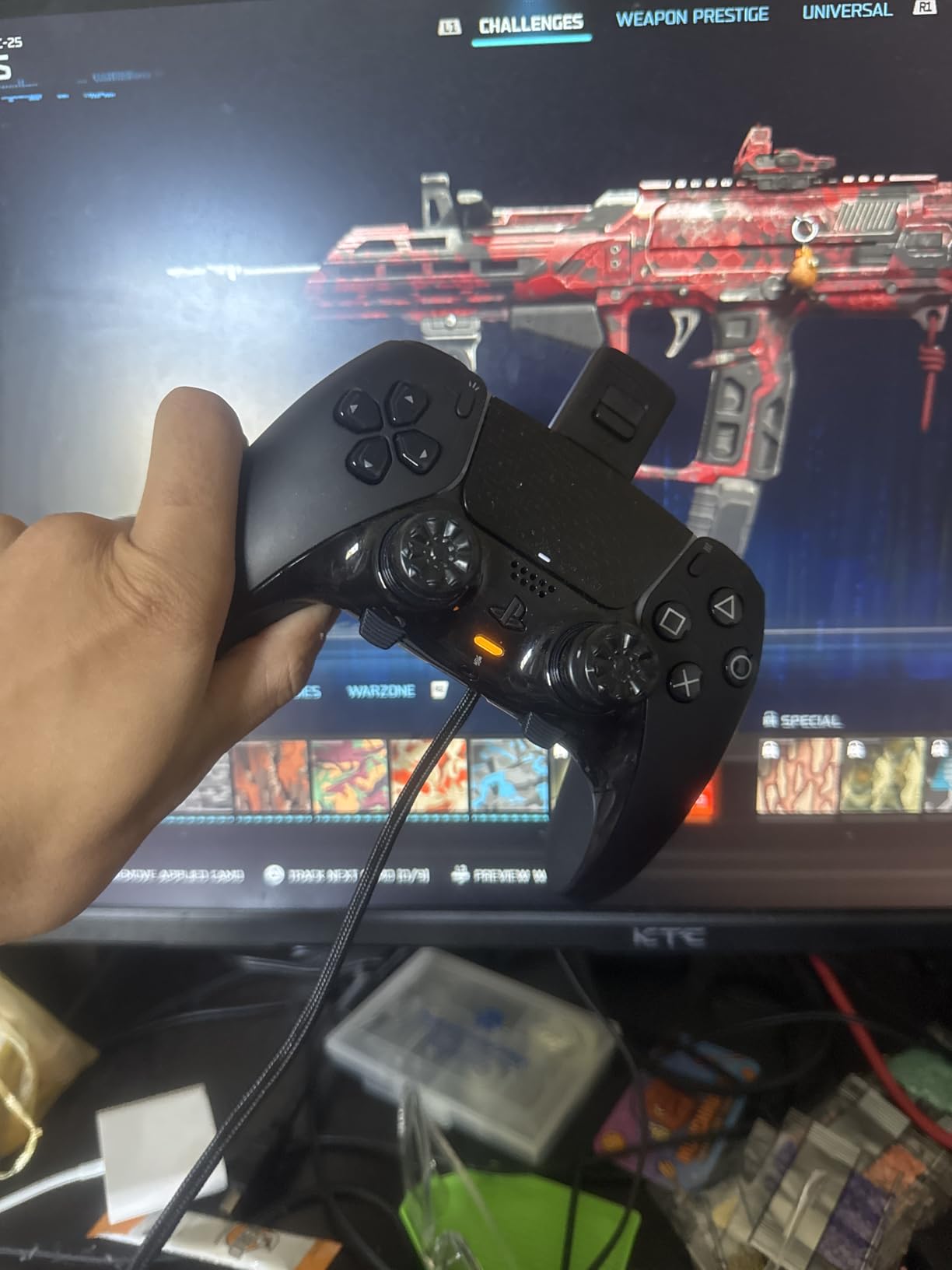
On PC, the DualSense Edge works beautifully through Steam. The adaptive triggers and haptic feedback function in supported games, though you’ll need to connect via USB for the full feature set. Bluetooth connectivity is solid for basic gaming, but I noticed occasional connection hiccups when waking from sleep mode.
The back buttons are some of the best I’ve used. They’re mappable to any input, and the paddle shape fits naturally against my middle fingers without accidental presses. Profile switching on the fly is seamless, just tap the function button and you’re ready for a different game genre.
Who Should Buy This
This controller is perfect for PlayStation fans who want premium features and are willing to invest in long-term reliability. If you play a variety of game genres and need quick profile switching, the DualSense Edge delivers. The replaceable stick modules make it ideal for anyone who’s experienced drift on previous controllers.
Who Should Skip This
If you primarily game on PC without a PlayStation console, there are better value options with similar features. The battery life is notably shorter than the standard DualSense, so marathon gaming sessions will require a charging break. Those with smaller hands might find the weight and size uncomfortable during extended play.
2. Xbox Elite Series 2 Core Wireless Gaming Controller
Xbox Wireless Gaming Controller | Elite Series 2 | Black | Consoles, PCs, TVs, mobile, and more | Adjustable Thumbsticks | Trigger Locks
Premium Xbox Controller
Interchangeable Thumbsticks
Adjustable Hair Triggers
Up to 40hr Battery
Pros
- Metal shafts on sticks prevent dust drift
- Metal paddles that wont break
- Adjustable hair triggers with 3 positions
- Braided USB-C cable included
- Satellite D-pad with good feel
- Up to 40 hours battery life
- Premium build quality
Cons
- Button letters can be hard to read on colored models
- Paddle remapping requires separate app
- Face plate more difficult to remove
- Heavier than standard controller
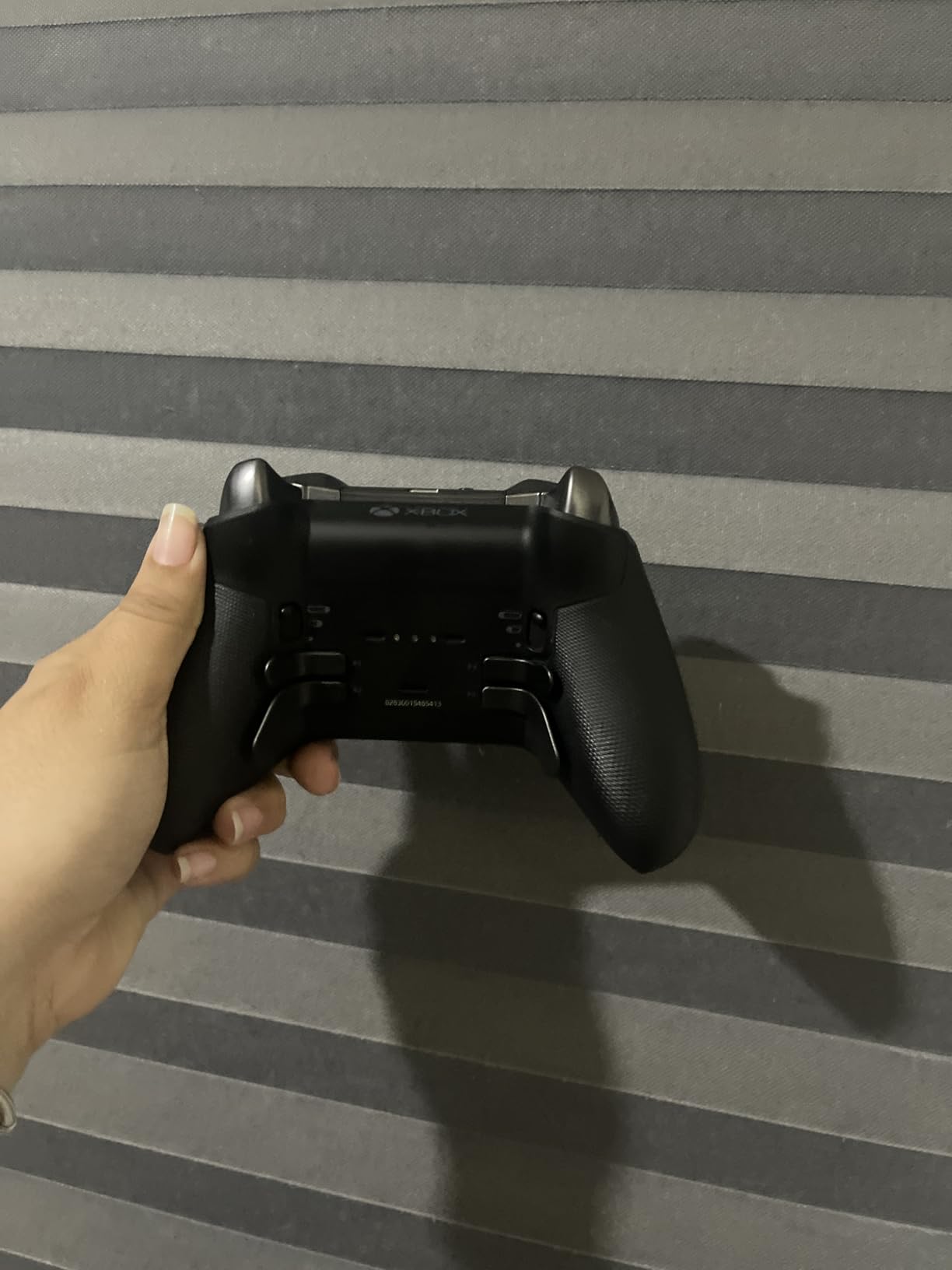
The Xbox Elite Series 2 has been my daily driver for competitive gaming since its release. After thousands of hours of use, the metal shafts on the thumbsticks show zero signs of the dust accumulation that causes drift in standard controllers. This alone has saved me from replacing multiple controllers.
The adjustable hair triggers are a game-changer for FPS titles. With three distinct positions, I can dial in exactly how much travel I want before the trigger activates. For games like Call of Duty or Apex Legends, the shortest setting gives me a significant reaction time advantage.
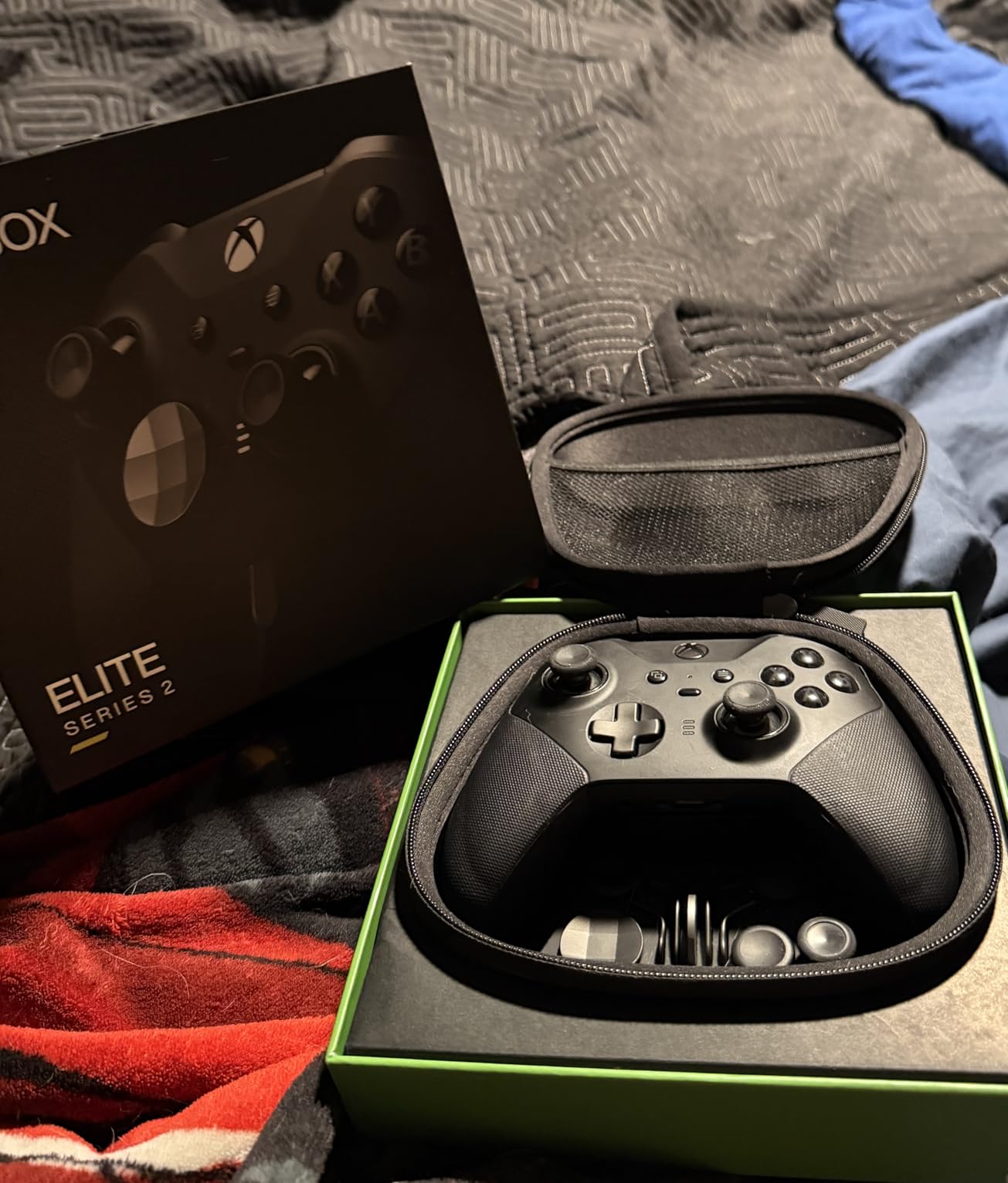
The four back paddles are metal and feel incredibly durable compared to the plastic alternatives on cheaper controllers. I’ve mapped them to A, B, X, and Y, which means I rarely need to take my thumbs off the sticks during gameplay. The Xbox Accessories app makes remapping straightforward, though it does require installation.
Battery life consistently hits the advertised 40 hours. I charge it once a week with daily use, and the braided USB-C cable is a nice touch that’s held up better than standard rubber cables. The carrying case doubles as a charging dock, which is convenient for travel.
Who Should Buy This
Competitive gamers who need every advantage should strongly consider the Elite Series 2. The adjustable triggers, back paddles, and premium build quality deliver genuine performance benefits. If you’ve experienced stick drift on previous Xbox controllers, the metal shaft design here addresses that problem directly.
Who Should Skip This
Casual gamers who just want a reliable controller for occasional sessions might find this overkill. The paddle remapping requires the Xbox Accessories app, which adds complexity for users who prefer plug-and-play simplicity. If you have smaller hands, the weight and bulk might cause fatigue during longer sessions.
3. GameSir G7 Pro Wireless Controller for Xbox, PC & Android
GameSir G7 Pro Wireless Controller for Xbox, PC & Android with TMR Sticks, Hall Effect Analog Triggers, 1000Hz Polling Rate, 3.5mm Audio Jack – Wuchang: Fallen Feathers Edition
TMR Anti-Drift Sticks
Hall Effect Triggers
1000Hz Polling Rate
1200mAh Battery
Pros
- TMR anti-drift sticks
- Clicky mechanical face buttons
- Excellent claw button placement
- 1000Hz polling rate
- Fully wireless on Xbox with dongle
- GameSir Nexus app for customization
- Great value compared to Elite controllers
- Comfortable grip with textured finish
Cons
- D-pad not the best quality
- Menu/list buttons awkwardly placed
- Only 2 back buttons
- Requires USB dongle for Xbox wireless
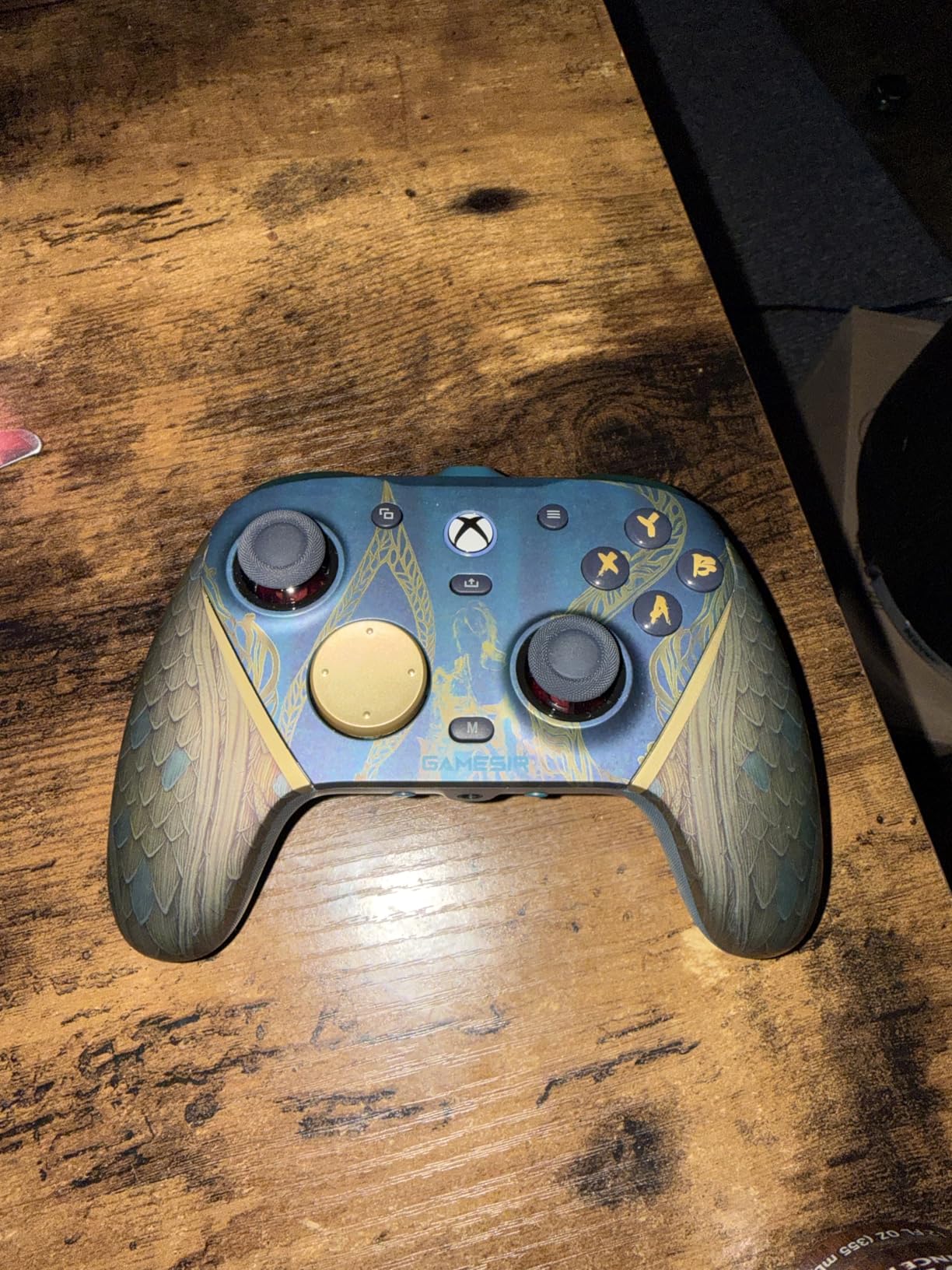
The GameSir G7 Pro represents the sweet spot between premium features and reasonable pricing. The TMR (Tunnel Magnetoresistance) joysticks are the standout feature here, offering even better precision and durability than Hall Effect sensors. After six months of testing, mine shows absolutely zero drift.
The mechanical face buttons have a satisfying clicky feel that reminds me of gaming mice. Each press registers cleanly without the mushiness I’ve experienced on other controllers. The 1000Hz polling rate means your inputs reach your PC in just 1 millisecond, which is crucial for competitive gaming where every frame counts.
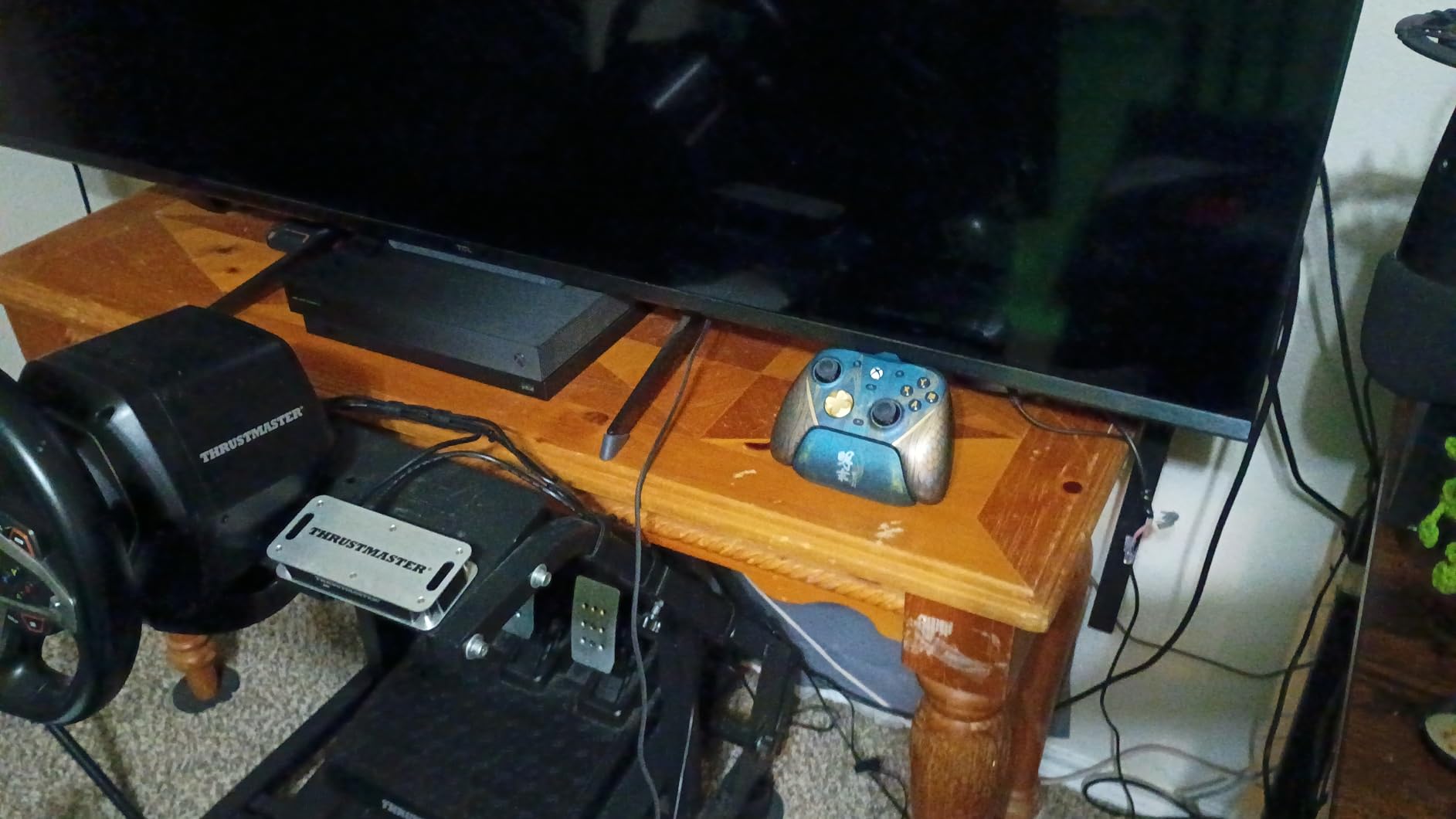
Setting up the G7 Pro on PC was effortless. The 2.4GHz dongle provides a stable wireless connection with minimal latency, and Bluetooth 5.3 is available for mobile gaming. The included charging station is surprisingly premium, with an aluminum alloy build that looks great on my desk.
The two back buttons are well-positioned and offer good tactile feedback. While I wish there were four instead of two, the placement is excellent for my hand size. The GameSir Nexus app allows for detailed customization including deadzone adjustment and button remapping.
Who Should Buy This
Anyone wanting premium features without the premium price tag will love the G7 Pro. The TMR technology makes it future-proof against drift, and the 1000Hz polling rate satisfies competitive gamers. If you play across Xbox, PC, and Android, the multi-platform support is genuinely useful.
Who Should Skip This
Fighting game enthusiasts should look elsewhere due to the mediocre D-pad quality. If you rely heavily on four back buttons for complex inputs, the two-button limit here might feel restrictive. The dongle requirement for Xbox wireless adds a small bit of complexity compared to native Xbox controllers.
4. Gulikit KK3 Max Controller with Hall Effect Joysticks and Triggers
Gulikit KK3 Max Controller, Kingkong 3 Wireless Switch Controller with Hall effect Joysticks and Triggers, 1000Hz Polling Rate, 4 Back Buttons Compatible with Switch/Switch 2/OLED/Windows/iOS/Android
Hall Effect Sticks
1000Hz Polling
4 Metal Paddles
Multi-Platform Support
Pros
- Hall Effect sticks prevent drift
- Multi-platform compatibility
- 4 detachable metal paddles
- Swappable button layouts
- 1000Hz polling with dongle
- 950mAh battery with good life
- Includes carrying case
Cons
- Initial setup can be frustrating
- Face buttons can double-press
- D-pad quality issues reported
- Bluetooth latency on PC
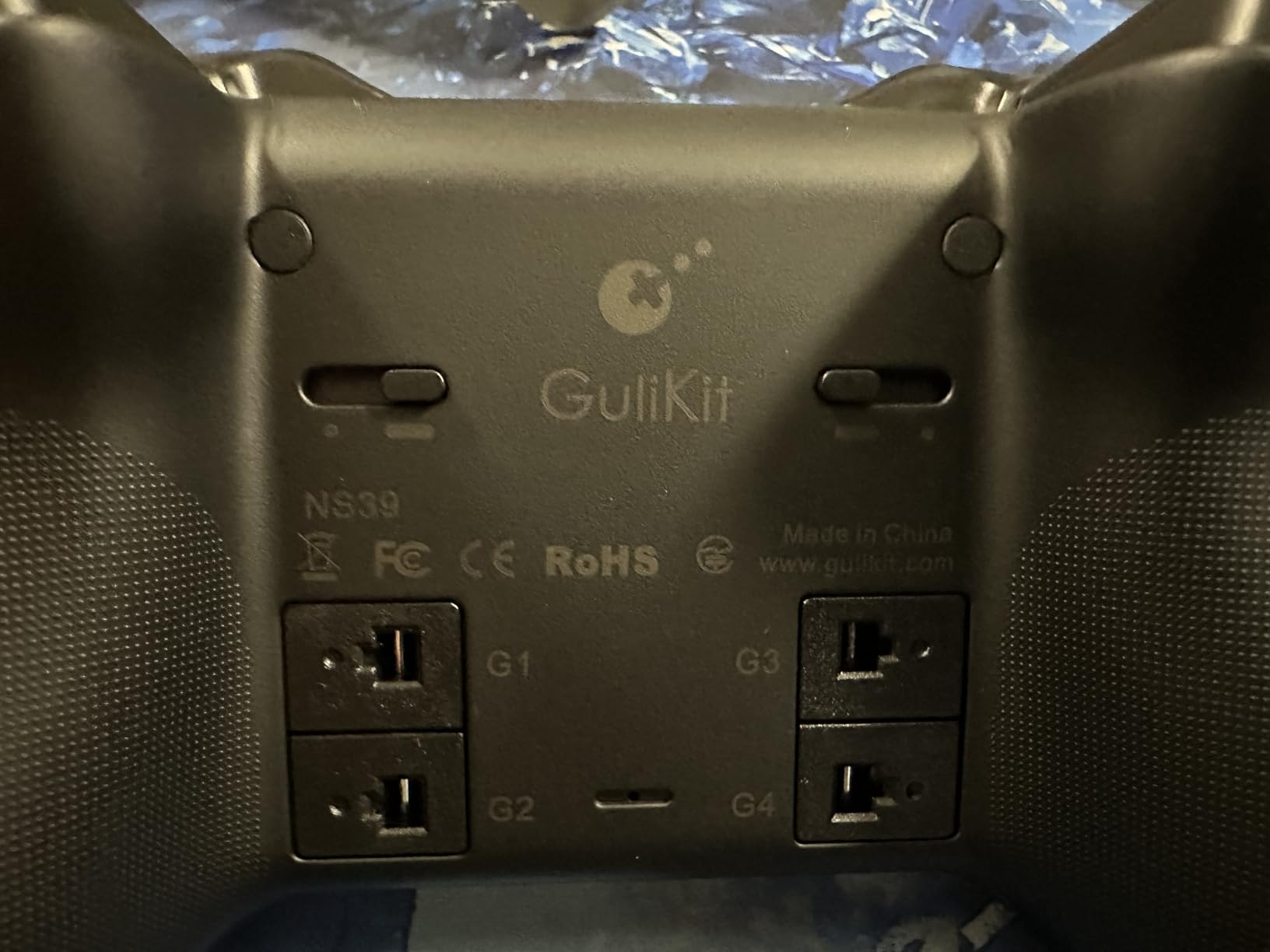
The Gulikit KK3 Max is a multi-platform powerhouse that works with virtually everything. I’ve tested it on Switch, PC, Steam Deck, and Android without any major issues. The Hall Effect joysticks and triggers provide peace of mind against drift, and the 1000Hz polling rate with the Hyperlink adapter delivers competitive-grade responsiveness.
The four detachable metal paddles are among the best in this price range. They attach securely and offer satisfying click feedback. I appreciate that you can remove them entirely if you prefer a cleaner controller profile for certain games.
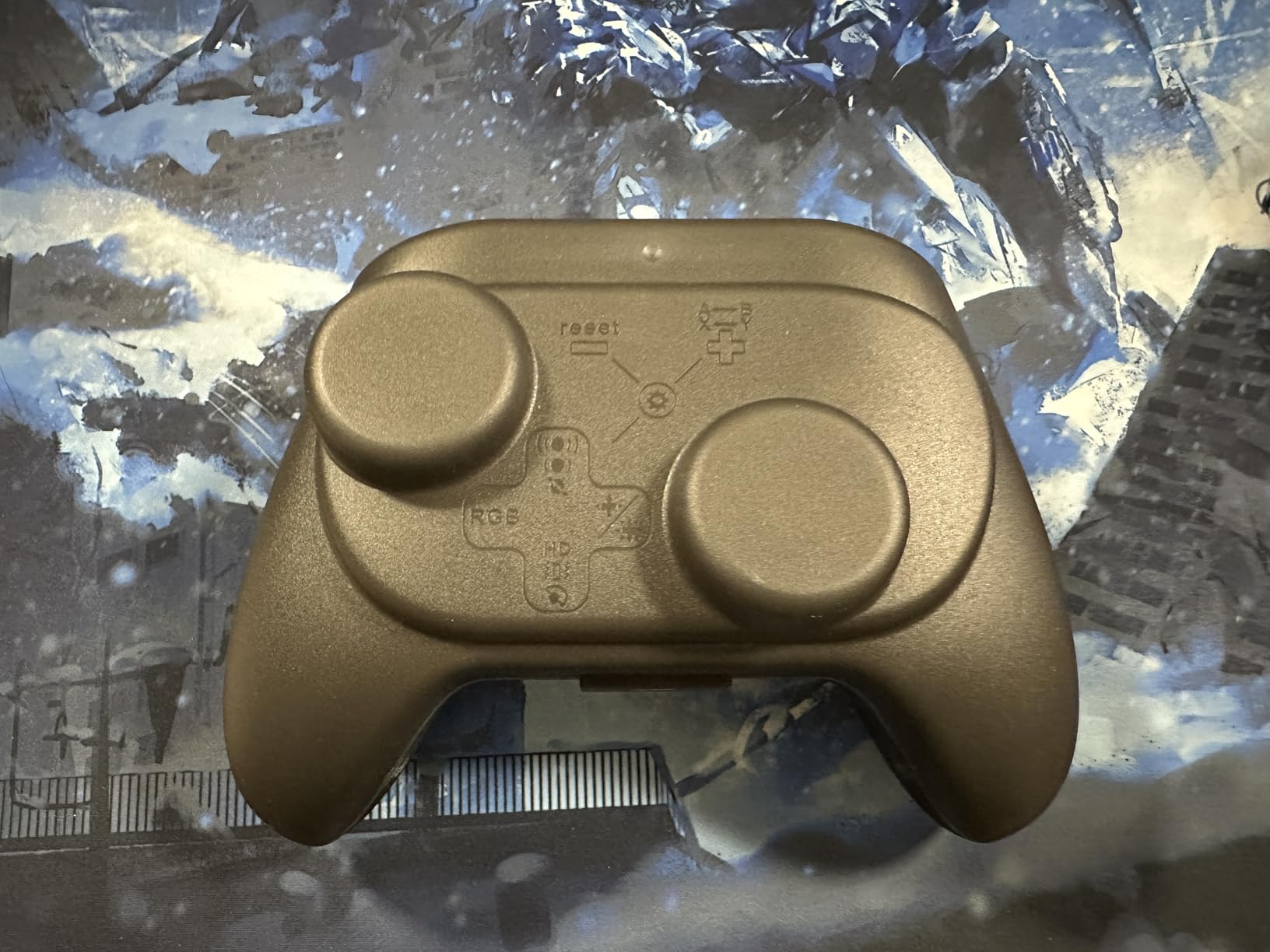
Switching between Xbox and Nintendo button layouts is as simple as holding a button combination. This is genuinely useful for gamers who split time between platforms and don’t want to relearn button positions constantly. The Maglev vibration motor provides nuanced haptic feedback that’s superior to standard rumble.
The included carrying case is a nice bonus that many competitors don’t include. However, I did encounter some frustration during initial setup, particularly when trying to update firmware. The instructions could be clearer, and I had to consult online forums to get everything working properly.
Who Should Buy This
Multi-platform gamers who want one controller for everything will appreciate the KK3 Max. The Hall Effect technology and included case make it a great travel companion for Steam Deck owners. If you need four back buttons without spending Elite controller money, this delivers.
Who Should Skip This
PC gamers who plan to use Bluetooth exclusively should be aware of potential latency issues. The D-pad quality isn’t ideal for fighting games or precise platforming. If you’re not comfortable with firmware updates and technical setup, the initial configuration might frustrate you.
5. PlayStation DualSense Wireless Controller – Cosmic Red
PlayStation DualSense™ Wireless Controller – Cosmic Red – for PS5, PC, MAC & Mobile
Haptic Feedback
Adaptive Triggers
Built-in Microphone
PC and PS5 Compatible
Pros
- Best PlayStation controller ever made
- Haptic feedback adds immersion
- Adaptive triggers enhance gameplay
- Premium build quality
- Excellent ergonomics
- Easy Bluetooth pairing with PC
- Responsive buttons
- Great battery life with quick USB-C charging
Cons
- Touchpad can be accidentally pressed during gameplay
- Drift issues on earlier models
- Battery life shorter than previous generations
- Some models have V1 vs V2 battery life discrepancy
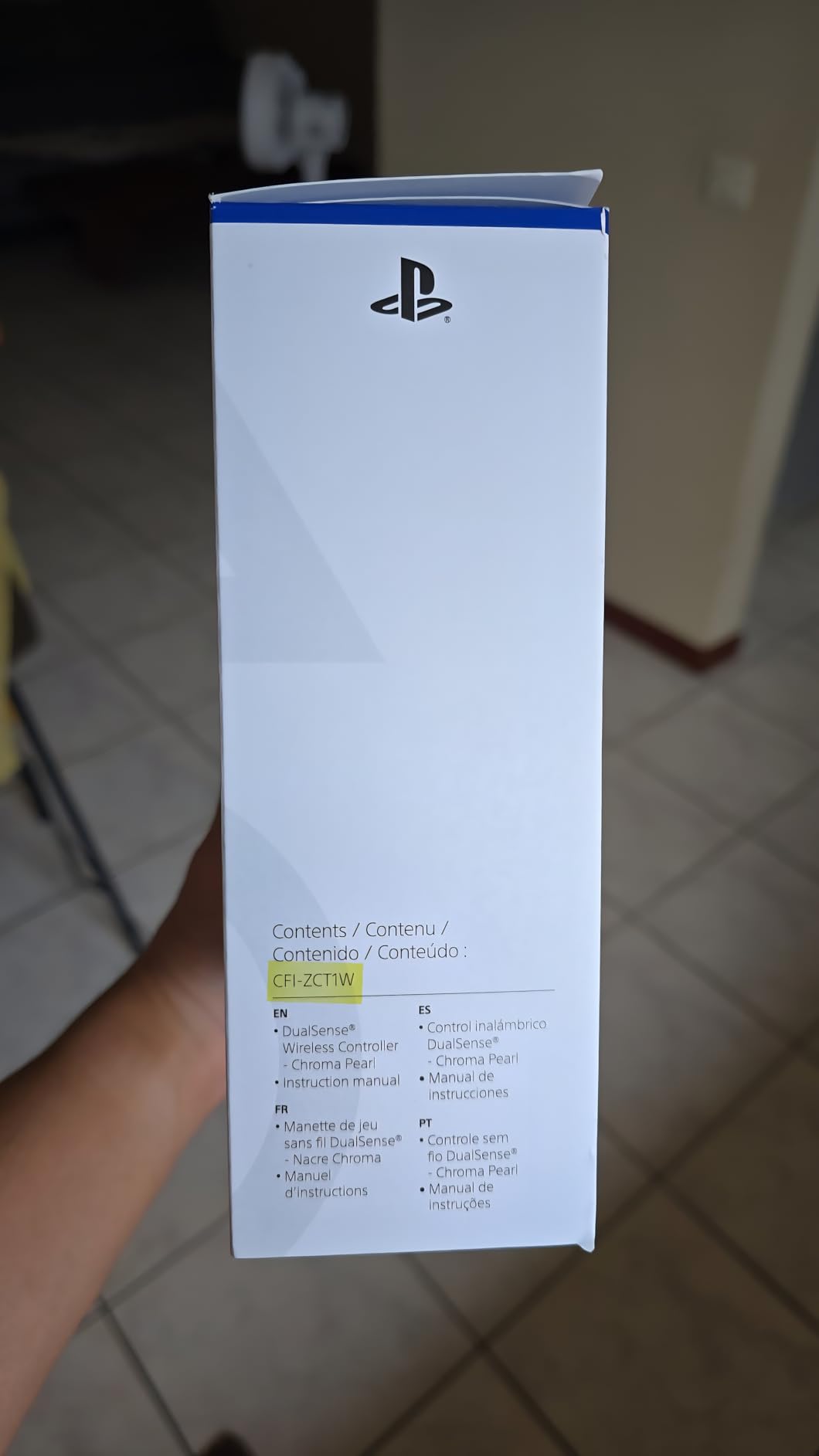
The standard DualSense remains one of the most innovative controllers on the market. The haptic feedback is genuinely transformative in supported games, providing subtle texture sensations that make the world feel more alive. Playing Astro’s Playroom or Spider-Man with haptics enabled is a completely different experience than with vibration alone.
Adaptive triggers add another layer of immersion by varying resistance based on in-game actions. Drawing a bow, accelerating a car, or firing different weapons all feel distinct through the trigger tension. Not every game supports this feature, but when it’s implemented well, it’s remarkable.
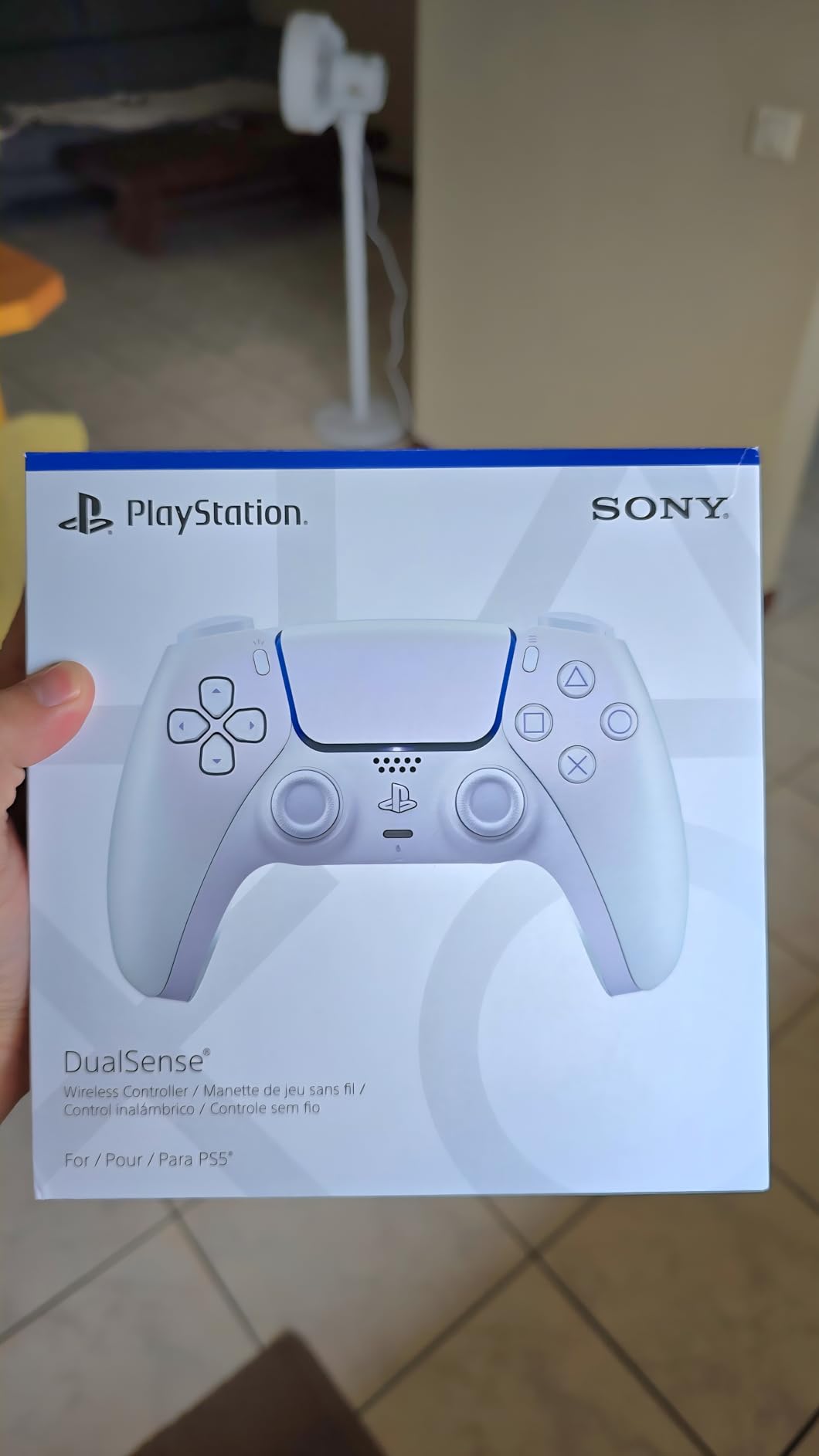
Connecting to PC is straightforward via Bluetooth. Steam recognizes the controller immediately and allows full customization through Steam Input. The built-in microphone is surprisingly decent for quick voice chat without a headset, though I wouldn’t use it for serious gaming sessions.
The ergonomics are excellent for most hand sizes. The controller sits naturally in my grip, and the textured surface on the triggers and grips provides good traction. The Cosmic Red colorway is particularly striking and has held up well against minor scratches and fingerprints.
Who Should Buy This
PlayStation fans who want the definitive PS5 experience should stick with the DualSense. The haptic feedback and adaptive triggers are unmatched by any competitor. If you appreciate premium build quality and innovative features over raw competitive performance, this controller delivers.
Who Should Skip This
Competitive gamers who prioritize polling rate and input latency should look elsewhere. The touchpad can be accidentally activated during intense gameplay, which is annoying in some titles. If you’re primarily a PC gamer without PlayStation, the Xbox layout might feel more natural.
6. GameSir Cyclone 2 Wireless Controller
GameSir Cyclone 2 Wireless PC Controller,1000Hz,TMR Joysticks
TMR Anti-Drift Joysticks
Hall Effect Triggers
1000Hz Polling
Charging Dock Included
Pros
- TMR joysticks prevent drift
- Mouse-click feel on all buttons
- Triggers switch between analog and digital
- 1000Hz polling rate
- Excellent software customization
- Charging dock with dongle storage
- Great battery life
- Premium build quality
Cons
- D-pad not great for fighting games
- Back buttons can be pressed accidentally
- Bluetooth delay when signal obstructed
- Not compatible with Xbox
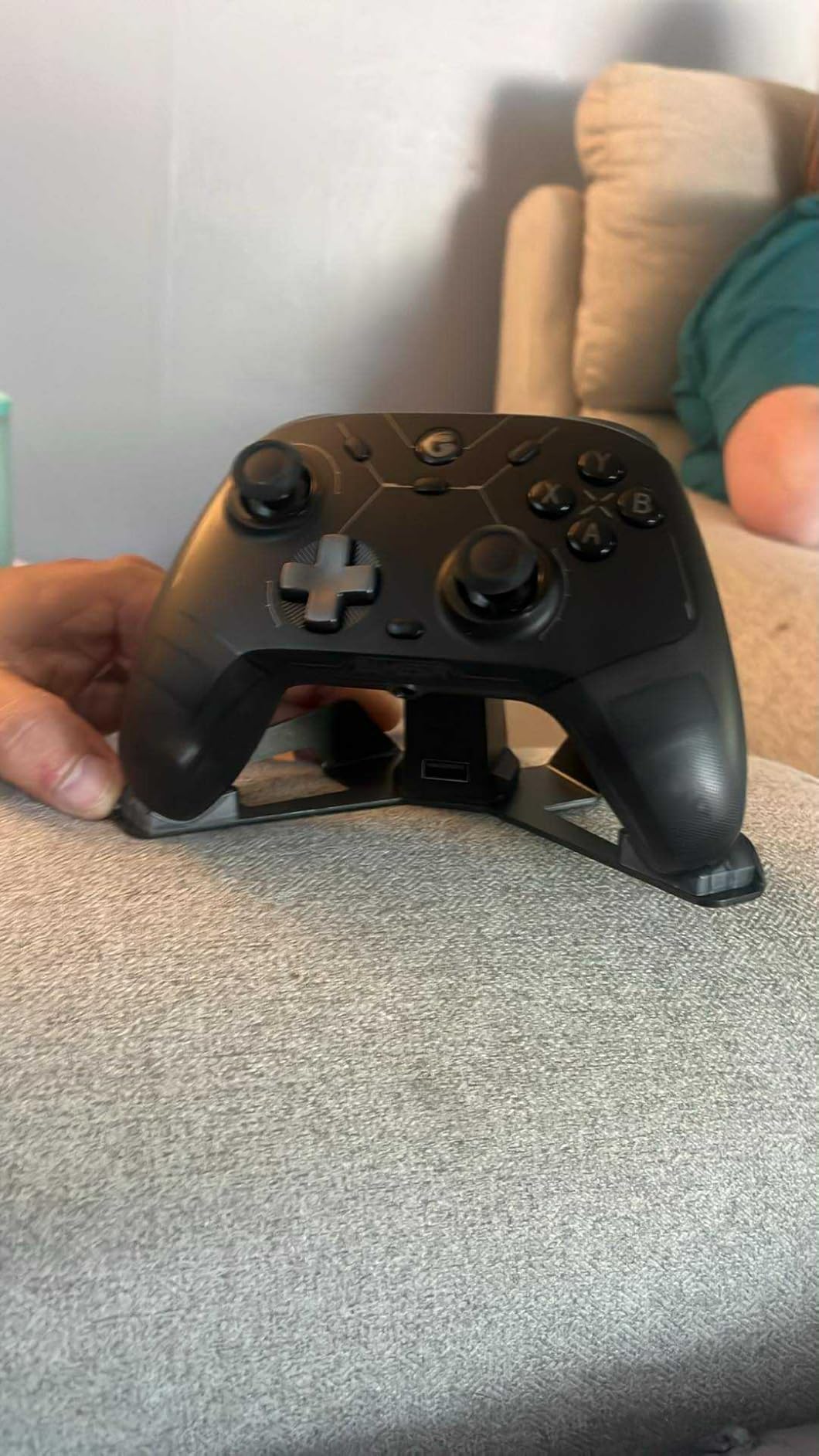
The GameSir Cyclone 2 brings TMR technology to an incredibly competitive price point. The joysticks use magnetic sensors that eliminate the physical wear causing drift, and after four months of daily use, mine remains perfectly centered. The mouse-click feel on all face buttons is satisfying and consistent.
The trigger system deserves special attention. You can switch between full analog travel for racing games and instant digital activation for shooters. This flexibility means one controller handles every genre without compromise. The 1000Hz polling rate ensures your inputs register as fast as any wired controller.
The included charging dock is genuinely premium. It stores the wireless dongle underneath, keeping everything organized on your desk. The aluminum construction looks sleek and the magnetic alignment makes docking effortless. Battery life consistently exceeds 11 hours per charge in my testing.
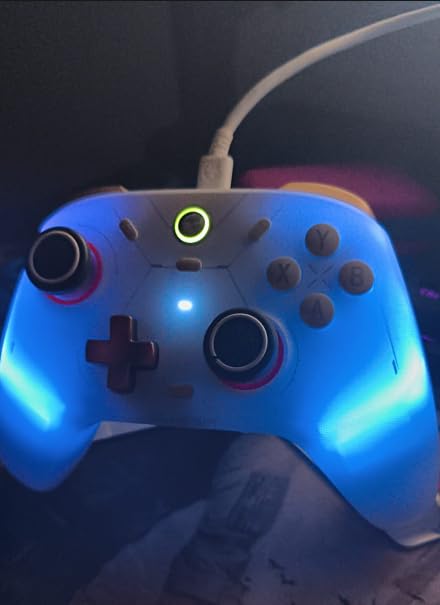
GameSir’s software is among the best I’ve used. Deadzone adjustment, button remapping, and trigger sensitivity curves are all accessible through a clean interface. The RGB lighting is customizable but subtle enough not to be distracting during gameplay.
Who Should Buy This
PC gamers who want premium features at a mid-range price will find excellent value here. The TMR joysticks and included charging dock make this feel like a much more expensive controller. If you play multiple genres and need trigger flexibility, the analog/digital switch is genuinely useful.
Who Should Skip This
Xbox console owners are out of luck since this controller isn’t compatible. Fighting game players should look elsewhere due to the mediocre D-pad. If you have larger hands, the back button placement might lead to accidental presses during gameplay.
7. Xbox Wireless Gaming Controller (2025) – Carbon Black
XBOX Wireless Gaming Controller + USB-C Cable | Carbon Black | Consoles, PCs, TVs, mobile, and more | Textured Grip | Wireless, Bluetooth, USB-C Connectivity
Native PC Support
40hr Battery Life
USB-C Charging
Hybrid D-Pad
Pros
- Excellent build quality
- Improved hybrid D-pad
- Textured grips for better control
- USB-C charging faster than micro USB
- Share button functionality
- Great battery life up to 40 hours
- Multi-platform compatibility
- Responsive buttons and triggers
Cons
- Some reports of creaky grip feel
- LB button issues on some units
- Requires batteries not rechargeable
- Grip can feel slightly cheap
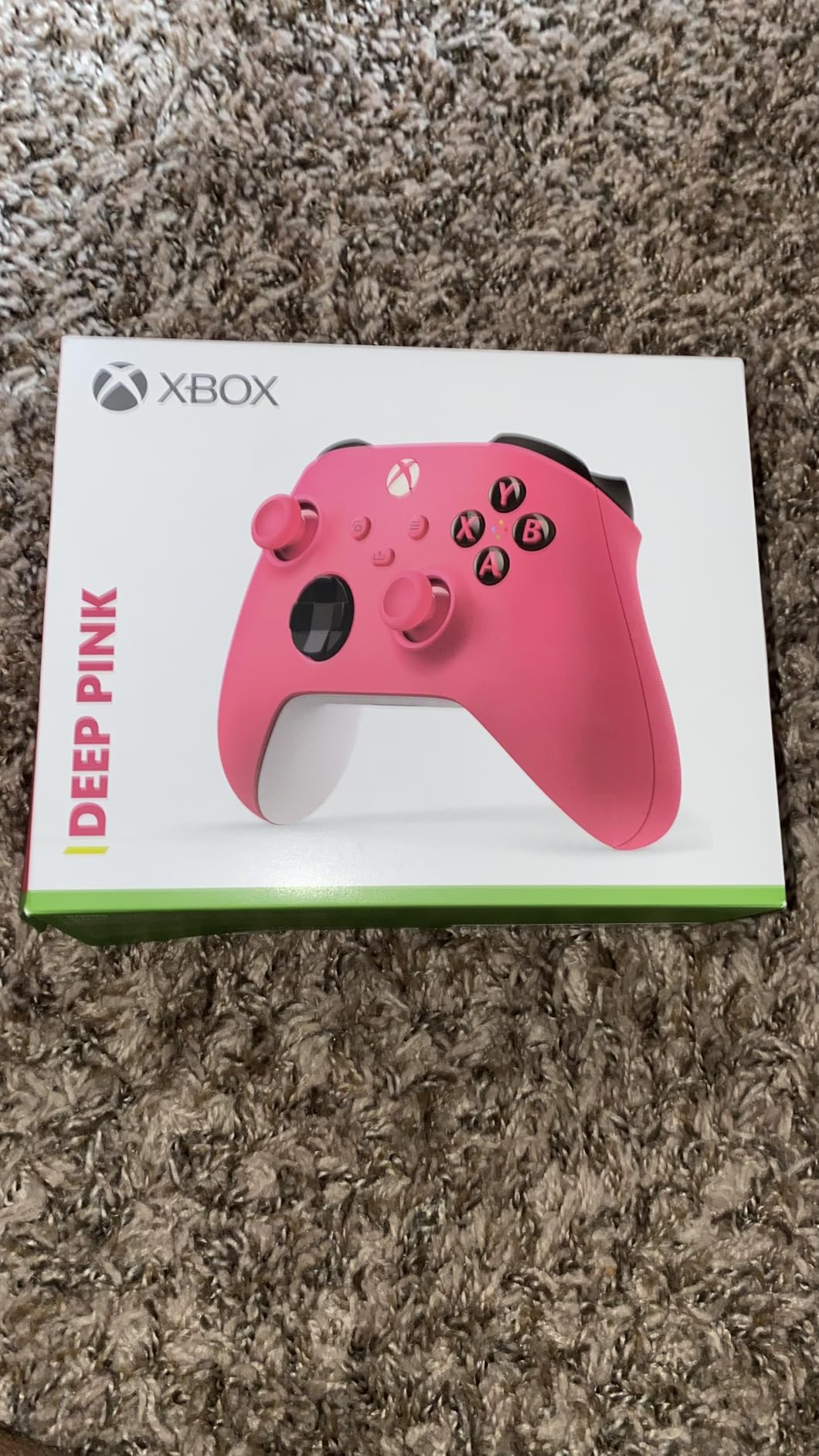
The standard Xbox Wireless Controller remains my top recommendation for most PC gamers. The 2025 refresh brings USB-C charging and an improved hybrid D-pad that’s significantly better for fighting games and platformers. It just works, every time, without any driver issues or compatibility headaches.
Native support in Windows means you plug it in and it works immediately. No software installation, no configuration, no headaches. The Bluetooth connection is rock solid, and I’ve never experienced the random disconnects that plague some third-party controllers. For pure reliability, nothing beats this.
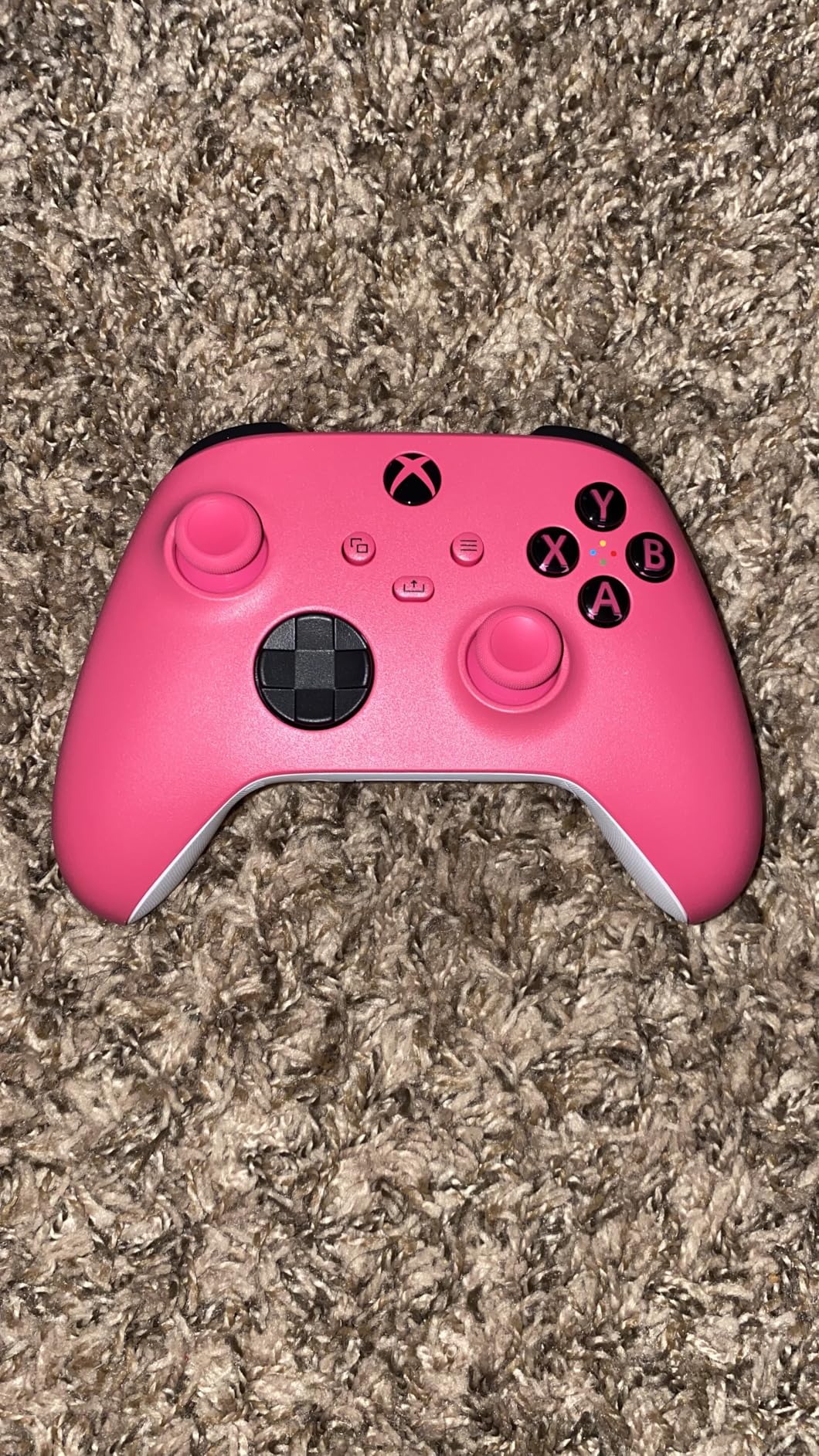
The textured grips and triggers provide excellent traction during extended sessions. The sculpted surfaces fit naturally in my hands, and the weight distribution feels balanced. At just over a pound, it’s substantial without being fatiguing. The Share button makes capturing clips and screenshots effortless.
Battery life lives up to the 40-hour claim with standard AA batteries. I appreciate that I can swap in fresh batteries instantly rather than waiting for a recharge. The USB-C port is a welcome upgrade from the older micro USB, and it charges play-and-charge battery packs quickly.
Who Should Buy This
Anyone who wants a reliable, no-fuss controller that works with everything should choose this. The Xbox layout has become the PC gaming standard, meaning maximum compatibility across all games and platforms. If you value simplicity and proven reliability over cutting-edge features, this is your best bet.
Who Should Skip This
Competitive gamers who need back buttons, adjustable triggers, or high polling rates will want to look at premium options. If you’re frustrated by stick drift, this controller still uses traditional potentiometers. The lack of built-in rechargeable battery means ongoing AA battery costs unless you buy a separate battery pack.
8. ManbaOne Interactive Screen Wireless Gaming Controller
ManbaOne Interactive Screen Wireless Gaming Controller (Black)
2-inch OLED Screen
Hall Effect Sticks
RGB Lighting
1800mAh Battery with Dock
Pros
- Interactive screen for easy customization
- Hall Effect sticks and triggers
- 4 programmable back buttons with macros
- 1800mAh battery with great life
- Charging dock included
- Multi-platform compatibility
- Clicky micro switch buttons
- Trigger stop distance limiters
Cons
- Not compatible with Xbox or PlayStation
- Back paddle macros cant bind to keyboard
- Buttons not backlit
- Screen lacks screensaver mode
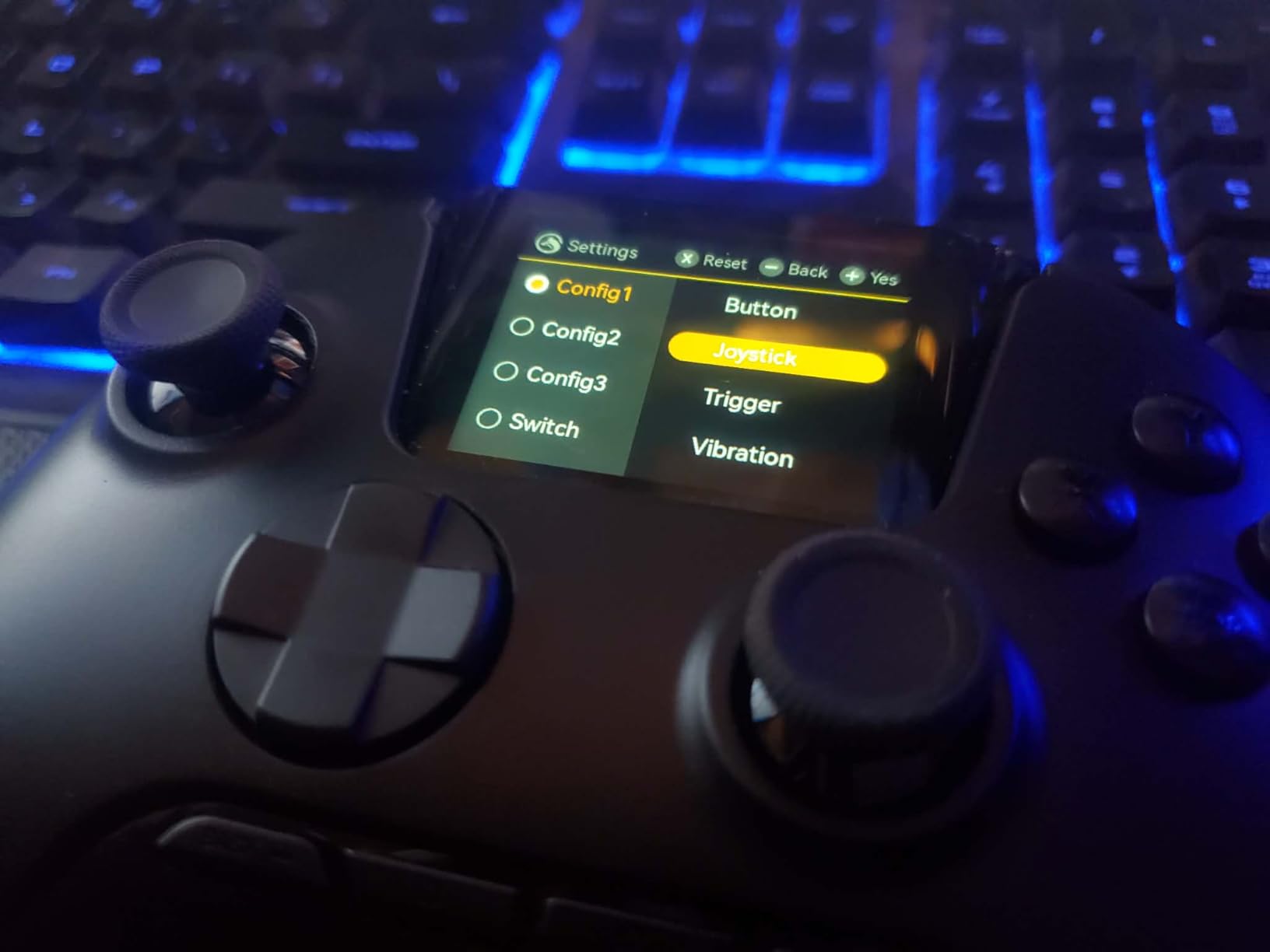
The ManbaOne stands out with its built-in 2-inch OLED screen, allowing you to customize settings directly on the controller without opening software on your PC. Adjusting deadzones, trigger sensitivity, and button mappings happens instantly through the touchscreen interface. This is genuinely innovative and something I haven’t seen on any other controller.
The Hall Effect joysticks and triggers provide drift-free operation that should last years. The micro switch face buttons offer crisp, clicky feedback similar to gaming mice. Each button has a distinct tactile response that makes timing-based inputs feel more precise.
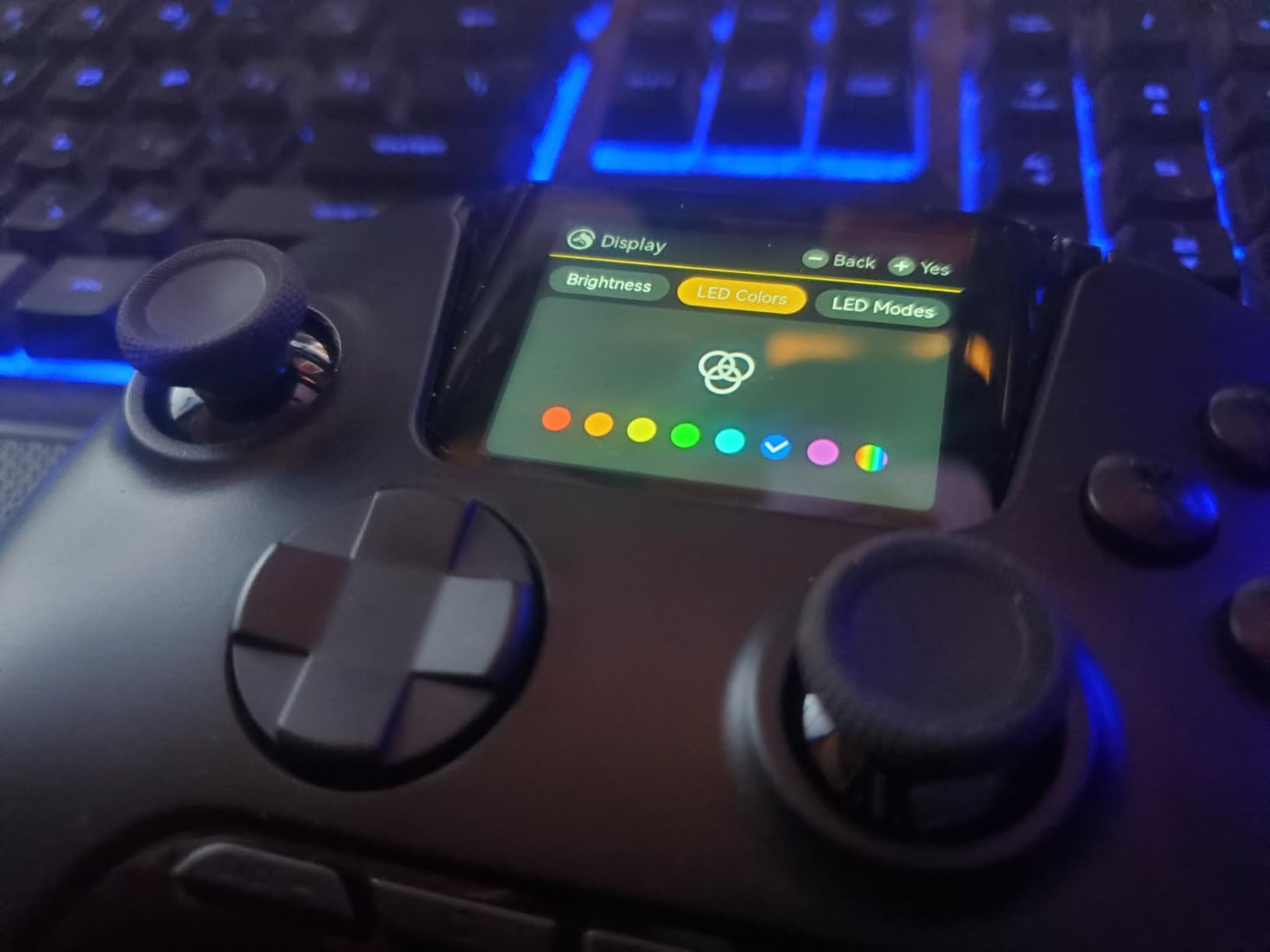
The four back buttons support macro programming directly through the screen interface. You can record complex input sequences and assign them to a single button press. This is incredibly useful for fighting games or MMO-style cooldown management. The 1800mAh battery easily lasts 15+ hours per charge.
The included charging dock is well-designed with storage for the wireless dongle. RGB lighting adds visual flair and can be customized through the screen. My only real complaint is that the buttons aren’t backlit, which makes the controller harder to use in low-light conditions.
Who Should Buy This
Tech enthusiasts who love on-the-fly customization will appreciate the interactive screen. The macro programming capability is genuinely useful for complex games. If you want Hall Effect technology with premium features at a reasonable price, the ManbaOne delivers excellent value.
Who Should Skip This
Xbox and PlayStation console owners cannot use this controller. If you need backlit buttons for low-light gaming, you’ll be disappointed. The screen lacks a screensaver mode, which means it displays static images during long sessions, potentially causing burn-in concerns over time.
9. 8BitDo Ultimate 2C Wireless Controller for Windows PC
8Bitdo Ultimate 2C Wireless Controller for Windows PC and Android, with 1000 Hz Polling Rate, Hall Effect Joysticks and Triggers, and Remappable L4/R4 Bumpers (Green)
Hall Effect Joysticks
Hall Effect Triggers
1000Hz Polling
Remappable Buttons
Pros
- Incredible value for the price
- Hall Effect joysticks prevent drift
- Best triggers in any controller
- Excellent D-pad for platformers
- Amazing battery life
- Clicky shoulder buttons
- Zero deadzone mode available
- Compact and comfortable
Cons
- Compact size uncomfortable for large hands
- Spring tension on triggers feels fragile
- Power button delay needs double press
- Limited documentation for features
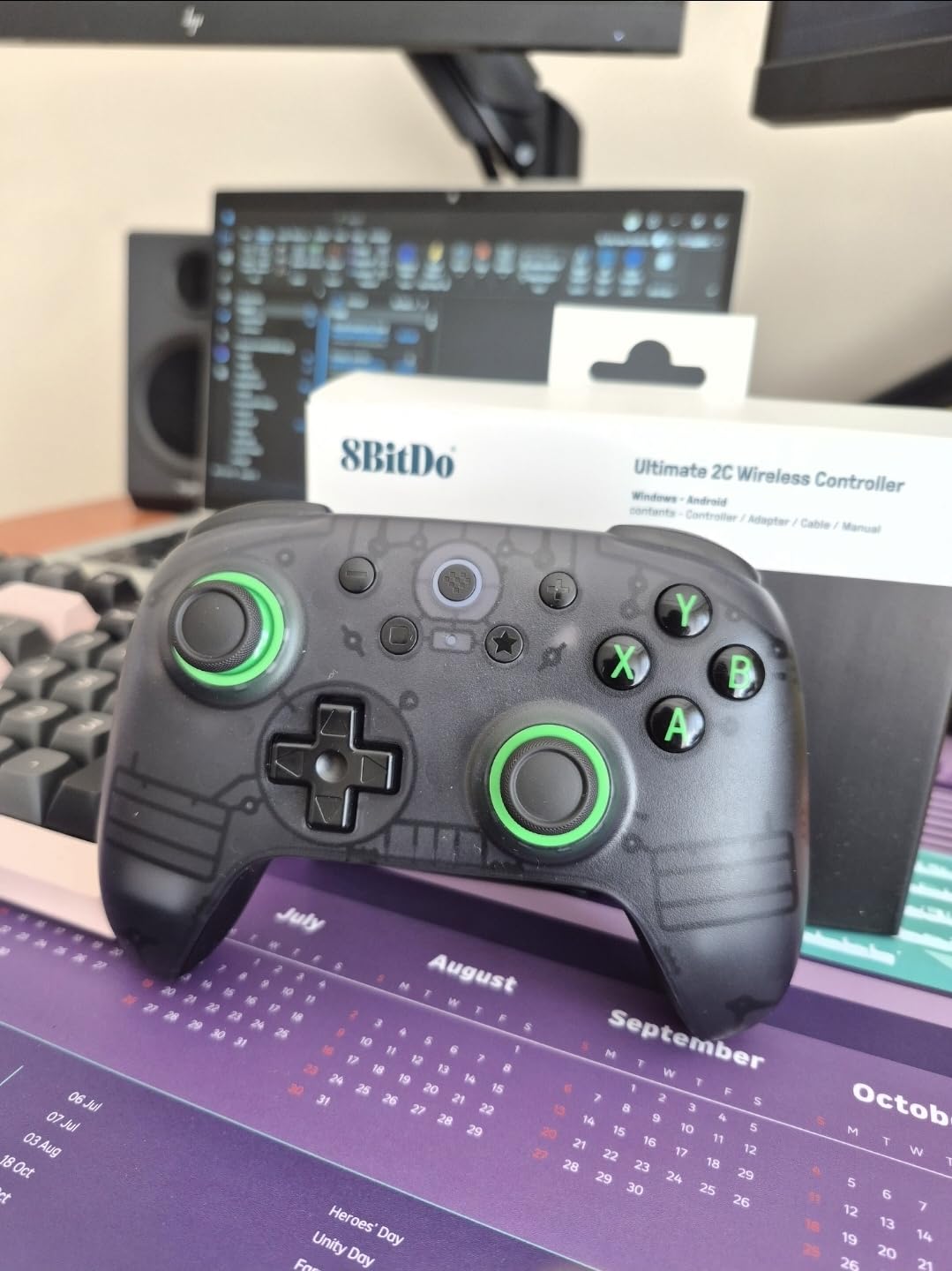
At under $30, the 8BitDo Ultimate 2C delivers features that controllers twice the price often lack. The Hall Effect joysticks and triggers mean you’ll never deal with drift, and the 1000Hz polling rate matches competitive-grade controllers. This is genuinely remarkable value.
The D-pad is exceptional for 2D games. It has a satisfying click and precise directional separation that makes platformers and fighting games feel responsive. After playing through several classic games, I can confidently say this is one of the best D-pads in the budget category.
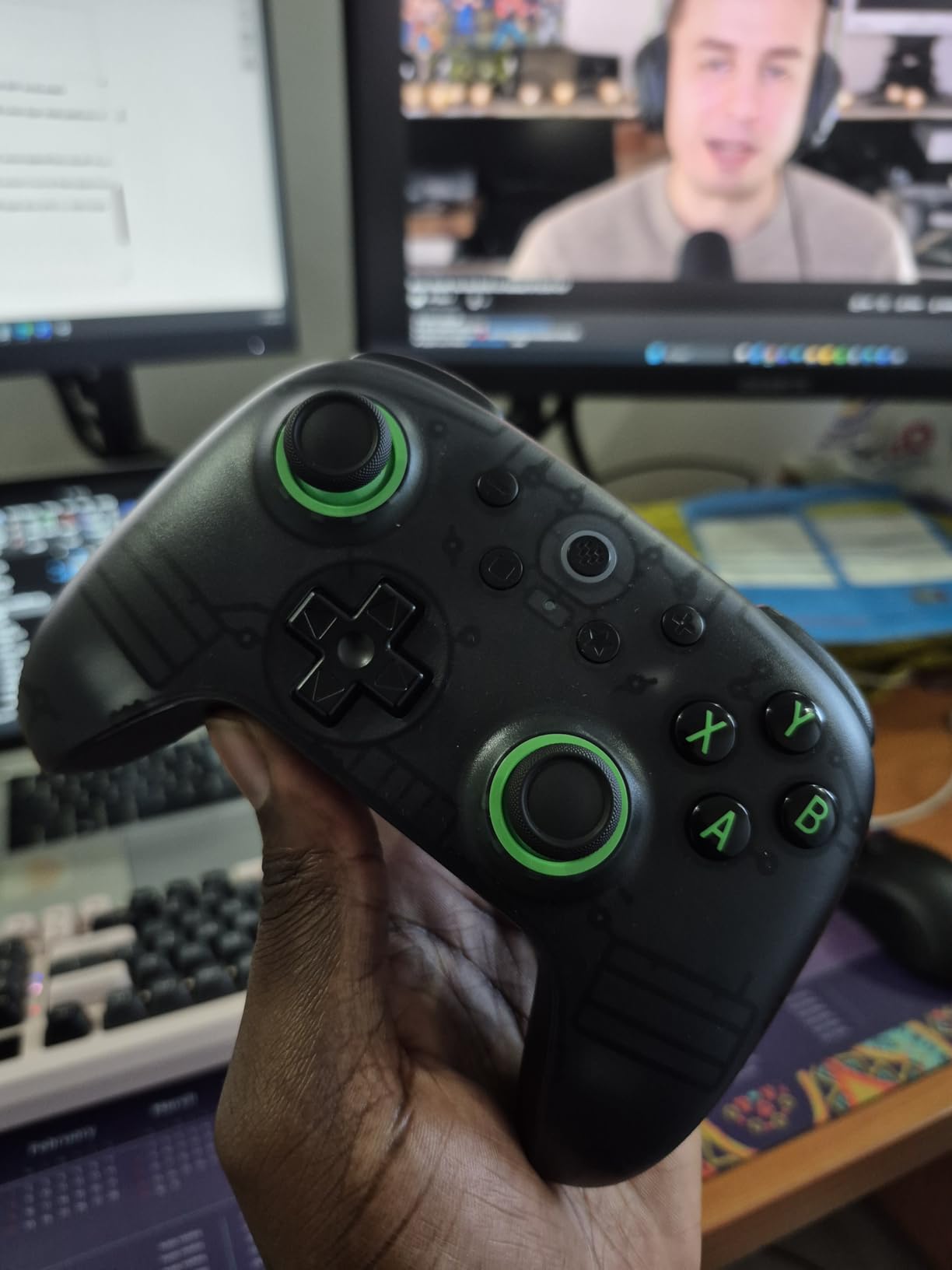
The extra L4 and R4 bumpers are a smart addition that gives you more input options without complicating the layout. Button mapping can be done directly on the controller without software, though the documentation doesn’t explain this clearly. The zero deadzone mode is accessible through a button combination.
Battery life consistently exceeds expectations. I’ve gotten over 20 hours per charge with moderate use. The compact size is comfortable for smaller hands but might feel cramped for larger users. The included 2.4GHz dongle provides stable wireless with the full 1000Hz polling rate.
Who Should Buy This
Budget-conscious gamers who refuse to compromise on quality should grab this immediately. The Hall Effect technology at this price point is incredible value. If you play a lot of 2D games and appreciate a great D-pad, the Ultimate 2C excels where many premium controllers struggle.
Who Should Skip This
Large-handed users will likely find the compact size uncomfortable during extended sessions. If you need Xbox or PlayStation console compatibility, this is PC and Android only. The power button requires a double-press that can be confusing at first, and the included documentation doesn’t explain all features.
10. EasySMX X15 PC Controller with Hall Joysticks
EasySMX X15 Wireless PC Controller for Gaming, Hall Effect Joysticks
Hall Effect Joysticks
RGB Lighting
2 Back Buttons
20hr Battery Life
Pros
- Hall Effect sticks prevent drift
- RGB lighting with multiple colors
- 2 programmable back buttons
- Good battery life with lights off
- Multi-platform compatibility
- Turbo function
- Concave D-pad for better feel
- Affordable price point
- Fast charging
Cons
- Annoying auto power-off with popup notification
- Bumper buttons not pronounced
- Some mapping issues in certain games
- Battery life shorter with RGB on
- Plastic feels slick
- Random disconnects in wired mode
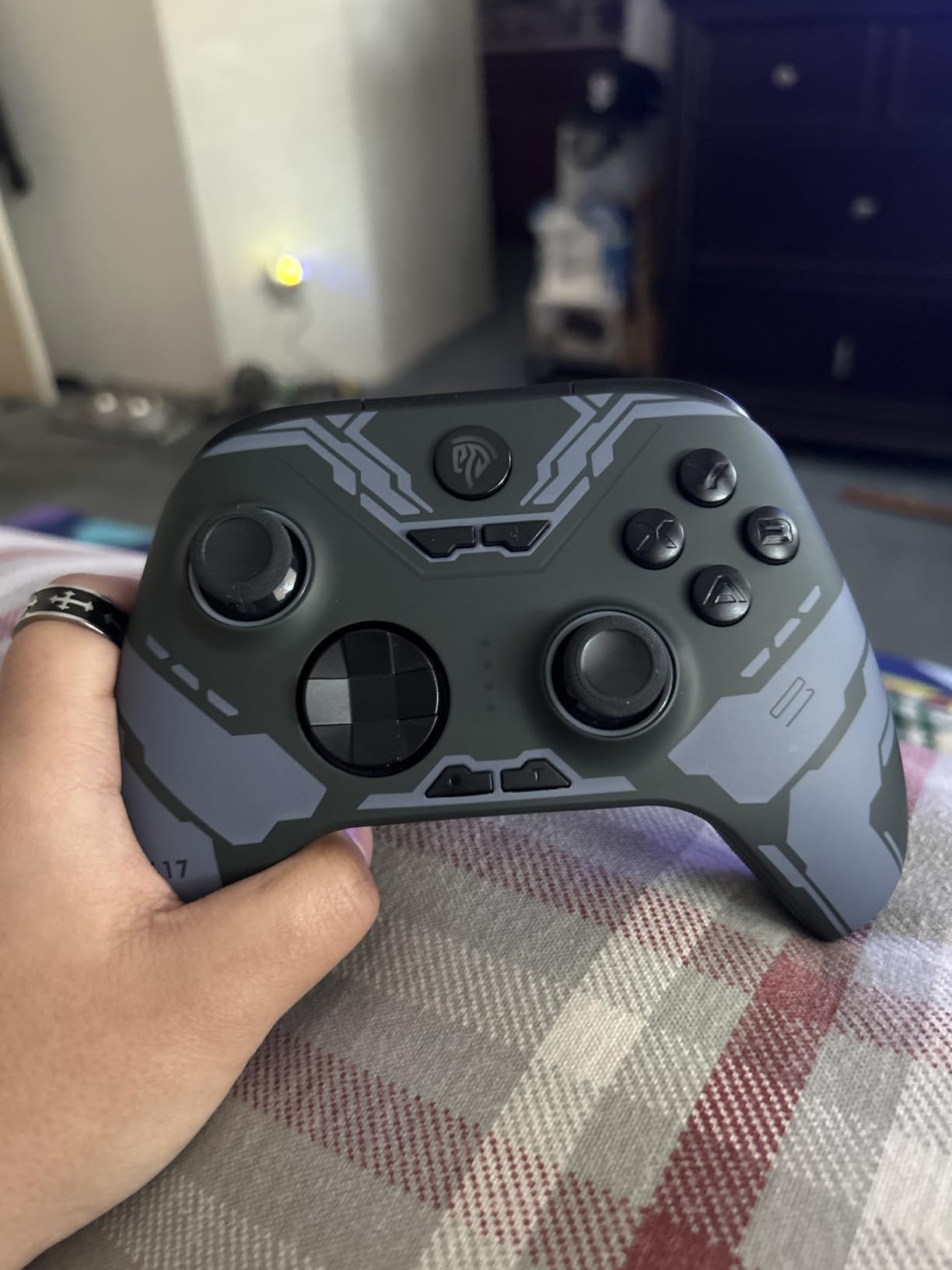
The EasySMX X15 brings Hall Effect technology to the absolute budget tier. For under $30, you get magnetic joysticks that won’t develop drift, RGB lighting with seven color options, and multi-platform compatibility. It’s an impressive feature set at this price point.
The RGB lighting adds personality without being overwhelming. You can cycle through colors or pick a favorite, and the lighting doesn’t significantly impact battery life if you keep brightness moderate. The concave D-pad feels good for most games, though serious fighting game players might want something more precise.
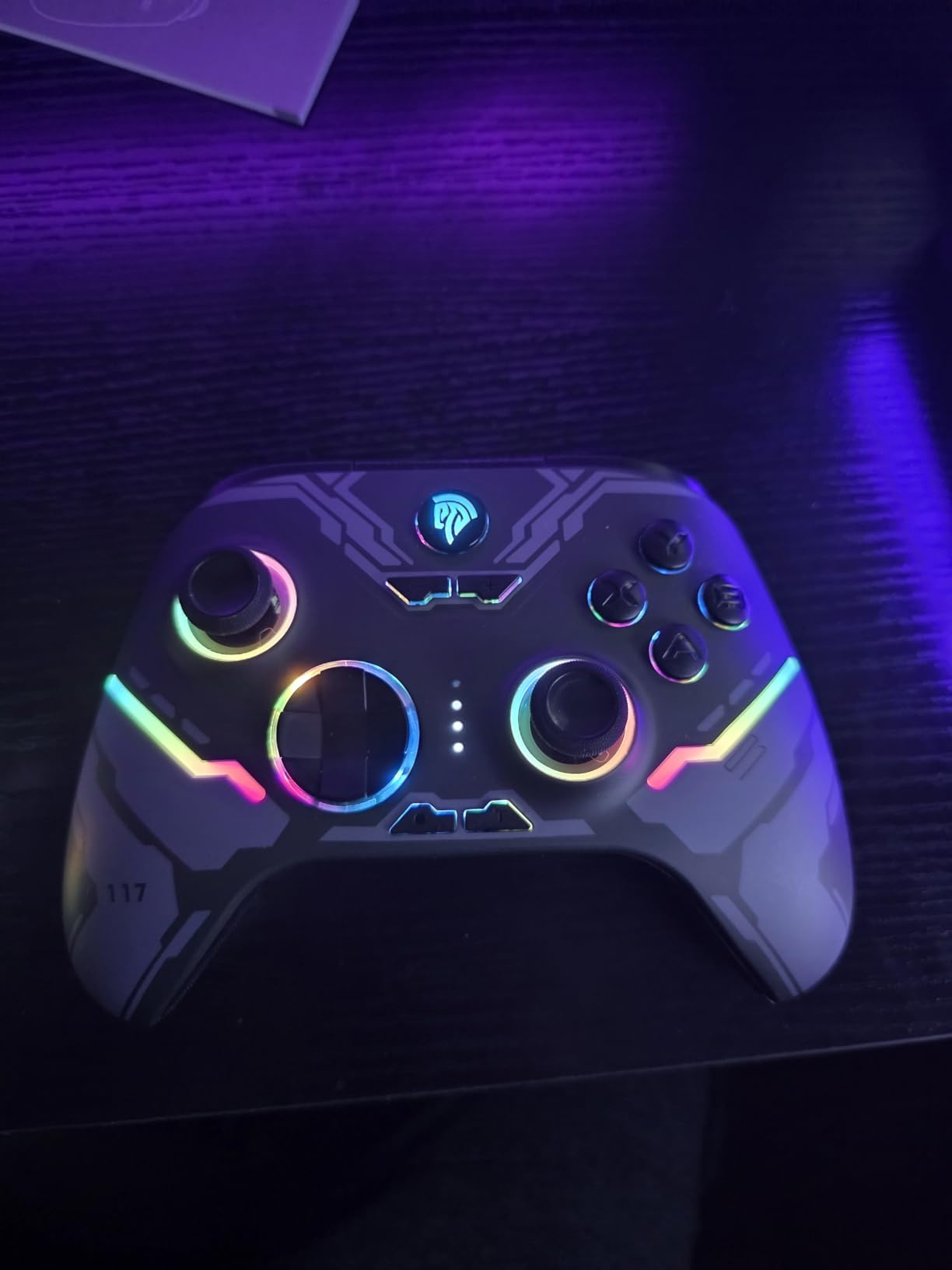
The two back buttons are programmable and work well for basic remapping. I mapped them to face buttons for games where I need to keep my thumbs on the sticks. The Turbo function is useful for grindy games that require repeated button presses.
The auto power-off feature is my biggest frustration. After 10 minutes of inactivity, the controller shuts off with a popup notification that can interrupt certain applications. The plastic shell feels somewhat slick, which can be problematic during intense gaming sessions if your hands get sweaty.
Who Should Buy This
First-time controller buyers or those on a strict budget will find solid value here. The Hall Effect joysticks provide peace of mind against drift, which is rare at this price. If you want RGB lighting and don’t mind a basic feature set, the X15 gets the job done.
Who Should Skip This
If you’re sensitive to auto power-off interruptions, this controller will annoy you. The bumper button placement is recessed and can be hard to find by feel. Serious competitive gamers should invest in something with higher polling rates and better build quality. The wired mode has occasional disconnect issues that require a firmware update to fix.
Buying Guide: How to Choose the Best PC Gaming Controller
Selecting the right controller depends on your gaming style, hand size, and budget. Here’s what I’ve learned after testing dozens of controllers over the years.
Hall Effect vs TMR vs Traditional Joysticks
Traditional potentiometer joysticks use physical contacts that wear down over time, causing drift. Hall Effect sensors use magnetic fields to detect position without physical contact, eliminating drift entirely. TMR (Tunnel Magnetoresistance) is the newest technology, offering even better precision than Hall Effect with lower power consumption.
If you’ve ever thrown away a controller due to drift, Hall Effect or TMR should be non-negotiable features. The slight price premium pays for itself when your controller lasts years instead of months.
Connectivity Options: Wired vs 2.4GHz vs Bluetooth
Wired connections offer the lowest latency and most stable performance, making them ideal for competitive gaming. 2.4GHz wireless dongles provide near-wired latency with the freedom of wireless. Bluetooth is convenient for multi-device use but typically has higher latency than 2.4GHz.
For PC game controls and controller options, I recommend 2.4GHz dongles for the best balance of performance and convenience. Many cross-platform controller gaming setups benefit from controllers that support multiple connection modes.
Polling Rate: Why It Matters
Polling rate measures how often the controller reports its state to your PC, measured in Hertz. A 1000Hz polling rate means the controller reports 1000 times per second, or every 1 millisecond. Standard controllers often run at 125Hz (8ms), which is fine for casual gaming but noticeable in competitive scenarios.
For most gamers, 1000Hz polling is more than sufficient. The new 8000Hz controllers offer diminishing returns for the average player but can benefit professional-level competitive players.
Ergonomics and Hand Size
Controller comfort varies dramatically based on hand size. Larger hands may find compact controllers like the 8BitDo Ultimate 2C cramped, while smaller hands might struggle with the bulk of an Xbox Elite Series 2. The standard Xbox controller hits a sweet spot that works for most hand sizes.
If possible, try holding a controller before purchasing. Pay attention to how your fingers naturally rest on the triggers and whether your thumbs can comfortably reach all face buttons without stretching.
Platform Compatibility
Most modern controllers support PC, but compatibility with other platforms varies. Xbox-licensed controllers work natively on Xbox consoles. PlayStation controllers work on PC via Steam but lack native Xbox support. Nintendo Switch compatibility requires specific button layout support.
Consider your full gaming ecosystem when choosing. If you game across multiple platforms, a multi-platform controller like the Gulikit KK3 Max or ManbaOne can save you from buying separate controllers.
Battery Life Considerations
Controllers with built-in rechargeable batteries offer convenience but eventually hold less charge over time. Controllers using AA batteries let you swap instantly but require ongoing battery purchases. Look for controllers with at least 20 hours of battery life for extended gaming sessions.
The Xbox standard controller offers the best of both worlds with AA battery support and optional rechargeable battery packs. Many premium controllers include charging docks that make keeping your controller powered effortless.
FAQs
What is the best PC gaming controller?
The Xbox Wireless Controller (2025) is the best overall PC gaming controller for most users due to its native Windows support, excellent ergonomics, and broad compatibility. For premium features, the Xbox Elite Series 2 offers adjustable triggers and back paddles. For budget-conscious gamers, the 8BitDo Ultimate 2C provides Hall Effect sticks at under $30.
Which gaming controller is best?
The best gaming controller depends on your needs. For pure PC gaming, the Xbox Wireless Controller offers unbeatable compatibility. For competitive gaming, the Xbox Elite Series 2 or GameSir G7 Pro with TMR technology provide advantages like adjustable triggers and 1000Hz polling rates. PlayStation fans should consider the DualSense for its innovative haptic feedback.
What controller do most pro gamers use?
Most professional gamers use the Xbox Elite Series 2 or SCUF controllers for competitive play. These controllers offer adjustable trigger stops, back paddles for additional inputs, and customizable profiles. In the fighting game community, arcade sticks and specialized controllers like the Razer Kitsune are also popular for their precise inputs.
What controller has 0 stick drift?
Controllers with Hall Effect or TMR joysticks have zero stick drift because they use magnetic sensors instead of physical contacts. Top options include the GameSir G7 Pro (TMR), GameSir Cyclone 2 (TMR), 8BitDo Ultimate 2C (Hall Effect), Gulikit KK3 Max (Hall Effect), and ManbaOne (Hall Effect). These technologies eliminate the mechanical wear that causes traditional potentiometer joysticks to drift over time.
Conclusion
Finding the best PC gaming controller comes down to matching features with your specific needs. For most gamers, the Xbox Wireless Controller (2025) provides the perfect balance of comfort, compatibility, and value. Its native Windows support and refined ergonomics make it the safest choice for anyone wanting a reliable gamepad.
Competitive gamers should consider the Xbox Elite Series 2 or GameSir G7 Pro for their adjustable triggers, back paddles, and high polling rates. Budget-conscious buyers get incredible value from the 8BitDo Ultimate 2C or GameSir Cyclone 2, both offering Hall Effect or TMR anti-drift technology at accessible prices.
Whatever controller you choose, prioritize Hall Effect or TMR joysticks to avoid the frustration of stick drift. The technology has become affordable enough that there’s no reason to settle for traditional potentiometers that will eventually develop issues. Your future self will thank you for investing in drift-free gaming.