
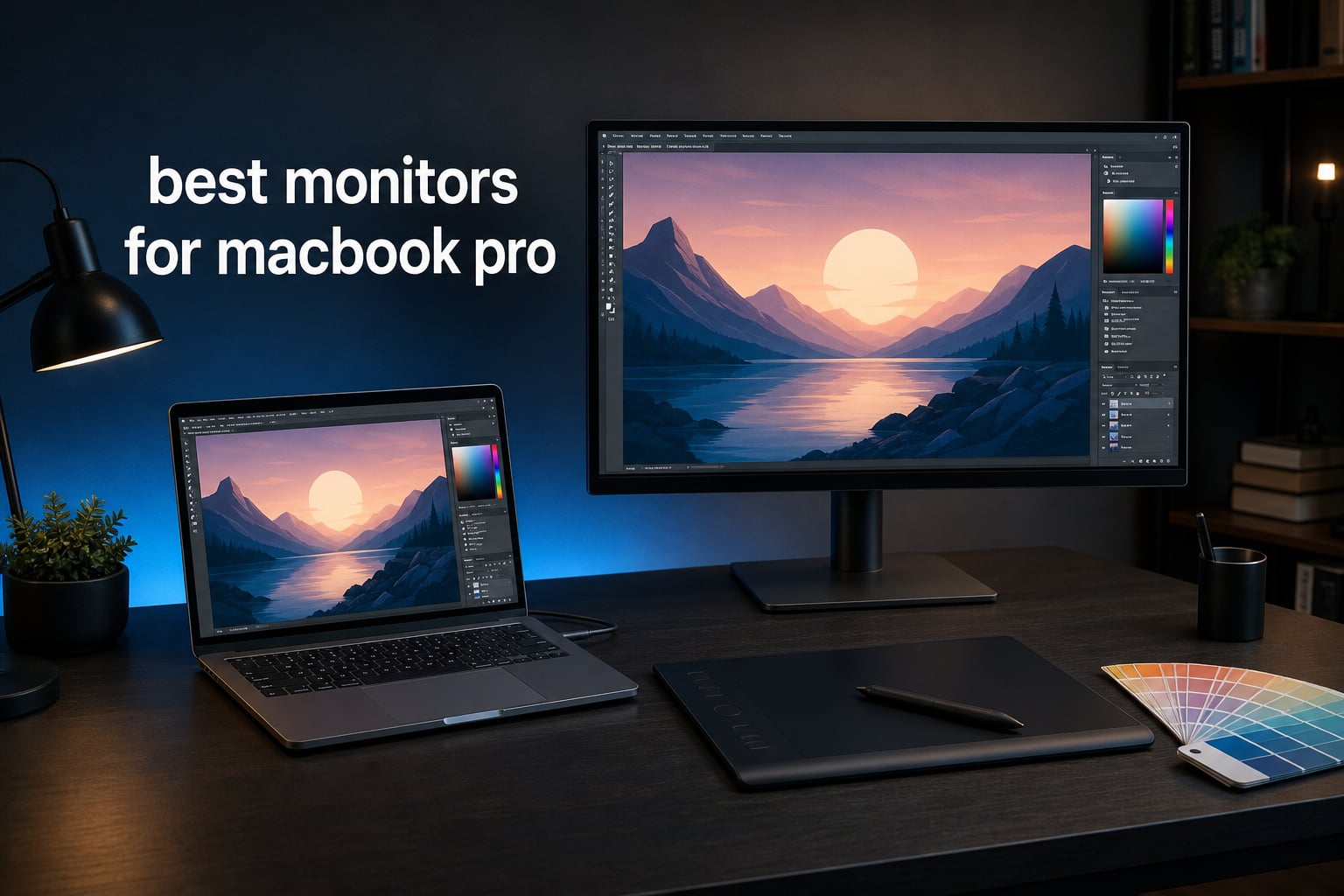
A MacBook Pro can drive almost any modern display, but creative work asks more of an external screen than a working cable. For the best monitors for MacBook Pro, I look first for predictable color, sharp macOS scaling, and enough USB-C or Thunderbolt power to keep a one-cable desk from becoming a tangle of chargers.
That matters when you are moving a Photoshop file from the laptop panel to a 27-inch monitor, grading footage, or checking an illustration before export. A display that looks different from the MacBook can slow decisions down, while a low-resolution panel can make type feel oddly soft even when its size is appealing.
Our picks focus on the supplied specifications and buyer feedback for screens that suit digital art, graphic design, photo editing, and video editing. The BenQ MA270UP is my first choice for Mac-focused convenience, the Apple Studio Display is the cleanest Retina-style desktop companion, and the ASUS ProArt PA279CRV is the color-focused choice for Adobe RGB work.
Table of Contents
The top 3 picks answer which monitors suit MacBook Pro creators best in 2026
The short answer is that the BenQ MA270UP is the most balanced display here for a MacBook Pro because it combines Mac color tuning, P3 coverage, dual USB-C, and 90W power delivery. Choose Apple Studio Display when 5K sharpness, camera, speakers, and Apple integration are more important; choose ASUS ProArt PA279CRV when your files need broad Adobe RGB coverage and a factory calibration report.
These MacBook Pro monitors make the 2026 shortlist
| Product | Specifications | Action |
|---|---|---|
 BenQ MA270UP BenQ MA270UP |
|
Check Latest Price |
 Apple Studio Display Apple Studio Display |
|
Check Latest Price |
 BenQ PD3225U BenQ PD3225U |
|
Check Latest Price |
 BenQ PD2706U BenQ PD2706U |
|
Check Latest Price |
 LG 27UP850K-W LG 27UP850K-W |
|
Check Latest Price |
 ASUS ProArt PA279CRV ASUS ProArt PA279CRV |
|
Check Latest Price |
 Dell U2725QE Dell U2725QE |
|
Check Latest Price |
 ViewSonic VP2788-5K ViewSonic VP2788-5K |
|
Check Latest Price |
 BenQ PD2730S BenQ PD2730S |
|
Check Latest Price |
 ASUS ProArt PA27JCV ASUS ProArt PA27JCV |
|
Check Latest Price |
Think of this as a workflow list rather than a single winner list. Four 5K options prioritize Retina-like density, while the 4K group offers more choices around color spaces, ports, refresh rate, and desk size.
1. BenQ MA270UP is the best Mac-first 4K choice
BenQ MA270UP 27” 4K 3840x2160 Monitor for MacBook® Pro/Air, Dual USB-C, 90W Power Delivery, Mac Color Match, USB Hub, Brightness & Volume Control on Mac, Height & Tilt Adjustable Stand, P3 Color Gamut
27-inch 4K IPS
P3 gamut and Mac color tuning
Dual USB-C with 90W power
Pros
- Mac color tuning
- P3 wide gamut
- Dual USB-C ports
- 90W power
- fully adjustable stand
Cons
- Glossy screen can reflect light
The MA270UP takes the top spot because BenQ built its feature set around the small frictions Mac users notice every day. Its Mac color tuning, P3 wide gamut, and integrated MacBook brightness and volume controls give it a more intentional desktop feel than a generic 4K panel.
I also like the practical port setup: dual USB-C and 90W power delivery mean one display can act as the laptop connection and a small desk hub. Its 4.8 rating across 52 reviews is a promising signal, though it is still a smaller feedback pool than several alternatives below.
The color match makes this a strong illustration workstation
P3 is a sensible target for illustrators and designers working in Apple-centered apps because it aligns with the broad color language of modern Mac displays. BenQ specifically lists Mac color matching rather than only a generic wide-gamut claim, which speaks directly to the common forum complaint that a laptop and monitor look unrelated.
The 27-inch, 3840 by 2160 IPS panel is also a comfortable canvas for tool palettes and an artboard side by side. Its 400-nit brightness and 2000:1 contrast specification give it useful headroom for a normally lit studio.
The glossy finish needs a controlled desk position
The one clear trade-off is the glossy screen finish. Gloss can add perceived punch, but a window or overhead fixture behind you can become part of the image, so I would place it perpendicular to daylight rather than facing it.
The stand handles height, tilt, swivel, and pivot, which makes that positioning easier. This is the best monitor for MacBook Pro users who want a Mac-specific 4K setup without giving up the flexibility of a USB hub.
2. Apple Studio Display is the best integrated 5K desk companion
Apple Studio Display: Standard Glass, Tilt-Adjustable Stand
27-inch 5K Retina
600 nits and P3 color
Center Stage camera and Spatial Audio
Pros
- 5K Retina sharpness
- 600-nit brightness
- P3 color
- Center Stage camera
- Spatial Audio speakers
Cons
- Tilt-only included stand
- limited adjustment
The Apple Studio Display is the clean answer for creators who want an external canvas that feels closest to the MacBook Pro panel in day-to-day use. Its 27-inch 5K Retina display has 14.7 million pixels, P3 wide color, and 600 nits of brightness, so interface text and fine brushwork have the density many Mac users are chasing.
It earns its placement on more than panel resolution. The 12MP Center Stage camera with Desk View, three-mic array, and six-speaker system with Spatial Audio turn a desk display into a capable call and presentation station without adding separate peripherals.
The 5K resolution gives type and fine detail a familiar scale
A 5K 27-inch screen offers much more pixel density than a 27-inch 4K screen, which is why it is especially attractive for long InDesign, Figma, Lightroom, or coding sessions. You can keep a useful interface scale while retaining crisp text, instead of pushing a lower-density screen into a scaling mode that feels less natural.
For photo and video teams, 600 nits and P3 color make the Studio Display a persuasive reference beside a MacBook Pro. The product data also lists an anti-reflective coating, a helpful counterweight to a bright room.
The included stand limits ergonomic changes
Buyers should be deliberate about desk height because this configuration has a tilt-adjustable stand only. A height-adjustable alternative exists separately, but this listing should be treated as the tilt-stand version when planning your workspace.
The data also lists Thunderbolt 5 and USB-C ports, making connectivity a strong point, yet this choice is for someone who values the complete Apple desktop experience. Its 4.7 rating from 39 reviews supports the appeal, but that review sample is modest.
3. BenQ PD3225U is the best large-screen color workspace
BenQ PD3225U 32 Inch 4K IPS Black UHD Thunderbolt Monitor for MacBook, AQCOLOR, 98% P3, 100% sRGB & Rec.709, DeltaE ≤2, Uniformity, Factory Calibration, USB-C 85W, USB Hub, Daisy Chain, KVM Switch
32-inch 4K IPS Black
98% P3 and 100% sRGB
Thunderbolt 3 with 85W power
Pros
- IPS Black contrast
- Pantone Validated
- Calman verified
- Thunderbolt daisy chain
- HotKey Puck
Cons
- 250-nit brightness
- No built-in camera
The BenQ PD3225U is the screen I would narrow to first when a 27-inch panel feels cramped for editing timelines, large canvases, or side-by-side reference images. Its 32-inch 4K format gives you a noticeably bigger working surface, while IPS Black technology is specified at a 2000:1 contrast ratio.
This is a creator-first specification sheet: 98% P3, 100% sRGB, Delta E at or below 2, Pantone Validation, and Calman verification. It also offers M-Book mode for Mac color matching, a feature aimed directly at consistent display appearance.
The color credentials suit print and video handoff work
Coverage percentages alone are not a complete guarantee of accuracy, so Pantone Validation, Calman verification, and a Delta E claim add useful context. These details make the PD3225U a credible option for designers moving between web sRGB deliverables, P3 video work, and client review files.
BenQ Uniformity and HDR10 are also listed, though I would not confuse HDR10 support with a promise of high-end HDR mastering. For most desktop creative work, the better story is controlled color and deeper-looking dark areas from IPS Black.
The 32-inch format needs more viewing distance
A 32-inch 4K display puts the same pixels across a larger surface than a 27-inch 4K panel. That is great for roomier panels and timelines, but it does not deliver the tight text density of 5K at 27 inches.
Thunderbolt 3 offers 40Gbps bandwidth, 85W power delivery, and daisy-chain connectivity, which helps a fixed studio desk. The stated 250-nit brightness and lack of built-in camera are the practical compromises to weigh.
4. BenQ PD2706U is the best 4K KVM option for mixed systems
BenQ PD2706U Mac-Ready Monitor 27” 4K UHD, 90W USB-C, 99% sRGB, 95% P3, DeltaE ≤3, DisplayHDR 400, IPS, AQCOLOR, Factory-Calibrated, Uniformity, HotKey Puck, Ergonomic, DisplayPort, KVM, USB Hub
27-inch 4K IPS
95% P3 and 99% sRGB
90W USB-C and KVM switch
Pros
- Pantone and Calman verified
- 90W USB-C
- KVM switch
- 95% P3 coverage
- ergonomic design
Cons
- 1000:1 contrast
- 170-degree viewing angle
The PD2706U is the sensible pick when your MacBook Pro shares a desk with a second computer or workstation. Its built-in KVM switch lets one keyboard and mouse serve two systems, a small feature that can reduce cable swapping during an illustration, 3D, or development workflow.
For image work, it brings 95% P3 and 99% sRGB coverage, Pantone and Calman verification, and Delta E at or below 3. That is not the tightest accuracy claim here, but it is a clearly creator-oriented foundation rather than a standard office display.
The KVM switch helps creators who use two computers
A KVM switch matters if you edit on a MacBook Pro while a desktop handles rendering, storage, or client-specific tools. It keeps your input devices in one place rather than forcing you to physically move cables whenever the active machine changes.
USB-C power delivery reaches 90W, so a compatible MacBook Pro can receive power through the monitor connection. Check your own notebook’s power adapter rating if you routinely export video or render with heavy CPU and GPU loads, since charging behavior can vary with workload.
The contrast and viewing spec are its clearest limits
The listed 1000:1 contrast ratio is more ordinary than the 2000:1 specification on the PD3225U. For an artist working in a dim environment with shadow-heavy images, that difference may matter more than another desk port.
The panel is matte and includes flicker-free and low-blue-light features, which can be welcome across long workdays. Its 4.6 rating from 36 reviews is encouraging, but I would still calibrate any color-critical display after it settles into your studio.
5. LG 27UP850K-W is the best straightforward 4K USB-C alternative
LG 27UP850K-W 27-inch Ultrafine 4K UHD IPS Monitor, White
27-inch 4K IPS
95% DCI-P3 and HDR400
USB-C with 90W power delivery
Pros
- 95% DCI-P3
- 90W USB-C
- HDR400
- adjustable stand
- built-in speakers
Cons
- One-year warranty
- availability can vary
The LG 27UP850K-W is a practical 4K monitor macbook setup for creatives who want the basics covered without paying for a dense list of studio controls. Its 27-inch IPS panel pairs 3840 by 2160 resolution with 95% DCI-P3, 400-candela brightness, and USB-C power delivery at 90W.
It also has a larger review base than many products here: 335 ratings with a 4.5 average. That does not replace calibration data, but it gives its day-to-day ownership record more context than a listing with a few dozen reviews.
The feature mix supports general creative production
DisplayHDR 400, HDR10, and 95% DCI-P3 are useful additions for editing and reviewing modern media. The monitor also includes two HDMI ports, DisplayPort, USB-C, and stereo speakers, making it easy to retain a console or another source alongside the MacBook.
The adjustable stand supports height, tilt, and pivot. That flexibility is valuable for portrait-oriented design layouts, reading long scripts, and placing the top of the panel near eye level.
The shorter warranty is the ownership trade-off
LG lists a one-year parts-and-labor warranty for this model, whereas several professional options in this roundup list three or five years. If you treat the monitor as a core production tool, warranty duration belongs in the decision rather than the fine print.
Availability is also described as limited in the product data, so confirm the current listing before committing. This is a good external monitor for macbook users who prioritize a conventional 4K, USB-C desk setup and a sizeable body of buyer feedback.
6. ASUS ProArt PA279CRV is the best Adobe RGB-oriented 4K display
ASUS ProArt PA279CRV 27 Inch 4K UHD USB-C HDR Professional Monitor for Mac
27-inch 4K HDR
99% DCI-P3 and Adobe RGB
Calman Verified with 96W USB-C
Pros
- 99% Adobe RGB
- Calman Verified
- Delta E below 2
- 96W USB-C
- five-year warranty
Cons
- 60Hz only
- Mixed buyer ratings
The ASUS ProArt PA279CRV is the clearest 4K pick for photographers and print-minded designers who need more than P3. It specifies 99% DCI-P3 and 99% Adobe RGB, with Calman verification and factory pre-calibration to Delta E below 2.
That wide-gamut combination is valuable when your workflow includes camera files, proofing, and Adobe applications where Adobe RGB can be relevant. USB-C delivers 96W power delivery with DisplayPort, keeping the basic MacBook connection suitably simple.
The factory calibration is useful at the start of a color workflow
A supplied calibration report lets you start from a more informed place than an unverified display. It does not remove the need to profile the monitor for your own room, paper targets, and print process, but it is the kind of documentation color-critical work deserves.
The display also offers a fully ergonomic stand, daisy-chain support, speakers, and a five-year warranty with online registration. Those supporting details make it easier to treat the PA279CRV as a long-term editing screen rather than a disposable accessory.
The ratings call for realistic quality-control expectations
Its 4.3 average comes from 563 reviews, a meaningful sample, but the supplied distribution includes 9% one-star reviews. I would inspect any new panel promptly for uniformity, stuck pixels, and consistent backlight behavior before the return period closes.
A 60Hz refresh rate is standard for color-focused monitors and does not hold back still-image work. It may feel less fluid than the Dell below when you scroll timelines or use motion-heavy interfaces.
7. Dell UltraSharp U2725QE is the best high-refresh Thunderbolt workstation
Dell UltraSharp U2725QE 27-Inch 4K UHD IPS Black Monitor
27-inch 4K IPS Black
120Hz and 99% DCI-P3
Thunderbolt 4 with up to 140W
Pros
- 120Hz panel
- Thunderbolt 4
- up to 140W power
- Delta E below 1.5
- ambient sensor
Cons
- Mixed reliability feedback
- 1000:1 listed contrast
The Dell UltraSharp U2725QE stands out for people who want creative color credentials but dislike the familiar drag of a 60Hz desktop. Its 120Hz refresh rate makes scrolling, pointer movement, animation previews, and timeline navigation look materially smoother than most professional 4K displays.
It is not merely a speed-focused choice: Dell specifies 99% DCI-P3 and Delta E below 1.5 factory calibration. Its IPS Black branding, 450-candela brightness, ambient light sensor, and ComfortView Plus round out a well-equipped editing desk screen.
The Thunderbolt 4 connection supports a cleaner advanced desk
Thunderbolt 4 offers a single-cable route for display data, peripherals, and up to 140W of power delivery according to the supplied data. Dell also lists daisy-chain support for up to two additional 4K monitors, which is compelling for a large editing timeline plus reference or communication screen.
There are eight USB ports listed, so this can replace a separate hub for tablets, card readers, keyboards, and storage accessories. That integration is particularly useful for a desk where the MacBook arrives and leaves every day.
The buyer feedback makes early panel checks wise
Dell’s 247 reviews average 4.3, but 11% are one-star ratings. Forum research also flags mixed quality-control reports around Dell backlight bleed, so I would test uniform backgrounds, dark scenes, USB stability, and wake-from-sleep behavior while support options are active.
The listed contrast ratio is 1000:1 despite IPS Black wording in the feature set, so rely on the specific panel you receive rather than marketing shorthand alone. Its three-year Advanced Exchange Service and Premium Panel Exchange provide useful protection for a production monitor.
8. ViewSonic VP2788-5K is the best 5K alternative with Thunderbolt 4
ViewSonic VP2788-5K 27 Inch 5K Mac Ready Monitor, IPS Designer Display
27-inch 5K IPS
99% DCI-P3 and 100% sRGB
Thunderbolt 4 with 100W power
Pros
- 5K resolution
- Thunderbolt 4
- 100W power
- Pantone Validated
- ergonomic stand
Cons
- 14ms response time
- Mixed ratings
The ViewSonic VP2788-5K is for creators who want the crispness of a 5120 by 2880, 27-inch screen but also want an adjustable stand and Thunderbolt 4-based desk expansion. It lists 500-candela brightness, a 2000:1 contrast ratio, 100% sRGB, 99% DCI-P3, and Pantone Validation.
That specification balances web work and wide-gamut video or art projects well. The 75Hz refresh rate is a modest step above the common 60Hz studio standard, though this is not the display to select for fast competitive gaming.
The 5K panel targets Mac-style text clarity
For design software with dense panels and small text, 5K at 27 inches is the point of this monitor. You get enough pixel density to run a comfortable macOS scale without making the interface look inflated or making type feel like it is being stretched.
ViewSonic lists two Thunderbolt ports, 40Gbps transfer capability, 100W power delivery, and 5K daisy-chain support. Those specifications make it a strong candidate for a MacBook Pro plus high-speed storage workflow.
The rating and response time need context before purchase
The VP2788-5K has a 4.1 rating from 52 reviews, with 12% one-star feedback in the supplied distribution. That is enough reason to read current buyer comments and test the monitor thoroughly, rather than assuming its excellent specification list tells the whole ownership story.
The listed 14ms response time reinforces its identity as a color-and-detail display rather than a motion-first panel. Its three-year limited warranty covers parts, labor, and backlight.
9. BenQ PD2730S is the best matte 5K choice for reflection control
BenQ PD2730S 27" 5K 218 PPI Mac Monitor, 90W Thunderbolt 4, 98% P3, Uniformity, 2000:1 Contrast, Nano Matte Panel, Daisy Chain, KVM, Height Adjustable, for 3D Artists, VFX Animators, Game Designers
27-inch 5K at 218 PPI
98% P3 and 2000:1 contrast
90W Thunderbolt 4 and Nano Matte
Pros
- 218 PPI 5K
- Nano Matte panel
- 98% P3
- 90W Thunderbolt 4
- KVM switch
Cons
- Low review count
- Mixed satisfaction feedback
The BenQ PD2730S targets a very specific but common studio problem: you want 5K sharpness without the distraction of a reflective panel. Its 27-inch, 5120 by 2880 display reaches 218 PPI and pairs that density with a Nano Matte surface, 98% Display P3 coverage, and a 2000:1 contrast ratio.
That makes it interesting for artists who work near windows, photographers editing darker imagery, or anyone bothered by their own reflection in a glossy screen. It also adds a KVM switch and daisy-chain capability, so it is more than a single-purpose Mac display.
The matte surface supports bright studios and long sessions
BenQ calls the Nano Matte panel TUV certified and reflection-free. A matte surface can reduce reflected distractions, although it will not make a direct sunbeam harmless, so basic room positioning still matters.
Thunderbolt 4 provides 90W charging and 40Gbps transfer according to the product data. That capacity can support a laptop, external SSD workflow, and a cleaner desk cable path while keeping the 5K panel as the focal point.
The small review sample is a reason to be cautious
This monitor has the lowest review volume in the group at 29 ratings and a 3.9 average. The supplied feedback includes 15% one-star reviews, so I would treat it as a feature-rich specialist pick rather than a default recommendation.
It has only one listed Thunderbolt 4 port, even though HDMI connections are also available. Buyers who need several Thunderbolt accessories should map the whole chain before choosing it.
10. ASUS ProArt PA27JCV is the best 5K color-spec option with sensors
ASUS ProArt PA27JCV 27 Inch 5K USB-C Professional Monitor for Mac
27-inch 5K HDR
99% DCI-P3 and 100% sRGB
Calman Verified with 96W USB-C
Pros
- 5K panel
- Calman Verified
- 96W USB-C
- ambient sensors
- 100% sRGB
Cons
- Mixed buyer ratings
- one HDMI port
The ASUS ProArt PA27JCV pairs a 5K 27-inch panel with the color language many creative professionals look for on paper. It specifies 99% DCI-P3, 100% sRGB, Delta E below 2, Calman verification, and a USB-C connection capable of 96W power delivery.
Ambient light and backlight sensors distinguish it from many 5K alternatives. In a changing room, automatic awareness of the viewing environment can help maintain a more consistent viewing experience, though serious print or grading work still benefits from a controlled workspace.
The gamut and calibration suit web-to-video color work
Full sRGB coverage is relevant for web and interface assets, while 99% DCI-P3 provides room for modern video and Apple-device viewing. The supplied product data also includes three months of Adobe Creative Cloud, which may be useful if you are setting up or renewing a creative workstation.
LuxPixel Technology, a matte surface, flicker-free operation, and a blue-light filter form a thoughtful feature set for extended photo or video editing sessions. The monitor has five USB ports listed, adding some desktop convenience beyond the display connection.
The lowest rating in this group requires a careful inspection plan
The PA27JCV has a 3.8 average from 139 reviews, with 19% one-star feedback. Its specification sheet is compelling, but the rating profile means I would prioritize a retailer with clear support, then check uniformity, sensor behavior, wake reliability, and port operation immediately.
There is only one HDMI port, and refresh rate is 60Hz. The three-year warranty is helpful, yet this remains a recommendation for creators who value 5K color specifications and can accept more buyer-feedback risk.
The right MacBook Pro monitor starts with pixel density and color goals
Choose 5K at 27 inches if the first thing you notice on external screens is text sharpness. Its higher pixel density gives macOS a more Retina-like canvas, which can make small type, vector edges, and detailed adjustment panels feel closer to the MacBook Pro display.
Choose 4K when you want more choices in a familiar 27-inch size or a larger 32-inch panel. A 27-inch 4K screen remains very workable for digital art, but it will not match the density of a 27-inch 5K display; a 32-inch 4K screen trades density for physical workspace.
USB-C works for one-cable desks, while Thunderbolt adds bandwidth
USB-C describes the connector, not a single fixed capability. A monitor with USB-C video and power delivery can carry display output, charge a MacBook, and sometimes run a hub through one cable, but the exact port and cable determine what is actually available.
Thunderbolt 3 or 4 generally adds up to 40Gbps bandwidth in the supplied specifications and makes high-speed storage or daisy-chain setups more realistic. Thunderbolt 5 is listed on the Apple Studio Display, but always review your particular MacBook Pro ports and the monitor’s documented capabilities before assuming every cable behaves the same.
Power delivery should match the way you work
The monitors here offer 85W, 90W, 96W, 100W, or up to 140W power delivery where specified. More wattage gives a power-hungry MacBook Pro more headroom under sustained exports or rendering, but it is not a substitute for confirming the original adapter rating and your model’s actual draw.
Forum feedback repeatedly points to disappointment when a screen supplies less power than expected. If your MacBook shows a slow-charging warning under a heavy workload, use its original charger as well or select a monitor with higher stated delivery capacity.
Color accuracy needs a workflow, not only a gamut percentage
For web graphics, sRGB is the usual destination; for modern video and Apple-device viewing, DCI-P3 is often relevant; for photography and print work, Adobe RGB may be important. The ASUS PA279CRV is the only 4K option here explicitly listing 99% Adobe RGB, while several choices list strong P3 coverage.
Factory calibration, Pantone Validation, Calman verification, and Delta E figures are better starting signals than gamut alone. Still, an external monitor and a MacBook panel can look different because of ambient light, brightness target, white point, display modes, True Tone, Night Shift, and age, so profile both when color is part of your deliverable.
True Tone and Night Shift should be off during color decisions
True Tone adapts the display white point to room lighting, and Night Shift shifts color temperature for evening comfort. Both can be pleasant for reading, but they can interfere with judging a logo color, skin tone, or print proof against a stable target.
For a color-critical session, turn those features off on the MacBook and use a consistent monitor mode. Then compare the same known image at matched brightness before making visual corrections.
Screen finish, ergonomics, and uniformity affect every hour at the desk
Glossy surfaces can look striking but reward careful light control; matte surfaces reduce reflections but may look different in direct comparison. The MA270UP is glossy, while the PD2730S, ASUS ProArt models, Dell, ViewSonic, LG, and other BenQ design displays listed here use matte or anti-glare surfaces.
Height, tilt, swivel, and pivot controls matter more than they sound when you switch between landscape editing, portrait layouts, and tablet work. Also inspect panel uniformity, backlight behavior, and wake stability early, particularly where buyer feedback flags quality-control concerns.
Multi-monitor plans need a MacBook Pro model check first
Some monitors offer daisy chaining, but the number of external displays your MacBook Pro can run depends on its chip and model. Do not buy a second monitor based only on the first monitor’s output port; check Apple’s display-support information for your exact notebook.
For a two-screen creative desk, I prefer making the color-critical monitor the main screen and using the other panel for timelines, reference boards, palettes, or communication. That approach keeps the image you judge on the best-calibrated display.
These FAQs answer the common MacBook Pro monitor questions
Which display is best for a MacBook Pro?
The BenQ MA270UP is the best balanced choice in this roundup for MacBook Pro creators because it combines Mac color tuning, P3 coverage, dual USB-C, and 90W power delivery. Choose the Apple Studio Display for 27-inch 5K Retina sharpness and Apple integration, or the ASUS ProArt PA279CRV for 99% Adobe RGB and Calman Verified color work.
Can you use any monitor with a MacBook Pro?
Most modern monitors can work with a MacBook Pro through USB-C, Thunderbolt, HDMI, or a suitable adapter, but they do not all offer the same result. For creative work, look for a resolution that scales well in macOS, reliable USB-C or Thunderbolt video, adequate power delivery, and color specifications that fit your projects.
Do Macs need special monitors?
Macs do not require special monitors, but Mac-focused features can make the setup better. A 27-inch 5K display gives Retina-like text density, while USB-C or Thunderbolt can carry video, data, and charging in one cable. Factory calibration and P3 or sRGB coverage help external color look more consistent with a MacBook Pro.
Which monitors work best with a MacBook Pro?
The BenQ MA270UP works well for Mac-specific color matching and USB-C convenience. Apple Studio Display, ViewSonic VP2788-5K, BenQ PD2730S, and ASUS ProArt PA27JCV suit creators who prefer 27-inch 5K density. ASUS ProArt PA279CRV, Dell U2725QE, and BenQ PD3225U are strong options for color coverage, ports, or a larger workspace.
What is the best monitor to pair with a MacBook Pro?
Pair a MacBook Pro with the BenQ MA270UP if you want a 4K monitor designed around Mac color matching, USB-C, and 90W charging. Pair it with the Apple Studio Display if integrated camera, speakers, 600-nit brightness, and 5K clarity are your priorities. The right choice depends on your color space, desk lighting, and need for extra ports.
The best choice is the monitor that protects your creative decisions
For most artists and designers, the BenQ MA270UP makes the easiest recommendation because its Mac color tuning, P3 gamut, adjustable stand, and dual USB-C setup solve the everyday problems of a MacBook Pro desk. Pick the Apple Studio Display or another 5K option when Retina-like density is the goal, and select an ASUS ProArt model when calibrated wide-gamut work leads the brief.
The best monitors for MacBook Pro in 2026 are not defined by a logo or a cable alone. Choose the resolution and screen finish you can work with for hours, match the color space to your deliverables, and verify charging, ports, and panel behavior as soon as the monitor reaches your studio.