
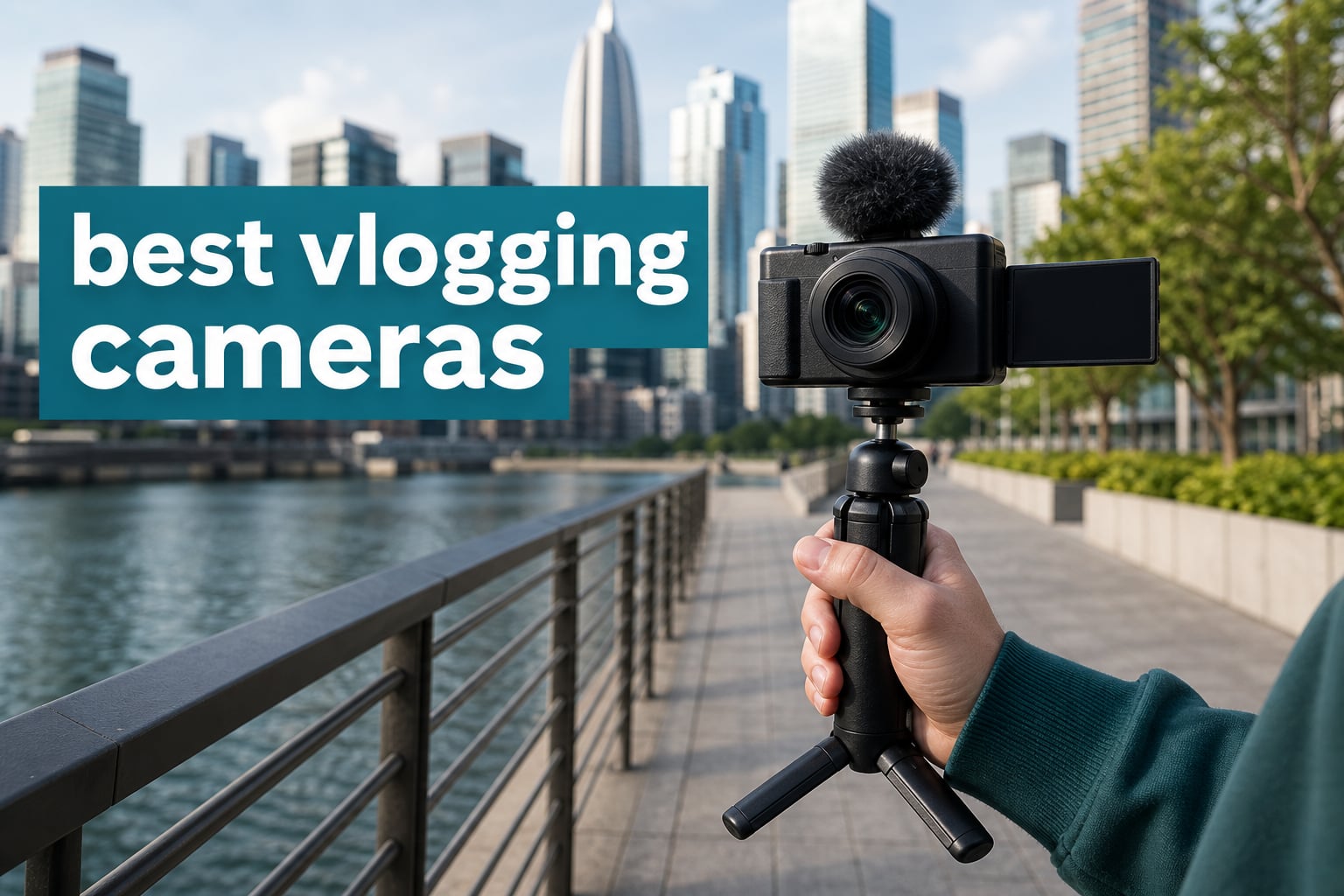
The best vlogging cameras make filming yourself feel less like managing gear and more like telling the story in front of you. A useful vlogging camera pairs self-framing, dependable stabilization, usable audio options, and a form factor you will actually carry when an idea appears.
For Digital Art Served readers, I focused on the supplied cameras that suit creator work: walk-and-talk clips, travel stories, studio explainers, action sequences, vertical social posts, and footage that needs room for an edit. Our selections cover pocket gimbals, compact fixed-lens cameras, action cameras, and 360-degree models, because the best camera for vlogging depends on how you shoot rather than one universal spec.
We compared the listed specifications, feature sets, and buyer-rating data for all 10 models. This guide does not claim a lab test; it explains what the confirmed hardware means in a real creator workflow, including the limitations that matter before you record a first episode.
Table of Contents
Top 3 Picks Answer Most Creator Needs in 2026
These three choices cover the broadest set of self-shot video situations. Pick the Pocket 3 for smooth talking footage, the Osmo Action 5 Pro for a compact outdoor setup, or the X5 when you want to reframe a whole scene after filming.
Best Vlogging Cameras in 2026 at a Glance
The comparison below is the fast way to narrow a camera type before reading the longer reviews. Sensor format, stabilization approach, recording modes, and body design are more useful starting points than chasing a single headline specification.
| Product | Specifications | Action |
|---|---|---|
 Insta360 X5 Insta360 X5 |
|
View on Amazon |
 DJI Osmo Action 5 Pro DJI Osmo Action 5 Pro |
|
View on Amazon |
 DJI Osmo Action 6 DJI Osmo Action 6 |
|
View on Amazon |
 DJI Osmo Pocket 3 Vlog Combo DJI Osmo Pocket 3 Vlog Combo |
|
View on Amazon |
 Insta360 X3 Insta360 X3 |
|
View on Amazon |
 DJI Osmo 360 DJI Osmo 360 |
|
View on Amazon |
 Insta360 GO 3S Insta360 GO 3S |
|
View on Amazon |
 GoPro MAX 360 GoPro MAX 360 |
|
View on Amazon |
 Canon PowerShot V10 Canon PowerShot V10 |
|
View on Amazon |
 Sony ZV-1 II Sony ZV-1 II |
|
View on Amazon |
1. Insta360 X5 Is the Best 360-Degree Pick for Flexible Edits
Insta360 X5 - Waterproof 8K 360° Action Camera, Leading Low Light, Invisible Selfie Stick Effect, Rugged and Replaceable Lens, 3-Hour Battery, Built-in Wind Guard, Stabilization, Triple AI Chip Design
8K 360 video
Dual 1/1.28-inch sensors
208-minute battery
Pros
- 8K 360 capture
- replaceable lenses
- 360 horizon lock
- four-mic wind guard
Cons
- 360 footage needs reframing
- 500g body
The Insta360 X5 is the camera I would choose when one take must cover several possible angles. Its dual 1/1.28-inch sensors capture 8K 360-degree video, so a creator can decide the forward view, selfie view, or an orbit-like crop later in the edit.
That freedom is especially good for travel vlogging, cycling, and active shoots where turning the camera at the right second is not realistic. FlowState stabilization and full horizon lock should keep the horizon composed even when the camera changes orientation.
The supplied details also point to unusually practical outdoor hardware: waterproof construction, a four-mic array with a wind guard, and tougher replaceable lenses. Replaceable lenses matter on a 360 camera because both sides of the body are exposed during a shoot.
There is a workflow trade-off. Reframing 360 clips takes more editing time than exporting a standard front-facing clip, and the 0.5-kilogram body is not the lightest choice for a long handheld monologue.
The X5 Is Best When You Need One Take to Produce Several Angles
I recommend the X5 to creators who make energetic travel, outdoor, or action pieces and want the option to find the shot later. The invisible selfie-stick effect can create a floating-camera point of view without another person behind the lens.
It also suits a solo creator who records a wide scene once, then cuts a horizontal video and a vertical social clip from the same moment. That edit-first flexibility is the X5’s main advantage over a regular action camera.
The X5 Is Less Suited to a Fast, Straight-to-Upload Workflow
Choose a standard pocket camera if you want a finished front-facing clip with little post-production. 360 capture gives you choices, but it asks you to make those choices after recording.
For a rainy shoot, waterproofing is useful, yet I would still protect the lenses from grit and impacts. The replaceable-lens design helps with damage, but it does not make careless handling harmless.
2. DJI Osmo Action 5 Pro Is the Best Compact Choice for Outdoor Creators
DJI Osmo Action 5 Pro Essential Combo, Waterproof Action Camera
1/1.3-inch sensor
4K 120fps
Up to 4-hour battery
Pros
- long stated battery
- dual OLED screens
- 20m waterproofing
- 47GB storage
Cons
- fixed-focus lens
- wide-angle look
The DJI Osmo Action 5 Pro is a strong answer for creators who need to record while moving and do not want a separate gimbal. Its 1/1.3-inch sensor, 4K at up to 120 frames per second, and RockSteady modes support energetic footage that still feels controlled.
The dual OLED touchscreens are a meaningful self-shooting feature. I like being able to confirm framing from the front rather than guessing whether my face is too close to the edge of a wide lens.
DJI lists subject tracking, 47GB of built-in storage, IP68 waterproofing to 20 meters, and up to four hours of battery life. Built-in storage is a helpful safety net when a card is forgotten, though it does not remove the need for a normal media-management habit.
This is a fixed-focus action camera, not a portrait camera with background blur. It will reward creators who embrace a broad point of view and keep the camera at a sensible distance, rather than expecting close-up product shots to look like an interchangeable-lens setup.
The Action 5 Pro Is Best for Walking, Sports, and Wet-Weather Filming
The small 146-gram body and waterproof design make this an easy camera to pack for a hike, a boardwalk, or a day around water. HorizonSteady and HorizonBalancing address the tilted-frame problem that often shows up when a vlog becomes more active.
For vertical video, capture with enough space around your subject so a later portrait crop does not feel cramped. The front screen is useful here because it lets you check headroom before you start moving.
The Action 5 Pro Is Less Suited to Controlled Indoor Portraits
Forum discussions repeatedly point out that action cameras can struggle more in dim scenes than larger-sensor cameras. The 1/1.3-inch sensor is substantial for this type, but a well-lit desk setup will still get a cleaner result than a poorly lit room.
If your main work is talking through art tools at a desk, a camera with a flip screen, autofocus, and a more traditional lens may feel more natural. Keep the Action 5 Pro for the parts of your channel that benefit from durability and movement.
3. DJI Osmo Action 6 Is the Best Action Camera for Manual Exposure Control
DJI Osmo Action 6 Essential Combo, 8K Waterproof Action Camera
8K video
1/1.1-inch square sensor
Variable f/2.0-f/4.0 aperture
Pros
- variable aperture
- 8K recording
- 50GB storage
- cold-resistant body
Cons
- fixed focus
- action-camera perspective
The DJI Osmo Action 6 stands out because its listed variable aperture gives a vlogger more control over exposure than the usual fixed-aperture action design. Pair that with the 1/1.1-inch square sensor and 8K recording, and this camera is built for creators who want action-camera durability without giving up every creative control.
Its square sensor is also useful for creators who publish in more than one frame shape. A taller capture area can make it easier to build horizontal and vertical deliverables from the same shoot, provided you plan your subject placement with both crops in mind.
RockSteady 3.0, 360-degree HorizonSteady, waterproofing to 20 meters, and cold resistance cover the practical half of outdoor work. The stated four-hour battery life and 50GB internal storage reduce some of the friction that causes a camera to stay in the bag.
Like the Action 5 Pro, it uses fixed focus. That is efficient for scenery and arm’s-length shooting, but it is not the tool for a close product demonstration where focus needs to shift precisely between your face and an object.
The Action 6 Is Best When Exposure Changes During the Same Vlog
I would look at the Action 6 for a creator walking from bright streets into shade or shooting a trip that moves through varied weather. The f/2.0 to f/4.0 aperture range provides a confirmed exposure control that can be useful in those transitions.
Gesture and voice controls can also help when the camera is mounted where the touchscreen is hard to reach. These controls are most helpful as a backup; I would still confirm the recording indicator before a one-time event.
The Action 6 Is Less Suited to Shallow-Depth-of-Field Storytelling
An action camera’s wide fixed-focus view tends to show more of the background. If your desired look puts a speaker against a very soft background, a 1-inch compact camera is the more fitting direction.
Its weather-ready build makes it a more comfortable outdoor choice than a non-weather-sealed compact, but waterproofing does not speak to every kind of weather protection. Dry the body and ports after water use before charging or storing it.
4. DJI Osmo Pocket 3 Vlog Combo Is the Best Overall Camera for Walking Videos
DJI Osmo Pocket 3 Vlog Combo, Vlogging Camera with 1'' CMOS & 4K/120fps for YouTube, Mic Mini Transmitter (Infinity Black)
1-inch sensor
3-axis mechanical gimbal
4K 120fps
Pros
- mechanical stabilization
- rotating touchscreen
- 10-bit D-Log M
- Mic Mini included
Cons
- not waterproof
- 189g body needs care
The DJI Osmo Pocket 3 Vlog Combo is my best overall pick because it matches the basic job of a vlogging camera unusually well: point it at yourself, walk, and keep the picture steady. The one-inch CMOS sensor and three-axis mechanical stabilization address image quality and camera shake in a compact 189-gram device.
Its two-inch rotatable touchscreen makes self-framing and vertical capture more direct than a camera that only turns sideways. ActiveTrack 6.0 adds face or object tracking, which is useful when your presentation includes movement rather than a stationary chair.
This combo includes a DJI Mic Mini transmitter, and that inclusion matters because clear voice audio often changes a video more than another step up in resolution. The Pocket 3 also records 4K at up to 120 frames per second and offers D-Log M with 10-bit color depth for creators who grade footage.
The limits are just as important: it is a precision gimbal camera rather than a waterproof action camera. I would not choose it for a surf trip, loose gravel, or a place where the exposed gimbal could take a hard hit.
The Pocket 3 Is Best for Solo Walk-and-Talk and City Video
For a solo travel day, I would rather carry one compact stabilized camera than build a larger rig. Mechanical gimbal stabilization can make footsteps and turning movements look calmer before an edit begins.
The 1-inch sensor gives this model a clear role in indoor cafés, evening streets, and creator desks where light is less abundant. It is also a thoughtful option for a YouTube camera that will film both a polished intro and casual behind-the-scenes clips.
The Pocket 3 Is Less Suited to Rough or Underwater Work
Use a waterproof action camera when the plan includes immersion or repeated impacts. Gimbals are great at smoothing motion, but their moving parts ask for more deliberate packing and handling.
If you create only locked-off studio lessons, a small tripod and a conventional compact can be simpler. The Pocket 3 earns its place when smooth movement and quick self-framing are part of your regular output.
5. Insta360 X3 Is the Best Accessible 360 Camera for Social Reframes
Insta360 X3-360 Action Camera with 5.7K 360 Active HDR Video, 4K Single-Lens Camera, Waterproof, FlowState Stabilization, 2.29" Touchscreen, AI Editing, for Motorcycle, Wintersports and Vlogging
5.7K 360 HDR
4K single-lens mode
FlowState stabilization
Pros
- AI reframing
- waterproof body
- Horizon Lock
- 4K single-lens mode
Cons
- older 5.7K 360 format
- 360 editing required
The Insta360 X3 gives a creator the core 360 workflow without forcing every video into a complicated production. It records 5.7K 360 Active HDR video, offers a 4K single-lens mode, and gives you FlowState stabilization with horizon lock for a stable viewpoint.
The key creative feature is AI-powered reframing. Instead of committing to one direction as you record, you can create a forward shot, a selfie angle, or a small moving crop after the event is over.
Its 2.29-inch touchscreen and waterproof body make it approachable for travel or day-in-the-life work. I would still frame the important moment reasonably close, because a huge capture area does not create detail that was never recorded on the subject.
Compared with the X5, the X3 has a lower 5.7K 360 recording specification and does not list the newer model’s replaceable lenses or wind guard. That does not make it weak; it defines it as a simpler route into 360 storytelling.
The X3 Is Best When One Shoot Must Feed Many Social Formats
Vertical video is where a 360 camera becomes especially practical. Record a scene with enough room, then reframe a vertical segment for Shorts or Reels without asking a friend to hold the camera in portrait orientation.
It also works well for creators who enjoy a more playful point of view, such as following a sketching walk, a bike ride, or a studio reveal. The camera’s edit options can turn a normal movement into a more dynamic transition.
The X3 Is Less Suited to Creators Who Avoid Post-Production
Choose single-lens mode when speed is the priority, but buy a standard camera if most clips go directly from card to timeline. 360 footage has its biggest payoff when you are willing to reframe and select a viewpoint.
As with every exposed-lens 360 design, keep the camera in a protective case between shots. Waterproofing helps around water, while lens care protects the image area that cannot be hidden outside the frame.
6. DJI Osmo 360 Is the Best 360 Camera for High-Resolution Creator Footage
DJI Osmo 360 Standard Combo, 360 Action Camera
1-inch 360 imaging
Native 8K video
105GB built-in storage
Pros
- native 8K
- 1-inch 360 imaging
- 120MP photos
- four-mic audio
Cons
- 360 workflow required
- limited listed focus details
The DJI Osmo 360 is aimed at a creator who wants 360 capture with a strong resolution foundation. DJI lists one-inch 360-degree imaging, native 8K 360 video, 4K at up to 120 frames per second in 170-degree Boost Video, and 120MP 360-degree photos.
Those modes make it more than a novelty camera. You can film a complete scene in 360 degrees for reframing, then switch to an ultrawide Boost Video perspective when a traditional action-camera-style shot better serves the story.
The 105GB of built-in storage gives extra breathing room during a day away from a computer. Four-mic stereo recording and FlowState stabilization round out the content-creator basics, while the supplied data also identifies the body as waterproof.
There is less listed information here about autofocus behavior and screen controls than with some other choices. I would make the decision around its confirmed 360 strengths rather than assume it behaves exactly like a pocket gimbal or a front-screen action camera.
The Osmo 360 Is Best for Reframing Detailed Travel and Event Coverage
Native 8K 360 capture gives an editor more source resolution when they crop a section of a full-sphere view. That is useful for travel scenes, maker events, and locations where you only get one chance to capture a reaction.
The included 1.2-meter invisible selfie stick is a practical starting point for a floating third-person style. Keep the subject centered and leave headroom if vertical deliverables are part of the plan.
The Osmo 360 Is Less Suited to a Beginner Who Wants One Simple Angle
A 360 camera solves missed framing by moving that framing decision into editing. It is a good trade for an editor who enjoys control, but not necessarily for someone who wants to export a daily update immediately.
For direct-to-camera speaking indoors, the Pocket 3 or Sony compact offers a more familiar self-framing experience. Pick the Osmo 360 when the all-around scene is the point of the video.
7. Insta360 GO 3S Is the Best Tiny Camera for Hands-Free POV Clips
Insta360 GO 3S - 128 GB Black 4K Tiny Portable Vlogging Camera, Hands-Free POVs, Mount Anywhere, Stabilization, 140 Min Battery Life, 10m Waterproof, Pet POV
39g camera
4K hands-free POV
140-minute battery
Pros
- tiny 39g camera
- magnetic mounting
- flip-screen Action Pod
- 10m waterproofing
Cons
- shorter stated battery than action cameras
- POV-focused design
The Insta360 GO 3S is a specialty content creator camera that earns its place through physical freedom. The camera itself weighs 39 grams, records 4K hands-free point-of-view footage, and uses a magnetic design that opens up shots a normal handheld camera cannot make.
That is valuable for an illustrator filming a worktable from above, a cook showing both hands, or a travel creator who wants a first-person moment without holding a device. The Action Pod adds a flip screen for more normal self-recorded clips.
FlowState stabilization, horizon lock, MegaView field of view, and IPX8 waterproofing support active footage. The supplied details list 128GB storage and a 140-minute battery life, which makes regular offloading part of the ownership routine.
This is not the camera I would select as a first and only device for sit-down educational videos. Its strength is adding a new point of view, not replacing the control and sensor size of a larger camera.
The GO 3S Is Best When the Creator’s Hands Must Stay Visible
For process videos, mounting a tiny camera can create an angle that is difficult to repeat with a tripod. The magnetic format is helpful for quick B-roll, behind-the-scenes clips, and first-person sequences that make a viewer feel present.
Use the Action Pod when you need to set the shot or check yourself in frame. For vertical social production, its small size also makes it easy to test locations and capture a short insert without unpacking a whole kit.
The GO 3S Is Less Suited to Long, Single-Take Talking Videos
The stated 140-minute battery life is useful, but it is shorter than the listed four-hour figures of the DJI action cameras. Creators recording long sessions should plan breaks, charging, and a second recording option.
Its tiny perspective can feel immersive but may be too wide or too personal for every scene. Use it as a supporting angle when the story benefits from movement and proximity.
8. GoPro MAX 360 Is the Best 360 Option for Accessory-Heavy Action Setups
GoPro MAX 360 (2025) HD Video Waterproof Action Camera - with 50 Piece Accessory Kit | Dual-Lens 5.6K Spherical Video, 1/4-20 Mounting System Vlogging and VR Content Creation
5.6K spherical video
Six-mic 360 audio
50-piece accessory kit
Pros
- included accessory kit
- six microphones
- in-camera stitching
- waterproof to 5m
Cons
- 37 listed reviews
- 5.6K resolution
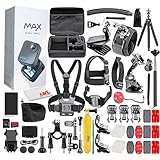
The GoPro MAX 360 suits creators who want to build many mounting options around one 360 camera. It records dual-lens 5.6K spherical video, offers a 1/4-20 mounting system, and comes with a 50-piece accessory kit according to the supplied listing.
The six-microphone 360-degree audio arrangement is also notable for active environments. Sound still changes with wind and location, but a multi-mic design gives this model a credible role for immersive clips where ambient audio helps tell the story.
In-camera stitching can shorten the distance between recording and reviewing a clip. Its single-lens HERO mode, PowerPano, TimeWarp, and voice control add options for a creator who alternates between conventional action shots and full-sphere capture.
The data lists waterproofing to 5 meters and a five-hour battery life, though the listing has only 37 reviews at the time of analysis. I would weigh that smaller review pool alongside the product features rather than treat a rating alone as the whole story.
The GoPro MAX 360 Is Best for Mounted Sports and Immersive B-Roll
The accessory kit makes sense for a creator who already imagines camera placements on bikes, helmets, poles, and tripods. The 1/4-20 mounting point can fit easily into an existing creator rig.
This camera can also create a distinctive layer of B-roll between normal talking clips. Use spherical footage for moments where location and motion matter more than a close portrait of the presenter.
The GoPro MAX 360 Is Less Suited to a Review-Driven Purchase Decision
A 4.4 rating is useful context, but the listed review count is much smaller than the other popular models in this guide. If broad buyer feedback is important to you, consider that distinction before deciding.
The 5.6K spherical specification can still create engaging content, but high-resolution reframing is not its main stated advantage. Choose it for the mounting ecosystem and immersive approach, not as the most detail-focused 360 option here.
9. Canon PowerShot V10 Is the Best Beginner Vlogging Camera for Simple Self-Framing
Canon PowerShot V10 Compact Vlogging Camera, 1" CMOS Sensor, 4K Video Streaming, Built‑in Wide‑Angle Zoom Lens, Flip‑LCD & Stereo Mic, Image Stabilization, Creator Studio in Your Pocket, Black
1-inch BSI CMOS
19mm wide lens
4K video
Pros
- wide 19mm lens
- stereo microphones
- flip touchscreen
- external mic port
Cons
- fixed lens
- limited listed battery details
The Canon PowerShot V10 is a clean choice for a beginner who wants a dedicated vlogging camera instead of a complex camera system. Its one-inch BSI CMOS sensor, 4K recording, 19mm-equivalent wide-angle lens, and two-inch flip touchscreen cover the self-recording basics without interchangeable lenses.
The 19mm field of view is a practical answer to a pain point that comes up often in creator forums: a lens that feels too tight at arm’s length. A genuinely wide view gives you room for your face and a little environment without pushing the camera far away.
Canon lists stereo microphones, image stabilization, an external microphone port, USB-C charging, Bluetooth, and Wi-Fi. That combination makes it sensible for a simple desk setup that can grow into a better-audio setup later.
The fixed wide lens is both the convenience and the restriction. It keeps choices simple, but it will not zoom in for distant subjects or change perspective the way a lens-based camera system can.
The PowerShot V10 Is Best for a First Dedicated Camera for YouTube
I would recommend the V10 to an absolute beginner who mostly records face-to-camera intros, short reviews, and daily updates. The compact body and flip screen reduce the setup barrier that can delay a new channel’s first uploads.
The external microphone port gives you a worthwhile upgrade path. Start with the built-in stereo microphones in a quiet space, then add a mic once room noise or outdoor wind becomes a regular issue.
The PowerShot V10 Is Less Suited to Creators Who Need Zoom or Heavy Action Use
Because the lens is fixed and wide, you need to move your body rather than zoom when the composition needs to change. That is fine for personal vlogs but less flexible for events, wildlife, or distant details.
The supplied details do not identify weather sealing or waterproofing. Treat it as an everyday compact camera and protect it from rain rather than assuming it has the outdoor tolerance of an action camera.
10. Sony ZV-1 II Is the Best Compact Camera for Wide-Angle Talking Videos
Sony ZV-1 II Premium Compact Digital Camera 4K Video - Black
1-inch sensor
18-50mm zoom
Real-time Eye AF
Pros
- 18-50mm zoom
- Eye AF
- directional mic
- wide f/1.8 aperture
Cons
- digital stabilization
- 248 listed reviews
The Sony ZV-1 II is a compact vlogging camera built around an 18-50mm zoom, which is a useful range for creators who need both a broad arm’s-length frame and a tighter angle without changing camera bodies. Its one-inch CMOS sensor, 4K recording, and F1.8-4.0 aperture support a more traditional compact-camera look.
Real-time Eye AF is the feature I would prioritize for self-shot speaking segments. Keeping the eye as the focus priority can reduce the distracting focus drift that makes a carefully explained tutorial feel less polished.
Sony also lists a three-capsule directional microphone, a wind-screen accessory, Bluetooth, Wi-Fi, and a three-inch screen. Those details place the ZV-1 II close to the needs of a creator who records talking pieces outdoors and transfers footage into a quick edit workflow.
Its listed stabilization is digital rather than a mechanical gimbal, so walking footage may not have the same natural smoothness as the Pocket 3. The stated review count is 248, another context point to consider with its 4.3 rating.
The ZV-1 II Is Best for Creators Who Need a Flexible Wide-to-Normal View
The 18mm wide end answers the arm’s-length problem, while the 50mm end can bring a face or object closer for a different visual rhythm. That makes the camera a good fit for creators who alternate between travel introductions and more focused talking shots.
The bright F1.8 aperture at the wide end can be helpful in softer light. Good light still matters, but the one-inch sensor and wide-aperture starting point are better suited to indoor creator work than a tiny action-camera sensor.
The ZV-1 II Is Less Suited to Rough Conditions and Gimbal-Level Motion
There is no waterproof or weather-sealing claim in the supplied product information. Use a protected bag and treat unexpected rain as a reason to stop filming or switch to a waterproof camera.
If your main format is a walking monologue, the Pocket 3’s three-axis mechanical stabilization is the more direct match. Choose the Sony when zoom range and Eye AF matter more to your style than a built-in gimbal.
The Right Vlogging Camera Depends on How You Create
Start with the shot you repeat most often, not the camera category that sounds most advanced. A stabilized pocket camera, a waterproof action camera, a 360 camera, and a compact zoom camera solve different creator problems.
A Flip Screen Is the Fastest Way to Improve Self-Framing
When you film yourself, a screen that faces you helps with headroom, focus checks, and vertical composition. The Pocket 3 rotatable display, the Action 5 Pro dual screens, the V10 flip screen, and the ZV-1 II three-inch screen all support this in different ways.
A front screen does not replace checking a test clip. Make a short recording at your normal distance and review it for framing, background distractions, and whether the lens is wide enough for your intended use.
Stabilization Matters Most When Your Feet Are Moving
Mechanical gimbal stabilization is the headline reason to consider the DJI Osmo Pocket 3 for walk-and-talk filming. Action cameras rely on electronic stabilization systems, while the Insta360 models give you stabilization and horizon-lock features after recording a wide scene.
For a desk tutorial, stabilization is far less important than a stable tripod. Put the camera at eye level, leave enough space for vertical crops, and spend the saved effort on improving light and sound.
A Larger Sensor Helps, but the Whole Setup Still Controls Image Quality
The one-inch sensors in the Pocket 3, Canon V10, and Sony ZV-1 II are attractive for creators who often work indoors or after sunset. The 1/1.1-inch and 1/1.3-inch sensors in the DJI action cameras are substantial for their category, yet action-camera footage still benefits from light.
Use a window, a soft light, or a well-lit location before treating a camera upgrade as the only solution to noisy footage. No camera specification turns an unlit scene into a clean talking-head video.
Autofocus Is Better for Presentations, While Fixed Focus Is Better for Speed
The Pocket 3, X5, X3, and Sony ZV-1 II list autofocus features, and the Sony specifically lists Real-time Eye AF. These are sensible choices when you move toward and away from the camera, present an object, or want the subject to remain the visual priority.
The Action 5 Pro and Action 6 use fixed focus, which is often simpler for fast wide-angle filming. It is less suited to close demonstrations, so keep the camera in its intended focus range and use a different angle for small artwork or products.
Audio Should Decide Your Kit Before Another Resolution Upgrade
Viewers can forgive a slightly imperfect frame more readily than a voice they cannot hear. The Pocket 3 combo includes a Mic Mini transmitter, while the Canon V10 has an external mic port and the Sony ZV-1 II includes a directional three-capsule microphone and wind screen.
For outdoor work, wind is the regular problem. The X5 lists a four-mic array with wind guard, and action cameras have the durability to place closer to activity, but a wind-protected external microphone remains a useful plan for voice-led videos.
Vertical Video Works Best When You Frame for It at Capture Time
Do not assume a wide horizontal clip will always crop well for Reels, Shorts, or TikTok. Keep faces near the center, avoid placing text at the far edges, and leave extra space above the head when you expect a vertical version.
A rotatable display like the Pocket 3’s makes dedicated portrait recording straightforward. A 360 model such as the X5, X3, or Osmo 360 lets you choose a vertical angle later, though that convenience adds reframing work to the edit.
Battery and Storage Planning Prevent Missed Moments
The supplied data lists up to four hours for the DJI Osmo Action 5 Pro and Action 6, 208 minutes for the X5, 140 minutes for the GO 3S, and five hours for the GoPro MAX 360. Actual runtime changes with mode, temperature, screen use, and recording behavior, so treat these as planning references rather than promises.
Built-in storage can rescue a forgotten card: the Action 5 Pro lists 47GB, Action 6 lists 50GB, and Osmo 360 lists 105GB. Back up footage at the end of a recording day, then format media only after the files exist in a second location.
Weather Protection Should Match the Location, Not Just the Camera Label
The X5, X3, Osmo 360, GO 3S, GoPro MAX 360, Action 5 Pro, and Action 6 list waterproof designs or ratings. That makes them sensible candidates for water-adjacent and rougher shooting, with the Action 5 Pro and Action 6 specifically listed to 20 meters.
The Pocket 3, Canon V10, and Sony ZV-1 II do not have a waterproof or weather-sealing claim in the supplied data. Forum users often flag rain exposure as a real concern, so pack those cameras in protection and select a waterproof model for the wet portion of a trip.
Answers to Common Vlogging Camera Questions
What camera do most vloggers use?
Most vloggers use a camera type that fits their format rather than one universal model. Compact cameras with flip screens and autofocus suit talking videos, pocket gimbals suit walking footage, action cameras suit rugged movement, and 360 cameras suit creators who want to reframe after filming. The DJI Osmo Pocket 3 is a versatile all-around option here because it pairs a 1-inch sensor, a rotatable screen, tracking, and a three-axis gimbal.
Which camera do most influencers use?
Influencers commonly choose compact, easy-to-carry cameras with self-framing screens, dependable focus, and strong stabilization. For polished walk-and-talk content, the DJI Osmo Pocket 3 is a strong match. For a wide-angle compact format, the Sony ZV-1 II offers an 18-50mm zoom and Eye AF. The right pick depends on whether the creator values smooth movement, zoom flexibility, waterproofing, or a quick social-first workflow.
What do YouTubers use to record vlogs?
YouTubers use pocket gimbal cameras, compact fixed-lens cameras, action cameras, and interchangeable-lens systems. In this guide, the DJI Osmo Pocket 3 suits stabilized everyday footage; the Canon PowerShot V10 and Sony ZV-1 II suit self-shot talking videos; DJI action cameras suit outdoor movement; and Insta360 or DJI 360 models suit footage that can be reframed later. Clear audio and good lighting are as important as the camera body.
Which camera is best for beginner vloggers?
The Canon PowerShot V10 is the clearest beginner choice in this lineup for straightforward self-recording because it has a 1-inch sensor, 19mm wide lens, flip touchscreen, 4K video, built-in stereo microphones, and an external mic port. Choose the DJI Osmo Pocket 3 instead if your beginner vlogs involve a lot of walking and you want built-in three-axis stabilization. Pick an action camera only when waterproofing and durability are central to the channel.
The DJI Osmo Pocket 3 Is the Best Starting Point for Most Vloggers
For the widest range of creators, the DJI Osmo Pocket 3 Vlog Combo is the best all-around choice because its one-inch sensor, gimbal stabilization, rotatable screen, tracking, and included microphone answer the everyday needs of self-shot video. The best vlogging cameras in 2026 still vary by format: select the Action 5 Pro for tough outdoor work, the Canon V10 for a simple first camera, and a 360 model when reframing is part of your edit.
Choose the camera that makes your next shoot easier to start, then build the habit of good sound, steady framing, backups, and intentional light around it. A camera that fits your actual filming day will contribute more to your channel than an impressive specification you rarely use.