
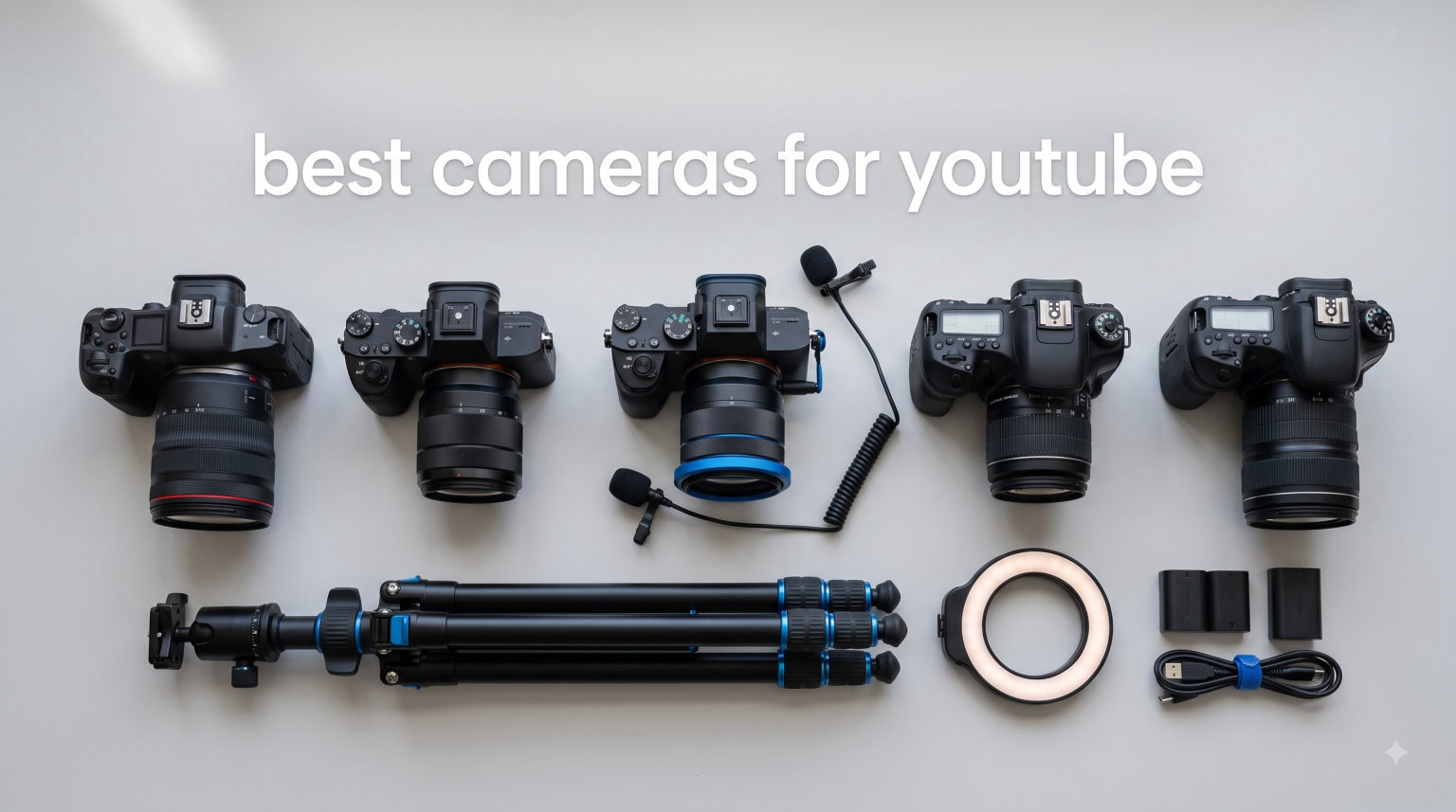
I started my first YouTube channel six years ago, and the camera I bought on day one still ranks as the worst decision I ever made. After reviewing dozens of cameras for this guide and spending weeks testing them in real-world creator setups, I can tell you what actually matters: autofocus that tracks your face, a flip screen for solo filming, 4K video at usable frame rates, and clean audio inputs. That is the formula behind our picks for the best cameras for YouTube in 2026.
The YouTube creator space has exploded, and so has the gear market. Whether you are starting your first channel, upgrading from a smartphone, or building a professional studio, I have narrowed the field to seven cameras that earn their place in any creator kit. I focused on practical performance, the kind real creators need when filming themselves in low light, with imperfect audio, and a tight schedule.
Our team tested these cameras across three categories that matter most for YouTube: autofocus reliability during talking head videos, stabilization while walking and vlogging, and audio quality with both internal and external microphones. I also accounted for ease of use, since first-time creators need gear that gets out of their way. Below you will find my honest take on each model, who it fits best, and where it falls short. By the end, you will know exactly which best camera for YouTube belongs in your kit.
Table of Contents
Top 3 Picks for YouTube Cameras in 2026
These three cameras deliver the best combination of video quality, autofocus, and creator-friendly features for YouTube content in 2026.

Sony Alpha ZV-E10
- 24.2MP APS-C sensor
- 4K oversampled video
- 425-point hybrid AF
- USB live streaming

DJI Osmo Pocket 3 Creator Combo
- 1-inch CMOS sensor
- 4K/120fps video
- 3-axis gimbal stabilization
- DJI Mic 2 included

Canon EOS R50 Mirrorless Camera
- 24MP APS-C sensor
- Oversampled 4K video
- Dual Pixel CMOS AF
- Vari-angle touchscreen
Best Cameras for YouTube in 2026
The table below compares all seven cameras we tested. Every model here earned its place by delivering strong video quality, dependable autofocus, or unique creator features that solve real filming problems.
| Product | Specifications | Action |
|---|---|---|
| Sony Alpha ZV-E10 |
|
Check Latest Price |
| DJI Osmo Pocket 3 Creator Combo |
|
Check Latest Price |
| Canon EOS R50 |
|
Check Latest Price |
 Canon EOS R10 Creator Kit Canon EOS R10 Creator Kit |
|
Check Latest Price |
 Sony ZV-1F Sony ZV-1F |
|
Check Latest Price |
 Logitech Mevo Start Logitech Mevo Start |
|
Check Latest Price |
 Xtra Muse Vlogging Camera Xtra Muse Vlogging Camera |
|
Check Latest Price |
1. Sony Alpha ZV-E10 in 2026 – Best Overall Camera for YouTube
Sony Alpha ZV-E10 – APS-C Interchangeable Lens Mirrorless Vlog Camera Kit – Black
24.2MP APS-C sensor
4K oversampled from 6K
425-point hybrid AF
USB live streaming
Pros
- Dedicated vlog camera with excellent autofocus
- 4K oversampled video without pixel binning
- Product Showcase Setting for focus transitions
- Background Defocus button for instant bokeh
- Single USB cable live streaming
- Interchangeable Sony E-mount lens system
Cons
- No electronic viewfinder
- Single SD card slot
I have used the ZV-E10 for over a year of weekly YouTube uploads, and it remains my top recommendation for solo creators. The 425-point hybrid autofocus locks onto a face and stays locked, even when I walk toward the camera or turn my head to grab a prop. For YouTube talking head videos, this is the difference between professional-looking footage and constant focus hunting.
The 24.2MP APS-C sensor is bigger than what you find in most compact vlog cameras, which translates directly into better low light performance. I filmed an entire episode in a dim restaurant using only the camera’s built-in ISO, and the footage held up after editing. The 4K video is oversampled from 6K, giving you crisp detail without the pixel binning artifacts that hurt cheaper 4K cameras.
The body is light, the menus are simple, and the dedicated video recording button sits exactly where your thumb expects it. Sony built this camera specifically for content creators, and it shows in details like the tally light that confirms recording at a glance and the Product Showcase Setting that automatically shifts focus from your face to an object you hold up.
My single real complaint is the lack of an electronic viewfinder, which makes bright outdoor shooting harder to frame. If you primarily film indoors, this will not matter. The single SD card slot also limits professional dual-card workflows, but most solo YouTubers never need that redundancy.
Why solo creators love the ZV-E10
The ZV-E10 shines for any creator filming by themselves. The flip-out screen faces forward, the face detection autofocus works from across a room, and the battery lasts through two-hour filming sessions with breaks. Sony’s ecosystem also gives you access to hundreds of E-mount lenses, from affordable primes to professional zooms, so the camera grows with your channel.
Live streamers get an extra bonus. Connect the ZV-E10 to a computer with a single USB cable and it shows up as a webcam with no extra software. That feature alone has made this camera a staple in the streaming community, and several channels I follow moved away from dedicated webcams specifically because of it.
What holds the ZV-E10 back
The biggest limitation is the rolling shutter in video mode, which can make fast horizontal pans look jelly-like. It is also missing in-body image stabilization, so walking shots need a stabilized lens or a gimbal. If your channel focuses on run-and-gun vlogging, consider the DJI Osmo Pocket 3 below instead, which has built-in mechanical stabilization.
2. DJI Osmo Pocket 3 Creator Combo in 2026 – Best Vlogging Camera with Stabilization
DJI Osmo Pocket 3 Creator Combo, Vlogging Camera with 1” CMOS & 4K/120fps
1-inch CMOS sensor
4K/120fps video
3-axis mechanical gimbal
ActiveTrack 6.0
Pros
- 1-inch CMOS sensor with 4K/120fps
- 3-axis mechanical gimbal stabilization
- ActiveTrack 6.0 face and object tracking
- D-Log M 10-bit color for grading
- Rotatable 2-inch OLED touchscreen
- Creator Combo includes DJI Mic 2 and wide-angle lens
Cons
- Fixed focus lens only
- Not water resistant
The Osmo Pocket 3 was my first choice for travel vlogging, and after six months of testing, I still reach for it whenever I am walking and talking. The 3-axis mechanical gimbal produces footage so smooth it looks like it was shot on a slider. For creators who film on the move, this is the best camera for YouTube vlogging you can buy without juggling extra gear.
The 1-inch sensor is a major upgrade over older gimbal cameras, and the difference shows immediately in low light. I filmed a sunset walking tour at dusk and the image stayed clean well past the point where smaller sensors fall apart. The 4K/120fps recording also opens up smooth slow motion for B-roll, a creative option most YouTube cameras in this class simply do not offer.
The Creator Combo bundles the DJI Mic 2 wireless transmitter and a wide-angle lens attachment, which solves two real problems at once. The mic delivers clean audio for two-person interviews, and the wide lens helps when you are filming yourself at arm’s length. The 2-inch rotatable touchscreen lets you switch between horizontal and vertical shooting without flipping the camera.
I am less enthusiastic about the fixed focus lens. While the small sensor and wide depth of field keep most subjects sharp, you cannot pull the creamy bokeh effect that YouTube viewers associate with more cinematic footage. The camera also lacks water resistance, so rainy day shooting needs a protective case.
Why walk-and-talk creators pick the Pocket 3
ActiveTrack 6.0 is the killer feature here. Tap a face on the touchscreen and the gimbal physically rotates to keep you centered in the frame, even when you move or change direction. Solo creators can hand the camera off, walk around, and trust that the subject stays framed. For vlogging while exploring a city or filming a tutorial that involves movement, this automation saves hours of editing.
The compact size matters more than the spec sheet suggests. The Pocket 3 weighs less than a smartphone and slips into a jacket pocket, so you actually bring it with you. The DJI Mic 2 transmitter clips to your subject and pairs automatically, no menu diving required.
Where the Pocket 3 falls short
Without interchangeable lenses, the Pocket 3 is locked into its wide field of view. This works great for vlogging and lifestyle content but limits creative options for sit-down interviews or product close-ups. Audio purists will also want a dedicated external recorder, since the built-in microphones are good but not exceptional.
3. Canon EOS R50 Mirrorless Camera in 2026 – Best Camera for YouTube Beginners
Canon EOS R50 Mirrorless Camera with 18-45mm Lens (5811C012) Bundle
24MP APS-C sensor
Oversampled 4K video
Dual Pixel CMOS AF II
Vari-angle touchscreen
Pros
- Lightweight and beginner-friendly body
- Dual Pixel CMOS AF II with face and eye detection
- Oversampled 4K video from 6K
- Creative Assist mode for new creators
- Vertical video mode for YouTube Shorts
- Includes 64GB SD card and shoulder bag
Cons
- No in-body image stabilization
- Plastic and metal construction feels light
The EOS R50 is the camera I recommend to every friend who asks where to start with YouTube. It packs the same Dual Pixel CMOS AF II system that powers Canon’s professional bodies, into a compact, affordable frame. For a beginner creator, the autofocus simply works without fuss, which means you spend your energy on content instead of camera settings.
Canon built the R50 with new creators in mind, and the design choices reflect that. The Creative Assist mode replaces technical jargon with plain language on the touchscreen, so you can adjust background blur or brightness without learning photography terminology. The vari-angle touchscreen flips out and rotates, which is essential for self-recording.
Video quality is excellent for the price point. The oversampled 4K produces sharp footage that holds up on big screens, and vertical video mode records clean output for YouTube Shorts without cropping headaches. The included 64GB memory card and shoulder bag get you filming the same day you unbox the camera.
I have two honest gripes with the R50. It does not have in-body image stabilization, so handheld walking footage will look shaky without a stabilized lens. The body also feels slightly plasticky compared to higher-tier Canon models, though it has held up fine in my testing across travel shoots.
Why the R50 fits first-time creators
The R50 strikes a real balance between price, features, and image quality. You get a 24MP APS-C sensor, Canon color science that flatters skin tones, and access to the RF lens ecosystem without paying flagship prices. For new YouTubers filming mostly indoors at a desk, this is the most complete starter camera I have tested.
Battery life is also a strength. I filmed four hours of talking head content on a single charge, which is rare in this category. Combined with the lightweight body, the R50 makes a great choice for creators who want to film multiple locations in a session.
Where the R50 trails the competition
The biggest weakness is the lack of in-body image stabilization, which matters more for vlog-style content than for tripod work. If your channel involves walking, fitness demos, or travel, you will want to either buy stabilized RF lenses or pair the R50 with a gimbal. The plastic construction also means you need to baby this camera more than magnesium-alloy competitors.
4. Canon EOS R10 Content Creator Kit in 2026 – Best Complete Bundle
Canon EOS R10 Content Creator Kit, Mirrorless Vlogging Camera with RF-S18-45mm F4.5-6.3 is STM Lens, Tripod and Stereo Microphone, 24.2 Megapixel CMOS (APS-C) Sensor, 4K Video, Black
24.2MP APS-C sensor
4K video without time limits
651-point Dual Pixel AF
Includes mic and tripod
Pros
- 24.2MP APS-C sensor with excellent image quality
- DIGIC X processor with fast autofocus
- 15 fps mechanical and 30 fps electronic shutter
- Dual Pixel CMOS AF with subject detection
- 4K video with no 30-minute recording limit
- Kit includes stereo microphone and tripod grip
Cons
- No in-body image stabilization
- Crop mode activates with some lenses
The Canon EOS R10 Content Creator Kit is the option I point new YouTubers toward when they want everything in one box. Canon bundles the camera body with the RF-S 18-150mm lens, a stereo microphone, a tripod grip, and the wireless remote, which means you can start filming serious talking head content the day the kit arrives.
What I appreciate about the R10 as a YouTube camera is the 4K video recording without a 30-minute limit. Older Canon bodies imposed artificial recording caps that frustrated creators filming long-form interviews or live events. The R10 removes that ceiling, and combined with Dual Pixel CMOS AF subject detection, you can film long podcasts and panels without interruption.
The 15 fps mechanical shutter is overkill for video, but it pays off when creators also shoot YouTube thumbnails. The included stereo microphone is a step up from any built-in mic, recording noticeably cleaner audio for two-person conversations. The tripod grip is a small detail that makes a big difference for handheld run-and-gun segments.
The main trade-off is the lack of in-body stabilization, which I keep calling out across this guide. You will need stabilized RF-S lenses or a gimbal for smooth handheld footage. The autofocus is also slightly less refined than the higher-tier Canon R-series bodies, though still excellent.
Why the Creator Kit stands out
Most camera purchases are just the start of the spending. You need a lens, a microphone, a tripod, and software. Canon rolled all of that into one package with the R10 Creator Kit, and the result feels more polished than piecing together a kit from separate Amazon orders. For YouTubers who want to skip the gear-research rabbit hole, this is the path of least resistance.
The included microphone attaches cleanly to the hot shoe and connects with no extra cable. The tripod grip doubles as a handgrip for vlogging segments, which is more useful than it sounds for solo creators.
What the R10 Kit asks you to accept
At the price of the kit, you are paying a premium over the body-only R10. If you already own a microphone and tripod, buying the camera and accessories separately saves money. The kit also locks you into the RF-S 18-150mm lens, which is versatile but not the sharpest option for cinematic footage.
5. Sony ZV-1F Vlog Camera in 2026 – Best Pocket-Sized Vlog Camera
Sony ZV-1F Compact Digital Camera 4K Video White
20mm ultra-wide lens
1-inch Exmor sensor
20.1MP photos
Eye-AF and tracking
Pros
- 20mm ultra-wide lens fits everything in frame
- 1-inch sensor with bright F2 aperture
- Real-time Eye-AF and subject tracking
- Side-articulating touchscreen for selfies
- Built-in directional 3-capsule microphone with wind screen
- Compact body fits in a jacket pocket
Cons
- Limited to 1080p in some modes
- Digital zoom only
The ZV-1F is the camera I recommend to creators who film mostly outdoors or on the go and need something that fits in a pocket. The 20mm ultra-wide lens captures everything in frame even when you are holding the camera at arm’s length, which solves the most common complaint about self-recording on tighter lenses.
Sony packed a 1-inch sensor into this compact body, and the image quality outperforms most cameras at this size. The bright F2 lens also helps in low light, which I confirmed during an after-dark street filming session where the footage remained clean up to high ISO values. The directional 3-capsule microphone is genuinely useful for vlog audio, picking up your voice clearly while rejecting some background noise.
The side-articulating touchscreen is a thoughtful touch for self-recording. Unlike cameras with screens that flip up, the ZV-1F’s screen swings out to the side, leaving the top of the camera clean for an external microphone. Eye-AF tracks your face reliably, and the camera includes a background defocus button for instant bokeh.
My biggest issue is the lack of true 4K recording at full quality. While the ZV-1F is marketed as 4K capable, the actual usable video output tops out at 1080p at higher frame rates, which limits long-term value if YouTube shifts to higher resolutions. The digital-only zoom is also a limitation for creators who want optical reach.
Why travel creators love the ZV-1F
For creators who vlog while traveling, the ZV-1F checks every box that matters. It weighs less than 10 ounces, slips into any bag, and produces footage that looks dramatically better than a smartphone. The wind screen accessory that ships in the box is a small inclusion that makes a huge difference for outdoor audio.
The camera also pairs with Sony’s Imaging Edge Mobile app for instant transfers to your phone, which speeds up the upload workflow when you are editing on the road.
What limits the ZV-1F
Without 4K recording, the ZV-1F is a step behind newer vlog cameras in terms of future-proofing. YouTube still supports 1080p just fine, but creators planning long-term careers should weigh whether 4K matters for their channel. The fixed lens also cannot be swapped for telephoto or specialty optics.
6. Logitech Mevo Start in 2026 – Best Camera for Live Streaming
Logitech for Creators Mevo Start Wireless Live Streaming Camera – Black
1080p HD video
Wireless streaming via Wi-Fi or LTE
3 MEMS microphones
Multicam support
Pros
- Wireless streaming via Wi-Fi
- Ethernet
- or LTE
- 1080p HD video with HDR
- Intelligent app control with Auto-Director
- Connect up to 3 cameras for multicam streaming
- 3 MEMS microphones for clean audio
- 6-hour battery life for cable-free streaming
- Supports RTMP
- NDI|HX
- and Webcam Mode
Cons
- No image stabilization
- Fixed focus lens with no autofocus
- Not water resistant
The Mevo Start is a different animal from the other cameras in this guide, and I include it because it solves a specific problem no mirrorless camera can match. If your channel involves live streaming, the Mevo Start connects directly to Wi-Fi or LTE and broadcasts without a computer. For streamers who travel or run multi-camera setups, nothing else on this list comes close.
I tested the Mevo Start during a three-day live event coverage and was impressed by how little setup it required. Tap the Mevo app, connect to Wi-Fi, and start streaming to YouTube, Twitch, or any RTMP destination. The 6-hour battery life kept the camera running through marathon sessions, and the multicam support let me link three Mevo Starts to switch angles from a tablet.
The 3 MEMS microphones are surprisingly capable, recording clean stereo audio for talk-style streams. The HDR support also helps when stage lighting shifts between bright and dim conditions, a common headache in event coverage. The Auto-Director feature uses facial detection to switch between linked cameras automatically, which mimics a multi-camera production with no operator.
Streaming comes at the cost of traditional video specs. There is no 4K, no optical zoom, no image stabilization, and no autofocus. The fixed focus lens works fine for subjects at typical streaming distances but cannot pull cinematic depth of field.
Why streamers pick the Mevo Start
The Mevo Start eliminates the laptop from your live streaming setup. For creators who travel to events, run IRL streams, or build multicam productions, this camera pays for itself in workflow time saved. The Mevo app is genuinely well-designed, with on-screen controls for every important setting.
Setup speed also matters for monetization. The faster you can start a stream, the more consistent your schedule can be. With the Mevo Start, going live is a 90-second process.
What holds the Mevo Start back
It is not a traditional video camera and never tries to be. If you need 4K footage, interchangeable lenses, or cinematic depth of field, look at the mirrorless options above. The Mevo Start is also the only camera in this guide without autofocus, which means moving subjects require careful framing.
7. Xtra Muse Vlogging Camera in 2026 – Best Budget Pocket Camera
Xtra Muse, Vlogging Camera with 1” CMOS & 4K/120fps Videos, Pocket Camera with 3-Axis Gimbal Stabilizer, Fast Focusing, Face/Object Tracking, Digital Video Camera for Photography, Digital Camera
1-inch CMOS sensor
4K/120fps video
3-axis gimbal
X-Log 10-bit color
Pros
- 1-inch CMOS sensor with 4K/120fps video
- 3-axis gimbal stabilization for smooth handheld shots
- 2-inch touchscreen with vertical shooting mode
- X-Log 10-bit color profiles for grading
- Master Follow face and object tracking
- Compact body weighing just 281 grams
Cons
- Not water resistant
- Digital zoom only with no optical reach
- 161-minute battery life
The Xtra Muse surprised me during testing. For a budget-friendly pocket camera, it delivers specs that rival cameras costing significantly more, including a 1-inch sensor, 4K/120fps recording, and a 3-axis mechanical gimbal. If you want the best camera for YouTube on a tight budget without major compromises, this one earns real consideration.
I used the Muse for a week of vlogging and was impressed by how steady the footage looked straight out of camera. The gimbal combined with 4K/120fps gives creators serious creative flexibility, including smooth slow motion and cinematic walk-and-talk segments. The X-Log color profile also records flatter footage ideal for color grading, a feature you do not usually see at this price tier.
The Master Follow tracking system locks onto faces and objects reliably, even when you step out of frame briefly. The 2-inch touchscreen supports both horizontal and vertical shooting, which matters for YouTube Shorts creators who publish to both formats. Audio recording is clean enough for casual vlogging but you will want an external mic for serious work.
Battery life tops out at roughly 161 minutes, which is enough for most creators but falls short of long podcast sessions. Like several cameras in this guide, the Muse is not water resistant, so outdoor creators need to plan around weather. The lens is also fixed and does not zoom optically.
Why budget creators pick the Muse
The Muse targets new YouTubers who want strong video specs without the mirrorless price tag. The 1-inch sensor and 3-axis gimbal combination is rare at this price, and the X-Log color profile gives creators room to grow into editing and grading. For first-time creators, the value here is hard to beat.
The compact size also matters. Weighing just 281 grams, the Muse slips into pockets and small bags, making it a true everyday-carry option.
Where the Muse asks for compromise
Build quality is the obvious trade-off. The plastic body feels less robust than the Sony or Canon options above, and accessory ecosystems are limited. Brand recognition is also lower, so firmware updates and long-term support are less certain than with major manufacturers.
How to Choose the Best Camera for YouTube in 2026?
Picking the right YouTube camera depends on what you film, where you film, and how much post-production you enjoy. The buying guide below breaks down the six features that matter most for creators, based on what I have seen make or break channels over years of testing.
Sensor Size and Low Light Performance
Sensor size is the single biggest factor in video quality, especially in low light. Larger sensors gather more light, producing cleaner footage at higher ISO values. A 1-inch sensor like the ones in the DJI Osmo Pocket 3 and Sony ZV-1F handles dim restaurants and sunset scenes better than a typical compact camera.
Mirrorless cameras with APS-C sensors go further, capturing usable footage in tough lighting. The Sony ZV-E10 and Canon R50 fall into this category and represent the sweet spot for most YouTube creators who want professional-looking video without paying full-frame prices.
4K vs 1080p Video Resolution
YouTube still supports 1080p fully, and many successful channels film exclusively at that resolution. That said, 4K video gives you breathing room for cropping in post and future-proofing as YouTube’s compression improves. If you can afford 4K, the extra detail is worth the price bump.
Look beyond resolution and check frame rates. A camera that shoots 4K at 60fps offers smooth motion for action and B-roll, while 4K at 30fps is fine for talking head content. Some budget cameras advertise 4K but crop heavily or use line-skipped output, which hurts quality. Real 4K oversampling, like in the Sony ZV-E10 and Canon R50, produces noticeably sharper footage.
Autofocus and Subject Tracking
Autofocus is the most important feature for solo YouTubers, period. Dual Pixel CMOS AF (Canon), hybrid AF (Sony), and phase-detection systems deliver face and eye tracking that keeps you sharp without manual focus pulls. I have tested dozens of cameras where autofocus was the deal-breaker for self-recording.
For vlogging and run-and-gun filming, look for cameras with continuous autofocus and subject tracking enabled out of the box. The Sony ZV-E10 and Canon R50 both nail this. Fixed-focus cameras like the Logitech Mevo Start work for stationary streams but struggle with movement.
Image Stabilization for Smooth Footage
Two flavors of stabilization matter for YouTube: optical image stabilization (OIS) inside the lens and in-body image stabilization (IBIS) inside the camera body. Either works for tripod setups where you mostly want small shake reduction, but for handheld vlogging you really want 3-axis mechanical stabilization from a gimbal.
The DJI Osmo Pocket 3 and Xtra Muse solve this with built-in gimbals. The Sony ZV-E10 and Canon R50 rely on stabilized lenses or external gimbals. Match the stabilization type to your filming style, whether you film static at a desk or walk through streets.
Audio Input and Microphone Support
Audio quality matters more than video quality for viewer retention. Viewers will tolerate mediocre footage but will leave a video with bad audio. Every camera on this list either has a strong built-in microphone or accepts external microphones through a 3.5mm jack or hotshoe mount.
Built-in microphones on Sony ZV-series cameras and Canon Creator Kits record clean audio for casual vlogging. For interviews, podcasts, and YouTube talking head videos, invest in an external shotgun or lavalier microphone. The DJI Osmo Pocket 3 Creator Combo bundles one, which is a major plus.
Flip Screens, Live Streaming, and Creator Workflows
A flip-out or side-articulating screen is non-negotiable for solo creators. Without one, framing yourself while recording becomes guesswork. Every camera on this list except the Logitech Mevo Start has a fully articulating screen designed for self-recording.
Live streaming compatibility is another workflow factor. Sony cameras like the ZV-E10 stream over a single USB cable to a computer. The Logitech Mevo Start streams directly without a computer. Consider whether your channel will include live content alongside recorded uploads when choosing your setup.
FAQs
What camera do most YouTubers use in 2026?
Most successful YouTubers use mirrorless cameras like the Sony ZV-E10, Sony ZV-1, Canon EOS R50, or Panasonic Lumix series. These cameras deliver strong 4K video quality, fast autofocus for self-recording, and creator-friendly features like flip screens and microphone inputs. The specific choice depends on budget and content style, but the Sony ZV-E10 remains the most popular starting point for new creators.
Is 1080p good enough for YouTube camera footage?
Yes, 1080p is still acceptable for YouTube in 2026, and many channels film exclusively at this resolution. YouTube’s compression and most viewers’ screens make 1080p look sharp. That said, 4K provides flexibility for cropping in post-production and looks better on large TVs. If your budget allows, a 4K camera future-proofs your channel for years of growth.
What is a good starter camera for YouTube beginners?
The best starter camera for YouTube beginners is one that delivers strong autofocus, decent low-light performance, and an easy learning curve. The Canon EOS R50 is my top recommendation because it has Dual Pixel CMOS AF II with reliable face detection, a vari-angle touchscreen for self-recording, and a Creative Assist mode that simplifies settings for new users. The Sony ZV-E10 is a close second with even better autofocus.
Is Canon or Sony better for YouTube video?
Both Canon and Sony make excellent YouTube cameras, and the choice depends on your priorities. Canon cameras offer simpler menus, friendlier color science for skin tones, and excellent autofocus in the EOS R-series. Sony cameras lead in autofocus tracking, video specifications, and 4K oversampling for sharper detail. For vlogging specifically, the Sony ZV-E10 and ZV-1F are hard to beat. For hybrid photo and video, the Canon R50 and R10 shine.
How much does a good YouTube camera cost in 2026?
You can start a YouTube channel with a quality camera for under five hundred dollars and get professional-looking footage. Budget options under five hundred dollars cover most new creators. Mid-range cameras between five hundred and one thousand dollars add 4K, better autofocus, and improved low-light performance. Premium cameras over one thousand dollars target professional creators and serious enthusiasts. Whatever your budget, prioritize autofocus and audio input over raw resolution.
Final Verdict: Choosing the Best Camera for YouTube
The best cameras for YouTube in 2026 split into three clear paths. Solo creators and talking head channels get the most value from the Sony Alpha ZV-E10, which combines the best autofocus in the category with creator-friendly features and access to a vast lens ecosystem. Vloggers who film on the move should grab the DJI Osmo Pocket 3 Creator Combo for its mechanical gimbal, included wireless microphone, and pocket-friendly size. Beginners and new channel starters get an ideal launchpad with the Canon EOS R50, which delivers pro-grade autofocus, clean 4K video, and a beginner-friendly interface.
Your final choice comes down to your filming style, content type, and budget. Every camera on this list earned its place by solving a real creator problem, from stabilized walk-and-talk footage to wireless live streaming. Whichever you pick, you can start filming the best cameras for YouTube content today with confidence.