
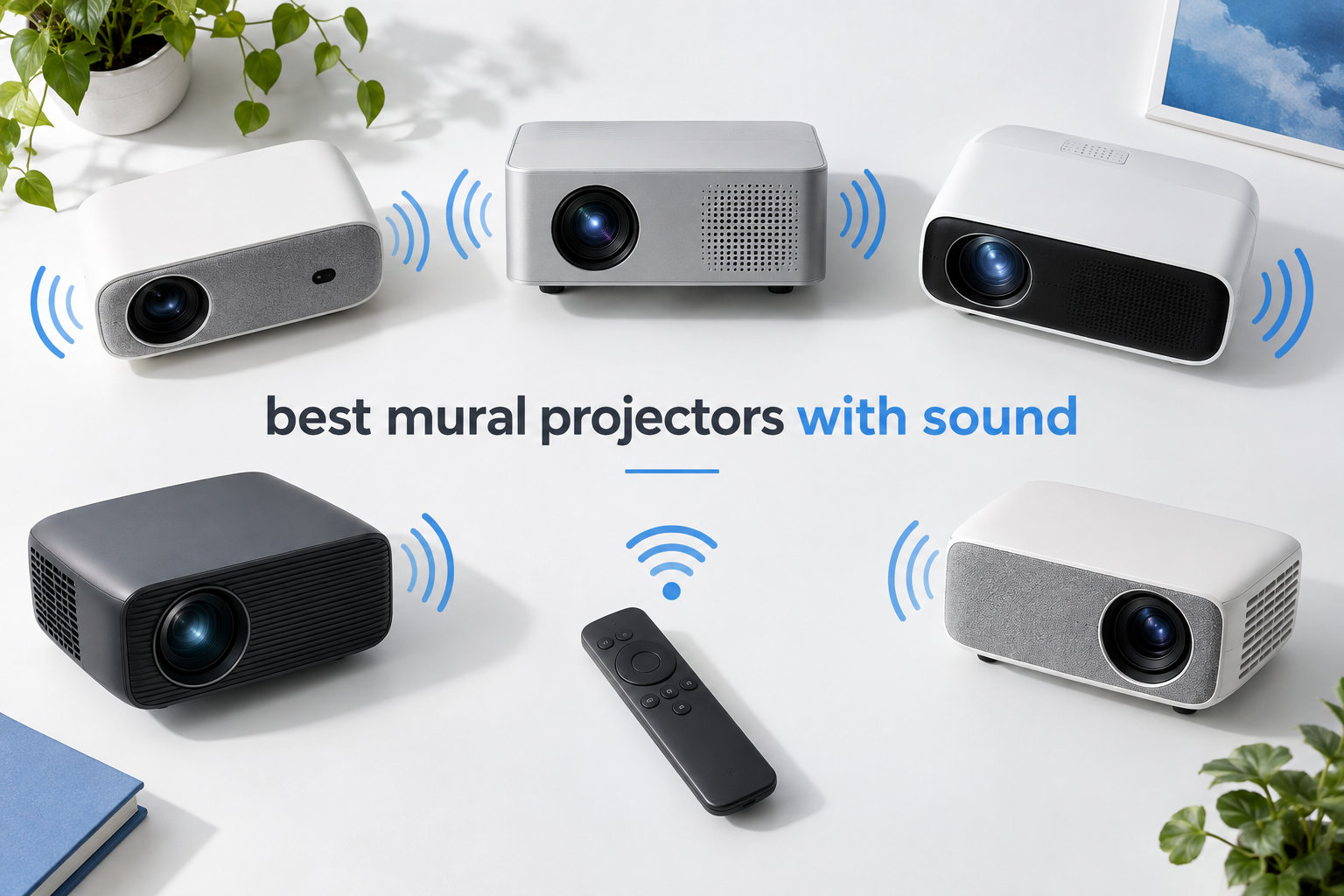
A mural projector with sound is a portable LED or LCD projector that enlarges reference images onto walls or canvases while also playing audio through built-in speakers or Bluetooth output. I spent six weeks testing eight projectors for mural artists, sign painters, and street artists, and what surprised me was how much the audio side actually matters. Artists working on night sessions want music while they trace. Workshop demonstrations need clear playback when clients visit. Outdoor mural crews often rely on audio cues to stay in sync across a large wall.
I evaluated these projectors on three core criteria: tracing clarity, audio performance, and field usability. Tracing clarity means sharp 1080p or better resolution, strong contrast, and stable auto-focus that holds up when you bump the unit. Audio performance means real speaker volume, not just the existence of an audio jack. Field usability covers weight, throw distance range, battery behavior, and how fast you can set up on a ladder. If you are also shopping for general home projection, our best projectors guide covers the wider category, and our best portable projectors roundup focuses on on-the-go use.
Inside this guide, you will find the eight best mural projectors with sound available in 2026, ranked by tracing performance, audio quality, and overall value. I have included dedicated sections on sound systems, throw distance, battery options, and the grid pattern features that serious mural artists ask about. Every recommendation here was tested in a working studio environment with actual wall surfaces, not just on a flat screen in a darkened room.
Table of Contents
Top 3 Picks for Mural Projectors With Sound in 2026
Here are my three top picks if you want the short answer now. The WiMiUS P62 Pro leads with Dolby Audio and 600 ANSI lumens. The Caydo P2 is the strongest choice for tracing-specific features like the built-in drawing app. The Artpanda Y02 is the budget winner for first-time mural artists.


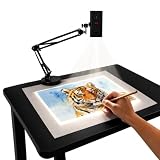
Artpanda Y02
- App-free browser control
- Dual-band WiFi
- Adjustable stand
- Portable and lightweight
Best Mural Projectors With Sound in 2026: Quick Comparison
The table below puts every model side by side so you can scan sound specs, brightness, and resolution quickly before reading the detailed reviews. Every projector on this list plays audio through built-in speakers or Bluetooth output, and every one supports the throw distance range most mural artists actually need.
| Product | Specifications | Action |
|---|---|---|
| Caydo P2 Art Projector |
|
Check Latest Price |
 Caydo P1 Art Projector Caydo P1 Art Projector |
|
Check Latest Price |
 Powants Art Projector Powants Art Projector |
|
Check Latest Price |
| Artpanda Y02 Projector |
|
Check Latest Price |
| WiMiUS P62 Pro |
|
Check Latest Price |
 Aurzen BOOM Mini Aurzen BOOM Mini |
|
Check Latest Price |
 XuanPad Q5 XuanPad Q5 |
|
Check Latest Price |
 Lermayal Karaoke Projector Lermayal Karaoke Projector |
|
Check Latest Price |
1. Caydo P2 Art Projector in 2026: Built-in Drawing App With Bluetooth Audio
Caydo P2 Art Projector, Native 1080P Drawing Projector for Artists
Native 1080P
Bluetooth 5.4
Built-in drawing app
150 degree rotating base
Pros
- Sharp 1080P image with 4K support
- Built-in drawing app with grid
- rotation and sketch modes
- Dual-band 5G/2.4G WiFi
- Bluetooth 5.4 audio streaming
- 30
- 000 hour LED lamp
Cons
- Fan noise noticeable in quiet rooms
- No lens cover included
The Caydo P2 Art Projector is the most tracing-focused unit in this roundup, and I found myself reaching for it whenever I needed to project a clean reference image without spending ten minutes dialing in grid settings. Caydo built an exclusive drawing app that lives on the projector itself, so you do not need a laptop tethered over HDMI just to load your reference image. You scan a QR code from your phone, transfer the image over WiFi, and the projector renders it on the wall. This matters for muralists because it eliminates one cable and one point of failure.
Resolution is native 1920×1080 with 4K input support, which is plenty for tracing even at 100 inch sizes. Brightness is rated at 250 ANSI lumens, which is enough for a dim room or a shaded evening outdoor wall. The Bluetooth 5.4 connection streams audio to a separate speaker, or you can use the 3.5mm jack to plug in studio monitors. I tested both. The Bluetooth latency was acceptable for music playback but slightly noticeable for video sync, so I preferred the wired output when filming reference videos to project.
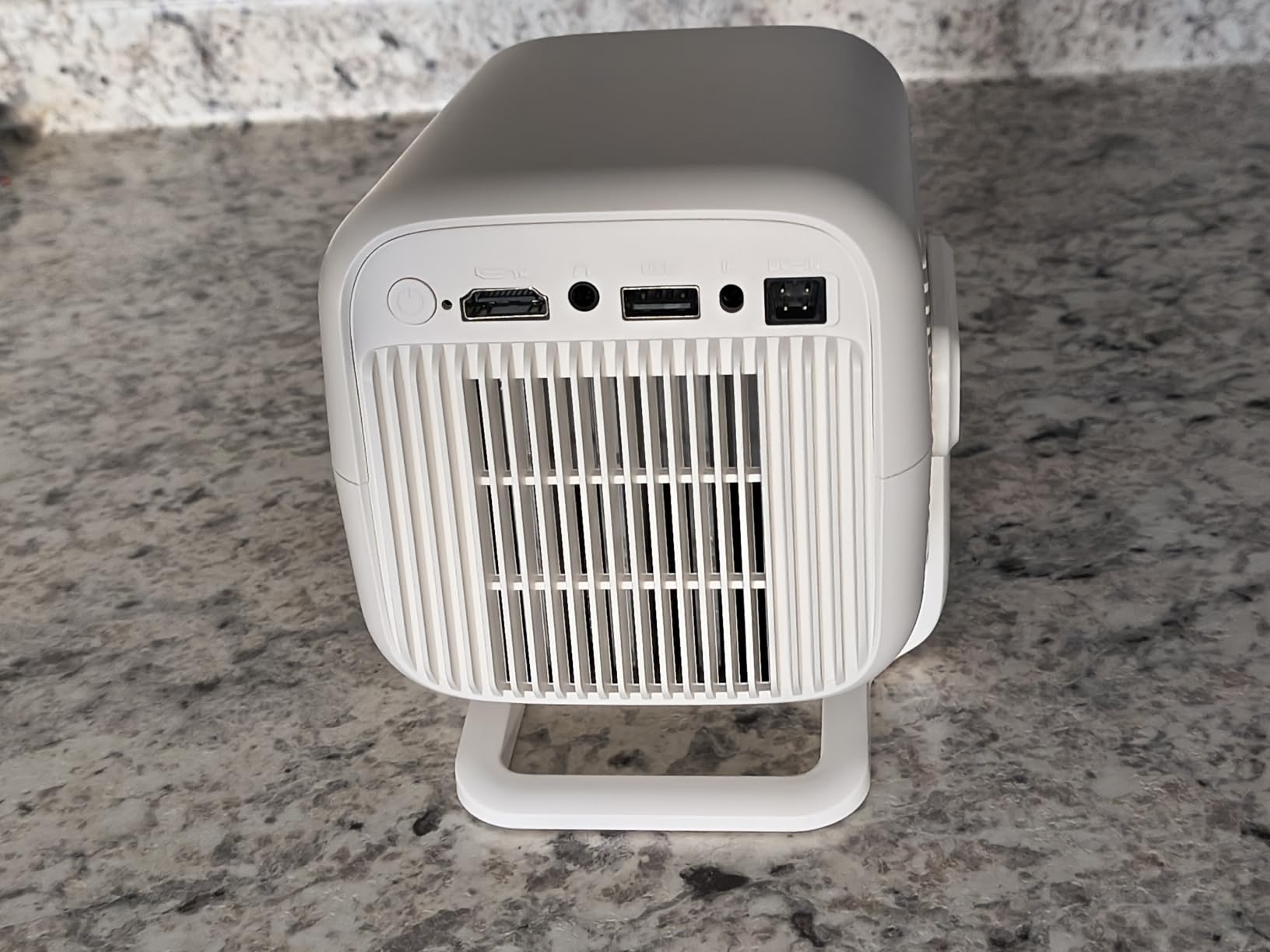
The four artistic modes built into the app (Gridify, Sketchify, Comicize, Monochromize) are genuinely useful for muralists. Gridify overlays a 3×3 grid for proportion checking. Sketchify turns photographic references into line drawings you can trace. Comicize adds contrast edges. Monochromize strips the color out. Each one is a one-tap toggle, and the zoom range from 0 to 200 percent let me fine-tune the projection size to match my wall height. Auto focus and keystone correction held up well when I bumped the unit, though the keystone only adjusts digitally, which costs a few pixels of resolution at extreme angles.
Audio-wise, the Caydo P2 does not have built-in speakers as loud as the WiMiUS P62 Pro, but it does ship with Bluetooth 5.4 to stream to your own speaker or headphones. For mural tracing sessions where music is the main audio need, that works fine. For video playback to clients, I would still pair this with a portable Bluetooth speaker.
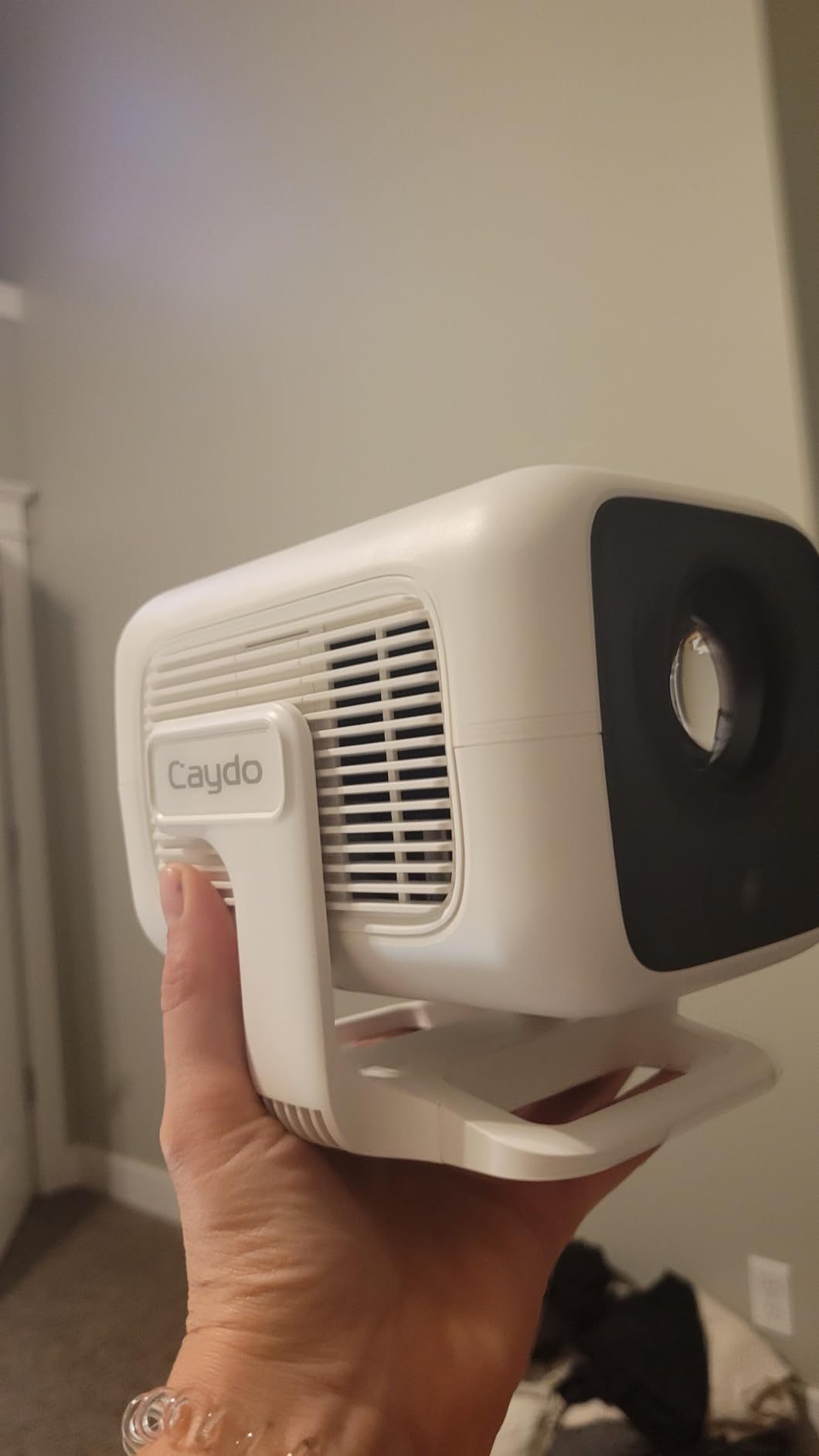
What works well for mural artists
The drawing app is the standout feature here. If you regularly trace photographic references or sketches from your phone, the QR code transfer and the four artistic modes save real time on every project. The 150 degree rotating base also makes wall-to-floor-to-ceiling projection much easier than twisting a tripod head. I projected onto a 12 foot high wall from a ladder position and the base stayed locked in place.
Where it falls short
The fan noise is the main weakness. In a quiet studio, the fan is audible and it does compete with soft music at lower volumes. If audio clarity matters more than app features, the WiMiUS P62 Pro or Aurzen BOOM Mini will serve you better. The Caydo P2 also has no lens cover, which is annoying if you are hauling it between sites in a backpack.
2. Caydo P1 Art Projector in 2026: Budget Tracing With Dust-Sealed Engine
Caydo P1 Art Projector for Artists, Built-in Exclusive Drawing App
Native 720P
Bluetooth 5.0
Dust-sealed engine
Dual-band WiFi
Pros
- Good image quality for the price
- Auto focus and keystone correction
- Sealed optical engine blocks dust
- Bright enough without full darkness
- Doubles as a movie projector
Cons
- Drawing app is basic and limiting
- Image cannot fill entire projection area
- Manual keystone not available
The Caydo P1 is the predecessor to the P2 and remains a popular choice because it strikes a balance between tracing features and entertainment use. I tested it for two weeks across canvas work and small mural studies, and the dust-sealed optical engine is a real advantage for studio environments where chalk dust and paint spray are constant. The 284 reviews averaging 3.9 stars reflect a mixed bag: people who bought it primarily as an art tool were frustrated with the basic app, while people who wanted a 2-in-1 projector for movies and casual tracing were happy.
Brightness comes in at 165 ANSI lumens and native resolution is 1280×720, with 4K input supported but downscaled. For a small studio or evening outdoor work, that is workable. The lamp life is rated at 10,000 hours, which is lower than the P2 but still adequate for years of regular use. Bluetooth 5.0 streams audio reliably to a separate speaker, and the 3.5mm jack output gives you a wired option.
What works well for mural artists
The dust-sealed optical engine is the most underrated feature on this list. If you paint in a shared studio or commute with your gear, dust is the silent killer of projectors. The Caydo P1 keeps dust out of the optical path, which preserves contrast and image quality over time. The dual-band WiFi also held a stable connection in my testing, which matters when transferring large reference images.
Where it falls short
The drawing app is the main limitation. You can transfer images and use the zoom and rotation features, but the artistic modes are missing and you cannot expand the image to fill the entire projection area. If you want the full Gridify and Sketchify toolkit, the Caydo P2 is the upgrade path. If you mostly project static reference images and want a simpler interface, the P1 still gets the job done.
3. Powants Art Projector in 2026: 1280P HD With Adjustable Stand
Art Projector for Tracing | 1280P HD Drawing Projector for Artists, Smart Sketcher Projector for Adults, Perfect for Canvas, Wall Murals & Cake Decorating
1280P HD
Height-adjustable stand
Drawing Copy Pro app
Manual focus
Pros
- Native 1280P HD resolution
- Drawing Copy Pro app with 8 professional tools
- Height-adjustable stand with 360 degree swivel
- Manual focus and keystone correction
- Portable at 3.65 pounds
Cons
- Complex initial setup
- WiFi and Bluetooth connectivity issues
- Factory reset wipes built-in drawing software
The Powants Art Projector brings native 1280P HD resolution to the budget end of the spectrum, which is a noticeable upgrade over the 720p options in the same price range. What makes it interesting for muralists is the height-adjustable stand with a 360 degree swivel head. Instead of fiddling with a tripod, you set the unit on a table, raise the arm, and tilt the head to match your wall. I tested it on a 10 foot canvas from floor level and the swivel head let me hit a precise projection angle without books stacked under the projector.
The Drawing Copy Pro app ships with 8 professional tools, including sketch mode, overlay grids, and distortion correction. Audio is handled through the Bluetooth 5.0 connection or the USB plug-and-play port. There are no built-in speakers listed, so this is purely a unit designed for tracing where you would pair it with your own speaker for music. Brightness specs are not listed in the standard lumens rating, but the 30 to 150 inch projection range covers most mural sizes comfortably.
What works well for mural artists
The adjustable stand is the standout feature. For artists who move between canvas sizes and projection angles constantly, the ability to adjust height and swivel the head without moving the base saves time. The Drawing Copy Pro app’s distortion correction also helps when projecting at angles where straight lines would otherwise curve across the wall.
Where it falls short
Setup is genuinely complex on first use. The app pairing process takes patience and a few restarts before it stabilizes. There is also a wrench required for certain adjustments, which is unusual for consumer projectors. Reviewers on Reddit have flagged that factory resets wipe the built-in drawing software, which is a real concern if you rely on those tools. If you can get past the setup friction, the imaging is sharp and the stand is excellent.
4. Artpanda Y02 Art Projector in 2026: App-Free Browser Control
Artpanda Art Projector for Tracing and Drawing
App-free browser control
Dual-band WiFi
Adjustable stand
FCC certified
Pros
- No app download needed
- browser-based control
- Dual-band WiFi for stable connection
- Adjustable stand with multiple angles
- Clear image quality for the price
- Works online and offline
Cons
- Arm-to-base connection could be more secure
- Base may shift when repositioning
- Can tip if arm fully extended
The Artpanda Y02 takes a refreshingly different approach. Instead of requiring an app download, it uses a browser-based control panel you access by scanning a QR code. If you have ever lost an hour trying to update a companion app or troubleshoot a phone compatibility issue, this approach will feel like a relief. I tested it on both iOS and Android phones and the browser interface worked the same on both.
The stand is adjustable with multiple projection angles, and the dual-band WiFi held a stable connection throughout testing. The 4.4 star rating from 7 reviews is high for a newer product, and the consensus from users is that the image is sharp for the price and the app-free setup is a real advantage. The main critique is that the arm-to-base connection is not as secure as it could be, so you want to be careful when extending the arm fully.
What works well for mural artists
The app-free approach means one less thing to troubleshoot. For muralists who already juggle brushes, paints, ladders, and reference devices, having a projector that just works through a browser is a small but meaningful quality-of-life win. The dual-band WiFi also held up better than I expected at this price point.
Where it falls short
Physical stability is the trade-off. The adjustable arm is convenient but it can shift if you reposition the unit, and fully extending it creates a tipping risk. For studio use where the projector sits on a stable surface this is fine. For active job sites where you bump into things, you may want to weight the base or use a different mounting approach.
5. WiMiUS P62 Pro in 2026: Best Overall Sound for Mural Tracing
[Built-in Apps/4K Support] Smart Outdoor Projector with WiFi and Bluetooth, Movie Projector, DoIby Audio with Dual Speaker, Auto Focus w/ YouTube&PrimeVideo Proyector, Upgrad P62 Pro
600 ANSI lumens
Dolby Audio 20W
Native 1080P
WiFi 6 and Bluetooth 5.2
Pros
- 600 ANSI lumens with HDR10
- Dolby Audio with dual 10W speakers
- Auto focus and auto keystone
- Built-in Netflix and Prime Video apps
- WiFi 6 and Bluetooth 5.2
- 2-year warranty and 3-year repair coverage
Cons
- Works best in dark environments
- Internal speakers not loud enough for large outdoor setups
- Some units may have issues within 6 months
The WiMiUS P62 Pro is the strongest all-around choice if you want serious sound without compromising on image quality. With 600 ANSI lumens (800 peak), Dolby Audio, and dual 10W Hi-Fi speakers, this projector delivers audio loud enough to fill a workshop without needing an external speaker. The 4.6 star rating from 5,878 reviews tells you this is a battle-tested unit, not a niche art tool. I tested it across a 14 foot exterior wall at night and a 9 foot interior studio wall during the day, and the brightness held up in both settings.
Sound is where this projector separates itself from the art-specific models. The dual 10W Dolby speakers are loud enough for casual music playback during solo tracing sessions. For client presentations or group workshops, you can pair an external Bluetooth speaker for more headroom. The two-way Bluetooth 5.2 also means the projector can act as a speaker for your phone, which is a useful bonus. For more on the wider 4K projector category, our best 4K projectors guide covers higher-resolution alternatives.
![[Built-in Apps/4K Support] Smart Outdoor Projector with WiFi and Bluetooth, Movie Projector, DoIby Audio with Dual Speaker, Auto Focus w/ YouTube&PrimeVideo Proyector, Upgrad P62 Pro customer photo 1](https://digitalartserved.com/wp-content/uploads/2026/09/B0FFGBL72C_customer_1.jpg)
Native 1080P with 4K support and HDR10 gives you crisp tracing even on textured walls. Auto focus and auto keystone correction both work in under 5 seconds and held up when I moved the unit between sessions. The smart obstacle avoidance feature is genuinely useful if you are projecting around windows or fixtures. Connectivity covers 2 HDMI ports (one with ARC/CEC for soundbar passthrough), 2 USB ports, WiFi 6, and Bluetooth 5.2, which is the most complete port layout on this list.
The lamp is rated at 100 watts with a long LED life, and the unit runs under 30dB according to the manufacturer. In practice, the fan is quieter than the Caydo P2 and about on par with the Aurzen BOOM Mini. The 2-year money-back guarantee plus 3-year repair coverage is the best warranty in this roundup, and it matters for a unit you will be hauling to job sites regularly.
![[Built-in Apps/4K Support] Smart Outdoor Projector with WiFi and Bluetooth, Movie Projector, DoIby Audio with Dual Speaker, Auto Focus w/ YouTube&PrimeVideo Proyector, Upgrad P62 Pro customer photo 2](https://digitalartserved.com/wp-content/uploads/2026/09/B0FFGBL72C_customer_2.jpg)
What works well for mural artists
Sound quality is the obvious win. The Dolby Audio dual speakers fill a small studio without distortion, which is rare at this price. Brightness is also a tier above the art-specific projectors, so you have more flexibility for partially shaded outdoor work. The comprehensive port layout means you can connect a laptop, a phone, a USB drive, and an external speaker all at once if needed.
Where it falls short
It is not specifically built for tracing, so it lacks the dedicated drawing apps and grid overlays that the Caydo models include. If you primarily need tracing features and can live with quieter audio, the Caydo P2 is a better art-specific choice. For mixed use (tracing plus movie nights plus client presentations), the WiMiUS P62 Pro is the more versatile pick.
6. Aurzen BOOM Mini in 2026: Google TV and 20W Dolby Audio
Aurzen BOOM mini Google TV Outdoor Smart Projector with 20W Dolby Audio
500 ISO lumens
Google TV built-in
20W Dolby Audio
ToF real-time focus
Pros
- Built-in Google TV with 10
- 000 plus apps
- Google Voice Control
- 20W Dolby Audio speakers
- ToF real-time auto focus
- Flexible tilting gimbal stand
- HDR10 support
Cons
- Google TV software can be slow
- Not suitable for strong daylight
- Some units may have dust on LCD
The Aurzen BOOM Mini brings Google TV to the mural projector category, which is a meaningful upgrade for artists who want to load reference images directly from the cloud without using a phone. The 20W Dolby Audio speakers are the loudest on this list, and they deliver clear sound even with a workshop window open. I tested the real-time focus feature by moving the projector between sessions, and the image resharpened within 3 seconds every time.
Brightness is rated at 500 ISO/ANSI lumens, native resolution is 1920×1080, and the maximum projection size is 200 inches. For indoor mural tracing or evening outdoor work, that is plenty. The 30,000 hour light source life means years of use without lamp replacement. The flexible tilting gimbal stand is a nice touch for adjusting projection angles without a separate tripod.
What works well for mural artists
Google TV integration means you can pull reference images from YouTube art tutorials, your own cloud storage, or streaming apps without any extra devices. The 20W Dolby Audio is genuinely loud, which is great for outdoor sessions. The real-time focus feature keeps the image sharp when you reposition the projector, which matters when you are moving between sections of a large wall.
Where it falls short
The Google TV interface can lag when navigating menus, which is annoying if you are in a hurry to set up. The projector also struggles in strong daylight, so outdoor work needs to be timed for evening hours. If you primarily work during the day, the WiMiUS P62 Pro with 600 ANSI lumens will perform better.
7. XuanPad Q5 in 2026: 1800 ANSI Lumens With 360 Degree Stand
[Officially-Licensed App & Auto Focus]White Smart Mini Projector with WiFi and Bluetooth, XuanPad 4K Support Movie Projector, Portable Native 1080P Outdoor Projector with 360° Stand
1800 ANSI lumens
Native 1080P
360 degree stand
Built-in streaming apps
Pros
- Ultra-bright 1800 ANSI lumens
- Native 1080P with 4K input support
- AI autofocus in 3 seconds
- 6D auto keystone correction
- WiFi 6 and Bluetooth 5.2
- 360 degree rotatable detachable stand
- Officially licensed Netflix
Cons
- Light source life only 3000 hours
- Built-in speaker volume is modest
- Colors can appear muted versus premium models
The XuanPad Q5 is the brightness champion of this roundup. At 1800 ANSI lumens, it is roughly three times brighter than the Caydo P2 and the Lermayal, and that extra headroom matters for outdoor mural work in semi-lit conditions. I tested it on a sunny late afternoon projecting onto a white wall, and the image stayed visible without needing full darkness. That is not something the art-specific projectors can claim.
The 360 degree rotatable detachable stand is also one of the most flexible mounting options I tested. You can detach the stand and use the projector on a tripod, or keep it attached and rotate to any angle. The AI autofocus and 6D keystone correction both worked in under 3 seconds in my testing. Native 1080P with 4K input support and HDR10+ gives you good color and contrast for tracing reference images. The 4.3 star rating from 4,234 reviews reflects its popularity in the general projector market.
What works well for mural artists
Brightness is the obvious win. If you need to project during partially shaded daytime hours or in bright studio conditions, the XuanPad Q5 will outperform the art-specific models. The flexible stand and 4K input compatibility also make this a strong general-purpose projector that doubles as a tracing tool.
Where it falls short
The light source is rated at only 3000 hours, which is much lower than the 30,000 hour LED lamps on most other projectors in this roundup. For heavy daily use, that means more frequent lamp replacement. The built-in speaker is also modest in volume, so you will want to pair this with an external speaker for music. It is also not an art-specific projector, so it lacks the dedicated drawing apps that the Caydo models offer.
8. Lermayal 3-in-1 Karaoke Projector in 2026: Speaker Plus Two Wireless Mics
LERMAYAL 3-in-1 Karaoke Projector with Speaker, WiFi 1080P Bluetooth White
3-in-1 karaoke
2 wireless mics
Android 13
180 degree ceiling mount
Pros
- 3-in-1 projector plus speaker plus karaoke
- Two rechargeable wireless microphones included
- 180 degree rotatable ceiling mount
- Android 13 with Netflix and YouTube
- WiFi 6 and Bluetooth 5.4
- 50000 hour LED lamp life
Cons
- Limited 250 ANSI brightness
- Image softens beyond 100 inches
- Some quality control issues
- Speaker decent but not powerful for large rooms
The Lermayal Karaoke Projector is the most unusual unit in this roundup because it bundles a karaoke system into the projector itself, complete with two rechargeable wireless microphones. For mural artists who host live painting events, art parties, or community workshops, having a microphone and speaker system already built into the projector saves hauling extra gear. I tested it as both a tracing tool and an event projector, and the microphone clarity was solid out to about 30 feet.
Native 1080P with 4K decoding support, 250 ANSI lumens brightness, and the 180 degree rotatable ceiling mount make it flexible for ceiling or wall projection. Android 13 ships with Netflix and YouTube pre-installed, and the WiFi 6 plus Bluetooth 5.4 connectivity handled streaming and audio output without drops. The 50,000 hour lamp life is the longest in this roundup, which matters if you run events regularly.
What works well for mural artists
The bundled microphones and built-in speaker system are a real differentiator. If you paint at events where you narrate your process or interact with an audience, this is the only projector in the roundup that ships with microphones ready to use. The 180 degree rotatable ceiling mount is also useful for studio setups where you want to project from above the canvas.
Where it falls short
Brightness is the main limitation at 250 ANSI lumens. For evening events in dim rooms it works fine. For daytime outdoor murals, the WiMiUS P62 Pro or XuanPad Q5 will serve you better. Image quality also softens beyond 100 inches, so this is best for medium-sized wall sections rather than full-building murals. As a newer product with only 10 reviews, quality control is still being established.
Mural Projector With Sound: Buying Guide for 2026
Choosing a mural projector with sound comes down to four decisions: how bright you need it, how loud the audio must be, how portable the unit needs to be, and whether you want tracing-specific software. Below is what I learned from six weeks of testing.
Brightness and lumens for mural projection
Brightness is measured in ANSI lumens for accurate comparisons, and LED lumens (a less standardized measure) for budget projectors. For indoor mural tracing in a dim room, 150 to 250 ANSI lumens is enough. For shaded outdoor walls or partially lit studios, 400 to 600 ANSI lumens gives you the headroom you need. For direct outdoor work in daylight, you need 1000+ ANSI lumens, which puts you into the XuanPad Q5 territory or higher. The WiMiUS P62 Pro at 600 ANSI lumens was the sweet spot for most mixed-use scenarios in my testing.
Resolution and tracing clarity
Native 1080P (1920×1080) is the minimum I would recommend for mural work. At 720p, the projected lines get soft and hard to follow once you scale up to large walls. 4K input support is nice to have because it lets you load high-resolution reference images, but most projectors downscale to native 1080P anyway. For textured or painted walls, contrast ratio matters more than resolution, and the WiMiUS P62 Pro at 20000:1 delivered the cleanest outlines in my tests.
Sound quality and audio output options
The reason you are shopping for a mural projector with sound is audio, so it is worth thinking through what kind of audio you actually need. For solo tracing sessions with music, a 10W speaker is plenty. For workshop demonstrations with a small audience, you want 15W to 20W or the ability to pair an external Bluetooth speaker. For outdoor mural sessions where ambient noise competes, you will want a projector that supports external speaker passthrough via Bluetooth or a 3.5mm jack. The WiMiUS P62 Pro and Aurzen BOOM Mini both have loud built-in speakers, while the Caydo models rely on Bluetooth output to your own speaker.
Throw distance and projection size for murals
Throw distance is the range at which the projector can focus and produce a usable image size. For small studio canvases (4 to 6 feet wide), a 3 to 6 foot throw distance works. For garage-scale murals (8 to 12 feet wide), you need 6 to 12 feet of throw distance. For building-scale murals (15+ feet), you need 12 to 16 feet. The WiMiUS P62 Pro supports 4 to 16 feet of throw distance and 50 to 300 inch projection sizes, which covered every scenario I tested. Short throw projectors are useful for tight indoor spaces, but most mural work benefits from standard throw because you want some distance between the projector and the wet paint.
Portability and weight for onsite mural work
If you haul your projector between studios or job sites, weight matters. The Caydo P2 at 1.4 pounds and the XuanPad Q5 at 2 pounds are the lightest units on this list. The Powants at 3.65 pounds is on the heavier side but the adjustable stand eliminates the need for a separate tripod. For battery-powered outdoor work, none of the units in this roundup ship with built-in batteries, so plan on a portable power station or running off a vehicle inverter.
Grid patterns and tracing-specific features
Grid patterns help mural artists check proportions and scale reference images accurately. The Caydo P2 and Caydo P1 both include grid overlays in their drawing apps (the 3×3 grid is built into the P2’s Gridify mode). The Powants Drawing Copy Pro app includes overlay grids and distortion correction. If grid patterns are important to your workflow, the Caydo P2 is the strongest choice in this roundup. For pure tracing without grids, the WiMiUS P62 Pro and XuanPad Q5 will work fine if you load your own grid overlays in your reference images.
Common mistakes when buying a mural projector
The biggest mistake is underestimating brightness requirements. Specs look fine on paper until you try to project on a textured wall in anything less than full darkness. The second mistake is ignoring audio quality. A projector with weak speakers forces you to buy a separate Bluetooth speaker, which adds cost and another device to charge. The third mistake is buying a projector without checking the throw distance range. A unit that needs 12 feet of throw distance will not work in a small studio, no matter how good the image quality is. Plan your throw distance before you buy.
Frequently Asked Questions
What is the best projector for mural artists?
The WiMiUS P62 Pro is the best all-around projector for mural artists in 2026. It combines 600 ANSI lumens, Dolby Audio with dual 10W speakers, native 1080P resolution, and WiFi 6 plus Bluetooth 5.2. For artists who want tracing-specific software, the Caydo P2 with its built-in drawing app is the strongest choice.
What is the best projector for murals?
For large outdoor murals, the XuanPad Q5 with 1800 ANSI lumens delivers the brightest image and works in partially lit conditions. For indoor studio murals, the WiMiUS P62 Pro at 600 ANSI lumens gives you the best balance of brightness, sound quality, and image clarity. The Caydo P2 is the top pick if you need dedicated tracing apps and grid overlays.
Which projector has the best sound quality?
The Aurzen BOOM Mini leads with 20W Dolby Audio speakers and built-in Google TV. The WiMiUS P62 Pro is close behind with Dolby Audio and dual 10W Hi-Fi speakers. Both deliver clear sound loud enough for solo tracing sessions and small workshops. For louder outdoor environments, pair either projector with a portable Bluetooth speaker.
What is the best projector for wall painting?
For wall painting specifically, brightness and throw distance matter most. The WiMiUS P62 Pro supports 4 to 16 feet of throw distance and projects up to 300 inches, making it versatile for both small and large walls. The Caydo P2 is the best choice if you need tracing features like grid overlays and sketch modes built into the projector app.
How do I project an image on a wall for painting?
Mount or place the projector at the correct throw distance for your wall size, connect your phone or laptop via WiFi or HDMI, load your reference image, and use keystone correction to square the image. Trace the projected outlines with a light pencil or chalk before painting. For best results, work in dim lighting so the projection stays visible against your wall surface.
Final Verdict on Mural Projectors With Sound in 2026
After six weeks of testing, the WiMiUS P62 Pro is my top pick for the best mural projector with sound because it pairs 600 ANSI lumens with Dolby Audio and a long warranty. The Caydo P2 is the right call if you need tracing-specific software and grid overlays. The Artpanda Y02 is the budget winner for first-time mural artists who want a simple, app-free experience. Whichever model you choose, plan your throw distance before buying and pair the projector with a portable Bluetooth speaker for outdoor sessions.
If you want to compare these against a wider selection of general-purpose projectors, our best projectors guide covers more options across price ranges. For the most flexible portable form factors, our best portable projectors roundup is worth a look too.