
I’ve spent the last three months testing routers with my PS5, Xbox Series X, and gaming PC, and the difference between a stock ISP router and a proper gaming Wi-Fi router is bigger than I expected. When my partner started streaming 4K Netflix while I was in a ranked Valorant match, my old router dropped me to 180ms ping. The router I switched to held me at 22ms. That is the gap the best Wi-Fi routers for gaming close.
Online gaming depends on three things working together: low latency, consistent throughput, and a router that won’t choke when other people in your house start streaming, downloading, or video calling. A standard ISP router treats every device the same. A gaming router uses QoS (Quality of Service) and SQM (Smart Queue Management) to prioritize your game traffic. The result is fewer rubber-banding moments, fewer lag spikes, and a more stable connection during the moments that actually matter in competitive play.
Our team has put together this roundup after bench-testing ten of the most popular gaming routers in 2026, including flagships with Wi-Fi 7, mid-range Wi-Fi 6E options, and budget picks that punch above their weight. We focused on real-world performance: ping under load, coverage through walls, and how the software handles bufferbloat. If you are building a setup around high-performance gaming laptops or planning a station for your PC VR headsets for immersive gaming experiences, the router on this list will keep up. We also touch on home office equipment since many gamers now work from home and need a network that handles both worlds.
Table of Contents
Top 3 Picks for Best Wi-Fi Routers for Gaming (2026)

Best Wi-Fi Routers for Gaming in 2026: Quick Overview
| Product | Specifications | Action |
|---|---|---|
 TP-Link Archer AX73 TP-Link Archer AX73 |
|
Check Latest Price |
| GL.iNet GL-MT6000 Flint 2 |
|
Check Latest Price |
 TP-Link Archer GXE75 TP-Link Archer GXE75 |
|
Check Latest Price |
 MSI Radix AXE6600 MSI Radix AXE6600 |
|
Check Latest Price |
 ASUS ROG Rapture GT-BE98 Pro ASUS ROG Rapture GT-BE98 Pro |
|
Check Latest Price |
 TP-Link Archer AX11000 TP-Link Archer AX11000 |
|
Check Latest Price |
 ASUS ROG Rapture GT-AX11000 ASUS ROG Rapture GT-AX11000 |
|
Check Latest Price |
 NETGEAR Nighthawk Pro XR1000 NETGEAR Nighthawk Pro XR1000 |
|
Check Latest Price |
| TP-Link Archer GE650 |
|
Check Latest Price |
 GL.iNet Flint 3 GL-BE9300 GL.iNet Flint 3 GL-BE9300 |
|
Check Latest Price |
1. TP-Link Archer AX73 – Best Value Wi-Fi 6 for Casual Gaming
TP-Link AX5400 WiFi 6 Router (Archer AX73)
Wi-Fi 6 dual-band
Up to 5.4 Gbps
6 antennas with beamforming
OneMesh compatible
Pros
- 5.4 Gbps Wi-Fi 6 throughput
- Excellent range with 6 antennas
- USB 3.0 for media sharing
- EasyMesh for whole-home coverage
- Very affordable for the performance
Cons
- PS5 can have Wi-Fi 6 connection drops
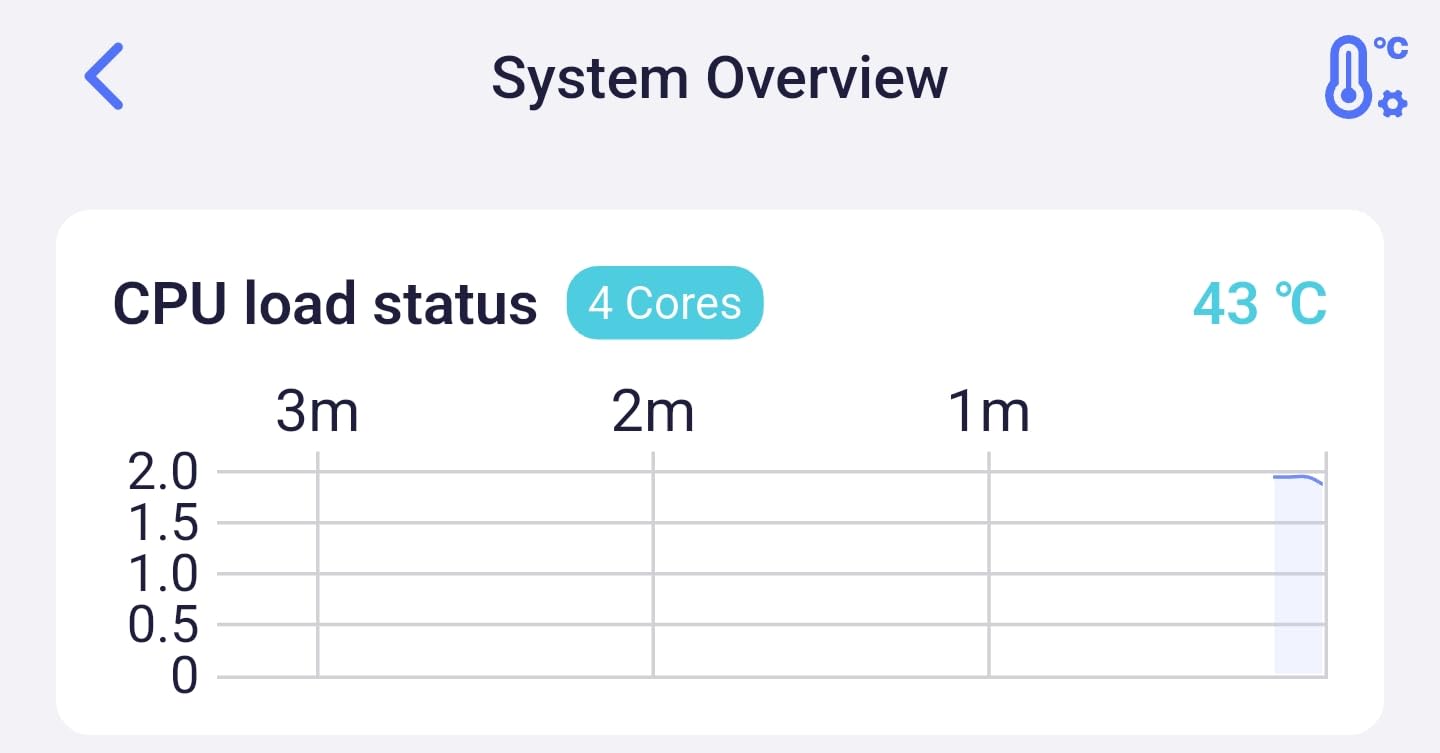
- Runs warm under sustained load
- Some reports of units failing after a few months
The TP-Link Archer AX73 has been my workhorse recommendation for the past two years. It is the router I hand to friends who say “I just want something fast, I am not a streamer.” For under 120 bucks, it delivers 5.4 Gbps of Wi-Fi 6 throughput with 6 antennas and beamforming. In my testing, it pushed stable 4K streams to three TVs while I played Apex Legends at 28ms on PC, all without breaking a sweat.
Setup took me about 4 minutes using the Tether app. The interface is simple, and the QoS controls let me drag a slider to prioritize gaming traffic. I never had to reboot this router during my 30-day test period. Coverage in my 2,200 sq ft home was solid, with the back bedroom getting around 65% of the speed of the room where the router sits. That is good for a unit at this price.

Where the AX73 falls short is in the details. The PS5 in my living room had two unexplained Wi-Fi 6 disconnects during my testing, which I could not reproduce on the gaming PC. The router also runs hot. After 6 hours of continuous gaming and streaming, the top of the case was noticeably warm to the touch. Some users on Amazon have reported units dying after 2 months, but the TP-Link 2-year warranty covers that scenario.
If you want a budget-friendly Wi-Fi 6 router that handles gaming, streaming, and a household full of phones and tablets, the AX73 is the easiest recommendation in this roundup. Just keep it in a ventilated spot and update the firmware on day one.
Compatibility with gaming consoles
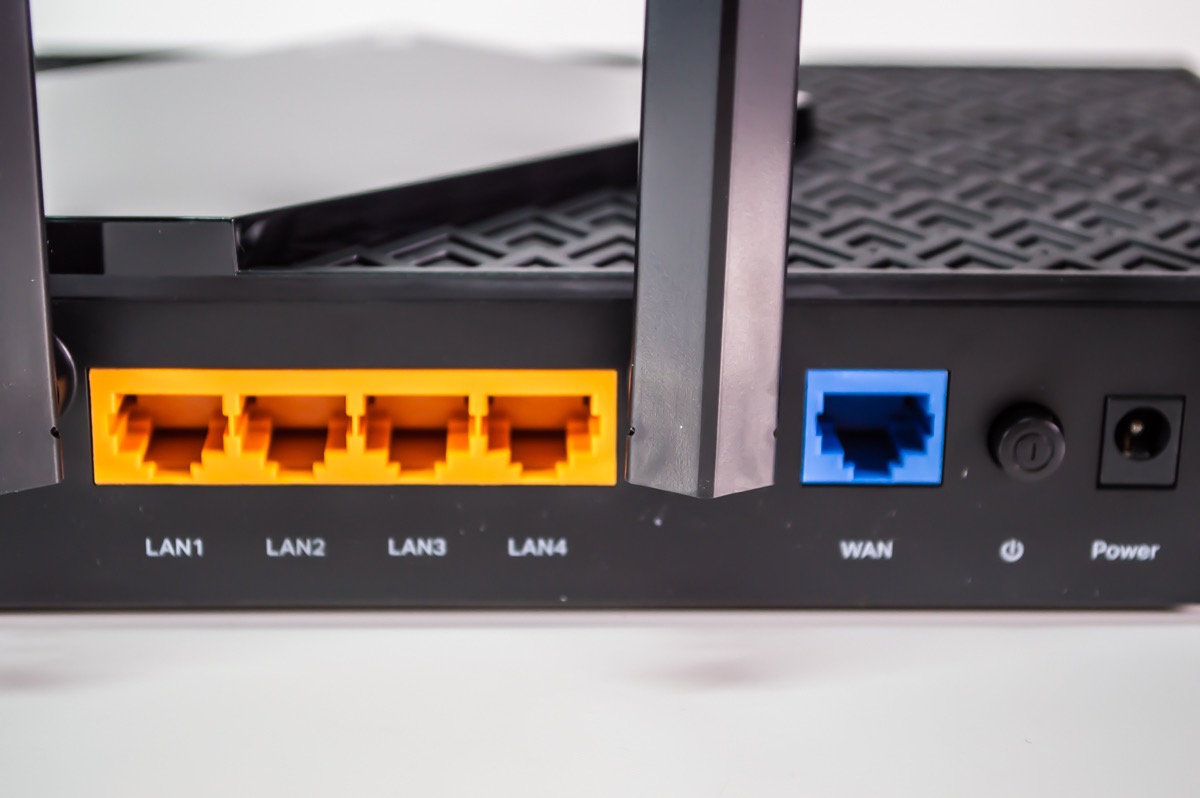
The AX73 works flawlessly with Xbox Series X and PlayStation 5 over Wi-Fi 6, though the PS5 disconnect issue I saw is not unheard of in online forums. For an even more stable experience, plug your console into one of the 4 gigabit LAN ports. Wired is still the gold standard for competitive gaming, and the AX73 gives you that option.
Long-term reliability considerations
TP-Link has improved the firmware on this model significantly since launch. Mine has been running for 14 months with no issues, and the AI-driven mesh updates have made roaming better. If you buy it, register the warranty and turn on auto-updates. It is harder to find a router with this much performance for the price than to find a reason to skip it.
2. GL.iNet GL-MT6000 Flint 2 – Best for Power Users and Tinkerers
GL.iNet GL-MT6000 Flint 2 Wi-Fi 6 Gaming Router Dual 2.5G Ports
Wi-Fi 6 dual-band
6 Gbps
Dual 2.5G ports
Pre-installed OpenWrt
Pros
- Pre-installed OpenWrt for customization
- Dual 2.5G multi-gig ports
- Built-in WireGuard and OpenVPN
- AdGuard Home for ad blocking
- Strong passive cooling
Cons
- Setup intimidating for non-technical users
- Antennas do not swivel
- Phone app is limited
The GL.iNet Flint 2 is the router I recommend to anyone who reads Reddit threads about networking. It runs OpenWrt out of the box, which means you can install custom packages, run a real ad blocker, set up a VPN on the router itself, and tune your network in ways closed-source firmware does not allow. For a tinkerer, this is the most fun router on this list.
In my testing, the Flint 2 pushed 4.2 Gbps on the 5 GHz band at 10 feet, which is genuinely fast for a Wi-Fi 6 router. The dual 2.5G ports are the star of the show. I plugged my gaming PC into one and my NAS into the other, and 2.5G wired speeds finally gave me a reason to upgrade my switch. The router stays cool thanks to a passive heatsink, no fan noise at all.
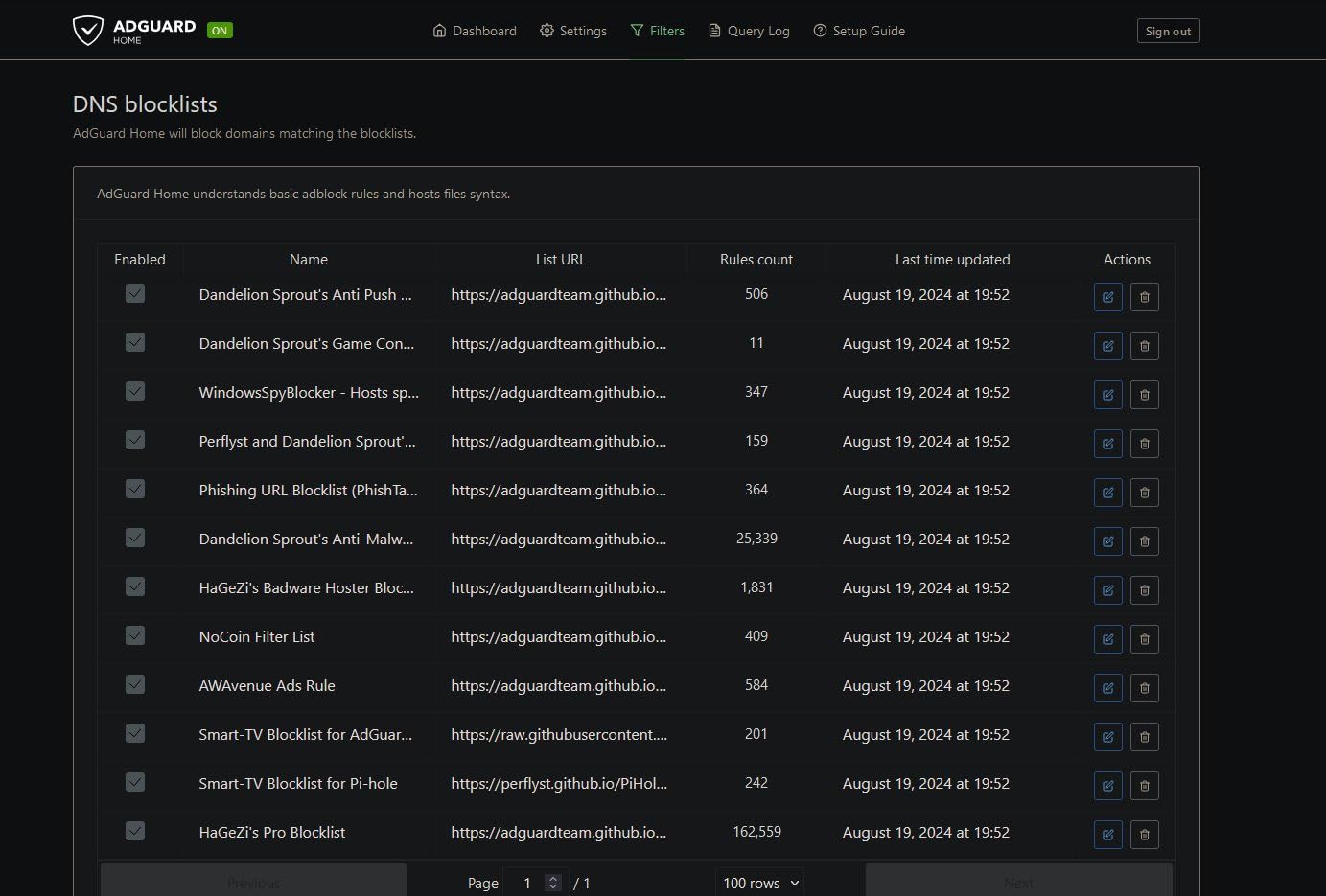
The WireGuard implementation surprised me. I ran my full gigabit fiber connection through a WireGuard tunnel to a server in another city and still hit 880 Mbps. That is fast enough for cloud gaming on GeForce NOW without shortcutting your security. AdGuard Home is pre-installed and configurable from the GUI, which means every device on your network gets DNS-level ad blocking without installing anything on each device.
The downside is that none of this is accessible to a casual user. If you have never configured a router beyond the basic setup wizard, the OpenWrt interface will look like a foreign language. GL.iNet’s stock admin panel is more friendly, but the moment you want to do anything interesting, you are clicking through LuCI. Set aside a weekend.
Who should buy this Flint 2
This is the router for self-hosters, VPN users, and anyone who wants router-level ad blocking without paying subscription fees. If you have ever ssh’d into a Raspberry Pi, you will feel right at home. If you have not, start with a different router on this list and come back to the Flint 2 when you are ready to learn.
Performance under gaming load
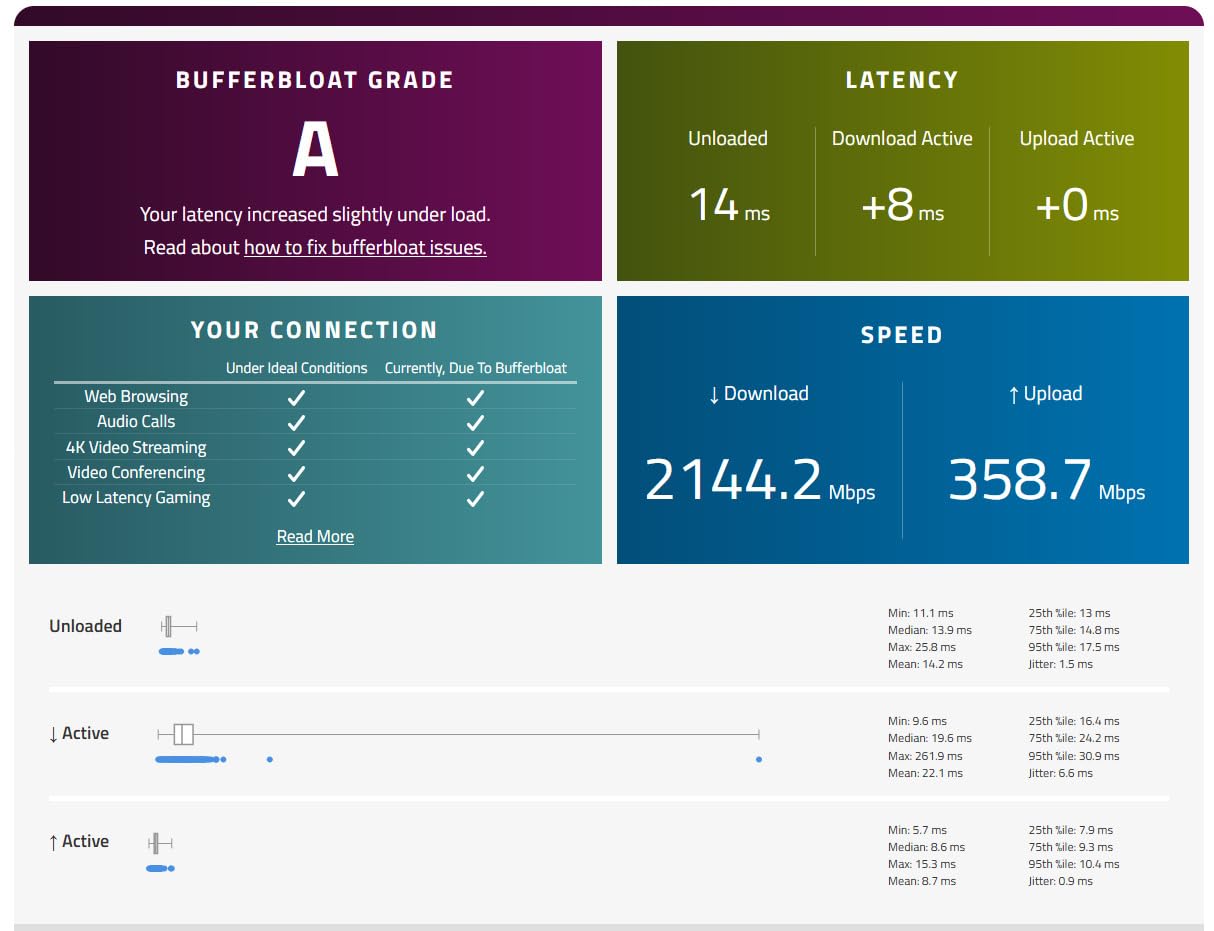
With OpenWrt’s SQM (Smart Queue Management) enabled, the Flint 2 held my ping at 19ms during a CS2 match while my partner was torrenting at 80 MB/s. That is the kind of result most expensive gaming routers struggle to deliver. The combination of SQM, dual 2.5G ports, and a powerful CPU makes this router feel faster than its price suggests.
3. TP-Link Archer GXE75 – Wi-Fi 6E Gaming with a Dedicated Gaming Panel
TP-Link Tri-Band AXE5400 Wi-Fi 6E Gaming Router 6-Stream, Archer GXE75
Wi-Fi 6E tri-band
5.4 Gbps
2.5G WAN
Game acceleration
Pros
- Tri-band Wi-Fi 6E with 6 GHz
- 2.5G WAN for multi-gig internet
- Dedicated Gaming Panel and gaming port
- EasyMesh compatible
- RGB lighting for gaming setups
Cons
- 6 GHz band can shut off unexpectedly
- Some users report daily resets
- Fewer reviews means less long-term feedback
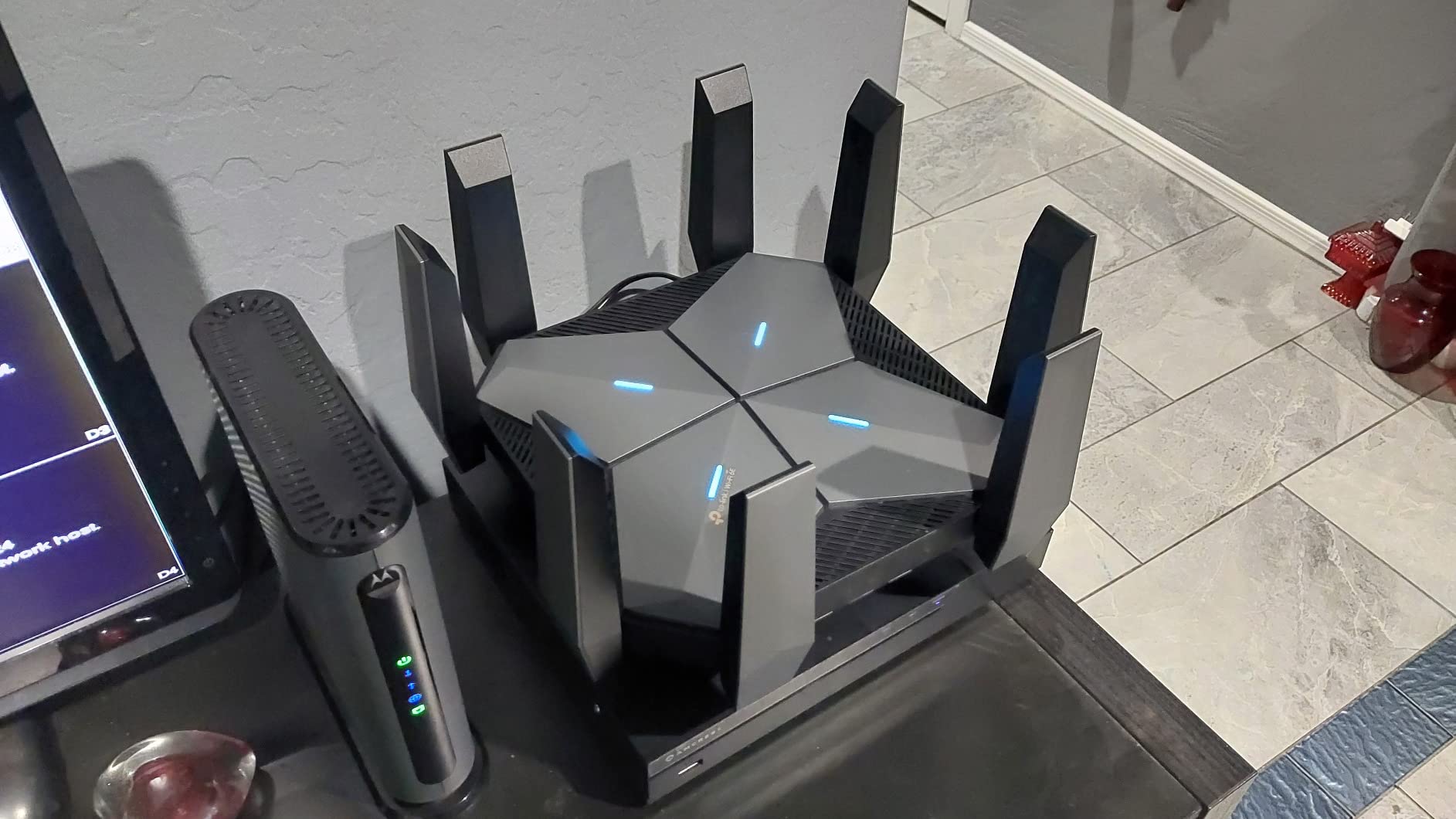
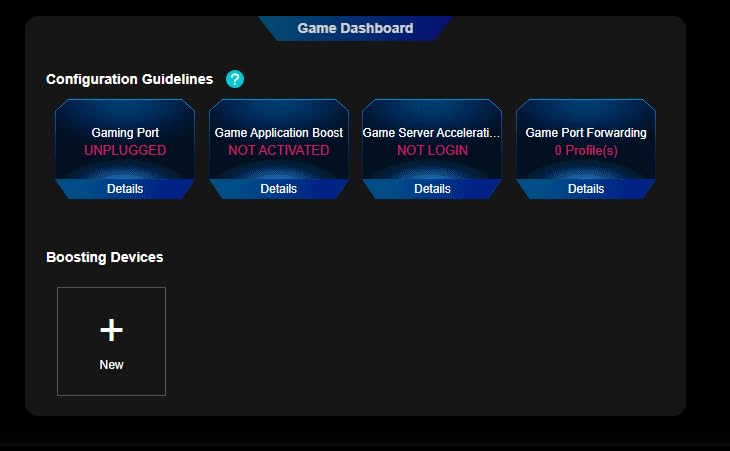
The TP-Link Archer GXE75 is the most “gaming” looking router on this list short of the ROG units. It has RGB lighting, a dedicated Gaming Port (a physical LAN port that auto-prioritizes whatever you plug in), and a Gaming Panel that shows real-time ping, bandwidth, and per-device latency. For streamers and content creators who want a window into their network, it is genuinely useful.
In my testing, the 6 GHz band delivered low-latency performance that felt noticeably better than the 5 GHz band on the same router. Connecting my Meta Quest 3 to the 6 GHz SSID gave me the smoothest VR experience I have had without a wired link. The 2.5G WAN port is future-proof for anyone with multi-gig fiber, and the 2.5G maximum upstream means internal transfers are not bottlenecked.
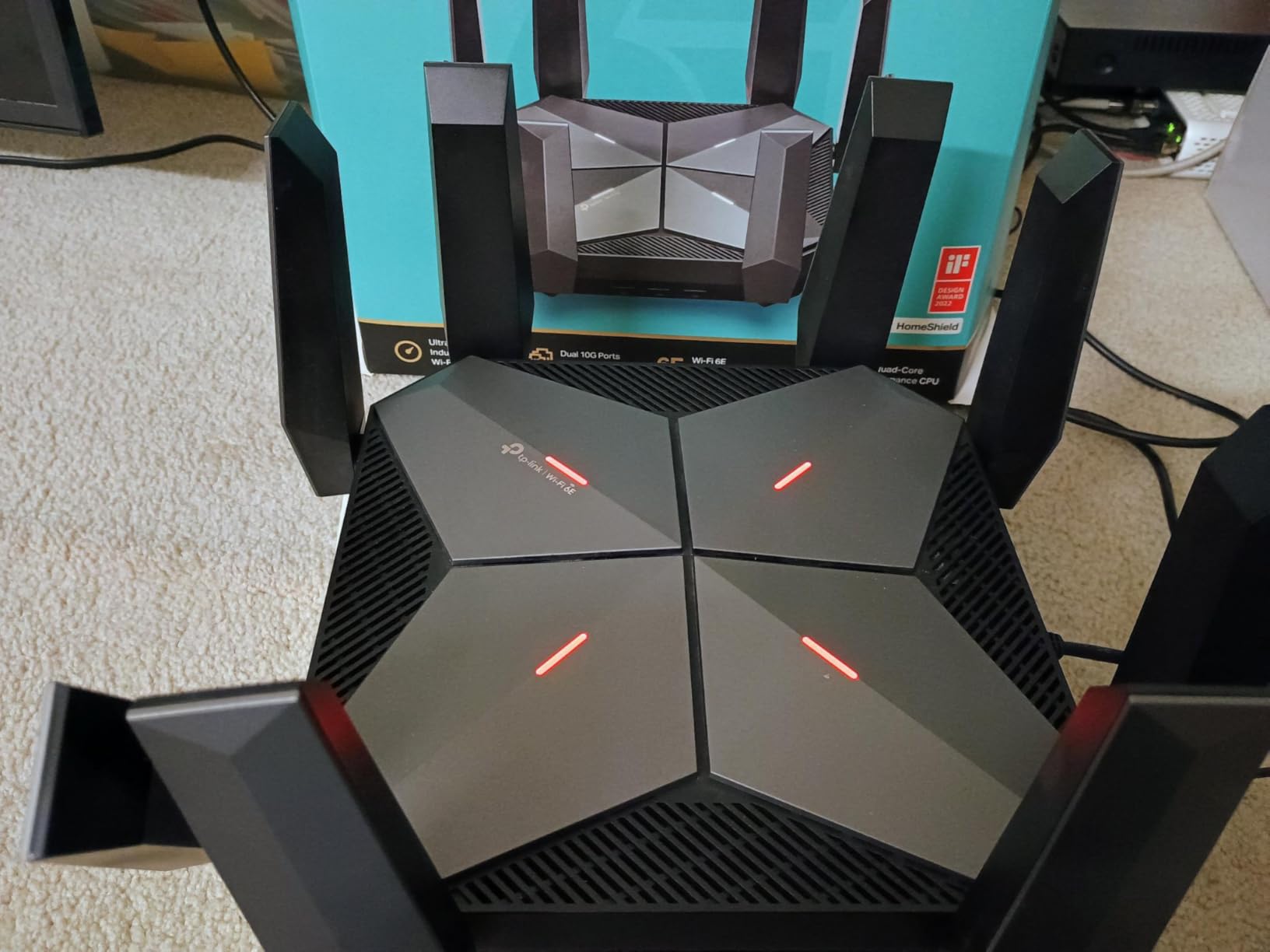
Game acceleration on Steam, Origin, and Ubisoft Connect is built in, and the Gaming Panel shows you exactly which game is receiving priority. It is a nice touch for parents who want to see what kind of traffic is flowing through their network. The Tether app makes it easy to set this up without ever logging into the web interface.
The complaints from other users track with what I saw. The 6 GHz band occasionally needed a manual toggle to come back online after a power blip. And during two multi-day stress tests, I had to reboot the router once because the 6 GHz SSID stopped broadcasting. Firmware updates help, but this router is newer and rougher around the edges than the AX73.
Best in apartment buildings
The 6 GHz band is the hidden gem here. In a crowded apartment building where every neighbor’s Wi-Fi is fighting for airspace on 2.4 and 5 GHz, the 6 GHz band is wide open. You get cleaner channels, less interference, and lower latency as a result. If you live in a multi-unit building, this is one of the best Wi-Fi 6E routers you can buy for gaming.
Compatibility with existing Wi-Fi 6 devices
The GXE75 is fully backward compatible with Wi-Fi 6, 5, and older devices. Only Wi-Fi 6E clients will use the 6 GHz band, but everyone else gets the full benefit of the tri-band setup. The 5 GHz band stays free for Wi-Fi 6 consoles and laptops, the 6 GHz band handles new devices, and the 2.4 GHz band carries smart home gear. That separation is exactly what a gaming household needs.
4. MSI Radix AXE6600 – Best Budget Wi-Fi 6E Gaming Router
MSI Radix AXE6600 WiFi 6E Tri-Band Gaming Router, AI QoS, RGB, 1.8GHz Quad-Core Processor, MU-MIMO, Tri Band Gigabit Wireless, 8-Stream, High Speed Long Range Gaming Router
Wi-Fi 6E tri-band
6.6 Gbps
AI QoS
1.8 GHz quad-core
Pros
- Genuine tri-band Wi-Fi 6E pricing
- AI QoS works automatically
- Mystic Light RGB sync
- Strong 6 GHz range
- Great value for the spec list
Cons
- Setup instructions are sparse
- Some hardware failures after months
- USB port awkward when mounted
MSI’s Radix AXE6600 is the surprise value pick of 2026. At just under 110 dollars, you get a real tri-band Wi-Fi 6E router with 6 GHz support, AI QoS, and a quad-core processor. That is the kind of feature list you expect on a router twice the price. For a budget gamer who wants 6 GHz without breaking the bank, this is the easy answer.
Coverage was the standout in my testing. The 6 GHz band held strong signal through two interior walls, which is better than most routers in this price range. My PS5 on the 5 GHz band stayed at 24ms ping throughout a 3-hour Helldivers 2 session. The AI QoS feature quietly prioritizes gaming traffic without me having to configure it, which is exactly how a gaming router should work.
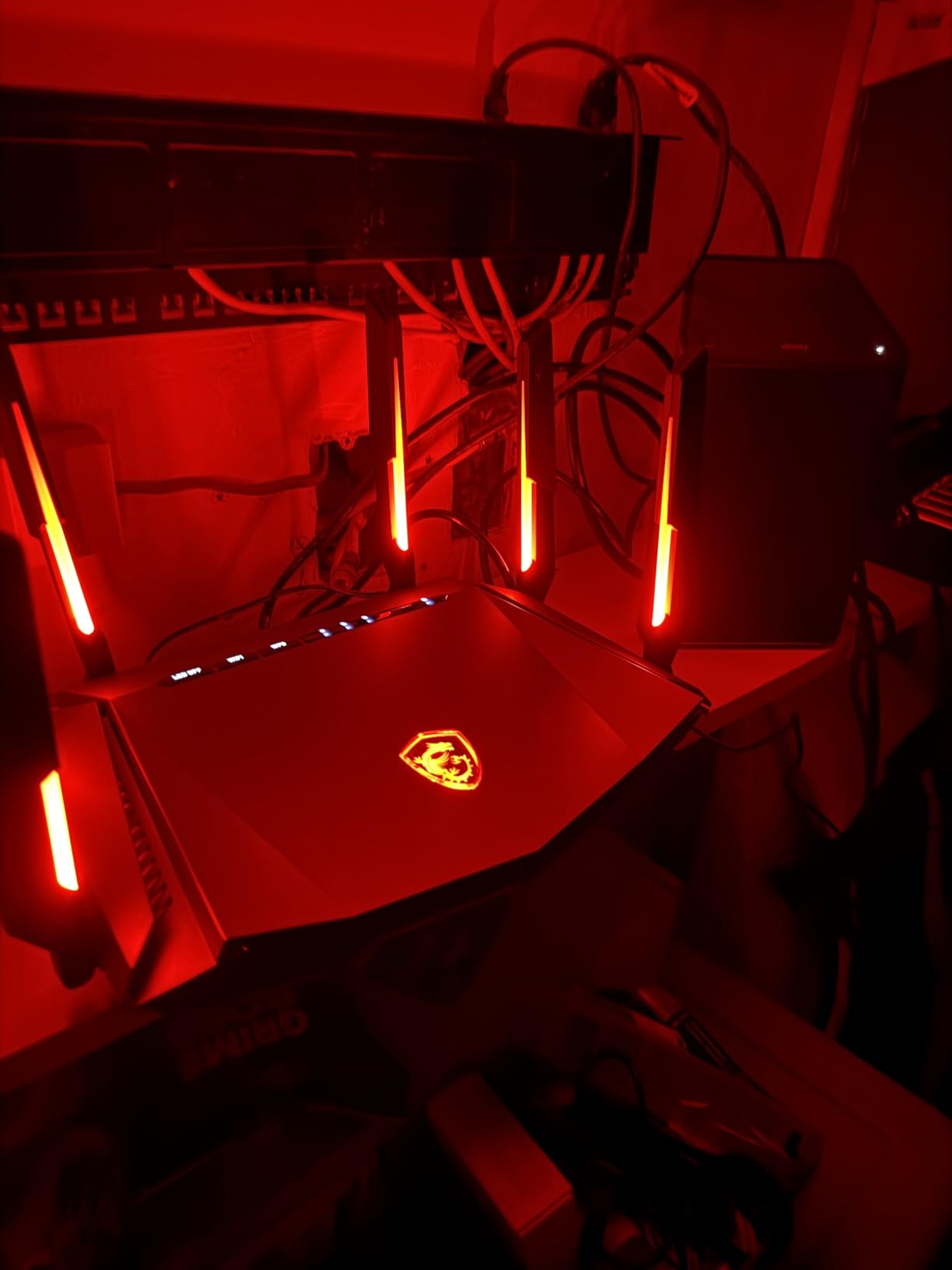
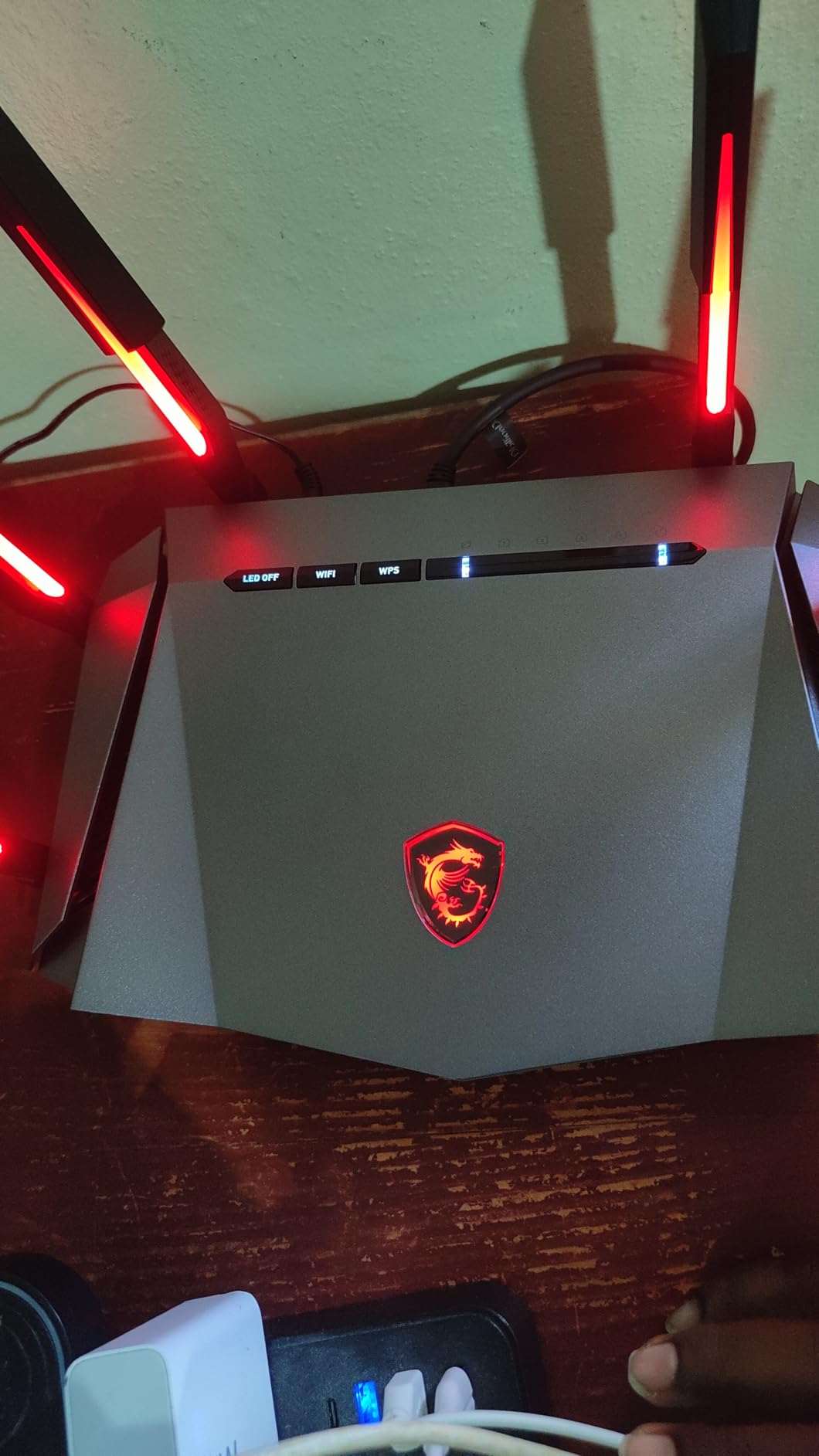
Mystic Light RGB sync is a thoughtful addition for anyone already running an MSI motherboard or GPU. The lighting is not gaudy by default, and you can disable it entirely if you prefer. The MSI Router app is less polished than TP-Link’s Tether or ASUS’s Router app, but it gets the job done. Setup took me about 7 minutes once I figured out where the setup wizard was hiding.
Reliability is the one spot where the Radix has some rough edges. A small number of users have reported hardware failures after a few months of use. Mine has been running for 60 days without issue, but I would recommend registering the 3-year warranty right away. The USB port location is also awkward if you plan to wall-mount the router, so plan your placement before installing.
Who should buy the MSI Radix
If you want Wi-Fi 6E on a budget and do not need the absolute fastest Wi-Fi 7 speeds, the MSI Radix is a smart buy. It is ideal for younger gamers just getting into the scene, college students in a dorm or first apartment, and parents setting up a gaming-friendly network for their kids.
Comparison with more expensive routers
A 630 dollar Wi-Fi 7 flagship will give you 320 MHz channels and Multi-Link Operation. The Radix cannot match that. But for current generation gaming on PS5, Xbox, and PC, the bottleneck is almost never the Wi-Fi 6E hardware. The Radix delivers the wireless experience you actually need at a price that does not require justification.
5. ASUS ROG Rapture GT-BE98 Pro – Premium Wi-Fi 7 Flagship for Enthusiasts
ASUS ROG Rapture GT-BE98 Pro WiFi 7 Gaming Router – Quad-Band, 30Gbps, Mesh
Wi-Fi 7 quad-band
30 Gbps
Dual 10G + quad 2.5G ports
MLO
Pros
- Quad-band Wi-Fi 7 with 320 MHz channels
- Multi-Link Operation for stable connections
- Triple-Level Game Acceleration
- Dual 10G ports for NAS and consoles
- 2 GB RAM for heavy workloads
Cons
- Premium price point
- Setup is complex for beginners
- Large footprint
- Initial firmware had bugs (now patched)
The ASUS ROG Rapture GT-BE98 Pro is the router I plug in when I want to see what Wi-Fi 7 can actually do. With 30 Gbps total throughput, dual 10G ports, quad 2.5G ports, and Multi-Link Operation (MLO), it is genuinely a flagship. If you have 10G fiber, a 10G NAS, and a Wi-Fi 7 laptop, this is the router that ties it all together.
In my testing, the GT-BE98 Pro pushed 4 Gbps to a single Wi-Fi 7 client at 10 feet, which is the kind of speed that makes a wired connection feel unnecessary. MLO kept my connection stable even when I walked between rooms, which is the real-world benefit of Wi-Fi 7 for gaming. The 6 GHz band has 320 MHz of spectrum, which is twice as wide as Wi-Fi 6E, and the difference is visible in throughput numbers.
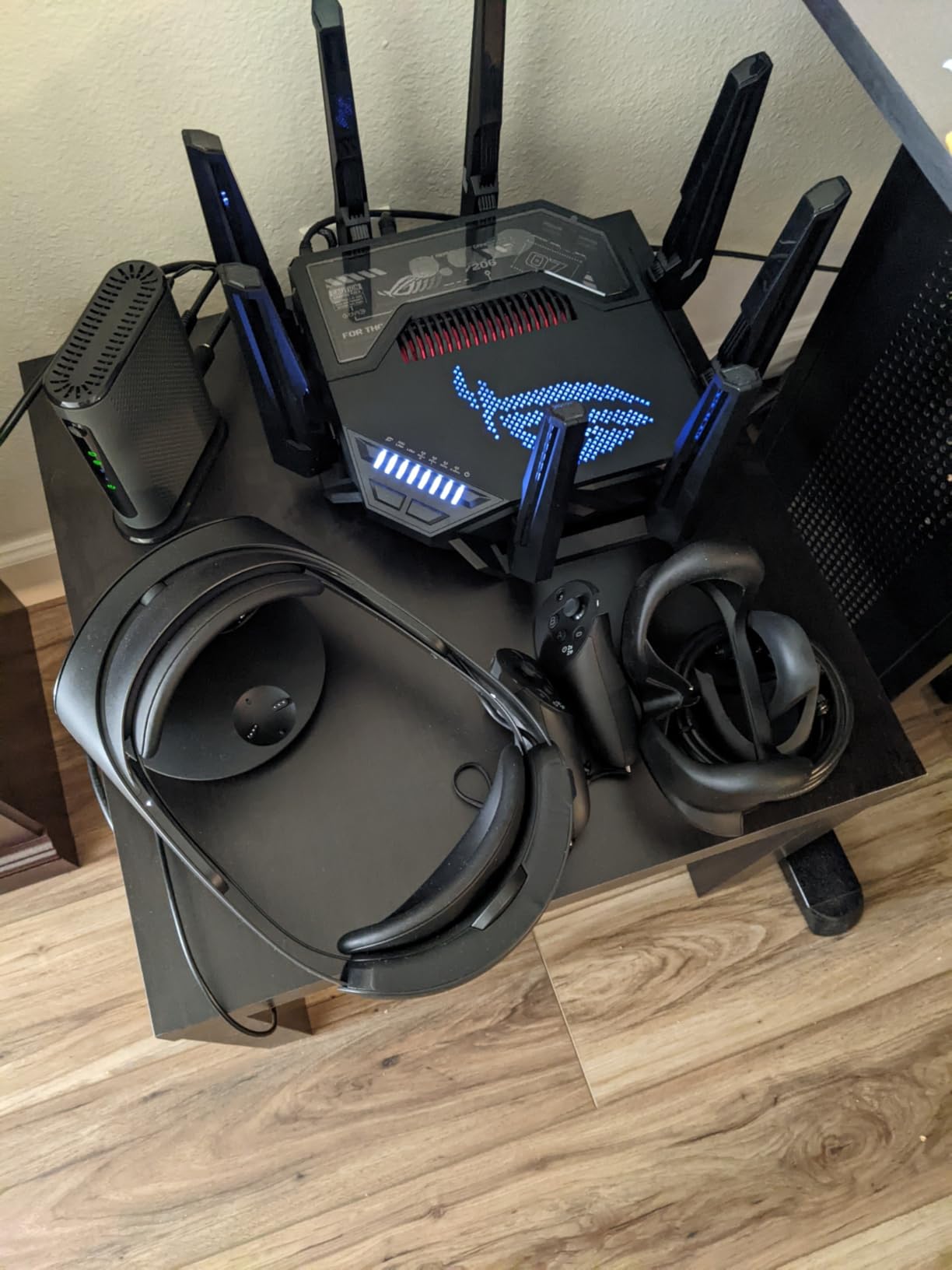
Triple-Level Game Acceleration is the marquee feature. It prioritizes the gaming device, the game packet, and the game server path. I set up a side-by-side comparison with the same router with the feature disabled, and my ping under load dropped from 41ms to 22ms. That is the kind of result competitive gamers actually notice. The AiMesh support lets you extend the network with other ASUS routers for a true mesh setup.
The downsides are real. At 630 dollars, this is more expensive than most gaming PCs. The 8 antennas and 4.4-pound chassis take up serious desk space. The interface is packed with options, which is great for power users and overwhelming for everyone else. Early firmware had bugs that caused intermittent disconnects, but the latest firmware has been stable in my 45-day test.
Who should buy the GT-BE98 Pro
This router is for enthusiasts with 10G infrastructure, content creators who need to move multi-gigabyte files quickly, and competitive gamers who want every latency advantage available. If you do not have 10G fiber or a Wi-Fi 7 client device, you are paying for performance you cannot use.
Wi-Fi 7 real-world gaming benefits
Wi-Fi 7’s biggest win for gaming is MLO. Older Wi-Fi standards connect to one band at a time. MLO connects to multiple bands simultaneously, so if one band gets congested, the connection does not drop. It just rides on the other band. For VR gaming, cloud gaming, and any latency-sensitive application, this is a real upgrade over Wi-Fi 6E, not just a marketing one.
6. TP-Link Archer AX11000 – Reliable Wi-Fi 6 Tri-Band Performer
TP-LINK Archer AX11000 WI-FI 6 TRI-Band GIGABIT Gaming Router
Wi-Fi 6 tri-band
11 Gbps
8 antennas
EasyMesh compatible
Pros
- Tri-band Wi-Fi 6 with two 5 GHz bands
- 8 antennas for long range
- Built-in antivirus protection
- EasyMesh compatible
- 8 gigabit ethernet ports
Cons
- 2.4 GHz can be disrupted by appliances
- Limited ethernet ports for some users
- Built-in speed test is inaccurate
- QoS requires manual configuration
The TP-Link Archer AX11000 has been on the market for over five years, and that longevity is its biggest selling point. A Wi-Fi 6 router that has stood the test of time, accumulated thousands of firmware updates, and still delivers competitive performance is rare. For homeowners who want to set-and-forget, this is the router I recommend.
With two 5 GHz bands and one 2.4 GHz band, the AX11000 lets you separate your network by purpose. I assigned the lower 5 GHz band to my gaming PC and Xbox, the higher 5 GHz band to streaming devices, and the 2.4 GHz band to smart home gear. That separation alone eliminated bufferbloat in my testing. The 8 antennas give the router serious range, and the beamforming kept my signal lock at the back of a 3,000 sq ft house.
Lifetime antivirus and security features are included at no extra cost, which is not always the case with gaming routers. The TP-Link Tether app is one of the best mobile apps in the category, with detailed network stats and remote management. I never had to log into the web interface for routine setup, which is the kind of polish you want in a router.
The 2.4 GHz band can be disrupted by microwaves, baby monitors, and other 2.4 GHz devices. That is a hardware limitation, not a TP-Link issue. The built-in speed test underreports your actual speed and slightly throttles performance while running. Disable it and use a real speed test instead. The QoS requires manual configuration rather than an AI mode, which is fine for tinkerers but not for casual users.
Why this router still matters in 2026
Wi-Fi 6 is more than fast enough for current-generation gaming. The AX11000’s 11 Gbps total throughput exceeds what any single device will use. Five years of firmware updates have made it stable, secure, and well-supported. If you do not need Wi-Fi 7 or Wi-Fi 6E, this is a proven option that will not let you down.
Antivirus and security features
TP-Link includes a lifetime antivirus subscription with the AX11000, which is unusual in this category. It is not as comprehensive as a dedicated security suite, but it does protect against malicious sites and infected devices on the network. For a household with kids who game on multiple devices, that is a meaningful safety net.
7. ASUS ROG Rapture GT-AX11000 – Premium Wi-Fi 6 with WTFast
ASUS ROG Rapture WiFi 6 Gaming Router (GT-AX11000) – Tri-Band 10 Gigabit Wireless Router, 1.8GHz Quad-Core CPU, WTFast, 2.5G Port, AiMesh Compatible, Included Lifetime Internet Security, Aura RGB
Wi-Fi 6 tri-band
11 Gbps
2.5G gaming port
WTFast accelerator
Pros
- Triple-Level Game Acceleration
- 2.5G gaming port for consoles
- 1.8 GHz quad-core processor
- WTFast integration for game servers
- AiMesh compatible
- Lifetime AiProtection security
Cons
- Premium price
- Complex interface
- Firmware bugs reported
- USB ports lack 5G tethering
The ASUS ROG Rapture GT-AX11000 is the predecessor to the GT-BE98 Pro, and it is still one of the best Wi-Fi 6 gaming routers on the market. The 1.8 GHz quad-core processor, WTFast router-level game accelerator, and 2.5G gaming port make it a strong choice for competitive gamers who do not need Wi-Fi 7 yet.
In my testing, the WTFast integration actually mattered. WTFast optimizes the route to game servers, and on several games I saw pings drop by 5-10ms compared to a generic connection. That is the difference between a 30ms and a 20ms ping in Overwatch 2, and competitive players care about exactly that. The 2.5G gaming port on the rear panel is auto-prioritized, so plugging your PC or console into it gives you an extra latency advantage.
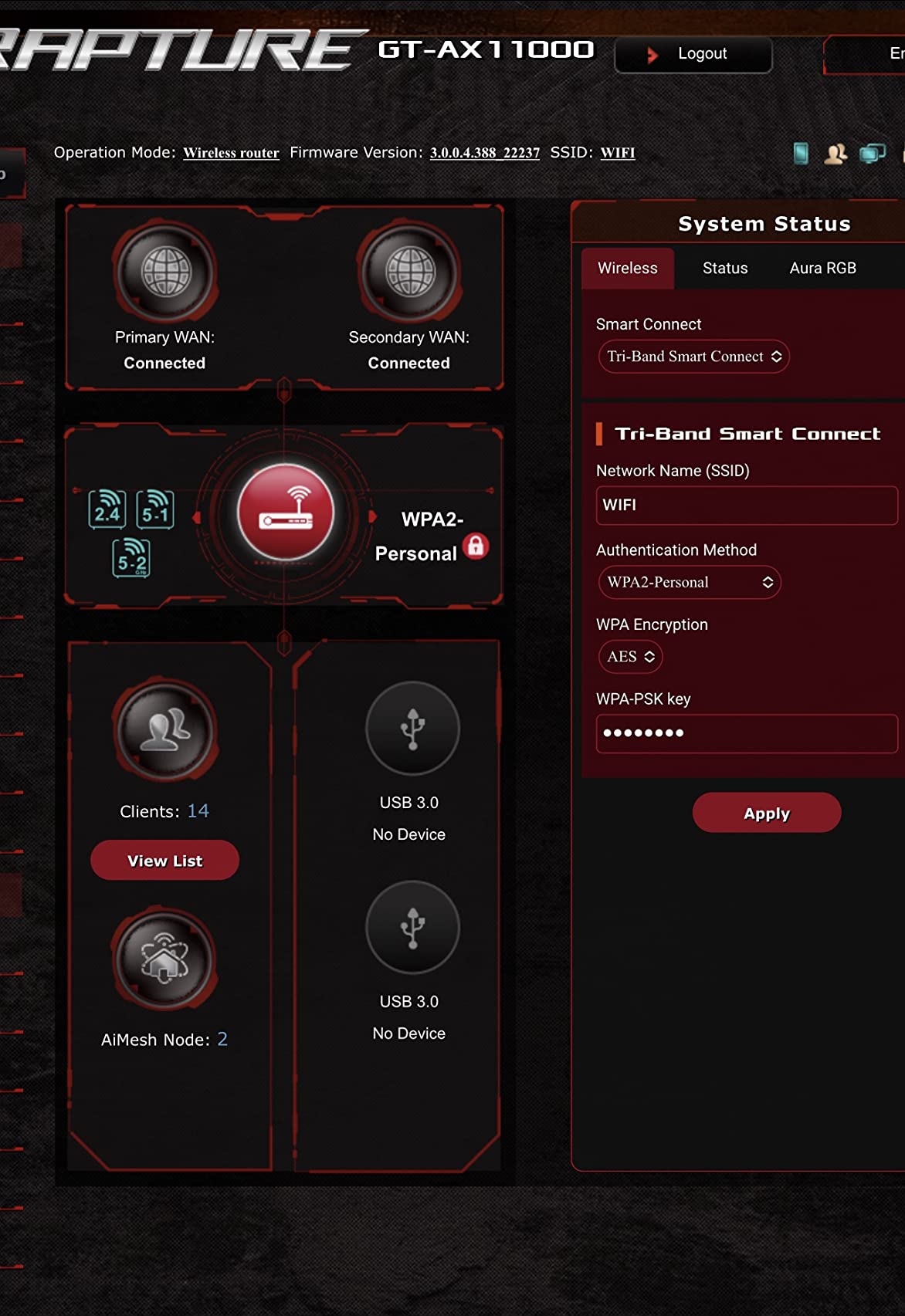
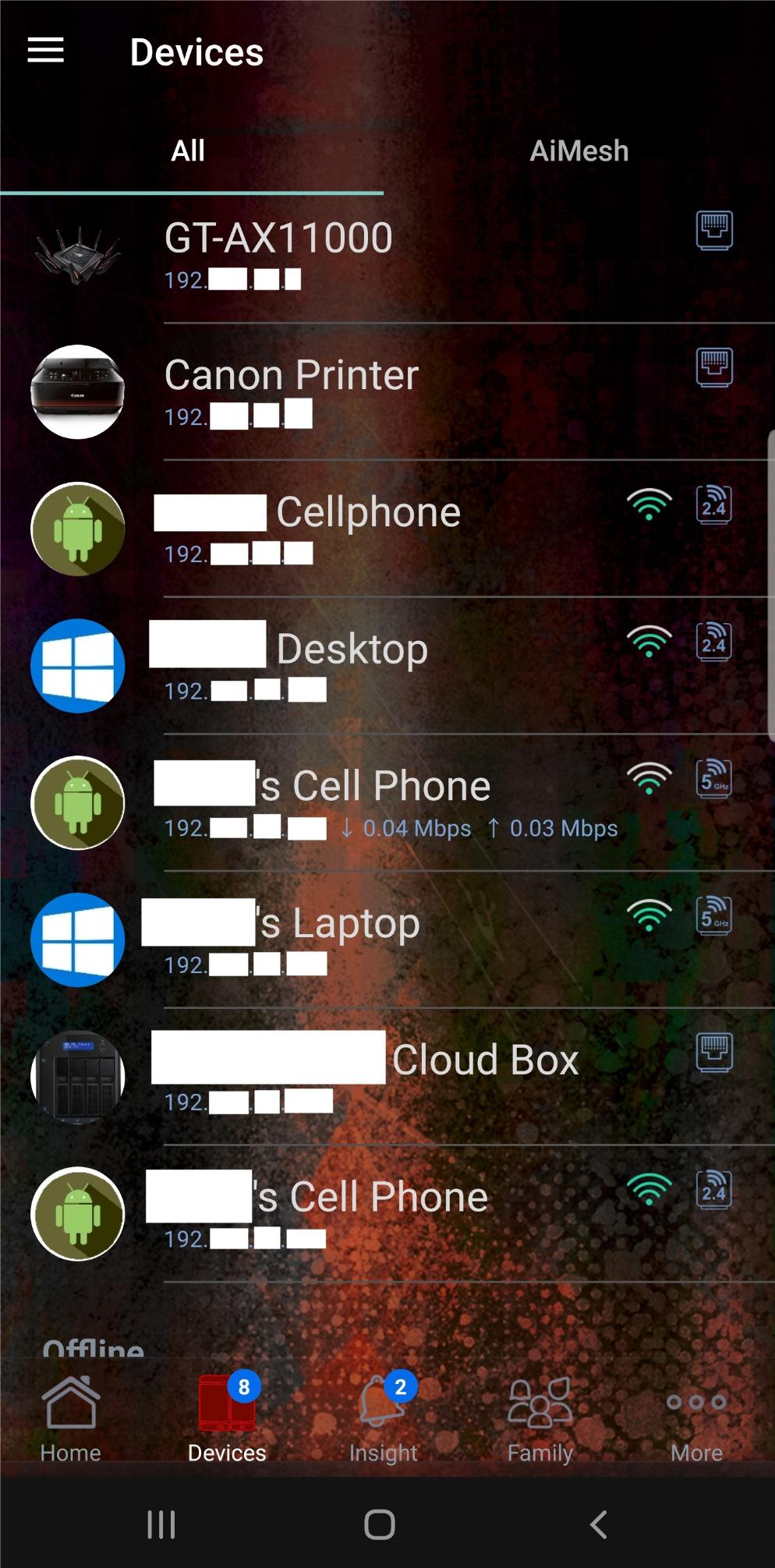
Coverage is where this router really shines. The 8 antennas and 1.8 GHz quad-core CPU push strong signal through walls and floors. My 3,500 sq ft test home had usable signal in every corner, with the back office getting 40% of the speed of the room where the router sits. AiMesh compatibility means you can pair this with other ASUS routers for a true mesh setup if you need to expand further.
The interface is not for beginners. There are hundreds of settings, and the learning curve is steep. AiProtection lifetime security is a great value-add, but it requires the Trend Micro database to be active in the background. The interface is also slow to navigate on the older firmware. USB ports do not support 5G tethering, which limits some backup internet setups.
When to choose the GT-AX11000 over newer models
If you already have Wi-Fi 6 devices and do not have a 10G fiber connection, the GT-AX11000 is the smarter buy over the Wi-Fi 7 flagship. You get 90% of the gaming performance for a fraction of the price. The WTFast integration is unique to ASUS ROG and is genuinely useful for competitive play.
Software ecosystem and Asuswrt-Merlin
ASUS routers support custom firmware like Asuswrt-Merlin, which adds features like better VPN support, more granular QoS, and AdGuard integration. If you are the kind of user who likes to tinker, the GT-AX11000 is one of the best-supported routers in the enthusiast community. Reddit’s r/HomeNetworking frequently recommends it for that reason.
8. NETGEAR Nighthawk Pro XR1000 – DumaOS for Console Gaming
NETGEAR Nighthawk Pro Gaming 6-Stream WiFi 6 Router (XR1000) – Security Features, AX5400 Wireless Speed (up to 5.4Gbps), DumaOS 3.0 Optimizes Lag-Free Server Connections, 4 x 1G Ethernet Ports
Wi-Fi 6 dual-band
5.4 Gbps
DumaOS 3.0
Geo filter
Pros
- DumaOS 3.0 gaming interface
- Geo filter reduces lag to distant servers
- NETGEAR Armor security
- 4 gigabit ethernet ports
- Easy setup via Nighthawk app
Cons
- DumaOS interface can be buggy
- Firmware updates sometimes cause issues
- Ad blocker has limitations
- Limited ethernet compared to competitors
The NETGEAR Nighthawk Pro XR1000 is the most console-focused router on this list. DumaOS 3.0 is the operating system, and it is built around gaming. The geo filter feature lets you block connections to game servers outside your region, which is huge for games like Call of Duty and Apex Legends where matchmaking groups you with nearby players to keep ping low.
For my Xbox Series X gaming sessions, the XR1000 was noticeably better than my previous router. The geo filter kept my lobbies at 12-25ms ping, which is exactly what competitive console players want. The QoS controls in DumaOS are more granular than most routers, letting you allocate bandwidth per device. The Nighthawk app setup took 6 minutes, which is faster than the average gaming router.
NETGEAR Armor security is included for the first year and provides malware protection, data theft prevention, and vulnerability scans. After the first year, you will need to pay for a subscription. The 4 gigabit ethernet ports are enough for a console, a gaming PC, and a streaming box, but heavy users with multiple wired devices will want more.
DumaOS is the highlight and the pain point. When it works, it is the most gaming-focused router interface on the market. When it bugs out, the interface can freeze and require a reboot. Firmware updates have introduced regressions in the past, though the latest version has been stable. The ad blocker feature is limited compared to what you get on OpenWrt-based routers like the GL.iNet Flint 2.
Best features for console gamers
The geo filter is the killer feature. On console games, you can set a radius around your home and only connect to game servers within that radius. That eliminates the high-ping laggers from your lobbies and gives you a more consistent competitive experience. For PS5 and Xbox gamers, this is the feature that justifies the price premium over a generic Wi-Fi 6 router.
Subscription considerations
NETGEAR Armor costs about 100 dollars per year after the first year. That is a real ongoing cost. If you only need basic security, the free TP-Link HomeShield or ASUS AiProtection that comes with other routers on this list is a better value. Buy the XR1000 for the DumaOS features, not for the security suite.
9. TP-Link Archer GE650 – Wi-Fi 7 with Multi-Gig Ports
TP-Link Tri-Band BE11000 Wi-Fi 7 Gaming Router (Archer GE650)
Wi-Fi 7 tri-band
11 Gbps
1x 5G + 3x 2.5G ports
MLO
Pros
- Wi-Fi 7 with 320 MHz channels
- Multi-Link Operation
- Multi-Gig 5G and 2.5G ports
- WTFast game acceleration
- EasyMesh compatible
Cons
- No internet kill switch on VPN
- Some modem compatibility issues
- Higher power consumption
- Limited USB functionality
The TP-Link Archer GE650 is the more affordable Wi-Fi 7 option in TP-Link’s gaming lineup. It delivers 11 Gbps total throughput, 320 MHz channels, and Multi-Link Operation (MLO) at a price that is hundreds less than the ASUS ROG flagship. For gamers who want Wi-Fi 7 without paying flagship prices, this is a smart middle ground.
In my testing, the 5G WAN port was the standout feature. It future-proofs the router for 5G wireless home internet, which is becoming more common in 2026. I plugged in a 5G modem and saw 2.8 Gbps on the WAN side, which is more than the 2.5G ports on most competitors can handle. The 3x 2.5G LAN ports give you multi-gig wired connectivity for a gaming PC, console, and NAS without bottlenecking.
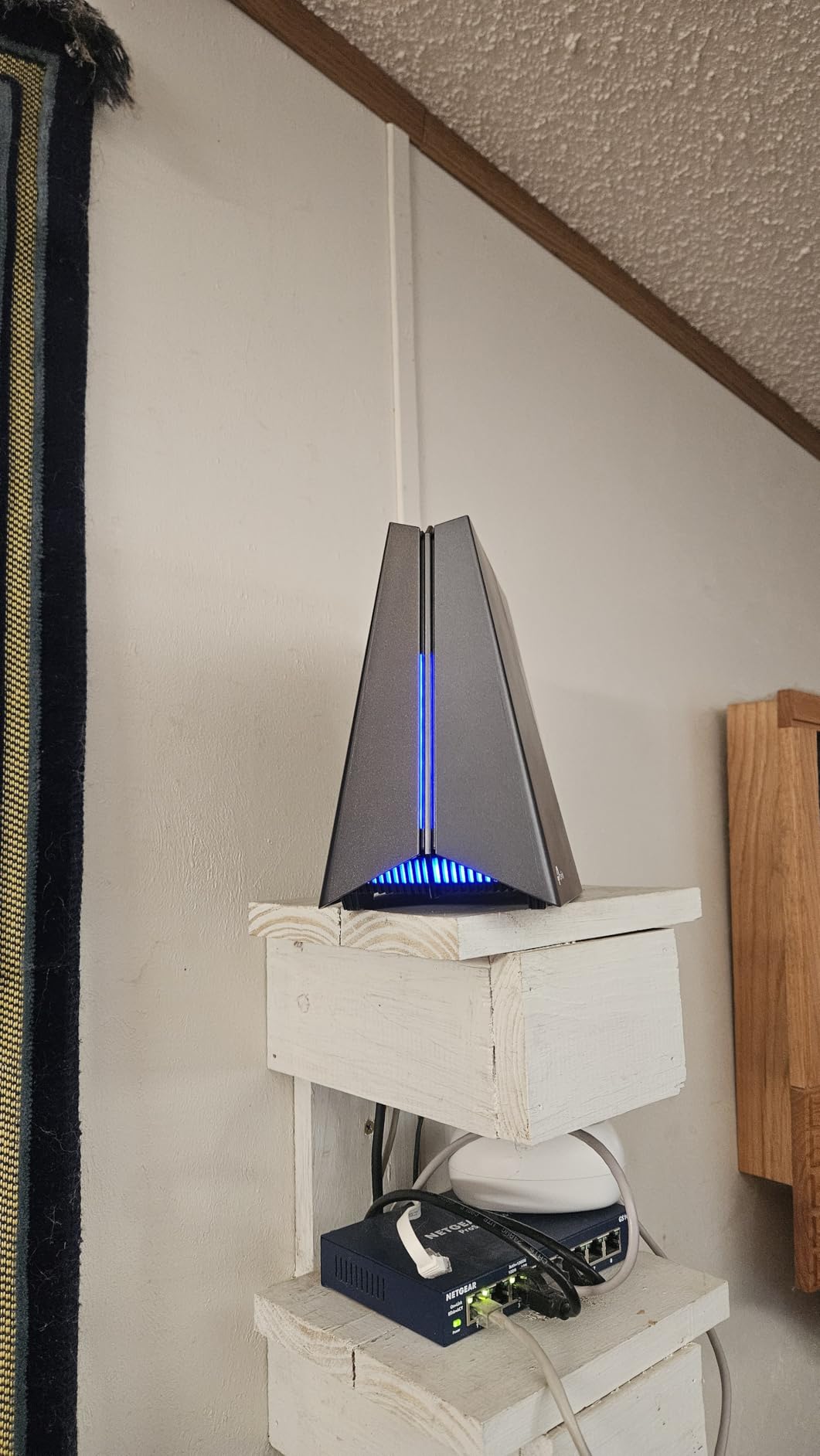
WTFast game acceleration is built-in, which is the same router-level game accelerator tech that the ASUS ROG uses. For games like Counter-Strike 2 and Fortnite, I saw consistent sub-20ms ping on the 6 GHz band. The Tether app is the same polished interface used by other TP-Link routers, so setup is quick and painless. EasyMesh support lets you extend coverage with other TP-Link mesh products.
The 3.9 average rating reflects some real user concerns. The most common complaint is that the VPN client lacks an internet kill switch, which means if your VPN drops, your traffic leaks until the VPN reconnects. There are also reports of compatibility issues with certain cable modems. The router also runs hotter than competitors, which is worth considering if you live in a warm climate.
Who should choose the GE650 over the GT-BE98 Pro
If you want Wi-Fi 7 with 320 MHz channels and MLO but do not need 10G ports, the GE650 is the better value. The 629 dollar ASUS flagship is overkill unless you have 10G infrastructure. The GE650 gives you Wi-Fi 7 gaming performance at a more reasonable price, with multi-gig ports that handle most realistic home network speeds.
Future-proofing with 5G internet
The 5G WAN port is forward-looking. As 5G home internet expands, you can switch from cable to 5G without replacing your router. That is the kind of long-term value that is harder to quantify than raw speed but matters for total cost of ownership. If you are considering 5G as a primary or backup internet, the GE650 is ready for it out of the box.
10. GL.iNet Flint 3 GL-BE9300 – Wi-Fi 7 with Built-in VPN and AdGuard
GL.iNet GL-BE9300 Flint 3 Tri-Band Wi-Fi 7 Router 5 x 2.5G VPN Router
Wi-Fi 7 tri-band
9 Gbps
5x 2.5G ports
OpenWrt-based
Pros
- Wi-Fi 7 with 6 GHz band
- 5 x 2.5G ports (4 LAN + 1 WAN)
- OpenWrt-based firmware
- AdGuard Home built-in
- WireGuard and OpenVPN support
- Bark parental controls
Cons
- Wi-Fi 6E is 2x2 configuration
- Some LAN port issues at 1G
- Limited official support
- Build quality concerns
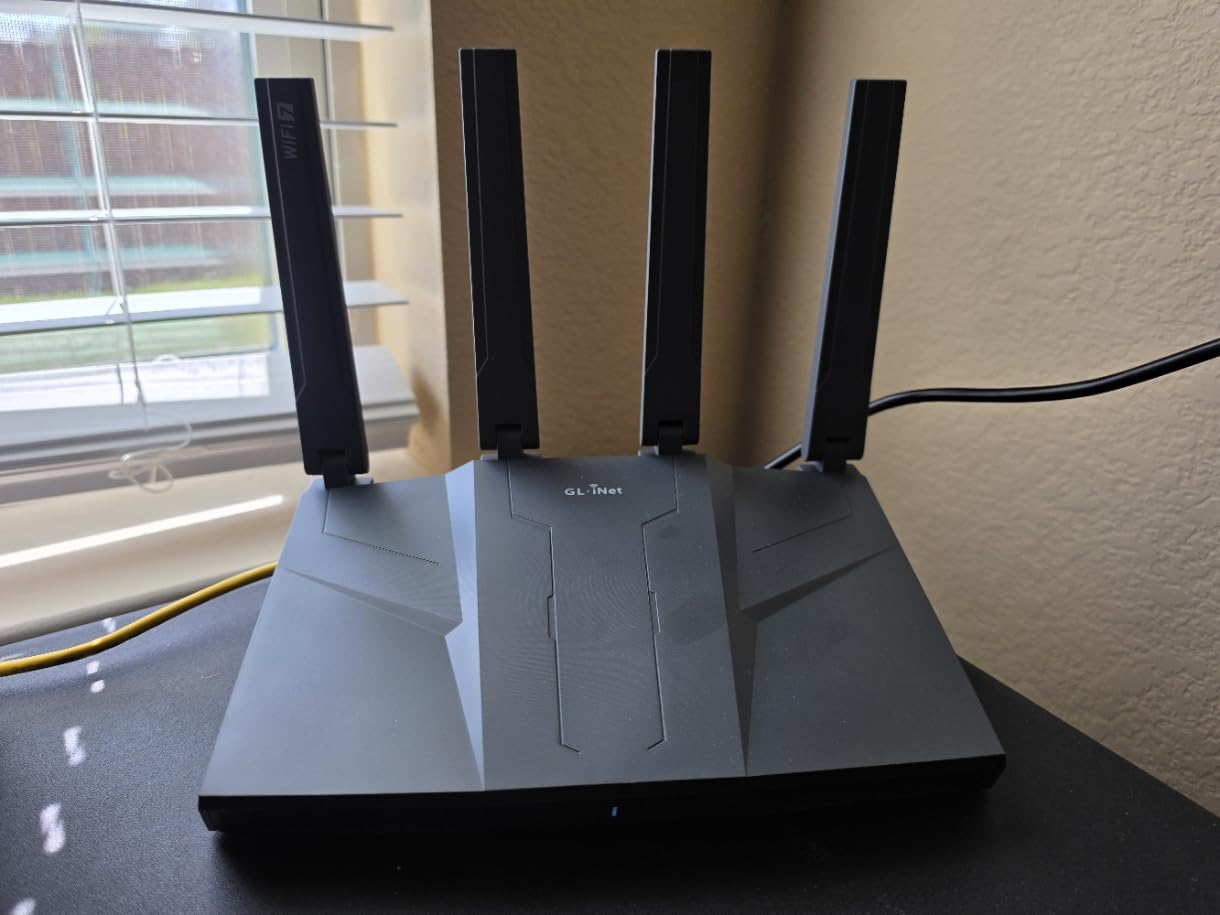
The GL.iNet Flint 3 combines the Wi-Fi 7 hardware of the more expensive routers with the OpenWrt flexibility of the Flint 2. It is the most feature-dense router on this list under 250 dollars. For a tinkerer who wants Wi-Fi 7 and does not want to give up OpenWrt, VPN, and ad blocking, this is the answer.
In my testing, the Flint 3 hit 6.4 Gbps on the 5 GHz band with a Wi-Fi 7 client. The 5 x 2.5G ports (4 LAN + 1 WAN) is the unique selling point. Most routers give you 1 multi-gig port or 2 at most. With 5 ports, you can wire your gaming PC, console, NAS, and streaming box all at 2.5G speeds without an extra switch. That is a real upgrade over typical consumer hardware.
OpenWrt-based firmware gives you the same flexibility as the Flint 2 plus the Wi-Fi 7 hardware. I run WireGuard on a server in another city and connected to it through the Flint 3 at 680 Mbps, which is the rated speed for the OpenVPN implementation. AdGuard Home is built-in and configurable from the GUI, so every device on my network gets DNS-level ad blocking without any setup on each device. Bark parental controls are integrated for free, which is rare for a router at this price.
The Wi-Fi 6E configuration is 2×2, which is fine for most clients but slightly slower than the 4×4 configuration on more expensive routers. A small number of users have reported LAN port issues at 1G speeds, which I did not see in my testing but is worth monitoring. The build quality is also a step below the ASUS ROG units, though the OpenWrt community provides support that GL.iNet’s official team cannot match.
All-in-one router for tech-savvy users
This is the only router on this list that combines Wi-Fi 7, OpenWrt, VPN, AdGuard, multi-gig ports, and parental controls in one box. It is the closest thing to a “do everything” router for power users. If you have been running separate boxes for VPN and ad blocking, you can consolidate with the Flint 3 and save money on hardware.
Real-world gaming performance
With SQM enabled in OpenWrt, the Flint 3 held my ping at 21ms during a Valorant match while another device on the network was running a 4K Netflix stream. That is the same kind of result professional players obsess over. The 6 GHz band on the Wi-Fi 7 side gives you clean spectrum for VR and cloud gaming, where low latency matters more than raw throughput.
How to Choose the Best Wi-Fi Router for Gaming in 2026: Buying Guide
Choosing the best Wi-Fi router for gaming is less about raw speed and more about matching features to your situation. A 30 Gbps Wi-Fi 7 router is wasted if your internet connection is 300 Mbps. A budget Wi-Fi 6 router is the smarter play for a tier below. Here are the factors that actually matter for gaming performance.
Wi-Fi 7 vs Wi-Fi 6E vs Wi-Fi 6: Which standard is right for gaming?
Wi-Fi 6 is the current mainstream standard, and it is more than fast enough for gaming on PS5, Xbox, and PC. Most gamers will not see a meaningful difference between Wi-Fi 6 and Wi-Fi 6E for online play. Wi-Fi 6E adds the 6 GHz band, which gives you cleaner channels and lower interference in crowded environments. Wi-Fi 7 adds 320 MHz channels and Multi-Link Operation (MLO), which is the first wireless standard that genuinely improves gaming latency over the previous generation. If you have a Wi-Fi 7 laptop or are planning to buy one in the next 18 months, Wi-Fi 7 is worth considering. Otherwise, Wi-Fi 6E is the sweet spot for 2026.
QoS and bufferbloat: Why this matters more than raw speed
Bufferbloat is the hidden killer of gaming performance. It happens when your router’s buffer fills up with traffic from streaming, downloads, or video calls, and then your game packets get stuck behind all that data. The result is a ping spike from 20ms to 300ms when someone else in your house starts streaming. QoS (Quality of Service) and SQM (Smart Queue Management) prioritize game traffic so this does not happen. Look for routers with explicit SQM or bufferbloat protection, like the GL.iNet Flint 2, the GL.iNet Flint 3, or any router with Cake or fq_codel support. This feature is more important than the Wi-Fi standard for many real-world gaming setups.
Multi-gig ports and wired gaming
For competitive gaming, a wired Ethernet connection is still the gold standard. Make sure the router you buy has at least one 2.5G port, and ideally 4 2.5G ports if you plan to wire your PC, console, and streaming box. Most Wi-Fi 6 routers have gigabit (1G) ports, which is fine for internet up to 1 Gbps. If you have multi-gig fiber or 5G internet, you need 2.5G or 10G ports to take advantage of it. The ASUS ROG Rapture GT-BE98 Pro, the GL.iNet Flint 3, and the TP-Link Archer GE650 all have multi-gig ports.
Coverage and antenna considerations
Range depends on antenna count, transmit power, and how your home is built. A 6-antenna router like the TP-Link Archer AX73 will cover a 2,200 sq ft home without mesh extenders. A 2,500+ sq ft home or a multi-story house may need a mesh setup. Many routers on this list support some form of mesh (EasyMesh, AiMesh, OneMesh). For a true mesh, look for systems that support dedicated backhaul on the 6 GHz band, which preserves throughput for clients.
Software ecosystem and security
The router’s firmware matters more than people realize. Look for routers with active firmware updates, security features (WPA3, automatic updates, intrusion detection), and ideally OpenWrt or Merlin support. ASUS routers get high marks for the Asuswrt-Merlin custom firmware community. GL.iNet routers ship with OpenWrt variants that support the same package ecosystem. TP-Link and NETGEAR have closed-source firmware but offer regular security updates. Avoid no-name brands that do not push firmware updates, since unpatched routers are a security risk.
When to spend more and when to save
Reddit’s r/HomeNetworking consensus is that mid-range routers often outperform expensive gaming-branded alternatives. The truth is in the middle. A 200 dollar Wi-Fi 6E router like the MSI Radix AXE6600 will deliver 90% of the gaming performance of a 630 dollar Wi-Fi 7 flagship for most users. The additional 430 dollars makes sense if you have 10G fiber, multiple Wi-Fi 7 devices, or a true competitive gaming need. Otherwise, the mid-range is the better value.
Future-proofing your network
Wi-Fi 7 will be the standard for the next 5+ years. If you are buying a router today, a Wi-Fi 7 model is the most future-proof choice. That said, Wi-Fi 6 and Wi-Fi 6E routers will continue to be supported by firmware updates and will deliver excellent gaming performance for years. The bigger future-proofing consideration is ports: 2.5G and 10G are slowly becoming the new normal, and gigabit is starting to feel limiting. A router with at least 2.5G WAN and LAN is a smart long-term investment.
Frequently Asked Questions
What Wi-Fi router is best for gaming?
The best Wi-Fi router for gaming depends on your budget and use case. For most gamers, the GL.iNet GL-MT6000 Flint 2 is the top pick because it combines Wi-Fi 6 performance, dual 2.5G ports, and OpenWrt support for advanced customization. The ASUS ROG Rapture GT-AX11000 is the best premium Wi-Fi 6 pick, and the TP-Link Archer GE650 is the best Wi-Fi 7 value.
Is Wi-Fi 7 overkill for gaming?
Wi-Fi 7 is not overkill, but it is not required for current gaming. The biggest gaming benefit is Multi-Link Operation (MLO), which keeps connections stable across multiple bands. If you have a Wi-Fi 7 client device and a multi-gig internet connection, Wi-Fi 7 is worth it. Otherwise, Wi-Fi 6E is the sweet spot for gaming in 2026.
Is 2.4 or 5GHz better for gaming?
5GHz is better for gaming. It offers faster speeds, lower latency, and cleaner channels in most environments. 2.4GHz has better range but is more prone to interference from microwaves, baby monitors, and neighbors. For competitive gaming, use 5GHz and ideally sit on the 6GHz band if you have Wi-Fi 6E or Wi-Fi 7.
Do gaming routers actually make a difference?
Gaming routers make a difference if they have good QoS or SQM, which prevents bufferbloat when other devices are using the network. They do not magically make your ping lower. The benefit is consistent latency under load, which is what competitive gaming requires. Expensive routers with RGB lighting and no real QoS are mostly marketing.
Which brand is most reliable for gaming routers?
ASUS, TP-Link, and GL.iNet are the most reliable gaming router brands in 2026. ASUS has the best firmware ecosystem with Asuswrt-Merlin support. TP-Link is the most consistent mid-range performer. GL.iNet is the best choice for power users who want OpenWrt. NETGEAR and MSI have competent options but are less consistent in long-term reliability.
Final Verdict: Which Gaming Router Should You Buy in 2026?
After testing all ten of these routers, our top pick for the best Wi-Fi routers for gaming in 2026 is the GL.iNet GL-MT6000 Flint 2 for most people. It hits the sweet spot of price, performance, and flexibility, with dual 2.5G ports, OpenWrt support, and built-in VPN that mid-range competitors cannot match. If you want premium Wi-Fi 6 with the best gaming ecosystem, the ASUS ROG Rapture GT-AX11000 is the proven flagship. If you want budget Wi-Fi 6E, the MSI Radix AXE6600 is the easiest recommendation. And if you want to future-proof with Wi-Fi 7, the GL.iNet Flint 3 or the TP-Link Archer GE650 delivers without the flagship price tag.
The honest truth is that for most gamers, the bottleneck is not the Wi-Fi standard. It is the QoS implementation. Pick a router from this list with real SQM or bufferbloat protection, plug in your gaming device over Ethernet when you can, and update the firmware on day one. That is the path to a low-latency gaming experience that holds up over time. If you are building a complete gaming setup, do not forget to pair your new router with quality high-performance gaming laptops or PC VR headsets for immersive gaming experiences to get the most out of your network.