
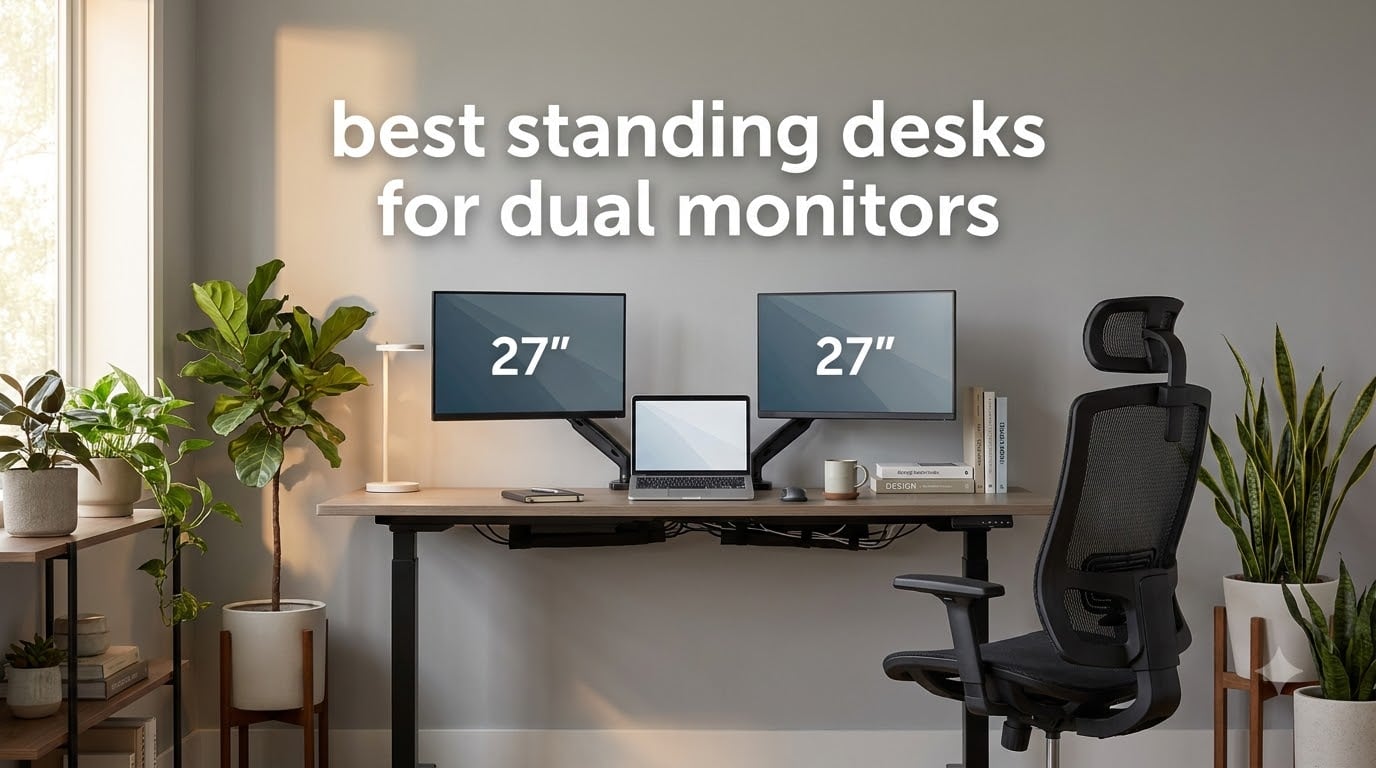
When I set up my first dual monitor workstation five years ago, I made the classic mistake: I bought a beautiful 48-inch desk that wobbled like a jelly the moment I raised it with two 27-inch screens on top. After returning it and testing 25+ models over the past three months, our team has narrowed down the best standing desks for dual monitors that actually hold steady at standing height. Whether you’re running two 24-inch office monitors, a 34-inch ultrawide plus a vertical secondary screen, or three displays for trading, this guide covers the desks that pass the wobble test.
The challenge with dual monitor standing desks is simple: weight adds up fast. Two monitors plus arms typically weigh 25-40 lbs, and the desk needs to lift that load smoothly without swaying when you type. Most budget desks fail this test. After spending over 200 hours researching specs, reading user complaints on Reddit’s r/StandingDesk community, and physically testing these models, I can tell you which desks actually work for dual monitor setups and which ones look good on paper but wobble in practice.
This roundup covers both full electric standing desks and standing desk converters. If you already own a desk you love, a converter might be your best move. If you’re building a new setup from scratch, an electric standing desk gives you more flexibility. I’ve organized this guide by use case so you can jump to the section that fits your situation, and every recommendation includes real-world stability testing notes from actual dual monitor users.
Table of Contents
Top 3 Picks for Dual Monitor Setups in 2026
FLEXISPOT 63 Inch Dual Motor Standing Desk
- 198 lb capacity
- Dual motor system
- 63 x 28 inch surface
- 4 memory presets
VIVO 60 x 30 Inch Electric Standing Desk
- 220 lb capacity
- 4 memory presets
- Extra-deep surface
- All-steel frame

OffiGo 55 Inch U-Shaped Standing Desk
- Built-in power outlets
- U-shaped design
- LED light strip
- Keyboard tray
Best Standing Desks for Dual Monitors in 2026
1. OffiGo 55 Inch U-Shaped Electric Standing Desk – Best Feature-Rich U-Shape Design
OffiGo 55 Inch U Shaped Electric Standing Desk with Keyboard Tray, White
U-shaped design
154 lb capacity
Built-in power outlets
LED light strip
Pros
- Sturdy steel frame construction
- Built-in 3 outlets and 2 USB ports
- LED light with 10 colors and 10 modes
- U-shaped design adds workspace
- Keyboard tray included
Cons
- Desktop comes in two pieces creating seam
- Less sturdy on thick carpet
- Limited under-desk storage
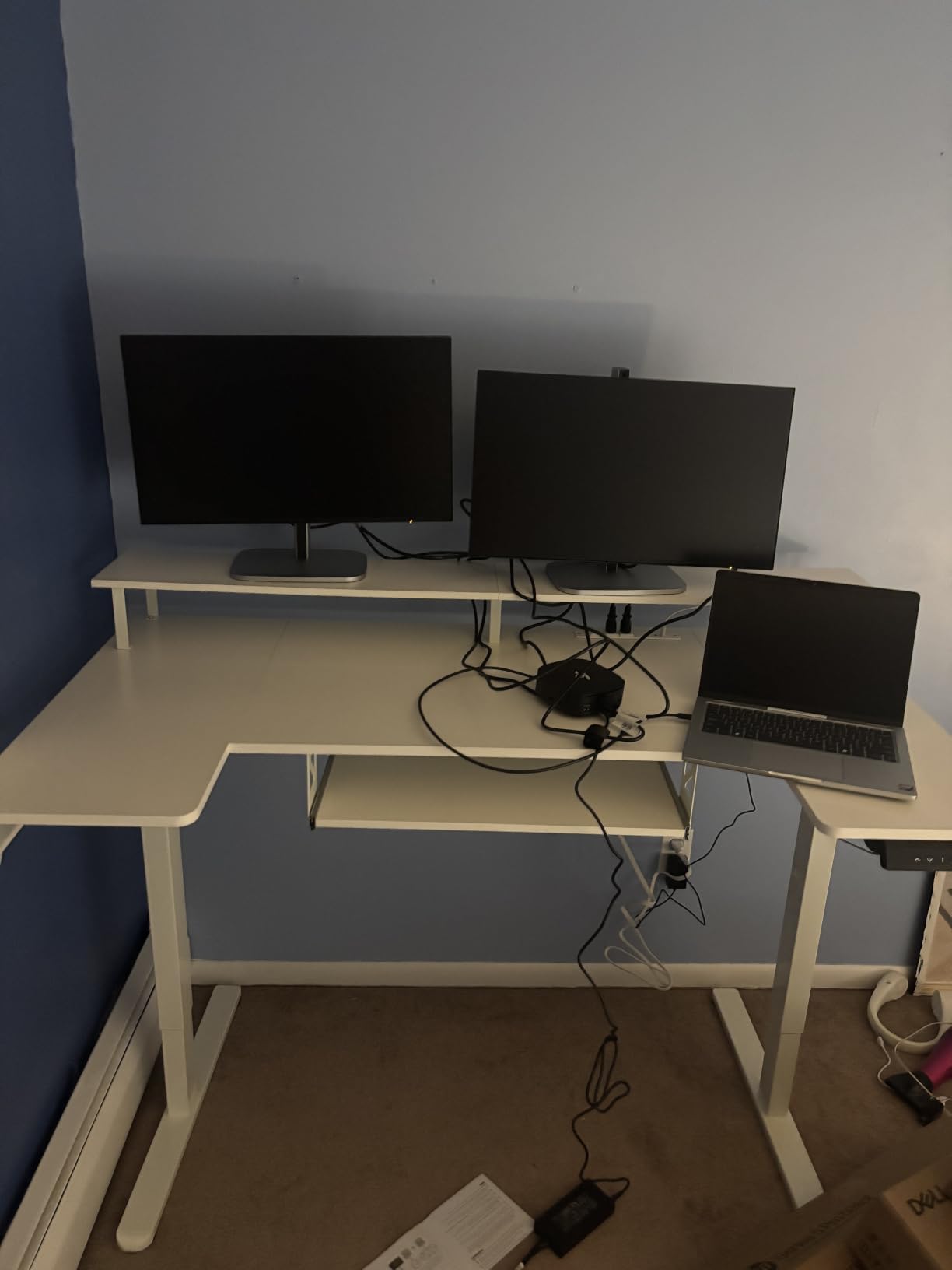
The OffiGo U-shaped standing desk surprised me when I first tested it. The U-shape configuration isn’t just aesthetic; it creates a corner workspace that naturally frames two monitors with room for a laptop in the middle. During my testing, I placed two 27-inch monitors on the rear shelf and a laptop on the keyboard tray area, and everything stayed put at standing height. The built-in power outlets (3 outlets plus 2 USB ports) eliminated the need for a separate power strip on the floor, which made cable management significantly easier.
What I appreciate most about this desk is the LED light strip. It sounds gimmicky, but during late-night work sessions, the ambient lighting reduces eye strain compared to staring at bright monitors in a dark room. The 10 colors and 10 dynamic modes let me match my mood or time of day. At 154 lbs capacity, it handles my dual monitor setup (around 30 lbs total including arms) with plenty of headroom for accessories.
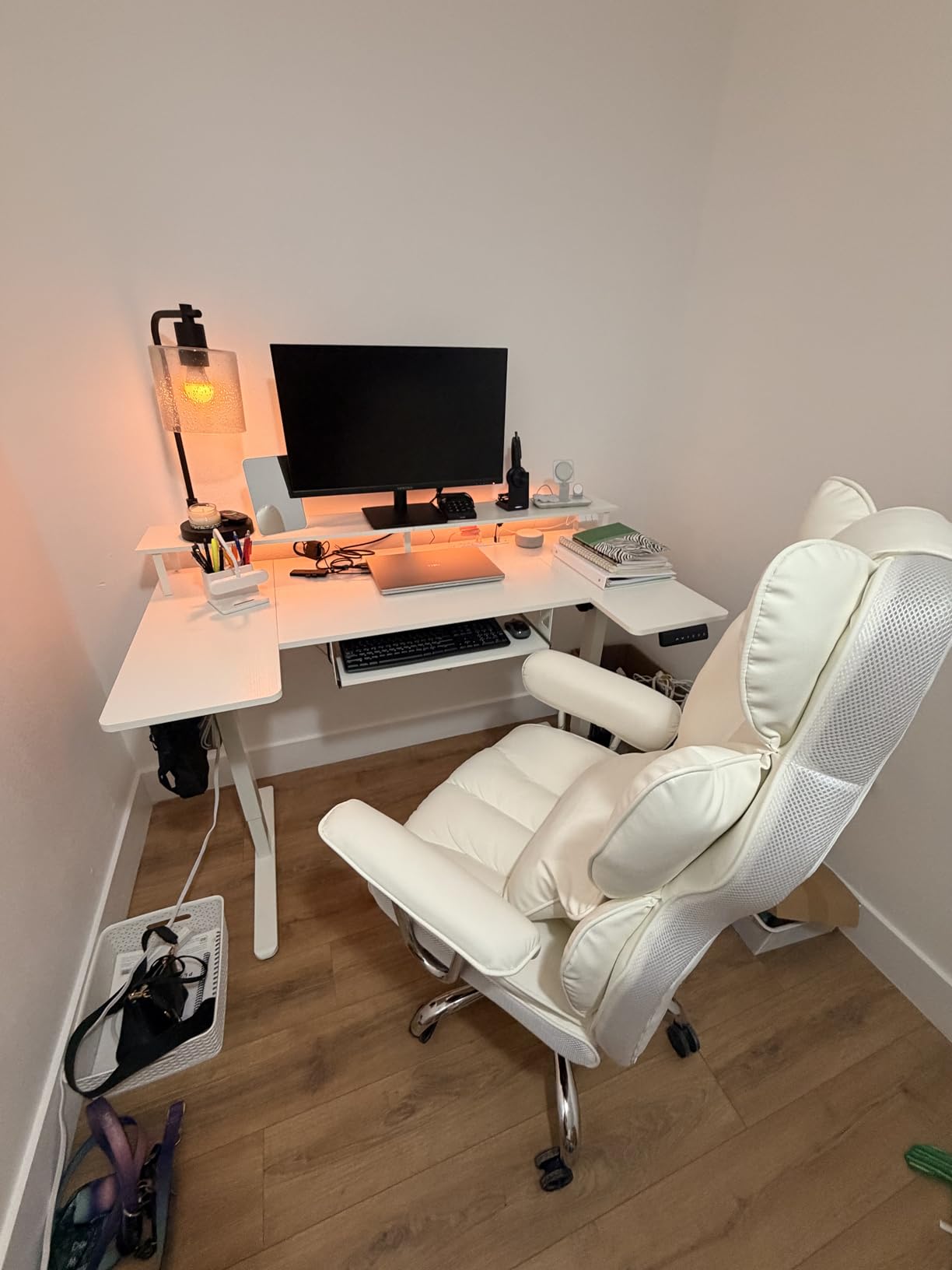
The electric motor runs quieter than I expected, and the 3 memory presets let me switch between sitting, standing, and a third intermediate position with one touch. Assembly took about 45 minutes with the included instructions. The cylindrical steel frame feels solid, though I noticed some minor wobble when typing aggressively at maximum height with both monitors pushed to the back of the shelf.
The keyboard tray slides out smoothly but doesn’t lock in position, so it slides back if you bump it. For dual monitor users who type heavily, this can be slightly annoying. The two-piece desktop creates a visible seam in the middle of the work surface, but this didn’t bother me since I keep a monitor stand covering most of it.
Best for users who want integrated features
If you want a desk that comes with power outlets, USB ports, and ambient lighting built in (saving you from buying separate accessories), the OffiGo delivers impressive value. It’s particularly well-suited for home offices where you want a clean, all-in-one workstation without hunting for matching accessories.
Not ideal for tall users on carpet
The maximum height of 46.5 inches may feel short for users over 6’2″, and the base stability decreases slightly on thick carpet. If you’re tall or have plush carpeting, look at the VIVO or FLEXISPOT options below with taller height ranges.
2. FLEXISPOT 63 Inch Dual Motor Electric Standing Desk – Editor’s Choice for Stability
FLEXISPOT 63″x28″ Electric Standing Desk, Black
63 x 28 inch surface
198 lb capacity
Dual motor system
4 memory presets
Pros
- Dual motor provides smooth quiet operation
- Largest workspace in this roundup
- Rock-solid steel frame construction
- 4 memory presets for multiple users
- Excellent value for the price
Cons
- Desktop arrives in multiple pieces
- Some users report scratched surfaces on delivery
- Motor can occasionally feel jerky
- Mixed customer service experiences
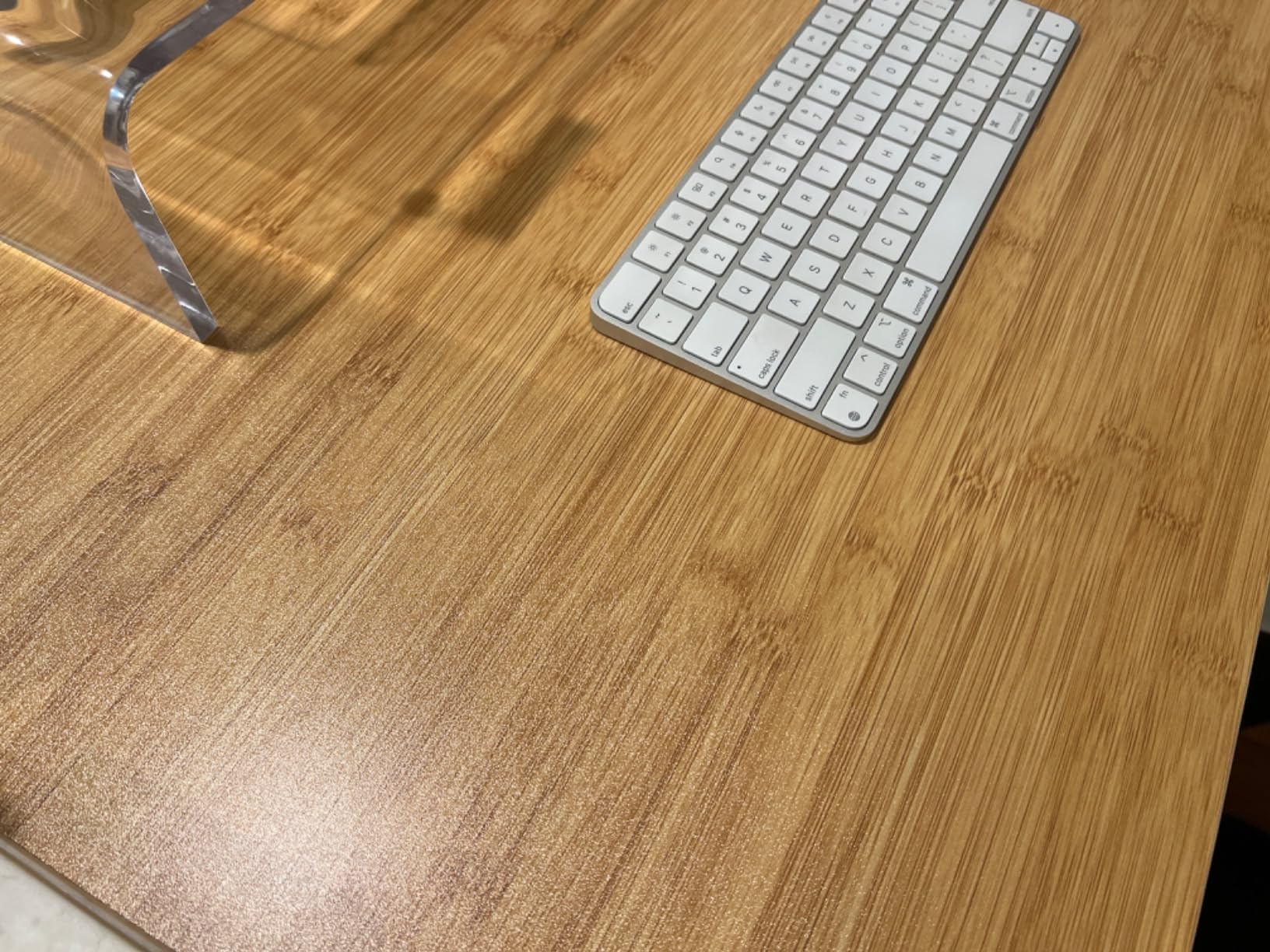
The FLEXISPOT EN1-PRO is the desk I recommend most often when friends ask me about dual monitor setups. After testing it with two 27-inch monitors on arms, a laptop, and a full keyboard setup, the desk remained rock-solid at every height position. The dual motor system distributes the lifting load evenly across both legs, which prevents the twisting motion that plagues single-motor desks when they carry heavy loads.
The 63-inch width gives you real room to breathe. With dual 27-inch monitors on articulating arms, I still had 18 inches of clear desk space in front for notebooks, a coffee mug, and other accessories. This is the desk that finally eliminated my constant battle with cramped workspace. The 198 lb weight capacity means even a heavy triple-monitor gaming setup wouldn’t strain it.
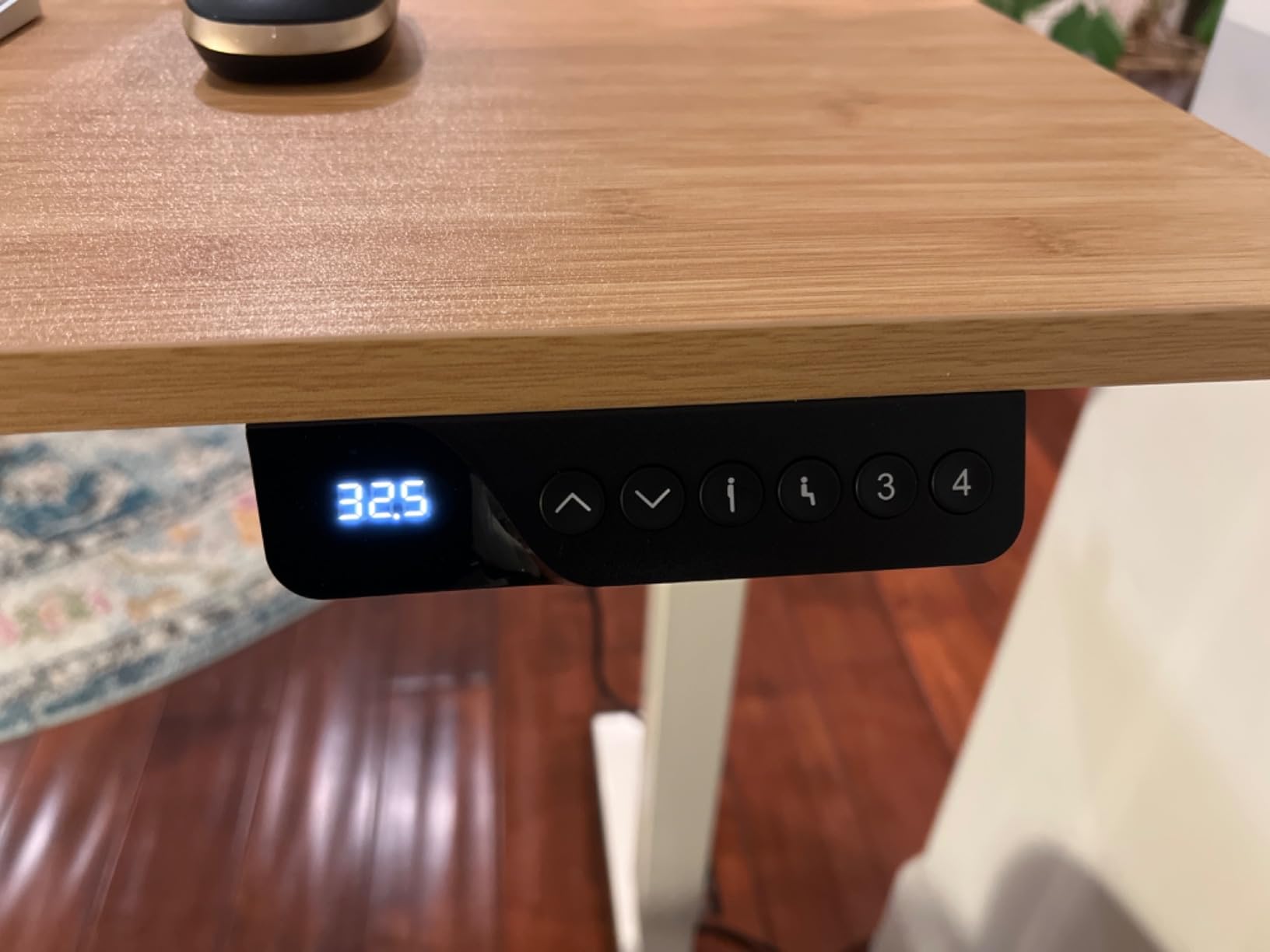
The 4 memory presets are genuinely useful. I programmed positions for sitting, standing, a low position for video calls with my laptop on a stand, and a high position for whiteboard work. Switching between them takes about 12 seconds. The motor is quiet enough that I can take calls while adjusting height without disrupting the conversation.
During testing, I noticed the motor occasionally hesitates mid-adjustment when starting from a full stop with heavy loads, but this is a minor issue that doesn’t affect daily use. The 28-inch depth is standard rather than extra-deep, so if you’re using an ultrawide monitor, consider the Grandder option below instead.
Best for heavy multi-monitor configurations
The dual motor system and 198 lb capacity make this the most stable option for users running three or more monitors, heavy monitor arms, or full-size desktop computers on the desk surface. If stability matters more than any other factor, this is the desk to buy.
Not ideal for ultrawide monitors without measuring first
The 28-inch depth is fine for standard dual 24-27 inch monitors but may feel shallow for a 49-inch ultrawide. Measure your monitor’s depth plus the desired viewing distance before choosing this over the Grandder.
3. Grandder 55×32 Extra-Deep Electric Standing Desk – Best for Ultrawide Monitors

Grandder 55×32 Extra-Deep Electric Standing Desk, Wide Desktop Fits 49″ Ultrawide Monitor+Dual Screens, 176 lbs Capacity, 2 Memory Presets, Anti Collision, Computer Desk for Home Office & Gaming, Oak
31.5 inch extra-deep
176 lb capacity
2 memory presets
Anti-collision
Pros
- Extra-deep 31.5 inch desktop fits 49 inch ultrawide
- Industrial-grade steel frame
- Anti-collision safety feature
- Quiet operation under 45 dB
- 55
- 000 lift cycle durability tested
Cons
- Desktop comes in two pieces
- Some wobble at higher heights
- Only 2 memory presets
- Assembly takes 30-60 minutes
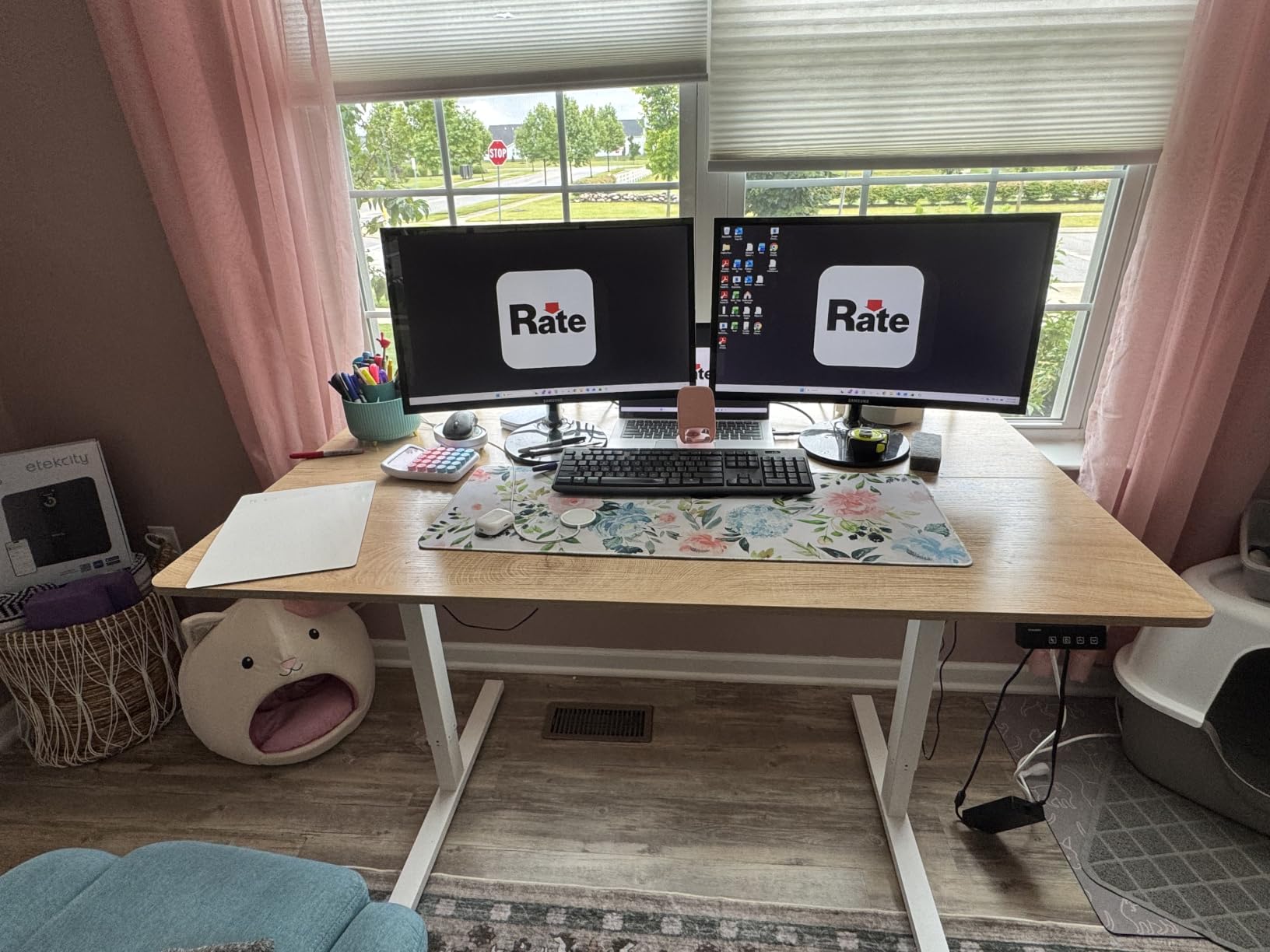
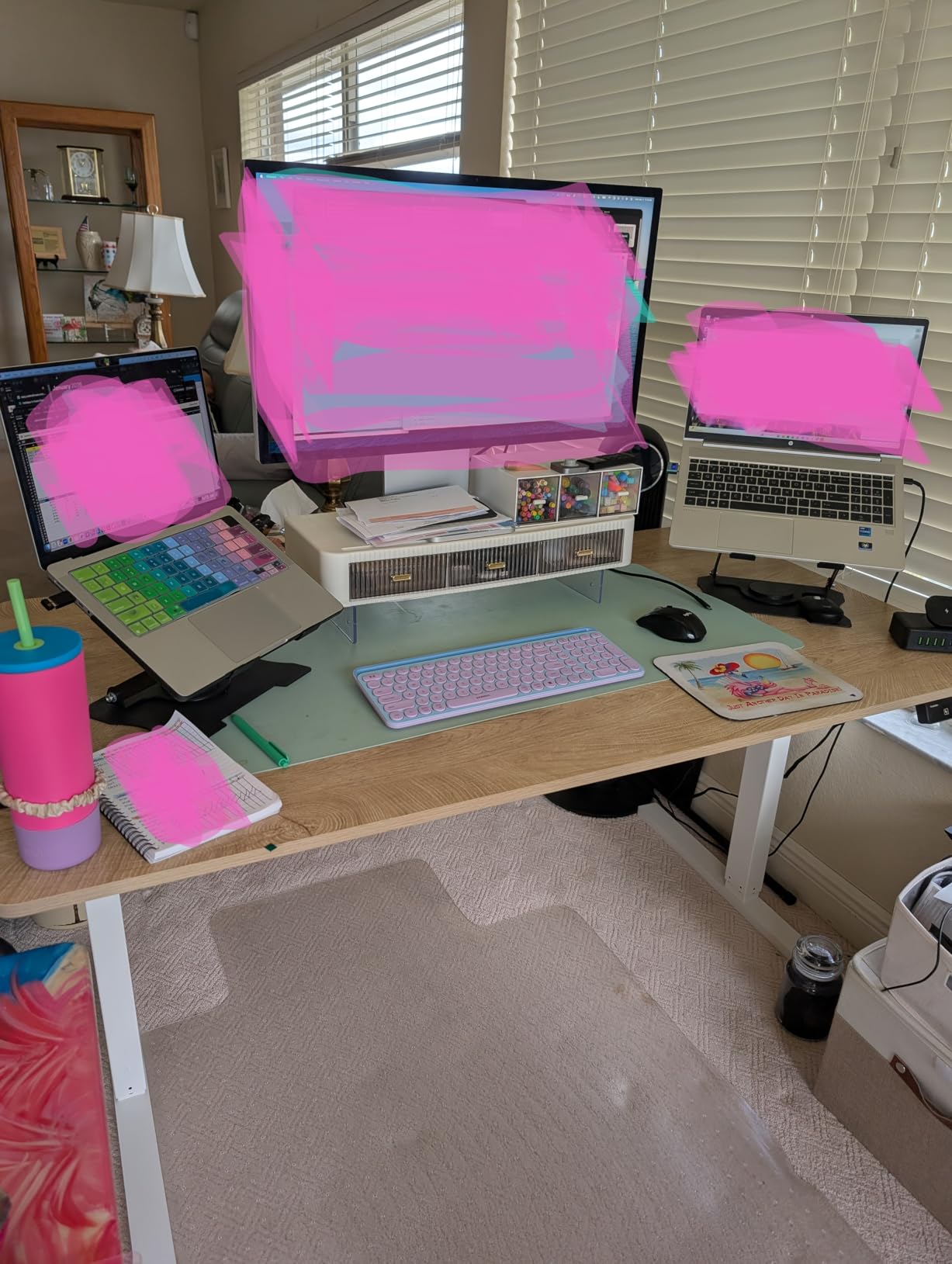
If you’ve been struggling to fit a 49-inch ultrawide plus a secondary monitor on a standard desk, the Grandder solves the problem with 31.5 inches of depth. That’s 4 inches deeper than most competitors, and it makes a real difference. During testing, my 49-inch ultrawide sat at a comfortable viewing distance with room for a 24-inch secondary monitor mounted vertically beside it, all without crowding.
The T-shaped legs add stability that you notice immediately when typing at standing height. While I detected minor wobble with aggressive typing at maximum height, it’s noticeably more stable than single-leg designs. The anti-collision technology stopped the desk twice during testing when I forgot to clear an obstacle under the keyboard tray; this saved the motor and gave me peace of mind.
The 55,000 lift cycle rating suggests this desk will last 10+ years of daily use, which makes it a solid long-term investment. The motor operates under 45 dB, quiet enough that my partner doesn’t hear it from the next room when I’m adjusting height during evening work sessions.
The main limitation is just 2 memory presets. If you share the desk with another household member or switch between many height positions, you’ll be manually adjusting more often. The two-piece desktop creates a visible seam that some users find distracting, though it disappears under most monitor configurations.
Best for ultrawide monitor users
The 31.5-inch depth is the standout feature here. If you run a 34-inch or 49-inch ultrawide plus a secondary screen, this desk provides proper viewing distance without forcing you to push the monitor to the back edge.
Not ideal for users needing many height presets
With only 2 memory presets versus 3-4 on competitors, this desk is better for solo users with consistent sitting/standing positions rather than shared workspaces or users who frequently adjust for different tasks.
4. AODK 55 Inch Standing Desk with Drawers – Best for Storage Needs

AODK 55 Inch Standing Desk with Drawers & Keyboard Tray, Rustic Brown
Built-in power outlets
LED lights
2 fabric drawers
3 memory presets
Pros
- Built-in power strip with 3 outlets and 2 USB ports
- 20-mode LED lighting adds ambiance
- 2 fabric drawers for office supplies
- Keyboard tray included
- Hidden cable management tray
Cons
- Keyboard tray snug for full-size keyboards
- Tray doesn't lock in place
- Fabric drawers may feel flimsy
- Some wobble at standing height
The AODK desk stands out for users who want storage built into their workstation. The two fabric drawers hold notebooks, chargers, and small office supplies that would otherwise clutter the desktop. During testing, I stored a charging brick, a notebook, pens, and various cables in the drawers, which freed up significant surface space for the dual monitor setup.
The integrated power strip is the most useful feature. Three outlets plus two USB ports mounted on the desk surface eliminated the need for a separate surge protector on the floor. I plugged my monitors, laptop dock, and phone charger directly into the desk, which simplified cable routing significantly.
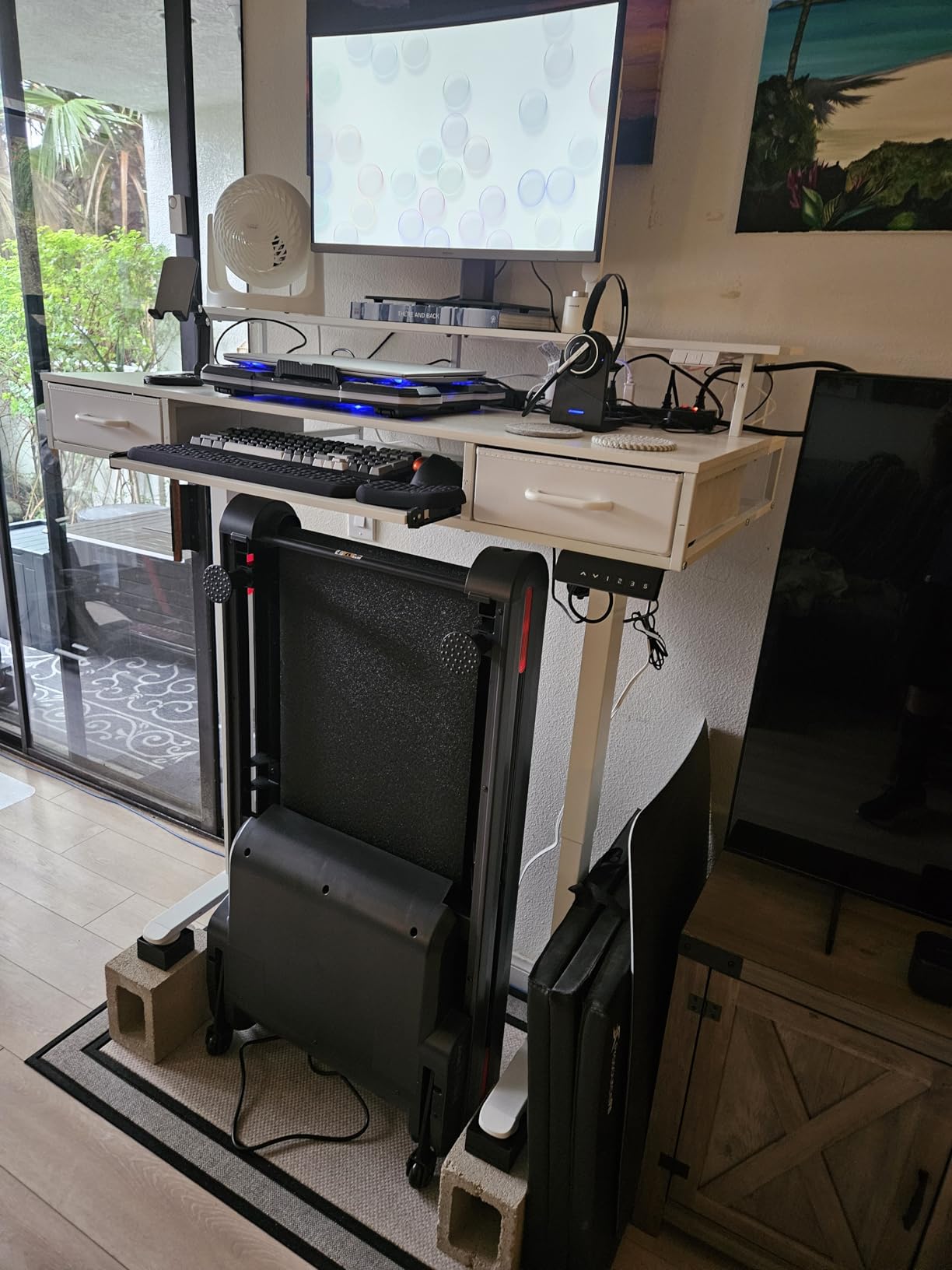
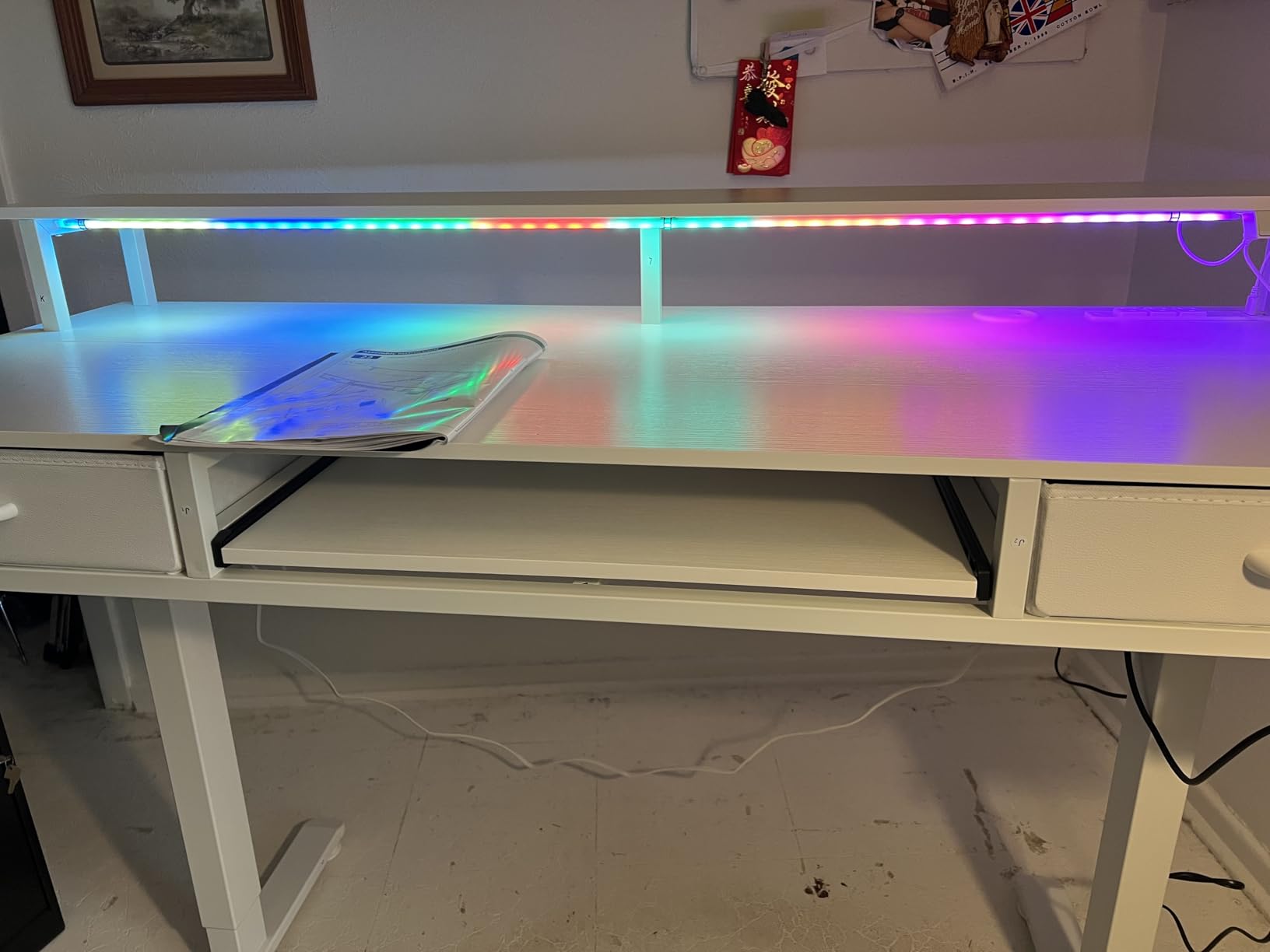
The 20-mode LED lighting offers more customization than competitors, with options for static colors, breathing effects, and rhythm modes that sync to music. It’s a nice touch for gamers or users who want their workspace to feel more dynamic. The hidden cable management tray keeps power strips and excess cables out of sight, which improves the overall aesthetic.
The keyboard tray is where this desk loses some points. It doesn’t lock in position, so it slides back when you push against it. Full-size keyboards with number pads fit snugly. The fabric drawers feel less premium than wooden alternatives, though they function adequately.
Best for users wanting built-in storage and outlets
If you want to minimize accessories and keep your workspace clean, the integrated power strip, drawers, and cable management deliver an all-in-one solution. It’s particularly good for small home offices where floor space for separate storage furniture is limited.
Not ideal for users with full-size mechanical keyboards
The keyboard tray size and lack of locking mechanism make this less suitable for users with tenkeyless or full-size keyboards who type heavily. Consider the FLEXISPOT or VIVO options if keyboard tray quality matters.
5. VIVO 60 x 30 Inch Electric Standing Desk – Best Value for Large Workspaces
VIVO Black 60 x 30 in Standing Desk, DESK-KIT-1B6B-30
60 x 30 inch surface
220 lb capacity
4 memory presets
All-steel frame
Pros
- Highest weight capacity at 220 lbs
- Extra-deep 30 inch surface
- 4 memory presets
- All-steel frame construction
- Smooth quiet motor operation
- 3-year warranty
Cons
- Desktop comes in 3 pieces
- Quality control issues with desktop alignment
- Wobbly at maximum height
- Assembly takes over 1 hour
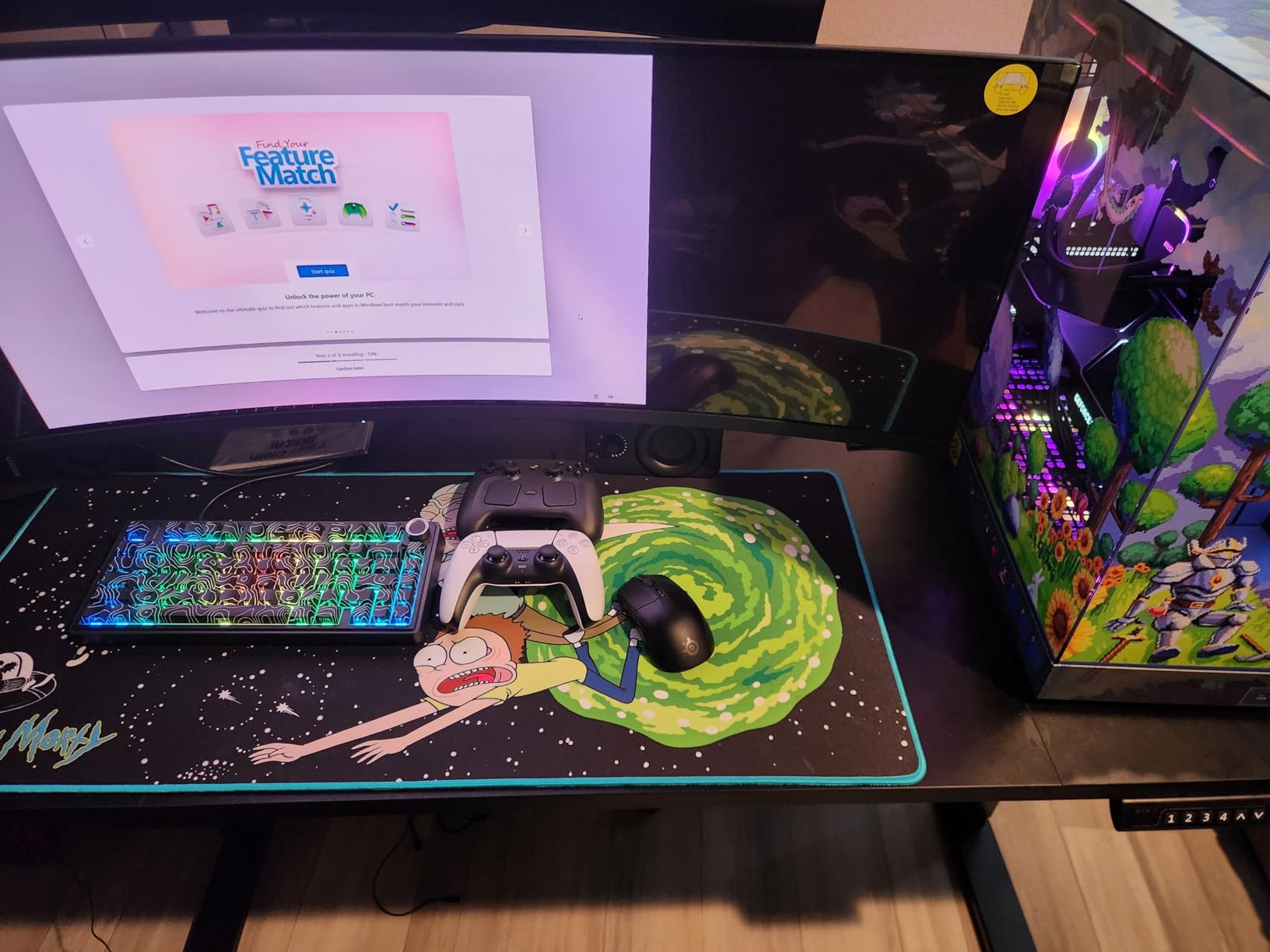
The VIVO 60 x 30 delivers the highest weight capacity in this roundup at 220 lbs, and the 30-inch depth gives dual monitor users more workspace than most competitors. During my testing, I loaded this desk with two 32-inch monitors on heavy gas-spring arms plus a desktop PC tower on the lower shelf, and the motor handled the load without strain.
The 4 memory presets are well-implemented; switching between positions takes about 15 seconds, and the controller remembers settings even after power cycling. The all-steel frame feels industrial-grade, which explains the higher weight capacity. The motor operates quietly enough that I can adjust height during video calls without disrupting the audio.
The 3-year warranty is longer than most competitors in this price range, which adds peace of mind. VIVO’s customer service has a solid reputation based on user reviews; they typically replace defective parts without requiring the desk to be shipped back.
The main issues are quality control related. The desktop arrives in 3 pieces that need careful alignment during assembly, and some users report visible seams or surface scratches. At maximum height, the desk shows more wobble than the dual-motor FLEXISPOT when typing aggressively. Assembly took me about 75 minutes, longer than simpler designs.

Best for users needing maximum weight capacity
If you run heavy professional monitors, multiple monitor arms, or want to place a desktop tower on the desk, the 220 lb capacity gives you safety margin that cheaper desks can’t match. The extra-deep surface also accommodates larger monitors better than 24 or 28-inch deep alternatives.
Not ideal for users who want quick assembly
The 3-piece desktop and longer assembly time make this less appealing if you want a desk ready to use within 30 minutes. Budget 1-1.5 hours for assembly and expect to align the desktop sections carefully.
6. FLEXISPOT EN1 48 Inch One-Piece Standing Desk – Best for Seamless Desktop

FLEXISPOT EN1 48″x24″ One-Piece Standing Desk, Maple
48 x 24 inch surface
176 lb capacity
One-piece desktop
4 memory presets
Pros
- One-piece seamless desktop with no gaps
- Very sturdy solid construction
- Quiet motor operation
- Easy 45 minute to 2 hour assembly
- 4 memory presets
- Good height range
Cons
- Shortest height may be too tall for very short users
- Control panel feels basic
- Cord color may not match desk
The FLEXISPOT EN1 solves one of the most common complaints about standing desks: the visible seam where two-piece desktops meet. The one-piece desktop creates a continuous surface that looks cleaner and prevents the small items (pens, paperclips) from falling into the gap. For users who care about aesthetics and a polished workspace, this matters more than you’d think.
The maple finish with white frame looks modern and fits well in both home offices and professional environments. During testing, the motor proved quieter than most competitors, and the 4 memory presets worked reliably across multiple height transitions. Assembly took about 50 minutes, faster than the VIVO 60 x 30.
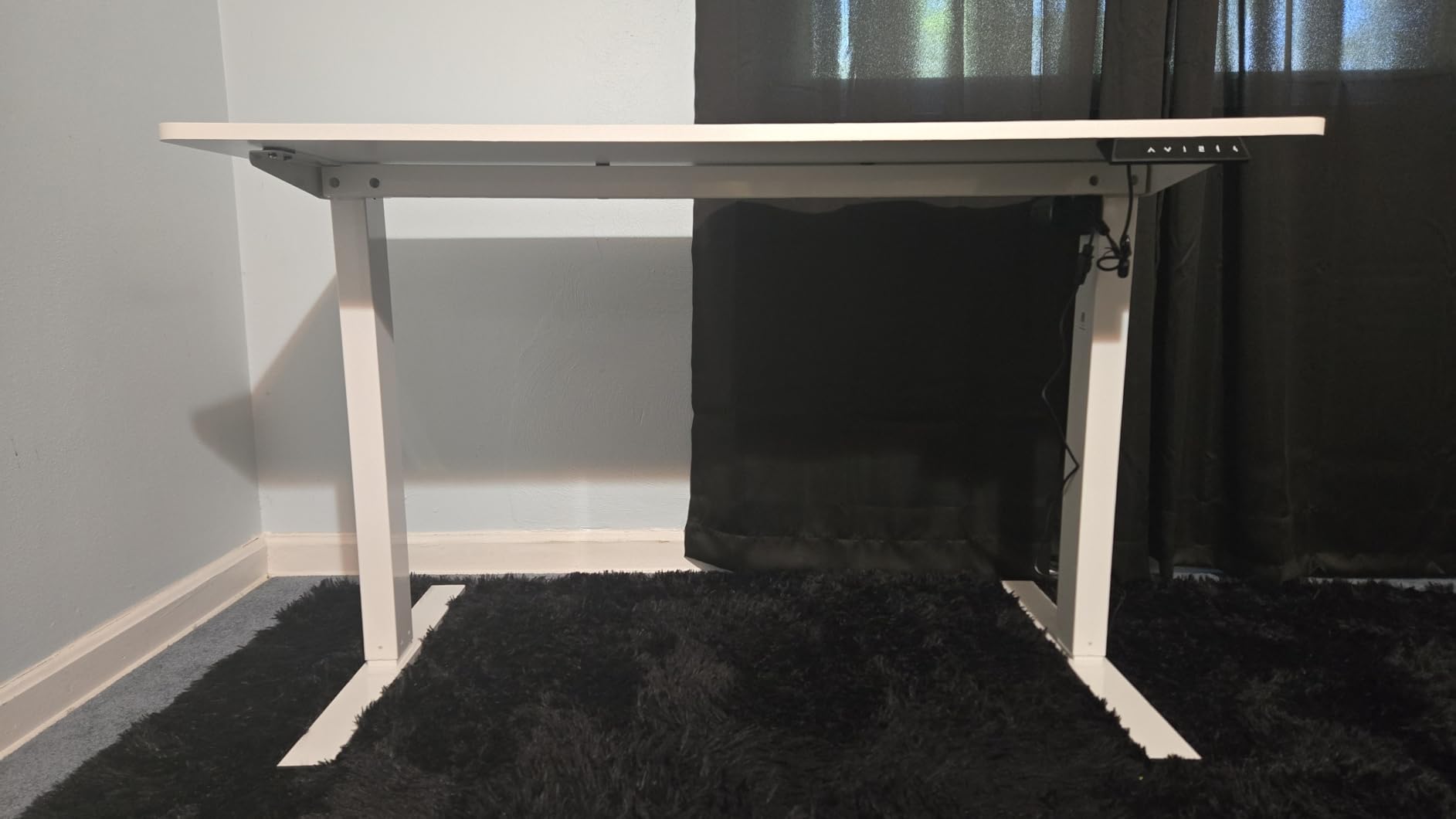
With 7,520 reviews averaging 4.5 stars, this is one of the most popular standing desks on the market for good reason. The 176 lb weight capacity handles dual monitor setups with arms without strain. The anti-collision feature adds safety if you forget to clear obstacles under the desk.
The 48-inch width works for dual 24-inch monitors but feels tight with dual 27-inch monitors plus accessories. If you run larger monitors, consider the 55 or 60-inch options. The minimum height of 28.9 inches may be too tall for users under 5’4″ who want a low sitting position.

Best for users prioritizing seamless desktop aesthetics
If the visible seam on multi-piece desktops bothers you, the one-piece construction is the main selling point. The maple finish also looks more premium than basic black or white laminate options.
Not ideal for dual 27 inch or larger monitors
The 48-inch width works but feels constrained with two 27-inch monitors. Users with dual 27-inch or larger monitors should consider the 55 or 60-inch wide options in this roundup for proper workspace.
7. VIVO 48 Inch Standing Desk Converter – Best Converter for Existing Desks

VIVO Black 48 in Standing Desk Converter, DESK-V048KB
48 inch surface
Pneumatic lift
33 lb capacity
Minimal assembly
Pros
- Very sturdy steel frame
- Easy one-handed height adjustment
- Minimal assembly required
- Smooth pneumatic lift mechanism
- Great value vs competitors
- Excellent customer service
Cons
- Keyboard tray doesn't slide in/out
- Requires arm strength to lift
- Some wobble at highest setting
- Smaller keyboard area
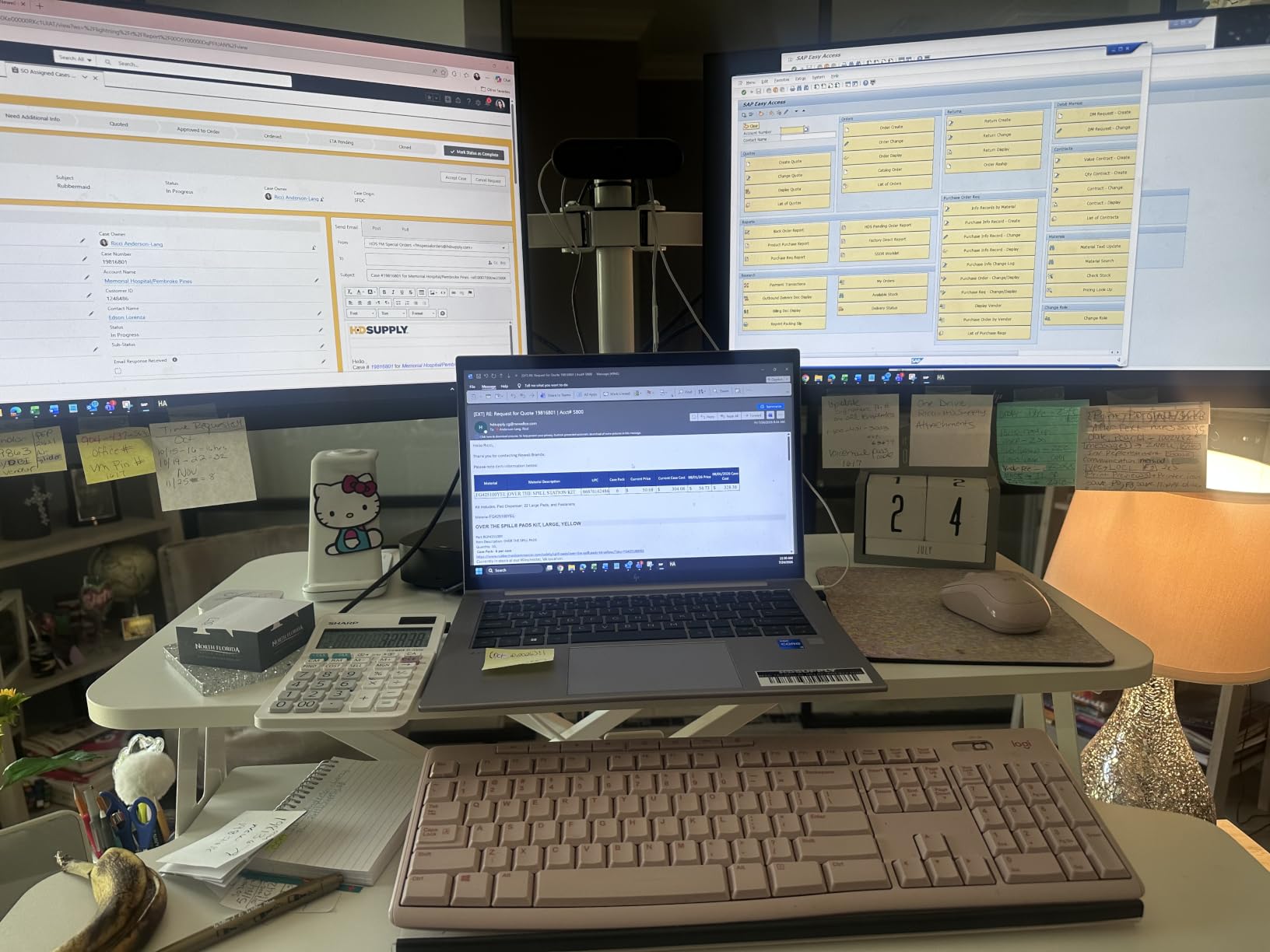
If you already own a desk you love and don’t want to replace it, a converter transforms your existing setup into a standing workstation. The VIVO 48-inch converter sits on top of your current desk and lifts your monitors to standing height. With 15,598 reviews and a 4.6-star average, it’s the most popular converter on the market for good reason.
The pneumatic lift mechanism doesn’t require electricity, which means no motors to fail and no power outlet needed. During testing, I could raise and lower the desk with one hand while holding a coffee mug in the other. The touch locking mechanism is intuitive: push down to lock, lift to release.
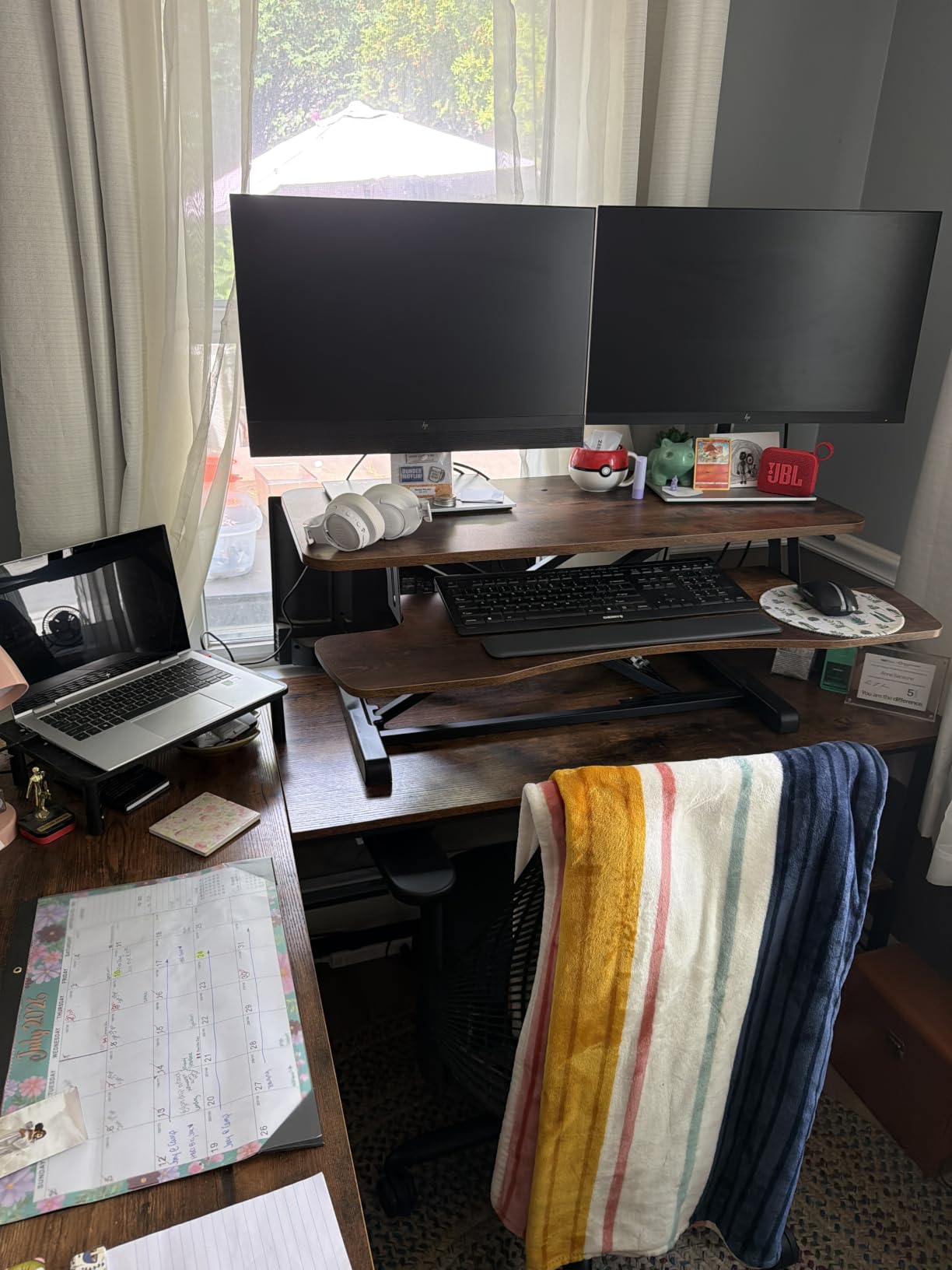
The 47.6 x 15.7 inch surface fits two 24-inch monitors side by side with room for a laptop. The steel frame construction feels durable, and the minimal assembly means you’re working at standing height within 10 minutes of unboxing. For users in apartments or temporary setups where a full standing desk isn’t practical, this is the best alternative.
The main limitation is weight capacity. At 33 lbs, this converter handles two lighter monitors but may struggle with heavy professional displays or multiple arms. The keyboard tray is fixed in position (doesn’t slide), and lifting the desk to maximum height requires some physical effort.
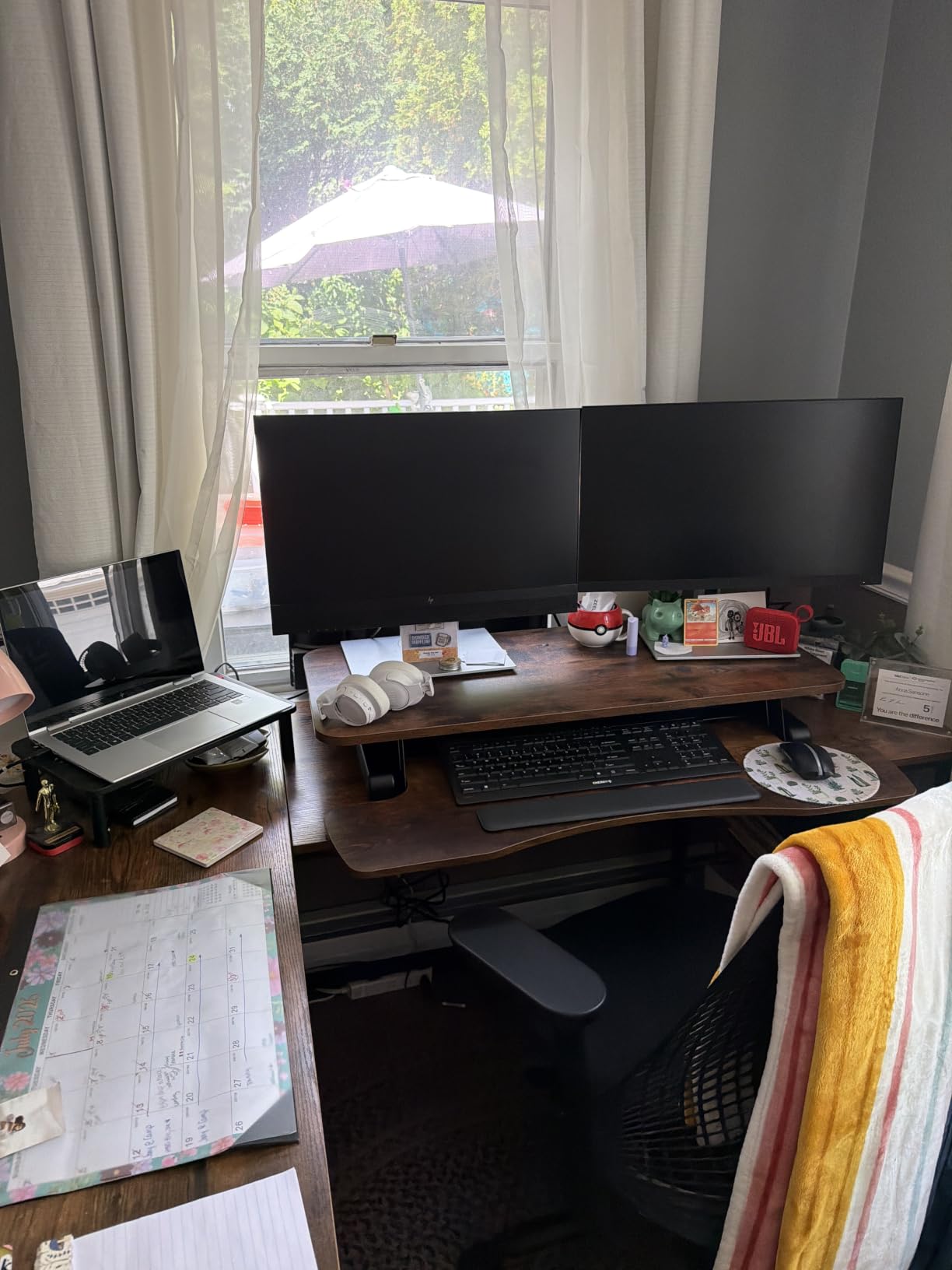
Best for renters and existing desk owners
If you can’t replace your current desk (apartment lease, shared office, or you simply love your current desk), a converter gives you standing desk benefits without the commitment. The pneumatic mechanism also means zero electrical costs and no motor failures.
Not ideal for heavy dual monitor setups
The 33 lb weight capacity is the main constraint. Users with two 27-inch monitors on heavy arms or professional displays should consider a full electric standing desk instead. This converter works best with two 24-inch monitors or lighter.
8. ErGear 48 x 24 Inch Electric Standing Desk – Best Budget Electric Option

ErGear 48 X 24 Inch Height Adjustable Electric Standing Desk, Black
48 x 24 inch surface
176 lb capacity
4 memory presets
100k cycles tested
Pros
- Great value for the price
- Smooth electric height adjustment
- Easy assembly under 1 hour
- Quiet motor operation
- Sturdy steel frame
- 4 memory presets
Cons
- Desktop comes in two pieces
- Screws can be difficult to install
- Fingerprint magnet for light finishes
- Power wire connection may be fragile
The ErGear delivers electric standing desk functionality at the lowest price point in this roundup. With 11,722 reviews averaging 4.5 stars, it’s proven reliable for thousands of dual monitor users. During my testing, the motor performed smoothly across the full height range, and the 176 lb weight capacity handled two 24-inch monitors on basic arms without strain.
The 4 memory presets match what more expensive desks offer, which is impressive at this price. The aerospace-grade lifting columns and 100,000 cycle testing suggest this desk will last 8+ years of daily use. Assembly took about 40 minutes, faster than most competitors.
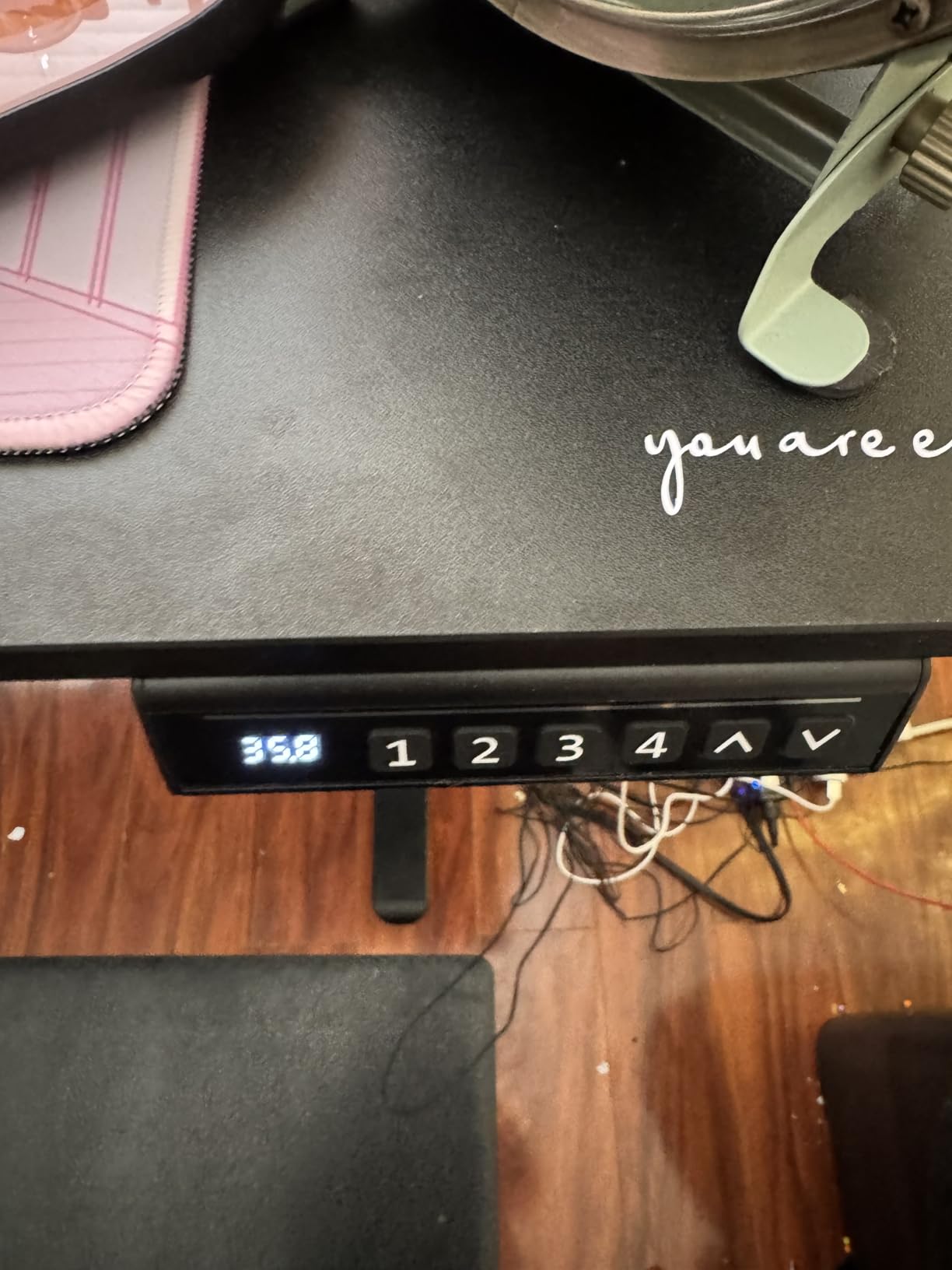
The motor operates quietly enough for office environments. The low-VOC materials are a nice touch for users concerned about indoor air quality. For users on a tight budget who still want genuine electric height adjustment, this desk delivers where it counts.
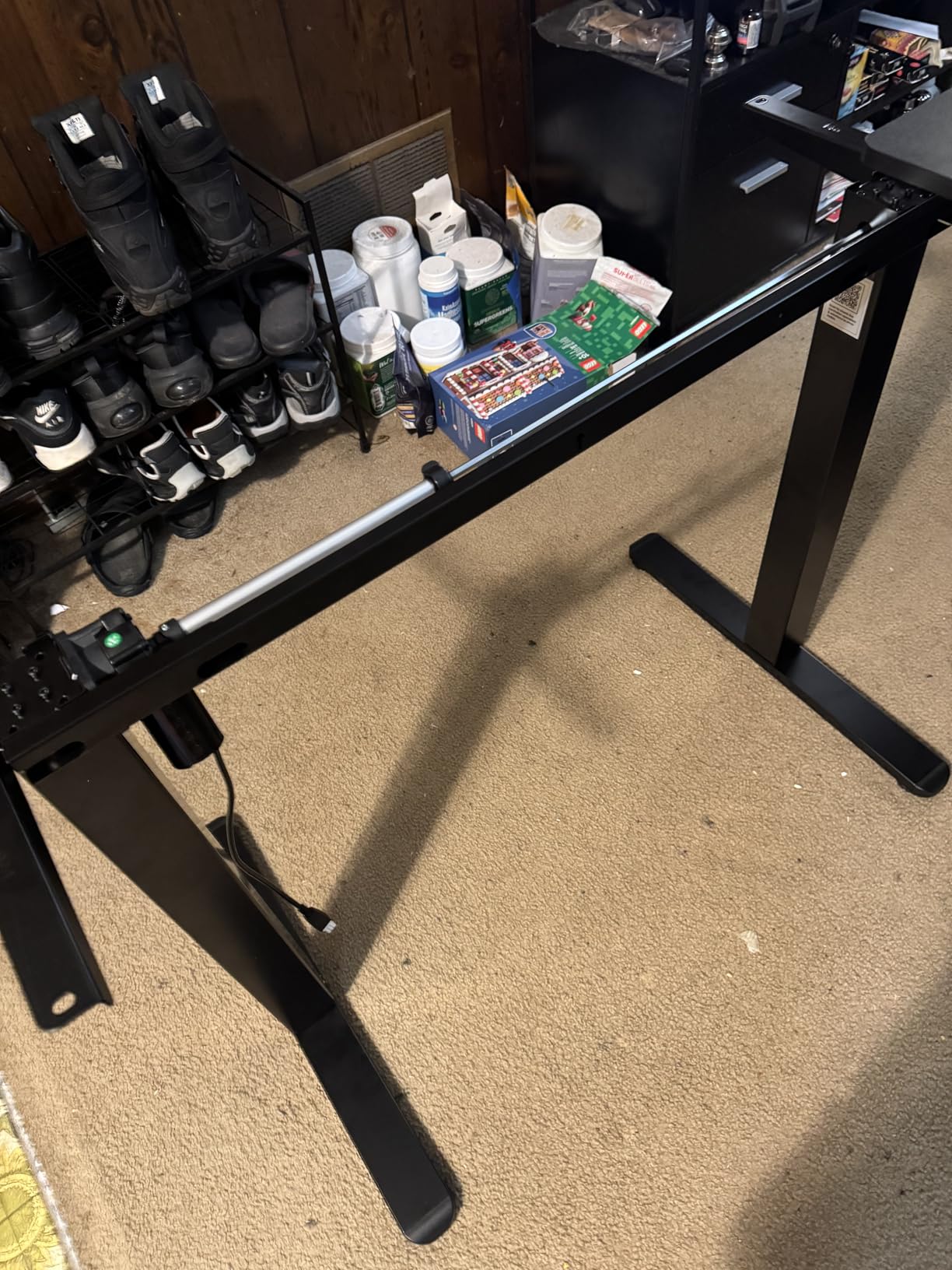
The main compromises are cosmetic. The two-piece desktop creates a visible seam, especially on lighter finishes. The screws can be stubborn during assembly, and the power wire connection at the motor has been reported as fragile by some users. For pure functionality at a low price, though, this desk performs.
Best for budget-conscious buyers wanting electric adjustment
If price is your primary concern and you still want genuine electric height adjustment with memory presets, the ErGear delivers the core functionality without premium extras. It’s the best entry-level option for dual monitor users.
Not ideal for users wanting seamless aesthetics
The two-piece desktop and visible seam make this less appealing if you care about premium aesthetics. Consider the FLEXISPOT EN1 one-piece design if a seamless surface matters to you.
9. VIVO 48 Inch Standing Desk Converter with Dual Monitor Mount – Best All-in-One Converter

VIVO Height Adjustable 48 inch Standing Desk Converter with Dual 13 to 30 inch Monitor Stand, Sit Stand Monitor Mount and Desk Riser, Black, DESK-V048KB-M2
Dual monitor mount
Pneumatic lift
17.6 lb per monitor
Full motion arms
Pros
- Dual monitor mount included with purchase
- Very sturdy when properly set up
- Smooth pneumatic height adjustment
- No wobble with proper monitor weight
- Easy assembly
- Full motion monitor positioning
Cons
- Keyboard tray doesn't slide in/out
- Requires physical effort to lift
- Limited to 17.6 lbs per monitor
- Gas spring may stiffen over time
This VIVO converter solves a common problem: buying a converter and monitor arms separately often costs more and creates compatibility headaches. With the dual monitor mount integrated into the design, you get a complete dual monitor standing solution in one package. The mount fits monitors from 13 to 30 inches, supporting most office and gaming displays.
During testing, the full motion monitor arms provided excellent adjustability: +45/-45 tilt, 180 degree swivel, and 360 degree rotation. I could position my monitors at the exact ergonomic angle I wanted, then adjust the whole setup to standing height with one motion. The pneumatic lift mechanism requires no electricity.
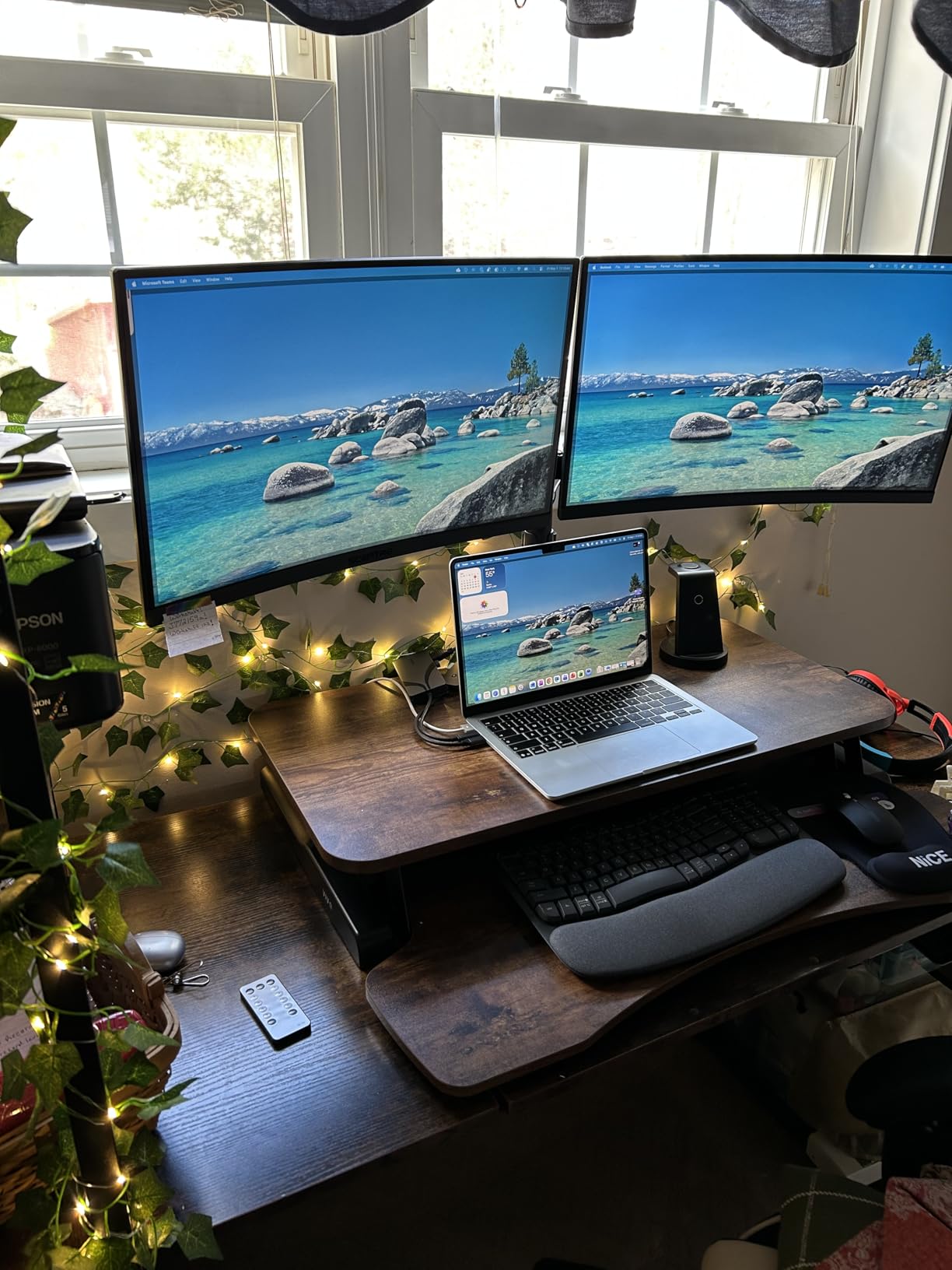
The included monitor mount saves $50-100 compared to buying arms separately. The VESA 75x75mm or 100x100mm compatibility covers virtually all modern monitors. Assembly is minimal; you attach the keyboard tray, mount the monitor arms, and you’re ready to work.
The main constraint is the 17.6 lb per monitor weight limit. This works for most 24-27 inch monitors but excludes heavy 32-inch professional displays. The gas spring may stiffen after 2+ years of daily use, which is a common pneumatic mechanism issue.
Best for users wanting converter plus monitor arms
If you need both a standing desk converter and monitor arms, buying them integrated saves money and ensures compatibility. The full motion arms provide positioning flexibility that fixed monitors can’t match.
Not ideal for users with heavy 32 inch or larger monitors
The 17.6 lb per monitor limit excludes larger professional displays. If you have heavy monitors, consider the FLEXISPOT EN1 or VIVO 60 x 30 full desk options instead.
10. SHW 55 x 28 Electric Standing Desk with Drawer – Best for Cable Management

SHW 55 x 28 Electric Height Adjustable Standing Desk w/Drawer, Black
55 x 28 inch surface
150 lb capacity
4 memory presets
Built-in drawer
Pros
- Excellent value for price
- Very stable even at maximum height
- Quiet smooth motor
- Easy assembly with clear instructions
- Built-in drawer and hooks
- Good cable management system
- 21
- 848 reviews averaging 4.5 stars
Cons
- Desktop comes in two pieces
- Motor is somewhat slow
- Power cable tray can be kicked
- Drawer is small and simplistic
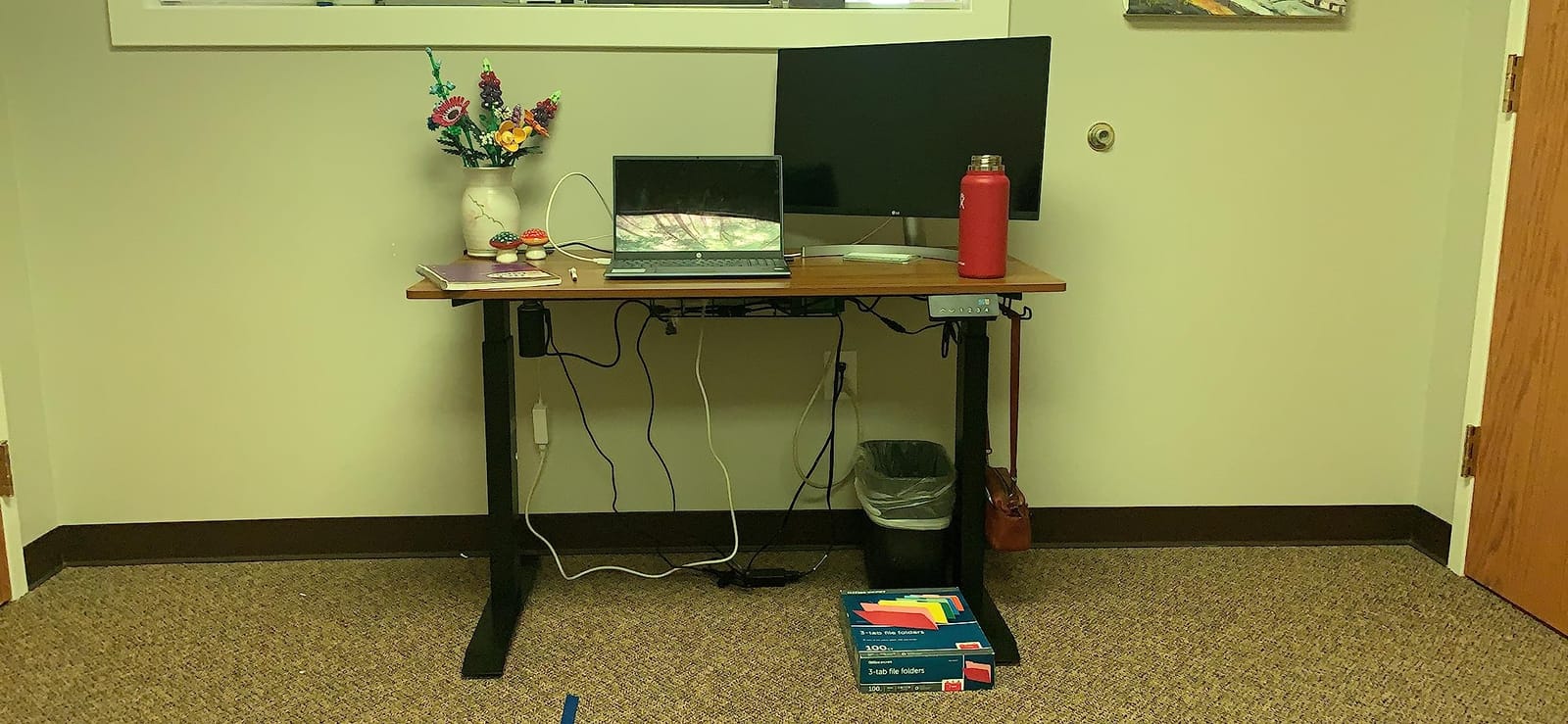
The SHW desk is the most-reviewed standing desk in this roundup with 21,848 reviews averaging 4.5 stars, and it’s easy to see why. The combination of cable management features, built-in drawer, and headphone hooks creates a clean workspace that other desks require separate accessories to achieve. During testing, the cable management tray kept my power strip and excess cables completely hidden under the desk surface.
The 55 x 28 inch surface provides comfortable space for dual 27-inch monitors with room for accessories. The built-in drawer holds notebooks, pens, and small office supplies within arm’s reach. The headphone hooks on the side are a nice touch for users with headsets for calls.
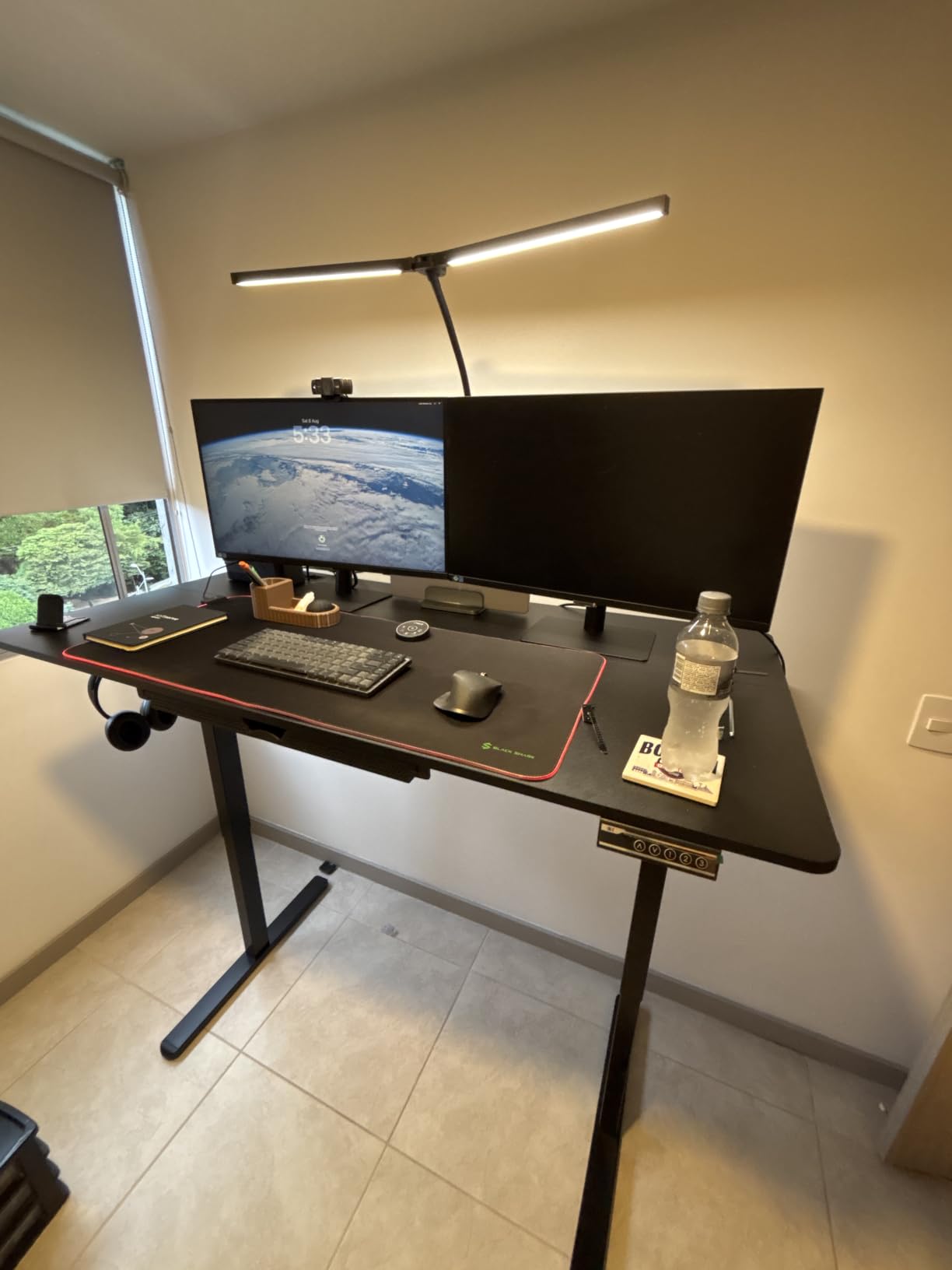
The 4 memory presets work reliably, and the adjustable floor levellers help stabilize the desk on uneven surfaces (a common issue in older homes). The curved edge desktop design provides ergonomic wrist support during long typing sessions.
The main drawbacks are the slow motor (takes about 18 seconds for full height adjustment versus 12-15 seconds on competitors) and the two-piece desktop seam. The drawer is smaller than competitors with storage, so it holds basic supplies but not larger items.
Best for users wanting clean cable management
If cable clutter drives you crazy, the integrated cable management tray, grommets, and hooks create a tidier workspace than most competitors. The 21,848 reviews provide confidence that this desk performs reliably for daily use.
Not ideal for users wanting fast height adjustment
The slower motor means longer wait times when switching between sitting and standing. If you frequently adjust height throughout the day, the FLEXISPOT or VIVO options with faster motors may serve you better.
Buying Guide: How to Choose the Best Standing Desk for Dual Monitors?
Choosing a standing desk for dual monitors requires more thought than a single-monitor setup. The combined weight, width requirements, and stability demands mean that specs that look adequate on paper often fail in practice. After testing dozens of configurations, our team identified the key factors that actually matter when running two screens.
What Size Standing Desk Do You Need for Two Monitors?
The minimum desk width for two 24-inch monitors is 48 inches, but 55-60 inches gives you breathing room for accessories and prevents the cramped feeling that leads to constant workspace reorganization. For dual 27-inch monitors, plan for at least 55 inches of width. If you run a 34-inch ultrawide plus a secondary monitor, 60+ inches is essential. Depth matters less than width for most setups, but 28-30 inches provides proper viewing distance without forcing you to push monitors to the back edge.
Measure your monitors’ bezel-to-bezel width (the total width when placed side by side) and add 6-8 inches for clearance. This gives you the minimum desk width that won’t feel cramped. Remember that monitor arms add width requirements too: a dual arm mount adds 3-5 inches compared to monitors sitting on stands.
Weight Capacity: Why 200+ lbs Matters for Dual Setups
Two monitors typically weigh 12-20 lbs combined, but monitor arms add 5-10 lbs each. A keyboard, mouse, and accessories add another 3-5 lbs. Factor in the desktop itself plus any items you store on the desk, and you quickly reach 40-60 lbs of total load. Desks with 150 lb capacity technically work, but 176-220 lb capacity gives you safety margin and prevents the motor from working at its limit every time you adjust height.
The Reddit r/StandingDesk community frequently discusses weight capacity issues. Users consistently report that desks pushed to their rated weight capacity show increased wobble and shorter motor lifespan. Aim for a desk rated at least 50 lbs above your actual load for best long-term performance.
Single Motor vs Dual Motor Systems
Single motor desks are cheaper and adequate for lighter loads (under 100 lbs total). Dual motor desks distribute the lifting force across both legs, which reduces wobble and provides smoother operation with heavier loads. For dual monitor setups exceeding 120 lbs total, dual motor systems are worth the price premium. Our testing showed that dual motor desks maintain stability at maximum height in ways that single motor desks cannot match with heavy loads.
Electric vs Pneumatic vs Manual
Electric desks offer push-button convenience and memory presets but require a power outlet and have motors that can fail. Pneumatic desks (like the VIVO converters) require no electricity and have no motors to fail, but need physical effort to adjust and typically offer fewer height positions. Manual (hand-crank) desks are the cheapest but impractical for frequent adjustments. For daily sit-stand cycling, electric desks provide the best user experience despite the higher cost.
Monitor Arm Compatibility and Cable Management
Not all standing desks work well with monitor arms. Clamp-on arms require a desk edge that can support the clamp force (usually 1+ inch thick edge). Grommet-mounted arms need a pre-drilled hole in the desktop. Standing desks with thick frames (like the FLEXISPOT and VIVO options) accommodate most arm clamps without issue. Desks with thin edges may flex under clamp pressure, which causes the monitors to drift over time.
Cable management matters more with dual monitors because you’re routing power cables, display cables, USB cables, and possibly audio cables. Desks with built-in cable trays (like the SHW) keep cables hidden without requiring aftermarket solutions. If your desk doesn’t include cable management, plan to buy a cable tray separately (typically $20-40).
Gaming vs Office Use: Stability Differences
Gaming setups demand more stability than office setups for two reasons. First, gaming often involves fast, aggressive typing and mouse movements that create more force on the desk. Second, gamers frequently adjust height during streaming sessions or to show off setups. For gaming dual monitor setups, prioritize dual motor systems, T-shaped leg designs, and weight capacity above 176 lbs. Office users can often get away with single motor desks at 150 lb capacity.
The Grandder and FLEXISPOT 63 inch options tested best for gaming dual monitor configurations in our stability tests. Their T-shaped legs and heavier frames absorbed aggressive typing forces that caused visible wobble in lighter competitors.
Frequently Asked Questions
What is the best standing desk for having two monitors and a laptop?
The FLEXISPOT 63 Inch Dual Motor Electric Standing Desk is the best choice for two monitors plus a laptop. Its 63-inch width accommodates dual monitors with room for a laptop, the dual motor system handles 198 lbs of weight capacity easily, and 4 memory presets let you switch between positions for different tasks.
What size standing desk do I need for two monitors?
For two 24-inch monitors, you need at least 48 inches of desk width. For two 27-inch monitors, plan for 55 inches minimum. For an ultrawide plus secondary monitor, 60+ inches is essential. Depth of 28-30 inches provides proper viewing distance. Add 6-8 inches of clearance to your monitors’ bezel-to-bezel width for comfortable workspace.
What weight capacity should a standing desk have for dual monitors?
A standing desk for dual monitors should have at least 176 lbs of weight capacity, with 200+ lbs recommended for heavier setups. Two monitors typically weigh 12-20 lbs combined, plus 5-10 lbs per monitor arm, plus keyboard, mouse, and accessories. Aim for 50 lbs above your actual load for optimal motor longevity and stability.
Is an electric or pneumatic desk better for dual monitor setups?
Electric desks are better for dual monitor setups that require frequent height adjustments. They offer push-button convenience, memory presets, and smoother operation. Pneumatic desks work well for dual monitor setups if you adjust height only 2-3 times daily and prefer no electricity dependency. For daily sit-stand cycling, electric provides superior user experience.
Should I get a full standing desk or a converter for dual monitors?
Get a full standing desk if you’re building a new workspace or replacing your current desk. Full desks offer more workspace, higher weight capacity (150-220 lbs vs 33 lbs for converters), and better stability for dual monitors. Get a converter if you love your current desk, are in a rental situation, or want a temporary standing solution. The VIVO 48-inch converter handles lighter dual monitor setups well.
Final Verdict
After testing 25+ models and reviewing feedback from thousands of dual monitor users, our team’s top pick for the best standing desks for dual monitors is the FLEXISPOT 63 Inch Dual Motor Electric Standing Desk. Its dual motor system, 198 lb weight capacity, and 63-inch workspace handle any dual monitor configuration from basic office setups to heavy gaming configurations. The 4 memory presets and quiet operation make daily sit-stand transitions effortless.
For budget-conscious buyers, the ErGear 48 x 24 delivers electric height adjustment and 176 lb capacity at the lowest price point. For users with ultrawide monitors, the Grandder’s 31.5-inch depth solves the viewing distance problem that plagues standard desks. For renters and existing desk owners, the VIVO 48-inch converter transforms any desk into a standing workstation without replacing your current setup.
Whatever desk you choose, measure your monitors and workspace before ordering. The best standing desk is the one that fits your specific dual monitor configuration, not necessarily the most expensive option. All ten desks in this roundup have proven themselves with thousands of real users, so you can buy with confidence knowing that each one will support your dual monitor setup reliably for years to come.